Create a Storyboard
             Unit 301 – Lesson 11
Lesson Goals

 Be able to create a storyboard that could be used to help
  plan a trailer for the movie

 Understand how to effectively review the storyboard against
  the client brief


                                               #storyboard #purpose
                                               #audience #review
Key Words

 Storyboard    A series of drawings with a script
                  used for moving images

 Audience      The person or group of people the
                  work will be aimed at

 Purpose       What the finished document will be
                  used for

 Review        To evaluate a piece of work against
                  the requirements of the brief
What is the purpose?
Think about your research…
Create an effective storyboard

Definition                               Critically review the work


 The purpose of a storyboard is to plan the individual scenes in
   a project that involves moving images.

 A storyboard can include drawings of a scene, location details,
   props used, camera instructions and script or dialogue used.

 Storyboards can be used by a person producing the video
   project to plan out how each scene will look.

 Storyboards are used mainly for visual projects involving
   moving images such as movies, cut scenes, trailers, adverts,
   television shows etc.
                                                   #storyboard #purpose
                                                   #audience #review
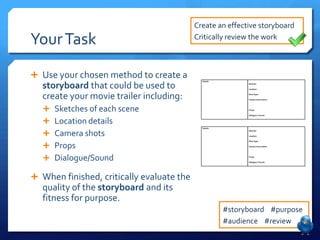
Create an effective storyboard

Your Task                                  Critically review the work


 Use your chosen method to create a
   storyboard that could be used to
   create your movie trailer including:
    Sketches of each scene
    Location details
    Camera shots
    Props
    Dialogue/Sound

 When finished, critically evaluate the
   quality of the storyboard and its
   fitness for purpose.
                                                   #storyboard #purpose
                                                   #audience #review

Lesson 11 create a storyboard

  • 1.
    Create a Storyboard Unit 301 – Lesson 11
  • 2.
    Lesson Goals  Beable to create a storyboard that could be used to help plan a trailer for the movie  Understand how to effectively review the storyboard against the client brief #storyboard #purpose #audience #review
  • 3.
    Key Words  Storyboard  A series of drawings with a script used for moving images  Audience  The person or group of people the work will be aimed at  Purpose  What the finished document will be used for  Review  To evaluate a piece of work against the requirements of the brief
  • 4.
    What is thepurpose? Think about your research…
  • 5.
    Create an effectivestoryboard Definition Critically review the work  The purpose of a storyboard is to plan the individual scenes in a project that involves moving images.  A storyboard can include drawings of a scene, location details, props used, camera instructions and script or dialogue used.  Storyboards can be used by a person producing the video project to plan out how each scene will look.  Storyboards are used mainly for visual projects involving moving images such as movies, cut scenes, trailers, adverts, television shows etc. #storyboard #purpose #audience #review
  • 6.
    Create an effectivestoryboard Your Task Critically review the work  Use your chosen method to create a storyboard that could be used to create your movie trailer including:  Sketches of each scene  Location details  Camera shots  Props  Dialogue/Sound  When finished, critically evaluate the quality of the storyboard and its fitness for purpose. #storyboard #purpose #audience #review