Human-­‐Computer	
  Interac0on	
  Course	
  2015:	
  Lecture	
  6	
  	
  
Lora Aroyo Web & Media Group
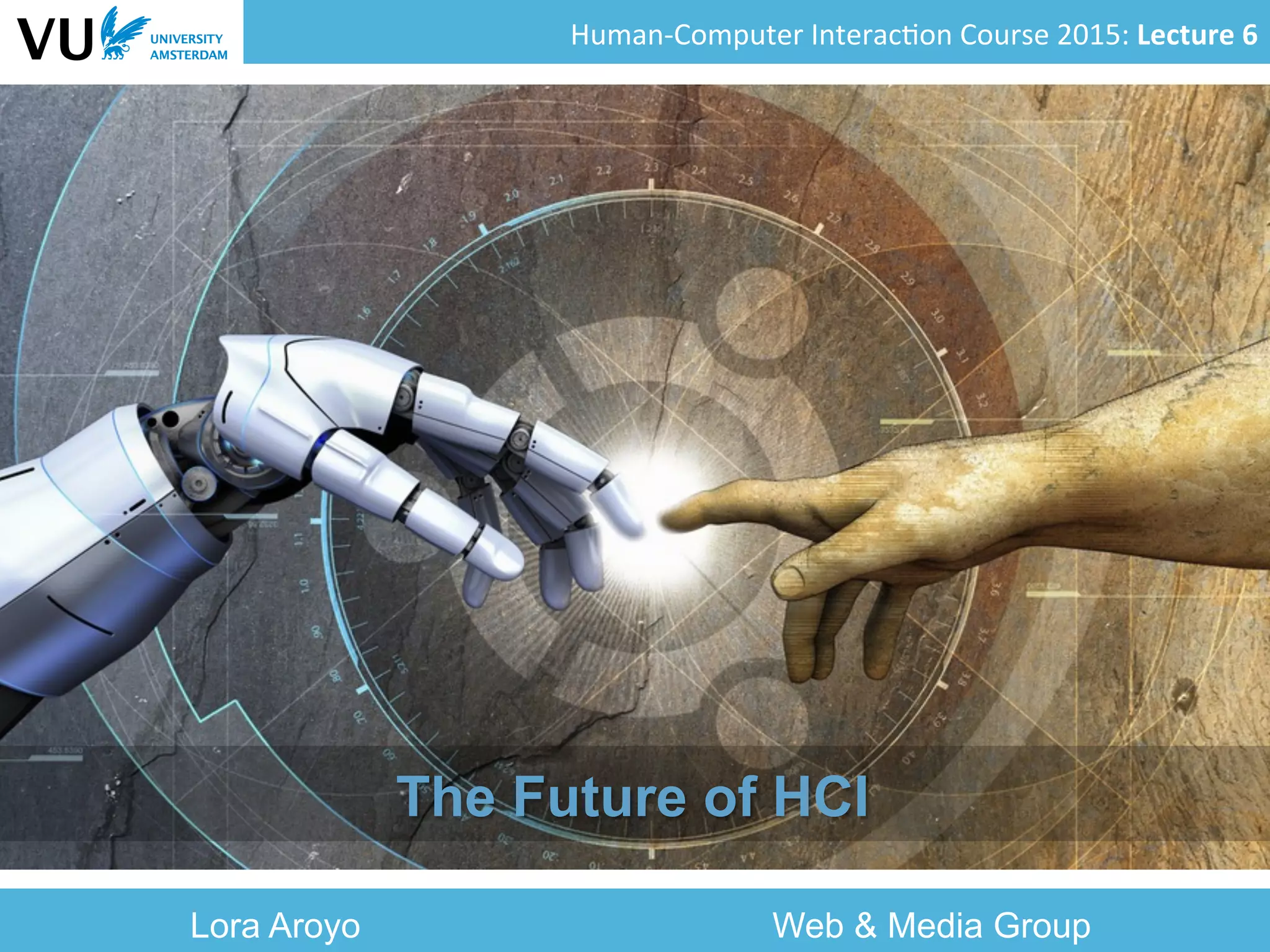
The Future of HCI
Human-­‐Computer	
  Interac0on	
  Course	
  2015:	
  Lecture	
  6	
  	
  
Literature	
  
§  HCI	
  in	
  the	
  Year	
  2020,	
  Microso=	
  Research	
  
§  The	
  Future	
  of	
  HCI,	
  John	
  Canny	
  	
  
§  Human-­‐Computer	
  Interac0on:	
  Present	
  and	
  
Future	
  Trends,	
  Guest	
  Editors:	
  P.	
  Montuschi,	
  A.	
  
Sanna,	
  F.	
  Lamber0,	
  G.	
  Parava0	
  
2	
  
Human-­‐Computer	
  Interac0on	
  Course	
  2015:	
  Lecture	
  6	
  	
  
Overview	
  
§  Reflec0ons	
  on	
  history	
  
§  Developments	
  in	
  HCI	
  technology	
  
§  Trends	
  in	
  interac0on	
  
§  Consequences	
  for	
  HCI	
  methodology	
  
3	
  
Human-­‐Computer	
  Interac0on	
  Course	
  2015:	
  Lecture	
  6	
  	
  
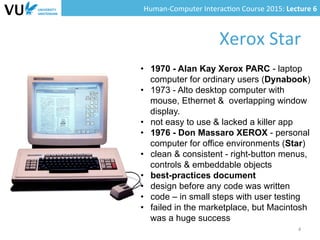
Xerox	
  Star	
  	
  
4	
  
•  1970 - Alan Kay Xerox PARC - laptop
computer for ordinary users (Dynabook)
•  1973 - Alto desktop computer with
mouse, Ethernet & overlapping window
display.
•  not easy to use & lacked a killer app
•  1976 - Don Massaro XEROX - personal
computer for office environments (Star)
•  clean & consistent - right-button menus,
controls & embeddable objects
•  best-practices document
•  design before any code was written
•  code – in small steps with user testing
•  failed in the marketplace, but Macintosh
was a huge success
Human-­‐Computer	
  Interac0on	
  Course	
  2015:	
  Lecture	
  6	
  	
  
Features	
  of	
  the	
  Xerox	
  Star	
  
§  Desktop	
  metaphor	
  
§  Mouse	
  
§  Right-­‐buYon	
  menus	
  
§  Controls	
  
§  Embeddable	
  objects	
  
§  Trash	
  bin	
  
§  ….	
  
5	
  
Human-­‐Computer	
  Interac0on	
  Course	
  2015:	
  Lecture	
  6	
  	
  
Lessons	
  from	
  the	
  Xerox	
  Star	
  design	
  
§  Good	
  mass-­‐centred	
  design	
  requires	
  a	
  user-­‐
centred	
  approach	
  
§  When	
  you	
  execute	
  a	
  user-­‐centred	
  design	
  well,	
  
you	
  get	
  a	
  design	
  that	
  endures	
  for	
  decades	
  
§  Good	
  HCI	
  design	
  is	
  evolu0onary	
  rather	
  than	
  
revolu0onary	
  
– “Good	
  ar0sts	
  borrow;	
  great	
  ar0sts	
  steal”	
  (Picasso)	
  
§  Crea0ve	
  HCI	
  design	
  is	
  technology	
  driven	
  
combined	
  with	
  principles	
  of	
  human	
  behavior	
  	
  
6	
  
Human-­‐Computer	
  Interac0on	
  Course	
  2015:	
  Lecture	
  6	
  	
  
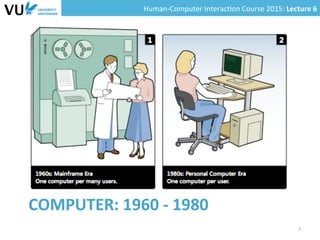
COMPUTER:	
  1960	
  -­‐	
  1980	
  
7	
  
Human-­‐Computer	
  Interac0on	
  Course	
  2015:	
  Lecture	
  6	
  	
  
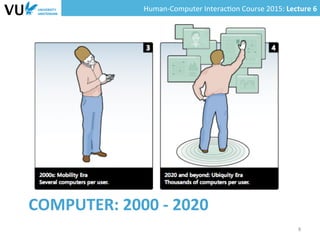
COMPUTER:	
  2000	
  -­‐	
  2020	
  
8	
  
Human-­‐Computer	
  Interac0on	
  Course	
  2015:	
  Lecture	
  6	
  	
  
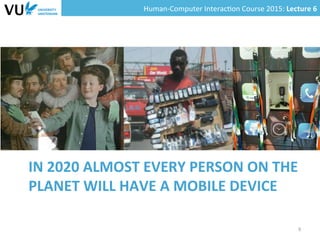
IN	
  2020	
  ALMOST	
  EVERY	
  PERSON	
  ON	
  THE	
  
PLANET	
  WILL	
  HAVE	
  A	
  MOBILE	
  DEVICE	
  
9	
  
Human-­‐Computer	
  Interac0on	
  Course	
  2015:	
  Lecture	
  6	
  	
  
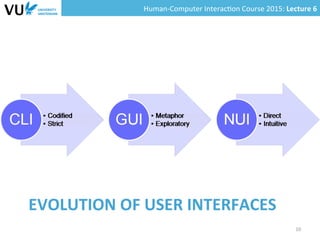
EVOLUTION	
  OF	
  USER	
  INTERFACES	
  
10	
  
Human-­‐Computer	
  Interac0on	
  Course	
  2015:	
  Lecture	
  6	
  	
  
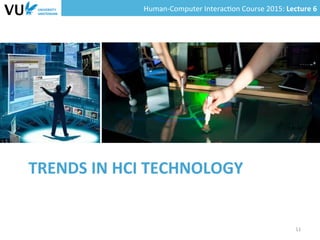
TRENDS	
  IN	
  HCI	
  TECHNOLOGY	
  
11	
  
Human-­‐Computer	
  Interac0on	
  Course	
  2015:	
  Lecture	
  6	
  	
  
Context-­‐awareness	
  
§  Loca0on	
  services	
  
– GPS	
  
– RFID,	
  NFC	
  
§  Environment	
  services	
  
– Light	
  
– Weather	
  
– Movement	
  	
  
12	
  
Human-­‐Computer	
  Interac0on	
  Course	
  2015:	
  Lecture	
  6	
  	
  
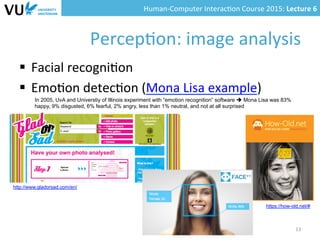
Percep0on:	
  image	
  analysis	
  
§  Facial	
  recogni0on	
  
§  Emo0on	
  detec0on	
  (Mona	
  Lisa	
  example)	
  
13	
  
In 2005, UvA and Universtiy of Illinois experiment with “emotion recognition” software è Mona Lisa was 83%
happy, 9% disgusted, 6% fearful, 2% angry, less than 1% neutral, and not at all surprised
http://www.gladorsad.com/en/
https://how-old.net/#
Human-­‐Computer	
  Interac0on	
  Course	
  2015:	
  Lecture	
  6	
  	
  
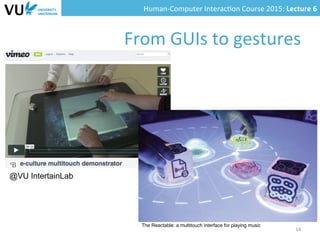
From	
  GUIs	
  to	
  gestures	
  
14	
  
@VU IntertainLab
The Reactable: a multitouch interface for playing music
Human-­‐Computer	
  Interac0on	
  Course	
  2015:	
  Lecture	
  6	
  	
  
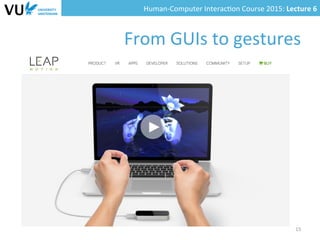
From	
  GUIs	
  to	
  gestures	
  
15	
  
Human-­‐Computer	
  Interac0on	
  Course	
  2015:	
  Lecture	
  6	
  	
  
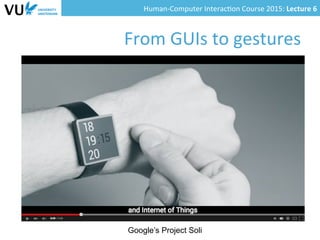
From	
  GUIs	
  to	
  gestures	
  
Google’s Project Soli
Human-­‐Computer	
  Interac0on	
  Course	
  2015:	
  Lecture	
  6	
  	
  
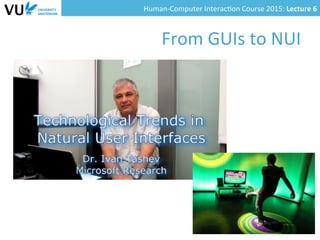
From	
  GUIs	
  to	
  NUI	
  
Human-­‐Computer	
  Interac0on	
  Course	
  2015:	
  Lecture	
  6	
  	
  
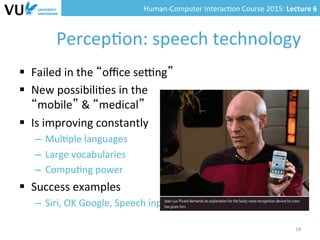
Percep0on:	
  speech	
  technology	
  
§  Failed	
  in	
  the	
  “office	
  segng”	
  
§  New	
  possibili0es	
  in	
  the	


“mobile”	
  &	
  “medical”	


  segng	
  
§  Is	
  improving	
  constantly	
  
–  Mul0ple	
  languages	
  
–  Large	
  vocabularies	
  
–  Compu0ng	
  power	
  
§  Success	
  examples	
  
–  Siri,	
  OK	
  Google,	
  Speech	
  input	
  for	
  mobile	
  devices	
  
18	
  
Human-­‐Computer	
  Interac0on	
  Course	
  2015:	
  Lecture	
  6	
  	
  
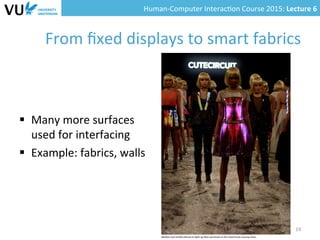
From	
  fixed	
  displays	
  to	
  smart	
  fabrics	
  
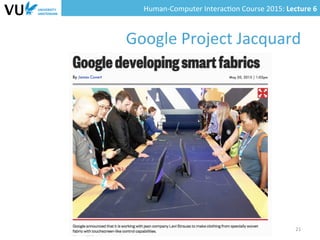
§  Many	
  more	
  surfaces	
  	
  
used	
  for	
  interfacing	
  
§  Example:	
  fabrics,	
  walls	
  
19	
  
Human-­‐Computer	
  Interac0on	
  Course	
  2015:	
  Lecture	
  6	
  	
  
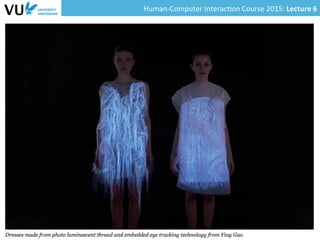
From	
  fixed	
  displays	
  to	
  smart	
  fabrics	
  
§  Many	
  more	
  surfaces	
  	
  
used	
  for	
  interfacing	
  
§  Example:	
  fabrics,	
  walls	
  
20	
  
Human-­‐Computer	
  Interac0on	
  Course	
  2015:	
  Lecture	
  6	
  	
  
Google	
  Project	
  Jacquard	
  
21	
  
Human-­‐Computer	
  Interac0on	
  Course	
  2015:	
  Lecture	
  6	
  	
  
Social	
  robot	
  interfaces	
  
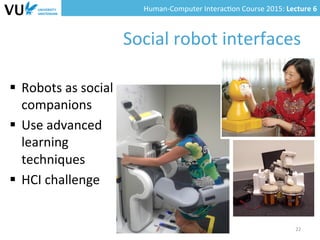
§  Robots	
  as	
  social	
  
companions	
  
§  Use	
  advanced	
  
learning	
  
techniques	
  
§  HCI	
  challenge	


22	
  
Human-­‐Computer	
  Interac0on	
  Course	
  2015:	
  Lecture	
  6	
  	
  
PATROL	
  &	
  HOUSE	
  HOLD	
  	
  
ROBOT	
  INTERFACES	


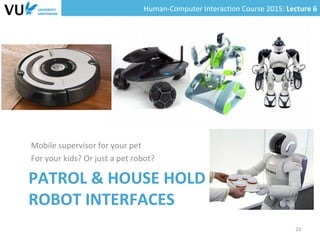
Mobile	
  supervisor	
  for	
  your	
  pet	
  
For	
  your	
  kids?	
  Or	
  just	
  a	
  pet	
  robot?	


23	
  
Human-­‐Computer	
  Interac0on	
  Course	
  2015:	
  Lecture	
  6	
  	
  
SMART	
  HOME	
  
24	
  
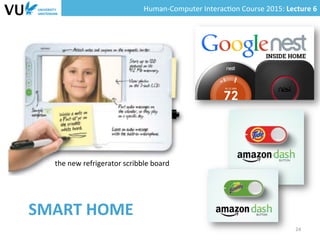
the	
  new	
  refrigerator	
  scribble	
  board
Human-­‐Computer	
  Interac0on	
  Course	
  2015:	
  Lecture	
  6	
  	
  
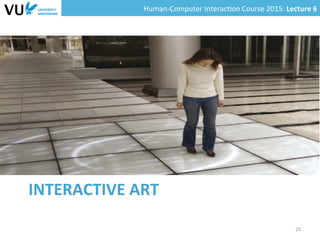
INTERACTIVE	
  ART	
  
25	
  
Human-­‐Computer	
  Interac0on	
  Course	
  2015:	
  Lecture	
  6	
  	
  
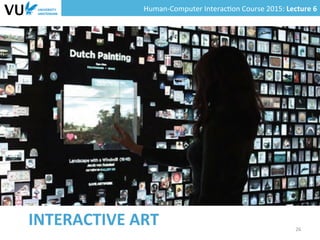
INTERACTIVE	
  ART	
   26	
  
Human-­‐Computer	
  Interac0on	
  Course	
  2015:	
  Lecture	
  6	
  	
  
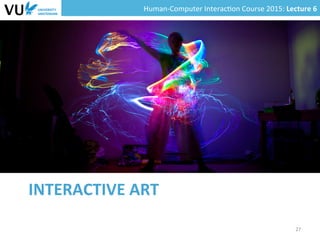
INTERACTIVE	
  ART	
  
27	
  
Human-­‐Computer	
  Interac0on	
  Course	
  2015:	
  Lecture	
  6	
  	
  
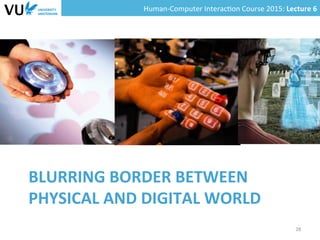
BLURRING	
  BORDER	
  BETWEEN	
  
PHYSICAL	
  AND	
  DIGITAL	
  WORLD	
  
28	
  
Human-­‐Computer	
  Interac0on	
  Course	
  2015:	
  Lecture	
  6	
  	
  
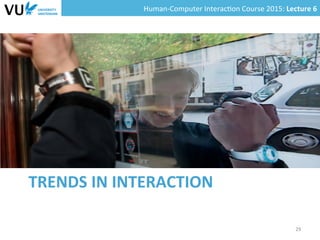
TRENDS	
  IN	
  INTERACTION	
  
29	
  
Human-­‐Computer	
  Interac0on	
  Course	
  2015:	
  Lecture	
  6	
  	
  
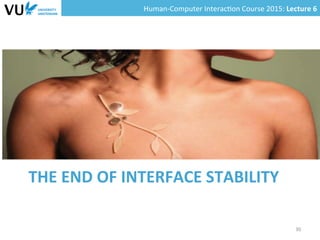
THE	
  END	
  OF	
  INTERFACE	
  STABILITY	
  
30	
  
Human-­‐Computer	
  Interac0on	
  Course	
  2015:	
  Lecture	
  6	
  	
  
Ques0ons	
  for	
  HCI	
  
§  How	
  will	
  we	
  know	
  what	
  computa(onal	
  
resources	
  are	
  available	
  within	
  us	
  and	
  how	
  
these	
  will	
  interact	
  with	
  resources	
  around	
  us?	
  
§  What	
  interac0on	
  techniques	
  are	
  appropriate	
  if	
  
embedded	
  devices	
  have	
  no	
  explicit	
  or	
  
recognizable	
  interface?	
  
§  Will	
  more	
  in0mate	
  devices	
  mean	
  old	
  concepts	
  
of	
  ‘the	
  interface’	
  become	
  obsolete	
  and	
  
irrelevant	
  in	
  the	
  future?	
  
31	
  
Human-­‐Computer	
  Interac0on	
  Course	
  2015:	
  Lecture	
  6	
  	
  
The	
  growth	
  of	
  techno-­‐dependency	
  
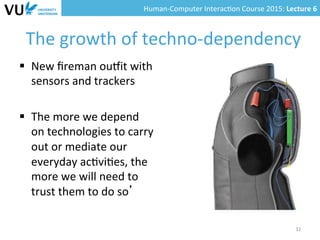
§  New	
  fireman	
  oumit	
  with	
  
sensors	
  and	
  trackers	
  
§  The	
  more	
  we	
  depend	
  
on	
  technologies	
  to	
  carry	
  
out	
  or	
  mediate	
  our	
  
everyday	
  ac0vi0es,	
  the	
  
more	
  we	
  will	
  need	
  to	
  
trust	
  them	
  to	
  do	
  so’	
  
32	
  
Human-­‐Computer	
  Interac0on	
  Course	
  2015:	
  Lecture	
  6	
  	
  
Ques0ons	
  for	
  HCI	
  
§  Will	
  there	
  be	
  ever-­‐increasing	
  expecta0ons	
  for	
  
be9er	
  and	
  faster	
  technologies?	
  
§  How	
  might	
  the	
  technologies	
  in	
  2020	
  alter	
  the	
  
skill-­‐sets	
  and	
  understandings	
  of	
  future	
  
genera0ons?	
  
§  How	
  do	
  we	
  design	
  technologies	
  to	
  help	
  
people	
  cope	
  when	
  the	
  infrastructures	
  break	
  
down,	
  devices	
  malfunc(on	
  or	
  get	
  lost?	
  
33	
  
Human-­‐Computer	
  Interac0on	
  Course	
  2015:	
  Lecture	
  6	
  	
  
The	
  growth	
  of	
  hyper-­‐connec0vity	
  
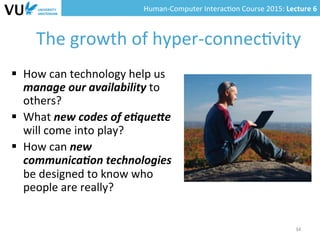
§  How	
  can	
  technology	
  help	
  us	
  
manage	
  our	
  availability	
  to	
  
others?	
  	
  
§  What	
  new	
  codes	
  of	
  e(que9e	
  
will	
  come	
  into	
  play?	
  	
  
§  How	
  can	
  new	
  
communica(on	
  technologies	
  
be	
  designed	
  to	
  know	
  who	
  
people	
  are	
  really?	
  	
  
34	
  
Human-­‐Computer	
  Interac0on	
  Course	
  2015:	
  Lecture	
  6	
  	
  
The	
  growth	
  of	
  crea0ve	
  engagement	
  
35	
  
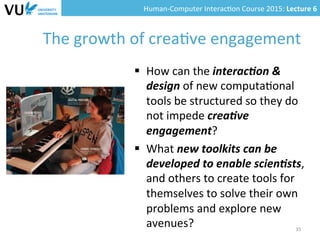
§  How	
  can	
  the	
  interac(on	
  &	
  
design	
  of	
  new	
  computa0onal	
  
tools	
  be	
  structured	
  so	
  they	
  do	
  
not	
  impede	
  crea(ve	
  
engagement?	
  
§  What	
  new	
  toolkits	
  can	
  be	
  
developed	
  to	
  enable	
  scien(sts,	
  
and	
  others	
  to	
  create	
  tools	
  for	
  
themselves	
  to	
  solve	
  their	
  own	
  
problems	
  and	
  explore	
  new	
  
avenues?	
  
Human-­‐Computer	
  Interac0on	
  Course	
  2015:	
  Lecture	
  6	
  	
  
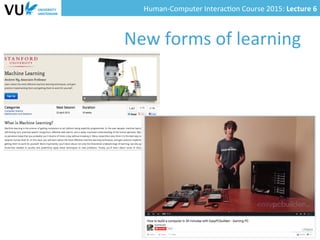
New	
  forms	
  of	
  learning	
  
36	
  
Human-­‐Computer	
  Interac0on	
  Course	
  2015:	
  Lecture	
  6	
  	
  
Ques0ons	
  for	
  HCI	
  
§  What	
  kind	
  of	
  interac(ons	
  work	
  on	
  the	
  Web?	
  
§  What	
  needs	
  to	
  be	
  done	
  person-­‐to-­‐person?	
  
§  How	
  should	
  interac(on	
  in	
  a	
  Web	
  lecture	
  be	
  
organized?	
  
– Should	
  you	
  be	
  able	
  to	
  see	
  the	
  lecturer?	
  
– Interac0on	
  forms	
  with	
  teachers,	
  fellow	
  students	
  
37	
  
Human-­‐Computer	
  Interac0on	
  Course	
  2015:	
  Lecture	
  6	
  	
  
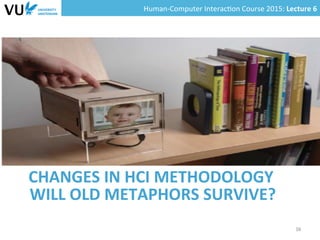
CHANGES	
  IN	
  HCI	
  METHODOLOGY	
  
38	
  
WILL	
  OLD	
  METAPHORS	
  SURVIVE?	
  
Human-­‐Computer	
  Interac0on	
  Course	
  2015:	
  Lecture	
  6	
  	
  
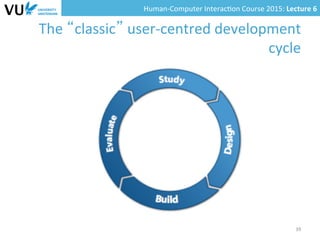
The	
  “classic”	
  user-­‐centred	
  development	
  
cycle	
  
39	
  
Human-­‐Computer	
  Interac0on	
  Course	
  2015:	
  Lecture	
  6	
  	
  
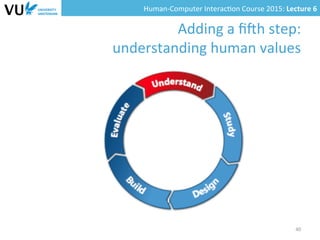
Adding	
  a	
  fi=h	
  step:	
  
understanding	
  human	
  values	
  
40	
  
Human-­‐Computer	
  Interac0on	
  Course	
  2015:	
  Lecture	
  6	
  	
  
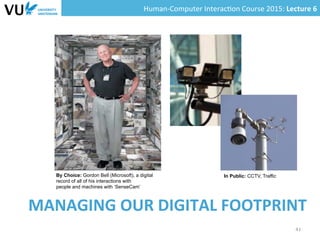
MANAGING	
  OUR	
  DIGITAL	
  FOOTPRINT	
  
41	
  
By Choice: Gordon Bell (Microsoft), a digital
record of all of his interactions with
people and machines with ‘SenseCam’
In Public: CCTV, Traffic
Human-­‐Computer	
  Interac0on	
  Course	
  2015:	
  Lecture	
  6	
  	
  
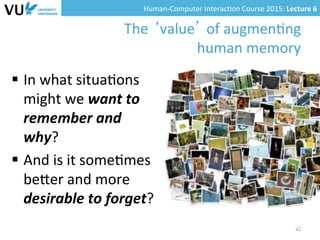
The	
  ‘value’	
  of	
  augmen0ng	
  
human	
  memory	
  
§  In	
  what	
  situa0ons	
  
might	
  we	
  want	
  to	
  
remember	
  and	
  
why?	
  	
  
§  And	
  is	
  it	
  some0mes	
  
beYer	
  and	
  more	
  
desirable	
  to	
  forget?	
  
42	
  
Human-­‐Computer	
  Interac0on	
  Course	
  2015:	
  Lecture	
  6	
  	
  
43	
  

Lecture 6: Human-Computer Interaction Course (2015) @VU University Amsterdam

  • 1.
    Human-­‐Computer  Interac0on  Course  2015:  Lecture  6     Lora Aroyo Web & Media Group The Future of HCI
  • 2.
    Human-­‐Computer  Interac0on  Course  2015:  Lecture  6     Literature   §  HCI  in  the  Year  2020,  Microso=  Research   §  The  Future  of  HCI,  John  Canny     §  Human-­‐Computer  Interac0on:  Present  and   Future  Trends,  Guest  Editors:  P.  Montuschi,  A.   Sanna,  F.  Lamber0,  G.  Parava0   2  
  • 3.
    Human-­‐Computer  Interac0on  Course  2015:  Lecture  6     Overview   §  Reflec0ons  on  history   §  Developments  in  HCI  technology   §  Trends  in  interac0on   §  Consequences  for  HCI  methodology   3  
  • 4.
    Human-­‐Computer  Interac0on  Course  2015:  Lecture  6     Xerox  Star     4   •  1970 - Alan Kay Xerox PARC - laptop computer for ordinary users (Dynabook) •  1973 - Alto desktop computer with mouse, Ethernet & overlapping window display. •  not easy to use & lacked a killer app •  1976 - Don Massaro XEROX - personal computer for office environments (Star) •  clean & consistent - right-button menus, controls & embeddable objects •  best-practices document •  design before any code was written •  code – in small steps with user testing •  failed in the marketplace, but Macintosh was a huge success
  • 5.
    Human-­‐Computer  Interac0on  Course  2015:  Lecture  6     Features  of  the  Xerox  Star   §  Desktop  metaphor   §  Mouse   §  Right-­‐buYon  menus   §  Controls   §  Embeddable  objects   §  Trash  bin   §  ….   5  
  • 6.
    Human-­‐Computer  Interac0on  Course  2015:  Lecture  6     Lessons  from  the  Xerox  Star  design   §  Good  mass-­‐centred  design  requires  a  user-­‐ centred  approach   §  When  you  execute  a  user-­‐centred  design  well,   you  get  a  design  that  endures  for  decades   §  Good  HCI  design  is  evolu0onary  rather  than   revolu0onary   – “Good  ar0sts  borrow;  great  ar0sts  steal”  (Picasso)   §  Crea0ve  HCI  design  is  technology  driven   combined  with  principles  of  human  behavior     6  
  • 7.
    Human-­‐Computer  Interac0on  Course  2015:  Lecture  6     COMPUTER:  1960  -­‐  1980   7  
  • 8.
    Human-­‐Computer  Interac0on  Course  2015:  Lecture  6     COMPUTER:  2000  -­‐  2020   8  
  • 9.
    Human-­‐Computer  Interac0on  Course  2015:  Lecture  6     IN  2020  ALMOST  EVERY  PERSON  ON  THE   PLANET  WILL  HAVE  A  MOBILE  DEVICE   9  
  • 10.
    Human-­‐Computer  Interac0on  Course  2015:  Lecture  6     EVOLUTION  OF  USER  INTERFACES   10  
  • 11.
    Human-­‐Computer  Interac0on  Course  2015:  Lecture  6     TRENDS  IN  HCI  TECHNOLOGY   11  
  • 12.
    Human-­‐Computer  Interac0on  Course  2015:  Lecture  6     Context-­‐awareness   §  Loca0on  services   – GPS   – RFID,  NFC   §  Environment  services   – Light   – Weather   – Movement     12  
  • 13.
    Human-­‐Computer  Interac0on  Course  2015:  Lecture  6     Percep0on:  image  analysis   §  Facial  recogni0on   §  Emo0on  detec0on  (Mona  Lisa  example)   13   In 2005, UvA and Universtiy of Illinois experiment with “emotion recognition” software è Mona Lisa was 83% happy, 9% disgusted, 6% fearful, 2% angry, less than 1% neutral, and not at all surprised http://www.gladorsad.com/en/ https://how-old.net/#
  • 14.
    Human-­‐Computer  Interac0on  Course  2015:  Lecture  6     From  GUIs  to  gestures   14   @VU IntertainLab The Reactable: a multitouch interface for playing music
  • 15.
    Human-­‐Computer  Interac0on  Course  2015:  Lecture  6     From  GUIs  to  gestures   15  
  • 16.
    Human-­‐Computer  Interac0on  Course  2015:  Lecture  6     From  GUIs  to  gestures   Google’s Project Soli
  • 17.
    Human-­‐Computer  Interac0on  Course  2015:  Lecture  6     From  GUIs  to  NUI  
  • 18.
    Human-­‐Computer  Interac0on  Course  2015:  Lecture  6     Percep0on:  speech  technology   §  Failed  in  the  “office  segng”   §  New  possibili0es  in  the                                                                                                                             “mobile”  &  “medical”                                                                          segng   §  Is  improving  constantly   –  Mul0ple  languages   –  Large  vocabularies   –  Compu0ng  power   §  Success  examples   –  Siri,  OK  Google,  Speech  input  for  mobile  devices   18  
  • 19.
    Human-­‐Computer  Interac0on  Course  2015:  Lecture  6     From  fixed  displays  to  smart  fabrics   §  Many  more  surfaces     used  for  interfacing   §  Example:  fabrics,  walls   19  
  • 20.
    Human-­‐Computer  Interac0on  Course  2015:  Lecture  6     From  fixed  displays  to  smart  fabrics   §  Many  more  surfaces     used  for  interfacing   §  Example:  fabrics,  walls   20  
  • 21.
    Human-­‐Computer  Interac0on  Course  2015:  Lecture  6     Google  Project  Jacquard   21  
  • 22.
    Human-­‐Computer  Interac0on  Course  2015:  Lecture  6     Social  robot  interfaces   §  Robots  as  social   companions   §  Use  advanced   learning   techniques   §  HCI  challenge     22  
  • 23.
    Human-­‐Computer  Interac0on  Course  2015:  Lecture  6     PATROL  &  HOUSE  HOLD     ROBOT  INTERFACES       Mobile  supervisor  for  your  pet   For  your  kids?  Or  just  a  pet  robot?     23  
  • 24.
    Human-­‐Computer  Interac0on  Course  2015:  Lecture  6     SMART  HOME   24   the  new  refrigerator  scribble  board
  • 25.
    Human-­‐Computer  Interac0on  Course  2015:  Lecture  6     INTERACTIVE  ART   25  
  • 26.
    Human-­‐Computer  Interac0on  Course  2015:  Lecture  6     INTERACTIVE  ART   26  
  • 27.
    Human-­‐Computer  Interac0on  Course  2015:  Lecture  6     INTERACTIVE  ART   27  
  • 28.
    Human-­‐Computer  Interac0on  Course  2015:  Lecture  6     BLURRING  BORDER  BETWEEN   PHYSICAL  AND  DIGITAL  WORLD   28  
  • 29.
    Human-­‐Computer  Interac0on  Course  2015:  Lecture  6     TRENDS  IN  INTERACTION   29  
  • 30.
    Human-­‐Computer  Interac0on  Course  2015:  Lecture  6     THE  END  OF  INTERFACE  STABILITY   30  
  • 31.
    Human-­‐Computer  Interac0on  Course  2015:  Lecture  6     Ques0ons  for  HCI   §  How  will  we  know  what  computa(onal   resources  are  available  within  us  and  how   these  will  interact  with  resources  around  us?   §  What  interac0on  techniques  are  appropriate  if   embedded  devices  have  no  explicit  or   recognizable  interface?   §  Will  more  in0mate  devices  mean  old  concepts   of  ‘the  interface’  become  obsolete  and   irrelevant  in  the  future?   31  
  • 32.
    Human-­‐Computer  Interac0on  Course  2015:  Lecture  6     The  growth  of  techno-­‐dependency   §  New  fireman  oumit  with   sensors  and  trackers   §  The  more  we  depend   on  technologies  to  carry   out  or  mediate  our   everyday  ac0vi0es,  the   more  we  will  need  to   trust  them  to  do  so’   32  
  • 33.
    Human-­‐Computer  Interac0on  Course  2015:  Lecture  6     Ques0ons  for  HCI   §  Will  there  be  ever-­‐increasing  expecta0ons  for   be9er  and  faster  technologies?   §  How  might  the  technologies  in  2020  alter  the   skill-­‐sets  and  understandings  of  future   genera0ons?   §  How  do  we  design  technologies  to  help   people  cope  when  the  infrastructures  break   down,  devices  malfunc(on  or  get  lost?   33  
  • 34.
    Human-­‐Computer  Interac0on  Course  2015:  Lecture  6     The  growth  of  hyper-­‐connec0vity   §  How  can  technology  help  us   manage  our  availability  to   others?     §  What  new  codes  of  e(que9e   will  come  into  play?     §  How  can  new   communica(on  technologies   be  designed  to  know  who   people  are  really?     34  
  • 35.
    Human-­‐Computer  Interac0on  Course  2015:  Lecture  6     The  growth  of  crea0ve  engagement   35   §  How  can  the  interac(on  &   design  of  new  computa0onal   tools  be  structured  so  they  do   not  impede  crea(ve   engagement?   §  What  new  toolkits  can  be   developed  to  enable  scien(sts,   and  others  to  create  tools  for   themselves  to  solve  their  own   problems  and  explore  new   avenues?  
  • 36.
    Human-­‐Computer  Interac0on  Course  2015:  Lecture  6     New  forms  of  learning   36  
  • 37.
    Human-­‐Computer  Interac0on  Course  2015:  Lecture  6     Ques0ons  for  HCI   §  What  kind  of  interac(ons  work  on  the  Web?   §  What  needs  to  be  done  person-­‐to-­‐person?   §  How  should  interac(on  in  a  Web  lecture  be   organized?   – Should  you  be  able  to  see  the  lecturer?   – Interac0on  forms  with  teachers,  fellow  students   37  
  • 38.
    Human-­‐Computer  Interac0on  Course  2015:  Lecture  6     CHANGES  IN  HCI  METHODOLOGY   38   WILL  OLD  METAPHORS  SURVIVE?  
  • 39.
    Human-­‐Computer  Interac0on  Course  2015:  Lecture  6     The  “classic”  user-­‐centred  development   cycle   39  
  • 40.
    Human-­‐Computer  Interac0on  Course  2015:  Lecture  6     Adding  a  fi=h  step:   understanding  human  values   40  
  • 41.
    Human-­‐Computer  Interac0on  Course  2015:  Lecture  6     MANAGING  OUR  DIGITAL  FOOTPRINT   41   By Choice: Gordon Bell (Microsoft), a digital record of all of his interactions with people and machines with ‘SenseCam’ In Public: CCTV, Traffic
  • 42.
    Human-­‐Computer  Interac0on  Course  2015:  Lecture  6     The  ‘value’  of  augmen0ng   human  memory   §  In  what  situa0ons   might  we  want  to   remember  and   why?     §  And  is  it  some0mes   beYer  and  more   desirable  to  forget?   42  
  • 43.
    Human-­‐Computer  Interac0on  Course  2015:  Lecture  6     43