Mobile Application
Development
Lecture 4
Lists
Listing and Items
T. Yousef Alamir
Android Lists are views that display several items in a scrollable
list.
There are two types of lists in Android:
1- static list: Content is fixed and known before the app runs.
2- dynamic list: Content is read or generated as the program runs
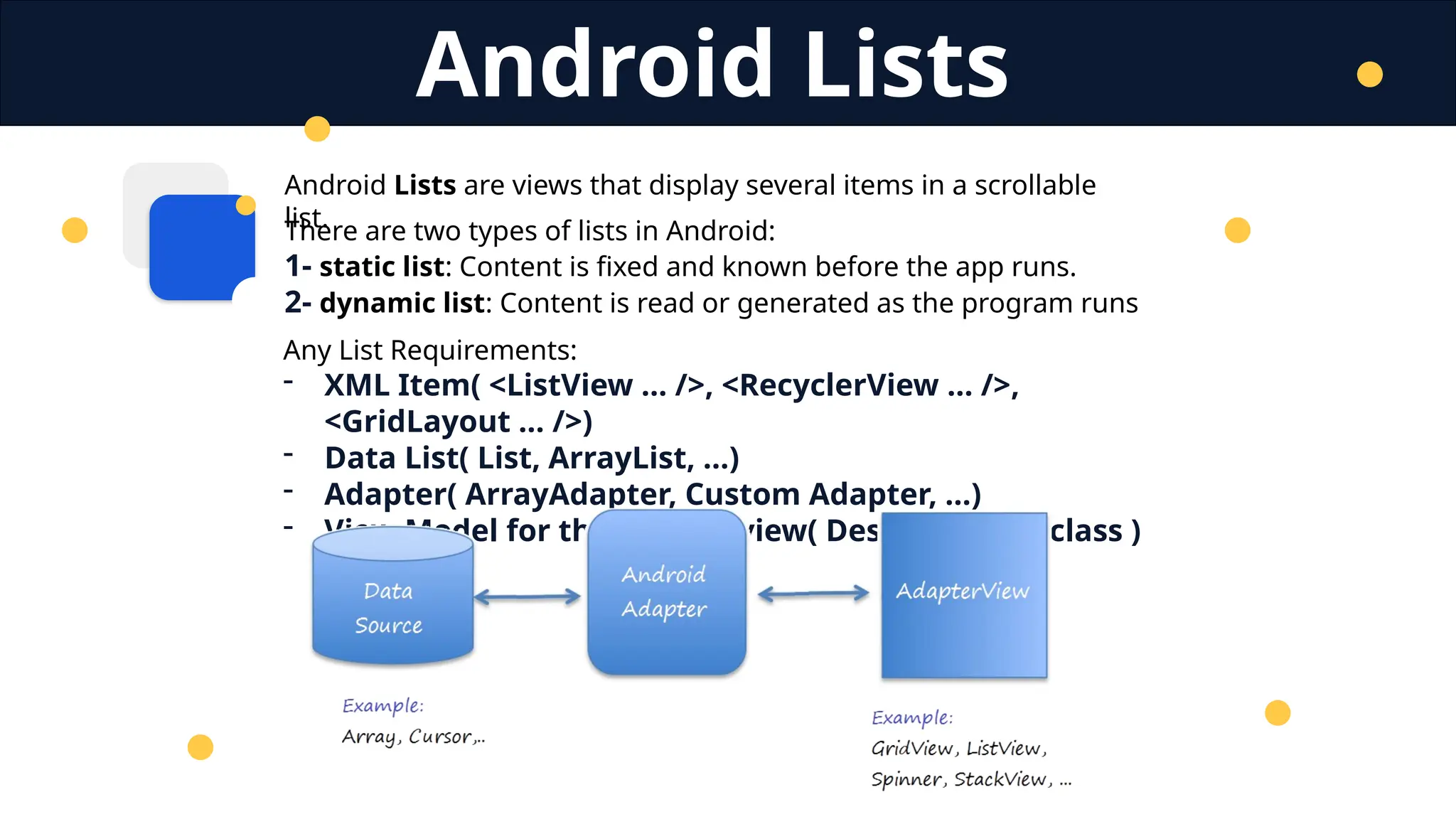
Android Lists
Any List Requirements:
- XML Item( <ListView … />, <RecyclerView … />,
<GridLayout … />)
- Data List( List, ArrayList, …)
- Adapter( ArrayAdapter, Custom Adapter, …)
- View Model for the custom view( Design, model class )
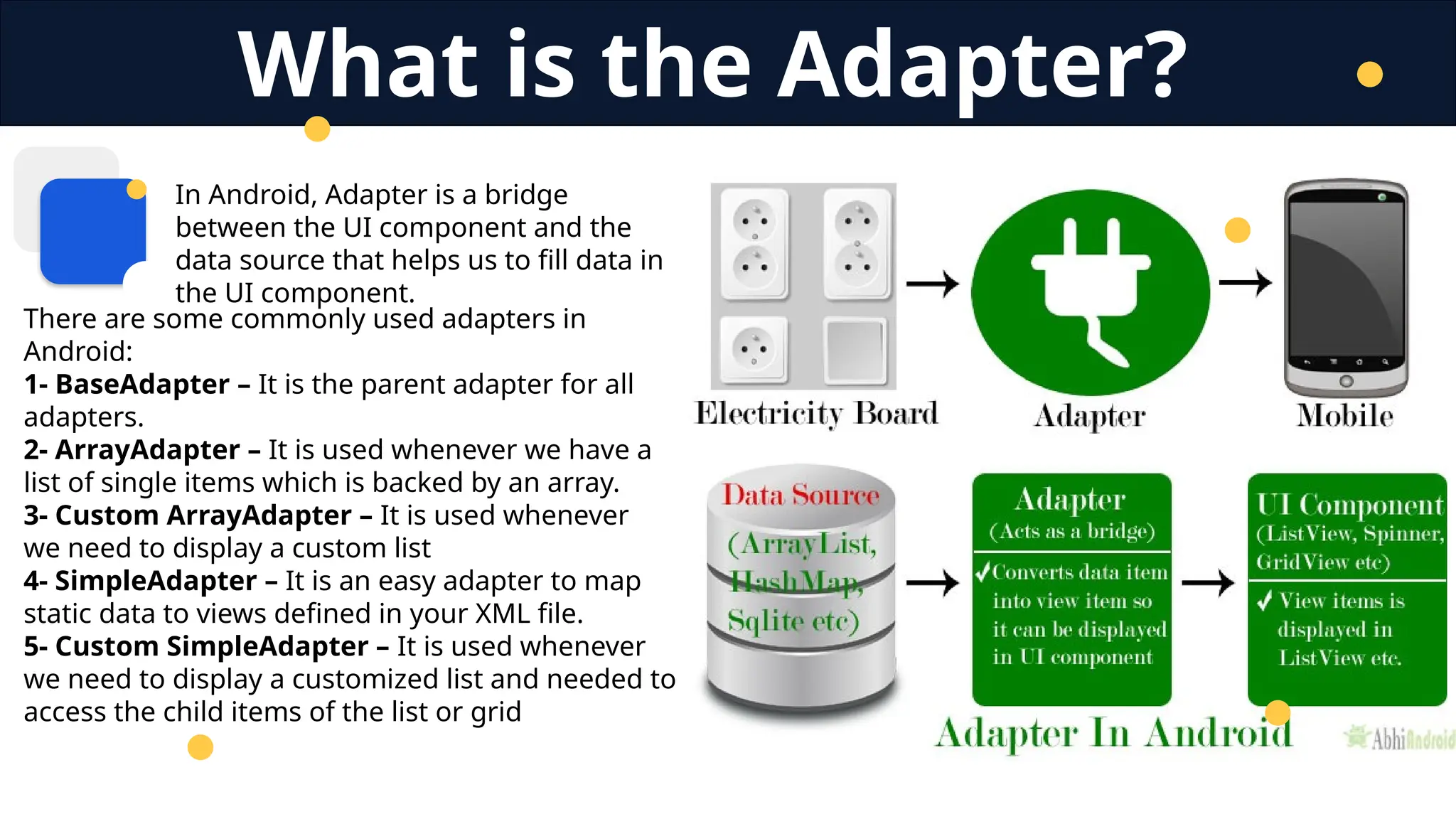
In Android, Adapter is a bridge
between the UI component and the
data source that helps us to fill data in
the UI component.
There are some commonly used adapters in
Android:
1- BaseAdapter – It is the parent adapter for all
adapters.
2- ArrayAdapter – It is used whenever we have a
list of single items which is backed by an array.
3- Custom ArrayAdapter – It is used whenever
we need to display a custom list
4- SimpleAdapter – It is an easy adapter to map
static data to views defined in your XML file.
5- Custom SimpleAdapter – It is used whenever
we need to display a customized list and needed to
access the child items of the list or grid
What is the Adapter?
Android ListView is a view that groups several items and displays
them in a vertical scrollable list.
The list items are automatically inserted to the list using an Adapter
that pulls content from a source such as an array or database.
List View
Requirements:
- XML Item: <ListView … />
- Data List( List, ArrayList, …)
- Adapter
- Model( if custom )
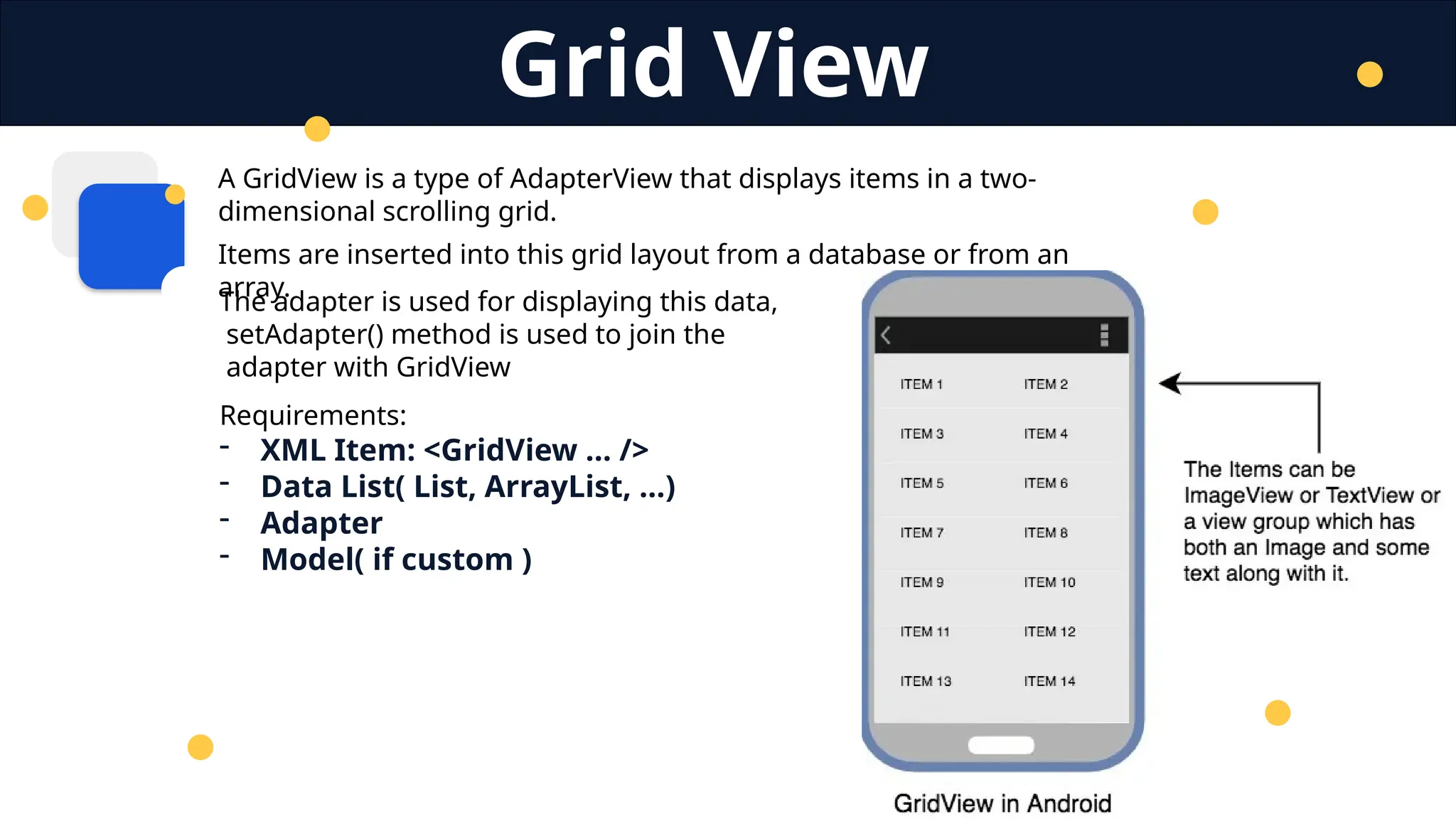
A GridView is a type of AdapterView that displays items in a two-
dimensional scrolling grid.
Items are inserted into this grid layout from a database or from an
array.
Grid View
Requirements:
- XML Item: <GridView … />
- Data List( List, ArrayList, …)
- Adapter
- Model( if custom )
The adapter is used for displaying this data,
setAdapter() method is used to join the
adapter with GridView
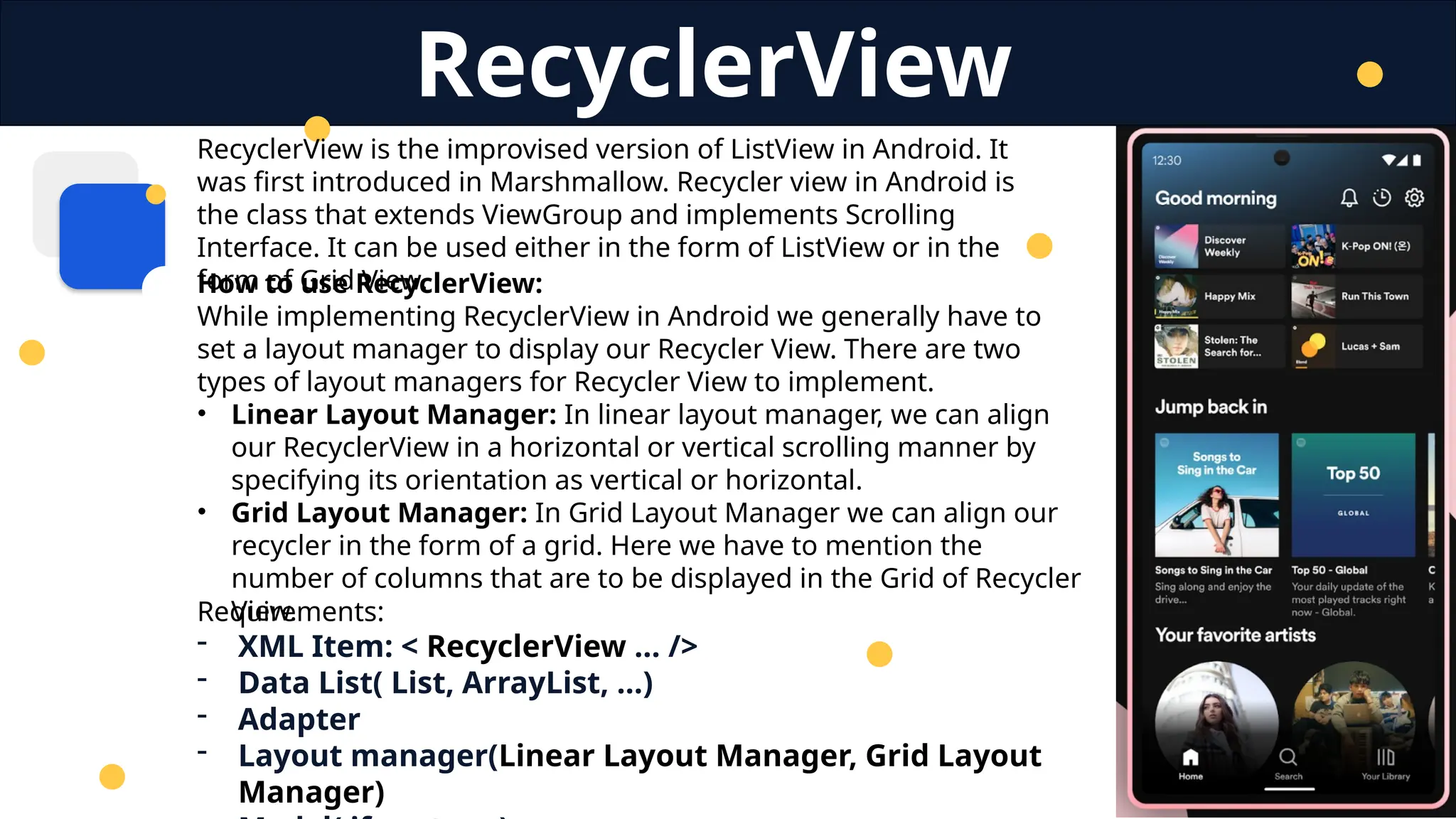
RecyclerView is the improvised version of ListView in Android. It
was first introduced in Marshmallow. Recycler view in Android is
the class that extends ViewGroup and implements Scrolling
Interface. It can be used either in the form of ListView or in the
form of Grid View.
RecyclerView
Requirements:
- XML Item: < RecyclerView … />
- Data List( List, ArrayList, …)
- Adapter
- Layout manager(Linear Layout Manager, Grid Layout
Manager)
How to use RecyclerView:
While implementing RecyclerView in Android we generally have to
set a layout manager to display our Recycler View. There are two
types of layout managers for Recycler View to implement.
• Linear Layout Manager: In linear layout manager, we can align
our RecyclerView in a horizontal or vertical scrolling manner by
specifying its orientation as vertical or horizontal.
• Grid Layout Manager: In Grid Layout Manager we can align our
recycler in the form of a grid. Here we have to mention the
number of columns that are to be displayed in the Grid of Recycler
View.
Thank You
T. Yousef Alamir 2023
http://Yousef.omairtech.com

Lecture 4: Android All Kinds of Lists.pptx

  • 1.
  • 2.
    Android Lists areviews that display several items in a scrollable list. There are two types of lists in Android: 1- static list: Content is fixed and known before the app runs. 2- dynamic list: Content is read or generated as the program runs Android Lists Any List Requirements: - XML Item( <ListView … />, <RecyclerView … />, <GridLayout … />) - Data List( List, ArrayList, …) - Adapter( ArrayAdapter, Custom Adapter, …) - View Model for the custom view( Design, model class )
  • 3.
    In Android, Adapteris a bridge between the UI component and the data source that helps us to fill data in the UI component. There are some commonly used adapters in Android: 1- BaseAdapter – It is the parent adapter for all adapters. 2- ArrayAdapter – It is used whenever we have a list of single items which is backed by an array. 3- Custom ArrayAdapter – It is used whenever we need to display a custom list 4- SimpleAdapter – It is an easy adapter to map static data to views defined in your XML file. 5- Custom SimpleAdapter – It is used whenever we need to display a customized list and needed to access the child items of the list or grid What is the Adapter?
  • 4.
    Android ListView isa view that groups several items and displays them in a vertical scrollable list. The list items are automatically inserted to the list using an Adapter that pulls content from a source such as an array or database. List View Requirements: - XML Item: <ListView … /> - Data List( List, ArrayList, …) - Adapter - Model( if custom )
  • 5.
    A GridView isa type of AdapterView that displays items in a two- dimensional scrolling grid. Items are inserted into this grid layout from a database or from an array. Grid View Requirements: - XML Item: <GridView … /> - Data List( List, ArrayList, …) - Adapter - Model( if custom ) The adapter is used for displaying this data, setAdapter() method is used to join the adapter with GridView
  • 6.
    RecyclerView is theimprovised version of ListView in Android. It was first introduced in Marshmallow. Recycler view in Android is the class that extends ViewGroup and implements Scrolling Interface. It can be used either in the form of ListView or in the form of Grid View. RecyclerView Requirements: - XML Item: < RecyclerView … /> - Data List( List, ArrayList, …) - Adapter - Layout manager(Linear Layout Manager, Grid Layout Manager) How to use RecyclerView: While implementing RecyclerView in Android we generally have to set a layout manager to display our Recycler View. There are two types of layout managers for Recycler View to implement. • Linear Layout Manager: In linear layout manager, we can align our RecyclerView in a horizontal or vertical scrolling manner by specifying its orientation as vertical or horizontal. • Grid Layout Manager: In Grid Layout Manager we can align our recycler in the form of a grid. Here we have to mention the number of columns that are to be displayed in the Grid of Recycler View.
  • 7.
    Thank You T. YousefAlamir 2023 http://Yousef.omairtech.com