Welcome
ANDROID ADAPTERS
What is an adapter in android?
• An Adapter object acts as a bridge between an
  AdapterView and the underlying data for that
  view.
• The Adapter provides access to the data
  items.
• The Adapter is also responsible for making a
  View for each item in the data set.
What is AdapterView Class?
• The AdapterView is a child class of ViewGroup
> A special kind of container of view objects (list items)
• Typically you are going to use subsclasses of
   AdapterView class instead of using it directly
• Example subclasses of AdapterView class
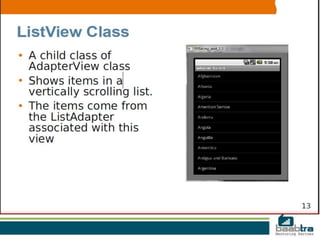
> ListView
> Spinner
> Gallery
• An AdapterView access the data through Adapter object
   Instead of accessing data directly itself
AdapterView Responsibilities
• Two main responsibilities of AdapterView
1) Filling the layout with data (it received
  through the help of an Adapter)
2)Handling user selections - when a user selects
  an item, perform some action
Filling the Layout with Data
• Inserting data into the layout is typically done
  by binding the AdapterView class to an
  Adapter, which retrieves data from an external
  source(perhaps a list that the code supplies or
  query results from the device's database).
Handling User Selections
• You handle the user's selection by setting the
  class's AdapterView.OnItemClickListener
  member to a listener and catching the
  selection changes
Two Choices of Activity Class
• Option #1 - Your activity extends Activity class
> You have to create ListView object yourself from
resource file just like any other View object
• Option #2 - Your activity extends ListActivity class
> ListView object gets created by the ListActivity's
contructor, so you don't need to create it yourself
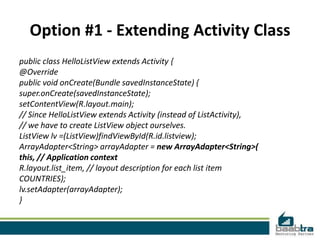
Option #1 - Extending Activity Class
public class HelloListView extends Activity {
@Override
public void onCreate(Bundle savedInstanceState) {
super.onCreate(savedInstanceState);
setContentView(R.layout.main);
// Since HelloListView extends Activity (instead of ListActivity),
// we have to create ListView object ourselves.
ListView lv =(ListView)findViewById(R.id.listview);
ArrayAdapter<String> arrayAdapter = new ArrayAdapter<String>(
this, // Application context
R.layout.list_item, // layout description for each list item
COUNTRIES);
lv.setAdapter(arrayAdapter);
}
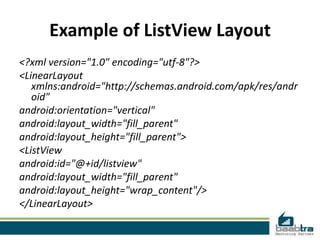
Example of ListView Layout
<?xml version="1.0" encoding="utf-8"?>
<LinearLayout
   xmlns:android="http://schemas.android.com/apk/res/andr
   oid"
android:orientation="vertical"
android:layout_width="fill_parent"
android:layout_height="fill_parent">
<ListView
android:id="@+id/listview"
android:layout_width="fill_parent"
android:layout_height="wrap_content"/>
</LinearLayout>
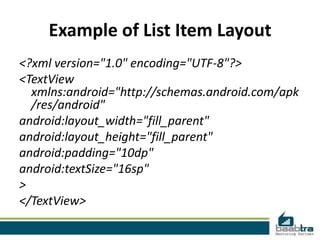
Example of List Item Layout
<?xml version="1.0" encoding="UTF-8"?>
<TextView
  xmlns:android="http://schemas.android.com/apk
  /res/android"
android:layout_width="fill_parent"
android:layout_height="fill_parent"
android:padding="10dp"
android:textSize="16sp"
>
</TextView>
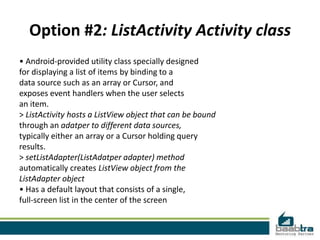
Option #2: ListActivity Activity class
• Android-provided utility class specially designed
for displaying a list of items by binding to a
data source such as an array or Cursor, and
exposes event handlers when the user selects
an item.
> ListActivity hosts a ListView object that can be bound
through an adatper to different data sources,
typically either an array or a Cursor holding query
results.
> setListAdapter(ListAdatper adapter) method
automatically creates ListView object from the
ListAdapter object
• Has a default layout that consists of a single,
full-screen list in the center of the screen
Option #2: Extending ListActivity
public class HelloListView extends ListActivity {
// Array as a data source
static final String[] COUNTRIES = new String[] {
"Yemen", "Yugoslavia", "Zambia", "Zimbabwe"
};
@Override
public void onCreate(Bundle savedInstanceState) {
super.onCreate(savedInstanceState);
// Create an adapter from Array data source object
ArrayAdapter<String> arrayAdapter = new ArrayAdapter<String>(
this, // Application context
R.layout.list_item, // layout description for each list item
COUNTRIES); // String array of countries defined
// Notice that this does not load a layout file for the Activity (which you
// usually do with setContentView(int)). Instead, setListAdapter(ListAdapter)
// automatically adds a ListView to fill the entire screen of the ListActivity.
setListAdapter(arrayAdapter);
}
}
Disclaimer: This presentation is prepared by trainees of baabtra as a part of
mentoring program. This is not official document of baabtra – Mentoring
Partner
baabtra – Mentoring Partner is the mentoring division of baabte System Technologies Pvt. Ltd
THANK YOU

Android adapters

  • 1.
  • 2.
  • 3.
    What is anadapter in android? • An Adapter object acts as a bridge between an AdapterView and the underlying data for that view. • The Adapter provides access to the data items. • The Adapter is also responsible for making a View for each item in the data set.
  • 4.
    What is AdapterViewClass? • The AdapterView is a child class of ViewGroup > A special kind of container of view objects (list items) • Typically you are going to use subsclasses of AdapterView class instead of using it directly • Example subclasses of AdapterView class > ListView > Spinner > Gallery • An AdapterView access the data through Adapter object Instead of accessing data directly itself
  • 5.
    AdapterView Responsibilities • Twomain responsibilities of AdapterView 1) Filling the layout with data (it received through the help of an Adapter) 2)Handling user selections - when a user selects an item, perform some action
  • 6.
    Filling the Layoutwith Data • Inserting data into the layout is typically done by binding the AdapterView class to an Adapter, which retrieves data from an external source(perhaps a list that the code supplies or query results from the device's database).
  • 7.
    Handling User Selections •You handle the user's selection by setting the class's AdapterView.OnItemClickListener member to a listener and catching the selection changes
  • 9.
    Two Choices ofActivity Class • Option #1 - Your activity extends Activity class > You have to create ListView object yourself from resource file just like any other View object • Option #2 - Your activity extends ListActivity class > ListView object gets created by the ListActivity's contructor, so you don't need to create it yourself
  • 10.
    Option #1 -Extending Activity Class public class HelloListView extends Activity { @Override public void onCreate(Bundle savedInstanceState) { super.onCreate(savedInstanceState); setContentView(R.layout.main); // Since HelloListView extends Activity (instead of ListActivity), // we have to create ListView object ourselves. ListView lv =(ListView)findViewById(R.id.listview); ArrayAdapter<String> arrayAdapter = new ArrayAdapter<String>( this, // Application context R.layout.list_item, // layout description for each list item COUNTRIES); lv.setAdapter(arrayAdapter); }
  • 11.
    Example of ListViewLayout <?xml version="1.0" encoding="utf-8"?> <LinearLayout xmlns:android="http://schemas.android.com/apk/res/andr oid" android:orientation="vertical" android:layout_width="fill_parent" android:layout_height="fill_parent"> <ListView android:id="@+id/listview" android:layout_width="fill_parent" android:layout_height="wrap_content"/> </LinearLayout>
  • 12.
    Example of ListItem Layout <?xml version="1.0" encoding="UTF-8"?> <TextView xmlns:android="http://schemas.android.com/apk /res/android" android:layout_width="fill_parent" android:layout_height="fill_parent" android:padding="10dp" android:textSize="16sp" > </TextView>
  • 13.
    Option #2: ListActivityActivity class • Android-provided utility class specially designed for displaying a list of items by binding to a data source such as an array or Cursor, and exposes event handlers when the user selects an item. > ListActivity hosts a ListView object that can be bound through an adatper to different data sources, typically either an array or a Cursor holding query results. > setListAdapter(ListAdatper adapter) method automatically creates ListView object from the ListAdapter object • Has a default layout that consists of a single, full-screen list in the center of the screen
  • 14.
    Option #2: ExtendingListActivity public class HelloListView extends ListActivity { // Array as a data source static final String[] COUNTRIES = new String[] { "Yemen", "Yugoslavia", "Zambia", "Zimbabwe" }; @Override public void onCreate(Bundle savedInstanceState) { super.onCreate(savedInstanceState); // Create an adapter from Array data source object ArrayAdapter<String> arrayAdapter = new ArrayAdapter<String>( this, // Application context R.layout.list_item, // layout description for each list item COUNTRIES); // String array of countries defined // Notice that this does not load a layout file for the Activity (which you // usually do with setContentView(int)). Instead, setListAdapter(ListAdapter) // automatically adds a ListView to fill the entire screen of the ListActivity. setListAdapter(arrayAdapter); } }
  • 15.
    Disclaimer: This presentationis prepared by trainees of baabtra as a part of mentoring program. This is not official document of baabtra – Mentoring Partner baabtra – Mentoring Partner is the mentoring division of baabte System Technologies Pvt. Ltd
  • 16.