Prof. Neeraj Bhargava
Vishal Dutt
Department of Computer Science, School of
Engineering & System Sciences
MDS University, Ajmer
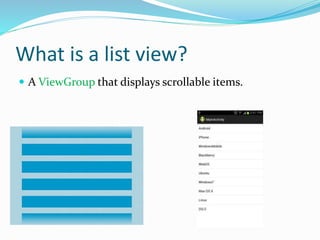
What is a list view?
 A ViewGroup that displays scrollable items.
3 Parts of a ListView
 The ListView itself
 aka a ViewGroup
 List items
 Each row/item in the list. Each item is a layout
consisting of a View or ViewGroup.
 Data for each item
ListItem
 Since the ListItem can be a ViewGroup, we have the
power to display very simple or extremely complex
layouts for each item.
 A TextView
 A TextView and ImageView
 A TextView and CheckBox
 A TextView and Button
 A TextView, ImageView, CheckBox, Button, and
RatingBar, etc
Where does the data come from?
 ListViews receive data via Adapters.
 The Adapter behaves as the middleman between the
data source and the ListView.
The job of an Adapter
 The Adapter fetches data from the source.
 Creates the layout that represents each list item.
 Takes the data fetched from the source places it into
the list item layout.
 Returns a list item to the ListView.
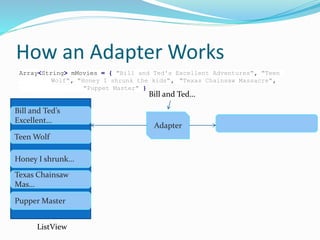
How an Adapter Works
Array<String> mMovies = { "Bill and Ted's Excellent Adventures", "Teen
Wolf", "Honey I shrunk the kids", "Texas Chainsaw Massacre",
"Puppet Master" }
Adapter
Bill and Ted’s
Excellent…
Teen Wolf
Honey I shrunk…
Texas Chainsaw
Mas…
Pupper Master
Bill and Ted…
ListView
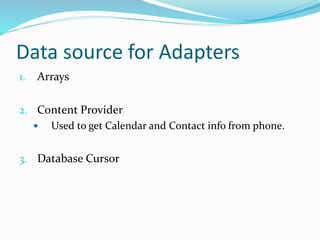
Data source for Adapters
1. Arrays
2. Content Provider
 Used to get Calendar and Contact info from phone.
3. Database Cursor
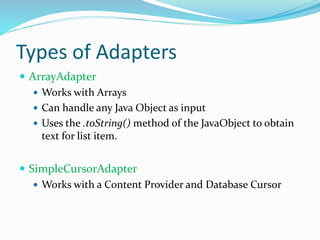
Types of Adapters
 ArrayAdapter
 Works with Arrays
 Can handle any Java Object as input
 Uses the .toString() method of the JavaObject to obtain
text for list item.
 SimpleCursorAdapter
 Works with a Content Provider and Database Cursor

List view1

  • 1.
    Prof. Neeraj Bhargava VishalDutt Department of Computer Science, School of Engineering & System Sciences MDS University, Ajmer
  • 2.
    What is alist view?  A ViewGroup that displays scrollable items.
  • 3.
    3 Parts ofa ListView  The ListView itself  aka a ViewGroup  List items  Each row/item in the list. Each item is a layout consisting of a View or ViewGroup.  Data for each item
  • 4.
    ListItem  Since theListItem can be a ViewGroup, we have the power to display very simple or extremely complex layouts for each item.  A TextView  A TextView and ImageView  A TextView and CheckBox  A TextView and Button  A TextView, ImageView, CheckBox, Button, and RatingBar, etc
  • 5.
    Where does thedata come from?  ListViews receive data via Adapters.  The Adapter behaves as the middleman between the data source and the ListView.
  • 6.
    The job ofan Adapter  The Adapter fetches data from the source.  Creates the layout that represents each list item.  Takes the data fetched from the source places it into the list item layout.  Returns a list item to the ListView.
  • 7.
    How an AdapterWorks Array<String> mMovies = { "Bill and Ted's Excellent Adventures", "Teen Wolf", "Honey I shrunk the kids", "Texas Chainsaw Massacre", "Puppet Master" } Adapter Bill and Ted’s Excellent… Teen Wolf Honey I shrunk… Texas Chainsaw Mas… Pupper Master Bill and Ted… ListView
  • 8.
    Data source forAdapters 1. Arrays 2. Content Provider  Used to get Calendar and Contact info from phone. 3. Database Cursor
  • 9.
    Types of Adapters ArrayAdapter  Works with Arrays  Can handle any Java Object as input  Uses the .toString() method of the JavaObject to obtain text for list item.  SimpleCursorAdapter  Works with a Content Provider and Database Cursor