LEAVE THE FILESHARE!
and join the Enterprise Content Revolution!
Ryan Dennis | @SharePointRyan | sharepointryan.com
RYAN DENNIS
Solution Architect at
Blue Chip Consulting Group
/in/SharePointRyan www.sharepointryan.com
ryan@sharepointryan.com@SharePointRyan
www.bluechip-llc.com FatherHusband
Author
GuitaristDrummer
Cyclist
Ryan at a glance Play and explore
AGENDA
• About AdventureWorks
• The Current Fileshare Scenario
• Redefining our ECM strategy
• Categorizing Content in SharePoint
• Leveraging Search with our ECM
implementation
• Q&A
ABOUT ADVENTUREWORKS
AdventureWorks Cycles is a large, multinational
manufacturing company. The company manufactures
and sells metal and composite bicycles to North
American, European and Asian commercial markets.
(Oh, and it’s a fictional company)
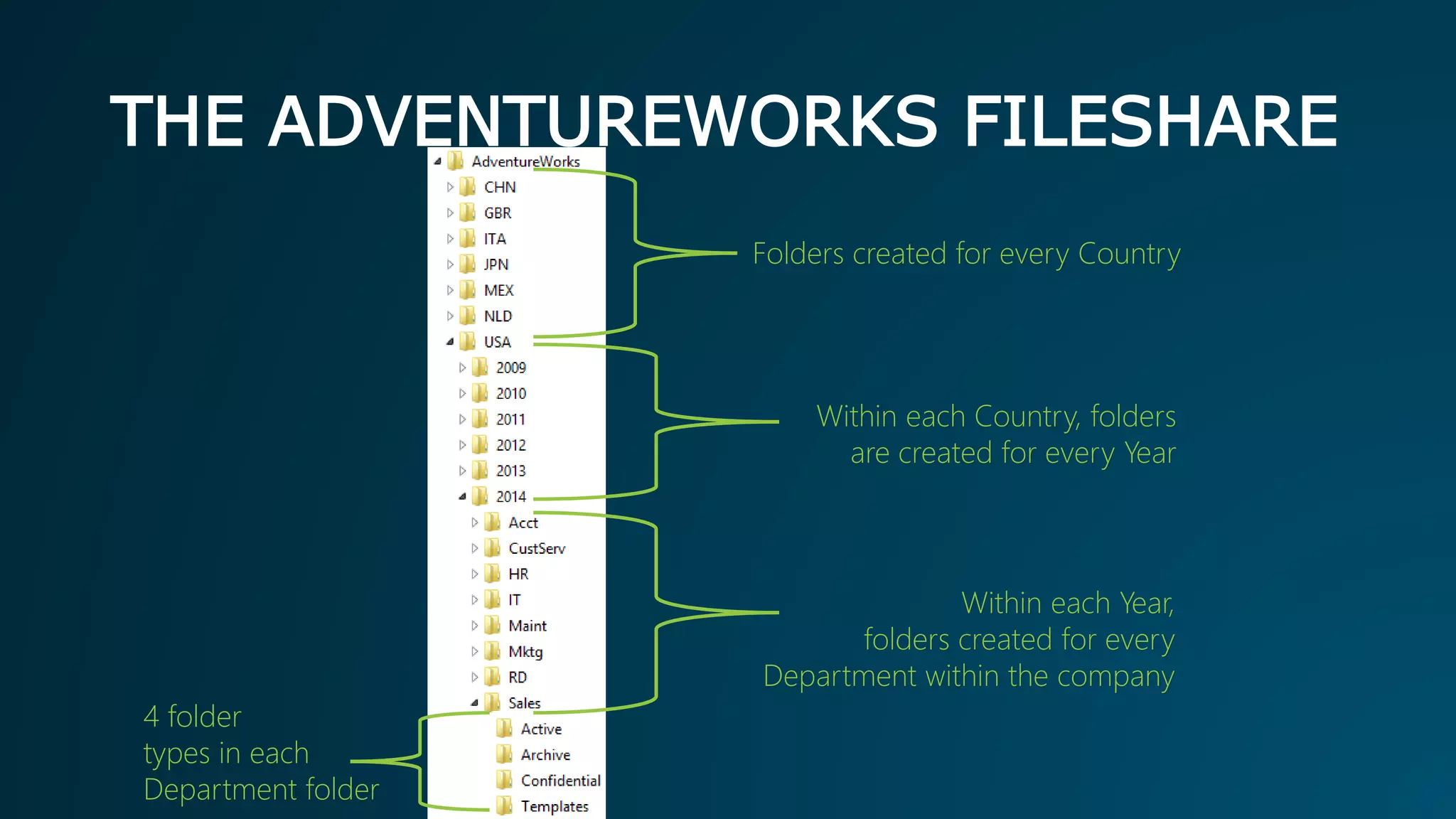
THE ADVENTUREWORKS FILESHARE
Folders created for every Country
Within each Country, folders
are created for every Year
4 folder
types in each
Department folder
Within each Year,
folders created for every
Department within the company
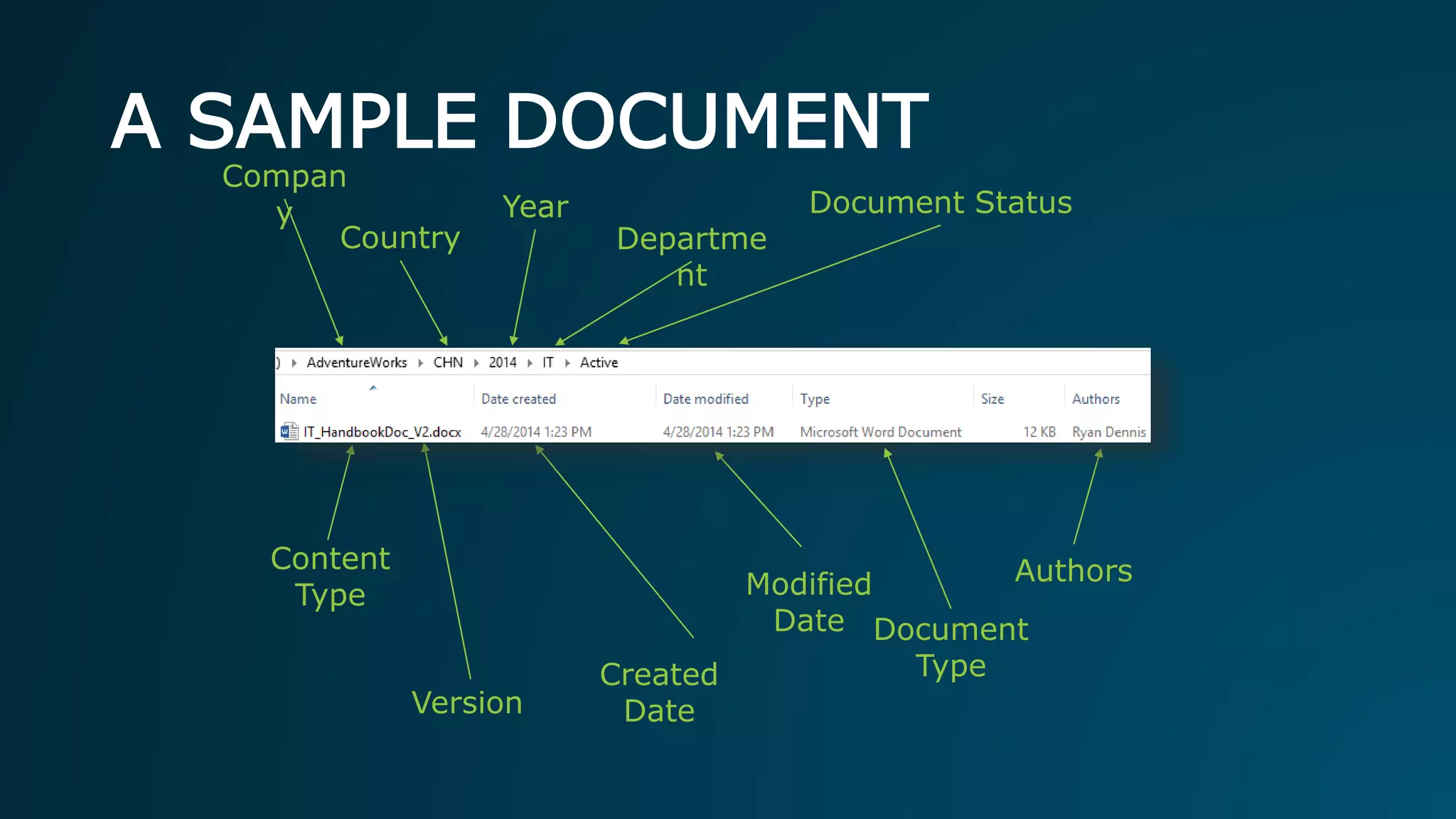
A SAMPLE DOCUMENT
Content
Type
Departme
nt
Version
Year
Authors
Created
Date
Document Status
Modified
Date
Compan
y
Country
Document
Type
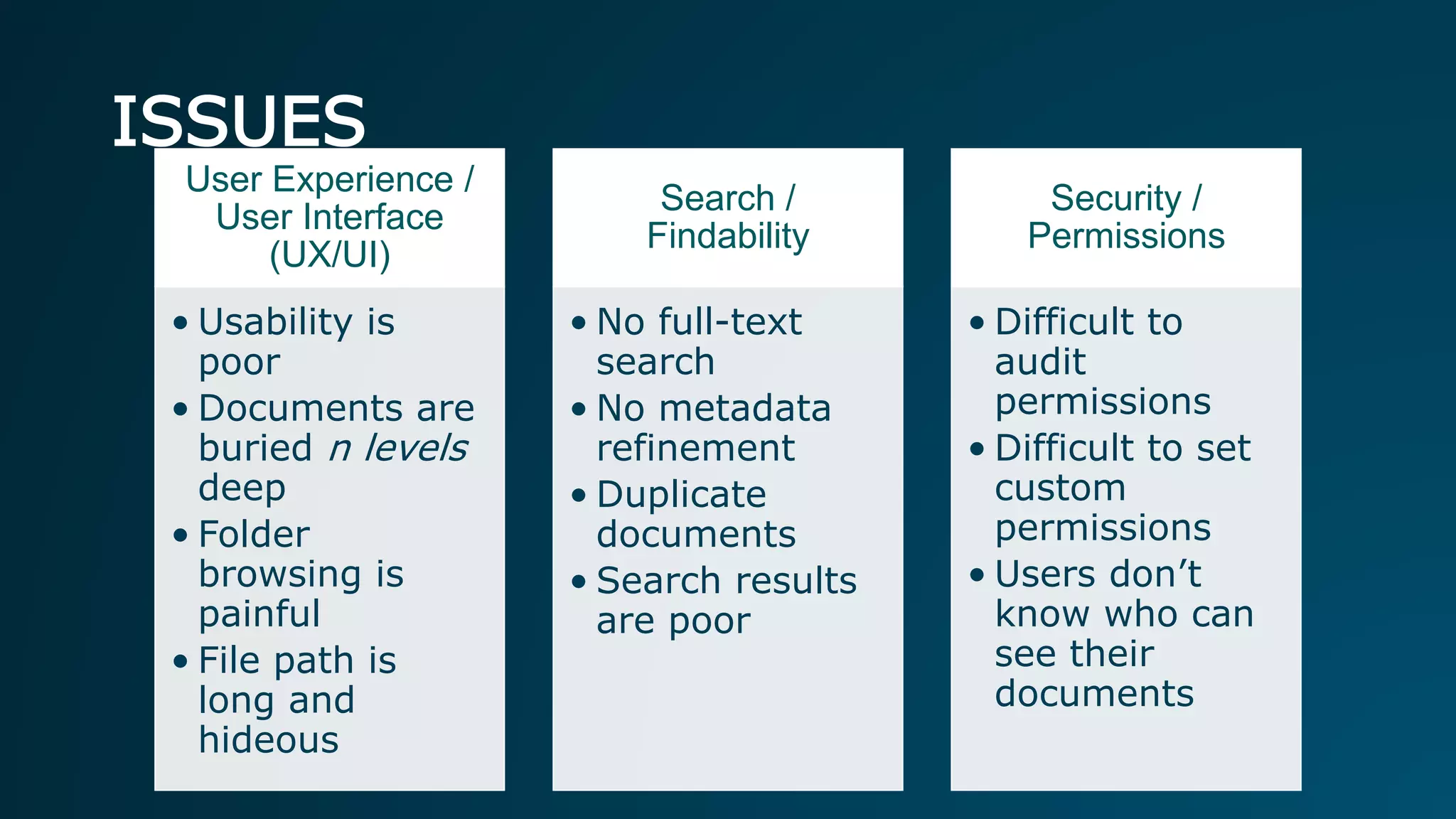
ISSUES
User Experience /
User Interface
(UX/UI)
• Usability is
poor
• Documents are
buried n levels
deep
• Folder
browsing is
painful
• File path is
long and
hideous
Search /
Findability
• No full-text
search
• No metadata
refinement
• Duplicate
documents
• Search results
are poor
Security /
Permissions
• Difficult to
audit
permissions
• Difficult to set
custom
permissions
• Users don’t
know who can
see their
documents
WHAT IS ECM?
Enterprise Content Management (ECM) is the strategies,
methods and tools used to capture, manage, store, preserve,
and deliver content and documents related to organizational
processes.
ECM tools and strategies allow the management of an
organization's unstructured information, wherever that
information exists.
ADVANTAGES OF SHAREPOINT ECM
• Version control and version history
• Workflow/approval/publishing
• Tagging/Metadata
• Search
• Shared editing experience
• Quotas
• Auditing
• Change Tracking
• Inline Comments
MANAGED METADATA
• Key Features
• Content Type Publishing – sharing across site collections.
• Taxonomies – Creation and management of hierarchical
collections of managed terms.
• Key Concepts
• Taxonomy – A hierarchical classification of words, labels or
terms that are organized into groups based on similarities.
• Folksonomy – A classification that results when users
collaboratively apply words, labels or terms to content.
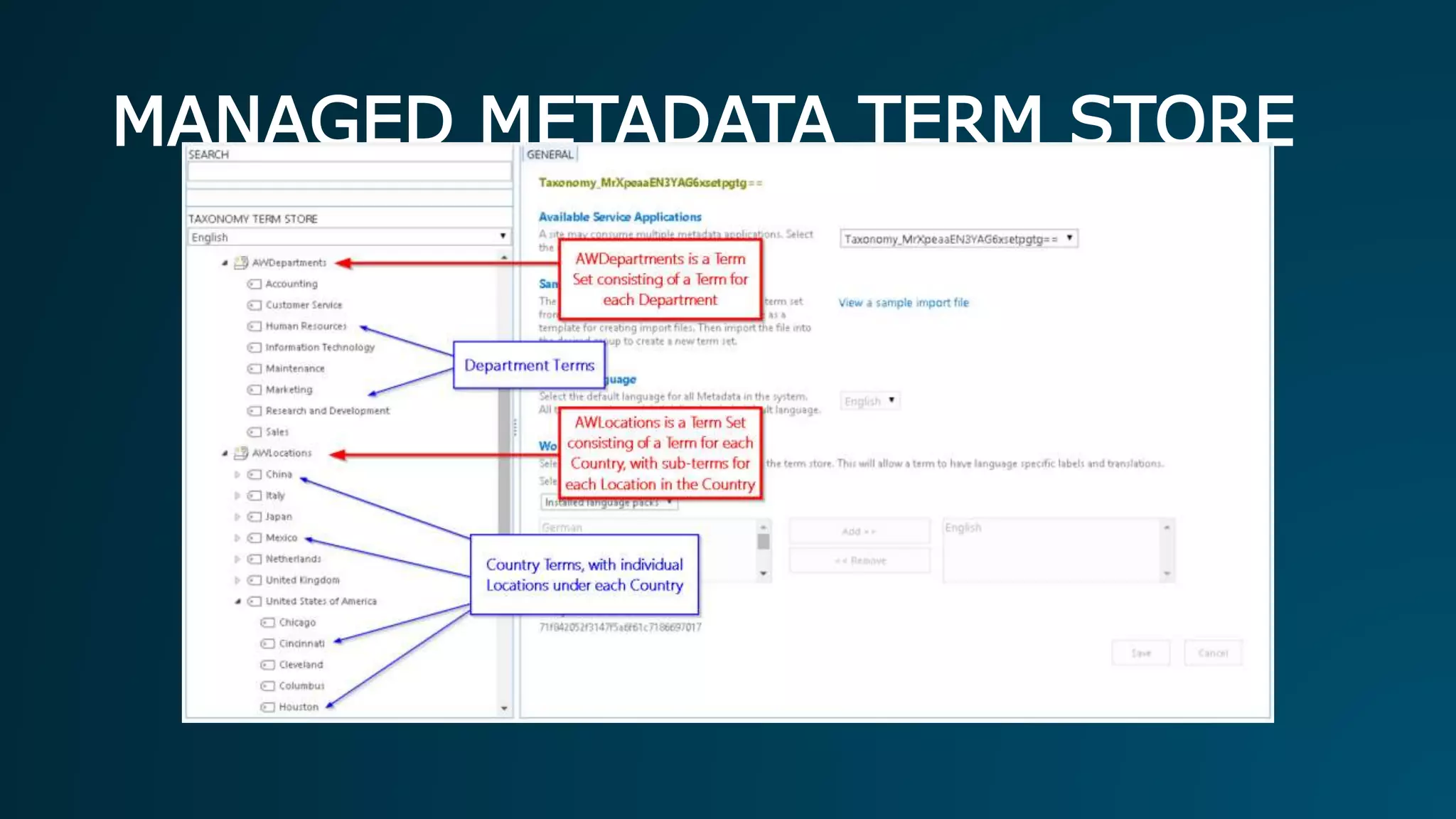
MANAGED METADATA TERM STORE
KEY CONCEPTS OF PRESENTATION
• SharePoint Site Collection
• Document Libraries & Views
• Document Templates
• Content Types & Metadata
• Content Organizer
• Document IDs
• Workflow
• Records Management
• Search
2
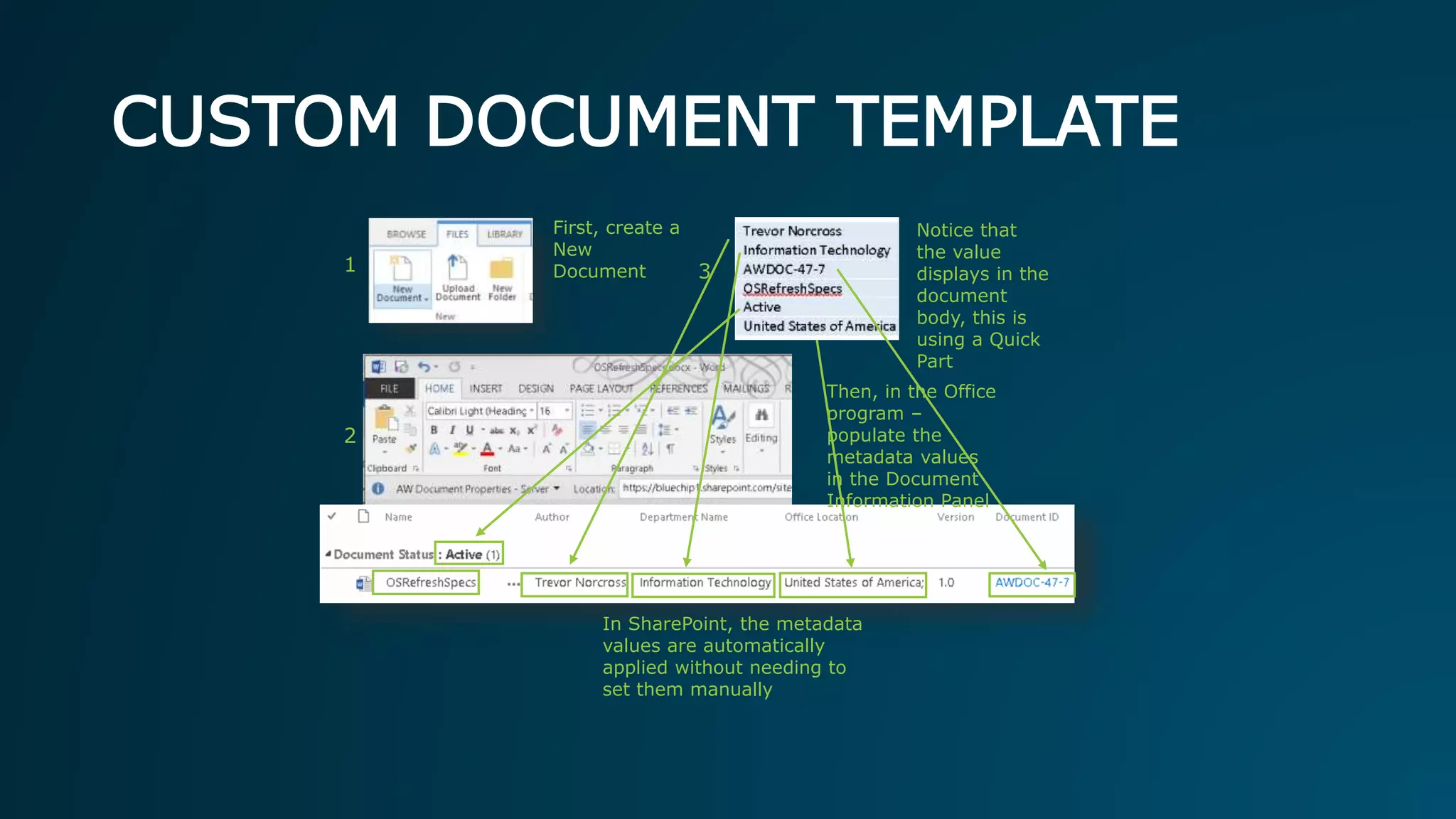
Then, in the Office
program –
populate the
metadata values
in the Document
Information Panel
CUSTOM DOCUMENT TEMPLATE
Notice that
the value
displays in the
document
body, this is
using a Quick
Part
1 3
First, create a
New
Document
In SharePoint, the metadata
values are automatically
applied without needing to
set them manually
CONTENT ORGANIZER
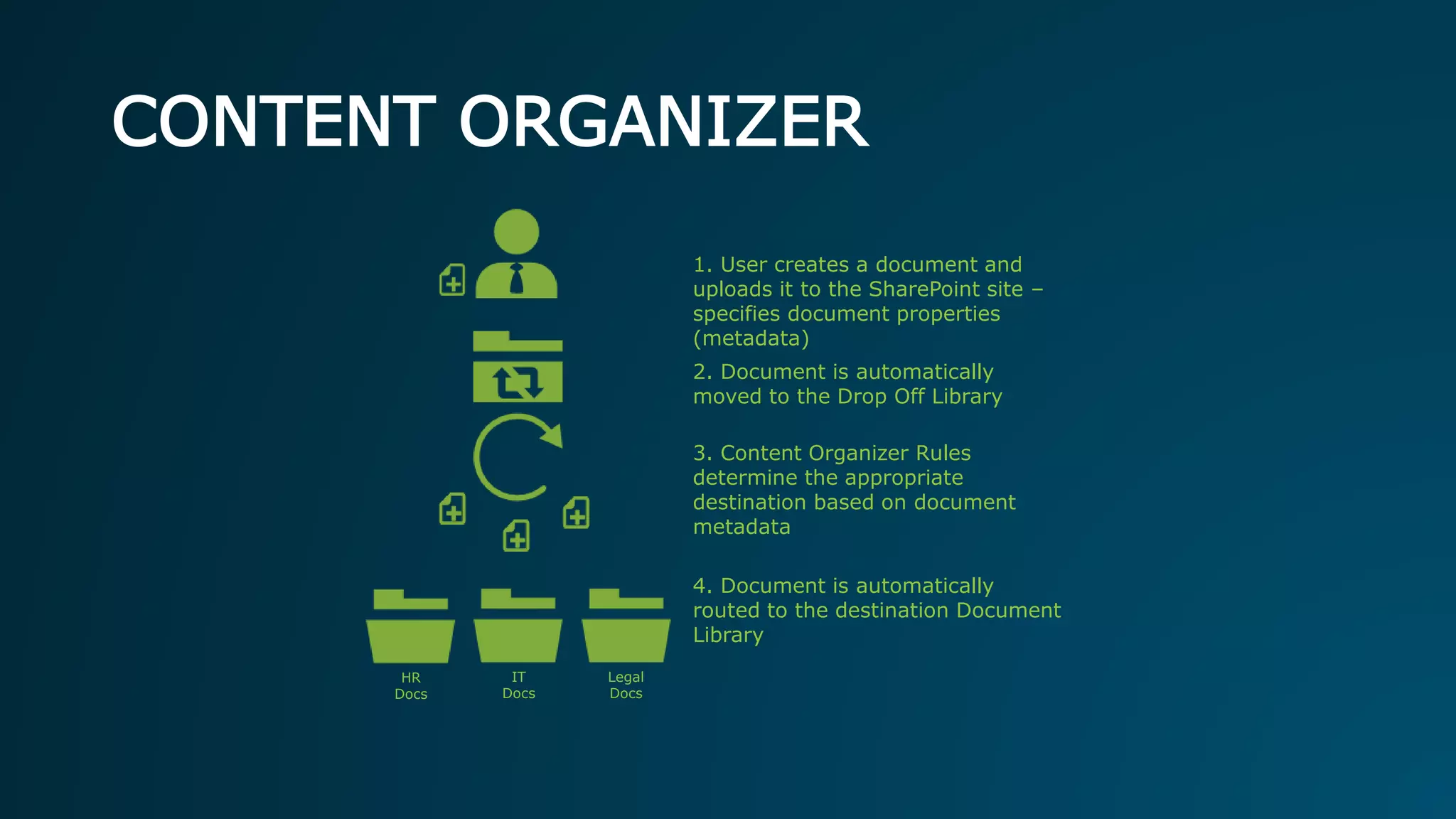
1. User creates a document and
uploads it to the SharePoint site –
specifies document properties
(metadata)
2. Document is automatically
moved to the Drop Off Library
3. Content Organizer Rules
determine the appropriate
destination based on document
metadata
4. Document is automatically
routed to the destination Document
Library
HR
Docs
IT
Docs
Legal
Docs
SEARCH
• Quickly and easily find documents using:
• Text from document body
• Text from ANY document metadata/column values
• Preview the document right in the browser
• Refine your search results using Search Refiners
• Users only find what they have access to
SharePoint ECM
D E M O
DEMO RECAP
• Reviewed Document Center Site
• Reviewed the AdventureWorks IT Library
• Created a new Document based on the custom
Document Template
• Reviewed Document Quick Parts
• Reviewed other Enterprise features, such as
Document ID, Managed Metadata Filtering, etc.
• Performed a Search and used refiners
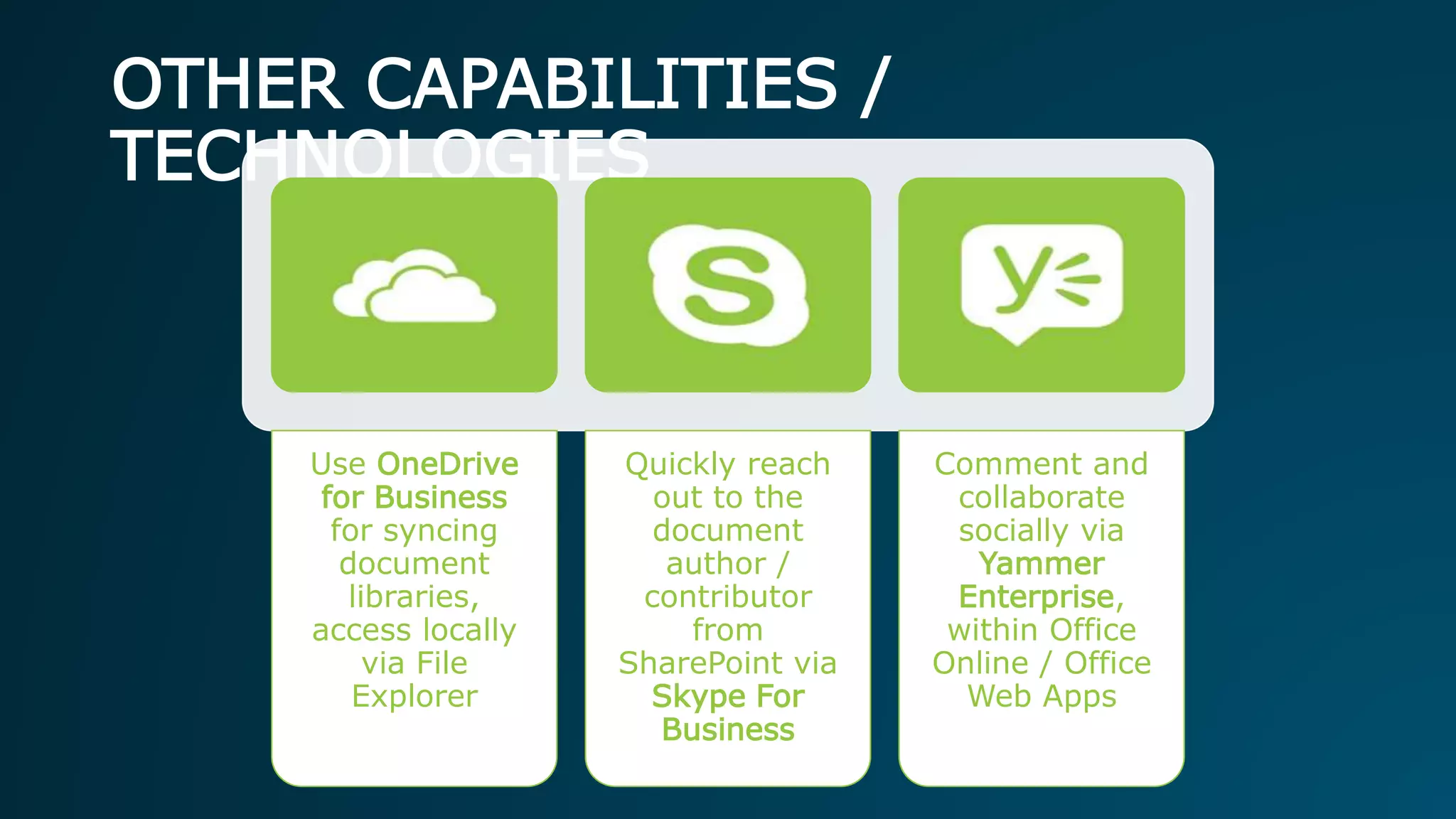
OTHER CAPABILITIES /
TECHNOLOGIES
Use OneDrive
for Business
for syncing
document
libraries,
access locally
via File
Explorer
Quickly reach
out to the
document
author /
contributor
from
SharePoint via
Skype For
Business
Comment and
collaborate
socially via
Yammer
Enterprise,
within Office
Online / Office
Web Apps
QUESTIONS?
Q&A | Thoughts | Discussion
RYAN DENNIS
Solution Architect at
Blue Chip Consulting Group
/in/SharePointRyan www.sharepointryan.com
ryan@sharepointryan.com@SharePointRyan
www.bluechip-llc.com FatherHusband
Author
GuitaristDrummer
Cyclist
Ryan at a
glance
Play and
explore

Leave the Fileshare, and join the Enterprise Content Revolution!

  • 1.
    LEAVE THE FILESHARE! andjoin the Enterprise Content Revolution! Ryan Dennis | @SharePointRyan | sharepointryan.com
  • 2.
    RYAN DENNIS Solution Architectat Blue Chip Consulting Group /in/SharePointRyan www.sharepointryan.com ryan@sharepointryan.com@SharePointRyan www.bluechip-llc.com FatherHusband Author GuitaristDrummer Cyclist Ryan at a glance Play and explore
  • 4.
    AGENDA • About AdventureWorks •The Current Fileshare Scenario • Redefining our ECM strategy • Categorizing Content in SharePoint • Leveraging Search with our ECM implementation • Q&A
  • 5.
    ABOUT ADVENTUREWORKS AdventureWorks Cyclesis a large, multinational manufacturing company. The company manufactures and sells metal and composite bicycles to North American, European and Asian commercial markets. (Oh, and it’s a fictional company)
  • 6.
    THE ADVENTUREWORKS FILESHARE Folderscreated for every Country Within each Country, folders are created for every Year 4 folder types in each Department folder Within each Year, folders created for every Department within the company
  • 7.
  • 8.
    ISSUES User Experience / UserInterface (UX/UI) • Usability is poor • Documents are buried n levels deep • Folder browsing is painful • File path is long and hideous Search / Findability • No full-text search • No metadata refinement • Duplicate documents • Search results are poor Security / Permissions • Difficult to audit permissions • Difficult to set custom permissions • Users don’t know who can see their documents
  • 9.
    WHAT IS ECM? EnterpriseContent Management (ECM) is the strategies, methods and tools used to capture, manage, store, preserve, and deliver content and documents related to organizational processes. ECM tools and strategies allow the management of an organization's unstructured information, wherever that information exists.
  • 10.
    ADVANTAGES OF SHAREPOINTECM • Version control and version history • Workflow/approval/publishing • Tagging/Metadata • Search • Shared editing experience • Quotas • Auditing • Change Tracking • Inline Comments
  • 11.
    MANAGED METADATA • KeyFeatures • Content Type Publishing – sharing across site collections. • Taxonomies – Creation and management of hierarchical collections of managed terms. • Key Concepts • Taxonomy – A hierarchical classification of words, labels or terms that are organized into groups based on similarities. • Folksonomy – A classification that results when users collaboratively apply words, labels or terms to content.
  • 12.
  • 13.
    KEY CONCEPTS OFPRESENTATION • SharePoint Site Collection • Document Libraries & Views • Document Templates • Content Types & Metadata • Content Organizer • Document IDs • Workflow • Records Management • Search
  • 14.
    2 Then, in theOffice program – populate the metadata values in the Document Information Panel CUSTOM DOCUMENT TEMPLATE Notice that the value displays in the document body, this is using a Quick Part 1 3 First, create a New Document In SharePoint, the metadata values are automatically applied without needing to set them manually
  • 15.
    CONTENT ORGANIZER 1. Usercreates a document and uploads it to the SharePoint site – specifies document properties (metadata) 2. Document is automatically moved to the Drop Off Library 3. Content Organizer Rules determine the appropriate destination based on document metadata 4. Document is automatically routed to the destination Document Library HR Docs IT Docs Legal Docs
  • 16.
    SEARCH • Quickly andeasily find documents using: • Text from document body • Text from ANY document metadata/column values • Preview the document right in the browser • Refine your search results using Search Refiners • Users only find what they have access to
  • 17.
  • 18.
    DEMO RECAP • ReviewedDocument Center Site • Reviewed the AdventureWorks IT Library • Created a new Document based on the custom Document Template • Reviewed Document Quick Parts • Reviewed other Enterprise features, such as Document ID, Managed Metadata Filtering, etc. • Performed a Search and used refiners
  • 19.
    OTHER CAPABILITIES / TECHNOLOGIES UseOneDrive for Business for syncing document libraries, access locally via File Explorer Quickly reach out to the document author / contributor from SharePoint via Skype For Business Comment and collaborate socially via Yammer Enterprise, within Office Online / Office Web Apps
  • 20.
  • 21.
    RYAN DENNIS Solution Architectat Blue Chip Consulting Group /in/SharePointRyan www.sharepointryan.com ryan@sharepointryan.com@SharePointRyan www.bluechip-llc.com FatherHusband Author GuitaristDrummer Cyclist Ryan at a glance Play and explore

Editor's Notes

  • #4  Poll Title: What SharePoint platform are you on? https://www.polleverywhere.com/multiple_choice_polls/oPf4BbuI6hOKCvM