




Enterprise Content Management with SharePointAndrew ParmenterSenior SharePoint DeveloperKnowledgeLake, Inc.@SharePointCoderhttp://www.SharePointCoder.com
“Enterprise content management (ECM) refers to the 	technologies, strategies, methods and tools used to 	capture, manage, store, preserve, and deliver 	content and documents related to an organization 	and its processes.  ECM tools allow the 	management of an enterprise level organization’s 	information”- AIIM http://www.aiim.orgWhat is ECM?
ThePlatformWhy SharePoint ECM?SQL Server
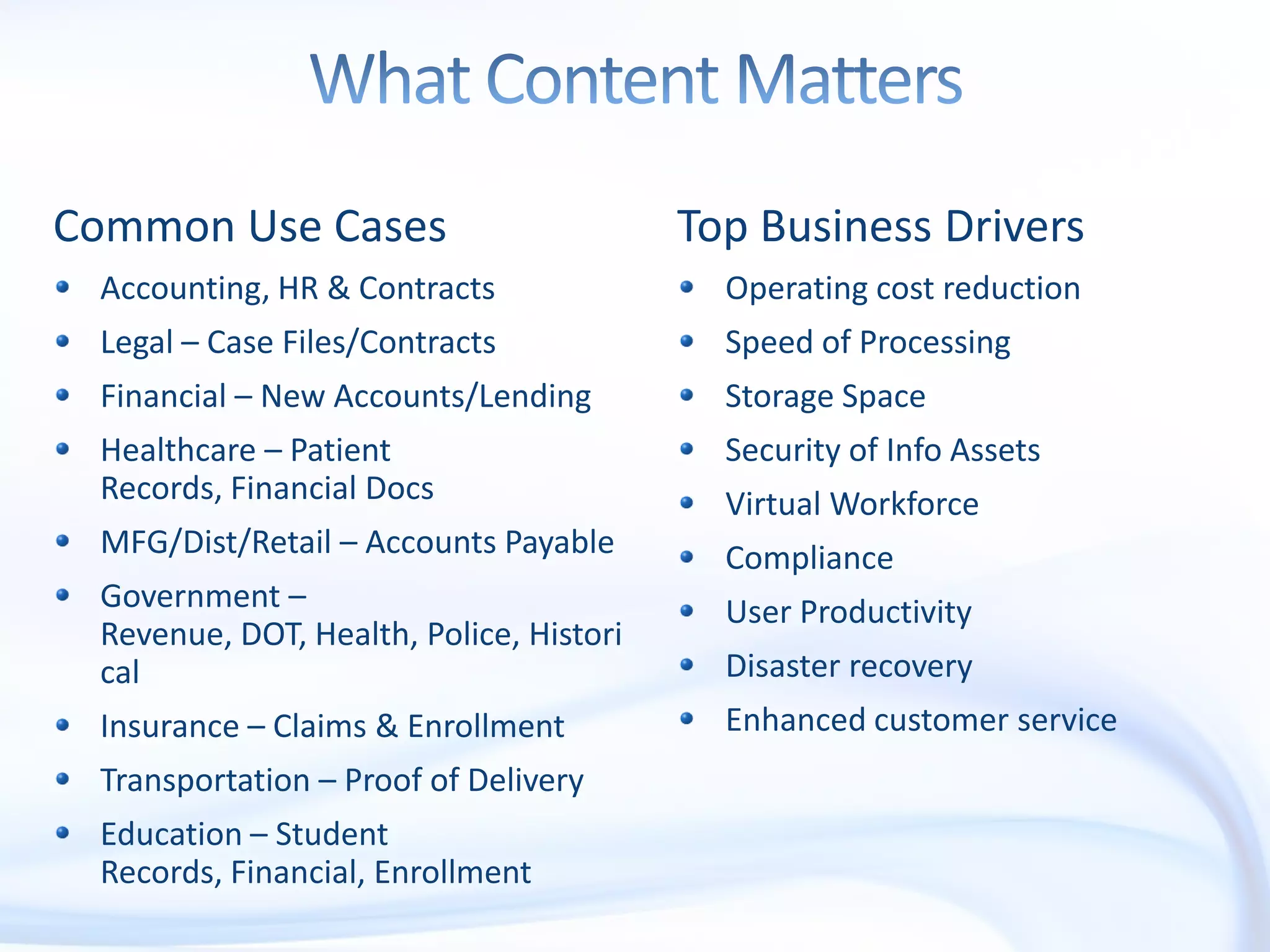
What Content MattersCommon Use CasesAccounting, HR & ContractsLegal – Case Files/ContractsFinancial – New Accounts/LendingHealthcare – Patient Records, Financial DocsMFG/Dist/Retail – Accounts PayableGovernment – Revenue, DOT, Health, Police, HistoricalInsurance – Claims & EnrollmentTransportation – Proof of DeliveryEducation – Student Records, Financial, EnrollmentTop Business DriversOperating cost reductionSpeed of ProcessingStorage SpaceSecurity of Info AssetsVirtual WorkforceComplianceUser ProductivityDisaster recoveryEnhanced customer service
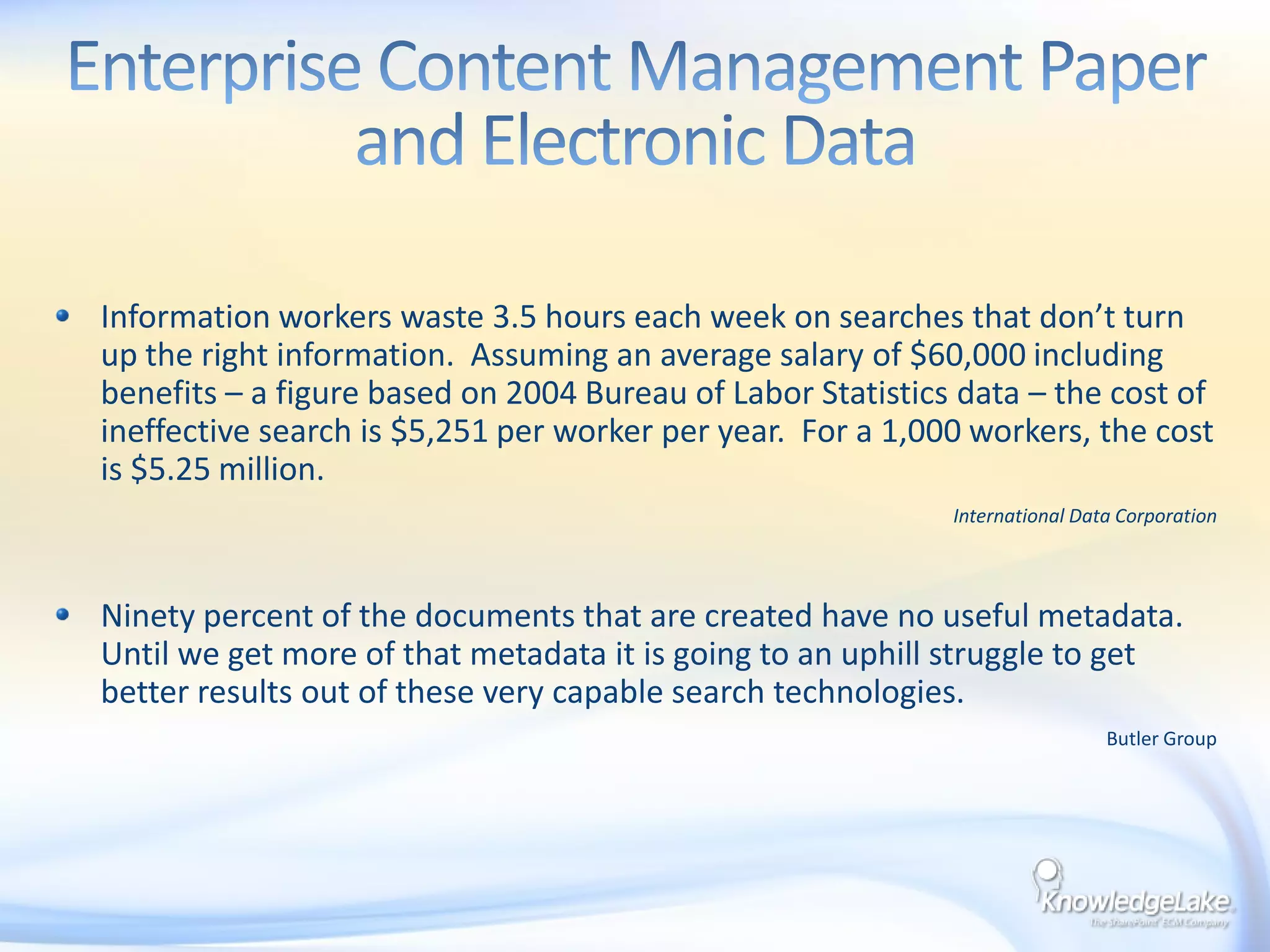
Enterprise Content Management Paper and Electronic DataInformation workers waste 3.5 hours each week on searches that don’t turn up the right information.  Assuming an average salary of $60,000 including benefits – a figure based on 2004 Bureau of Labor Statistics data – the cost of ineffective search is $5,251 per worker per year.  For a 1,000 workers, the cost is $5.25 million.International Data CorporationNinety percent of the documents that are created have no useful metadata.  Until we get more of that metadata it is going to an uphill struggle to get better results out of these very capable search technologies.Butler Group
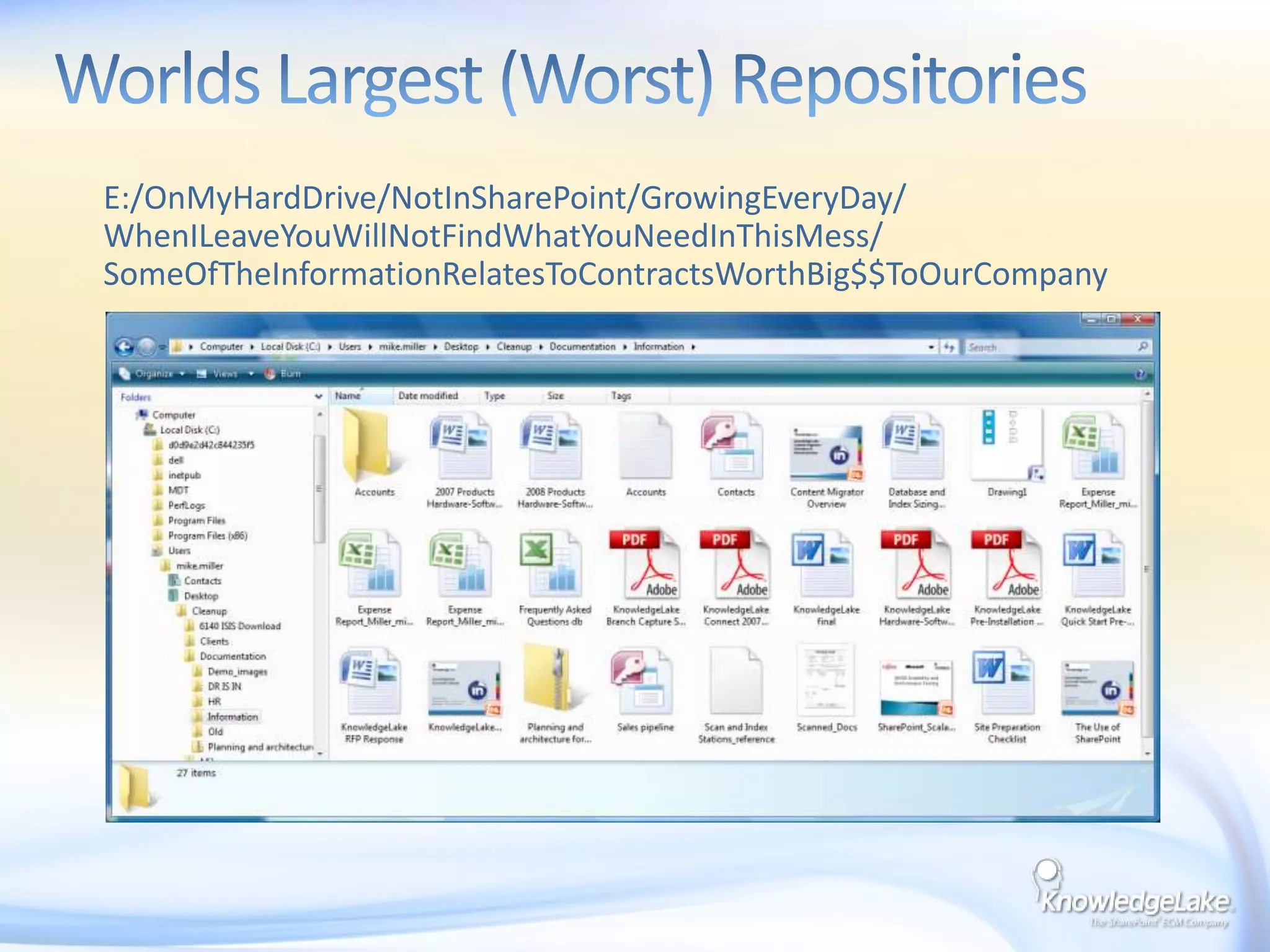
Worlds Largest (Worst) Repositories     E:/OnMyHardDrive/NotInSharePoint/GrowingEveryDay/ WhenILeaveYouWillNotFindWhatYouNeedInThisMess/ SomeOfTheInformationRelatesToContractsWorthBig$$ToOurCompany
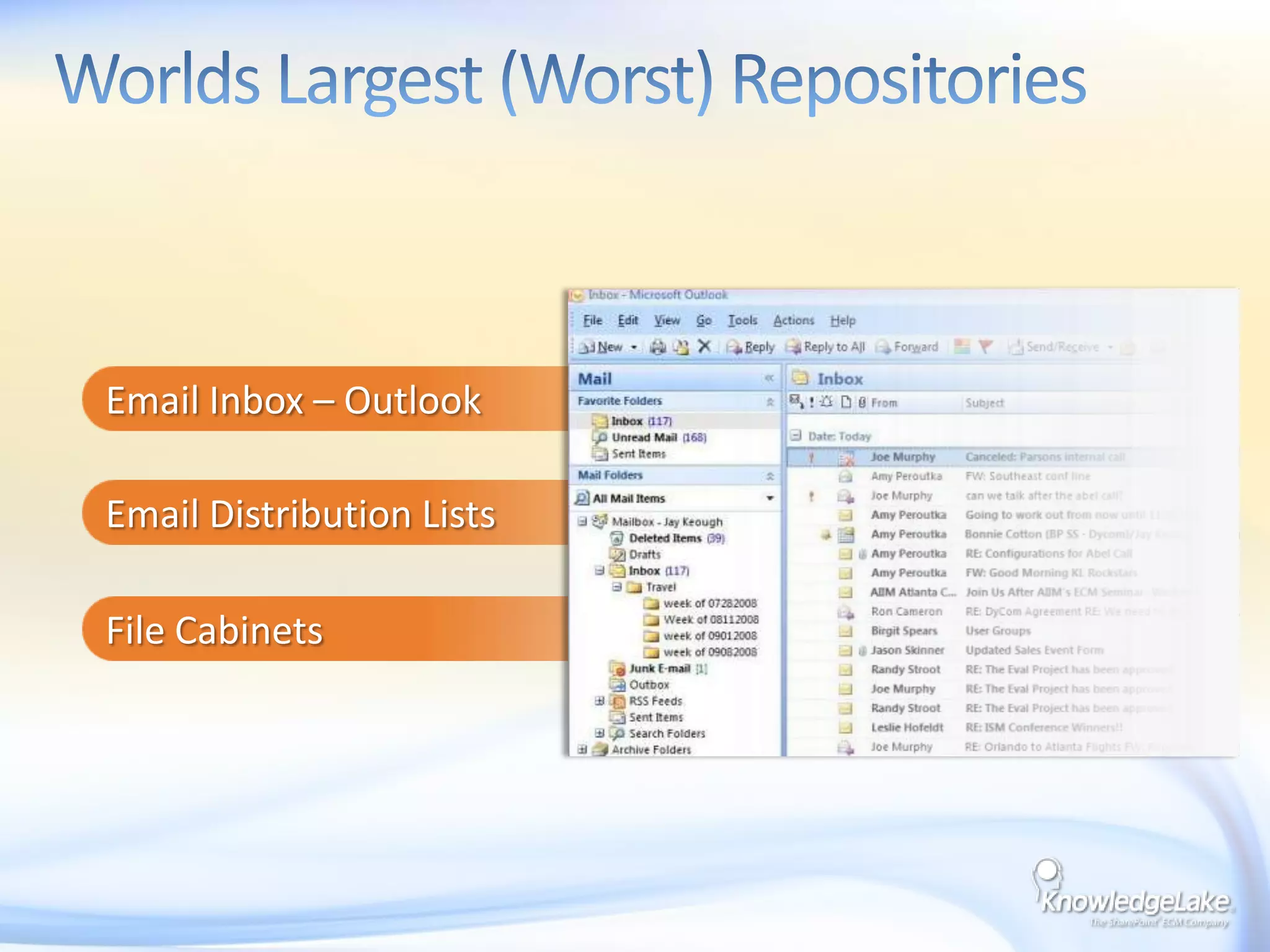
Email Inbox – OutlookEmail Distribution ListsFile CabinetsWorlds Largest (Worst) Repositories
What’s Happened to make Content Management with SharePoint Easier
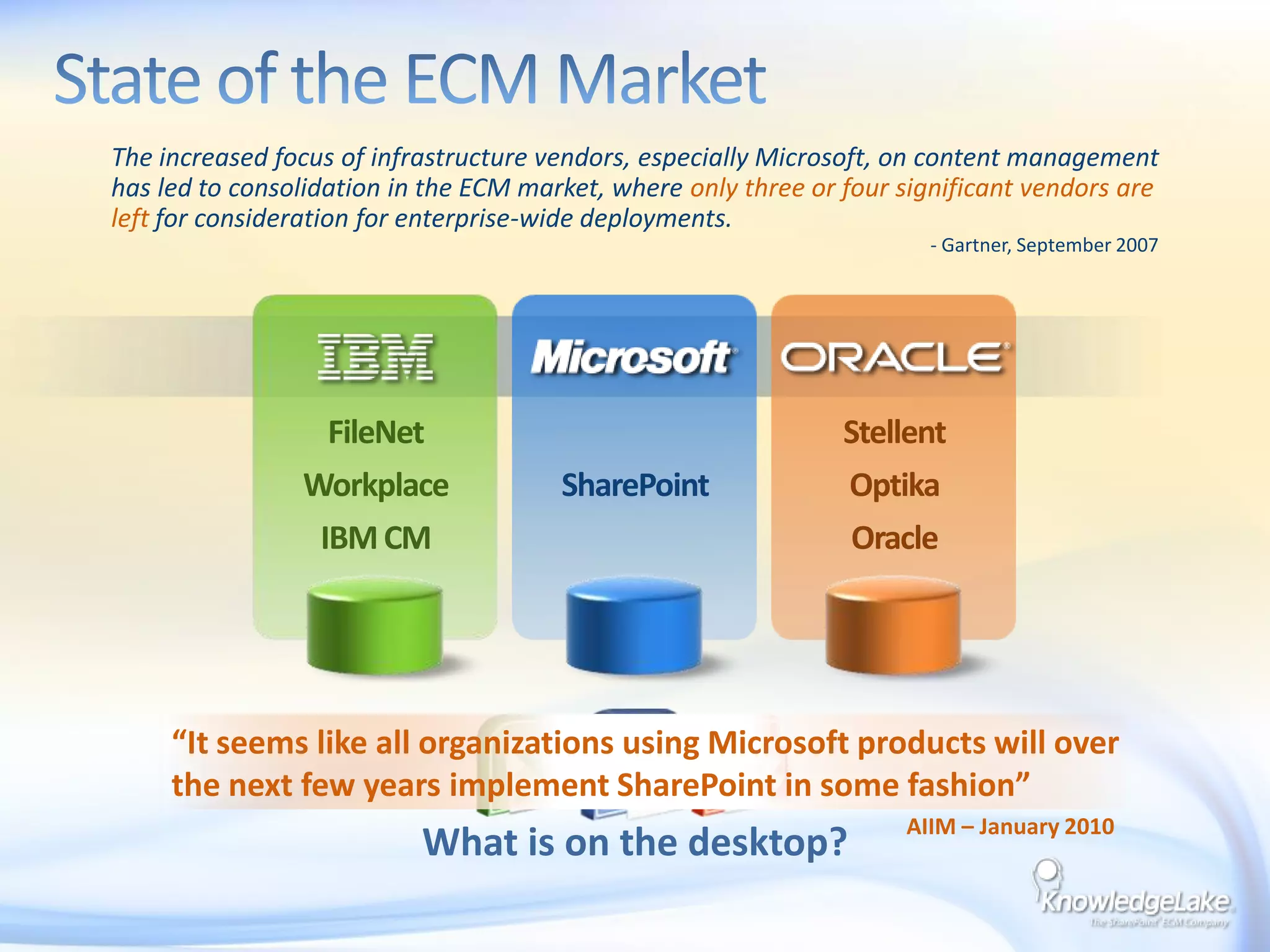
State of the ECM MarketThe increased focus of infrastructure vendors, especially Microsoft, on content managementhas led to consolidation in the ECM market, where only three or four significant vendors areleftfor consideration for enterprise-wide deployments.- Gartner, September 2007FileNetWorkplaceIBM CMSharePointStellentOptikaOracle“It seems like all organizations using Microsoft products will overthe next few years implement SharePoint in some fashion”AIIM – January 2010What is on the desktop?
Why SharePoint is Dominating ECMTightly integrated content oriented suite (single code base)Unified repository for all applications to draw fromInformation worker focus leverages MSTF desktop$1B annual investment in product suiteNote the dramatic changes from SP 2003 to 2007 to 2010Low entry cost vs. point solutionsReady supply of .Net and SharePoint resourcesEase of administration
Enterprise Content Managementand SharePoint
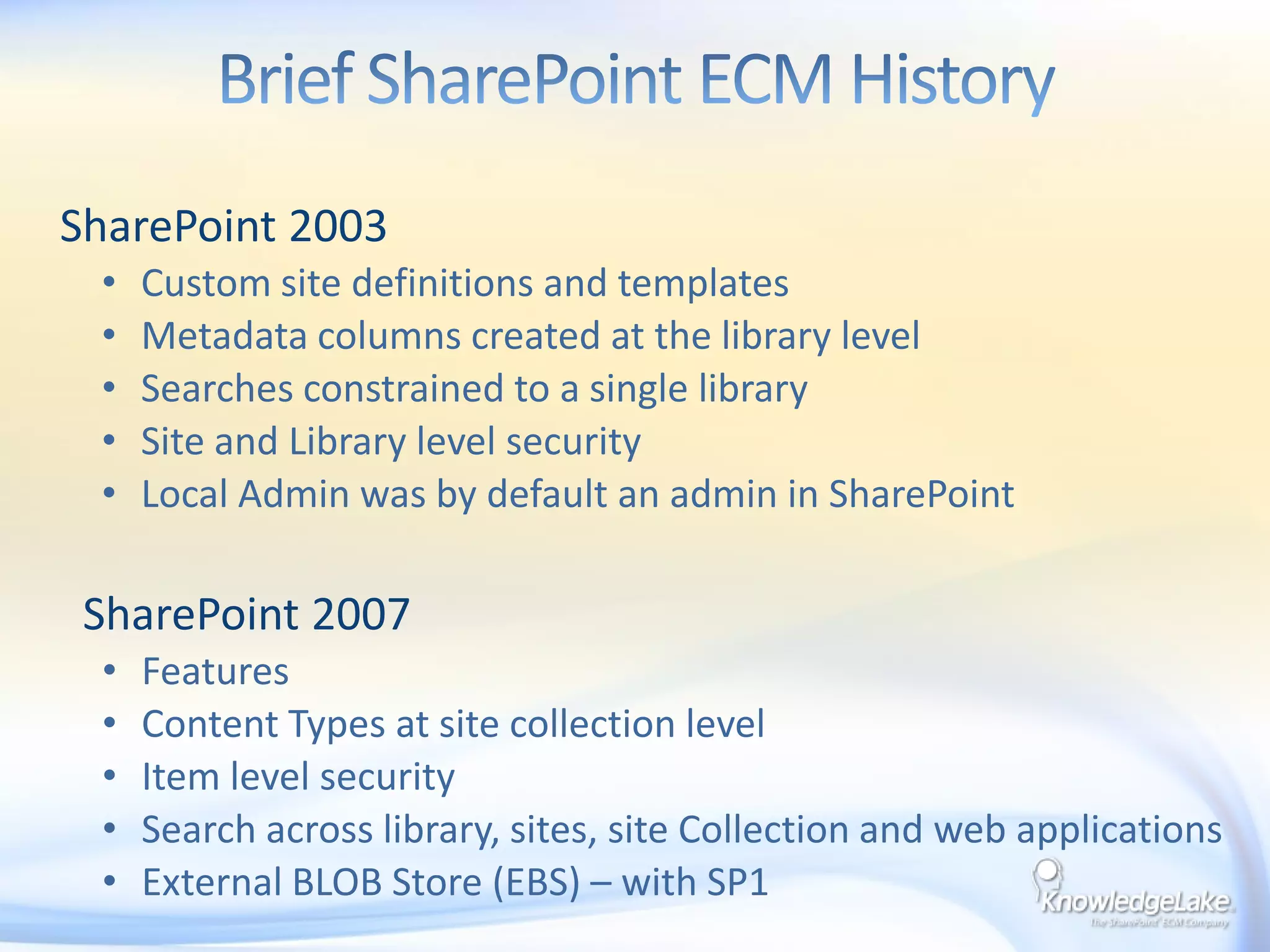
SharePoint 2003Custom site definitions and templatesMetadata columns created at the library levelSearches constrained to a single librarySite and Library level securityLocal Admin was by default an admin in SharePointBrief SharePoint ECM History    SharePoint 2007FeaturesContent Types at site collection levelItem level security Search across library, sites, site Collection and web applicationsExternal BLOB Store (EBS) – with SP1
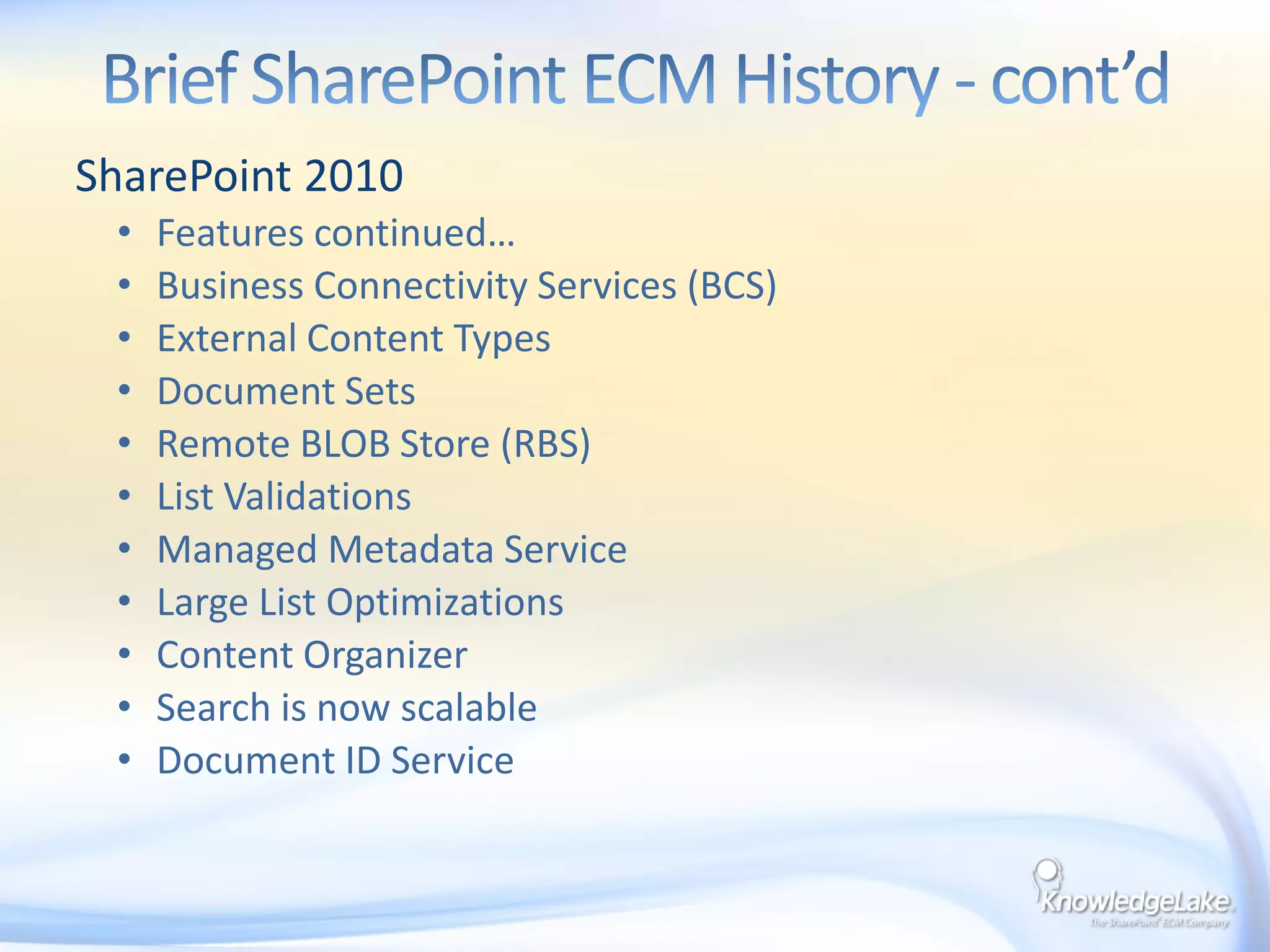
SharePoint 2010Features continued…Business Connectivity Services (BCS)External Content TypesDocument SetsRemote BLOB Store (RBS)List ValidationsManaged Metadata ServiceLarge List OptimizationsContent OrganizerSearch is now scalable Document ID ServiceBrief SharePoint ECM History - cont’d
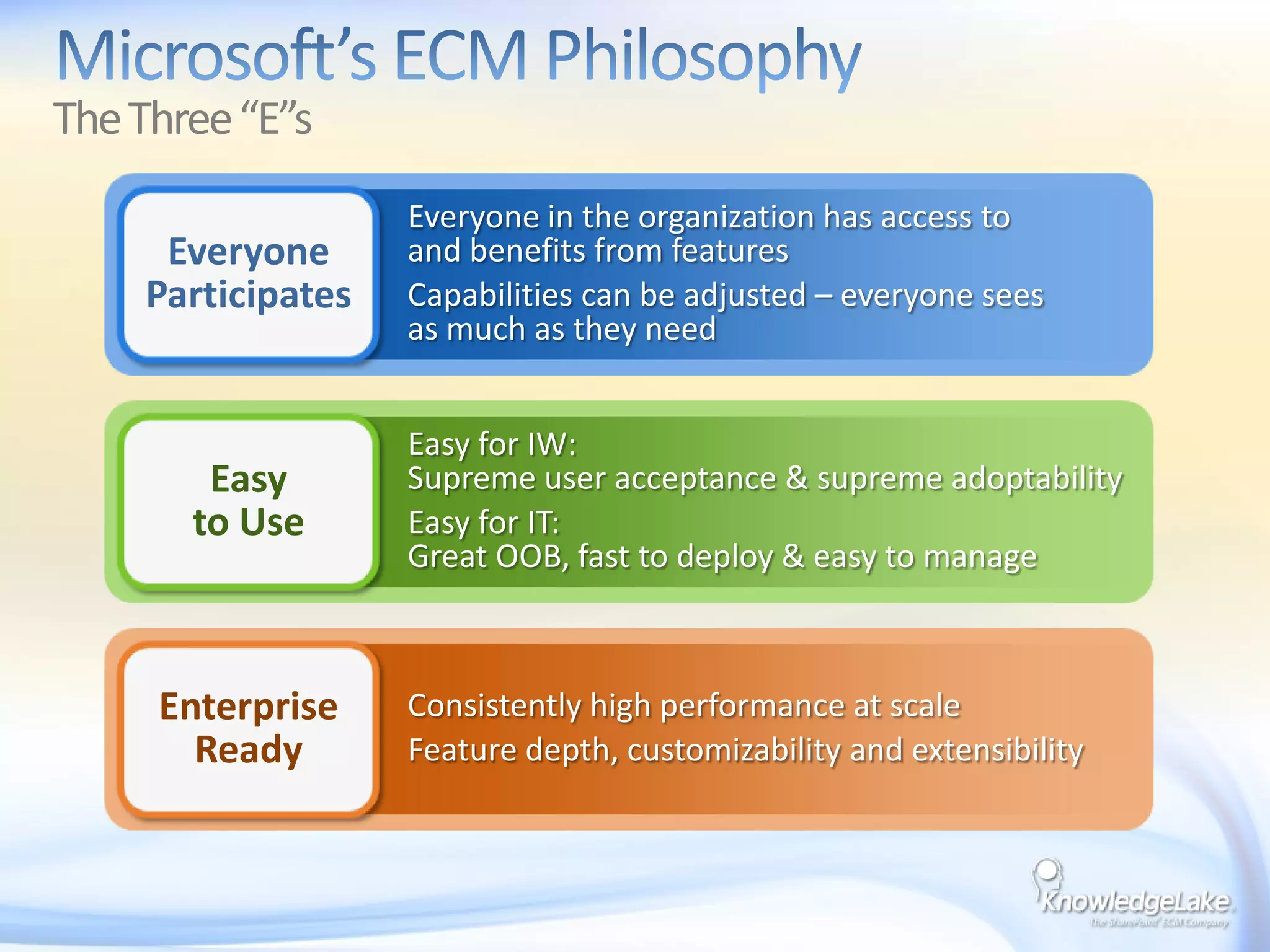
Microsoft’s ECM Philosophy The Three “E”sEveryone in the organization has access to and benefits from featuresCapabilities can be adjusted – everyone sees as much as they needEveryoneParticipatesEasy for IW: Supreme user acceptance & supreme adoptabilityEasy for IT: Great OOB, fast to deploy & easy to manageEasyto UseConsistently high performance at scaleFeature depth, customizability and extensibilityEnterpriseReady
SharePoint 2010 ECM Features that Rock!Enterprise Managed Metadata
Document IDs
BCSEnterprise Managed Metadata (EMM) is a set of features introduced in Microsoft Office 2010 that allow users to create and manage metadata taxonomies across the enterprise.Enterprise Managed Metadata
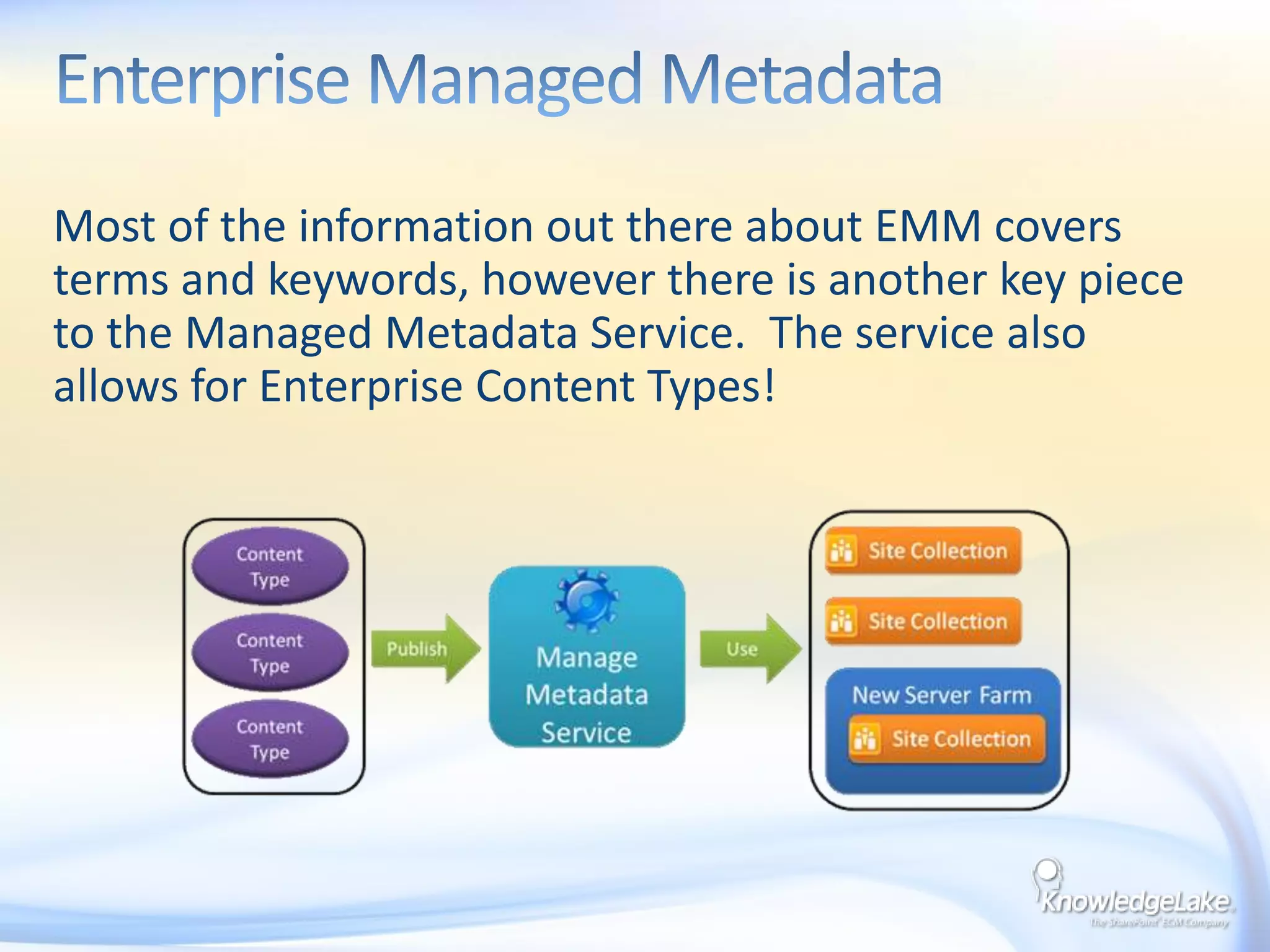
Most of the information out there about EMM covers terms and keywords, however there is another key piece to the Managed Metadata Service.  The service also allows for Enterprise Content Types!Enterprise Managed Metadata
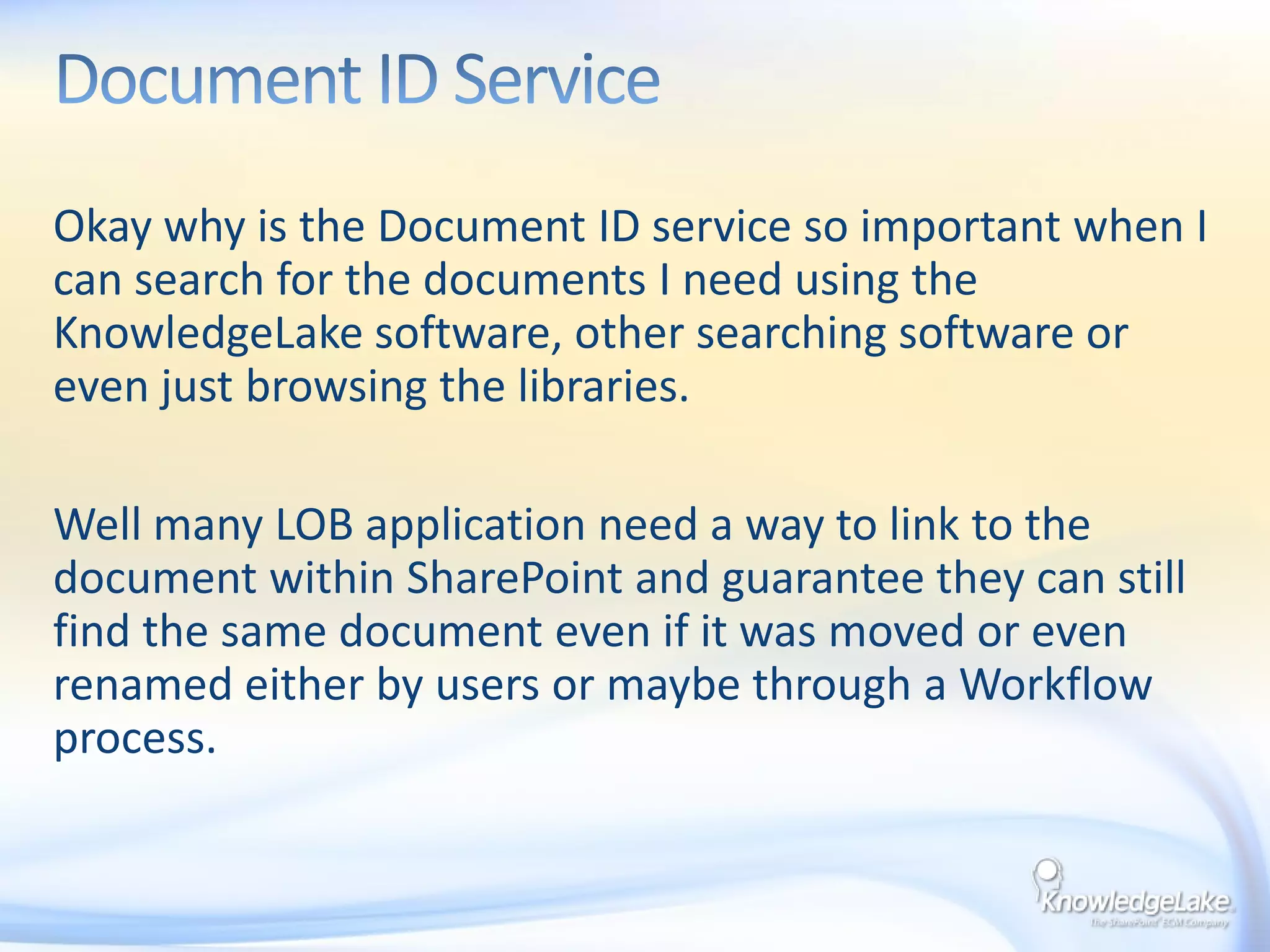
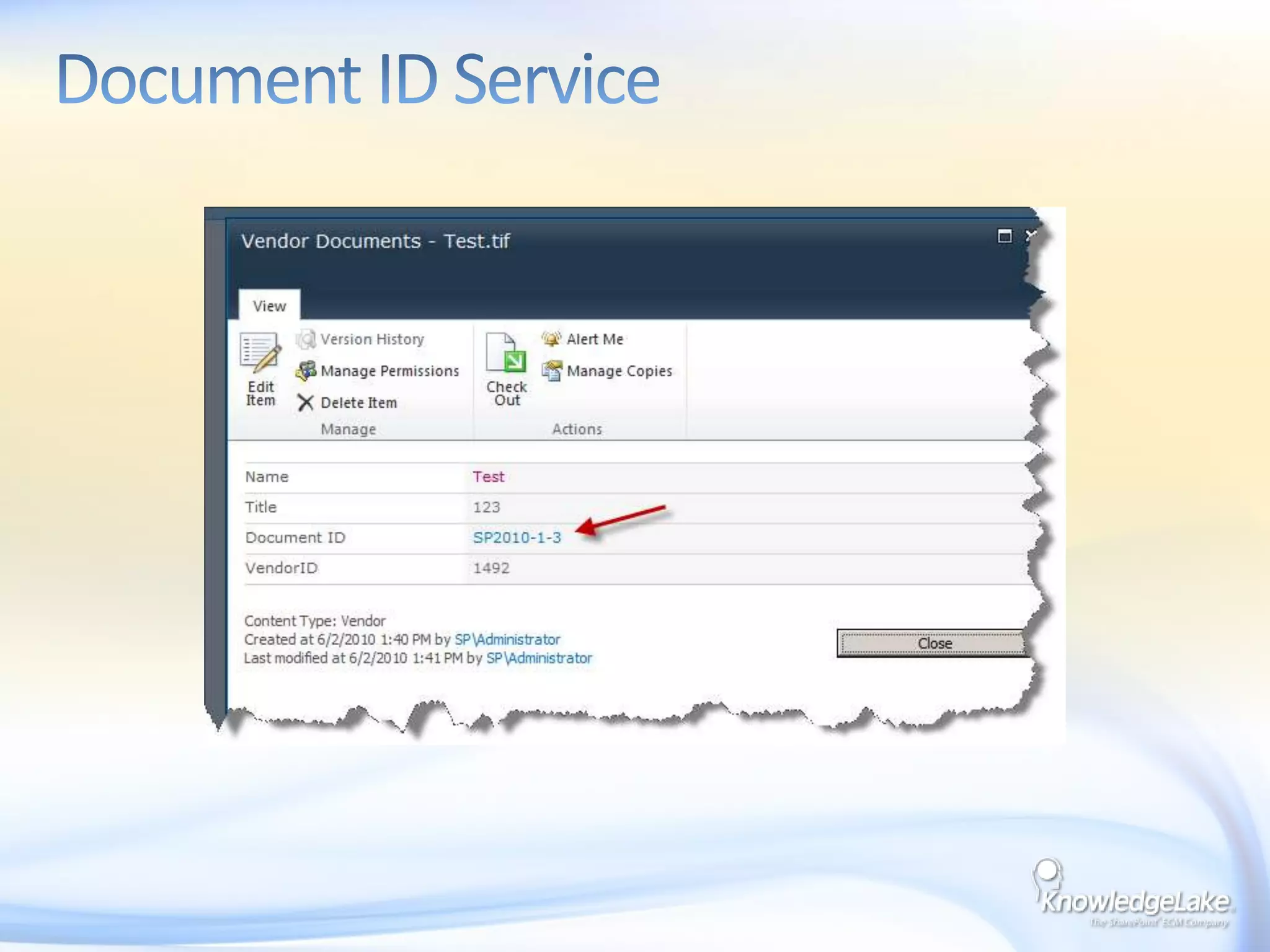
Okay why is the Document ID service so important when I can search for the documents I need using the KnowledgeLake software, other searching software or even just browsing the libraries.Well many LOB application need a way to link to the document within SharePoint and guarantee they can still find the same document even if it was moved or even renamed either by users or maybe through a Workflow process.Document ID Service
Document ID Service
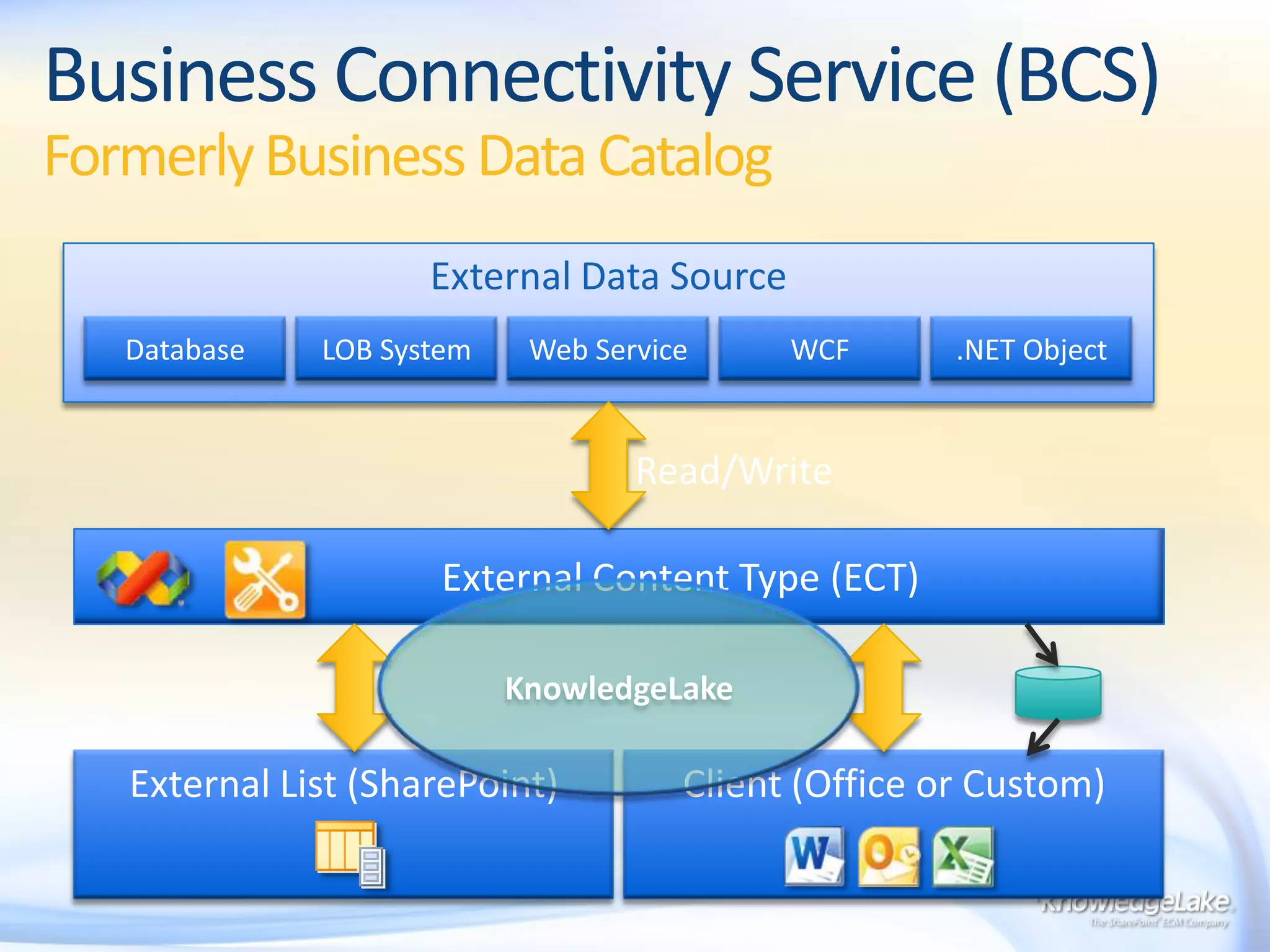
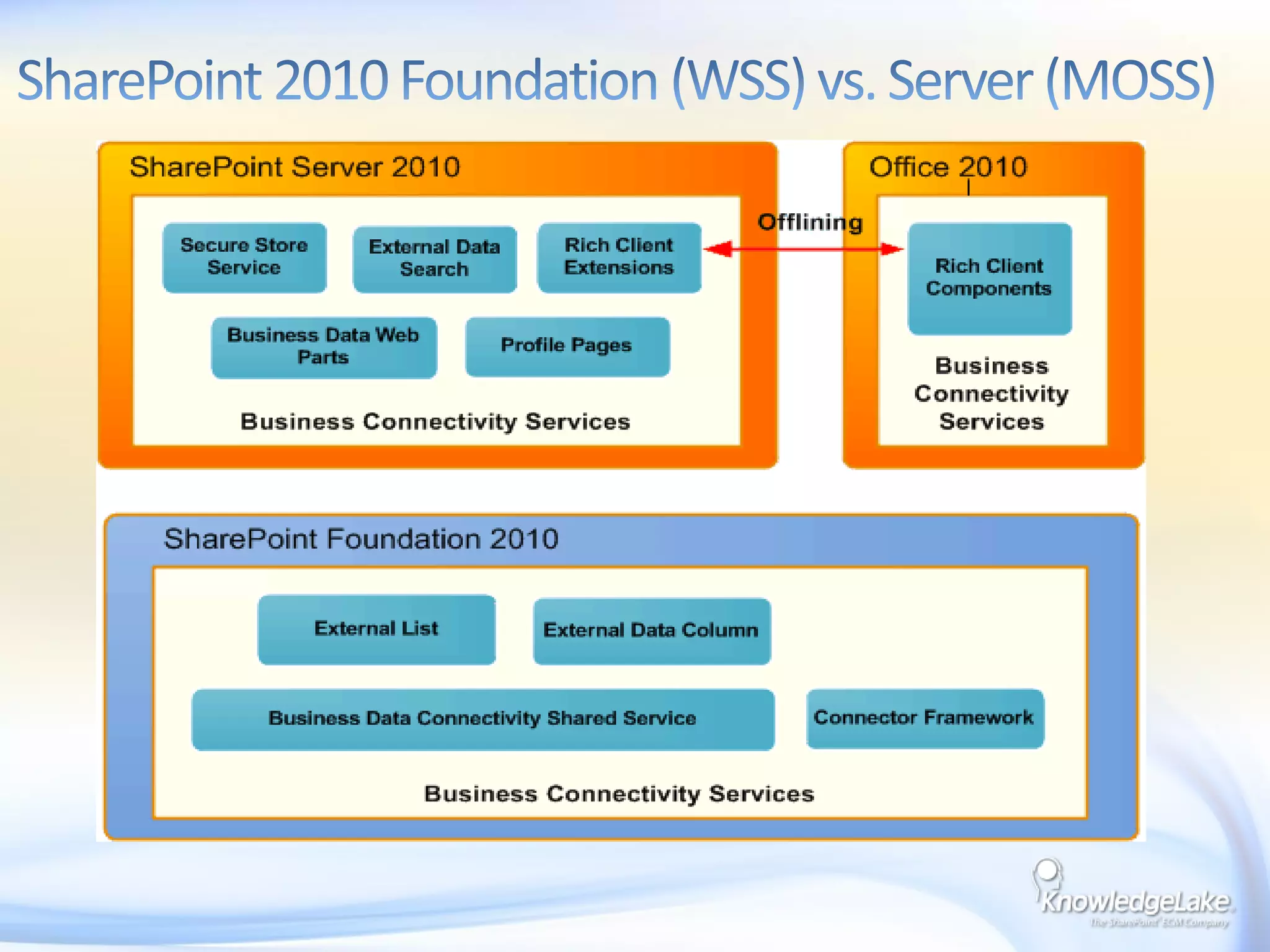
Business Connectivity Service (BCS)Formerly Business Data CatalogExternal Data SourceRead/Write.NET ObjectDatabaseWCFWeb ServiceLOB System             External Content Type (ECT) KnowledgeLakeExternal List (SharePoint)Client (Office or Custom)
SharePoint 2010 Foundation (WSS) vs. Server (MOSS)
Enterprise Managed MetadataDocument IDsBCSDemo
KnowledgeLake Case Studies
Midwest Operating Engineers
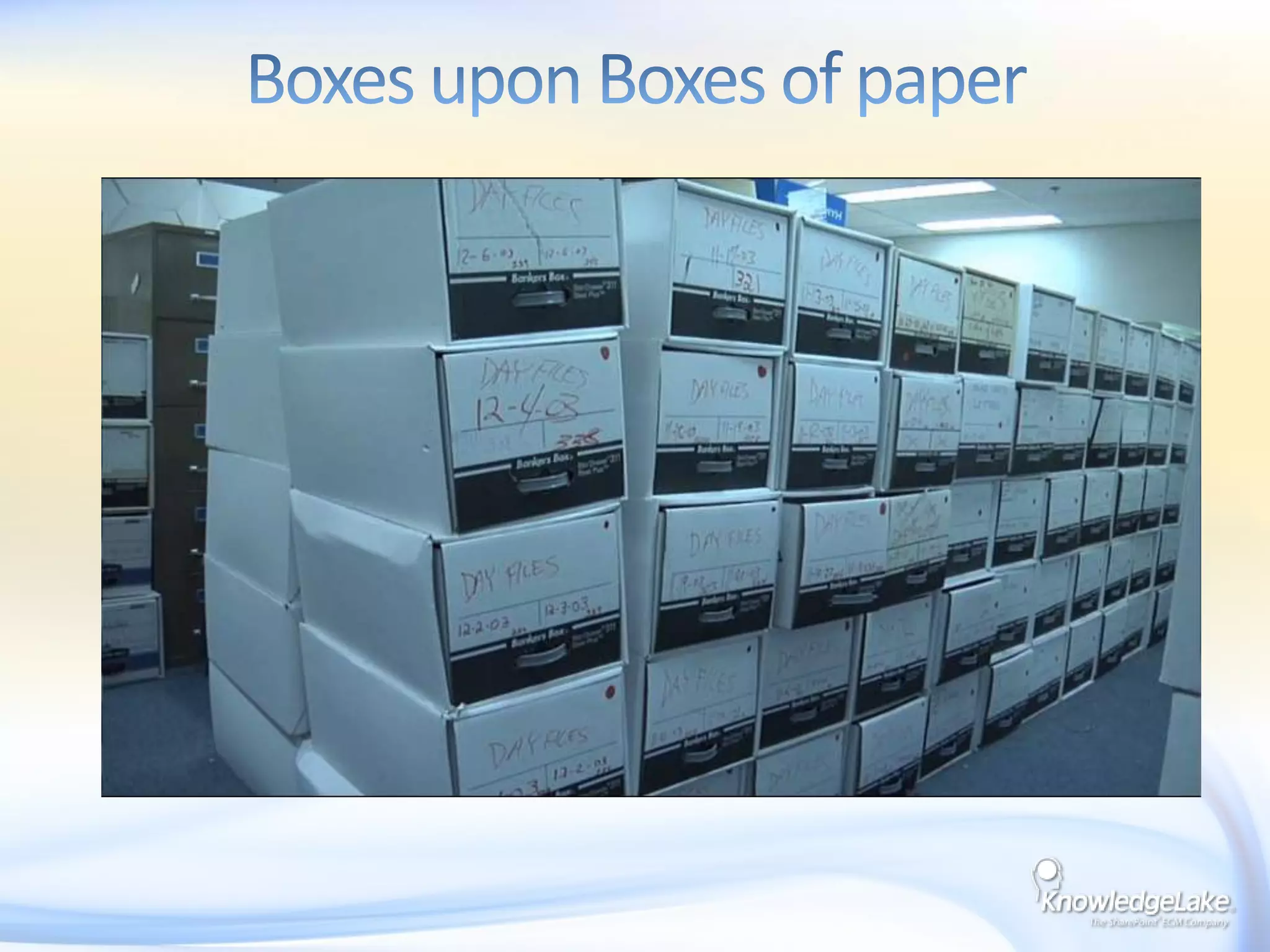
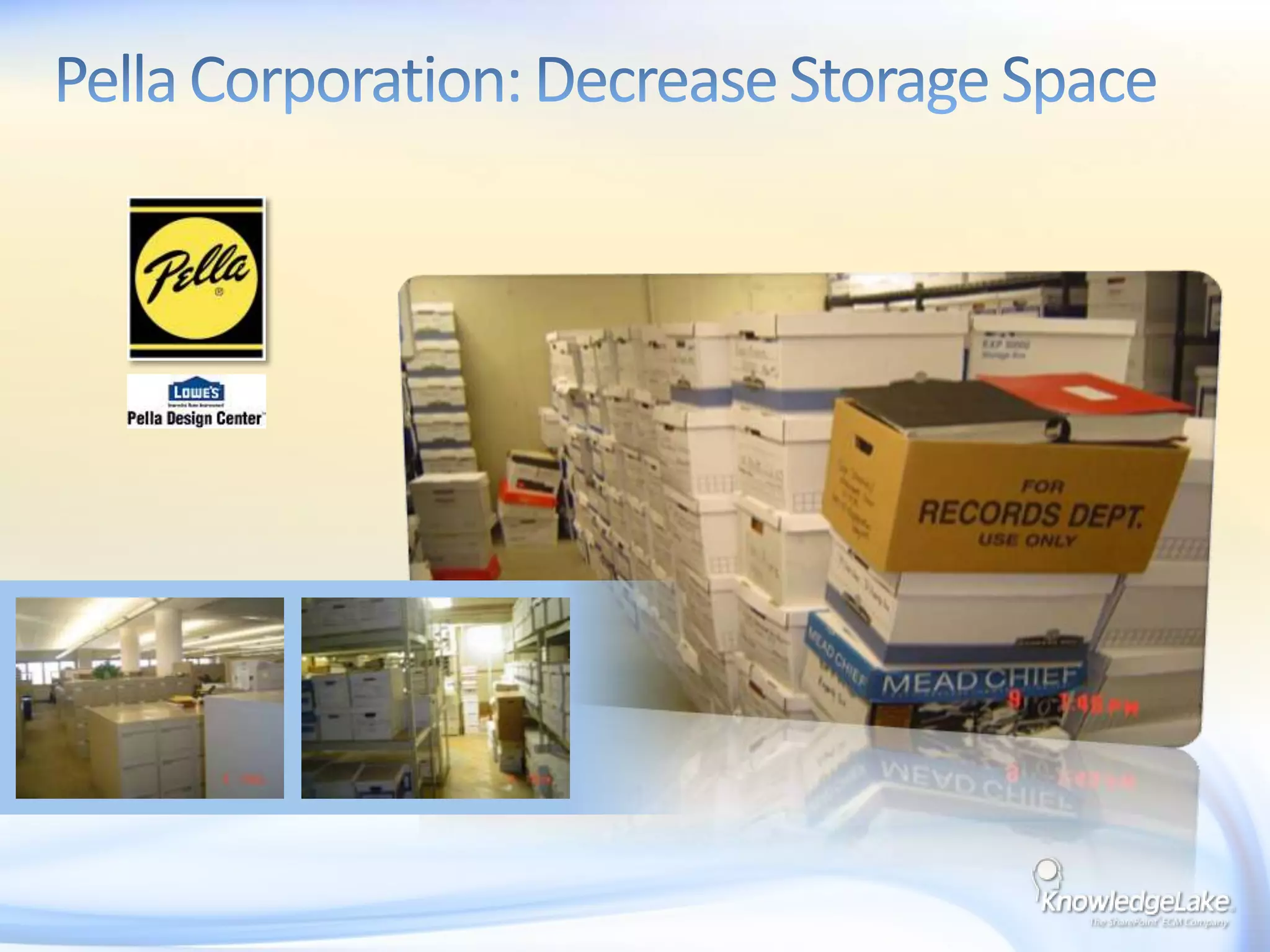
Boxes upon Boxes of paper
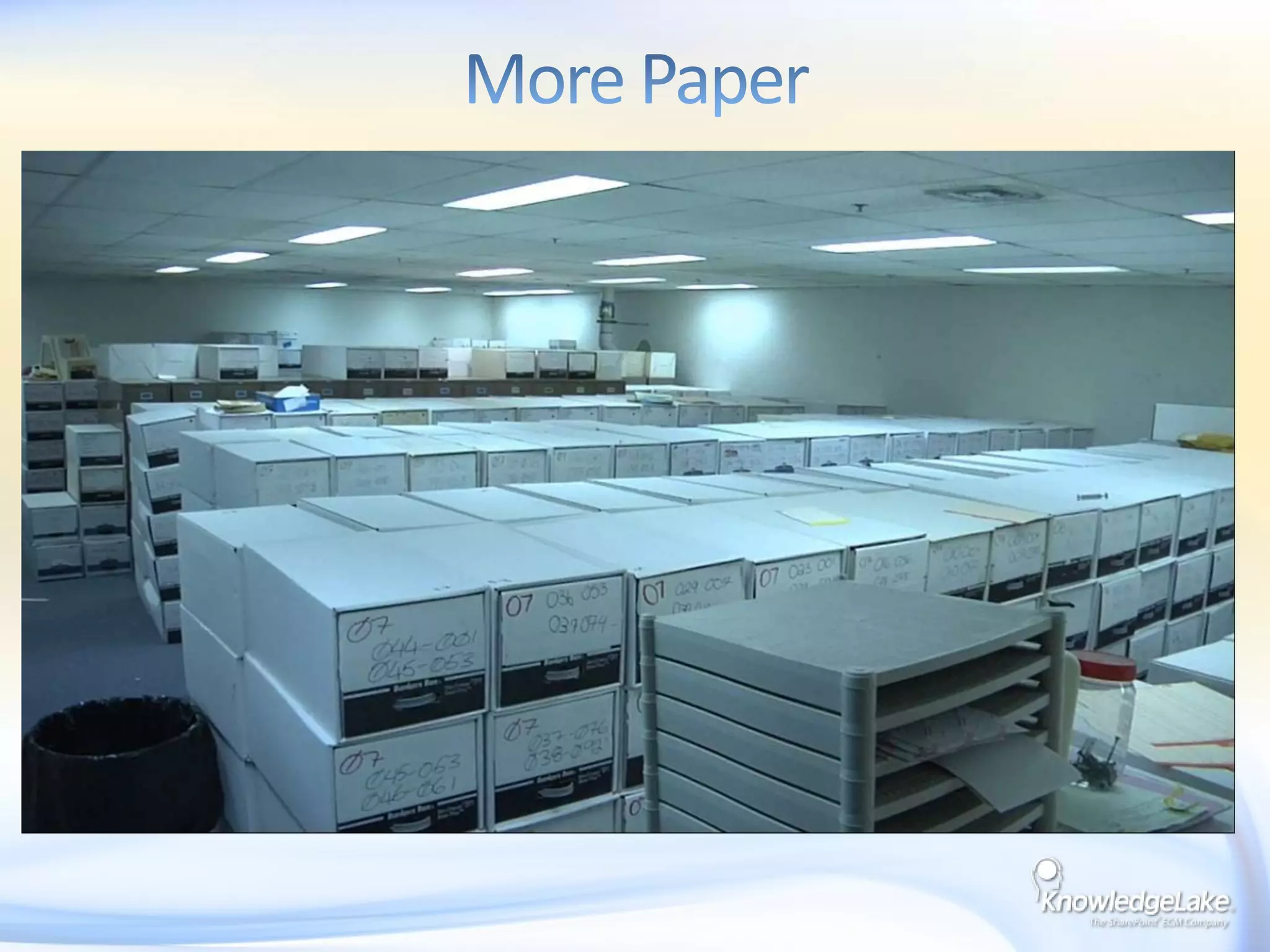
More Paper
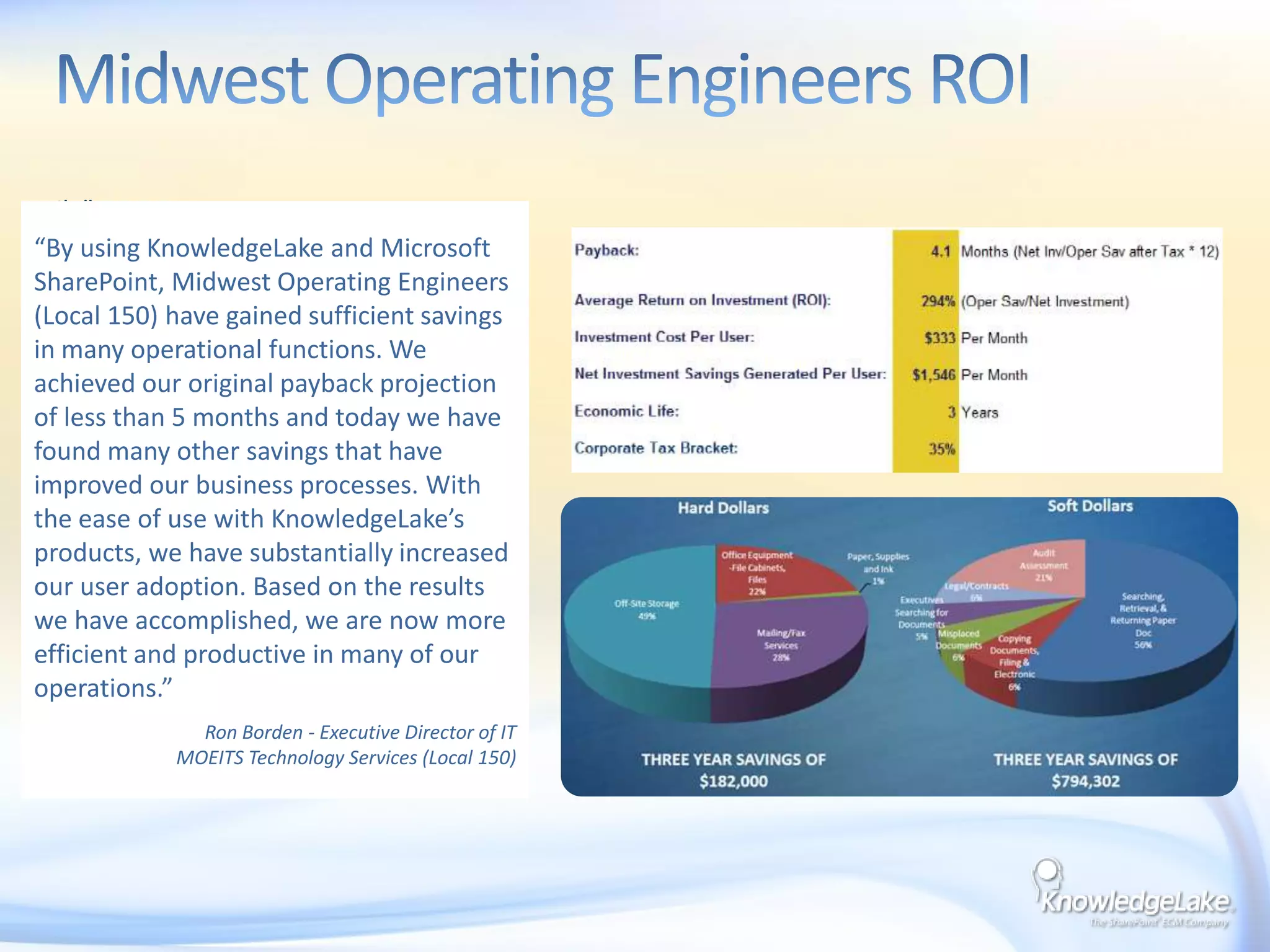
Challenge:Increasing cost in handling of paper in Accounting, HR, and ContractsInefficient systems and people processes were based on manual handling of paper forms, which were prone to delays and did not provide management visibilityApproval processes taking too many days with increasing cost of mail and laborNeeded a simple solution for user adoption – average age 52Midwest Operating Engineers ROI“By using KnowledgeLake and Microsoft SharePoint, Midwest Operating Engineers (Local 150) have gained sufficient savings in many operational functions. We achieved our original payback projection of less than 5 months and today we have found many other savings that have improved our business processes. With the ease of use with KnowledgeLake’s products, we have substantially increased our user adoption. Based on the results we have accomplished, we are now more efficient and productive in many of our operations.”Ron Borden - Executive Director of ITMOEITS Technology Services (Local 150)

ECM with SharePoint - SPSOzarks

  • 1.
    Enterprise Content Managementwith SharePointAndrew ParmenterSenior SharePoint DeveloperKnowledgeLake, Inc.@SharePointCoderhttp://www.SharePointCoder.com
  • 2.
    “Enterprise content management(ECM) refers to the technologies, strategies, methods and tools used to capture, manage, store, preserve, and deliver content and documents related to an organization and its processes. ECM tools allow the management of an enterprise level organization’s information”- AIIM http://www.aiim.orgWhat is ECM?
  • 3.
  • 4.
    What Content MattersCommonUse CasesAccounting, HR & ContractsLegal – Case Files/ContractsFinancial – New Accounts/LendingHealthcare – Patient Records, Financial DocsMFG/Dist/Retail – Accounts PayableGovernment – Revenue, DOT, Health, Police, HistoricalInsurance – Claims & EnrollmentTransportation – Proof of DeliveryEducation – Student Records, Financial, EnrollmentTop Business DriversOperating cost reductionSpeed of ProcessingStorage SpaceSecurity of Info AssetsVirtual WorkforceComplianceUser ProductivityDisaster recoveryEnhanced customer service
  • 5.
    Enterprise Content ManagementPaper and Electronic DataInformation workers waste 3.5 hours each week on searches that don’t turn up the right information. Assuming an average salary of $60,000 including benefits – a figure based on 2004 Bureau of Labor Statistics data – the cost of ineffective search is $5,251 per worker per year. For a 1,000 workers, the cost is $5.25 million.International Data CorporationNinety percent of the documents that are created have no useful metadata. Until we get more of that metadata it is going to an uphill struggle to get better results out of these very capable search technologies.Butler Group
  • 6.
    Worlds Largest (Worst)Repositories E:/OnMyHardDrive/NotInSharePoint/GrowingEveryDay/ WhenILeaveYouWillNotFindWhatYouNeedInThisMess/ SomeOfTheInformationRelatesToContractsWorthBig$$ToOurCompany
  • 7.
    Email Inbox –OutlookEmail Distribution ListsFile CabinetsWorlds Largest (Worst) Repositories
  • 8.
    What’s Happened tomake Content Management with SharePoint Easier
  • 9.
    State of theECM MarketThe increased focus of infrastructure vendors, especially Microsoft, on content managementhas led to consolidation in the ECM market, where only three or four significant vendors areleftfor consideration for enterprise-wide deployments.- Gartner, September 2007FileNetWorkplaceIBM CMSharePointStellentOptikaOracle“It seems like all organizations using Microsoft products will overthe next few years implement SharePoint in some fashion”AIIM – January 2010What is on the desktop?
  • 10.
    Why SharePoint isDominating ECMTightly integrated content oriented suite (single code base)Unified repository for all applications to draw fromInformation worker focus leverages MSTF desktop$1B annual investment in product suiteNote the dramatic changes from SP 2003 to 2007 to 2010Low entry cost vs. point solutionsReady supply of .Net and SharePoint resourcesEase of administration
  • 11.
  • 12.
    SharePoint 2003Custom sitedefinitions and templatesMetadata columns created at the library levelSearches constrained to a single librarySite and Library level securityLocal Admin was by default an admin in SharePointBrief SharePoint ECM History SharePoint 2007FeaturesContent Types at site collection levelItem level security Search across library, sites, site Collection and web applicationsExternal BLOB Store (EBS) – with SP1
  • 13.
    SharePoint 2010Features continued…BusinessConnectivity Services (BCS)External Content TypesDocument SetsRemote BLOB Store (RBS)List ValidationsManaged Metadata ServiceLarge List OptimizationsContent OrganizerSearch is now scalable Document ID ServiceBrief SharePoint ECM History - cont’d
  • 14.
    Microsoft’s ECM PhilosophyThe Three “E”sEveryone in the organization has access to and benefits from featuresCapabilities can be adjusted – everyone sees as much as they needEveryoneParticipatesEasy for IW: Supreme user acceptance & supreme adoptabilityEasy for IT: Great OOB, fast to deploy & easy to manageEasyto UseConsistently high performance at scaleFeature depth, customizability and extensibilityEnterpriseReady
  • 15.
    SharePoint 2010 ECMFeatures that Rock!Enterprise Managed Metadata
  • 16.
  • 17.
    BCSEnterprise Managed Metadata(EMM) is a set of features introduced in Microsoft Office 2010 that allow users to create and manage metadata taxonomies across the enterprise.Enterprise Managed Metadata
  • 18.
    Most of theinformation out there about EMM covers terms and keywords, however there is another key piece to the Managed Metadata Service. The service also allows for Enterprise Content Types!Enterprise Managed Metadata
  • 19.
    Okay why isthe Document ID service so important when I can search for the documents I need using the KnowledgeLake software, other searching software or even just browsing the libraries.Well many LOB application need a way to link to the document within SharePoint and guarantee they can still find the same document even if it was moved or even renamed either by users or maybe through a Workflow process.Document ID Service
  • 20.
  • 21.
    Business Connectivity Service(BCS)Formerly Business Data CatalogExternal Data SourceRead/Write.NET ObjectDatabaseWCFWeb ServiceLOB System External Content Type (ECT) KnowledgeLakeExternal List (SharePoint)Client (Office or Custom)
  • 22.
    SharePoint 2010 Foundation(WSS) vs. Server (MOSS)
  • 23.
  • 24.
  • 25.
  • 26.
  • 27.
  • 28.
    Challenge:Increasing cost inhandling of paper in Accounting, HR, and ContractsInefficient systems and people processes were based on manual handling of paper forms, which were prone to delays and did not provide management visibilityApproval processes taking too many days with increasing cost of mail and laborNeeded a simple solution for user adoption – average age 52Midwest Operating Engineers ROI“By using KnowledgeLake and Microsoft SharePoint, Midwest Operating Engineers (Local 150) have gained sufficient savings in many operational functions. We achieved our original payback projection of less than 5 months and today we have found many other savings that have improved our business processes. With the ease of use with KnowledgeLake’s products, we have substantially increased our user adoption. Based on the results we have accomplished, we are now more efficient and productive in many of our operations.”Ron Borden - Executive Director of ITMOEITS Technology Services (Local 150)
  • 29.
  • 30.
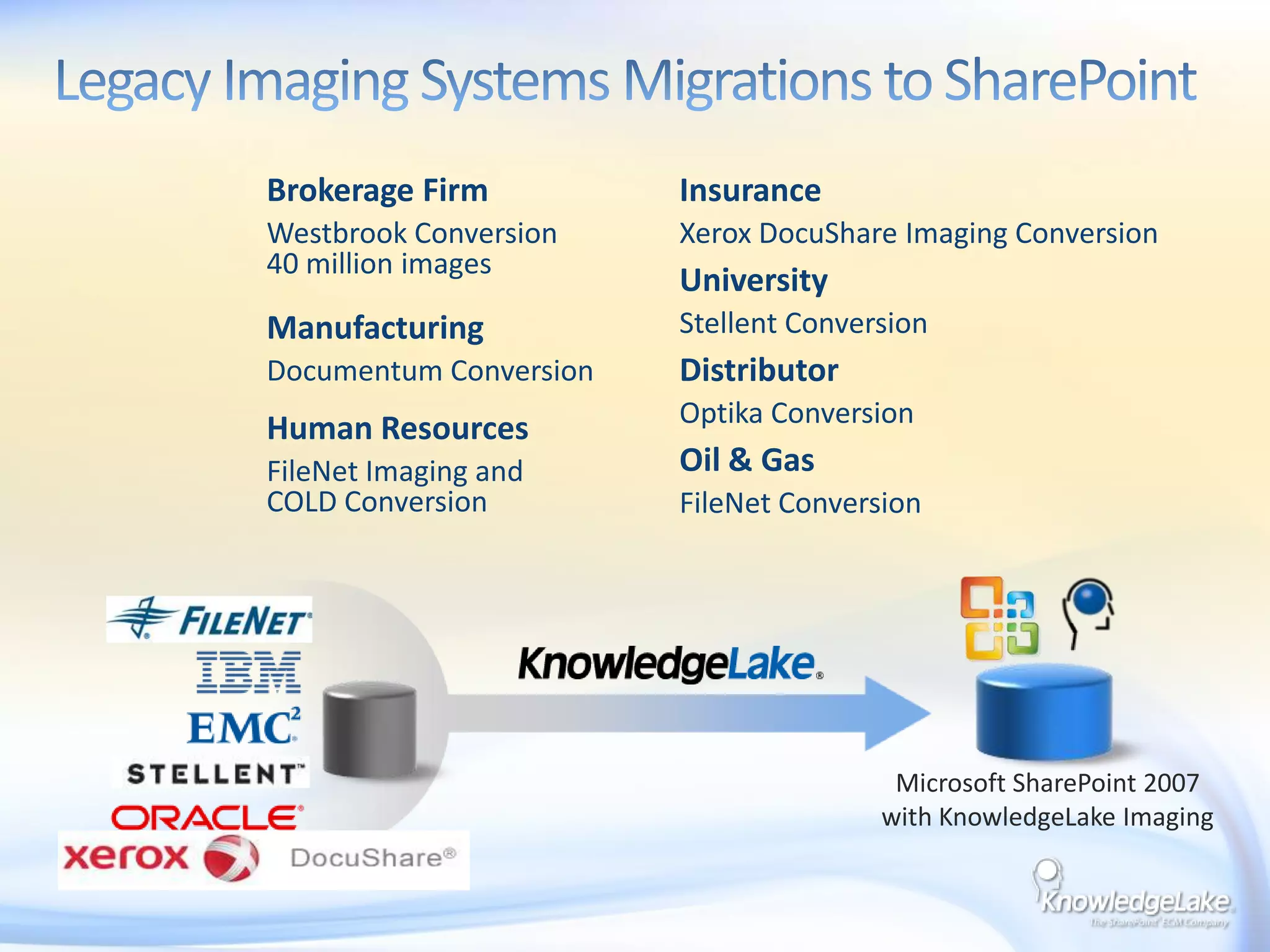
    Legacy Imaging SystemsMigrations to SharePointBrokerage FirmWestbrook Conversion 40 million imagesInsuranceXerox DocuShare Imaging ConversionUniversityStellent ConversionManufacturingDocumentum ConversionDistributorOptika ConversionHuman ResourcesFileNet Imaging and COLD ConversionOil & GasFileNet ConversionMicrosoft SharePoint 2007with KnowledgeLake Imaging
  • 31.
    Questions?Andrew ParmenterBlog: http://www.SharePointCoder.com
  • 32.