Computer Investigation
Process
Presented By
Sabto Prabowo
What is Computer Investigation Process?
how to search for and collect evidence that
can be used in a legal case or for a corporate
inquiry, how to examine and analyze this
evidence, and other matters related to
forensic cases.
Policy and Procedure Development
- A mission statement
- The personnel requirements for the computer
forensic unit
- Administrative considerations
- Submission and retrieval of computer forensic
service requests
- Implementation of case-management procedures
- Handling of evidence
- Development of case-processing procedures
- Development of technical procedures
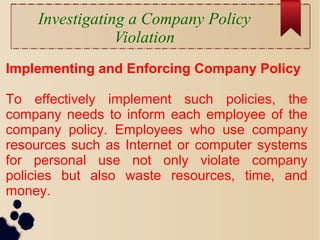
Investigating a Company Policy
Violation
Implementing and Enforcing Company Policy
To effectively implement such policies, the
company needs to inform each employee of the
company policy. Employees who use company
resources such as Internet or computer systems
for personal use not only violate company
policies but also waste resources, time, and
money.
Before Starting the Investigation
Legal Considerations
Some important legal points an investigator should keep in mind
are:
• Ensuring the scope of the search
• Checking for possible issues related to the federal statutes
applicable (such as the Electronic Communications Privacy Act
of 1986 [ECPA] and the Cable Communications Policy Act
[CCPA], both as amended by the USA PATRIOT Act of 2001,
and the Privacy Protection Act of 1980 [PPA]), state statutes,
and local policies and laws
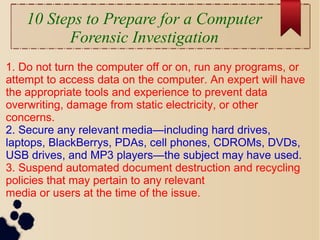
10 Steps to Prepare for a Computer
Forensic Investigation
1. Do not turn the computer off or on, run any programs, or
attempt to access data on the computer. An expert will have
the appropriate tools and experience to prevent data
overwriting, damage from static electricity, or other
concerns.
2. Secure any relevant media—including hard drives,
laptops, BlackBerrys, PDAs, cell phones, CDROMs, DVDs,
USB drives, and MP3 players—the subject may have used.
3. Suspend automated document destruction and recycling
policies that may pertain to any relevant
media or users at the time of the issue.
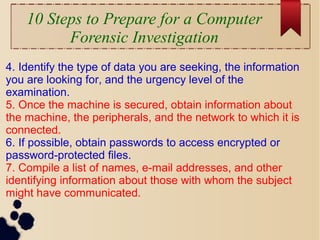
10 Steps to Prepare for a Computer
Forensic Investigation
4. Identify the type of data you are seeking, the information
you are looking for, and the urgency level of the
examination.
5. Once the machine is secured, obtain information about
the machine, the peripherals, and the network to which it is
connected.
6. If possible, obtain passwords to access encrypted or
password-protected files.
7. Compile a list of names, e-mail addresses, and other
identifying information about those with whom the subject
might have communicated.
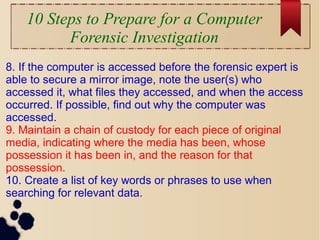
10 Steps to Prepare for a Computer
Forensic Investigation
8. If the computer is accessed before the forensic expert is
able to secure a mirror image, note the user(s) who
accessed it, what files they accessed, and when the access
occurred. If possible, find out why the computer was
accessed.
9. Maintain a chain of custody for each piece of original
media, indicating where the media has been, whose
possession it has been in, and the reason for that
possession.
10. Create a list of key words or phrases to use when
searching for relevant data.
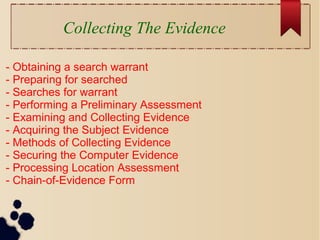
Collecting The Evidence
- Obtaining a search warrant
- Preparing for searched
- Searches for warrant
- Performing a Preliminary Assessment
- Examining and Collecting Evidence
- Acquiring the Subject Evidence
- Methods of Collecting Evidence
- Securing the Computer Evidence
- Processing Location Assessment
- Chain-of-Evidence Form
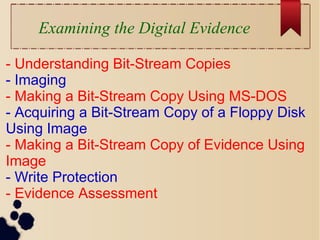
Examining the Digital Evidence
- Understanding Bit-Stream Copies
- Imaging
- Making a Bit-Stream Copy Using MS-DOS
- Acquiring a Bit-Stream Copy of a Floppy Disk
Using Image
- Making a Bit-Stream Copy of Evidence Using
Image
- Write Protection
- Evidence Assessment
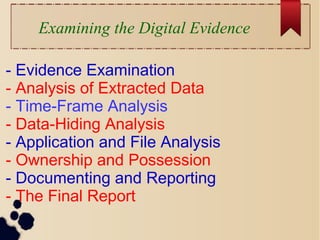
Examining the Digital Evidence
- Evidence Examination
- Analysis of Extracted Data
- Time-Frame Analysis
- Data-Hiding Analysis
- Application and File Analysis
- Ownership and Possession
- Documenting and Reporting
- The Final Report
THANKS FOR YOUR
ATTENTION!

Latihan4 comp-forensic-bab3

  • 1.
  • 2.
    What is ComputerInvestigation Process? how to search for and collect evidence that can be used in a legal case or for a corporate inquiry, how to examine and analyze this evidence, and other matters related to forensic cases.
  • 3.
    Policy and ProcedureDevelopment - A mission statement - The personnel requirements for the computer forensic unit - Administrative considerations - Submission and retrieval of computer forensic service requests - Implementation of case-management procedures - Handling of evidence - Development of case-processing procedures - Development of technical procedures
  • 4.
    Investigating a CompanyPolicy Violation Implementing and Enforcing Company Policy To effectively implement such policies, the company needs to inform each employee of the company policy. Employees who use company resources such as Internet or computer systems for personal use not only violate company policies but also waste resources, time, and money.
  • 5.
    Before Starting theInvestigation Legal Considerations Some important legal points an investigator should keep in mind are: • Ensuring the scope of the search • Checking for possible issues related to the federal statutes applicable (such as the Electronic Communications Privacy Act of 1986 [ECPA] and the Cable Communications Policy Act [CCPA], both as amended by the USA PATRIOT Act of 2001, and the Privacy Protection Act of 1980 [PPA]), state statutes, and local policies and laws
  • 6.
    10 Steps toPrepare for a Computer Forensic Investigation 1. Do not turn the computer off or on, run any programs, or attempt to access data on the computer. An expert will have the appropriate tools and experience to prevent data overwriting, damage from static electricity, or other concerns. 2. Secure any relevant media—including hard drives, laptops, BlackBerrys, PDAs, cell phones, CDROMs, DVDs, USB drives, and MP3 players—the subject may have used. 3. Suspend automated document destruction and recycling policies that may pertain to any relevant media or users at the time of the issue.
  • 7.
    10 Steps toPrepare for a Computer Forensic Investigation 4. Identify the type of data you are seeking, the information you are looking for, and the urgency level of the examination. 5. Once the machine is secured, obtain information about the machine, the peripherals, and the network to which it is connected. 6. If possible, obtain passwords to access encrypted or password-protected files. 7. Compile a list of names, e-mail addresses, and other identifying information about those with whom the subject might have communicated.
  • 8.
    10 Steps toPrepare for a Computer Forensic Investigation 8. If the computer is accessed before the forensic expert is able to secure a mirror image, note the user(s) who accessed it, what files they accessed, and when the access occurred. If possible, find out why the computer was accessed. 9. Maintain a chain of custody for each piece of original media, indicating where the media has been, whose possession it has been in, and the reason for that possession. 10. Create a list of key words or phrases to use when searching for relevant data.
  • 9.
    Collecting The Evidence -Obtaining a search warrant - Preparing for searched - Searches for warrant - Performing a Preliminary Assessment - Examining and Collecting Evidence - Acquiring the Subject Evidence - Methods of Collecting Evidence - Securing the Computer Evidence - Processing Location Assessment - Chain-of-Evidence Form
  • 10.
    Examining the DigitalEvidence - Understanding Bit-Stream Copies - Imaging - Making a Bit-Stream Copy Using MS-DOS - Acquiring a Bit-Stream Copy of a Floppy Disk Using Image - Making a Bit-Stream Copy of Evidence Using Image - Write Protection - Evidence Assessment
  • 11.
    Examining the DigitalEvidence - Evidence Examination - Analysis of Extracted Data - Time-Frame Analysis - Data-Hiding Analysis - Application and File Analysis - Ownership and Possession - Documenting and Reporting - The Final Report
  • 12.