www.atidan.com
David J. Rosenthal
President & CEO
David.Rosenthal@Atidan.com
June 13, 2014
Microsoft Briefing Center
New York City
Azure Announcements
& News
What is
Microsoft Azure?
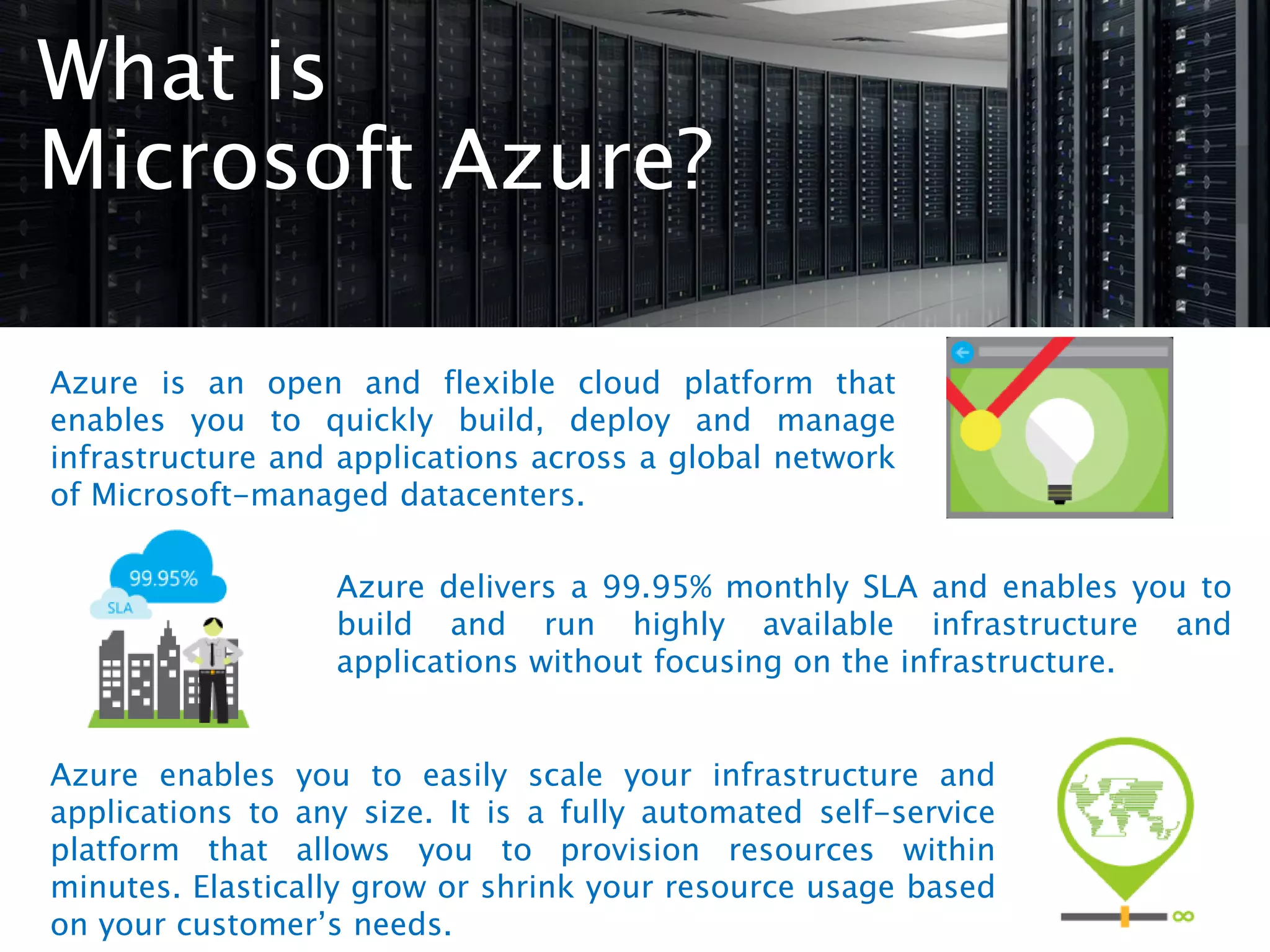
Azure is an open and flexible cloud platform that
enables you to quickly build, deploy and manage
infrastructure and applications across a global network
of Microsoft-managed datacenters.
Azure delivers a 99.95% monthly SLA and enables you to
build and run highly available infrastructure and
applications without focusing on the infrastructure.
Azure enables you to easily scale your infrastructure and
applications to any size. It is a fully automated self-service
platform that allows you to provision resources within
minutes. Elastically grow or shrink your resource usage based
on your customer’s needs.
Latest Azure News
TechEd Announcements
Transform the Datacenter
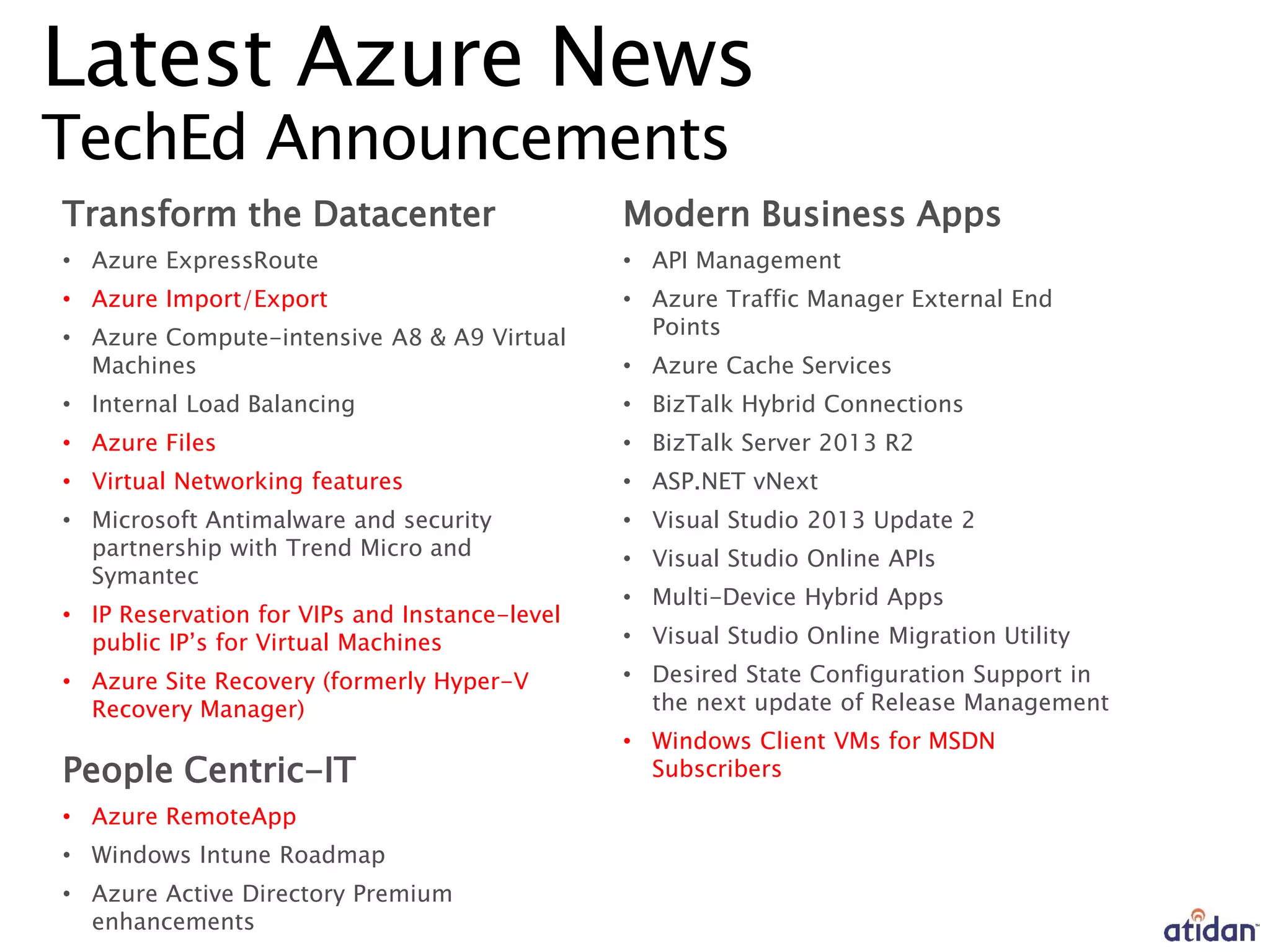
• Azure ExpressRoute
• Azure Import/Export
• Azure Compute-intensive A8 & A9 Virtual
Machines
• Internal Load Balancing
• Azure Files
• Virtual Networking features
• Microsoft Antimalware and security
partnership with Trend Micro and
Symantec
• IP Reservation for VIPs and Instance-level
public IP’s for Virtual Machines
• Azure Site Recovery (formerly Hyper-V
Recovery Manager)
People Centric-IT
• Azure RemoteApp
• Windows Intune Roadmap
• Azure Active Directory Premium
enhancements
Modern Business Apps
• API Management
• Azure Traffic Manager External End
Points
• Azure Cache Services
• BizTalk Hybrid Connections
• BizTalk Server 2013 R2
• ASP.NET vNext
• Visual Studio 2013 Update 2
• Visual Studio Online APIs
• Multi-Device Hybrid Apps
• Visual Studio Online Migration Utility
• Desired State Configuration Support in
the next update of Release Management
• Windows Client VMs for MSDN
Subscribers
Microsoft Data Center
Import Export
When should you consider using Import/Export?
Data Migration: Massive amounts of data that
you want to quickly move information into the
cloud.
Content Distribution: Quickly send data to your
customers’ sites
Data Recovery: You can quickly recover large
amounts of data stored in Azure Blobs and have it
delivered to your desired location.
For additional details visit Documentation center.
Pricing or other details
For Import/Export pricing, please go here
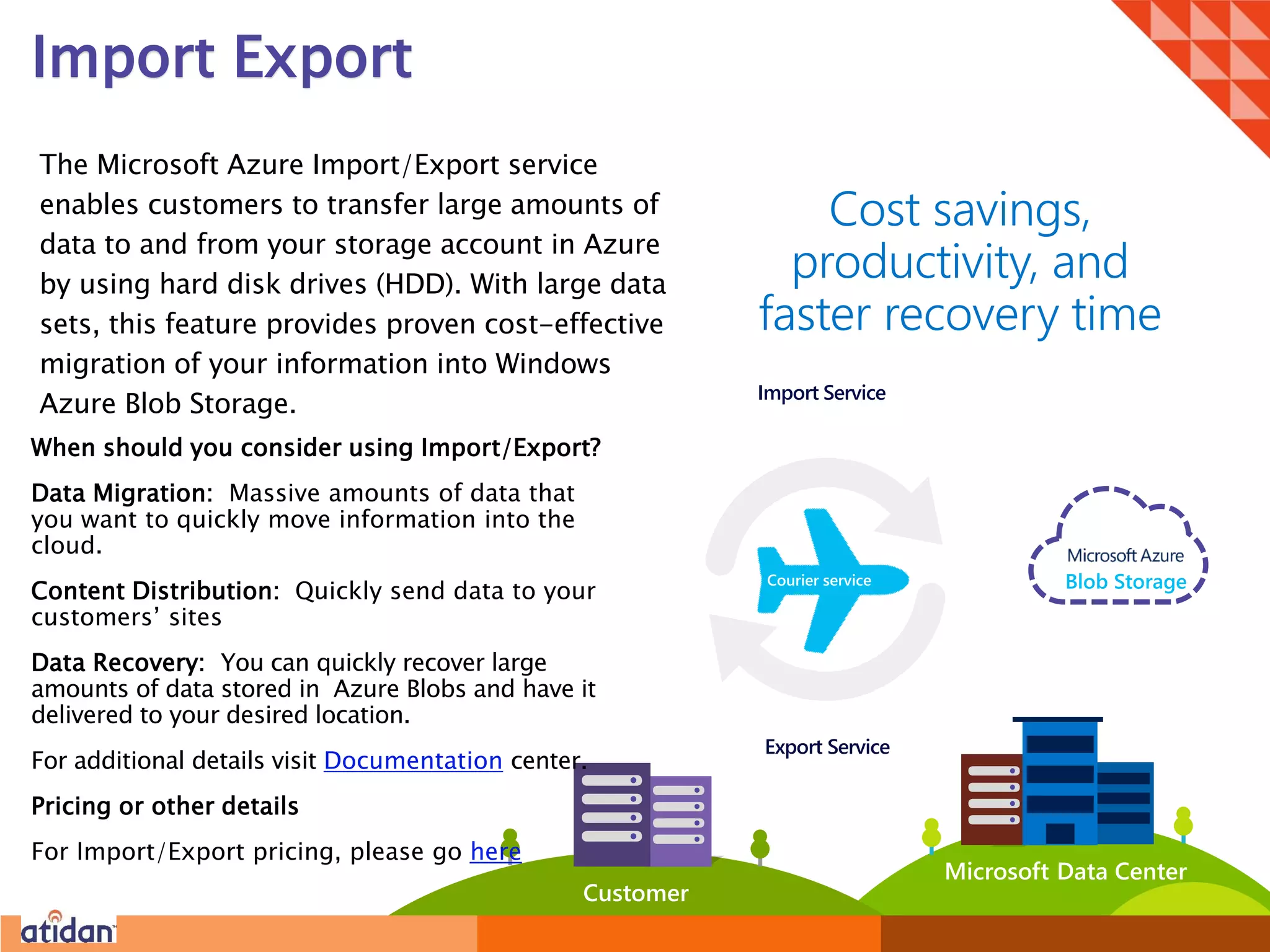
The Microsoft Azure Import/Export service
enables customers to transfer large amounts of
data to and from your storage account in Azure
by using hard disk drives (HDD). With large data
sets, this feature provides proven cost-effective
migration of your information into Windows
Azure Blob Storage.
Cost savings,
productivity, and
faster recovery time
Customer
Import Service
Export Service
Blob StorageCourier service
Azure
Storage
Blobs
Tables
Queues
Files
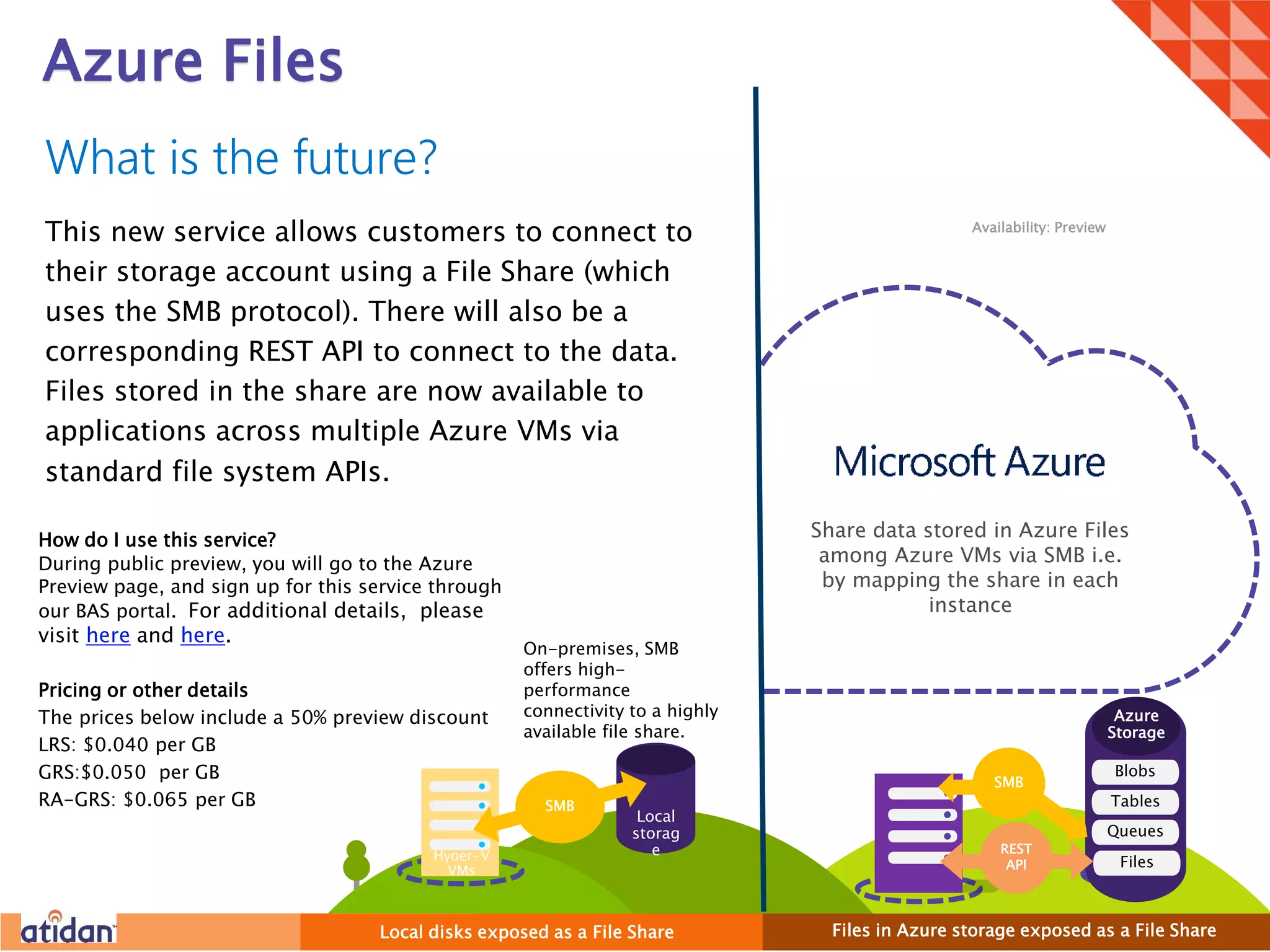
Azure Files
How do I use this service?
During public preview, you will go to the Azure
Preview page, and sign up for this service through
our BAS portal. For additional details, please
visit here and here.
Pricing or other details
The prices below include a 50% preview discount
LRS: $0.040 per GB
GRS:$0.050 per GB
RA-GRS: $0.065 per GB
What is the future?
This new service allows customers to connect to
their storage account using a File Share (which
uses the SMB protocol). There will also be a
corresponding REST API to connect to the data.
Files stored in the share are now available to
applications across multiple Azure VMs via
standard file system APIs.
Availability: Preview
On-premises, SMB
offers high-
performance
connectivity to a highly
available file share.
Files in Azure storage exposed as a File ShareLocal disks exposed as a File Share
SMB
Share data stored in Azure Files
among Azure VMs via SMB i.e.
by mapping the share in each
instance
Hyper-V
VMs
Hyoer-V
VMs
Local
storag
e
SMB
REST
API
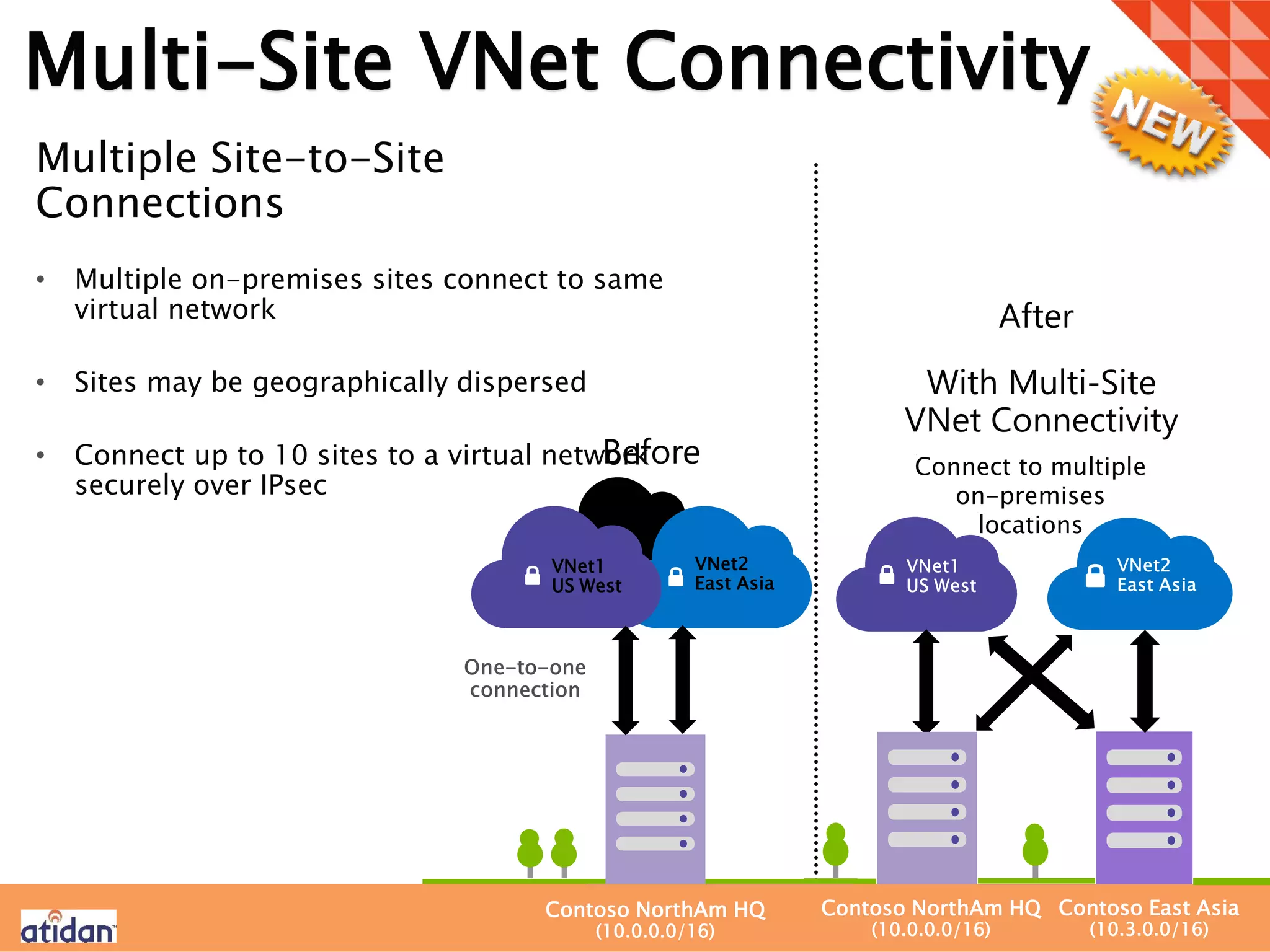
Multi-Site VNet Connectivity
Multiple Site-to-Site
Connections
• Multiple on-premises sites connect to same
virtual network
• Sites may be geographically dispersed
• Connect up to 10 sites to a virtual network
securely over IPsec
Connect to multiple
on-premises
locations
Before
With Multi-Site
VNet Connectivity
VNet1
US West
VNet2
East Asia
Contoso NorthAm HQ
(10.0.0.0/16)
Contoso NorthAm HQ
(10.0.0.0/16)
Contoso East Asia
(10.3.0.0/16)
After
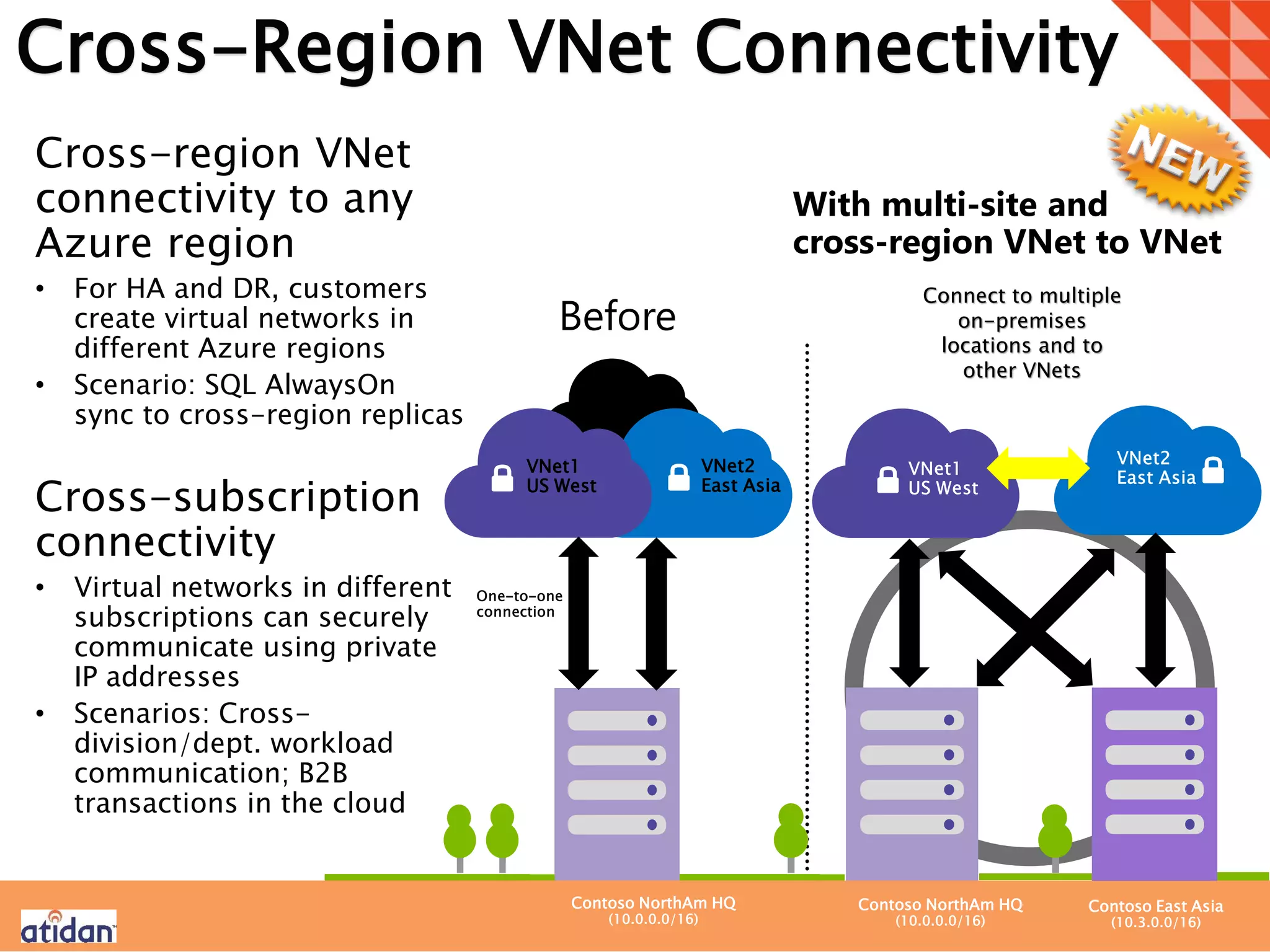
Cross-Region VNet Connectivity
Cross-region VNet
connectivity to any
Azure region
• For HA and DR, customers
create virtual networks in
different Azure regions
• Scenario: SQL AlwaysOn
sync to cross-region replicas
Cross-subscription
connectivity
• Virtual networks in different
subscriptions can securely
communicate using private
IP addresses
• Scenarios: Cross-
division/dept. workload
communication; B2B
transactions in the cloud
Connect to multiple
on-premises
locations and to
other VNets
Before
With multi-site and
cross-region VNet to VNet
VNet1
US West
VNet2
East Asia
Contoso NorthAm HQ
(10.0.0.0/16)
Contoso NorthAm HQ
(10.0.0.0/16)
Contoso East Asia
(10.3.0.0/16)
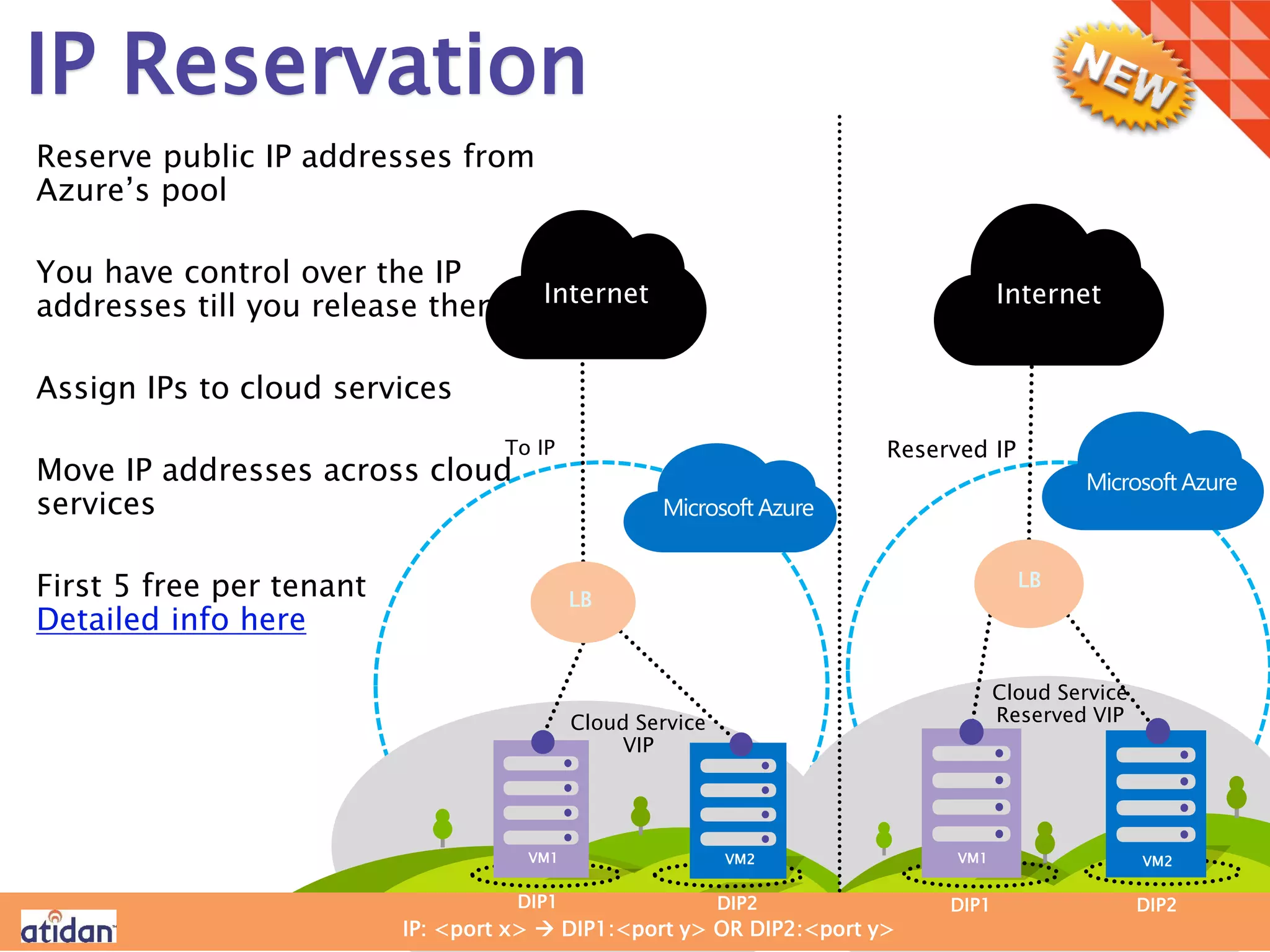
IP Reservation
Reserve public IP addresses from
Azure’s pool
You have control over the IP
addresses till you release them
Assign IPs to cloud services
Move IP addresses across cloud
services
First 5 free per tenant
Detailed info here
Before
Reserved IP
DIP1 DIP2 DIP1 DIP2
To IP
VM1 VM2 VM1 VM2
Cloud Service
VIP
Cloud Service
Reserved VIP
IP: <port x>  DIP1:<port y> OR DIP2:<port y>
LB
Microsoft Azure
LB
Microsoft Azure
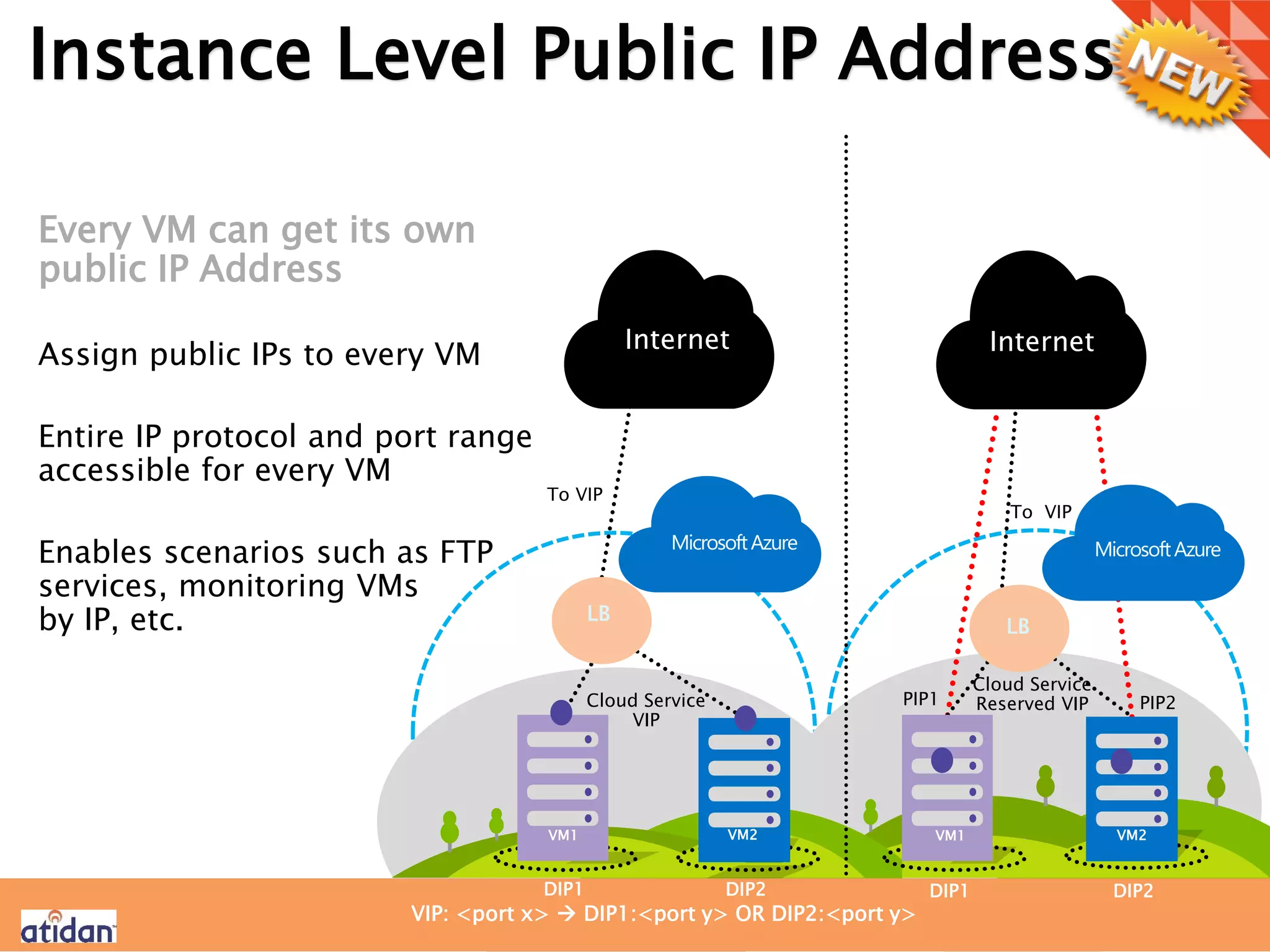
Instance Level Public IP Addresses
Every VM can get its own
public IP Address
Assign public IPs to every VM
Entire IP protocol and port range
accessible for every VM
Enables scenarios such as FTP
services, monitoring VMs
by IP, etc.
Before
Instance level public IPs
DIP1 DIP2 DIP1 DIP2
VM1 VM2 VM1 VM2
Cloud Service
VIP
Cloud Service
Reserved VIP
VIP: <port x>  DIP1:<port y> OR DIP2:<port y>
LB
MicrosoftAzure
LB
MicrosoftAzure
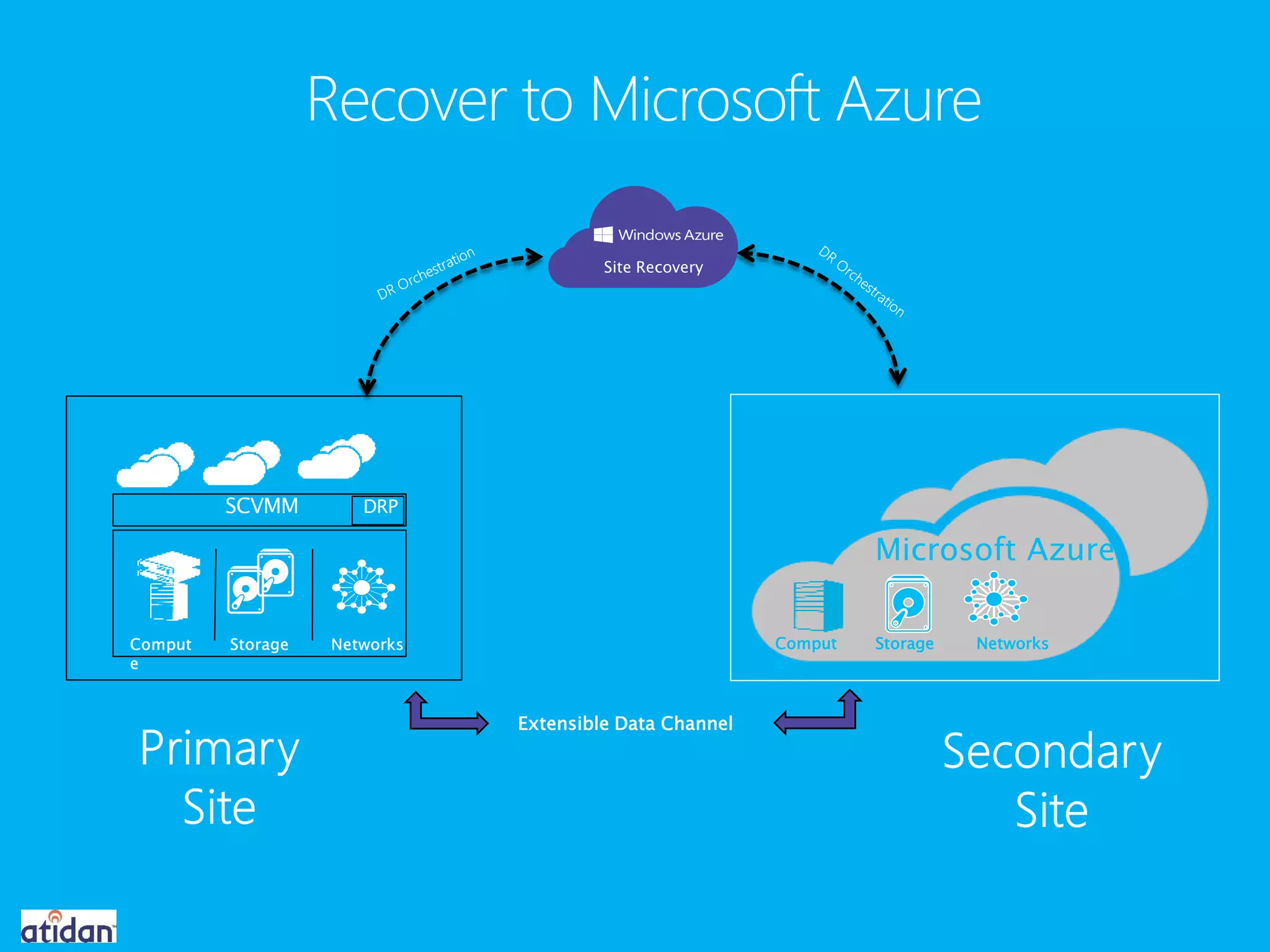
Extensible Data Channel
Microsoft Azure
Site Recovery
Comput
e
Storage Networks
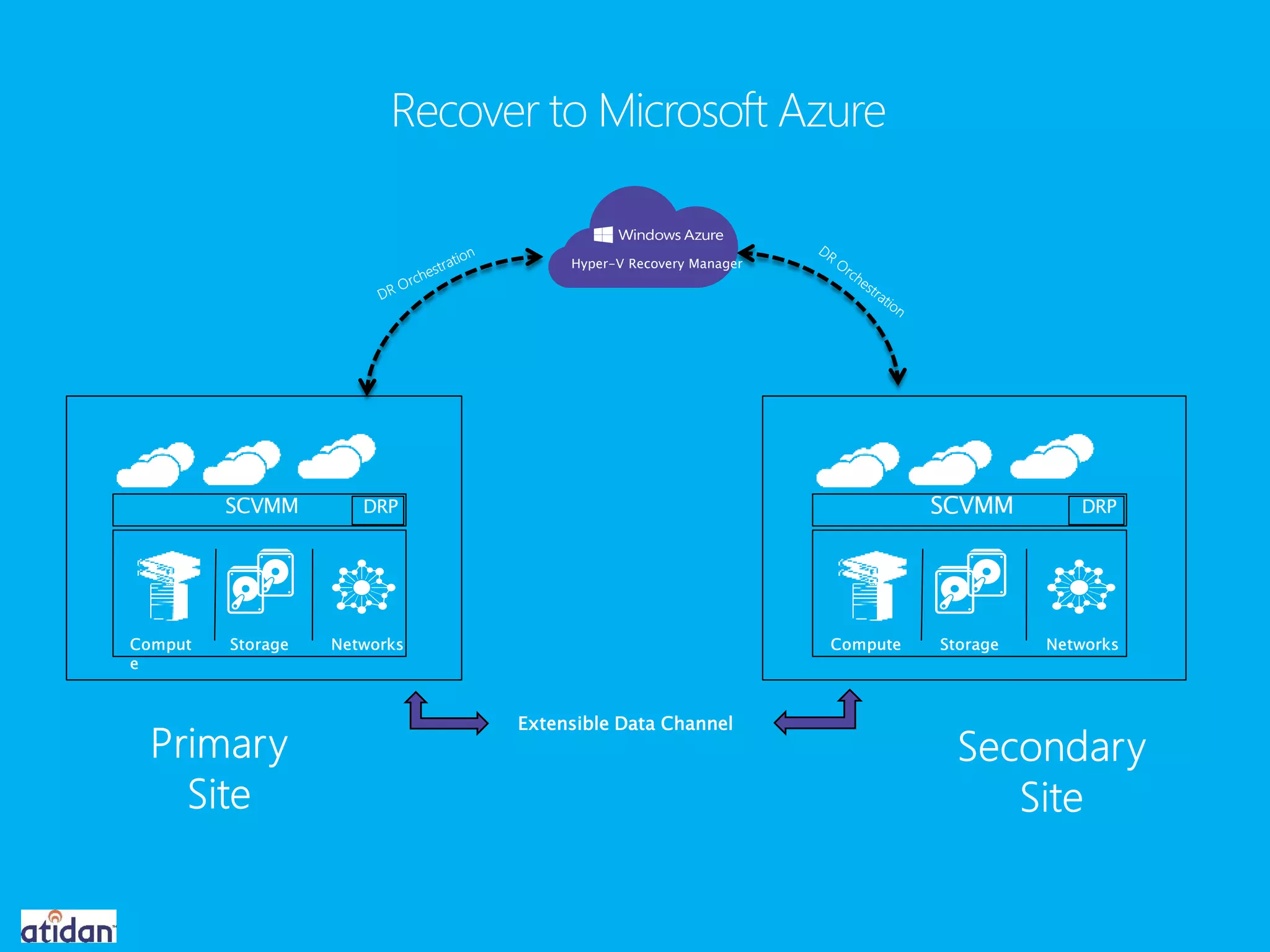
Extensible Data Channel
Hyper-V Recovery Manager

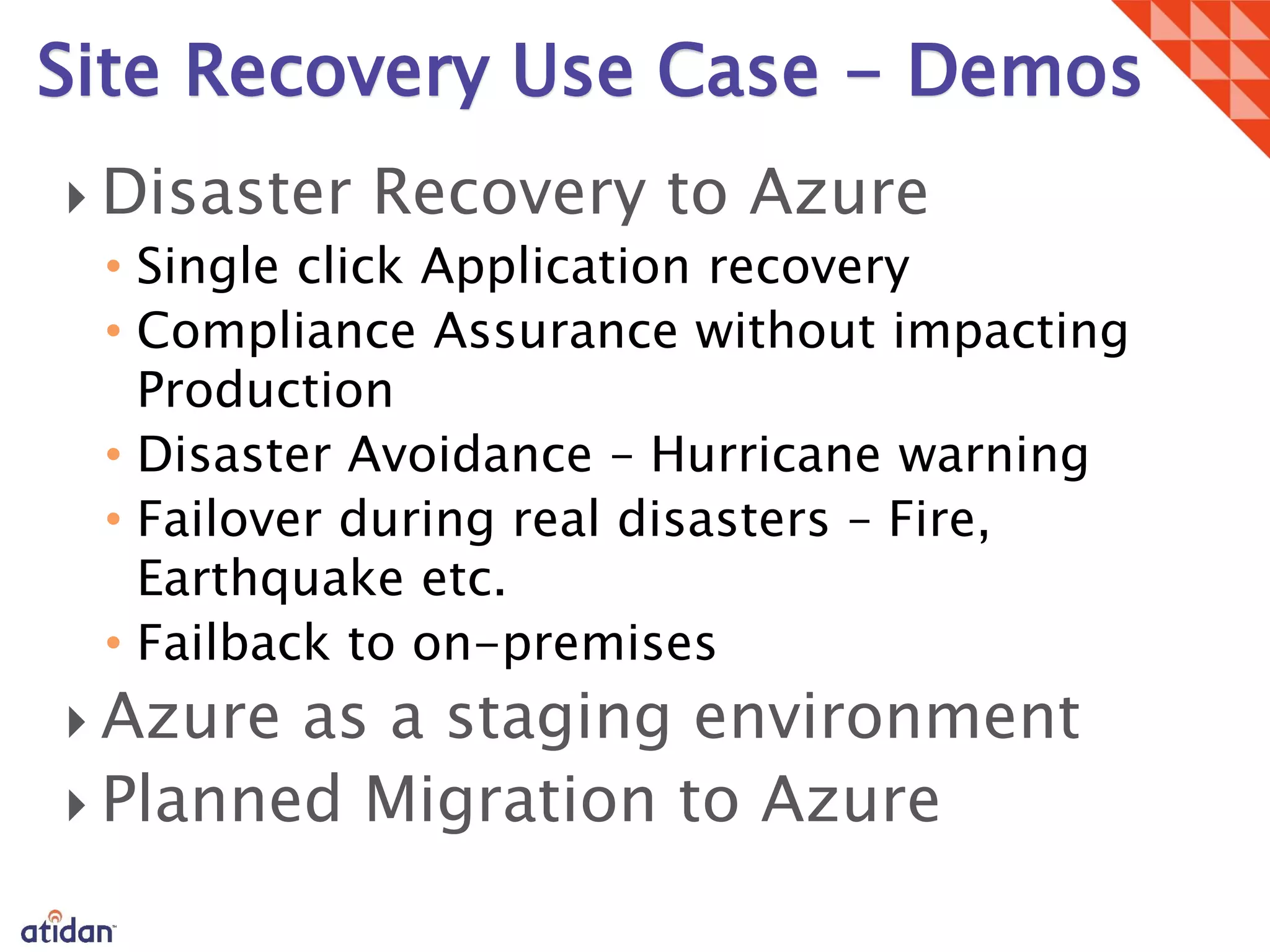
• Single click Application recovery
• Compliance Assurance without impacting
Production
• Disaster Avoidance – Hurricane warning
• Failover during real disasters – Fire,
Earthquake etc.
• Failback to on-premises


Site Recovery Use Case - Demos
Azure RemoteApp
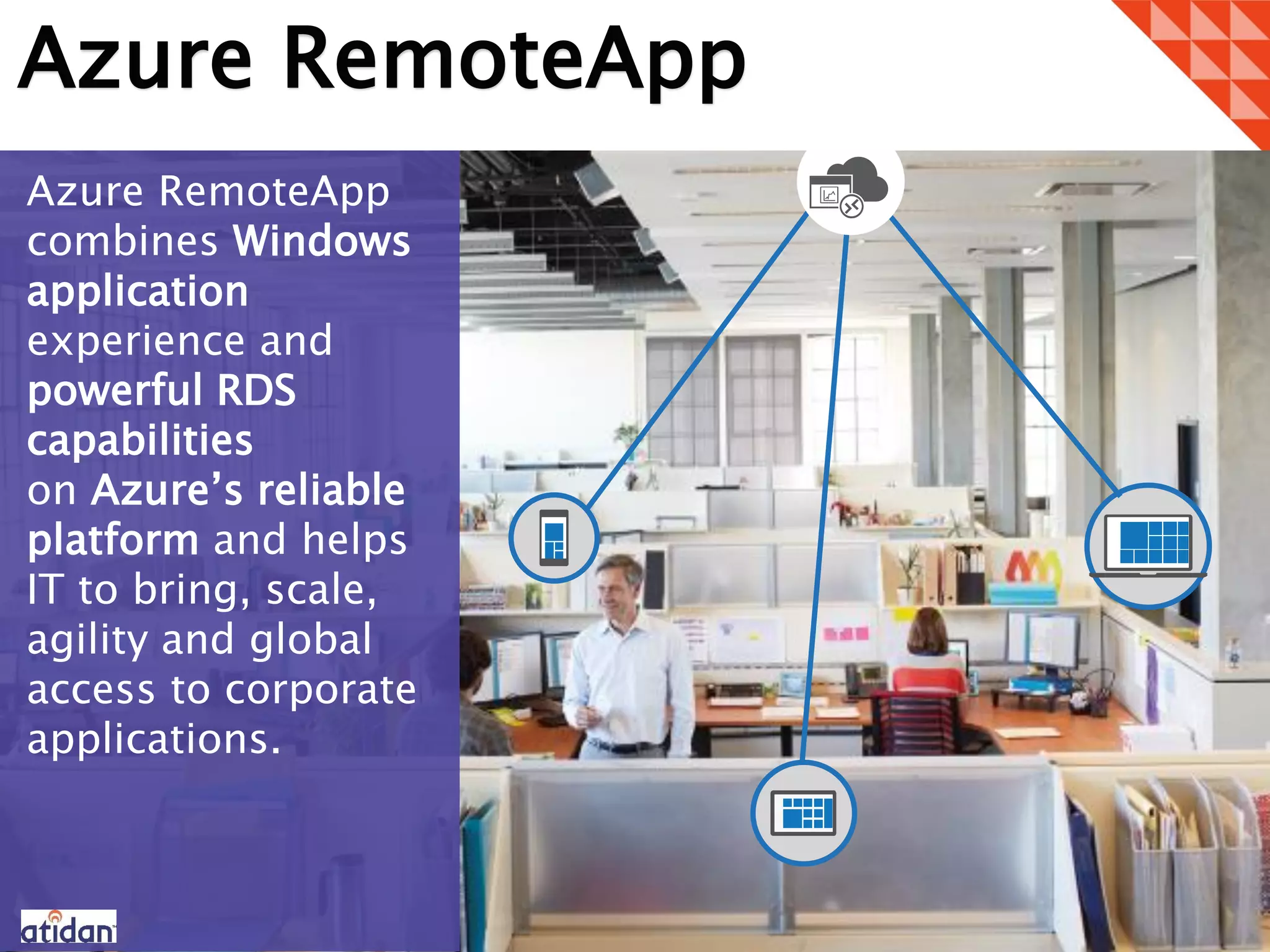
Azure RemoteApp
combines Windows
application
experience and
powerful RDS
capabilities
on Azure’s reliable
platform and helps
IT to bring, scale,
agility and global
access to corporate
applications.
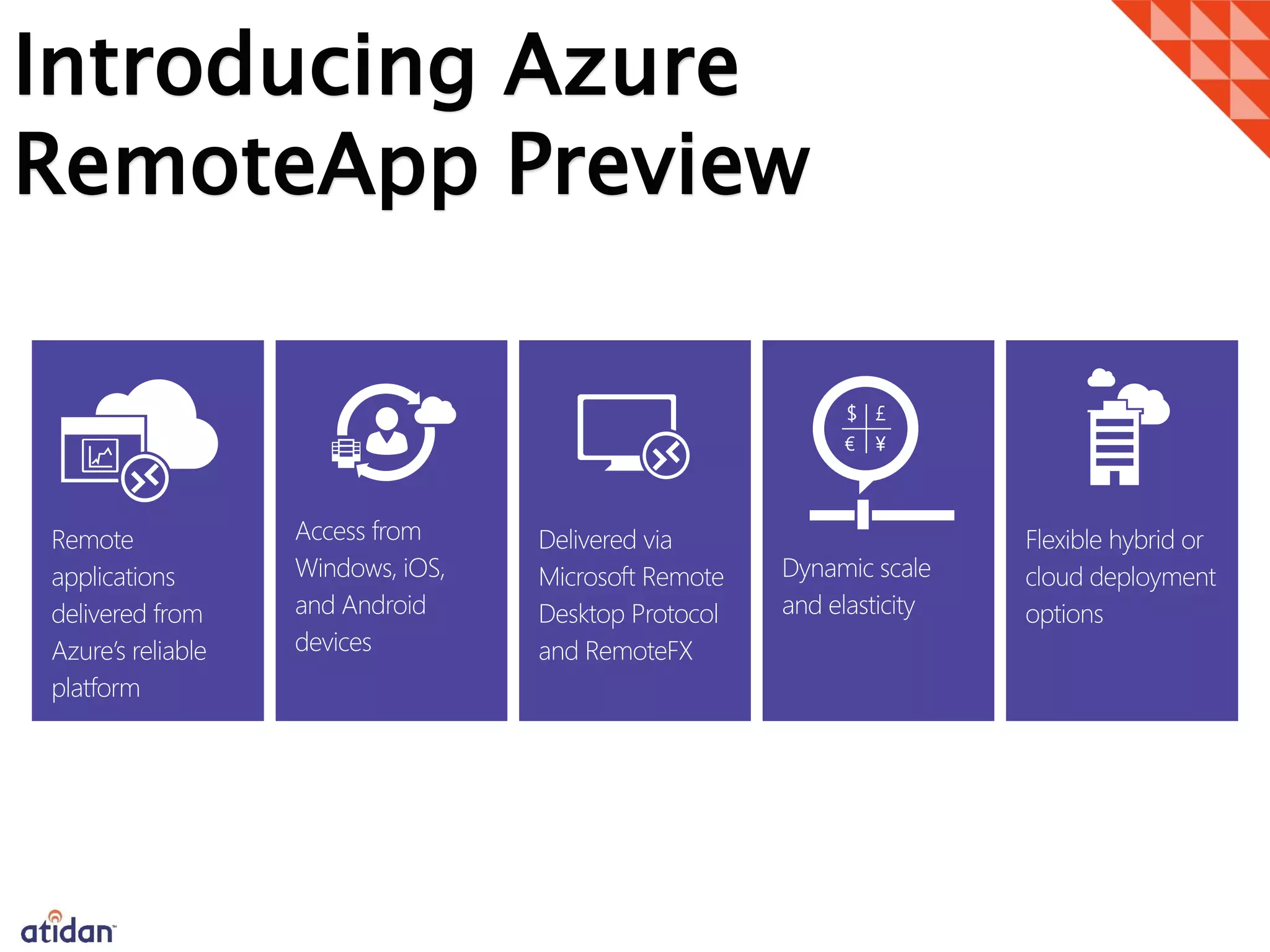
Introducing Azure
RemoteApp Preview
Remote
applications
delivered from
Azure’s reliable
platform
Access from
Windows, iOS,
and Android
devices
Delivered via
Microsoft Remote
Desktop Protocol
and RemoteFX
Dynamic scale
and elasticity
Flexible hybrid or
cloud deployment
options
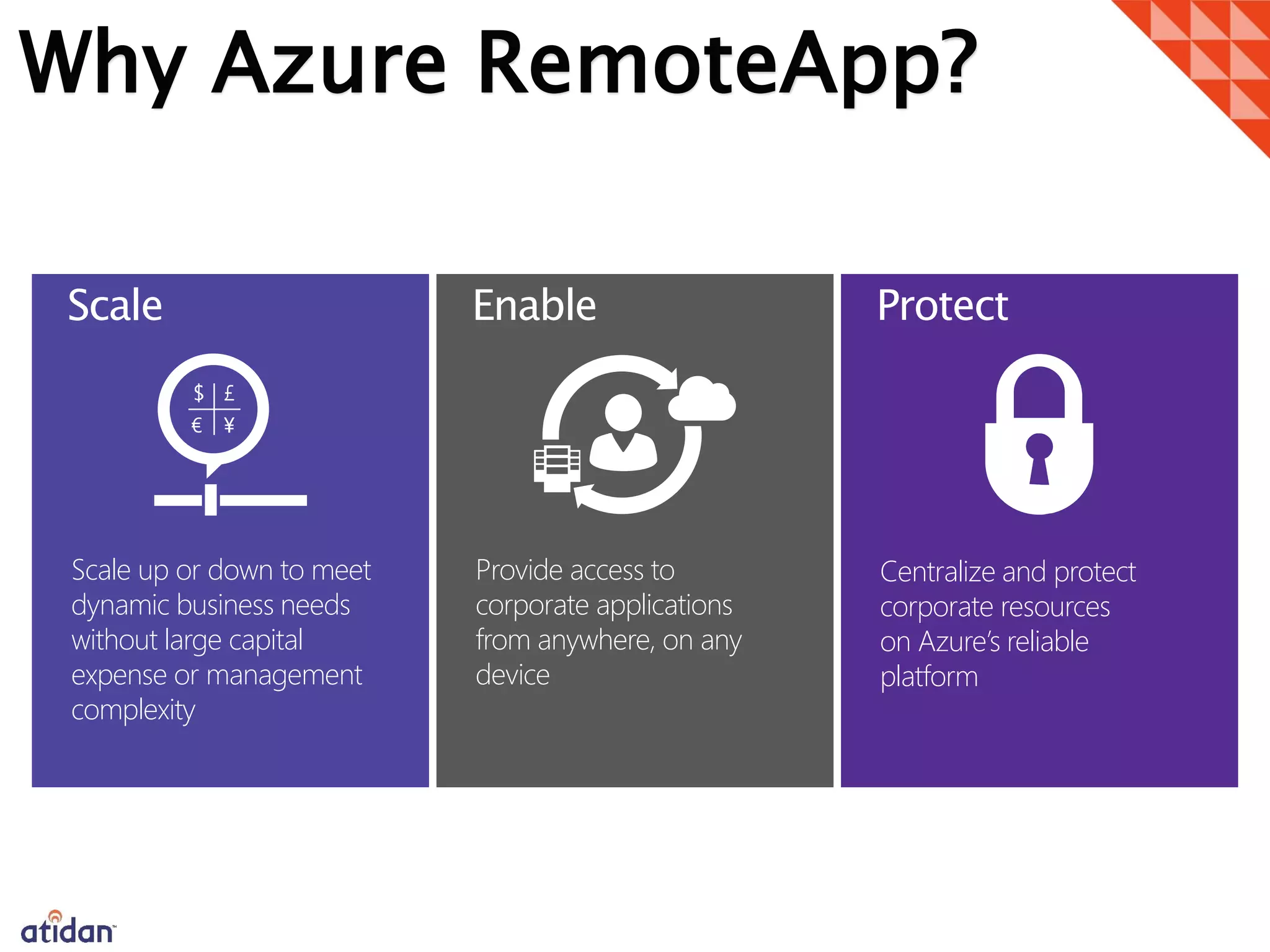
Why Azure RemoteApp?
Scale up or down to meet
dynamic business needs
without large capital
expense or management
complexity
Provide access to
corporate applications
from anywhere, on any
device
Centralize and protect
corporate resources
on Azure’s reliable
platform
Scale Enable Protect
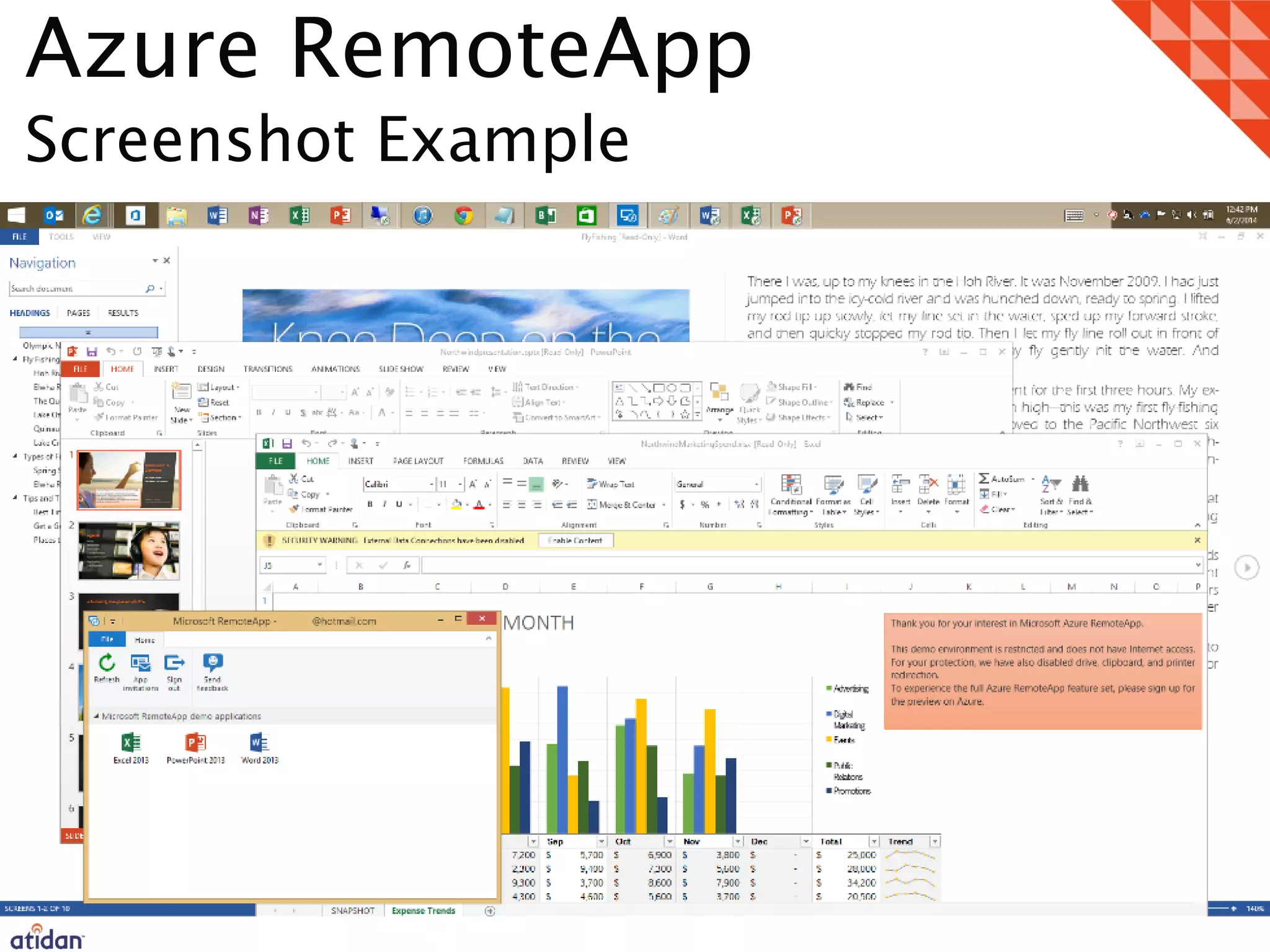
Azure RemoteApp
Screenshot Example
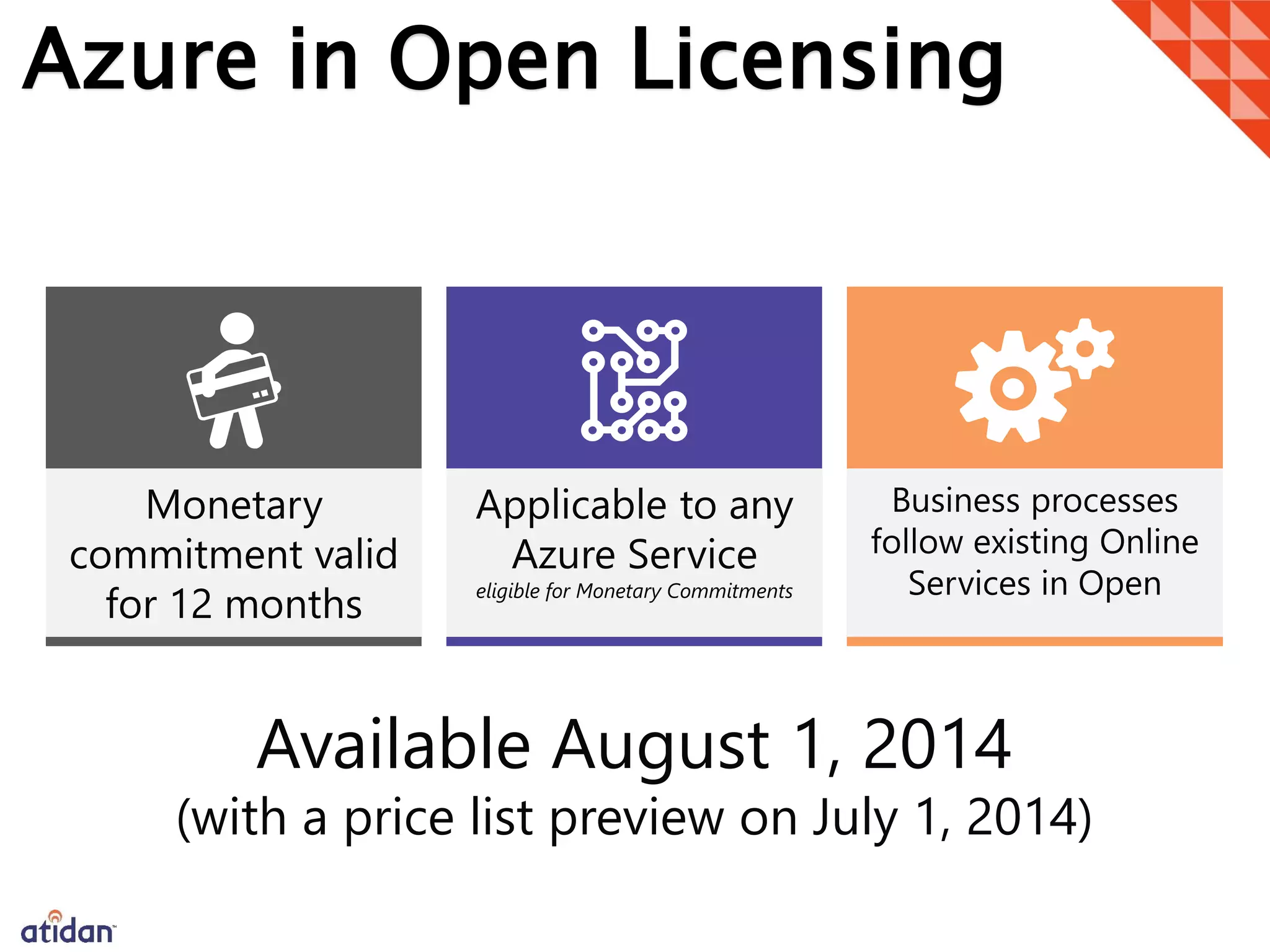
Azure in Open Licensing
Monetary
commitment valid
for 12 months
Applicable to any
Azure Service
eligible for Monetary Commitments
Business processes
follow existing Online
Services in Open
Available August 1, 2014
(with a price list preview on July 1, 2014)
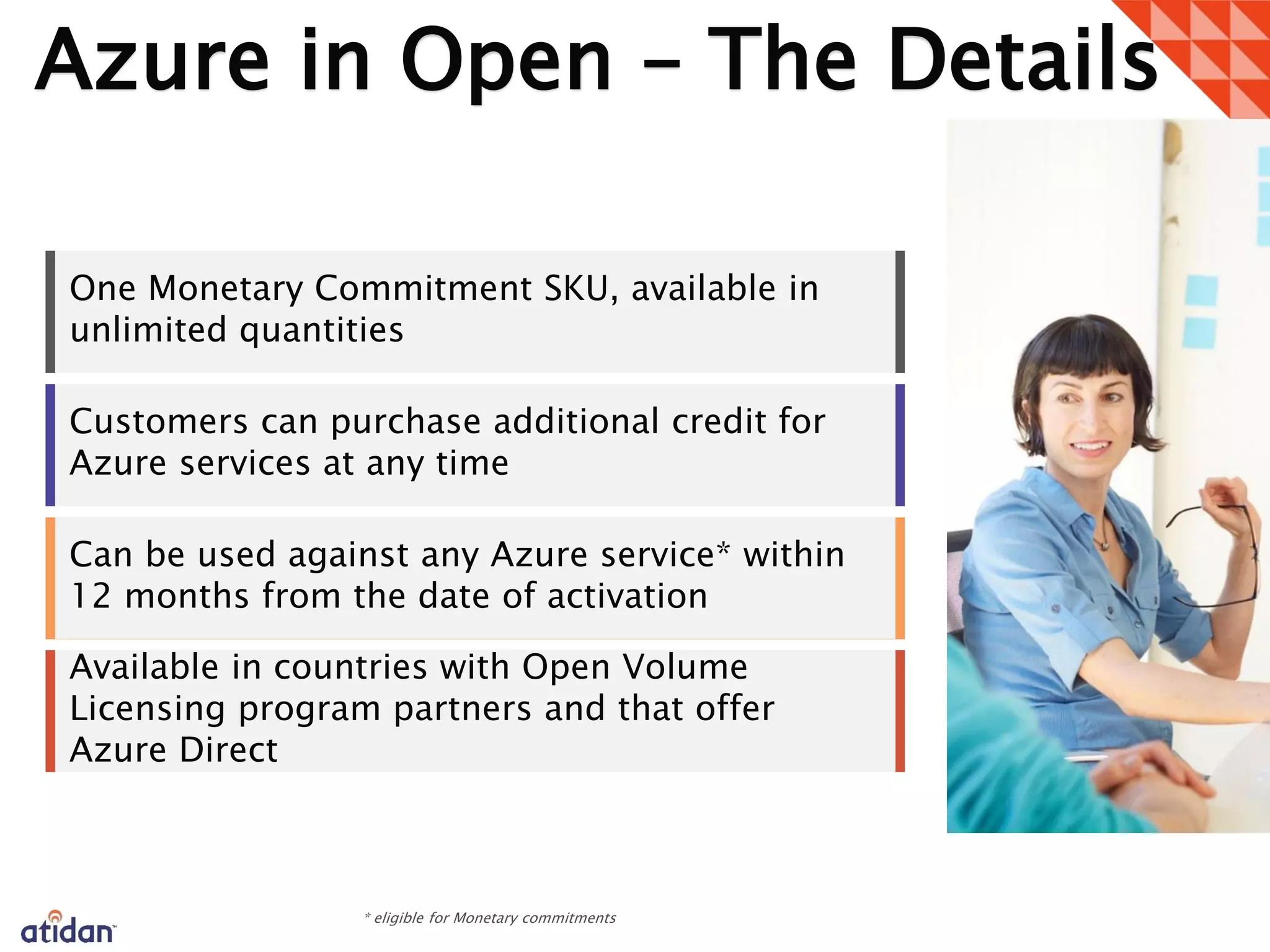
Azure in Open – The Details
One Monetary Commitment SKU, available in
unlimited quantities
Customers can purchase additional credit for
Azure services at any time
Can be used against any Azure service* within
12 months from the date of activation
Available in countries with Open Volume
Licensing program partners and that offer
Azure Direct
1
Atidan Cloud Services
cloud@Atidan.com
1-215-825-5045 x5001
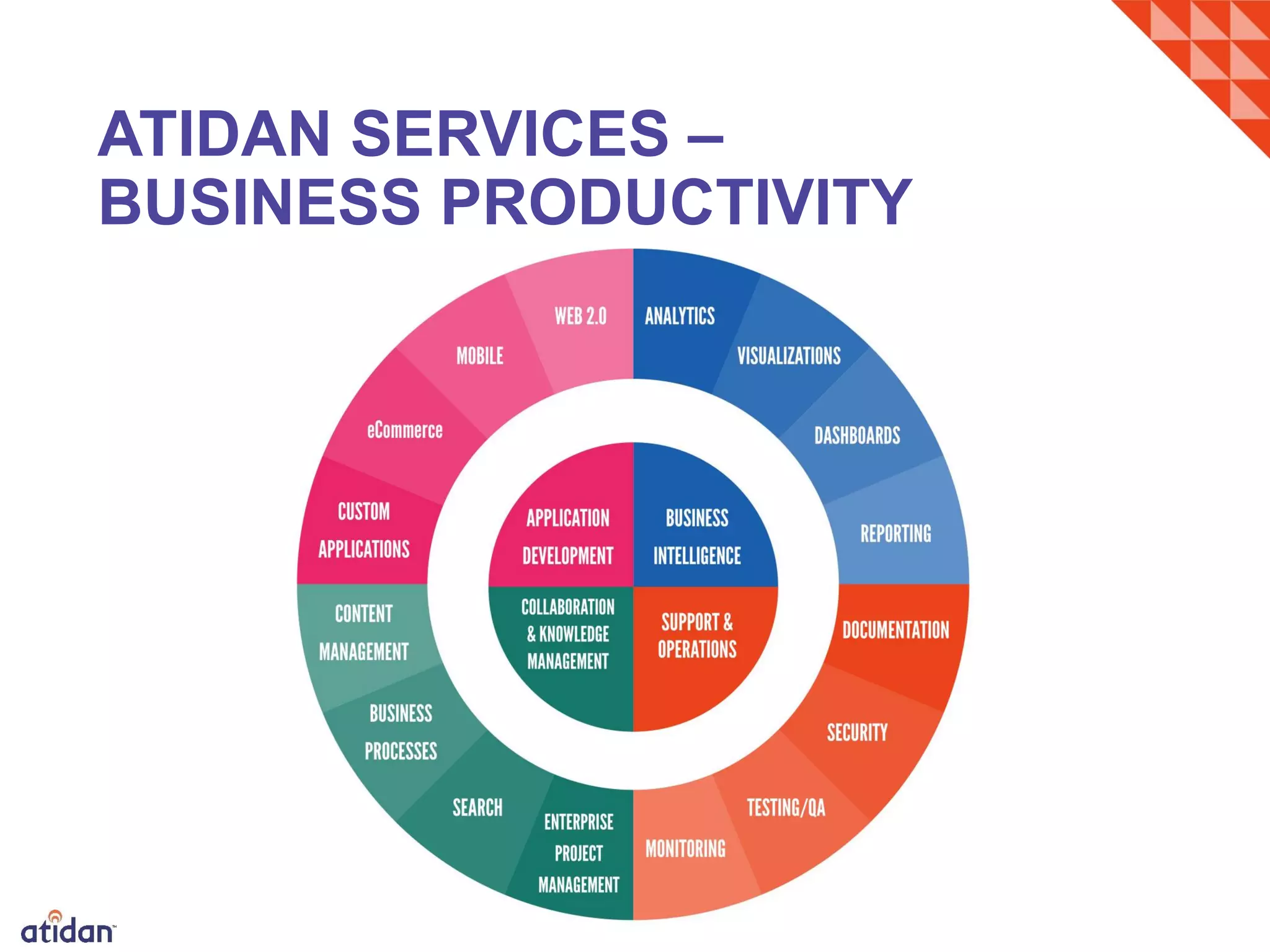
ATIDAN SERVICES –
BUSINESS PRODUCTIVITY

Latest Microsoft Azure Solutions and Announcements - Presented by atidan june 13-2014

  • 1.
    www.atidan.com David J. Rosenthal President& CEO David.Rosenthal@Atidan.com June 13, 2014 Microsoft Briefing Center New York City Azure Announcements & News
  • 2.
    What is Microsoft Azure? Azureis an open and flexible cloud platform that enables you to quickly build, deploy and manage infrastructure and applications across a global network of Microsoft-managed datacenters. Azure delivers a 99.95% monthly SLA and enables you to build and run highly available infrastructure and applications without focusing on the infrastructure. Azure enables you to easily scale your infrastructure and applications to any size. It is a fully automated self-service platform that allows you to provision resources within minutes. Elastically grow or shrink your resource usage based on your customer’s needs.
  • 3.
    Latest Azure News TechEdAnnouncements Transform the Datacenter • Azure ExpressRoute • Azure Import/Export • Azure Compute-intensive A8 & A9 Virtual Machines • Internal Load Balancing • Azure Files • Virtual Networking features • Microsoft Antimalware and security partnership with Trend Micro and Symantec • IP Reservation for VIPs and Instance-level public IP’s for Virtual Machines • Azure Site Recovery (formerly Hyper-V Recovery Manager) People Centric-IT • Azure RemoteApp • Windows Intune Roadmap • Azure Active Directory Premium enhancements Modern Business Apps • API Management • Azure Traffic Manager External End Points • Azure Cache Services • BizTalk Hybrid Connections • BizTalk Server 2013 R2 • ASP.NET vNext • Visual Studio 2013 Update 2 • Visual Studio Online APIs • Multi-Device Hybrid Apps • Visual Studio Online Migration Utility • Desired State Configuration Support in the next update of Release Management • Windows Client VMs for MSDN Subscribers
  • 4.
    Microsoft Data Center ImportExport When should you consider using Import/Export? Data Migration: Massive amounts of data that you want to quickly move information into the cloud. Content Distribution: Quickly send data to your customers’ sites Data Recovery: You can quickly recover large amounts of data stored in Azure Blobs and have it delivered to your desired location. For additional details visit Documentation center. Pricing or other details For Import/Export pricing, please go here The Microsoft Azure Import/Export service enables customers to transfer large amounts of data to and from your storage account in Azure by using hard disk drives (HDD). With large data sets, this feature provides proven cost-effective migration of your information into Windows Azure Blob Storage. Cost savings, productivity, and faster recovery time Customer Import Service Export Service Blob StorageCourier service
  • 5.
    Azure Storage Blobs Tables Queues Files Azure Files How doI use this service? During public preview, you will go to the Azure Preview page, and sign up for this service through our BAS portal. For additional details, please visit here and here. Pricing or other details The prices below include a 50% preview discount LRS: $0.040 per GB GRS:$0.050 per GB RA-GRS: $0.065 per GB What is the future? This new service allows customers to connect to their storage account using a File Share (which uses the SMB protocol). There will also be a corresponding REST API to connect to the data. Files stored in the share are now available to applications across multiple Azure VMs via standard file system APIs. Availability: Preview On-premises, SMB offers high- performance connectivity to a highly available file share. Files in Azure storage exposed as a File ShareLocal disks exposed as a File Share SMB Share data stored in Azure Files among Azure VMs via SMB i.e. by mapping the share in each instance Hyper-V VMs Hyoer-V VMs Local storag e SMB REST API
  • 6.
    Multi-Site VNet Connectivity MultipleSite-to-Site Connections • Multiple on-premises sites connect to same virtual network • Sites may be geographically dispersed • Connect up to 10 sites to a virtual network securely over IPsec Connect to multiple on-premises locations Before With Multi-Site VNet Connectivity VNet1 US West VNet2 East Asia Contoso NorthAm HQ (10.0.0.0/16) Contoso NorthAm HQ (10.0.0.0/16) Contoso East Asia (10.3.0.0/16) After
  • 7.
    Cross-Region VNet Connectivity Cross-regionVNet connectivity to any Azure region • For HA and DR, customers create virtual networks in different Azure regions • Scenario: SQL AlwaysOn sync to cross-region replicas Cross-subscription connectivity • Virtual networks in different subscriptions can securely communicate using private IP addresses • Scenarios: Cross- division/dept. workload communication; B2B transactions in the cloud Connect to multiple on-premises locations and to other VNets Before With multi-site and cross-region VNet to VNet VNet1 US West VNet2 East Asia Contoso NorthAm HQ (10.0.0.0/16) Contoso NorthAm HQ (10.0.0.0/16) Contoso East Asia (10.3.0.0/16)
  • 8.
    IP Reservation Reserve publicIP addresses from Azure’s pool You have control over the IP addresses till you release them Assign IPs to cloud services Move IP addresses across cloud services First 5 free per tenant Detailed info here Before Reserved IP DIP1 DIP2 DIP1 DIP2 To IP VM1 VM2 VM1 VM2 Cloud Service VIP Cloud Service Reserved VIP IP: <port x>  DIP1:<port y> OR DIP2:<port y> LB Microsoft Azure LB Microsoft Azure
  • 9.
    Instance Level PublicIP Addresses Every VM can get its own public IP Address Assign public IPs to every VM Entire IP protocol and port range accessible for every VM Enables scenarios such as FTP services, monitoring VMs by IP, etc. Before Instance level public IPs DIP1 DIP2 DIP1 DIP2 VM1 VM2 VM1 VM2 Cloud Service VIP Cloud Service Reserved VIP VIP: <port x>  DIP1:<port y> OR DIP2:<port y> LB MicrosoftAzure LB MicrosoftAzure
  • 10.
    Extensible Data Channel MicrosoftAzure Site Recovery Comput e Storage Networks
  • 11.
  • 12.
     • Single clickApplication recovery • Compliance Assurance without impacting Production • Disaster Avoidance – Hurricane warning • Failover during real disasters – Fire, Earthquake etc. • Failback to on-premises   Site Recovery Use Case - Demos
  • 13.
    Azure RemoteApp Azure RemoteApp combinesWindows application experience and powerful RDS capabilities on Azure’s reliable platform and helps IT to bring, scale, agility and global access to corporate applications.
  • 14.
    Introducing Azure RemoteApp Preview Remote applications deliveredfrom Azure’s reliable platform Access from Windows, iOS, and Android devices Delivered via Microsoft Remote Desktop Protocol and RemoteFX Dynamic scale and elasticity Flexible hybrid or cloud deployment options
  • 15.
    Why Azure RemoteApp? Scaleup or down to meet dynamic business needs without large capital expense or management complexity Provide access to corporate applications from anywhere, on any device Centralize and protect corporate resources on Azure’s reliable platform Scale Enable Protect
  • 16.
  • 17.
    Azure in OpenLicensing Monetary commitment valid for 12 months Applicable to any Azure Service eligible for Monetary Commitments Business processes follow existing Online Services in Open Available August 1, 2014 (with a price list preview on July 1, 2014)
  • 18.
    Azure in Open– The Details One Monetary Commitment SKU, available in unlimited quantities Customers can purchase additional credit for Azure services at any time Can be used against any Azure service* within 12 months from the date of activation Available in countries with Open Volume Licensing program partners and that offer Azure Direct 1
  • 19.
  • 20.