MICROSOFT AZURE ITPRO 
MICROSOFT AZURE VERİ 
SERVİSLERİ 
Önder DEĞER 
Microsoft Azure - MVP
Overview 
• Azure Storage 
• Azure Cache 
• Azure Marketplace and Tools
Storage Overview 
• Storage that is cost effective, flexible, and scalable 
• Works with existing infrastructure 
• Storage for cloud based applications 
• Accessible via REST APIs 
• Storage account provides access to storage 
services
Storage Account 
• Required for Azure Storage Services 
• Highest level of namespace for storage services 
• Can have 200 Terabytes of data 
• Uses Geographical Redundant Storage (GRS) by 
default 
• Can be accessed using a URL 
• Generates two 512-bit storage access keys
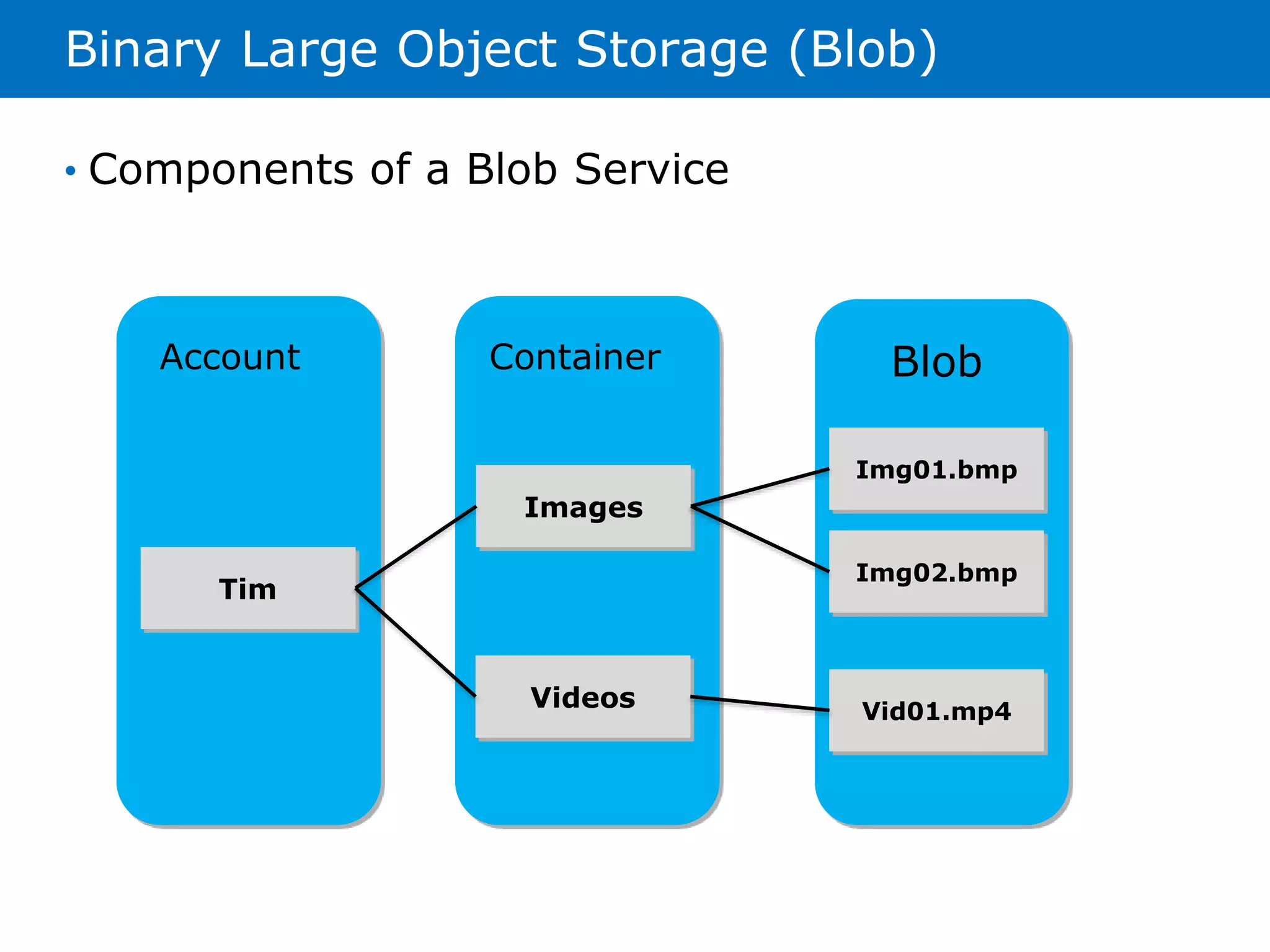
Binary Large Object Storage (Blob) 
• Components of a Blob Service 
Account Container Blob 
Tim 
Images 
Videos 
Img01.bmp 
Img02.bmp 
Vid01.mp4
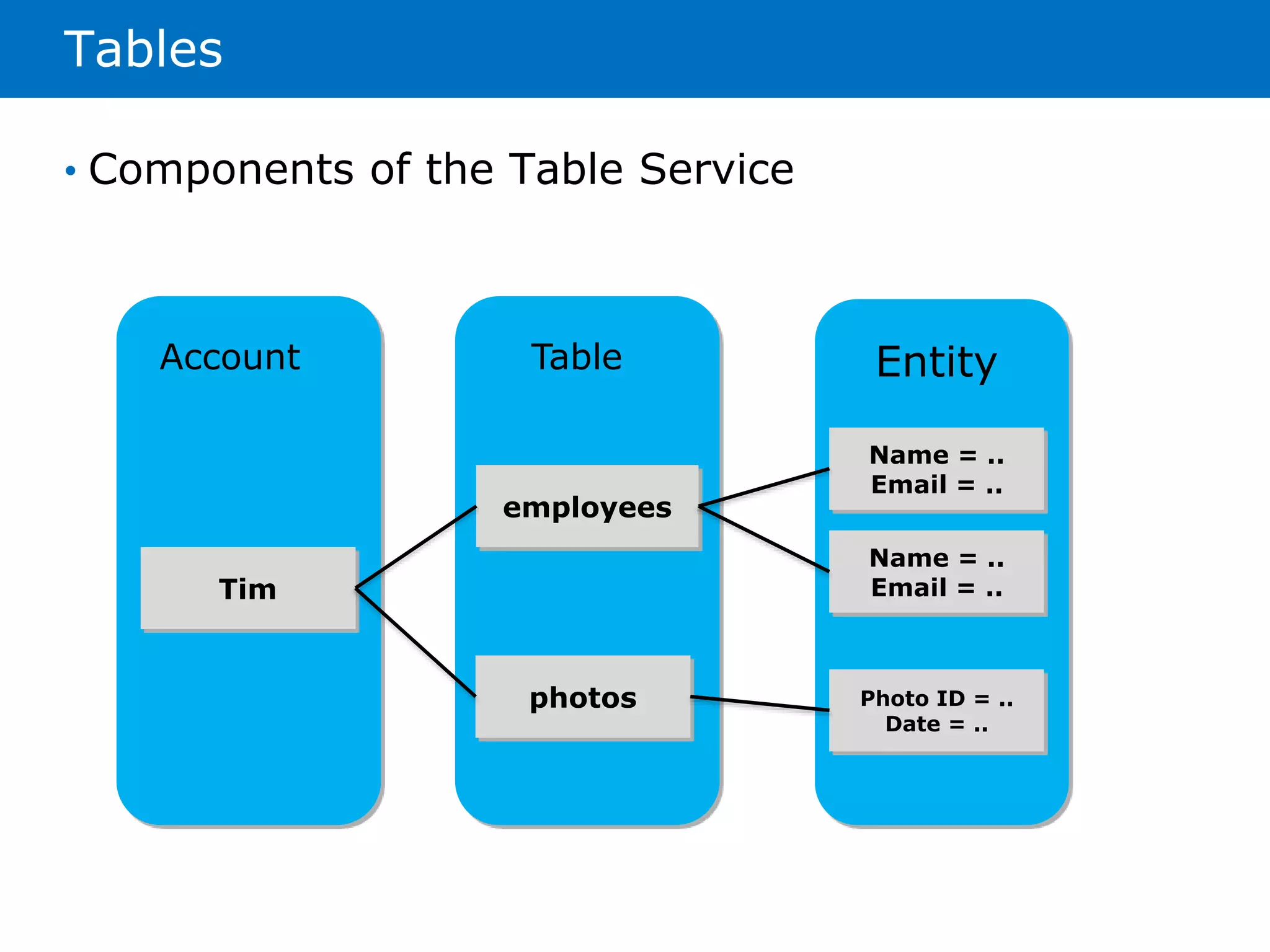
Tables 
Account Table Entity 
Tim 
employees 
photos 
Name = .. 
Email = .. 
Name = .. 
Email = .. 
Photo ID = .. 
Date = .. 
• Components of the Table Service
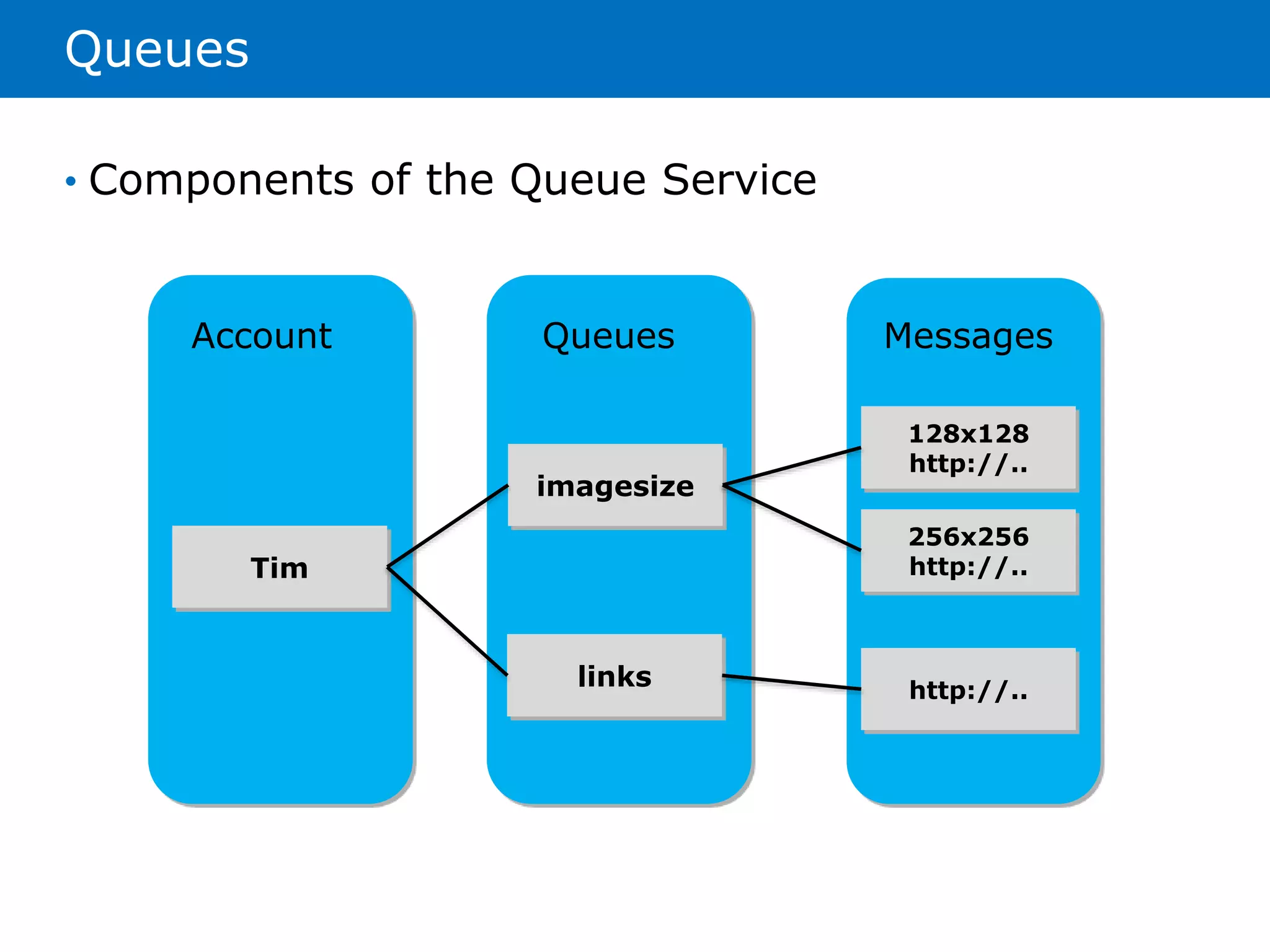
Queues 
Account Queues Messages 
Tim 
imagesize 
links 
128x128 
http://.. 
256x256 
http://.. 
http://.. 
• Components of the Queue Service
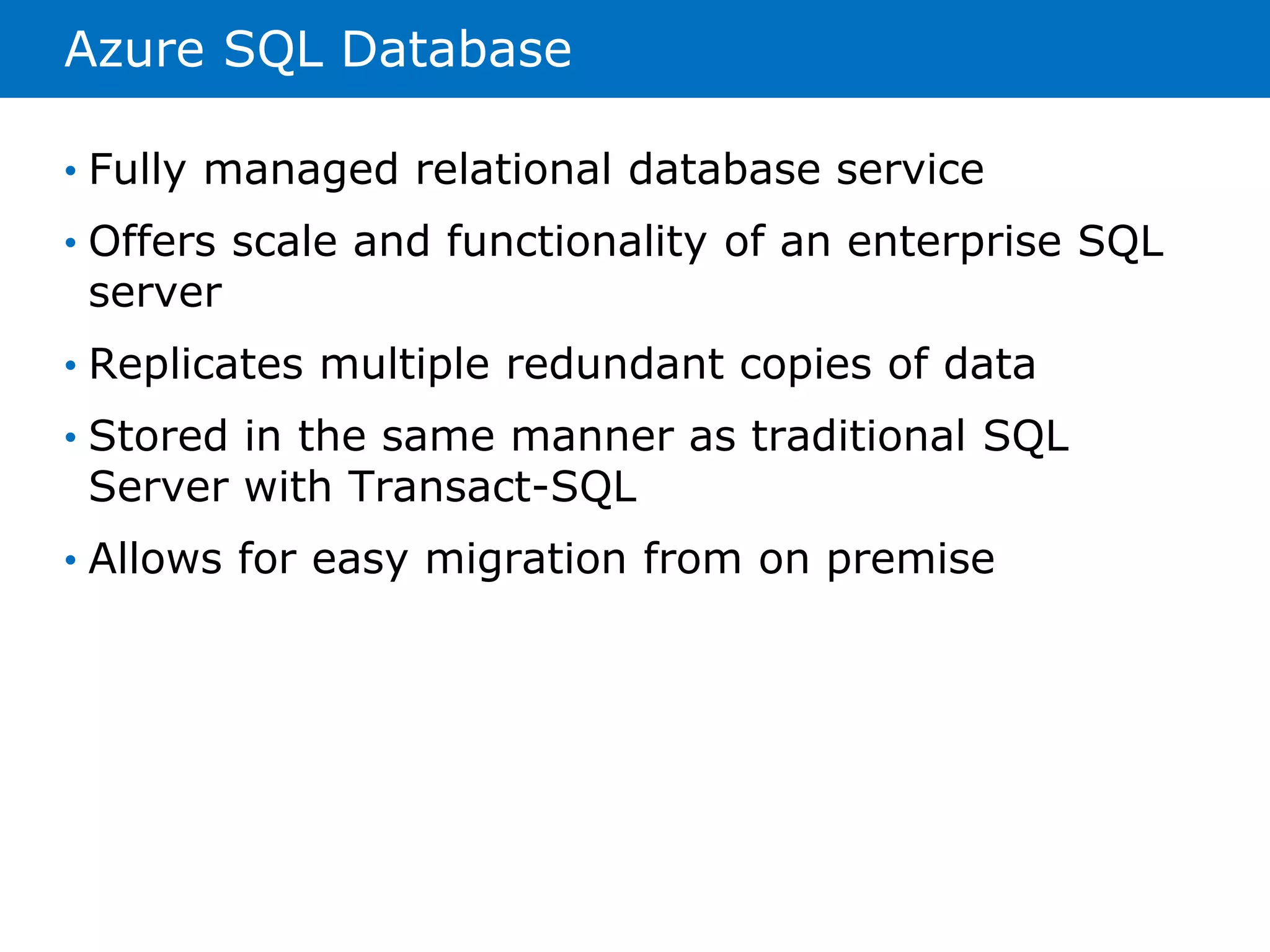
Azure SQL Database 
• Fully managed relational database service 
• Offers scale and functionality of an enterprise SQL 
server 
• Replicates multiple redundant copies of data 
• Stored in the same manner as traditional SQL 
Server with Transact-SQL 
• Allows for easy migration from on premise
Import/Export 
• Allows for transferring of large amounts of data to 
and from Blob storage without having to upload 
data over the network 
• You must met the following requirements to use 
this service: 
• Valid Azure Subscription and storage account 
• 3.5 inch SATA ll hard drive formatted with NTFS 
• Data stored on the hard drive must be encrypted using 
BitLocker 
• Data can only be uploaded or downloaded from block and 
page blobs 
• Maximum of 20 active jobs per subscription 
• No more that 10 hard drives
StorSimple Cloud-Integrated Storage 
• Standalone system that provides on-premises 
enterprise storage 
• Fully integrates with Microsoft Azure storage 
services 
• Combines iSCSI SAN, snapshots, backups, 
deduplication, and compression with Azure storage 
services
Azure Cache Overview 
• Provides secure and dedicated cache 
• Created in the Microsoft Azure region of your 
choice 
• Available as managed services with Cache Service 
• Can be managed using Azure SDK or In-Role 
Cache
Azure Cache Service 
• Uses dedicated cache managed by Microsoft 
• Allows access to application including Web Sites, 
Cloud Services, Web and Worker Roles, and Virtual 
Machines 
• Comes in the following tiers: 
• Basic – 128MB-1GB 
• Standard 1GB – 10GB 
• Premium 5GB-150GB
In-Role Cache 
• Allows for cache to be hosted within Azure roles 
• Performs caching by using a portion of the memory 
available to the virtual machine 
• Allows cache to grow large and have no quota 
restrictions 
• Two options for In-Role Cache 
• Dedicated Role 
• Co-located Role
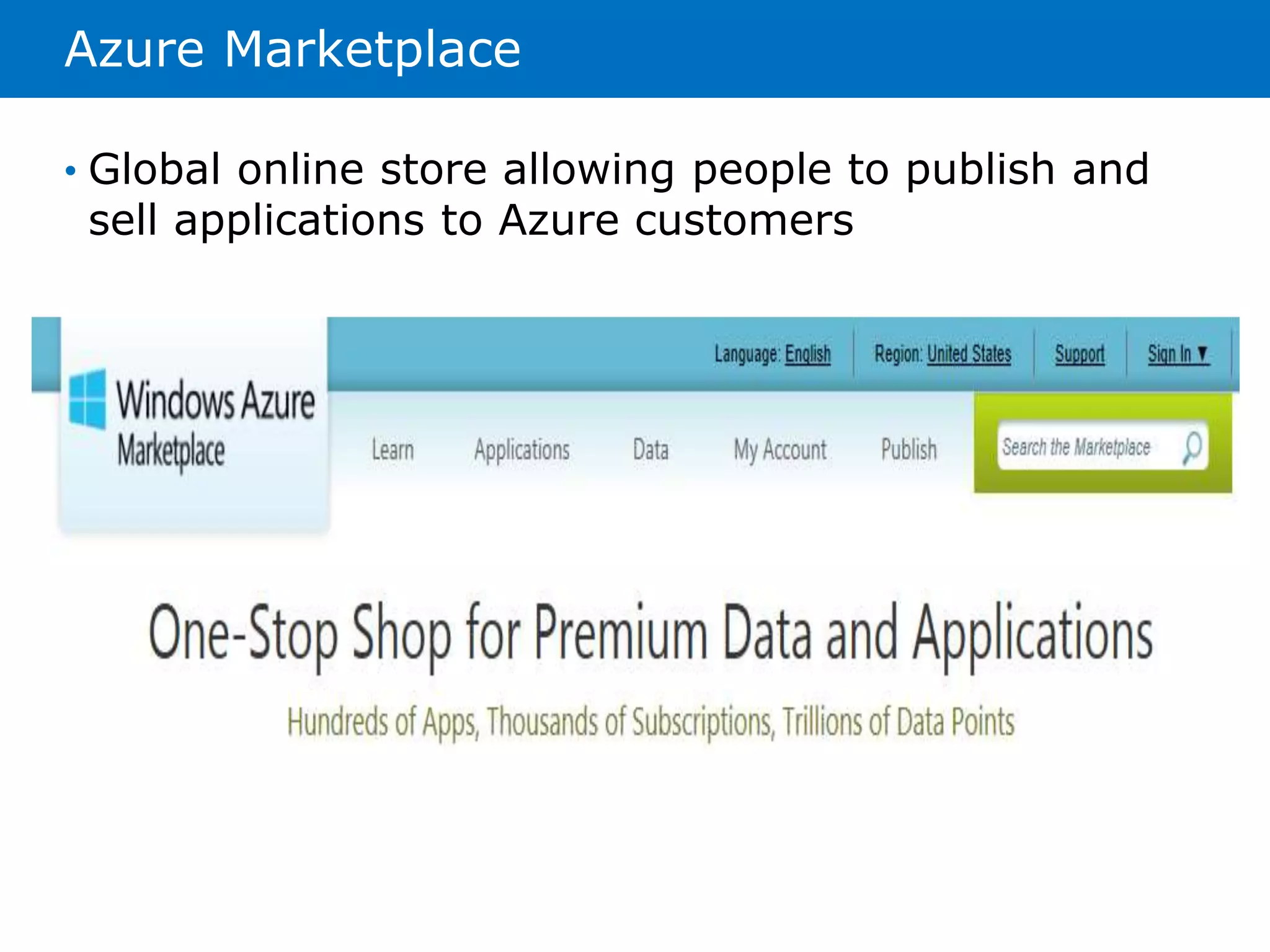
Azure Marketplace 
• Global online store allowing people to publish and 
sell applications to Azure customers
Azure Store 
• Allows you to purchase Add-ons from Microsoft 
Partners 
• Add-ons can be managed from the Management 
Portal 
• Usage costs are included in a single bill from 
Microsoft
Azure PowerShell 
• Provides the cmdlets needed to manage Azure with 
Windows PowerShell 
• Distributed as a downloadable file 
• Must provide your Azure subscription before you 
can use the cmdlets 
• Currently two different options for connecting to 
your subscription: 
• Azure Active Directory 
• Management Certificate
Azure Command-Line Interface 
• Set of open source commands that work with 
Azure 
• Provide similar functionality as the Management 
Portal 
• Based on JavaScript and require Node.js 
• Can be installed in two different ways: 
• Installer packages for Windows and OS X 
• NPM command if Node.js is already installed
TEŞEKKÜR EDERİM 
Önder DEĞER – Microsoft Azure MVP

Microsoft Azure Veri Servisleri

  • 1.
    MICROSOFT AZURE ITPRO MICROSOFT AZURE VERİ SERVİSLERİ Önder DEĞER Microsoft Azure - MVP
  • 2.
    Overview • AzureStorage • Azure Cache • Azure Marketplace and Tools
  • 3.
    Storage Overview •Storage that is cost effective, flexible, and scalable • Works with existing infrastructure • Storage for cloud based applications • Accessible via REST APIs • Storage account provides access to storage services
  • 4.
    Storage Account •Required for Azure Storage Services • Highest level of namespace for storage services • Can have 200 Terabytes of data • Uses Geographical Redundant Storage (GRS) by default • Can be accessed using a URL • Generates two 512-bit storage access keys
  • 5.
    Binary Large ObjectStorage (Blob) • Components of a Blob Service Account Container Blob Tim Images Videos Img01.bmp Img02.bmp Vid01.mp4
  • 6.
    Tables Account TableEntity Tim employees photos Name = .. Email = .. Name = .. Email = .. Photo ID = .. Date = .. • Components of the Table Service
  • 7.
    Queues Account QueuesMessages Tim imagesize links 128x128 http://.. 256x256 http://.. http://.. • Components of the Queue Service
  • 8.
    Azure SQL Database • Fully managed relational database service • Offers scale and functionality of an enterprise SQL server • Replicates multiple redundant copies of data • Stored in the same manner as traditional SQL Server with Transact-SQL • Allows for easy migration from on premise
  • 9.
    Import/Export • Allowsfor transferring of large amounts of data to and from Blob storage without having to upload data over the network • You must met the following requirements to use this service: • Valid Azure Subscription and storage account • 3.5 inch SATA ll hard drive formatted with NTFS • Data stored on the hard drive must be encrypted using BitLocker • Data can only be uploaded or downloaded from block and page blobs • Maximum of 20 active jobs per subscription • No more that 10 hard drives
  • 10.
    StorSimple Cloud-Integrated Storage • Standalone system that provides on-premises enterprise storage • Fully integrates with Microsoft Azure storage services • Combines iSCSI SAN, snapshots, backups, deduplication, and compression with Azure storage services
  • 11.
    Azure Cache Overview • Provides secure and dedicated cache • Created in the Microsoft Azure region of your choice • Available as managed services with Cache Service • Can be managed using Azure SDK or In-Role Cache
  • 12.
    Azure Cache Service • Uses dedicated cache managed by Microsoft • Allows access to application including Web Sites, Cloud Services, Web and Worker Roles, and Virtual Machines • Comes in the following tiers: • Basic – 128MB-1GB • Standard 1GB – 10GB • Premium 5GB-150GB
  • 13.
    In-Role Cache •Allows for cache to be hosted within Azure roles • Performs caching by using a portion of the memory available to the virtual machine • Allows cache to grow large and have no quota restrictions • Two options for In-Role Cache • Dedicated Role • Co-located Role
  • 14.
    Azure Marketplace •Global online store allowing people to publish and sell applications to Azure customers
  • 15.
    Azure Store •Allows you to purchase Add-ons from Microsoft Partners • Add-ons can be managed from the Management Portal • Usage costs are included in a single bill from Microsoft
  • 16.
    Azure PowerShell •Provides the cmdlets needed to manage Azure with Windows PowerShell • Distributed as a downloadable file • Must provide your Azure subscription before you can use the cmdlets • Currently two different options for connecting to your subscription: • Azure Active Directory • Management Certificate
  • 17.
    Azure Command-Line Interface • Set of open source commands that work with Azure • Provide similar functionality as the Management Portal • Based on JavaScript and require Node.js • Can be installed in two different ways: • Installer packages for Windows and OS X • NPM command if Node.js is already installed
  • 18.
    TEŞEKKÜR EDERİM ÖnderDEĞER – Microsoft Azure MVP