By Steve KatzLaptop Management & Technology IntegrationMiddle School
My Experience in Education & Tech19 years teachingSouthern California & Costa RicaMasters in Computer-Based EducationTaught in the masters program at Chapman UniversityTechnology CoordinatorTOSAProfessional Development CoordinatorEducational TechnologistDirector of Educational Technology
Director of Educational TechnologyWhat I can do for/with youIT DepartmentPlan lessonsCo-teach classesRecommend tools and websitesTrainingProvide professional readingGradeQuick & EdlineHardware, software, printing & network issuesSet up equipmentE-mail, blogs, network folders, passwordsTrainingCheck out equipment (HS library)New This Year	Interactive whiteboardsDocument camera22 projectorsKeyboarding softwareInteractive ClassroomWeb Lockers3 Presentation remotes
Equipment We Already Have5 digital video cameras (camcorders)6 digital still cameras2 document cameras2 iPods26 LCD projectors3 Interactive whiteboards (StarBoards)3 8-track tape players
Classroom ManagementWhat works now?On your index card please write one classroom management technique that you use in your classroom to keep students on task. (It does not have to involve technology.)
Lesson DesignRemember:Technology is a toolTeaching isn’t about the toolCurriculum drives the technology“O2” – ubiquitous, necessary, invisible
Lesson DesignUse backwards designProject-based learningAuthentic assessmentsStudents as producers of contentCollaboration
Incorporate the Four C’sCommunication – Prepare students to be effective communicators.Collaboration – Use online tools to discuss ideas, share research, peer edit, and collaborate.Creativity – Promote writing, artwork, videos, and combinations of them.Community – create a community of learners to deepen knowledge through interaction.
Examples
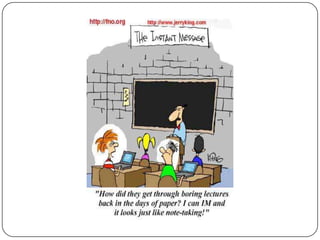
Classroom Management
UnderstandIf you have poor management now, laptops won’t change that.Adding laptops doesn’t mean more learning.Adding technology to a boring lesson does not necessarily make it interesting.
Before You Start TeachingHave clear expectationsPlan wellUse technology with a purposeDon’t add technology to the same old lessonTest your lesson on a student computerUse Edline for links, handouts, quizzes
Before You Start TeachingThink about what works for youHeadphones? Music? Chat? Email?“Multitasking?”Rearrange your furniture?Consequences?
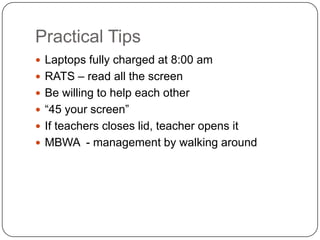
Practical TipsLaptops fully charged at 8:00 amRATS – read all the screenBe willing to help each other“45 your screen”If teacher closes lid, teacher opens itMBWA  - management by walking around
Expectations for StudentsLet’s review them
Resourceshttp://cdspd.wikispaces.com/
“Using technology successfully in the classroom is a mindset not a skill set.”				- Kim Cofino, International School Bangkok
Credits
Laptops In  the middle school

Laptops In the middle school

  • 1.
    By Steve KatzLaptopManagement & Technology IntegrationMiddle School
  • 2.
    My Experience inEducation & Tech19 years teachingSouthern California & Costa RicaMasters in Computer-Based EducationTaught in the masters program at Chapman UniversityTechnology CoordinatorTOSAProfessional Development CoordinatorEducational TechnologistDirector of Educational Technology
  • 3.
    Director of EducationalTechnologyWhat I can do for/with youIT DepartmentPlan lessonsCo-teach classesRecommend tools and websitesTrainingProvide professional readingGradeQuick & EdlineHardware, software, printing & network issuesSet up equipmentE-mail, blogs, network folders, passwordsTrainingCheck out equipment (HS library)New This Year Interactive whiteboardsDocument camera22 projectorsKeyboarding softwareInteractive ClassroomWeb Lockers3 Presentation remotes
  • 4.
    Equipment We AlreadyHave5 digital video cameras (camcorders)6 digital still cameras2 document cameras2 iPods26 LCD projectors3 Interactive whiteboards (StarBoards)3 8-track tape players
  • 5.
    Classroom ManagementWhat worksnow?On your index card please write one classroom management technique that you use in your classroom to keep students on task. (It does not have to involve technology.)
  • 6.
    Lesson DesignRemember:Technology isa toolTeaching isn’t about the toolCurriculum drives the technology“O2” – ubiquitous, necessary, invisible
  • 7.
    Lesson DesignUse backwardsdesignProject-based learningAuthentic assessmentsStudents as producers of contentCollaboration
  • 8.
    Incorporate the FourC’sCommunication – Prepare students to be effective communicators.Collaboration – Use online tools to discuss ideas, share research, peer edit, and collaborate.Creativity – Promote writing, artwork, videos, and combinations of them.Community – create a community of learners to deepen knowledge through interaction.
  • 9.
  • 10.
  • 12.
    UnderstandIf you havepoor management now, laptops won’t change that.Adding laptops doesn’t mean more learning.Adding technology to a boring lesson does not necessarily make it interesting.
  • 13.
    Before You StartTeachingHave clear expectationsPlan wellUse technology with a purposeDon’t add technology to the same old lessonTest your lesson on a student computerUse Edline for links, handouts, quizzes
  • 14.
    Before You StartTeachingThink about what works for youHeadphones? Music? Chat? Email?“Multitasking?”Rearrange your furniture?Consequences?
  • 15.
    Practical TipsLaptops fullycharged at 8:00 amRATS – read all the screenBe willing to help each other“45 your screen”If teacher closes lid, teacher opens itMBWA - management by walking around
  • 16.
  • 17.
  • 18.
    “Using technology successfullyin the classroom is a mindset not a skill set.” - Kim Cofino, International School Bangkok
  • 19.

Editor's Notes

  • #5 Show gdocs, wiki