MANAGING YOUR

21st CENTURY
 CLASSROOM
         Ver 2.0 (April 2012)
COLLABORATION


             Back Channel:
           • TodaysMeet.com
           • Collaborative Doc
                (see wiki for specific links)

  BASIC PHILOSOPHY: A back channel is the conversation
  that is going on while a lecture, video , presentation or
  other work is going on. This is almost ALWAYS happening
  anyways, the key is to get students using it productively.


                  MANAGING YOUR

            21st CENTURY
             CLASSROOM
KEY PRINCIPLES


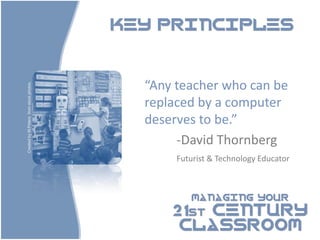
                                           “Any teacher who can be
Created by M.Peters from stock photos.


                                           replaced by a computer
                                           deserves to be.”
                                                -David Thornberg
                                                Futurist & Technology Educator


                                                   MANAGING YOUR

                                               21st CENTURY
                                                CLASSROOM
KEY PRINCIPLES


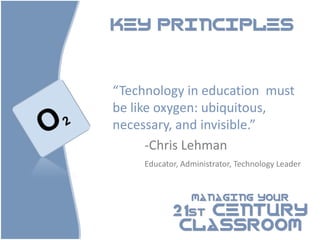
“Technology in education must
be like oxygen: ubiquitous,
necessary, and invisible.”
      -Chris Lehman
     Educator, Administrator, Technology Leader


                 MANAGING YOUR

            21st CENTURY
             CLASSROOM
KEY PRINCIPLES


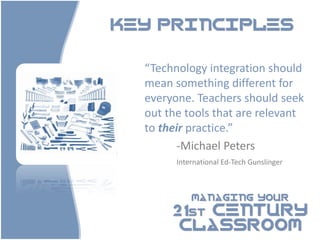
  “Technology integration should
  mean something different for
  everyone. Teachers should seek
  out the tools that are relevant
  to their practice.”
         -Michael Peters
        International Ed-Tech Gunslinger


            MANAGING YOUR

       21st CENTURY
        CLASSROOM
MANAGING YOUR

                                                      21st CENTURY
                                                       CLASSROOM


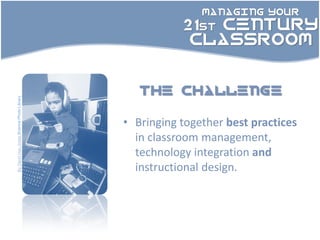
                                              the challenge
By David Hay Jones Science Photo Library


                                           • Bringing together best practices
                                             in classroom management,
                                             technology integration and
                                             instructional design.
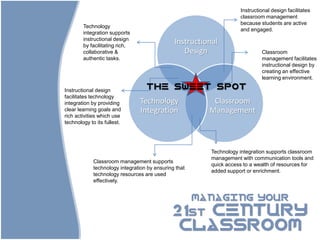
Instructional design facilitates
                                                                     classroom management
                                                                     because students are active
        Technology
                                                                     and engaged.
        integration supports
        instructional design
        by facilitating rich,
                                               Instructional
        collaborative &                           Design                      Classroom
        authentic tasks.                                                      management facilitates
                                                                              instructional design by
                                                                              creating an effective
                                                                              learning environment.

Instructional design               the sweet spot
facilitates technology
integration by providing        Technology                Classroom
clear learning goals and        Integration              Management
rich activities which use
technology to its fullest.


                                                          Technology integration supports classroom
                                                          management with communication tools and
             Classroom management supports
                                                          quick access to a wealth of resources for
             technology integration by ensuring that
                                                          added support or enrichment.
             technology resources are used
             effectively.


                                                       MANAGING YOUR

                                              21st CENTURY
                                               CLASSROOM
MANAGING YOUR

                        21st CENTURY
                         CLASSROOM


      today
• Classroom Management
  Traditional principles for a digital
  classroom.
• Instructional design
  Overview of best practices, and why it
  matters in your 21st Century Classroom
• Getting it together:
  A quick checklist
MANAGING YOUR

                               21st CENTURY
                                CLASSROOM


Classroom Management
  Traditional principles for a digital classroom.
MANAGING YOUR

                                          21st CENTURY
                                           CLASSROOM

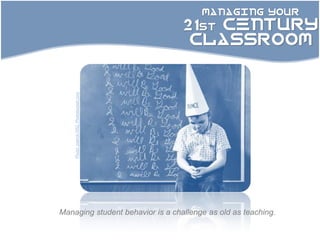
    Photo: patrick1952, Photobucket.com


Managing student behavior is a challenge as old as teaching.
MANAGING YOUR

                                        21st CENTURY
                                         CLASSROOM
Photographer unknown: Skitch.com


                                   Of all the possible variables,
                                   classroom management has
                                   the largest impact on student
                                   achievement.
                                   - Robert J. Marzano
BEST PRACTICES            IN

Classroom Management
  1. Setting the tone
  2. Clear and consistent rules, procedures
     and consequences
  3. Progressive discipline, with
     documentation.
  4. Persistence!

                     MANAGING YOUR

                21st CENTURY
                 CLASSROOM
BEST PRACTICES                        IN

Classroom Management
                      1.   Setting the tone.

•   Emphasize the classroom as a learning environment – all decisions –
    including when to use (or not to use) technology should be seen and
    explained through that lens.
•   Cultivate an environment where students are held accountable for
    their actions.
•   Model appropriate conduct – teachers need to do a better job
    managing their own use of technology.


                                  MANAGING YOUR

                            21st CENTURY
                             CLASSROOM
BEST PRACTICES                          IN

Classroom Management

        2. Clear and consistent rules, procedures
        and consequences.

•   Spend class time discussing and/or developing rules and procedures.
    Keep them as brief and simple as possible.
•   Procedures can included structured timing, daily responsibilities, and
    expectations for behavior while input or discussion is happening.
•   They should be posted in the classroom and made available to
    parents, online or otherwise.


                                    MANAGING YOUR

                             21st CENTURY
                              CLASSROOM
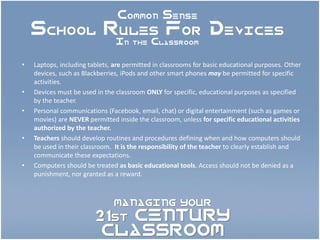
Common Sense
    School Rules For Devices
                                In the Classroom


•   Laptops, including tablets, are permitted in classrooms for basic educational purposes. Other
    devices, such as Blackberries, iPods and other smart phones may be permitted for specific
    activities.
•   Devices must be used in the classroom ONLY for specific, educational purposes as specified
    by the teacher.
•   Personal communications (Facebook, email, chat) or digital entertainment (such as games or
    movies) are NEVER permitted inside the classroom, unless for specific educational activities
    authorized by the teacher.
•   Teachers should develop routines and procedures defining when and how computers should
    be used in their classroom. It is the responsibility of the teacher to clearly establish and
    communicate these expectations.
•   Computers should be treated as basic educational tools. Access should not be denied as a
    punishment, nor granted as a reward.


                               MANAGING YOUR

                         21st CENTURY
                          CLASSROOM
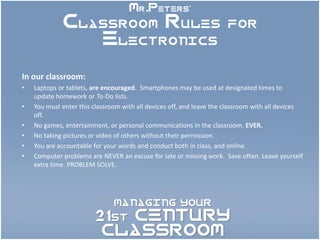
Mr.Peters’
             Classroom Rules for
                Electronics

In our classroom:
•   Laptops or tablets, are encouraged. Smartphones may be used at designated times to
    update homework or To-Do lists.
•   You must enter this classroom with all devices off, and leave the classroom with all devices
    off.
•   No games, entertainment, or personal communications in the classroom. EVER.
•   No taking pictures or video of others without their permission.
•   You are accountable for your words and conduct both in class, and online.
•   Computer problems are NEVER an excuse for late or missing work. Save often. Leave yourself
    extra time. PROBLEM SOLVE.


                               MANAGING YOUR

                        21st CENTURY
                         CLASSROOM
BEST PRACTICES                IN

Classroom Management

             3. Progressive discipline

• A great system doesn’t mean you’ll never have trouble.
  Be ready with the next step.
• In a progressive discipline model, consequences
  become more severe when behaviors are repeated or
  become more severe.
• DOCUMENTATION IS THE KEY.


                          MANAGING YOUR

                     21st CENTURY
                      CLASSROOM
PRACTICAL

Classroom Management
                       TIPS


            Dealing With Devices!

 1.   MBWA – Management by Wandering Around
 2.   RATS – Read All of The Screen
      (for students AND teachers!)
 3.   Learn about window and tab control
 4.   Protected input and discussion times.
 5.   “45 your screens!”
 6.   Adjust the physical layout of the room.

                         MANAGING YOUR

                    21st CENTURY
                     CLASSROOM
BEST PRACTICES              IN

Classroom Management
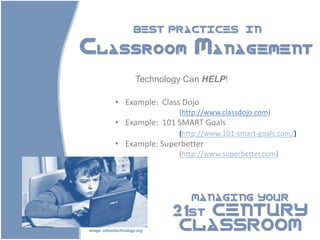
                       Technology Can HELP!

             • Example: Class Dojo
                                (http://www.classdojo.com)
             • Example: 101 SMART Goals
                                (http://www.101-smart-goals.com/)
             • Example: Superbetter
                                (http://www.superbetter.com)


                                   MANAGING YOUR

                               21st CENTURY
Image: schooltechnology.org     CLASSROOM
Classroom Management
OTHER WAYS TECHNOLOGY CAN HELP


 1.   Communication with Parents and Students (including
      wikis and blogs - documented too!)
 2.   An extended classroom community means shared
      responsibility
 3.   Streamline your own management


                           MANAGING YOUR

                      21st CENTURY
                       CLASSROOM
MANAGING YOUR

                               21st CENTURY
                                CLASSROOM


Instructional Design
Overview of best practices and why it matters in your
              21st Century Classroom
KEY PRINCIPLES


 “Using technology successfully
 in the classroom is a mindset,
 not a skill set.”
       -Kim Cofino
      International Educator &
      Technology Coach

            MANAGING YOUR

        21st CENTURY
         CLASSROOM
BEST PRACTICES               IN

Instructional Design


      1.   TPACK Framework
      2.   Backwards Design
      3.   Constructivist Principles


                 MANAGING YOUR

            21st CENTURY
             CLASSROOM
BEST PRACTICES                        IN

                Instructional Design

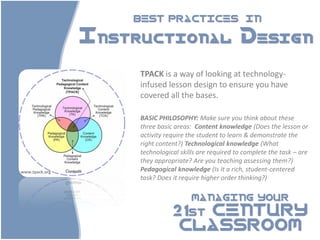
                     TPACK is a way of looking at technology-
                     infused lesson design to ensure you have
                     covered all the bases.

                     BASIC PHILOSOPHY: Make sure you think about these
                     three basic areas: Content knowledge (Does the lesson or
                     activity require the student to learn & demonstrate the
                     right content?) Technological knowledge (What
                     technological skills are required to complete the task – are
                     they appropriate? Are you teaching assessing them?)
www.tpack.org        Pedagogical knowledge (Is it a rich, student-centered
                     task? Does it require higher order thinking?)

                                       MANAGING YOUR

                                21st CENTURY
                                 CLASSROOM
BEST PRACTICES                        IN

Instructional Design

                        1. Backwards Design

Backwards design is an instructional design
method invented by Wiggins and McTighe and is part of
their larger Understanding by Design framework.

BASIC PHILOSOPHY: Design with your goals in mind and work backwards to
provide students with the skills and knowledge they need to be successful.


                                    MANAGING YOUR

                             21st CENTURY
                              CLASSROOM
BEST PRACTICES                  IN

Instructional Design

       1. Backwards Design Principles & Technology

Choose and use technology purposefully – to address the
goals you want to achieve.
You can set content-driven goals (ie. their knowledge of the
subject) and also skill-driven goals (ie. the ability to use
computers to collaborate – ITSE framework!)
Remember to think about the necessary computer skills
students will need to be successful – don’t assume.


                             MANAGING YOUR

                        21st CENTURY
                         CLASSROOM
BEST PRACTICES                   IN

Instructional Design

               2. Constructivist Principles

Constructivism was popularized by the writings of
Jean Piaget. Learning is viewed as a active process.

BASIC PHILOSOPHY: Emphasizes the learner as a unique individual.
You don’t teach the students, as such, they must construct their
own knowledge. Teachers are cast in the role of facilitators or
guides.


                               MANAGING YOUR

                         21st CENTURY
                          CLASSROOM
BEST PRACTICES                          IN

Instructional Design

        2. Constructivist Principles & Technology

1.   Importance of collaboration and working together.
     (social constructivism)
2.   Accessing great resources – you are a curator!
3.   Important skill sets – research, critical thinking

BASIC PHILOSOPHY: You don’t teach the students, as such, they must
construct their own knowledge. Teachers are cast in the role of facilitators or
guides.

                                      MANAGING YOUR

                               21st CENTURY
                                CLASSROOM
Where Tech Integration &
    Constuctivism Meet


•   Communication
•   Collaboration
•   Creativity
•   Community


                    MANAGING YOUR

               21st CENTURY
                CLASSROOM
Getting It Together
A Day 1 Checklist


Communication
• Your Home Base: a Class Website, Blog or Wiki
• + Email List, Google Group, Twitter Feed, Google + circle,
   ?
Lesson Planning
• Technology-integrated lessons, resources, homework and
   special projects.
• Goal setting for other tech-rich instructional tools.
Professional Enrichment and Collaboration

                              MANAGING YOUR

                         21st CENTURY
                          CLASSROOM
Getting It Together
A Day 1 Checklist


 Professional Enrichment and Collaboration

    Build Your Professional Learning Community
        Twitter For Educators: A 2 Minute Sales Pitch

 • What it is? Hash Tags. How can it be used?
 • Tweetdeck.


                             MANAGING YOUR

                        21st CENTURY
                         CLASSROOM
Successful technology
integration means …

• Preparation
• Problem Solving
• Persistence


                    MANAGING YOUR

               21st CENTURY
                CLASSROOM
Join an online community..
                           Credit where credit is due

                            Kim Cofino (http://kimcofino.com) is an international educator and
                            technology facilitator (presently based in Japan). Her writing on
                            blending backwards design principles with technology integration was a
                            major source of inspiration for this presentation.

                            Steve Katz (http://www.teachwithvideo.com) is an author, technology
                            facilitator, and former international educator who has prepared several
                            presentations on classroom management in 1:1 and other device heavy
                            environments. The great “Oxygen” analogy and many of the practical
                            management tips come from one of his presentations.


                                                             MANAGING YOUR

                                                           21st CENTURY
Powerpoint Template: TemplatesWise.Com, and modified.


                                                            CLASSROOM
Except where noted, all images are generic, unattributed
clip-art.

21st Century Classroom 2.0 (April 2012)

  • 1.
    MANAGING YOUR 21st CENTURY CLASSROOM Ver 2.0 (April 2012)
  • 2.
    COLLABORATION Back Channel: • TodaysMeet.com • Collaborative Doc (see wiki for specific links) BASIC PHILOSOPHY: A back channel is the conversation that is going on while a lecture, video , presentation or other work is going on. This is almost ALWAYS happening anyways, the key is to get students using it productively. MANAGING YOUR 21st CENTURY CLASSROOM
  • 3.
    KEY PRINCIPLES “Any teacher who can be Created by M.Peters from stock photos. replaced by a computer deserves to be.” -David Thornberg Futurist & Technology Educator MANAGING YOUR 21st CENTURY CLASSROOM
  • 4.
    KEY PRINCIPLES “Technology ineducation must be like oxygen: ubiquitous, necessary, and invisible.” -Chris Lehman Educator, Administrator, Technology Leader MANAGING YOUR 21st CENTURY CLASSROOM
  • 5.
    KEY PRINCIPLES “Technology integration should mean something different for everyone. Teachers should seek out the tools that are relevant to their practice.” -Michael Peters International Ed-Tech Gunslinger MANAGING YOUR 21st CENTURY CLASSROOM
  • 6.
    MANAGING YOUR 21st CENTURY CLASSROOM the challenge By David Hay Jones Science Photo Library • Bringing together best practices in classroom management, technology integration and instructional design.
  • 7.
    Instructional design facilitates classroom management because students are active Technology and engaged. integration supports instructional design by facilitating rich, Instructional collaborative & Design Classroom authentic tasks. management facilitates instructional design by creating an effective learning environment. Instructional design the sweet spot facilitates technology integration by providing Technology Classroom clear learning goals and Integration Management rich activities which use technology to its fullest. Technology integration supports classroom management with communication tools and Classroom management supports quick access to a wealth of resources for technology integration by ensuring that added support or enrichment. technology resources are used effectively. MANAGING YOUR 21st CENTURY CLASSROOM
  • 8.
    MANAGING YOUR 21st CENTURY CLASSROOM today • Classroom Management Traditional principles for a digital classroom. • Instructional design Overview of best practices, and why it matters in your 21st Century Classroom • Getting it together: A quick checklist
  • 9.
    MANAGING YOUR 21st CENTURY CLASSROOM Classroom Management Traditional principles for a digital classroom.
  • 10.
    MANAGING YOUR 21st CENTURY CLASSROOM Photo: patrick1952, Photobucket.com Managing student behavior is a challenge as old as teaching.
  • 11.
    MANAGING YOUR 21st CENTURY CLASSROOM Photographer unknown: Skitch.com Of all the possible variables, classroom management has the largest impact on student achievement. - Robert J. Marzano
  • 12.
    BEST PRACTICES IN Classroom Management 1. Setting the tone 2. Clear and consistent rules, procedures and consequences 3. Progressive discipline, with documentation. 4. Persistence! MANAGING YOUR 21st CENTURY CLASSROOM
  • 13.
    BEST PRACTICES IN Classroom Management 1. Setting the tone. • Emphasize the classroom as a learning environment – all decisions – including when to use (or not to use) technology should be seen and explained through that lens. • Cultivate an environment where students are held accountable for their actions. • Model appropriate conduct – teachers need to do a better job managing their own use of technology. MANAGING YOUR 21st CENTURY CLASSROOM
  • 14.
    BEST PRACTICES IN Classroom Management 2. Clear and consistent rules, procedures and consequences. • Spend class time discussing and/or developing rules and procedures. Keep them as brief and simple as possible. • Procedures can included structured timing, daily responsibilities, and expectations for behavior while input or discussion is happening. • They should be posted in the classroom and made available to parents, online or otherwise. MANAGING YOUR 21st CENTURY CLASSROOM
  • 15.
    Common Sense School Rules For Devices In the Classroom • Laptops, including tablets, are permitted in classrooms for basic educational purposes. Other devices, such as Blackberries, iPods and other smart phones may be permitted for specific activities. • Devices must be used in the classroom ONLY for specific, educational purposes as specified by the teacher. • Personal communications (Facebook, email, chat) or digital entertainment (such as games or movies) are NEVER permitted inside the classroom, unless for specific educational activities authorized by the teacher. • Teachers should develop routines and procedures defining when and how computers should be used in their classroom. It is the responsibility of the teacher to clearly establish and communicate these expectations. • Computers should be treated as basic educational tools. Access should not be denied as a punishment, nor granted as a reward. MANAGING YOUR 21st CENTURY CLASSROOM
  • 16.
    Mr.Peters’ Classroom Rules for Electronics In our classroom: • Laptops or tablets, are encouraged. Smartphones may be used at designated times to update homework or To-Do lists. • You must enter this classroom with all devices off, and leave the classroom with all devices off. • No games, entertainment, or personal communications in the classroom. EVER. • No taking pictures or video of others without their permission. • You are accountable for your words and conduct both in class, and online. • Computer problems are NEVER an excuse for late or missing work. Save often. Leave yourself extra time. PROBLEM SOLVE. MANAGING YOUR 21st CENTURY CLASSROOM
  • 17.
    BEST PRACTICES IN Classroom Management 3. Progressive discipline • A great system doesn’t mean you’ll never have trouble. Be ready with the next step. • In a progressive discipline model, consequences become more severe when behaviors are repeated or become more severe. • DOCUMENTATION IS THE KEY. MANAGING YOUR 21st CENTURY CLASSROOM
  • 18.
    PRACTICAL Classroom Management TIPS Dealing With Devices! 1. MBWA – Management by Wandering Around 2. RATS – Read All of The Screen (for students AND teachers!) 3. Learn about window and tab control 4. Protected input and discussion times. 5. “45 your screens!” 6. Adjust the physical layout of the room. MANAGING YOUR 21st CENTURY CLASSROOM
  • 19.
    BEST PRACTICES IN Classroom Management Technology Can HELP! • Example: Class Dojo (http://www.classdojo.com) • Example: 101 SMART Goals (http://www.101-smart-goals.com/) • Example: Superbetter (http://www.superbetter.com) MANAGING YOUR 21st CENTURY Image: schooltechnology.org CLASSROOM
  • 20.
    Classroom Management OTHER WAYSTECHNOLOGY CAN HELP 1. Communication with Parents and Students (including wikis and blogs - documented too!) 2. An extended classroom community means shared responsibility 3. Streamline your own management MANAGING YOUR 21st CENTURY CLASSROOM
  • 21.
    MANAGING YOUR 21st CENTURY CLASSROOM Instructional Design Overview of best practices and why it matters in your 21st Century Classroom
  • 22.
    KEY PRINCIPLES “Usingtechnology successfully in the classroom is a mindset, not a skill set.” -Kim Cofino International Educator & Technology Coach MANAGING YOUR 21st CENTURY CLASSROOM
  • 23.
    BEST PRACTICES IN Instructional Design 1. TPACK Framework 2. Backwards Design 3. Constructivist Principles MANAGING YOUR 21st CENTURY CLASSROOM
  • 24.
    BEST PRACTICES IN Instructional Design TPACK is a way of looking at technology- infused lesson design to ensure you have covered all the bases. BASIC PHILOSOPHY: Make sure you think about these three basic areas: Content knowledge (Does the lesson or activity require the student to learn & demonstrate the right content?) Technological knowledge (What technological skills are required to complete the task – are they appropriate? Are you teaching assessing them?) www.tpack.org Pedagogical knowledge (Is it a rich, student-centered task? Does it require higher order thinking?) MANAGING YOUR 21st CENTURY CLASSROOM
  • 25.
    BEST PRACTICES IN Instructional Design 1. Backwards Design Backwards design is an instructional design method invented by Wiggins and McTighe and is part of their larger Understanding by Design framework. BASIC PHILOSOPHY: Design with your goals in mind and work backwards to provide students with the skills and knowledge they need to be successful. MANAGING YOUR 21st CENTURY CLASSROOM
  • 26.
    BEST PRACTICES IN Instructional Design 1. Backwards Design Principles & Technology Choose and use technology purposefully – to address the goals you want to achieve. You can set content-driven goals (ie. their knowledge of the subject) and also skill-driven goals (ie. the ability to use computers to collaborate – ITSE framework!) Remember to think about the necessary computer skills students will need to be successful – don’t assume. MANAGING YOUR 21st CENTURY CLASSROOM
  • 27.
    BEST PRACTICES IN Instructional Design 2. Constructivist Principles Constructivism was popularized by the writings of Jean Piaget. Learning is viewed as a active process. BASIC PHILOSOPHY: Emphasizes the learner as a unique individual. You don’t teach the students, as such, they must construct their own knowledge. Teachers are cast in the role of facilitators or guides. MANAGING YOUR 21st CENTURY CLASSROOM
  • 28.
    BEST PRACTICES IN Instructional Design 2. Constructivist Principles & Technology 1. Importance of collaboration and working together. (social constructivism) 2. Accessing great resources – you are a curator! 3. Important skill sets – research, critical thinking BASIC PHILOSOPHY: You don’t teach the students, as such, they must construct their own knowledge. Teachers are cast in the role of facilitators or guides. MANAGING YOUR 21st CENTURY CLASSROOM
  • 29.
    Where Tech Integration& Constuctivism Meet • Communication • Collaboration • Creativity • Community MANAGING YOUR 21st CENTURY CLASSROOM
  • 30.
    Getting It Together ADay 1 Checklist Communication • Your Home Base: a Class Website, Blog or Wiki • + Email List, Google Group, Twitter Feed, Google + circle, ? Lesson Planning • Technology-integrated lessons, resources, homework and special projects. • Goal setting for other tech-rich instructional tools. Professional Enrichment and Collaboration MANAGING YOUR 21st CENTURY CLASSROOM
  • 31.
    Getting It Together ADay 1 Checklist Professional Enrichment and Collaboration Build Your Professional Learning Community Twitter For Educators: A 2 Minute Sales Pitch • What it is? Hash Tags. How can it be used? • Tweetdeck. MANAGING YOUR 21st CENTURY CLASSROOM
  • 32.
    Successful technology integration means… • Preparation • Problem Solving • Persistence MANAGING YOUR 21st CENTURY CLASSROOM
  • 33.
    Join an onlinecommunity.. Credit where credit is due Kim Cofino (http://kimcofino.com) is an international educator and technology facilitator (presently based in Japan). Her writing on blending backwards design principles with technology integration was a major source of inspiration for this presentation. Steve Katz (http://www.teachwithvideo.com) is an author, technology facilitator, and former international educator who has prepared several presentations on classroom management in 1:1 and other device heavy environments. The great “Oxygen” analogy and many of the practical management tips come from one of his presentations. MANAGING YOUR 21st CENTURY Powerpoint Template: TemplatesWise.Com, and modified. CLASSROOM Except where noted, all images are generic, unattributed clip-art.