Download free for 30 days
Sign in
Upload
Language (EN)
Support
Business
Mobile
Social Media
Marketing
Technology
Art & Photos
Career
Design
Education
Presentations & Public Speaking
Government & Nonprofit
Healthcare
Internet
Law
Leadership & Management
Automotive
Engineering
Software
Recruiting & HR
Retail
Sales
Services
Science
Small Business & Entrepreneurship
Food
Environment
Economy & Finance
Data & Analytics
Investor Relations
Sports
Spiritual
News & Politics
Travel
Self Improvement
Real Estate
Entertainment & Humor
Health & Medicine
Devices & Hardware
Lifestyle
Change Language
Language
English
Español
Português
Français
Deutsche
Cancel
Save
Submit search
EN
Uploaded by
Kimiyuki Yamauchi
236 views
Lapp環境をソースからインストールする(centos)
Read more
0
Save
Share
Embed
Embed presentation
Download
Download to read offline
1
/ 17
2
/ 17
3
/ 17
4
/ 17
5
/ 17
6
/ 17
7
/ 17
8
/ 17
9
/ 17
10
/ 17
11
/ 17
12
/ 17
13
/ 17
14
/ 17
15
/ 17
16
/ 17
17
/ 17
More Related Content
PDF
Lapp環境をソースからインストールする(debian)
by
Kimiyuki Yamauchi
PPTX
勉強会 環境構築編
by
gikuko gikuko
PDF
Serverspecを使ってサーバ5000台のBaculaクライアントをテスト
by
Ken Sawada
PPTX
Puppetのススメ
by
Gosuke Miyashita
PPT
Keynote In Japanese
by
Kuniyoshi Murata
PDF
Ansible quickstart
by
Hideki Saito
PDF
Webサーバ勉強会#1_prefork_8-15
by
mashan94
PDF
Homebrewによるソフトウェアの実装 (3)
by
Yoshihiro Mizoguchi
Lapp環境をソースからインストールする(debian)
by
Kimiyuki Yamauchi
勉強会 環境構築編
by
gikuko gikuko
Serverspecを使ってサーバ5000台のBaculaクライアントをテスト
by
Ken Sawada
Puppetのススメ
by
Gosuke Miyashita
Keynote In Japanese
by
Kuniyoshi Murata
Ansible quickstart
by
Hideki Saito
Webサーバ勉強会#1_prefork_8-15
by
mashan94
Homebrewによるソフトウェアの実装 (3)
by
Yoshihiro Mizoguchi
What's hot
PDF
ポリドックにServerspecを教えよう!
by
ftnk
PDF
Homebrewによるソフトウェアの実装(1)
by
Yoshihiro Mizoguchi
PPTX
StackStormではじめる1人Slackのすすめ
by
光平 八代
PDF
Homebrewによるソフトウェアの実装 (2)
by
Yoshihiro Mizoguchi
PDF
serverspecでサーバ環境のテストを書いてみよう
by
Daisuke Ikeda
PDF
Ubuntu 14.04にmysql version 5.6.16とmy sql workbench 6.1.4を入れるには!
by
Kazuhiro Murota
PPTX
Ansibleで始めるサーバ管理勉強会(2014年10月1日)
by
CLARA, Inc.
PDF
Lamp環境&Wordpress設定(debian)
by
Kimiyuki Yamauchi
PDF
超簡単!Apache httpサーバをWindows Serverにインストール
by
Shin Tanigawa
PDF
Serverspecを自分好みにアレンジ スクリーンショットで証跡保存を撲滅-
by
Daisuke Ikeda
PPTX
Itamae-Serverspec入門
by
辰徳 斎藤
PDF
Serverspecを使ってみた話
by
Yasufumi Moritake
ODP
Raspberry Pi 2 誤自宅サーバー移行日記
by
96smcln
PDF
How_to_install_OpenCV_ver1.0
by
Satoshi Kume
PDF
Ansible入門...?
by
shirou wakayama
PDF
Ansible handson
by
Hideki Saito
PPT
Python開発環境三種の神器
by
Yukitaka Uchikoshi
PDF
Yomitanpm 6
by
Kei Kamikawa
PDF
Ansibleを失敗しながら学ぶ その1
by
Kazuyuki Ichikawa
ODP
Android デバッグ小ネタ
by
l_b__
ポリドックにServerspecを教えよう!
by
ftnk
Homebrewによるソフトウェアの実装(1)
by
Yoshihiro Mizoguchi
StackStormではじめる1人Slackのすすめ
by
光平 八代
Homebrewによるソフトウェアの実装 (2)
by
Yoshihiro Mizoguchi
serverspecでサーバ環境のテストを書いてみよう
by
Daisuke Ikeda
Ubuntu 14.04にmysql version 5.6.16とmy sql workbench 6.1.4を入れるには!
by
Kazuhiro Murota
Ansibleで始めるサーバ管理勉強会(2014年10月1日)
by
CLARA, Inc.
Lamp環境&Wordpress設定(debian)
by
Kimiyuki Yamauchi
超簡単!Apache httpサーバをWindows Serverにインストール
by
Shin Tanigawa
Serverspecを自分好みにアレンジ スクリーンショットで証跡保存を撲滅-
by
Daisuke Ikeda
Itamae-Serverspec入門
by
辰徳 斎藤
Serverspecを使ってみた話
by
Yasufumi Moritake
Raspberry Pi 2 誤自宅サーバー移行日記
by
96smcln
How_to_install_OpenCV_ver1.0
by
Satoshi Kume
Ansible入門...?
by
shirou wakayama
Ansible handson
by
Hideki Saito
Python開発環境三種の神器
by
Yukitaka Uchikoshi
Yomitanpm 6
by
Kei Kamikawa
Ansibleを失敗しながら学ぶ その1
by
Kazuyuki Ichikawa
Android デバッグ小ネタ
by
l_b__
Viewers also liked
PDF
Java/phpからのOracle接続(debian)
by
Kimiyuki Yamauchi
PDF
Vimの基本設定
by
Kimiyuki Yamauchi
PDF
Gitはじめの一歩
by
Kimiyuki Yamauchi
PPTX
ソフトウェアとは
by
Kimiyuki Yamauchi
ODP
Windowsユーザのlinux入門(20130126)
by
Kimiyuki Yamauchi
PDF
Tomcat環境をインストールする(debian)
by
Kimiyuki Yamauchi
PDF
Lfsをやってみよう
by
Kimiyuki Yamauchi
PDF
MySQL(RDB)入門 => PHPでアクセス
by
Kimiyuki Yamauchi
PPTX
Tier 1 skin
by
Theresa Mau Mei
PDF
Office技能アップ講習
by
Kimiyuki Yamauchi
PDF
Andriod開発環境の構築
by
Kimiyuki Yamauchi
PDF
What kind of pigmentation are you?
by
Theresa Mau Mei
PPT
Oshas 18001
by
Gaurav Kumar
PPT
Insoluble salts
by
gemiey85
PDF
Skin introduction (Part 1- Epidermis)
by
Theresa Mau Mei
PDF
Hair Care Product Launching Slides 2013
by
Theresa Mau Mei
Java/phpからのOracle接続(debian)
by
Kimiyuki Yamauchi
Vimの基本設定
by
Kimiyuki Yamauchi
Gitはじめの一歩
by
Kimiyuki Yamauchi
ソフトウェアとは
by
Kimiyuki Yamauchi
Windowsユーザのlinux入門(20130126)
by
Kimiyuki Yamauchi
Tomcat環境をインストールする(debian)
by
Kimiyuki Yamauchi
Lfsをやってみよう
by
Kimiyuki Yamauchi
MySQL(RDB)入門 => PHPでアクセス
by
Kimiyuki Yamauchi
Tier 1 skin
by
Theresa Mau Mei
Office技能アップ講習
by
Kimiyuki Yamauchi
Andriod開発環境の構築
by
Kimiyuki Yamauchi
What kind of pigmentation are you?
by
Theresa Mau Mei
Oshas 18001
by
Gaurav Kumar
Insoluble salts
by
gemiey85
Skin introduction (Part 1- Epidermis)
by
Theresa Mau Mei
Hair Care Product Launching Slides 2013
by
Theresa Mau Mei
Similar to Lapp環境をソースからインストールする(centos)
PPTX
Aws cent os7_wordpress_2
by
Naoyuki Sano
PDF
WebServerDevelopment
by
NakamuraShinsaku
PPTX
AWS EC2 CentOS6.5+WordPress②
by
Naoyuki Sano
PPTX
Php開発環境
by
真亮 坂口
PPT
Webサーバの基礎知識【編集済み】
by
Kikunaga Taishi
PPT
Webサーバーの構築
by
Kiyokazu Kaba
PDF
スクリプト言語PHP攻略法
by
Rui Hirokawa
PDF
anyenv + phpenv + php-build が便利すぎる件
by
y-uti
PDF
Webサーバ構築で心がけるべき二つのこと
by
TrinityT _
PDF
[C31] OSS-DB Exam Silver 技術解説セミナー by Ryota Watabe
by
Insight Technology, Inc.
PPTX
ネットワークエンジニアのための Puppet / Chef
by
npsg
PDF
講座Linux入門・サーバOSとしてのLinux
by
Tokai University
PPTX
簡単なHTTPサーバの作成
by
Panu Avakul
PDF
Niigata.pm #1
by
hayajo Imai
PDF
PHP-FPMとuWSGI——mod_php以外の選択肢を探る
by
Yoshio Hanawa
PDF
【アシアル塾】Linux超入門編・第二回 仮想サーバー上にLAMP環境を構築してみよう
by
アシアル株式会社
PDF
What is chef
by
Yukihiko SAWANOBORI
PDF
Djangoとweb2pyをapacheに組込む
by
2bo 2bo
PPTX
AWSとAnsibleで実践!プロビジョニング入門‐Lamp+Laravel-
by
靖 小田島
PDF
まっつんチャレンジ OSC出張編 45分でわかる PHP+Eclipseによるテスト駆動開発環境の構築
by
Hideharu MATSUFUJI
Aws cent os7_wordpress_2
by
Naoyuki Sano
WebServerDevelopment
by
NakamuraShinsaku
AWS EC2 CentOS6.5+WordPress②
by
Naoyuki Sano
Php開発環境
by
真亮 坂口
Webサーバの基礎知識【編集済み】
by
Kikunaga Taishi
Webサーバーの構築
by
Kiyokazu Kaba
スクリプト言語PHP攻略法
by
Rui Hirokawa
anyenv + phpenv + php-build が便利すぎる件
by
y-uti
Webサーバ構築で心がけるべき二つのこと
by
TrinityT _
[C31] OSS-DB Exam Silver 技術解説セミナー by Ryota Watabe
by
Insight Technology, Inc.
ネットワークエンジニアのための Puppet / Chef
by
npsg
講座Linux入門・サーバOSとしてのLinux
by
Tokai University
簡単なHTTPサーバの作成
by
Panu Avakul
Niigata.pm #1
by
hayajo Imai
PHP-FPMとuWSGI——mod_php以外の選択肢を探る
by
Yoshio Hanawa
【アシアル塾】Linux超入門編・第二回 仮想サーバー上にLAMP環境を構築してみよう
by
アシアル株式会社
What is chef
by
Yukihiko SAWANOBORI
Djangoとweb2pyをapacheに組込む
by
2bo 2bo
AWSとAnsibleで実践!プロビジョニング入門‐Lamp+Laravel-
by
靖 小田島
まっつんチャレンジ OSC出張編 45分でわかる PHP+Eclipseによるテスト駆動開発環境の構築
by
Hideharu MATSUFUJI
Lapp環境をソースからインストールする(centos)
1.
Lapp環境 (Apahe,PostgreSQL,PHP) をソースからインストール
- CentOS環境 - 山内公之(やまうちきみゆき)@kimiyukiy 2013.02.23(sat)
2.
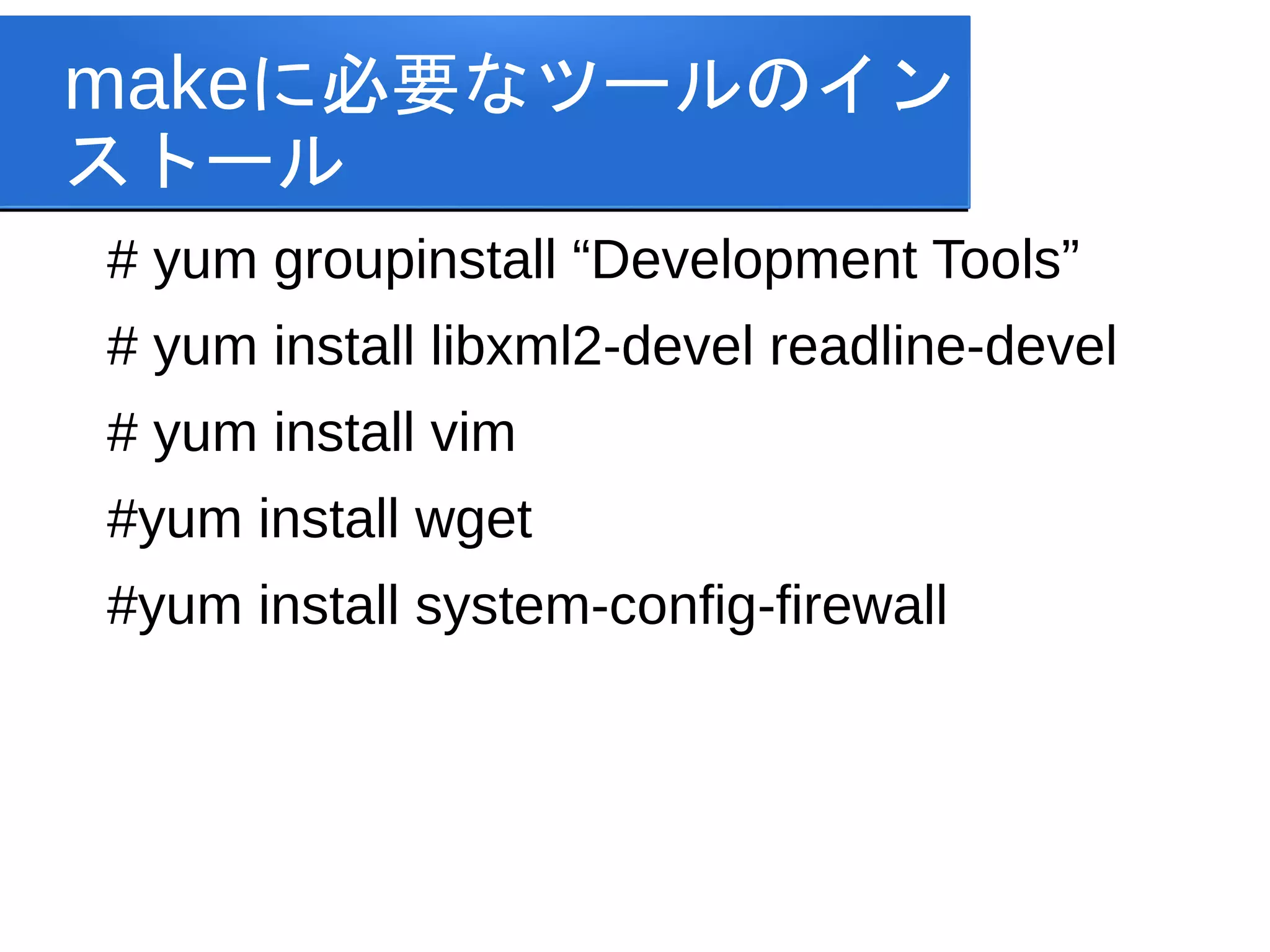
makeに必要なツールのイン ストール # yum groupinstall
“Development Tools” # yum install libxml2-devel readline-devel # yum install vim #yum install wget #yum install system-config-firewall
3.
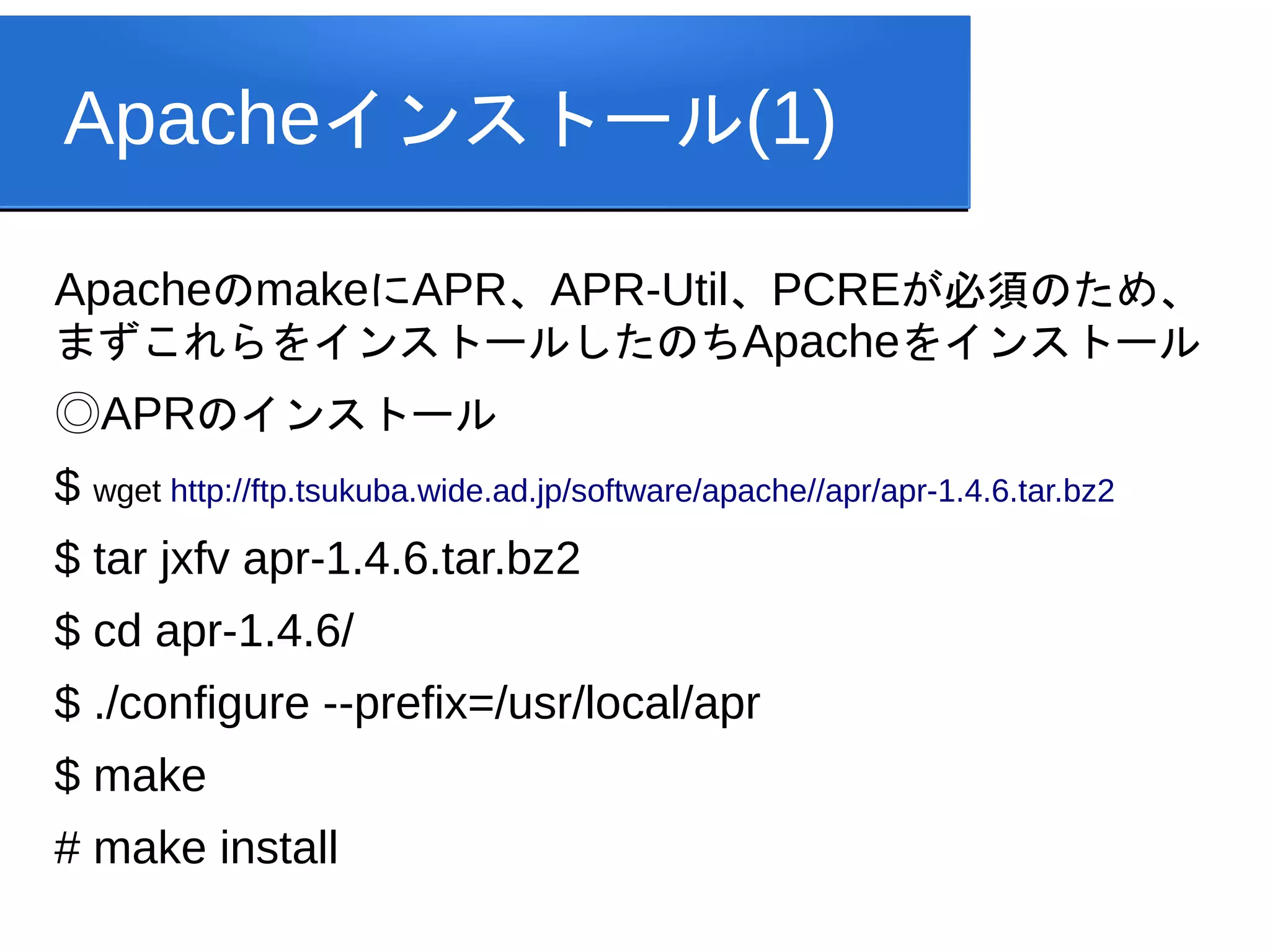
Apacheインストール(1) ApacheのmakeにAPR、APR-Util、PCREが必須のため、 まずこれらをインストールしたのちApacheをインストール ◎APRのインストール $ wget http://ftp.tsukuba.wide.ad.jp/software/apache//apr/apr-1.4.6.tar.bz2 $
tar jxfv apr-1.4.6.tar.bz2 $ cd apr-1.4.6/ $ ./configure --prefix=/usr/local/apr $ make # make install
4.
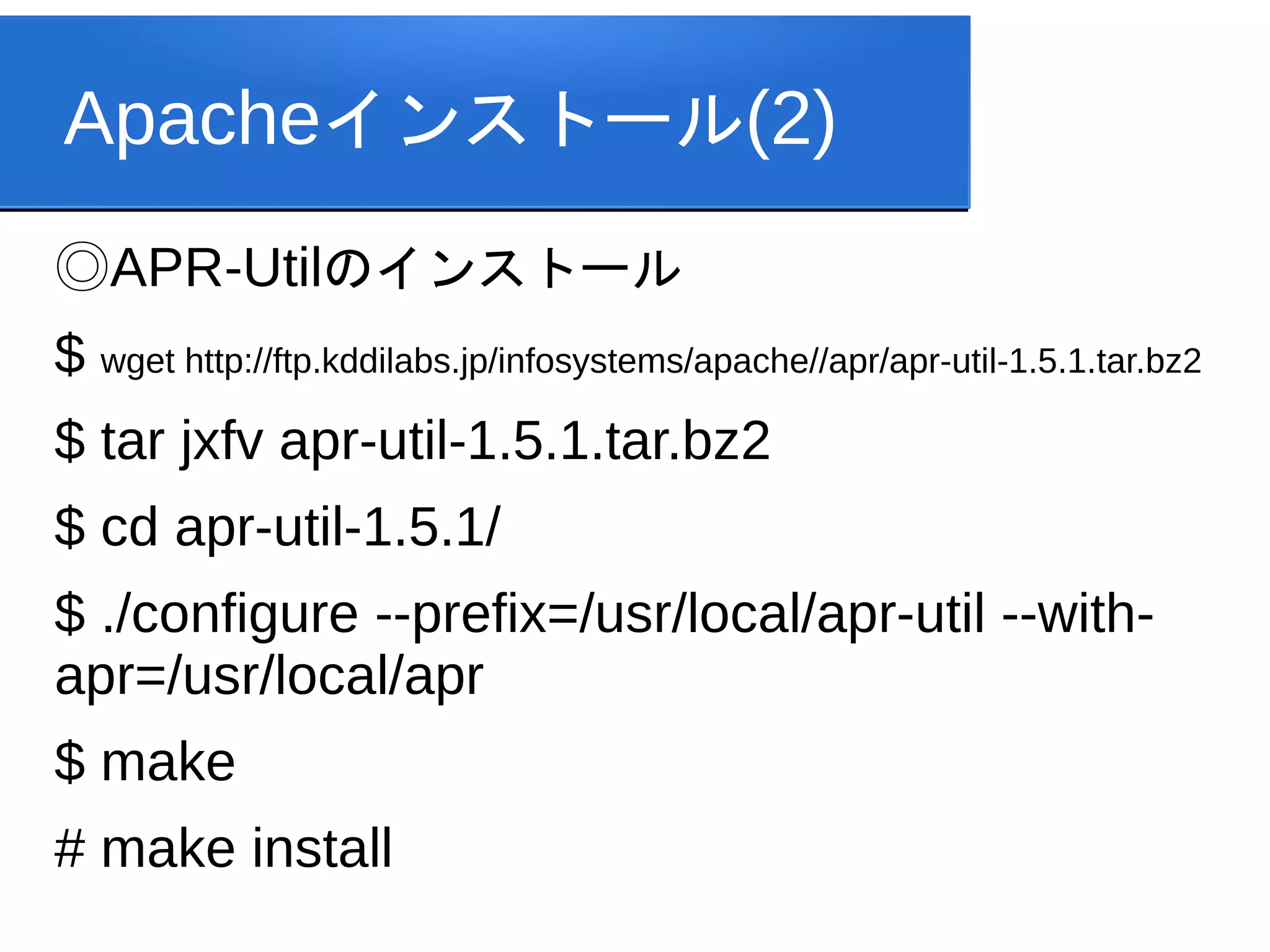
Apacheインストール(2) ◎APR-Utilのインストール $ wget http://ftp.kddilabs.jp/infosystems/apache//apr/apr-util-1.5.1.tar.bz2 $
tar jxfv apr-util-1.5.1.tar.bz2 $ cd apr-util-1.5.1/ $ ./configure --prefix=/usr/local/apr-util --with- apr=/usr/local/apr $ make # make install
5.
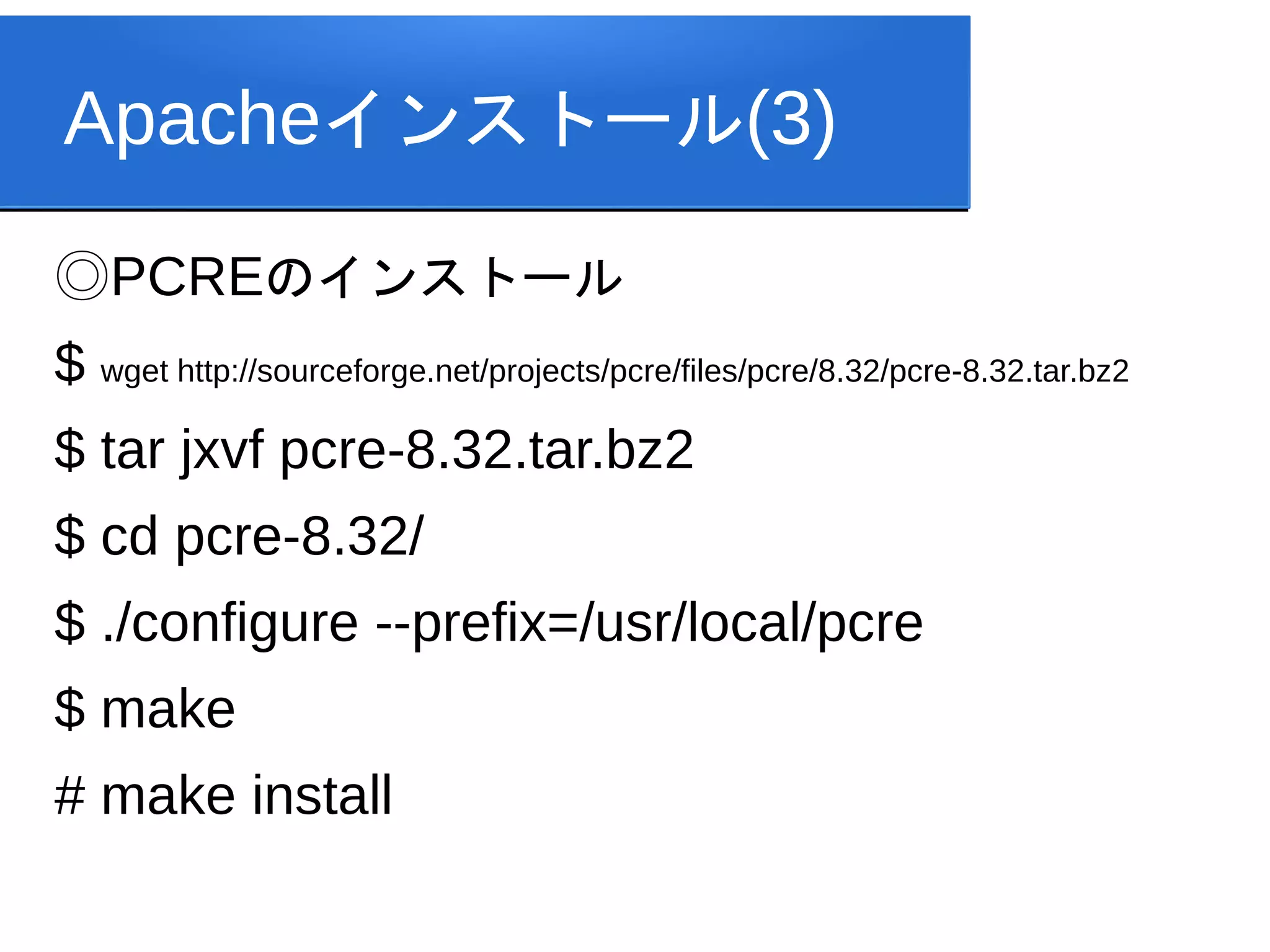
Apacheインストール(3) ◎PCREのインストール $ wget http://sourceforge.net/projects/pcre/files/pcre/8.32/pcre-8.32.tar.bz2 $
tar jxvf pcre-8.32.tar.bz2 $ cd pcre-8.32/ $ ./configure --prefix=/usr/local/pcre $ make # make install
6.
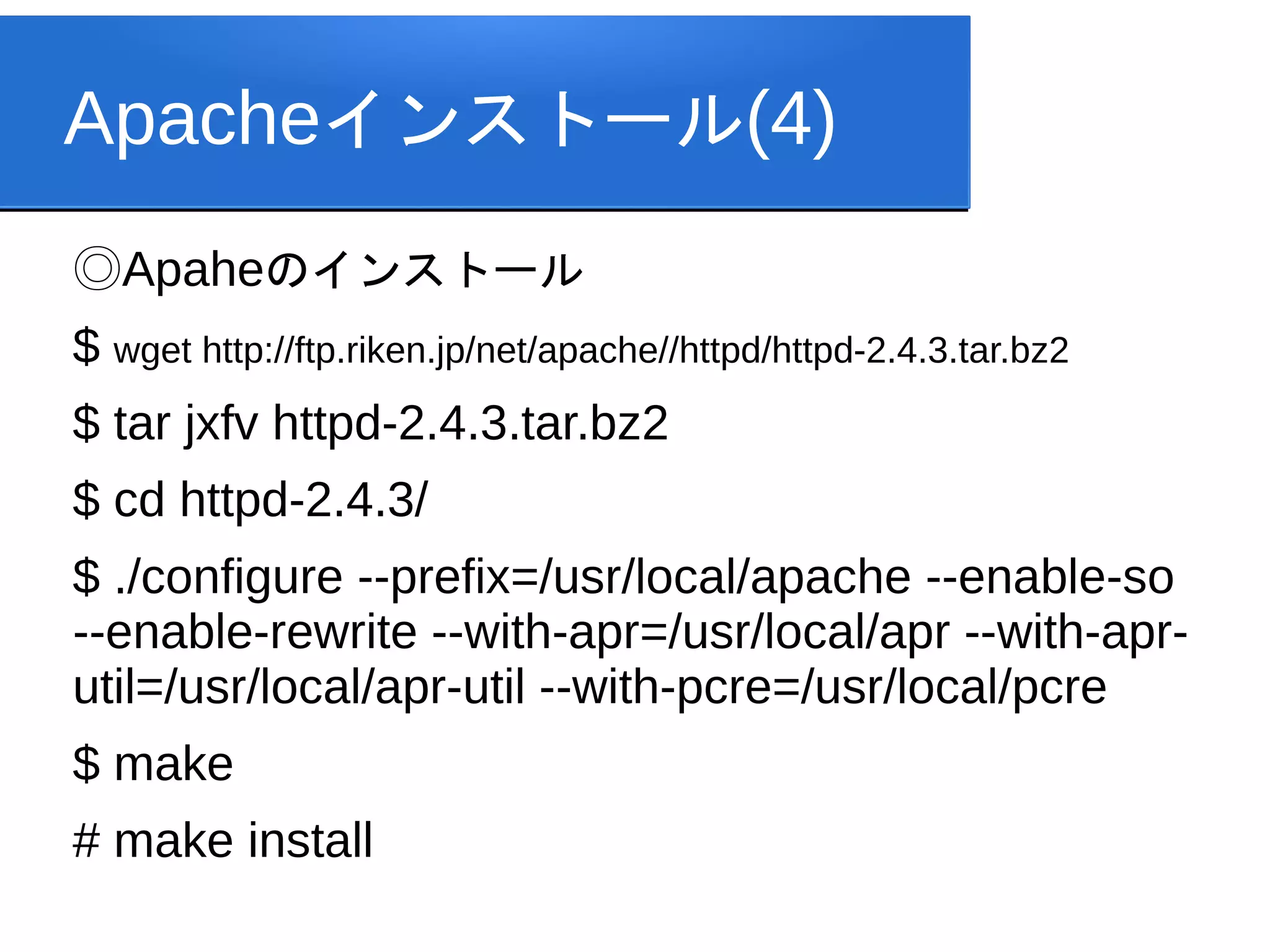
Apacheインストール(4) ◎Apaheのインストール $ wget http://ftp.riken.jp/net/apache//httpd/httpd-2.4.3.tar.bz2 $
tar jxfv httpd-2.4.3.tar.bz2 $ cd httpd-2.4.3/ $ ./configure --prefix=/usr/local/apache --enable-so --enable-rewrite --with-apr=/usr/local/apr --with-apr- util=/usr/local/apr-util --with-pcre=/usr/local/pcre $ make # make install
7.
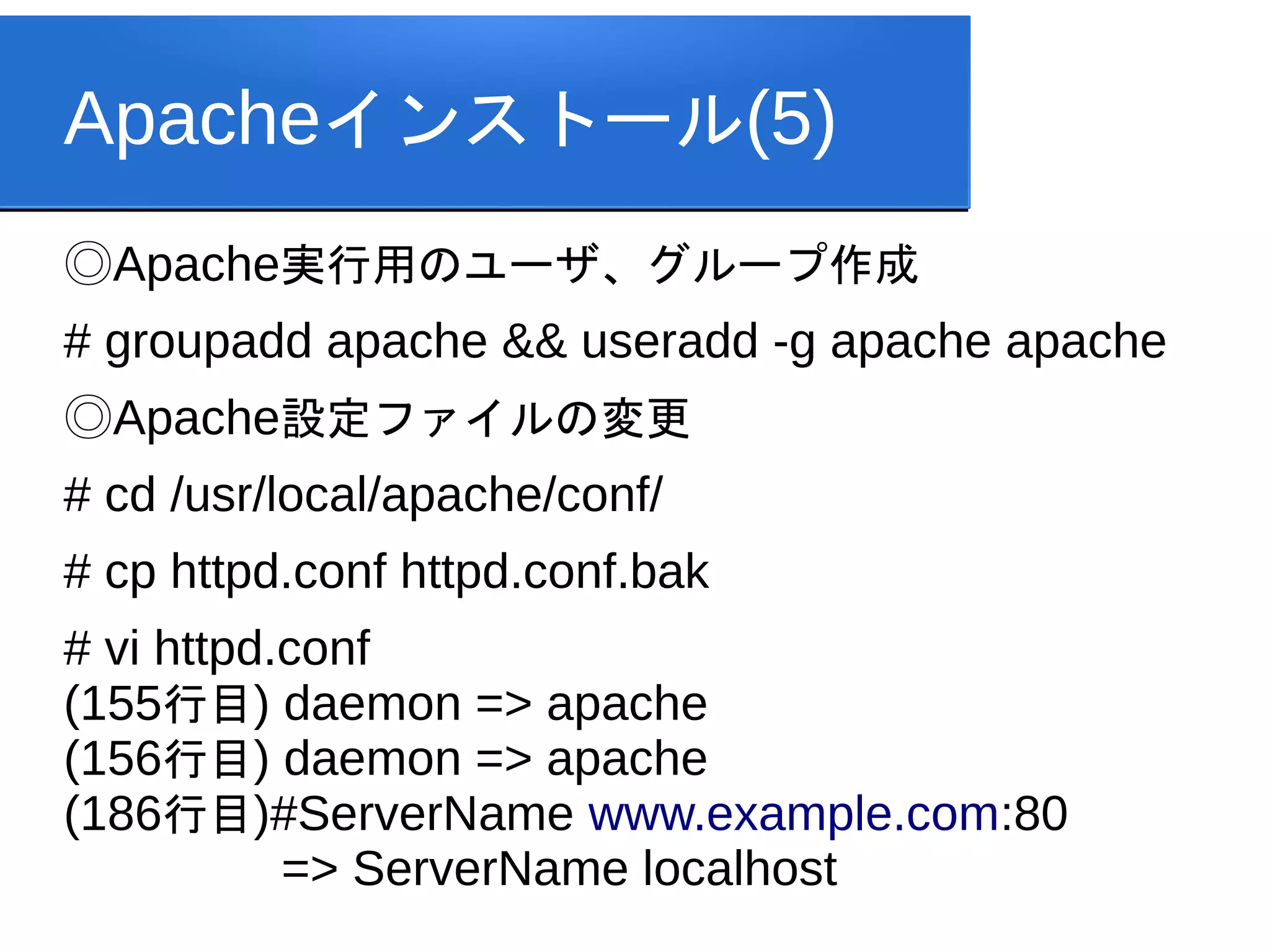
Apacheインストール(5) ◎Apache実行用のユーザ、グループ作成 # groupadd apache
&& useradd -g apache apache ◎Apache設定ファイルの変更 # cd /usr/local/apache/conf/ # cp httpd.conf httpd.conf.bak # vi httpd.conf (155行目) daemon => apache (156行目) daemon => apache (186行目)#ServerName www.example.com:80 => ServerName localhost
8.
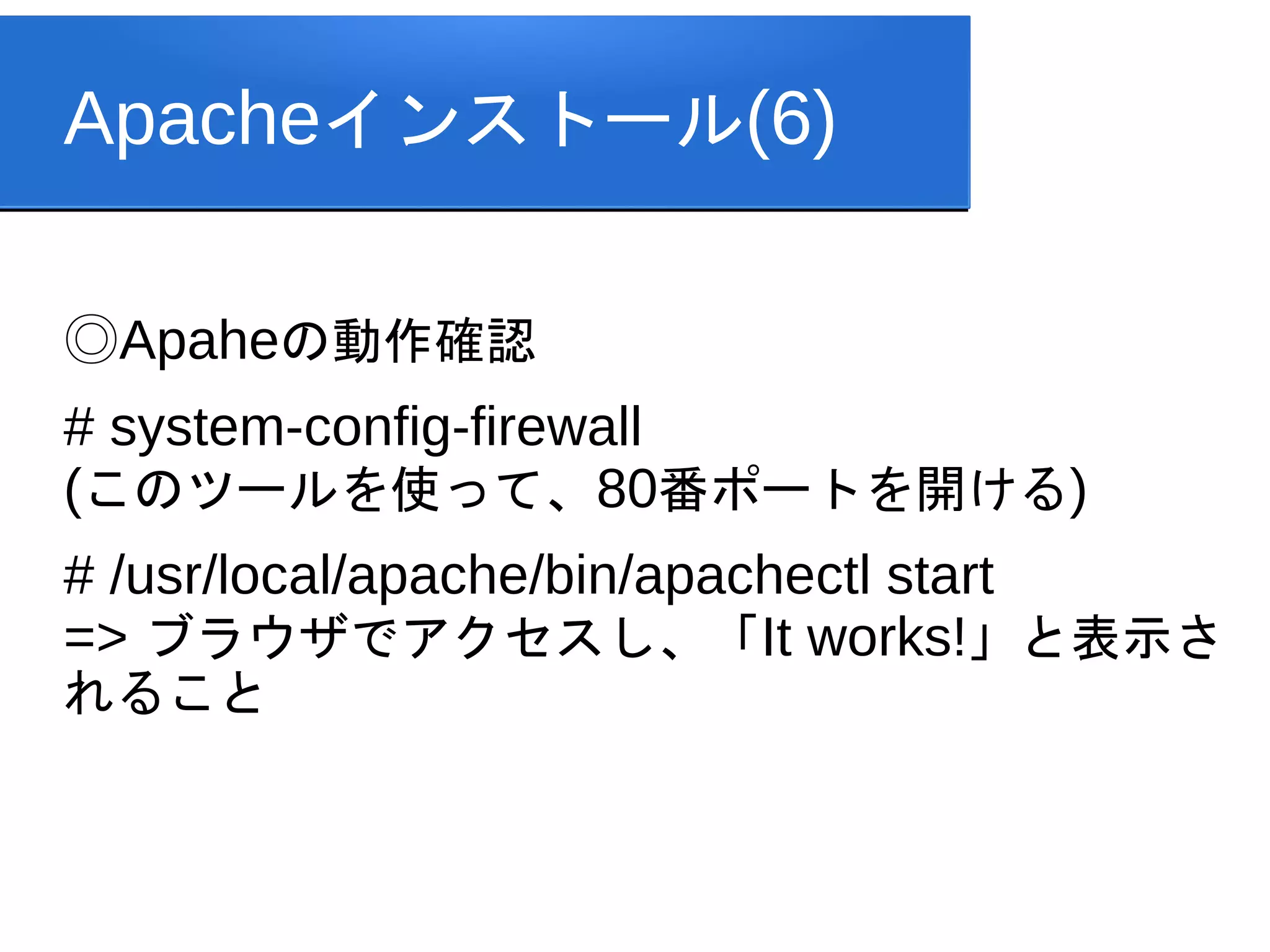
Apacheインストール(6) ◎Apaheの動作確認 # system-config-firewall (このツールを使って、80番ポートを開ける) # /usr/local/apache/bin/apachectl
start => ブラウザでアクセスし、「It works!」と表示さ れること
9.
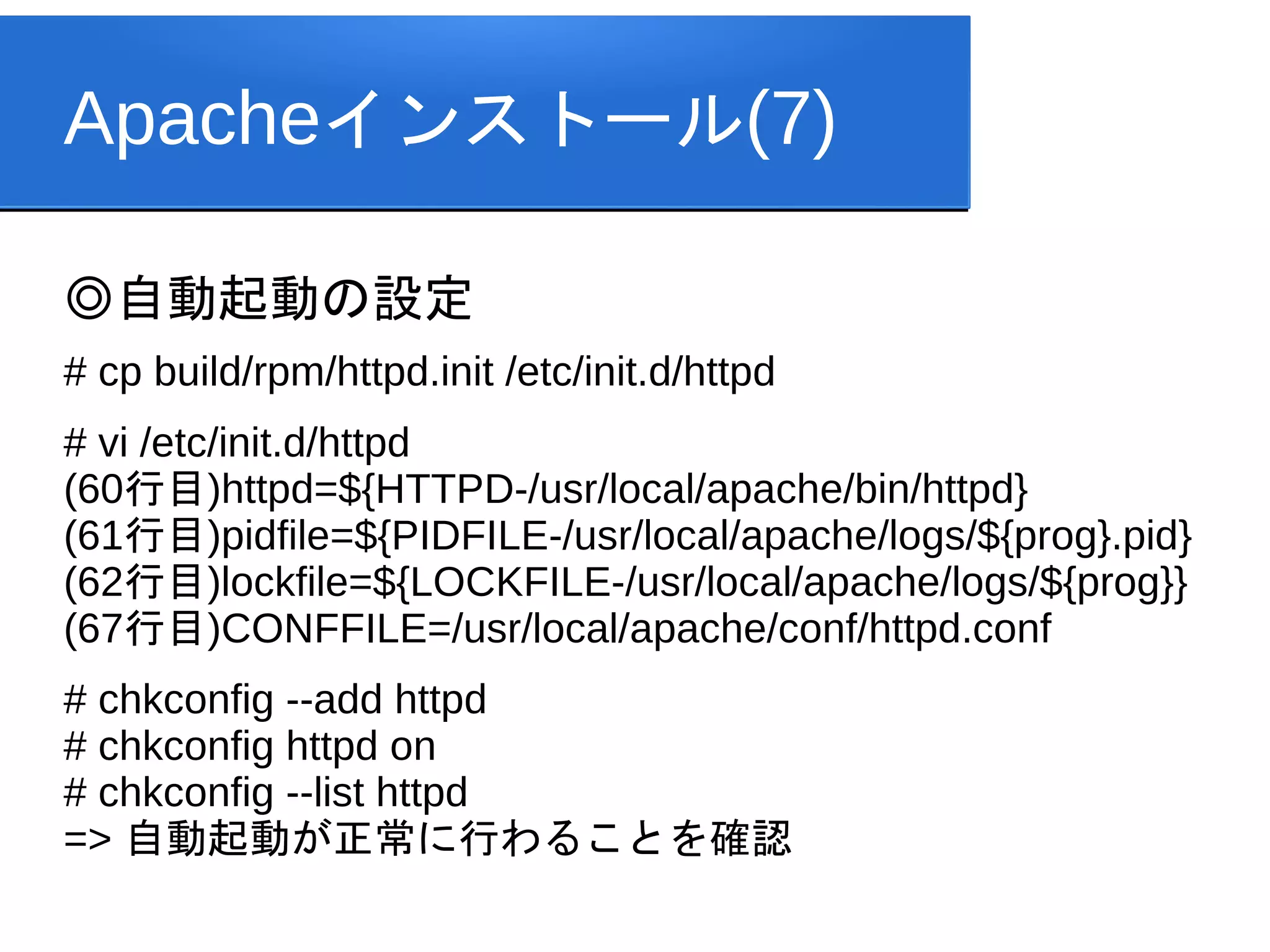
Apacheインストール(7) ◎自動起動の設定 # cp build/rpm/httpd.init
/etc/init.d/httpd # vi /etc/init.d/httpd (60行目)httpd=${HTTPD-/usr/local/apache/bin/httpd} (61行目)pidfile=${PIDFILE-/usr/local/apache/logs/${prog}.pid} (62行目)lockfile=${LOCKFILE-/usr/local/apache/logs/${prog}} (67行目)CONFFILE=/usr/local/apache/conf/httpd.conf # chkconfig --add httpd # chkconfig httpd on # chkconfig --list httpd => 自動起動が正常に行わることを確認
10.
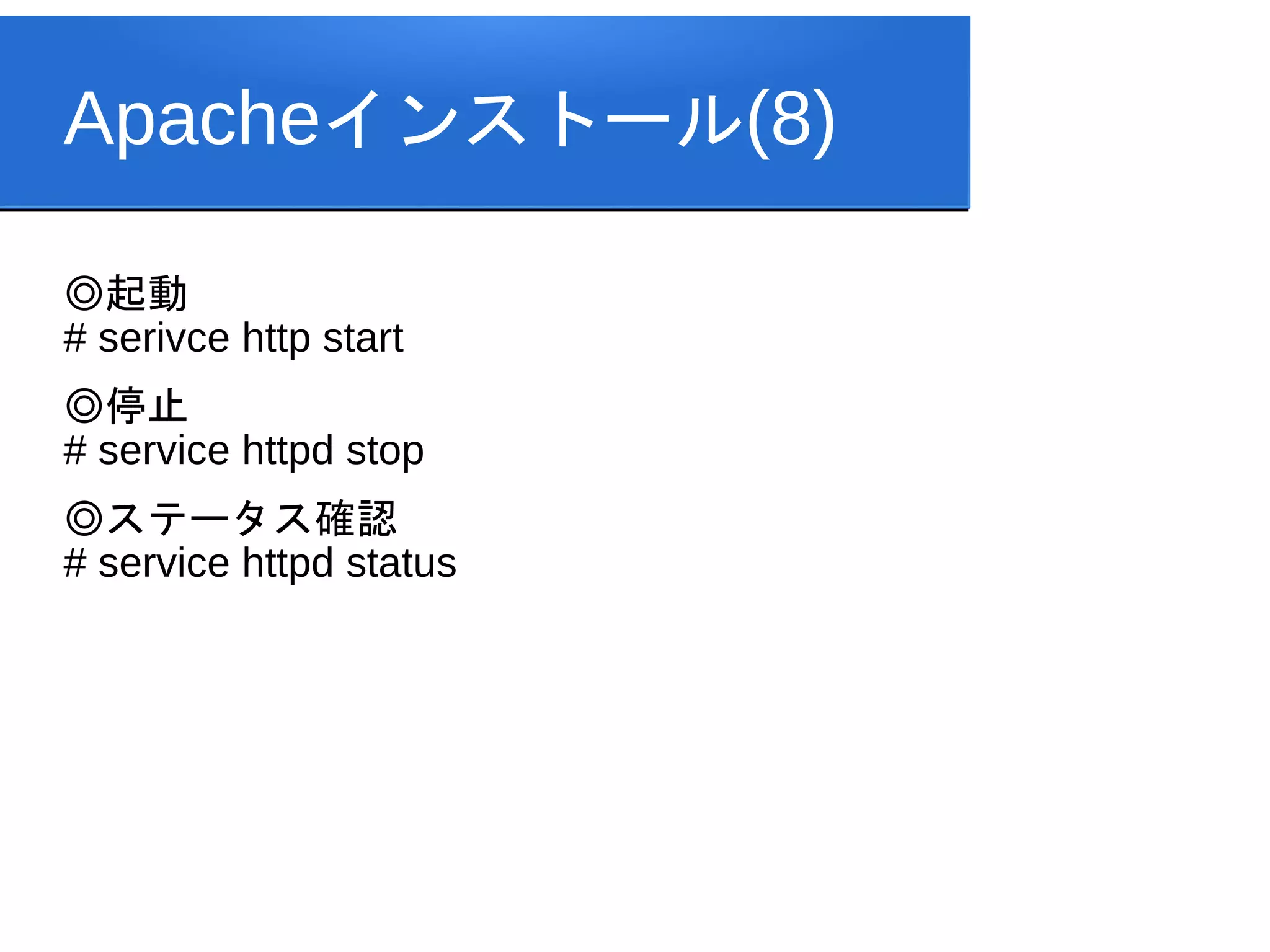
Apacheインストール(8) ◎起動 # serivce http
start ◎停止 # service httpd stop ◎ステータス確認 # service httpd status
11.
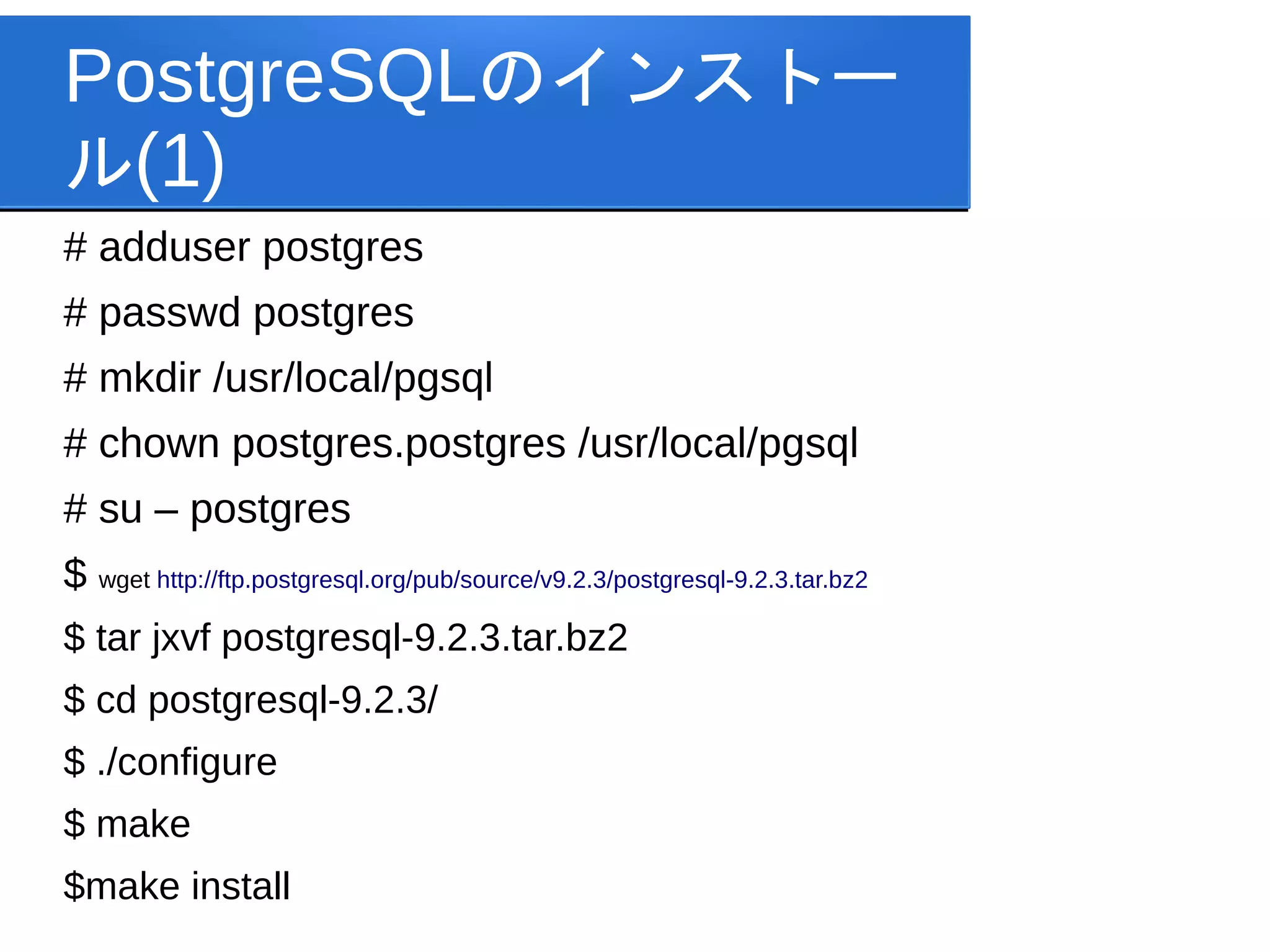
PostgreSQLのインストー ル(1) # adduser postgres #
passwd postgres # mkdir /usr/local/pgsql # chown postgres.postgres /usr/local/pgsql # su – postgres $ wget http://ftp.postgresql.org/pub/source/v9.2.3/postgresql-9.2.3.tar.bz2 $ tar jxvf postgresql-9.2.3.tar.bz2 $ cd postgresql-9.2.3/ $ ./configure $ make $make install
12.
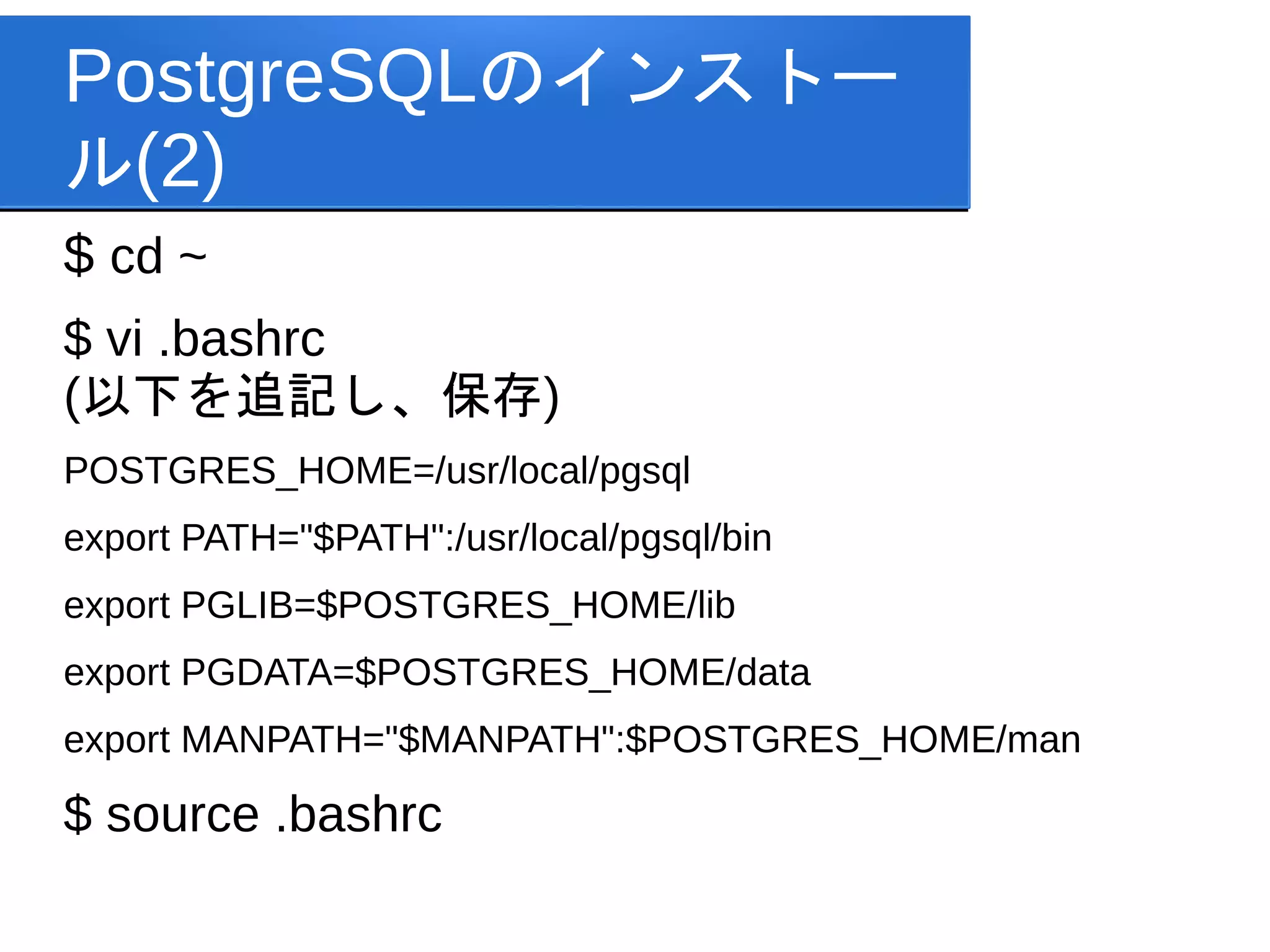
PostgreSQLのインストー ル(2) $ cd ~ $
vi .bashrc (以下を追記し、保存) POSTGRES_HOME=/usr/local/pgsql export PATH="$PATH":/usr/local/pgsql/bin export PGLIB=$POSTGRES_HOME/lib export PGDATA=$POSTGRES_HOME/data export MANPATH="$MANPATH":$POSTGRES_HOME/man $ source .bashrc
13.
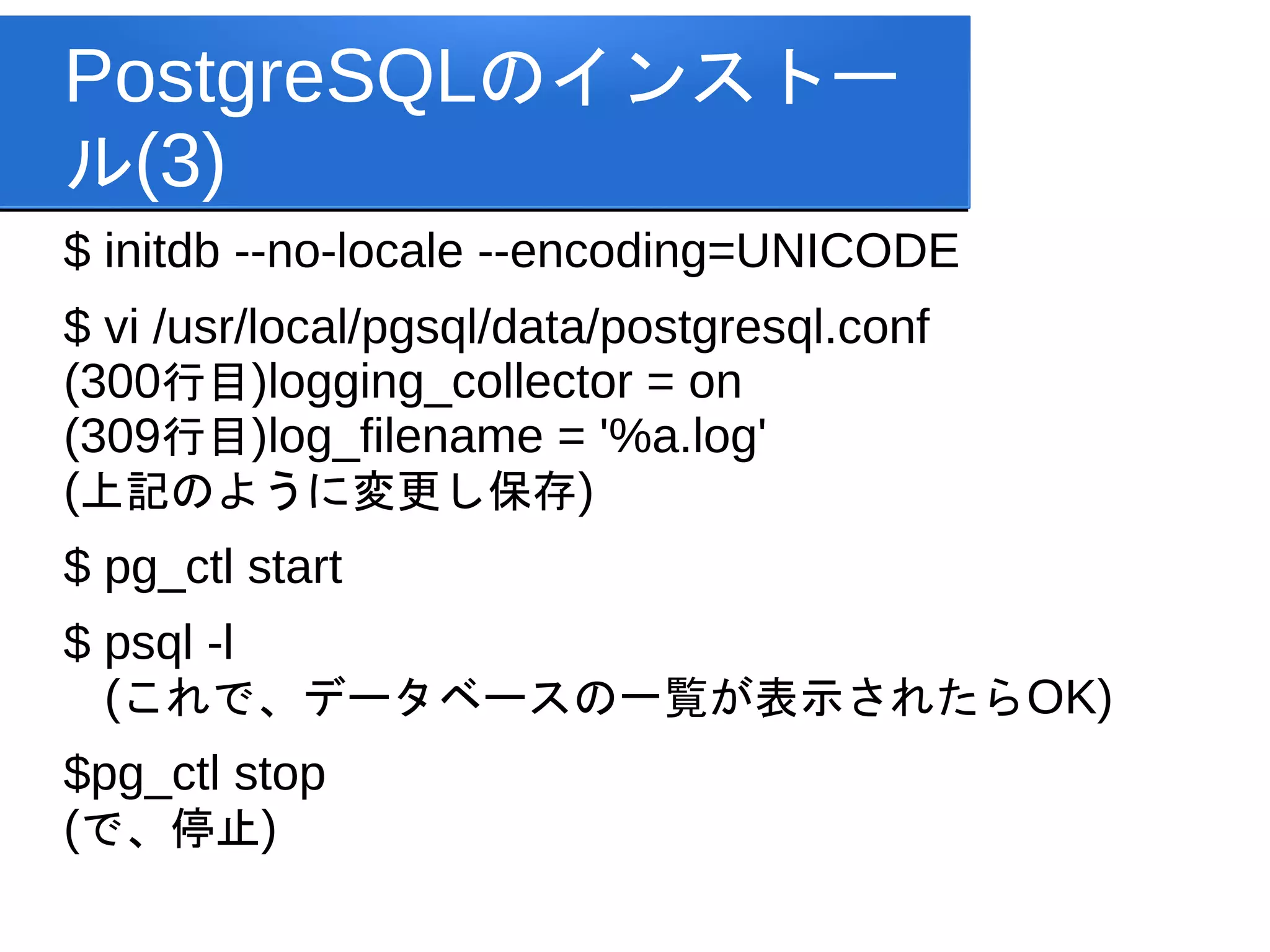
PostgreSQLのインストー ル(3) $ initdb --no-locale
--encoding=UNICODE $ vi /usr/local/pgsql/data/postgresql.conf (300行目)logging_collector = on (309行目)log_filename = '%a.log' (上記のように変更し保存) $ pg_ctl start $ psql -l (これで、データベースの一覧が表示されたらOK) $pg_ctl stop (で、停止)
14.
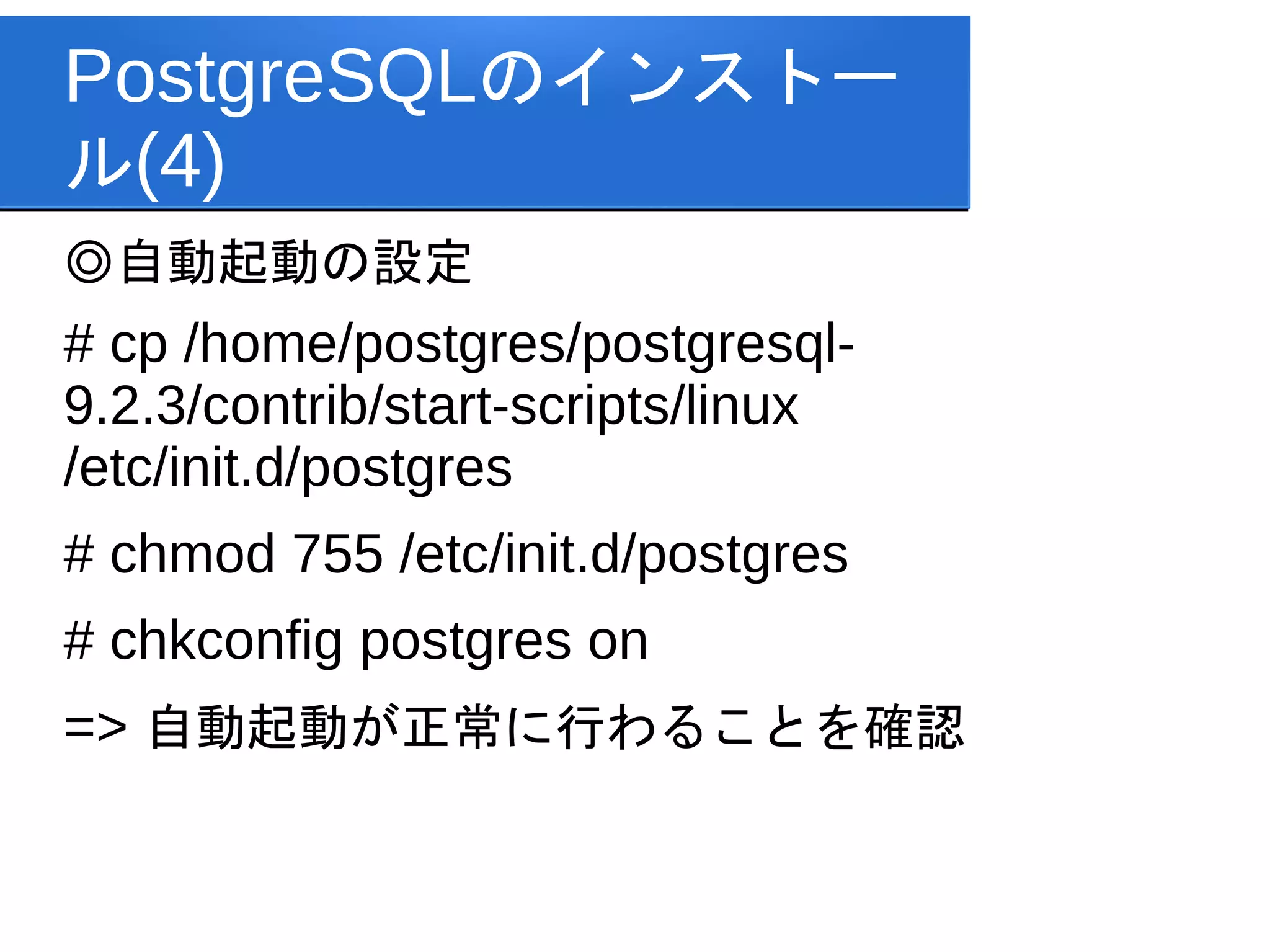
PostgreSQLのインストー ル(4) ◎自動起動の設定 # cp /home/postgres/postgresql- 9.2.3/contrib/start-scripts/linux /etc/init.d/postgres #
chmod 755 /etc/init.d/postgres # chkconfig postgres on => 自動起動が正常に行わることを確認
15.
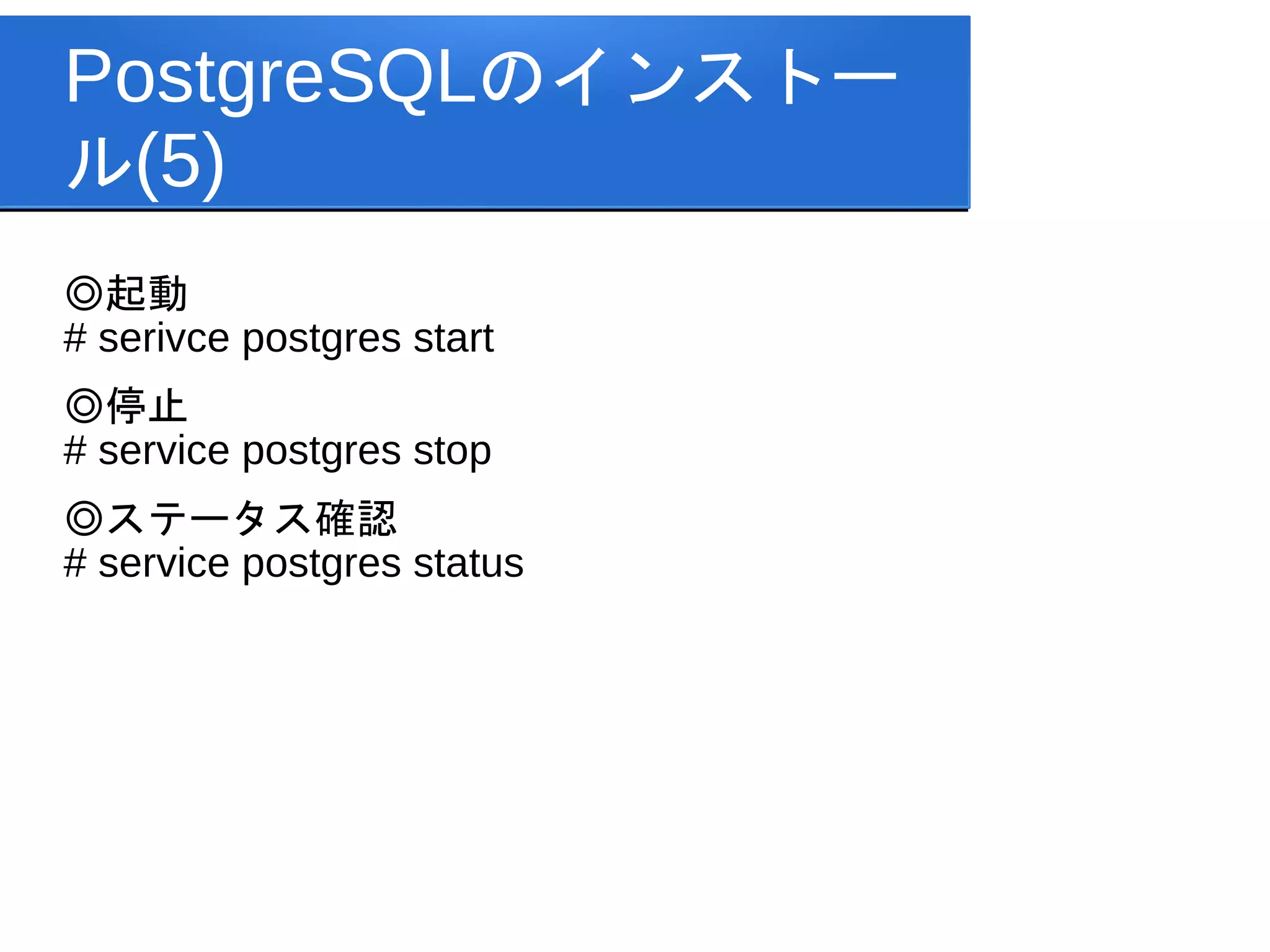
PostgreSQLのインストー ル(5) ◎起動 # serivce postgres
start ◎停止 # service postgres stop ◎ステータス確認 # service postgres status
16.
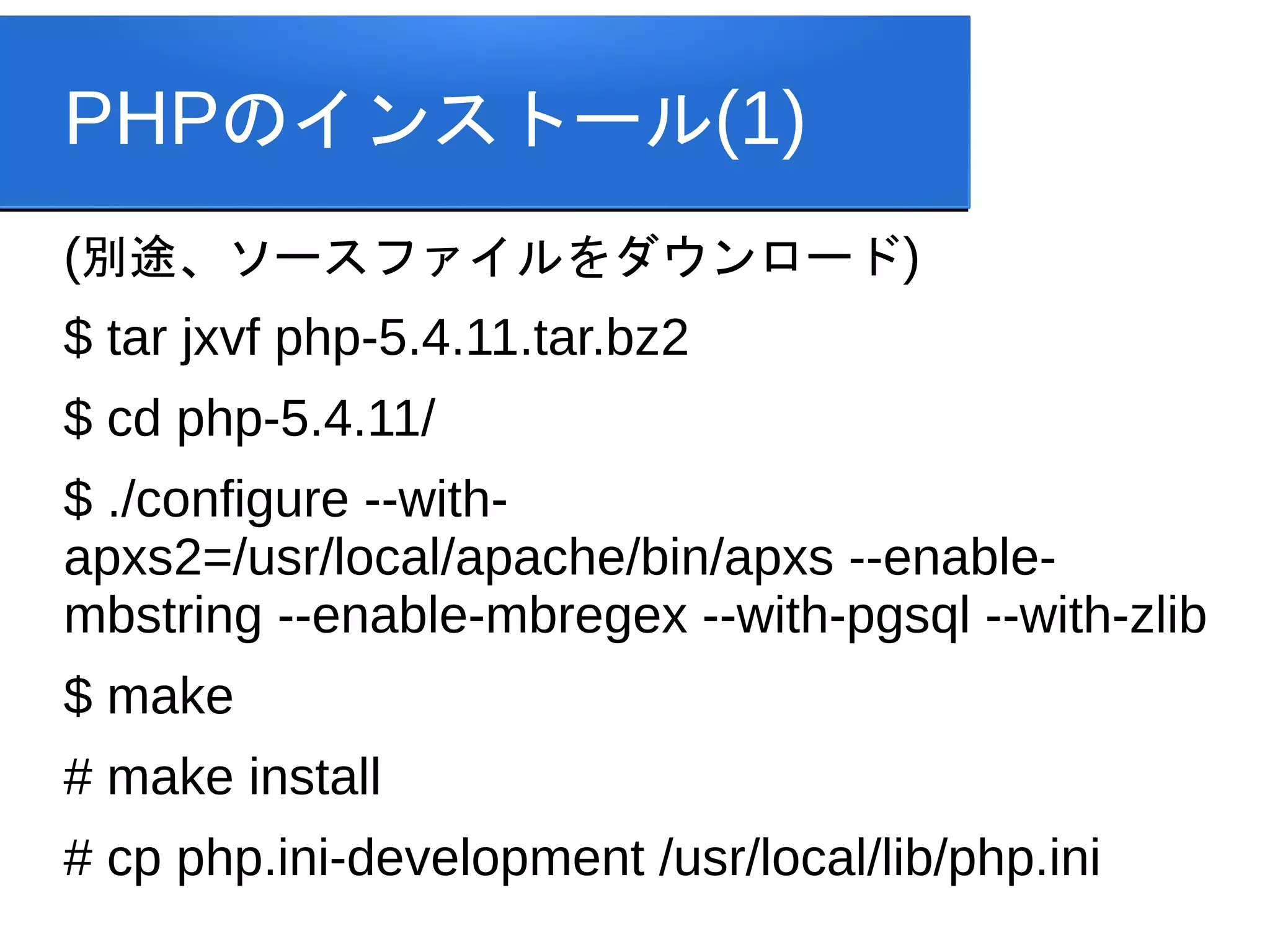
PHPのインストール(1) (別途、ソースファイルをダウンロード) $ tar jxvf
php-5.4.11.tar.bz2 $ cd php-5.4.11/ $ ./configure --with- apxs2=/usr/local/apache/bin/apxs --enable- mbstring --enable-mbregex --with-pgsql --with-zlib $ make # make install # cp php.ini-development /usr/local/lib/php.ini
17.
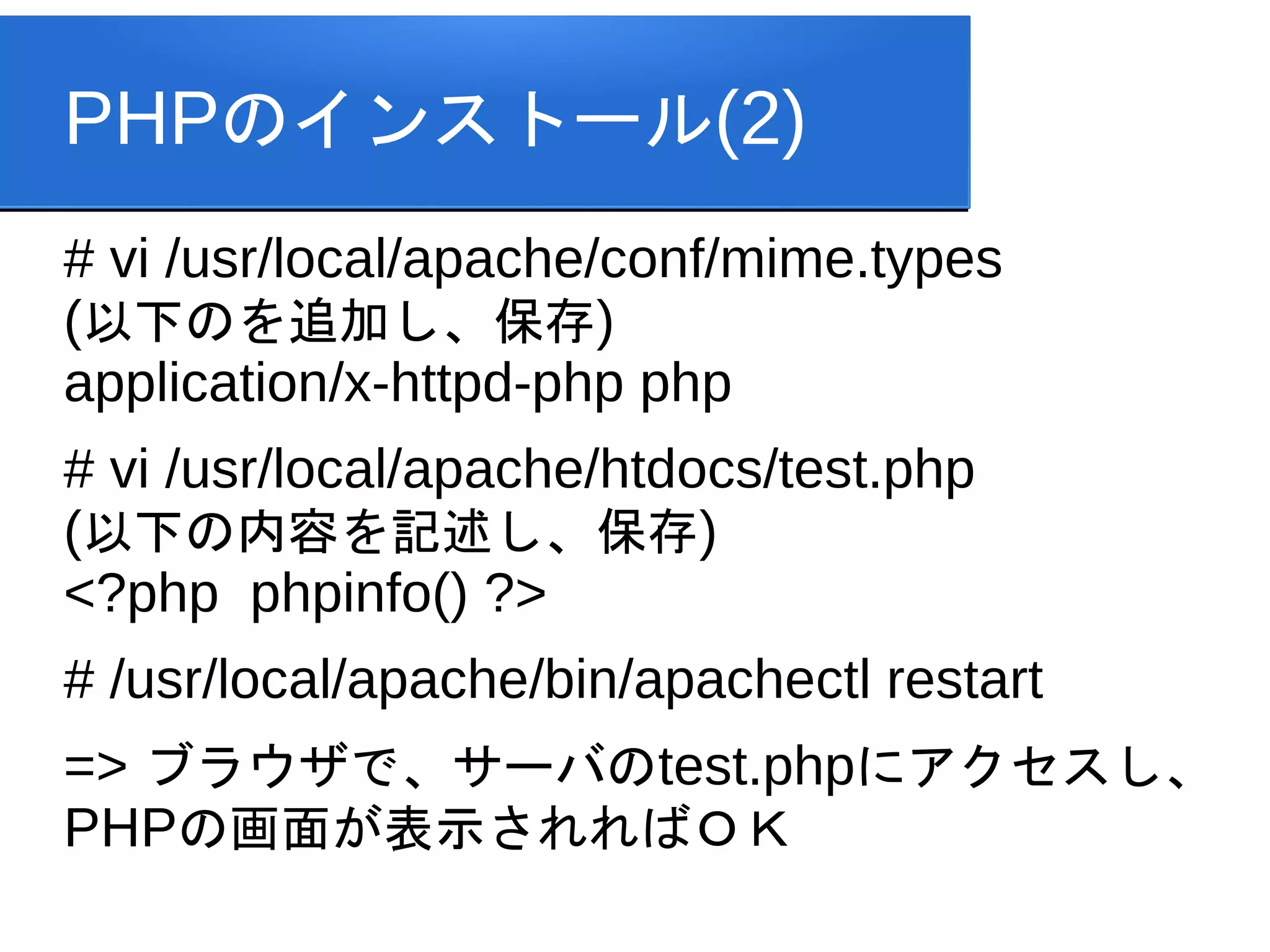
PHPのインストール(2) # vi /usr/local/apache/conf/mime.types (以下のを追加し、保存) application/x-httpd-php
php # vi /usr/local/apache/htdocs/test.php (以下の内容を記述し、保存) <?php phpinfo() ?> # /usr/local/apache/bin/apachectl restart => ブラウザで、サーバのtest.phpにアクセスし、 PHPの画面が表示されればOK
Download



![[C31] OSS-DB Exam Silver 技術解説セミナー by Ryota Watabe](https://cdn.slidesharecdn.com/ss_thumbnails/c31-140624234426-phpapp02-thumbnail.jpg?width=640&height=640&fit=bounds)


