Laboratory 10 – Assessment Worksheet
1.) List and briefly describe the steps in the secure software development lifecycle
(SDL)?
Requirements – What is needed to secure the software from
Design – Designing of securing the software – ideas for securing the
software
Test Plans – Testing the flaws and problems
Code Development – Developing the patches and upgrades
Verification – Installation of the patches and upgrades and verifying
that they work
Release – Sending the patches and updates out for updating of the
software
Remediation & Response – Resolution of the problem and responding
to the problem.
2.) Explain what STRIDE is and specify what the acronym stands for.
STRIDE is a threat model.
• Spoofing identity. An example of identity spoofing is illegally accessing and
then using another user's authentication information, such as username and
password.
• Tampering with data. Data tampering involves the malicious modification
of data. Examples include unauthorized changes made to persistent data,
such as that held in a database, and the alteration of data as it flows
between two computers over an open network, such as the Internet.
• Repudiation. Repudiation threats are associated with users who deny
performing an action without other parties having any way to prove
otherwise—for example, a user performs an illegal operation in a system that
lacks the ability to trace the prohibited operations. Nonrepudiation refers to
the ability of a system to counter repudiation threats. For example, a user
who purchases an item might have to sign for the item upon receipt. The
vendor can then use the signed receipt as evidence that the user did receive
the package.
• Information disclosure. Information disclosure threats involve the
exposure of information to individuals who are not supposed to have access
to it—for example, the ability of users to read a file that they were not
granted access to, or the ability of an intruder to read data in transit between
two computers.
• Denial of service. Denial of service (DoS) attacks denies service to valid
users—for example, by making a Web server temporarily unavailable or
unusable. You must protect against certain types of DoS threats simply to
improve system availability and reliability.
• Elevation of privilege. In this type of threat, an unprivileged user gains
privileged access and thereby has sufficient access to compromise or destroy
the entire system. Elevation of privilege threats include those situations in
which an attacker has effectively penetrated all system defenses and become
part of the trusted system itself, a dangerous situation indeed.
9.) What core areas should a training program cover during the SDLC?
During the implementation period of the lifecycle so that the
individual’s that use the software will know how to use the program
with the new changes.
11.) What is a buffer overflow or overrun condition?
Buffer overflow or buffer overrun is when a too much data is trying
to be written to a stored area that is beyond the fixed-length buffer
12.) In the secure software development lifecycle, why is it a good idea to create a
test plan before the actual code is developed?
It allows the team to create a plan on how they want to test the
software once the code has been developed so that the team knows
what to do once the code has been created.
15.) What is “White box” testing and at what junction in the secure software
development lifecycle should it be introduced?
White box testing is the test to check or examine the code of an
application. This should be done at the finish of the code creation
lifecycle step.
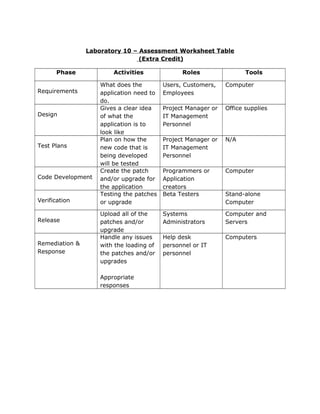
Laboratory 10 – Assessment Worksheet Table
(Extra Credit)
Phase Activities Roles Tools
Requirements
What does the
application need to
do.
Users, Customers,
Employees
Computer
Design
Gives a clear idea
of what the
application is to
look like
Project Manager or
IT Management
Personnel
Office supplies
Test Plans
Plan on how the
new code that is
being developed
will be tested
Project Manager or
IT Management
Personnel
N/A
Code Development
Create the patch
and/or upgrade for
the application
Programmers or
Application
creators
Computer
Verification
Testing the patches
or upgrade
Beta Testers Stand-alone
Computer
Release
Upload all of the
patches and/or
upgrade
Systems
Administrators
Computer and
Servers
Remediation &
Response
Handle any issues
with the loading of
the patches and/or
upgrades
Appropriate
responses
Help desk
personnel or IT
personnel
Computers

Lab 10

  • 1.
    Laboratory 10 –Assessment Worksheet 1.) List and briefly describe the steps in the secure software development lifecycle (SDL)? Requirements – What is needed to secure the software from Design – Designing of securing the software – ideas for securing the software Test Plans – Testing the flaws and problems Code Development – Developing the patches and upgrades Verification – Installation of the patches and upgrades and verifying that they work Release – Sending the patches and updates out for updating of the software Remediation & Response – Resolution of the problem and responding to the problem. 2.) Explain what STRIDE is and specify what the acronym stands for. STRIDE is a threat model. • Spoofing identity. An example of identity spoofing is illegally accessing and then using another user's authentication information, such as username and password. • Tampering with data. Data tampering involves the malicious modification of data. Examples include unauthorized changes made to persistent data, such as that held in a database, and the alteration of data as it flows between two computers over an open network, such as the Internet. • Repudiation. Repudiation threats are associated with users who deny performing an action without other parties having any way to prove otherwise—for example, a user performs an illegal operation in a system that lacks the ability to trace the prohibited operations. Nonrepudiation refers to the ability of a system to counter repudiation threats. For example, a user who purchases an item might have to sign for the item upon receipt. The vendor can then use the signed receipt as evidence that the user did receive the package. • Information disclosure. Information disclosure threats involve the exposure of information to individuals who are not supposed to have access to it—for example, the ability of users to read a file that they were not
  • 2.
    granted access to,or the ability of an intruder to read data in transit between two computers. • Denial of service. Denial of service (DoS) attacks denies service to valid users—for example, by making a Web server temporarily unavailable or unusable. You must protect against certain types of DoS threats simply to improve system availability and reliability. • Elevation of privilege. In this type of threat, an unprivileged user gains privileged access and thereby has sufficient access to compromise or destroy the entire system. Elevation of privilege threats include those situations in which an attacker has effectively penetrated all system defenses and become part of the trusted system itself, a dangerous situation indeed. 9.) What core areas should a training program cover during the SDLC? During the implementation period of the lifecycle so that the individual’s that use the software will know how to use the program with the new changes. 11.) What is a buffer overflow or overrun condition? Buffer overflow or buffer overrun is when a too much data is trying to be written to a stored area that is beyond the fixed-length buffer 12.) In the secure software development lifecycle, why is it a good idea to create a test plan before the actual code is developed? It allows the team to create a plan on how they want to test the software once the code has been developed so that the team knows what to do once the code has been created. 15.) What is “White box” testing and at what junction in the secure software development lifecycle should it be introduced? White box testing is the test to check or examine the code of an application. This should be done at the finish of the code creation lifecycle step.
  • 3.
    Laboratory 10 –Assessment Worksheet Table (Extra Credit) Phase Activities Roles Tools Requirements What does the application need to do. Users, Customers, Employees Computer Design Gives a clear idea of what the application is to look like Project Manager or IT Management Personnel Office supplies Test Plans Plan on how the new code that is being developed will be tested Project Manager or IT Management Personnel N/A Code Development Create the patch and/or upgrade for the application Programmers or Application creators Computer Verification Testing the patches or upgrade Beta Testers Stand-alone Computer Release Upload all of the patches and/or upgrade Systems Administrators Computer and Servers Remediation & Response Handle any issues with the loading of the patches and/or upgrades Appropriate responses Help desk personnel or IT personnel Computers