Welkom bij de Webinar
Kubernetes
23 april 2020 • Kabisa
1
Agenda
2
Over ons en Kabisa
Kubernetes introductie
Workshop
Q&A
WHERE SOME SEE CODE,
WE SEE A CANVAS
We approach every project as a work of artistry and expression. Combined with
vast technical knowledge, flexibility and long term experience in developing web
applications, Kabisa delivers custom-made solutions with Quality and Elegance.
Always.
3
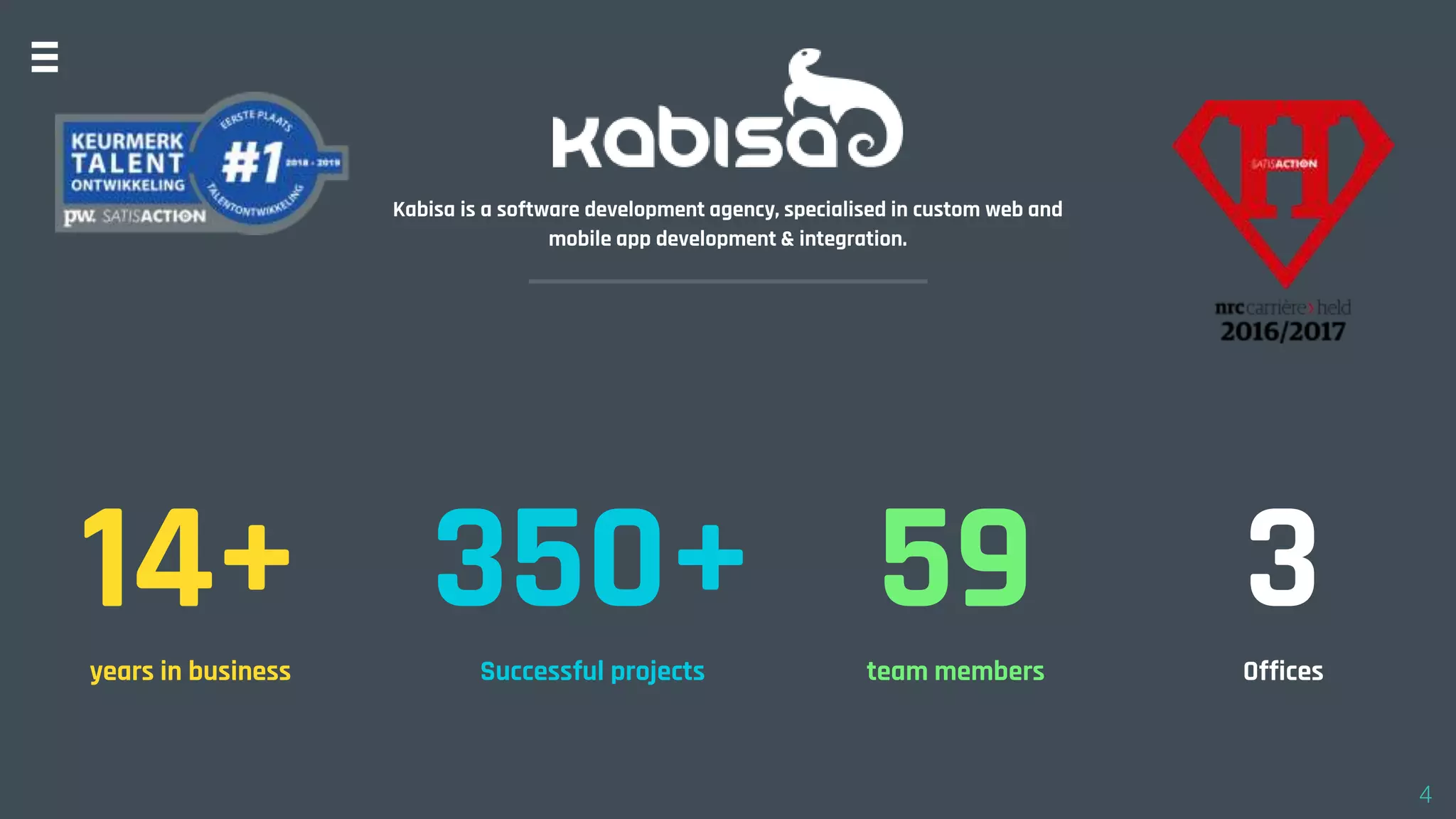
Kabisa is a software development agency, specialised in custom web and
mobile app development & integration.
14+years in business
350+Successful projects
59team members
3Offices
4
SOFTWARE SPECIALIST IN
HIGHTECH, LOGISTICS & COMPLEX RETAIL
We approach every project as a work of artistry and expression. Combined with vast
technical knowledge, flexibility and long term experience in developing web
applications, Kabisa delivers custom-made solutions with Quality and Elegance. Always.
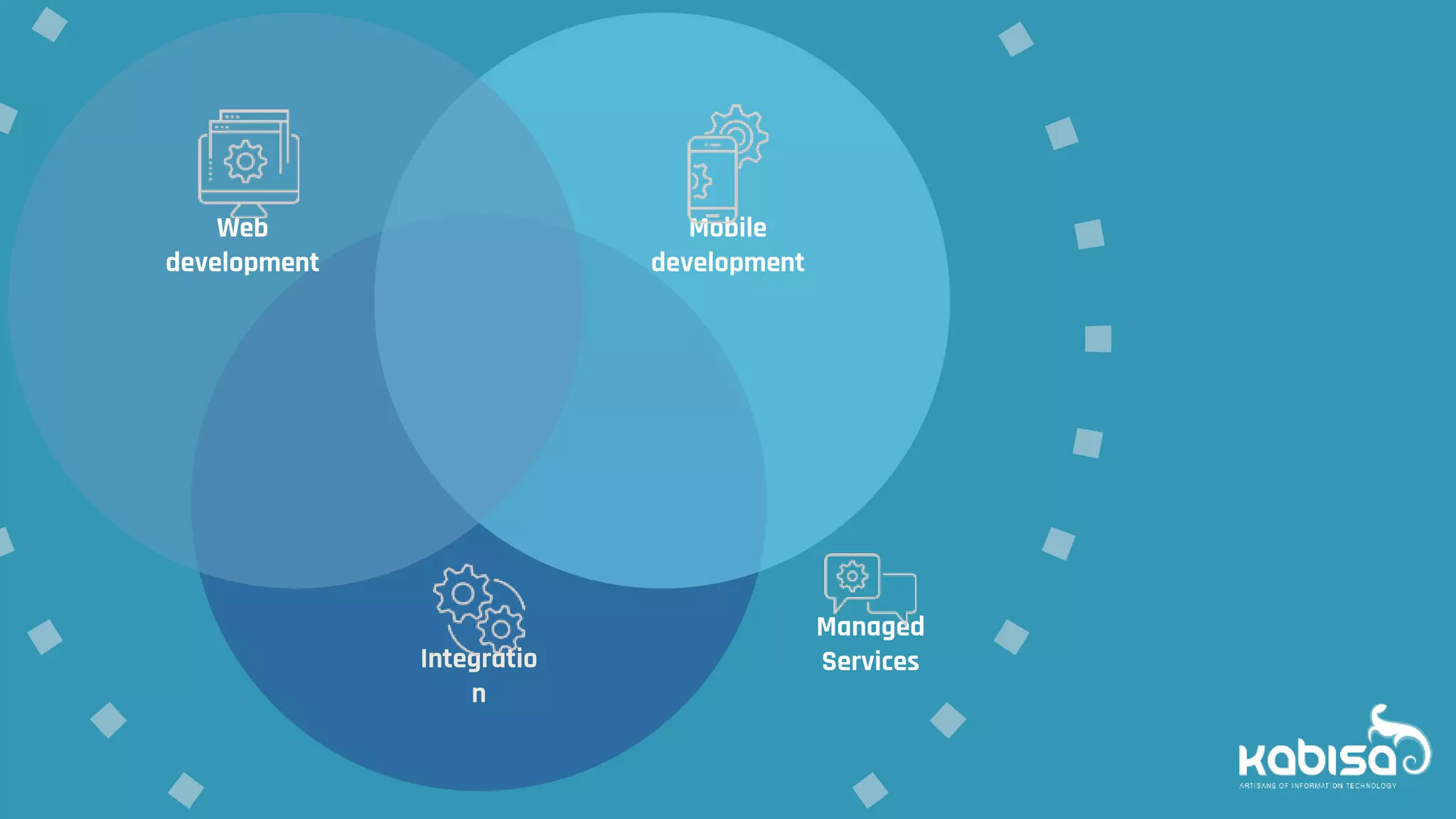
Integratio
n
Mobile
development
Web
development
Managed
Services
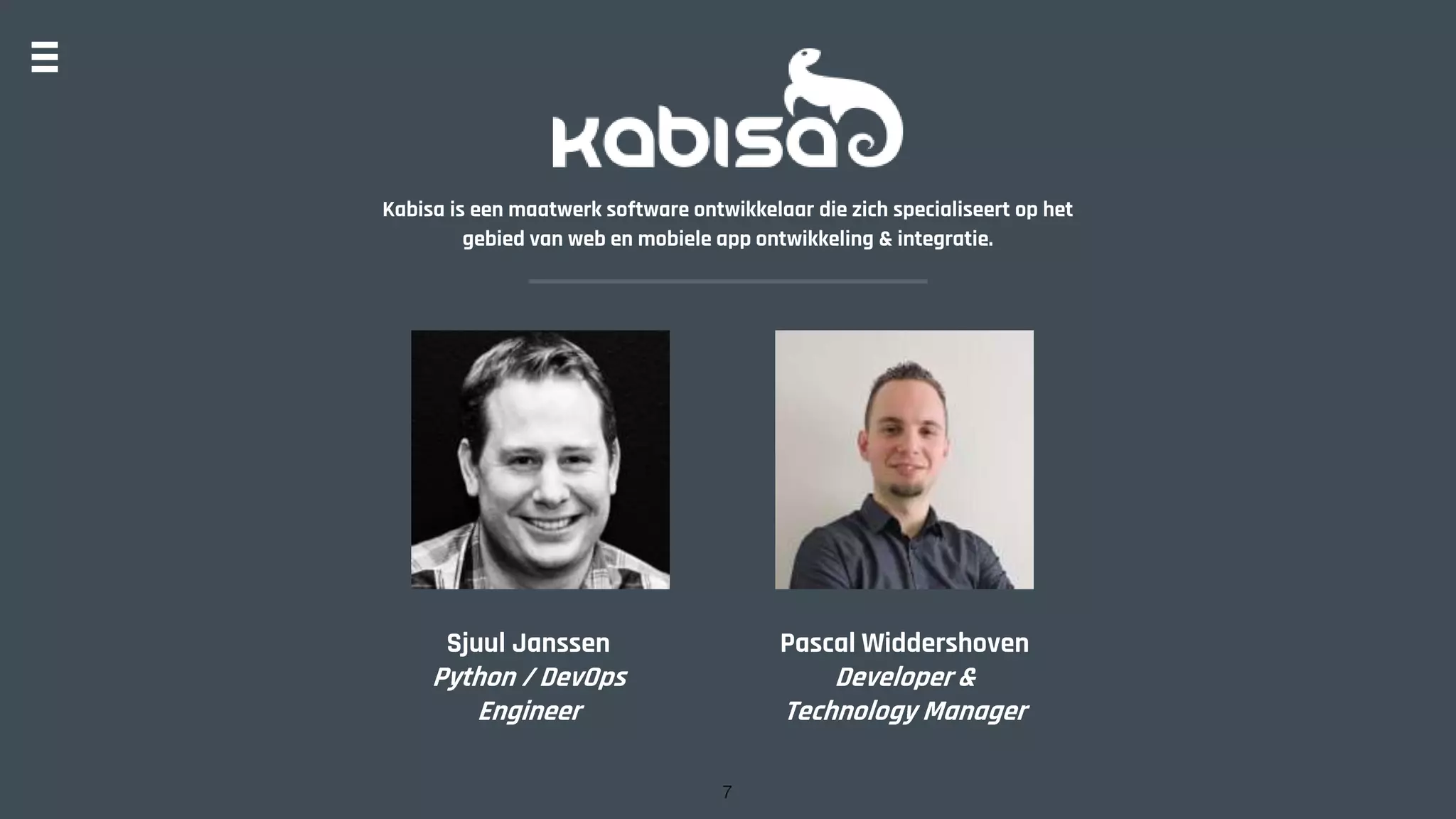
Kabisa is een maatwerk software ontwikkelaar die zich specialiseert op het
gebied van web en mobiele app ontwikkeling & integratie.
Sjuul Janssen
Python / DevOps
Engineer
Pascal Widdershoven
Developer &
Technology Manager
7
http://kabisa.nl
Wat is jullie kennis niveau
van Kubernetes?
Kubernetes
“K8s is an open-source system for
automating deployment, scaling,
and management of containerized
applications.”
This workshop
Concepts
10
Hands on experience
2 Billion containers launched
per week at Google
11
Concepts1
12
13
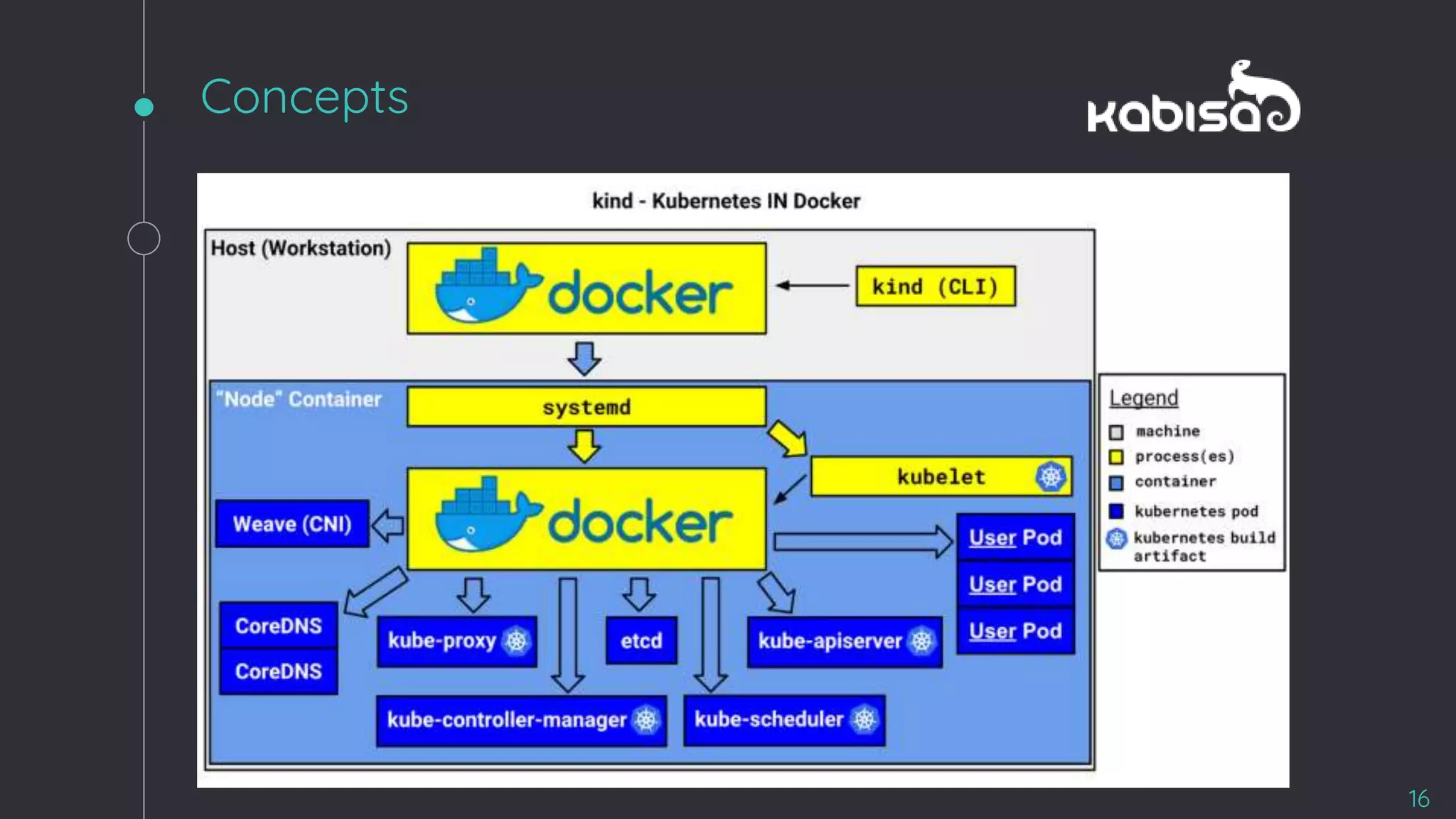
Cluster Parts
Concepts
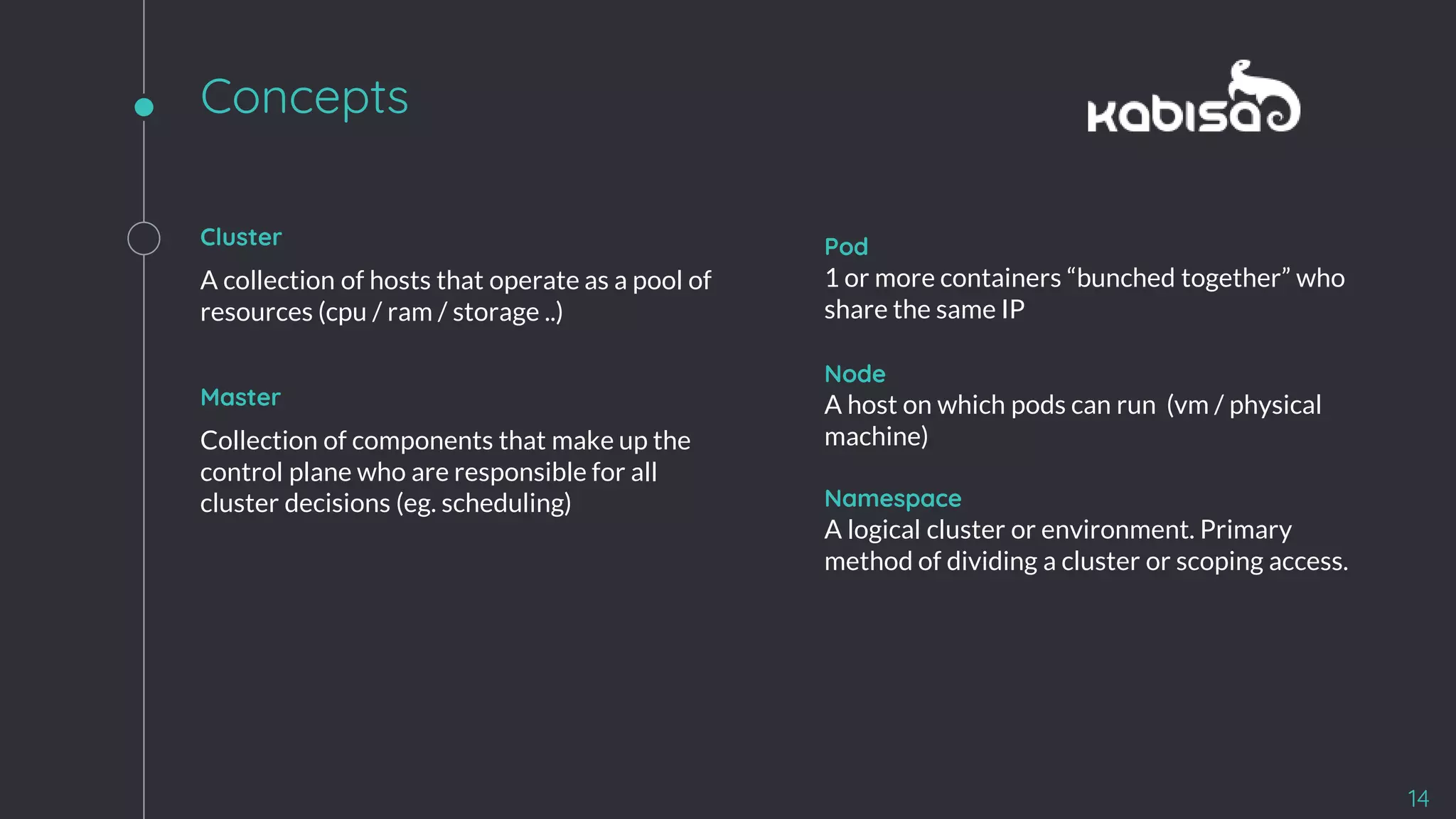
Cluster
A collection of hosts that operate as a pool of
resources (cpu / ram / storage ..)
Master
Collection of components that make up the
control plane who are responsible for all
cluster decisions (eg. scheduling)
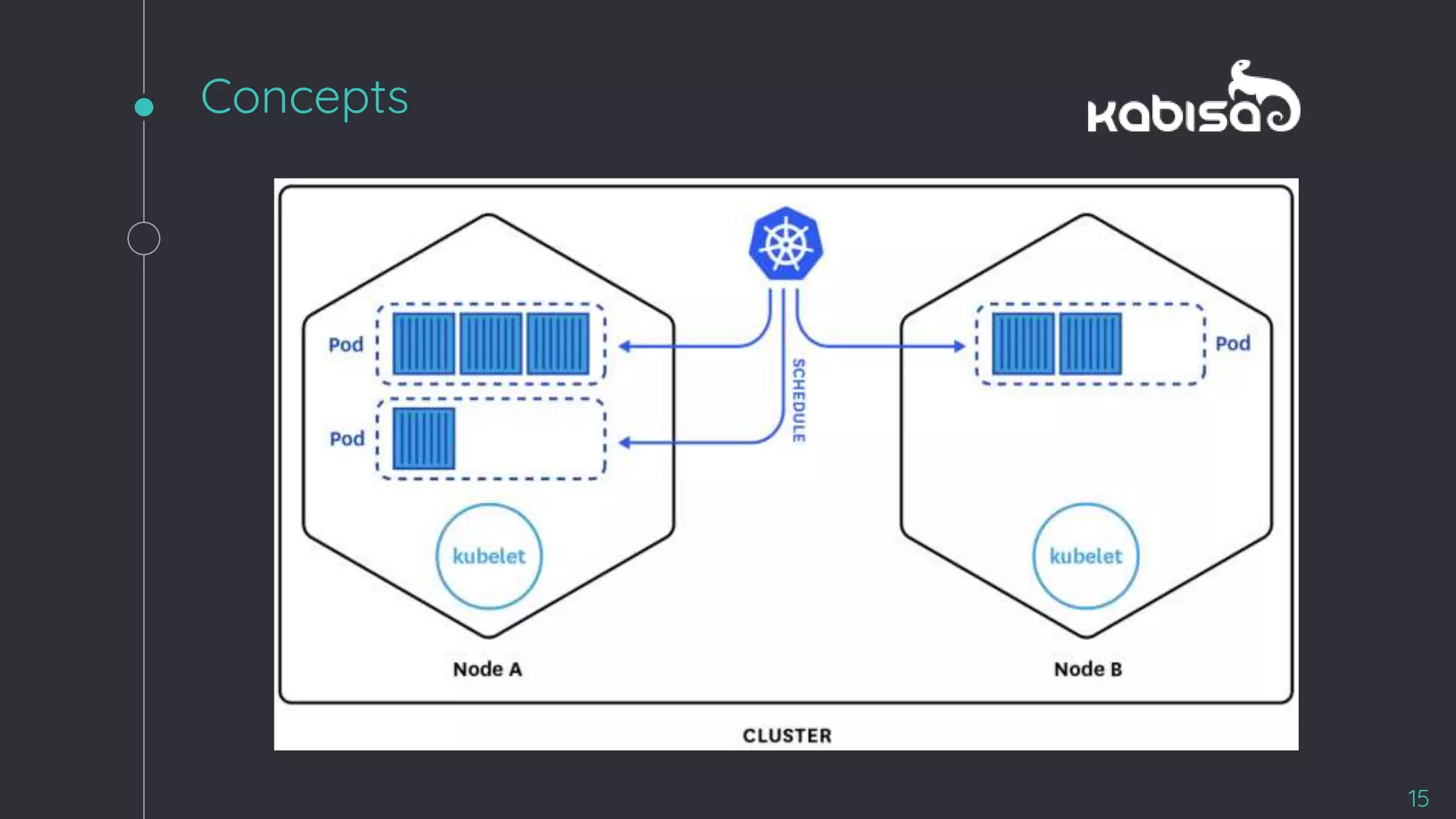
Pod
1 or more containers “bunched together” who
share the same IP
Node
A host on which pods can run (vm / physical
machine)
Namespace
A logical cluster or environment. Primary
method of dividing a cluster or scoping access.
14
Concepts
15
Concepts
16
Concepts
17
ReplicaSet +
LoadBalancer
Concepts
18
19
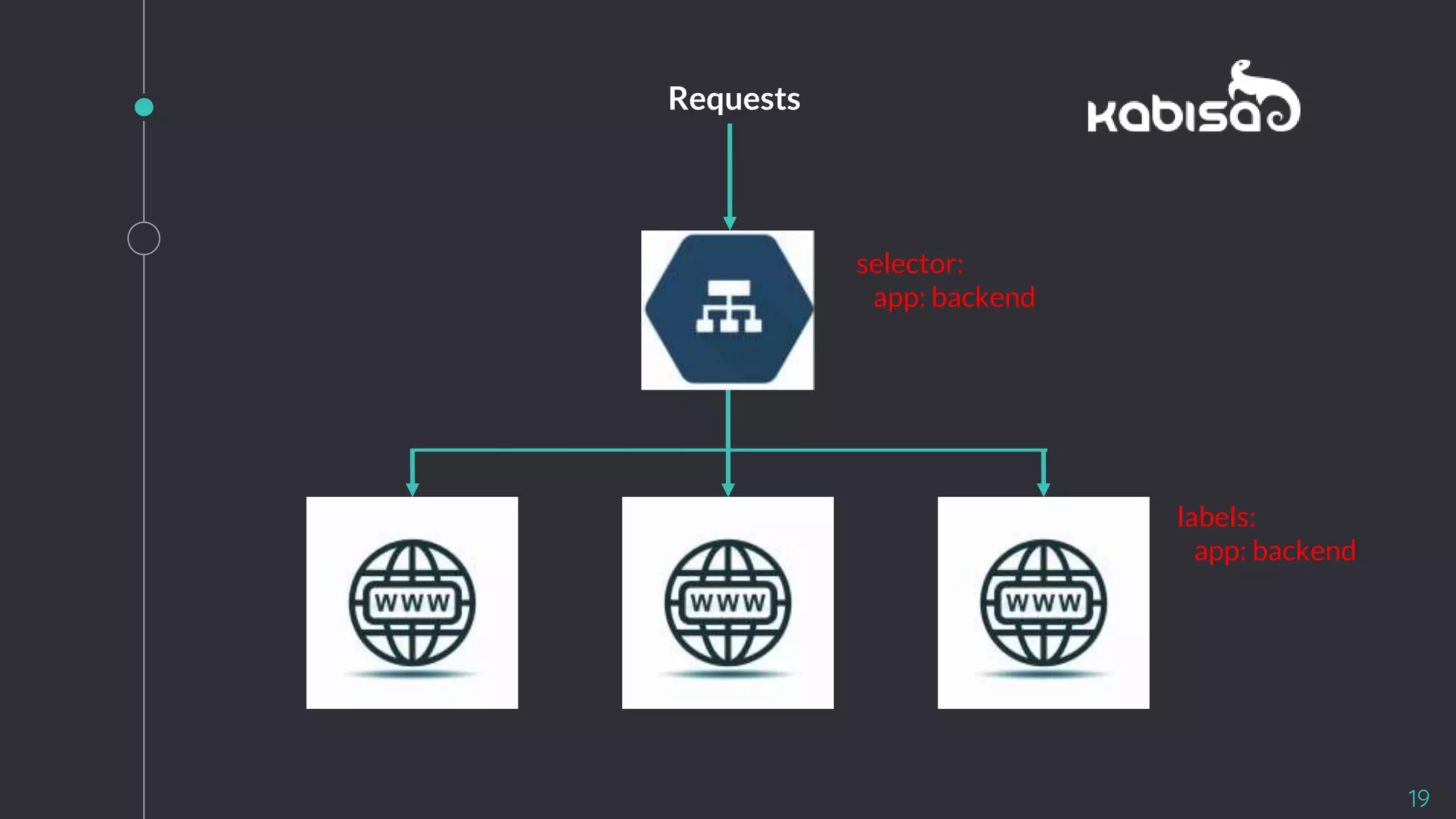
labels:
app: backend
selector:
app: backend
Requests
20
Hands on2
21
Hands-on
22
● Claim your cluster
● Pod
● Service
● ReplicaSet & Deployment
● Env vars
● Secrets
● Config Maps
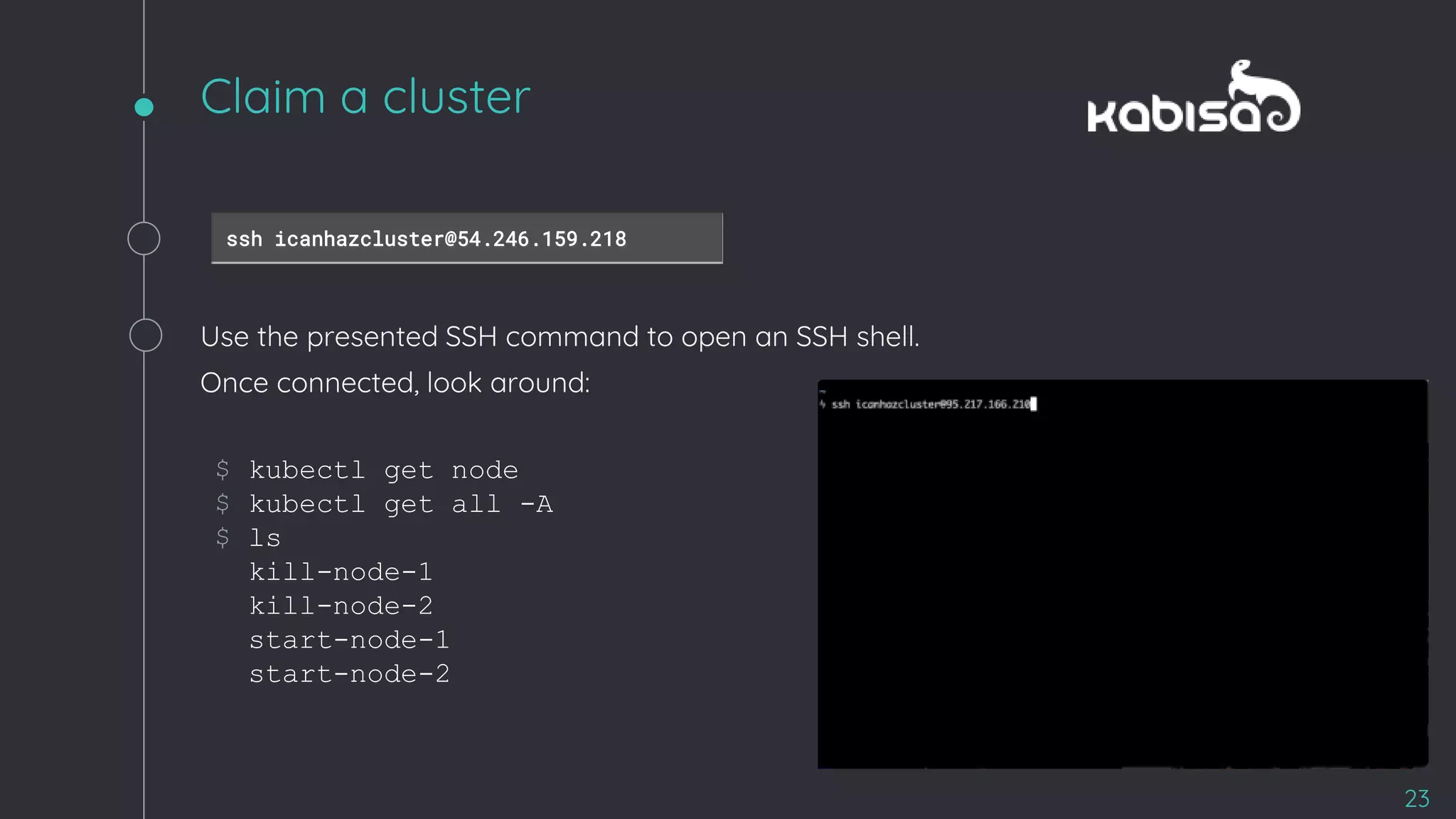
$ kubectl get node
$ kubectl get all -A
$ ls
kill-node-1
kill-node-2
start-node-1
start-node-2
Claim a cluster
23
ssh icanhazcluster@54.246.159.218
Use the presented SSH command to open an SSH shell.
Once connected, look around:
24
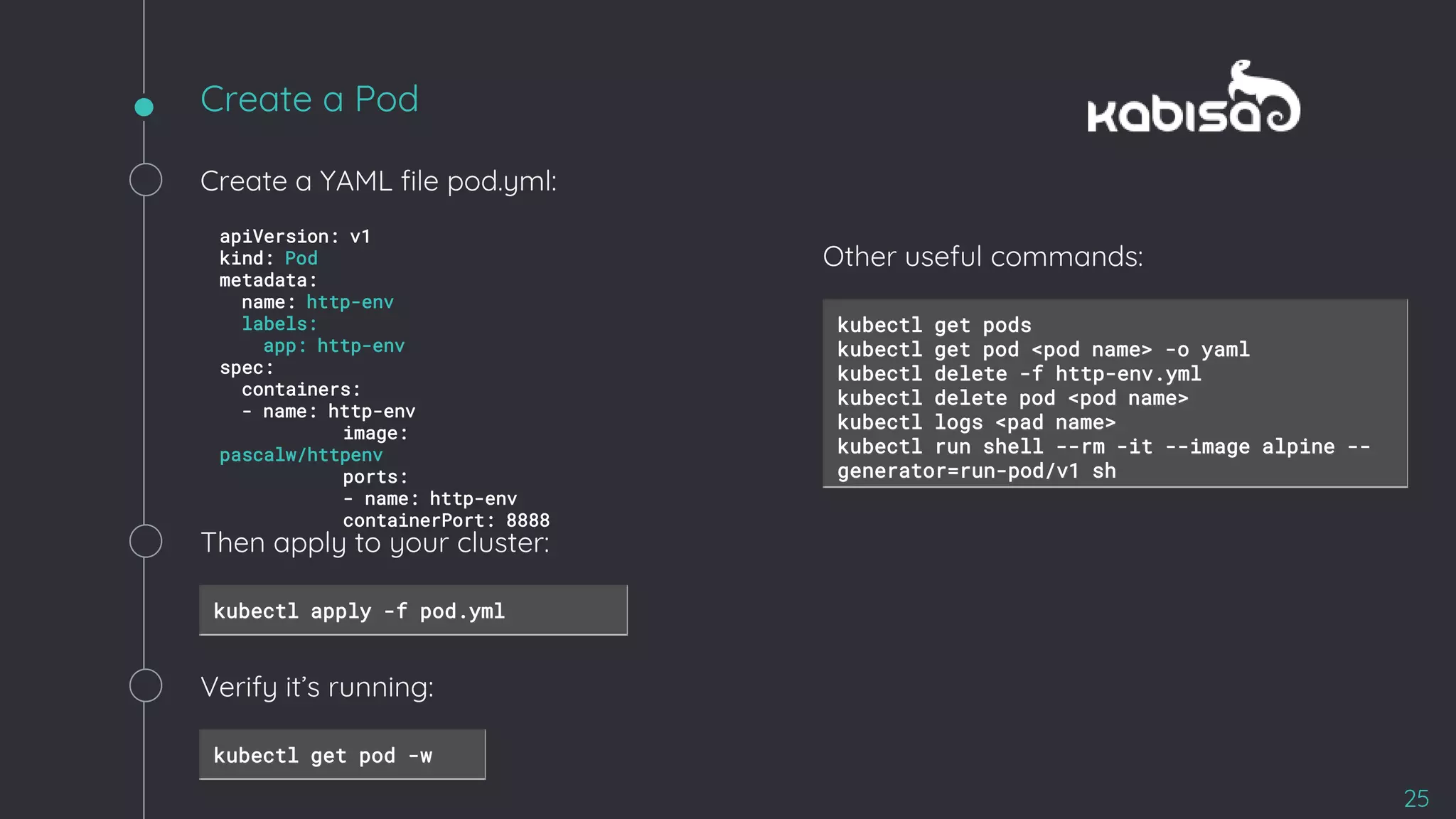
Create a Pod
25
apiVersion: v1
kind: Pod
metadata:
name: http-env
labels:
app: http-env
spec:
containers:
- name: http-env
image:
pascalw/httpenv
ports:
- name: http-env
containerPort: 8888
Create a YAML file pod.yml:
Then apply to your cluster:
kubectl apply -f pod.yml
Verify it’s running:
kubectl get pod -w
kubectl get pods
kubectl get pod <pod name> -o yaml
kubectl delete -f http-env.yml
kubectl delete pod <pod name>
kubectl logs <pad name>
kubectl run shell --rm -it --image alpine --
generator=run-pod/v1 sh
Other useful commands:
Accessing the pod
26
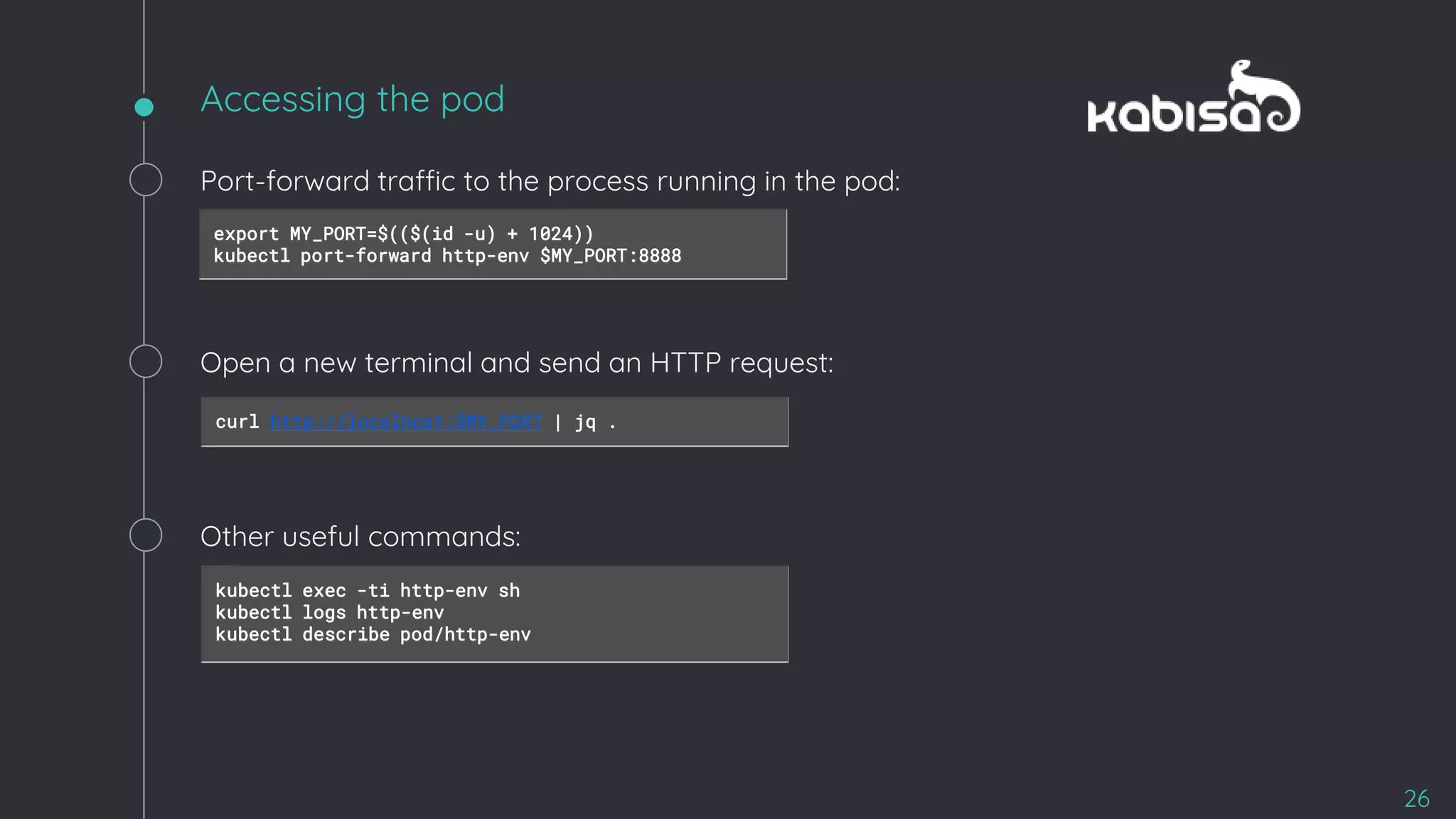
Port-forward traffic to the process running in the pod:
export MY_PORT=$(($(id -u) + 1024))
kubectl port-forward http-env $MY_PORT:8888
Open a new terminal and send an HTTP request:
curl http://localhost:$MY_PORT | jq .
Other useful commands:
kubectl exec -ti http-env sh
kubectl logs http-env
kubectl describe pod/http-env
Pod + Service
27
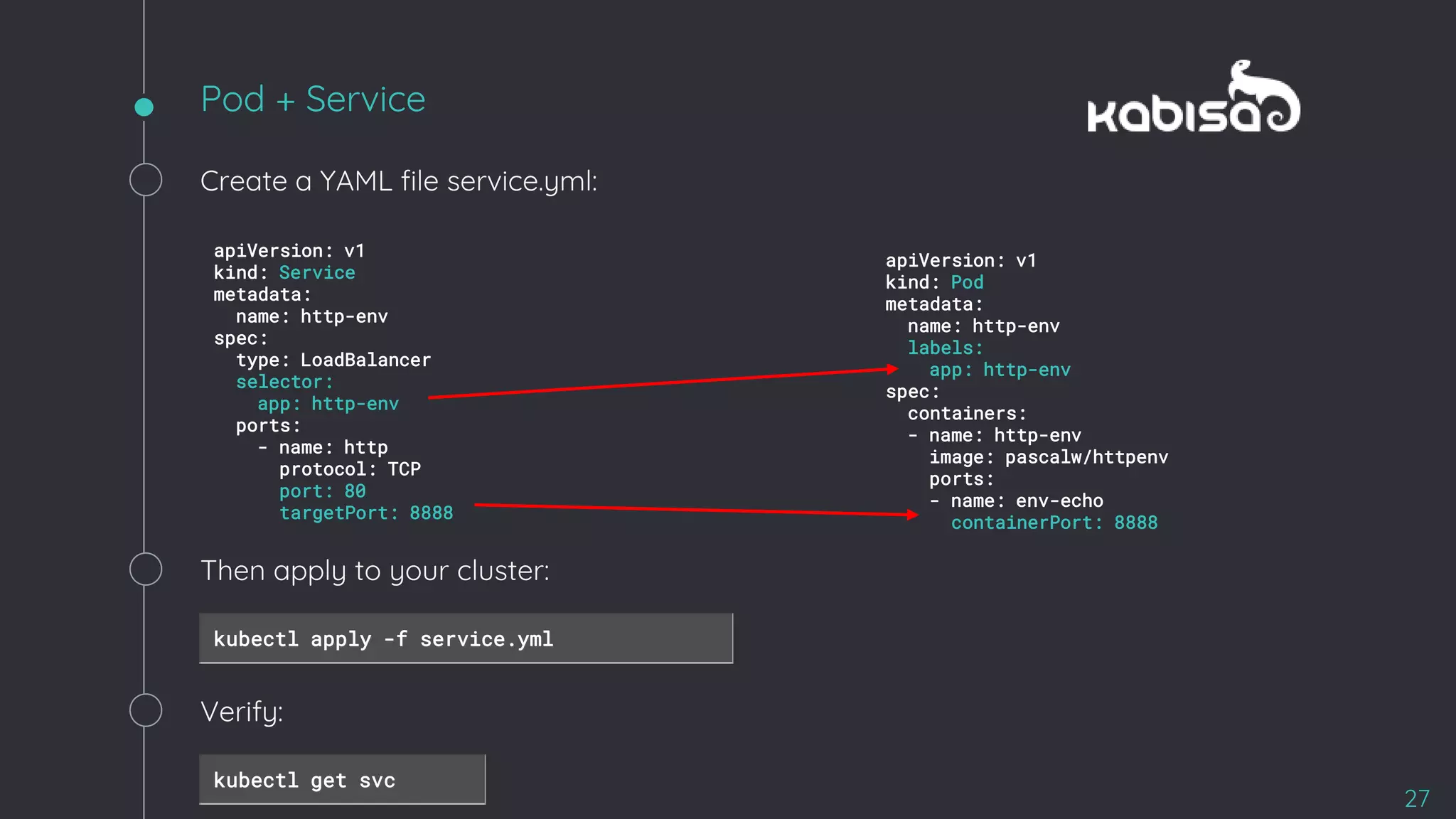
Create a YAML file service.yml:
apiVersion: v1
kind: Service
metadata:
name: http-env
spec:
type: LoadBalancer
selector:
app: http-env
ports:
- name: http
protocol: TCP
port: 80
targetPort: 8888
apiVersion: v1
kind: Pod
metadata:
name: http-env
labels:
app: http-env
spec:
containers:
- name: http-env
image: pascalw/httpenv
ports:
- name: env-echo
containerPort: 8888
Then apply to your cluster:
kubectl apply -f service.yml
Verify:
kubectl get svc
Access your service
28
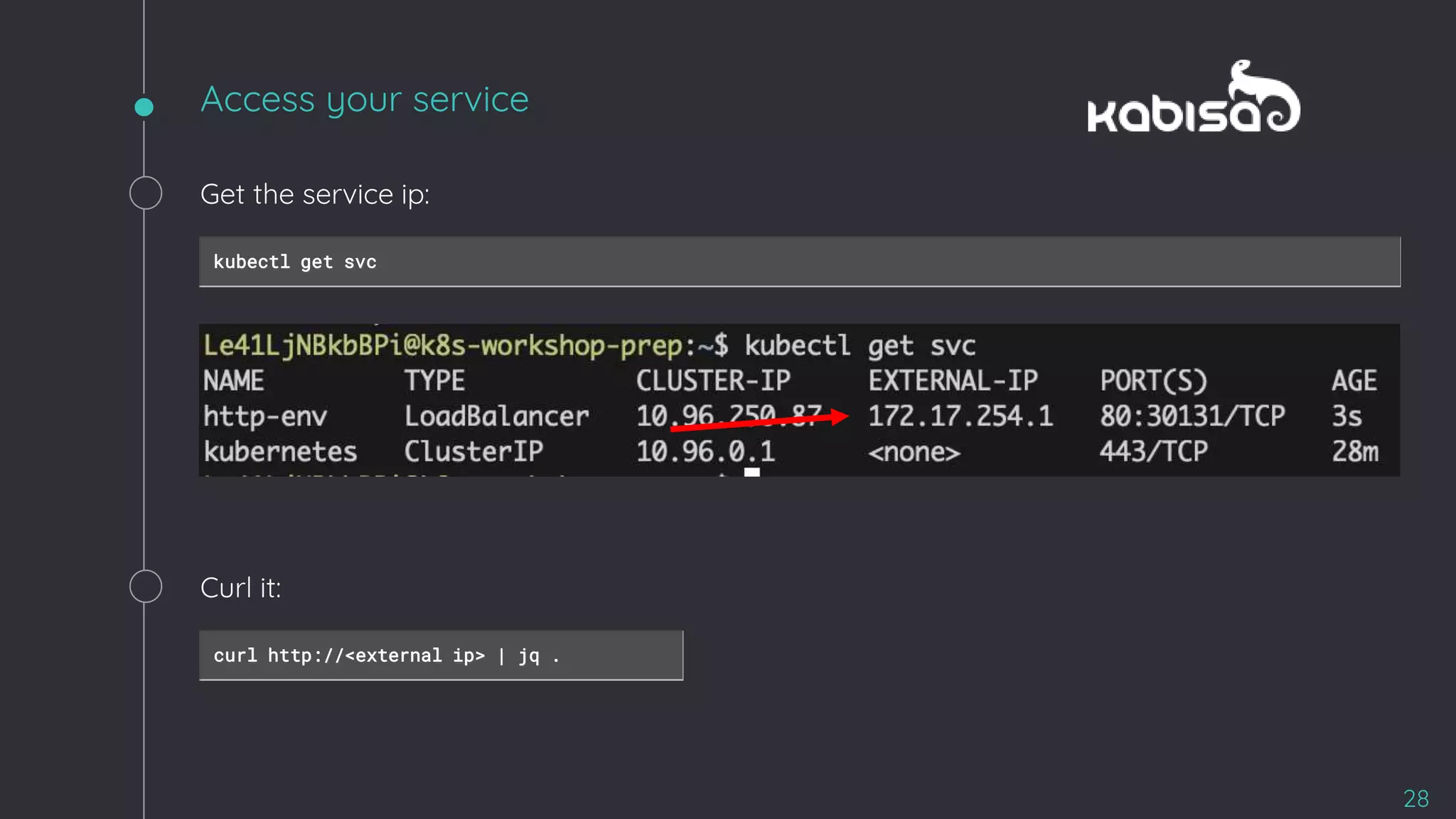
Get the service ip:
kubectl get svc
Curl it:
curl http://<external ip> | jq .
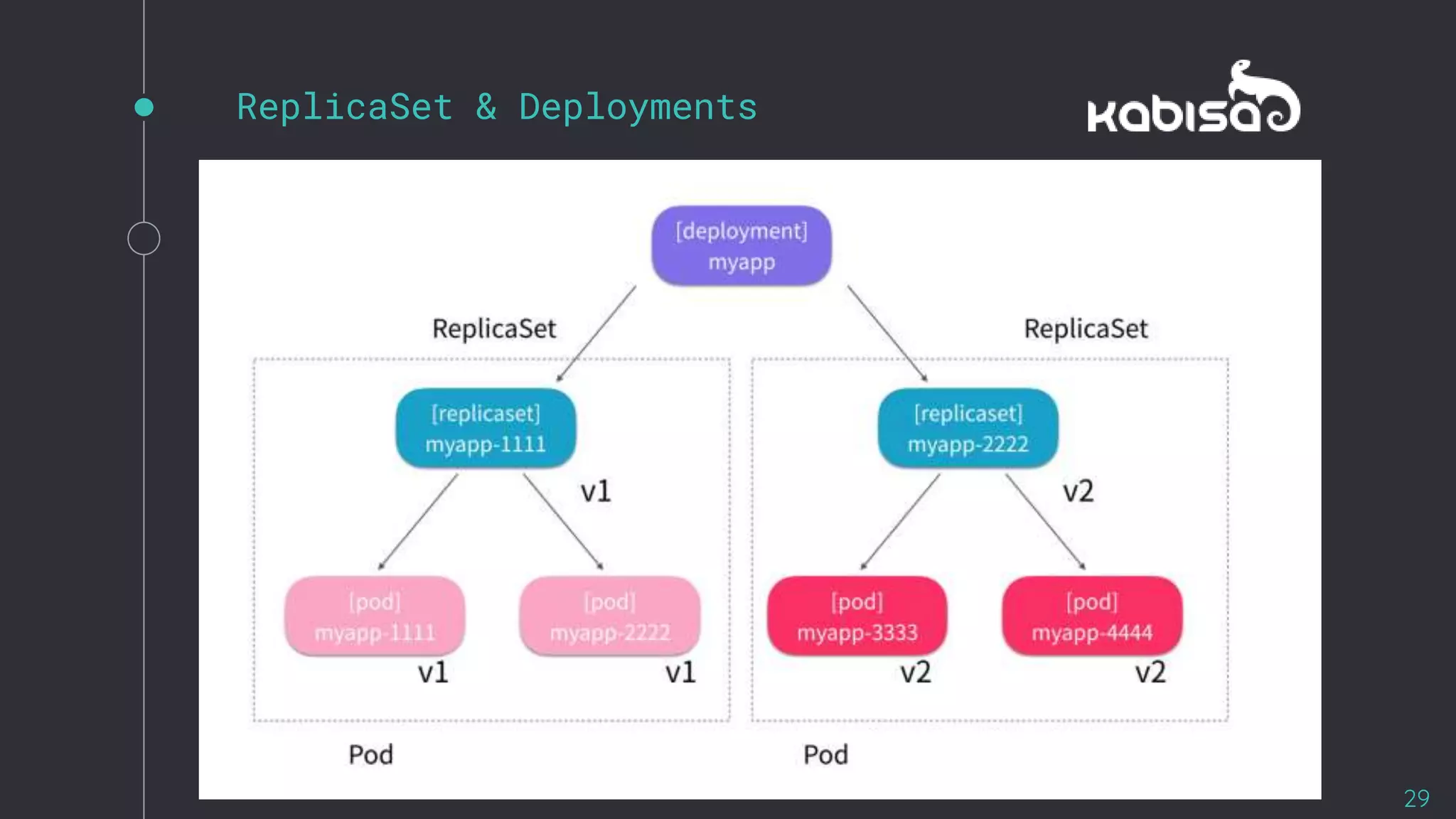
ReplicaSet & Deployments
29
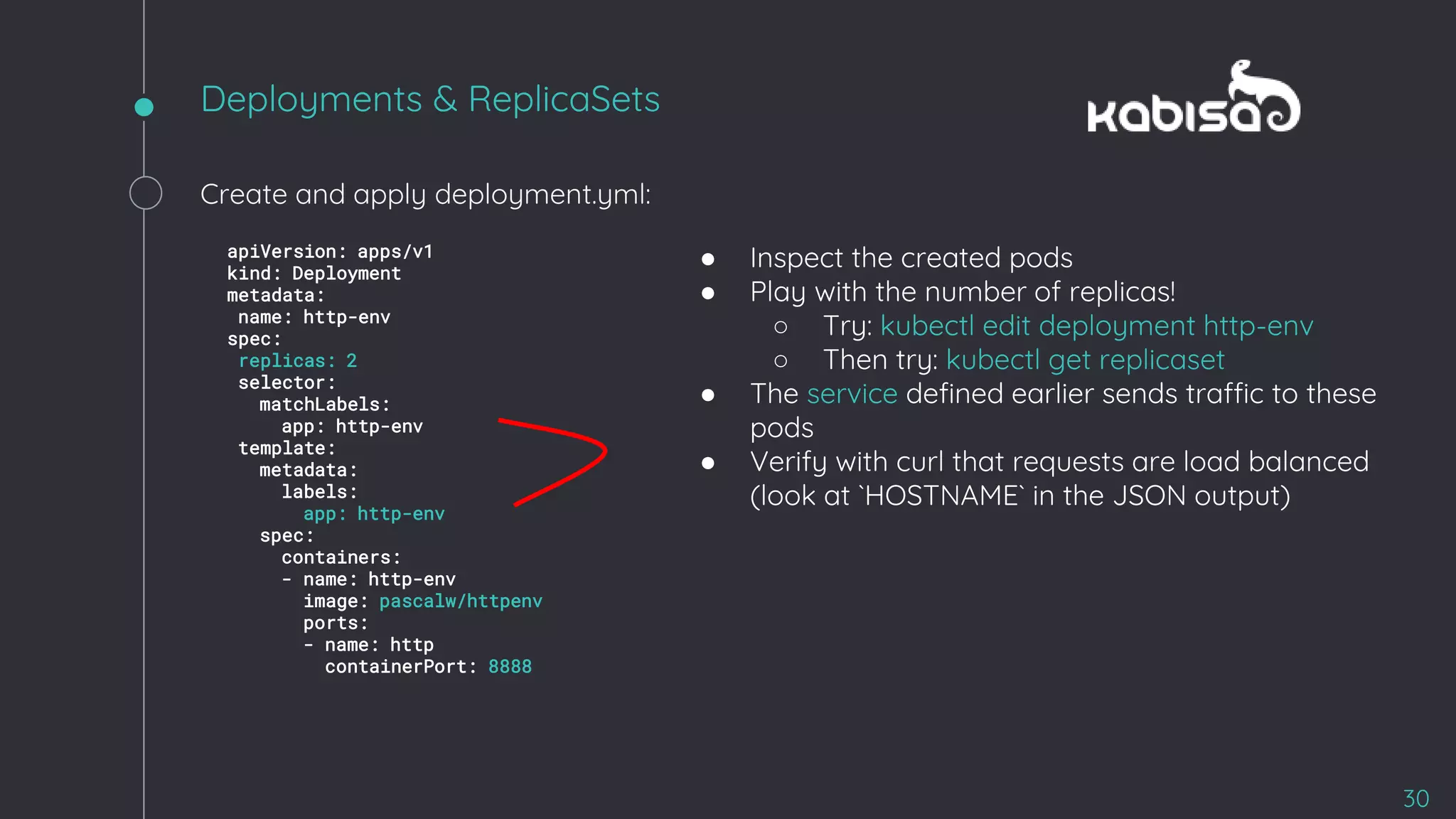
Deployments & ReplicaSets
30
Create and apply deployment.yml:
apiVersion: apps/v1
kind: Deployment
metadata:
name: http-env
spec:
replicas: 2
selector:
matchLabels:
app: http-env
template:
metadata:
labels:
app: http-env
spec:
containers:
- name: http-env
image: pascalw/httpenv
ports:
- name: http
containerPort: 8888
● Inspect the created pods
● Play with the number of replicas!
○ Try: kubectl edit deployment http-env
○ Then try: kubectl get replicaset
● The service defined earlier sends traffic to these
pods
● Verify with curl that requests are load balanced
(look at `HOSTNAME` in the JSON output)
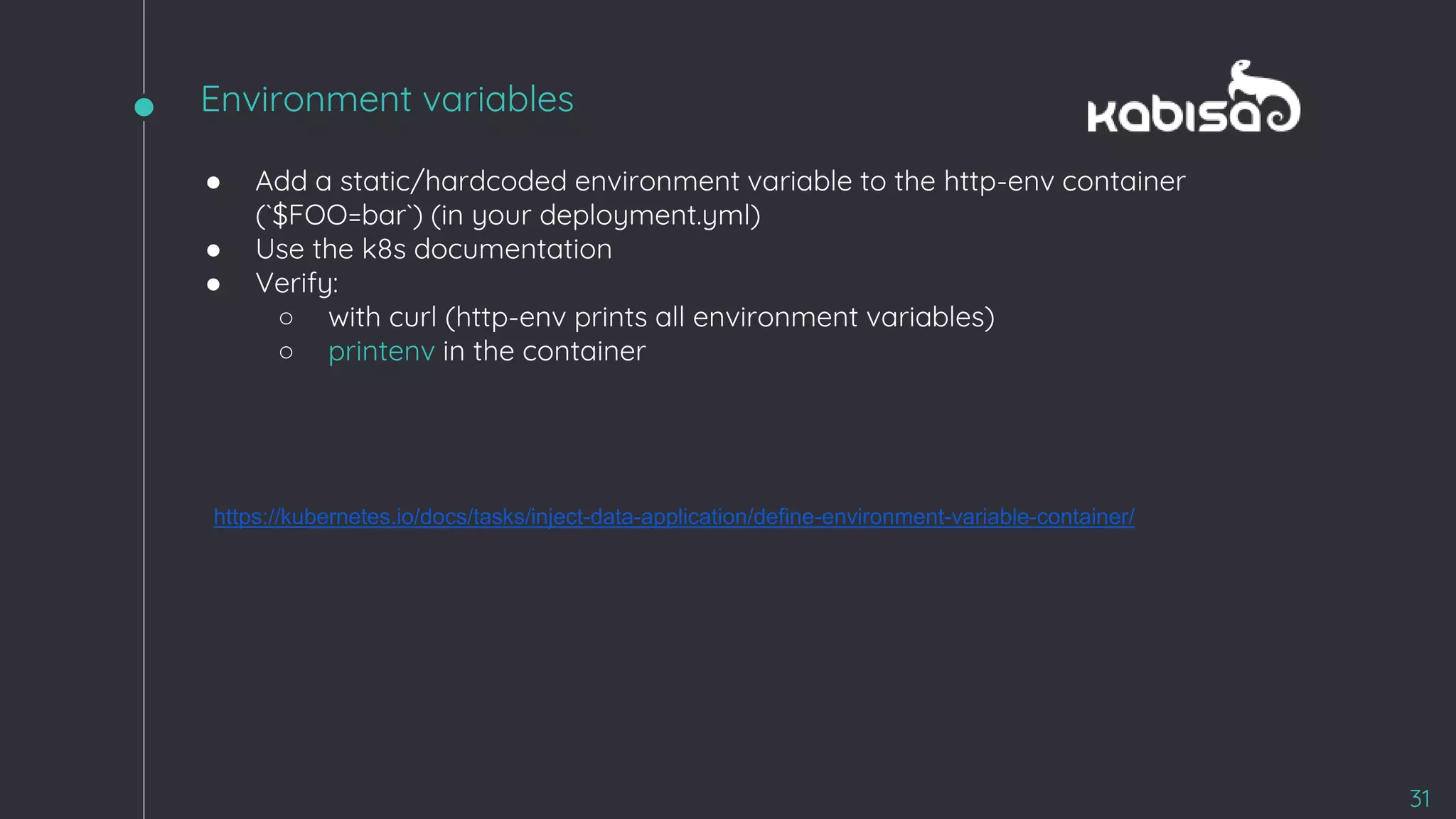
● Add a static/hardcoded environment variable to the http-env container
(`$FOO=bar`) (in your deployment.yml)
● Use the k8s documentation
● Verify:
○ with curl (http-env prints all environment variables)
○ printenv in the container
https://kubernetes.io/docs/tasks/inject-data-application/define-environment-variable-container/
31
Environment variables
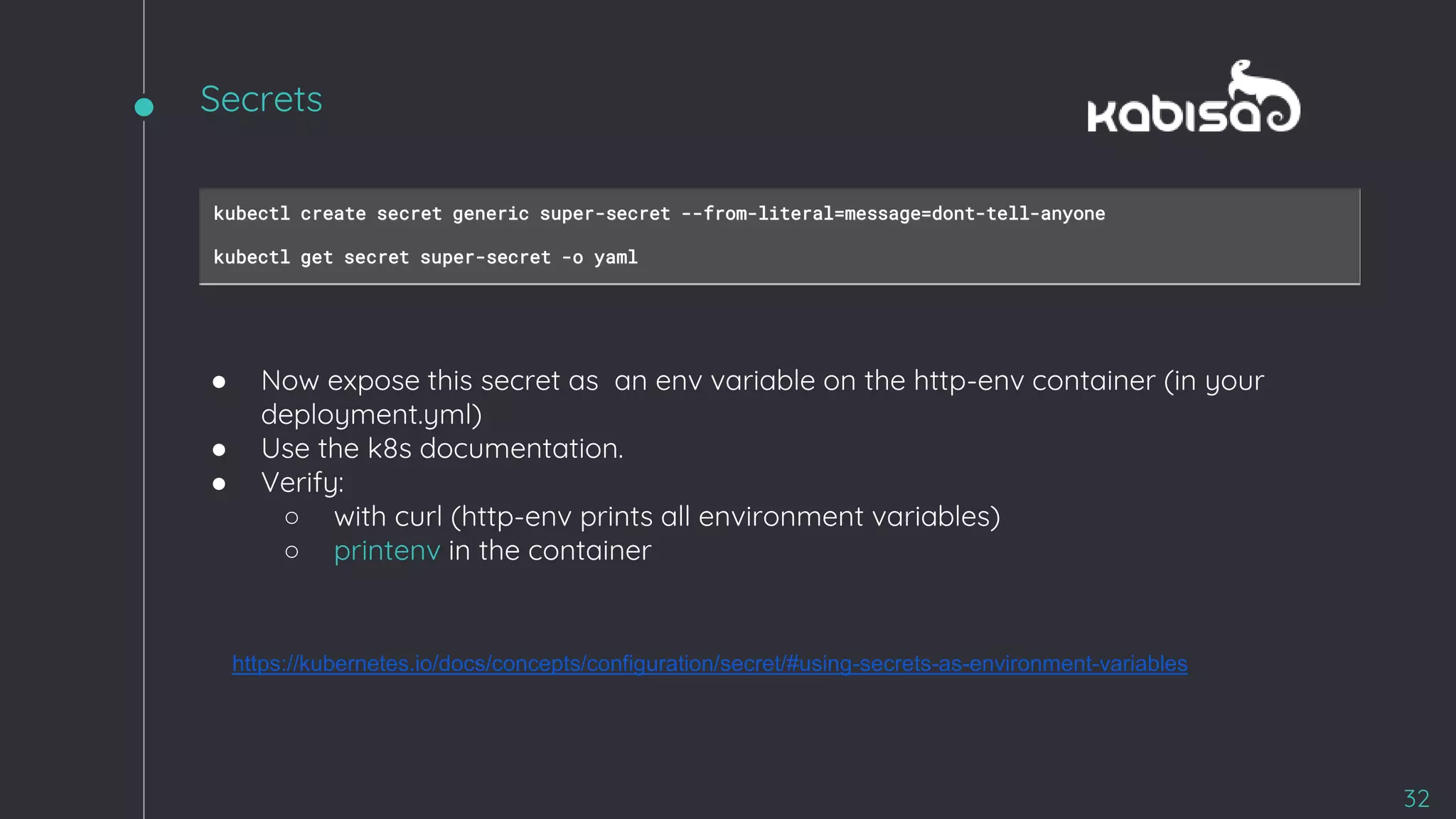
kubectl create secret generic super-secret --from-literal=message=dont-tell-anyone
kubectl get secret super-secret -o yaml
● Now expose this secret as an env variable on the http-env container (in your
deployment.yml)
● Use the k8s documentation.
● Verify:
○ with curl (http-env prints all environment variables)
○ printenv in the container
https://kubernetes.io/docs/concepts/configuration/secret/#using-secrets-as-environment-variables
32
Secrets
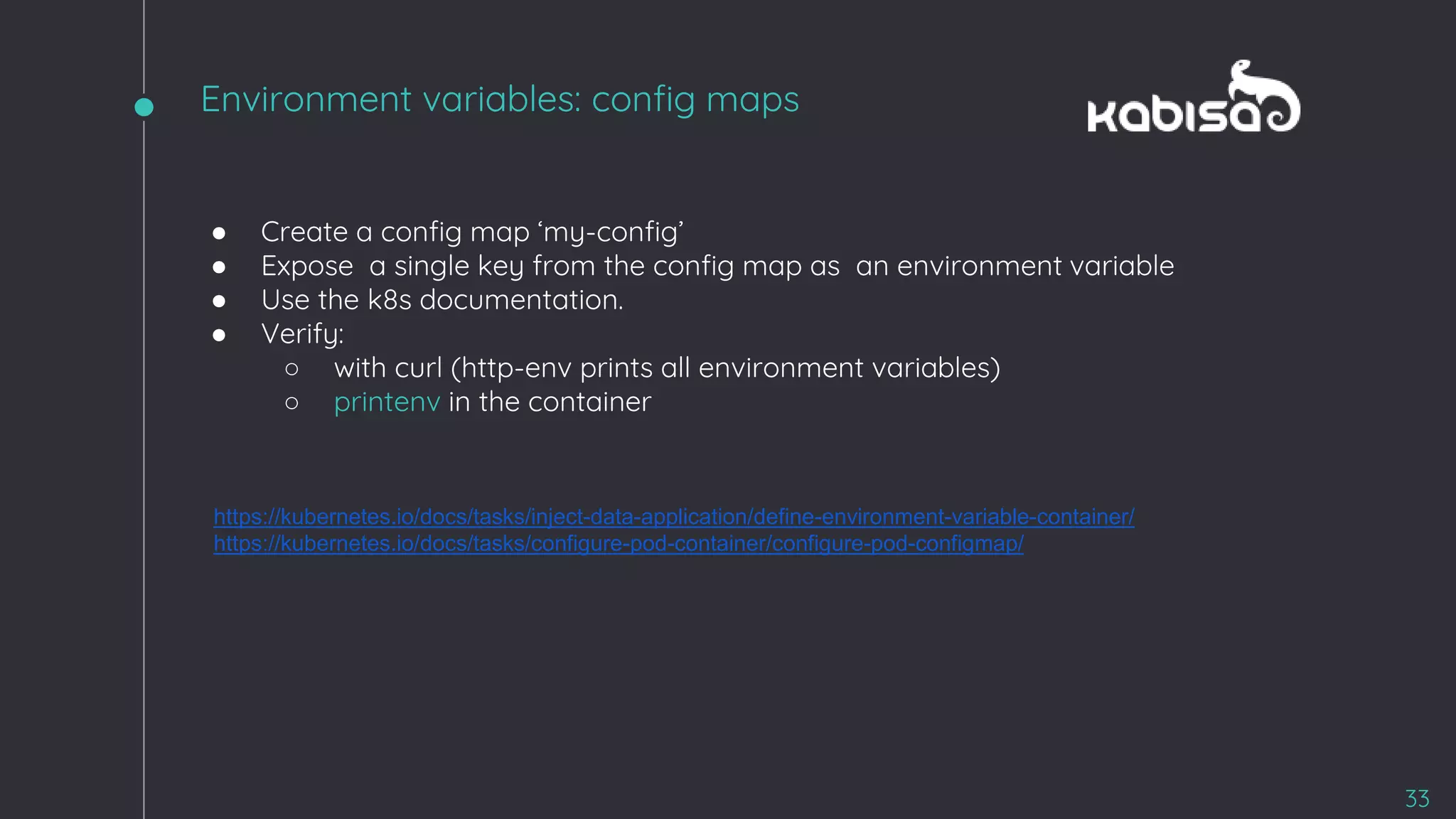
● Create a config map ‘my-config’
● Expose a single key from the config map as an environment variable
● Use the k8s documentation.
● Verify:
○ with curl (http-env prints all environment variables)
○ printenv in the container
https://kubernetes.io/docs/tasks/inject-data-application/define-environment-variable-container/
https://kubernetes.io/docs/tasks/configure-pod-container/configure-pod-configmap/
33
Environment variables: config maps
34
sudo ~/kill-node-1
Killing nodes 💀
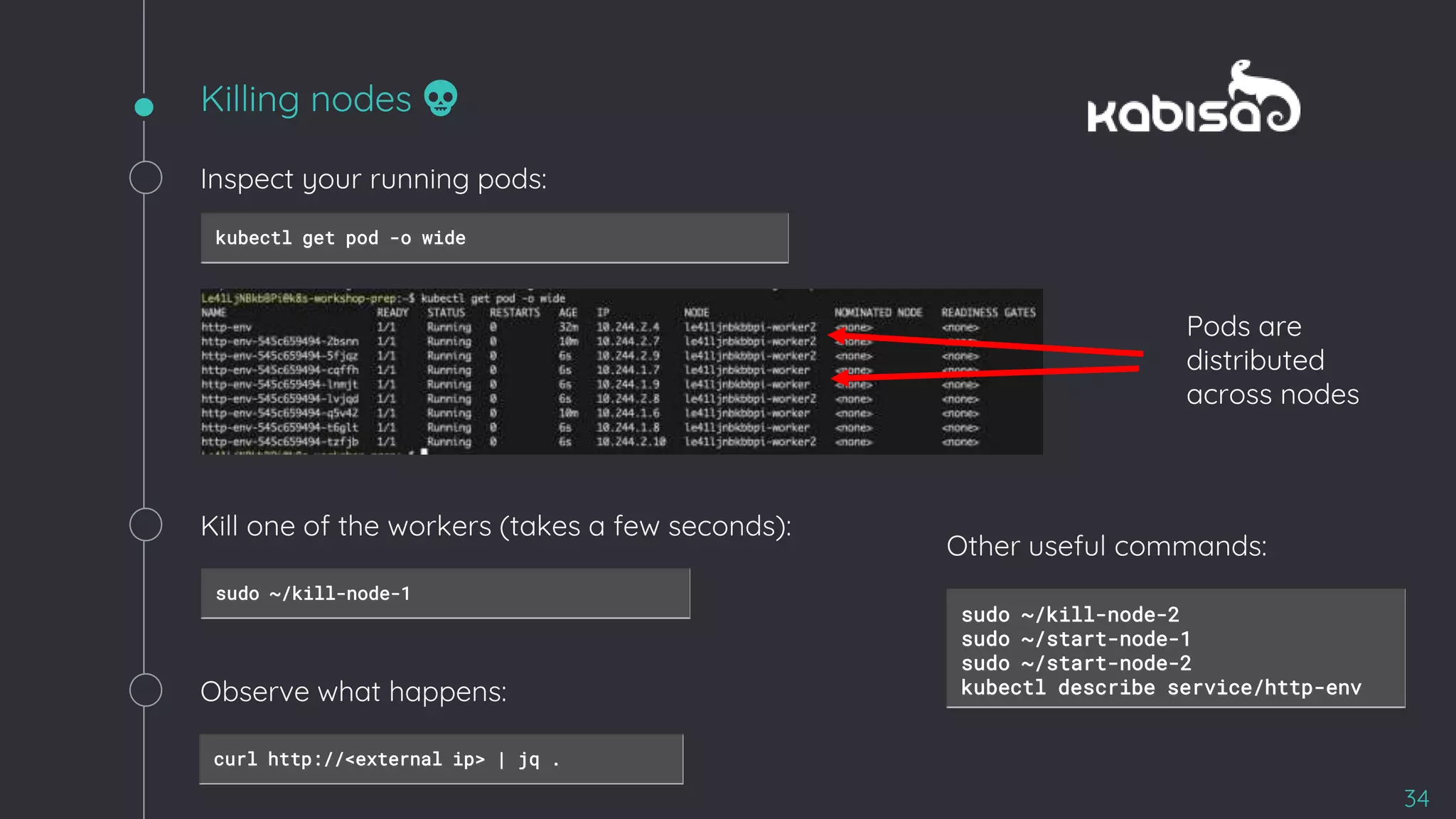
Inspect your running pods:
kubectl get pod -o wide
Pods are
distributed
across nodes
Kill one of the workers (takes a few seconds):
Observe what happens:
curl http://<external ip> | jq .
sudo ~/kill-node-2
sudo ~/start-node-1
sudo ~/start-node-2
kubectl describe service/http-env
Other useful commands:
Q&A
35

Kubernetes workshop -_the_basics

  • 1.
    Welkom bij deWebinar Kubernetes 23 april 2020 • Kabisa 1
  • 2.
    Agenda 2 Over ons enKabisa Kubernetes introductie Workshop Q&A
  • 3.
    WHERE SOME SEECODE, WE SEE A CANVAS We approach every project as a work of artistry and expression. Combined with vast technical knowledge, flexibility and long term experience in developing web applications, Kabisa delivers custom-made solutions with Quality and Elegance. Always. 3
  • 4.
    Kabisa is asoftware development agency, specialised in custom web and mobile app development & integration. 14+years in business 350+Successful projects 59team members 3Offices 4
  • 5.
    SOFTWARE SPECIALIST IN HIGHTECH,LOGISTICS & COMPLEX RETAIL We approach every project as a work of artistry and expression. Combined with vast technical knowledge, flexibility and long term experience in developing web applications, Kabisa delivers custom-made solutions with Quality and Elegance. Always.
  • 6.
  • 7.
    Kabisa is eenmaatwerk software ontwikkelaar die zich specialiseert op het gebied van web en mobiele app ontwikkeling & integratie. Sjuul Janssen Python / DevOps Engineer Pascal Widdershoven Developer & Technology Manager 7
  • 8.
    http://kabisa.nl Wat is julliekennis niveau van Kubernetes?
  • 9.
    Kubernetes “K8s is anopen-source system for automating deployment, scaling, and management of containerized applications.”
  • 10.
  • 11.
    2 Billion containerslaunched per week at Google 11
  • 12.
  • 13.
  • 14.
    Concepts Cluster A collection ofhosts that operate as a pool of resources (cpu / ram / storage ..) Master Collection of components that make up the control plane who are responsible for all cluster decisions (eg. scheduling) Pod 1 or more containers “bunched together” who share the same IP Node A host on which pods can run (vm / physical machine) Namespace A logical cluster or environment. Primary method of dividing a cluster or scoping access. 14
  • 15.
  • 16.
  • 17.
  • 18.
  • 19.
  • 20.
  • 21.
  • 22.
    Hands-on 22 ● Claim yourcluster ● Pod ● Service ● ReplicaSet & Deployment ● Env vars ● Secrets ● Config Maps
  • 23.
    $ kubectl getnode $ kubectl get all -A $ ls kill-node-1 kill-node-2 start-node-1 start-node-2 Claim a cluster 23 ssh icanhazcluster@54.246.159.218 Use the presented SSH command to open an SSH shell. Once connected, look around:
  • 24.
  • 25.
    Create a Pod 25 apiVersion:v1 kind: Pod metadata: name: http-env labels: app: http-env spec: containers: - name: http-env image: pascalw/httpenv ports: - name: http-env containerPort: 8888 Create a YAML file pod.yml: Then apply to your cluster: kubectl apply -f pod.yml Verify it’s running: kubectl get pod -w kubectl get pods kubectl get pod <pod name> -o yaml kubectl delete -f http-env.yml kubectl delete pod <pod name> kubectl logs <pad name> kubectl run shell --rm -it --image alpine -- generator=run-pod/v1 sh Other useful commands:
  • 26.
    Accessing the pod 26 Port-forwardtraffic to the process running in the pod: export MY_PORT=$(($(id -u) + 1024)) kubectl port-forward http-env $MY_PORT:8888 Open a new terminal and send an HTTP request: curl http://localhost:$MY_PORT | jq . Other useful commands: kubectl exec -ti http-env sh kubectl logs http-env kubectl describe pod/http-env
  • 27.
    Pod + Service 27 Createa YAML file service.yml: apiVersion: v1 kind: Service metadata: name: http-env spec: type: LoadBalancer selector: app: http-env ports: - name: http protocol: TCP port: 80 targetPort: 8888 apiVersion: v1 kind: Pod metadata: name: http-env labels: app: http-env spec: containers: - name: http-env image: pascalw/httpenv ports: - name: env-echo containerPort: 8888 Then apply to your cluster: kubectl apply -f service.yml Verify: kubectl get svc
  • 28.
    Access your service 28 Getthe service ip: kubectl get svc Curl it: curl http://<external ip> | jq .
  • 29.
  • 30.
    Deployments & ReplicaSets 30 Createand apply deployment.yml: apiVersion: apps/v1 kind: Deployment metadata: name: http-env spec: replicas: 2 selector: matchLabels: app: http-env template: metadata: labels: app: http-env spec: containers: - name: http-env image: pascalw/httpenv ports: - name: http containerPort: 8888 ● Inspect the created pods ● Play with the number of replicas! ○ Try: kubectl edit deployment http-env ○ Then try: kubectl get replicaset ● The service defined earlier sends traffic to these pods ● Verify with curl that requests are load balanced (look at `HOSTNAME` in the JSON output)
  • 31.
    ● Add astatic/hardcoded environment variable to the http-env container (`$FOO=bar`) (in your deployment.yml) ● Use the k8s documentation ● Verify: ○ with curl (http-env prints all environment variables) ○ printenv in the container https://kubernetes.io/docs/tasks/inject-data-application/define-environment-variable-container/ 31 Environment variables
  • 32.
    kubectl create secretgeneric super-secret --from-literal=message=dont-tell-anyone kubectl get secret super-secret -o yaml ● Now expose this secret as an env variable on the http-env container (in your deployment.yml) ● Use the k8s documentation. ● Verify: ○ with curl (http-env prints all environment variables) ○ printenv in the container https://kubernetes.io/docs/concepts/configuration/secret/#using-secrets-as-environment-variables 32 Secrets
  • 33.
    ● Create aconfig map ‘my-config’ ● Expose a single key from the config map as an environment variable ● Use the k8s documentation. ● Verify: ○ with curl (http-env prints all environment variables) ○ printenv in the container https://kubernetes.io/docs/tasks/inject-data-application/define-environment-variable-container/ https://kubernetes.io/docs/tasks/configure-pod-container/configure-pod-configmap/ 33 Environment variables: config maps
  • 34.
    34 sudo ~/kill-node-1 Killing nodes💀 Inspect your running pods: kubectl get pod -o wide Pods are distributed across nodes Kill one of the workers (takes a few seconds): Observe what happens: curl http://<external ip> | jq . sudo ~/kill-node-2 sudo ~/start-node-1 sudo ~/start-node-2 kubectl describe service/http-env Other useful commands:
  • 35.