Kubernetes
WHAT IS KUBERNETES
FEATURES
ARCHITECTURE
API SERVER
COMPONENTS
 Kubernetes
 Container Management Tool
 Manages containerized applications
 Applications available on container tools like
docker
Features
 Automatic bin packing
 Service discovery and load balancing
 Storage orchestration
 Self healing
 Rollouts and Rollbacks
 Scaling
Architecture
 When kubernetes is deployed it creates cluster
 Cluster comprises of node
 Atleast one worker node and one master node

API Server
 Exposes API for almost every action
 Users interact with the API using a tool called
kubectl
 Kubectl is command line utility to interact with
kubernetes API
 Kubectl is a go library
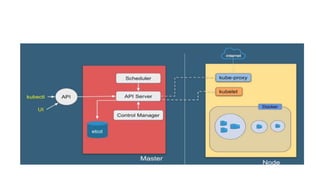
Components
 API Server – for all communications (json over HTTP)
 Scheduler – Schedules pod on nodes
 Controller Manager – runs the controllers
 Etcd – key and value pair database. Provides information to API
Server
Kubernetes objects
 Kubernetes objects are represented in JSON or YAML files and
describe the state of your cluster.
 The state of the cluster defines what workloads should be
running in it.
 You can create these objects, and then Kubernetes makes sure
that your desired state is maintained.

 There are two categories of objects in Kubernetes
 basic objects: Pods, Service, Volumes, Namespace, etc
 High-level (objects): Deployments, StatefulSets, Jobs, etc.,
which are built on top of the basic objects
 In Kubernetes, object representation is stored in a manifest
 Each kind of object has two specific properties:
 spec: This contains the details about the object. For example, for a pod, it would
contain which container image it would run, the ports to expose, the labels, and more.
 status: This contains your object’s current state and is updated in real time by the
Kubernetes control plane. If you delete your pod, the status changes to Terminating,
and then the pod is no longer listed as it gets deleted. The status is automatically
assigned to each object.
 Each YAML configuration for an object contains a selected set
of fields for it to be valid. These fields are called required fields,
and they include the following:
 apiversion
 kind
 metadata
 spec
 apiversion - This contains the instruction as to which version of the Kubernetes API should be
used to create your object from the manifest.
 Kind: This field contains the details of the type of object; for example, if you want to create a
deployment in your cluster, the kind would be deployment.
 metadata: Metadata is defined as a set of data that gives information about other data. So this
property defines parameters like name, UID, or namespace.
 spec: contains object’s specifications. For example, it would contain what container image the
pod would run,
 Kubernetes objects can be managed either using imperative
state or declarative statments
 Imperative – kubectl create deployment nginx –image nginx
 Declarative – using yaml files
Deployments
 A Kubernetes Deployment is a resource object that provides declarative updates to applications.
 It enables administrators to describe the application’s life cycle, defining specific images, the desired number of pods, and more
 The Deployment object supports the concept of declarative configuration
 The Deployment object defines the desired state, and Kubernetes mechanisms work to ensure the required resources exist in
the cluster and achieve this desired state.
 The Deployment object eliminates the need for administrators to manually run pods on Kubernetes nodes. A Deployment is a
declarative configuration that performs all necessary steps to achieve the desired state
Service
 A service consists of a set of iptables rules within your cluster that turn it into a virtual
component.
 Because it doesn’t consume memory, and it’s not a running instance, it can’t go
down.
 A service can expose a Kubernetes deployment by offering a static IP in front of it,
and instead of talking to the pods, you would talk to the service, which then routes the
traffic to the pods.
 The internal DNS in a Kubernetes cluster even makes it possible to talk to a service
using an FQDN instead of an IP.
Deployment stages
 A Kubernetes Deployment object has the following lifecycle stages:

 Progressing—this means the Deployment is currently making changes to the cluster to meet the desired state in the declarative configuration.
 Completed—this means the deployment has finished matching cluster state to the desired state. All required pods are available and running the latest pods specification, and old pods are no longer running.
 Failed—this means that the deployment encountered a problem while trying to reconcile cluster state with desired state. For example, there may have been insufficient resources or errors when running pods. To understand the cause of a failed deployment,
use the command kubectl rollout status.

Example Manifest
 apiVersion: apps/v1
 kind: Deployment
 metadata:
 name: nginx-deployment
 labels:
 app: nginx
 spec:
 replicas: 3
 selector:
 matchLabels:
 app: nginx
 template:
 metadata:
 labels:
 app: nginx
 spec:
 containers:
 —name: nginx
Deployment Strategies
 Deployment strategies are different ways of rolling out a new
version of an application in a Kubernetes cluster.
 Recreate Deployment
 Rolling Update Deployment
 Blue and Green Deployment and some more
Recreate Deployment
 The Recreate deployment strategy is the simplest form of
Kubernetes deployment that terminates all active pod instances,
and then spins up new pod versions afresh.
 Though this strategy remains a popular choice for completely
renewing the app state, it is often not recommended for
application architectures that need to maintain a consistent
steady-state.
Rolling Updates
 In Kubernetes, rolling updates are the default strategy to update
the running version of our app.
 So, Kubernetes runs a cluster of nodes, and each node consists
of pods.
 The rolling update cycles the previous Pod out and brings the
newer Pod in incrementally.
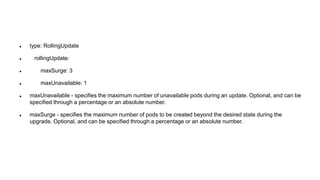
 type: RollingUpdate
 rollingUpdate:
 maxSurge: 3
 maxUnavailable: 1
 maxUnavailable - specifies the maximum number of unavailable pods during an update. Optional, and can be
specified through a percentage or an absolute number.
 maxSurge - specifies the maximum number of pods to be created beyond the desired state during the
upgrade. Optional, and can be specified through a percentage or an absolute number.
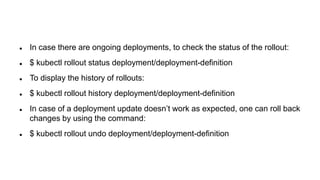
 In case there are ongoing deployments, to check the status of the rollout:
 $ kubectl rollout status deployment/deployment-definition
 To display the history of rollouts:
 $ kubectl rollout history deployment/deployment-definition
 In case of a deployment update doesn’t work as expected, one can roll back
changes by using the command:
 $ kubectl rollout undo deployment/deployment-definition
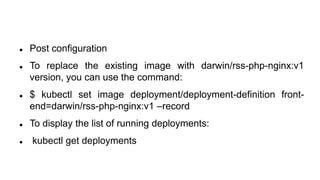
 Post configuration
 To replace the existing image with darwin/rss-php-nginx:v1
version, you can use the command:
 $ kubectl set image deployment/deployment-definition front-
end=darwin/rss-php-nginx:v1 –record
 To display the list of running deployments:
 kubectl get deployments
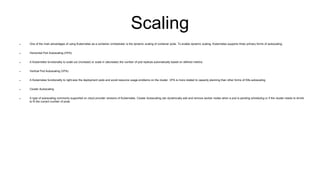
Scaling
 One of the main advantages of using Kubernetes as a container orchestrator is the dynamic scaling of container pods. To enable dynamic scaling, Kubernetes supports three primary forms of autoscaling:
 Horizontal Pod Autoscaling (HPA)
 A Kubernetes functionality to scale out (increase) or scale in (decrease) the number of pod replicas automatically based on defined metrics.
 Vertical Pod Autoscaling (VPA)
 A Kubernetes functionality to right-size the deployment pods and avoid resource usage problems on the cluster. VPA is more related to capacity planning than other forms of K8s autoscaling.
 Cluster Autoscaling
 A type of autoscaling commonly supported on cloud provider versions of Kubernetes. Cluster Autoscaling can dynamically add and remove worker nodes when a pod is pending scheduling or if the cluster needs to shrink
to fit the current number of pods.
 There are two ways to create an HPA resource:
 The kubectl autoscale command
 The HPA YAML resource file
 This code snippet shows creating a Kubernetes deployment
and HPA object to auto-scale the pods of that deployment
based on CPU load. This is shown step by step along with
comments.
Horizontal Pod Scaling
 In every Kubernetes installation, there is support for an HPA resource and
associated controller by default.
 The HPA control loop continuously monitors the configured metric, compares it
with the target value of that metric, and then decides to increase or decrease the
number of replica pods to achieve the target value.
 HPA resource works with the deployment resource and updates it based on the
target metric value. The pod controller (Deployment) will then either increase or
decrease the number of replica pods running.

kubernetesforbeginners.pptx

  • 1.
  • 2.
     Kubernetes  ContainerManagement Tool  Manages containerized applications  Applications available on container tools like docker
  • 3.
    Features  Automatic binpacking  Service discovery and load balancing  Storage orchestration  Self healing  Rollouts and Rollbacks  Scaling
  • 4.
    Architecture  When kubernetesis deployed it creates cluster  Cluster comprises of node  Atleast one worker node and one master node 
  • 5.
    API Server  ExposesAPI for almost every action  Users interact with the API using a tool called kubectl  Kubectl is command line utility to interact with kubernetes API  Kubectl is a go library
  • 7.
    Components  API Server– for all communications (json over HTTP)  Scheduler – Schedules pod on nodes  Controller Manager – runs the controllers  Etcd – key and value pair database. Provides information to API Server
  • 8.
    Kubernetes objects  Kubernetesobjects are represented in JSON or YAML files and describe the state of your cluster.  The state of the cluster defines what workloads should be running in it.  You can create these objects, and then Kubernetes makes sure that your desired state is maintained. 
  • 9.
     There aretwo categories of objects in Kubernetes  basic objects: Pods, Service, Volumes, Namespace, etc  High-level (objects): Deployments, StatefulSets, Jobs, etc., which are built on top of the basic objects
  • 10.
     In Kubernetes,object representation is stored in a manifest  Each kind of object has two specific properties:  spec: This contains the details about the object. For example, for a pod, it would contain which container image it would run, the ports to expose, the labels, and more.  status: This contains your object’s current state and is updated in real time by the Kubernetes control plane. If you delete your pod, the status changes to Terminating, and then the pod is no longer listed as it gets deleted. The status is automatically assigned to each object.
  • 11.
     Each YAMLconfiguration for an object contains a selected set of fields for it to be valid. These fields are called required fields, and they include the following:  apiversion  kind  metadata  spec
  • 12.
     apiversion -This contains the instruction as to which version of the Kubernetes API should be used to create your object from the manifest.  Kind: This field contains the details of the type of object; for example, if you want to create a deployment in your cluster, the kind would be deployment.  metadata: Metadata is defined as a set of data that gives information about other data. So this property defines parameters like name, UID, or namespace.  spec: contains object’s specifications. For example, it would contain what container image the pod would run,
  • 13.
     Kubernetes objectscan be managed either using imperative state or declarative statments  Imperative – kubectl create deployment nginx –image nginx  Declarative – using yaml files
  • 14.
    Deployments  A KubernetesDeployment is a resource object that provides declarative updates to applications.  It enables administrators to describe the application’s life cycle, defining specific images, the desired number of pods, and more  The Deployment object supports the concept of declarative configuration  The Deployment object defines the desired state, and Kubernetes mechanisms work to ensure the required resources exist in the cluster and achieve this desired state.  The Deployment object eliminates the need for administrators to manually run pods on Kubernetes nodes. A Deployment is a declarative configuration that performs all necessary steps to achieve the desired state
  • 15.
    Service  A serviceconsists of a set of iptables rules within your cluster that turn it into a virtual component.  Because it doesn’t consume memory, and it’s not a running instance, it can’t go down.  A service can expose a Kubernetes deployment by offering a static IP in front of it, and instead of talking to the pods, you would talk to the service, which then routes the traffic to the pods.  The internal DNS in a Kubernetes cluster even makes it possible to talk to a service using an FQDN instead of an IP.
  • 16.
    Deployment stages  AKubernetes Deployment object has the following lifecycle stages:   Progressing—this means the Deployment is currently making changes to the cluster to meet the desired state in the declarative configuration.  Completed—this means the deployment has finished matching cluster state to the desired state. All required pods are available and running the latest pods specification, and old pods are no longer running.  Failed—this means that the deployment encountered a problem while trying to reconcile cluster state with desired state. For example, there may have been insufficient resources or errors when running pods. To understand the cause of a failed deployment, use the command kubectl rollout status. 
  • 17.
    Example Manifest  apiVersion:apps/v1  kind: Deployment  metadata:  name: nginx-deployment  labels:  app: nginx  spec:  replicas: 3  selector:  matchLabels:  app: nginx  template:  metadata:  labels:  app: nginx  spec:  containers:  —name: nginx
  • 18.
    Deployment Strategies  Deploymentstrategies are different ways of rolling out a new version of an application in a Kubernetes cluster.  Recreate Deployment  Rolling Update Deployment  Blue and Green Deployment and some more
  • 19.
    Recreate Deployment  TheRecreate deployment strategy is the simplest form of Kubernetes deployment that terminates all active pod instances, and then spins up new pod versions afresh.  Though this strategy remains a popular choice for completely renewing the app state, it is often not recommended for application architectures that need to maintain a consistent steady-state.
  • 20.
    Rolling Updates  InKubernetes, rolling updates are the default strategy to update the running version of our app.  So, Kubernetes runs a cluster of nodes, and each node consists of pods.  The rolling update cycles the previous Pod out and brings the newer Pod in incrementally.
  • 21.
     type: RollingUpdate rollingUpdate:  maxSurge: 3  maxUnavailable: 1  maxUnavailable - specifies the maximum number of unavailable pods during an update. Optional, and can be specified through a percentage or an absolute number.  maxSurge - specifies the maximum number of pods to be created beyond the desired state during the upgrade. Optional, and can be specified through a percentage or an absolute number.
  • 22.
     In casethere are ongoing deployments, to check the status of the rollout:  $ kubectl rollout status deployment/deployment-definition  To display the history of rollouts:  $ kubectl rollout history deployment/deployment-definition  In case of a deployment update doesn’t work as expected, one can roll back changes by using the command:  $ kubectl rollout undo deployment/deployment-definition
  • 23.
     Post configuration To replace the existing image with darwin/rss-php-nginx:v1 version, you can use the command:  $ kubectl set image deployment/deployment-definition front- end=darwin/rss-php-nginx:v1 –record  To display the list of running deployments:  kubectl get deployments
  • 24.
    Scaling  One ofthe main advantages of using Kubernetes as a container orchestrator is the dynamic scaling of container pods. To enable dynamic scaling, Kubernetes supports three primary forms of autoscaling:  Horizontal Pod Autoscaling (HPA)  A Kubernetes functionality to scale out (increase) or scale in (decrease) the number of pod replicas automatically based on defined metrics.  Vertical Pod Autoscaling (VPA)  A Kubernetes functionality to right-size the deployment pods and avoid resource usage problems on the cluster. VPA is more related to capacity planning than other forms of K8s autoscaling.  Cluster Autoscaling  A type of autoscaling commonly supported on cloud provider versions of Kubernetes. Cluster Autoscaling can dynamically add and remove worker nodes when a pod is pending scheduling or if the cluster needs to shrink to fit the current number of pods.
  • 25.
     There aretwo ways to create an HPA resource:  The kubectl autoscale command  The HPA YAML resource file  This code snippet shows creating a Kubernetes deployment and HPA object to auto-scale the pods of that deployment based on CPU load. This is shown step by step along with comments.
  • 26.
    Horizontal Pod Scaling In every Kubernetes installation, there is support for an HPA resource and associated controller by default.  The HPA control loop continuously monitors the configured metric, compares it with the target value of that metric, and then decides to increase or decrease the number of replica pods to achieve the target value.  HPA resource works with the deployment resource and updates it based on the target metric value. The pod controller (Deployment) will then either increase or decrease the number of replica pods running.