What is Kubernetes ?
Ahmet Üstün
ahmetustun@comind.ai
1
What does “Kubernetes” means ?
Kubernetes
= Greek for “pilot” or
“helmsman of a ship”
2
Kubernetes
A Production-Grade Container Orchestration System
Google-grown, based on Borg and Omega, systems that run inside of Google
right now and are proven to work at Google for over 10 years.
Google spawns 2 billion containers per week with these systems.
Created by three Google employees initially during the summer of 2014
Hit the first production-grade version v1.0.1 in July 2015.
Have continually released a new minor version every three months since
v1.2.0 in March 2016. v1.8.0 was just released 28th September 2017.
3
So what does Kubernetes actually do ?
One thing: Abstract away the underlying hardware. Abstract away the concept
Node.
Principle: Manage your applications like Cattle (generic, bulk operations)
instead of like Pets (every operation is customized with care and love for the
individual)
You (the admin) declares the desired state, Kubernetes' main task is to make
the desired state the actual state.
4
So what does Kubernetes actually do ?
A system for container management in a clustered environment.
Multiple cloud and bare-metal environments.
Multiple container engines, mainly based on Docker.
Provides grouping, load balancing, scaling and scheduling features.
Manages applications, not machines
5
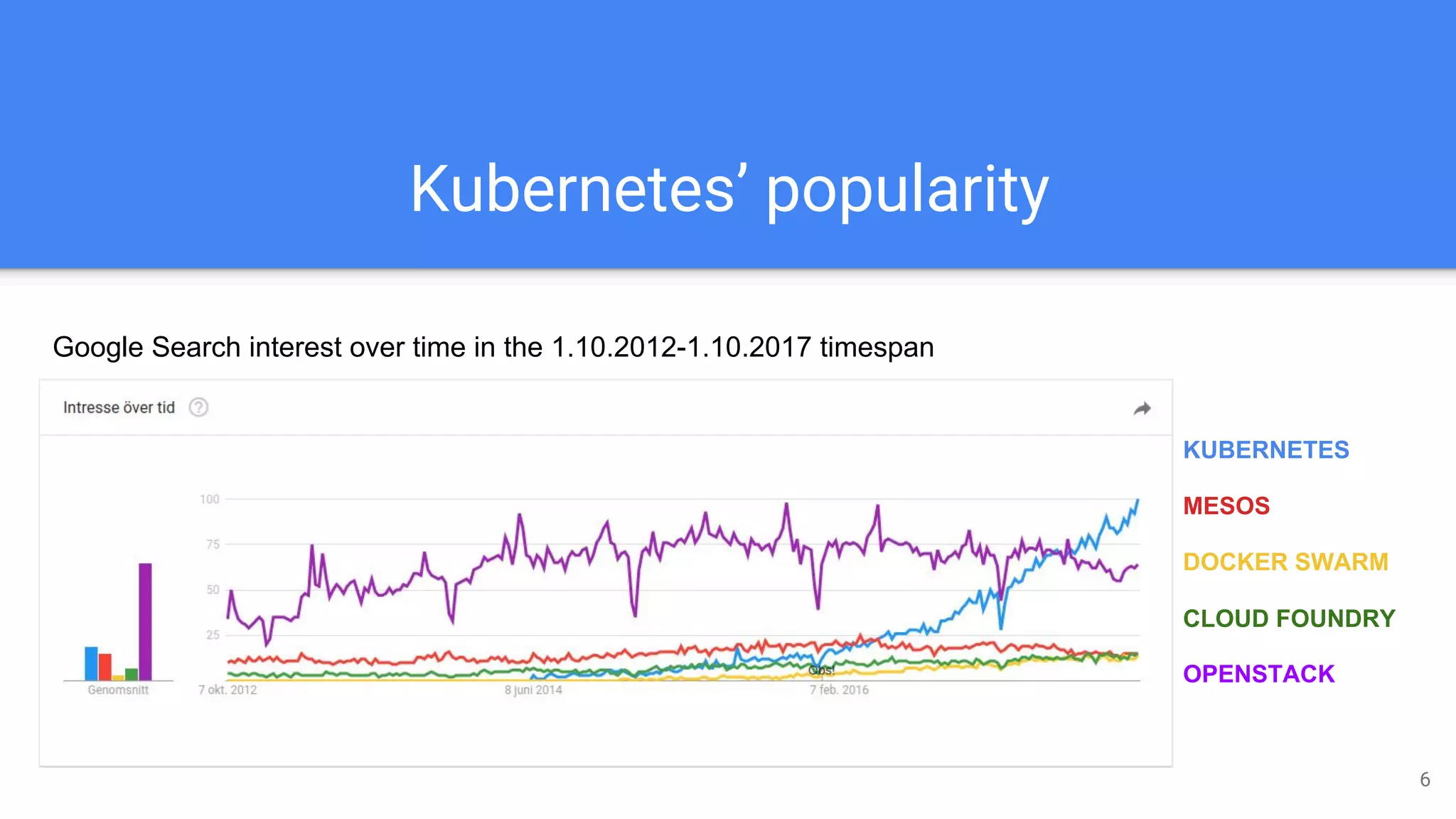
Kubernetes’ popularity
KUBERNETES
MESOS
DOCKER SWARM
CLOUD FOUNDRY
OPENSTACK
Google Search interest over time in the 1.10.2012-1.10.2017 timespan
6
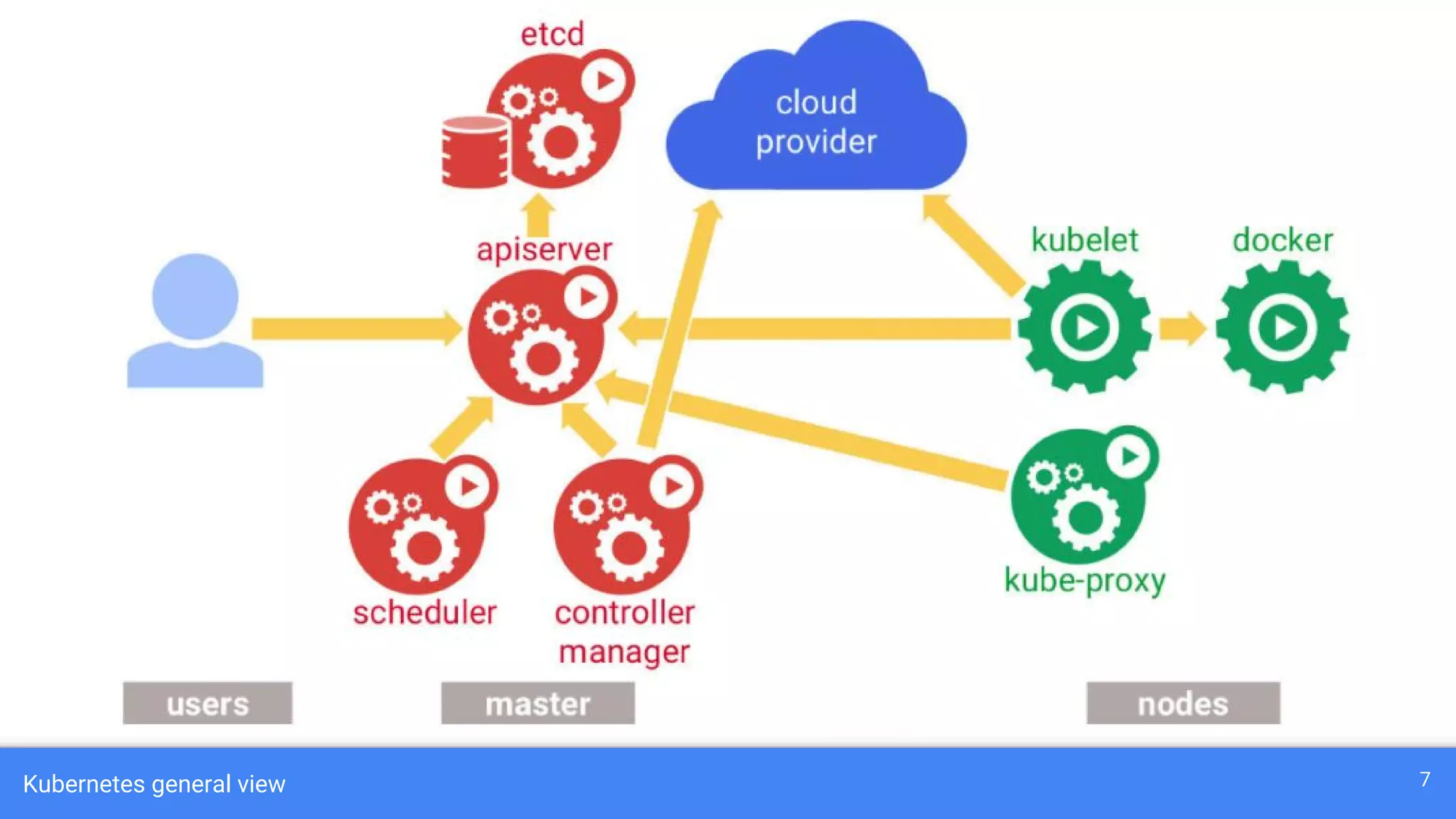
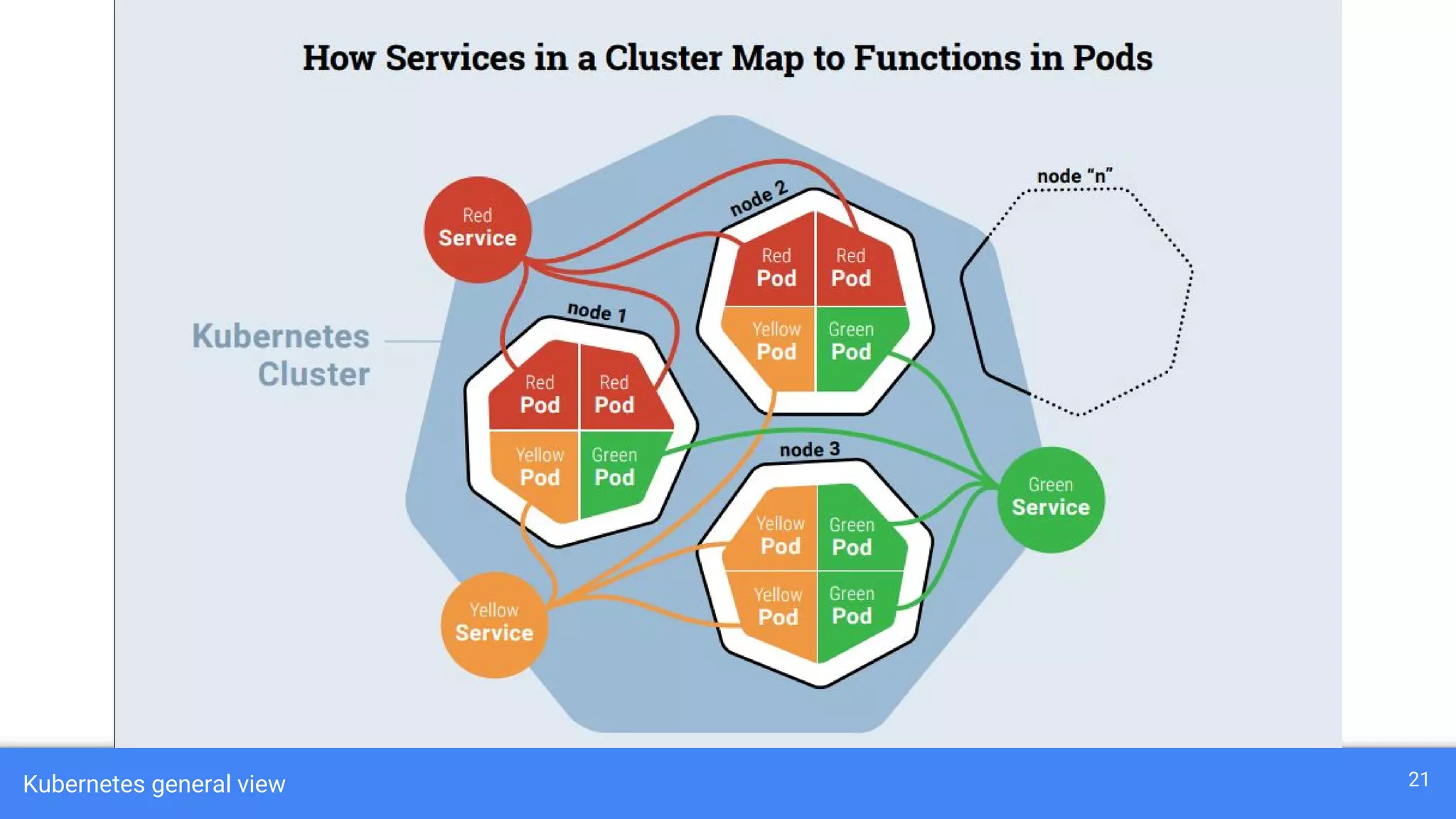
Kubernetes general view 7
Master Components
API Server: The main management endpoint for cluster (RESTful interface)
Controller Manages: Handles replication management
Scheduler Server: Assigns workload to specific nodes
etcd: A distributed key-value store for sharing configuration
8
Node Components
Docker: A container system which runs on a dedicated network
Kubelet: Is responsible for the communication with master server
Proxy: Used for network forwarding and load balancing
9
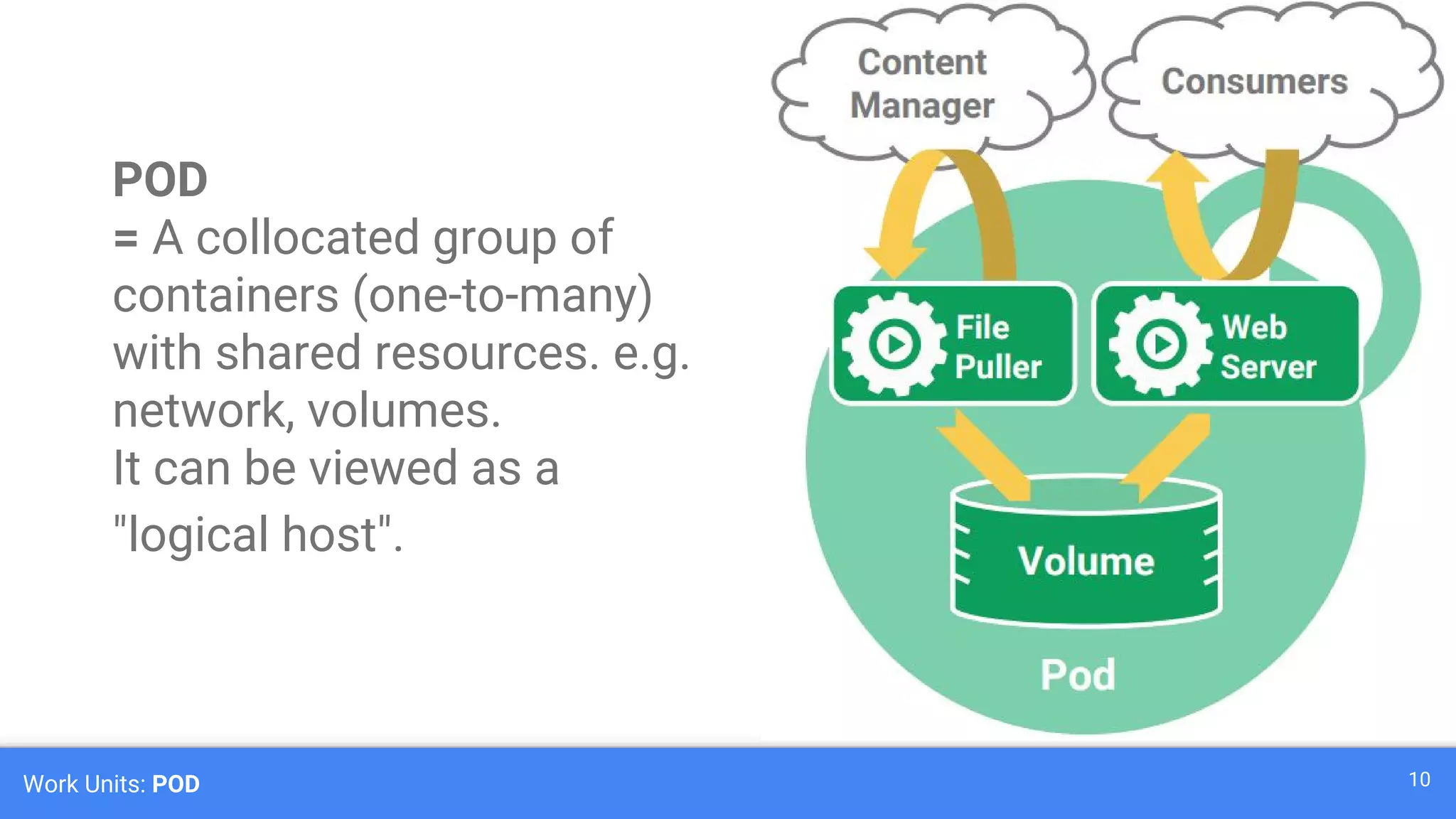
Work Units: POD 10
POD
= A collocated group of
containers (one-to-many)
with shared resources. e.g.
network, volumes.
It can be viewed as a
"logical host".
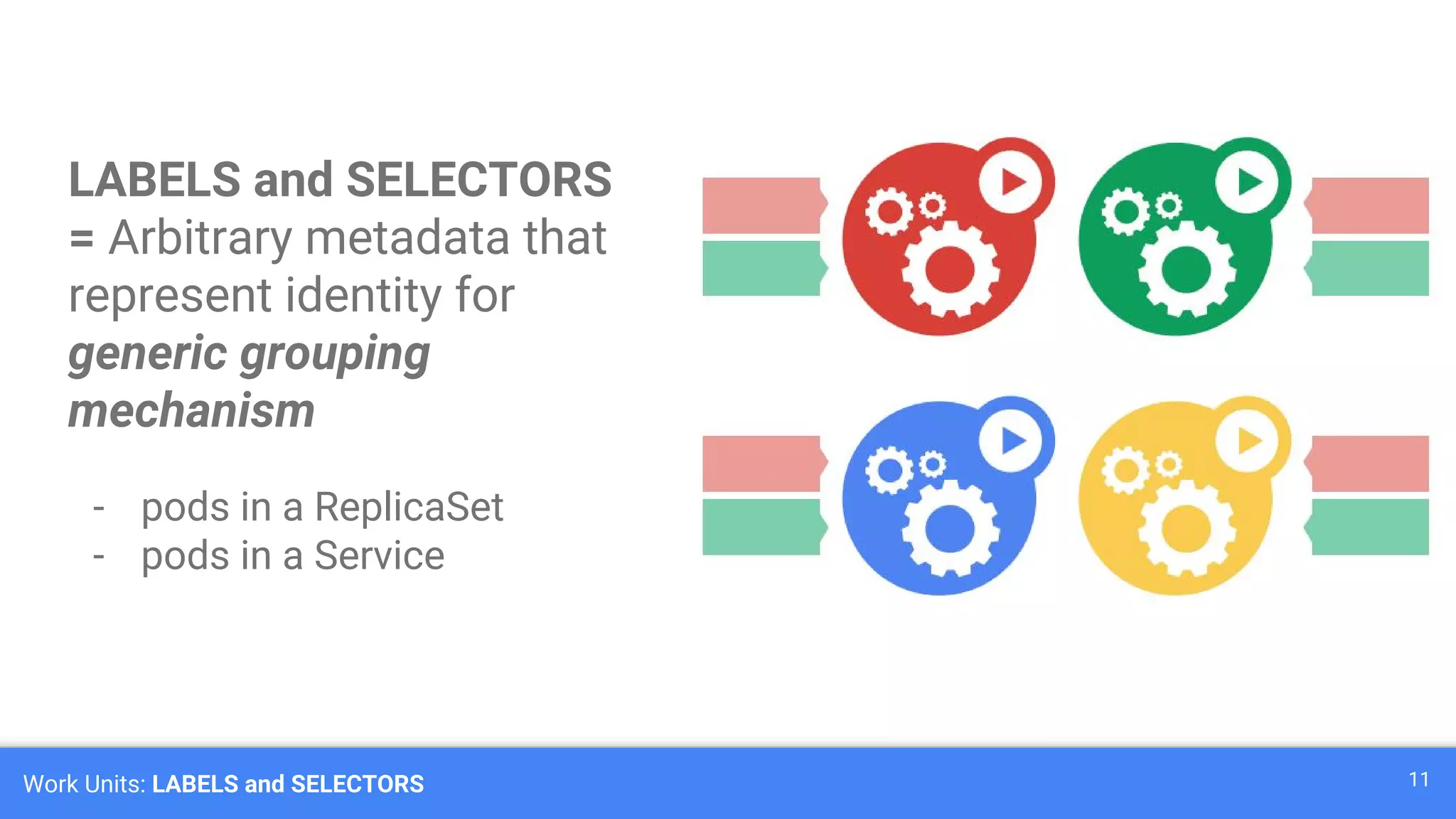
Work Units: LABELS and SELECTORS 11
LABELS and SELECTORS
= Arbitrary metadata that
represent identity for
generic grouping
mechanism
- pods in a ReplicaSet
- pods in a Service
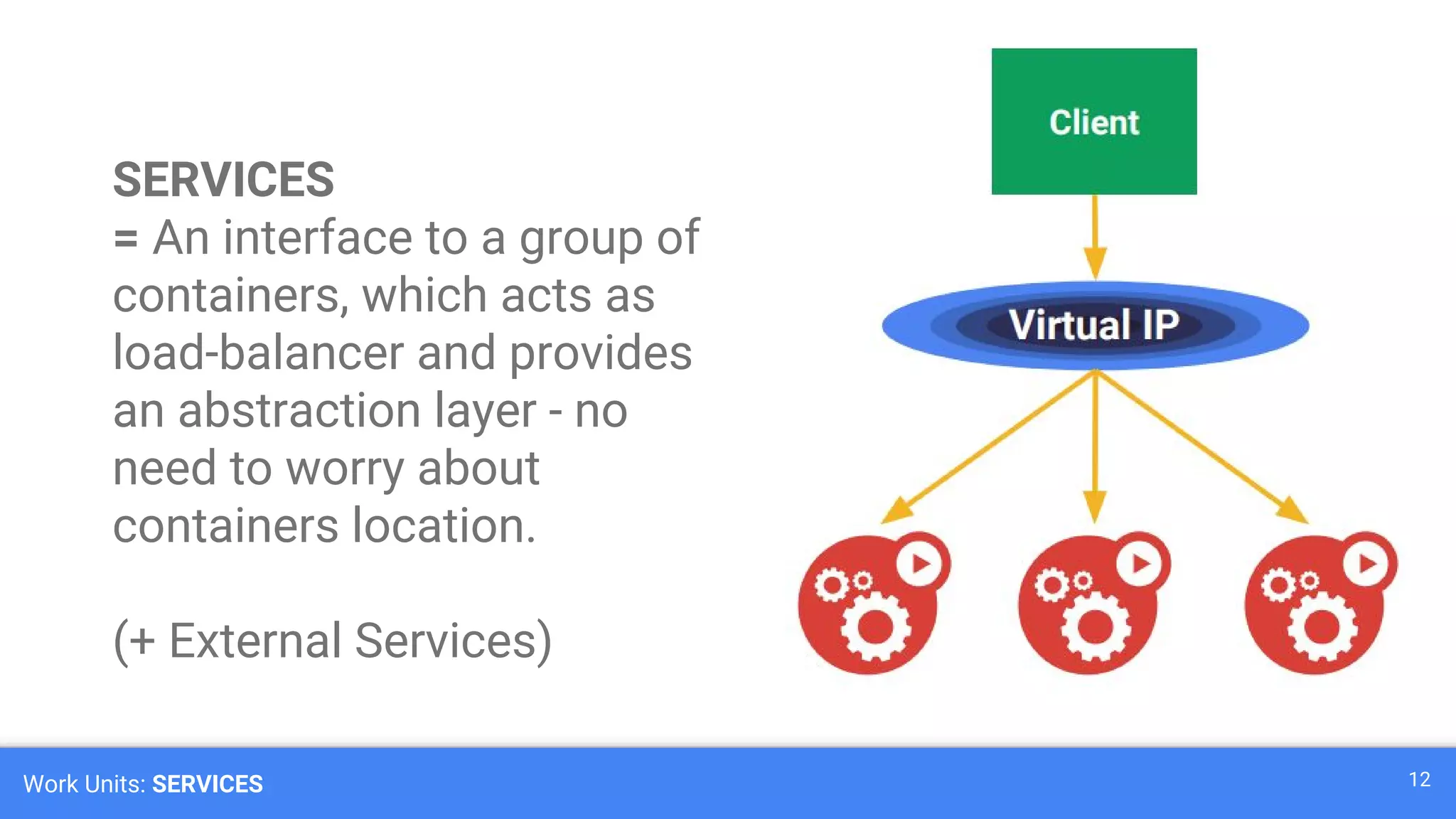
Work Units: SERVICES 12
SERVICES
= An interface to a group of
containers, which acts as
load-balancer and provides
an abstraction layer - no
need to worry about
containers location.
(+ External Services)
Work Units: REPLICA SET 13
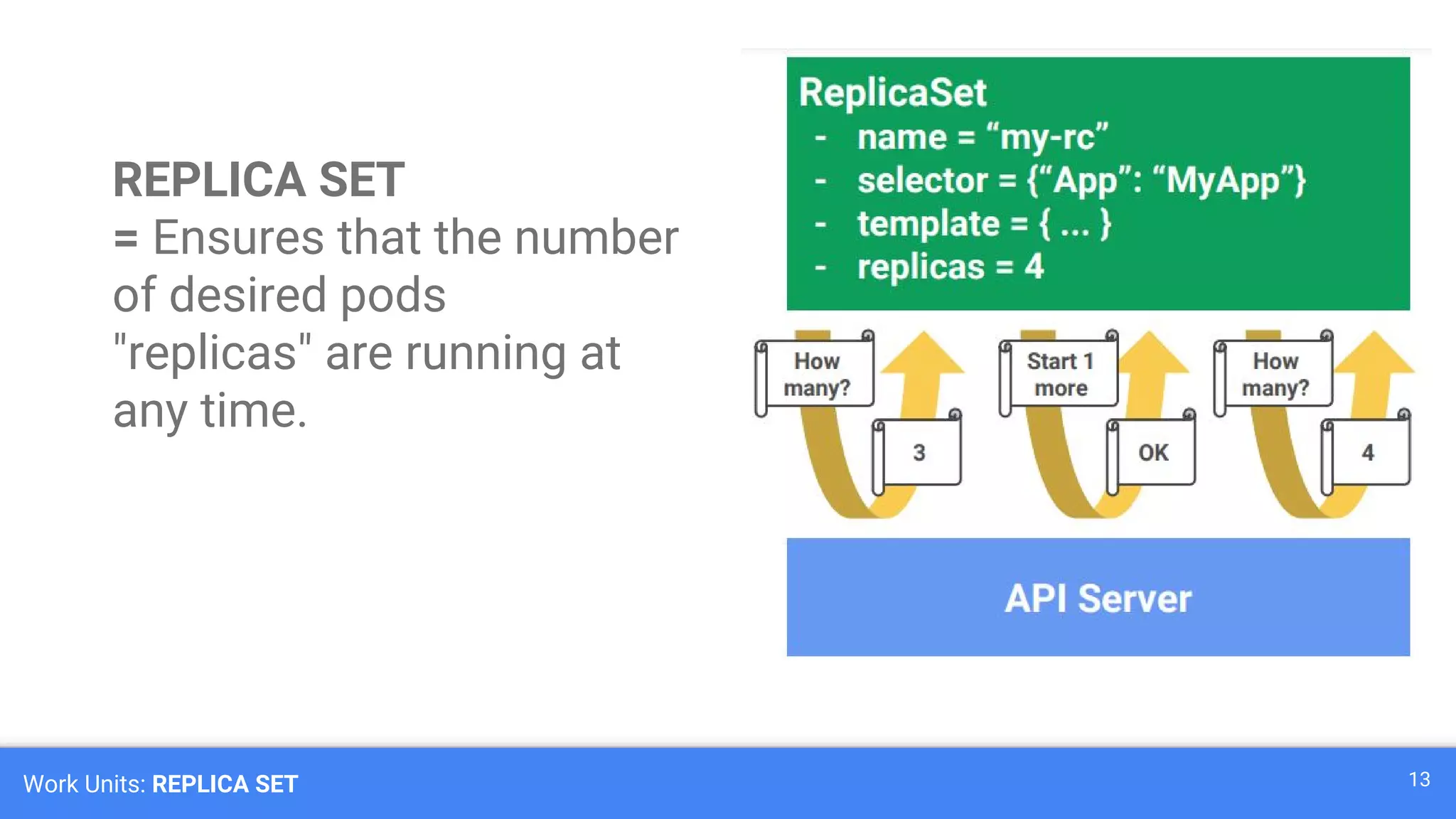
REPLICA SET
= Ensures that the number
of desired pods
"replicas" are running at
any time.
Work Units: DEPLOYMENT 14
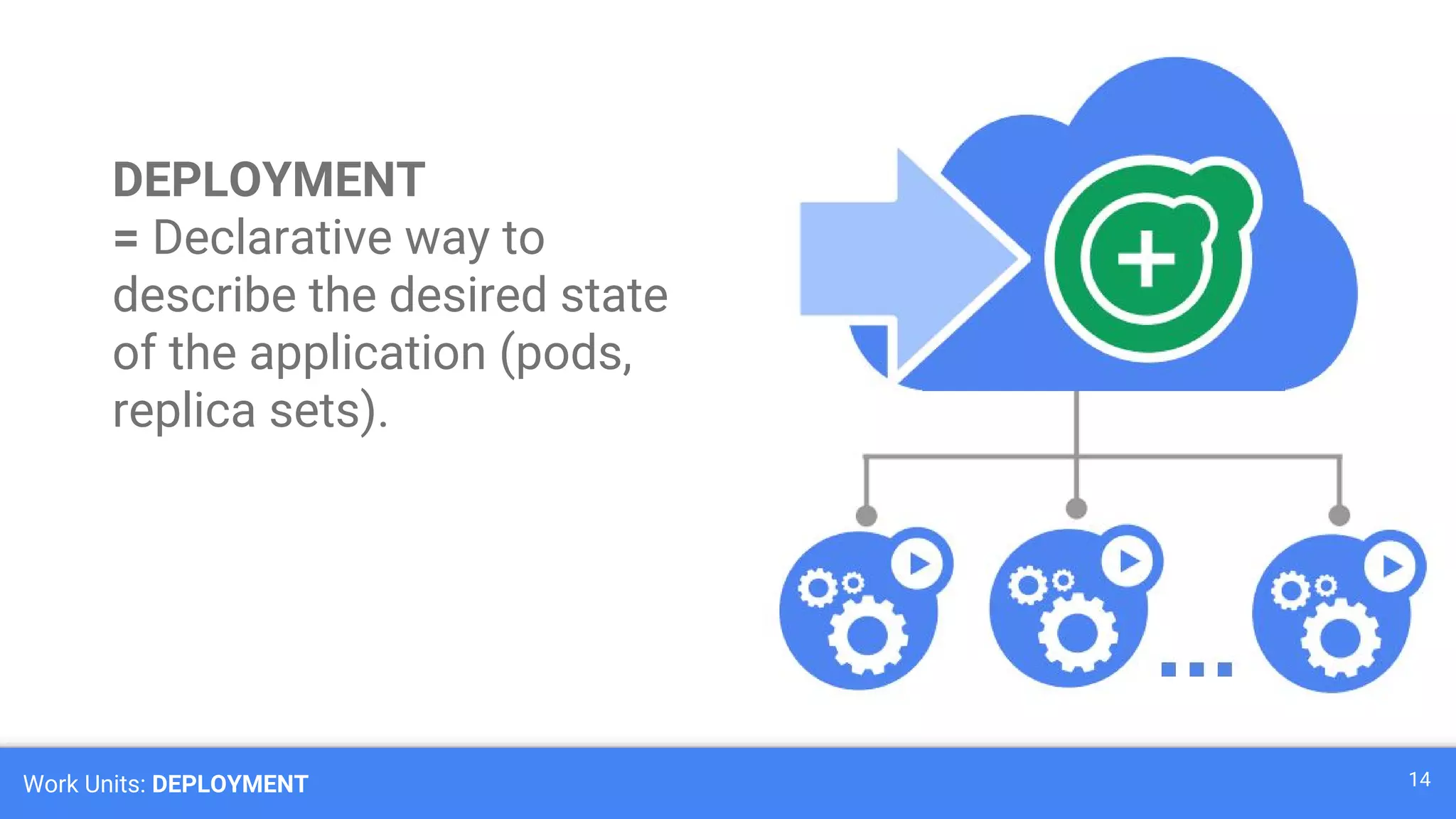
DEPLOYMENT
= Declarative way to
describe the desired state
of the application (pods,
replica sets).
Work Units: DAEMON SETS 15
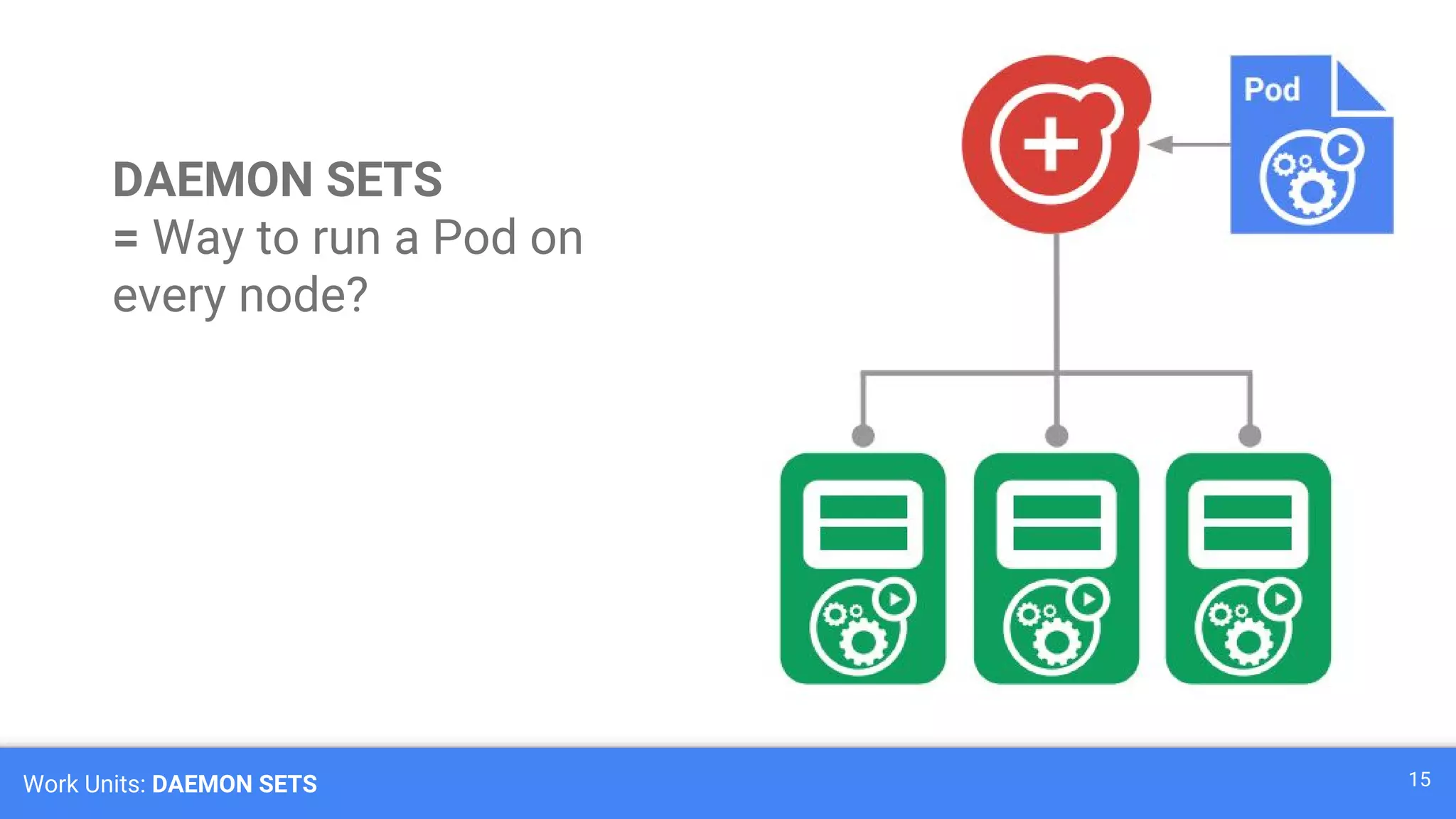
DAEMON SETS
= Way to run a Pod on
every node?
Work Units: DAEMON SETS 16
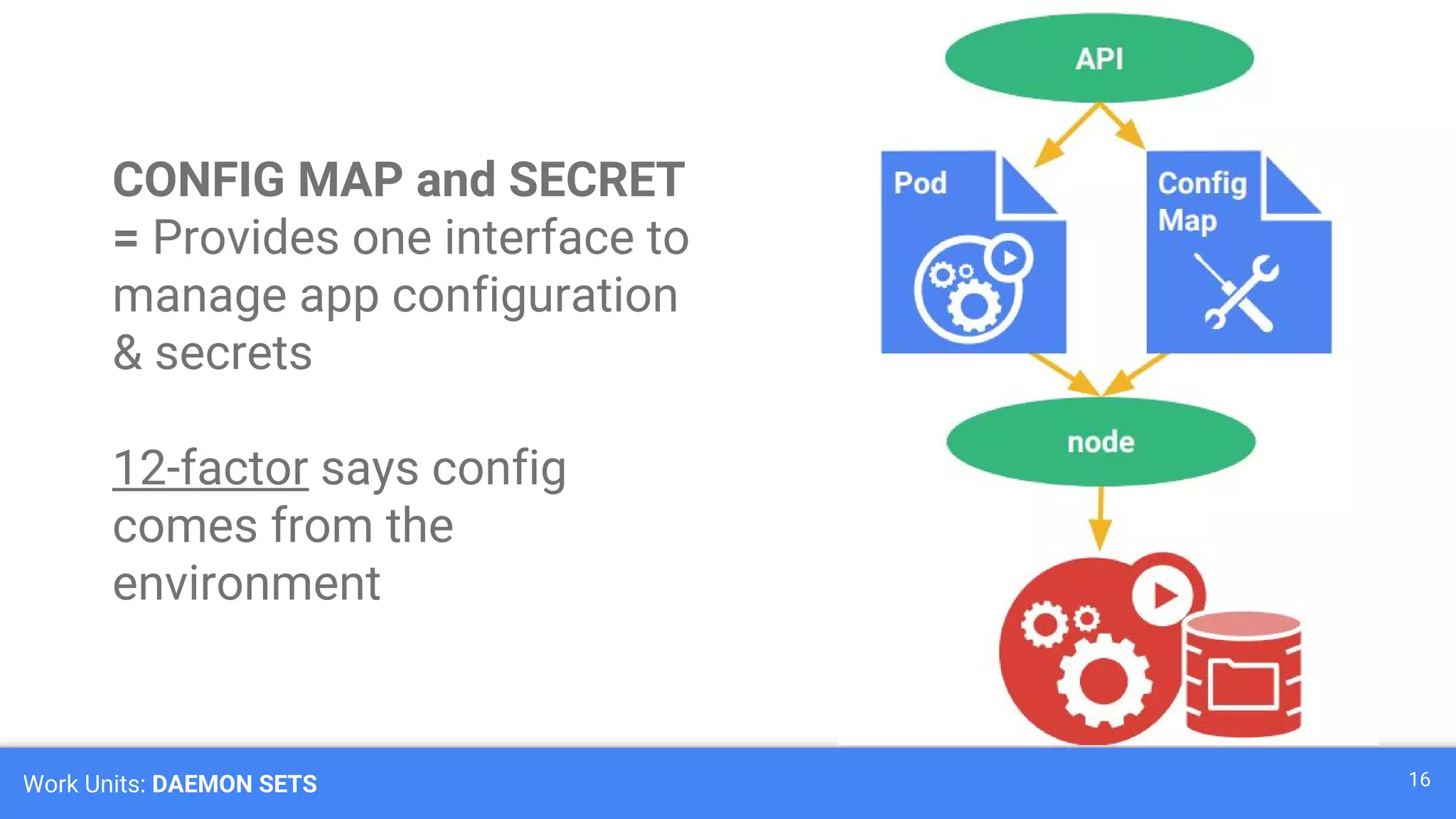
CONFIG MAP and SECRET
= Provides one interface to
manage app configuration
& secrets
12-factor says config
comes from the
environment
Work Units: DAEMON SETS 17
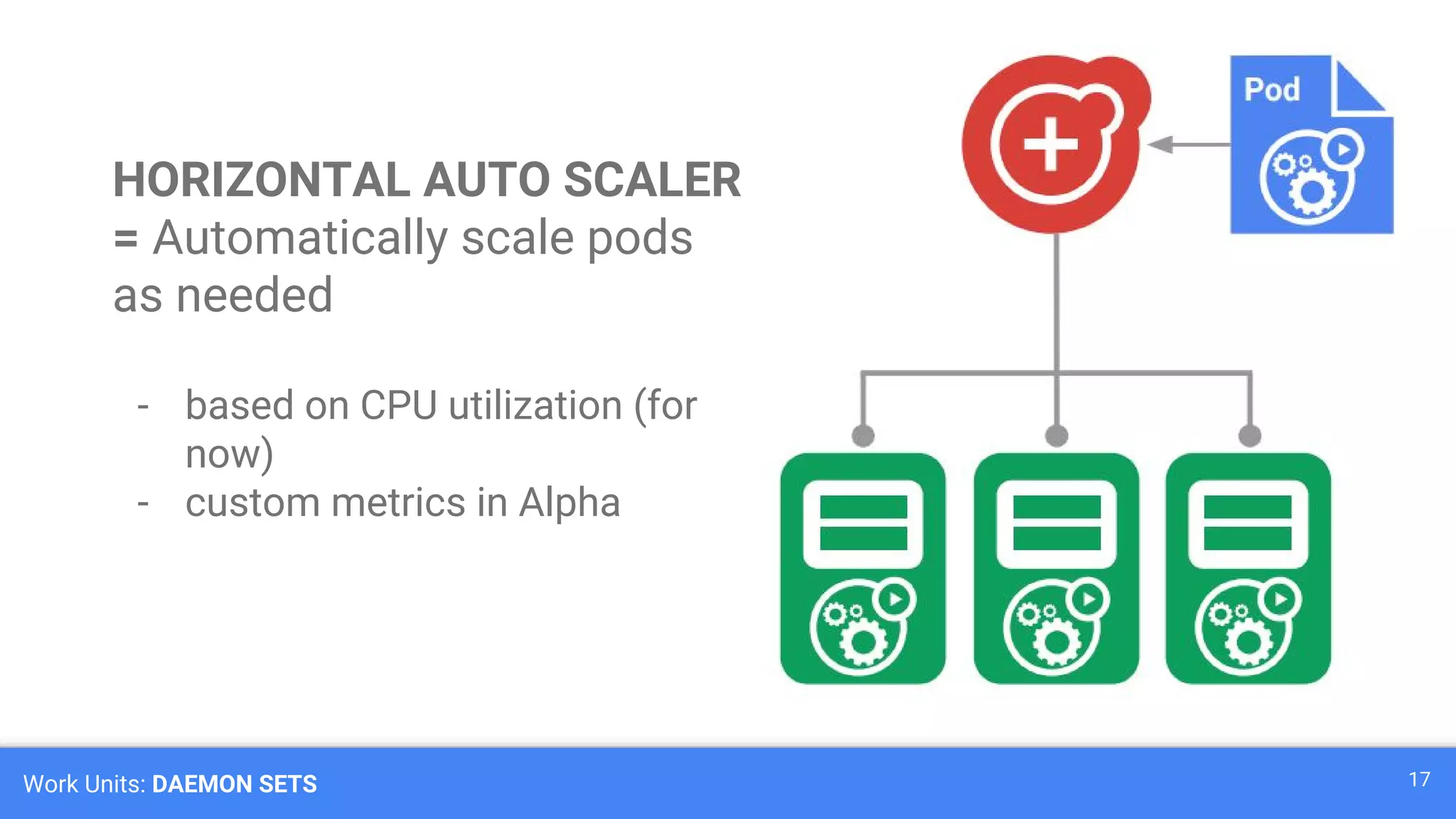
HORIZONTAL AUTO SCALER
= Automatically scale pods
as needed
- based on CPU utilization (for
now)
- custom metrics in Alpha
Work Units: PERSISTENT VOLUME 18
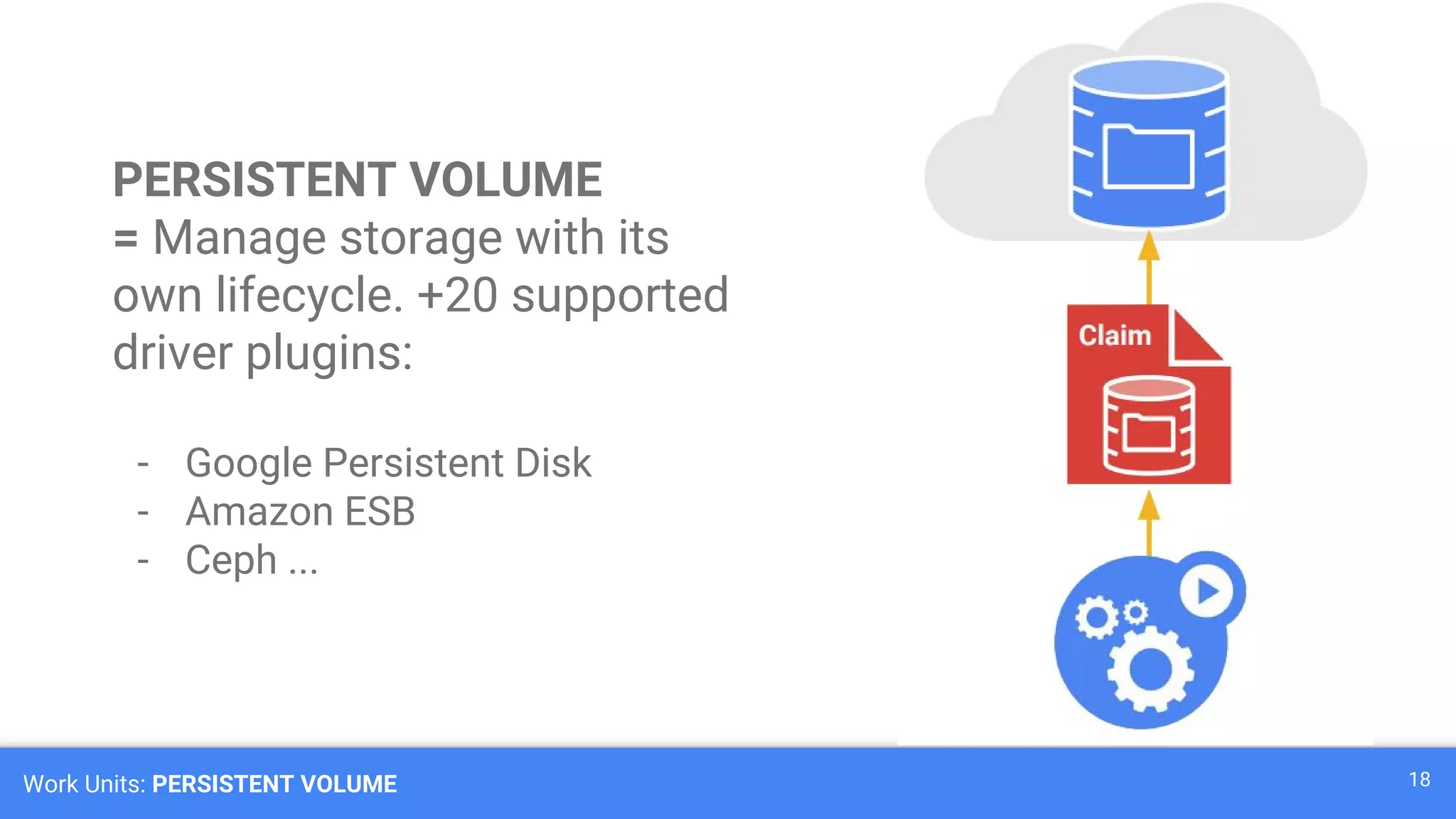
PERSISTENT VOLUME
= Manage storage with its
own lifecycle. +20 supported
driver plugins:
- Google Persistent Disk
- Amazon ESB
- Ceph ...
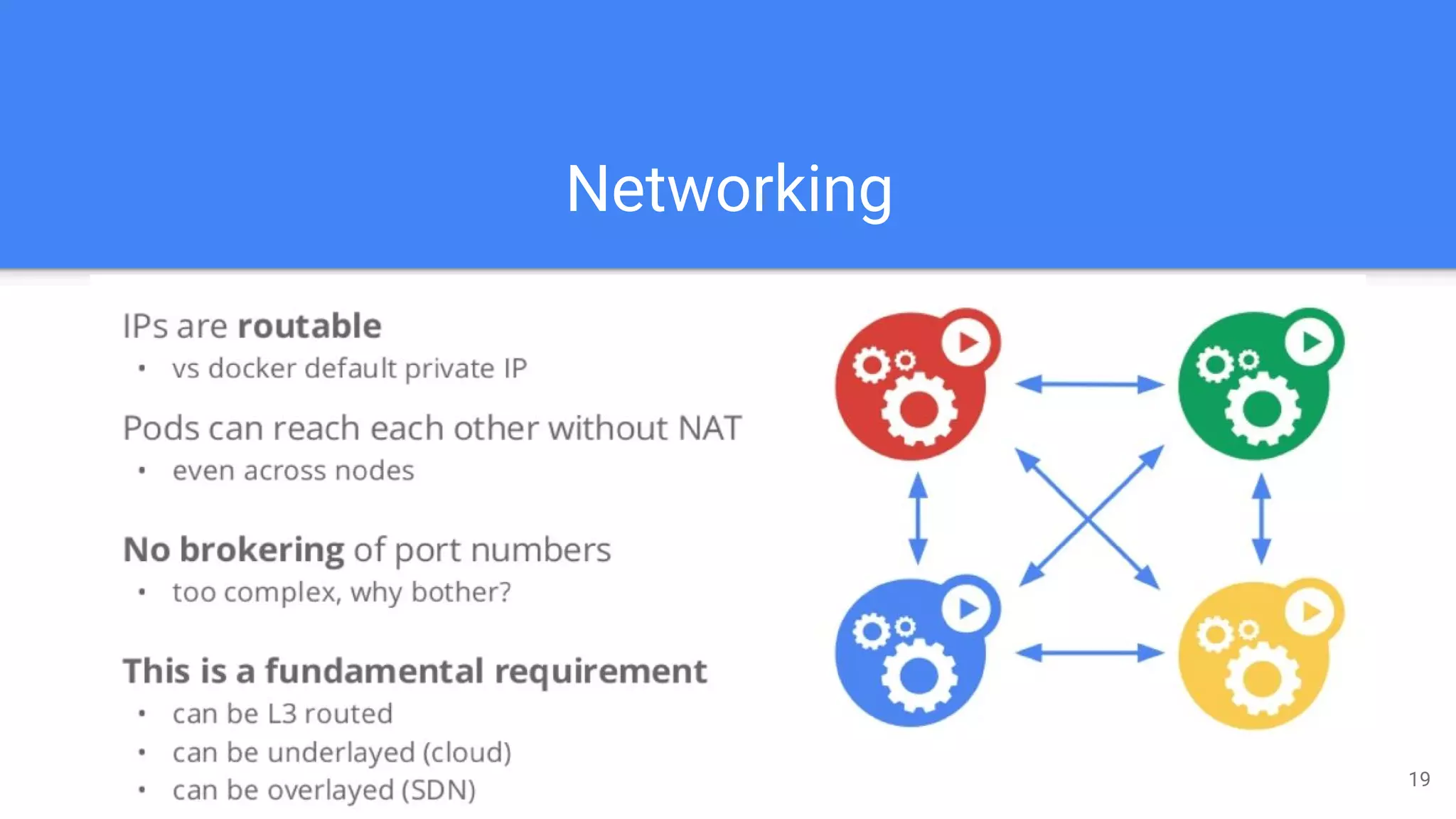
Networking
19
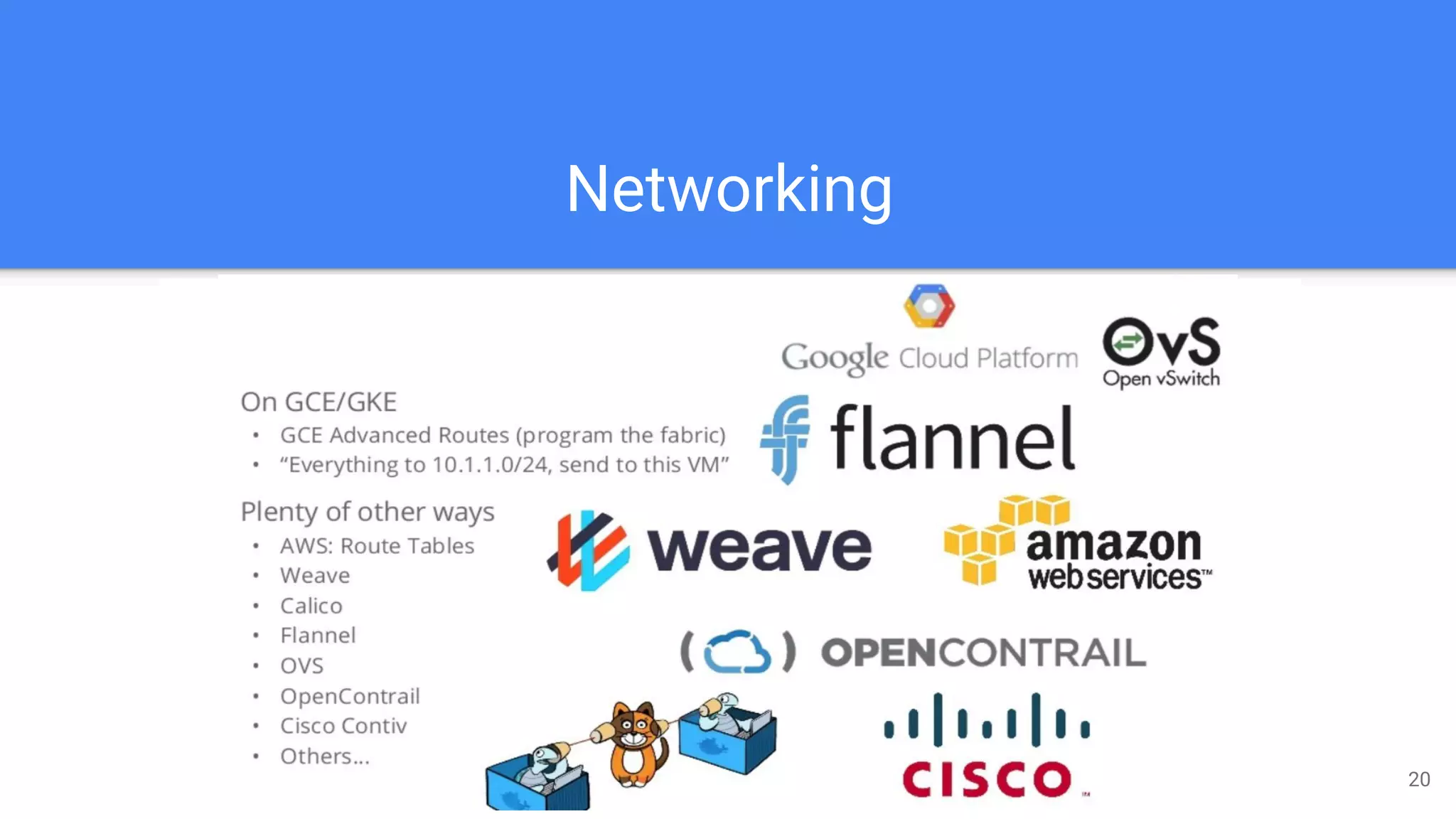
Networking
20
Kubernetes general view 21
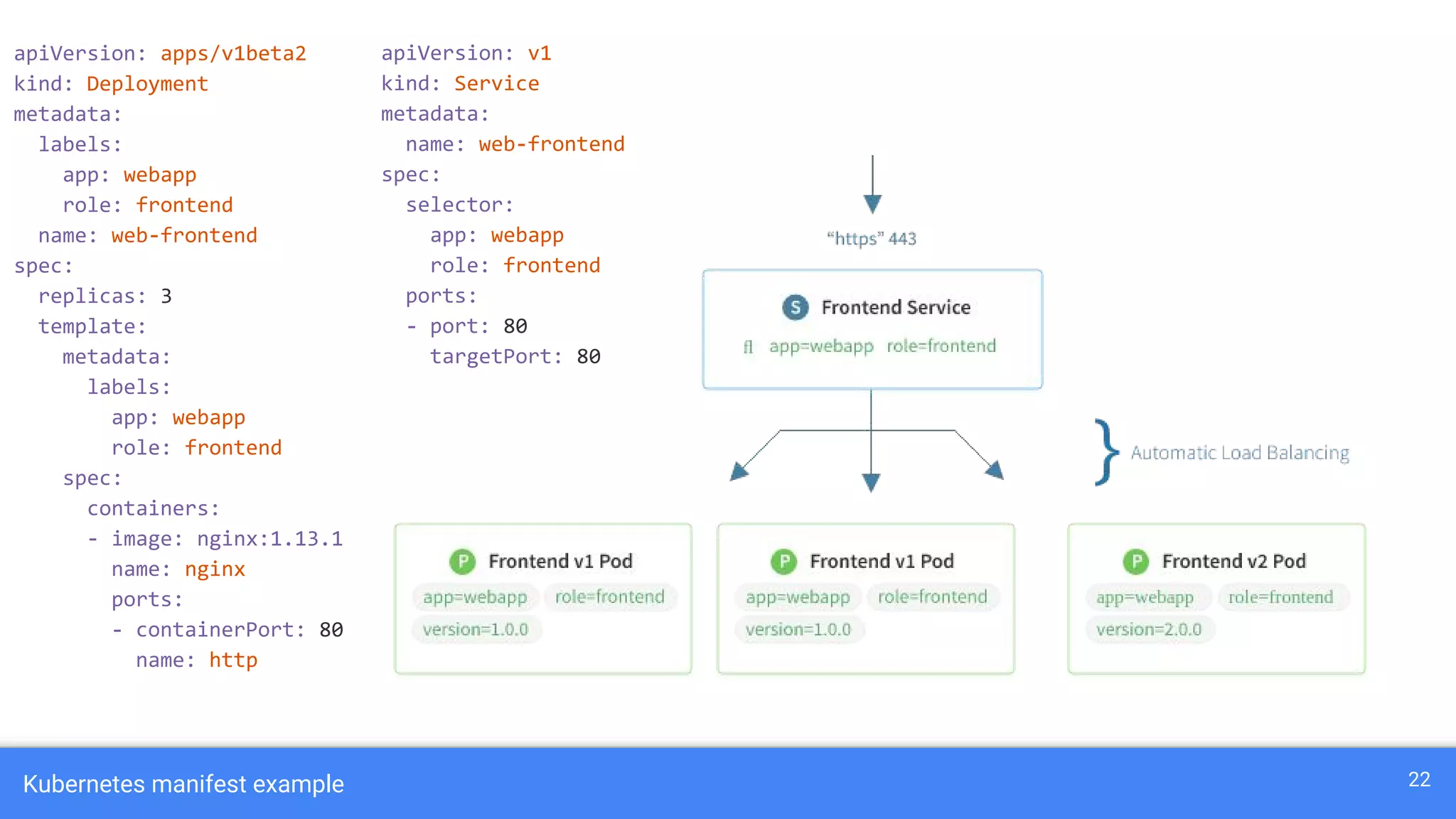
Kubernetes manifest example 22
apiVersion: v1
kind: Service
metadata:
name: web-frontend
spec:
selector:
app: webapp
role: frontend
ports:
- port: 80
targetPort: 80
apiVersion: apps/v1beta2
kind: Deployment
metadata:
labels:
app: webapp
role: frontend
name: web-frontend
spec:
replicas: 3
template:
metadata:
labels:
app: webapp
role: frontend
spec:
containers:
- image: nginx:1.13.1
name: nginx
ports:
- containerPort: 80
name: http
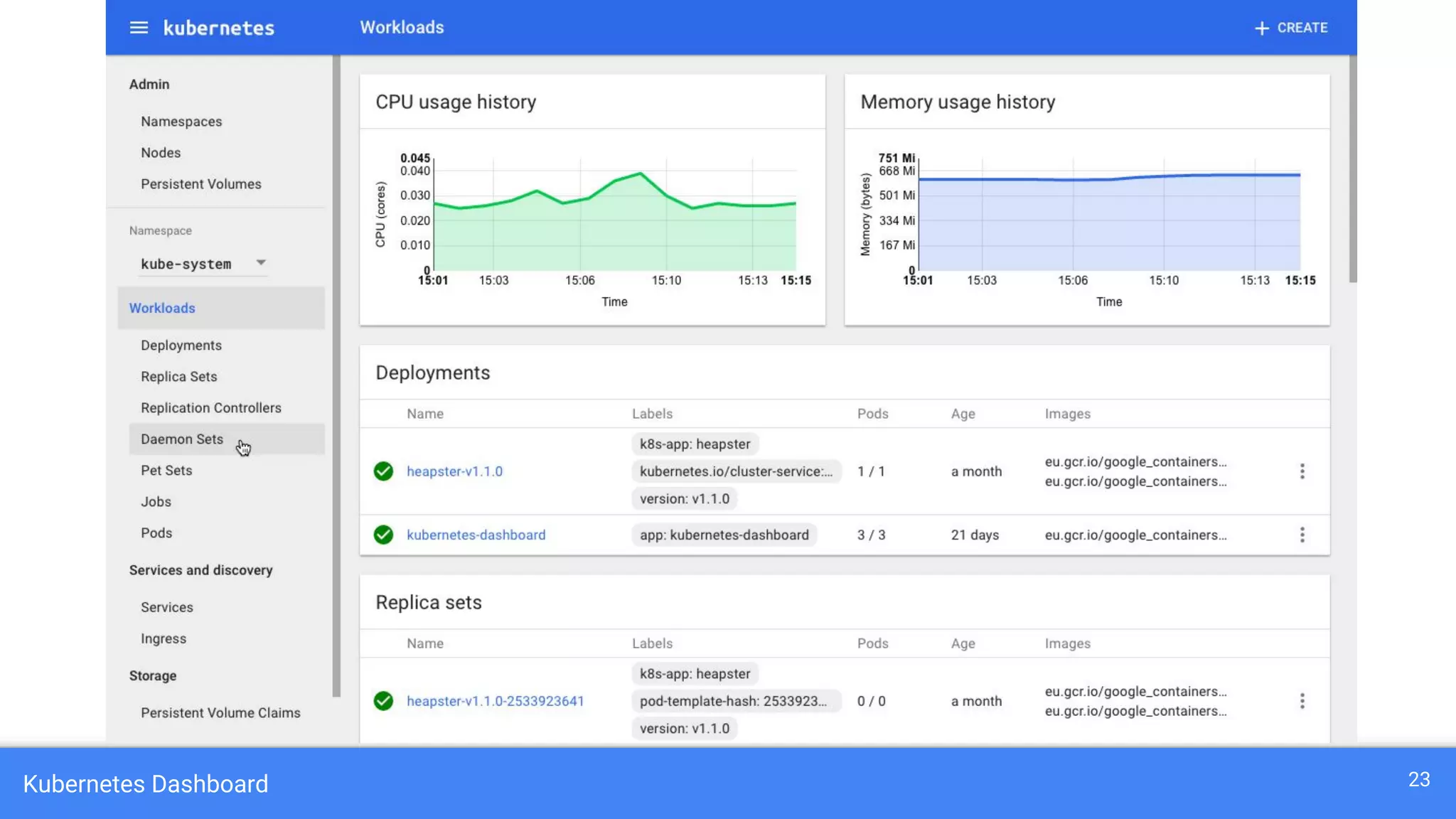
Kubernetes Dashboard 23
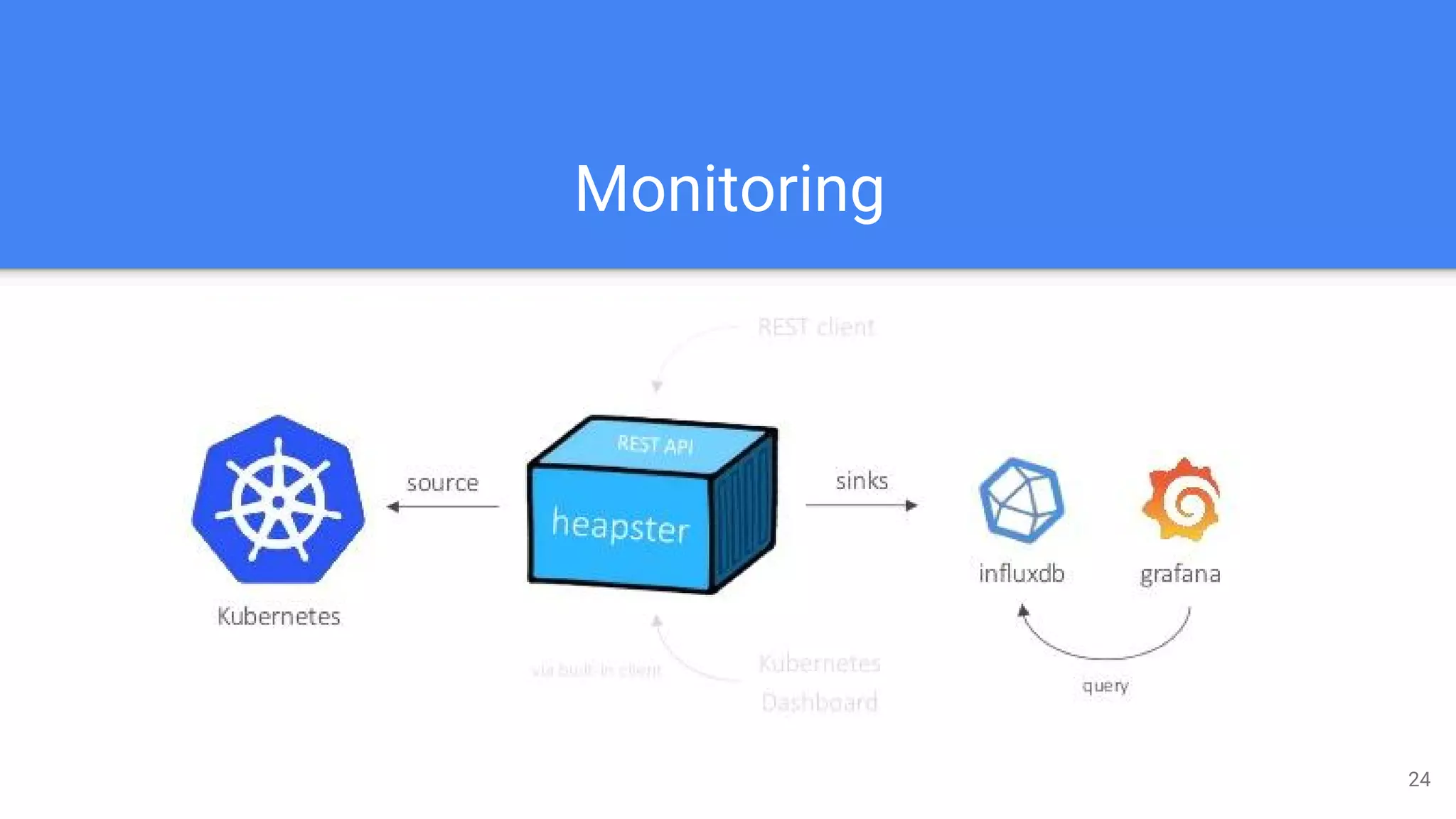
Monitoring
24
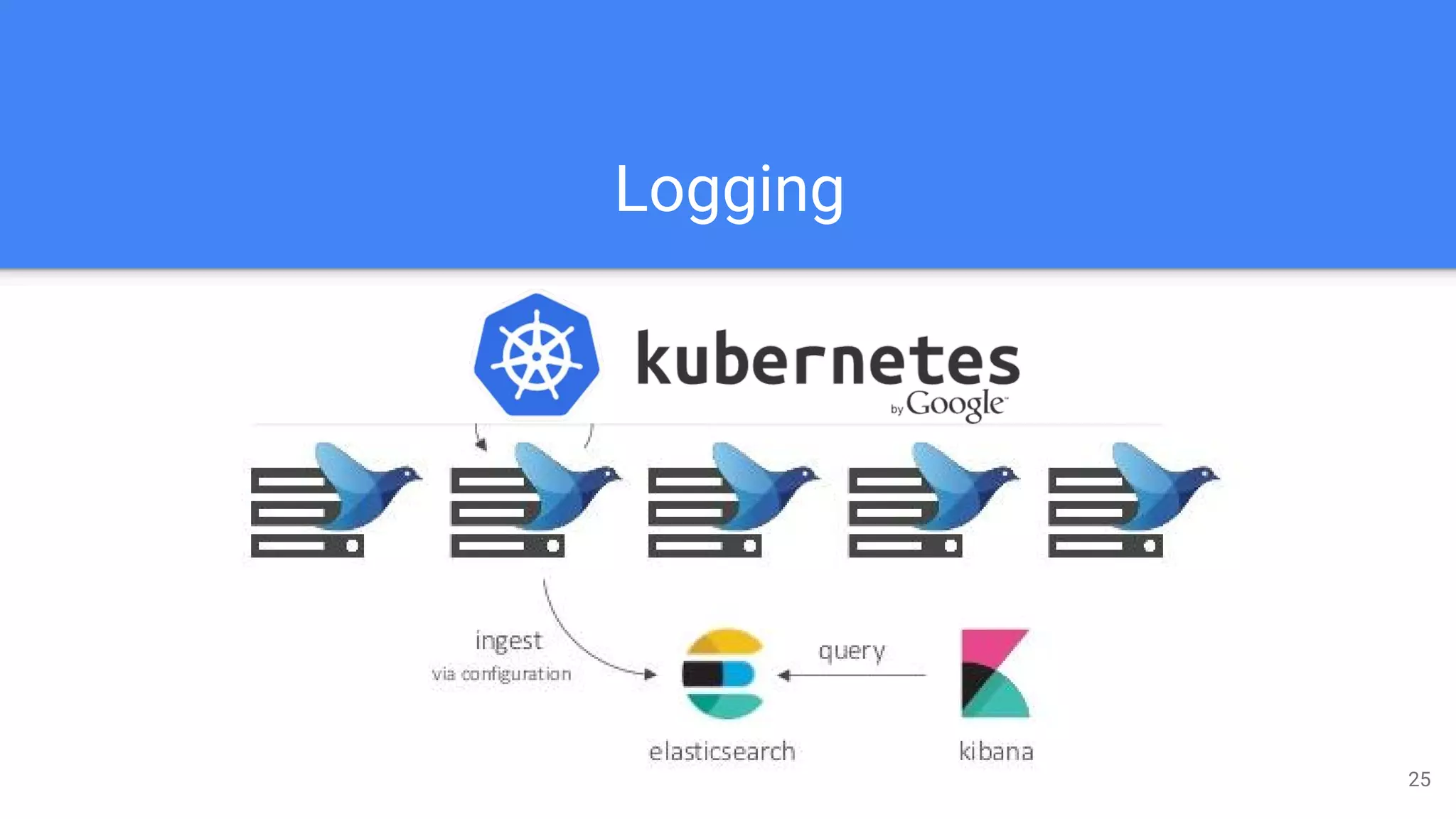
Logging
25
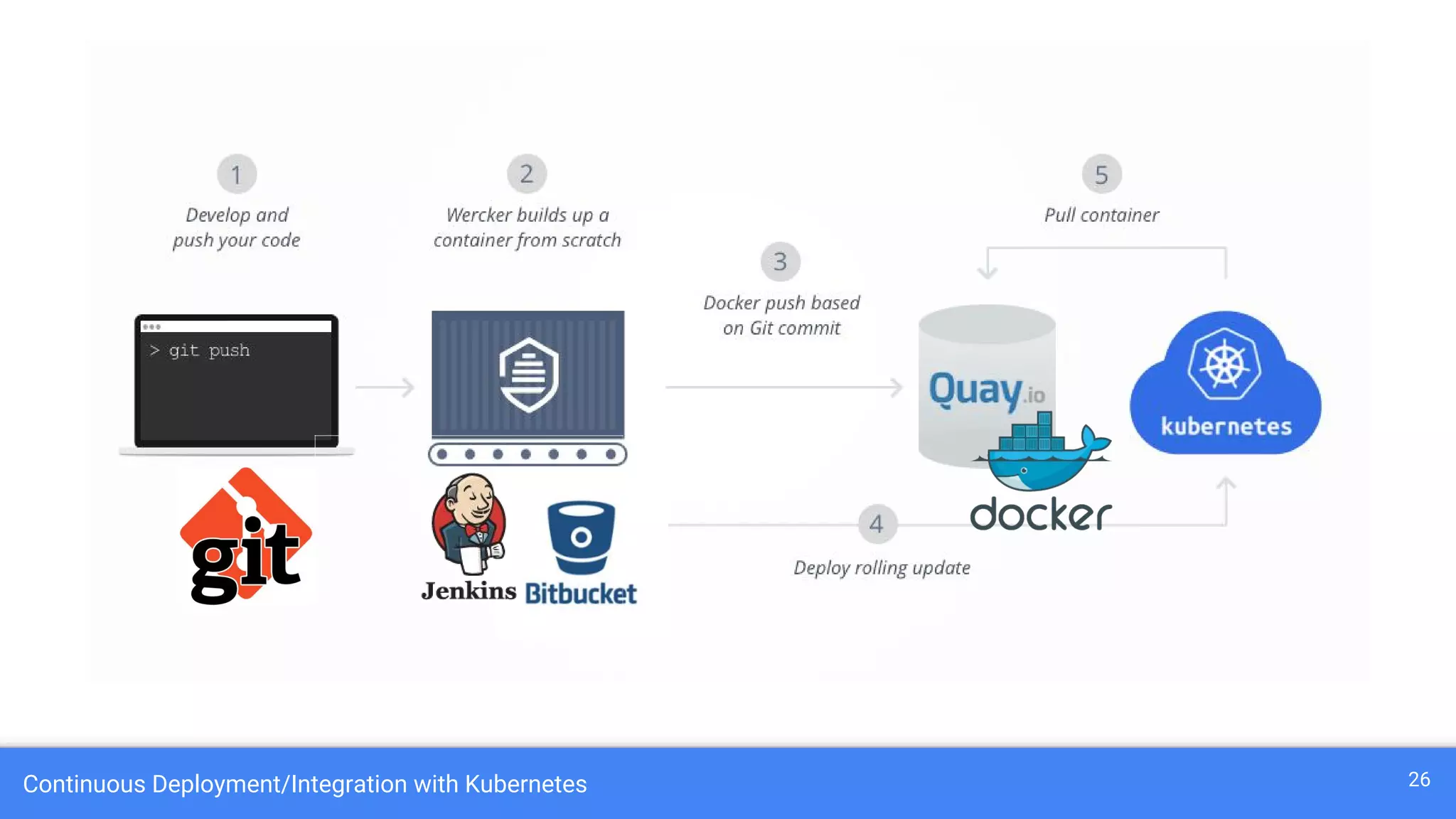
Continuous Deployment/Integration with Kubernetes 26
Cluster Deployment
27
Minikube:
https://github.com/kubernetes/minikube
Kubeadm:
https://kubernetes.io/docs/setup/independent/create-cluster-kubeadm/
Kubespray:
https://github.com/kubernetes-incubator/kubespray
Kops (Kubernetes Operations):
https://github.com/kubernetes/kops
Kops Use Case 28

Kubernetes Nedir?

  • 1.
    What is Kubernetes? Ahmet Üstün ahmetustun@comind.ai 1
  • 2.
    What does “Kubernetes”means ? Kubernetes = Greek for “pilot” or “helmsman of a ship” 2
  • 3.
    Kubernetes A Production-Grade ContainerOrchestration System Google-grown, based on Borg and Omega, systems that run inside of Google right now and are proven to work at Google for over 10 years. Google spawns 2 billion containers per week with these systems. Created by three Google employees initially during the summer of 2014 Hit the first production-grade version v1.0.1 in July 2015. Have continually released a new minor version every three months since v1.2.0 in March 2016. v1.8.0 was just released 28th September 2017. 3
  • 4.
    So what doesKubernetes actually do ? One thing: Abstract away the underlying hardware. Abstract away the concept Node. Principle: Manage your applications like Cattle (generic, bulk operations) instead of like Pets (every operation is customized with care and love for the individual) You (the admin) declares the desired state, Kubernetes' main task is to make the desired state the actual state. 4
  • 5.
    So what doesKubernetes actually do ? A system for container management in a clustered environment. Multiple cloud and bare-metal environments. Multiple container engines, mainly based on Docker. Provides grouping, load balancing, scaling and scheduling features. Manages applications, not machines 5
  • 6.
    Kubernetes’ popularity KUBERNETES MESOS DOCKER SWARM CLOUDFOUNDRY OPENSTACK Google Search interest over time in the 1.10.2012-1.10.2017 timespan 6
  • 7.
  • 8.
    Master Components API Server:The main management endpoint for cluster (RESTful interface) Controller Manages: Handles replication management Scheduler Server: Assigns workload to specific nodes etcd: A distributed key-value store for sharing configuration 8
  • 9.
    Node Components Docker: Acontainer system which runs on a dedicated network Kubelet: Is responsible for the communication with master server Proxy: Used for network forwarding and load balancing 9
  • 10.
    Work Units: POD10 POD = A collocated group of containers (one-to-many) with shared resources. e.g. network, volumes. It can be viewed as a "logical host".
  • 11.
    Work Units: LABELSand SELECTORS 11 LABELS and SELECTORS = Arbitrary metadata that represent identity for generic grouping mechanism - pods in a ReplicaSet - pods in a Service
  • 12.
    Work Units: SERVICES12 SERVICES = An interface to a group of containers, which acts as load-balancer and provides an abstraction layer - no need to worry about containers location. (+ External Services)
  • 13.
    Work Units: REPLICASET 13 REPLICA SET = Ensures that the number of desired pods "replicas" are running at any time.
  • 14.
    Work Units: DEPLOYMENT14 DEPLOYMENT = Declarative way to describe the desired state of the application (pods, replica sets).
  • 15.
    Work Units: DAEMONSETS 15 DAEMON SETS = Way to run a Pod on every node?
  • 16.
    Work Units: DAEMONSETS 16 CONFIG MAP and SECRET = Provides one interface to manage app configuration & secrets 12-factor says config comes from the environment
  • 17.
    Work Units: DAEMONSETS 17 HORIZONTAL AUTO SCALER = Automatically scale pods as needed - based on CPU utilization (for now) - custom metrics in Alpha
  • 18.
    Work Units: PERSISTENTVOLUME 18 PERSISTENT VOLUME = Manage storage with its own lifecycle. +20 supported driver plugins: - Google Persistent Disk - Amazon ESB - Ceph ...
  • 19.
  • 20.
  • 21.
  • 22.
    Kubernetes manifest example22 apiVersion: v1 kind: Service metadata: name: web-frontend spec: selector: app: webapp role: frontend ports: - port: 80 targetPort: 80 apiVersion: apps/v1beta2 kind: Deployment metadata: labels: app: webapp role: frontend name: web-frontend spec: replicas: 3 template: metadata: labels: app: webapp role: frontend spec: containers: - image: nginx:1.13.1 name: nginx ports: - containerPort: 80 name: http
  • 23.
  • 24.
  • 25.
  • 26.
  • 27.
  • 28.