Troubleshooting Strategies
for CloudStack Installations
Kirk Kosinski
Escalation Engineer
Citrix Systems
@kirkkosinski
Agenda
●
Network Troubleshooting
–
VLANs, Security Groups
–
Hosts, Virtual Routers
–
VMs, Templates
●
Log Analysis
–
Files, keywords
–
Examples
Network Troubleshooting
VLAN Issues
●
Symptoms
–
Switch misconfiguration
●
All VLANs trunked by default? Or
denied?
–
Router problems
–
Bad or mislabeled cabling
More VLAN Issues
●
Hypervisor problems
–
NIC drivers
–
Bonding
–
Open vSwitch
–
VLAN Scalability
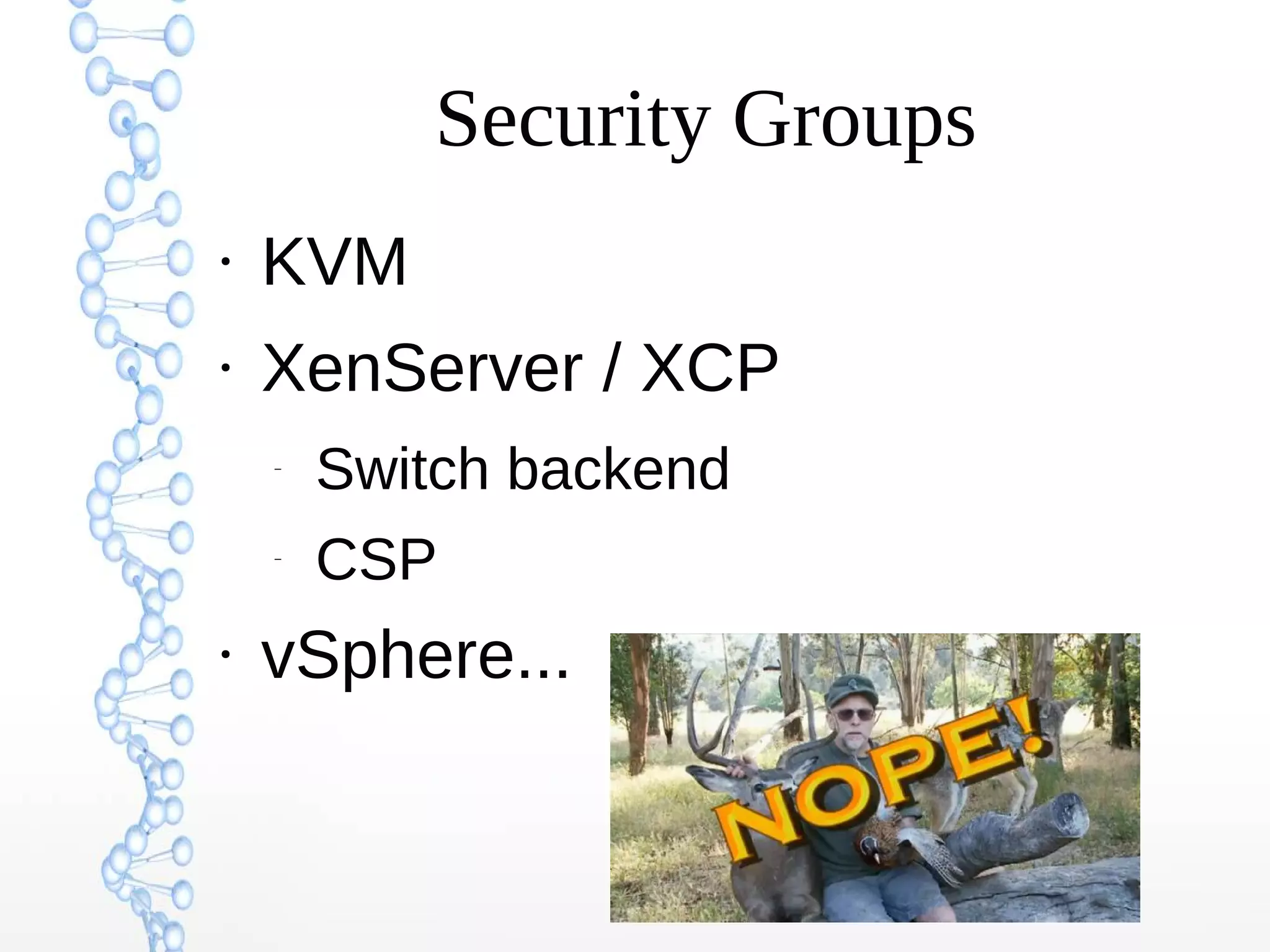
Security Groups
●
KVM
●
XenServer / XCP
–
Switch backend
–
CSP
●
vSphere...
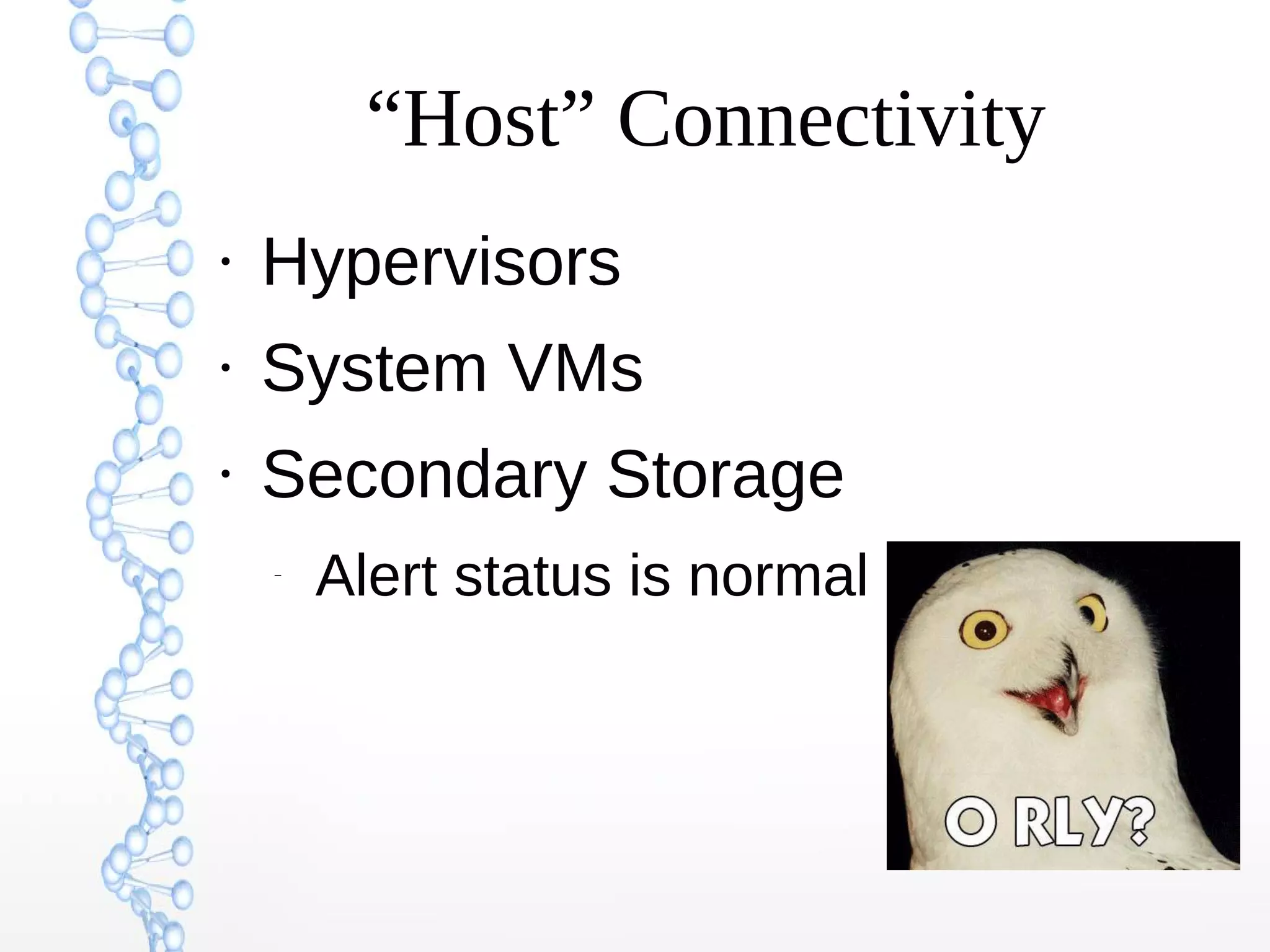
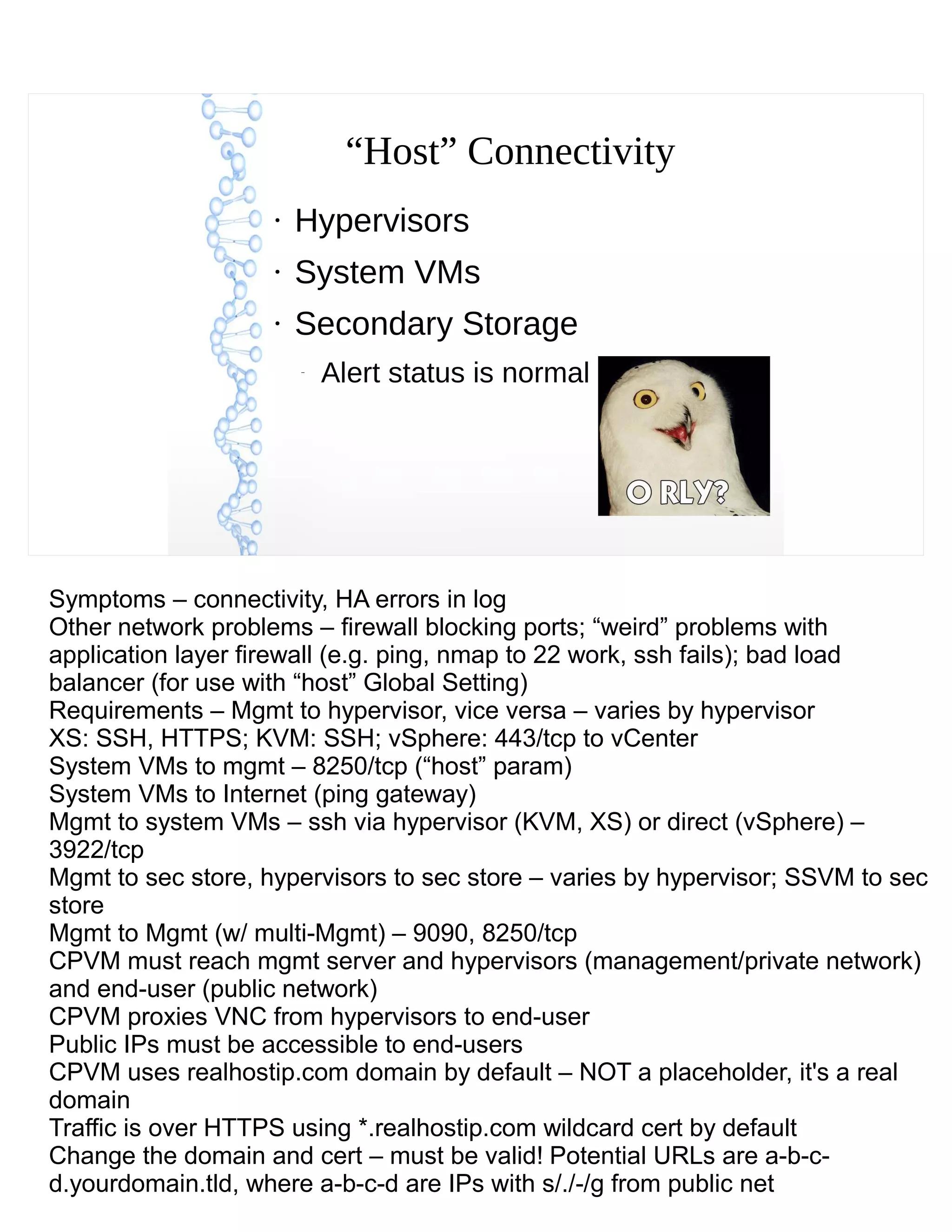
“Host” Connectivity
●
Hypervisors
●
System VMs
●
Secondary Storage
–
Alert status is normal
Virtual Router (domR)
●
Dnsmasq
●
HAProxy
●
Password resets
●
User- and Meta-data
Templates
●
eth0, or is it eth1? Or maybe
p192p1?
●
“sysprep” for Windows, your own
solution for Linux
●
Prepare in CloudStack
environment?
●
Can't “import” them?
Log Analysis
Management Server
●
/var/log/cloud/management/
●
management-server.log
●
api-server.log
●
The rest (catalina.out, host-
manager.log, etc.)
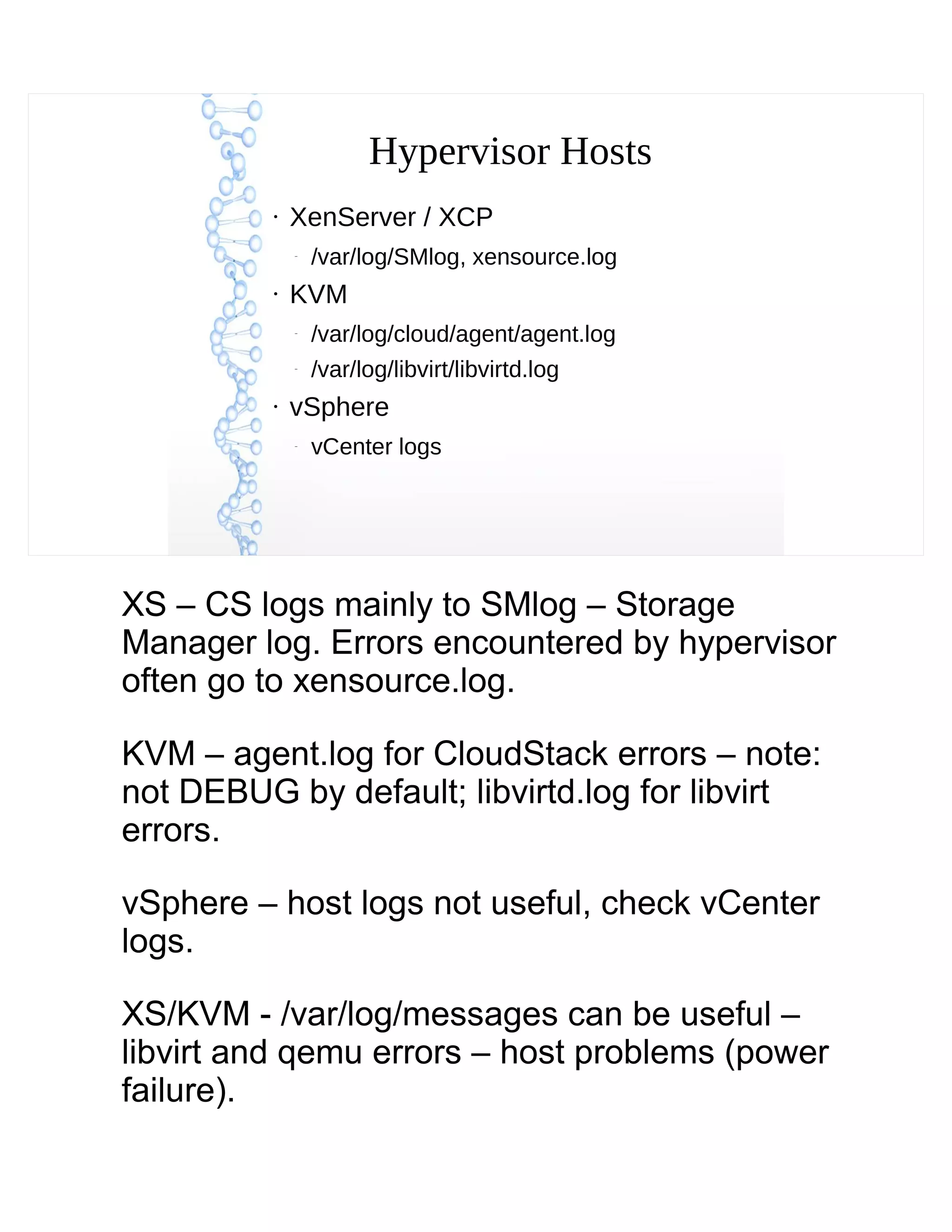
Hypervisor Hosts
●
XenServer / XCP
–
/var/log/SMlog, xensource.log
●
KVM
–
/var/log/cloud/agent/agent.log
–
/var/log/libvirt/libvirtd.log
●
vSphere
–
vCenter logs
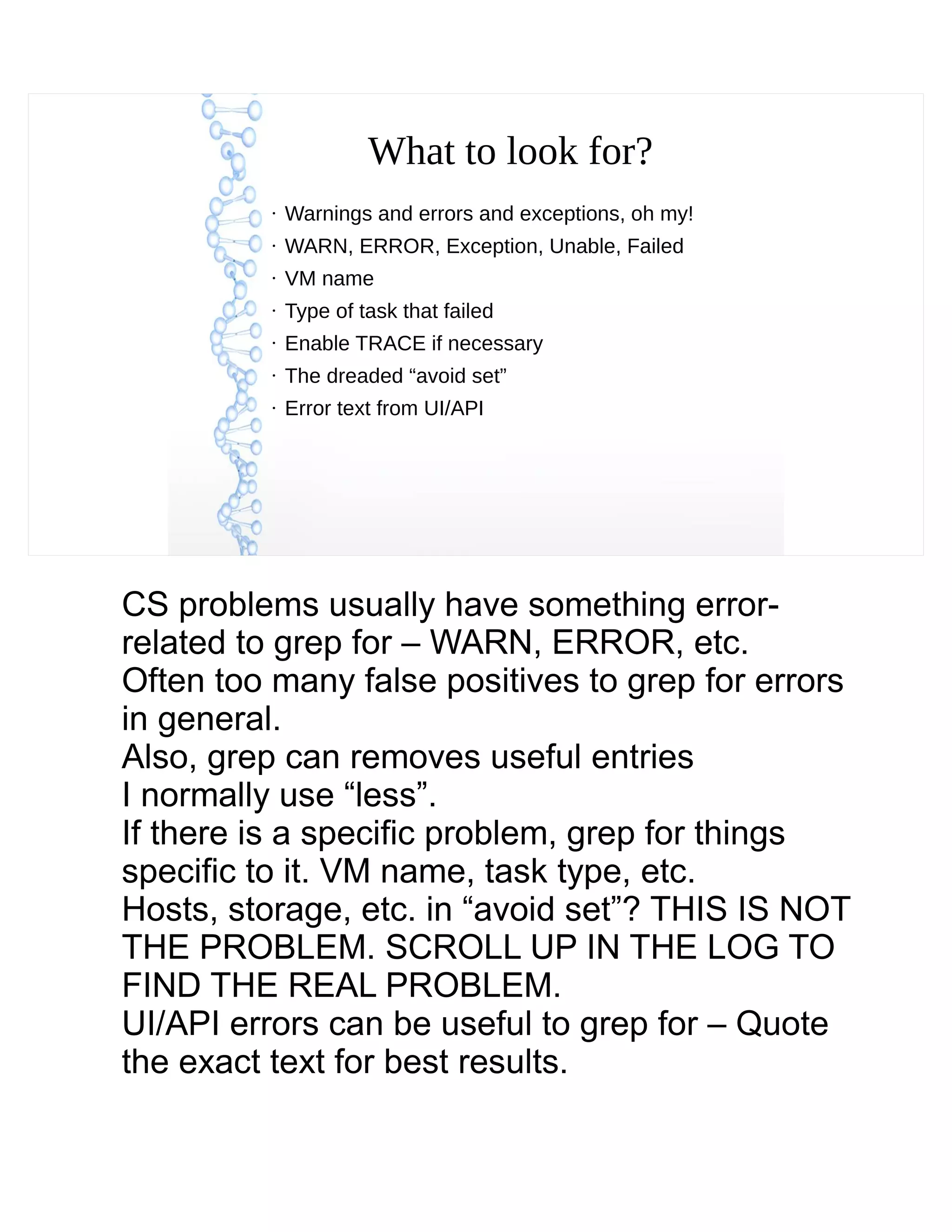
What to look for?
●
Warnings and errors and exceptions, oh my!
●
WARN, ERROR, Exception, Unable, Failed
●
VM name
●
Type of task that failed
●
Enable TRACE if necessary
●
The dreaded “avoid set”
●
Error text from UI/API
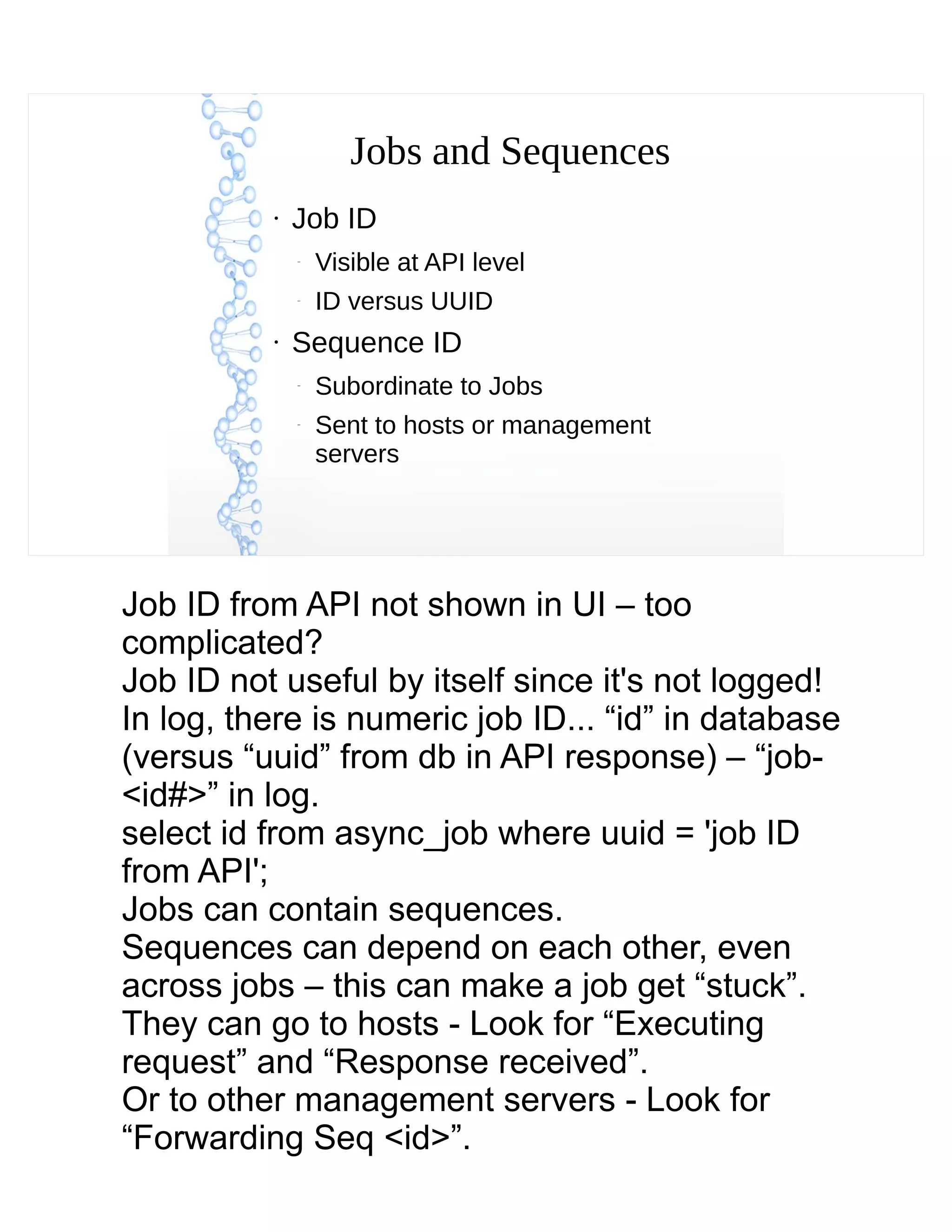
Jobs and Sequences
●
Job ID
–
Visible at API level
–
ID versus UUID
●
Sequence ID
–
Subordinate to Jobs
–
Sent to hosts or management
servers
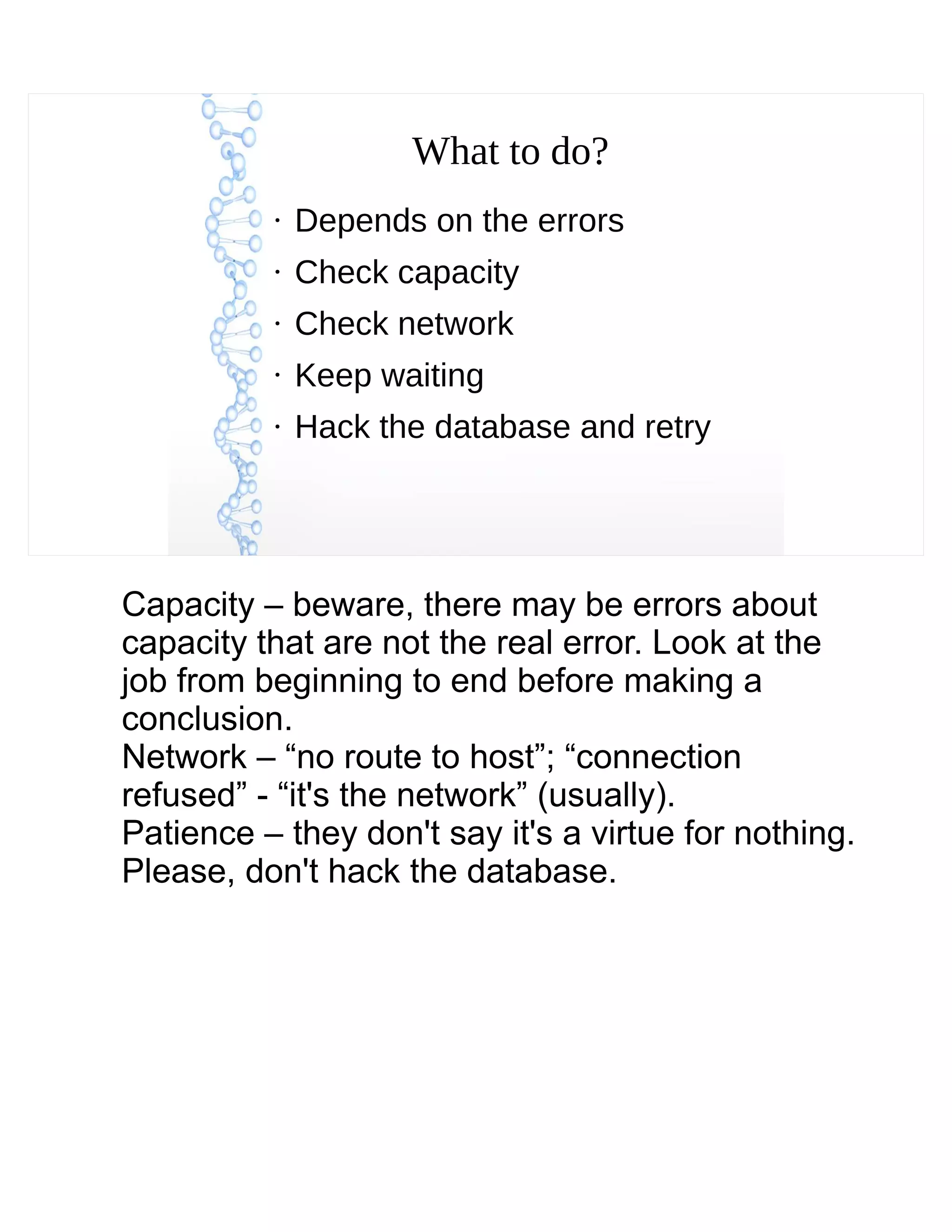
What to do?
●
Depends on the errors
●
Check capacity
●
Check network
●
Keep waiting
●
Hack the database and retry
Examples
UI Error
●
Start with an error from the UI
Find the related log entry (at the end of the job).
2013-02-25 16:39:40,567 DEBUG
[cloud.async.AsyncJobManagerImpl] (Job-Executor-1:job-318)
Complete async job-318, jobStatus: 2, resultCode: 530,
result: Error Code: 533 Error text: Unable to create a
deployment for VM[User|holybigvm]
The actual error.
2013-02-25 16:39:40,459 DEBUG
[cloud.deploy.FirstFitPlanner] (Job-Executor-1:job-318) No
clusters found having a host with enough capacity,
returning.
The avoid set...
Hey guys, why is my host in the avoid set, and how do I
remove it?
2012-05-14 16:04:54,772 DEBUG
[allocator.impl.FirstFitAllocator] (Job-Executor-4:job-
17638 FirstFitRoutingAllocator) Host name:
somehost.example.local, hostId: 5 is in avoid set,
skipping this and trying other available hosts
...means SCROLL UP
The real error will always be earlier in the job.
2012-05-14 16:04:54,735 ERROR
[network.router.VirtualNetworkApplianceManagerImpl] (Job-
Executor-4:job-17638) Unable to set dhcp entry for VM[User|i-
2-1607-VM] on domR: r-16-VM due to
2012-05-14 16:04:54,735 INFO
[cloud.vm.VirtualMachineManagerImpl] (Job-Executor-4:job-
17638) Unable to contact resource.
Hypervisor Errors (XS/XCP)
2012-07-13 08:08:05,149 WARN
[xen.resource.CitrixResourceBase] (DirectAgent-73:null)
Task failed! Task record: uuid:
95e36660-702f-8e07-5025-3bcf1
573e18c
nameLabel: Async.VM.start_on
nameDescription:
allowedOperations: []
currentOperations: {}
created: Fri Jul 13 08:08:04 PDT 2012
finished: Fri Jul 13 08:08:04 PDT 2012
status: FAILURE
residentOn: com.xensource.xenapi.Host@fed4b193
progress: 1.0
type: <none/>
result:
errorInfo: [SR_BACKEND_FAILURE_46, , The VDI
is not available [opterr=VDI e7f5571b-44b1-48b7-ba84-
34d9c3ee879b already attached RW]]
otherConfig: {}
subtaskOf: com.xensource.xenapi.Task@aaf13f6f
subtasks: []
Hypervisor Errors (KVM)
management-server.log
2013-01-08 13:47:17,256 WARN
[cloud.vm.VirtualMachineManagerImpl] (AgentManager-Handler-
32:null) Cleanup failed due to Exception:
org.libvirt.LibvirtException
Message: internal error '/bin/umount /mnt/dd7d684f-255f-
3a24-87ab-512168a207b5' exited with non-zero status 16 and
signal 0: umount.nfs: /mnt/dd7d684f-255f-3a24-8
7ab-512168a207b5: device is busy
umount.nfs: /mnt/dd7d684f-255f-3a24-87ab-512168a207b5:
device is busy
/var/log/messages
2012-09-19 12:14:37,002 WARN
[resource.computing.LibvirtComputingResource] (Agent-
Handler-5:null) Exception
org.libvirt.LibvirtException: internal error '/bin/umount
/mnt/513d2d1f-38a7-3e3b-b2c5-ea3f4e0db6ba' exited with non-
zero status 16 and signal 0: umount.nfs: /mnt/513d2d1f-38a7-
3e3b-b2c5-ea3f4e0db6ba: device is busy
umount.nfs: /mnt/513d2d1f-38a7-3e3b-b2c5-ea3f4e0db6ba:
device is busy
Hypervisor Errors (vSphere)
2013-01-16 10:12:28,313 ERROR
[vmware.resource.VmwareResource] (DirectAgent-
161:esx102.example.com) CreateCommand failed due to
Exception: java.io.FileNotFoundException
Message:
https://stor1.example.com/folder/39b7d77f7dd547f695172b07882
daec9/ff7d2b46103e4595a1b422990a0799e2.vmdk?
dcPath=Petaluma&dsName=aaf29b8e-b548-3fad-8c59-0dad849b2704
java.io.FileNotFoundException:
https://stor1.example.com/folder/39b7d77f7dd547f695172b07882
daec9/ff7d2b46103e4595a1b422990a0799e2.vmdk?
dcPath=Petaluma&dsName=aaf29b8e-b548-3fad-8c59-0dad849b2704
at
sun.net.www.protocol.http.HttpURLConnection.getInputStream(H
ttpURLConnection.java:1401)
at
sun.net.www.protocol.https.HttpsURLConnectionImpl.getInputSt
ream(HttpsURLConnectionImpl.java:254)
<snip>
Exceptions
2013-02-06 15:36:45,023 ERROR [cloud.vm.VirtualMachineManagerImpl] (Job-Executor-
112:job-56957) Failed to start instance VM[User|a9167fdc-7d43-49f1-93cb-6c6902a666
fa]
com.cloud.utils.exception.CloudRuntimeException: Unable to acquire lock on
VMTemplateStoragePool: 2570
at
com.cloud.template.TemplateManagerImpl.prepareTemplateForCreate(TemplateManagerImpl.
java:638)
at com.cloud.utils.db.DatabaseCallback.intercept(DatabaseCallback.java:30)
at
com.cloud.storage.StorageManagerImpl.createVolume(StorageManagerImpl.java:3418)
at
com.cloud.storage.StorageManagerImpl.prepare(StorageManagerImpl.java:3327)
at
com.cloud.vm.VirtualMachineManagerImpl.advanceStart(VirtualMachineManagerImpl.java:7
49)
at
com.cloud.vm.VirtualMachineManagerImpl.start(VirtualMachineManagerImpl.java:467)
at
com.cloud.vm.UserVmManagerImpl.startVirtualMachine(UserVmManagerImpl.java:2944)
at
com.cloud.vm.UserVmManagerImpl.startVirtualMachine(UserVmManagerImpl.java:2616)
at
com.cloud.vm.UserVmManagerImpl.startVirtualMachine(UserVmManagerImpl.java:2604)
<snip>
Forwarding Sequences
2013-01-24 14:09:28,063 DEBUG
[agent.manager.ClusteredAgentAttache] (AgentManager-Handler-
13:null) Seq 6-1372586715: Forwarding Seq 6-1372586715: { Cmd
, MgmtId: 83533443070, via: 6, Ver: v1, Flags: 100111,
[{"StopCommand":{"isProxy":false,"vmName":"i-7-121-
VM","wait":0}}] } to 83533443165
TRACE Example
●
Cannot snapshot a volume
The error shown in the UI wasn't logged at DEBUG level. It
was still possible to find the job (from job type and volume ID).
2013-01-15 13:01:43,249 DEBUG
[cloud.async.AsyncJobManagerImpl] (catalina-exec-9:null)
submit async job-36626, details: AsyncJobVO {id:36626,
userId: 215, accountId: 180, sessionKey: null, instanceType:
Snapshot, instanceId: 19951, cmd:
com.cloud.api.commands.CreateSnapshotCmd, cmdOriginator:
null, cmdInfo:
{"id":"19951","response":"json","sessionkey":"asdf","ctxUserI
d":"215","tenant":"be04d916-a916-483e-a96c-
925e0cb89575","volumeid":"4500","ctxAccountId":"180","ctxStar
tEventId":"136303","signature":"asdf","apikey":"asdf"},
cmdVersion: 0, callbackType: 0, callbackAddress: null,
status: 0, processStatus: 0, resultCode: 0, result: null,
initMsid: 172136269028748, completeMsid: null, lastUpdated:
null, lastPolled: null, created: null}
Could have found UI error with TRACE enabled.
2013-01-15 13:01:48,346 TRACE
[cloud.async.AsyncJobManagerImpl] (catalina-exec-14:null)
Job status: AsyncJobResult {jobId:36626, jobStatus: 2,
processStatus: 0, resultCode: 530, result:
com.cloud.api.response.ExceptionResponse/null/
{"errorcode":530,"errortext":"Internal error executing
command, please contact your system administrator"}}
The actual error didn't require TRACE.
2013-01-15 13:01:43,314 ERROR [cloud.api.ApiDispatcher]
(Job-Executor-41:job-36626) Exception while executing
CreateSnapshotCmd:
com.cloud.utils.exception.CloudRuntimeException: There is
other active snapshot tasks on the instance to which the
volume is attached, please try again later
at
com.cloud.storage.snapshot.SnapshotManagerImpl.createSnapsho
t(SnapshotManagerImpl.java:384)
at
com.cloud.utils.component.ComponentLocator$InterceptorDispat
cher.intercept(ComponentLocator.java:1128)
at
com.cloud.storage.snapshot.SnapshotManagerImpl.createSnapsho
t(SnapshotManagerImpl.java:118)
<snip>
Patience level over 9000!
Reboot of virtual router initiated.
2012-08-31 12:13:06,333 DEBUG
[cloud.async.AsyncJobManagerImpl] (catalina-exec-14:null)
submit async job-5473, details: AsyncJobVO {id:5473, userId:
161, accountId: 2, sessionKey: null, instanceType:
DomainRouter, instanceId: 4054, cmd:
com.cloud.api.commands.RebootRouterCmd, cmdOriginator: null,
cmdInfo:
{"response":"json","id":"4054","sessionkey":"84uOYXRynfqNDk7
QTvYO4Nek238u003d","ctxUserId":"161","_":"1346411586256","c
txAccountId":"2","ctxStartEventId":"22455"}, cmdVersion: 0,
callbackType: 0, callbackAddress: null, status: 0,
processStatus: 0, resultCode: 0, result: null, initMsid:
345052684411, completeMsid: null, lastUpdated: null,
lastPolled: null, created: null}
But it has to wait for Seq 1415446801.
2012-08-31 12:13:06,377 DEBUG [agent.transport.Request]
(Job-Executor-131:job-5473) Seq 16-1415446919: Waiting for
Seq 1415446801 Scheduling: { Cmd , MgmtId: 345052684411,
via: 16, Ver: v1, Flags: 100111, [{"StopCommand":
{"isProxy":false,"privateRouterIpAddress":"10.255.105.3","v
mName":"r-4054-VM","wait":0}}] }
Much later the job proceeds...
2012-08-31 12:41:14,749 DEBUG [agent.transport.Request]
(DirectAgent-238:null) Seq 16-1415446919: Executing:
{ Cmd , MgmtId: 345052684411, via: 16, Ver: v1, Flags:
100111, [{"StopCommand":
{"isProxy":false,"privateRouterIpAddress":"10.255.105.3","v
mName":"r-4054-VM","wait":0}}] }
… and the virtual router finally finishes rebooting.
2012-08-31 12:45:54,197 DEBUG
[cloud.async.AsyncJobManagerImpl] (Job-Executor-131:job-
5473) Complete async job-5473, jobStatus: 1, resultCode: 0,
re...
Deployment of a VM initiated.
2012-08-31 11:31:59,772 DEBUG
[cloud.async.AsyncJobManagerImpl] (catalina-exec-3:null)
submit async job-5461, details: AsyncJobVO {id:5461, userId:
188, accountId: 35, sessionKey: null, instanceType:
VirtualMachine, instanceId: 4157, cmd:
com.cloud.api.commands.DeployVMCmd, cmdOriginator: null,
cmdInfo:
{"id":"4157","templateId":"210","ctxUserId":"188","hypervisor
":"VMWare","serviceOfferingId":"14","ctxAccountId":"35","ctxS
tartEventId":"22391","apiKey":"asdf","signature":"asdf","disp
layname":"TESTVM","zoneId":"4"}, cmdVersion: 0, callbackType:
0, callbackAddress: null, status: 0, processStatus: 0,
resultCode: 0, result: null, initMsid: 345052684411,
completeMsid: null, lastUpdated: null, lastPolled: null,
created: null}
Template 210 starts being transferred to primary storage.
2012-08-31 11:32:10,144 DEBUG [agent.transport.Request] (Job-
Executor-112:job-5461) Seq 16-1415446801: Sending { Cmd ,
MgmtId: 345052684411, via: 16, Ver: v1, Flags: 100111,
[{"storage.PrimaryStorageDownloadCommand":
{"localPath":"/mnt/5a3dad9f-4c1a-3304-99e7-
4975a6943605","poolUuid":"a08b0cef-d377-3d84-82c1-
bf04e40bd6e2","poolId":237,"secondaryStorageUrl":"nfs://10.25
5.104.3/NFS_FS1","primaryStorageUrl":"nfs://VMFS
datastore: /cmsma-cs-
dc002/010_0117_0019_SATA_R5_DATALUN/cmsma-cs-
dc002/010_0117_0019_SATA_R5_DATALUN","url":"nfs://10.255.104.
3/NFS_FS1/template/tmpl/2/210//1ae89570-60e5-3872-9ecb-
60d90da295c3.ova","format":"OVA","accountId":2,"name":"210-2-
ce858db7-4f87-39f8-bf3b-d46dcaf378f1","wait":10800}}] }
Template 210 successfully transferred to primary storage.
2012-08-31 12:41:14,749 DEBUG [agent.transport.Request]
(DirectAgent-238:null) Seq 16-1415446801: Processing:
{ Ans: , MgmtId: 345052684411, via: 16, Ver: v1, Flags: 110,
[{"storage.PrimaryStorageDownloadAnswer":
{"installPath":"d40cb5b0-14c9-3ca3-a19b-
8d6bbea1aeb4","templateSize":0,"result":true,"wait":0}}] }
Less Patience :-(
destroyRouter received by the management server.
2012-06-13 09:05:36,321 DEBUG
[cloud.vm.VirtualMachineManagerImpl] (Job-Executor-88:job-
135158) Destroying vm VM[DomainRouter|r-9218-VM]
Host 57 instructed to destroy the volume.
2012-06-13 09:05:36,387 DEBUG [agent.transport.Request] (Job-
Executor-88:job-135158) Seq 57-57802800: Sending { Cmd ,
MgmtId: 345050807280, via: 57, Ver: v1, Flags: 100111,
[{"storage.DestroyCommand":{"vmName":"r-9218-VM","volume":
{"id":10062,"name":"ROOT-
9218","mountPoint":"/pools/HKPool/kvm-
primary","path":"/mnt/25a4ee3a-7463-3bca-9e0e-
cb0418f91557/09284c44-a940-4ec8-bec4-
a44bf63f3576","size":2097152000,"type":"ROOT","storagePoolTyp
e":"NetworkFilesystem","storagePoolUuid":"25a4ee3a-7463-3bca-
9e0e-cb0418f91557","deviceId":0},"wait":0}}] }
Completed 40 minutes later.
2012-06-13 09:44:20,863 DEBUG [agent.transport.Request]
(Job-Executor-88:job-135158) Seq 57-57802800: Received:
{ Ans: , MgmtId: 345050807280, via: 57, Ver: v1, Flags: 110,
{ Answer } }
2012-06-13 09:44:20,863 DEBUG
[cloud.vm.VirtualMachineManagerImpl] (Job-Executor-88:job-
135158) Cleanup succeeded. Details Success
2012-06-13 09:44:20,883 DEBUG
[cloud.storage.StorageManagerImpl] (Job-Executor-88:job-
135158) Volume successfully expunged from 208
2012-06-13 09:44:20,883 DEBUG
[cloud.vm.VirtualMachineManagerImpl] (Job-Executor-88:job-
135158) Expunged VM[DomainRouter|r-9218-VM]
Check agent.log on host 57...
2012-06-13 09:00:43,501 INFO [cloud.agent.Agent] (Agent-
Handler-1:null) Lost connection to the server. Dealing with
the remaining commands...
2012-06-13 09:00:48,502 INFO [cloud.agent.Agent] (Agent-
Handler-1:null) Reconnecting...
2012-06-13 09:00:48,520 INFO [utils.nio.NioClient] (Agent-
Selector:null) Connecting to 192.168.114.102:8250
2012-06-13 09:00:48,799 ERROR [utils.nio.NioConnection]
(Agent-Selector:null) Unable to connect to remote
...
2012-06-13 09:14:43,275 ERROR [utils.nio.NioConnection]
(Agent-Selector:null) Unable to connect to remote
2012-06-13 09:14:48,275 INFO [cloud.agent.Agent] (Agent-
Handler-1:null) Reconnecting...
2012-06-13 09:14:48,276 INFO [utils.nio.NioClient] (Agent-
Selector:null) Connecting to 192.168.114.102:8250
2012-06-13 09:14:50,936 INFO [utils.nio.NioClient] (Agent-
Selector:null) SSL: Handshake done
It did not make it to the host until 40 minutes later (also agent.log).
2012-06-13 21:44:20,660 DEBUG [cloud.agent.Agent] (agentRequest-Handler-
4:null) Request:Seq 57-57802800: { Cmd , MgmtId: 345050807280, via: 57,
Ver: v1, Flags: 100111, [{"storage.DestroyCommand":{"vmName":"r-9218-
VM","volume":{"id":10062,"name":"ROOT-
9218","mountPoint":"/pools/HKPool/kvm-primary","path":"/mnt/25a4ee3a-
7463-3bca-9e0e-cb0418f91557/09284c44-a940-4ec8-bec4-
a44bf63f3576","size":2097152000,"type":"ROOT","storagePoolType":"Network
Filesystem","storagePoolUuid":"25a4ee3a-7463-3bca-9e0e-
cb0418f91557","deviceId":0},"wait":0}}] }
It did succeed, though.
2012-06-13 21:44:20,672 DEBUG [cloud.agent.Agent] (agentRequest-Handler-
4:null) Seq 57-57802800: { Ans: , MgmtId: 345050807280, via: 57, Ver:
v1, Flags: 110, [{"Answer":
{"result":true,"details":"Success","wait":0}}] }
20 minutes after the first destroyRouter, the administrator
hacked the database and ran destroyRouter again.
2012-06-13 09:26:27,038 DEBUG
[cloud.vm.VirtualMachineManagerImpl] (Job-Executor-100:job-
135208) Destroying vm VM[DomainRouter|r-9218-VM]
It got stuck waiting for Seq 57802800 (remember, from job-
135158).
2012-06-13 09:26:27,050 DEBUG [agent.transport.Request]
(Job-Executor-100:job-135208) Seq 57-57802807: Waiting for
Seq 57802800 Scheduling: { Cmd , MgmtId: 345050807280, via:
57, Ver: v1, Flags: 100111, [{"storage.DestroyCommand":
{"vmName":"r-9218-VM","volume":{"id":10062,"name":"ROOT-
9218","mountPoint":"/pools/HKPool/kvm-
primary","path":"/mnt/25a4ee3a-7463-3bca-9e0e-
cb0418f91557/09284c44-a940-4ec8-bec4-
a44bf63f3576","size":2097152000,"type":"ROOT","storagePoolTy
pe":"NetworkFilesystem","storagePoolUuid":"25a4ee3a-7463-
3bca-9e0e-cb0418f91557","deviceId":0},"wait":0}}] }
Sequence for second destroyRouter finally unstuck after the
host connectivity was restored and the previous sequence
completed.
2012-06-13 09:44:29,004 DEBUG [agent.manager.AgentAttache]
(AgentManager-Handler-9:null) Seq 57-57802807: Sending now.
is current sequence.
It failed since the volume was gone.
2012-06-13 09:44:31,788 DEBUG [agent.transport.Request]
(AgentManager-Handler-16:null) Seq 57-57802807: Processing:
{ Ans: , MgmtId: 345050807280, via: 57, Ver: v1, Flags: 110,
[{"Answer":
{"result":false,"details":"org.libvirt.LibvirtException:
Storage volume not found: no storage vol with matching
key","wait":0}}] }
Log Anomalies
●
Lost time
●
Out of order
●
Zero byte management-
server.log
–
lol no.
Nearby Entries
●
Usually not relevant
●
Still can take a look
HA triggered on a few randomly dispersed VMs immediately
after restarting CloudStack.
2013-02-07 00:56:09,999 INFO
[cloud.ha.HighAvailabilityManagerImpl](main:null) Schedule
vm for HA: VM[User|i-2-12423-VM]
No sign of problems that might cause HA. But check
nearby entries that like even slightly related.
2013-02-07 00:56:09,985 INFO
[cloud.vm.VirtualMachineManagerImpl] (main:null) Handling
unfinished work item:ItWork[7d8a11b4-3c72-476b-9b79-
d9ce4171e131-Starting-12423-Release]
Q&A
Troubleshooting Strategies
for CloudStack Installations
Kirk Kosinski
Escalation Engineer
Citrix Systems
@kirkkosinski
Agenda
●
Network Troubleshooting
–
VLANs, Security Groups
–
Hosts, Virtual Routers
–
VMs, Templates
●
Log Analysis
–
Files, keywords
–
Examples
Network Troubleshooting
VLAN Issues
●
Symptoms
–
Switch misconfiguration
●
All VLANs trunked by default? Or
denied?
–
Router problems
–
Bad or mislabeled cabling
Symptom – cannot ping across hosts, VMs cannot
get DHCP sometimes (when DHCP server is on
another host).
Detection – Where does the traffic stop?
XS (bridge) / KVM: tcpdump; ESXi, XS (OVS):
dummy VMs? Check ARP / MAC address table.
Switch misconfiguration – common.
Confirm switchport is in trunk mode, not access;
confirm whether VLANs are actually allowed.
Cabling – traffic “randomly” dropped, traffic showing
up on wrong switchports or not at all.
Solution – Fix the switch/router config, replace
switches/router/cables.
More VLAN Issues
●
Hypervisor problems
–
NIC drivers
–
Bonding
–
Open vSwitch
–
VLAN Scalability
Bad drivers – What, you actually want to use
VLANs?
NIC bonding:
Symptoms – similar to switch misconfiguration.
Detection – NIC drivers / bonding – similar to switch
misconfiguration, but traffic stopped elsewhere.
Bonding – check config (XS), check if traffic is
dropped on the bond interface (ifconfig); disable one
slave NIC, or force failover; confirm subinterfaces are
on the right interface (the bond); change bond mode
(active-passive vs. SLB).
VLAN scaling – XS – high dom0 CPU, slowness.
Check iptables/ebtables rules on host (KVM, XS).
DB hacking – “wrong” VLANs in use.
Solutions – Update drivers, replace NICs, unhack db.
Security Groups
●
KVM
●
XenServer / XCP
–
Switch backend
–
CSP
●
vSphere...
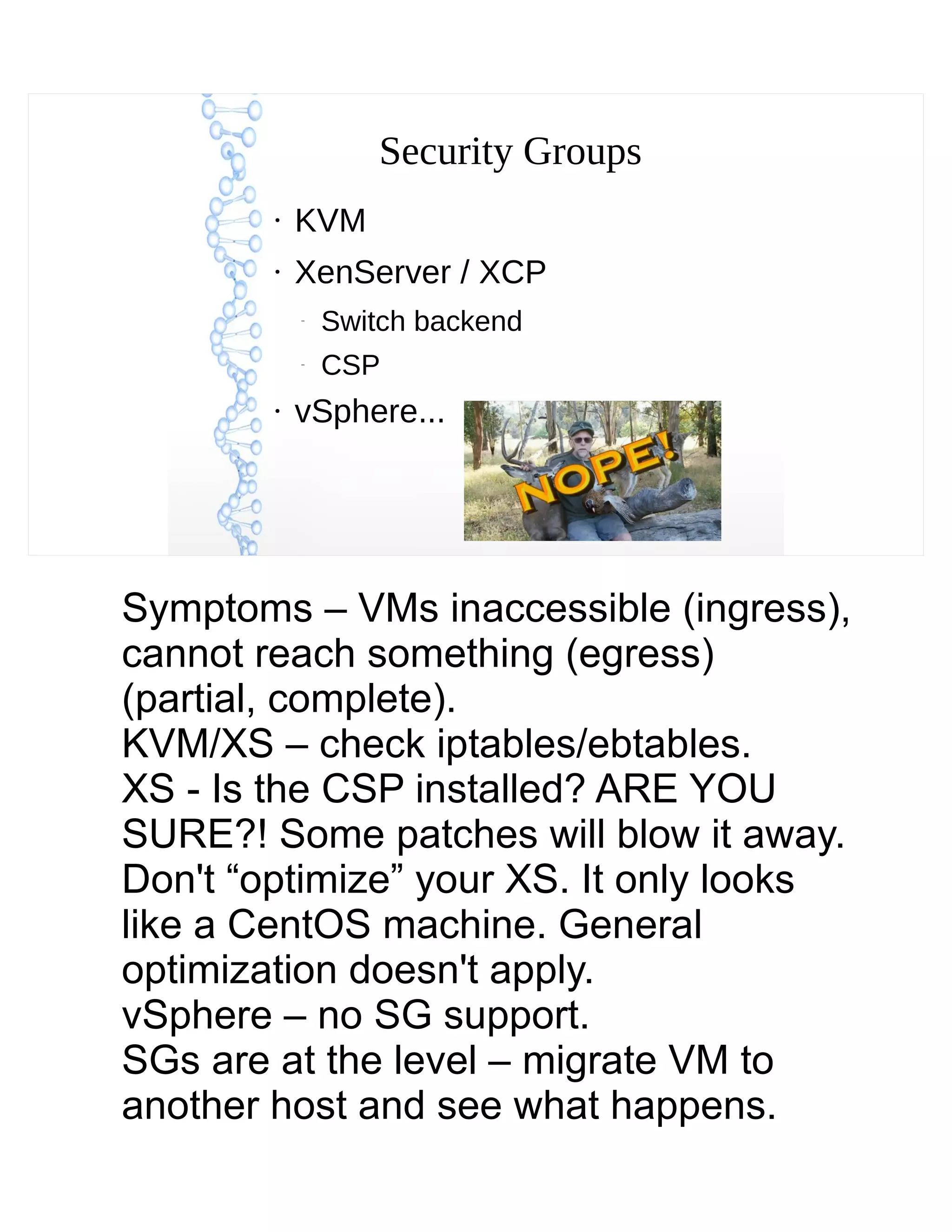
Symptoms – VMs inaccessible (ingress),
cannot reach something (egress)
(partial, complete).
KVM/XS – check iptables/ebtables.
XS - Is the CSP installed? ARE YOU
SURE?! Some patches will blow it away.
Don't “optimize” your XS. It only looks
like a CentOS machine. General
optimization doesn't apply.
vSphere – no SG support.
SGs are at the level – migrate VM to
another host and see what happens.
“Host” Connectivity
●
Hypervisors
●
System VMs
●
Secondary Storage
–
Alert status is normal
Symptoms – connectivity, HA errors in log
Other network problems – firewall blocking ports; “weird” problems with
application layer firewall (e.g. ping, nmap to 22 work, ssh fails); bad load
balancer (for use with “host” Global Setting)
Requirements – Mgmt to hypervisor, vice versa – varies by hypervisor
XS: SSH, HTTPS; KVM: SSH; vSphere: 443/tcp to vCenter
System VMs to mgmt – 8250/tcp (“host” param)
System VMs to Internet (ping gateway)
Mgmt to system VMs – ssh via hypervisor (KVM, XS) or direct (vSphere) –
3922/tcp
Mgmt to sec store, hypervisors to sec store – varies by hypervisor; SSVM to sec
store
Mgmt to Mgmt (w/ multi-Mgmt) – 9090, 8250/tcp
CPVM must reach mgmt server and hypervisors (management/private network)
and end-user (public network)
CPVM proxies VNC from hypervisors to end-user
Public IPs must be accessible to end-users
CPVM uses realhostip.com domain by default – NOT a placeholder, it's a real
domain
Traffic is over HTTPS using *.realhostip.com wildcard cert by default
Change the domain and cert – must be valid! Potential URLs are a-b-c-
d.yourdomain.tld, where a-b-c-d are IPs with s/./-/g from public net
Virtual Router (domR)
●
Dnsmasq
●
HAProxy
●
Password resets
●
User- and Meta-data
DNS/DHCP provided by Dnsmasq.
HAProxy. LB function.
Reset script problems – Check DHCP
client and version for the template/VM.
Check domR for daemon problems
(8080/tcp on virtual router / socat
process, serve_password.sh)
User/Meta-data - Apache on 80/tcp
(Standard location - /var/www/html)
Templates
●
eth0, or is it eth1? Or maybe
p192p1?
●
“sysprep” for Windows, your own
solution for Linux
●
Prepare in CloudStack
environment?
●
Can't “import” them?
Templates preparation should follow best
practices from OS vendor.
Use “sysprep” for Windows, scripts /
deployment tools for Linux.
Linux suggestions – clear udev persistent
network device names, SSH keys, bash
history, logs, temp files.
It can be easier to prepare templates outside
of CS (especially PV mode Ubuntu (XS)
much easier) not always an option (e.g.
slow connectivity to CS environment).
Setup password reset script.
Log Analysis
Management Server
●
/var/log/cloud/management/
●
management-server.log
●
api-server.log
●
The rest (catalina.out, host-
manager.log, etc.)
Hypervisor Hosts
●
XenServer / XCP
–
/var/log/SMlog, xensource.log
●
KVM
–
/var/log/cloud/agent/agent.log
–
/var/log/libvirt/libvirtd.log
●
vSphere
–
vCenter logs
XS – CS logs mainly to SMlog – Storage
Manager log. Errors encountered by hypervisor
often go to xensource.log.
KVM – agent.log for CloudStack errors – note:
not DEBUG by default; libvirtd.log for libvirt
errors.
vSphere – host logs not useful, check vCenter
logs.
XS/KVM - /var/log/messages can be useful –
libvirt and qemu errors – host problems (power
failure).
What to look for?
●
Warnings and errors and exceptions, oh my!
●
WARN, ERROR, Exception, Unable, Failed
●
VM name
●
Type of task that failed
●
Enable TRACE if necessary
●
The dreaded “avoid set”
●
Error text from UI/API
CS problems usually have something error-
related to grep for – WARN, ERROR, etc.
Often too many false positives to grep for errors
in general.
Also, grep can removes useful entries
I normally use “less”.
If there is a specific problem, grep for things
specific to it. VM name, task type, etc.
Hosts, storage, etc. in “avoid set”? THIS IS NOT
THE PROBLEM. SCROLL UP IN THE LOG TO
FIND THE REAL PROBLEM.
UI/API errors can be useful to grep for – Quote
the exact text for best results.
Jobs and Sequences
●
Job ID
–
Visible at API level
–
ID versus UUID
●
Sequence ID
–
Subordinate to Jobs
–
Sent to hosts or management
servers
Job ID from API not shown in UI – too
complicated?
Job ID not useful by itself since it's not logged!
In log, there is numeric job ID... “id” in database
(versus “uuid” from db in API response) – “job-
<id#>” in log.
select id from async_job where uuid = 'job ID
from API';
Jobs can contain sequences.
Sequences can depend on each other, even
across jobs – this can make a job get “stuck”.
They can go to hosts - Look for “Executing
request” and “Response received”.
Or to other management servers - Look for
“Forwarding Seq <id>”.
What to do?
●
Depends on the errors
●
Check capacity
●
Check network
●
Keep waiting
●
Hack the database and retry
Capacity – beware, there may be errors about
capacity that are not the real error. Look at the
job from beginning to end before making a
conclusion.
Network – “no route to host”; “connection
refused” - “it's the network” (usually).
Patience – they don't say it's a virtue for nothing.
Please, don't hack the database.
Examples
UI Error
●
Start with an error from the UI
Find the related log entry (at the end of the job).
2013-02-25 16:39:40,567 DEBUG
[cloud.async.AsyncJobManagerImpl] (Job-Executor-1:job-318)
Complete async job-318, jobStatus: 2, resultCode: 530,
result: Error Code: 533 Error text: Unable to create a
deployment for VM[User|holybigvm]
The actual error.
2013-02-25 16:39:40,459 DEBUG
[cloud.deploy.FirstFitPlanner] (Job-Executor-1:job-318) No
clusters found having a host with enough capacity,
returning.
You can usually find the error shown in
the UI in the log.
Once you find the job (job-318 here), it's
normally best to start from the beginning
of the job and work your way down.
The avoid set...
Hey guys, why is my host in the avoid set, and how do I
remove it?
2012-05-14 16:04:54,772 DEBUG
[allocator.impl.FirstFitAllocator] (Job-Executor-4:job-
17638 FirstFitRoutingAllocator) Host name:
somehost.example.local, hostId: 5 is in avoid set,
skipping this and trying other available hosts
...means SCROLL UP
The real error will always be earlier in the job.
2012-05-14 16:04:54,735 ERROR
[network.router.VirtualNetworkApplianceManagerImpl] (Job-
Executor-4:job-17638) Unable to set dhcp entry for VM[User|i-
2-1607-VM] on domR: r-16-VM due to
2012-05-14 16:04:54,735 INFO
[cloud.vm.VirtualMachineManagerImpl] (Job-Executor-4:job-
17638) Unable to contact resource.
Also note that “grep job-<id>” does not
always work well... in the example, error
is “due to” what?!?
Hypervisor Errors (XS/XCP)
2012-07-13 08:08:05,149 WARN
[xen.resource.CitrixResourceBase] (DirectAgent-73:null)
Task failed! Task record: uuid:
95e36660-702f-8e07-5025-3bcf1
573e18c
nameLabel: Async.VM.start_on
nameDescription:
allowedOperations: []
currentOperations: {}
created: Fri Jul 13 08:08:04 PDT 2012
finished: Fri Jul 13 08:08:04 PDT 2012
status: FAILURE
residentOn: com.xensource.xenapi.Host@fed4b193
progress: 1.0
type: <none/>
result:
errorInfo: [SR_BACKEND_FAILURE_46, , The VDI
is not available [opterr=VDI e7f5571b-44b1-48b7-ba84-
34d9c3ee879b already attached RW]]
otherConfig: {}
subtaskOf: com.xensource.xenapi.Task@aaf13f6f
subtasks: []
Errors from hypervisor may show up
Example from XenServer.
Typical solution for this:
1. Get the SR UUID and name-label for the
affected VDI (UUID is shown in the error in
management-server.log, and also in
volumes table of database):
xe vdi-list uuid=<UUID of affected VDI>
2. Forget the affected VDI:
xe vdi-forget uuid=<UUID of affected VDI>
3. Rescan the SR:
xe sr-scan uuid=<SR UUID from step 1>
4. Give the VDI the correct name-label:
xe vdi-param-set uuid=< UUID of affected
VDI> name-label=<name-label from step 1>
Hypervisor Errors (KVM)
management-server.log
2013-01-08 13:47:17,256 WARN
[cloud.vm.VirtualMachineManagerImpl] (AgentManager-Handler-
32:null) Cleanup failed due to Exception:
org.libvirt.LibvirtException
Message: internal error '/bin/umount /mnt/dd7d684f-255f-
3a24-87ab-512168a207b5' exited with non-zero status 16 and
signal 0: umount.nfs: /mnt/dd7d684f-255f-3a24-8
7ab-512168a207b5: device is busy
umount.nfs: /mnt/dd7d684f-255f-3a24-87ab-512168a207b5:
device is busy
/var/log/messages
2012-09-19 12:14:37,002 WARN
[resource.computing.LibvirtComputingResource] (Agent-
Handler-5:null) Exception
org.libvirt.LibvirtException: internal error '/bin/umount
/mnt/513d2d1f-38a7-3e3b-b2c5-ea3f4e0db6ba' exited with non-
zero status 16 and signal 0: umount.nfs: /mnt/513d2d1f-38a7-
3e3b-b2c5-ea3f4e0db6ba: device is busy
umount.nfs: /mnt/513d2d1f-38a7-3e3b-b2c5-ea3f4e0db6ba:
device is busy
This is caused by a bug in versions of
libvirt prior to 0.9.4:
http://www.redhat.com/archives/libvir-
list/2011-February/msg00637.html
So upgrade your libvirt packages... on
all KVM hosts.
Hypervisor Errors (vSphere)
2013-01-16 10:12:28,313 ERROR
[vmware.resource.VmwareResource] (DirectAgent-
161:esx102.example.com) CreateCommand failed due to
Exception: java.io.FileNotFoundException
Message:
https://stor1.example.com/folder/39b7d77f7dd547f695172b07882
daec9/ff7d2b46103e4595a1b422990a0799e2.vmdk?
dcPath=Petaluma&dsName=aaf29b8e-b548-3fad-8c59-0dad849b2704
java.io.FileNotFoundException:
https://stor1.example.com/folder/39b7d77f7dd547f695172b07882
daec9/ff7d2b46103e4595a1b422990a0799e2.vmdk?
dcPath=Petaluma&dsName=aaf29b8e-b548-3fad-8c59-0dad849b2704
at
sun.net.www.protocol.http.HttpURLConnection.getInputStream(H
ttpURLConnection.java:1401)
at
sun.net.www.protocol.https.HttpsURLConnectionImpl.getInputSt
ream(HttpsURLConnectionImpl.java:254)
<snip>
“Sometimes” vCenter doesn't like paths that are
“too long”. So in this case, rename the datastore
to not include hyphens.
Exceptions
2013-02-06 15:36:45,023 ERROR [cloud.vm.VirtualMachineManagerImpl] (Job-Executor-
112:job-56957) Failed to start instance VM[User|a9167fdc-7d43-49f1-93cb-6c6902a666
fa]
com.cloud.utils.exception.CloudRuntimeException: Unable to acquire lock on
VMTemplateStoragePool: 2570
at
com.cloud.template.TemplateManagerImpl.prepareTemplateForCreate(TemplateManagerImpl.
java:638)
at com.cloud.utils.db.DatabaseCallback.intercept(DatabaseCallback.java:30)
at
com.cloud.storage.StorageManagerImpl.createVolume(StorageManagerImpl.java:3418)
at
com.cloud.storage.StorageManagerImpl.prepare(StorageManagerImpl.java:3327)
at
com.cloud.vm.VirtualMachineManagerImpl.advanceStart(VirtualMachineManagerImpl.java:7
49)
at
com.cloud.vm.VirtualMachineManagerImpl.start(VirtualMachineManagerImpl.java:467)
at
com.cloud.vm.UserVmManagerImpl.startVirtualMachine(UserVmManagerImpl.java:2944)
at
com.cloud.vm.UserVmManagerImpl.startVirtualMachine(UserVmManagerImpl.java:2616)
at
com.cloud.vm.UserVmManagerImpl.startVirtualMachine(UserVmManagerImpl.java:2604)
<snip>
Often some hint in the first few lines.
Here there is a problem in
TemplateManagerImpl.java – even if you're
not a dev, it points to something template
related.
In this case they were trying to deploy a lot
of VMs from a new template within a short
time which was failing with an exception and
not gracefully (bug).
Forwarding Sequences
2013-01-24 14:09:28,063 DEBUG
[agent.manager.ClusteredAgentAttache] (AgentManager-Handler-
13:null) Seq 6-1372586715: Forwarding Seq 6-1372586715: { Cmd
, MgmtId: 83533443070, via: 6, Ver: v1, Flags: 100111,
[{"StopCommand":{"isProxy":false,"vmName":"i-7-121-
VM","wait":0}}] } to 83533443165
In this case, the admin said one particular
task was failing.
Further investigation revealed that
“everything” was getting “stuck” - only one
mgmt server, so mgmt server endlessly
forwarded everything to itself – bad situation
– duplicate management servers in mshost
table caused this which “should never
happen”.
TRACE Example
●
Cannot snapshot a volume
The error shown in the UI wasn't logged at DEBUG level. It
was still possible to find the job (from job type and volume ID).
2013-01-15 13:01:43,249 DEBUG
[cloud.async.AsyncJobManagerImpl] (catalina-exec-9:null)
submit async job-36626, details: AsyncJobVO {id:36626,
userId: 215, accountId: 180, sessionKey: null, instanceType:
Snapshot, instanceId: 19951, cmd:
com.cloud.api.commands.CreateSnapshotCmd, cmdOriginator:
null, cmdInfo:
{"id":"19951","response":"json","sessionkey":"asdf","ctxUserI
d":"215","tenant":"be04d916-a916-483e-a96c-
925e0cb89575","volumeid":"4500","ctxAccountId":"180","ctxStar
tEventId":"136303","signature":"asdf","apikey":"asdf"},
cmdVersion: 0, callbackType: 0, callbackAddress: null,
status: 0, processStatus: 0, resultCode: 0, result: null,
initMsid: 172136269028748, completeMsid: null, lastUpdated:
null, lastPolled: null, created: null}
Need to find the job - Couldn't find the error
from the UI with default DEBUG log.
Found it here from “CreateSnapshot” and
volume ID (4500).
Could have found UI error with TRACE enabled.
2013-01-15 13:01:48,346 TRACE
[cloud.async.AsyncJobManagerImpl] (catalina-exec-14:null)
Job status: AsyncJobResult {jobId:36626, jobStatus: 2,
processStatus: 0, resultCode: 530, result:
com.cloud.api.response.ExceptionResponse/null/
{"errorcode":530,"errortext":"Internal error executing
command, please contact your system administrator"}}
The error in the UI was logged at TRACE
level instead of DEBUG for some reason
(bug).
To enable TRACE logging, edit
/etc/cloud/management/log4j-xml.conf and
set the com.cloud category to TRACE as
shown below. There is no need to restart
CloudStack.
<category name="com.cloud">
<priority value="TRACE"/>
</category>
The actual error didn't require TRACE.
2013-01-15 13:01:43,314 ERROR [cloud.api.ApiDispatcher]
(Job-Executor-41:job-36626) Exception while executing
CreateSnapshotCmd:
com.cloud.utils.exception.CloudRuntimeException: There is
other active snapshot tasks on the instance to which the
volume is attached, please try again later
at
com.cloud.storage.snapshot.SnapshotManagerImpl.createSnapsho
t(SnapshotManagerImpl.java:384)
at
com.cloud.utils.component.ComponentLocator$InterceptorDispat
cher.intercept(ComponentLocator.java:1128)
at
com.cloud.storage.snapshot.SnapshotManagerImpl.createSnapsho
t(SnapshotManagerImpl.java:118)
<snip>
Issue was another snapshot in progress on
the VM... or at least that is what CloudStack
though – there was a snapshot “stuck” in
“BackingUp” status for some reason (bug).
Patience level over 9000!
Reboot of virtual router initiated.
2012-08-31 12:13:06,333 DEBUG
[cloud.async.AsyncJobManagerImpl] (catalina-exec-14:null)
submit async job-5473, details: AsyncJobVO {id:5473, userId:
161, accountId: 2, sessionKey: null, instanceType:
DomainRouter, instanceId: 4054, cmd:
com.cloud.api.commands.RebootRouterCmd, cmdOriginator: null,
cmdInfo:
{"response":"json","id":"4054","sessionkey":"84uOYXRynfqNDk7
QTvYO4Nek238u003d","ctxUserId":"161","_":"1346411586256","c
txAccountId":"2","ctxStartEventId":"22455"}, cmdVersion: 0,
callbackType: 0, callbackAddress: null, status: 0,
processStatus: 0, resultCode: 0, result: null, initMsid:
345052684411, completeMsid: null, lastUpdated: null,
lastPolled: null, created: null}
In some cases, just need to be patient.
Example - Administrator complained that a
virtual router took a long time to reboot.
Note: job-5461
But it has to wait for Seq 1415446801.
2012-08-31 12:13:06,377 DEBUG [agent.transport.Request]
(Job-Executor-131:job-5473) Seq 16-1415446919: Waiting for
Seq 1415446801 Scheduling: { Cmd , MgmtId: 345052684411,
via: 16, Ver: v1, Flags: 100111, [{"StopCommand":
{"isProxy":false,"privateRouterIpAddress":"10.255.105.3","v
mName":"r-4054-VM","wait":0}}] }
Much later the job proceeds...
2012-08-31 12:41:14,749 DEBUG [agent.transport.Request]
(DirectAgent-238:null) Seq 16-1415446919: Executing:
{ Cmd , MgmtId: 345052684411, via: 16, Ver: v1, Flags:
100111, [{"StopCommand":
{"isProxy":false,"privateRouterIpAddress":"10.255.105.3","v
mName":"r-4054-VM","wait":0}}] }
… and the virtual router finally finishes rebooting.
2012-08-31 12:45:54,197 DEBUG
[cloud.async.AsyncJobManagerImpl] (Job-Executor-131:job-
5473) Complete async job-5473, jobStatus: 1, resultCode: 0,
re...
Deployment of a VM initiated.
2012-08-31 11:31:59,772 DEBUG
[cloud.async.AsyncJobManagerImpl] (catalina-exec-3:null)
submit async job-5461, details: AsyncJobVO {id:5461, userId:
188, accountId: 35, sessionKey: null, instanceType:
VirtualMachine, instanceId: 4157, cmd:
com.cloud.api.commands.DeployVMCmd, cmdOriginator: null,
cmdInfo:
{"id":"4157","templateId":"210","ctxUserId":"188","hypervisor
":"VMWare","serviceOfferingId":"14","ctxAccountId":"35","ctxS
tartEventId":"22391","apiKey":"asdf","signature":"asdf","disp
layname":"TESTVM","zoneId":"4"}, cmdVersion: 0, callbackType:
0, callbackAddress: null, status: 0, processStatus: 0,
resultCode: 0, result: null, initMsid: 345052684411,
completeMsid: null, lastUpdated: null, lastPolled: null,
created: null}
Template 210 starts being transferred to primary storage.
2012-08-31 11:32:10,144 DEBUG [agent.transport.Request] (Job-
Executor-112:job-5461) Seq 16-1415446801: Sending { Cmd ,
MgmtId: 345052684411, via: 16, Ver: v1, Flags: 100111,
[{"storage.PrimaryStorageDownloadCommand":
{"localPath":"/mnt/5a3dad9f-4c1a-3304-99e7-
4975a6943605","poolUuid":"a08b0cef-d377-3d84-82c1-
bf04e40bd6e2","poolId":237,"secondaryStorageUrl":"nfs://10.25
5.104.3/NFS_FS1","primaryStorageUrl":"nfs://VMFS
datastore: /cmsma-cs-
dc002/010_0117_0019_SATA_R5_DATALUN/cmsma-cs-
dc002/010_0117_0019_SATA_R5_DATALUN","url":"nfs://10.255.104.
3/NFS_FS1/template/tmpl/2/210//1ae89570-60e5-3872-9ecb-
60d90da295c3.ova","format":"OVA","accountId":2,"name":"210-2-
ce858db7-4f87-39f8-bf3b-d46dcaf378f1","wait":10800}}] }
Template 210 successfully transferred to primary storage.
2012-08-31 12:41:14,749 DEBUG [agent.transport.Request]
(DirectAgent-238:null) Seq 16-1415446801: Processing:
{ Ans: , MgmtId: 345052684411, via: 16, Ver: v1, Flags: 110,
[{"storage.PrimaryStorageDownloadAnswer":
{"installPath":"d40cb5b0-14c9-3ca3-a19b-
8d6bbea1aeb4","templateSize":0,"result":true,"wait":0}}] }
Less Patience :-(
destroyRouter received by the management server.
2012-06-13 09:05:36,321 DEBUG
[cloud.vm.VirtualMachineManagerImpl] (Job-Executor-88:job-
135158) Destroying vm VM[DomainRouter|r-9218-VM]
Host 57 instructed to destroy the volume.
2012-06-13 09:05:36,387 DEBUG [agent.transport.Request] (Job-
Executor-88:job-135158) Seq 57-57802800: Sending { Cmd ,
MgmtId: 345050807280, via: 57, Ver: v1, Flags: 100111,
[{"storage.DestroyCommand":{"vmName":"r-9218-VM","volume":
{"id":10062,"name":"ROOT-
9218","mountPoint":"/pools/HKPool/kvm-
primary","path":"/mnt/25a4ee3a-7463-3bca-9e0e-
cb0418f91557/09284c44-a940-4ec8-bec4-
a44bf63f3576","size":2097152000,"type":"ROOT","storagePoolTyp
e":"NetworkFilesystem","storagePoolUuid":"25a4ee3a-7463-3bca-
9e0e-cb0418f91557","deviceId":0},"wait":0}}] }
The admin reported they tried to destroy a
virtual router. “It didn't work” and the router
was “stuck” in Stopping state.
Then they hacked the db to put virtual router
back to “Running” state, tried to destroy the
router again, and it worked.
Why did it fail the first time?
Completed 40 minutes later.
2012-06-13 09:44:20,863 DEBUG [agent.transport.Request]
(Job-Executor-88:job-135158) Seq 57-57802800: Received:
{ Ans: , MgmtId: 345050807280, via: 57, Ver: v1, Flags: 110,
{ Answer } }
2012-06-13 09:44:20,863 DEBUG
[cloud.vm.VirtualMachineManagerImpl] (Job-Executor-88:job-
135158) Cleanup succeeded. Details Success
2012-06-13 09:44:20,883 DEBUG
[cloud.storage.StorageManagerImpl] (Job-Executor-88:job-
135158) Volume successfully expunged from 208
2012-06-13 09:44:20,883 DEBUG
[cloud.vm.VirtualMachineManagerImpl] (Job-Executor-88:job-
135158) Expunged VM[DomainRouter|r-9218-VM]
The job eventually succeeded. But two
problem:
1. Contradicts administrator's description of
events.
2. Why did it take 40 minutes to destroy a
router?
Check agent.log on host 57...
2012-06-13 09:00:43,501 INFO [cloud.agent.Agent] (Agent-
Handler-1:null) Lost connection to the server. Dealing with
the remaining commands...
2012-06-13 09:00:48,502 INFO [cloud.agent.Agent] (Agent-
Handler-1:null) Reconnecting...
2012-06-13 09:00:48,520 INFO [utils.nio.NioClient] (Agent-
Selector:null) Connecting to 192.168.114.102:8250
2012-06-13 09:00:48,799 ERROR [utils.nio.NioConnection]
(Agent-Selector:null) Unable to connect to remote
...
2012-06-13 09:14:43,275 ERROR [utils.nio.NioConnection]
(Agent-Selector:null) Unable to connect to remote
2012-06-13 09:14:48,275 INFO [cloud.agent.Agent] (Agent-
Handler-1:null) Reconnecting...
2012-06-13 09:14:48,276 INFO [utils.nio.NioClient] (Agent-
Selector:null) Connecting to 192.168.114.102:8250
2012-06-13 09:14:50,936 INFO [utils.nio.NioClient] (Agent-
Selector:null) SSL: Handshake done
No DEBUG (disabled by default) for
agent.log.
It did not make it to the host until 40 minutes later (also agent.log).
2012-06-13 21:44:20,660 DEBUG [cloud.agent.Agent] (agentRequest-Handler-
4:null) Request:Seq 57-57802800: { Cmd , MgmtId: 345050807280, via: 57,
Ver: v1, Flags: 100111, [{"storage.DestroyCommand":{"vmName":"r-9218-
VM","volume":{"id":10062,"name":"ROOT-
9218","mountPoint":"/pools/HKPool/kvm-primary","path":"/mnt/25a4ee3a-
7463-3bca-9e0e-cb0418f91557/09284c44-a940-4ec8-bec4-
a44bf63f3576","size":2097152000,"type":"ROOT","storagePoolType":"Network
Filesystem","storagePoolUuid":"25a4ee3a-7463-3bca-9e0e-
cb0418f91557","deviceId":0},"wait":0}}] }
It did succeed, though.
2012-06-13 21:44:20,672 DEBUG [cloud.agent.Agent] (agentRequest-Handler-
4:null) Seq 57-57802800: { Ans: , MgmtId: 345050807280, via: 57, Ver:
v1, Flags: 110, [{"Answer":
{"result":true,"details":"Success","wait":0}}] }
Connectivity errors finally cleared up and
host 57 received and processed the job the
job.
20 minutes after the first destroyRouter, the administrator
hacked the database and ran destroyRouter again.
2012-06-13 09:26:27,038 DEBUG
[cloud.vm.VirtualMachineManagerImpl] (Job-Executor-100:job-
135208) Destroying vm VM[DomainRouter|r-9218-VM]
It got stuck waiting for Seq 57802800 (remember, from job-
135158).
2012-06-13 09:26:27,050 DEBUG [agent.transport.Request]
(Job-Executor-100:job-135208) Seq 57-57802807: Waiting for
Seq 57802800 Scheduling: { Cmd , MgmtId: 345050807280, via:
57, Ver: v1, Flags: 100111, [{"storage.DestroyCommand":
{"vmName":"r-9218-VM","volume":{"id":10062,"name":"ROOT-
9218","mountPoint":"/pools/HKPool/kvm-
primary","path":"/mnt/25a4ee3a-7463-3bca-9e0e-
cb0418f91557/09284c44-a940-4ec8-bec4-
a44bf63f3576","size":2097152000,"type":"ROOT","storagePoolTy
pe":"NetworkFilesystem","storagePoolUuid":"25a4ee3a-7463-
3bca-9e0e-cb0418f91557","deviceId":0},"wait":0}}] }
Sequence for second destroyRouter finally unstuck after the
host connectivity was restored and the previous sequence
completed.
2012-06-13 09:44:29,004 DEBUG [agent.manager.AgentAttache]
(AgentManager-Handler-9:null) Seq 57-57802807: Sending now.
is current sequence.
It failed since the volume was gone.
2012-06-13 09:44:31,788 DEBUG [agent.transport.Request]
(AgentManager-Handler-16:null) Seq 57-57802807: Processing:
{ Ans: , MgmtId: 345050807280, via: 57, Ver: v1, Flags: 110,
[{"Answer":
{"result":false,"details":"org.libvirt.LibvirtException:
Storage volume not found: no storage vol with matching
key","wait":0}}] }
Log Anomalies
●
Lost time
●
Out of order
●
Zero byte management-
server.log
–
lol no.
Can result from high load, such as log
rotation of multiple >1GB log files.
Change the rotation in log4j
configuration.
Nearby Entries
●
Usually not relevant
●
Still can take a look
HA triggered on a few randomly dispersed VMs immediately
after restarting CloudStack.
2013-02-07 00:56:09,999 INFO
[cloud.ha.HighAvailabilityManagerImpl](main:null) Schedule
vm for HA: VM[User|i-2-12423-VM]
No sign of problems that might cause HA. But check
nearby entries that like even slightly related.
2013-02-07 00:56:09,985 INFO
[cloud.vm.VirtualMachineManagerImpl] (main:null) Handling
unfinished work item:ItWork[7d8a11b4-3c72-476b-9b79-
d9ce4171e131-Starting-12423-Release]
Often too much going on to find related
entries nearby, so need to filter by job ID,
Seq ID, etc.
But sometimes you don't have a job or Seq
to look for.
So can look for stuff like VM ID (that is the
“id” from database, not the “uuid” from db
that is reported as ID in UI).
In this example there are stale entries in
op_it_work and/or op_ha_work due to some
bug.
Q&A

Troubleshooting Strategies for CloudStack Installations by Kirk Kosinski

  • 1.
    Troubleshooting Strategies for CloudStackInstallations Kirk Kosinski Escalation Engineer Citrix Systems @kirkkosinski
  • 2.
    Agenda ● Network Troubleshooting – VLANs, SecurityGroups – Hosts, Virtual Routers – VMs, Templates ● Log Analysis – Files, keywords – Examples
  • 3.
  • 4.
    VLAN Issues ● Symptoms – Switch misconfiguration ● AllVLANs trunked by default? Or denied? – Router problems – Bad or mislabeled cabling
  • 5.
    More VLAN Issues ● Hypervisorproblems – NIC drivers – Bonding – Open vSwitch – VLAN Scalability
  • 6.
    Security Groups ● KVM ● XenServer /XCP – Switch backend – CSP ● vSphere...
  • 7.
  • 8.
  • 9.
    Templates ● eth0, or isit eth1? Or maybe p192p1? ● “sysprep” for Windows, your own solution for Linux ● Prepare in CloudStack environment? ● Can't “import” them?
  • 10.
  • 11.
  • 12.
    Hypervisor Hosts ● XenServer /XCP – /var/log/SMlog, xensource.log ● KVM – /var/log/cloud/agent/agent.log – /var/log/libvirt/libvirtd.log ● vSphere – vCenter logs
  • 13.
    What to lookfor? ● Warnings and errors and exceptions, oh my! ● WARN, ERROR, Exception, Unable, Failed ● VM name ● Type of task that failed ● Enable TRACE if necessary ● The dreaded “avoid set” ● Error text from UI/API
  • 14.
    Jobs and Sequences ● JobID – Visible at API level – ID versus UUID ● Sequence ID – Subordinate to Jobs – Sent to hosts or management servers
  • 15.
    What to do? ● Dependson the errors ● Check capacity ● Check network ● Keep waiting ● Hack the database and retry
  • 16.
  • 17.
    UI Error ● Start withan error from the UI Find the related log entry (at the end of the job). 2013-02-25 16:39:40,567 DEBUG [cloud.async.AsyncJobManagerImpl] (Job-Executor-1:job-318) Complete async job-318, jobStatus: 2, resultCode: 530, result: Error Code: 533 Error text: Unable to create a deployment for VM[User|holybigvm] The actual error. 2013-02-25 16:39:40,459 DEBUG [cloud.deploy.FirstFitPlanner] (Job-Executor-1:job-318) No clusters found having a host with enough capacity, returning.
  • 18.
    The avoid set... Heyguys, why is my host in the avoid set, and how do I remove it? 2012-05-14 16:04:54,772 DEBUG [allocator.impl.FirstFitAllocator] (Job-Executor-4:job- 17638 FirstFitRoutingAllocator) Host name: somehost.example.local, hostId: 5 is in avoid set, skipping this and trying other available hosts
  • 19.
    ...means SCROLL UP Thereal error will always be earlier in the job. 2012-05-14 16:04:54,735 ERROR [network.router.VirtualNetworkApplianceManagerImpl] (Job- Executor-4:job-17638) Unable to set dhcp entry for VM[User|i- 2-1607-VM] on domR: r-16-VM due to 2012-05-14 16:04:54,735 INFO [cloud.vm.VirtualMachineManagerImpl] (Job-Executor-4:job- 17638) Unable to contact resource.
  • 20.
    Hypervisor Errors (XS/XCP) 2012-07-1308:08:05,149 WARN [xen.resource.CitrixResourceBase] (DirectAgent-73:null) Task failed! Task record: uuid: 95e36660-702f-8e07-5025-3bcf1 573e18c nameLabel: Async.VM.start_on nameDescription: allowedOperations: [] currentOperations: {} created: Fri Jul 13 08:08:04 PDT 2012 finished: Fri Jul 13 08:08:04 PDT 2012 status: FAILURE residentOn: com.xensource.xenapi.Host@fed4b193 progress: 1.0 type: <none/> result: errorInfo: [SR_BACKEND_FAILURE_46, , The VDI is not available [opterr=VDI e7f5571b-44b1-48b7-ba84- 34d9c3ee879b already attached RW]] otherConfig: {} subtaskOf: com.xensource.xenapi.Task@aaf13f6f subtasks: []
  • 21.
    Hypervisor Errors (KVM) management-server.log 2013-01-0813:47:17,256 WARN [cloud.vm.VirtualMachineManagerImpl] (AgentManager-Handler- 32:null) Cleanup failed due to Exception: org.libvirt.LibvirtException Message: internal error '/bin/umount /mnt/dd7d684f-255f- 3a24-87ab-512168a207b5' exited with non-zero status 16 and signal 0: umount.nfs: /mnt/dd7d684f-255f-3a24-8 7ab-512168a207b5: device is busy umount.nfs: /mnt/dd7d684f-255f-3a24-87ab-512168a207b5: device is busy /var/log/messages 2012-09-19 12:14:37,002 WARN [resource.computing.LibvirtComputingResource] (Agent- Handler-5:null) Exception org.libvirt.LibvirtException: internal error '/bin/umount /mnt/513d2d1f-38a7-3e3b-b2c5-ea3f4e0db6ba' exited with non- zero status 16 and signal 0: umount.nfs: /mnt/513d2d1f-38a7- 3e3b-b2c5-ea3f4e0db6ba: device is busy umount.nfs: /mnt/513d2d1f-38a7-3e3b-b2c5-ea3f4e0db6ba: device is busy
  • 22.
    Hypervisor Errors (vSphere) 2013-01-1610:12:28,313 ERROR [vmware.resource.VmwareResource] (DirectAgent- 161:esx102.example.com) CreateCommand failed due to Exception: java.io.FileNotFoundException Message: https://stor1.example.com/folder/39b7d77f7dd547f695172b07882 daec9/ff7d2b46103e4595a1b422990a0799e2.vmdk? dcPath=Petaluma&dsName=aaf29b8e-b548-3fad-8c59-0dad849b2704 java.io.FileNotFoundException: https://stor1.example.com/folder/39b7d77f7dd547f695172b07882 daec9/ff7d2b46103e4595a1b422990a0799e2.vmdk? dcPath=Petaluma&dsName=aaf29b8e-b548-3fad-8c59-0dad849b2704 at sun.net.www.protocol.http.HttpURLConnection.getInputStream(H ttpURLConnection.java:1401) at sun.net.www.protocol.https.HttpsURLConnectionImpl.getInputSt ream(HttpsURLConnectionImpl.java:254) <snip>
  • 23.
    Exceptions 2013-02-06 15:36:45,023 ERROR[cloud.vm.VirtualMachineManagerImpl] (Job-Executor- 112:job-56957) Failed to start instance VM[User|a9167fdc-7d43-49f1-93cb-6c6902a666 fa] com.cloud.utils.exception.CloudRuntimeException: Unable to acquire lock on VMTemplateStoragePool: 2570 at com.cloud.template.TemplateManagerImpl.prepareTemplateForCreate(TemplateManagerImpl. java:638) at com.cloud.utils.db.DatabaseCallback.intercept(DatabaseCallback.java:30) at com.cloud.storage.StorageManagerImpl.createVolume(StorageManagerImpl.java:3418) at com.cloud.storage.StorageManagerImpl.prepare(StorageManagerImpl.java:3327) at com.cloud.vm.VirtualMachineManagerImpl.advanceStart(VirtualMachineManagerImpl.java:7 49) at com.cloud.vm.VirtualMachineManagerImpl.start(VirtualMachineManagerImpl.java:467) at com.cloud.vm.UserVmManagerImpl.startVirtualMachine(UserVmManagerImpl.java:2944) at com.cloud.vm.UserVmManagerImpl.startVirtualMachine(UserVmManagerImpl.java:2616) at com.cloud.vm.UserVmManagerImpl.startVirtualMachine(UserVmManagerImpl.java:2604) <snip>
  • 24.
    Forwarding Sequences 2013-01-24 14:09:28,063DEBUG [agent.manager.ClusteredAgentAttache] (AgentManager-Handler- 13:null) Seq 6-1372586715: Forwarding Seq 6-1372586715: { Cmd , MgmtId: 83533443070, via: 6, Ver: v1, Flags: 100111, [{"StopCommand":{"isProxy":false,"vmName":"i-7-121- VM","wait":0}}] } to 83533443165
  • 25.
    TRACE Example ● Cannot snapshota volume The error shown in the UI wasn't logged at DEBUG level. It was still possible to find the job (from job type and volume ID). 2013-01-15 13:01:43,249 DEBUG [cloud.async.AsyncJobManagerImpl] (catalina-exec-9:null) submit async job-36626, details: AsyncJobVO {id:36626, userId: 215, accountId: 180, sessionKey: null, instanceType: Snapshot, instanceId: 19951, cmd: com.cloud.api.commands.CreateSnapshotCmd, cmdOriginator: null, cmdInfo: {"id":"19951","response":"json","sessionkey":"asdf","ctxUserI d":"215","tenant":"be04d916-a916-483e-a96c- 925e0cb89575","volumeid":"4500","ctxAccountId":"180","ctxStar tEventId":"136303","signature":"asdf","apikey":"asdf"}, cmdVersion: 0, callbackType: 0, callbackAddress: null, status: 0, processStatus: 0, resultCode: 0, result: null, initMsid: 172136269028748, completeMsid: null, lastUpdated: null, lastPolled: null, created: null}
  • 26.
    Could have foundUI error with TRACE enabled. 2013-01-15 13:01:48,346 TRACE [cloud.async.AsyncJobManagerImpl] (catalina-exec-14:null) Job status: AsyncJobResult {jobId:36626, jobStatus: 2, processStatus: 0, resultCode: 530, result: com.cloud.api.response.ExceptionResponse/null/ {"errorcode":530,"errortext":"Internal error executing command, please contact your system administrator"}}
  • 27.
    The actual errordidn't require TRACE. 2013-01-15 13:01:43,314 ERROR [cloud.api.ApiDispatcher] (Job-Executor-41:job-36626) Exception while executing CreateSnapshotCmd: com.cloud.utils.exception.CloudRuntimeException: There is other active snapshot tasks on the instance to which the volume is attached, please try again later at com.cloud.storage.snapshot.SnapshotManagerImpl.createSnapsho t(SnapshotManagerImpl.java:384) at com.cloud.utils.component.ComponentLocator$InterceptorDispat cher.intercept(ComponentLocator.java:1128) at com.cloud.storage.snapshot.SnapshotManagerImpl.createSnapsho t(SnapshotManagerImpl.java:118) <snip>
  • 28.
    Patience level over9000! Reboot of virtual router initiated. 2012-08-31 12:13:06,333 DEBUG [cloud.async.AsyncJobManagerImpl] (catalina-exec-14:null) submit async job-5473, details: AsyncJobVO {id:5473, userId: 161, accountId: 2, sessionKey: null, instanceType: DomainRouter, instanceId: 4054, cmd: com.cloud.api.commands.RebootRouterCmd, cmdOriginator: null, cmdInfo: {"response":"json","id":"4054","sessionkey":"84uOYXRynfqNDk7 QTvYO4Nek238u003d","ctxUserId":"161","_":"1346411586256","c txAccountId":"2","ctxStartEventId":"22455"}, cmdVersion: 0, callbackType: 0, callbackAddress: null, status: 0, processStatus: 0, resultCode: 0, result: null, initMsid: 345052684411, completeMsid: null, lastUpdated: null, lastPolled: null, created: null}
  • 29.
    But it hasto wait for Seq 1415446801. 2012-08-31 12:13:06,377 DEBUG [agent.transport.Request] (Job-Executor-131:job-5473) Seq 16-1415446919: Waiting for Seq 1415446801 Scheduling: { Cmd , MgmtId: 345052684411, via: 16, Ver: v1, Flags: 100111, [{"StopCommand": {"isProxy":false,"privateRouterIpAddress":"10.255.105.3","v mName":"r-4054-VM","wait":0}}] } Much later the job proceeds... 2012-08-31 12:41:14,749 DEBUG [agent.transport.Request] (DirectAgent-238:null) Seq 16-1415446919: Executing: { Cmd , MgmtId: 345052684411, via: 16, Ver: v1, Flags: 100111, [{"StopCommand": {"isProxy":false,"privateRouterIpAddress":"10.255.105.3","v mName":"r-4054-VM","wait":0}}] }
  • 30.
    … and thevirtual router finally finishes rebooting. 2012-08-31 12:45:54,197 DEBUG [cloud.async.AsyncJobManagerImpl] (Job-Executor-131:job- 5473) Complete async job-5473, jobStatus: 1, resultCode: 0, re...
  • 31.
    Deployment of aVM initiated. 2012-08-31 11:31:59,772 DEBUG [cloud.async.AsyncJobManagerImpl] (catalina-exec-3:null) submit async job-5461, details: AsyncJobVO {id:5461, userId: 188, accountId: 35, sessionKey: null, instanceType: VirtualMachine, instanceId: 4157, cmd: com.cloud.api.commands.DeployVMCmd, cmdOriginator: null, cmdInfo: {"id":"4157","templateId":"210","ctxUserId":"188","hypervisor ":"VMWare","serviceOfferingId":"14","ctxAccountId":"35","ctxS tartEventId":"22391","apiKey":"asdf","signature":"asdf","disp layname":"TESTVM","zoneId":"4"}, cmdVersion: 0, callbackType: 0, callbackAddress: null, status: 0, processStatus: 0, resultCode: 0, result: null, initMsid: 345052684411, completeMsid: null, lastUpdated: null, lastPolled: null, created: null}
  • 32.
    Template 210 startsbeing transferred to primary storage. 2012-08-31 11:32:10,144 DEBUG [agent.transport.Request] (Job- Executor-112:job-5461) Seq 16-1415446801: Sending { Cmd , MgmtId: 345052684411, via: 16, Ver: v1, Flags: 100111, [{"storage.PrimaryStorageDownloadCommand": {"localPath":"/mnt/5a3dad9f-4c1a-3304-99e7- 4975a6943605","poolUuid":"a08b0cef-d377-3d84-82c1- bf04e40bd6e2","poolId":237,"secondaryStorageUrl":"nfs://10.25 5.104.3/NFS_FS1","primaryStorageUrl":"nfs://VMFS datastore: /cmsma-cs- dc002/010_0117_0019_SATA_R5_DATALUN/cmsma-cs- dc002/010_0117_0019_SATA_R5_DATALUN","url":"nfs://10.255.104. 3/NFS_FS1/template/tmpl/2/210//1ae89570-60e5-3872-9ecb- 60d90da295c3.ova","format":"OVA","accountId":2,"name":"210-2- ce858db7-4f87-39f8-bf3b-d46dcaf378f1","wait":10800}}] } Template 210 successfully transferred to primary storage. 2012-08-31 12:41:14,749 DEBUG [agent.transport.Request] (DirectAgent-238:null) Seq 16-1415446801: Processing: { Ans: , MgmtId: 345052684411, via: 16, Ver: v1, Flags: 110, [{"storage.PrimaryStorageDownloadAnswer": {"installPath":"d40cb5b0-14c9-3ca3-a19b- 8d6bbea1aeb4","templateSize":0,"result":true,"wait":0}}] }
  • 33.
    Less Patience :-( destroyRouterreceived by the management server. 2012-06-13 09:05:36,321 DEBUG [cloud.vm.VirtualMachineManagerImpl] (Job-Executor-88:job- 135158) Destroying vm VM[DomainRouter|r-9218-VM] Host 57 instructed to destroy the volume. 2012-06-13 09:05:36,387 DEBUG [agent.transport.Request] (Job- Executor-88:job-135158) Seq 57-57802800: Sending { Cmd , MgmtId: 345050807280, via: 57, Ver: v1, Flags: 100111, [{"storage.DestroyCommand":{"vmName":"r-9218-VM","volume": {"id":10062,"name":"ROOT- 9218","mountPoint":"/pools/HKPool/kvm- primary","path":"/mnt/25a4ee3a-7463-3bca-9e0e- cb0418f91557/09284c44-a940-4ec8-bec4- a44bf63f3576","size":2097152000,"type":"ROOT","storagePoolTyp e":"NetworkFilesystem","storagePoolUuid":"25a4ee3a-7463-3bca- 9e0e-cb0418f91557","deviceId":0},"wait":0}}] }
  • 34.
    Completed 40 minuteslater. 2012-06-13 09:44:20,863 DEBUG [agent.transport.Request] (Job-Executor-88:job-135158) Seq 57-57802800: Received: { Ans: , MgmtId: 345050807280, via: 57, Ver: v1, Flags: 110, { Answer } } 2012-06-13 09:44:20,863 DEBUG [cloud.vm.VirtualMachineManagerImpl] (Job-Executor-88:job- 135158) Cleanup succeeded. Details Success 2012-06-13 09:44:20,883 DEBUG [cloud.storage.StorageManagerImpl] (Job-Executor-88:job- 135158) Volume successfully expunged from 208 2012-06-13 09:44:20,883 DEBUG [cloud.vm.VirtualMachineManagerImpl] (Job-Executor-88:job- 135158) Expunged VM[DomainRouter|r-9218-VM]
  • 35.
    Check agent.log onhost 57... 2012-06-13 09:00:43,501 INFO [cloud.agent.Agent] (Agent- Handler-1:null) Lost connection to the server. Dealing with the remaining commands... 2012-06-13 09:00:48,502 INFO [cloud.agent.Agent] (Agent- Handler-1:null) Reconnecting... 2012-06-13 09:00:48,520 INFO [utils.nio.NioClient] (Agent- Selector:null) Connecting to 192.168.114.102:8250 2012-06-13 09:00:48,799 ERROR [utils.nio.NioConnection] (Agent-Selector:null) Unable to connect to remote ... 2012-06-13 09:14:43,275 ERROR [utils.nio.NioConnection] (Agent-Selector:null) Unable to connect to remote 2012-06-13 09:14:48,275 INFO [cloud.agent.Agent] (Agent- Handler-1:null) Reconnecting... 2012-06-13 09:14:48,276 INFO [utils.nio.NioClient] (Agent- Selector:null) Connecting to 192.168.114.102:8250 2012-06-13 09:14:50,936 INFO [utils.nio.NioClient] (Agent- Selector:null) SSL: Handshake done
  • 36.
    It did notmake it to the host until 40 minutes later (also agent.log). 2012-06-13 21:44:20,660 DEBUG [cloud.agent.Agent] (agentRequest-Handler- 4:null) Request:Seq 57-57802800: { Cmd , MgmtId: 345050807280, via: 57, Ver: v1, Flags: 100111, [{"storage.DestroyCommand":{"vmName":"r-9218- VM","volume":{"id":10062,"name":"ROOT- 9218","mountPoint":"/pools/HKPool/kvm-primary","path":"/mnt/25a4ee3a- 7463-3bca-9e0e-cb0418f91557/09284c44-a940-4ec8-bec4- a44bf63f3576","size":2097152000,"type":"ROOT","storagePoolType":"Network Filesystem","storagePoolUuid":"25a4ee3a-7463-3bca-9e0e- cb0418f91557","deviceId":0},"wait":0}}] } It did succeed, though. 2012-06-13 21:44:20,672 DEBUG [cloud.agent.Agent] (agentRequest-Handler- 4:null) Seq 57-57802800: { Ans: , MgmtId: 345050807280, via: 57, Ver: v1, Flags: 110, [{"Answer": {"result":true,"details":"Success","wait":0}}] }
  • 37.
    20 minutes afterthe first destroyRouter, the administrator hacked the database and ran destroyRouter again. 2012-06-13 09:26:27,038 DEBUG [cloud.vm.VirtualMachineManagerImpl] (Job-Executor-100:job- 135208) Destroying vm VM[DomainRouter|r-9218-VM]
  • 38.
    It got stuckwaiting for Seq 57802800 (remember, from job- 135158). 2012-06-13 09:26:27,050 DEBUG [agent.transport.Request] (Job-Executor-100:job-135208) Seq 57-57802807: Waiting for Seq 57802800 Scheduling: { Cmd , MgmtId: 345050807280, via: 57, Ver: v1, Flags: 100111, [{"storage.DestroyCommand": {"vmName":"r-9218-VM","volume":{"id":10062,"name":"ROOT- 9218","mountPoint":"/pools/HKPool/kvm- primary","path":"/mnt/25a4ee3a-7463-3bca-9e0e- cb0418f91557/09284c44-a940-4ec8-bec4- a44bf63f3576","size":2097152000,"type":"ROOT","storagePoolTy pe":"NetworkFilesystem","storagePoolUuid":"25a4ee3a-7463- 3bca-9e0e-cb0418f91557","deviceId":0},"wait":0}}] }
  • 39.
    Sequence for seconddestroyRouter finally unstuck after the host connectivity was restored and the previous sequence completed. 2012-06-13 09:44:29,004 DEBUG [agent.manager.AgentAttache] (AgentManager-Handler-9:null) Seq 57-57802807: Sending now. is current sequence. It failed since the volume was gone. 2012-06-13 09:44:31,788 DEBUG [agent.transport.Request] (AgentManager-Handler-16:null) Seq 57-57802807: Processing: { Ans: , MgmtId: 345050807280, via: 57, Ver: v1, Flags: 110, [{"Answer": {"result":false,"details":"org.libvirt.LibvirtException: Storage volume not found: no storage vol with matching key","wait":0}}] }
  • 40.
    Log Anomalies ● Lost time ● Outof order ● Zero byte management- server.log – lol no.
  • 41.
    Nearby Entries ● Usually notrelevant ● Still can take a look HA triggered on a few randomly dispersed VMs immediately after restarting CloudStack. 2013-02-07 00:56:09,999 INFO [cloud.ha.HighAvailabilityManagerImpl](main:null) Schedule vm for HA: VM[User|i-2-12423-VM] No sign of problems that might cause HA. But check nearby entries that like even slightly related. 2013-02-07 00:56:09,985 INFO [cloud.vm.VirtualMachineManagerImpl] (main:null) Handling unfinished work item:ItWork[7d8a11b4-3c72-476b-9b79- d9ce4171e131-Starting-12423-Release]
  • 42.
  • 43.
    Troubleshooting Strategies for CloudStackInstallations Kirk Kosinski Escalation Engineer Citrix Systems @kirkkosinski
  • 44.
    Agenda ● Network Troubleshooting – VLANs, SecurityGroups – Hosts, Virtual Routers – VMs, Templates ● Log Analysis – Files, keywords – Examples
  • 45.
  • 46.
    VLAN Issues ● Symptoms – Switch misconfiguration ● AllVLANs trunked by default? Or denied? – Router problems – Bad or mislabeled cabling Symptom – cannot ping across hosts, VMs cannot get DHCP sometimes (when DHCP server is on another host). Detection – Where does the traffic stop? XS (bridge) / KVM: tcpdump; ESXi, XS (OVS): dummy VMs? Check ARP / MAC address table. Switch misconfiguration – common. Confirm switchport is in trunk mode, not access; confirm whether VLANs are actually allowed. Cabling – traffic “randomly” dropped, traffic showing up on wrong switchports or not at all. Solution – Fix the switch/router config, replace switches/router/cables.
  • 47.
    More VLAN Issues ● Hypervisorproblems – NIC drivers – Bonding – Open vSwitch – VLAN Scalability Bad drivers – What, you actually want to use VLANs? NIC bonding: Symptoms – similar to switch misconfiguration. Detection – NIC drivers / bonding – similar to switch misconfiguration, but traffic stopped elsewhere. Bonding – check config (XS), check if traffic is dropped on the bond interface (ifconfig); disable one slave NIC, or force failover; confirm subinterfaces are on the right interface (the bond); change bond mode (active-passive vs. SLB). VLAN scaling – XS – high dom0 CPU, slowness. Check iptables/ebtables rules on host (KVM, XS). DB hacking – “wrong” VLANs in use. Solutions – Update drivers, replace NICs, unhack db.
  • 48.
    Security Groups ● KVM ● XenServer /XCP – Switch backend – CSP ● vSphere... Symptoms – VMs inaccessible (ingress), cannot reach something (egress) (partial, complete). KVM/XS – check iptables/ebtables. XS - Is the CSP installed? ARE YOU SURE?! Some patches will blow it away. Don't “optimize” your XS. It only looks like a CentOS machine. General optimization doesn't apply. vSphere – no SG support. SGs are at the level – migrate VM to another host and see what happens.
  • 49.
    “Host” Connectivity ● Hypervisors ● System VMs ● SecondaryStorage – Alert status is normal Symptoms – connectivity, HA errors in log Other network problems – firewall blocking ports; “weird” problems with application layer firewall (e.g. ping, nmap to 22 work, ssh fails); bad load balancer (for use with “host” Global Setting) Requirements – Mgmt to hypervisor, vice versa – varies by hypervisor XS: SSH, HTTPS; KVM: SSH; vSphere: 443/tcp to vCenter System VMs to mgmt – 8250/tcp (“host” param) System VMs to Internet (ping gateway) Mgmt to system VMs – ssh via hypervisor (KVM, XS) or direct (vSphere) – 3922/tcp Mgmt to sec store, hypervisors to sec store – varies by hypervisor; SSVM to sec store Mgmt to Mgmt (w/ multi-Mgmt) – 9090, 8250/tcp CPVM must reach mgmt server and hypervisors (management/private network) and end-user (public network) CPVM proxies VNC from hypervisors to end-user Public IPs must be accessible to end-users CPVM uses realhostip.com domain by default – NOT a placeholder, it's a real domain Traffic is over HTTPS using *.realhostip.com wildcard cert by default Change the domain and cert – must be valid! Potential URLs are a-b-c- d.yourdomain.tld, where a-b-c-d are IPs with s/./-/g from public net
  • 50.
    Virtual Router (domR) ● Dnsmasq ● HAProxy ● Passwordresets ● User- and Meta-data DNS/DHCP provided by Dnsmasq. HAProxy. LB function. Reset script problems – Check DHCP client and version for the template/VM. Check domR for daemon problems (8080/tcp on virtual router / socat process, serve_password.sh) User/Meta-data - Apache on 80/tcp (Standard location - /var/www/html)
  • 51.
    Templates ● eth0, or isit eth1? Or maybe p192p1? ● “sysprep” for Windows, your own solution for Linux ● Prepare in CloudStack environment? ● Can't “import” them? Templates preparation should follow best practices from OS vendor. Use “sysprep” for Windows, scripts / deployment tools for Linux. Linux suggestions – clear udev persistent network device names, SSH keys, bash history, logs, temp files. It can be easier to prepare templates outside of CS (especially PV mode Ubuntu (XS) much easier) not always an option (e.g. slow connectivity to CS environment). Setup password reset script.
  • 52.
  • 53.
  • 54.
    Hypervisor Hosts ● XenServer /XCP – /var/log/SMlog, xensource.log ● KVM – /var/log/cloud/agent/agent.log – /var/log/libvirt/libvirtd.log ● vSphere – vCenter logs XS – CS logs mainly to SMlog – Storage Manager log. Errors encountered by hypervisor often go to xensource.log. KVM – agent.log for CloudStack errors – note: not DEBUG by default; libvirtd.log for libvirt errors. vSphere – host logs not useful, check vCenter logs. XS/KVM - /var/log/messages can be useful – libvirt and qemu errors – host problems (power failure).
  • 55.
    What to lookfor? ● Warnings and errors and exceptions, oh my! ● WARN, ERROR, Exception, Unable, Failed ● VM name ● Type of task that failed ● Enable TRACE if necessary ● The dreaded “avoid set” ● Error text from UI/API CS problems usually have something error- related to grep for – WARN, ERROR, etc. Often too many false positives to grep for errors in general. Also, grep can removes useful entries I normally use “less”. If there is a specific problem, grep for things specific to it. VM name, task type, etc. Hosts, storage, etc. in “avoid set”? THIS IS NOT THE PROBLEM. SCROLL UP IN THE LOG TO FIND THE REAL PROBLEM. UI/API errors can be useful to grep for – Quote the exact text for best results.
  • 56.
    Jobs and Sequences ● JobID – Visible at API level – ID versus UUID ● Sequence ID – Subordinate to Jobs – Sent to hosts or management servers Job ID from API not shown in UI – too complicated? Job ID not useful by itself since it's not logged! In log, there is numeric job ID... “id” in database (versus “uuid” from db in API response) – “job- <id#>” in log. select id from async_job where uuid = 'job ID from API'; Jobs can contain sequences. Sequences can depend on each other, even across jobs – this can make a job get “stuck”. They can go to hosts - Look for “Executing request” and “Response received”. Or to other management servers - Look for “Forwarding Seq <id>”.
  • 57.
    What to do? ● Dependson the errors ● Check capacity ● Check network ● Keep waiting ● Hack the database and retry Capacity – beware, there may be errors about capacity that are not the real error. Look at the job from beginning to end before making a conclusion. Network – “no route to host”; “connection refused” - “it's the network” (usually). Patience – they don't say it's a virtue for nothing. Please, don't hack the database.
  • 58.
  • 59.
    UI Error ● Start withan error from the UI Find the related log entry (at the end of the job). 2013-02-25 16:39:40,567 DEBUG [cloud.async.AsyncJobManagerImpl] (Job-Executor-1:job-318) Complete async job-318, jobStatus: 2, resultCode: 530, result: Error Code: 533 Error text: Unable to create a deployment for VM[User|holybigvm] The actual error. 2013-02-25 16:39:40,459 DEBUG [cloud.deploy.FirstFitPlanner] (Job-Executor-1:job-318) No clusters found having a host with enough capacity, returning. You can usually find the error shown in the UI in the log. Once you find the job (job-318 here), it's normally best to start from the beginning of the job and work your way down.
  • 60.
    The avoid set... Heyguys, why is my host in the avoid set, and how do I remove it? 2012-05-14 16:04:54,772 DEBUG [allocator.impl.FirstFitAllocator] (Job-Executor-4:job- 17638 FirstFitRoutingAllocator) Host name: somehost.example.local, hostId: 5 is in avoid set, skipping this and trying other available hosts
  • 61.
    ...means SCROLL UP Thereal error will always be earlier in the job. 2012-05-14 16:04:54,735 ERROR [network.router.VirtualNetworkApplianceManagerImpl] (Job- Executor-4:job-17638) Unable to set dhcp entry for VM[User|i- 2-1607-VM] on domR: r-16-VM due to 2012-05-14 16:04:54,735 INFO [cloud.vm.VirtualMachineManagerImpl] (Job-Executor-4:job- 17638) Unable to contact resource. Also note that “grep job-<id>” does not always work well... in the example, error is “due to” what?!?
  • 62.
    Hypervisor Errors (XS/XCP) 2012-07-1308:08:05,149 WARN [xen.resource.CitrixResourceBase] (DirectAgent-73:null) Task failed! Task record: uuid: 95e36660-702f-8e07-5025-3bcf1 573e18c nameLabel: Async.VM.start_on nameDescription: allowedOperations: [] currentOperations: {} created: Fri Jul 13 08:08:04 PDT 2012 finished: Fri Jul 13 08:08:04 PDT 2012 status: FAILURE residentOn: com.xensource.xenapi.Host@fed4b193 progress: 1.0 type: <none/> result: errorInfo: [SR_BACKEND_FAILURE_46, , The VDI is not available [opterr=VDI e7f5571b-44b1-48b7-ba84- 34d9c3ee879b already attached RW]] otherConfig: {} subtaskOf: com.xensource.xenapi.Task@aaf13f6f subtasks: [] Errors from hypervisor may show up Example from XenServer. Typical solution for this: 1. Get the SR UUID and name-label for the affected VDI (UUID is shown in the error in management-server.log, and also in volumes table of database): xe vdi-list uuid=<UUID of affected VDI> 2. Forget the affected VDI: xe vdi-forget uuid=<UUID of affected VDI> 3. Rescan the SR: xe sr-scan uuid=<SR UUID from step 1> 4. Give the VDI the correct name-label: xe vdi-param-set uuid=< UUID of affected VDI> name-label=<name-label from step 1>
  • 63.
    Hypervisor Errors (KVM) management-server.log 2013-01-0813:47:17,256 WARN [cloud.vm.VirtualMachineManagerImpl] (AgentManager-Handler- 32:null) Cleanup failed due to Exception: org.libvirt.LibvirtException Message: internal error '/bin/umount /mnt/dd7d684f-255f- 3a24-87ab-512168a207b5' exited with non-zero status 16 and signal 0: umount.nfs: /mnt/dd7d684f-255f-3a24-8 7ab-512168a207b5: device is busy umount.nfs: /mnt/dd7d684f-255f-3a24-87ab-512168a207b5: device is busy /var/log/messages 2012-09-19 12:14:37,002 WARN [resource.computing.LibvirtComputingResource] (Agent- Handler-5:null) Exception org.libvirt.LibvirtException: internal error '/bin/umount /mnt/513d2d1f-38a7-3e3b-b2c5-ea3f4e0db6ba' exited with non- zero status 16 and signal 0: umount.nfs: /mnt/513d2d1f-38a7- 3e3b-b2c5-ea3f4e0db6ba: device is busy umount.nfs: /mnt/513d2d1f-38a7-3e3b-b2c5-ea3f4e0db6ba: device is busy This is caused by a bug in versions of libvirt prior to 0.9.4: http://www.redhat.com/archives/libvir- list/2011-February/msg00637.html So upgrade your libvirt packages... on all KVM hosts.
  • 64.
    Hypervisor Errors (vSphere) 2013-01-1610:12:28,313 ERROR [vmware.resource.VmwareResource] (DirectAgent- 161:esx102.example.com) CreateCommand failed due to Exception: java.io.FileNotFoundException Message: https://stor1.example.com/folder/39b7d77f7dd547f695172b07882 daec9/ff7d2b46103e4595a1b422990a0799e2.vmdk? dcPath=Petaluma&dsName=aaf29b8e-b548-3fad-8c59-0dad849b2704 java.io.FileNotFoundException: https://stor1.example.com/folder/39b7d77f7dd547f695172b07882 daec9/ff7d2b46103e4595a1b422990a0799e2.vmdk? dcPath=Petaluma&dsName=aaf29b8e-b548-3fad-8c59-0dad849b2704 at sun.net.www.protocol.http.HttpURLConnection.getInputStream(H ttpURLConnection.java:1401) at sun.net.www.protocol.https.HttpsURLConnectionImpl.getInputSt ream(HttpsURLConnectionImpl.java:254) <snip> “Sometimes” vCenter doesn't like paths that are “too long”. So in this case, rename the datastore to not include hyphens.
  • 65.
    Exceptions 2013-02-06 15:36:45,023 ERROR[cloud.vm.VirtualMachineManagerImpl] (Job-Executor- 112:job-56957) Failed to start instance VM[User|a9167fdc-7d43-49f1-93cb-6c6902a666 fa] com.cloud.utils.exception.CloudRuntimeException: Unable to acquire lock on VMTemplateStoragePool: 2570 at com.cloud.template.TemplateManagerImpl.prepareTemplateForCreate(TemplateManagerImpl. java:638) at com.cloud.utils.db.DatabaseCallback.intercept(DatabaseCallback.java:30) at com.cloud.storage.StorageManagerImpl.createVolume(StorageManagerImpl.java:3418) at com.cloud.storage.StorageManagerImpl.prepare(StorageManagerImpl.java:3327) at com.cloud.vm.VirtualMachineManagerImpl.advanceStart(VirtualMachineManagerImpl.java:7 49) at com.cloud.vm.VirtualMachineManagerImpl.start(VirtualMachineManagerImpl.java:467) at com.cloud.vm.UserVmManagerImpl.startVirtualMachine(UserVmManagerImpl.java:2944) at com.cloud.vm.UserVmManagerImpl.startVirtualMachine(UserVmManagerImpl.java:2616) at com.cloud.vm.UserVmManagerImpl.startVirtualMachine(UserVmManagerImpl.java:2604) <snip> Often some hint in the first few lines. Here there is a problem in TemplateManagerImpl.java – even if you're not a dev, it points to something template related. In this case they were trying to deploy a lot of VMs from a new template within a short time which was failing with an exception and not gracefully (bug).
  • 66.
    Forwarding Sequences 2013-01-24 14:09:28,063DEBUG [agent.manager.ClusteredAgentAttache] (AgentManager-Handler- 13:null) Seq 6-1372586715: Forwarding Seq 6-1372586715: { Cmd , MgmtId: 83533443070, via: 6, Ver: v1, Flags: 100111, [{"StopCommand":{"isProxy":false,"vmName":"i-7-121- VM","wait":0}}] } to 83533443165 In this case, the admin said one particular task was failing. Further investigation revealed that “everything” was getting “stuck” - only one mgmt server, so mgmt server endlessly forwarded everything to itself – bad situation – duplicate management servers in mshost table caused this which “should never happen”.
  • 67.
    TRACE Example ● Cannot snapshota volume The error shown in the UI wasn't logged at DEBUG level. It was still possible to find the job (from job type and volume ID). 2013-01-15 13:01:43,249 DEBUG [cloud.async.AsyncJobManagerImpl] (catalina-exec-9:null) submit async job-36626, details: AsyncJobVO {id:36626, userId: 215, accountId: 180, sessionKey: null, instanceType: Snapshot, instanceId: 19951, cmd: com.cloud.api.commands.CreateSnapshotCmd, cmdOriginator: null, cmdInfo: {"id":"19951","response":"json","sessionkey":"asdf","ctxUserI d":"215","tenant":"be04d916-a916-483e-a96c- 925e0cb89575","volumeid":"4500","ctxAccountId":"180","ctxStar tEventId":"136303","signature":"asdf","apikey":"asdf"}, cmdVersion: 0, callbackType: 0, callbackAddress: null, status: 0, processStatus: 0, resultCode: 0, result: null, initMsid: 172136269028748, completeMsid: null, lastUpdated: null, lastPolled: null, created: null} Need to find the job - Couldn't find the error from the UI with default DEBUG log. Found it here from “CreateSnapshot” and volume ID (4500).
  • 68.
    Could have foundUI error with TRACE enabled. 2013-01-15 13:01:48,346 TRACE [cloud.async.AsyncJobManagerImpl] (catalina-exec-14:null) Job status: AsyncJobResult {jobId:36626, jobStatus: 2, processStatus: 0, resultCode: 530, result: com.cloud.api.response.ExceptionResponse/null/ {"errorcode":530,"errortext":"Internal error executing command, please contact your system administrator"}} The error in the UI was logged at TRACE level instead of DEBUG for some reason (bug). To enable TRACE logging, edit /etc/cloud/management/log4j-xml.conf and set the com.cloud category to TRACE as shown below. There is no need to restart CloudStack. <category name="com.cloud"> <priority value="TRACE"/> </category>
  • 69.
    The actual errordidn't require TRACE. 2013-01-15 13:01:43,314 ERROR [cloud.api.ApiDispatcher] (Job-Executor-41:job-36626) Exception while executing CreateSnapshotCmd: com.cloud.utils.exception.CloudRuntimeException: There is other active snapshot tasks on the instance to which the volume is attached, please try again later at com.cloud.storage.snapshot.SnapshotManagerImpl.createSnapsho t(SnapshotManagerImpl.java:384) at com.cloud.utils.component.ComponentLocator$InterceptorDispat cher.intercept(ComponentLocator.java:1128) at com.cloud.storage.snapshot.SnapshotManagerImpl.createSnapsho t(SnapshotManagerImpl.java:118) <snip> Issue was another snapshot in progress on the VM... or at least that is what CloudStack though – there was a snapshot “stuck” in “BackingUp” status for some reason (bug).
  • 70.
    Patience level over9000! Reboot of virtual router initiated. 2012-08-31 12:13:06,333 DEBUG [cloud.async.AsyncJobManagerImpl] (catalina-exec-14:null) submit async job-5473, details: AsyncJobVO {id:5473, userId: 161, accountId: 2, sessionKey: null, instanceType: DomainRouter, instanceId: 4054, cmd: com.cloud.api.commands.RebootRouterCmd, cmdOriginator: null, cmdInfo: {"response":"json","id":"4054","sessionkey":"84uOYXRynfqNDk7 QTvYO4Nek238u003d","ctxUserId":"161","_":"1346411586256","c txAccountId":"2","ctxStartEventId":"22455"}, cmdVersion: 0, callbackType: 0, callbackAddress: null, status: 0, processStatus: 0, resultCode: 0, result: null, initMsid: 345052684411, completeMsid: null, lastUpdated: null, lastPolled: null, created: null} In some cases, just need to be patient. Example - Administrator complained that a virtual router took a long time to reboot. Note: job-5461
  • 71.
    But it hasto wait for Seq 1415446801. 2012-08-31 12:13:06,377 DEBUG [agent.transport.Request] (Job-Executor-131:job-5473) Seq 16-1415446919: Waiting for Seq 1415446801 Scheduling: { Cmd , MgmtId: 345052684411, via: 16, Ver: v1, Flags: 100111, [{"StopCommand": {"isProxy":false,"privateRouterIpAddress":"10.255.105.3","v mName":"r-4054-VM","wait":0}}] } Much later the job proceeds... 2012-08-31 12:41:14,749 DEBUG [agent.transport.Request] (DirectAgent-238:null) Seq 16-1415446919: Executing: { Cmd , MgmtId: 345052684411, via: 16, Ver: v1, Flags: 100111, [{"StopCommand": {"isProxy":false,"privateRouterIpAddress":"10.255.105.3","v mName":"r-4054-VM","wait":0}}] }
  • 72.
    … and thevirtual router finally finishes rebooting. 2012-08-31 12:45:54,197 DEBUG [cloud.async.AsyncJobManagerImpl] (Job-Executor-131:job- 5473) Complete async job-5473, jobStatus: 1, resultCode: 0, re...
  • 73.
    Deployment of aVM initiated. 2012-08-31 11:31:59,772 DEBUG [cloud.async.AsyncJobManagerImpl] (catalina-exec-3:null) submit async job-5461, details: AsyncJobVO {id:5461, userId: 188, accountId: 35, sessionKey: null, instanceType: VirtualMachine, instanceId: 4157, cmd: com.cloud.api.commands.DeployVMCmd, cmdOriginator: null, cmdInfo: {"id":"4157","templateId":"210","ctxUserId":"188","hypervisor ":"VMWare","serviceOfferingId":"14","ctxAccountId":"35","ctxS tartEventId":"22391","apiKey":"asdf","signature":"asdf","disp layname":"TESTVM","zoneId":"4"}, cmdVersion: 0, callbackType: 0, callbackAddress: null, status: 0, processStatus: 0, resultCode: 0, result: null, initMsid: 345052684411, completeMsid: null, lastUpdated: null, lastPolled: null, created: null}
  • 74.
    Template 210 startsbeing transferred to primary storage. 2012-08-31 11:32:10,144 DEBUG [agent.transport.Request] (Job- Executor-112:job-5461) Seq 16-1415446801: Sending { Cmd , MgmtId: 345052684411, via: 16, Ver: v1, Flags: 100111, [{"storage.PrimaryStorageDownloadCommand": {"localPath":"/mnt/5a3dad9f-4c1a-3304-99e7- 4975a6943605","poolUuid":"a08b0cef-d377-3d84-82c1- bf04e40bd6e2","poolId":237,"secondaryStorageUrl":"nfs://10.25 5.104.3/NFS_FS1","primaryStorageUrl":"nfs://VMFS datastore: /cmsma-cs- dc002/010_0117_0019_SATA_R5_DATALUN/cmsma-cs- dc002/010_0117_0019_SATA_R5_DATALUN","url":"nfs://10.255.104. 3/NFS_FS1/template/tmpl/2/210//1ae89570-60e5-3872-9ecb- 60d90da295c3.ova","format":"OVA","accountId":2,"name":"210-2- ce858db7-4f87-39f8-bf3b-d46dcaf378f1","wait":10800}}] } Template 210 successfully transferred to primary storage. 2012-08-31 12:41:14,749 DEBUG [agent.transport.Request] (DirectAgent-238:null) Seq 16-1415446801: Processing: { Ans: , MgmtId: 345052684411, via: 16, Ver: v1, Flags: 110, [{"storage.PrimaryStorageDownloadAnswer": {"installPath":"d40cb5b0-14c9-3ca3-a19b- 8d6bbea1aeb4","templateSize":0,"result":true,"wait":0}}] }
  • 75.
    Less Patience :-( destroyRouterreceived by the management server. 2012-06-13 09:05:36,321 DEBUG [cloud.vm.VirtualMachineManagerImpl] (Job-Executor-88:job- 135158) Destroying vm VM[DomainRouter|r-9218-VM] Host 57 instructed to destroy the volume. 2012-06-13 09:05:36,387 DEBUG [agent.transport.Request] (Job- Executor-88:job-135158) Seq 57-57802800: Sending { Cmd , MgmtId: 345050807280, via: 57, Ver: v1, Flags: 100111, [{"storage.DestroyCommand":{"vmName":"r-9218-VM","volume": {"id":10062,"name":"ROOT- 9218","mountPoint":"/pools/HKPool/kvm- primary","path":"/mnt/25a4ee3a-7463-3bca-9e0e- cb0418f91557/09284c44-a940-4ec8-bec4- a44bf63f3576","size":2097152000,"type":"ROOT","storagePoolTyp e":"NetworkFilesystem","storagePoolUuid":"25a4ee3a-7463-3bca- 9e0e-cb0418f91557","deviceId":0},"wait":0}}] } The admin reported they tried to destroy a virtual router. “It didn't work” and the router was “stuck” in Stopping state. Then they hacked the db to put virtual router back to “Running” state, tried to destroy the router again, and it worked. Why did it fail the first time?
  • 76.
    Completed 40 minuteslater. 2012-06-13 09:44:20,863 DEBUG [agent.transport.Request] (Job-Executor-88:job-135158) Seq 57-57802800: Received: { Ans: , MgmtId: 345050807280, via: 57, Ver: v1, Flags: 110, { Answer } } 2012-06-13 09:44:20,863 DEBUG [cloud.vm.VirtualMachineManagerImpl] (Job-Executor-88:job- 135158) Cleanup succeeded. Details Success 2012-06-13 09:44:20,883 DEBUG [cloud.storage.StorageManagerImpl] (Job-Executor-88:job- 135158) Volume successfully expunged from 208 2012-06-13 09:44:20,883 DEBUG [cloud.vm.VirtualMachineManagerImpl] (Job-Executor-88:job- 135158) Expunged VM[DomainRouter|r-9218-VM] The job eventually succeeded. But two problem: 1. Contradicts administrator's description of events. 2. Why did it take 40 minutes to destroy a router?
  • 77.
    Check agent.log onhost 57... 2012-06-13 09:00:43,501 INFO [cloud.agent.Agent] (Agent- Handler-1:null) Lost connection to the server. Dealing with the remaining commands... 2012-06-13 09:00:48,502 INFO [cloud.agent.Agent] (Agent- Handler-1:null) Reconnecting... 2012-06-13 09:00:48,520 INFO [utils.nio.NioClient] (Agent- Selector:null) Connecting to 192.168.114.102:8250 2012-06-13 09:00:48,799 ERROR [utils.nio.NioConnection] (Agent-Selector:null) Unable to connect to remote ... 2012-06-13 09:14:43,275 ERROR [utils.nio.NioConnection] (Agent-Selector:null) Unable to connect to remote 2012-06-13 09:14:48,275 INFO [cloud.agent.Agent] (Agent- Handler-1:null) Reconnecting... 2012-06-13 09:14:48,276 INFO [utils.nio.NioClient] (Agent- Selector:null) Connecting to 192.168.114.102:8250 2012-06-13 09:14:50,936 INFO [utils.nio.NioClient] (Agent- Selector:null) SSL: Handshake done No DEBUG (disabled by default) for agent.log.
  • 78.
    It did notmake it to the host until 40 minutes later (also agent.log). 2012-06-13 21:44:20,660 DEBUG [cloud.agent.Agent] (agentRequest-Handler- 4:null) Request:Seq 57-57802800: { Cmd , MgmtId: 345050807280, via: 57, Ver: v1, Flags: 100111, [{"storage.DestroyCommand":{"vmName":"r-9218- VM","volume":{"id":10062,"name":"ROOT- 9218","mountPoint":"/pools/HKPool/kvm-primary","path":"/mnt/25a4ee3a- 7463-3bca-9e0e-cb0418f91557/09284c44-a940-4ec8-bec4- a44bf63f3576","size":2097152000,"type":"ROOT","storagePoolType":"Network Filesystem","storagePoolUuid":"25a4ee3a-7463-3bca-9e0e- cb0418f91557","deviceId":0},"wait":0}}] } It did succeed, though. 2012-06-13 21:44:20,672 DEBUG [cloud.agent.Agent] (agentRequest-Handler- 4:null) Seq 57-57802800: { Ans: , MgmtId: 345050807280, via: 57, Ver: v1, Flags: 110, [{"Answer": {"result":true,"details":"Success","wait":0}}] } Connectivity errors finally cleared up and host 57 received and processed the job the job.
  • 79.
    20 minutes afterthe first destroyRouter, the administrator hacked the database and ran destroyRouter again. 2012-06-13 09:26:27,038 DEBUG [cloud.vm.VirtualMachineManagerImpl] (Job-Executor-100:job- 135208) Destroying vm VM[DomainRouter|r-9218-VM]
  • 80.
    It got stuckwaiting for Seq 57802800 (remember, from job- 135158). 2012-06-13 09:26:27,050 DEBUG [agent.transport.Request] (Job-Executor-100:job-135208) Seq 57-57802807: Waiting for Seq 57802800 Scheduling: { Cmd , MgmtId: 345050807280, via: 57, Ver: v1, Flags: 100111, [{"storage.DestroyCommand": {"vmName":"r-9218-VM","volume":{"id":10062,"name":"ROOT- 9218","mountPoint":"/pools/HKPool/kvm- primary","path":"/mnt/25a4ee3a-7463-3bca-9e0e- cb0418f91557/09284c44-a940-4ec8-bec4- a44bf63f3576","size":2097152000,"type":"ROOT","storagePoolTy pe":"NetworkFilesystem","storagePoolUuid":"25a4ee3a-7463- 3bca-9e0e-cb0418f91557","deviceId":0},"wait":0}}] }
  • 81.
    Sequence for seconddestroyRouter finally unstuck after the host connectivity was restored and the previous sequence completed. 2012-06-13 09:44:29,004 DEBUG [agent.manager.AgentAttache] (AgentManager-Handler-9:null) Seq 57-57802807: Sending now. is current sequence. It failed since the volume was gone. 2012-06-13 09:44:31,788 DEBUG [agent.transport.Request] (AgentManager-Handler-16:null) Seq 57-57802807: Processing: { Ans: , MgmtId: 345050807280, via: 57, Ver: v1, Flags: 110, [{"Answer": {"result":false,"details":"org.libvirt.LibvirtException: Storage volume not found: no storage vol with matching key","wait":0}}] }
  • 82.
    Log Anomalies ● Lost time ● Outof order ● Zero byte management- server.log – lol no. Can result from high load, such as log rotation of multiple >1GB log files. Change the rotation in log4j configuration.
  • 83.
    Nearby Entries ● Usually notrelevant ● Still can take a look HA triggered on a few randomly dispersed VMs immediately after restarting CloudStack. 2013-02-07 00:56:09,999 INFO [cloud.ha.HighAvailabilityManagerImpl](main:null) Schedule vm for HA: VM[User|i-2-12423-VM] No sign of problems that might cause HA. But check nearby entries that like even slightly related. 2013-02-07 00:56:09,985 INFO [cloud.vm.VirtualMachineManagerImpl] (main:null) Handling unfinished work item:ItWork[7d8a11b4-3c72-476b-9b79- d9ce4171e131-Starting-12423-Release] Often too much going on to find related entries nearby, so need to filter by job ID, Seq ID, etc. But sometimes you don't have a job or Seq to look for. So can look for stuff like VM ID (that is the “id” from database, not the “uuid” from db that is reported as ID in UI). In this example there are stale entries in op_it_work and/or op_ha_work due to some bug.
  • 84.