Monitoring in Cloudstack
#CSCollab2022
“If it’s not monitored does it even exist?”
- Benjamin Franklin
2
$ whoami
Lucian-Paul Burlacu – lucian.burlacu@shapeblue.com
Long time sysadmin and penguinista
Cloudstack since 2013
Shapeblue since 2021
3
What is monitoring?
●
Periodic checks on progress or state coupled with suitable alerts.
4
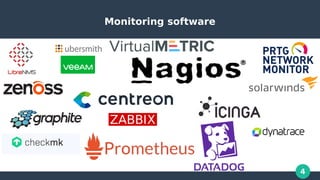
Monitoring software
5
What are people using?
●
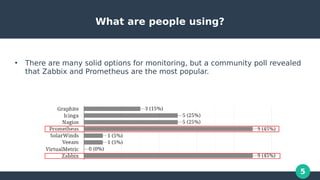
There are many solid options for monitoring, but a community poll revealed
that Zabbix and Prometheus are the most popular.
6
Zabbix and Prometheus, a tale of old and new
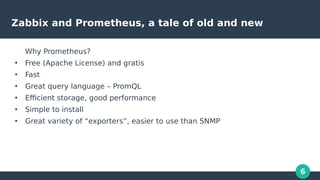
Why Prometheus?
●
Free (Apache License) and gratis
●
Fast
●
Great query language – PromQL
●
Efficient storage, good performance
●
Simple to install
●
Great variety of “exporters”, easier to use than SNMP
7
Zabbix and Prometheus, a tale of old and new
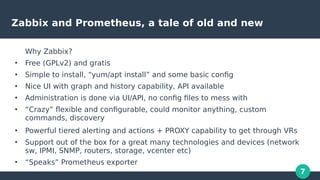
Why Zabbix?
●
Free (GPLv2) and gratis
●
Simple to install, “yum/apt install” and some basic config
●
Nice UI with graph and history capability, API available
●
Administration is done via UI/API, no config files to mess with
●
“Crazy” flexible and configurable, could monitor anything, custom
commands, discovery
●
Powerful tiered alerting and actions + PROXY capability to get through VRs
●
Support out of the box for a great many technologies and devices (network
sw, IPMI, SNMP, routers, storage, vcenter etc)
●
“Speaks” Prometheus exporter
8
Why combine the 2 solutions?
●
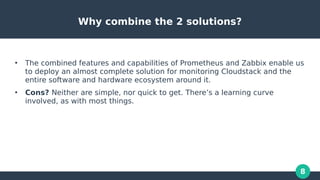
The combined features and capabilities of Prometheus and Zabbix enable us
to deploy an almost complete solution for monitoring Cloudstack and the
entire software and hardware ecosystem around it.
●
Cons? Neither are simple, nor quick to get. There’s a learning curve
involved, as with most things.
9
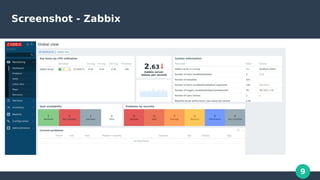
Screenshot - Zabbix
10
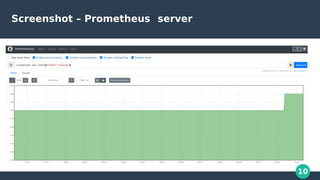
Screenshot – Prometheus server
11
Let’s get into it – monitoring Cloudstack MGMT
●
Monitoring the Cloudstack management server with Zabbix can be done like
this:
- general Linux system info via either zabbix-agent, SNMP or Prometheus
exporter (zabbix-agent recommended) or a combination thereof.
- information on the Java internals, Zabbix supports this natively via the
Generic JMX (Java Management Extensions) template. Examples: Loaded
class count, Heap memory committed, Thread count and many others.
12
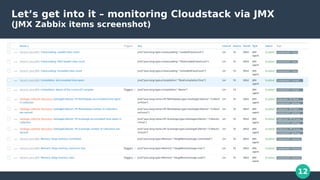
Let’s get into it – monitoring Cloudstack via JMX
(JMX Zabbix items screenshot)
13
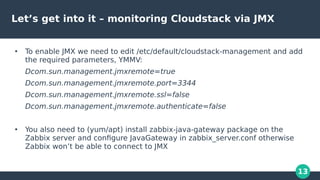
Let’s get into it – monitoring Cloudstack via JMX
●
To enable JMX we need to edit /etc/default/cloudstack-management and add
the required parameters, YMMV:
Dcom.sun.management.jmxremote=true
Dcom.sun.management.jmxremote.port=3344
Dcom.sun.management.jmxremote.ssl=false
Dcom.sun.management.jmxremote.authenticate=false
●
You also need to (yum/apt) install zabbix-java-gateway package on the
Zabbix server and configure JavaGateway in zabbix_server.conf otherwise
Zabbix won’t be able to connect to JMX
14
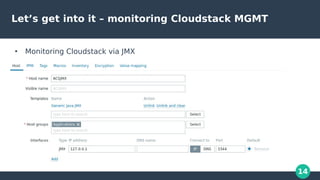
Let’s get into it – monitoring Cloudstack MGMT
●
Monitoring Cloudstack via JMX
15
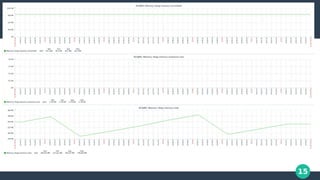
Monitoring Cloudstack via JMX
16
Let’s get into it
●
Moving on to Prometheus
17
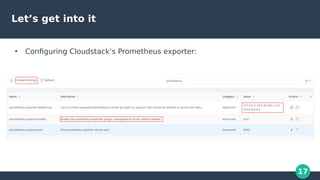
Let’s get into it
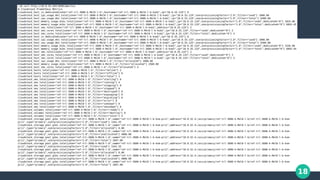
●
Configuring Cloudstack’s Prometheus exporter:
18
19
Using the Cloudstack exporter in Zabbix
●
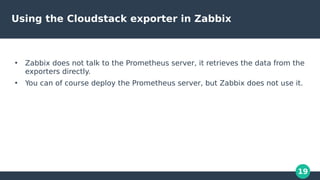
Zabbix does not talk to the Prometheus server, it retrieves the data from the
exporters directly.
●
You can of course deploy the Prometheus server, but Zabbix does not use it.
20
Using the Cloudstack exporter in Zabbix
●
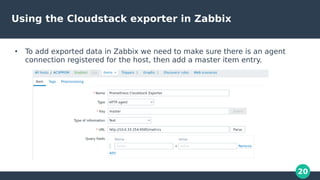
To add exported data in Zabbix we need to make sure there is an agent
connection registered for the host, then add a master item entry.
21
Using the Cloudstack exporter in Zabbix
●
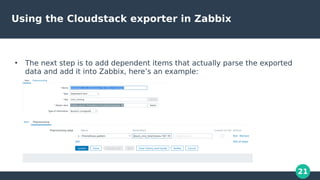
The next step is to add dependent items that actually parse the exported
data and add it into Zabbix, here’s an example:
22
Using the Cloudstack exporter in Zabbix
●
Once this is done, we can add triggers to suit our needs.
●
There is some manual work involved, but it can be simplified by employing
Zabbix auto discovery (low level discovery)
-------------------------------------------------------
DEMO TIME on Cloudstack VMs triggers
23
Monitoring VMs behind Virtual Routers with Zabbix
Proxy
●
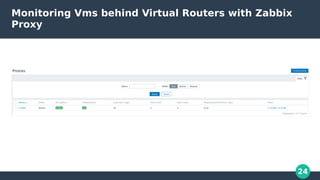
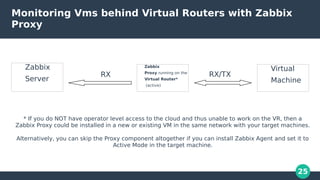
One of the great advantages of Zabbix for Cloudstack users is the Proxy
component. As the name suggests, it is a middleman between the Zabbix
server and the target VM.
●
Not only this, but the Proxy can work in an active mode, ie it connects to the
Zabbix server, not viceversa – this is crucial, because the opposite would
never work since the VR is locked down on the network.
●
Zabbix Proxy is lightweight and requires minimal configuration. It can use a
local or remote database, in our example it uses sqlite which required zero
work to set up.
●
Easy to install: apt update; apt install zabbix-proxy
24
Monitoring Vms behind Virtual Routers with Zabbix
Proxy
25
Monitoring Vms behind Virtual Routers with Zabbix
Proxy
Zabbix
Server
RX
Zabbix
Proxy running on the
Virtual Router*
(active)
Virtual
Machine
RX/TX
* If you do NOT have operator level access to the cloud and thus unable to work on the VR, then a
Zabbix Proxy could be installed in a new or existing VM in the same network with your target machines.
Alternatively, you can skip the Proxy component altogether if you can install Zabbix Agent and set it to
Active Mode in the target machine.
26
Monitoring Vms behind Virtual Routers with Zabbix
Proxy
DEMO TIME – Monitoring VMs behind Virtual Routers
27
Zabbix actions and alerting
●
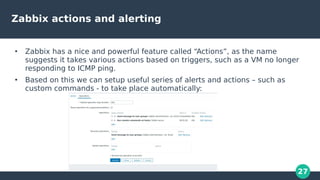
Zabbix has a nice and powerful feature called “Actions”, as the name
suggests it takes various actions based on triggers, such as a VM no longer
responding to ICMP ping.
●
Based on this we can setup useful series of alerts and actions – such as
custom commands - to take place automatically:
28
Zabbix actions and alerting - self-healing
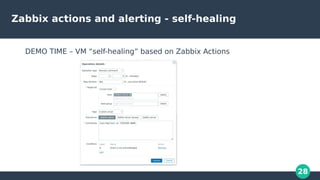
DEMO TIME – VM “self-healing” based on Zabbix Actions
29
Questions?
Any questions welcome.
Thank you!
30
Bonus slide: Prometheus libvirt exporter
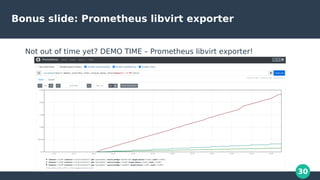
Not out of time yet? DEMO TIME – Prometheus libvirt exporter!

Monitoring in CloudStack

  • 1.
    Monitoring in Cloudstack #CSCollab2022 “Ifit’s not monitored does it even exist?” - Benjamin Franklin
  • 2.
    2 $ whoami Lucian-Paul Burlacu– lucian.burlacu@shapeblue.com Long time sysadmin and penguinista Cloudstack since 2013 Shapeblue since 2021
  • 3.
    3 What is monitoring? ● Periodicchecks on progress or state coupled with suitable alerts.
  • 4.
  • 5.
    5 What are peopleusing? ● There are many solid options for monitoring, but a community poll revealed that Zabbix and Prometheus are the most popular.
  • 6.
    6 Zabbix and Prometheus,a tale of old and new Why Prometheus? ● Free (Apache License) and gratis ● Fast ● Great query language – PromQL ● Efficient storage, good performance ● Simple to install ● Great variety of “exporters”, easier to use than SNMP
  • 7.
    7 Zabbix and Prometheus,a tale of old and new Why Zabbix? ● Free (GPLv2) and gratis ● Simple to install, “yum/apt install” and some basic config ● Nice UI with graph and history capability, API available ● Administration is done via UI/API, no config files to mess with ● “Crazy” flexible and configurable, could monitor anything, custom commands, discovery ● Powerful tiered alerting and actions + PROXY capability to get through VRs ● Support out of the box for a great many technologies and devices (network sw, IPMI, SNMP, routers, storage, vcenter etc) ● “Speaks” Prometheus exporter
  • 8.
    8 Why combine the2 solutions? ● The combined features and capabilities of Prometheus and Zabbix enable us to deploy an almost complete solution for monitoring Cloudstack and the entire software and hardware ecosystem around it. ● Cons? Neither are simple, nor quick to get. There’s a learning curve involved, as with most things.
  • 9.
  • 10.
  • 11.
    11 Let’s get intoit – monitoring Cloudstack MGMT ● Monitoring the Cloudstack management server with Zabbix can be done like this: - general Linux system info via either zabbix-agent, SNMP or Prometheus exporter (zabbix-agent recommended) or a combination thereof. - information on the Java internals, Zabbix supports this natively via the Generic JMX (Java Management Extensions) template. Examples: Loaded class count, Heap memory committed, Thread count and many others.
  • 12.
    12 Let’s get intoit – monitoring Cloudstack via JMX (JMX Zabbix items screenshot)
  • 13.
    13 Let’s get intoit – monitoring Cloudstack via JMX ● To enable JMX we need to edit /etc/default/cloudstack-management and add the required parameters, YMMV: Dcom.sun.management.jmxremote=true Dcom.sun.management.jmxremote.port=3344 Dcom.sun.management.jmxremote.ssl=false Dcom.sun.management.jmxremote.authenticate=false ● You also need to (yum/apt) install zabbix-java-gateway package on the Zabbix server and configure JavaGateway in zabbix_server.conf otherwise Zabbix won’t be able to connect to JMX
  • 14.
    14 Let’s get intoit – monitoring Cloudstack MGMT ● Monitoring Cloudstack via JMX
  • 15.
  • 16.
    16 Let’s get intoit ● Moving on to Prometheus
  • 17.
    17 Let’s get intoit ● Configuring Cloudstack’s Prometheus exporter:
  • 18.
  • 19.
    19 Using the Cloudstackexporter in Zabbix ● Zabbix does not talk to the Prometheus server, it retrieves the data from the exporters directly. ● You can of course deploy the Prometheus server, but Zabbix does not use it.
  • 20.
    20 Using the Cloudstackexporter in Zabbix ● To add exported data in Zabbix we need to make sure there is an agent connection registered for the host, then add a master item entry.
  • 21.
    21 Using the Cloudstackexporter in Zabbix ● The next step is to add dependent items that actually parse the exported data and add it into Zabbix, here’s an example:
  • 22.
    22 Using the Cloudstackexporter in Zabbix ● Once this is done, we can add triggers to suit our needs. ● There is some manual work involved, but it can be simplified by employing Zabbix auto discovery (low level discovery) ------------------------------------------------------- DEMO TIME on Cloudstack VMs triggers
  • 23.
    23 Monitoring VMs behindVirtual Routers with Zabbix Proxy ● One of the great advantages of Zabbix for Cloudstack users is the Proxy component. As the name suggests, it is a middleman between the Zabbix server and the target VM. ● Not only this, but the Proxy can work in an active mode, ie it connects to the Zabbix server, not viceversa – this is crucial, because the opposite would never work since the VR is locked down on the network. ● Zabbix Proxy is lightweight and requires minimal configuration. It can use a local or remote database, in our example it uses sqlite which required zero work to set up. ● Easy to install: apt update; apt install zabbix-proxy
  • 24.
    24 Monitoring Vms behindVirtual Routers with Zabbix Proxy
  • 25.
    25 Monitoring Vms behindVirtual Routers with Zabbix Proxy Zabbix Server RX Zabbix Proxy running on the Virtual Router* (active) Virtual Machine RX/TX * If you do NOT have operator level access to the cloud and thus unable to work on the VR, then a Zabbix Proxy could be installed in a new or existing VM in the same network with your target machines. Alternatively, you can skip the Proxy component altogether if you can install Zabbix Agent and set it to Active Mode in the target machine.
  • 26.
    26 Monitoring Vms behindVirtual Routers with Zabbix Proxy DEMO TIME – Monitoring VMs behind Virtual Routers
  • 27.
    27 Zabbix actions andalerting ● Zabbix has a nice and powerful feature called “Actions”, as the name suggests it takes various actions based on triggers, such as a VM no longer responding to ICMP ping. ● Based on this we can setup useful series of alerts and actions – such as custom commands - to take place automatically:
  • 28.
    28 Zabbix actions andalerting - self-healing DEMO TIME – VM “self-healing” based on Zabbix Actions
  • 29.
  • 30.
    30 Bonus slide: Prometheuslibvirt exporter Not out of time yet? DEMO TIME – Prometheus libvirt exporter!