+


    Maven 3 quick overview

    Mike Ensor
    http://www.ensor.cc
+
    Agenda

    •   Define Maven
        •   Why?
        •   Maven vs. Ant or Gradle

    •   Basic Concepts

    •   Dependency Management

    •   Repositories

    •   Deployment

    •   Releases

    •   Q&A
+
    Define Maven

    •   Apache Maven is a software project management and
        comprehension tool

    •   Based on the concept of a project object model (POM), Maven
        can manage a project's build, reporting and documentation
        from a central piece of information
+
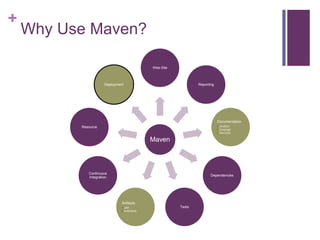
    Why Use Maven?

                                           Web Site


                      Deployment                              Reporting


                                                                          Documentation
          Resource                                                        • JavaDoc
                                                                          • Coverage
                                                                          • Site Docs

                                           Maven


             Continuous
                                                                     Dependencies
             Integration


                               Artifacts
                               • JAR                  Tests
                               • WAR/EAR
+
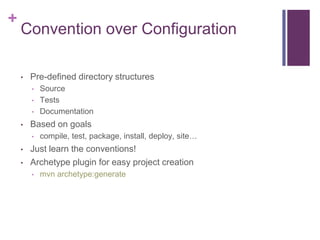
    Convention over Configuration

    •   Pre-defined directory structures
        •   Source
        •   Tests
        •   Documentation
    •   Based on goals
        •   compile, test, package, install, deploy, site…
    •   Just learn the conventions!
    •   Archetype plugin for easy project creation
        •   mvn archetype:generate
+
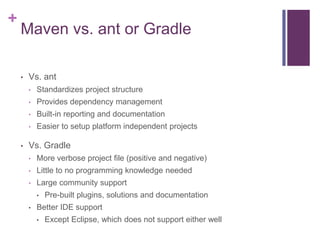
    Maven vs. ant or Gradle

    •   Vs. ant
        •   Standardizes project structure
        •   Provides dependency management
        •   Built-in reporting and documentation
        •   Easier to setup platform independent projects

    •   Vs. Gradle
        •   More verbose project file (positive and negative)
        •   Little to no programming knowledge needed
        •   Large community support
            •   Pre-built plugins, solutions and documentation
        •   Better IDE support
            •   Except Eclipse, which does not support either well
+
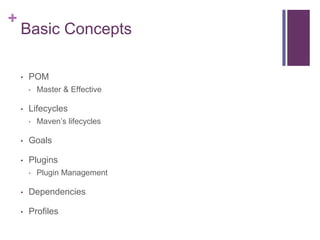
    Basic Concepts

    •   POM
        •   Master & Effective

    •   Lifecycles
        •   Maven’s lifecycles

    •   Goals

    •   Plugins
        •   Plugin Management

    •   Dependencies

    •   Profiles
+
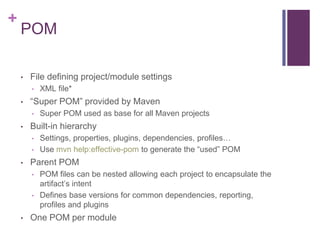
    POM

    •   File defining project/module settings
        •   XML file*
    •   “Super POM” provided by Maven
        •   Super POM used as base for all Maven projects
    •   Built-in hierarchy
        •   Settings, properties, plugins, dependencies, profiles…
        •   Use mvn help:effective-pom to generate the “used” POM
    •   Parent POM
        •   POM files can be nested allowing each project to encapsulate the
            artifact’s intent
        •   Defines base versions for common dependencies, reporting,
            profiles and plugins
    •   One POM per module
+
    POM – Important Attributes
    •   <artifactId/>                       •       <distributionManagement/>
        • Artifact’s name, must be unique           • Controls where artifact is
          within groupID scope                        deployed to
    •   <groupId/>                          •       <parent/>
        • Typically package name for                • Hierarchy of the project
          project
                                            •       <version/>
    •   <version/>
                                                    • Current version of the artifact
        • Current version of the artifact
                                            •       <scm/>
    •   <name/>
                                                    • Source code management
        • Name of the app, IDEs typically             section
          use this
                                            •       <dependencyManagement/>
    •   <packaging/>
                                                    • Defaults for dependencies
        • Type of artifact packaging
                                                •   <dependencies/>
        • POM, jar, WAR, EAR, EJB,
                                                    • Dependency definitions
          bundle
+
    POM – Important Attributes
<project …>
  <groupId>com.example</groupId>
  <artifactId>some-webapp</artifactId>
  <packaging>war</packaging>
  <version>0.01-SNAPSHOT</version>
  <name>${project.artifactId}</name>
  <distributionManagement>
    <snapshotRepository>
        <id>releases</id>
        <name>Mobile Snapshot Nexus</name>
        <url>http://nexus.kohls.com/content/repositories/Snapshots</url>
     </snapshotRepository>
     <repository>
        <id>releases</id>
        <name>Mobile Release Nexus</name>
        <url>http://nexus.kohls.com/content/repositories/releases</url>
     </repository>
     <site>
        <id>site-docs</id>
        <url>scp://${site.host}/opt/lampp/htdocs/site/${project.artifactId}</url>
     </site>
  </distributionManagement>
</project>
+
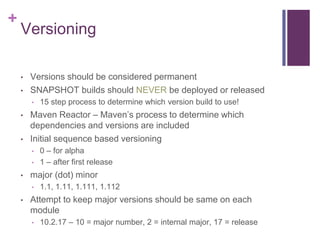
    Versioning

    •   Versions should be considered permanent
    •   SNAPSHOT builds should NEVER be deployed or released
        •   15 step process to determine which version build to use!
    •   Maven Reactor – Maven’s process to determine which
        dependencies and versions are included
    •   Initial sequence based versioning
        •   0 – for alpha
        •   1 – after first release
    •   major (dot) minor
        •   1.1, 1.11, 1.111, 1.112
    •   Attempt to keep major versions should be same on each
        module
        •   10.2.17 – 10 = major number, 2 = internal major, 17 = release
+
    Lifecycles
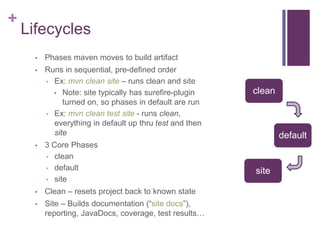
      •   Phases maven moves to build artifact
      •   Runs in sequential, pre-defined order
          • Ex: mvn clean site – runs clean and site
            • Note: site typically has surefire-plugin    clean
               turned on, so phases in default are run
          • Ex: mvn clean test site - runs clean,
            everything in default up thru test and then
            site                                                  default
      •   3 Core Phases
          • clean
          • default
                                                          site
          • site

      •   Clean – resets project back to known state
      •   Site – Builds documentation (“site docs”),
          reporting, JavaDocs, coverage, test results…
+
    Default Phase

    •   23 sub-phases
    •   Typically run unless only “clean” or “site” lifecycle run
        •       “site” might include default-bound goals inside of “default” phase
                such as test, generate-sources and compile
    •   Common default sub-phases
            •   generate-sources
            •   compile
            •   test
            •   package
            •   install
            •   deploy
    •   Some phases have goals bound automatically
            •   compile – compiler:compile
+
    Commands

    •   Goals – Represent specific task contributing to build phase in
        their lifecycle
        •   Goals are bound to phases
        •   Example goals: checkstyle:checkstyle
    •   Plugins – Modules adding new goals to maven
        •   Sample plugins
            • PMD
            • Checkstyle
            • JavaDocs
            • Resources (maven-resources)
            • Surefire and Failsafe
+
    Dependency Management

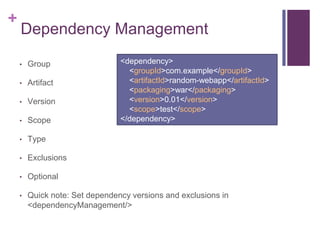
    •   Group                   <dependency>
                                  <groupId>com.example</groupId>
    •   Artifact                  <artifactId>random-webapp</artifactId>
                                  <packaging>war</packaging>
    •   Version                   <version>0.01</version>
                                  <scope>test</scope>
    •   Scope                   </dependency>

    •   Type

    •   Exclusions

    •   Optional

    •   Quick note: Set dependency versions and exclusions in
        <dependencyManagement/>
+
    Dependency Management – Scope

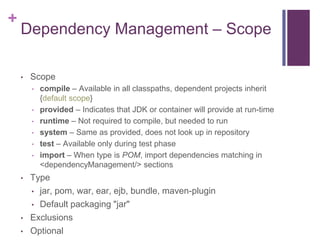
    •   Scope
        •   compile – Available in all classpaths, dependent projects inherit
            {default scope}
        •   provided – Indicates that JDK or container will provide at run-time
        •   runtime – Not required to compile, but needed to run
        •   system – Same as provided, does not look up in repository
        •   test – Available only during test phase
        •   import – When type is POM, import dependencies matching in
            <dependencyManagement/> sections
    •   Type
        • jar, pom, war, ear, ejb, bundle, maven-plugin
        • Default packaging "jar"

    •   Exclusions
    •   Optional
+
    Dependency Management – cont.
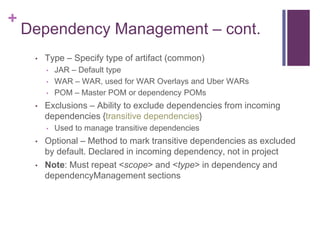
     •   Type – Specify type of artifact (common)
         •   JAR – Default type
         •   WAR – WAR, used for WAR Overlays and Uber WARs
         •   POM – Master POM or dependency POMs
     •   Exclusions – Ability to exclude dependencies from incoming
         dependencies {transitive dependencies}
         •   Used to manage transitive dependencies
     •   Optional – Method to mark transitive dependencies as excluded
         by default. Declared in incoming dependency, not in project
     •   Note: Must repeat <scope> and <type> in dependency and
         dependencyManagement sections
+
    Artifact Naming Conventions
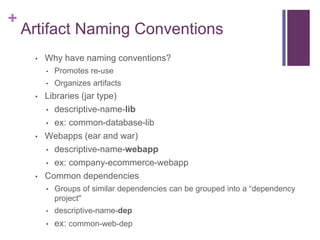
     •   Why have naming conventions?
         •   Promotes re-use
         •   Organizes artifacts
     •   Libraries (jar type)
         • descriptive-name-lib

         • ex: common-database-lib

     •   Webapps (ear and war)
         • descriptive-name-webapp

         • ex: company-ecommerce-webapp

     •   Common dependencies
         • Groups of similar dependencies can be grouped into a “dependency
             project"
         •   descriptive-name-dep
         •   ex: common-web-dep
+
    Repositories

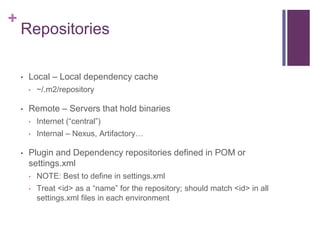
    •   Local – Local dependency cache
        •   ~/.m2/repository

    •   Remote – Servers that hold binaries
        •   Internet (“central”)
        •   Internal – Nexus, Artifactory…

    •   Plugin and Dependency repositories defined in POM or
        settings.xml
        •   NOTE: Best to define in settings.xml
        •   Treat <id> as a “name” for the repository; should match <id> in all
            settings.xml files in each environment
+
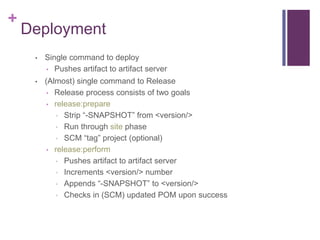
    Deployment
     •   Single command to deploy
         • Pushes artifact to artifact server

     •   (Almost) single command to Release
          • Release process consists of two goals
          • release:prepare
            • Strip “-SNAPSHOT” from <version/>
            • Run through site phase
            • SCM “tag” project (optional)
          • release:perform
            • Pushes artifact to artifact server
            • Increments <version/> number
            • Appends “-SNAPSHOT” to <version/>
            • Checks in (SCM) updated POM upon success
+
    Deployment: Snapshot
     •   Snapshot builds are incremental, non-versioned releases
     •   Typically used for intra-team use
     •   Use “deploy” to push snapshots to repository
         •   Repository location must be setup to accept snapshots
             •   Allow for redeploy
             •   Allow for snapshots over releases
         •   Make sure <server> setting is correct in settings.xml
     •   Typical use case:
         •   Setup a nightly SNAPSHOT build for external teams to use
             •   Minimizes changes that might cause compilation failures
+
    Q&A

    •   Lots covered…questions?

Maven 3 Overview

  • 1.
    + Maven 3 quick overview Mike Ensor http://www.ensor.cc
  • 2.
    + Agenda • Define Maven • Why? • Maven vs. Ant or Gradle • Basic Concepts • Dependency Management • Repositories • Deployment • Releases • Q&A
  • 3.
    + Define Maven • Apache Maven is a software project management and comprehension tool • Based on the concept of a project object model (POM), Maven can manage a project's build, reporting and documentation from a central piece of information
  • 4.
    + Why Use Maven? Web Site Deployment Reporting Documentation Resource • JavaDoc • Coverage • Site Docs Maven Continuous Dependencies Integration Artifacts • JAR Tests • WAR/EAR
  • 5.
    + Convention over Configuration • Pre-defined directory structures • Source • Tests • Documentation • Based on goals • compile, test, package, install, deploy, site… • Just learn the conventions! • Archetype plugin for easy project creation • mvn archetype:generate
  • 6.
    + Maven vs. ant or Gradle • Vs. ant • Standardizes project structure • Provides dependency management • Built-in reporting and documentation • Easier to setup platform independent projects • Vs. Gradle • More verbose project file (positive and negative) • Little to no programming knowledge needed • Large community support • Pre-built plugins, solutions and documentation • Better IDE support • Except Eclipse, which does not support either well
  • 7.
    + Basic Concepts • POM • Master & Effective • Lifecycles • Maven’s lifecycles • Goals • Plugins • Plugin Management • Dependencies • Profiles
  • 8.
    + POM • File defining project/module settings • XML file* • “Super POM” provided by Maven • Super POM used as base for all Maven projects • Built-in hierarchy • Settings, properties, plugins, dependencies, profiles… • Use mvn help:effective-pom to generate the “used” POM • Parent POM • POM files can be nested allowing each project to encapsulate the artifact’s intent • Defines base versions for common dependencies, reporting, profiles and plugins • One POM per module
  • 9.
    + POM – Important Attributes • <artifactId/> • <distributionManagement/> • Artifact’s name, must be unique • Controls where artifact is within groupID scope deployed to • <groupId/> • <parent/> • Typically package name for • Hierarchy of the project project • <version/> • <version/> • Current version of the artifact • Current version of the artifact • <scm/> • <name/> • Source code management • Name of the app, IDEs typically section use this • <dependencyManagement/> • <packaging/> • Defaults for dependencies • Type of artifact packaging • <dependencies/> • POM, jar, WAR, EAR, EJB, • Dependency definitions bundle
  • 10.
    + POM – Important Attributes <project …> <groupId>com.example</groupId> <artifactId>some-webapp</artifactId> <packaging>war</packaging> <version>0.01-SNAPSHOT</version> <name>${project.artifactId}</name> <distributionManagement> <snapshotRepository> <id>releases</id> <name>Mobile Snapshot Nexus</name> <url>http://nexus.kohls.com/content/repositories/Snapshots</url> </snapshotRepository> <repository> <id>releases</id> <name>Mobile Release Nexus</name> <url>http://nexus.kohls.com/content/repositories/releases</url> </repository> <site> <id>site-docs</id> <url>scp://${site.host}/opt/lampp/htdocs/site/${project.artifactId}</url> </site> </distributionManagement> </project>
  • 11.
    + Versioning • Versions should be considered permanent • SNAPSHOT builds should NEVER be deployed or released • 15 step process to determine which version build to use! • Maven Reactor – Maven’s process to determine which dependencies and versions are included • Initial sequence based versioning • 0 – for alpha • 1 – after first release • major (dot) minor • 1.1, 1.11, 1.111, 1.112 • Attempt to keep major versions should be same on each module • 10.2.17 – 10 = major number, 2 = internal major, 17 = release
  • 12.
    + Lifecycles • Phases maven moves to build artifact • Runs in sequential, pre-defined order • Ex: mvn clean site – runs clean and site • Note: site typically has surefire-plugin clean turned on, so phases in default are run • Ex: mvn clean test site - runs clean, everything in default up thru test and then site default • 3 Core Phases • clean • default site • site • Clean – resets project back to known state • Site – Builds documentation (“site docs”), reporting, JavaDocs, coverage, test results…
  • 13.
    + Default Phase • 23 sub-phases • Typically run unless only “clean” or “site” lifecycle run • “site” might include default-bound goals inside of “default” phase such as test, generate-sources and compile • Common default sub-phases • generate-sources • compile • test • package • install • deploy • Some phases have goals bound automatically • compile – compiler:compile
  • 14.
    + Commands • Goals – Represent specific task contributing to build phase in their lifecycle • Goals are bound to phases • Example goals: checkstyle:checkstyle • Plugins – Modules adding new goals to maven • Sample plugins • PMD • Checkstyle • JavaDocs • Resources (maven-resources) • Surefire and Failsafe
  • 15.
    + Dependency Management • Group <dependency> <groupId>com.example</groupId> • Artifact <artifactId>random-webapp</artifactId> <packaging>war</packaging> • Version <version>0.01</version> <scope>test</scope> • Scope </dependency> • Type • Exclusions • Optional • Quick note: Set dependency versions and exclusions in <dependencyManagement/>
  • 16.
    + Dependency Management – Scope • Scope • compile – Available in all classpaths, dependent projects inherit {default scope} • provided – Indicates that JDK or container will provide at run-time • runtime – Not required to compile, but needed to run • system – Same as provided, does not look up in repository • test – Available only during test phase • import – When type is POM, import dependencies matching in <dependencyManagement/> sections • Type • jar, pom, war, ear, ejb, bundle, maven-plugin • Default packaging "jar" • Exclusions • Optional
  • 17.
    + Dependency Management – cont. • Type – Specify type of artifact (common) • JAR – Default type • WAR – WAR, used for WAR Overlays and Uber WARs • POM – Master POM or dependency POMs • Exclusions – Ability to exclude dependencies from incoming dependencies {transitive dependencies} • Used to manage transitive dependencies • Optional – Method to mark transitive dependencies as excluded by default. Declared in incoming dependency, not in project • Note: Must repeat <scope> and <type> in dependency and dependencyManagement sections
  • 18.
    + Artifact Naming Conventions • Why have naming conventions? • Promotes re-use • Organizes artifacts • Libraries (jar type) • descriptive-name-lib • ex: common-database-lib • Webapps (ear and war) • descriptive-name-webapp • ex: company-ecommerce-webapp • Common dependencies • Groups of similar dependencies can be grouped into a “dependency project" • descriptive-name-dep • ex: common-web-dep
  • 19.
    + Repositories • Local – Local dependency cache • ~/.m2/repository • Remote – Servers that hold binaries • Internet (“central”) • Internal – Nexus, Artifactory… • Plugin and Dependency repositories defined in POM or settings.xml • NOTE: Best to define in settings.xml • Treat <id> as a “name” for the repository; should match <id> in all settings.xml files in each environment
  • 20.
    + Deployment • Single command to deploy • Pushes artifact to artifact server • (Almost) single command to Release • Release process consists of two goals • release:prepare • Strip “-SNAPSHOT” from <version/> • Run through site phase • SCM “tag” project (optional) • release:perform • Pushes artifact to artifact server • Increments <version/> number • Appends “-SNAPSHOT” to <version/> • Checks in (SCM) updated POM upon success
  • 21.
    + Deployment: Snapshot • Snapshot builds are incremental, non-versioned releases • Typically used for intra-team use • Use “deploy” to push snapshots to repository • Repository location must be setup to accept snapshots • Allow for redeploy • Allow for snapshots over releases • Make sure <server> setting is correct in settings.xml • Typical use case: • Setup a nightly SNAPSHOT build for external teams to use • Minimizes changes that might cause compilation failures
  • 22.
    + Q&A • Lots covered…questions?