





Keeping up to date
with emerging research
James Bisset james.bisset@durham.ac.uk
Academic Liaison Librarian (Research Support)
Saved
Search
Alerts
Journal
TOCs
Citation
Alerts
News feeds
(RSS)
Academic
Networks &
Social
Media
Session outline
- How (part 1)
- email alerts, RSS feeds and RSS readers
- What
- Books
- Journal articles
- Journal Table of Contents (ToCs)
- Academic Networks
- Coping Strategies
- How (part 2)
- Filtering your feeds
Part 1
How?
Email &
RSS
How?
Automated alerts:
- Email
- RSS
Using Email Alerts
Think about:
- weekly / monthly / bi-monthly
- separate folders in your mail
account
- how many can you realistically
read / manage
Using RSS Feeds:
Browser or Online Reader
Using RSS Feeds:
Browser or Online Reader
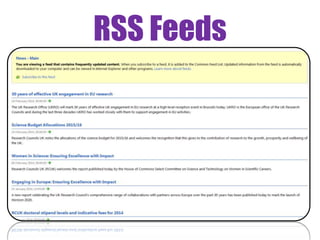
RSS Feeds
RCUK: http://www.rcuk.ac.uk
- http://www.rcuk.ac.uk/tasks/feed/?feedID=E63FCA83-3C24-
4192-ADF6CD2CFEF00BB8
Wellcome Trust: http://www.wellcome.ac.uk
- http://feeds2.feedburner.com/WellcomeTrustFundingNews
BBC News: http://www.bbc.co.uk/news/
- http://feeds.bbci.co.uk/news/rss.xml
Durham University News: http://www.dur.ac.uk/news/
- https://www.dur.ac.uk/feeds/news/?section=1
RSS Feeds
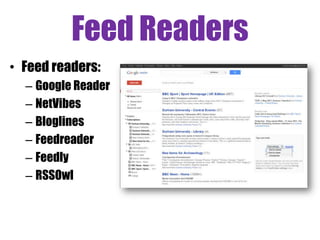
Feed Readers
• Feed readers:
– Google Reader
– NetVibes
– Bloglines
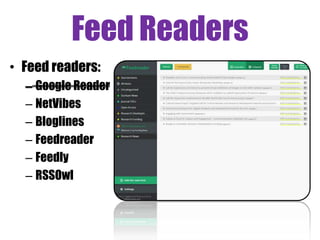
– Feedreader
– Feedly
– RSSOwl
Demo
Feedly
- creating an account
- finding, adding, managing &
sharing rss feeds
https://docs.google.com/spreadsheet/
lv?key=0ApTo6f5Yj1iJdFRfWmhUVjV0W
kktTjJhUUE4dGR5WUE
or
http://bit.ly/1fbhsYI
Task 1
• Set up a RSS feed reader. Use Internet Explorer or register for an
online reader such as Feedly
• Subscribe to a generic feed e.g:
- Durham University central news
- A research funder in your field
Via Flickr Creative Commons, by © Stuti Sakhalkar. Original available
at http://www.flickr.com/photos/theblackcanvas/2945878325/
Part 2
What?
Books
What?
• Books:
– Library Catalogue
– New items purchased by the library
– Other catalogues
– Publisher sites
Demo
Books
- Library Catalogue / Discover
- COPAC
- Publisher sites
Task 2
• Create a RSS feed or an email alert from one or more of the
following:
• Library Catalogue (email)
• Discover (email/RSS)
• New items purchased by the library (RSS)
• Copac (RSS)
• A publisher site (email/RSS)
Via Flickr Creative Commons, by © Stuti Sakhalkar. Original available
at http://www.flickr.com/photos/theblackcanvas/2945878325/
Part 2
What?
Journal
articles
What?
• Journal articles:
– Web of Science
– Google Scholar
Demo
Search & Citation alerts
- Web of Science
- Google Scholar
- Preview (Ebsco, JSTOR, ScienceDirect)
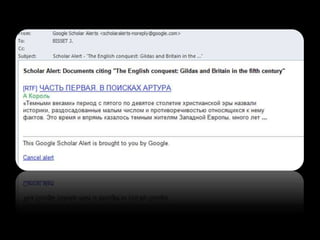
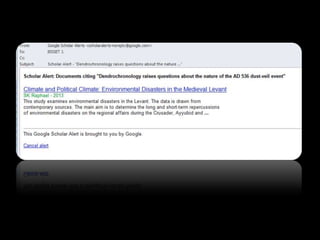
Task 3
• Create a RSS feed or an email alert for a journal from one or more
of the following:
• Web of Science (email/RSS)
• Google Scholar (email)
• Another Subject database of your choice
Via Flickr Creative Commons, by © Stuti Sakhalkar. Original available
at http://www.flickr.com/photos/theblackcanvas/2945878325/
Part 2
What?
Journal
TOCs
What?
• Journal Table of Contents (TOCs):
– Zetoc
– Journal TOCs
Demo
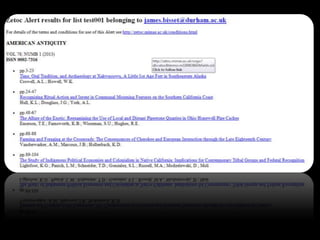
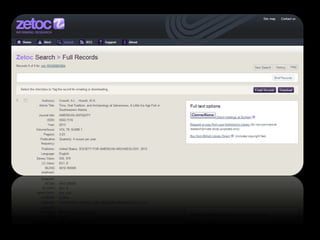
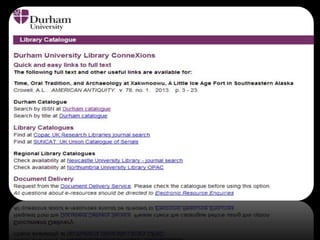
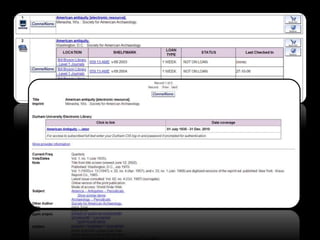
Zetoc
- TOC Alerts
- TOC RSS feeds
Task 4
• Create a RSS feed or an email alert for a journal table of contents
from one or more of the following:
• Zetoc (email/RSS)
• Journal TOCs (email)
Via Flickr Creative Commons, by © Stuti Sakhalkar. Original available
at http://www.flickr.com/photos/theblackcanvas/2945878325/
Part 2
What?
Academic
networks
What?
• Mailing Lists:
– JISCMail (National Academic mailing list platform)
Demo
JISCMail
- RSS Feeds & Groups
What?
• Funding Opportunites
– ResearchProfessional http://bit.ly/1wGTESZ
– Funding Councils etc.
What?
• Academic Networks
– Piirus; identify collaboration opportunities / find
researchers with particular interests / skills / knowledge
areas
– ResearchGate; network, make connections and showcase
your publications, ask or answer questions, organise
conferences and workshops
– Academia.edu; Online CV profile aimed at academic
sector
– LinkedIN; Online CV profile aimed beyond academic
sector
– Blogs; Academics, Research projects, Technology Groups,
Demo
JISCMail
- Overview: Piirus &
ResearchGate
What?
• Twitter – http://twitter.com/search/
What?
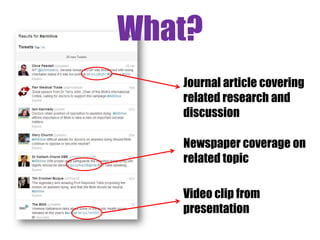
Journal article covering
related research and
discussion
Newspaper coverage on
related topic
Video clip from
presentation
What?
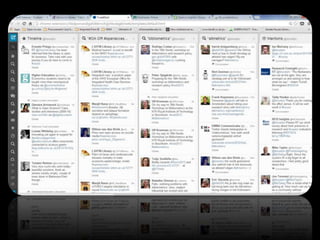
• Twitter – via Tweetdeck or Hootsuite
List of Tweets Saved Searches Interactions
What?
• Twitter – via Tweetdeck or Hootsuite
List of Tweets Saved Searches Interactions
Scheduled
Tweets
Saved
Tweets
Private
Messages
Task 5
• Spend some time having a look at some of the resources:
• JISCMail (email/RSS)
• Piirus
• ResearchGate
• Academic Blogs / Scoop.it
• Twitter
Via Flickr Creative Commons, by © Stuti Sakhalkar. Original available
at http://www.flickr.com/photos/theblackcanvas/2945878325/
Part 2
What?
Coping
Strategies
YES
NO
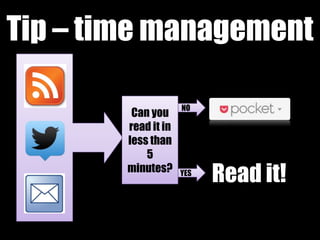
Tip – time management
Can you
read it in
less than
5
minutes?
Read it!
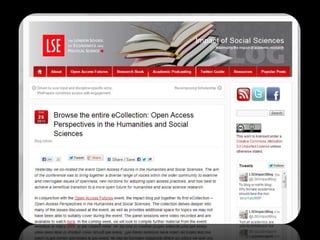
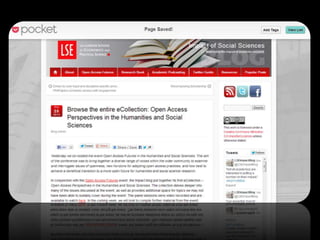
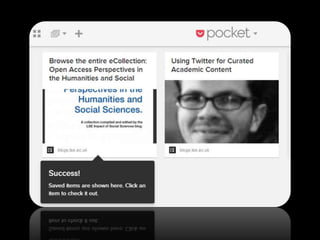
Tip - Pocket
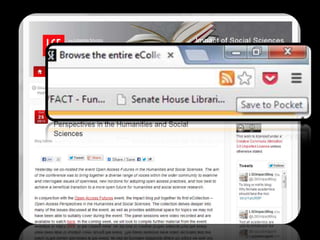
Tip - Pocket
Part 3
How?
Filtering your
feeds
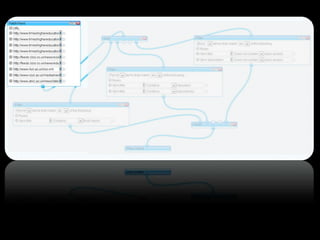
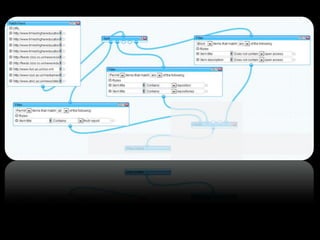
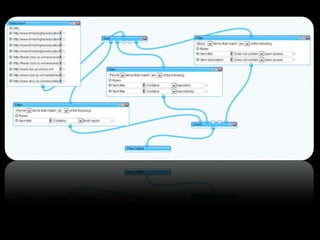
How? – RSS Filters
• See only the relevant information from a feed (or
multiple feeds.
• Define Key words
• Filter services
- Feed sifter
- Pipes
Demo
Feedshifter
- Customising RSS feeds
Task 6
• Set up a filter using Feedsifter
• Subscribe to your filtered feed
Via Flickr Creative Commons, by © Stuti Sakhalkar. Original available
at http://www.flickr.com/photos/theblackcanvas/2945878325/
Image Credits
[Slide 4] Via Flickr Creative Commons, by Stylianos Mystakidis. Original
available at http://www.flickr.com/photos/90309235@N00/3989939286
[Slides 17] Via Flickr Creative Commons by Jacinta Iluch Valero. Original
at http://www.flickr.com/photos/70626035@N00/8265808436
[Slide 20] Via Flickr Creative Commons, by Adelle & Justin. Original at
http://www.flickr.com/photos/10278395@N08/3687392107
[Slides 27] Via Flickr Creative Commons, by Ian Scott. Original available
at http://www.flickr.com/photos/38000818@N06/7007574429
[Slide 36] Via Flickr Creative Commons, by Rromir Imami. Original
available at http://www.flickr.com/photos/73515668@N08/7749708352
[Slide 43] Via Flickr Creative Commons, by yang zhao. Original available
at http://www.flickr.com/photos/44124411666@N01/24063969
[Slides 61-69] Vitae®, © 2010 Careers Research and Advisory Centre
(CRAC) Limited‘ Available at www.vitae.ac.uk/rdf
Measuring
Researcher
Development
Vitae Researcher Development Framework [see image credits]
Measuring
Researcher
Development

Keeping up to date

Editor's Notes

  • #3 Approx 30 minutes into session Part 2 - What can you keep up to date with? For full details, go to keeping up to date page for researchers www.dur.ac.uk/library/research/keepuptodate/ - where all the links for this part of the session will be held. DEMO: For Books: Catalogue – email alert Log in to patron record and search for research* and PhD as keywords Click on ‘Save this search button’ – only shows when you are logged in Check boxes for ‘Mark for Email’ and click on ‘update list’ You will be emailed about anything that is added and catalogued under those keywords New items purchased by the library – RSS feed Subscribe to the new items feed via the links on the keeping up to date page/subject information page Stock in other libraries – Copac RSS feed - Link to Finding Information session… Search Copac for information literacy – RSS feed appears next to your search terms at the top of the screen on the results page RSS feed shows links to items added to Copac in the last 2 weeks. Will be updated every time something new is added. Publisher sites – new books email Just mention this is possible and show links on page
  • #4 No knowledge of RSS feeds required
  • #6 Organisation is the key – as these methods can provide you with a lot of information! Today is an opportunity to try different methods – see what works for you. Both RSS feeds and email alerts allow you to organise results, whether that’s with a familiar folder structure in your email inbox or using tags or favorites. Some of the resources which we will look at today only offer RSS feeds and some only offer email alerts – however some will offer both. Can be overwhelming to receive all the alerts (particularly from news feeds which can be updated by the minute) so will need to choose carefully what you would like to be notified about and we’ll look at filters later Email If you are offered an email option you can often choose whether to receive the emails periodically (daily, weekly, monthly) – you can check them whenever you can check your emails. RSS (Really Simple Syndication) Feeds can be things like news headlines, new postings on a blog, abstracts of new books and journal articles, table of contents of journals/books. Sometimes with links to check for the full text. Feed readers offer a way for you to view your feeds either via your web browser or online. Browser = You can either save the feeds like you save your favourites – in the web browser. However, viewing them like this, restricts them to that specific PC. Online = There are online feed readers which allow more flexibility – as you can access them anywhere – e.g. Google reader. You can also use tagging and ranking particular to highlight particular items. We are going to look at some of these methods today. We’re going to look at Google Reader but there are other options - Netvibes; Newsgator; Bloglines etc. You need to make sure you check your email and/or feed reader regularly for updates – your responsibility.
  • #7 Email If you are offered an email option you can often choose whether to receive the emails periodically (daily, weekly, monthly) – you can check them whenever you can check your emails.
  • #8 Feeds can be things like news headlines, new postings on a blog, abstracts of new books and journal articles, table of contents of journals/books. Sometimes with links to check for the full text. Feed readers / Feed aggregators / RSS Reader offer a way for you to view your feeds either via your web browser or online. Browser = You can either save the feeds like you save your favourites – in the web browser. Disadvantage: can only access from the one PC you have saved them to. Advantage: don’t need to remember any additional log in.
  • #9 Online = There are online feed readers which allow more flexibility – as you can access them anywhere. e.g. Google reader (deceased June 2013), Feedreader, Feedly, You can also use tagging and ranking particular to highlight particular items. We are going to look at some of these methods today. We’re going to look at FeedReader but there are other options – Feedly, Netvibes; Newsgator; Bloglines etc. You need to make sure you check your email and/or feed reader regularly for updates – your responsibility.
  • #12 Alternative is to us a Feed reader to store your feeds – means you can access the feeds anywhere - Copy and paste URL to add it to an online reader - Think about what you are subscribing too – don’t overwhelm yourself DEMO how to subscribe to a feed using Feedreader - Feedreader website, show how to register or sign in Pass:2T - Brief tour of page: - Scroll down “all items” first - Starred - Folder structure - Collapsed and Expanded views - Adding a new rss feed you have found
  • #13 Demo 1
  • #15 Approx 20 minutes into session 10 minutes hands on time Deal with any queries Some people may need to register with Google Reader in this time
  • #16 http://www.flickr.com/photos/26296445@N05/5917135851
  • #17 Approx 30 minutes into session Part 2 - What can you keep up to date with? For full details, go to keeping up to date page for researchers www.dur.ac.uk/library/research/keepuptodate/ - where all the links for this part of the session will be held. DEMO: For Books: Catalogue – email alert Log in to patron record and search for research* and PhD as keywords Click on ‘Save this search button’ – only shows when you are logged in Check boxes for ‘Mark for Email’ and click on ‘update list’ You will be emailed about anything that is added and catalogued under those keywords New items purchased by the library – RSS feed Subscribe to the new items feed via the links on the keeping up to date page/subject information page Stock in other libraries – Copac RSS feed - Link to Finding Information session… Search Copac for information literacy – RSS feed appears next to your search terms at the top of the screen on the results page RSS feed shows links to items added to Copac in the last 2 weeks. Will be updated every time something new is added. Publisher sites – new books email Just mention this is possible and show links on page
  • #18 Demo 1
  • #19 Hands on – Approx 40 mins into session. Allow 7 minutes hands on time. Deal with any queries Pick resources relevant for your research
  • #21 Approx 47 minutes into session Continuing Part 2 - What can you keep up to date with? DEMO: Examples for Journals Articles: 2@teapots Web of Science – need to log in, then you can email results, save searches, and set up search alerts Search in databases using as many keywords as you need to refine the search – don’t want to be emailed with too many results Once you have done the search: e.g.. “cranial trauma” AND medieval OR “Middle Ages” in WoS– go to search history and select save history/create alert (need to be in Web of Science – not available in the whole web of knowledge) Give the search a name and description Choose if you want to save the search or be alerted about it by email (once alert is created you can also subscribe to the feed by clicking on the XML button) Alerts will be sent at whatever time period you specify If you save searches you can also go back into the database and re-run them / refine them You can set up citation alerts to individual papers – can help form connections between the papers you are consulting – need to go into item record to create these Not all databases allow this Google Scholar – indexes lots of journals, theses, conference papers so may provide too much information. You will need to be specific with your search. - Refer back to Google Scholar session Log in – will already be logged in via Google Reader – search for “cranial trauma” AND “medieval OR “Middle Ages”  2 options – can click on the ‘Create email alert’ envelope icon OR can set up a citation alert by clicking on the ‘Cited by’ link and then clicking on ‘create email alert’ icon
  • #22 Demo 1
  • #23 Hands on – Approx 40 mins into session. Allow 7 minutes hands on time. Deal with any queries Pick resources relevant for your research
  • #24 http://www.flickr.com/photos/26296445@N05/5917135851
  • #25 Approx 1 hour 5 minutes into session Continuing Part 2 - What can you keep up to date with? DEMO: For Table of Contents: Zetoc – British Library’s table of contents service – searches for ToCs of journals and conference proceedings. Receive alerts via email. Need to log in, even when you’re on campus Zetoc Alert – email alert for keywords/journal ToCs Zetoc RSS – rss feed for table of contents of journals (not for keywords) Alerts expire after 1 year but you get plenty of warning about this Go to Zetoc Alert > type in email and list name > Add searches: Keyword search looks for those terms within the titles of all the journal articles in the BL or Author search looks for authors of articles within the journals. Might need to set up lots of different keyword searches as can’t use synonyms within Zetoc. Don’t just put an author’s surname in as you will get too many results. Journal search – allows you to keep up to date with the ToCs of key journals in your field – watching brief Other ToC services are available – e.g. JournalTOCs - http://www.journaltocs.ac.uk/ (can have a look at this in your own time)
  • #26 Demo 1
  • #31 Hands on – Approx 40 mins into session. Allow 7 minutes hands on time. Deal with any queries Pick resources relevant for your research
  • #32 http://www.flickr.com/photos/26296445@N05/5917135851
  • #33 Continuing Part 2 - What can you keep up to date with? News and web pages – focus on JISC mail Password 2M Mailing Lists (demo) JISC Mail – could ask colleagues for any useful lists or can search the site for descriptions of lists – demo search: Groups > Advanced Search > Archaeology ‘Subscribers corner’ lists all the lists you have subscribed to Allows you to monitor the activity in your discipline Primarily sent as an email but you can also use RSS feeds Blogs (demo) Google Blog contains a lot of options – search for University, Research and your specific subject area will retrieve many options. Can also look at the suggestions on the Keeping up to date pages for other academic blogs. Not all will have RSS feeds or email alerts but some do. - University Research Psychology - University Research Human Geography Web Page Alerts (no need to demo) Allows you to set up an alert so that you are notified when a page changes. Particularly useful for conferences/presentations which may not be published. Research news and funding opportunities (no need to demo) Just mention these alerts Twitter (discuss) BIALL twitter account? Twitter search – BMA’s ARMLive event (assisted dying, education and training, public health) - Finch report (Open access – not just link to original report, but active discussion plus links to individuals and organisations responses, criticism etc.) Approx 1 hr 25 minutes into session.
  • #34 Demo 1
  • #35 Continuing Part 2 - What can you keep up to date with? News and web pages – focus on JISC mail Password 2M Mailing Lists (demo) JISC Mail – could ask colleagues for any useful lists or can search the site for descriptions of lists – demo search: Groups > Advanced Search > Archaeology ‘Subscribers corner’ lists all the lists you have subscribed to Allows you to monitor the activity in your discipline Primarily sent as an email but you can also use RSS feeds Blogs (demo) Google Blog contains a lot of options – search for University, Research and your specific subject area will retrieve many options. Can also look at the suggestions on the Keeping up to date pages for other academic blogs. Not all will have RSS feeds or email alerts but some do. - University Research Psychology - University Research Human Geography Web Page Alerts (no need to demo) Allows you to set up an alert so that you are notified when a page changes. Particularly useful for conferences/presentations which may not be published. Research news and funding opportunities (no need to demo) Just mention these alerts Twitter (discuss) BIALL twitter account? Twitter search – BMA’s ARMLive event (assisted dying, education and training, public health) - Finch report (Open access – not just link to original report, but active discussion plus links to individuals and organisations responses, criticism etc.) Approx 1 hr 25 minutes into session.
  • #36 Continuing Part 2 - What can you keep up to date with? News and web pages – focus on JISC mail Password 2M Mailing Lists (demo) JISC Mail – could ask colleagues for any useful lists or can search the site for descriptions of lists – demo search: Groups > Advanced Search > Archaeology ‘Subscribers corner’ lists all the lists you have subscribed to Allows you to monitor the activity in your discipline Primarily sent as an email but you can also use RSS feeds Blogs (demo) Google Blog contains a lot of options – search for University, Research and your specific subject area will retrieve many options. Can also look at the suggestions on the Keeping up to date pages for other academic blogs. Not all will have RSS feeds or email alerts but some do. - University Research Psychology - University Research Human Geography Web Page Alerts (no need to demo) Allows you to set up an alert so that you are notified when a page changes. Particularly useful for conferences/presentations which may not be published. Research news and funding opportunities (no need to demo) Just mention these alerts Twitter (discuss) BIALL twitter account? Twitter search – BMA’s ARMLive event (assisted dying, education and training, public health) - Finch report (Open access – not just link to original report, but active discussion plus links to individuals and organisations responses, criticism etc.) Approx 1 hr 25 minutes into session.
  • #37 Demo 1
  • #38 Continuing Part 2 - What can you keep up to date with? News and web pages – focus on JISC mail Password 2M Mailing Lists (demo) JISC Mail – could ask colleagues for any useful lists or can search the site for descriptions of lists – demo search: Groups > Advanced Search > Archaeology ‘Subscribers corner’ lists all the lists you have subscribed to Allows you to monitor the activity in your discipline Primarily sent as an email but you can also use RSS feeds Blogs (demo) Google Blog contains a lot of options – search for University, Research and your specific subject area will retrieve many options. Can also look at the suggestions on the Keeping up to date pages for other academic blogs. Not all will have RSS feeds or email alerts but some do. - University Research Psychology - University Research Human Geography Web Page Alerts (no need to demo) Allows you to set up an alert so that you are notified when a page changes. Particularly useful for conferences/presentations which may not be published. Research news and funding opportunities (no need to demo) Just mention these alerts Twitter (discuss) BIALL twitter account? Twitter search – BMA’s ARMLive event (assisted dying, education and training, public health) - Finch report (Open access – not just link to original report, but active discussion plus links to individuals and organisations responses, criticism etc.) Approx 1 hr 25 minutes into session.
  • #39 James notes – new slide As well as using Twitter to identify fellow researchers, keep track of academic or professional discussions, can also use to share information related to discussion or from conferences you are unable to attend.
  • #40 Continuing Part 2 - What can you keep up to date with? News and web pages – focus on JISC mail Password 2M Mailing Lists (demo) JISC Mail – could ask colleagues for any useful lists or can search the site for descriptions of lists – demo search: Groups > Advanced Search > Archaeology ‘Subscribers corner’ lists all the lists you have subscribed to Allows you to monitor the activity in your discipline Primarily sent as an email but you can also use RSS feeds Blogs (demo) Google Blog contains a lot of options – search for University, Research and your specific subject area will retrieve many options. Can also look at the suggestions on the Keeping up to date pages for other academic blogs. Not all will have RSS feeds or email alerts but some do. - University Research Psychology - University Research Human Geography Web Page Alerts (no need to demo) Allows you to set up an alert so that you are notified when a page changes. Particularly useful for conferences/presentations which may not be published. Research news and funding opportunities (no need to demo) Just mention these alerts Twitter (discuss) BIALL twitter account? Twitter search – BMA’s ARMLive event (assisted dying, education and training, public health) - Finch report (Open access – not just link to original report, but active discussion plus links to individuals and organisations responses, criticism etc.) Approx 1 hr 25 minutes into session.
  • #41 Continuing Part 2 - What can you keep up to date with? News and web pages – focus on JISC mail Password 2M Mailing Lists (demo) JISC Mail – could ask colleagues for any useful lists or can search the site for descriptions of lists – demo search: Groups > Advanced Search > Archaeology ‘Subscribers corner’ lists all the lists you have subscribed to Allows you to monitor the activity in your discipline Primarily sent as an email but you can also use RSS feeds Blogs (demo) Google Blog contains a lot of options – search for University, Research and your specific subject area will retrieve many options. Can also look at the suggestions on the Keeping up to date pages for other academic blogs. Not all will have RSS feeds or email alerts but some do. - University Research Psychology - University Research Human Geography Web Page Alerts (no need to demo) Allows you to set up an alert so that you are notified when a page changes. Particularly useful for conferences/presentations which may not be published. Research news and funding opportunities (no need to demo) Just mention these alerts Twitter (discuss) BIALL twitter account? Twitter search – BMA’s ARMLive event (assisted dying, education and training, public health) - Finch report (Open access – not just link to original report, but active discussion plus links to individuals and organisations responses, criticism etc.) Approx 1 hr 25 minutes into session.
  • #42 Allow 5-10 mins hands on time. Have a look at JISC Mail or another area of interest. Approx 1 hr 35 mins into session
  • #43 http://www.flickr.com/photos/26296445@N05/5917135851
  • #47 Note: Start the day: 5 minutes to quickly check most recent news.
  • #48 Note: Start the day: 5 minutes to quickly check most recent news.
  • #49 Note: Start the day: 5 minutes to quickly check most recent news.
  • #50 http://www.flickr.com/photos/26296445@N05/5917135851
  • #51 Approx 1hr 35 minutes into session. Filtering a feed. RSS feeds are great but quite addictive and you’ll soon find that you have lots of unread feeds unless you are very selective about what you subscribe to. Filters are one way to make sure that you just get the information you need. Feedsifter basic as you can easily filter a feed work by creating a new feed that you can subscribe to – means you can still receive the original but also have a cut down version. Have to use Firefox to filter Zetoc RSS feeds as it doesn’t work in Internet Explorer for Zetoc (e.g. Zetoc Journal feeds can come as RSS feeds) Make sure it’s the FEED URL you type in Multiple keywords per one search are comma separated (AND operator) on the same line – no space after the comma Can expand a search by using words on different lines (OR operator) DEMO one of the news feeds searched earlier – i.e. Durham library or BBC filter using a couple of keywords on each line – will bring back more results – use one word on each line filter using two words on the same line(s) - to bring back less results - use a comma to separate words (no space after the comma) Mention Pipes (Yahoo) but don’t demo - more info on the handout: looks more daunting but ok to use and very flexible. Can be more sophisticated with your filter than with Feedsifter. you can bring together lots of feeds, sort them, filter them by author or descriptor and then create a new RSS feed from that to read in your usual reader.
  • #52 Demo 1
  • #56 Approx 1hr 45mins into session. Allow 10 minutes hands on time. Hand out feedback forms during this activity