1 / 40
Kafka In Action
Sumit Jain
2 / 40
Introduction
●
Apache Kafka is a publish/subscribe
messaging system.
●
A distributed, partitioned, replicated commit
log (record of transactions) service.
●
High-throughput, low-latency platform for
handling real-time data feeds.
3 / 40
●
Activity Tracking: generating reports, feeding
machine learning systems, updating search results
●
Messaging: Send notifications to users, application
events
●
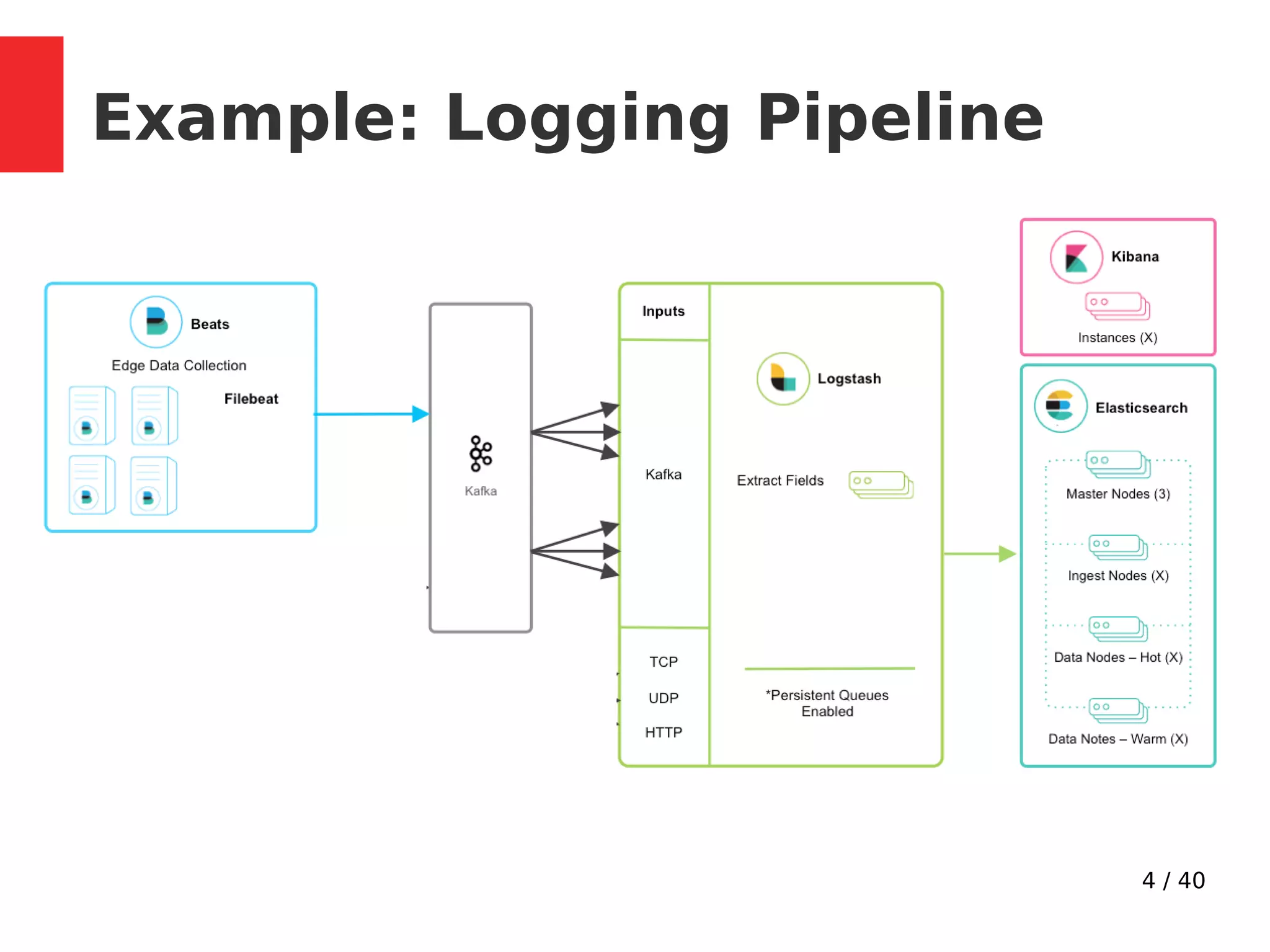
Metrics and logging: Aggregating statistics/logs from
distributed applications to produce centralized feeds
of operational data.
●
Commit Log: Database changes can be published to
Kafka and applications can easily monitor this
stream
●
Stream processing: Real time processing of infinite
data stream.
Use Cases
4 / 40
Example: Logging Pipeline
5 / 40
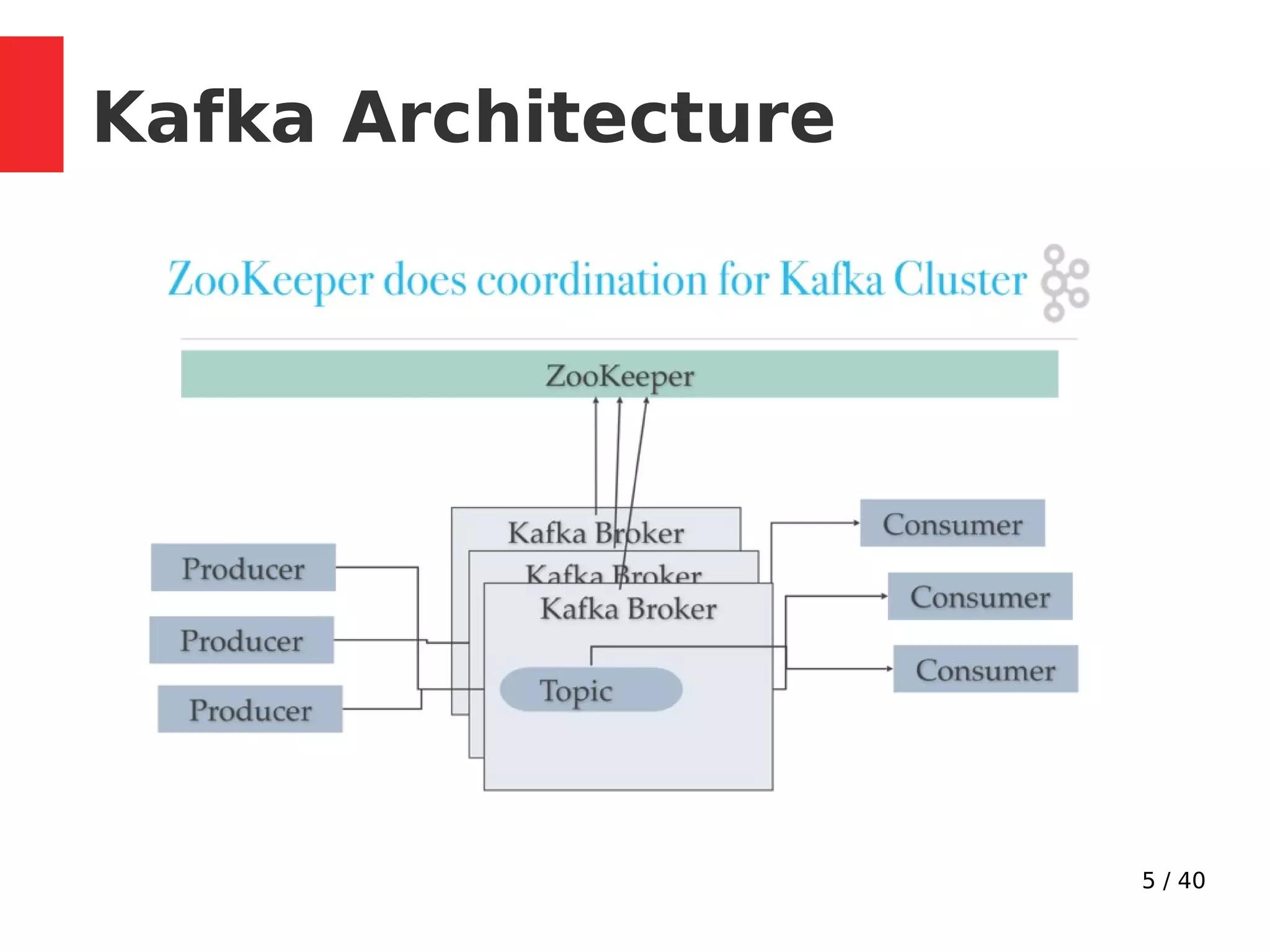
Kafka Architecture
6 / 40
Kafka Basics
●
The unit of data within Kafka is called a
message (array of bytes).
●
Message can have a key (byte array)
●
Keys are used to distribute messages among
partitions using a partitioner.
7 / 40
Kafka Internals
8 / 40
Topic Partitions
●
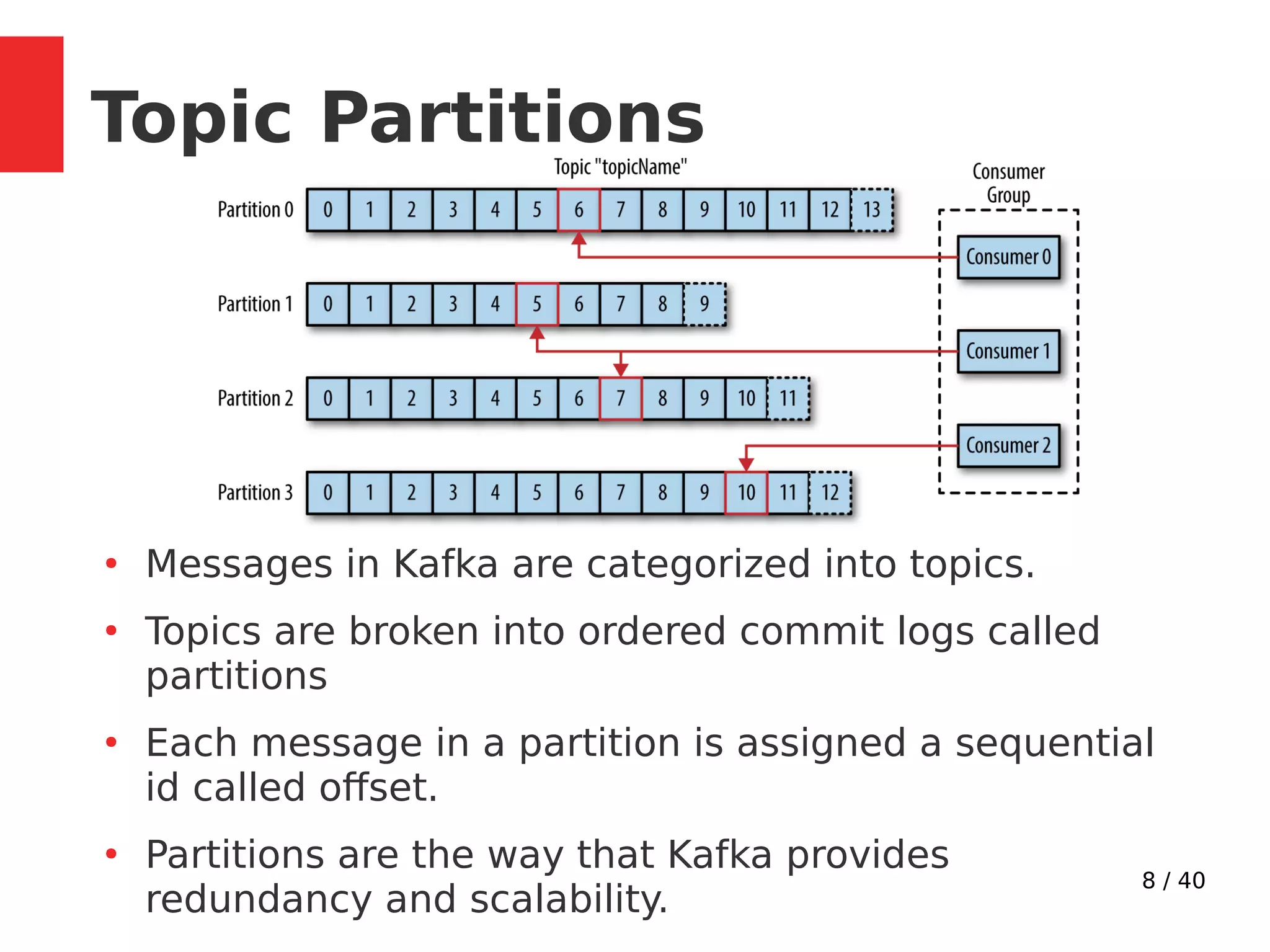
Messages in Kafka are categorized into topics.
●
Topics are broken into ordered commit logs called
partitions
●
Each message in a partition is assigned a sequential
id called offset.
●
Partitions are the way that Kafka provides
redundancy and scalability.
9 / 40
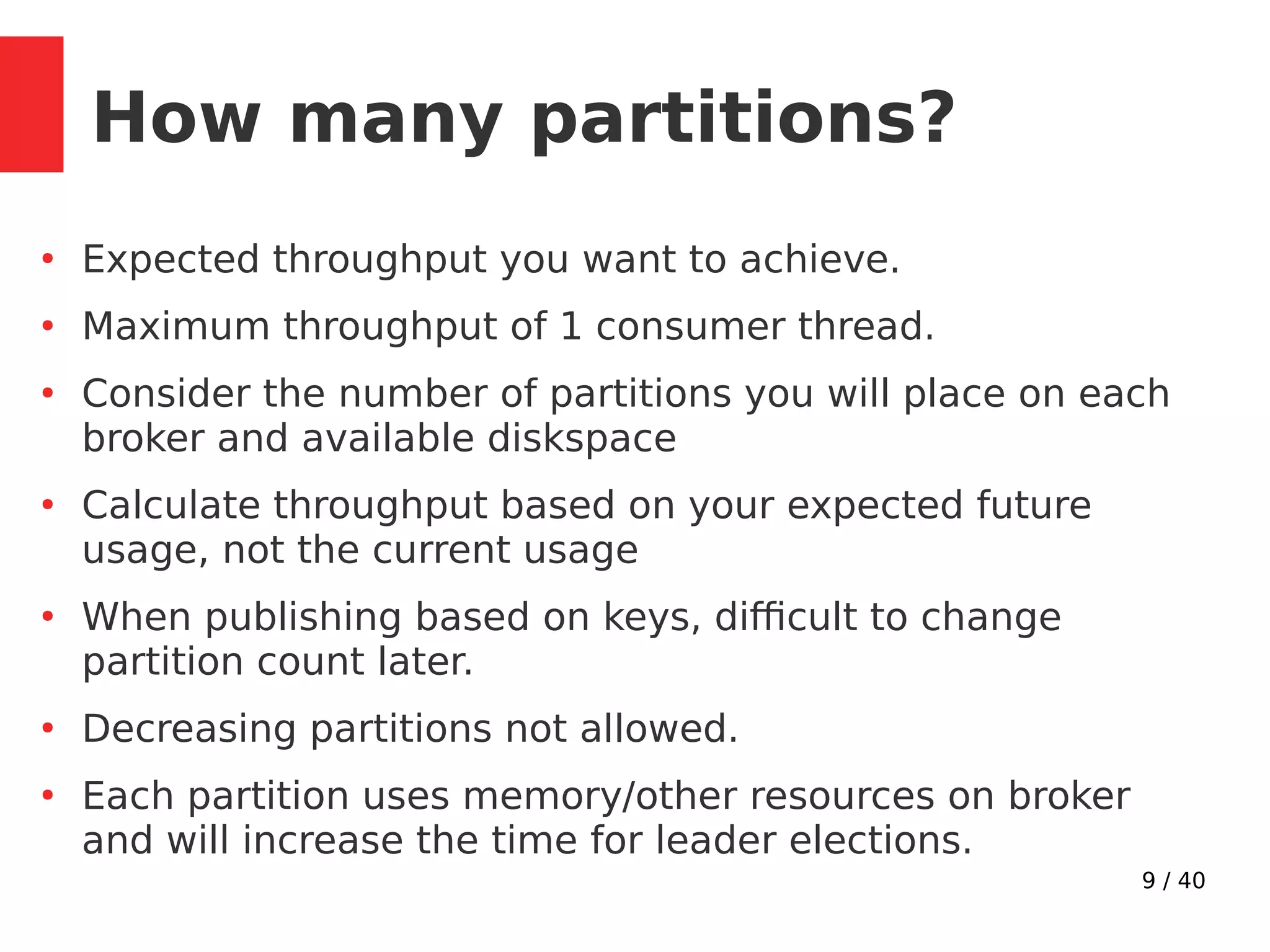
How many partitions?
●
Expected throughput you want to achieve.
●
Maximum throughput of 1 consumer thread.
●
Consider the number of partitions you will place on each
broker and available diskspace
●
Calculate throughput based on your expected future
usage, not the current usage
●
When publishing based on keys, difficult to change
partition count later.
●
Decreasing partitions not allowed.
●
Each partition uses memory/other resources on broker
and will increase the time for leader elections.
10 / 40
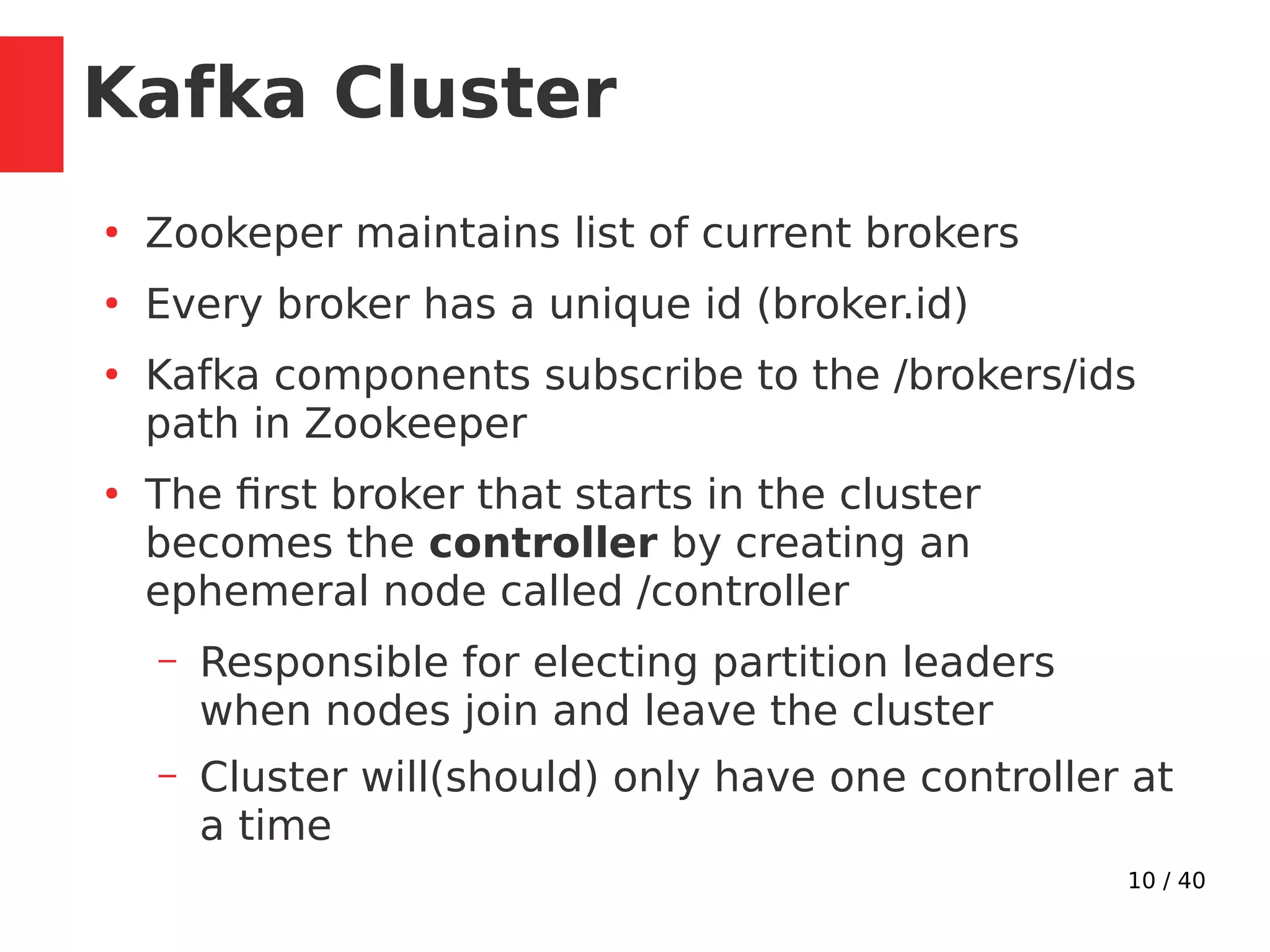
Kafka Cluster
●
Zookeper maintains list of current brokers
●
Every broker has a unique id (broker.id)
●
Kafka components subscribe to the /brokers/ids
path in Zookeeper
●
The first broker that starts in the cluster
becomes the controller by creating an
ephemeral node called /controller
– Responsible for electing partition leaders
when nodes join and leave the cluster
– Cluster will(should) only have one controller at
a time
11 / 40
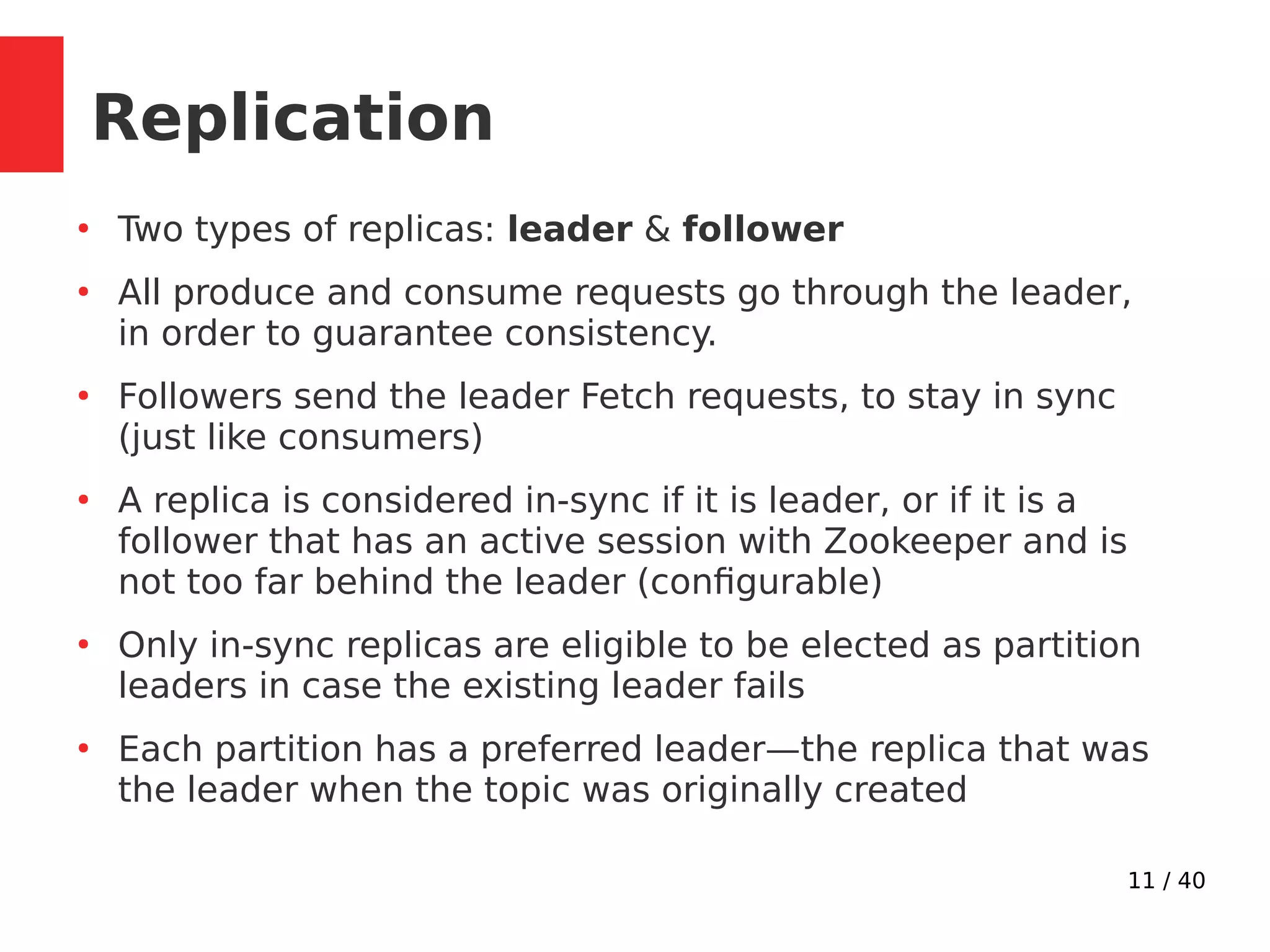
Replication
●
Two types of replicas: leader & follower
●
All produce and consume requests go through the leader,
in order to guarantee consistency.
●
Followers send the leader Fetch requests, to stay in sync
(just like consumers)
●
A replica is considered in-sync if it is leader, or if it is a
follower that has an active session with Zookeeper and is
not too far behind the leader (configurable)
●
Only in-sync replicas are eligible to be elected as partition
leaders in case the existing leader fails
●
Each partition has a preferred leader—the replica that was
the leader when the topic was originally created
12 / 40
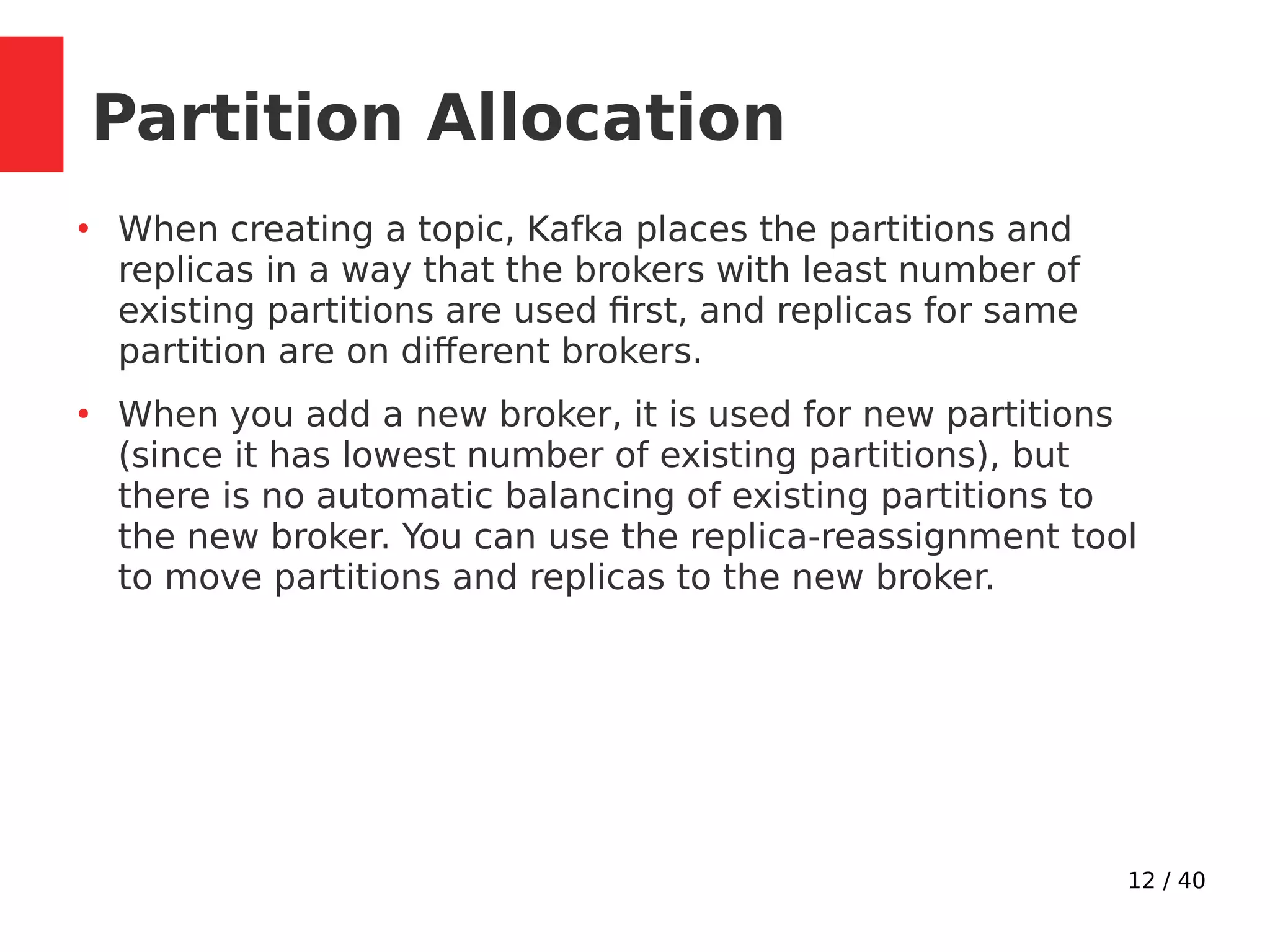
Partition Allocation
●
When creating a topic, Kafka places the partitions and
replicas in a way that the brokers with least number of
existing partitions are used first, and replicas for same
partition are on different brokers.
●
When you add a new broker, it is used for new partitions
(since it has lowest number of existing partitions), but
there is no automatic balancing of existing partitions to
the new broker. You can use the replica-reassignment tool
to move partitions and replicas to the new broker.
13 / 40
Kafka APIs
●
Producer API
●
Consumer API
●
Streams API
– Transforming streams of data from input topics to
output topics.
●
Connector API
– Implementing connectors that continually pull
from some source system into Kafka or push from
Kafka into some sink system.
●
AdminClient API
– Managing and inspecting topics, brokers, and
other Kafka objects.
14 / 40
Producer
15 / 40
●
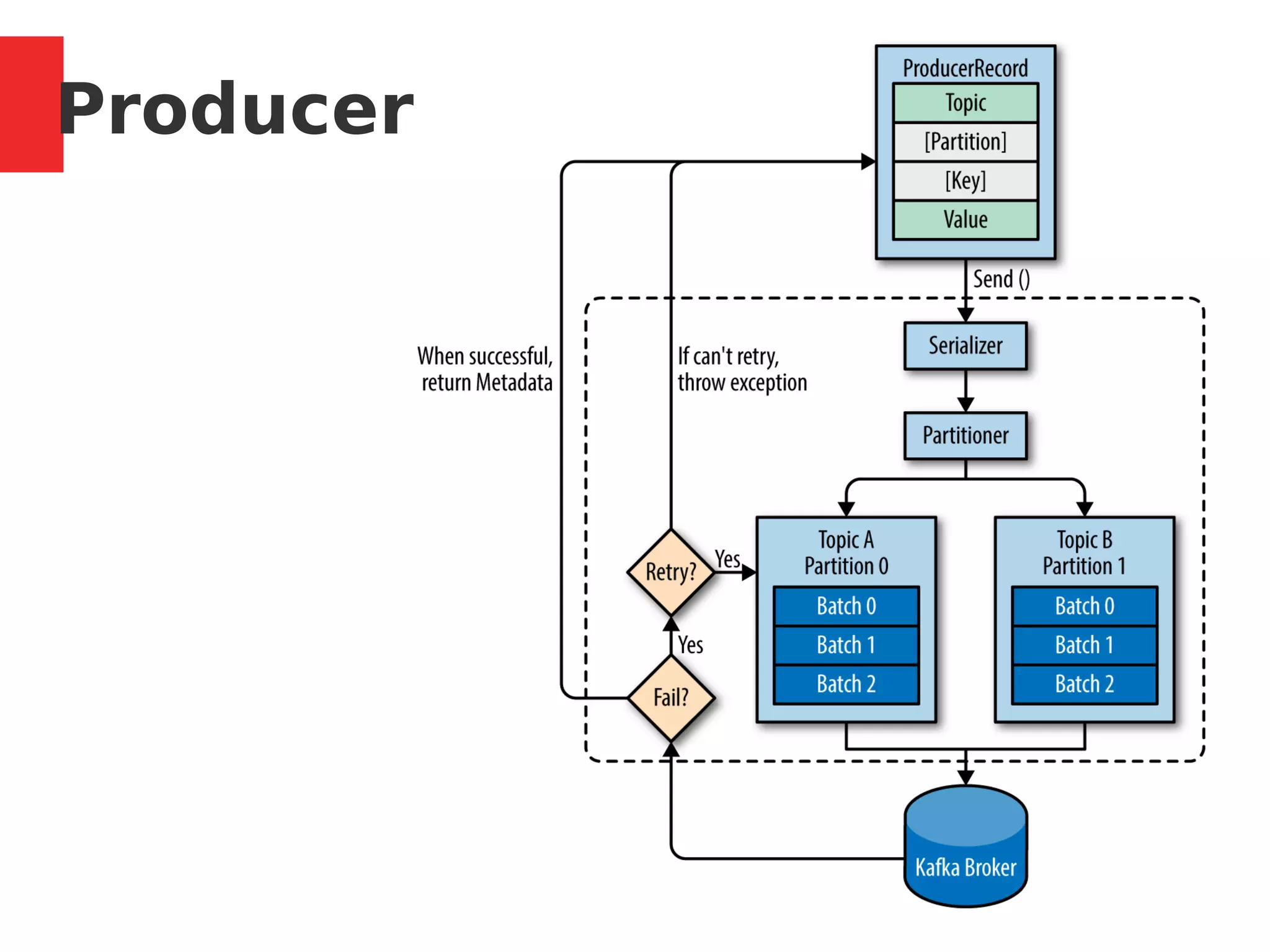
Default Partitioner: Round-robin, used if Key not
specified.
●
Hashing partitioner is used if key is provided,
hashing over all partitions, not just available ones.
●
Define custome partitioner
●
Returns RecordMetadata: [topic, partition, offset]
●
max.in.flight.requests.per.connection: how many
messages to send without receiving responses
●
When a producer firsts connect, it issues a Metadata
request, with the topics you are publishing to, and
the broker replies with which broker has which
partition.
Producer
16 / 40
●
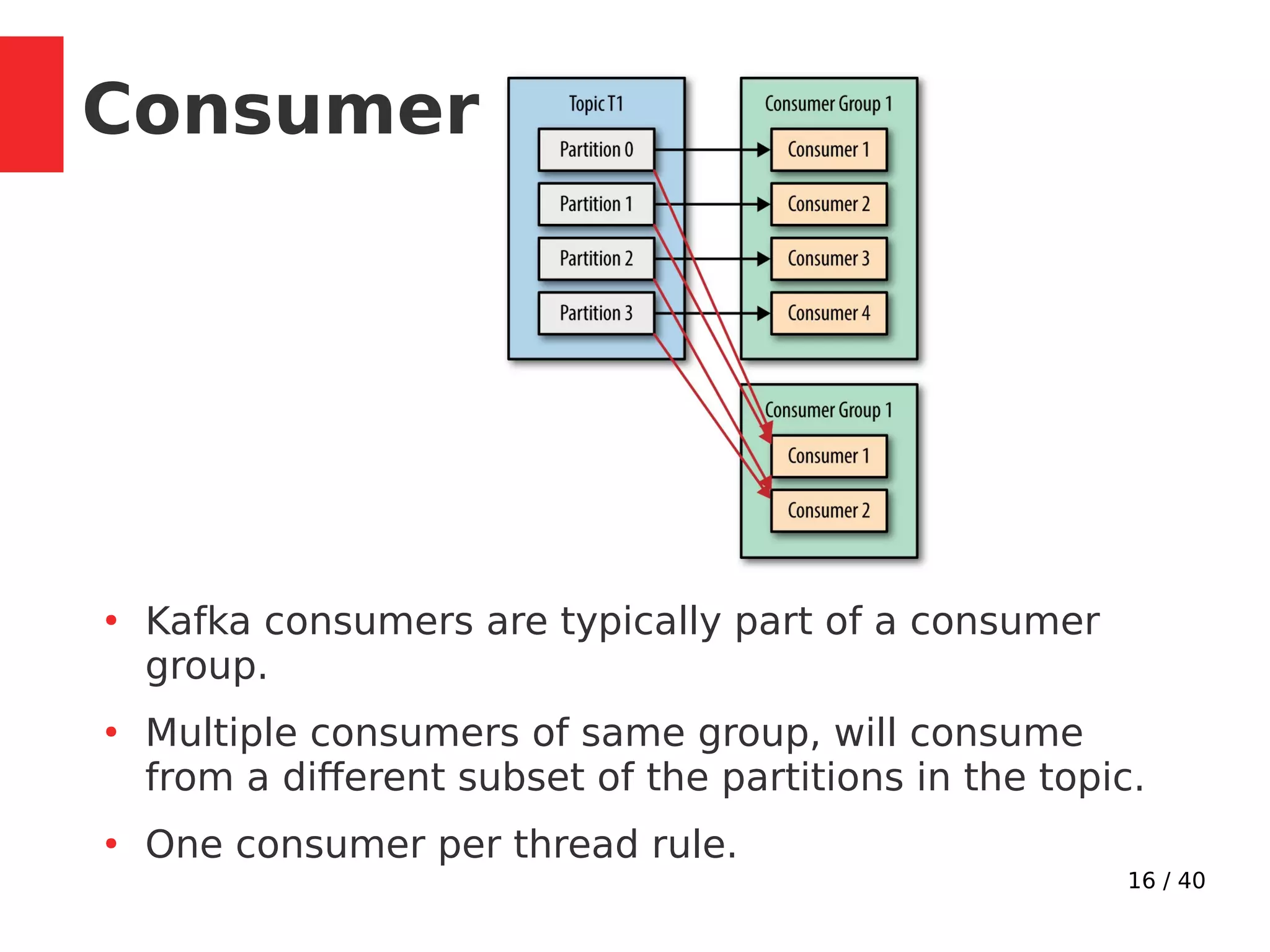
Kafka consumers are typically part of a consumer
group.
●
Multiple consumers of same group, will consume
from a different subset of the partitions in the topic.
●
One consumer per thread rule.
Consumer
17 / 40
●
Consumer keep track of consumed messages by
saving offset position in kafka.
●
__consumer_offsets topic: [partition key: groupId,
topic and partition number] > offset
●
When consumers are added or leave, partitions are
re-allocated. Moving partition ownership from one
consumer to another is called a rebalance.
●
Rebalances provide the consumer group with high
availability and scalability.
Consumer
18 / 40
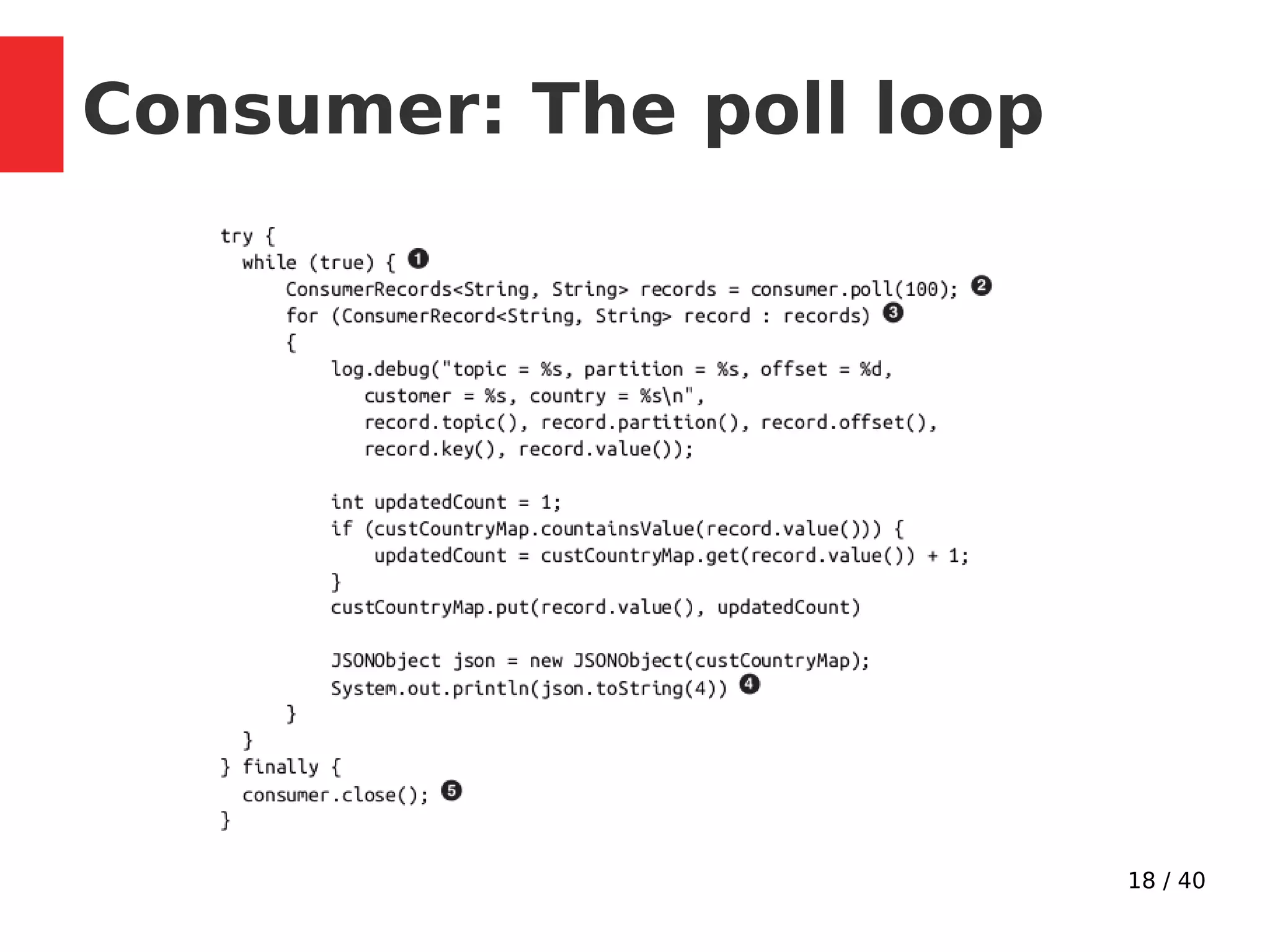
Consumer: The poll loop
19 / 40
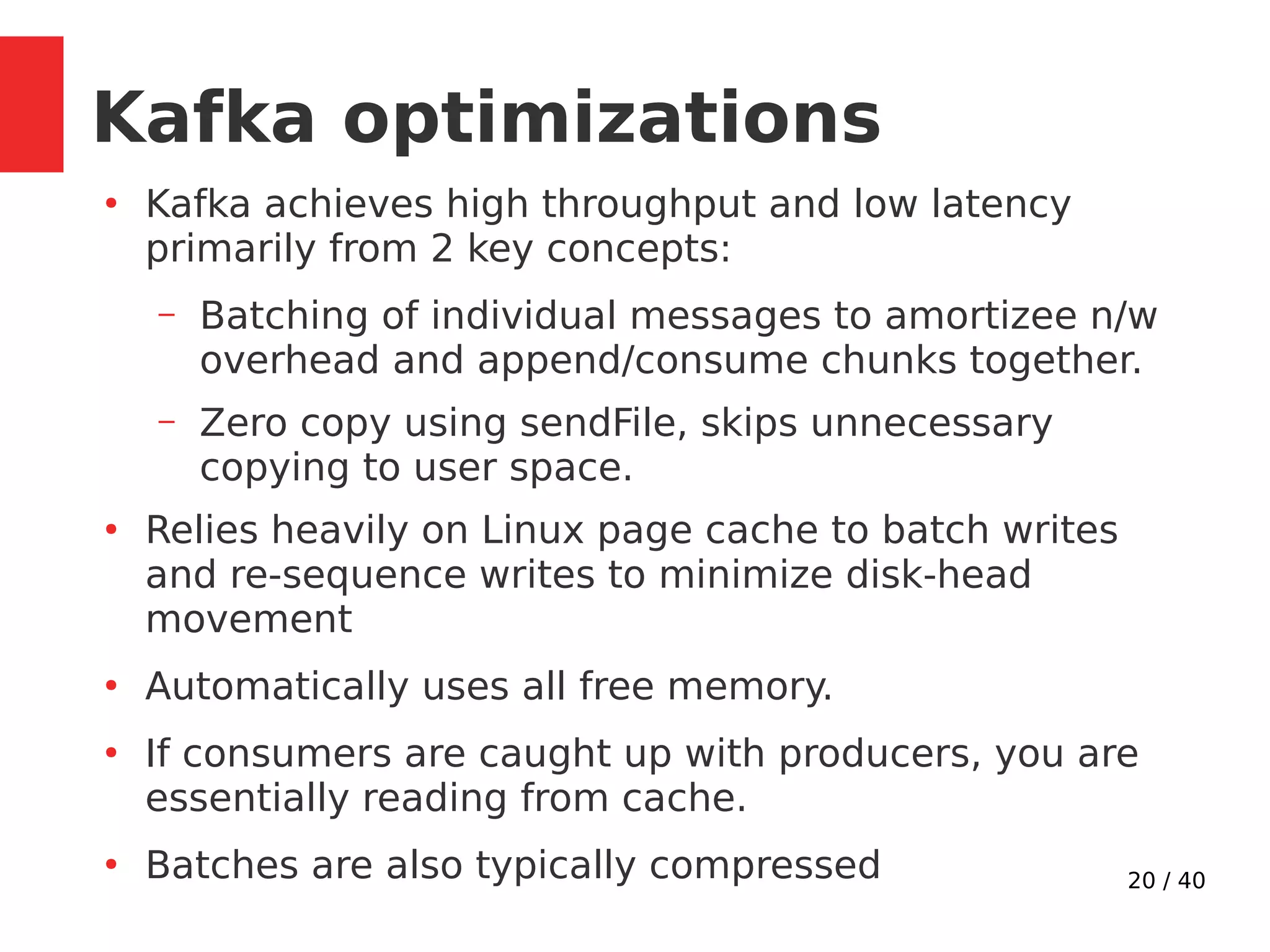
Performance
20 / 40
Kafka optimizations
●
Kafka achieves high throughput and low latency
primarily from 2 key concepts:
– Batching of individual messages to amortizee n/w
overhead and append/consume chunks together.
– Zero copy using sendFile, skips unnecessary
copying to user space.
●
Relies heavily on Linux page cache to batch writes
and re-sequence writes to minimize disk-head
movement
●
Automatically uses all free memory.
●
If consumers are caught up with producers, you are
essentially reading from cache.
●
Batches are also typically compressed
21 / 40
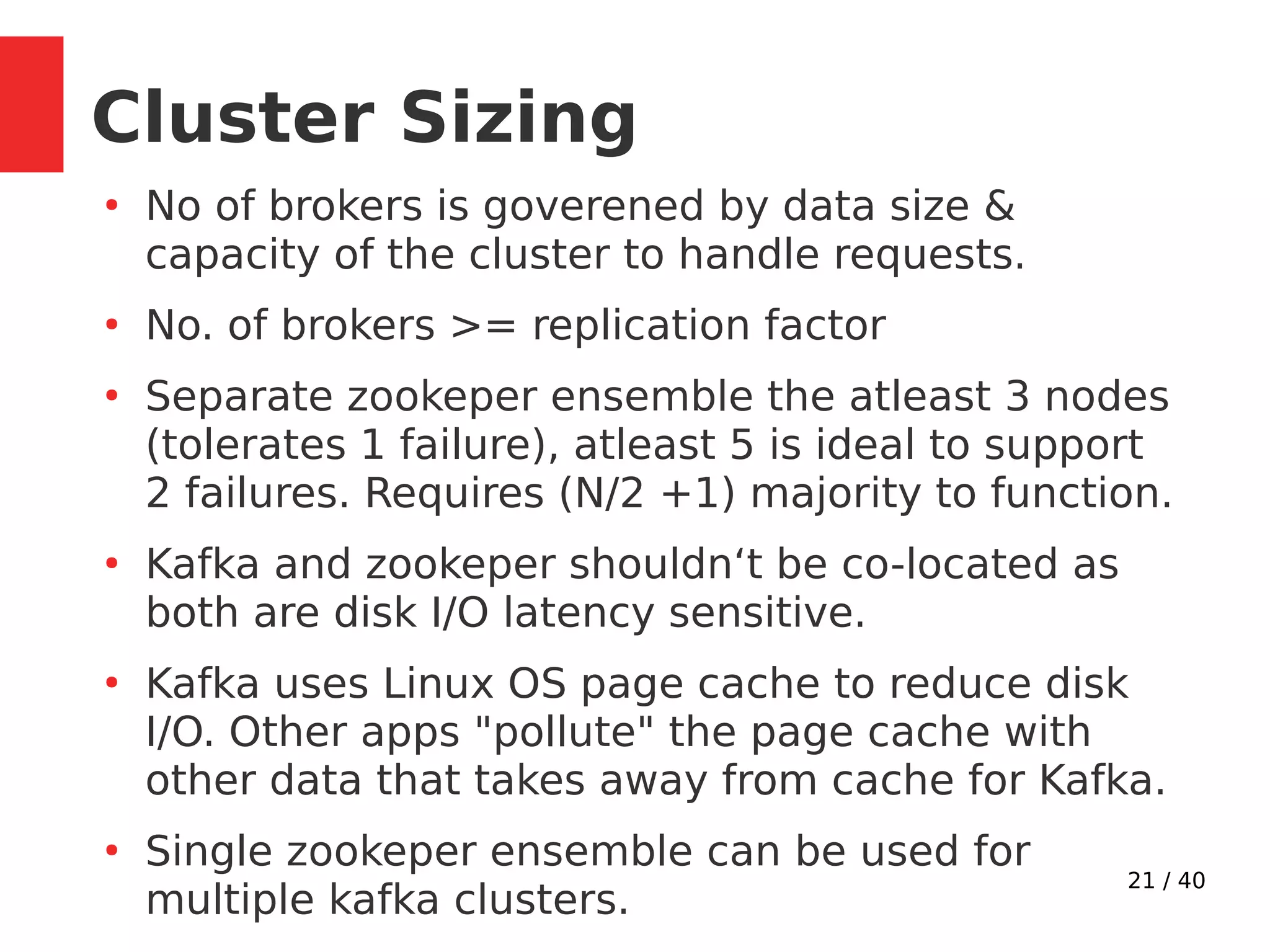
Cluster Sizing
●
No of brokers is goverened by data size &
capacity of the cluster to handle requests.
●
No. of brokers >= replication factor
●
Separate zookeper ensemble the atleast 3 nodes
(tolerates 1 failure), atleast 5 is ideal to support
2 failures. Requires (N/2 +1) majority to function.
●
Kafka and zookeper shouldn‘t be co-located as
both are disk I/O latency sensitive.
●
Kafka uses Linux OS page cache to reduce disk
I/O. Other apps "pollute" the page cache with
other data that takes away from cache for Kafka.
●
Single zookeper ensemble can be used for
multiple kafka clusters.
22 / 40
Hardware
●
Use SSDs if possible, multiple data directories.
●
Make good amount of memory available to
system, to improve page cache performance.
●
Available network throughput along with disk
storage governs cluster sizing.
●
If network interface become saturated, cluster
replication can fall behind
●
Ideally, clients should compress messages to
optimize network and disk usage.
●
Processing power not as important as disk and
memory. CPU is chiefly required for
compression/decompression.
23 / 40
Durability
24 / 40
Pesistence
●
Kafka always immediately writes all data to the
filesystem.
●
On Linux, the messages are written to the
filesystem cache and there is no guarantee
about when they will be written to disk.
●
Supports flush policy configuration (from OS
cache to disk).
●
Durability in Kafka (or other distributed systems)
does not require syncing data to disk, as a failed
node will recover from its replicas.
●
Recommended to use default flush settings
which disable application fsync entirely.
25 / 40
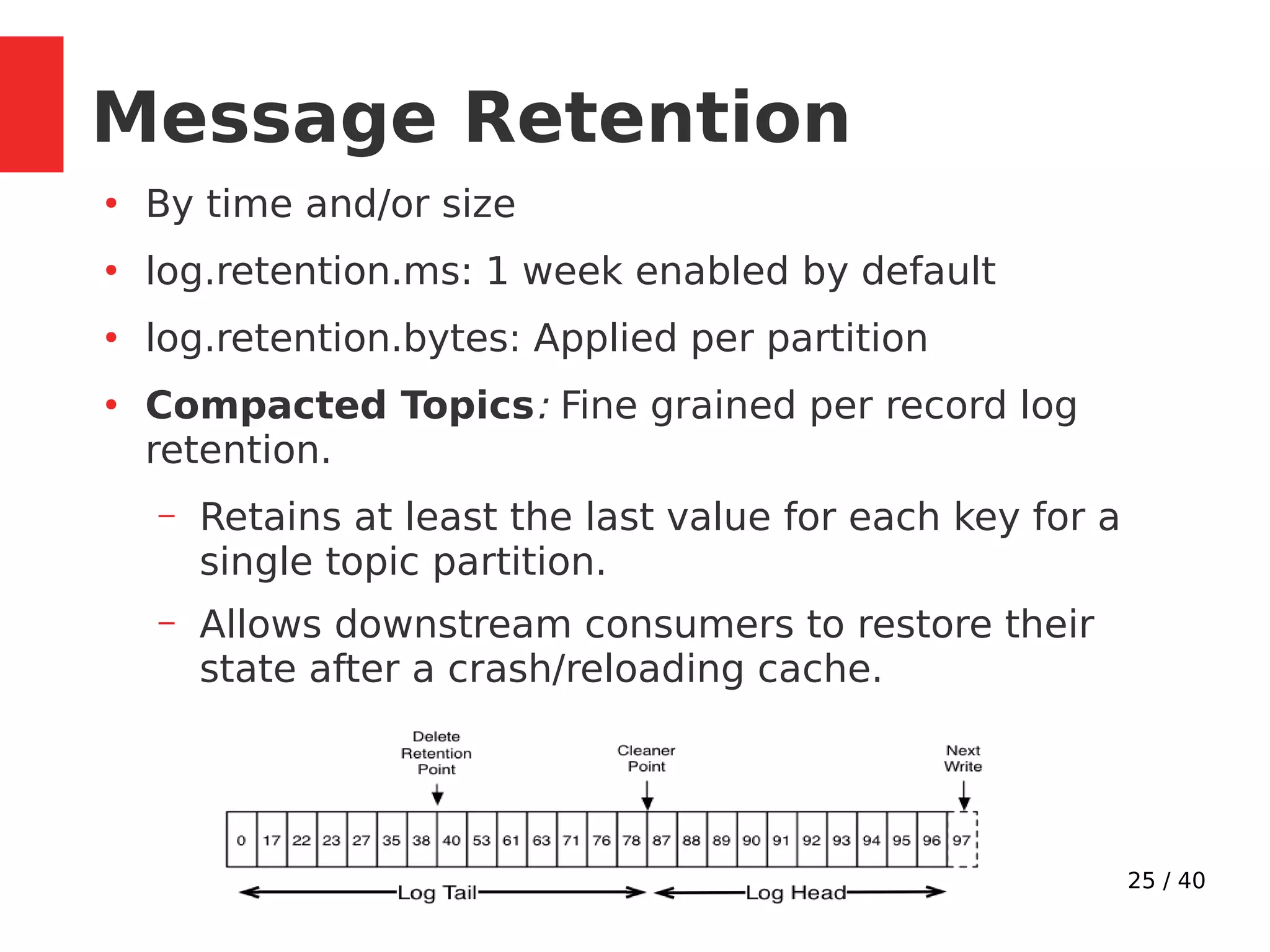
Message Retention
●
By time and/or size
●
log.retention.ms: 1 week enabled by default
●
log.retention.bytes: Applied per partition
●
Compacted Topics: Fine grained per record log
retention.
– Retains at least the last value for each key for a
single topic partition.
– Allows downstream consumers to restore their
state after a crash/reloading cache.
26 / 40
Reliability
27 / 40
Broker Guarantees
●
Kafka provides order guarantee of messages in a
partition
●
Produced messages are considered committed when
they were written to the partition on all its in-sync
replicas (but not necessarily flushed to disk)
●
Messages that are committed will not be lost as long
as at least one replica remains alive.
●
Consumers can only read messages that are
committed and see records in the order they are
stored in the log.
●
Stronger ordering guarantees than traditional
messaging system like rabbitmq.
28 / 40
●
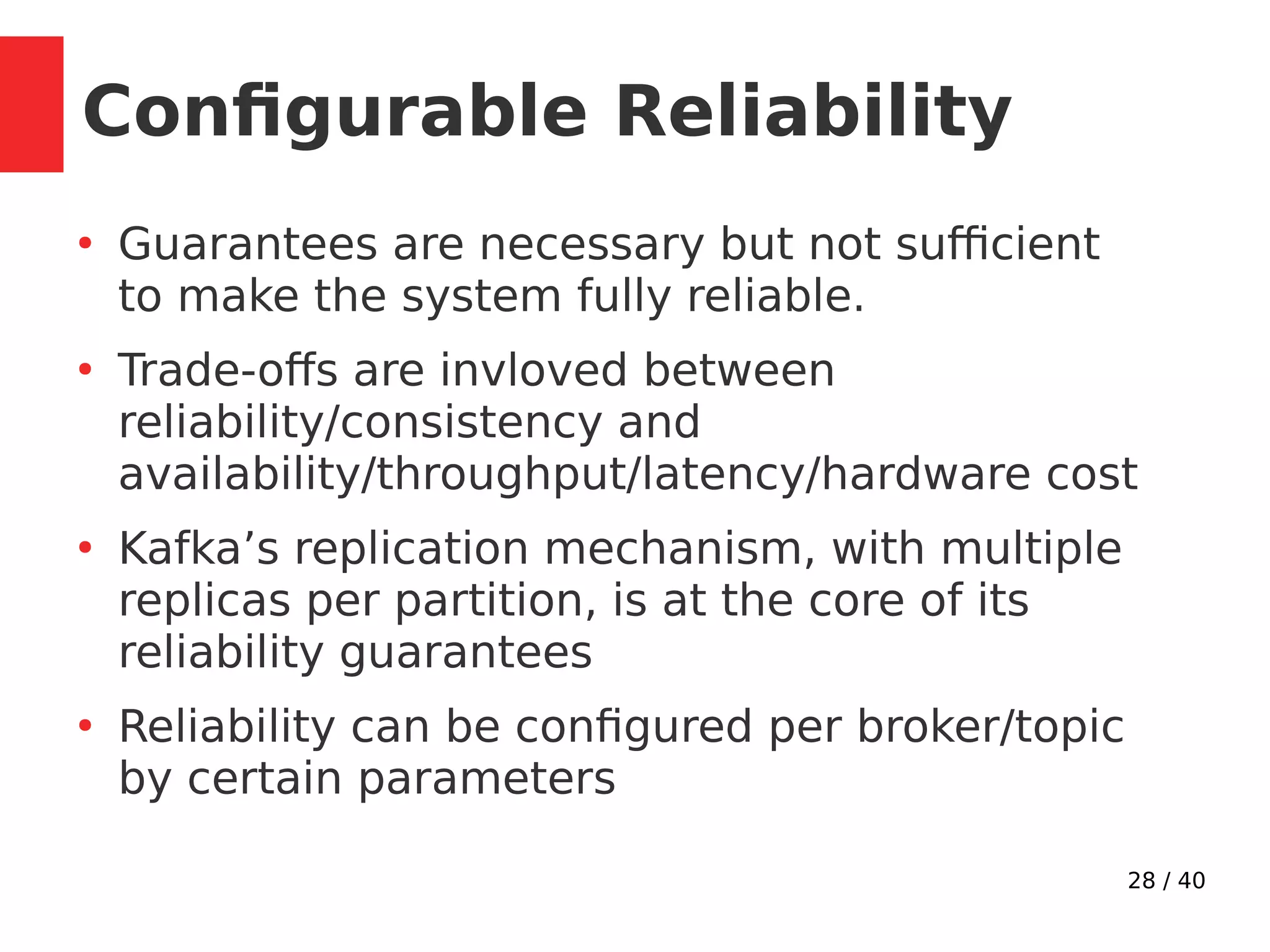
Guarantees are necessary but not sufficient
to make the system fully reliable.
●
Trade-offs are invloved between
reliability/consistency and
availability/throughput/latency/hardware cost
●
Kafka’s replication mechanism, with multiple
replicas per partition, is at the core of its
reliability guarantees
●
Reliability can be configured per broker/topic
by certain parameters
Configurable Reliability
29 / 40
Reliability parameters
●
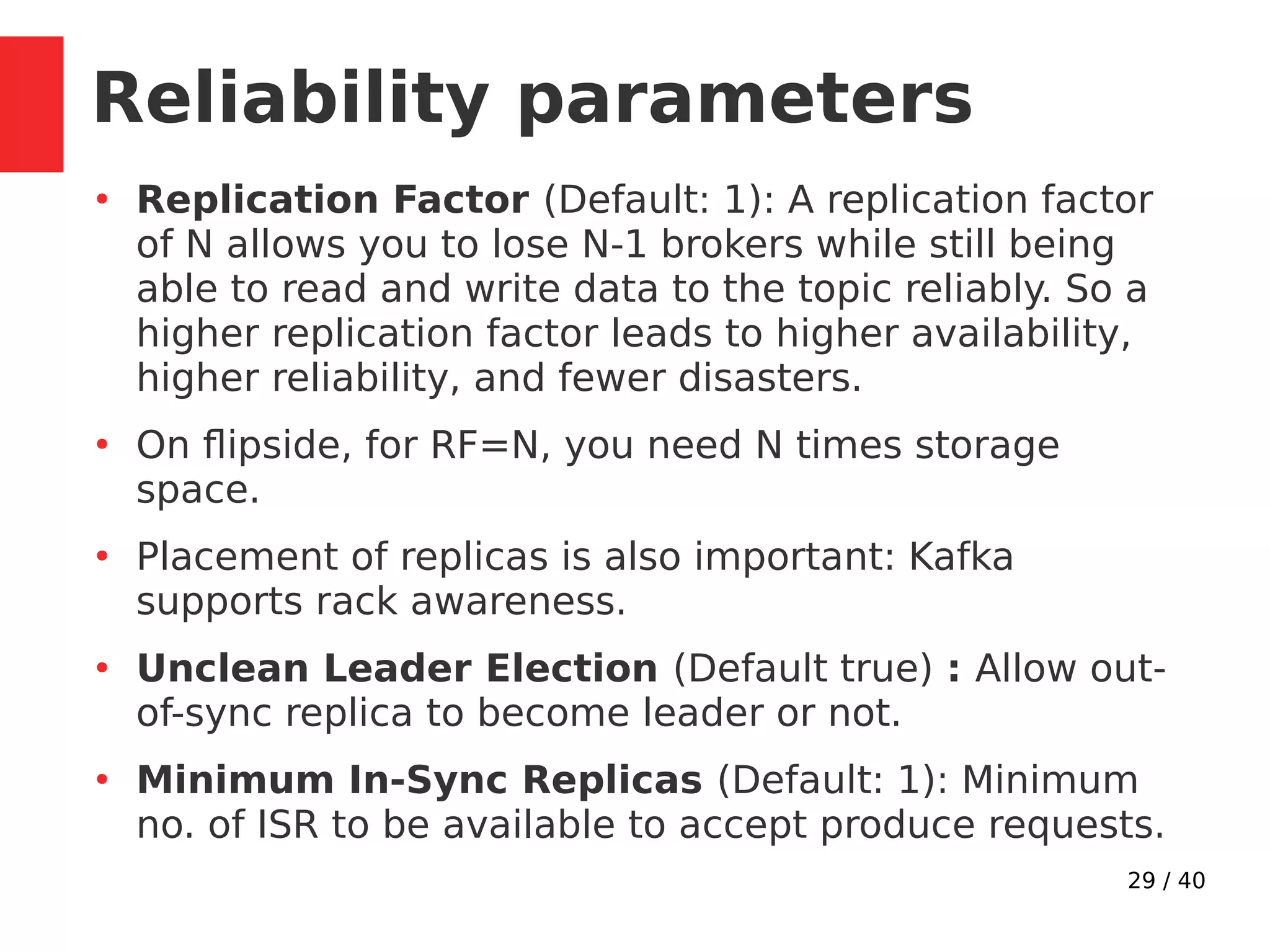
Replication Factor (Default: 1): A replication factor
of N allows you to lose N-1 brokers while still being
able to read and write data to the topic reliably. So a
higher replication factor leads to higher availability,
higher reliability, and fewer disasters.
●
On flipside, for RF=N, you need N times storage
space.
●
Placement of replicas is also important: Kafka
supports rack awareness.
●
Unclean Leader Election (Default true) : Allow out-
of-sync replica to become leader or not.
●
Minimum In-Sync Replicas (Default: 1): Minimum
no. of ISR to be available to accept produce requests.
30 / 40
Producing Reliably
●
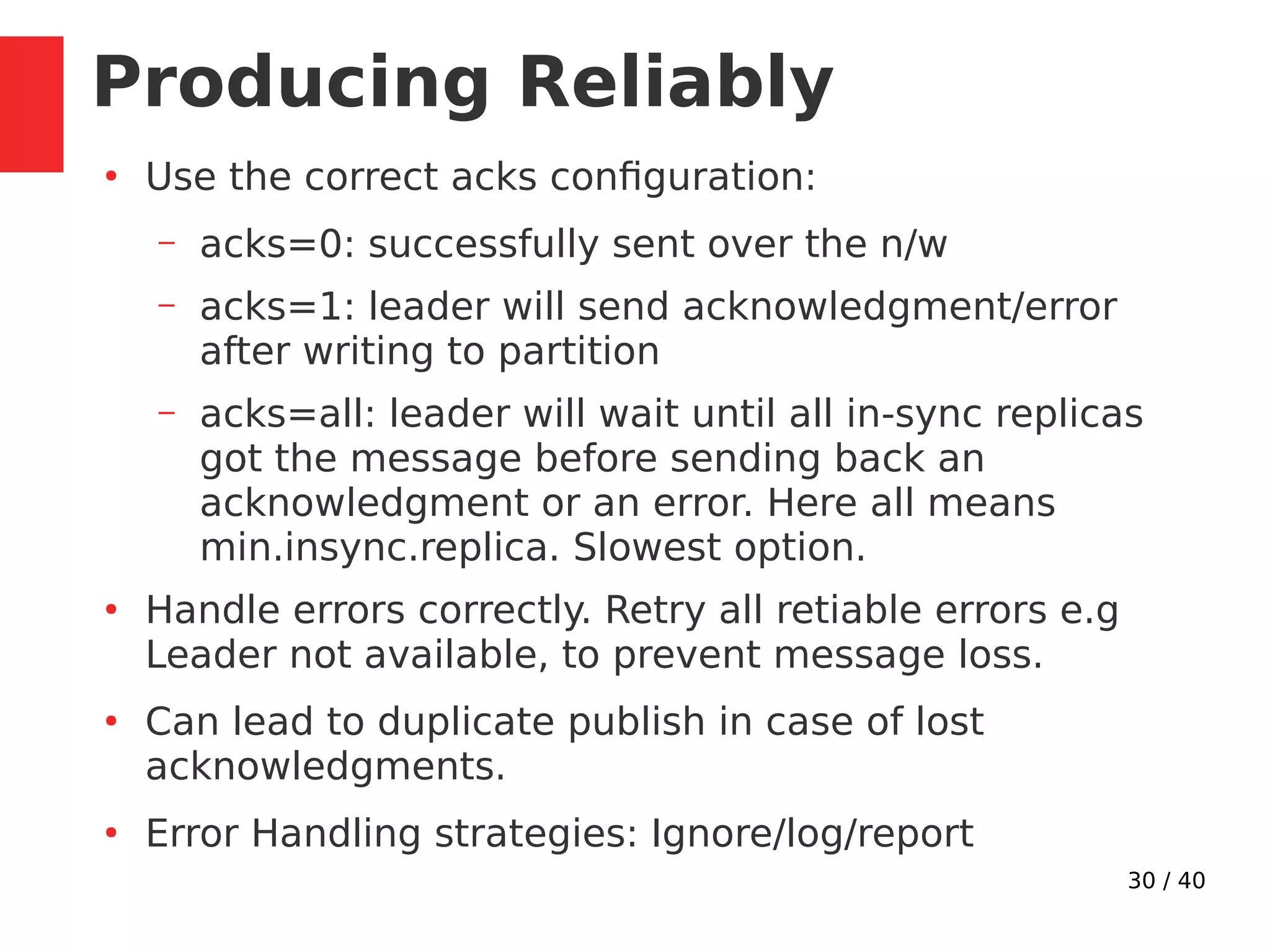
Use the correct acks configuration:
– acks=0: successfully sent over the n/w
– acks=1: leader will send acknowledgment/error
after writing to partition
– acks=all: leader will wait until all in-sync replicas
got the message before sending back an
acknowledgment or an error. Here all means
min.insync.replica. Slowest option.
●
Handle errors correctly. Retry all retiable errors e.g
Leader not available, to prevent message loss.
●
Can lead to duplicate publish in case of lost
acknowledgments.
●
Error Handling strategies: Ignore/log/report
31 / 40
Consuming Reliably
●
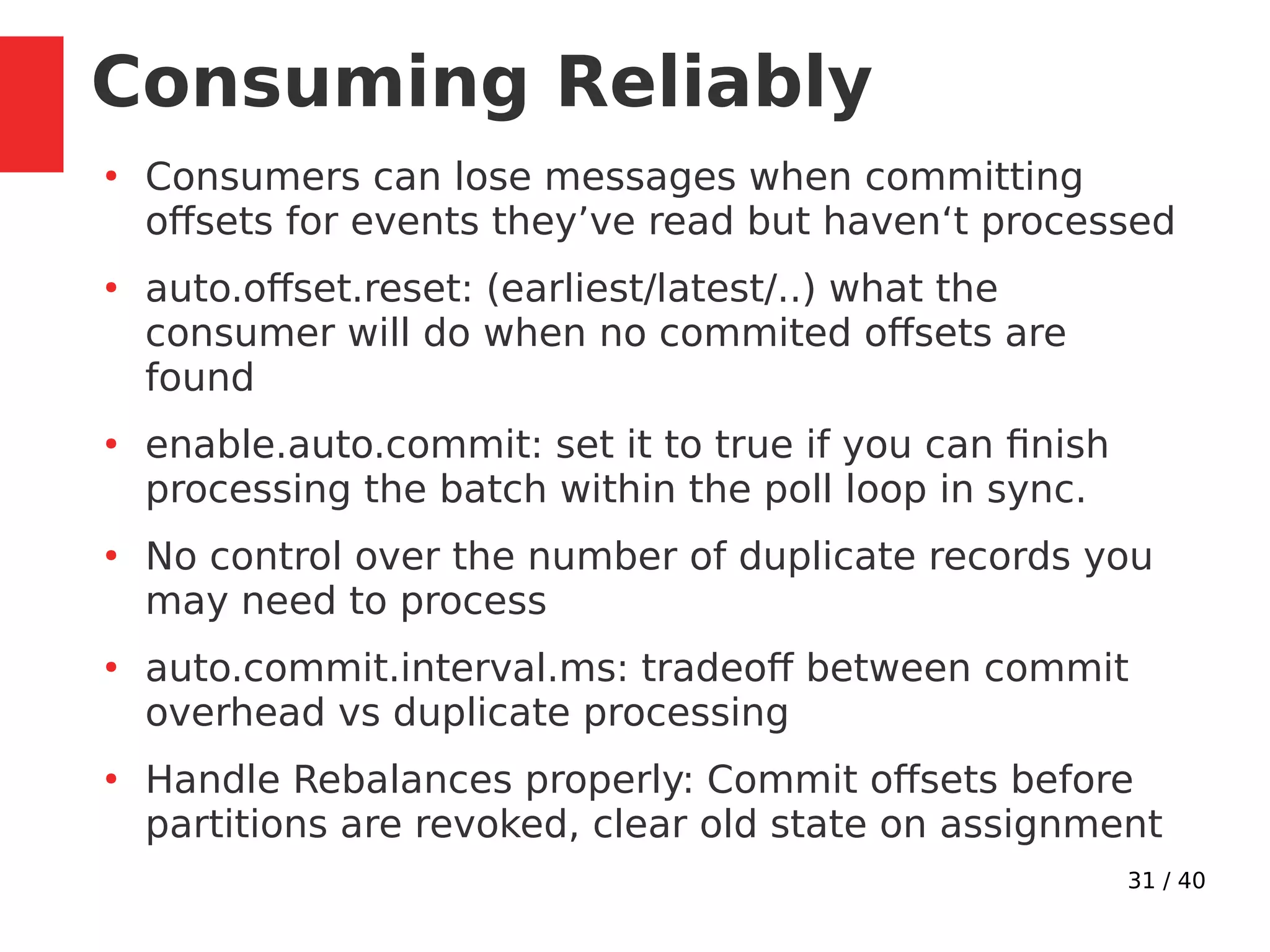
Consumers can lose messages when committing
offsets for events they’ve read but haven‘t processed
●
auto.offset.reset: (earliest/latest/..) what the
consumer will do when no commited offsets are
found
●
enable.auto.commit: set it to true if you can finish
processing the batch within the poll loop in sync.
●
No control over the number of duplicate records you
may need to process
●
auto.commit.interval.ms: tradeoff between commit
overhead vs duplicate processing
●
Handle Rebalances properly: Commit offsets before
partitions are revoked, clear old state on assignment
32 / 40
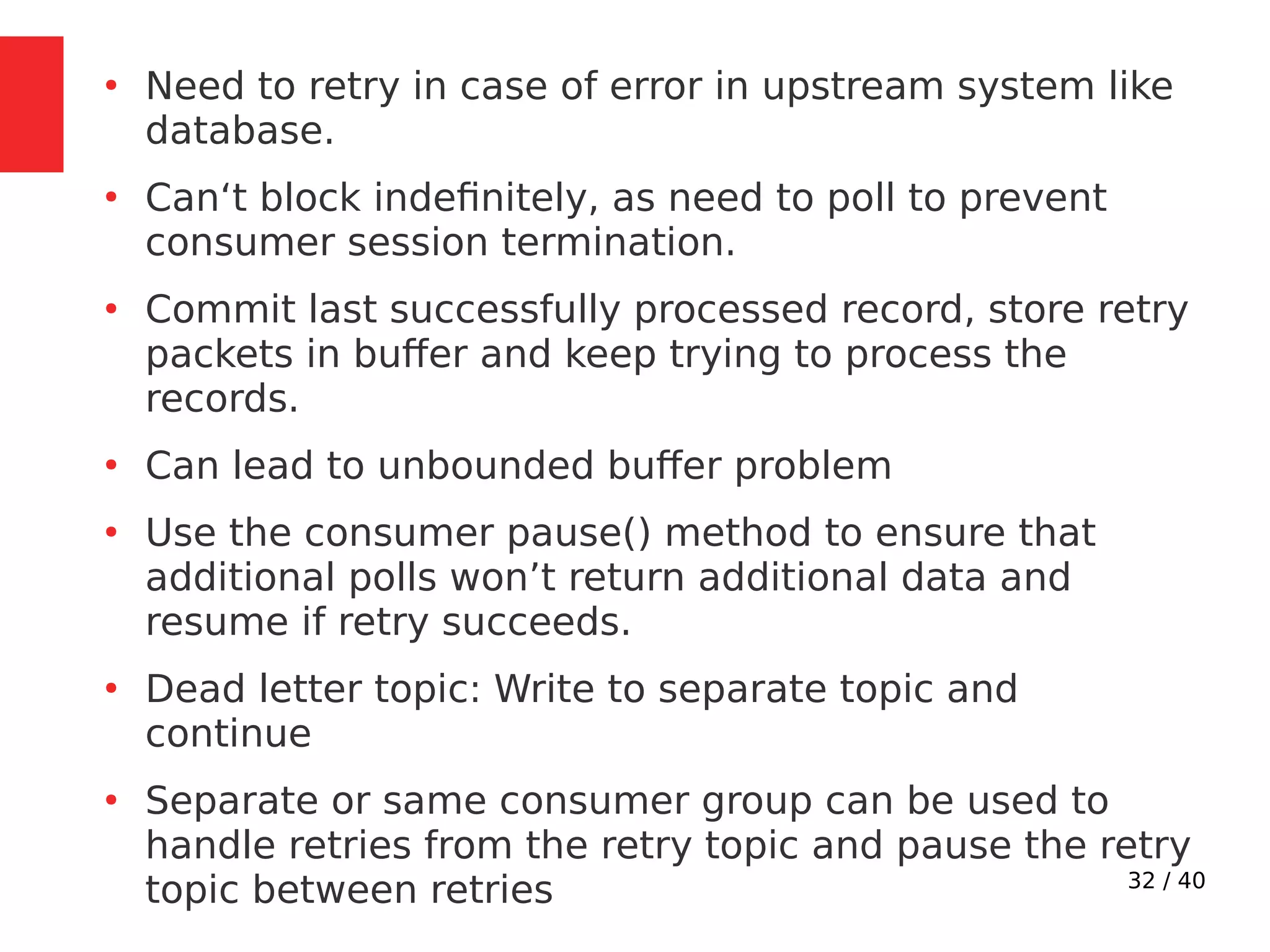
●
Need to retry in case of error in upstream system like
database.
●
Can‘t block indefinitely, as need to poll to prevent
consumer session termination.
●
Commit last successfully processed record, store retry
packets in buffer and keep trying to process the
records.
●
Can lead to unbounded buffer problem
●
Use the consumer pause() method to ensure that
additional polls won’t return additional data and
resume if retry succeeds.
●
Dead letter topic: Write to separate topic and
continue
●
Separate or same consumer group can be used to
handle retries from the retry topic and pause the retry
topic between retries
33 / 40
Exactly Once Delivery
34 / 40
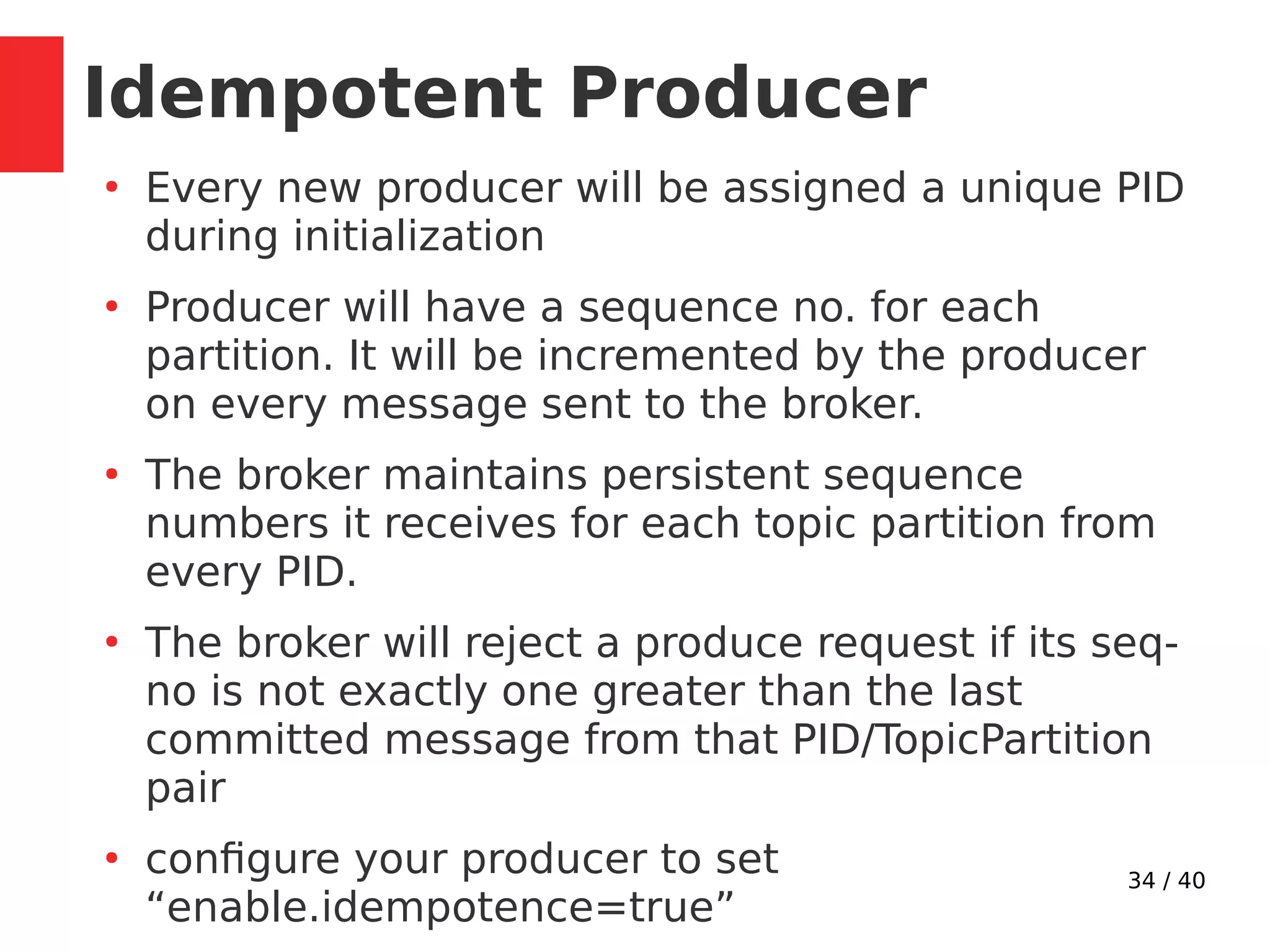
Idempotent Producer
●
Every new producer will be assigned a unique PID
during initialization
●
Producer will have a sequence no. for each
partition. It will be incremented by the producer
on every message sent to the broker.
●
The broker maintains persistent sequence
numbers it receives for each topic partition from
every PID.
●
The broker will reject a produce request if its seq-
no is not exactly one greater than the last
committed message from that PID/TopicPartition
pair
●
configure your producer to set
“enable.idempotence=true”
35 / 40
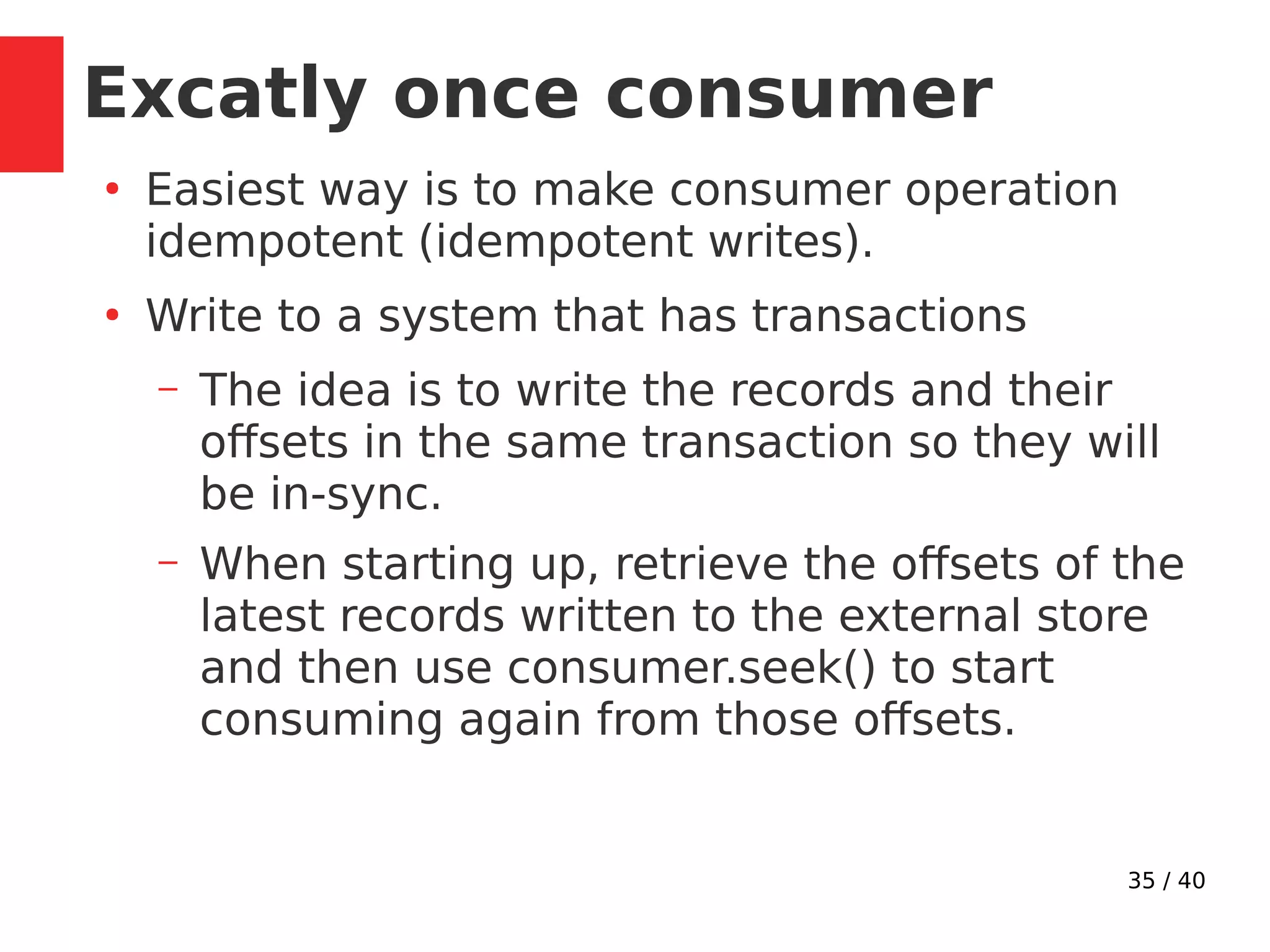
Excatly once consumer
●
Easiest way is to make consumer operation
idempotent (idempotent writes).
●
Write to a system that has transactions
– The idea is to write the records and their
offsets in the same transaction so they will
be in-sync.
– When starting up, retrieve the offsets of the
latest records written to the external store
and then use consumer.seek() to start
consuming again from those offsets.
36 / 40
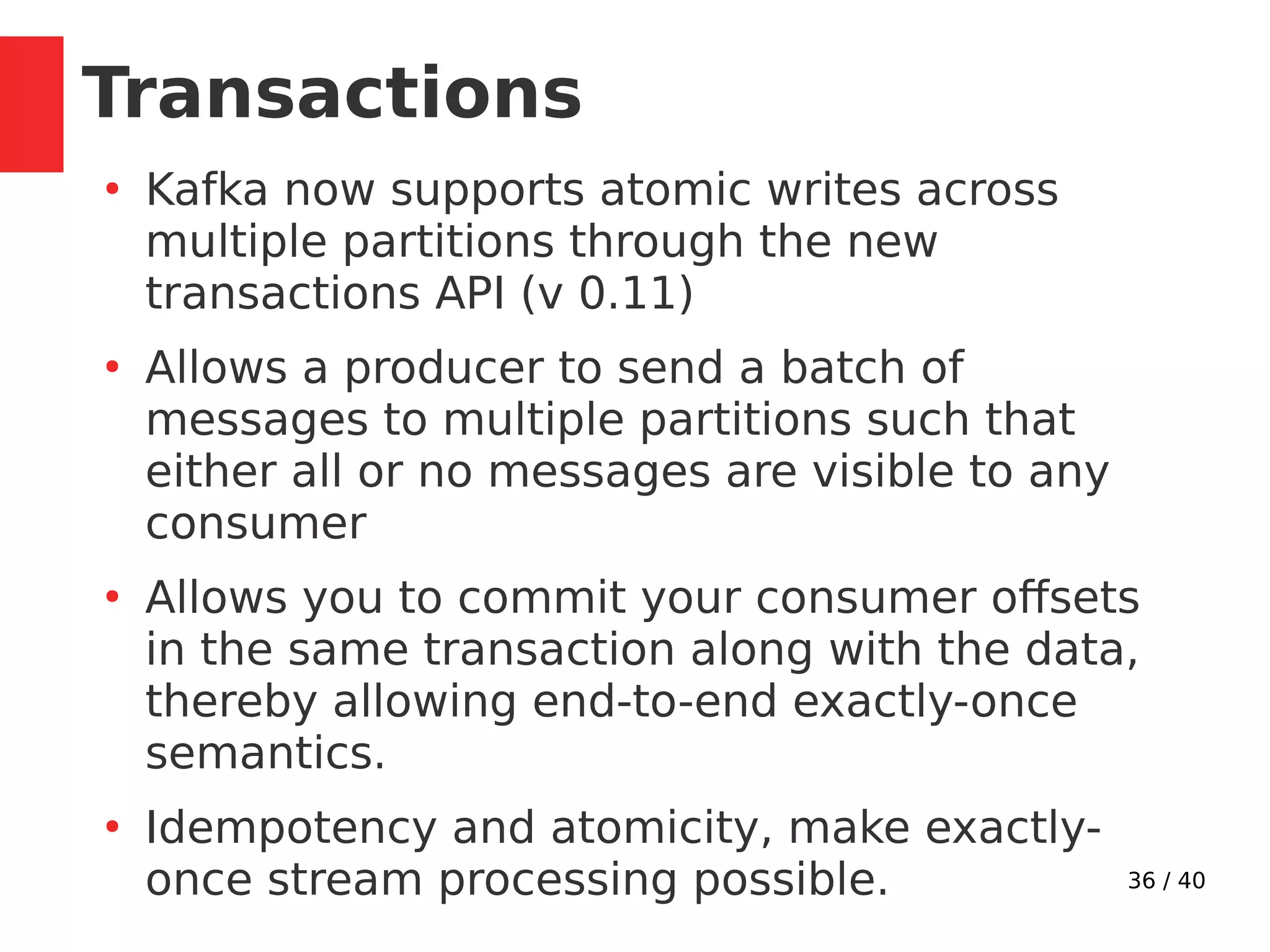
Transactions
●
Kafka now supports atomic writes across
multiple partitions through the new
transactions API (v 0.11)
●
Allows a producer to send a batch of
messages to multiple partitions such that
either all or no messages are visible to any
consumer
●
Allows you to commit your consumer offsets
in the same transaction along with the data,
thereby allowing end-to-end exactly-once
semantics.
●
Idempotency and atomicity, make exactly-
once stream processing possible.
37 / 40
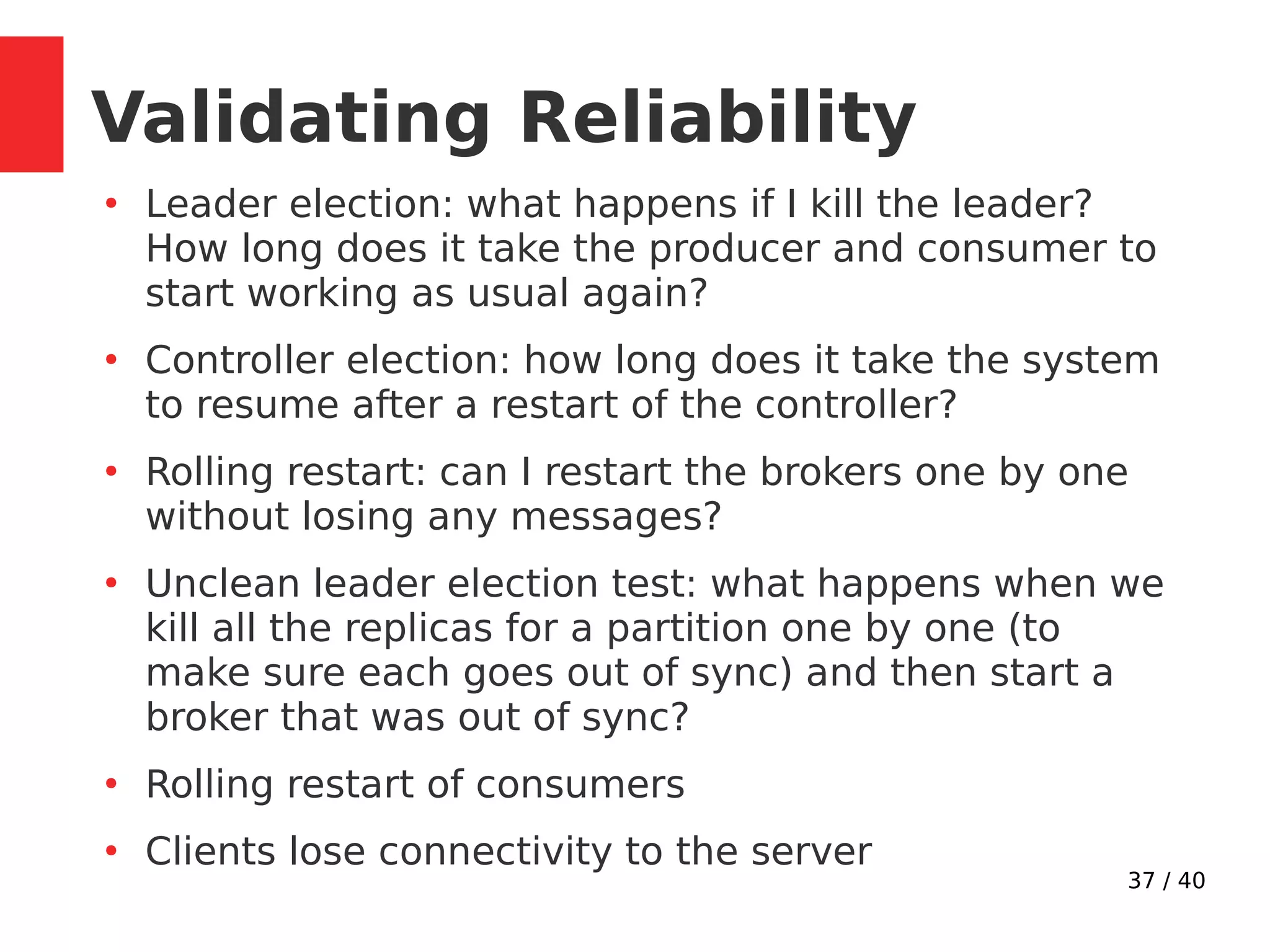
Validating Reliability
●
Leader election: what happens if I kill the leader?
How long does it take the producer and consumer to
start working as usual again?
●
Controller election: how long does it take the system
to resume after a restart of the controller?
●
Rolling restart: can I restart the brokers one by one
without losing any messages?
●
Unclean leader election test: what happens when we
kill all the replicas for a partition one by one (to
make sure each goes out of sync) and then start a
broker that was out of sync?
●
Rolling restart of consumers
●
Clients lose connectivity to the server
38 / 40
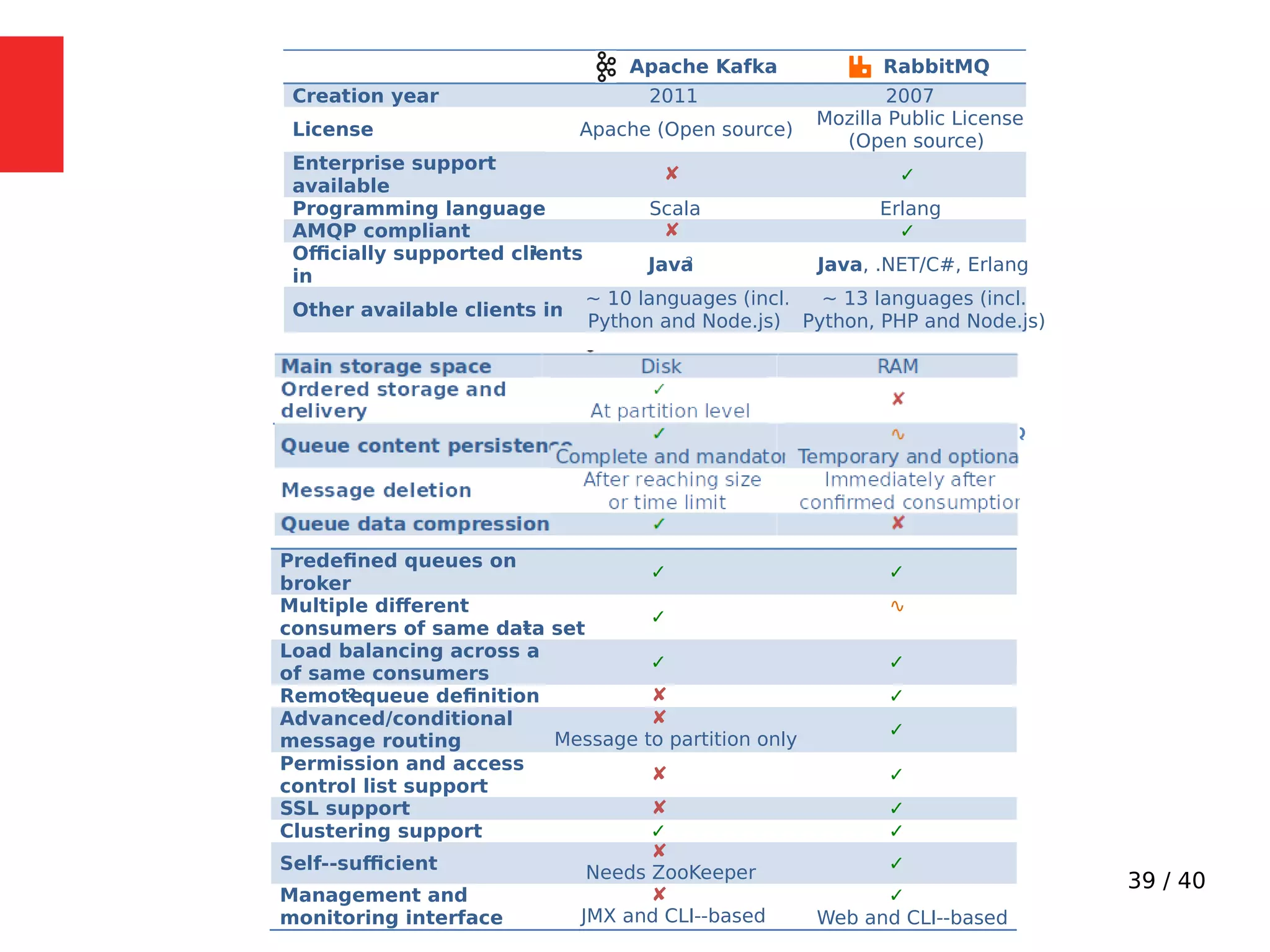
Kafka vs Rabbitmq
39 / 40
Apache Kafka RabbitMQ
Creation year 2011 2007
License Apache (Open source)
Mozilla Public License
(Open source)
Enterprise support
available
✘ ✓
Programming language Scala Erlang
AMQP compliant ✘ ✓
Officially supported clients1
in
Java2 Java, .NET/C#, Erlang
Other available clients in
~ 10 languages (incl.
Python and Node.js)
~ 13 languages (incl.
Python, PHP and Node.js)
Documentation, examples
and community3
∿
Immature and incomplete
✓
Table 1 -‐ General information comparison between Apache Kafka and RabbitMQ
Predefined queues on
broker
✓ ✓
Multiple different
consumers of same data set1
✓
∿
Load balancing across a set
of same consumers
✓ ✓
Remote2 queue definition ✘ ✓
Advanced/conditional
message routing
✘
Message to partition only
✓
Permission and access
control list support
✘ ✓
SSL support ✘ ✓
Clustering support ✓ ✓
Self-‐sufficient
✘
Needs ZooKeeper ✓
Management and
monitoring interface
✘
JMX and CLI-‐based
✓
Web and CLI-‐based
40 / 40
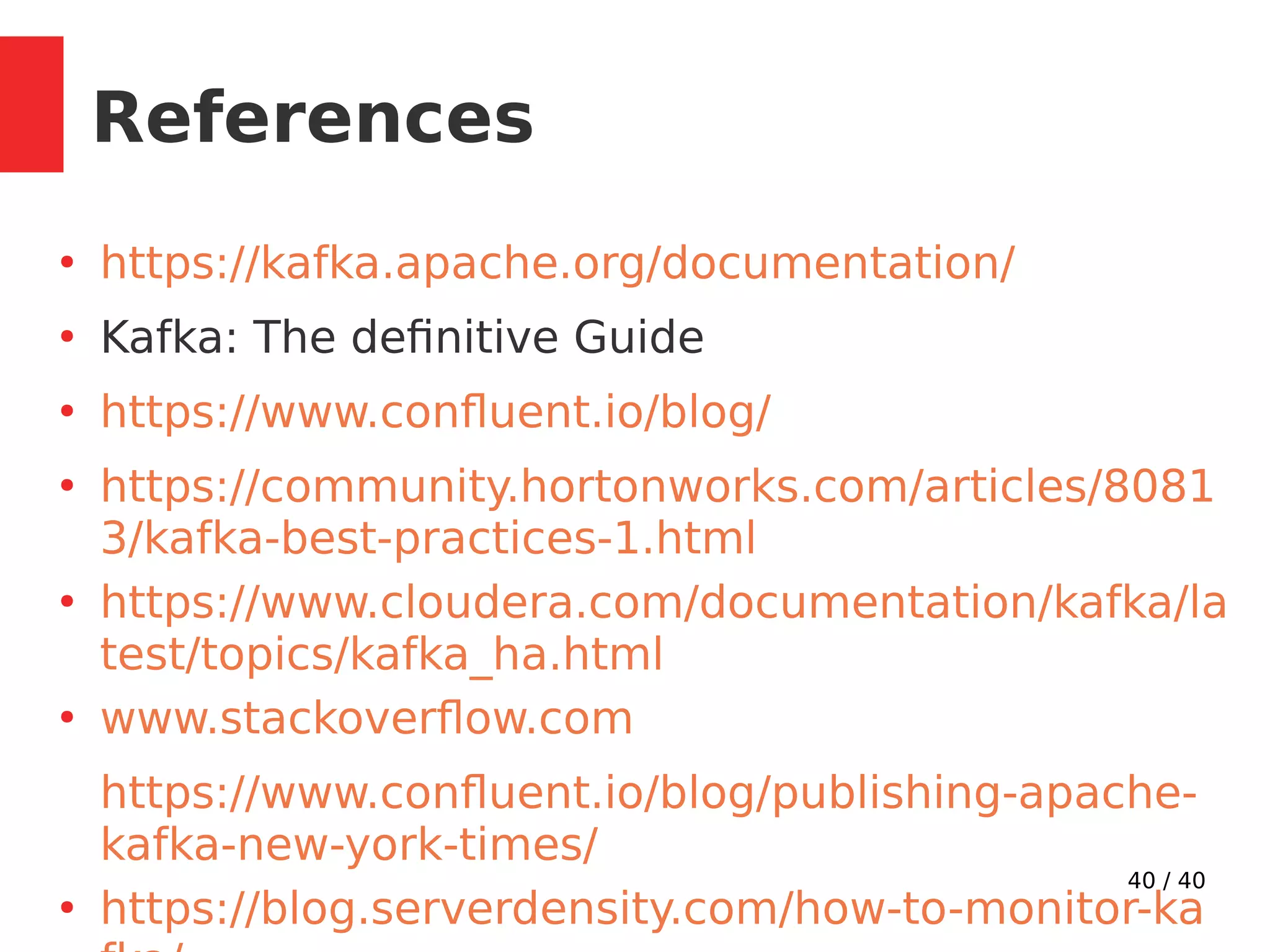
References
●
https://kafka.apache.org/documentation/
●
Kafka: The definitive Guide
●
https://www.confluent.io/blog/
●
https://community.hortonworks.com/articles/8081
3/kafka-best-practices-1.html
●
https://www.cloudera.com/documentation/kafka/la
test/topics/kafka_ha.html
●
www.stackoverflow.com
https://www.confluent.io/blog/publishing-apache-
kafka-new-york-times/
●
https://blog.serverdensity.com/how-to-monitor-ka

Kafka in action - Tech Talk - Paytm

  • 1.
    1 / 40 KafkaIn Action Sumit Jain
  • 2.
    2 / 40 Introduction ● ApacheKafka is a publish/subscribe messaging system. ● A distributed, partitioned, replicated commit log (record of transactions) service. ● High-throughput, low-latency platform for handling real-time data feeds.
  • 3.
    3 / 40 ● ActivityTracking: generating reports, feeding machine learning systems, updating search results ● Messaging: Send notifications to users, application events ● Metrics and logging: Aggregating statistics/logs from distributed applications to produce centralized feeds of operational data. ● Commit Log: Database changes can be published to Kafka and applications can easily monitor this stream ● Stream processing: Real time processing of infinite data stream. Use Cases
  • 4.
    4 / 40 Example:Logging Pipeline
  • 5.
    5 / 40 KafkaArchitecture
  • 6.
    6 / 40 KafkaBasics ● The unit of data within Kafka is called a message (array of bytes). ● Message can have a key (byte array) ● Keys are used to distribute messages among partitions using a partitioner.
  • 7.
    7 / 40 KafkaInternals
  • 8.
    8 / 40 TopicPartitions ● Messages in Kafka are categorized into topics. ● Topics are broken into ordered commit logs called partitions ● Each message in a partition is assigned a sequential id called offset. ● Partitions are the way that Kafka provides redundancy and scalability.
  • 9.
    9 / 40 Howmany partitions? ● Expected throughput you want to achieve. ● Maximum throughput of 1 consumer thread. ● Consider the number of partitions you will place on each broker and available diskspace ● Calculate throughput based on your expected future usage, not the current usage ● When publishing based on keys, difficult to change partition count later. ● Decreasing partitions not allowed. ● Each partition uses memory/other resources on broker and will increase the time for leader elections.
  • 10.
    10 / 40 KafkaCluster ● Zookeper maintains list of current brokers ● Every broker has a unique id (broker.id) ● Kafka components subscribe to the /brokers/ids path in Zookeeper ● The first broker that starts in the cluster becomes the controller by creating an ephemeral node called /controller – Responsible for electing partition leaders when nodes join and leave the cluster – Cluster will(should) only have one controller at a time
  • 11.
    11 / 40 Replication ● Twotypes of replicas: leader & follower ● All produce and consume requests go through the leader, in order to guarantee consistency. ● Followers send the leader Fetch requests, to stay in sync (just like consumers) ● A replica is considered in-sync if it is leader, or if it is a follower that has an active session with Zookeeper and is not too far behind the leader (configurable) ● Only in-sync replicas are eligible to be elected as partition leaders in case the existing leader fails ● Each partition has a preferred leader—the replica that was the leader when the topic was originally created
  • 12.
    12 / 40 PartitionAllocation ● When creating a topic, Kafka places the partitions and replicas in a way that the brokers with least number of existing partitions are used first, and replicas for same partition are on different brokers. ● When you add a new broker, it is used for new partitions (since it has lowest number of existing partitions), but there is no automatic balancing of existing partitions to the new broker. You can use the replica-reassignment tool to move partitions and replicas to the new broker.
  • 13.
    13 / 40 KafkaAPIs ● Producer API ● Consumer API ● Streams API – Transforming streams of data from input topics to output topics. ● Connector API – Implementing connectors that continually pull from some source system into Kafka or push from Kafka into some sink system. ● AdminClient API – Managing and inspecting topics, brokers, and other Kafka objects.
  • 14.
  • 15.
    15 / 40 ● DefaultPartitioner: Round-robin, used if Key not specified. ● Hashing partitioner is used if key is provided, hashing over all partitions, not just available ones. ● Define custome partitioner ● Returns RecordMetadata: [topic, partition, offset] ● max.in.flight.requests.per.connection: how many messages to send without receiving responses ● When a producer firsts connect, it issues a Metadata request, with the topics you are publishing to, and the broker replies with which broker has which partition. Producer
  • 16.
    16 / 40 ● Kafkaconsumers are typically part of a consumer group. ● Multiple consumers of same group, will consume from a different subset of the partitions in the topic. ● One consumer per thread rule. Consumer
  • 17.
    17 / 40 ● Consumerkeep track of consumed messages by saving offset position in kafka. ● __consumer_offsets topic: [partition key: groupId, topic and partition number] > offset ● When consumers are added or leave, partitions are re-allocated. Moving partition ownership from one consumer to another is called a rebalance. ● Rebalances provide the consumer group with high availability and scalability. Consumer
  • 18.
    18 / 40 Consumer:The poll loop
  • 19.
  • 20.
    20 / 40 Kafkaoptimizations ● Kafka achieves high throughput and low latency primarily from 2 key concepts: – Batching of individual messages to amortizee n/w overhead and append/consume chunks together. – Zero copy using sendFile, skips unnecessary copying to user space. ● Relies heavily on Linux page cache to batch writes and re-sequence writes to minimize disk-head movement ● Automatically uses all free memory. ● If consumers are caught up with producers, you are essentially reading from cache. ● Batches are also typically compressed
  • 21.
    21 / 40 ClusterSizing ● No of brokers is goverened by data size & capacity of the cluster to handle requests. ● No. of brokers >= replication factor ● Separate zookeper ensemble the atleast 3 nodes (tolerates 1 failure), atleast 5 is ideal to support 2 failures. Requires (N/2 +1) majority to function. ● Kafka and zookeper shouldn‘t be co-located as both are disk I/O latency sensitive. ● Kafka uses Linux OS page cache to reduce disk I/O. Other apps "pollute" the page cache with other data that takes away from cache for Kafka. ● Single zookeper ensemble can be used for multiple kafka clusters.
  • 22.
    22 / 40 Hardware ● UseSSDs if possible, multiple data directories. ● Make good amount of memory available to system, to improve page cache performance. ● Available network throughput along with disk storage governs cluster sizing. ● If network interface become saturated, cluster replication can fall behind ● Ideally, clients should compress messages to optimize network and disk usage. ● Processing power not as important as disk and memory. CPU is chiefly required for compression/decompression.
  • 23.
  • 24.
    24 / 40 Pesistence ● Kafkaalways immediately writes all data to the filesystem. ● On Linux, the messages are written to the filesystem cache and there is no guarantee about when they will be written to disk. ● Supports flush policy configuration (from OS cache to disk). ● Durability in Kafka (or other distributed systems) does not require syncing data to disk, as a failed node will recover from its replicas. ● Recommended to use default flush settings which disable application fsync entirely.
  • 25.
    25 / 40 MessageRetention ● By time and/or size ● log.retention.ms: 1 week enabled by default ● log.retention.bytes: Applied per partition ● Compacted Topics: Fine grained per record log retention. – Retains at least the last value for each key for a single topic partition. – Allows downstream consumers to restore their state after a crash/reloading cache.
  • 26.
  • 27.
    27 / 40 BrokerGuarantees ● Kafka provides order guarantee of messages in a partition ● Produced messages are considered committed when they were written to the partition on all its in-sync replicas (but not necessarily flushed to disk) ● Messages that are committed will not be lost as long as at least one replica remains alive. ● Consumers can only read messages that are committed and see records in the order they are stored in the log. ● Stronger ordering guarantees than traditional messaging system like rabbitmq.
  • 28.
    28 / 40 ● Guaranteesare necessary but not sufficient to make the system fully reliable. ● Trade-offs are invloved between reliability/consistency and availability/throughput/latency/hardware cost ● Kafka’s replication mechanism, with multiple replicas per partition, is at the core of its reliability guarantees ● Reliability can be configured per broker/topic by certain parameters Configurable Reliability
  • 29.
    29 / 40 Reliabilityparameters ● Replication Factor (Default: 1): A replication factor of N allows you to lose N-1 brokers while still being able to read and write data to the topic reliably. So a higher replication factor leads to higher availability, higher reliability, and fewer disasters. ● On flipside, for RF=N, you need N times storage space. ● Placement of replicas is also important: Kafka supports rack awareness. ● Unclean Leader Election (Default true) : Allow out- of-sync replica to become leader or not. ● Minimum In-Sync Replicas (Default: 1): Minimum no. of ISR to be available to accept produce requests.
  • 30.
    30 / 40 ProducingReliably ● Use the correct acks configuration: – acks=0: successfully sent over the n/w – acks=1: leader will send acknowledgment/error after writing to partition – acks=all: leader will wait until all in-sync replicas got the message before sending back an acknowledgment or an error. Here all means min.insync.replica. Slowest option. ● Handle errors correctly. Retry all retiable errors e.g Leader not available, to prevent message loss. ● Can lead to duplicate publish in case of lost acknowledgments. ● Error Handling strategies: Ignore/log/report
  • 31.
    31 / 40 ConsumingReliably ● Consumers can lose messages when committing offsets for events they’ve read but haven‘t processed ● auto.offset.reset: (earliest/latest/..) what the consumer will do when no commited offsets are found ● enable.auto.commit: set it to true if you can finish processing the batch within the poll loop in sync. ● No control over the number of duplicate records you may need to process ● auto.commit.interval.ms: tradeoff between commit overhead vs duplicate processing ● Handle Rebalances properly: Commit offsets before partitions are revoked, clear old state on assignment
  • 32.
    32 / 40 ● Needto retry in case of error in upstream system like database. ● Can‘t block indefinitely, as need to poll to prevent consumer session termination. ● Commit last successfully processed record, store retry packets in buffer and keep trying to process the records. ● Can lead to unbounded buffer problem ● Use the consumer pause() method to ensure that additional polls won’t return additional data and resume if retry succeeds. ● Dead letter topic: Write to separate topic and continue ● Separate or same consumer group can be used to handle retries from the retry topic and pause the retry topic between retries
  • 33.
    33 / 40 ExactlyOnce Delivery
  • 34.
    34 / 40 IdempotentProducer ● Every new producer will be assigned a unique PID during initialization ● Producer will have a sequence no. for each partition. It will be incremented by the producer on every message sent to the broker. ● The broker maintains persistent sequence numbers it receives for each topic partition from every PID. ● The broker will reject a produce request if its seq- no is not exactly one greater than the last committed message from that PID/TopicPartition pair ● configure your producer to set “enable.idempotence=true”
  • 35.
    35 / 40 Excatlyonce consumer ● Easiest way is to make consumer operation idempotent (idempotent writes). ● Write to a system that has transactions – The idea is to write the records and their offsets in the same transaction so they will be in-sync. – When starting up, retrieve the offsets of the latest records written to the external store and then use consumer.seek() to start consuming again from those offsets.
  • 36.
    36 / 40 Transactions ● Kafkanow supports atomic writes across multiple partitions through the new transactions API (v 0.11) ● Allows a producer to send a batch of messages to multiple partitions such that either all or no messages are visible to any consumer ● Allows you to commit your consumer offsets in the same transaction along with the data, thereby allowing end-to-end exactly-once semantics. ● Idempotency and atomicity, make exactly- once stream processing possible.
  • 37.
    37 / 40 ValidatingReliability ● Leader election: what happens if I kill the leader? How long does it take the producer and consumer to start working as usual again? ● Controller election: how long does it take the system to resume after a restart of the controller? ● Rolling restart: can I restart the brokers one by one without losing any messages? ● Unclean leader election test: what happens when we kill all the replicas for a partition one by one (to make sure each goes out of sync) and then start a broker that was out of sync? ● Rolling restart of consumers ● Clients lose connectivity to the server
  • 38.
    38 / 40 Kafkavs Rabbitmq
  • 39.
    39 / 40 ApacheKafka RabbitMQ Creation year 2011 2007 License Apache (Open source) Mozilla Public License (Open source) Enterprise support available ✘ ✓ Programming language Scala Erlang AMQP compliant ✘ ✓ Officially supported clients1 in Java2 Java, .NET/C#, Erlang Other available clients in ~ 10 languages (incl. Python and Node.js) ~ 13 languages (incl. Python, PHP and Node.js) Documentation, examples and community3 ∿ Immature and incomplete ✓ Table 1 -‐ General information comparison between Apache Kafka and RabbitMQ Predefined queues on broker ✓ ✓ Multiple different consumers of same data set1 ✓ ∿ Load balancing across a set of same consumers ✓ ✓ Remote2 queue definition ✘ ✓ Advanced/conditional message routing ✘ Message to partition only ✓ Permission and access control list support ✘ ✓ SSL support ✘ ✓ Clustering support ✓ ✓ Self-‐sufficient ✘ Needs ZooKeeper ✓ Management and monitoring interface ✘ JMX and CLI-‐based ✓ Web and CLI-‐based
  • 40.
    40 / 40 References ● https://kafka.apache.org/documentation/ ● Kafka:The definitive Guide ● https://www.confluent.io/blog/ ● https://community.hortonworks.com/articles/8081 3/kafka-best-practices-1.html ● https://www.cloudera.com/documentation/kafka/la test/topics/kafka_ha.html ● www.stackoverflow.com https://www.confluent.io/blog/publishing-apache- kafka-new-york-times/ ● https://blog.serverdensity.com/how-to-monitor-ka