INDEX
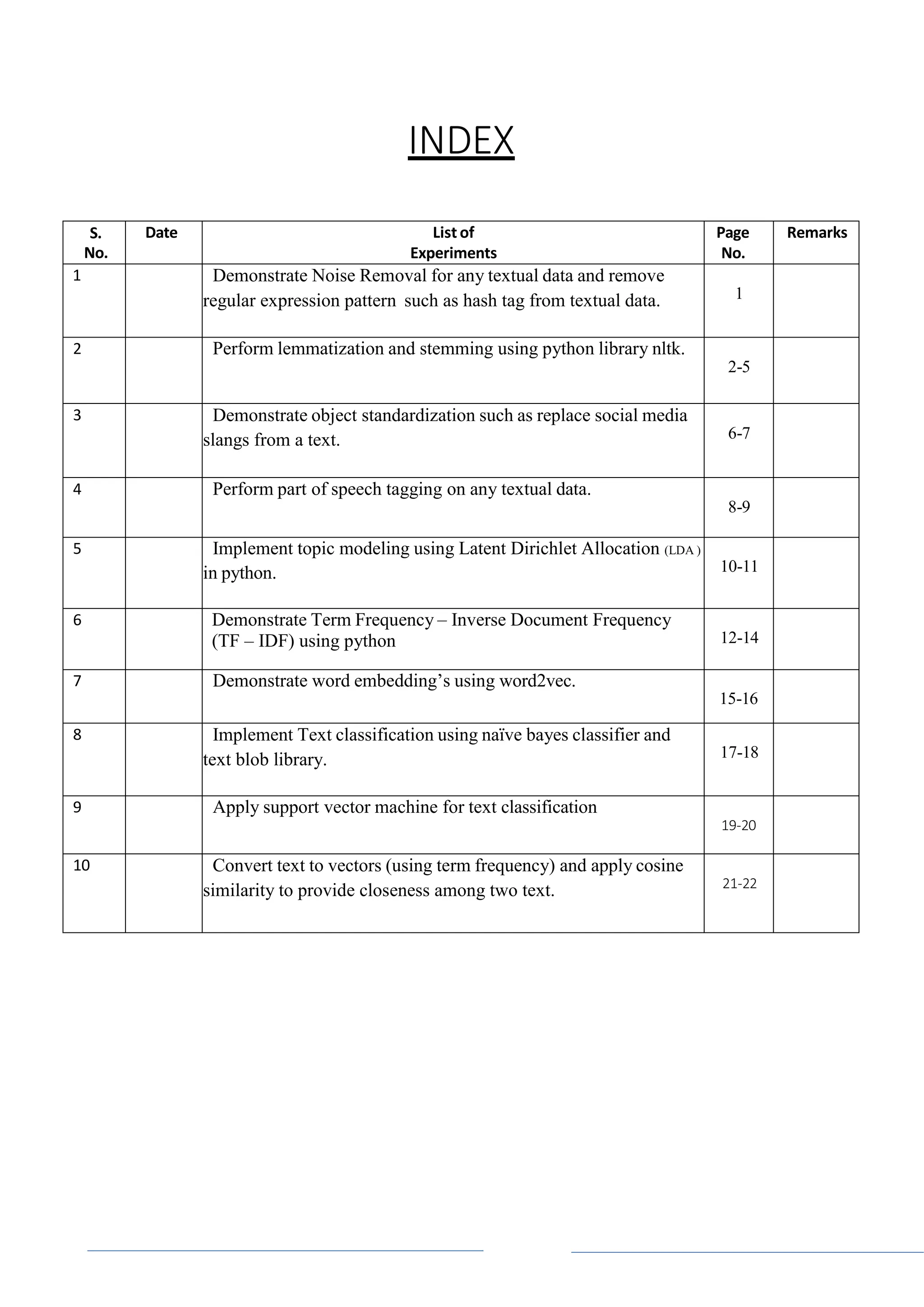
S.
No.
Date List of
Experiments
Page
No.
Remarks
1 Demonstrate Noise Removal for any textual data and remove
regular expression pattern such as hash tag from textual data. 1
2 Perform lemmatization and stemming using python library nltk.
2-5
3 Demonstrate object standardization such as replace social media
slangs from a text. 6-7
4 Perform part of speech tagging on any textual data.
8-9
5 Implement topic modeling using Latent Dirichlet Allocation (LDA )
in python. 10-11
6 Demonstrate Term Frequency – Inverse Document Frequency
(TF – IDF) using python 12-14
7 Demonstrate word embedding’s using word2vec.
15-16
8 Implement Text classification using naïve bayes classifier and
text blob library. 17-18
9 Apply support vector machine for text classification
19-20
10 Convert text to vectors (using term frequency) and apply cosine
similarity to provide closeness among two text. 21-22
Page 1
Experiment - 1
Demonstrate Noise Removal for any textual data and remove regular
expression pattern such as hash tag from textual data
Code:
import re
def remove_noise(text):
# Remove URLs
text = re.sub(r'httpS+', '', text)
# Remove usernames
text = re.sub(r'@S+', '', text)
# Remove hashtags
text = re.sub(r'#S+', '', text)
# Remove punctuation and other non-alphanumeric characters
text = re.sub(r'[^ws]', '', text)
# Remove extra whitespace
text = re.sub(r's+', ' ', text).strip()
return text
# Example text
text = "Just had the best coffee from @Starbucks! #coffee #yum � http://starbucks.com"
# Remove noise
clean_text = remove_noise(text)
print(clean_text)
OUTPUT:
Just had the best coffee from!
Page 2
Code:
Experiment – 2
Perform lemmatization and stemming using python library nltk
Stemming usually refers to a crude heuristic process that chops off the ends of words in the hope
of achieving this goal correctly most of the time, and often includes the removal of derivational
affixes.
fromnltk.stem import PorterStemmer
fromnltk.stem import LancasterStemmer
#create an object of class PorterStemmer
porter = PorterStemmer()
lancaster=LancasterStemmer()
#provide a word to be stemmed
print("Porter Stemmer")
print("cats => ",porter.stem("cats"))
print("trouble => ",porter.stem("trouble"))
print("troubling =>", porter.stem("troubling"))
print("troubled => ",porter.stem("troubled"))
print("Lancaster Stemmer")
print("cats => ",lancaster.stem("cats"))
print("trouble => ",lancaster.stem("trouble"))
print("troubling =>",lancaster.stem("troubling"))
print("troubled => ",lancaster.stem("troubled"))
OUTPUT:
Porter Stemmer
cats => cat
trouble =>troubl
troubling =>troubl
troubled =>troubl
Page 3
Code:
Lancaster Stemmer
cats => cat
trouble =>troubl
troubling =>troubl
troubled =>troubl
Stemming a Complete Sentence
fromnltk.tokenize import sent_tokenize, word_tokenize
fromnltk.stem import PorterStemmer
#from nltk.stem import LancasterStemmer
porter = PorterStemmer()
def find(sentence):
token_words=word_tokenize(sentence)
print(token_words)
stem_sentence=[]
for word in token_words:
stem_sentence.append(porter.stem(word))
stem_sentence.append(" ")
return "".join(stem_sentence)
sentence="Pythoners are very intelligent and work very pythonly and now they are python
ing their way to success."
x=find(sentence)
print(x)
Output:
python are veriintellig and work veripythonli and now they are python their way to success .
Lemmatization
Stemming usually refers to a crude heuristic process that chops off the ends of words in the hope
of achieving this goal correctly most of the time, and often includes the removal of derivational
affixes.
Lemmatization usually refers to doing things properly with the use of a vocabulary and
morphological analysis of words, normally aiming to remove inflectional endings only and to
return the base or dictionary form of a word, which is known as the lemma . If confronted with
the token saw, stemming might return just s, whereas lemmatization would attempt to return
either see or saw depending on whether the use of the token was as a verb or a noun.
Page 4
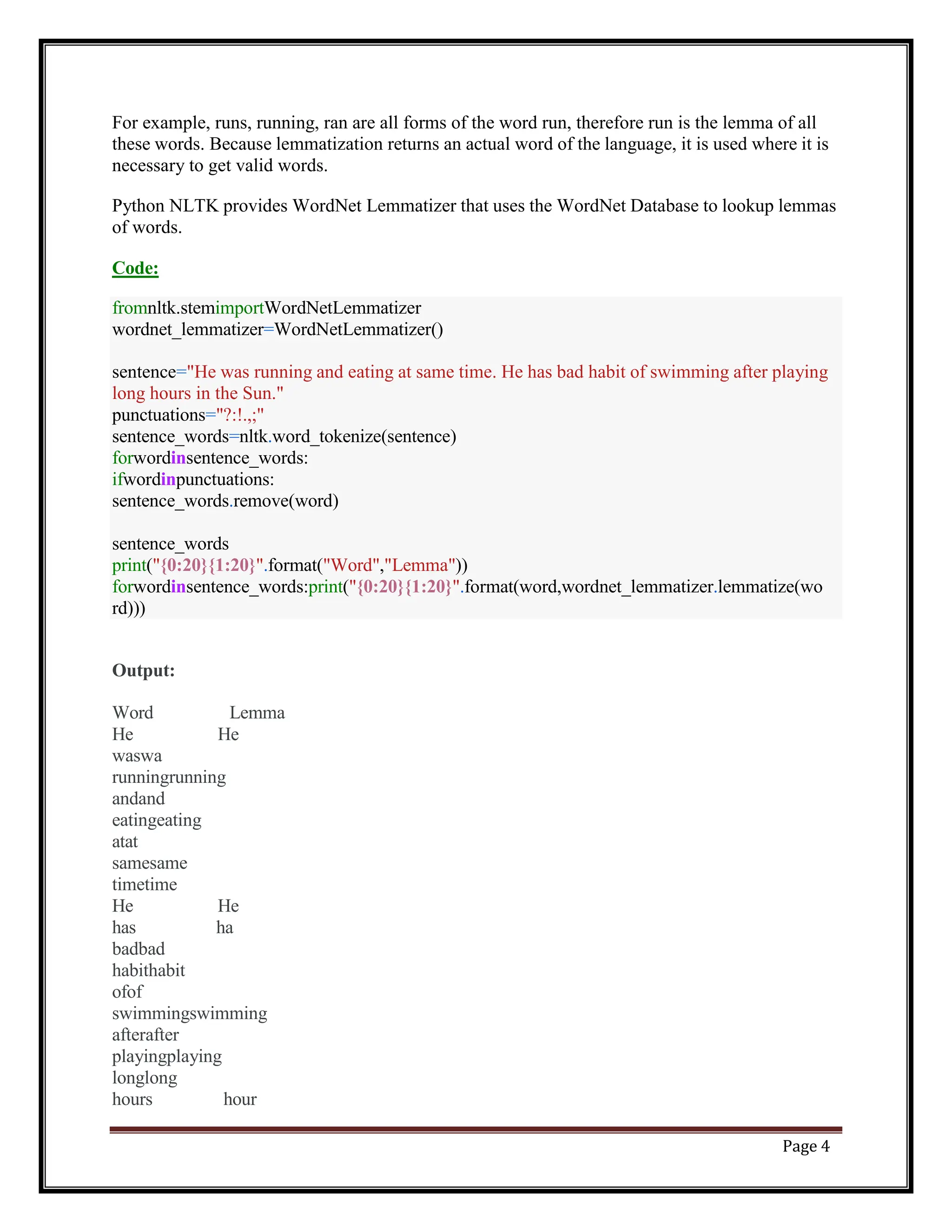
fromnltk.stemimportWordNetLemmatizer
wordnet_lemmatizer=WordNetLemmatizer()
sentence="He was running and eating at same time. He has bad habit of swimming after playing
long hours in the Sun."
punctuations="?:!.,;"
sentence_words=nltk.word_tokenize(sentence)
forwordinsentence_words:
ifwordinpunctuations:
sentence_words.remove(word)
sentence_words
print("{0:20}{1:20}".format("Word","Lemma"))
forwordinsentence_words:print("{0:20}{1:20}".format(word,wordnet_lemmatizer.lemmatize(wo
rd)))
For example, runs, running, ran are all forms of the word run, therefore run is the lemma of all
these words. Because lemmatization returns an actual word of the language, it is used where it is
necessary to get valid words.
Python NLTK provides WordNet Lemmatizer that uses the WordNet Database to lookup lemmas
of words.
Code:
Output:
Word Lemma
He He
waswa
runningrunning
andand
eatingeating
atat
samesame
timetime
He He
has ha
badbad
habithabit
ofof
swimmingswimming
afterafter
playingplaying
longlong
hours hour
Page 5
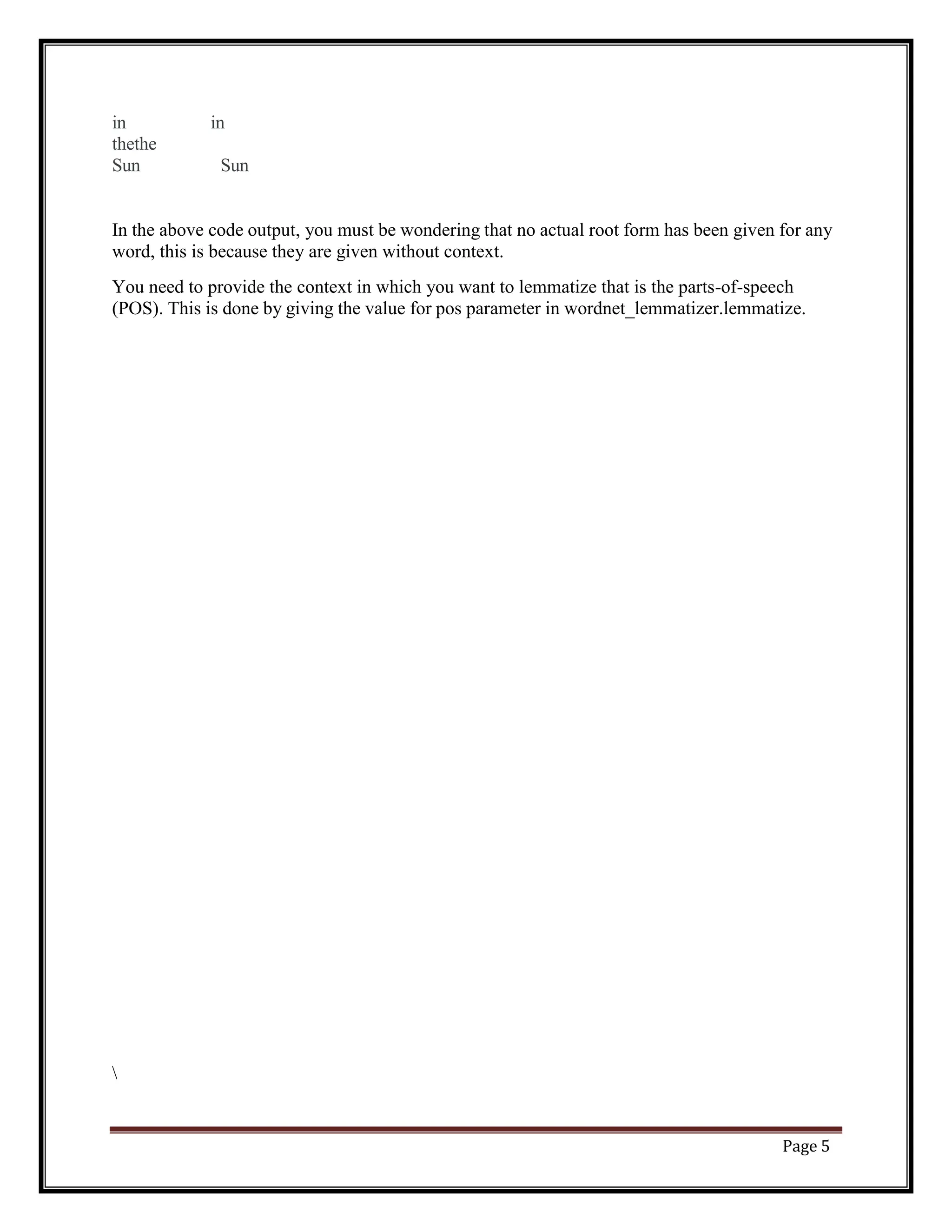
in in
thethe
Sun Sun
In the above code output, you must be wondering that no actual root form has been given for any
word, this is because they are given without context.
You need to provide the context in which you want to lemmatize that is the parts-of-speech
(POS). This is done by giving the value for pos parameter in wordnet_lemmatizer.lemmatize.
Page 6
Experiment – 3
Demonstrate object standardization such as replace social media slangs from
a text.
Code:
lookup_dict = {'rt':'Retweet', 'dm':'direct message', "awsm" : "awesome",
"luv" :"love","hlo":"hello","<3":"♡","aa":"allu arjun","ths":"this",
"tq":"thankyou","vry":"very","yt":"youtube","fb":"facebook",
"insta":"instagram","u":"you","tmrw":"tommorow","snap":"snapchat",
"gn":"goodnight","gm":"good morning","ga":"good afternoon",
"wlcm":"welcome","uncntble":"uncountable","bday":"birthday"}
def _lookup_words(input_text):
words = input_text.split()
new_words = []
for word in words:
if word.lower() in lookup_dict:
word = lookup_dict[word.lower()]
new_words.append(word)
new_text = " ".join(new_words)
return new_text
aatweet= "rt from aa for uncntble wishes from fans all over the world on his bday!!n <3 <3 <3
n " hlo everyone!! n I had got so much luv from you all!! n tq for all your awsm luv and
affection n i am soo happy to get great luv from u all , n yours lovingly aa !!"
print(aatweet)
print("THE CONVERTED MESSAGE IS AS FOLLOWS >>:")
print(_lookup_words(aatweet))
Page 7
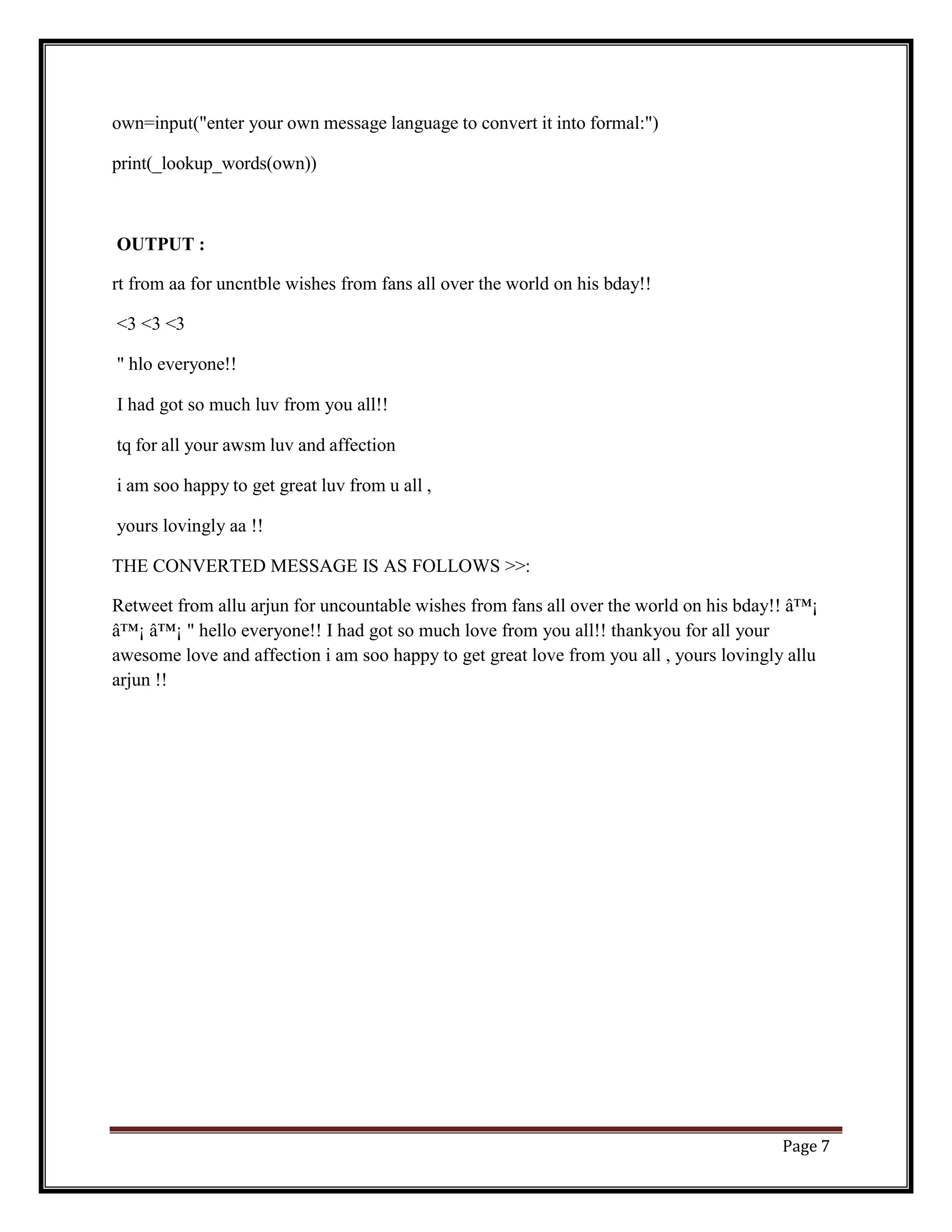
own=input("enter your own message language to convert it into formal:")
print(_lookup_words(own))
OUTPUT :
rt from aa for uncntble wishes from fans all over the world on his bday!!
<3 <3 <3
" hlo everyone!!
I had got so much luv from you all!!
tq for all your awsm luv and affection
i am soo happy to get great luv from u all ,
yours lovingly aa !!
THE CONVERTED MESSAGE IS AS FOLLOWS >>:
Retweet from allu arjun for uncountable wishes from fans all over the world on his bday!! ♡
♡ ♡ " hello everyone!! I had got so much love from you all!! thankyou for all your
awesome love and affection i am soo happy to get great love from you all , yours lovingly allu
arjun !!
Page 8
Experiment – 4
Perform part of speech tagging on any textual data
Code:
importnltk
fromnltk.corpus import stopwords
fromnltk.tokenize import word_tokenize, sent_tokenize
stop_words = set(stopwords.words('english'))
#Dummy text
txt = "Sukanya, Rajib and Naba are my good friends. " 
"Sukanya is getting married next year. " 
"Marriage is a big step in one’s life." 
"It is both exciting and frightening. " 
"But friendship is a sacred bond between people." 
"It is a special kind of love between us. " 
"Many of you must have tried searching for a friend "
"but never found the right one."
# sent_tokenize is one of instances of
# PunktSentenceTokenizer from the nltk.tokenize.punkt module
tokenized = sent_tokenize(txt)
fori in tokenized:
# Word tokenizers is used to find the words
# and punctuation in a string
wordsList = nltk.word_tokenize(i)
# removing stop words from wordList
wordsList = [w for w in wordsList if not w instop_words]
# Using a Tagger. Which is part-of-speech
# tagger or POS-tagger.
tagged = nltk.pos_tag(wordsList)
print(tagged)
Output:
[('Sukanya', 'NNP'), ('Rajib', 'NNP'), ('Naba', 'NNP'), ('good', 'JJ'), ('friends', 'NNS')]
Page 9
[('Sukanya', 'NNP'), ('getting', 'VBG'), ('married', 'VBN'), ('next', 'JJ'), ('year', 'NN')]
[('Marriage', 'NN'), ('big', 'JJ'), ('step', 'NN'), ('one', 'CD'), ('’', 'NN'), ('life', 'NN')]
[('It', 'PRP'), ('exciting', 'VBG'), ('frightening', 'VBG')]
[('But', 'CC'), ('friendship', 'NN'), ('sacred', 'VBD'), ('bond', 'NN'), ('people', 'NNS')]
[('It', 'PRP'), ('special', 'JJ'), ('kind', 'NN'), ('love', 'VB'), ('us', 'PRP')]
[('Many', 'JJ'), ('must', 'MD'), ('tried', 'VB'), ('searching', 'VBG'), ('friend', 'NN'),
('never', 'RB'), ('found', 'VBD'), ('right', 'RB'), ('one', 'CD')]
CC coordinating conjunction
CD cardinal digit
DT determiner
EX existential there (like: “there is” … think of it like “there exists”)
FW foreign word
IN preposition/subordinating conjunction
JJ adjective – ‘big’
JJR adjective, comparative – ‘bigger’
JJS adjective, superlative – ‘biggest’
LS list marker 1)
MD modal – could, will
NN noun, singular ‘- desk’
NNS noun plural – ‘desks’
NNP proper noun, singular – ‘Harrison’
NNPS proper noun, plural – ‘Americans’
PDT predeterminer – ‘all the kids’
POS possessive ending parent’s
PRP personal pronoun – I, he, she
PRP$ possessive pronoun – my, his, hers
RB adverb – very, silently,
RBR adverb, comparative – better
RBS adverb, superlative – best
RP particle – give up
TO – to go ‘to’ the store.
UH interjection – errrrrrrrm
VB verb, base form – take
VBD verb, past tense – took
VBG verb, gerund/present participle – taking
VBN verb, past participle – taken
VBP verb, sing. present, non-3d – take
VBZ verb, 3rd person sing. present – takes
WDT wh-determiner – which
WP wh-pronoun – who, what
WP$ possessive wh-pronoun, eg- whose
WRB wh-adverb, eg- where, when
Page 10
Experiment – 5
Implement topic modeling using Latent Dirichlet Allocation (LDA ) in python.
Code:
import gensim
from gensim import corpora
# Example corpus
doc1 = "hello world"
doc2 = "world news"
doc3 = "news update"
doc4 = "world update"
doc5 = "hello update"
documents = [doc1, doc2, doc3, doc4, doc5]
# Preprocessing
stopwords = set('for a of the and to in'.split())
texts = [[word for word in document.lower().split() if word not in stopwords] for document in
documents]
# Creating dictionary and corpus
dictionary = corpora.Dictionary(texts)
corpus = [dictionary.doc2bow(text) for text in texts]
# LDA model training
lda_model = gensim.models.LdaModel(corpus=corpus, id2word=dictionary, num_topics=2,
passes=10)
# Results
for topic_id, topic in lda_model.show_topics(num_topics=2, num_words=3):
print(f"Topic {topic_id+1}: {topic}")
Page 11
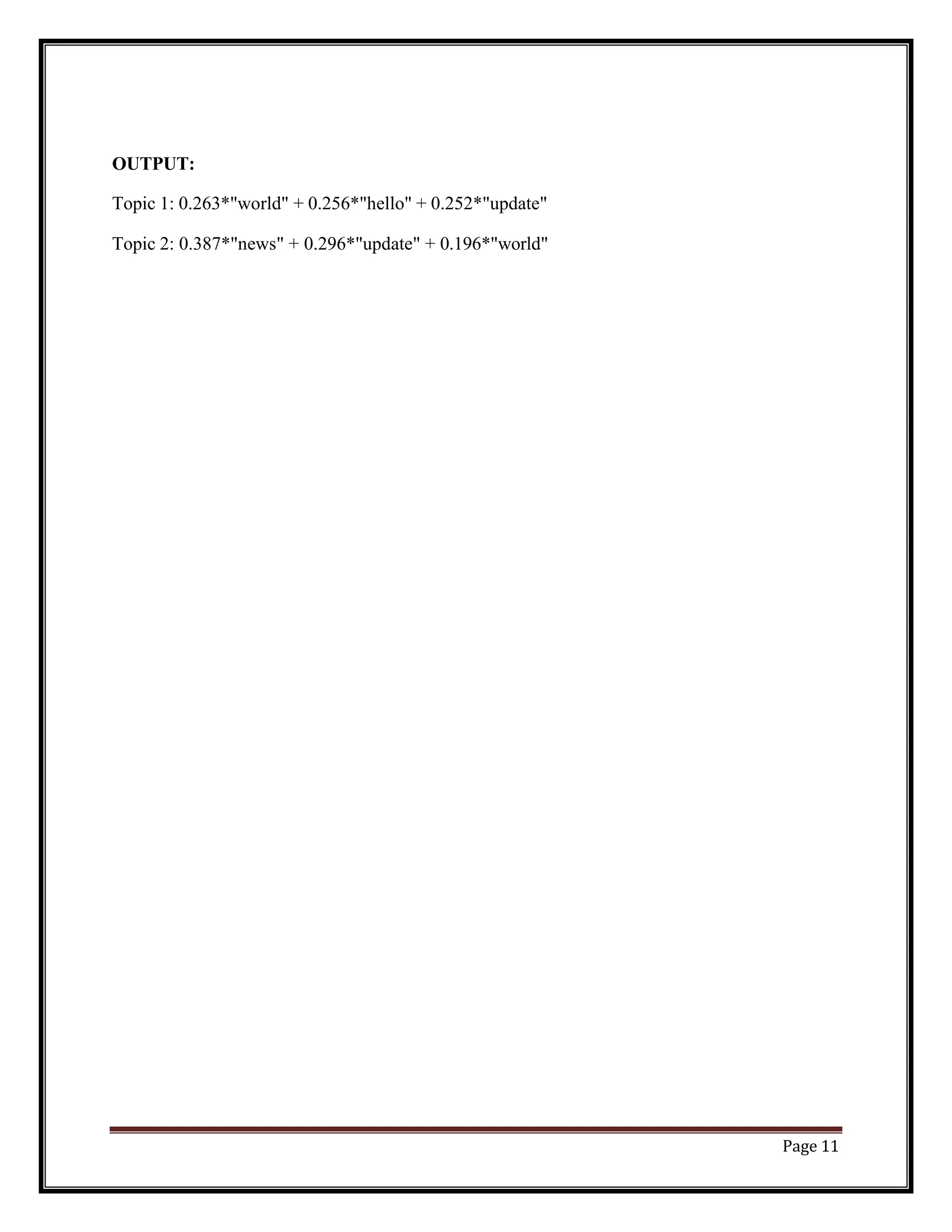
OUTPUT:
Topic 1: 0.263*"world" + 0.256*"hello" + 0.252*"update"
Topic 2: 0.387*"news" + 0.296*"update" + 0.196*"world"
Page 12
Experiment – 6
Demonstrate Term Frequency – Inverse Document Frequency (TF – IDF)
using python
Code:
from sklearn.feature_extraction.text import TfidfVectorizer
# Example corpus
doc1 = "hello world"
doc2 = "world news"
doc3 = "news update"
doc4 = "world update"
doc5 = "hello update"
documents = [doc1, doc2, doc3, doc4, doc5]
# Creating TfidfVectorizer object
tfidf_vectorizer = TfidfVectorizer()
# Fitting and transforming the corpus
tfidf_matrix = tfidf_vectorizer.fit_transform(documents)
# Getting feature names and IDF scores
feature_names = tfidf_vectorizer.get_feature_names()
idf_scores = tfidf_vectorizer.idf_
# Printing results
for i, doc in enumerate(documents):
print(f"Document {i+1}: {doc}")
for j, word in enumerate(feature_names):
tfidf_score = tfidf_matrix[i, j]
idf_score = idf_scores[j]
Page 13
tf_score = tfidf_score / idf_score
print(f" {word}: TF-IDF={tfidf_score:.3f}, IDF={idf_score:.3f}, TF={tf_score:.3f}")
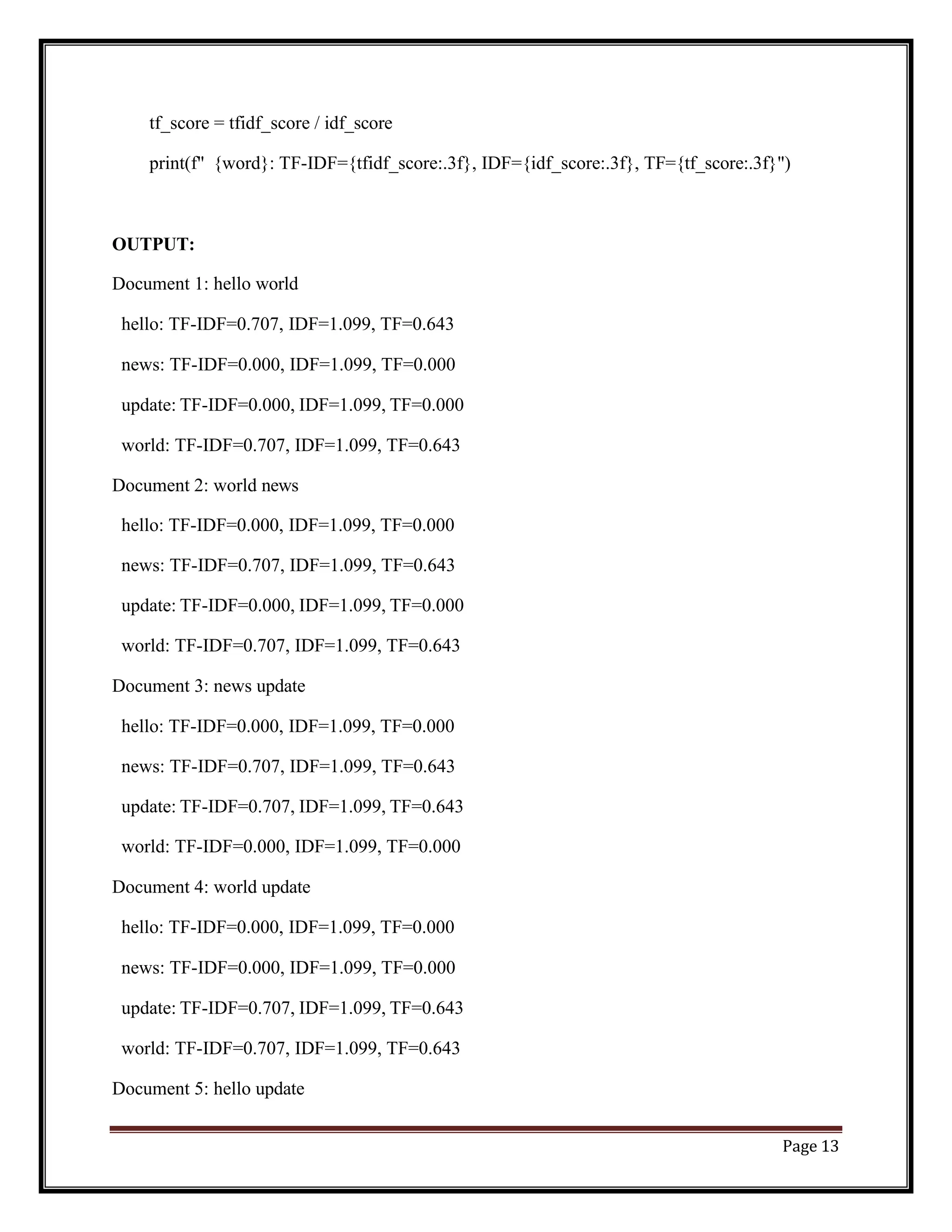
OUTPUT:
Document 1: hello world
hello: TF-IDF=0.707, IDF=1.099, TF=0.643
news: TF-IDF=0.000, IDF=1.099, TF=0.000
update: TF-IDF=0.000, IDF=1.099, TF=0.000
world: TF-IDF=0.707, IDF=1.099, TF=0.643
Document 2: world news
hello: TF-IDF=0.000, IDF=1.099, TF=0.000
news: TF-IDF=0.707, IDF=1.099, TF=0.643
update: TF-IDF=0.000, IDF=1.099, TF=0.000
world: TF-IDF=0.707, IDF=1.099, TF=0.643
Document 3: news update
hello: TF-IDF=0.000, IDF=1.099, TF=0.000
news: TF-IDF=0.707, IDF=1.099, TF=0.643
update: TF-IDF=0.707, IDF=1.099, TF=0.643
world: TF-IDF=0.000, IDF=1.099, TF=0.000
Document 4: world update
hello: TF-IDF=0.000, IDF=1.099, TF=0.000
news: TF-IDF=0.000, IDF=1.099, TF=0.000
update: TF-IDF=0.707, IDF=1.099, TF=0.643
world: TF-IDF=0.707, IDF=1.099, TF=0.643
Document 5: hello update
Page 14
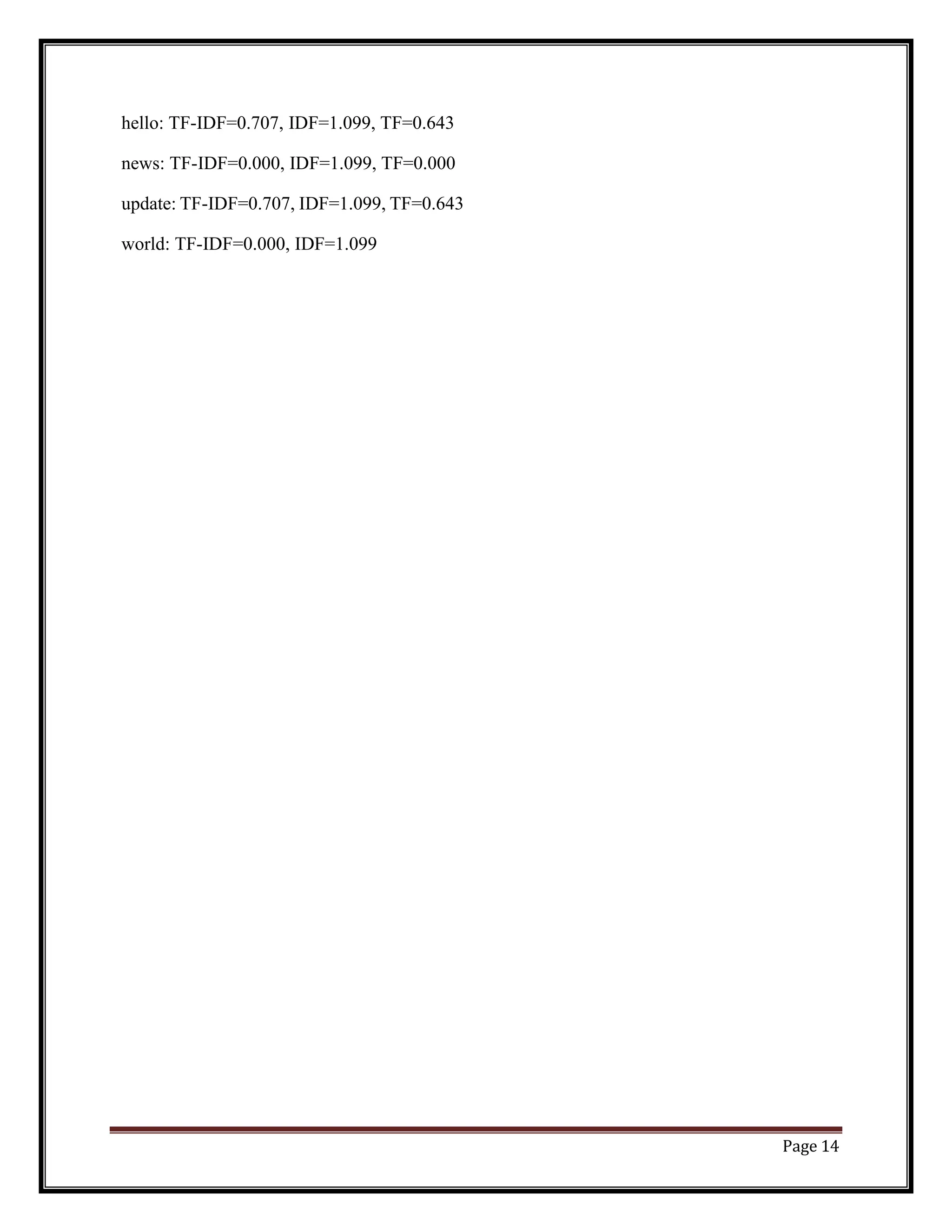
hello: TF-IDF=0.707, IDF=1.099, TF=0.643
news: TF-IDF=0.000, IDF=1.099, TF=0.000
update: TF-IDF=0.707, IDF=1.099, TF=0.643
world: TF-IDF=0.000, IDF=1.099
Page 15
Experiment – 7
Demonstrate word embeddings using word2vec
Code:
# Python program to generate word vectors using Word2Vec
# importing all necessary modules
fromnltk.tokenize import sent_tokenize, word_tokenize
import warnings
warnings.filterwarnings(action = 'ignore')
importgensim
fromgensim.models import Word2Vec
# Reads ‘alice.txt’ file
sample = open("C:UsersAdminDesktopalice.txt", "utf8")
s = sample.read()
# Replaces escape character with space
f = s.replace("n", " ") data = []
# iterate through each sentence in the file
fori in sent_tokenize(f): temp = []
# tokenize the sentence into words
for j in word_tokenize(i): temp.append(j.lower()) data.append(temp)
# Create CBOW model
model1 = gensim.models.Word2Vec(data, min_count = 1, vector_size = 100, window = 5)
# Print results
print("Cosine similarity between 'alice' " + "and 'wonderland' - CBOW : ",
model1.wv.similarity('alice', 'wonderland'))
print("Cosine similarity between 'alice' " + "and 'machines' - CBOW : ",
model1.wv.similarity('alice', 'machines'))
# Create Skip Gram model
model2 = gensim.models.Word2Vec(data, min_count = 1, vector_size = 100, window = 5, sg =
1)
# Print results
print("Cosine similarity between 'alice' " + "and 'wonderland' - Skip Gram : ",
model2.wv.similarity('alice', 'wonderland'))
print("Cosine similarity between 'alice' " + "and 'machines' - Skip Gram : ",
model2.wv.similarity('alice', 'machines'))
Page 16
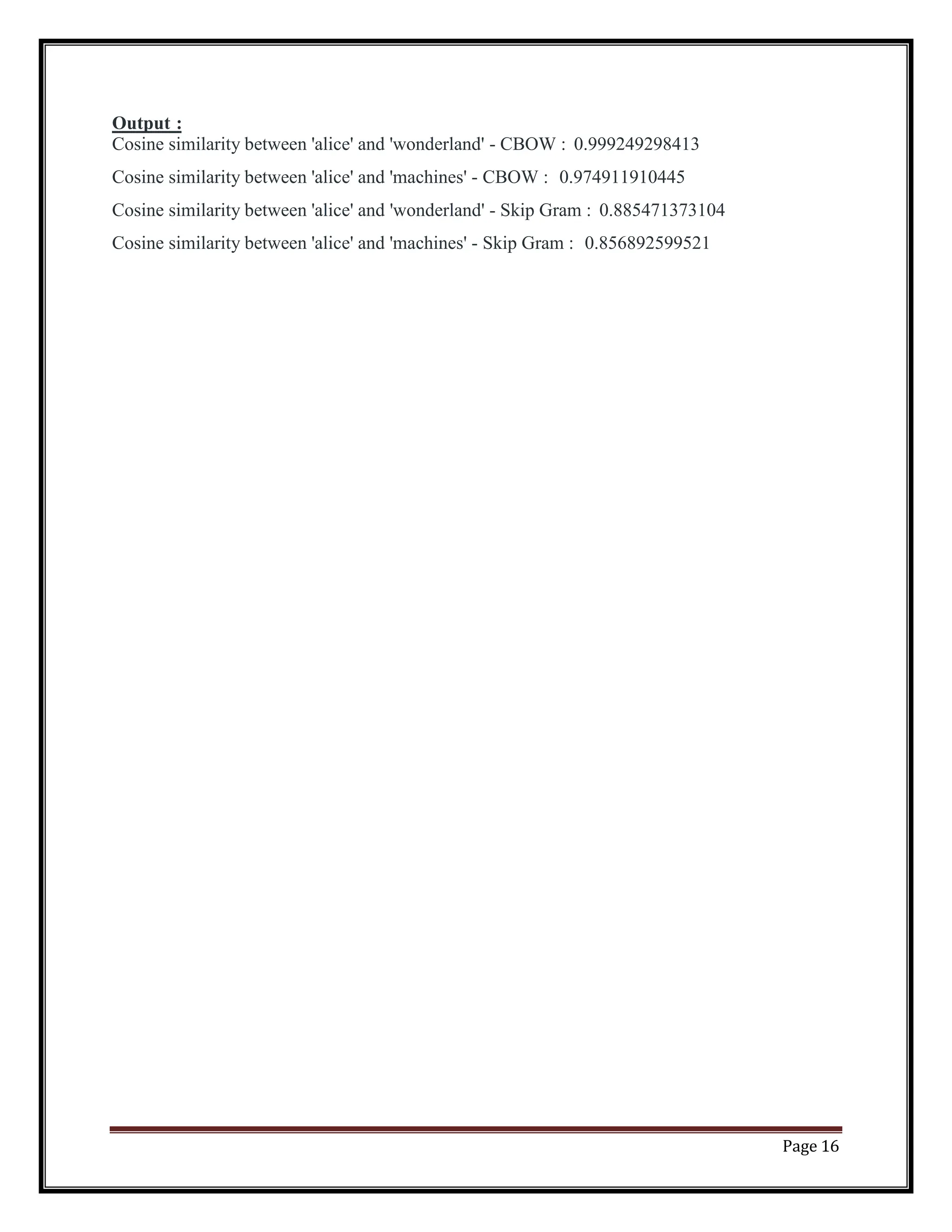
Output :
Cosine similarity between 'alice' and 'wonderland' - CBOW : 0.999249298413
Cosine similarity between 'alice' and 'machines' - CBOW : 0.974911910445
Cosine similarity between 'alice' and 'wonderland' - Skip Gram : 0.885471373104
Cosine similarity between 'alice' and 'machines' - Skip Gram : 0.856892599521
Page 17
Experiment – 8
Implement Text classification using naïve bayes classifier and text blob
library
Code:
from textblob import TextBlob
from textblob.classifiers import NaiveBayesClassifier
# Training data
train_data = [
("I love this product", "positive"),
("This is a great experience", "positive"),
("I hate this product", "negative"),
("I do not like this experience", "negative")
]
# Creating a Naive Bayes classifier object
classifier = NaiveBayesClassifier(train_data)
# Testing data
test_data = [
"I like this product",
"This is a bad experience"
]
# Classifying the testing data
for data in test_data:
result = classifier.classify(data)
Page 18
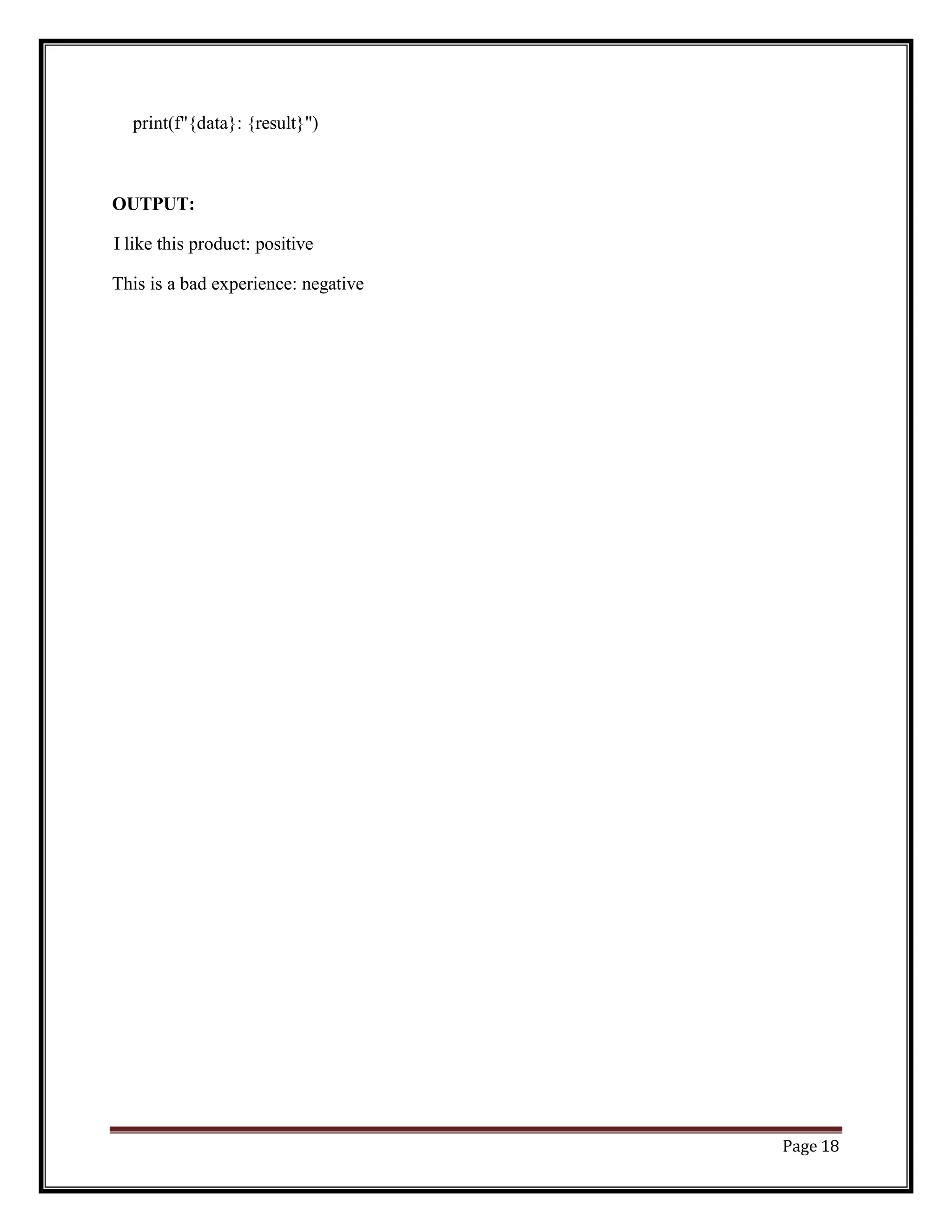
print(f"{data}: {result}")
OUTPUT:
I like this product: positive
This is a bad experience: negative
Page 19
Experiment – 9
Apply support vector machine for text classification.
Code:
from sklearn.feature_extraction.text import TfidfVectorizer
from sklearn.model_selection import train_test_split
from sklearn.svm import SVC
from sklearn.metrics import classification_report
# Example corpus
corpus = [
("I love this product", "positive"),
("This is a great experience", "positive"),
("I hate this product", "negative"),
("I do not like this experience", "negative")
]
# Splitting corpus into training and testing data
X = [c[0] for c in corpus]
y = [c[1] for c in corpus]
X_train, X_test, y_train, y_test = train_test_split(X, y, test_size=0.2, random_state=42)
# Creating TfidfVectorizer object and transforming the training and testing data
vectorizer = TfidfVectorizer()
X_train = vectorizer.fit_transform(X_train)
X_test = vectorizer.transform(X_test)
Page 20
# Creating a SVM classifier object and fitting the training data
svm = SVC(kernel='linear')
svm.fit(X_train, y_train)
# Predicting the testing data and evaluating the performance
y_pred = svm.predict(X_test)
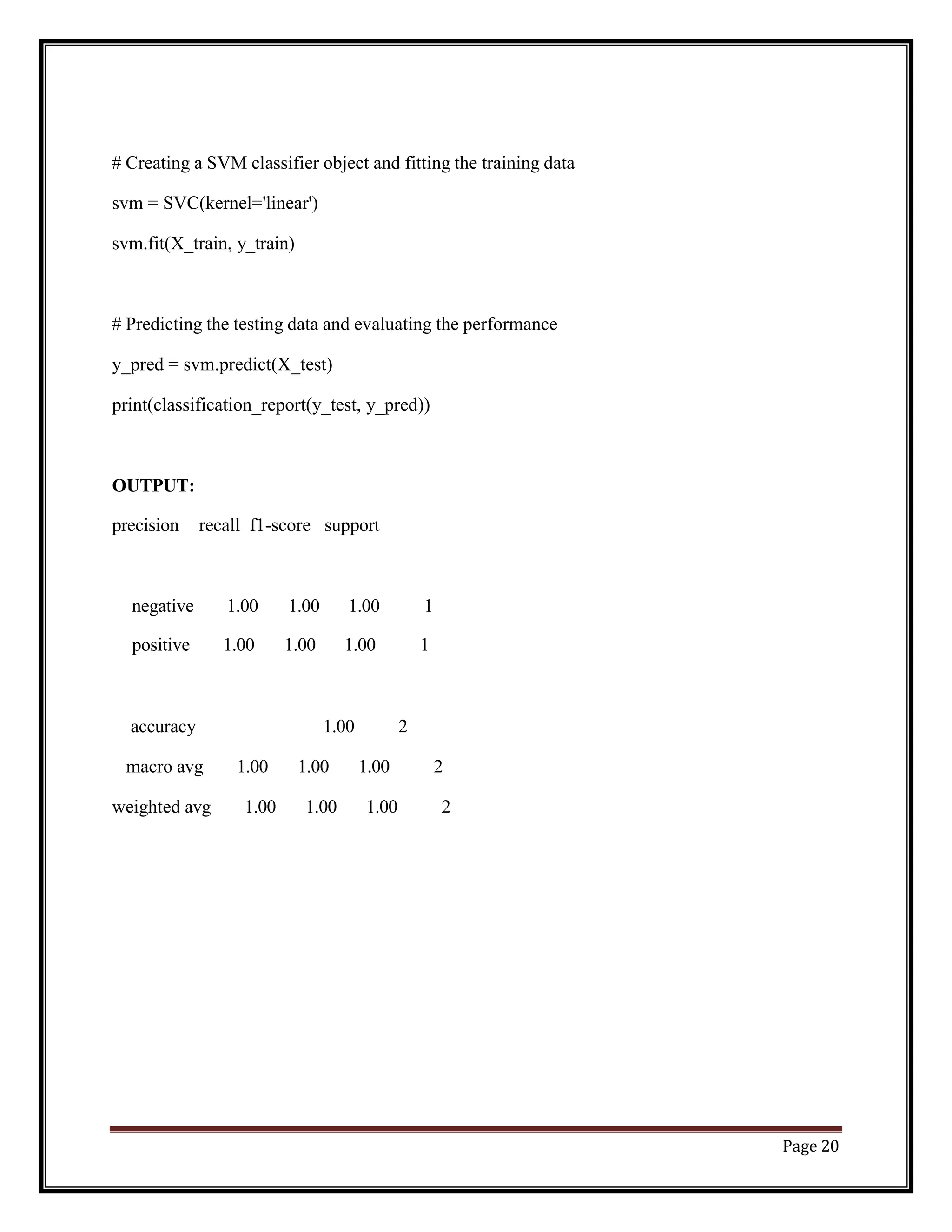
print(classification_report(y_test, y_pred))
OUTPUT:
precision recall f1-score support
negative 1.00 1.00 1.00 1
positive 1.00 1.00 1.00 1
accuracy 1.00 2
macro avg 1.00 1.00 1.00 2
weighted avg 1.00 1.00 1.00 2
Page 21
Experiment – 10
Convert text to vectors (using term frequency) and apply cosine similarity to
provide closeness among two text.
Code:
from sklearn.feature_extraction.text import CountVectorizer
from sklearn.metrics.pairwise import cosine_similarity
# Example text
text1 = "I love this product"
text2 = "This is a great experience"
text3 = "I hate this product"
text4 = "I do not like this experience"
# Creating a CountVectorizer object and transforming the texts into feature vectors
vectorizer = CountVectorizer()
vectors = vectorizer.fit_transform([text1, text2, text3, text4])
# Calculating cosine similarity between text1 and text2
similarity = cosine_similarity(vectors[0], vectors[1])[0][0]
print(f"Cosine similarity between text1 and text2: {similarity}")
# Calculating cosine similarity between text1 and text3
similarity = cosine_similarity(vectors[0], vectors[2])[0][0]
print(f"Cosine similarity between text1 and text3: {similarity}")
Page 22
# Calculating cosine similarity between text2 and text4
similarity = cosine_similarity(vectors[1], vectors[3])[0][0]
print(f"Cosine similarity between text2 and text4: {similarity}")
OUTPUT:
Cosine similarity between text1 and text2: 0.0
Cosine similarity between text1 and text3: 0.5
Cosine similarity between text2 and text4: 0.0

JNTUK r20 AIML SOC NLP-LAB-MANUAL-R20.docx

  • 1.
    INDEX S. No. Date List of Experiments Page No. Remarks 1Demonstrate Noise Removal for any textual data and remove regular expression pattern such as hash tag from textual data. 1 2 Perform lemmatization and stemming using python library nltk. 2-5 3 Demonstrate object standardization such as replace social media slangs from a text. 6-7 4 Perform part of speech tagging on any textual data. 8-9 5 Implement topic modeling using Latent Dirichlet Allocation (LDA ) in python. 10-11 6 Demonstrate Term Frequency – Inverse Document Frequency (TF – IDF) using python 12-14 7 Demonstrate word embedding’s using word2vec. 15-16 8 Implement Text classification using naïve bayes classifier and text blob library. 17-18 9 Apply support vector machine for text classification 19-20 10 Convert text to vectors (using term frequency) and apply cosine similarity to provide closeness among two text. 21-22
  • 2.
    Page 1 Experiment -1 Demonstrate Noise Removal for any textual data and remove regular expression pattern such as hash tag from textual data Code: import re def remove_noise(text): # Remove URLs text = re.sub(r'httpS+', '', text) # Remove usernames text = re.sub(r'@S+', '', text) # Remove hashtags text = re.sub(r'#S+', '', text) # Remove punctuation and other non-alphanumeric characters text = re.sub(r'[^ws]', '', text) # Remove extra whitespace text = re.sub(r's+', ' ', text).strip() return text # Example text text = "Just had the best coffee from @Starbucks! #coffee #yum � http://starbucks.com" # Remove noise clean_text = remove_noise(text) print(clean_text) OUTPUT: Just had the best coffee from!
  • 3.
    Page 2 Code: Experiment –2 Perform lemmatization and stemming using python library nltk Stemming usually refers to a crude heuristic process that chops off the ends of words in the hope of achieving this goal correctly most of the time, and often includes the removal of derivational affixes. fromnltk.stem import PorterStemmer fromnltk.stem import LancasterStemmer #create an object of class PorterStemmer porter = PorterStemmer() lancaster=LancasterStemmer() #provide a word to be stemmed print("Porter Stemmer") print("cats => ",porter.stem("cats")) print("trouble => ",porter.stem("trouble")) print("troubling =>", porter.stem("troubling")) print("troubled => ",porter.stem("troubled")) print("Lancaster Stemmer") print("cats => ",lancaster.stem("cats")) print("trouble => ",lancaster.stem("trouble")) print("troubling =>",lancaster.stem("troubling")) print("troubled => ",lancaster.stem("troubled")) OUTPUT: Porter Stemmer cats => cat trouble =>troubl troubling =>troubl troubled =>troubl
  • 4.
    Page 3 Code: Lancaster Stemmer cats=> cat trouble =>troubl troubling =>troubl troubled =>troubl Stemming a Complete Sentence fromnltk.tokenize import sent_tokenize, word_tokenize fromnltk.stem import PorterStemmer #from nltk.stem import LancasterStemmer porter = PorterStemmer() def find(sentence): token_words=word_tokenize(sentence) print(token_words) stem_sentence=[] for word in token_words: stem_sentence.append(porter.stem(word)) stem_sentence.append(" ") return "".join(stem_sentence) sentence="Pythoners are very intelligent and work very pythonly and now they are python ing their way to success." x=find(sentence) print(x) Output: python are veriintellig and work veripythonli and now they are python their way to success . Lemmatization Stemming usually refers to a crude heuristic process that chops off the ends of words in the hope of achieving this goal correctly most of the time, and often includes the removal of derivational affixes. Lemmatization usually refers to doing things properly with the use of a vocabulary and morphological analysis of words, normally aiming to remove inflectional endings only and to return the base or dictionary form of a word, which is known as the lemma . If confronted with the token saw, stemming might return just s, whereas lemmatization would attempt to return either see or saw depending on whether the use of the token was as a verb or a noun.
  • 5.
    Page 4 fromnltk.stemimportWordNetLemmatizer wordnet_lemmatizer=WordNetLemmatizer() sentence="He wasrunning and eating at same time. He has bad habit of swimming after playing long hours in the Sun." punctuations="?:!.,;" sentence_words=nltk.word_tokenize(sentence) forwordinsentence_words: ifwordinpunctuations: sentence_words.remove(word) sentence_words print("{0:20}{1:20}".format("Word","Lemma")) forwordinsentence_words:print("{0:20}{1:20}".format(word,wordnet_lemmatizer.lemmatize(wo rd))) For example, runs, running, ran are all forms of the word run, therefore run is the lemma of all these words. Because lemmatization returns an actual word of the language, it is used where it is necessary to get valid words. Python NLTK provides WordNet Lemmatizer that uses the WordNet Database to lookup lemmas of words. Code: Output: Word Lemma He He waswa runningrunning andand eatingeating atat samesame timetime He He has ha badbad habithabit ofof swimmingswimming afterafter playingplaying longlong hours hour
  • 6.
    Page 5 in in thethe SunSun In the above code output, you must be wondering that no actual root form has been given for any word, this is because they are given without context. You need to provide the context in which you want to lemmatize that is the parts-of-speech (POS). This is done by giving the value for pos parameter in wordnet_lemmatizer.lemmatize.
  • 7.
    Page 6 Experiment –3 Demonstrate object standardization such as replace social media slangs from a text. Code: lookup_dict = {'rt':'Retweet', 'dm':'direct message', "awsm" : "awesome", "luv" :"love","hlo":"hello","<3":"♡","aa":"allu arjun","ths":"this", "tq":"thankyou","vry":"very","yt":"youtube","fb":"facebook", "insta":"instagram","u":"you","tmrw":"tommorow","snap":"snapchat", "gn":"goodnight","gm":"good morning","ga":"good afternoon", "wlcm":"welcome","uncntble":"uncountable","bday":"birthday"} def _lookup_words(input_text): words = input_text.split() new_words = [] for word in words: if word.lower() in lookup_dict: word = lookup_dict[word.lower()] new_words.append(word) new_text = " ".join(new_words) return new_text aatweet= "rt from aa for uncntble wishes from fans all over the world on his bday!!n <3 <3 <3 n " hlo everyone!! n I had got so much luv from you all!! n tq for all your awsm luv and affection n i am soo happy to get great luv from u all , n yours lovingly aa !!" print(aatweet) print("THE CONVERTED MESSAGE IS AS FOLLOWS >>:") print(_lookup_words(aatweet))
  • 8.
    Page 7 own=input("enter yourown message language to convert it into formal:") print(_lookup_words(own)) OUTPUT : rt from aa for uncntble wishes from fans all over the world on his bday!! <3 <3 <3 " hlo everyone!! I had got so much luv from you all!! tq for all your awsm luv and affection i am soo happy to get great luv from u all , yours lovingly aa !! THE CONVERTED MESSAGE IS AS FOLLOWS >>: Retweet from allu arjun for uncountable wishes from fans all over the world on his bday!! ♡ ♡ ♡ " hello everyone!! I had got so much love from you all!! thankyou for all your awesome love and affection i am soo happy to get great love from you all , yours lovingly allu arjun !!
  • 9.
    Page 8 Experiment –4 Perform part of speech tagging on any textual data Code: importnltk fromnltk.corpus import stopwords fromnltk.tokenize import word_tokenize, sent_tokenize stop_words = set(stopwords.words('english')) #Dummy text txt = "Sukanya, Rajib and Naba are my good friends. " "Sukanya is getting married next year. " "Marriage is a big step in one’s life." "It is both exciting and frightening. " "But friendship is a sacred bond between people." "It is a special kind of love between us. " "Many of you must have tried searching for a friend " "but never found the right one." # sent_tokenize is one of instances of # PunktSentenceTokenizer from the nltk.tokenize.punkt module tokenized = sent_tokenize(txt) fori in tokenized: # Word tokenizers is used to find the words # and punctuation in a string wordsList = nltk.word_tokenize(i) # removing stop words from wordList wordsList = [w for w in wordsList if not w instop_words] # Using a Tagger. Which is part-of-speech # tagger or POS-tagger. tagged = nltk.pos_tag(wordsList) print(tagged) Output: [('Sukanya', 'NNP'), ('Rajib', 'NNP'), ('Naba', 'NNP'), ('good', 'JJ'), ('friends', 'NNS')]
  • 10.
    Page 9 [('Sukanya', 'NNP'),('getting', 'VBG'), ('married', 'VBN'), ('next', 'JJ'), ('year', 'NN')] [('Marriage', 'NN'), ('big', 'JJ'), ('step', 'NN'), ('one', 'CD'), ('’', 'NN'), ('life', 'NN')] [('It', 'PRP'), ('exciting', 'VBG'), ('frightening', 'VBG')] [('But', 'CC'), ('friendship', 'NN'), ('sacred', 'VBD'), ('bond', 'NN'), ('people', 'NNS')] [('It', 'PRP'), ('special', 'JJ'), ('kind', 'NN'), ('love', 'VB'), ('us', 'PRP')] [('Many', 'JJ'), ('must', 'MD'), ('tried', 'VB'), ('searching', 'VBG'), ('friend', 'NN'), ('never', 'RB'), ('found', 'VBD'), ('right', 'RB'), ('one', 'CD')] CC coordinating conjunction CD cardinal digit DT determiner EX existential there (like: “there is” … think of it like “there exists”) FW foreign word IN preposition/subordinating conjunction JJ adjective – ‘big’ JJR adjective, comparative – ‘bigger’ JJS adjective, superlative – ‘biggest’ LS list marker 1) MD modal – could, will NN noun, singular ‘- desk’ NNS noun plural – ‘desks’ NNP proper noun, singular – ‘Harrison’ NNPS proper noun, plural – ‘Americans’ PDT predeterminer – ‘all the kids’ POS possessive ending parent’s PRP personal pronoun – I, he, she PRP$ possessive pronoun – my, his, hers RB adverb – very, silently, RBR adverb, comparative – better RBS adverb, superlative – best RP particle – give up TO – to go ‘to’ the store. UH interjection – errrrrrrrm VB verb, base form – take VBD verb, past tense – took VBG verb, gerund/present participle – taking VBN verb, past participle – taken VBP verb, sing. present, non-3d – take VBZ verb, 3rd person sing. present – takes WDT wh-determiner – which WP wh-pronoun – who, what WP$ possessive wh-pronoun, eg- whose WRB wh-adverb, eg- where, when
  • 11.
    Page 10 Experiment –5 Implement topic modeling using Latent Dirichlet Allocation (LDA ) in python. Code: import gensim from gensim import corpora # Example corpus doc1 = "hello world" doc2 = "world news" doc3 = "news update" doc4 = "world update" doc5 = "hello update" documents = [doc1, doc2, doc3, doc4, doc5] # Preprocessing stopwords = set('for a of the and to in'.split()) texts = [[word for word in document.lower().split() if word not in stopwords] for document in documents] # Creating dictionary and corpus dictionary = corpora.Dictionary(texts) corpus = [dictionary.doc2bow(text) for text in texts] # LDA model training lda_model = gensim.models.LdaModel(corpus=corpus, id2word=dictionary, num_topics=2, passes=10) # Results for topic_id, topic in lda_model.show_topics(num_topics=2, num_words=3): print(f"Topic {topic_id+1}: {topic}")
  • 12.
    Page 11 OUTPUT: Topic 1:0.263*"world" + 0.256*"hello" + 0.252*"update" Topic 2: 0.387*"news" + 0.296*"update" + 0.196*"world"
  • 13.
    Page 12 Experiment –6 Demonstrate Term Frequency – Inverse Document Frequency (TF – IDF) using python Code: from sklearn.feature_extraction.text import TfidfVectorizer # Example corpus doc1 = "hello world" doc2 = "world news" doc3 = "news update" doc4 = "world update" doc5 = "hello update" documents = [doc1, doc2, doc3, doc4, doc5] # Creating TfidfVectorizer object tfidf_vectorizer = TfidfVectorizer() # Fitting and transforming the corpus tfidf_matrix = tfidf_vectorizer.fit_transform(documents) # Getting feature names and IDF scores feature_names = tfidf_vectorizer.get_feature_names() idf_scores = tfidf_vectorizer.idf_ # Printing results for i, doc in enumerate(documents): print(f"Document {i+1}: {doc}") for j, word in enumerate(feature_names): tfidf_score = tfidf_matrix[i, j] idf_score = idf_scores[j]
  • 14.
    Page 13 tf_score =tfidf_score / idf_score print(f" {word}: TF-IDF={tfidf_score:.3f}, IDF={idf_score:.3f}, TF={tf_score:.3f}") OUTPUT: Document 1: hello world hello: TF-IDF=0.707, IDF=1.099, TF=0.643 news: TF-IDF=0.000, IDF=1.099, TF=0.000 update: TF-IDF=0.000, IDF=1.099, TF=0.000 world: TF-IDF=0.707, IDF=1.099, TF=0.643 Document 2: world news hello: TF-IDF=0.000, IDF=1.099, TF=0.000 news: TF-IDF=0.707, IDF=1.099, TF=0.643 update: TF-IDF=0.000, IDF=1.099, TF=0.000 world: TF-IDF=0.707, IDF=1.099, TF=0.643 Document 3: news update hello: TF-IDF=0.000, IDF=1.099, TF=0.000 news: TF-IDF=0.707, IDF=1.099, TF=0.643 update: TF-IDF=0.707, IDF=1.099, TF=0.643 world: TF-IDF=0.000, IDF=1.099, TF=0.000 Document 4: world update hello: TF-IDF=0.000, IDF=1.099, TF=0.000 news: TF-IDF=0.000, IDF=1.099, TF=0.000 update: TF-IDF=0.707, IDF=1.099, TF=0.643 world: TF-IDF=0.707, IDF=1.099, TF=0.643 Document 5: hello update
  • 15.
    Page 14 hello: TF-IDF=0.707,IDF=1.099, TF=0.643 news: TF-IDF=0.000, IDF=1.099, TF=0.000 update: TF-IDF=0.707, IDF=1.099, TF=0.643 world: TF-IDF=0.000, IDF=1.099
  • 16.
    Page 15 Experiment –7 Demonstrate word embeddings using word2vec Code: # Python program to generate word vectors using Word2Vec # importing all necessary modules fromnltk.tokenize import sent_tokenize, word_tokenize import warnings warnings.filterwarnings(action = 'ignore') importgensim fromgensim.models import Word2Vec # Reads ‘alice.txt’ file sample = open("C:UsersAdminDesktopalice.txt", "utf8") s = sample.read() # Replaces escape character with space f = s.replace("n", " ") data = [] # iterate through each sentence in the file fori in sent_tokenize(f): temp = [] # tokenize the sentence into words for j in word_tokenize(i): temp.append(j.lower()) data.append(temp) # Create CBOW model model1 = gensim.models.Word2Vec(data, min_count = 1, vector_size = 100, window = 5) # Print results print("Cosine similarity between 'alice' " + "and 'wonderland' - CBOW : ", model1.wv.similarity('alice', 'wonderland')) print("Cosine similarity between 'alice' " + "and 'machines' - CBOW : ", model1.wv.similarity('alice', 'machines')) # Create Skip Gram model model2 = gensim.models.Word2Vec(data, min_count = 1, vector_size = 100, window = 5, sg = 1) # Print results print("Cosine similarity between 'alice' " + "and 'wonderland' - Skip Gram : ", model2.wv.similarity('alice', 'wonderland')) print("Cosine similarity between 'alice' " + "and 'machines' - Skip Gram : ", model2.wv.similarity('alice', 'machines'))
  • 17.
    Page 16 Output : Cosinesimilarity between 'alice' and 'wonderland' - CBOW : 0.999249298413 Cosine similarity between 'alice' and 'machines' - CBOW : 0.974911910445 Cosine similarity between 'alice' and 'wonderland' - Skip Gram : 0.885471373104 Cosine similarity between 'alice' and 'machines' - Skip Gram : 0.856892599521
  • 18.
    Page 17 Experiment –8 Implement Text classification using naïve bayes classifier and text blob library Code: from textblob import TextBlob from textblob.classifiers import NaiveBayesClassifier # Training data train_data = [ ("I love this product", "positive"), ("This is a great experience", "positive"), ("I hate this product", "negative"), ("I do not like this experience", "negative") ] # Creating a Naive Bayes classifier object classifier = NaiveBayesClassifier(train_data) # Testing data test_data = [ "I like this product", "This is a bad experience" ] # Classifying the testing data for data in test_data: result = classifier.classify(data)
  • 19.
    Page 18 print(f"{data}: {result}") OUTPUT: Ilike this product: positive This is a bad experience: negative
  • 20.
    Page 19 Experiment –9 Apply support vector machine for text classification. Code: from sklearn.feature_extraction.text import TfidfVectorizer from sklearn.model_selection import train_test_split from sklearn.svm import SVC from sklearn.metrics import classification_report # Example corpus corpus = [ ("I love this product", "positive"), ("This is a great experience", "positive"), ("I hate this product", "negative"), ("I do not like this experience", "negative") ] # Splitting corpus into training and testing data X = [c[0] for c in corpus] y = [c[1] for c in corpus] X_train, X_test, y_train, y_test = train_test_split(X, y, test_size=0.2, random_state=42) # Creating TfidfVectorizer object and transforming the training and testing data vectorizer = TfidfVectorizer() X_train = vectorizer.fit_transform(X_train) X_test = vectorizer.transform(X_test)
  • 21.
    Page 20 # Creatinga SVM classifier object and fitting the training data svm = SVC(kernel='linear') svm.fit(X_train, y_train) # Predicting the testing data and evaluating the performance y_pred = svm.predict(X_test) print(classification_report(y_test, y_pred)) OUTPUT: precision recall f1-score support negative 1.00 1.00 1.00 1 positive 1.00 1.00 1.00 1 accuracy 1.00 2 macro avg 1.00 1.00 1.00 2 weighted avg 1.00 1.00 1.00 2
  • 22.
    Page 21 Experiment –10 Convert text to vectors (using term frequency) and apply cosine similarity to provide closeness among two text. Code: from sklearn.feature_extraction.text import CountVectorizer from sklearn.metrics.pairwise import cosine_similarity # Example text text1 = "I love this product" text2 = "This is a great experience" text3 = "I hate this product" text4 = "I do not like this experience" # Creating a CountVectorizer object and transforming the texts into feature vectors vectorizer = CountVectorizer() vectors = vectorizer.fit_transform([text1, text2, text3, text4]) # Calculating cosine similarity between text1 and text2 similarity = cosine_similarity(vectors[0], vectors[1])[0][0] print(f"Cosine similarity between text1 and text2: {similarity}") # Calculating cosine similarity between text1 and text3 similarity = cosine_similarity(vectors[0], vectors[2])[0][0] print(f"Cosine similarity between text1 and text3: {similarity}")
  • 23.
    Page 22 # Calculatingcosine similarity between text2 and text4 similarity = cosine_similarity(vectors[1], vectors[3])[0][0] print(f"Cosine similarity between text2 and text4: {similarity}") OUTPUT: Cosine similarity between text1 and text2: 0.0 Cosine similarity between text1 and text3: 0.5 Cosine similarity between text2 and text4: 0.0