Exploring .NET
memory management
A trip down memory lane
Maarten Balliauw
@maartenballiauw
—
Garbage Collector
The goal of managed memory
“Virtually unlimited memory for our applications”
.NET CLR manages a big chunk of pre-allocated memory
Allocations in that chunk
Garbage Collector (GC) reclaims unused memory
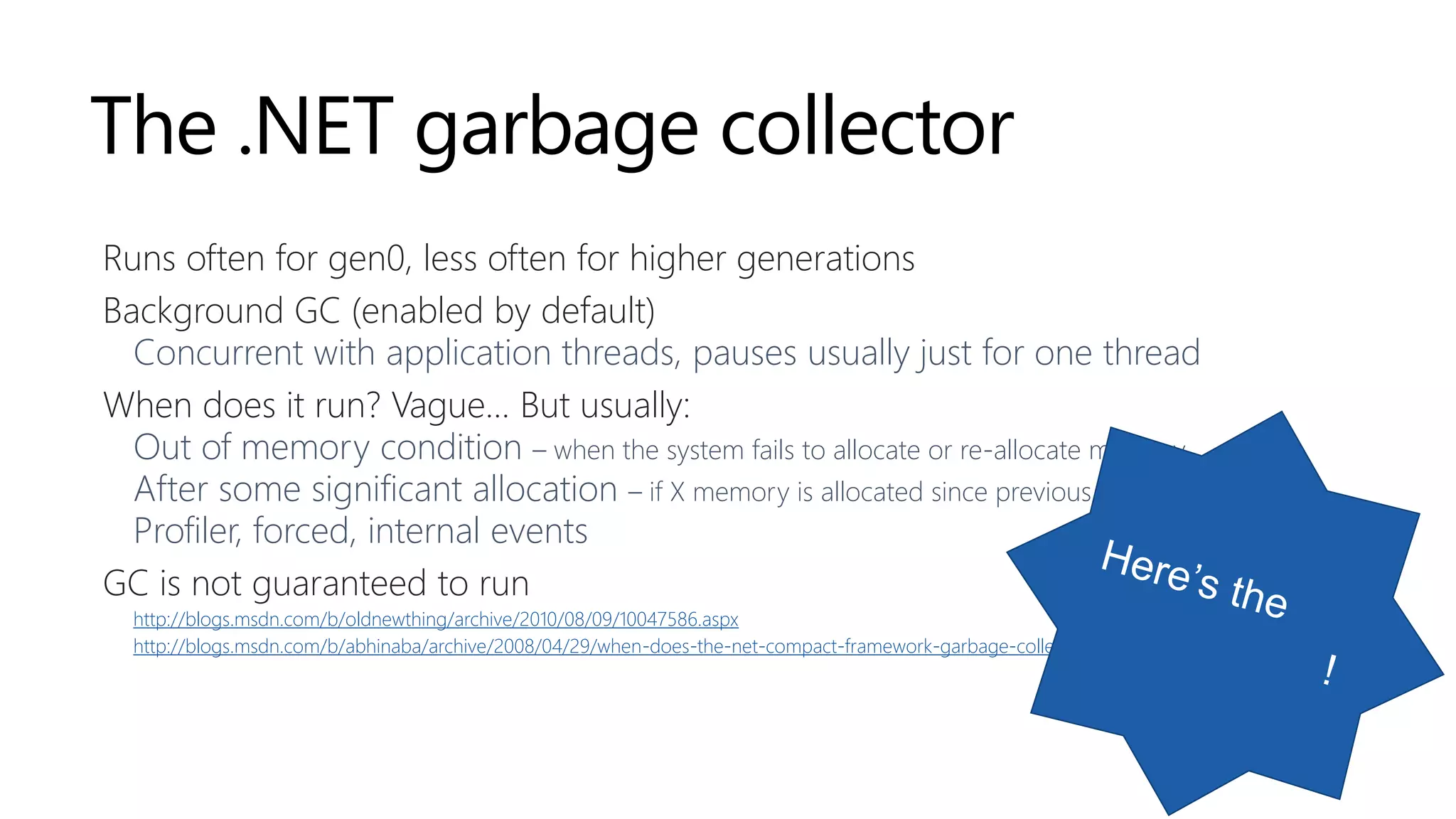
.NET memory management 101
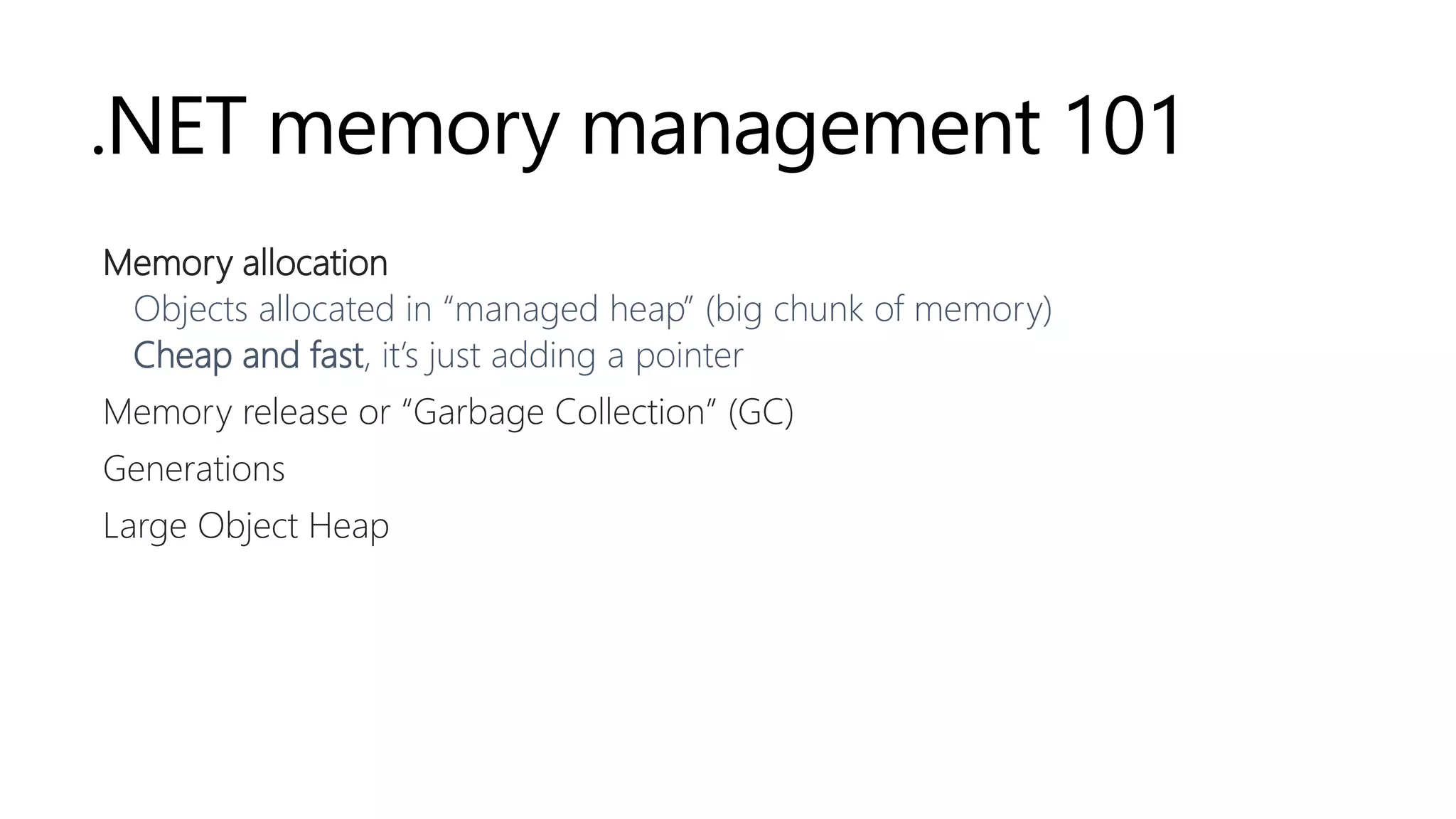
Memory allocation
Objects allocated in “managed heap” (big chunk of memory)
Cheap and fast, it’s just adding a pointer
Memory release or “Garbage Collection” (GC)
Generations
Large Object Heap
.NET memory management 101
Memory allocation
Memory release or “Garbage Collection” (GC)
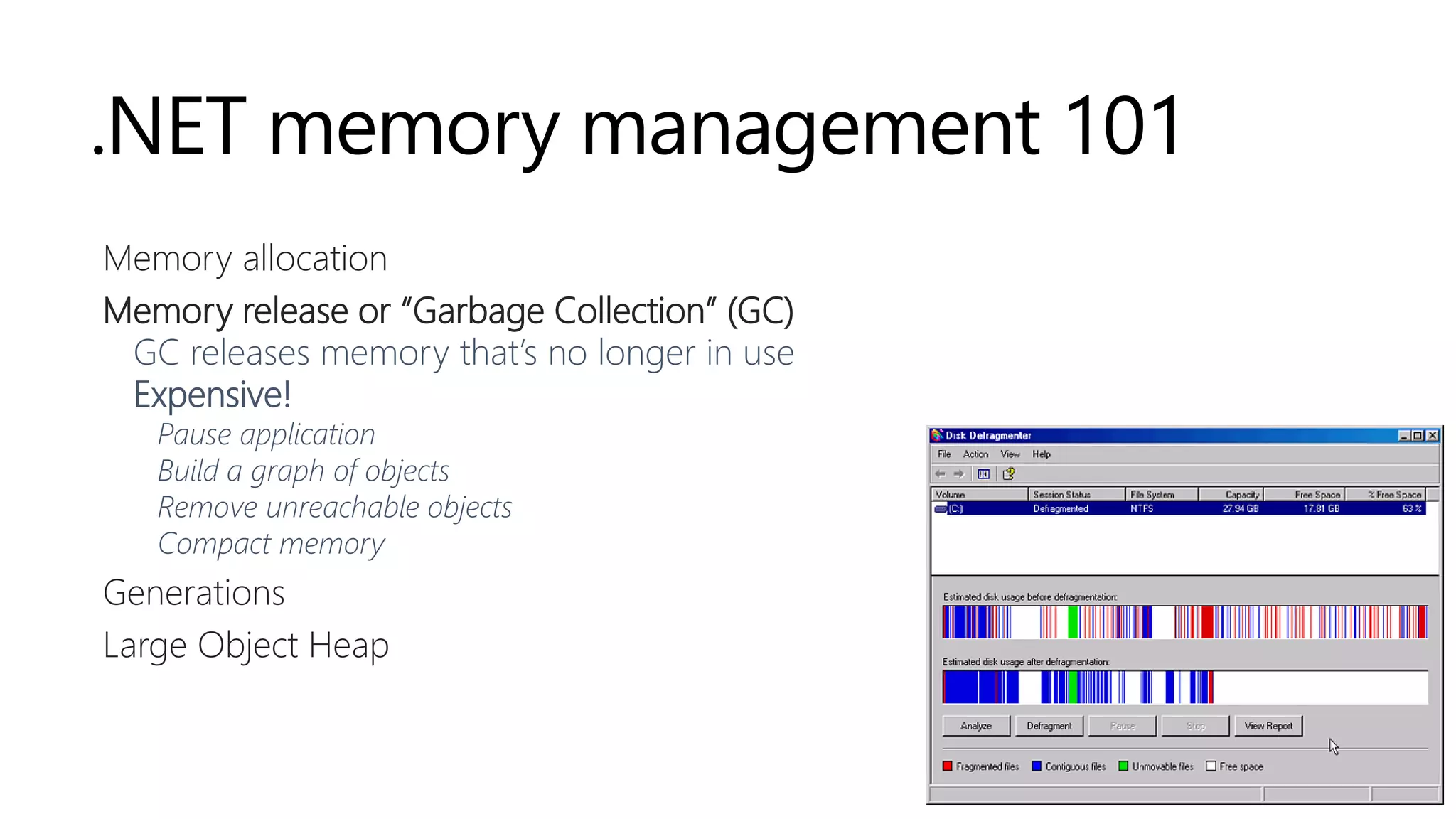
GC releases memory that’s no longer in use
Expensive!
Pause application
Build a graph of objects
Remove unreachable objects
Compact memory
Generations
Large Object Heap
.NET memory management 101
Memory allocation
Memory release or “Garbage Collection” (GC)
Generations
Large Object Heap
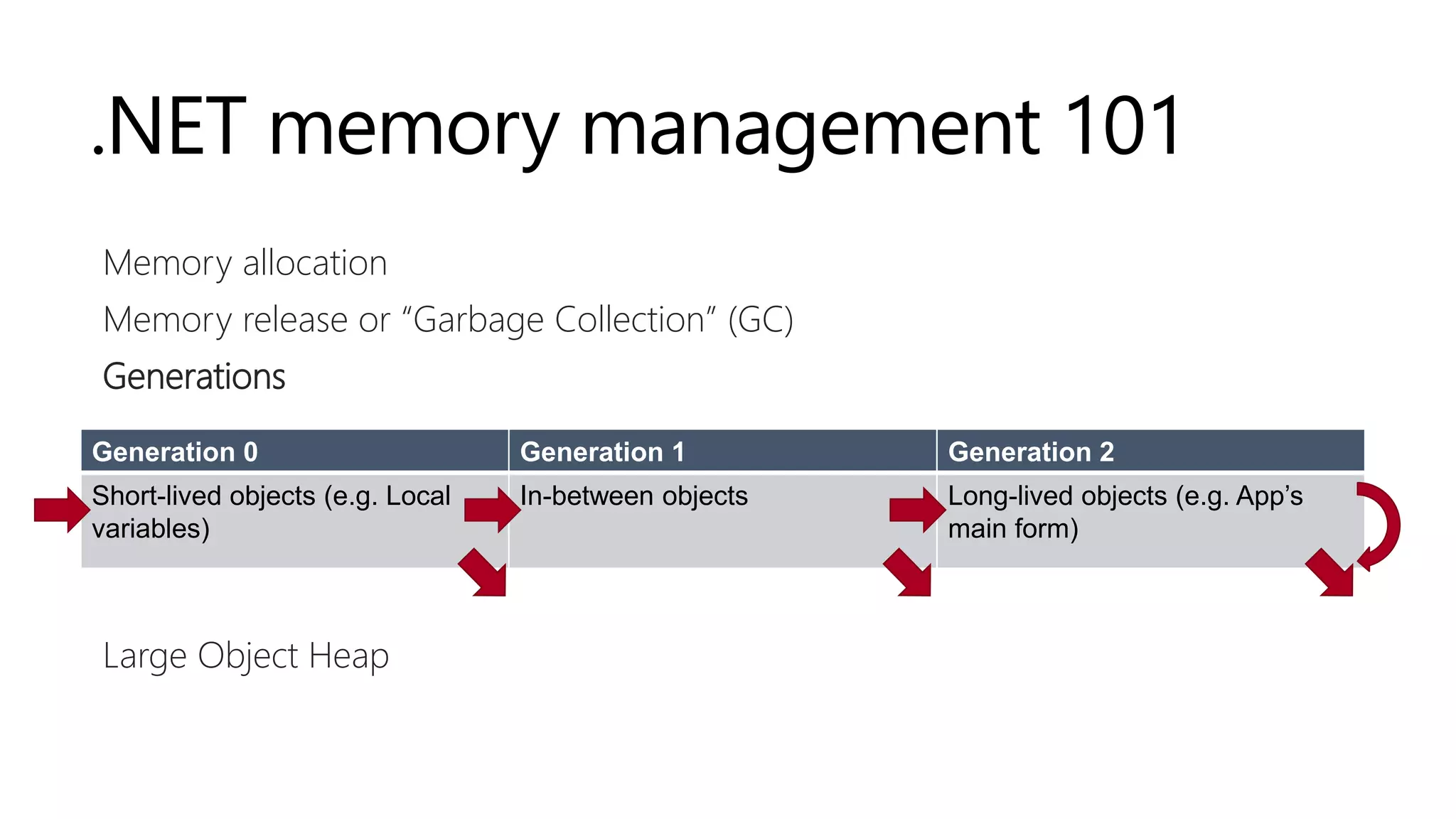
Generation 0 Generation 1 Generation 2
Short-lived objects (e.g. Local
variables)
In-between objects Long-lived objects (e.g. App’s
main form)
.NET memory management 101
Memory allocation
Memory release or “Garbage Collection” (GC)
Generations
Large Object Heap (LOH)
Large objects (>85KB)
Collected only during full garbage collection
Not compacted (by default)
Fragmentation can cause OutOfMemoryException
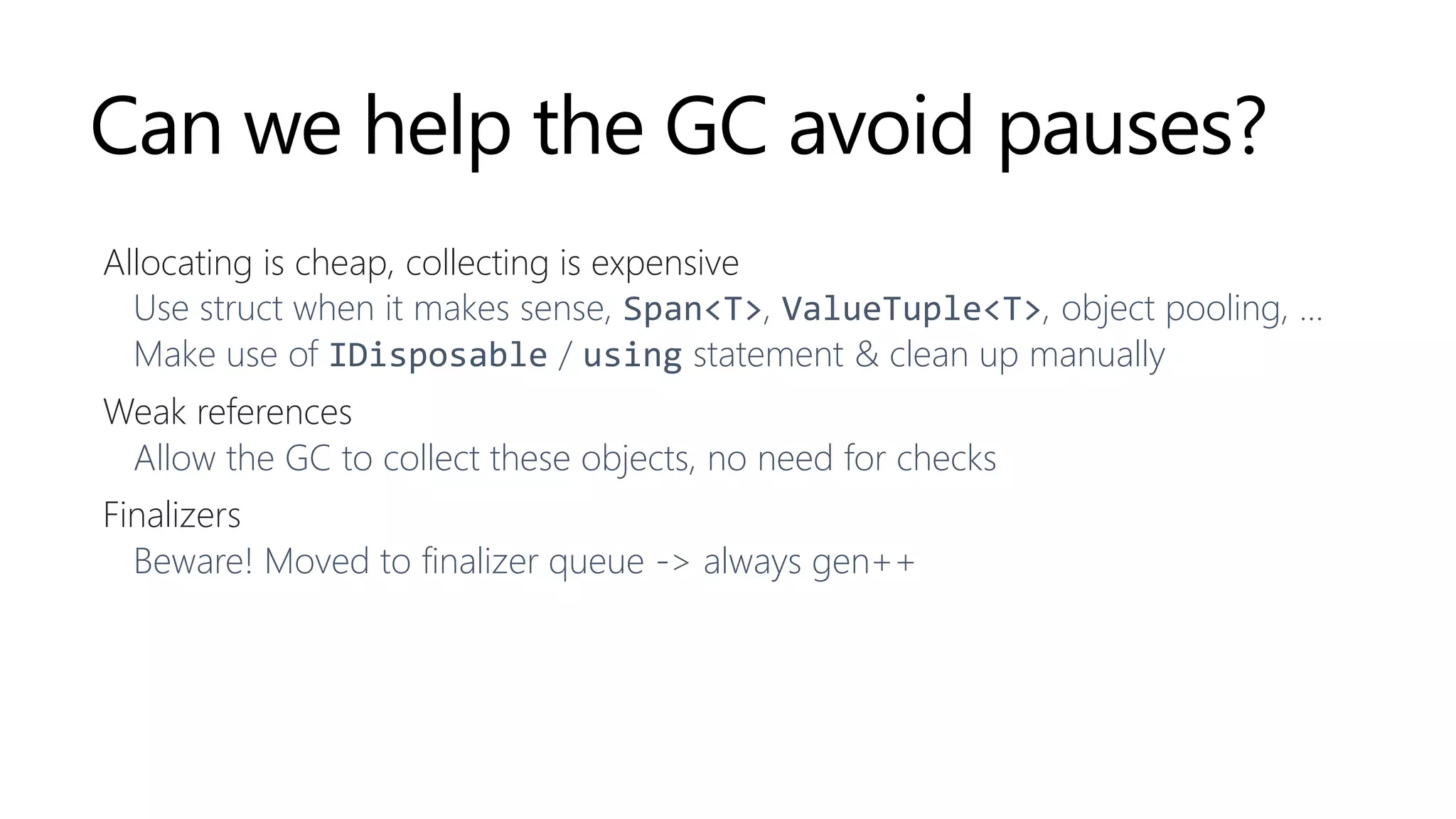
The .NET garbage collector
Runs often for gen0, less often for higher generations
Background GC (enabled by default)
Concurrent with application threads, pauses usually just for one thread
When does it run? Vague… But usually:
Out of memory condition – when the system fails to allocate or re-allocate memory
After some significant allocation – if X memory is allocated since previous GC
Profiler, forced, internal events
GC is not guaranteed to run
http://blogs.msdn.com/b/oldnewthing/archive/2010/08/09/10047586.aspx
http://blogs.msdn.com/b/abhinaba/archive/2008/04/29/when-does-the-net-compact-framework-garbage-collector-run.aspx
Throughput
More allocations, more garbage collections
Garbage collection means pauses happen
Pauses are bad
Less powerful devices (mobile)
Games (lag)
Server (“resource sharing” with others)
Trading
…
https://www.youtube.com/watch?v=BTHimgTauwQ – © Age of Ascent
Can we help the GC avoid pauses?
Allocating is cheap, collecting is expensive
Use struct when it makes sense, Span<T>, ValueTuple<T>, object pooling, …
Make use of IDisposable / using statement & clean up manually
Weak references
Allow the GC to collect these objects, no need for checks
Finalizers
Beware! Moved to finalizer queue -> always gen++
Helping the GC
DEMO
https://github.com/maartenba/memory-demos
Allocations
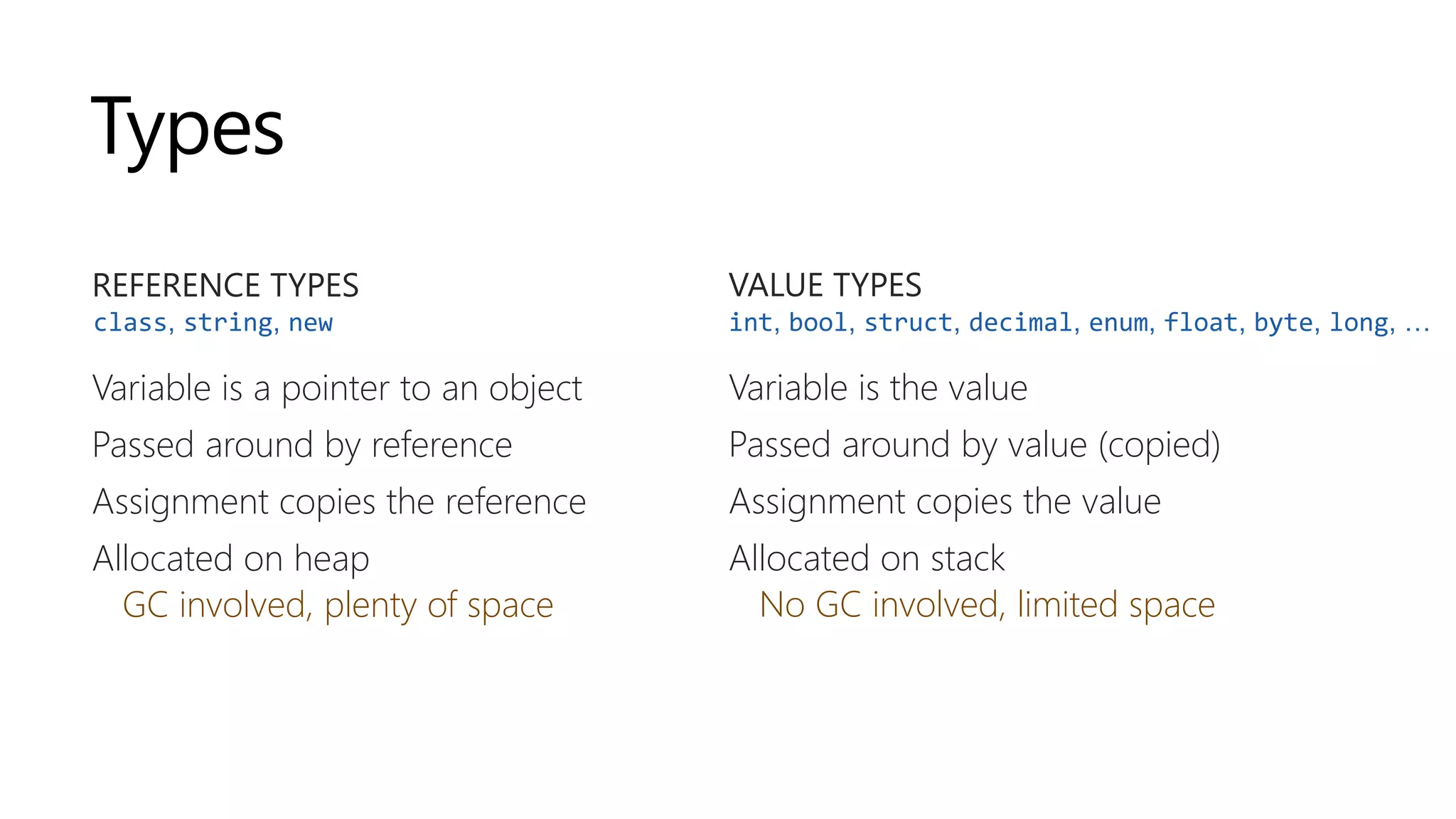
Types
REFERENCE TYPES
Variable is a pointer to an object
Passed around by reference
Assignment copies the reference
Allocated on heap
GC involved, plenty of space
VALUE TYPES
Variable is the value
Passed around by value (copied)
Assignment copies the value
Allocated on stack
No GC involved, limited space
int, bool, struct, decimal, enum, float, byte, long, …class, string, new
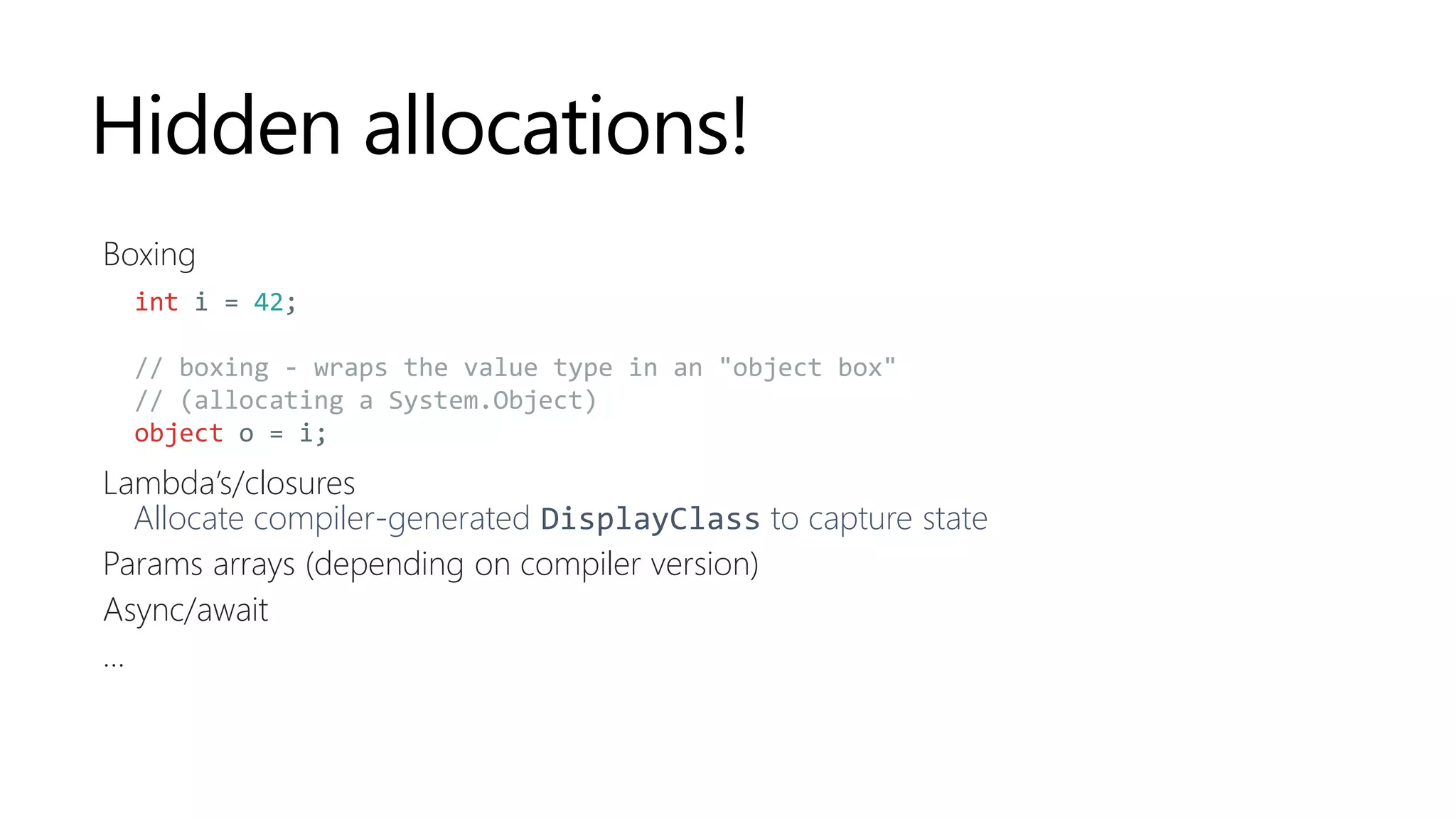
Hidden allocations!
Boxing
Lambda’s/closures
Allocate compiler-generated DisplayClass to capture state
Params arrays (depending on compiler version)
Async/await
...
int i = 42;
// boxing - wraps the value type in an "object box"
// (allocating a System.Object)
object o = i;
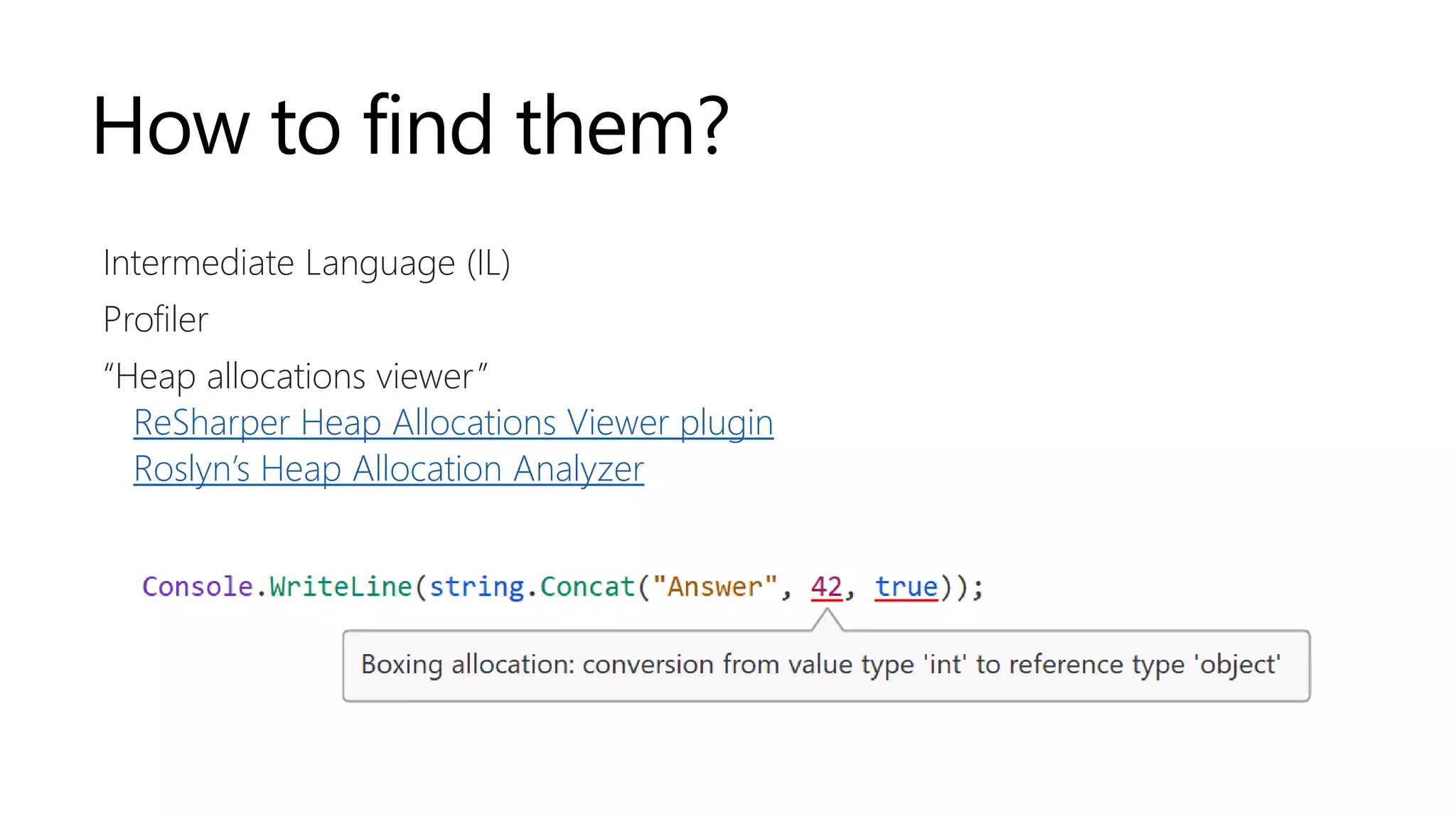
How to find them?
Intermediate Language (IL)
Profiler
“Heap allocations viewer”
ReSharper Heap Allocations Viewer plugin
Roslyn’s Heap Allocation Analyzer
Hidden allocations
DEMO
https://github.com/maartenba/memory-demos
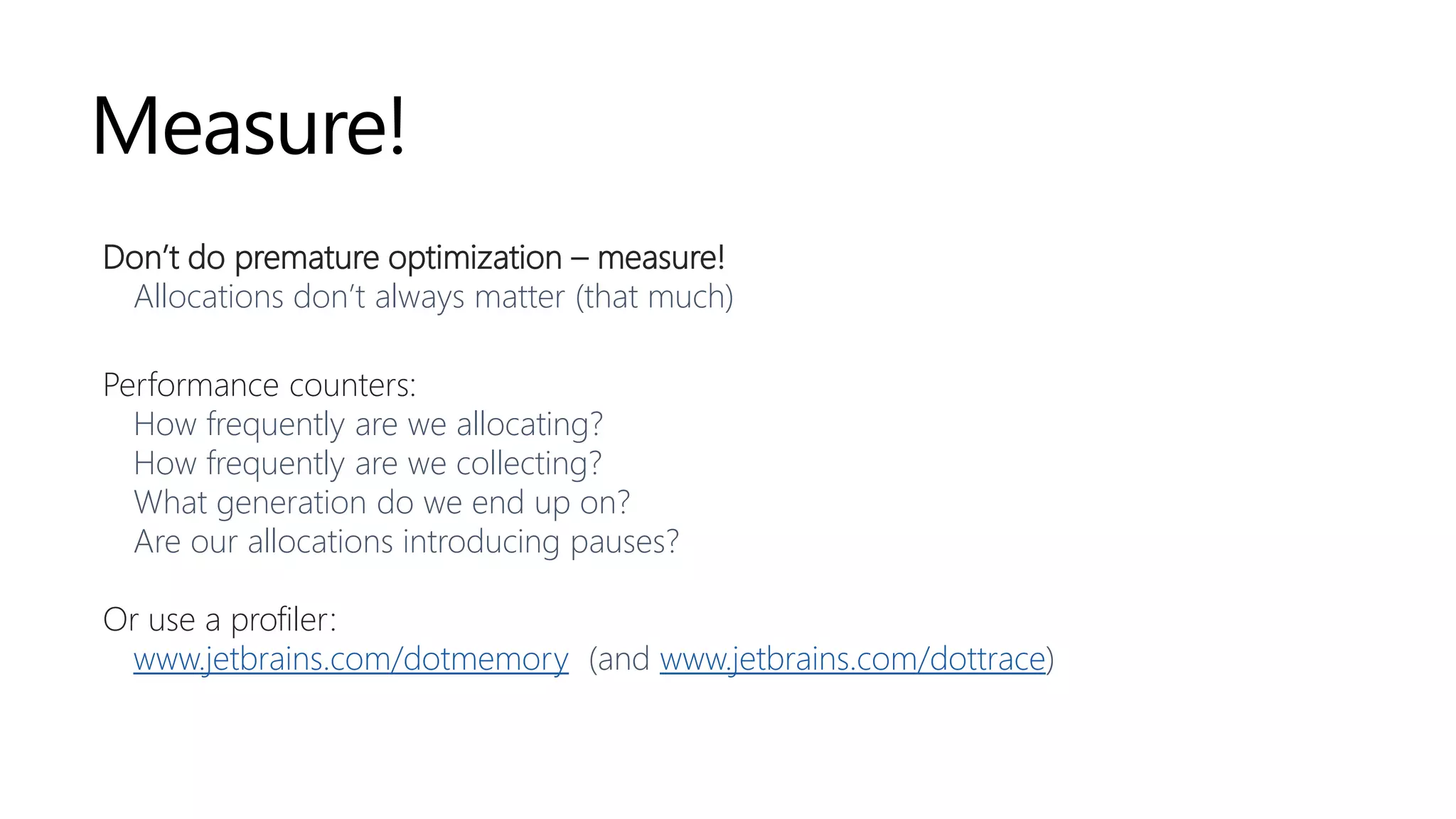
Measure!
Don’t do premature optimization – measure!
Allocations don’t always matter (that much)
Performance counters:
How frequently are we allocating?
How frequently are we collecting?
What generation do we end up on?
Are our allocations introducing pauses?
Or use a profiler:
www.jetbrains.com/dotmemory (and www.jetbrains.com/dottrace)
Always Be Measuring
DEMO
https://github.com/maartenba/memory-demos
[
{ ... },
{
"name": "Westmalle Tripel",
"brewery": "Brouwerij der Trappisten van Westmalle",
"votes": 17658,
"rating": 4.7
},
{ ... }
]
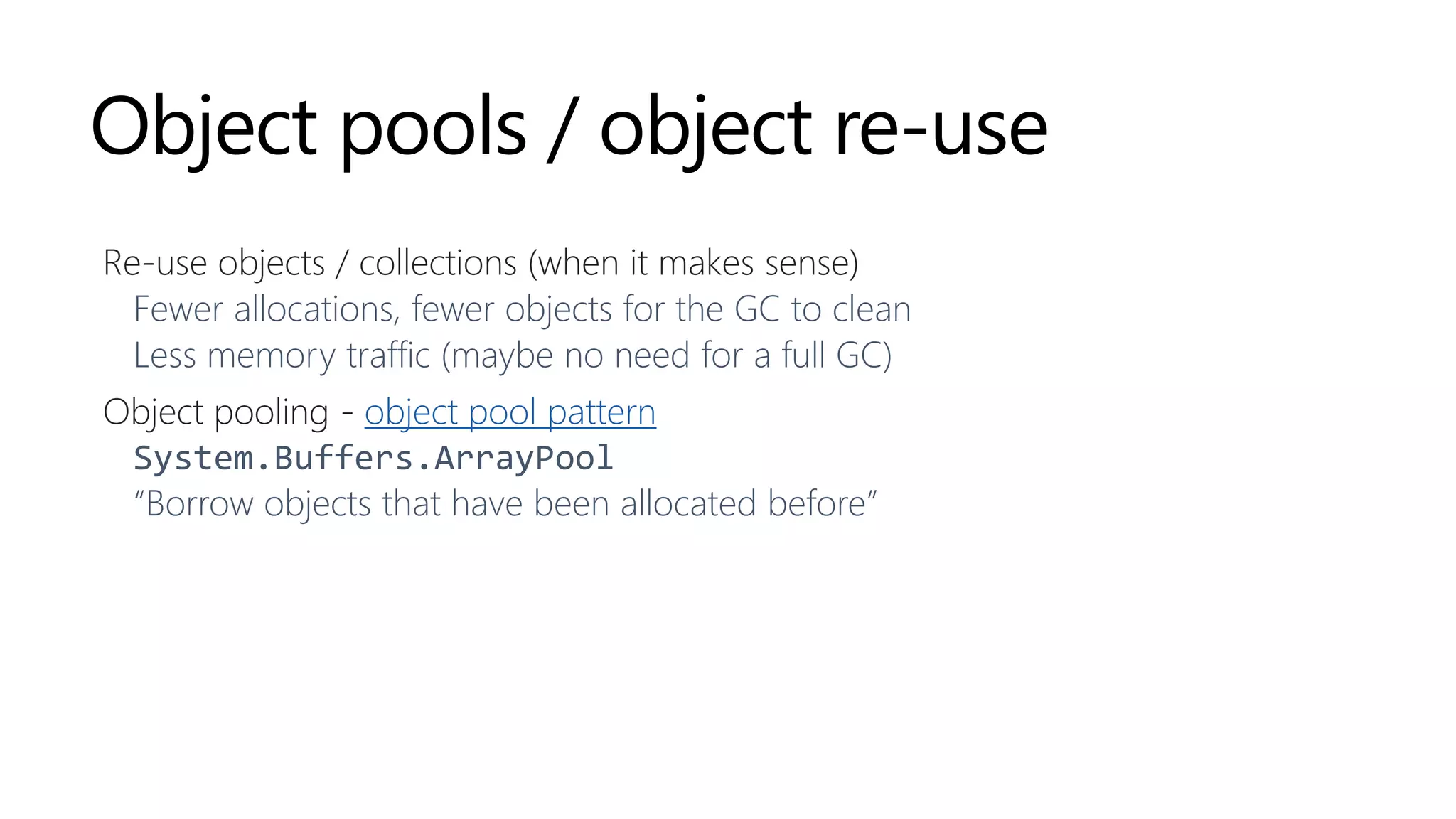
Object pools / object re-use
Re-use objects / collections (when it makes sense)
Fewer allocations, fewer objects for the GC to clean
Less memory traffic (maybe no need for a full GC)
Object pooling - object pool pattern
System.Buffers.ArrayPool
“Borrow objects that have been allocated before”
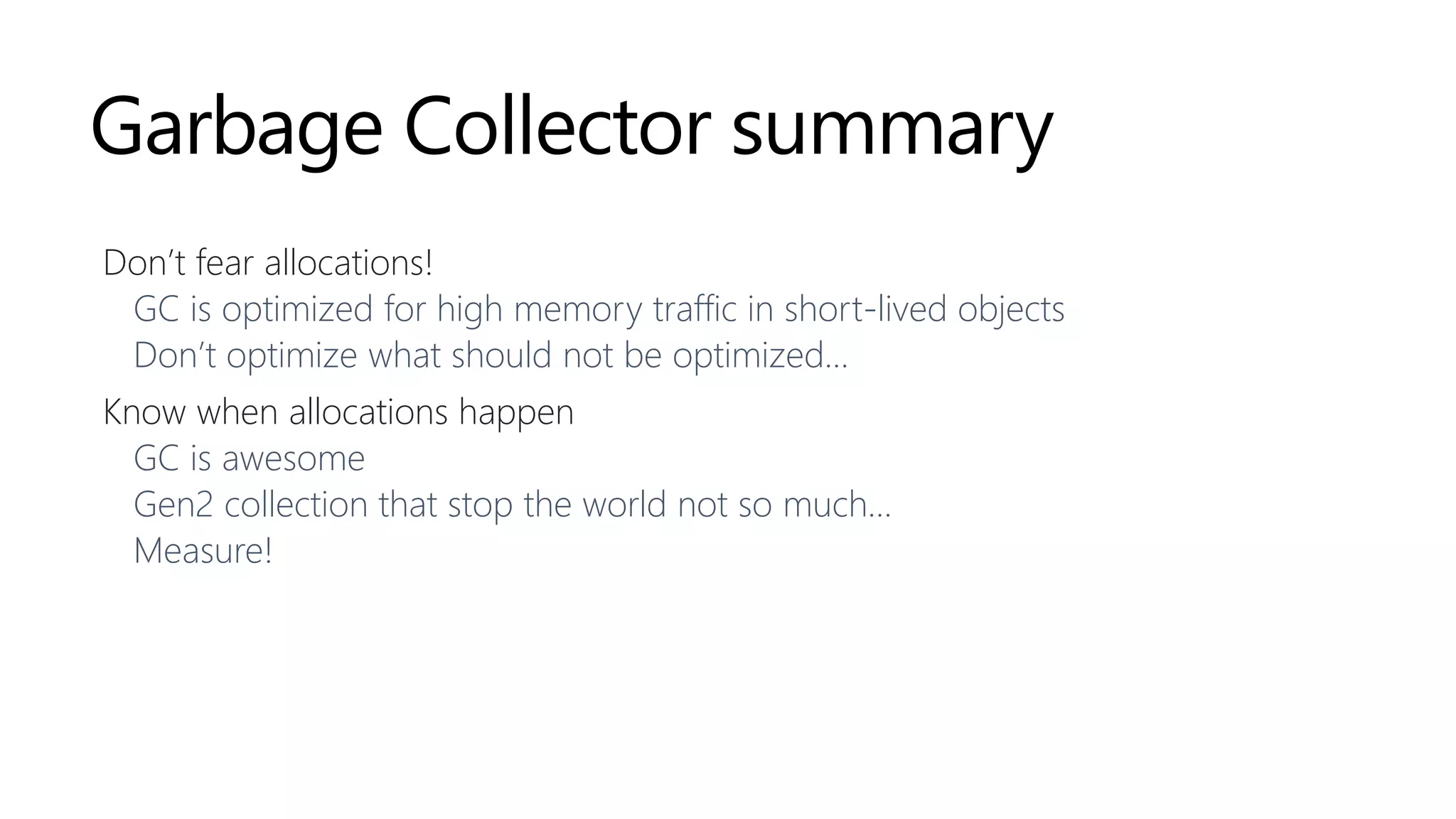
Garbage Collector summary
Don’t fear allocations!
GC is optimized for high memory traffic in short-lived objects
Don’t optimize what should not be optimized…
Know when allocations happen
GC is awesome
Gen2 collection that stop the world not so much…
Measure!
Strings
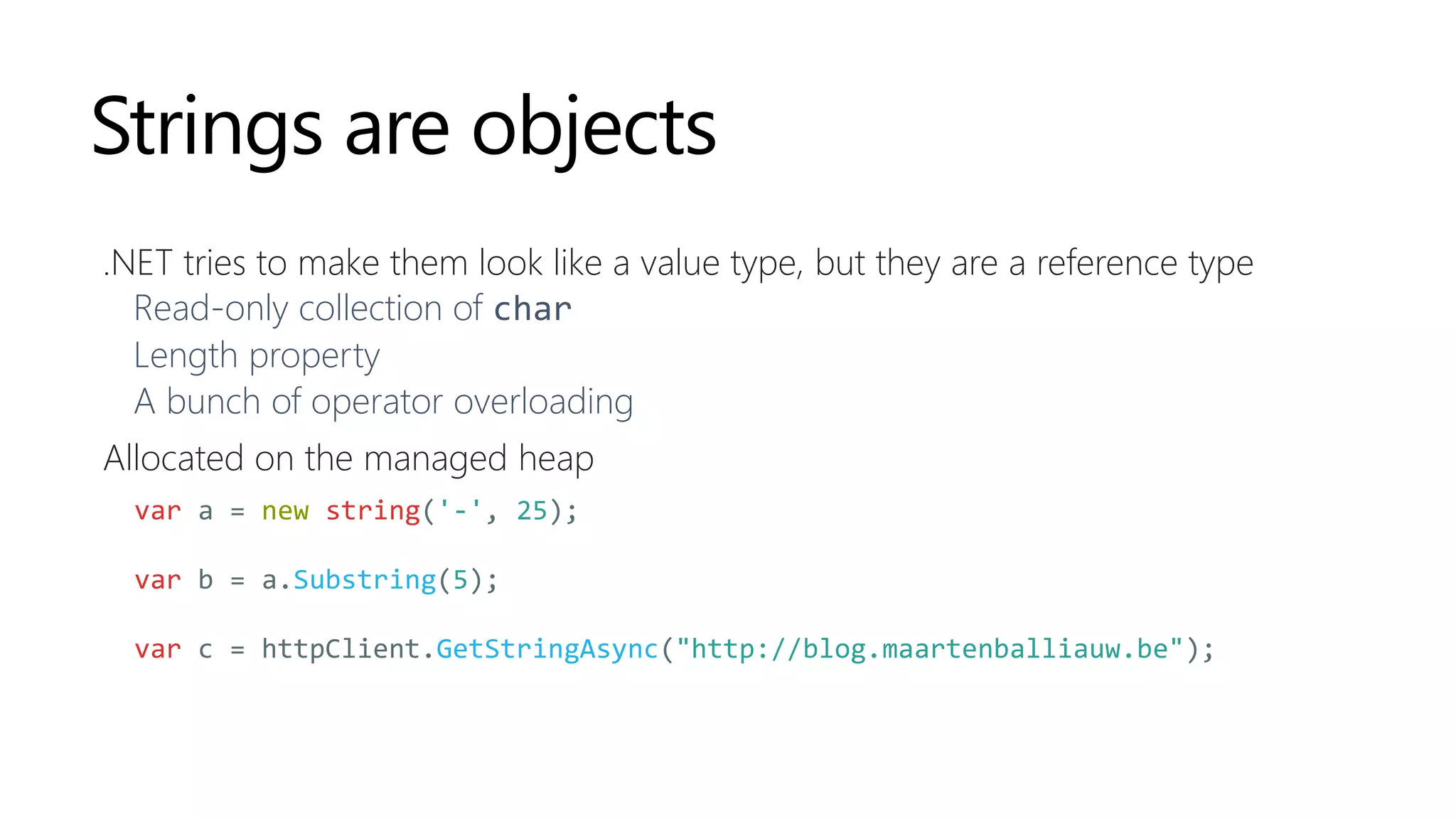
Strings are objects
.NET tries to make them look like a value type, but they are a reference type
Read-only collection of char
Length property
A bunch of operator overloading
Allocated on the managed heap
var a = new string('-', 25);
var b = a.Substring(5);
var c = httpClient.GetStringAsync("http://blog.maartenballiauw.be");
String literals
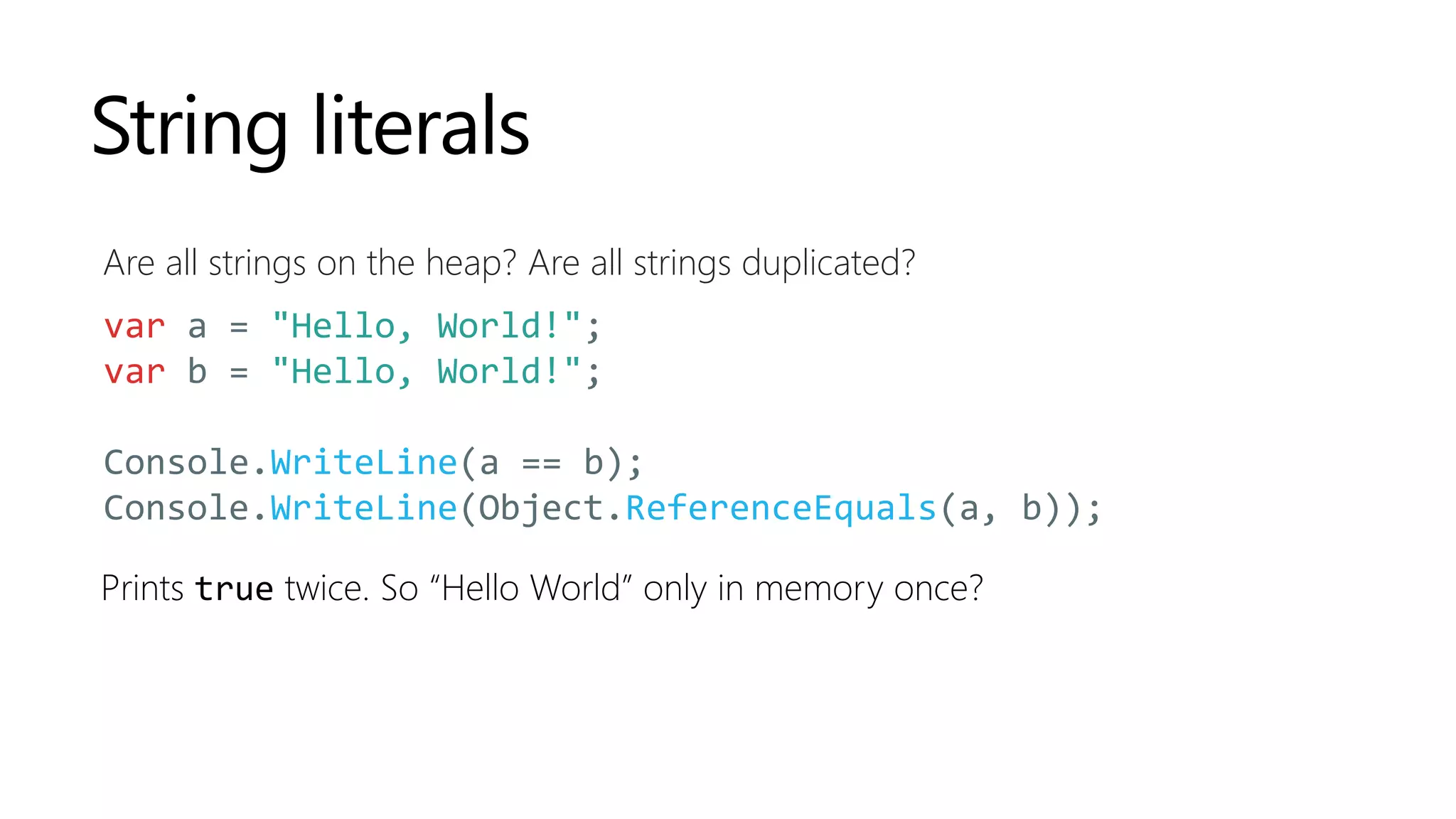
Are all strings on the heap? Are all strings duplicated?
var a = "Hello, World!";
var b = "Hello, World!";
Console.WriteLine(a == b);
Console.WriteLine(Object.ReferenceEquals(a, b));
Prints true twice. So “Hello World” only in memory once?
Portable Executable (PE)
#UserStrings
DEMO
https://github.com/maartenba/memory-demos
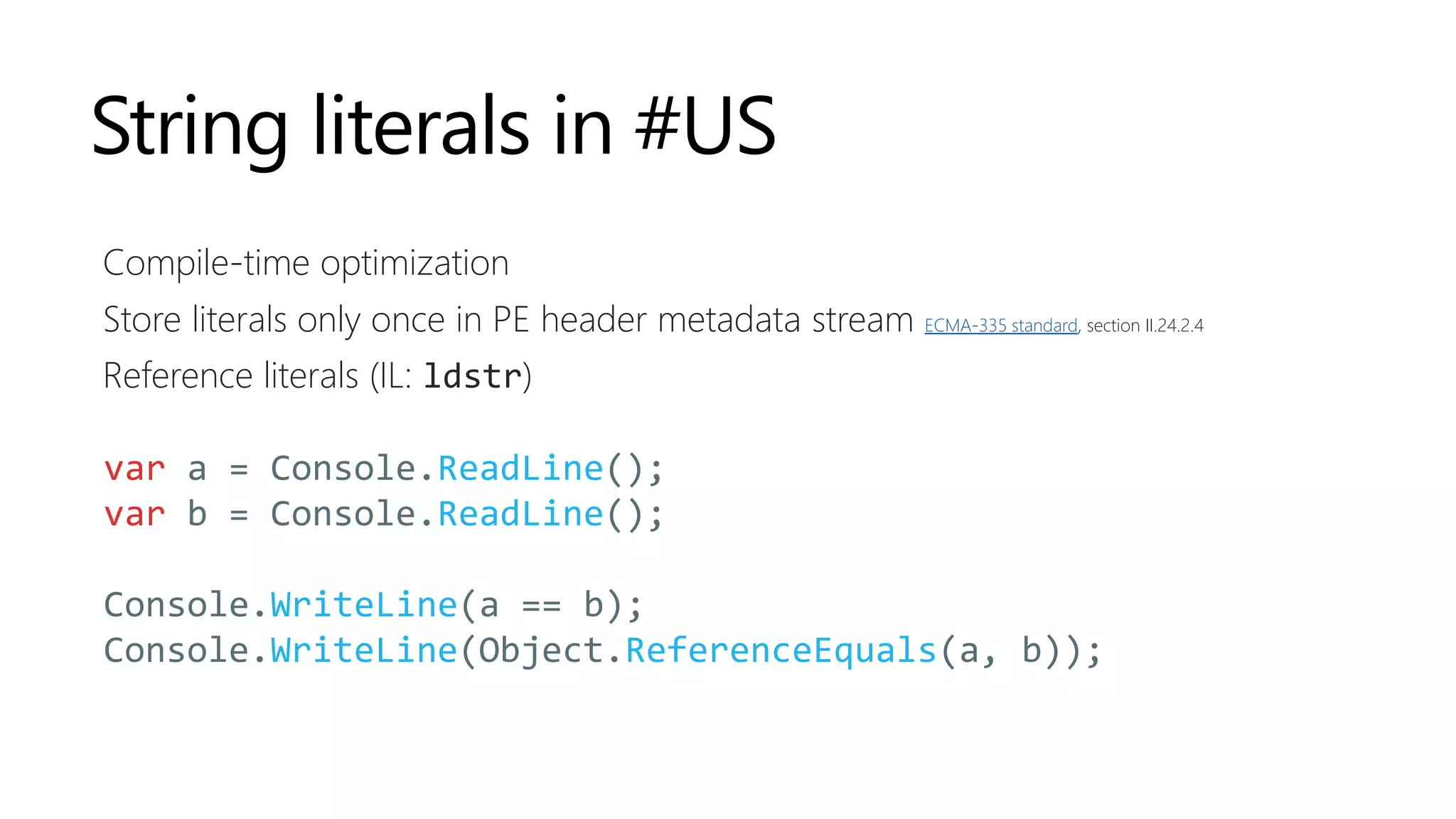
String literals in #US
Compile-time optimization
Store literals only once in PE header metadata stream ECMA-335 standard, section II.24.2.4
Reference literals (IL: ldstr)
var a = Console.ReadLine();
var b = Console.ReadLine();
Console.WriteLine(a == b);
Console.WriteLine(Object.ReferenceEquals(a, b));
String duplicates
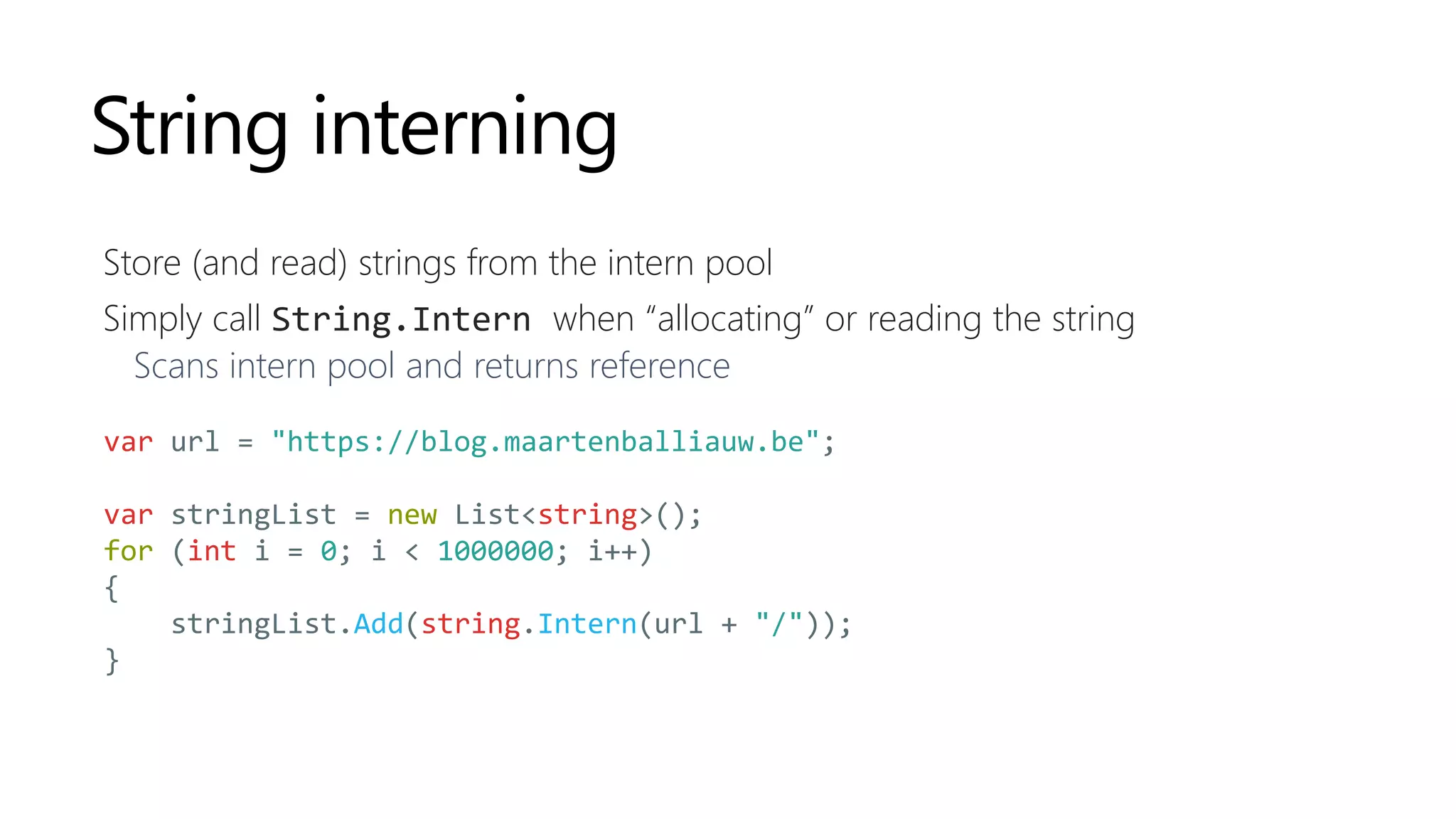
Any .NET application has them (System.Globalization duplicates quite a few)
Are they bad?
.NET GC is fast for short-lived objects, so meh.
Don’t waste memory with string duplicates on gen2
(but: it’s okay to have strings there)
String interning
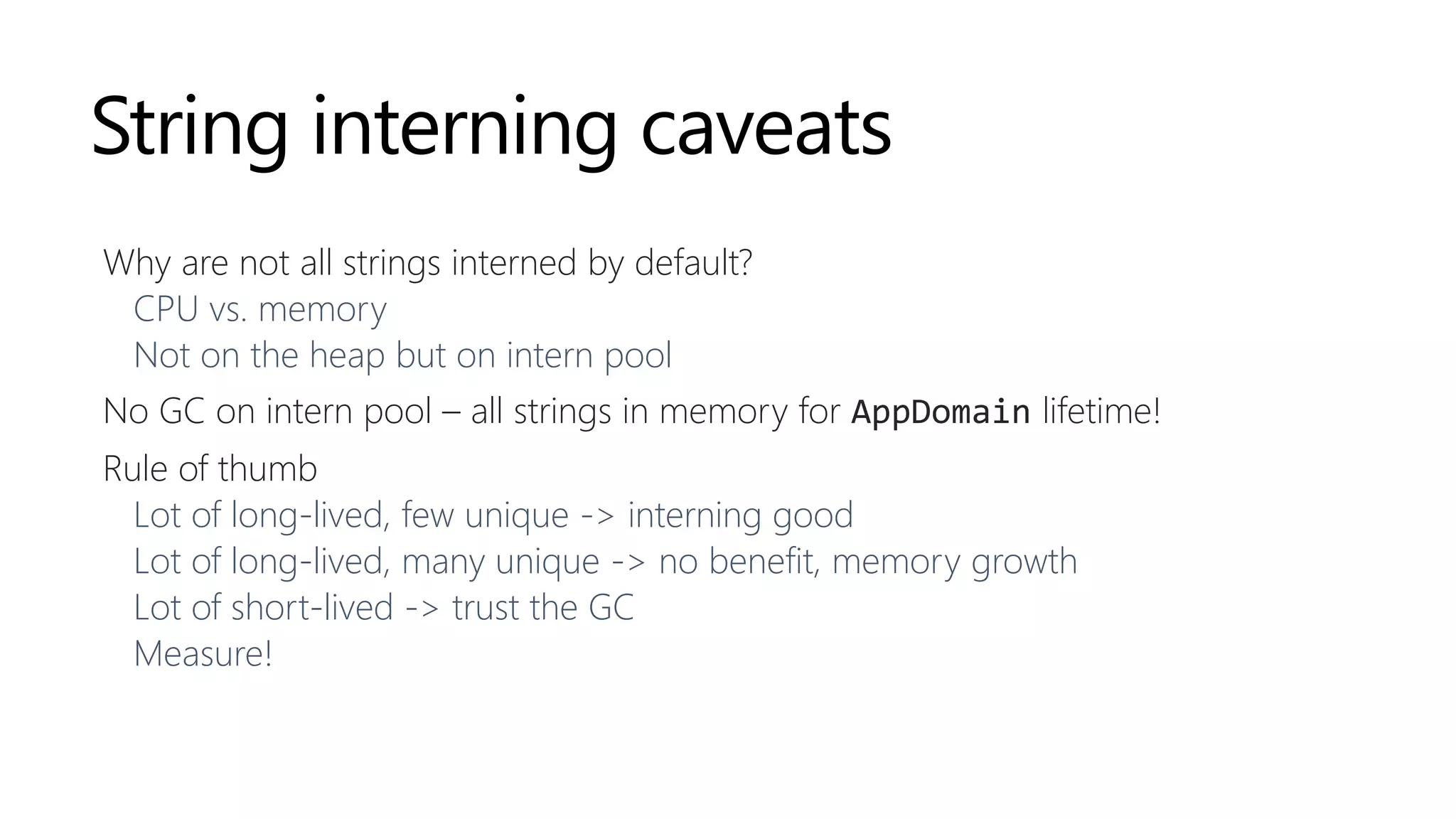
Store (and read) strings from the intern pool
Simply call String.Intern when “allocating” or reading the string
Scans intern pool and returns reference
var url = "https://blog.maartenballiauw.be";
var stringList = new List<string>();
for (int i = 0; i < 1000000; i++)
{
stringList.Add(string.Intern(url + "/"));
}
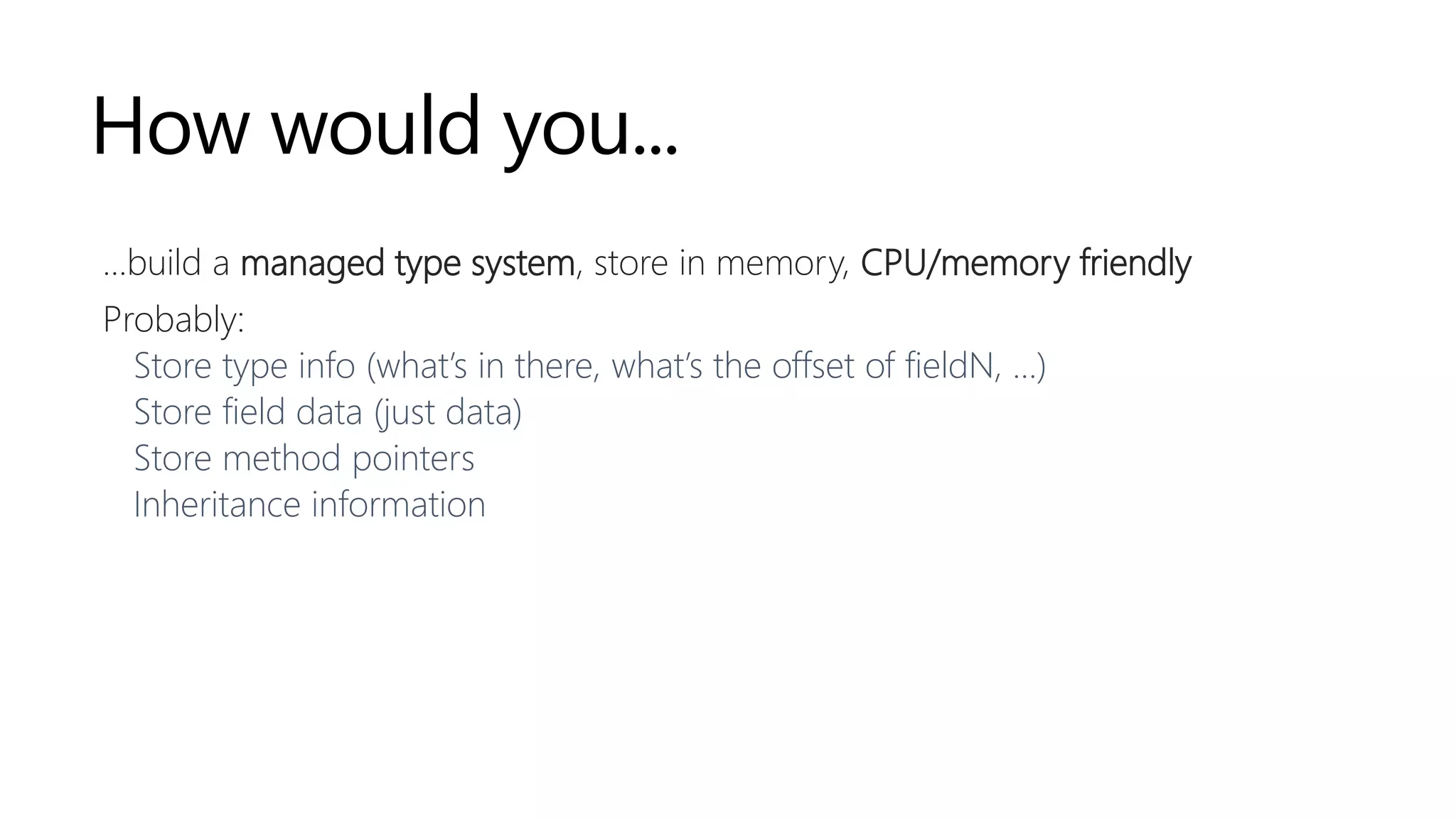
String interning caveats
Why are not all strings interned by default?
CPU vs. memory
Not on the heap but on intern pool
No GC on intern pool – all strings in memory for AppDomain lifetime!
Rule of thumb
Lot of long-lived, few unique -> interning good
Lot of long-lived, many unique -> no benefit, memory growth
Lot of short-lived -> trust the GC
Measure!
Exploring the heap
for fun and profit
How would you...
…build a managed type system, store in memory, CPU/memory friendly
Probably:
Store type info (what’s in there, what’s the offset of fieldN, …)
Store field data (just data)
Store method pointers
Inheritance information
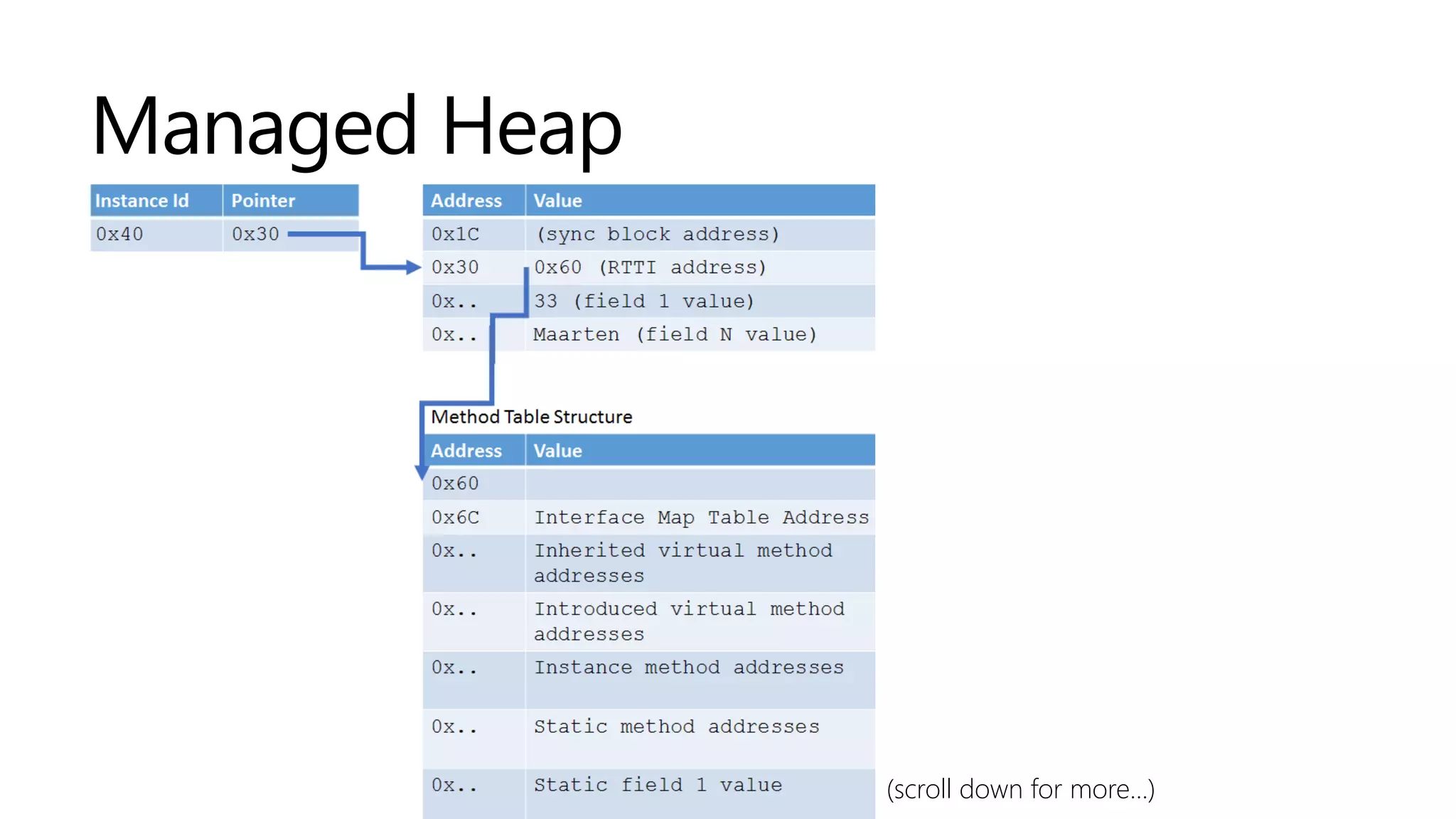
Managed Heap
(scroll down for more...)
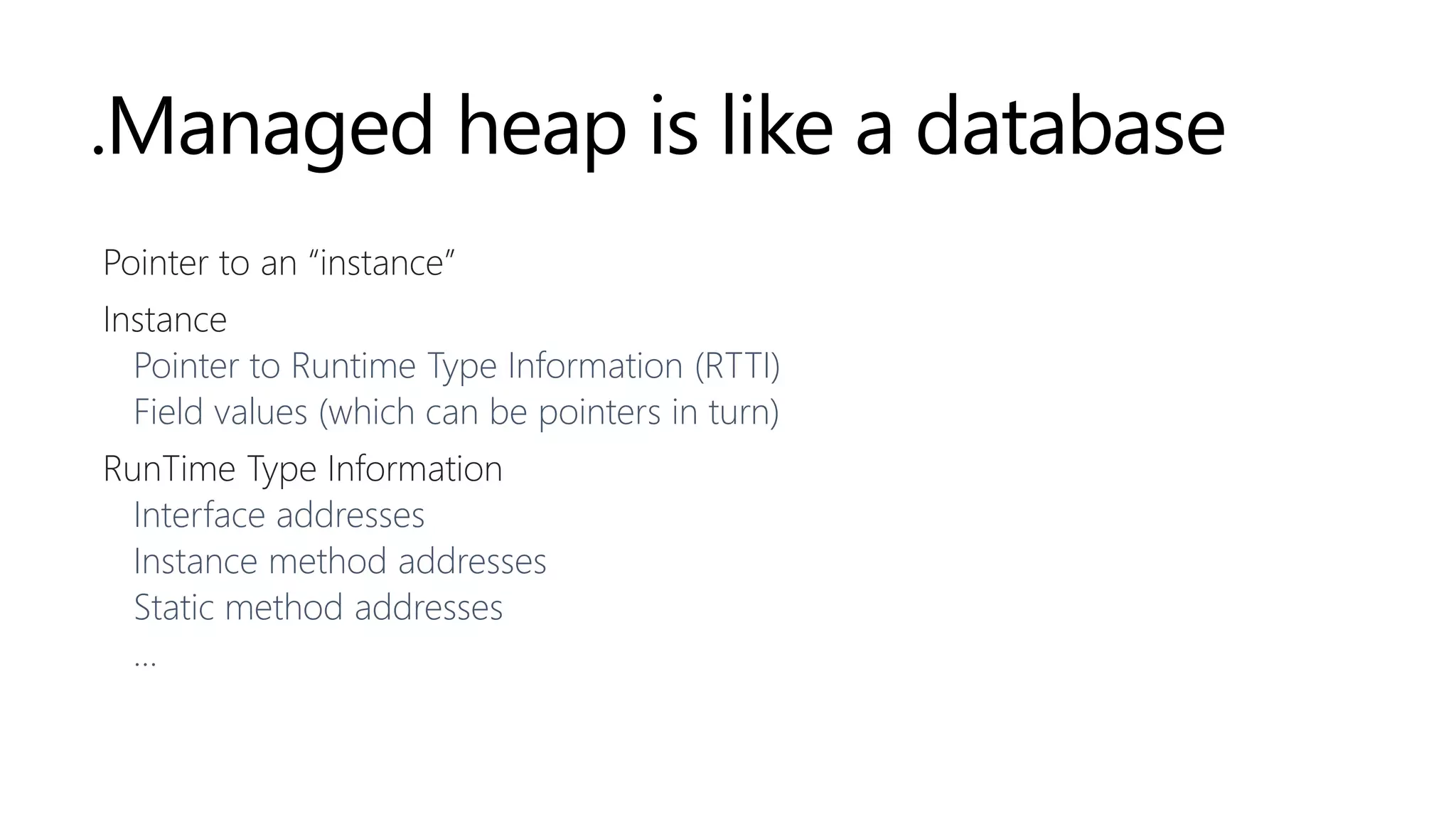
.Managed heap is like a database
Pointer to an “instance”
Instance
Pointer to Runtime Type Information (RTTI)
Field values (which can be pointers in turn)
RunTime Type Information
Interface addresses
Instance method addresses
Static method addresses
…
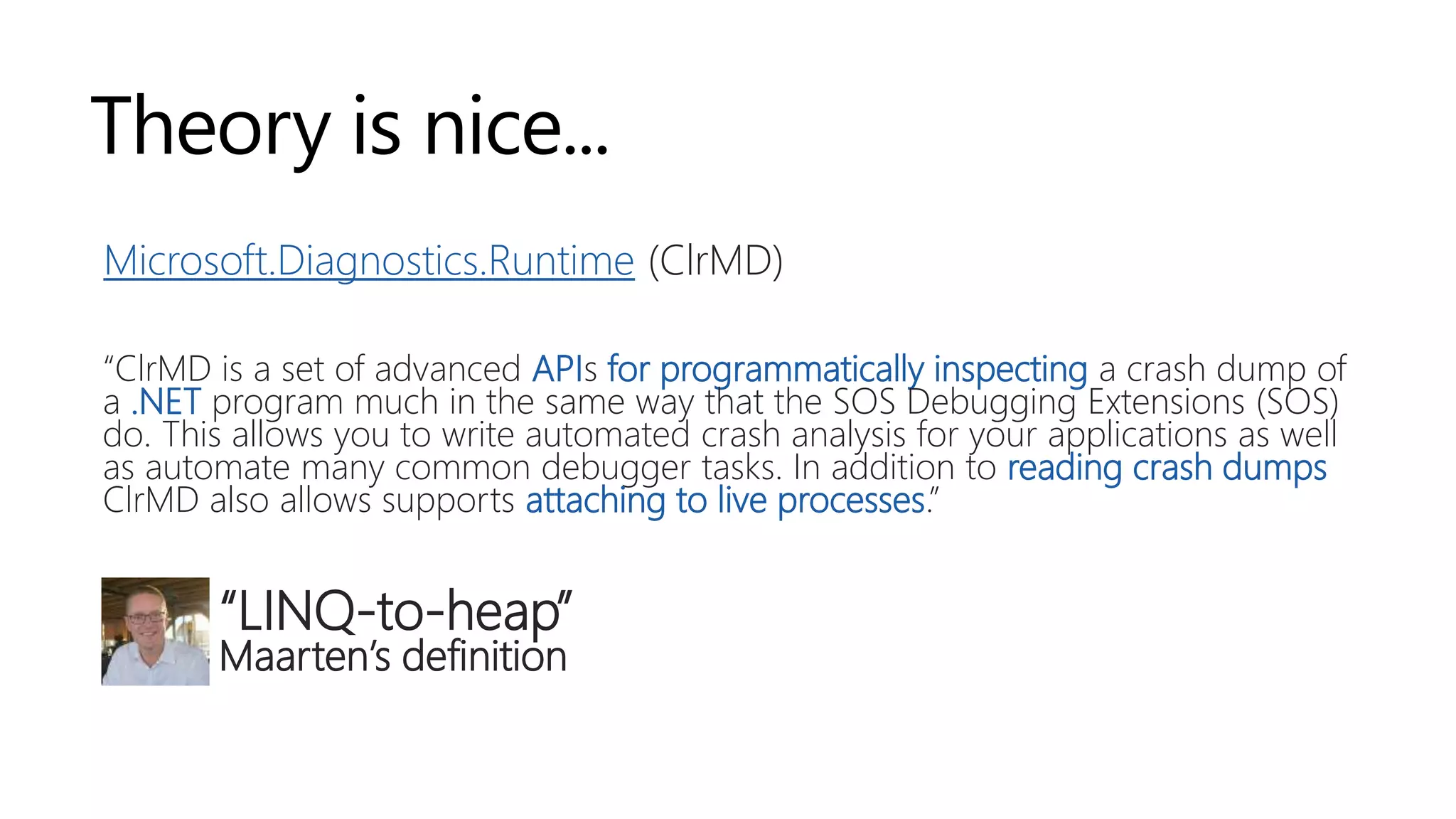
Theory is nice...
Microsoft.Diagnostics.Runtime (ClrMD)
“ClrMD is a set of advanced APIs for programmatically inspecting a crash dump of
a .NET program much in the same way that the SOS Debugging Extensions (SOS)
do. This allows you to write automated crash analysis for your applications as well
as automate many common debugger tasks. In addition to reading crash dumps
ClrMD also allows supports attaching to live processes.”
“LINQ-to-heap”
Maarten’s definition
ClrMD
DEMO
https://github.com/maartenba/memory-demos
But... Why?
Programmatic insight into memory space of a running project
Unit test critical paths and assert behavior (did we clean up what we expected?)
Capture memory issues in running applications
Other (easier) options in this space
dotMemory Unit (JetBrains)
Benchmark.NET
dotMemory Unit
DEMO
https://github.com/maartenba/memory-demos
Conclusion
Conclusion
Garbage Collector (GC) optimized for high memory traffic + short-lived objects
Don’t fear allocations! But beware of gen2 “stop the world”
Don’t optimize what should not be optimized…
Measure!
Using a profiler/memory analysis tool
ClrMD to automate inspections
dotMemory Unit, Benchmark.NET, … to profile unit tests
Blog series: https://blog.maartenballiauw.be
Thank you!
Maarten Balliauw
@maartenballiauw
—

JetBrains Australia 2019 - Exploring .NET’s memory management – a trip down memory lane

  • 1.
    Exploring .NET memory management Atrip down memory lane Maarten Balliauw @maartenballiauw —
  • 2.
  • 3.
    The goal ofmanaged memory “Virtually unlimited memory for our applications” .NET CLR manages a big chunk of pre-allocated memory Allocations in that chunk Garbage Collector (GC) reclaims unused memory
  • 4.
    .NET memory management101 Memory allocation Objects allocated in “managed heap” (big chunk of memory) Cheap and fast, it’s just adding a pointer Memory release or “Garbage Collection” (GC) Generations Large Object Heap
  • 5.
    .NET memory management101 Memory allocation Memory release or “Garbage Collection” (GC) GC releases memory that’s no longer in use Expensive! Pause application Build a graph of objects Remove unreachable objects Compact memory Generations Large Object Heap
  • 6.
    .NET memory management101 Memory allocation Memory release or “Garbage Collection” (GC) Generations Large Object Heap Generation 0 Generation 1 Generation 2 Short-lived objects (e.g. Local variables) In-between objects Long-lived objects (e.g. App’s main form)
  • 7.
    .NET memory management101 Memory allocation Memory release or “Garbage Collection” (GC) Generations Large Object Heap (LOH) Large objects (>85KB) Collected only during full garbage collection Not compacted (by default) Fragmentation can cause OutOfMemoryException
  • 8.
    The .NET garbagecollector Runs often for gen0, less often for higher generations Background GC (enabled by default) Concurrent with application threads, pauses usually just for one thread When does it run? Vague… But usually: Out of memory condition – when the system fails to allocate or re-allocate memory After some significant allocation – if X memory is allocated since previous GC Profiler, forced, internal events GC is not guaranteed to run http://blogs.msdn.com/b/oldnewthing/archive/2010/08/09/10047586.aspx http://blogs.msdn.com/b/abhinaba/archive/2008/04/29/when-does-the-net-compact-framework-garbage-collector-run.aspx
  • 9.
    Throughput More allocations, moregarbage collections Garbage collection means pauses happen Pauses are bad Less powerful devices (mobile) Games (lag) Server (“resource sharing” with others) Trading …
  • 10.
  • 11.
    Can we helpthe GC avoid pauses? Allocating is cheap, collecting is expensive Use struct when it makes sense, Span<T>, ValueTuple<T>, object pooling, … Make use of IDisposable / using statement & clean up manually Weak references Allow the GC to collect these objects, no need for checks Finalizers Beware! Moved to finalizer queue -> always gen++
  • 12.
  • 13.
  • 14.
    Types REFERENCE TYPES Variable isa pointer to an object Passed around by reference Assignment copies the reference Allocated on heap GC involved, plenty of space VALUE TYPES Variable is the value Passed around by value (copied) Assignment copies the value Allocated on stack No GC involved, limited space int, bool, struct, decimal, enum, float, byte, long, …class, string, new
  • 15.
    Hidden allocations! Boxing Lambda’s/closures Allocate compiler-generatedDisplayClass to capture state Params arrays (depending on compiler version) Async/await ... int i = 42; // boxing - wraps the value type in an "object box" // (allocating a System.Object) object o = i;
  • 16.
    How to findthem? Intermediate Language (IL) Profiler “Heap allocations viewer” ReSharper Heap Allocations Viewer plugin Roslyn’s Heap Allocation Analyzer
  • 17.
  • 18.
    Measure! Don’t do prematureoptimization – measure! Allocations don’t always matter (that much) Performance counters: How frequently are we allocating? How frequently are we collecting? What generation do we end up on? Are our allocations introducing pauses? Or use a profiler: www.jetbrains.com/dotmemory (and www.jetbrains.com/dottrace)
  • 19.
  • 21.
    [ { ... }, { "name":"Westmalle Tripel", "brewery": "Brouwerij der Trappisten van Westmalle", "votes": 17658, "rating": 4.7 }, { ... } ]
  • 22.
    Object pools /object re-use Re-use objects / collections (when it makes sense) Fewer allocations, fewer objects for the GC to clean Less memory traffic (maybe no need for a full GC) Object pooling - object pool pattern System.Buffers.ArrayPool “Borrow objects that have been allocated before”
  • 23.
    Garbage Collector summary Don’tfear allocations! GC is optimized for high memory traffic in short-lived objects Don’t optimize what should not be optimized… Know when allocations happen GC is awesome Gen2 collection that stop the world not so much… Measure!
  • 24.
  • 25.
    Strings are objects .NETtries to make them look like a value type, but they are a reference type Read-only collection of char Length property A bunch of operator overloading Allocated on the managed heap var a = new string('-', 25); var b = a.Substring(5); var c = httpClient.GetStringAsync("http://blog.maartenballiauw.be");
  • 26.
    String literals Are allstrings on the heap? Are all strings duplicated? var a = "Hello, World!"; var b = "Hello, World!"; Console.WriteLine(a == b); Console.WriteLine(Object.ReferenceEquals(a, b)); Prints true twice. So “Hello World” only in memory once?
  • 27.
  • 28.
    String literals in#US Compile-time optimization Store literals only once in PE header metadata stream ECMA-335 standard, section II.24.2.4 Reference literals (IL: ldstr) var a = Console.ReadLine(); var b = Console.ReadLine(); Console.WriteLine(a == b); Console.WriteLine(Object.ReferenceEquals(a, b));
  • 29.
    String duplicates Any .NETapplication has them (System.Globalization duplicates quite a few) Are they bad? .NET GC is fast for short-lived objects, so meh. Don’t waste memory with string duplicates on gen2 (but: it’s okay to have strings there)
  • 30.
    String interning Store (andread) strings from the intern pool Simply call String.Intern when “allocating” or reading the string Scans intern pool and returns reference var url = "https://blog.maartenballiauw.be"; var stringList = new List<string>(); for (int i = 0; i < 1000000; i++) { stringList.Add(string.Intern(url + "/")); }
  • 31.
    String interning caveats Whyare not all strings interned by default? CPU vs. memory Not on the heap but on intern pool No GC on intern pool – all strings in memory for AppDomain lifetime! Rule of thumb Lot of long-lived, few unique -> interning good Lot of long-lived, many unique -> no benefit, memory growth Lot of short-lived -> trust the GC Measure!
  • 32.
    Exploring the heap forfun and profit
  • 33.
    How would you... …builda managed type system, store in memory, CPU/memory friendly Probably: Store type info (what’s in there, what’s the offset of fieldN, …) Store field data (just data) Store method pointers Inheritance information
  • 34.
  • 35.
    .Managed heap islike a database Pointer to an “instance” Instance Pointer to Runtime Type Information (RTTI) Field values (which can be pointers in turn) RunTime Type Information Interface addresses Instance method addresses Static method addresses …
  • 36.
    Theory is nice... Microsoft.Diagnostics.Runtime(ClrMD) “ClrMD is a set of advanced APIs for programmatically inspecting a crash dump of a .NET program much in the same way that the SOS Debugging Extensions (SOS) do. This allows you to write automated crash analysis for your applications as well as automate many common debugger tasks. In addition to reading crash dumps ClrMD also allows supports attaching to live processes.” “LINQ-to-heap” Maarten’s definition
  • 37.
  • 38.
    But... Why? Programmatic insightinto memory space of a running project Unit test critical paths and assert behavior (did we clean up what we expected?) Capture memory issues in running applications Other (easier) options in this space dotMemory Unit (JetBrains) Benchmark.NET
  • 39.
  • 40.
  • 41.
    Conclusion Garbage Collector (GC)optimized for high memory traffic + short-lived objects Don’t fear allocations! But beware of gen2 “stop the world” Don’t optimize what should not be optimized… Measure! Using a profiler/memory analysis tool ClrMD to automate inspections dotMemory Unit, Benchmark.NET, … to profile unit tests Blog series: https://blog.maartenballiauw.be
  • 42.

Editor's Notes

  • #2 https://pixabay.com/en/memory-computer-component-pcb-1761599/
  • #5 https://pixabay.com/en/tires-used-tires-pfu-garbage-1846674/
  • #8 Application roots: Typically, these are global and static object pointers, local variables, and CPU registers.
  • #9 Application roots: Typically, these are global and static object pointers, local variables, and CPU registers.
  • #10 Application roots: Typically, these are global and static object pointers, local variables, and CPU registers.
  • #15 Open TripDownMemoryLane.sln Show WeakReferenceDemo (demo “1-1”) Explain weak reference allows GC to collect reference Show Cache object – has weak references to data, we expect these to probably be cleaned up by GC Attach profiler, run demo “1-1”, snapshot, see 20 instances of WeakReference<Data> Snapshot again, compare – see WeakReference<Data> has been regenerated a couple of times Show DisposeObjectsDemo (demo “1-2”) Explain first demo does not dispose and relies on GC + finalizers. This will mean our object remains in memory for two GC cycles! Explain dispose does clean them up and requires only one cycle In SampleDisposable, explain GC.SuppressFinalize -> tell the GC no finalizer queue work is needed here!
  • #22 Open TripDownMemoryLane.sln Show Demo02_Random Open IL viewer tool window, show what happens in IL for each code sample Explain IL viewer + hovering statements to see what they do BoxingRing() – show boxing and unboxing statements in IL, explain they consume CPU and allocate an object ParamsArray() – the call to ParamsArrayImpl() actually allocates a new string array! CPU + memory AverageWithinBounds() – temporary class is created to capture state of all variables, then passed around IL_0000: newobj instance void TripDownMemoryLane.Demo02.Demo02_Random/'<>c__DisplayClass3_0'::.ctor() Lambdas() – same thing, temporary class to capture state in the loop IL_001f: newobj instance void Allocatey.Talk.Demo02_Random/'<>c__DisplayClass4_0'::.ctor() Show Demo02_ValidateArgumentsDemo – this one is fun! Explain what we want to do: build a guard function – check a condition, show error First one is the easy one, but it allocates a string and runs string.Format Second one is better – does not allocate the string! But does allocate a function and a state capture... Third one – allocates an array (params) Fourth one – no allocations, yay! Using overloads... Show heap allocations viewer!
  • #24 Open TripDownMemoryLane.sln Show BeersDemoUnoptimized (demo “3-1” and “3-2”) Explain we’re building an application that shows all beers in the world and their ratings Stored in beers.json (show document) with beer name, brewery, number of votes For a view in our application, read this file into a multi-dimensional dictionary that contains breweries, beers, and their rating Show BeerLoader and note the dictionary format Show LoadBeersInsane and explain this is BAD BAD BAD because of the high memory usage Show LoadBeersUnoptimized, explain what it does, optimized against the insane version as we’re streaming over our file Load beers a number of times Inspect snapshots GC is very visible Most memory in gen2 (we keep our beers around) Compare two snapshots: high traffic on dictionary items (Lots of string allocations - JSON.NET) Show LoadBeersOptimized, explain what it does, re-using dictionary and updating items as we read the JSON Load beers a number of times Inspect snapshots GC is almost invisible Less allocations happening Compare two snapshots: almost no traffic Less work for GC, less pauses! Measure and make it look good!
  • #28 There is an old adage in IT that says “don’t do premature optimization”. In other words: maybe some allocations are okay to have, as the GC will take care of cleaning them up anyway. While some do not agree with this, I believe in the middle ground. The garbage collector is optimized for high memory traffic in short-lived objects, and I think it’s okay to make use of what the .NET runtime has to offer us here. If it’s in a critical path of a production application, fewer allocations are better, but we can’t write software with zero allocations - it’s what our high-level programming language uses to make our developer life easier. It’s not okay to have objects go to gen2 and stay there when in fact they should be gone from memory. Learn where allocations happen, using any of the above methods, and profile your production applications frequently to see if there are large objects in higher generations of the heap that don’t belong there.
  • #31 Will print “true” twice.
  • #32 Open our demo application in dotPeek Explain PE headers Show #US table Open StringAllocationDemo class. Jump to IL code, show ldstr statement for strings that are in #US table
  • #33 Code = trick question, what if we enter same value twice? String equals, reference not equals!
  • #35 How many strings are stored
  • #36 How many strings are stored
  • #42 Open ClrMD.sln Explain: two projects, one target application, one running ClrMD to analyze what we have Open ClrMD.Explorer.Program, show attaching ClrMD Get CLR version – gets info about the current CLR version Get runtime – gets info about the actual runtime hosting our app Show DumpClrInfo – get info, stress DAC data access components location – defines the runtime structures, used by ClrMD and VS Debugger etc to explore runtime while debugging/profiling/... Explore DumpHeapObjects, stress the heap structure Loop object addresses - foreach (var objectAddress in generation) Get type of object at address - var type = heap.GetObjectType(objectAddress.Ptr); Use type info to get value - type.GetValue(objectAddress.Ptr) Explore type autocomplete – structure to get enum, method addresses, ...
  • #44 Open TestsWithDMU.sln Explain: similar Clock leak as in previous demo Two unit tests that create the clock, and timer. Then run GC.Collect, then use dMU to check whether instances are left in memory. Easy way to test, after investigation, when a memory leak comes back (or not)
  • #47 https://pixabay.com/en/memory-computer-component-pcb-1761599/