N O V E M B E R 6 , 20 1 9
Shrivatsa Upadhye
@iShrivatsa
The 3 Musketeers:
Jenkins, Terraform,
Vault
whoami (Who am I?)
• Public Cloud Advocate @VMWare
• Focused on Cloud and Application Security
• Part of CloudJourneyIO team
• Love Cars and Pizza
Follow me on
Twitter/Medium/GitHub :
@ishrivatsa
Use Case
Automate deployment of cloud infrastructure
• Generate access tokens based on identity (user or machine)
• Securely storing the credentials for the cloud (AWS access key and
secret key) along with application secrets
• Destroy the access keys once they are used for deployment to avoid
any misuse
• Auditing the usage of credentials
• Ability to provision to any cloud provider via a pipeline
• Free and Open-source
automation server
• Plugins available for
integration with including
Terraform, AWS, Azure etc.
• Ability to build sophisticated
pipeline
• Supports Pipeline as Code
• Free and Open-source
infrastructure provisioning
tool
• Provider plugins available
for major cloud providers
as well as on-prem
platforms like vSphere
• Provides Infrastructure as
Code (HCL)
• Support for Remote state
management
• Free and Open-source secrets
store
• Secrets engine (with
encryption) supported for
AWS, Azure, GCP along with
K8s, simple key-value store
and other services
• Authentication method like
GitHub, AWS, LDAP,Okta
etc., supported
Secrets in Jenkins Credential Store
1. Login to IAM to get access and secret key
2. Copy the access and secret key based on role
3. Store secrets within
Jenkins Credentials store
4. Pass token via
env variable
5. Deploy to cloud
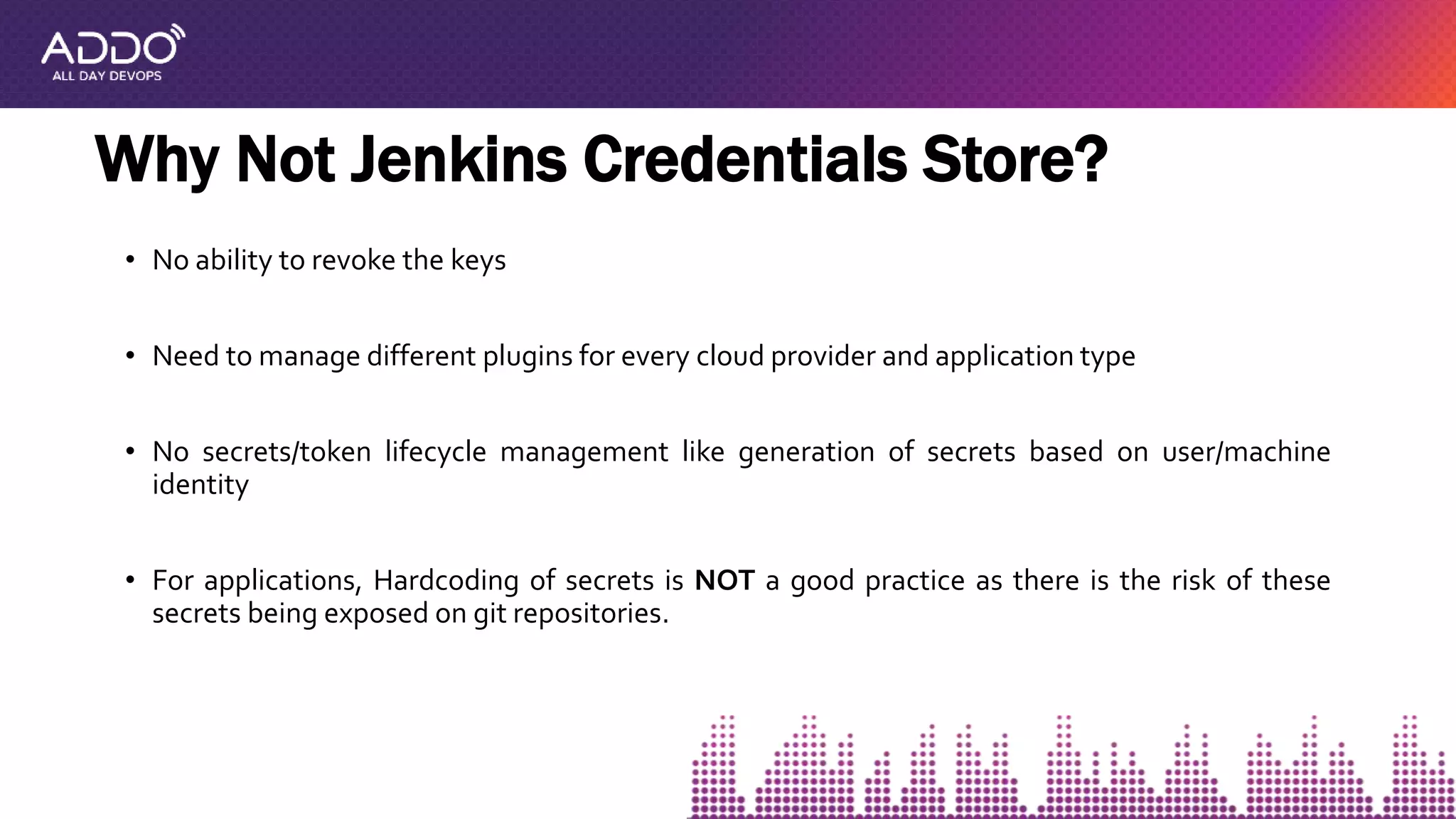
• No ability to revoke the keys
• Need to manage different plugins for every cloud provider and application type
• No secrets/token lifecycle management like generation of secrets based on user/machine
identity
• For applications, Hardcoding of secrets is NOT a good practice as there is the risk of these
secrets being exposed on git repositories.
Why Not Jenkins Credentials Store?
Why Vault?
1. Centralized secrets store with encryption
2. Granular policies designed to control permissions to every key stored within the vault
3. Lease Period - Duration can be set for how long the access to secrets are allowed
4. Cloud Agnostic i.e.Works with AWS,Azure, and GCP , with support for dynamic secrets
5. Integrations for various opensource and licensed databases like Influx, Mongo, Hana as
well as Kubernetes secrets
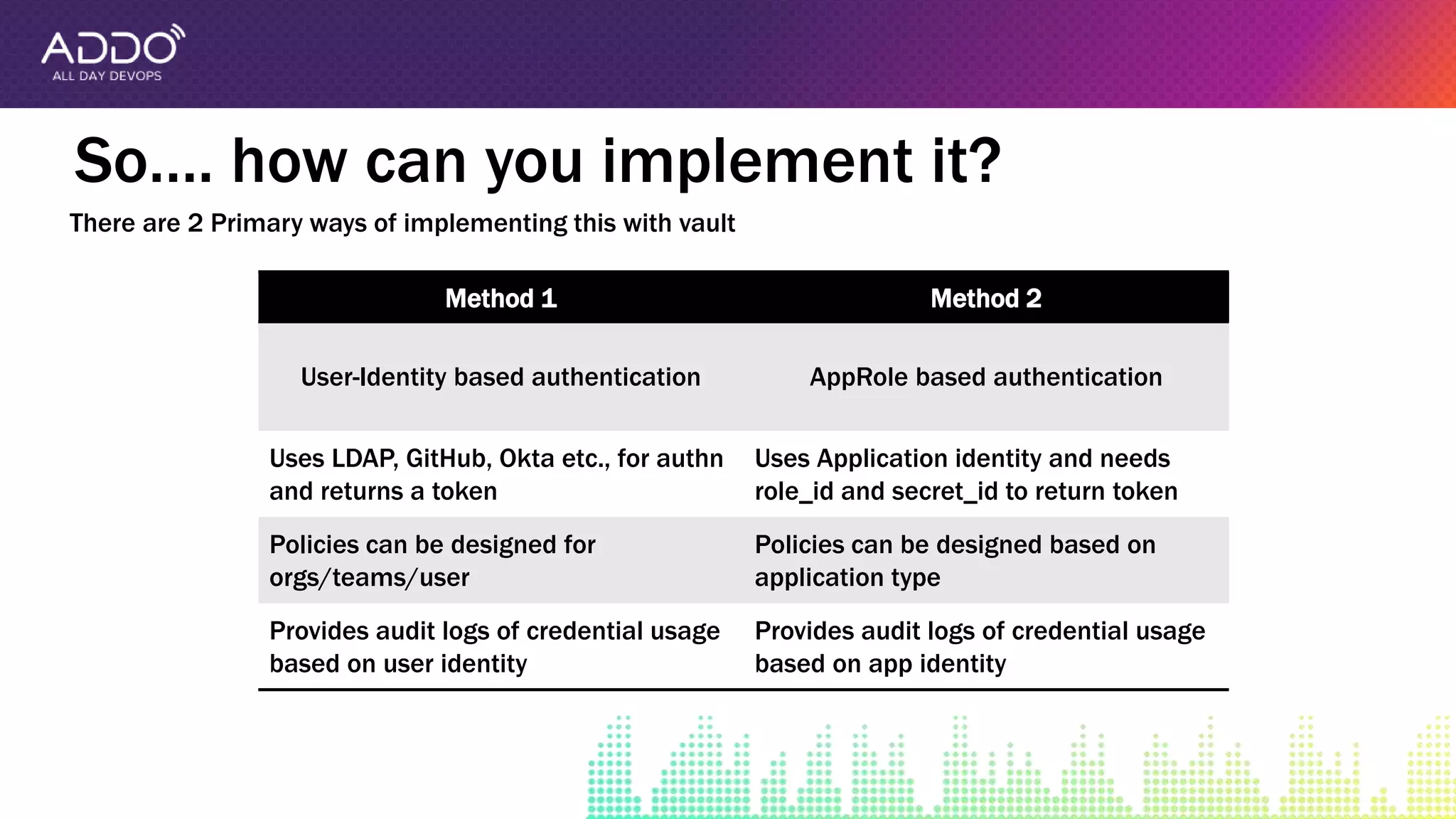
So…. how can you implement it?
Method 1 Method 2
User-Identity based authentication AppRole based authentication
Uses LDAP, GitHub, Okta etc., for authn
and returns a token
Uses Application identity and needs
role_id and secret_id to return token
Policies can be designed for
orgs/teams/user
Policies can be designed based on
application type
Provides audit logs of credential usage
based on user identity
Provides audit logs of credential usage
based on app identity
There are 2 Primary ways of implementing this with vault
Vault with GitHub authentication
1. User Login
2. Retrieve Personal access token
3. Set GitHubToken
4. Authenticate with GitHub
Token
5. Return a vault token based on
User Identity
6. Inject vault token
7. Request cloud
credentials with vault
token
10. Get access key
and secret key
11. Deploy to Cloud
https://github.com/ishrivatsa/terraform-vault-jenkins
8. Request to create new
user based on role
9. Return access
and secret key
Demo
• UseVault to store credentials for apps and infra
• UseVault policies to restrict access to credentials
• Select 3rd Party Auth or AppRole authentication based on use case
• Always, version control the pipeline as code, terraform and vault policy
templates
Summary
Thank You
www.cloudjourney.io | @cloudjourneyio
@iShrivatsa
https://github.com/ishrivatsa/terraform-vault-jenkins
For Code andTemplates:
Jenkins Terraform Vault

Jenkins Terraform Vault

  • 1.
    N O VE M B E R 6 , 20 1 9 Shrivatsa Upadhye @iShrivatsa The 3 Musketeers: Jenkins, Terraform, Vault
  • 2.
    whoami (Who amI?) • Public Cloud Advocate @VMWare • Focused on Cloud and Application Security • Part of CloudJourneyIO team • Love Cars and Pizza Follow me on Twitter/Medium/GitHub : @ishrivatsa
  • 3.
    Use Case Automate deploymentof cloud infrastructure • Generate access tokens based on identity (user or machine) • Securely storing the credentials for the cloud (AWS access key and secret key) along with application secrets • Destroy the access keys once they are used for deployment to avoid any misuse • Auditing the usage of credentials • Ability to provision to any cloud provider via a pipeline
  • 4.
    • Free andOpen-source automation server • Plugins available for integration with including Terraform, AWS, Azure etc. • Ability to build sophisticated pipeline • Supports Pipeline as Code • Free and Open-source infrastructure provisioning tool • Provider plugins available for major cloud providers as well as on-prem platforms like vSphere • Provides Infrastructure as Code (HCL) • Support for Remote state management • Free and Open-source secrets store • Secrets engine (with encryption) supported for AWS, Azure, GCP along with K8s, simple key-value store and other services • Authentication method like GitHub, AWS, LDAP,Okta etc., supported
  • 5.
    Secrets in JenkinsCredential Store 1. Login to IAM to get access and secret key 2. Copy the access and secret key based on role 3. Store secrets within Jenkins Credentials store 4. Pass token via env variable 5. Deploy to cloud
  • 6.
    • No abilityto revoke the keys • Need to manage different plugins for every cloud provider and application type • No secrets/token lifecycle management like generation of secrets based on user/machine identity • For applications, Hardcoding of secrets is NOT a good practice as there is the risk of these secrets being exposed on git repositories. Why Not Jenkins Credentials Store?
  • 7.
    Why Vault? 1. Centralizedsecrets store with encryption 2. Granular policies designed to control permissions to every key stored within the vault 3. Lease Period - Duration can be set for how long the access to secrets are allowed 4. Cloud Agnostic i.e.Works with AWS,Azure, and GCP , with support for dynamic secrets 5. Integrations for various opensource and licensed databases like Influx, Mongo, Hana as well as Kubernetes secrets
  • 8.
    So…. how canyou implement it? Method 1 Method 2 User-Identity based authentication AppRole based authentication Uses LDAP, GitHub, Okta etc., for authn and returns a token Uses Application identity and needs role_id and secret_id to return token Policies can be designed for orgs/teams/user Policies can be designed based on application type Provides audit logs of credential usage based on user identity Provides audit logs of credential usage based on app identity There are 2 Primary ways of implementing this with vault
  • 9.
    Vault with GitHubauthentication 1. User Login 2. Retrieve Personal access token 3. Set GitHubToken 4. Authenticate with GitHub Token 5. Return a vault token based on User Identity 6. Inject vault token 7. Request cloud credentials with vault token 10. Get access key and secret key 11. Deploy to Cloud https://github.com/ishrivatsa/terraform-vault-jenkins 8. Request to create new user based on role 9. Return access and secret key
  • 10.
  • 11.
    • UseVault tostore credentials for apps and infra • UseVault policies to restrict access to credentials • Select 3rd Party Auth or AppRole authentication based on use case • Always, version control the pipeline as code, terraform and vault policy templates Summary
  • 12.
    Thank You www.cloudjourney.io |@cloudjourneyio @iShrivatsa https://github.com/ishrivatsa/terraform-vault-jenkins For Code andTemplates: