JDBC: What & Why? 
As we all know, Java is platform independent, 
there must be some means to have some ready-to- 
hand way, specifically some API to handle 
Database activities that can interface between 
your Java Code and an RDBMS and perform the 
desired SQL. This is known as Java DataBase 
Connectivity (JDBC). JDBC-version 2.x defines 2 
packages, java.sql and javax.sql that provide the 
basement of a JDBC API 
Monday, October 13, 2014sohamsengupta@yahoo.com 1
JDBC Drivers & Types 
• As JDBC plays the role to interface between the 
RDBMS and Java Code, from the Database’s part, 
there must be some vendor specific utilities that 
will cooperate with JDBC. These are known as 
JDBC Drivers, having 4 Types, Type-1 to Type-4. 
We, however, must avoid theoretical discussion 
about them but shall deal with Type-1, also known 
as JDBC-ODBC Bridge, and Type-4, also known 
as Pure Java Driver. So, on to the next slide… 
Monday, October 13, 2014sohamsengupta@yahoo.com 2
Primary Steps to code JDBC with 
ODBC Bridge Driver 
• STEP-1: Load the Driver Class, coded as 
• Class.forName(“sun.jdbc.odbc.JdbcOdbcDriver”); 
• This statement loads the said class in memory, 
thus allowing your code to succeed. 
• STEP-2: Obtain a Database Connection 
represented by java.sql.Connection interface, to 
be obtained through code as 
• Connection 
conn=DriverManager.getConnection(“jdbc:odbc:ibm”); 
• Here “jdbc:odbc:ibm” is the connection 
String, where ibm is set up through 
Control Panel as follows… 
Monday, October 13, 2014sohamsengupta@yahoo.com 3
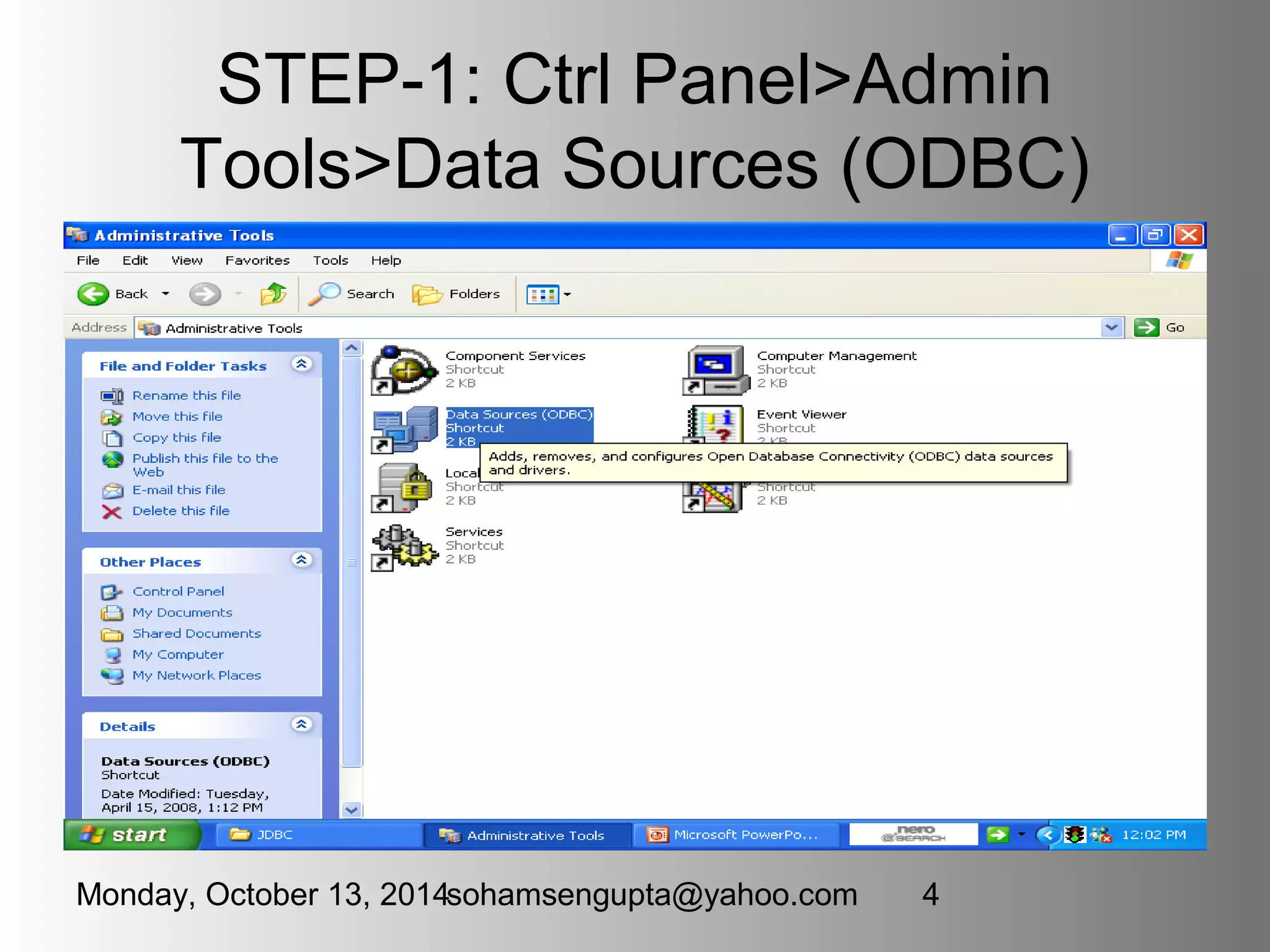
STEP-1: Ctrl Panel>Admin 
Tools>Data Sources (ODBC) 
Monday, October 13, 2014sohamsengupta@yahoo.com 4
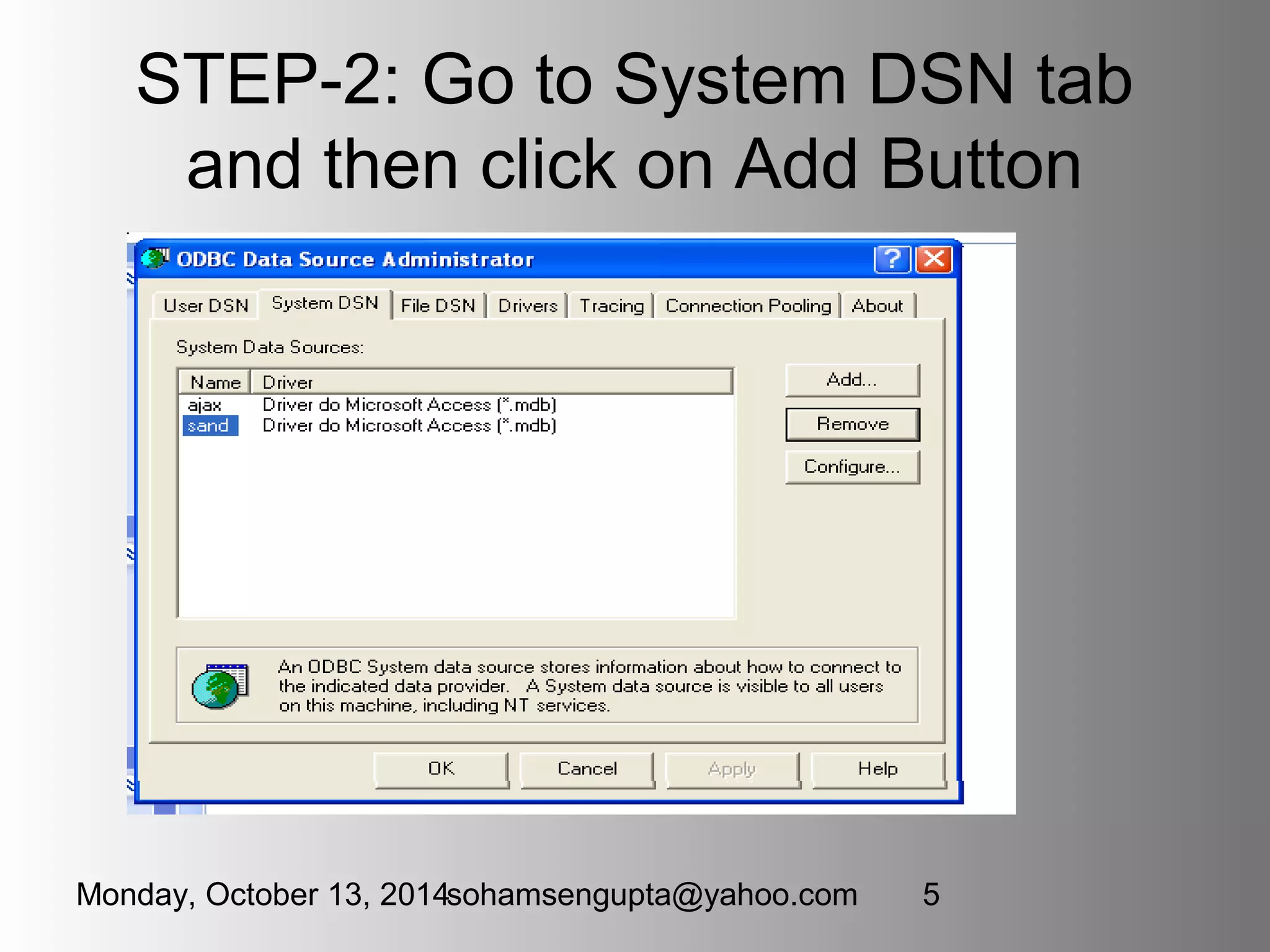
STEP-2: Go to System DSN tab 
and then click on Add Button 
Monday, October 13, 2014sohamsengupta@yahoo.com 5
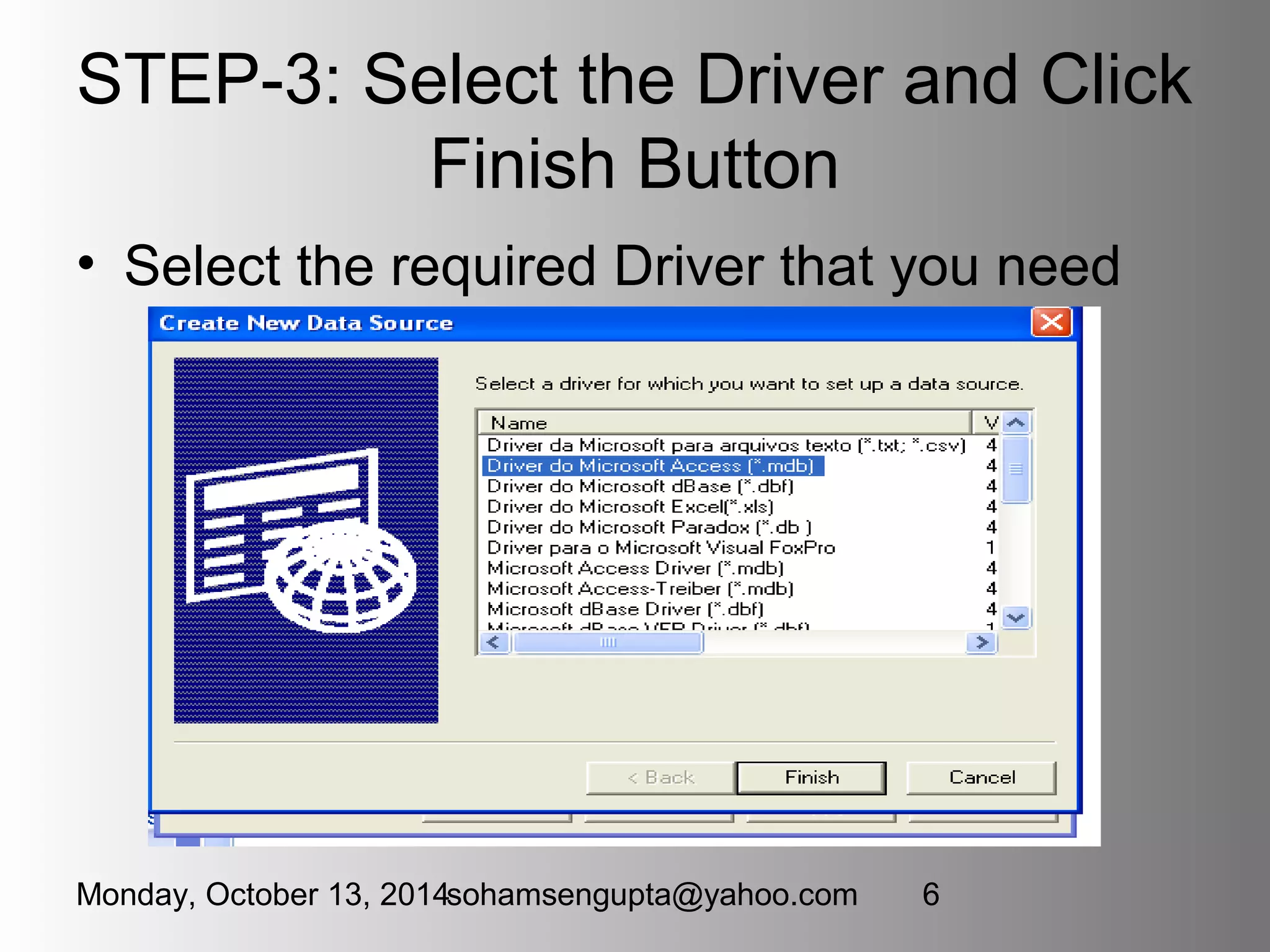
STEP-3: Select the Driver and Click 
Finish Button 
• Select the required Driver that you need 
Monday, October 13, 2014sohamsengupta@yahoo.com 6
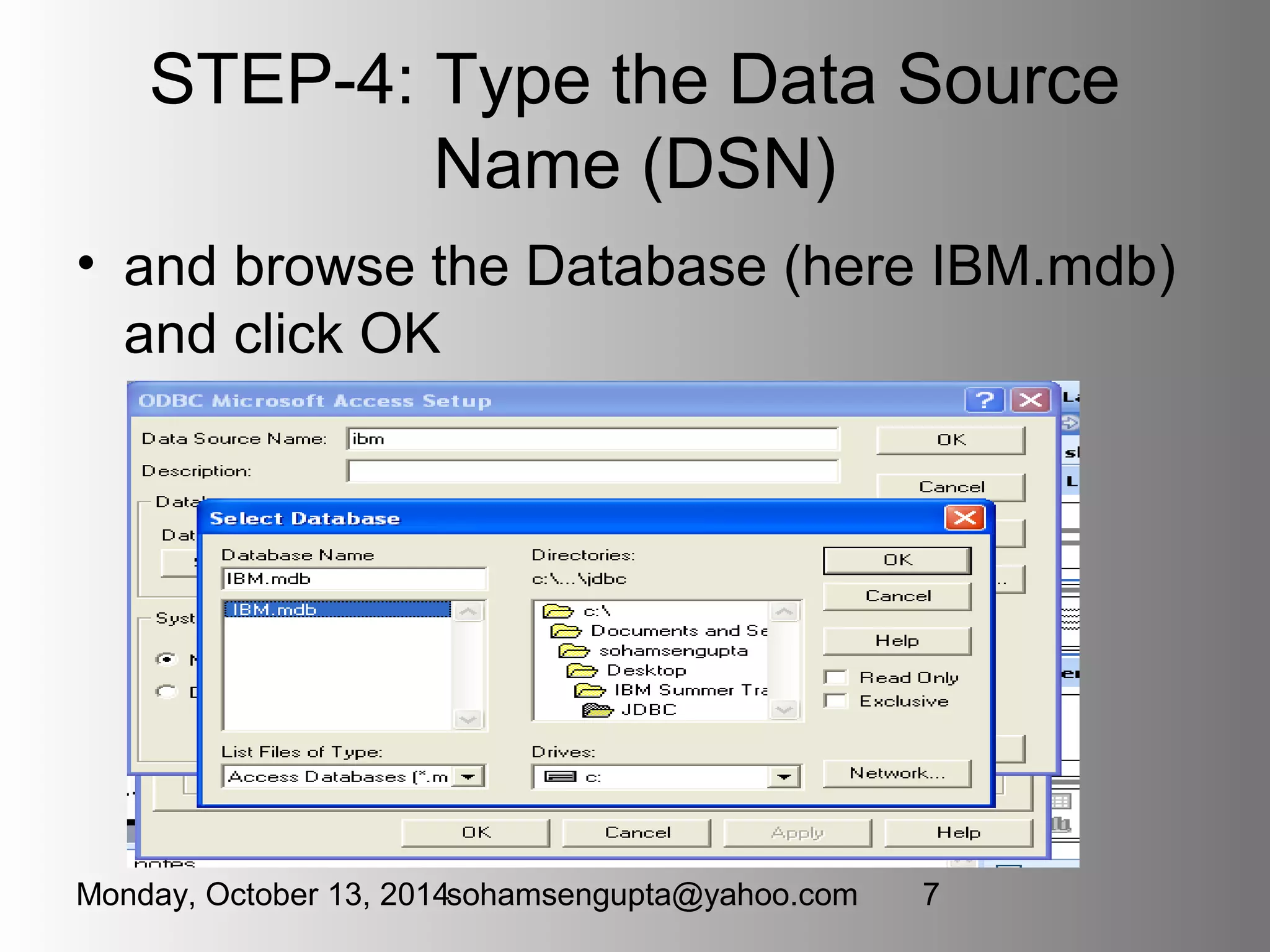
STEP-4: Type the Data Source 
Name (DSN) 
• and browse the Database (here IBM.mdb) 
and click OK 
Monday, October 13, 2014sohamsengupta@yahoo.com 7
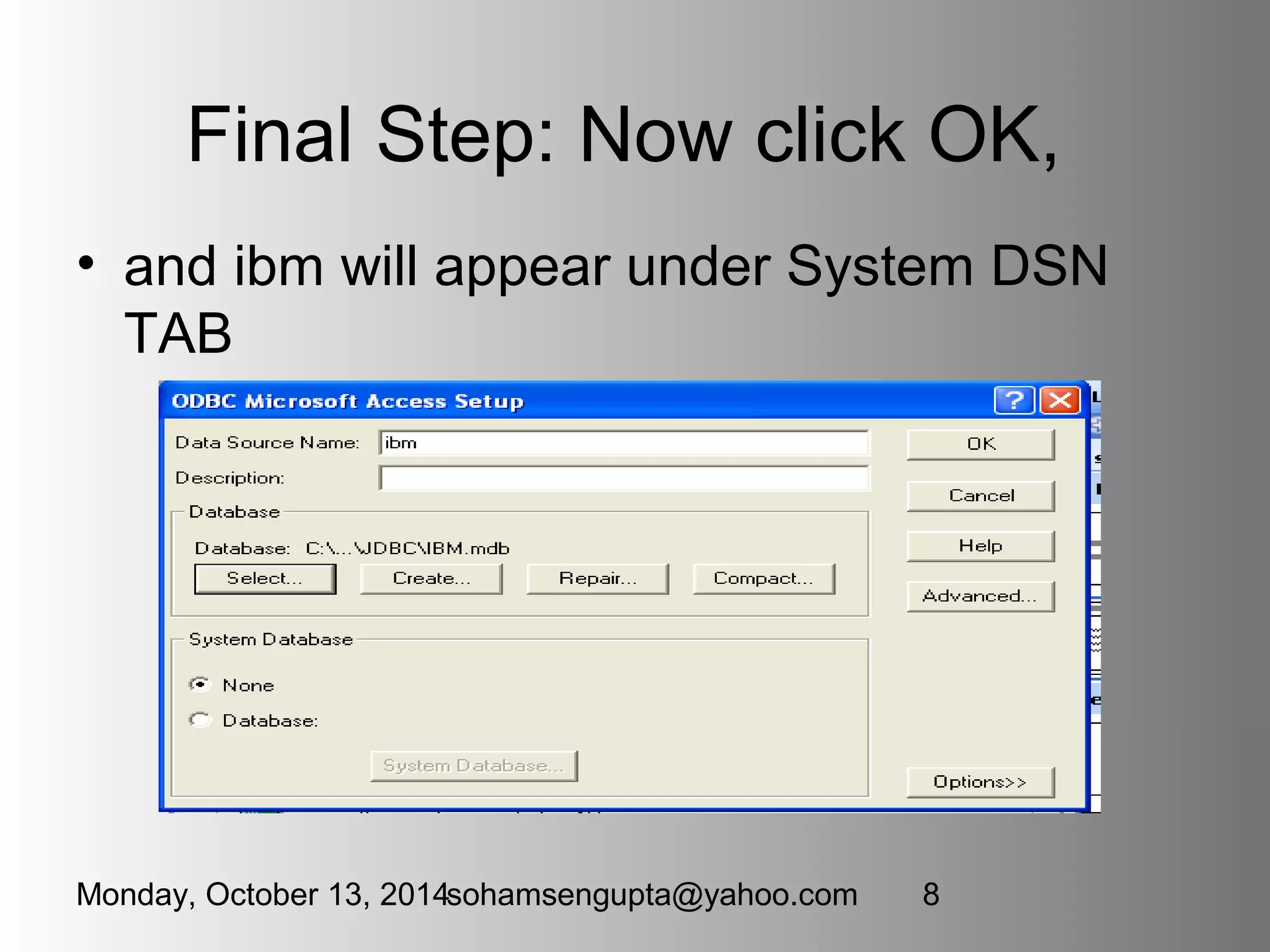
Final Step: Now click OK, 
• and ibm will appear under System DSN 
TAB 
Monday, October 13, 2014sohamsengupta@yahoo.com 8
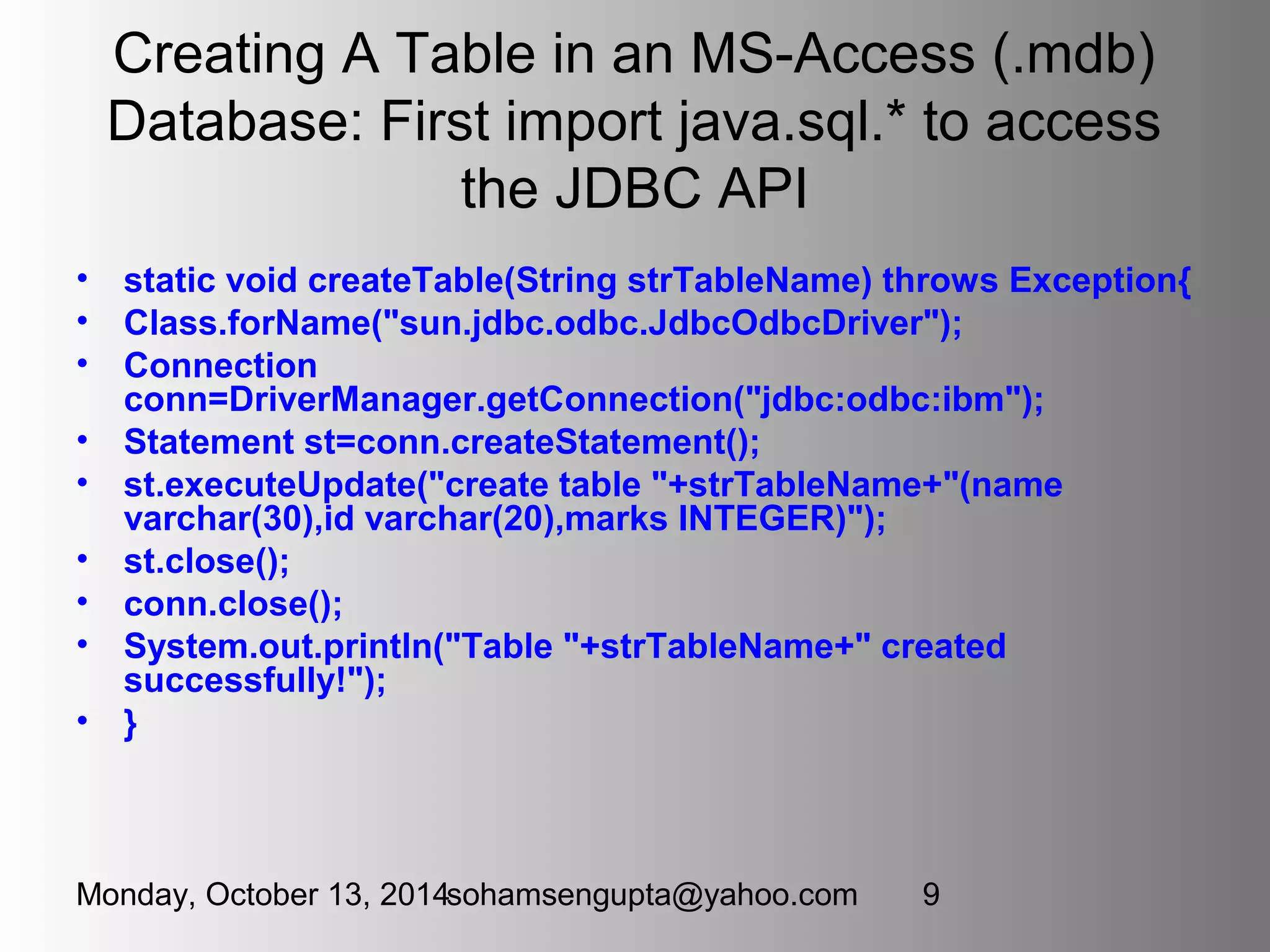
Creating A Table in an MS-Access (.mdb) 
Database: First import java.sql.* to access 
the JDBC API 
• static void createTable(String strTableName) throws Exception{ 
• Class.forName("sun.jdbc.odbc.JdbcOdbcDriver"); 
• Connection 
conn=DriverManager.getConnection("jdbc:odbc:ibm"); 
• Statement st=conn.createStatement(); 
• st.executeUpdate("create table "+strTableName+"(name 
varchar(30),id varchar(20),marks INTEGER)"); 
• st.close(); 
• conn.close(); 
• System.out.println("Table "+strTableName+" created 
successfully!"); 
• } 
Monday, October 13, 2014sohamsengupta@yahoo.com 9
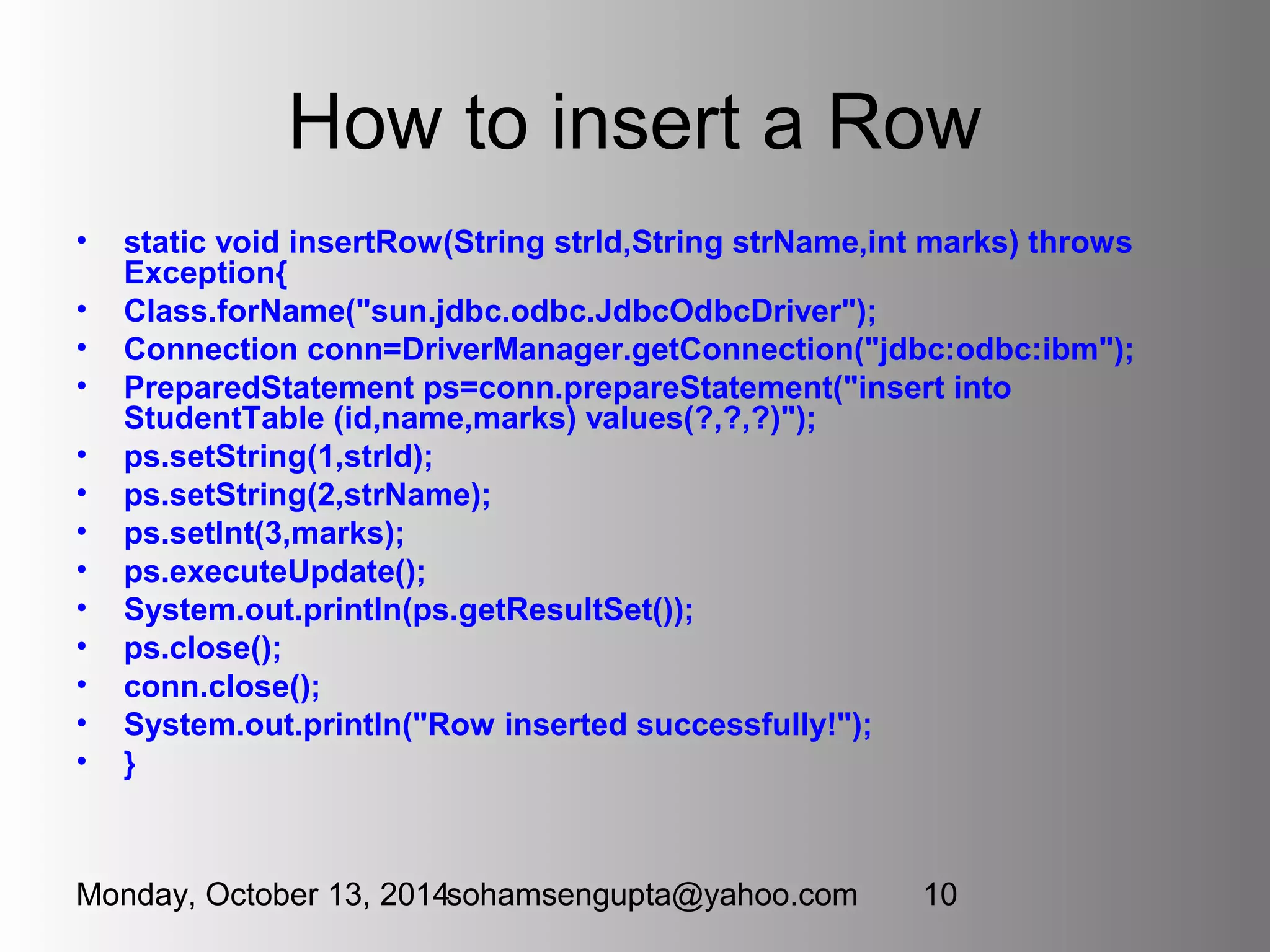
How to insert a Row 
• static void insertRow(String strId,String strName,int marks) throws 
Exception{ 
• Class.forName("sun.jdbc.odbc.JdbcOdbcDriver"); 
• Connection conn=DriverManager.getConnection("jdbc:odbc:ibm"); 
• PreparedStatement ps=conn.prepareStatement("insert into 
StudentTable (id,name,marks) values(?,?,?)"); 
• ps.setString(1,strId); 
• ps.setString(2,strName); 
• ps.setInt(3,marks); 
• ps.executeUpdate(); 
• System.out.println(ps.getResultSet()); 
• ps.close(); 
• conn.close(); 
• System.out.println("Row inserted successfully!"); 
• } 
Monday, October 13, 2014sohamsengupta@yahoo.com 10
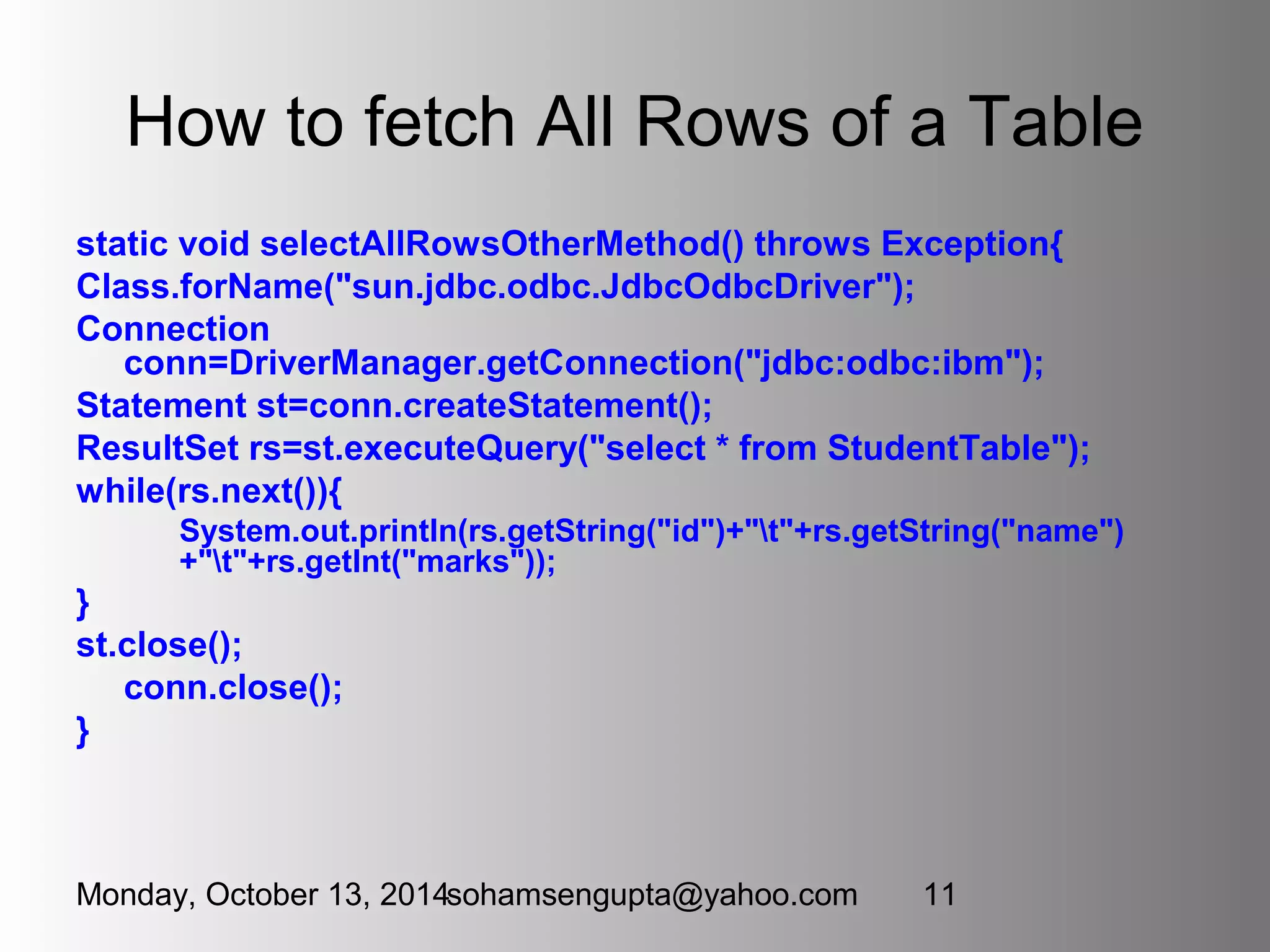
How to fetch All Rows of a Table 
static void selectAllRowsOtherMethod() throws Exception{ 
Class.forName("sun.jdbc.odbc.JdbcOdbcDriver"); 
Connection 
conn=DriverManager.getConnection("jdbc:odbc:ibm"); 
Statement st=conn.createStatement(); 
ResultSet rs=st.executeQuery("select * from StudentTable"); 
while(rs.next()){ 
System.out.println(rs.getString("id")+"t"+rs.getString("name") 
+"t"+rs.getInt("marks")); 
} 
st.close(); 
conn.close(); 
} 
Monday, October 13, 2014sohamsengupta@yahoo.com 11
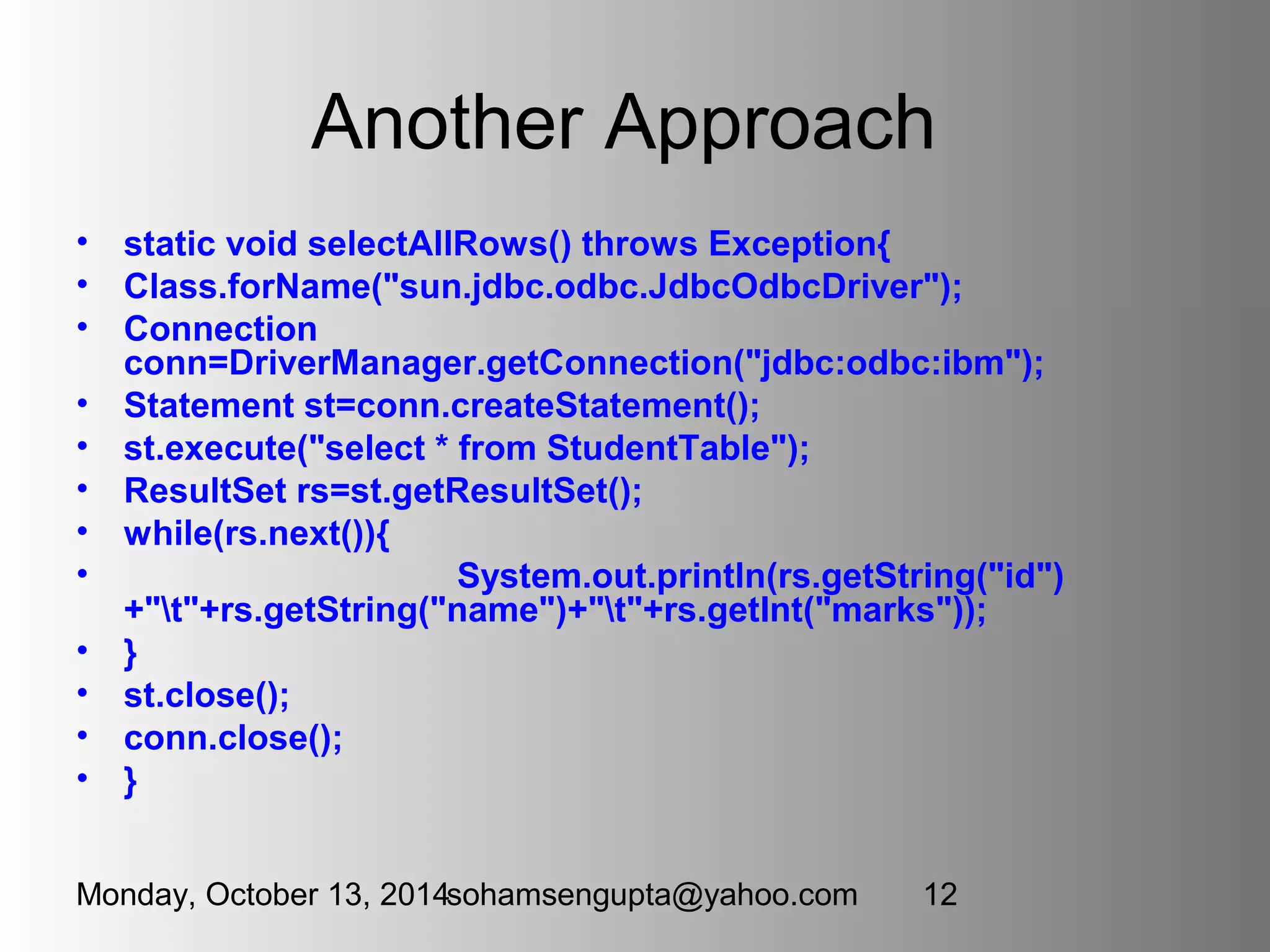
Another Approach 
• static void selectAllRows() throws Exception{ 
• Class.forName("sun.jdbc.odbc.JdbcOdbcDriver"); 
• Connection 
conn=DriverManager.getConnection("jdbc:odbc:ibm"); 
• Statement st=conn.createStatement(); 
• st.execute("select * from StudentTable"); 
• ResultSet rs=st.getResultSet(); 
• while(rs.next()){ 
• System.out.println(rs.getString("id") 
+"t"+rs.getString("name")+"t"+rs.getInt("marks")); 
• } 
• st.close(); 
• conn.close(); 
• } 
Monday, October 13, 2014sohamsengupta@yahoo.com 12
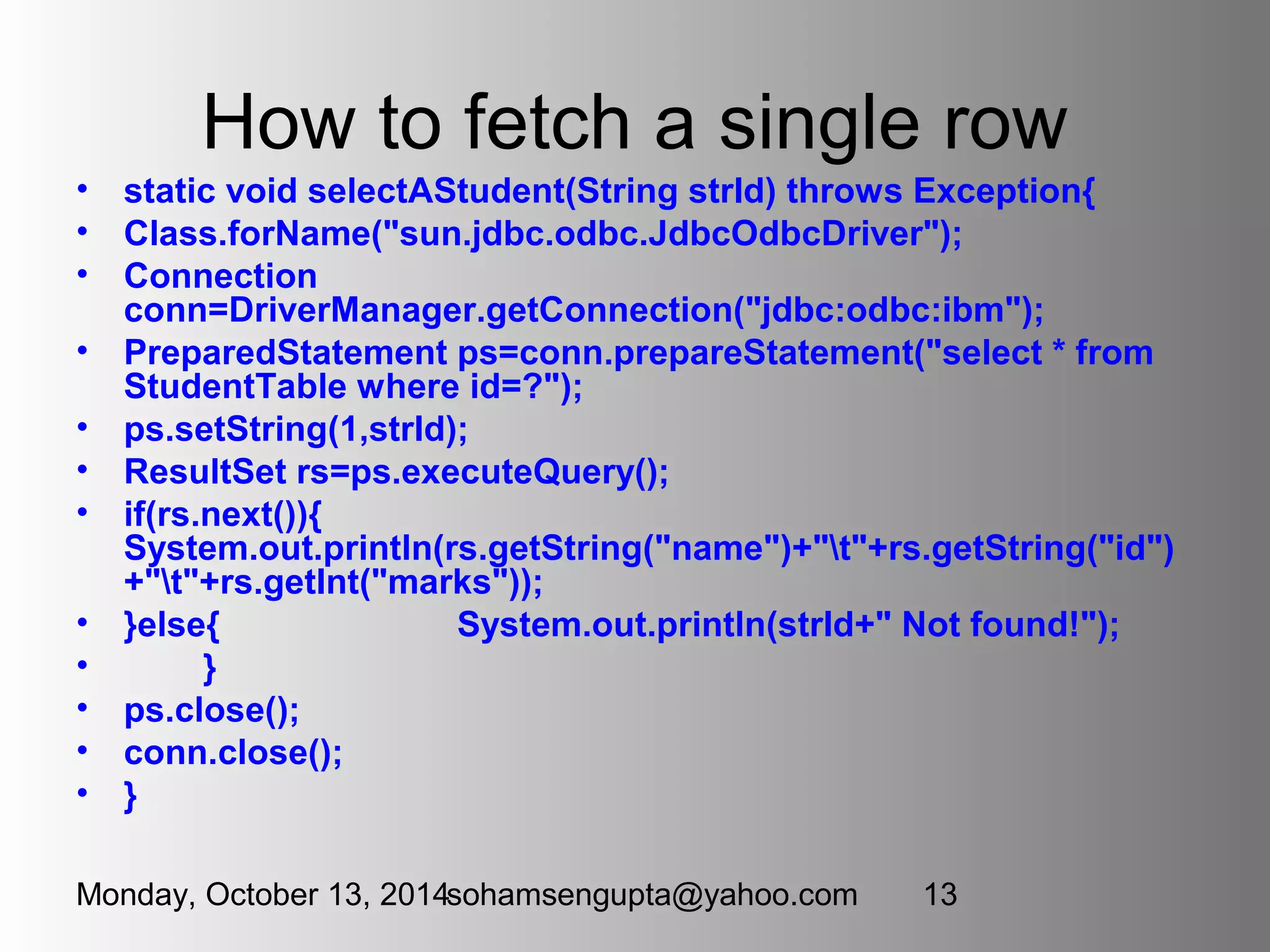
How to fetch a single row 
• static void selectAStudent(String strId) throws Exception{ 
• Class.forName("sun.jdbc.odbc.JdbcOdbcDriver"); 
• Connection 
conn=DriverManager.getConnection("jdbc:odbc:ibm"); 
• PreparedStatement ps=conn.prepareStatement("select * from 
StudentTable where id=?"); 
• ps.setString(1,strId); 
• ResultSet rs=ps.executeQuery(); 
• if(rs.next()){ 
System.out.println(rs.getString("name")+"t"+rs.getString("id") 
+"t"+rs.getInt("marks")); 
• }else{ System.out.println(strId+" Not found!"); 
• } 
• ps.close(); 
• conn.close(); 
• } 
Monday, October 13, 2014sohamsengupta@yahoo.com 13
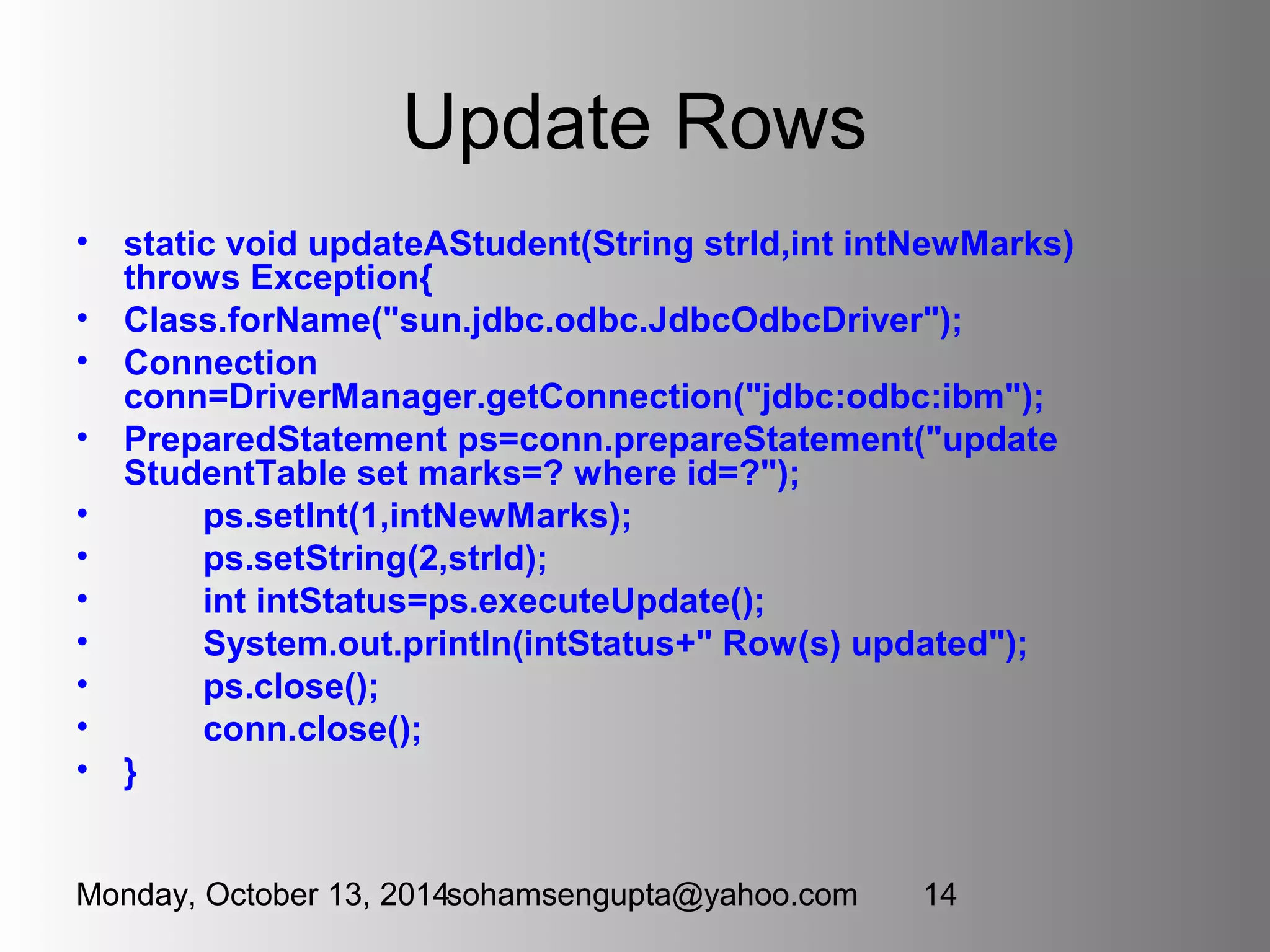
Update Rows 
• static void updateAStudent(String strId,int intNewMarks) 
throws Exception{ 
• Class.forName("sun.jdbc.odbc.JdbcOdbcDriver"); 
• Connection 
conn=DriverManager.getConnection("jdbc:odbc:ibm"); 
• PreparedStatement ps=conn.prepareStatement("update 
StudentTable set marks=? where id=?"); 
• ps.setInt(1,intNewMarks); 
• ps.setString(2,strId); 
• int intStatus=ps.executeUpdate(); 
• System.out.println(intStatus+" Row(s) updated"); 
• ps.close(); 
• conn.close(); 
• } 
Monday, October 13, 2014sohamsengupta@yahoo.com 14
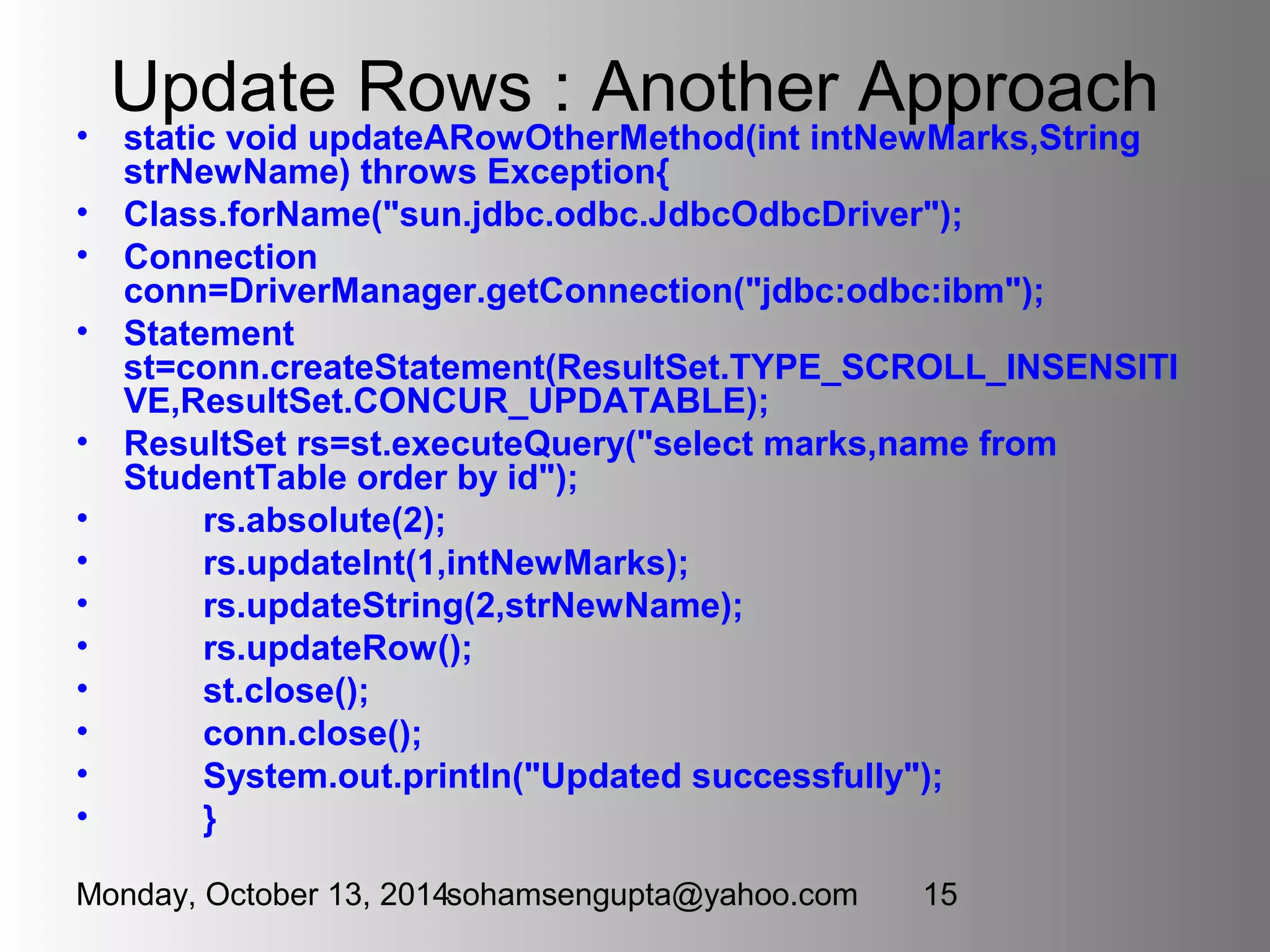
Update Rows : Another Approach 
• static void updateARowOtherMethod(int intNewMarks,String 
strNewName) throws Exception{ 
• Class.forName("sun.jdbc.odbc.JdbcOdbcDriver"); 
• Connection 
conn=DriverManager.getConnection("jdbc:odbc:ibm"); 
• Statement 
st=conn.createStatement(ResultSet.TYPE_SCROLL_INSENSITI 
VE,ResultSet.CONCUR_UPDATABLE); 
• ResultSet rs=st.executeQuery("select marks,name from 
StudentTable order by id"); 
• rs.absolute(2); 
• rs.updateInt(1,intNewMarks); 
• rs.updateString(2,strNewName); 
• rs.updateRow(); 
• st.close(); 
• conn.close(); 
• System.out.println("Updated successfully"); 
• } 
Monday, October 13, 2014sohamsengupta@yahoo.com 15
Finally Calling these methods 
• public static void main(String[]args) throws Exception{ 
• createTable("StudentTable"); 
insertRow("it/00/57","Soham Sengupta",940); 
• insertRow("it/00/01","Manas Ghosh",620); 
• insertRow("it/00/2","Tanay Das",657); 
• insertRow("it/00/63","Abhisek Biswas",721); 
• selectAllRowsOtherMethod(); 
• selectAStudent("it/00/02"); 
• updateAStudent("it/00/1",755); 
• updateARowOtherMethod(102,"Tanoy Dash"); 
• } 
Monday, October 13, 2014sohamsengupta@yahoo.com 16
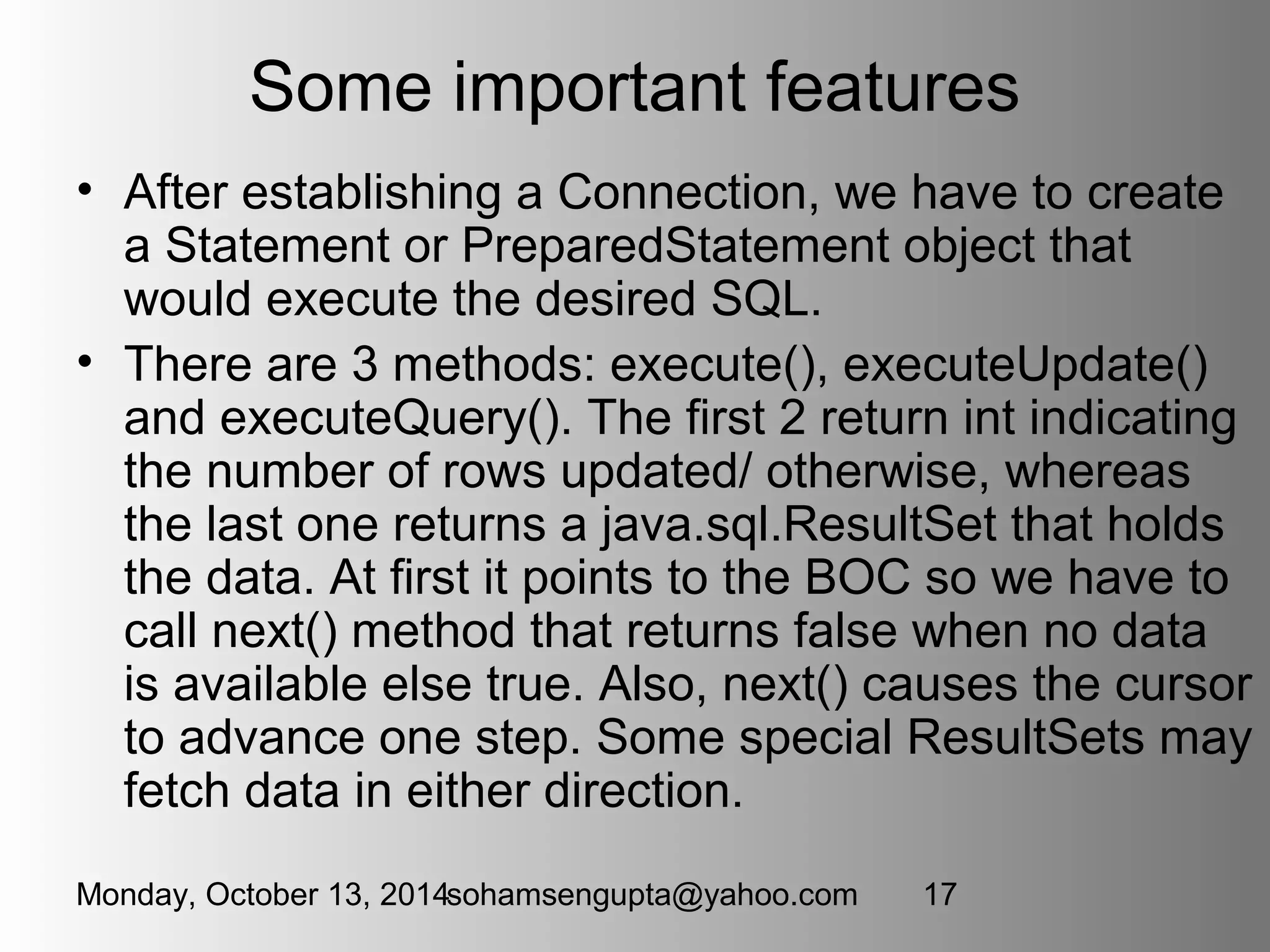
Some important features 
• After establishing a Connection, we have to create 
a Statement or PreparedStatement object that 
would execute the desired SQL. 
• There are 3 methods: execute(), executeUpdate() 
and executeQuery(). The first 2 return int indicating 
the number of rows updated/ otherwise, whereas 
the last one returns a java.sql.ResultSet that holds 
the data. At first it points to the BOC so we have to 
call next() method that returns false when no data 
is available else true. Also, next() causes the cursor 
to advance one step. Some special ResultSets may 
fetch data in either direction. 
Monday, October 13, 2014sohamsengupta@yahoo.com 17
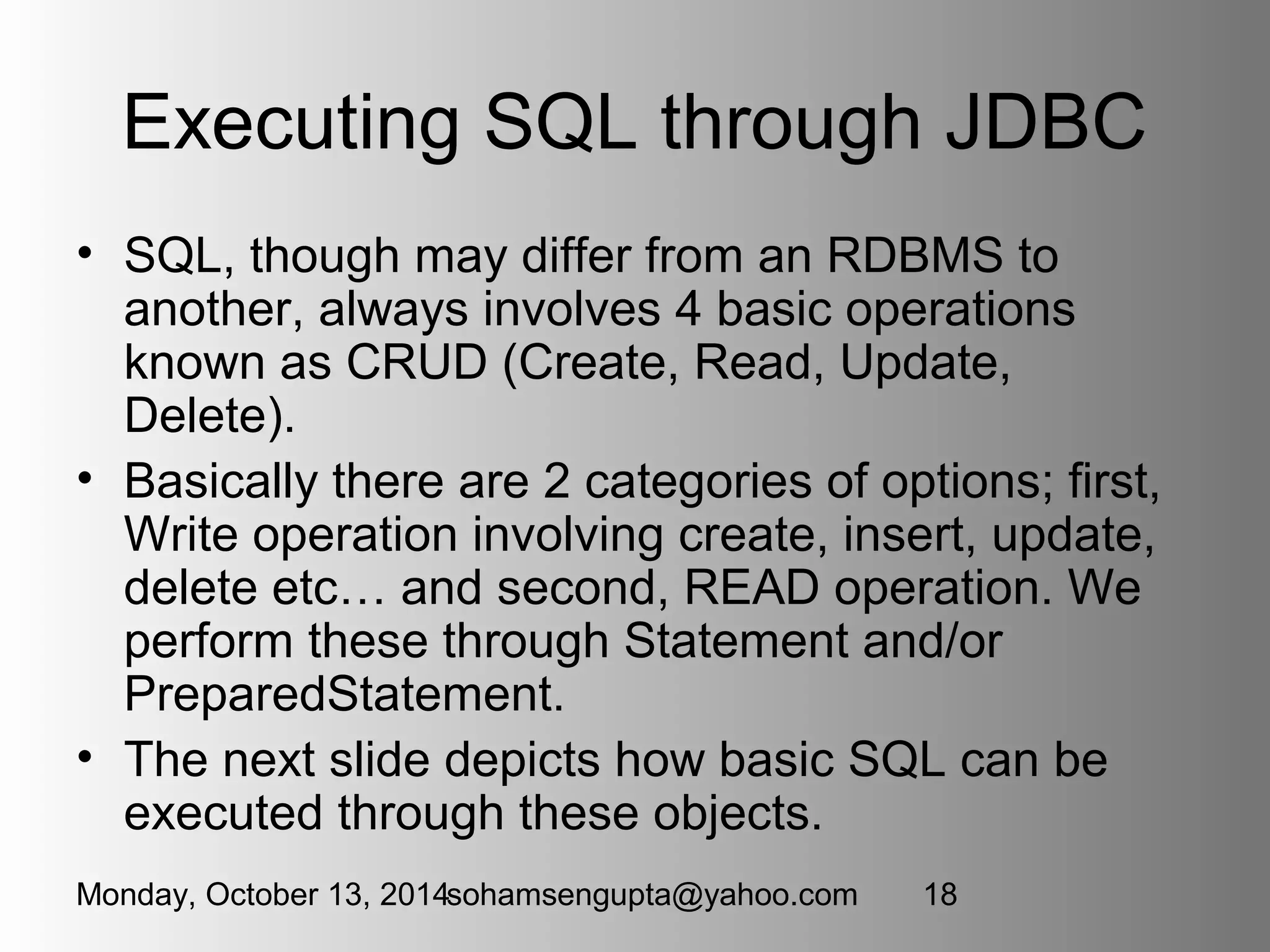
Executing SQL through JDBC 
• SQL, though may differ from an RDBMS to 
another, always involves 4 basic operations 
known as CRUD (Create, Read, Update, 
Delete). 
• Basically there are 2 categories of options; first, 
Write operation involving create, insert, update, 
delete etc… and second, READ operation. We 
perform these through Statement and/or 
PreparedStatement. 
• The next slide depicts how basic SQL can be 
executed through these objects. 
Monday, October 13, 2014sohamsengupta@yahoo.com 18
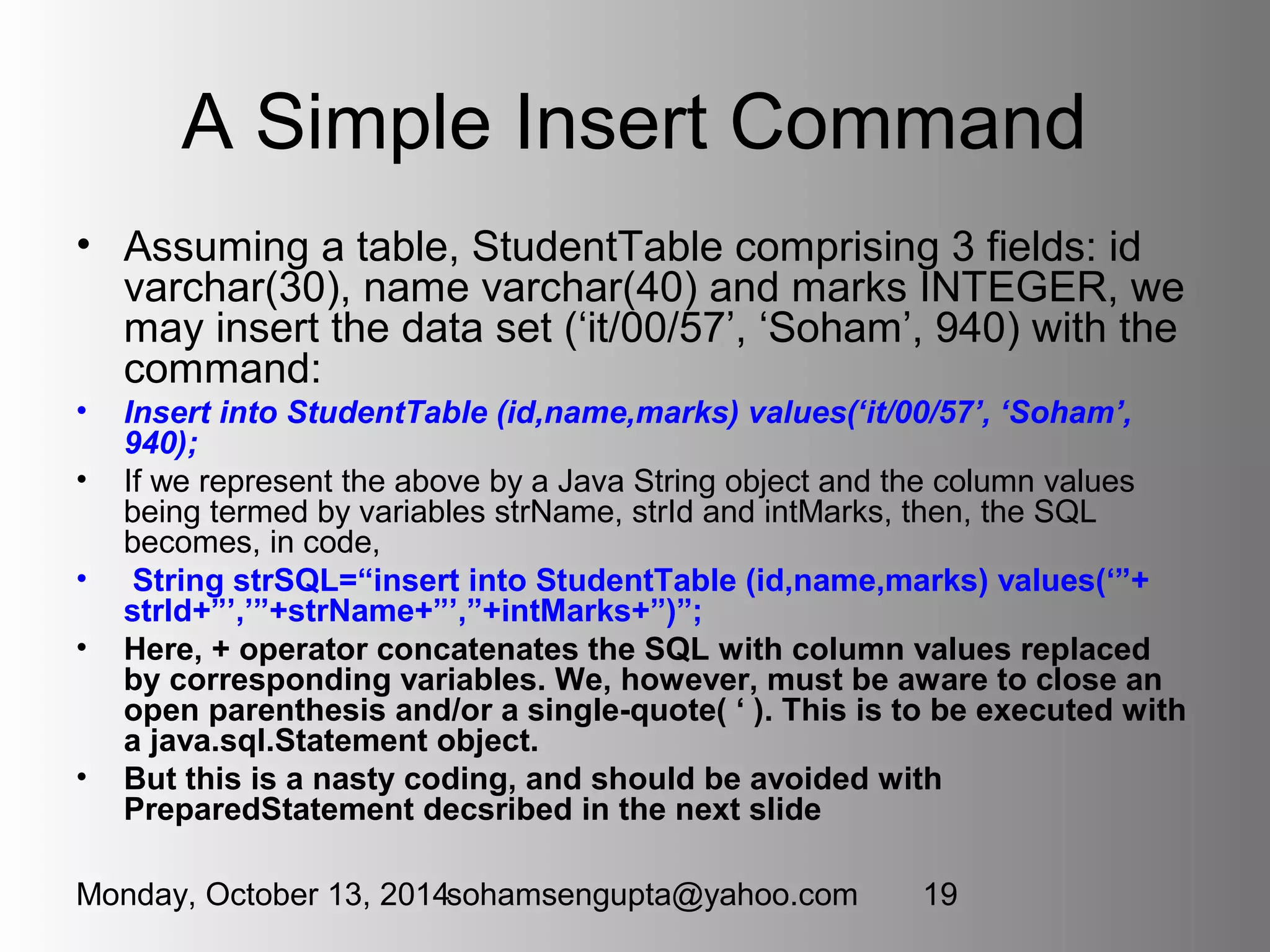
A Simple Insert Command 
• Assuming a table, StudentTable comprising 3 fields: id 
varchar(30), name varchar(40) and marks INTEGER, we 
may insert the data set (‘it/00/57’, ‘Soham’, 940) with the 
command: 
• Insert into StudentTable (id,name,marks) values(‘it/00/57’, ‘Soham’, 
940); 
• If we represent the above by a Java String object and the column values 
being termed by variables strName, strId and intMarks, then, the SQL 
becomes, in code, 
• String strSQL=“insert into StudentTable (id,name,marks) values(‘”+ 
strId+”’,’”+strName+”’,”+intMarks+”)”; 
• Here, + operator concatenates the SQL with column values replaced 
by corresponding variables. We, however, must be aware to close an 
open parenthesis and/or a single-quote( ‘ ). This is to be executed with 
a java.sql.Statement object. 
• But this is a nasty coding, and should be avoided with 
PreparedStatement decsribed in the next slide 
Monday, October 13, 2014sohamsengupta@yahoo.com 19
How PreparedStatement Betters 
Clumsiness in code 
• After loading the driver class, and obtaining the 
Connection object (say, conn), we should code 
as : 
• PreparedStatement ps=conn.prepareStatement(“insert into 
StudentTable (id,name,marks) values(?,?,?)”); 
• ps.setString(1,strId); 
• ps.setString(2,strName); 
• ps.setInt(3,intMarks); 
• ps.executeUpdate(); 
• What we should keep in mind is, index the setters correctly, for 
example, ps.setString(1,strId) as I’m inserting the column id at 
1, name at 2 and marks at 3. 
• Thus, PreparedStatement can be used for other SQL 
commands, too, like select commands et al. 
Monday, October 13, 2014sohamsengupta@yahoo.com 20
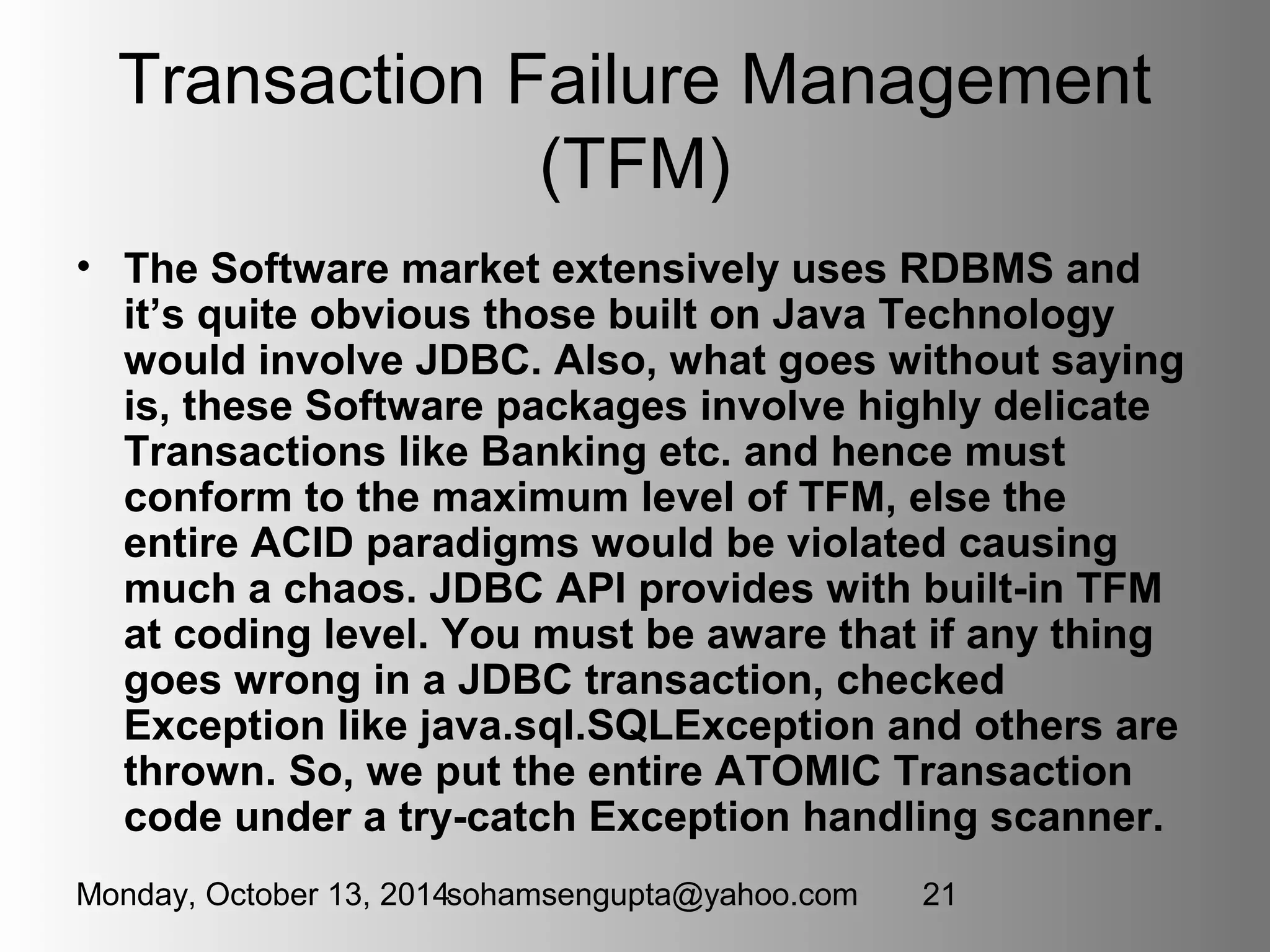
Transaction Failure Management 
(TFM) 
• The Software market extensively uses RDBMS and 
it’s quite obvious those built on Java Technology 
would involve JDBC. Also, what goes without saying 
is, these Software packages involve highly delicate 
Transactions like Banking etc. and hence must 
conform to the maximum level of TFM, else the 
entire ACID paradigms would be violated causing 
much a chaos. JDBC API provides with built-in TFM 
at coding level. You must be aware that if any thing 
goes wrong in a JDBC transaction, checked 
Exception like java.sql.SQLException and others are 
thrown. So, we put the entire ATOMIC Transaction 
code under a try-catch Exception handling scanner. 
Monday, October 13, 2014sohamsengupta@yahoo.com 21
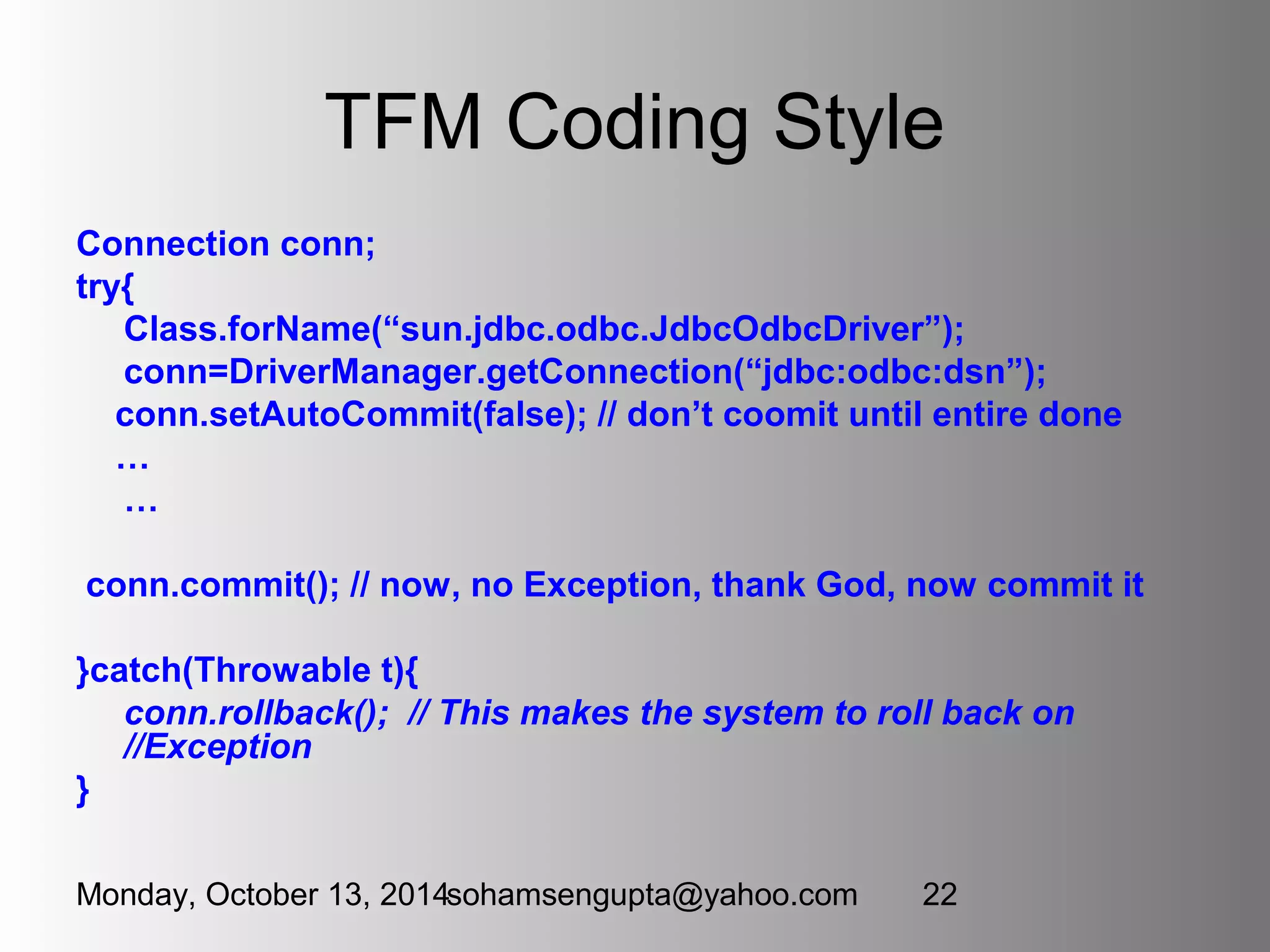
TFM Coding Style 
Connection conn; 
try{ 
Class.forName(“sun.jdbc.odbc.JdbcOdbcDriver”); 
conn=DriverManager.getConnection(“jdbc:odbc:dsn”); 
conn.setAutoCommit(false); // don’t coomit until entire done 
… 
… 
conn.commit(); // now, no Exception, thank God, now commit it 
}catch(Throwable t){ 
conn.rollback(); // This makes the system to roll back on 
//Exception 
} 
Monday, October 13, 2014sohamsengupta@yahoo.com 22

Jdbc day-1

  • 1.
    JDBC: What &Why? As we all know, Java is platform independent, there must be some means to have some ready-to- hand way, specifically some API to handle Database activities that can interface between your Java Code and an RDBMS and perform the desired SQL. This is known as Java DataBase Connectivity (JDBC). JDBC-version 2.x defines 2 packages, java.sql and javax.sql that provide the basement of a JDBC API Monday, October 13, 2014sohamsengupta@yahoo.com 1
  • 2.
    JDBC Drivers &Types • As JDBC plays the role to interface between the RDBMS and Java Code, from the Database’s part, there must be some vendor specific utilities that will cooperate with JDBC. These are known as JDBC Drivers, having 4 Types, Type-1 to Type-4. We, however, must avoid theoretical discussion about them but shall deal with Type-1, also known as JDBC-ODBC Bridge, and Type-4, also known as Pure Java Driver. So, on to the next slide… Monday, October 13, 2014sohamsengupta@yahoo.com 2
  • 3.
    Primary Steps tocode JDBC with ODBC Bridge Driver • STEP-1: Load the Driver Class, coded as • Class.forName(“sun.jdbc.odbc.JdbcOdbcDriver”); • This statement loads the said class in memory, thus allowing your code to succeed. • STEP-2: Obtain a Database Connection represented by java.sql.Connection interface, to be obtained through code as • Connection conn=DriverManager.getConnection(“jdbc:odbc:ibm”); • Here “jdbc:odbc:ibm” is the connection String, where ibm is set up through Control Panel as follows… Monday, October 13, 2014sohamsengupta@yahoo.com 3
  • 4.
    STEP-1: Ctrl Panel>Admin Tools>Data Sources (ODBC) Monday, October 13, 2014sohamsengupta@yahoo.com 4
  • 5.
    STEP-2: Go toSystem DSN tab and then click on Add Button Monday, October 13, 2014sohamsengupta@yahoo.com 5
  • 6.
    STEP-3: Select theDriver and Click Finish Button • Select the required Driver that you need Monday, October 13, 2014sohamsengupta@yahoo.com 6
  • 7.
    STEP-4: Type theData Source Name (DSN) • and browse the Database (here IBM.mdb) and click OK Monday, October 13, 2014sohamsengupta@yahoo.com 7
  • 8.
    Final Step: Nowclick OK, • and ibm will appear under System DSN TAB Monday, October 13, 2014sohamsengupta@yahoo.com 8
  • 9.
    Creating A Tablein an MS-Access (.mdb) Database: First import java.sql.* to access the JDBC API • static void createTable(String strTableName) throws Exception{ • Class.forName("sun.jdbc.odbc.JdbcOdbcDriver"); • Connection conn=DriverManager.getConnection("jdbc:odbc:ibm"); • Statement st=conn.createStatement(); • st.executeUpdate("create table "+strTableName+"(name varchar(30),id varchar(20),marks INTEGER)"); • st.close(); • conn.close(); • System.out.println("Table "+strTableName+" created successfully!"); • } Monday, October 13, 2014sohamsengupta@yahoo.com 9
  • 10.
    How to inserta Row • static void insertRow(String strId,String strName,int marks) throws Exception{ • Class.forName("sun.jdbc.odbc.JdbcOdbcDriver"); • Connection conn=DriverManager.getConnection("jdbc:odbc:ibm"); • PreparedStatement ps=conn.prepareStatement("insert into StudentTable (id,name,marks) values(?,?,?)"); • ps.setString(1,strId); • ps.setString(2,strName); • ps.setInt(3,marks); • ps.executeUpdate(); • System.out.println(ps.getResultSet()); • ps.close(); • conn.close(); • System.out.println("Row inserted successfully!"); • } Monday, October 13, 2014sohamsengupta@yahoo.com 10
  • 11.
    How to fetchAll Rows of a Table static void selectAllRowsOtherMethod() throws Exception{ Class.forName("sun.jdbc.odbc.JdbcOdbcDriver"); Connection conn=DriverManager.getConnection("jdbc:odbc:ibm"); Statement st=conn.createStatement(); ResultSet rs=st.executeQuery("select * from StudentTable"); while(rs.next()){ System.out.println(rs.getString("id")+"t"+rs.getString("name") +"t"+rs.getInt("marks")); } st.close(); conn.close(); } Monday, October 13, 2014sohamsengupta@yahoo.com 11
  • 12.
    Another Approach •static void selectAllRows() throws Exception{ • Class.forName("sun.jdbc.odbc.JdbcOdbcDriver"); • Connection conn=DriverManager.getConnection("jdbc:odbc:ibm"); • Statement st=conn.createStatement(); • st.execute("select * from StudentTable"); • ResultSet rs=st.getResultSet(); • while(rs.next()){ • System.out.println(rs.getString("id") +"t"+rs.getString("name")+"t"+rs.getInt("marks")); • } • st.close(); • conn.close(); • } Monday, October 13, 2014sohamsengupta@yahoo.com 12
  • 13.
    How to fetcha single row • static void selectAStudent(String strId) throws Exception{ • Class.forName("sun.jdbc.odbc.JdbcOdbcDriver"); • Connection conn=DriverManager.getConnection("jdbc:odbc:ibm"); • PreparedStatement ps=conn.prepareStatement("select * from StudentTable where id=?"); • ps.setString(1,strId); • ResultSet rs=ps.executeQuery(); • if(rs.next()){ System.out.println(rs.getString("name")+"t"+rs.getString("id") +"t"+rs.getInt("marks")); • }else{ System.out.println(strId+" Not found!"); • } • ps.close(); • conn.close(); • } Monday, October 13, 2014sohamsengupta@yahoo.com 13
  • 14.
    Update Rows •static void updateAStudent(String strId,int intNewMarks) throws Exception{ • Class.forName("sun.jdbc.odbc.JdbcOdbcDriver"); • Connection conn=DriverManager.getConnection("jdbc:odbc:ibm"); • PreparedStatement ps=conn.prepareStatement("update StudentTable set marks=? where id=?"); • ps.setInt(1,intNewMarks); • ps.setString(2,strId); • int intStatus=ps.executeUpdate(); • System.out.println(intStatus+" Row(s) updated"); • ps.close(); • conn.close(); • } Monday, October 13, 2014sohamsengupta@yahoo.com 14
  • 15.
    Update Rows :Another Approach • static void updateARowOtherMethod(int intNewMarks,String strNewName) throws Exception{ • Class.forName("sun.jdbc.odbc.JdbcOdbcDriver"); • Connection conn=DriverManager.getConnection("jdbc:odbc:ibm"); • Statement st=conn.createStatement(ResultSet.TYPE_SCROLL_INSENSITI VE,ResultSet.CONCUR_UPDATABLE); • ResultSet rs=st.executeQuery("select marks,name from StudentTable order by id"); • rs.absolute(2); • rs.updateInt(1,intNewMarks); • rs.updateString(2,strNewName); • rs.updateRow(); • st.close(); • conn.close(); • System.out.println("Updated successfully"); • } Monday, October 13, 2014sohamsengupta@yahoo.com 15
  • 16.
    Finally Calling thesemethods • public static void main(String[]args) throws Exception{ • createTable("StudentTable"); insertRow("it/00/57","Soham Sengupta",940); • insertRow("it/00/01","Manas Ghosh",620); • insertRow("it/00/2","Tanay Das",657); • insertRow("it/00/63","Abhisek Biswas",721); • selectAllRowsOtherMethod(); • selectAStudent("it/00/02"); • updateAStudent("it/00/1",755); • updateARowOtherMethod(102,"Tanoy Dash"); • } Monday, October 13, 2014sohamsengupta@yahoo.com 16
  • 17.
    Some important features • After establishing a Connection, we have to create a Statement or PreparedStatement object that would execute the desired SQL. • There are 3 methods: execute(), executeUpdate() and executeQuery(). The first 2 return int indicating the number of rows updated/ otherwise, whereas the last one returns a java.sql.ResultSet that holds the data. At first it points to the BOC so we have to call next() method that returns false when no data is available else true. Also, next() causes the cursor to advance one step. Some special ResultSets may fetch data in either direction. Monday, October 13, 2014sohamsengupta@yahoo.com 17
  • 18.
    Executing SQL throughJDBC • SQL, though may differ from an RDBMS to another, always involves 4 basic operations known as CRUD (Create, Read, Update, Delete). • Basically there are 2 categories of options; first, Write operation involving create, insert, update, delete etc… and second, READ operation. We perform these through Statement and/or PreparedStatement. • The next slide depicts how basic SQL can be executed through these objects. Monday, October 13, 2014sohamsengupta@yahoo.com 18
  • 19.
    A Simple InsertCommand • Assuming a table, StudentTable comprising 3 fields: id varchar(30), name varchar(40) and marks INTEGER, we may insert the data set (‘it/00/57’, ‘Soham’, 940) with the command: • Insert into StudentTable (id,name,marks) values(‘it/00/57’, ‘Soham’, 940); • If we represent the above by a Java String object and the column values being termed by variables strName, strId and intMarks, then, the SQL becomes, in code, • String strSQL=“insert into StudentTable (id,name,marks) values(‘”+ strId+”’,’”+strName+”’,”+intMarks+”)”; • Here, + operator concatenates the SQL with column values replaced by corresponding variables. We, however, must be aware to close an open parenthesis and/or a single-quote( ‘ ). This is to be executed with a java.sql.Statement object. • But this is a nasty coding, and should be avoided with PreparedStatement decsribed in the next slide Monday, October 13, 2014sohamsengupta@yahoo.com 19
  • 20.
    How PreparedStatement Betters Clumsiness in code • After loading the driver class, and obtaining the Connection object (say, conn), we should code as : • PreparedStatement ps=conn.prepareStatement(“insert into StudentTable (id,name,marks) values(?,?,?)”); • ps.setString(1,strId); • ps.setString(2,strName); • ps.setInt(3,intMarks); • ps.executeUpdate(); • What we should keep in mind is, index the setters correctly, for example, ps.setString(1,strId) as I’m inserting the column id at 1, name at 2 and marks at 3. • Thus, PreparedStatement can be used for other SQL commands, too, like select commands et al. Monday, October 13, 2014sohamsengupta@yahoo.com 20
  • 21.
    Transaction Failure Management (TFM) • The Software market extensively uses RDBMS and it’s quite obvious those built on Java Technology would involve JDBC. Also, what goes without saying is, these Software packages involve highly delicate Transactions like Banking etc. and hence must conform to the maximum level of TFM, else the entire ACID paradigms would be violated causing much a chaos. JDBC API provides with built-in TFM at coding level. You must be aware that if any thing goes wrong in a JDBC transaction, checked Exception like java.sql.SQLException and others are thrown. So, we put the entire ATOMIC Transaction code under a try-catch Exception handling scanner. Monday, October 13, 2014sohamsengupta@yahoo.com 21
  • 22.
    TFM Coding Style Connection conn; try{ Class.forName(“sun.jdbc.odbc.JdbcOdbcDriver”); conn=DriverManager.getConnection(“jdbc:odbc:dsn”); conn.setAutoCommit(false); // don’t coomit until entire done … … conn.commit(); // now, no Exception, thank God, now commit it }catch(Throwable t){ conn.rollback(); // This makes the system to roll back on //Exception } Monday, October 13, 2014sohamsengupta@yahoo.com 22