AWS Lambda
λ
Scott Leberknight
12/01/2016
"AWS Lambda lets you run code without
provisioning or managing servers…"
"there is no charge when your code
is not running"
"run code for virtually any type of
application or backend service…"
"…with zero administration"
Lambda is to running code…
…as S3 is to storing objects
S3 vs. Lambda
Provide objects to S3
S3 stores those objects transparently
S3
You don't know how or where objects are stored
No servers, drives, or disk space to manage
Charged only by amount stored
Provide function code to Lambda
Lambda executes code on demand
Lambda
You don't know how or where code is executed
No servers or VMs to manage
Charged only for execution time
What is a Lambda function?
Code
Dependencies
(e.g. libraries, modules, binaries)
Configuration
Let's create a really
simple function…
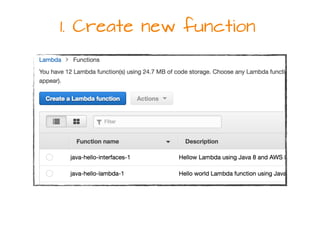
1. Create new function
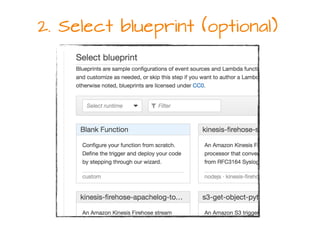
2. Select blueprint (optional)
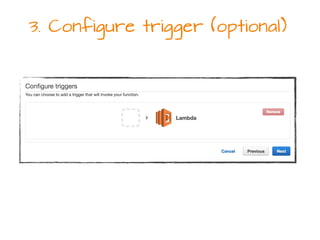
3. Configure trigger (optional)
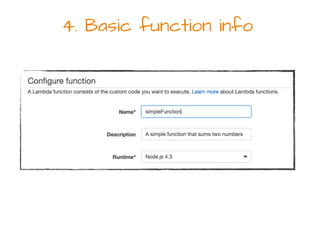
4. Basic function info
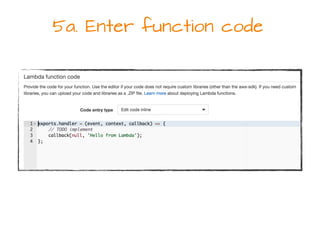
5a. Enter function code
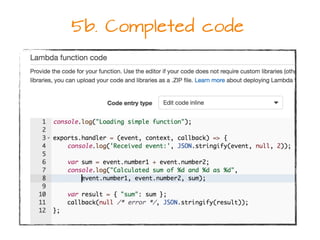
5b. Completed code
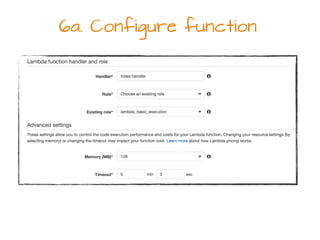
6a. Configure function
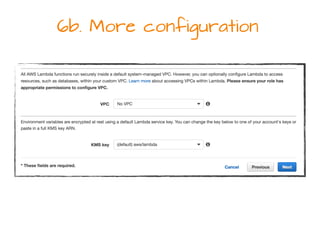
6b. More configuration
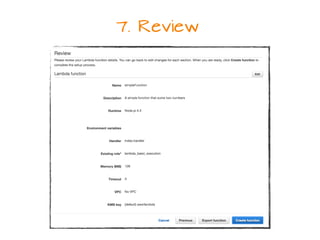
7. Review
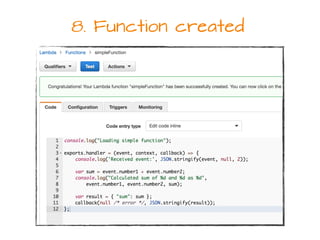
8. Function created
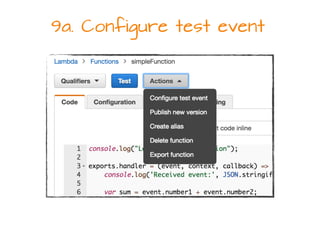
9a. Configure test event
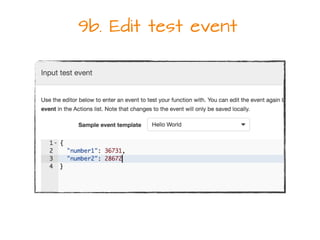
9b. Edit test event
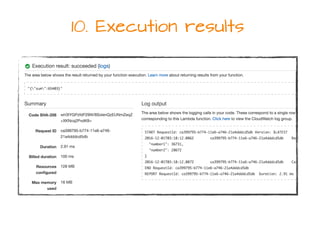
10. Execution results
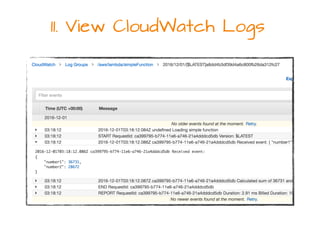
11. View CloudWatch Logs
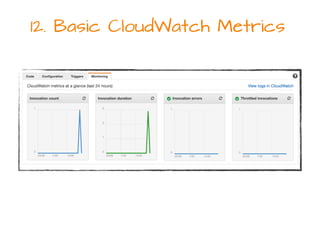
12. Basic CloudWatch Metrics
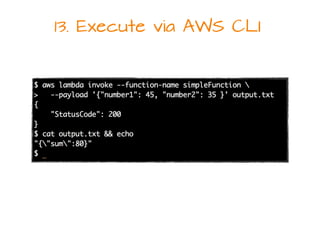
13. Execute via AWS CLI
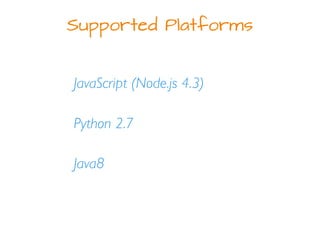
Supported Platforms
JavaScript (Node.js 4.3)
Python 2.7
Java8
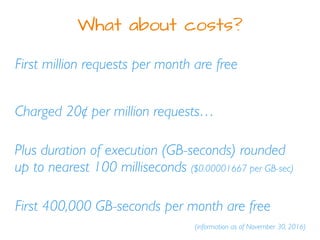
What about costs?
First million requests per month are free
Plus duration of execution (GB-seconds) rounded
up to nearest 100 milliseconds ($0.00001667 per GB-sec)
Charged 20¢ per million requests…
(information as of November 30, 2016)
First 400,000 GB-seconds per month are free
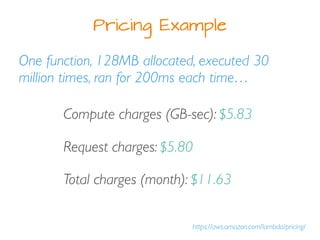
Pricing Example
https://aws.amazon.com/lambda/pricing/
One function, 128MB allocated, executed 30
million times, ran for 200ms each time…
Compute charges (GB-sec): $5.83
Request charges: $5.80
Total charges (month): $11.63
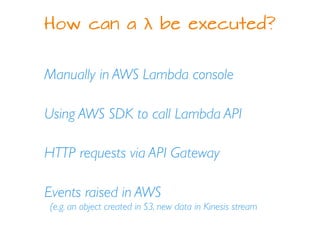
How can a λ be executed?
Manually in AWS Lambda console
Using AWS SDK to call Lambda API
HTTP requests via API Gateway
Events raised in AWS
(e.g. an object created in S3, new data in Kinesis stream
Ways to invoke λ functions
RequestResponse (synchronous)
Event (asynchronous)
RequestResponse Invocation
When a λ function is:
Invoked via the AWS console
Invoked using the AWS CLI
Executed via the Amazon API Gateway
Event Invocations
When an AWS event triggers a λ function:
An object is created in S3
An Amazon SNS notification
A Kinesis or DynamoDB stream
Event Models: Push vs. Pull
Push - A service (e.g. S3) publishes an
event to Lambda and invokes the function
Pull - Lambda polls streaming event
source (Kinesis, DynamoDB) and invokes
the function when new data arrives
Programming Model
Handler
Context Object
Logging
Exceptions
The following programming model
examples are for Node.js…
The Python 2.7 and Java8 models are
similar
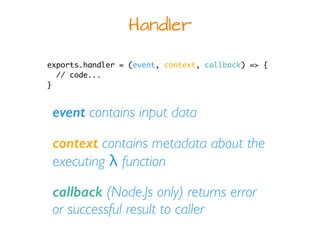
Handler
exports.handler = (event, context, callback) => {
// code...
}
event contains input data
context contains metadata about the
executing λ function
callback (Node.Js only) returns error
or successful result to caller
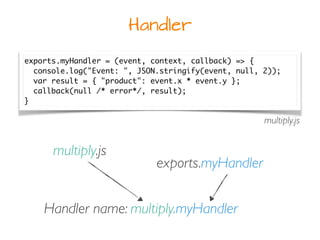
Handler
exports.myHandler = (event, context, callback) => {
console.log("Event: ", JSON.stringify(event, null, 2));
var result = { "product": event.x * event.y };
callback(null /* error*/, result);
}
multiply.js
Handler name: multiply.myHandler
multiply.js
exports.myHandler
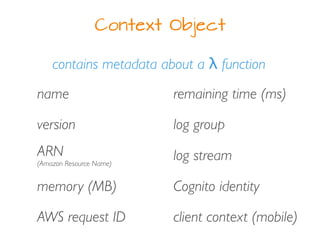
Context Object
contains metadata about a λ function
version
name
ARN
(Amazon Resource Name)
memory (MB)
AWS request ID
log group
log stream
Cognito identity
client context (mobile)
remaining time (ms)
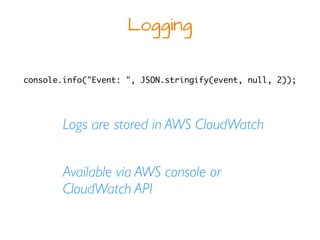
Logging
Logs are stored in AWS CloudWatch
Available via AWS console or
CloudWatch API
console.info("Event: ", JSON.stringify(event, null, 2));
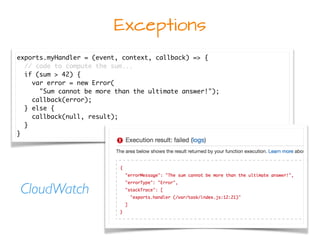
Exceptions
exports.myHandler = (event, context, callback) => {
// code to compute the sum...
if (sum > 42) {
var error = new Error(
"Sum cannot be more than the ultimate answer!");
callback(error);
} else {
callback(null, result);
}
}
CloudWatch
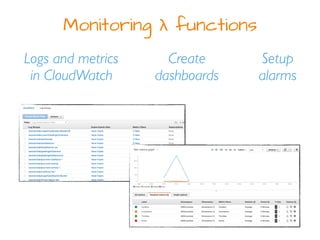
Monitoring λ functions
Logs and metrics
in CloudWatch
Setup
alarms
Create
dashboards
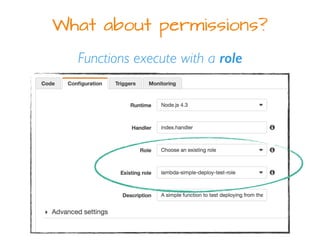
What about permissions?
Functions execute with a role
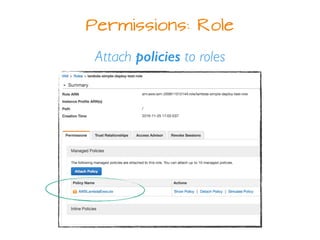
Permissions: Role
Attach policies to roles
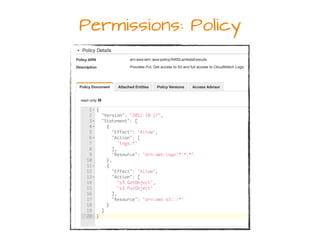
Permissions: Policy
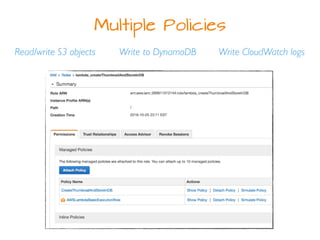
Multiple Policies
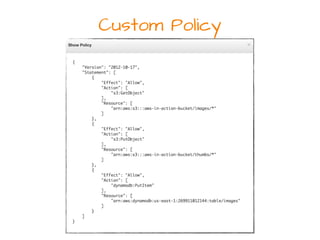
Read/write S3 objects Write to DynamoDB Write CloudWatch logs
Custom Policy
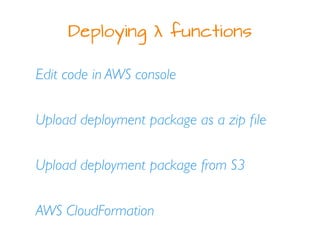
Deploying λ functions
Edit code in AWS console
Upload deployment package as a zip file
Upload deployment package from S3
AWS CloudFormation
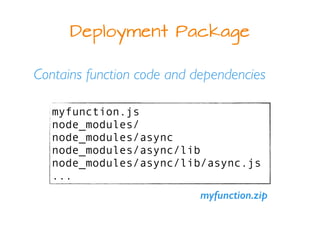
Deployment Package
Contains function code and dependencies
myfunction.js
node_modules/
node_modules/async
node_modules/async/lib
node_modules/async/lib/async.js
...
myfunction.zip
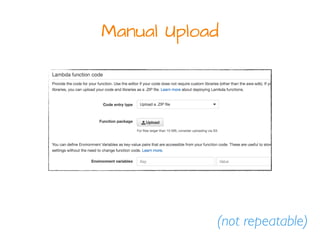
Manual Upload
(not repeatable)
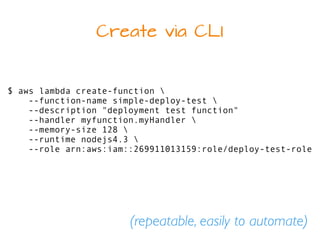
Create via CLI
$ aws lambda create-function 
--function-name simple-deploy-test 
--description "deployment test function"
--handler myfunction.myHandler 
--memory-size 128 
--runtime nodejs4.3 
--role arn:aws:iam::269911013159:role/deploy-test-role
(repeatable, easily to automate)
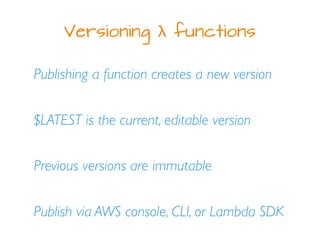
Versioning λ functions
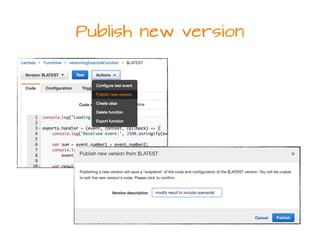
Publishing a function creates a new version
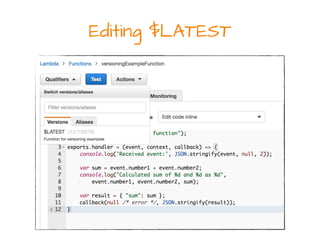
$LATEST is the current, editable version
Previous versions are immutable
Publish via AWS console, CLI, or Lambda SDK
Editing $LATEST
Publish new version
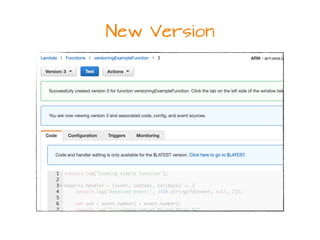
New Version
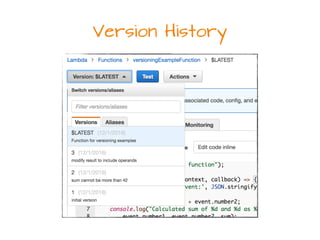
Version History
Function Aliases
Use aliases to point to the proper version
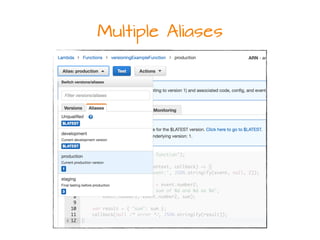
Multiple aliases for separate deployment
environments (e.g. dev, staging, production)
Refer to aliases, not specific versions
Multiple Aliases
When things go wrong…
Automatic retry for stream-based event
sources (e.g. Kinesis, Dynamo)
Automatic retry for asynchronous events
from non-stream-based sources (e.g. S3)
Manual retry for synchronous invocations
Container re-use
Functions run in an isolated container (sandbox)
Lambda may or may not re-use same container
across different invocations
Be aware that files written to /tmp may still
exist from previous invocations!
https://aws.amazon.com/blogs/compute/container-reuse-in-lambda/
Testing λ functions
lambda-local (Node.js, GitHub)
Mocking, e.g. context object & AWS SDKs
lambda-test-harness blueprint
aws-lambda-python-local (GitHub)
Here come the frameworks…
Chalice - Python micro-framework by AWS dev
tools team
Apex - build, deploy, manage λ functions
Serverless - build web, mobile, IoT apps
powered by Lambda & API Gateway
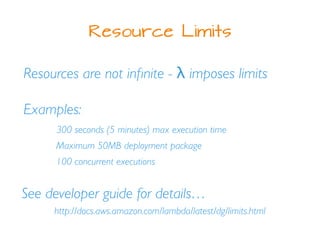
Resource Limits
Resources are not infinite - λ imposes limits
Examples:
300 seconds (5 minutes) max execution time
Maximum 50MB deployment package
100 concurrent executions
See developer guide for details…
http://docs.aws.amazon.com/lambda/latest/dg/limits.html
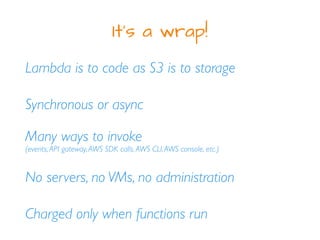
It's a wrap!
Lambda is to code as S3 is to storage
No servers, no VMs, no administration
Charged only when functions run
Synchronous or async
Many ways to invoke
(events,API gateway,AWS SDK calls,AWS CLI,AWS console, etc.)
References
AWS Lambda in Action
https://www.manning.com/books/aws-lambda-in-action
Serverless Architectures on AWS
https://www.manning.com/books/serverless-architectures-on-aws
AWS Lambda
https://aws.amazon.com/lambda/
Lambda Developer Guide
http://docs.aws.amazon.com/lambda/latest/dg/
My Info
sleberknight at
fortitudetec.com
www.fortitudetec.com
@sleberknight
scott.leberknight at
gmail

AWS Lambda