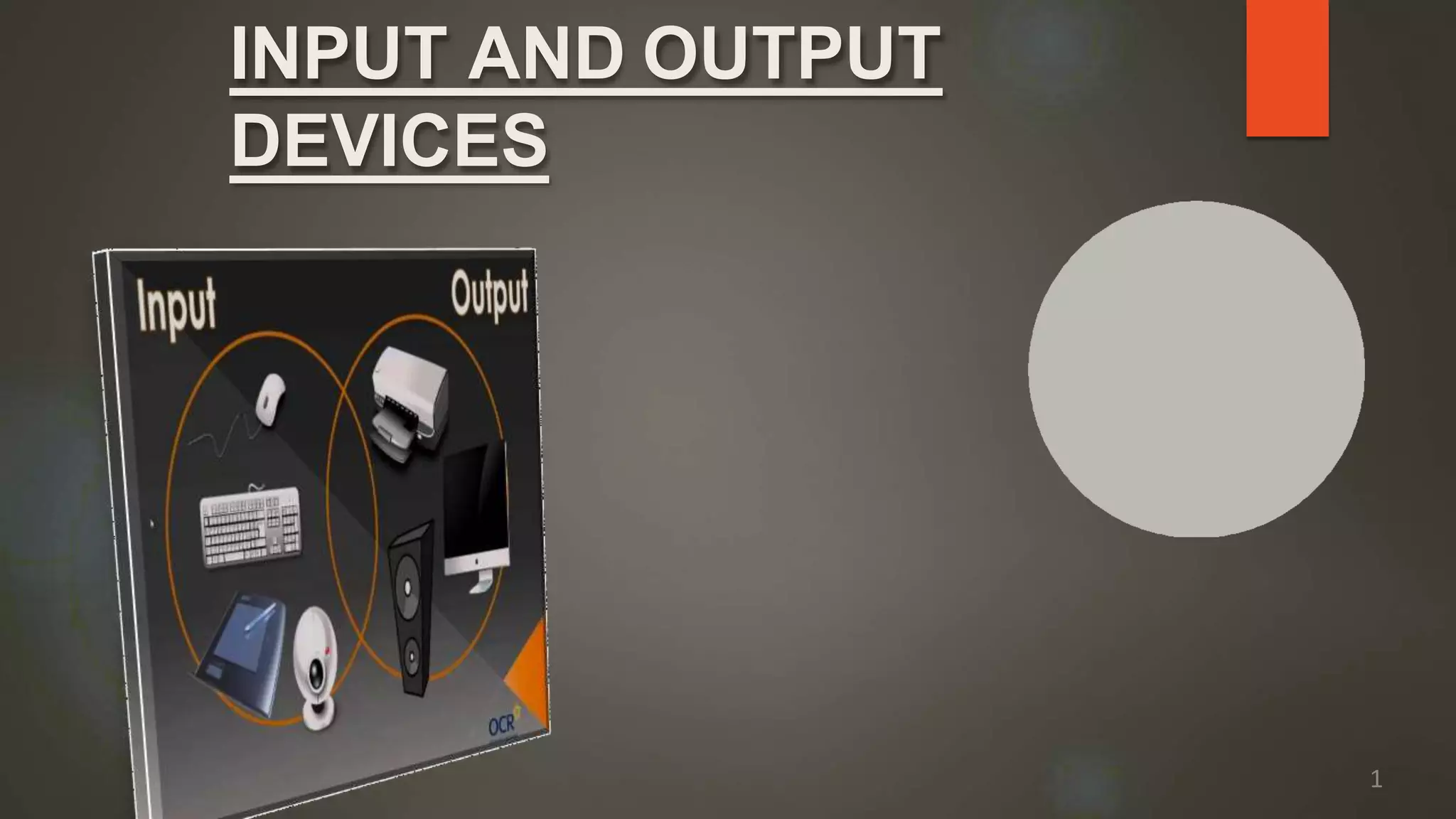
INPUT AND OUTPUT
DEVICES
1
HOW??
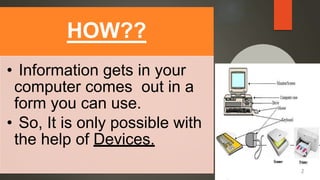
• Information gets in your
computer comes out in a
form you can use.
• So, It is only possible with
the help of Devices.
2
 It can be defined as the components or
peripeharls which are attached to the
computer to enter the data and get the desired
result.
 Examples:-
Monitor,Keyboard,Mouse,Printer,etc.
What is Device?
3
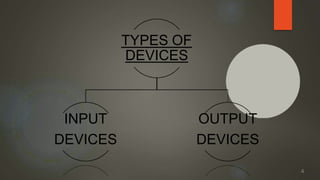
TYPES OF
DEVICES
INPUT
DEVICES
OUTPUT
DEVICES
4
INPUT
DEVICES
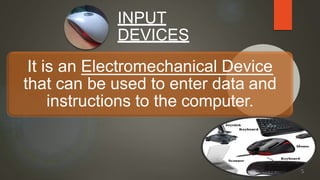
It is an Electromechanical Device
that can be used to enter data and
instructions to the computer.
5
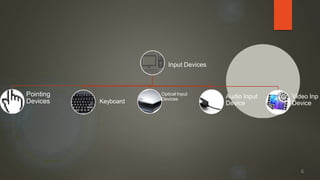
Input Devices
Pointing
Devices Keyboard
Optical Input
Devices Audio Input
Device
Video Inp
Device
6
Pointing Devices
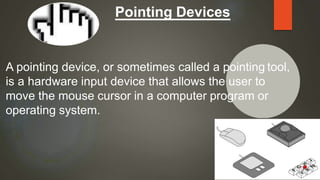
A pointing device, or sometimes called a pointing tool,
is a hardware input device that allows the user to
move the mouse cursor in a computer program or
operating system.
7
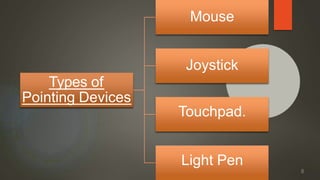
Types of
Pointing Devices
Mouse
Joystick
Touchpad.
Light Pen
8
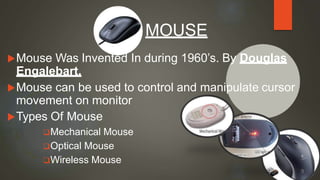
Mouse Was Invented In during 1960’s. By Douglas
Engalebart.
Mouse can be used to control and manipulate cursor
movement on monitor
Types Of Mouse
Mechanical Mouse
Optical Mouse
Wireless Mouse
MOUSE
9
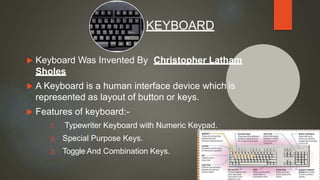
 Keyboard Was Invented By Christopher Latham
Sholes
 A Keyboard is a human interface device which is
represented as layout of button or keys.
 Features of keyboard:-
1. Typewriter Keyboard with Numeric Keypad.
2. Special Purpose Keys.
3. Toggle And Combination Keys.
KEYBOARD
10
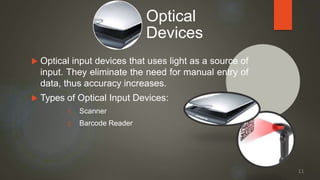
 Optical input devices that uses light as a source of
input. They eliminate the need for manual entry of
data, thus accuracy increases.
 Types of Optical Input Devices:
1. Scanner
2. Barcode Reader
Optical
Devices
11
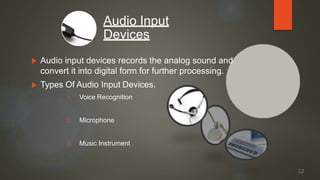
 Audio input devices records the analog sound and
convert it into digital form for further processing.
 Types Of Audio Input Devices.
1. Voice Recognition
2. Microphone
3. Music Instrument
Audio Input
Devices
12
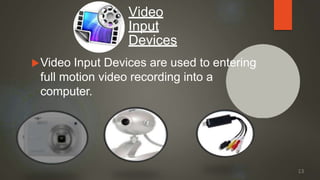
Video Input Devices are used to entering
full motion video recording into a
computer.
Video
Input
Devices
13
Output Devices
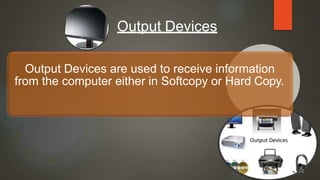
Output Devices are used to receive information
from the computer either in Softcopy or Hard Copy.
14
Output
Devices
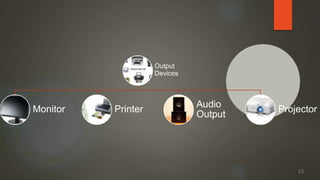
Monitor Printer
Audio
Output
Projector
15
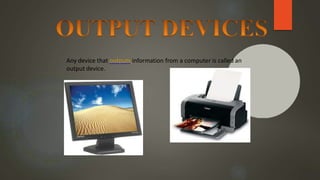
Any device that outputs information from a computer is called an
output device.
 THE MONITOR
 THE PRINTER
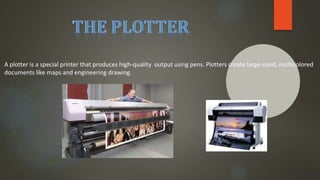
 THE PLOTTER
 THE SPEAKER
 FACSIMILE TRANSMISSION
 INTERNET TELEPHONY
 MULTIFUNCTIONAL DEVICES
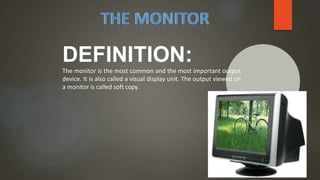
DEFINITION:
The monitor is the most common and the most important output
device. It is also called a visual display unit. The output viewed on
a monitor is called soft copy.
 THE CATHODE RAY TUBE (CRT)
 THE LIQUID CRYSTAL DISPLAY (LCD)
 THE PLASMA SCREEN
 THE E-BOOK READER
 THE DATA PROJECTER
 HIGH-DEFINITION TELEVITION (HDTV)
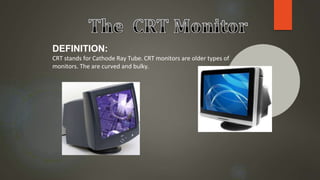
DEFINITION:
CRT stands for Cathode Ray Tube. CRT monitors are older types of
monitors. The are curved and bulky.
.
DEFINITION:
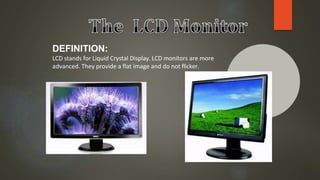
LCD stands for Liquid Crystal Display. LCD monitors are more
advanced. They provide a flat image and do not flicker.
.
DEFINITION:
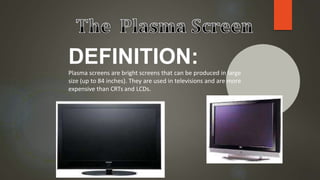
Plasma screens are bright screens that can be produced in large
size (up to 84 inches). They are used in televisions and are more
expensive than CRTs and LCDs.
DEFINITION:
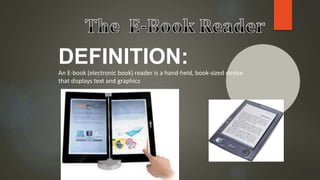
An E-book (electronic book) reader is a hand-held, book-sized device
that displays text and graphics
DEFINITION:
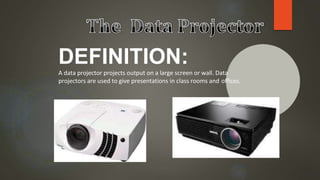
A data projector projects output on a large screen or wall. Data
projectors are used to give presentations in class rooms and offices.
DEFINITION:
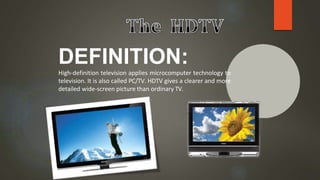
High-definition television applies microcomputer technology to
television. It is also called PC/TV. HDTV gives a clearer and more
detailed wide-screen picture than ordinary TV.
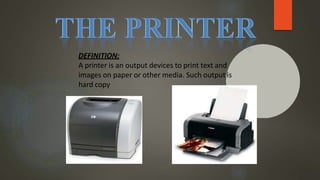
DEFINITION:
A printer is an output devices to print text and
images on paper or other media. Such output is
hard copy
THE LASER PRINTER
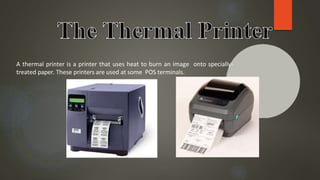
THE THERMAL PRINTER
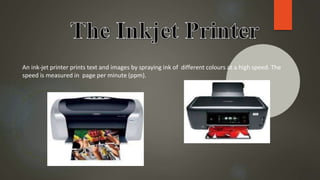
THE INK-JET PRINTER
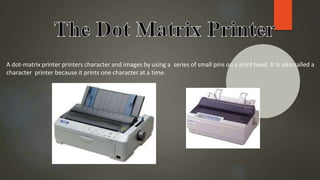
THE DOT-MATERIX PRINTER
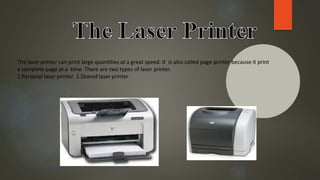
The laser printer can print large quantities at a great speed. It is also called page printer because it print
a complete page at a time. There are two types of laser printer.
1.Personal laser printer 2.Shared laser printer
A thermal printer is a printer that uses heat to burn an image onto specially-
treated paper. These printers are used at some POS terminals.
An ink-jet printer prints text and images by spraying ink of different colours at a high speed. The
speed is measured in page per minute (ppm).
A dot-matrix printer printers character and images by using a series of small pins on a print head. It is also called a
character printer because it prints one character at a time.
A plotter is a special printer that produces high-quality output using pens. Plotters create large-sized, multicolored
documents like maps and engineering drawing.
DEFINITION:
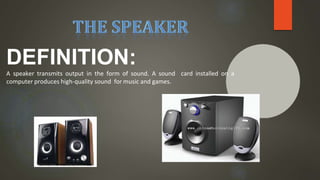
A speaker transmits output in the form of sound. A sound card installed on a
computer produces high-quality sound for music and games.
DEFINATION:
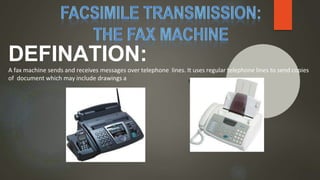
A fax machine sends and receives messages over telephone lines. It uses regular telephone lines to send copies
of document which may include drawings a s well as text.
DEFINITION:
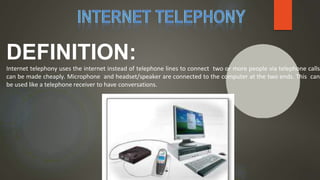
Internet telephony uses the internet instead of telephone lines to connect two or more people via telephone calls
can be made cheaply. Microphone and headset/speaker are connected to the computer at the two ends. This can
be used like a telephone receiver to have conversations.
DEFINITION:
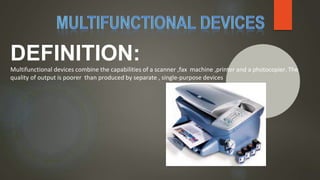
Multifunctional devices combine the capabilities of a scanner ,fax machine ,printer and a photocopier. The
quality of output is poorer than produced by separate , single-purpose devices
 Printer was invented by Johannes Gutenberg
 In computing, a printer is a peripheral which makes a persistenthuman-
readable representation of graphics or text on paper or similar physical
media
 Types Of Printer:-
1. Impact Printer :- An impact printer makes contact with the paper. It
usually forms the print image by pressing an inked ribbon against the
paper using a hammer or pins. Eg. Dot-Matrix , Daisy Wheel, Etc.
2. Non-Impact Printer :- Non-impact printers do not use a striking device to
produce characters on the paper; and because these printers do not
hammer against the paper they are much quieter. Eg. Inkjet , Laser, Etc.
PRINTER
37
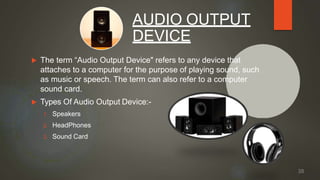
 The term “Audio Output Device" refers to any device that
attaches to a computer for the purpose of playing sound, such
as music or speech. The term can also refer to a computer
sound card.
 Types Of Audio Output Device:-
1. Speakers
2. HeadPhones
3. Sound Card
AUDIO OUTPUT
DEVICE
38
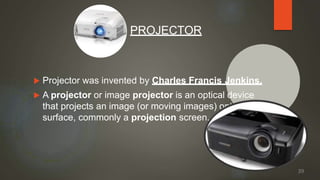
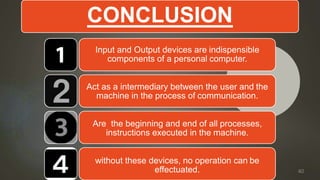
 Projector was invented by Charles Francis Jenkins.
 A projector or image projector is an optical device
that projects an image (or moving images) onto a
surface, commonly a projection screen.
PROJECTOR
39
CONCLUSION
Input and Output devices are indispensible
components of a personal computer.
Act as a intermediary between the user and the
machine in the process of communication.
Are the beginning and end of all processes,
instructions executed in the machine.
without these devices, no operation can be
effectuated. 40
41

IODevices.pptx

  • 1.
  • 2.
    HOW?? • Information getsin your computer comes out in a form you can use. • So, It is only possible with the help of Devices. 2
  • 3.
     It canbe defined as the components or peripeharls which are attached to the computer to enter the data and get the desired result.  Examples:- Monitor,Keyboard,Mouse,Printer,etc. What is Device? 3
  • 4.
  • 5.
    INPUT DEVICES It is anElectromechanical Device that can be used to enter data and instructions to the computer. 5
  • 6.
    Input Devices Pointing Devices Keyboard OpticalInput Devices Audio Input Device Video Inp Device 6
  • 7.
    Pointing Devices A pointingdevice, or sometimes called a pointing tool, is a hardware input device that allows the user to move the mouse cursor in a computer program or operating system. 7
  • 8.
  • 9.
    Mouse Was InventedIn during 1960’s. By Douglas Engalebart. Mouse can be used to control and manipulate cursor movement on monitor Types Of Mouse Mechanical Mouse Optical Mouse Wireless Mouse MOUSE 9
  • 10.
     Keyboard WasInvented By Christopher Latham Sholes  A Keyboard is a human interface device which is represented as layout of button or keys.  Features of keyboard:- 1. Typewriter Keyboard with Numeric Keypad. 2. Special Purpose Keys. 3. Toggle And Combination Keys. KEYBOARD 10
  • 11.
     Optical inputdevices that uses light as a source of input. They eliminate the need for manual entry of data, thus accuracy increases.  Types of Optical Input Devices: 1. Scanner 2. Barcode Reader Optical Devices 11
  • 12.
     Audio inputdevices records the analog sound and convert it into digital form for further processing.  Types Of Audio Input Devices. 1. Voice Recognition 2. Microphone 3. Music Instrument Audio Input Devices 12
  • 13.
    Video Input Devicesare used to entering full motion video recording into a computer. Video Input Devices 13
  • 14.
    Output Devices Output Devicesare used to receive information from the computer either in Softcopy or Hard Copy. 14
  • 15.
  • 16.
    Any device thatoutputs information from a computer is called an output device.
  • 17.
     THE MONITOR THE PRINTER  THE PLOTTER  THE SPEAKER  FACSIMILE TRANSMISSION  INTERNET TELEPHONY  MULTIFUNCTIONAL DEVICES
  • 18.
    DEFINITION: The monitor isthe most common and the most important output device. It is also called a visual display unit. The output viewed on a monitor is called soft copy.
  • 19.
     THE CATHODERAY TUBE (CRT)  THE LIQUID CRYSTAL DISPLAY (LCD)  THE PLASMA SCREEN  THE E-BOOK READER  THE DATA PROJECTER  HIGH-DEFINITION TELEVITION (HDTV)
  • 20.
    DEFINITION: CRT stands forCathode Ray Tube. CRT monitors are older types of monitors. The are curved and bulky. .
  • 21.
    DEFINITION: LCD stands forLiquid Crystal Display. LCD monitors are more advanced. They provide a flat image and do not flicker. .
  • 22.
    DEFINITION: Plasma screens arebright screens that can be produced in large size (up to 84 inches). They are used in televisions and are more expensive than CRTs and LCDs.
  • 23.
    DEFINITION: An E-book (electronicbook) reader is a hand-held, book-sized device that displays text and graphics
  • 24.
    DEFINITION: A data projectorprojects output on a large screen or wall. Data projectors are used to give presentations in class rooms and offices.
  • 25.
    DEFINITION: High-definition television appliesmicrocomputer technology to television. It is also called PC/TV. HDTV gives a clearer and more detailed wide-screen picture than ordinary TV.
  • 26.
    DEFINITION: A printer isan output devices to print text and images on paper or other media. Such output is hard copy
  • 27.
    THE LASER PRINTER THETHERMAL PRINTER THE INK-JET PRINTER THE DOT-MATERIX PRINTER
  • 28.
    The laser printercan print large quantities at a great speed. It is also called page printer because it print a complete page at a time. There are two types of laser printer. 1.Personal laser printer 2.Shared laser printer
  • 29.
    A thermal printeris a printer that uses heat to burn an image onto specially- treated paper. These printers are used at some POS terminals.
  • 30.
    An ink-jet printerprints text and images by spraying ink of different colours at a high speed. The speed is measured in page per minute (ppm).
  • 31.
    A dot-matrix printerprinters character and images by using a series of small pins on a print head. It is also called a character printer because it prints one character at a time.
  • 32.
    A plotter isa special printer that produces high-quality output using pens. Plotters create large-sized, multicolored documents like maps and engineering drawing.
  • 33.
    DEFINITION: A speaker transmitsoutput in the form of sound. A sound card installed on a computer produces high-quality sound for music and games.
  • 34.
    DEFINATION: A fax machinesends and receives messages over telephone lines. It uses regular telephone lines to send copies of document which may include drawings a s well as text.
  • 35.
    DEFINITION: Internet telephony usesthe internet instead of telephone lines to connect two or more people via telephone calls can be made cheaply. Microphone and headset/speaker are connected to the computer at the two ends. This can be used like a telephone receiver to have conversations.
  • 36.
    DEFINITION: Multifunctional devices combinethe capabilities of a scanner ,fax machine ,printer and a photocopier. The quality of output is poorer than produced by separate , single-purpose devices
  • 37.
     Printer wasinvented by Johannes Gutenberg  In computing, a printer is a peripheral which makes a persistenthuman- readable representation of graphics or text on paper or similar physical media  Types Of Printer:- 1. Impact Printer :- An impact printer makes contact with the paper. It usually forms the print image by pressing an inked ribbon against the paper using a hammer or pins. Eg. Dot-Matrix , Daisy Wheel, Etc. 2. Non-Impact Printer :- Non-impact printers do not use a striking device to produce characters on the paper; and because these printers do not hammer against the paper they are much quieter. Eg. Inkjet , Laser, Etc. PRINTER 37
  • 38.
     The term“Audio Output Device" refers to any device that attaches to a computer for the purpose of playing sound, such as music or speech. The term can also refer to a computer sound card.  Types Of Audio Output Device:- 1. Speakers 2. HeadPhones 3. Sound Card AUDIO OUTPUT DEVICE 38
  • 39.
     Projector wasinvented by Charles Francis Jenkins.  A projector or image projector is an optical device that projects an image (or moving images) onto a surface, commonly a projection screen. PROJECTOR 39
  • 40.
    CONCLUSION Input and Outputdevices are indispensible components of a personal computer. Act as a intermediary between the user and the machine in the process of communication. Are the beginning and end of all processes, instructions executed in the machine. without these devices, no operation can be effectuated. 40
  • 41.