n
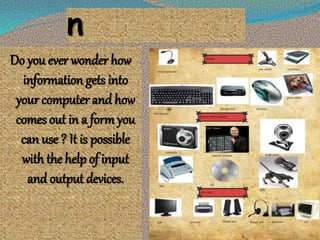
Do you ever wonder how
information gets into
your computer and how
comes out in a form you
can use ? It is possible
with the help of input
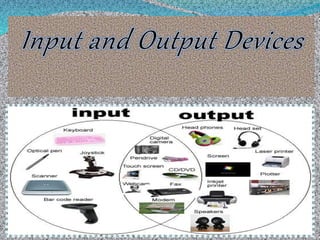
and output devices.
Input Devices
Definition :
“An electromechanical device that can be used to enter data
and instructions into a computer.”
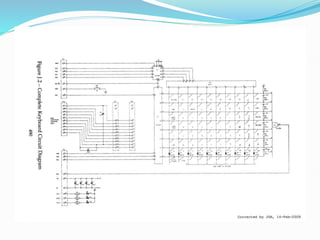
Keyboard
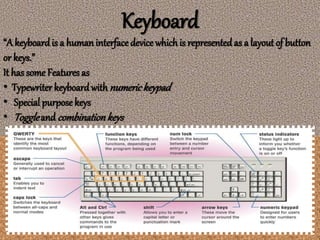
“A keyboardis a humaninterface device whichis representedas a layout of button
or keys.”
It has some Features as
• Typewriter keyboard with numerickeypad
• Special purposekeys
• Toggleand combinationkeys
Definition :
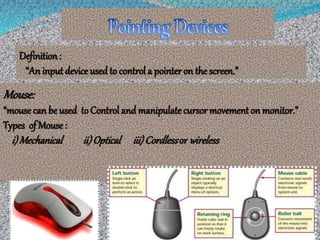
“An inputdevice usedto control a pointer on thescreen.”
Mouse:
“mousecan be used toControl and manipulatecursor movementon monitor.”
Types of Mouse:
i)Mechanical ii)Optical iii)Cordlessor wireless
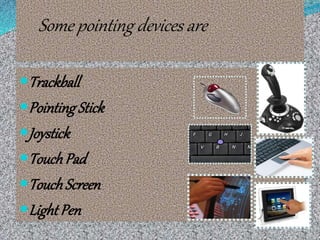
Some pointing devices are
Trackball
Pointing Stick
Joystick
TouchPad
TouchScreen
Light Pen
Optical Input Devices
“optical input devices that uses light as a source of input. They
eliminate the need for manual entry of data, thus accuracy
increases.
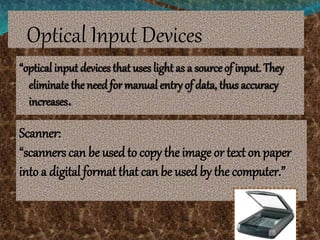
Scanner:
“scanners can be usedto copy the image or text on paper
into a digital format that can be used by the computer.”
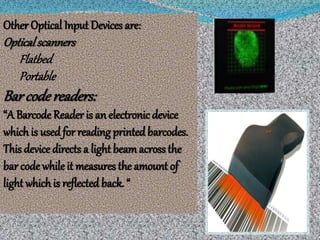
Other Optical Input Devices are:
Opticalscanners
Flatbed
Portable
Bar codereaders:
“A Barcode Reader is an electronic device
which is used for reading printed barcodes.
This device directs a light beamacross the
bar code whileit measures the amount of
light whichis reflected back. “
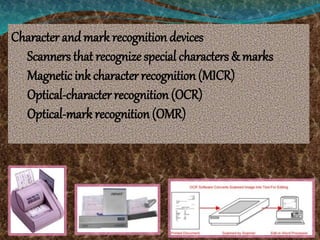
Character andmark recognition devices
Scanners that recognize special characters & marks
Magnetic ink character recognition (MICR)
Optical-character recognition (OCR)
Optical-mark recognition (OMR)
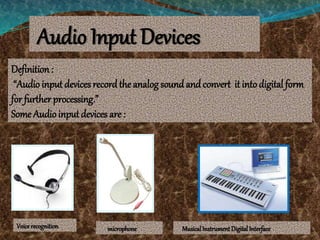
Audio Input Devices
Definition:
“Audio input devices recordthe analog sound and convert it into digital form
for further processing.”
Some Audio inputdevices are :
Voice recognition microphone MusicalInstrument DigitalInterface
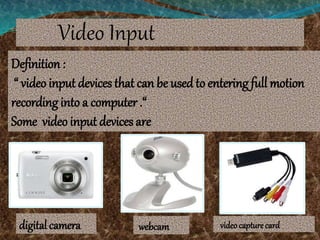
Video Input
Definition :
“ video input devices that can be usedto entering full motion
recording into a computer .“
Some video input devices are
digital camera webcam videocapture card
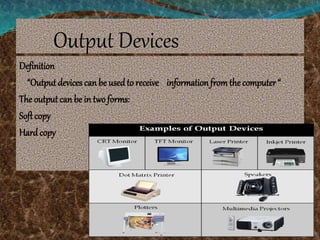
Output Devices
Definition
“Output devices can be usedto receive informationfromthe computer “
The outputcan be in two forms:
Softcopy
Hardcopy
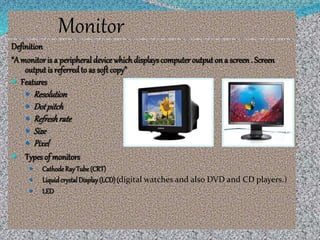
Monitor
Definition
“A monitoris a peripheral device whichdisplayscomputer output on a screen. Screen
output is referredto as soft copy”
 Features
 Resolution
 Dotpitch
 Refreshrate
 Size
 Pixel
 Types of monitors
 CathodeRay Tube (CRT)
 LiquidcrystalDisplay(LCD)(digital watches and also DVD and CD players.)
 LED
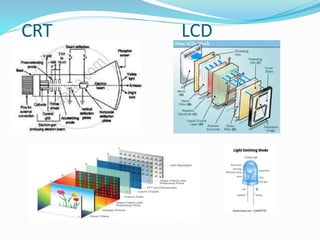
CRT LCD
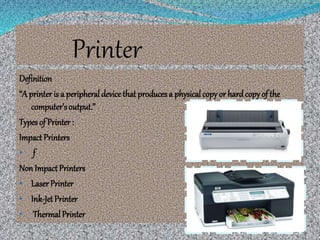
Printer
Definition
“A printer is a peripheral device that producesa physicalcopy or hardcopy of the
computer’s output.”
Types of Printer :
Impact Printers
• f
Non Impact Printers
• LaserPrinter
• Ink-Jet Printer
• Thermal Printer
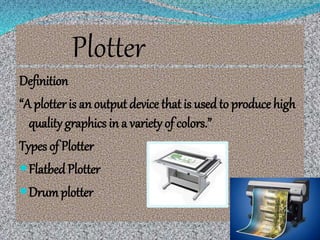
Plotter
Definition
“A plotter is an output device that is usedto produce high
quality graphics in a variety of colors.”
Types of Plotter
FlatbedPlotter
Drumplotter
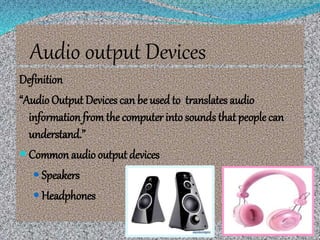
Audio output Devices
Definition
“Audio Output Devices can be used to translates audio
information fromthe computer into sounds that peoplecan
understand.”
 Common audio output devices
 Speakers
 Headphones
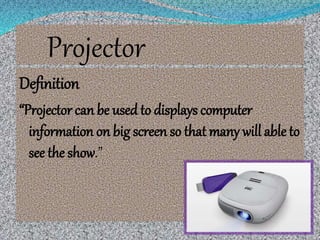
Projector
Definition
“Projector can be used to displays computer
information on big screen so that many will able to
see the show.”
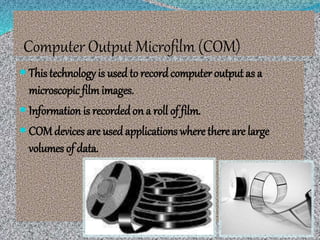
Computer Output Microfilm (COM)
 This technology is used to recordcomputer output as a
microscopic filmimages.
 Information is recorded on a roll of film.
 COM devices are used applications where there are large
volumes of data.
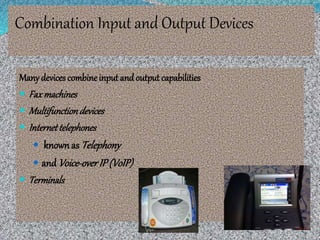
Combination Input and Output Devices
Many devices combine input andoutput capabilities
 Faxmachines
 Multifunctiondevices
 Internettelephones
 knownas Telephony
 and Voice-overIP(VoIP)
 Terminals
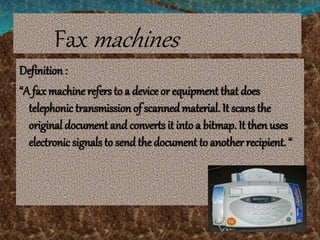
Fax machines
Definition :
“A fax machine refers to a device or equipment that does
telephonic transmission of scanned material. It scans the
original document and converts it into a bitmap. It then uses
electronic signals to send the document to another recipient. “
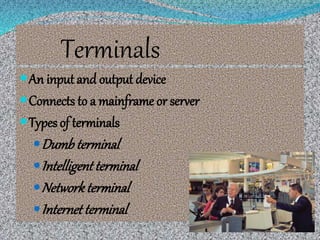
Terminals
An input and output device
Connects to a mainframe or server
Types of terminals
Dumb terminal
Intelligentterminal
Networkterminal
Internetterminal
A presentation on Input output devices.pptx

A presentation on Input output devices.pptx

  • 3.
    n Do you everwonder how information gets into your computer and how comes out in a form you can use ? It is possible with the help of input and output devices.
  • 4.
    Input Devices Definition : “Anelectromechanical device that can be used to enter data and instructions into a computer.”
  • 5.
    Keyboard “A keyboardis ahumaninterface device whichis representedas a layout of button or keys.” It has some Features as • Typewriter keyboard with numerickeypad • Special purposekeys • Toggleand combinationkeys
  • 7.
    Definition : “An inputdeviceusedto control a pointer on thescreen.” Mouse: “mousecan be used toControl and manipulatecursor movementon monitor.” Types of Mouse: i)Mechanical ii)Optical iii)Cordlessor wireless
  • 8.
    Some pointing devicesare Trackball Pointing Stick Joystick TouchPad TouchScreen Light Pen
  • 9.
    Optical Input Devices “opticalinput devices that uses light as a source of input. They eliminate the need for manual entry of data, thus accuracy increases. Scanner: “scanners can be usedto copy the image or text on paper into a digital format that can be used by the computer.”
  • 10.
    Other Optical InputDevices are: Opticalscanners Flatbed Portable Bar codereaders: “A Barcode Reader is an electronic device which is used for reading printed barcodes. This device directs a light beamacross the bar code whileit measures the amount of light whichis reflected back. “
  • 11.
    Character andmark recognitiondevices Scanners that recognize special characters & marks Magnetic ink character recognition (MICR) Optical-character recognition (OCR) Optical-mark recognition (OMR)
  • 12.
    Audio Input Devices Definition: “Audioinput devices recordthe analog sound and convert it into digital form for further processing.” Some Audio inputdevices are : Voice recognition microphone MusicalInstrument DigitalInterface
  • 13.
    Video Input Definition : “video input devices that can be usedto entering full motion recording into a computer .“ Some video input devices are digital camera webcam videocapture card
  • 14.
    Output Devices Definition “Output devicescan be usedto receive informationfromthe computer “ The outputcan be in two forms: Softcopy Hardcopy
  • 15.
    Monitor Definition “A monitoris aperipheral device whichdisplayscomputer output on a screen. Screen output is referredto as soft copy”  Features  Resolution  Dotpitch  Refreshrate  Size  Pixel  Types of monitors  CathodeRay Tube (CRT)  LiquidcrystalDisplay(LCD)(digital watches and also DVD and CD players.)  LED
  • 16.
  • 17.
    Printer Definition “A printer isa peripheral device that producesa physicalcopy or hardcopy of the computer’s output.” Types of Printer : Impact Printers • f Non Impact Printers • LaserPrinter • Ink-Jet Printer • Thermal Printer
  • 18.
    Plotter Definition “A plotter isan output device that is usedto produce high quality graphics in a variety of colors.” Types of Plotter FlatbedPlotter Drumplotter
  • 19.
    Audio output Devices Definition “AudioOutput Devices can be used to translates audio information fromthe computer into sounds that peoplecan understand.”  Common audio output devices  Speakers  Headphones
  • 20.
    Projector Definition “Projector can beused to displays computer information on big screen so that many will able to see the show.”
  • 21.
    Computer Output Microfilm(COM)  This technology is used to recordcomputer output as a microscopic filmimages.  Information is recorded on a roll of film.  COM devices are used applications where there are large volumes of data.
  • 22.
    Combination Input andOutput Devices Many devices combine input andoutput capabilities  Faxmachines  Multifunctiondevices  Internettelephones  knownas Telephony  and Voice-overIP(VoIP)  Terminals
  • 23.
    Fax machines Definition : “Afax machine refers to a device or equipment that does telephonic transmission of scanned material. It scans the original document and converts it into a bitmap. It then uses electronic signals to send the document to another recipient. “
  • 24.
    Terminals An input andoutput device Connects to a mainframe or server Types of terminals Dumb terminal Intelligentterminal Networkterminal Internetterminal