Welcome to DCN 330:
Data Communication: Real-World
Interconnectivity!
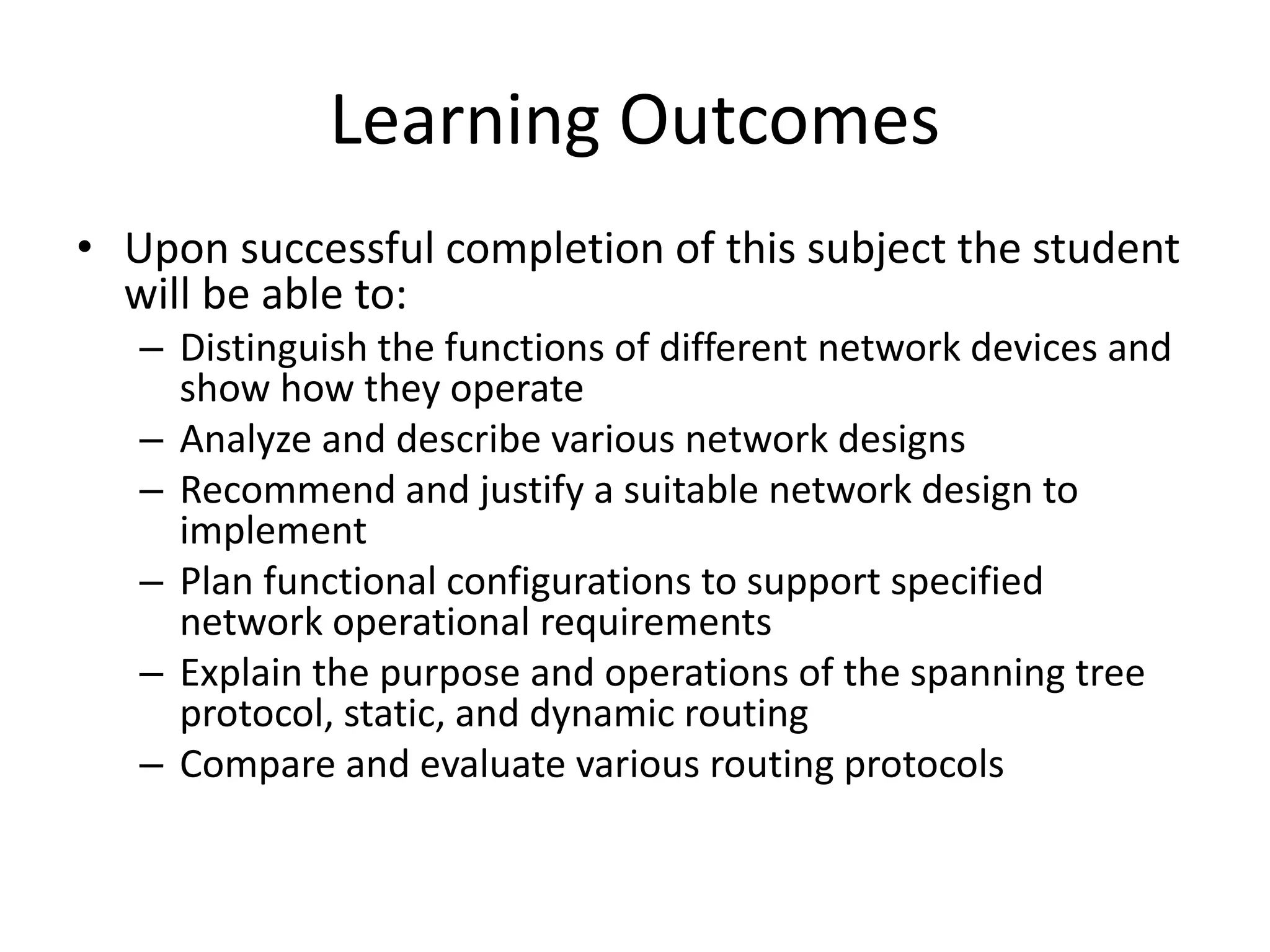
Learning Outcomes
• Upon successful completion of this subject the student
will be able to:
– Distinguish the functions of different network devices and
show how they operate
– Analyze and describe various network designs
– Recommend and justify a suitable network design to
implement
– Plan functional configurations to support specified
network operational requirements
– Explain the purpose and operations of the spanning tree
protocol, static, and dynamic routing
– Compare and evaluate various routing protocols
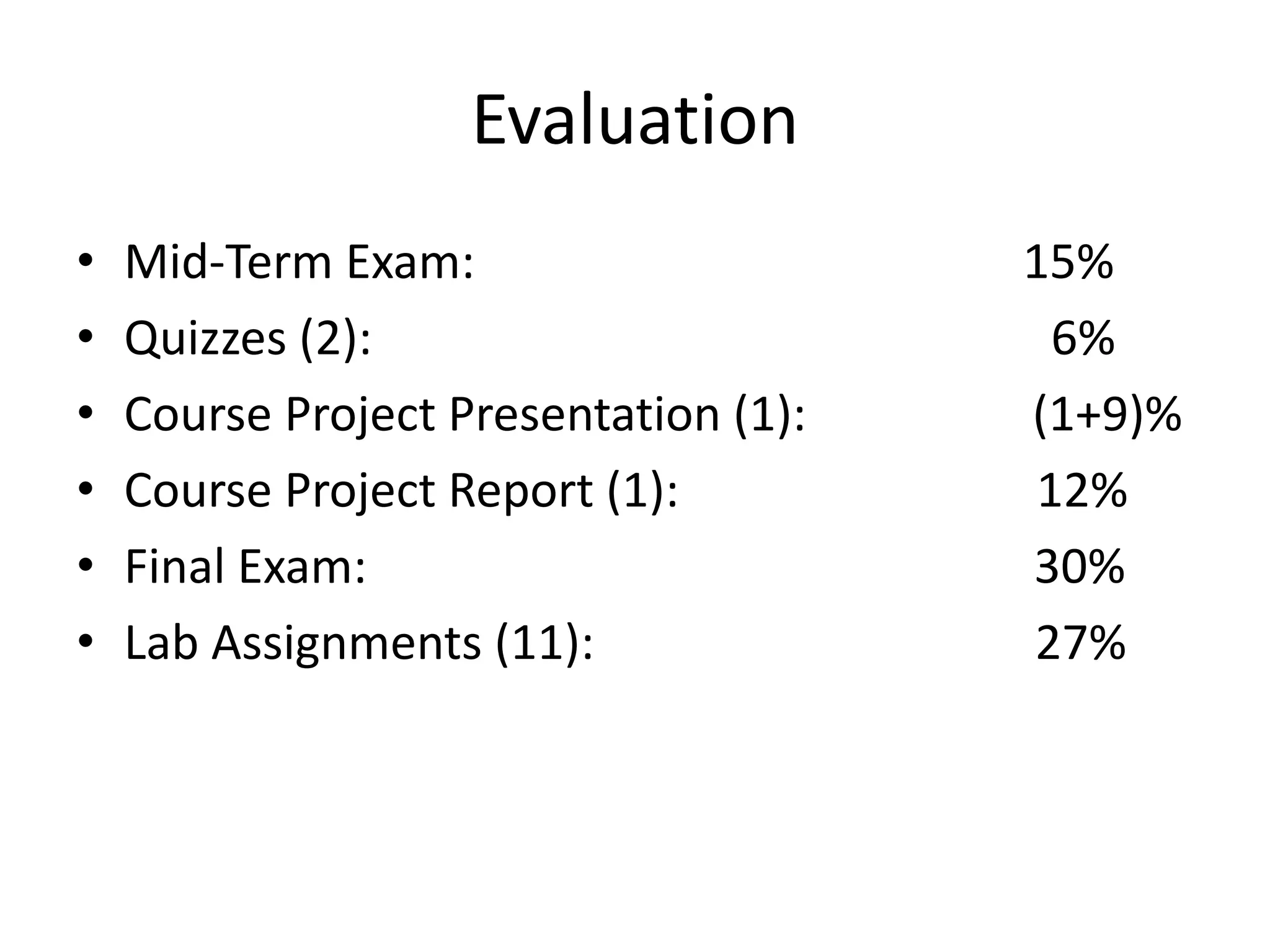
Evaluation
• Mid-Term Exam: 15%
• Quizzes (2): 6%
• Course Project Presentation (1): (1+9)%
• Course Project Report (1): 12%
• Final Exam: 30%
• Lab Assignments (11): 27%
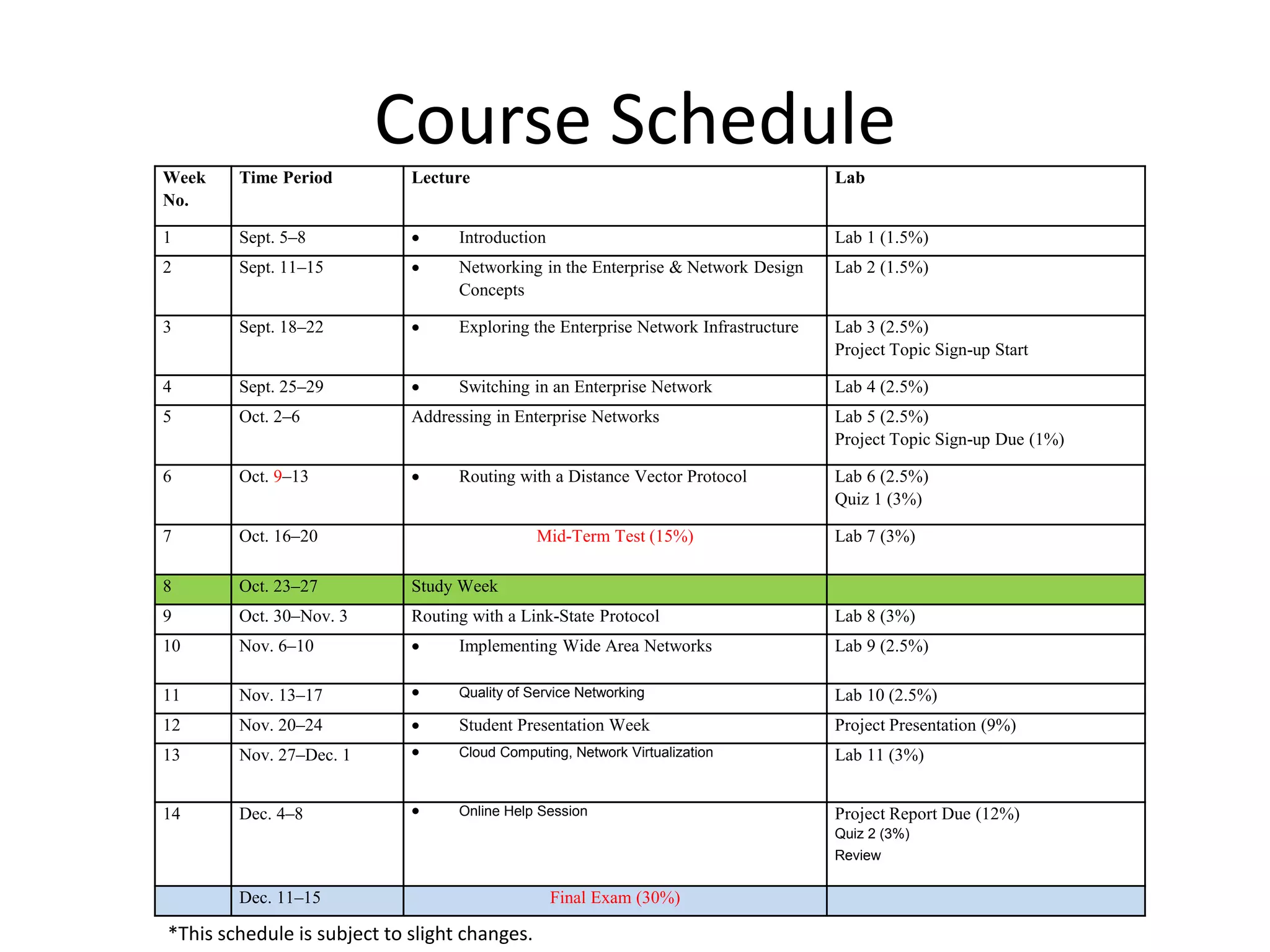
Course Schedule
Week
No.
Time Period Lecture Lab
1 Sept. 5–8  Introduction Lab 1 (1.5%)
2 Sept. 11–15  Networking in the Enterprise & Network Design
Concepts
Lab 2 (1.5%)
3 Sept. 18–22  Exploring the Enterprise Network Infrastructure Lab 3 (2.5%)
Project Topic Sign-up Start
4 Sept. 25–29  Switching in an Enterprise Network Lab 4 (2.5%)
5 Oct. 2–6 Addressing in Enterprise Networks Lab 5 (2.5%)
Project Topic Sign-up Due (1%)
6 Oct. 9–13  Routing with a Distance Vector Protocol Lab 6 (2.5%)
Quiz 1 (3%)
7 Oct. 16–20 Mid-Term Test (15%) Lab 7 (3%)
8 Oct. 23–27 Study Week
9 Oct. 30–Nov. 3 Routing with a Link-State Protocol Lab 8 (3%)
10 Nov. 6–10  Implementing Wide Area Networks Lab 9 (2.5%)
11 Nov. 13–17  Quality of Service Networking Lab 10 (2.5%)
12 Nov. 20–24  Student Presentation Week Project Presentation (9%)
13 Nov. 27–Dec. 1  Cloud Computing, Network Virtualization Lab 11 (3%)
14 Dec. 4–8  Online Help Session Project Report Due (12%)
Quiz 2 (3%)
Review
Dec. 11–15 Final Exam (30%)
*This schedule is subject to slight changes.
Introduction
• Networking Today
• Our Focus in the Course
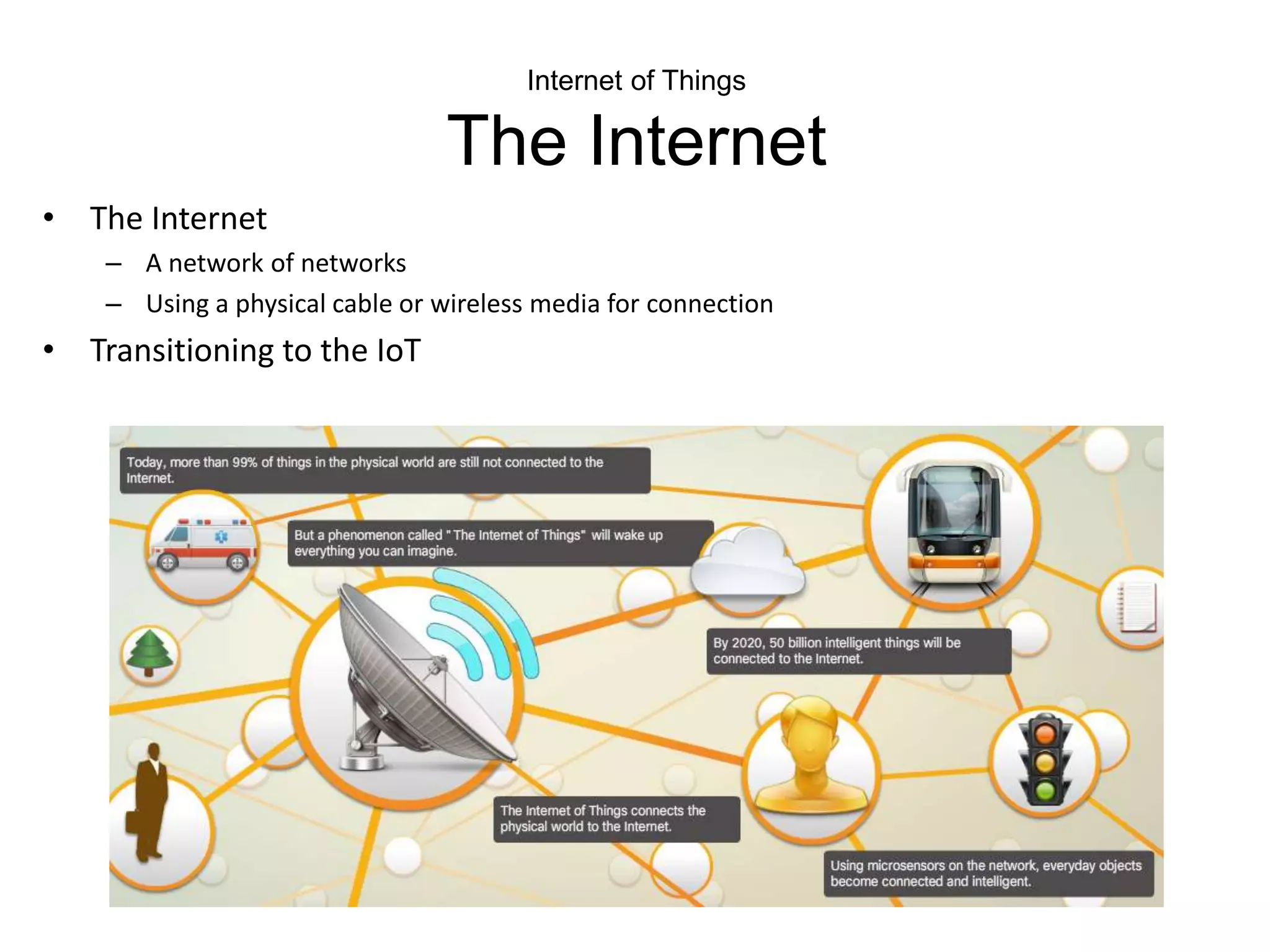
Internet of Things
The Internet
• The Internet
– A network of networks
– Using a physical cable or wireless media for connection
• Transitioning to the IoT
The Value of the IoE
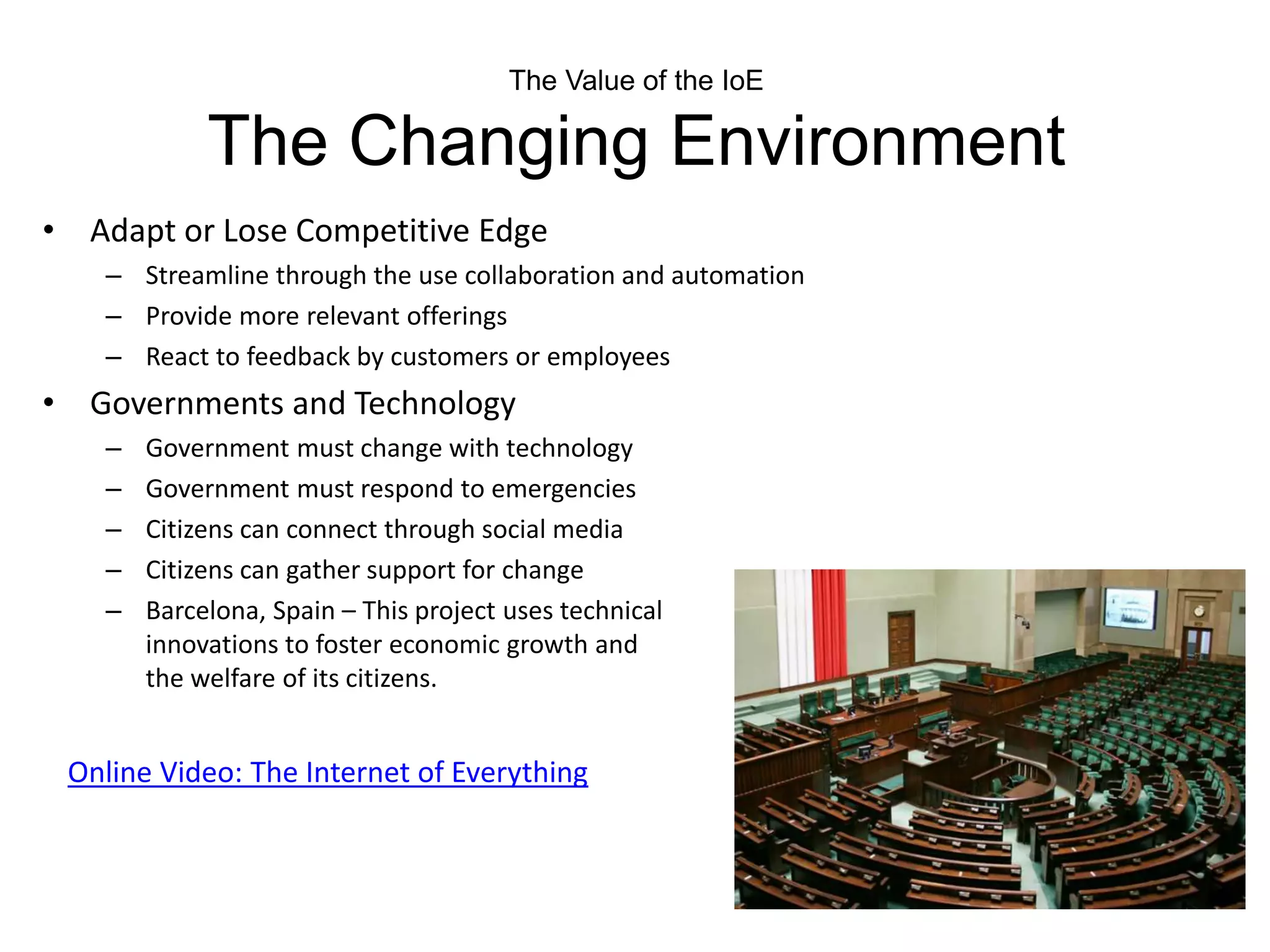
The Changing Environment
• Adapt or Lose Competitive Edge
– Streamline through the use collaboration and automation
– Provide more relevant offerings
– React to feedback by customers or employees
• Governments and Technology
– Government must change with technology
– Government must respond to emergencies
– Citizens can connect through social media
– Citizens can gather support for change
– Barcelona, Spain – This project uses technical
innovations to foster economic growth and
the welfare of its citizens.
Online Video: The Internet of Everything
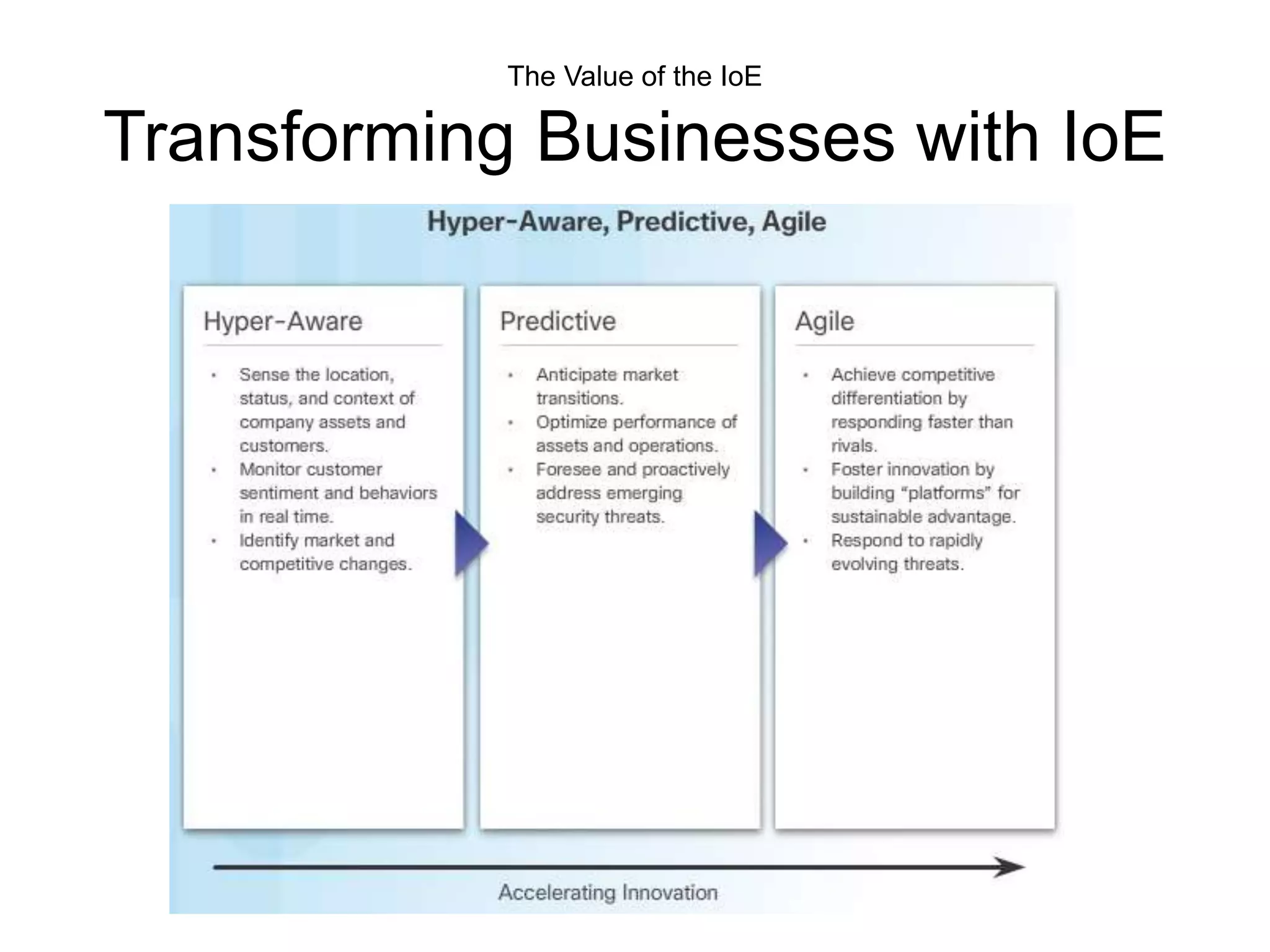
The Value of the IoE
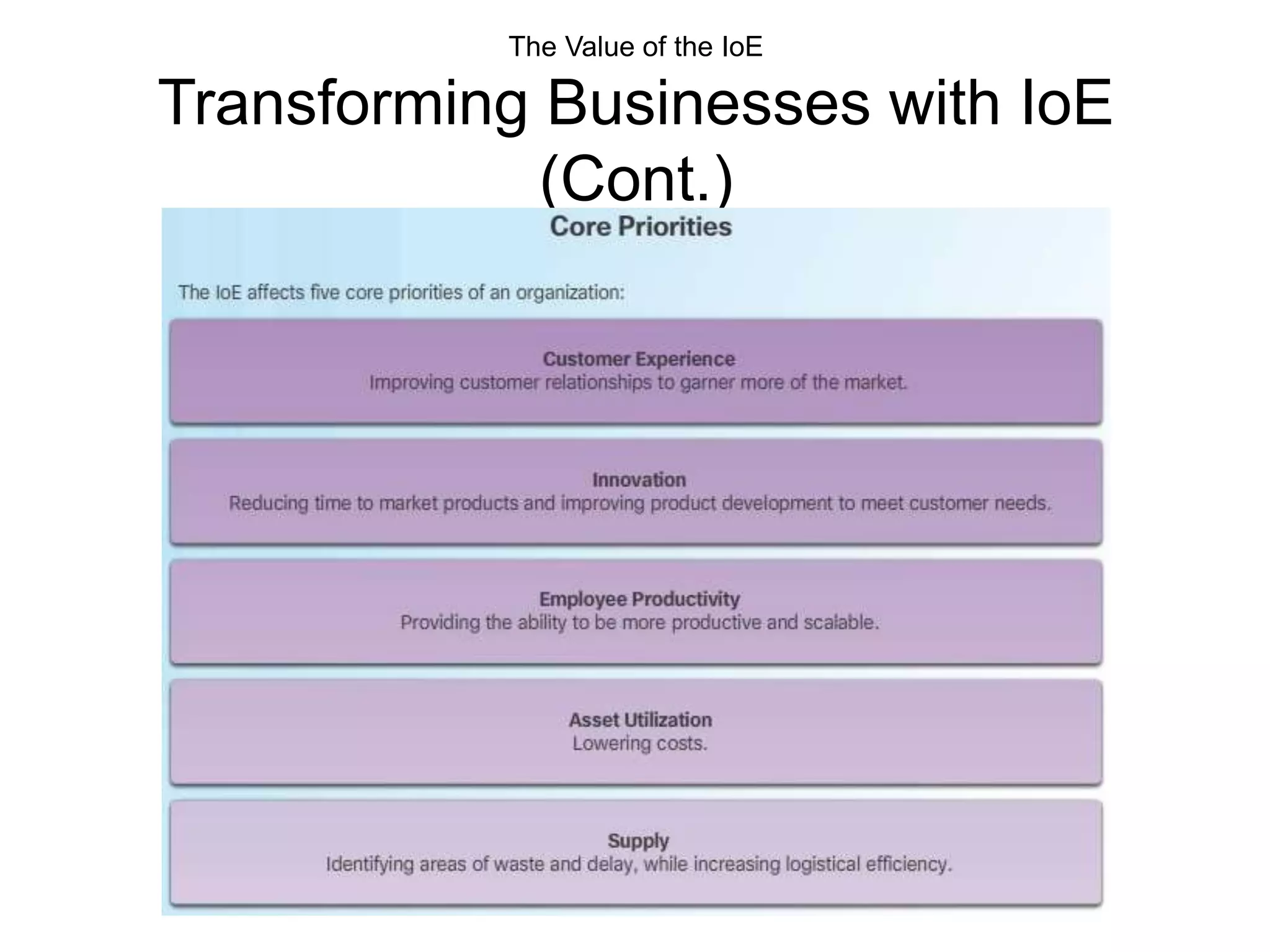
Transforming Businesses with IoE
The Value of the IoE
Transforming Businesses with IoE
(Cont.)
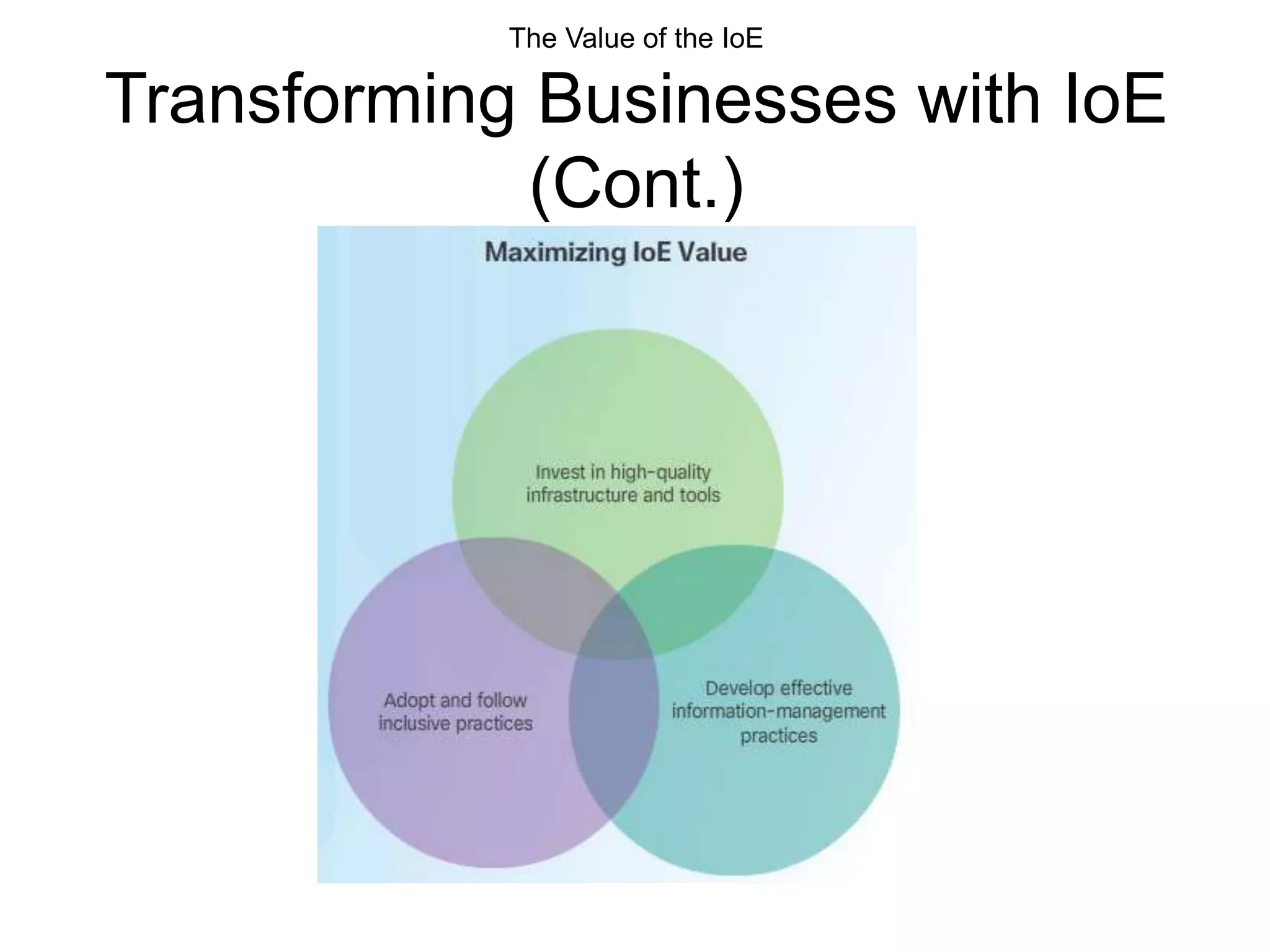
The Value of the IoE
Transforming Businesses with IoE
(Cont.)
Globally Connected
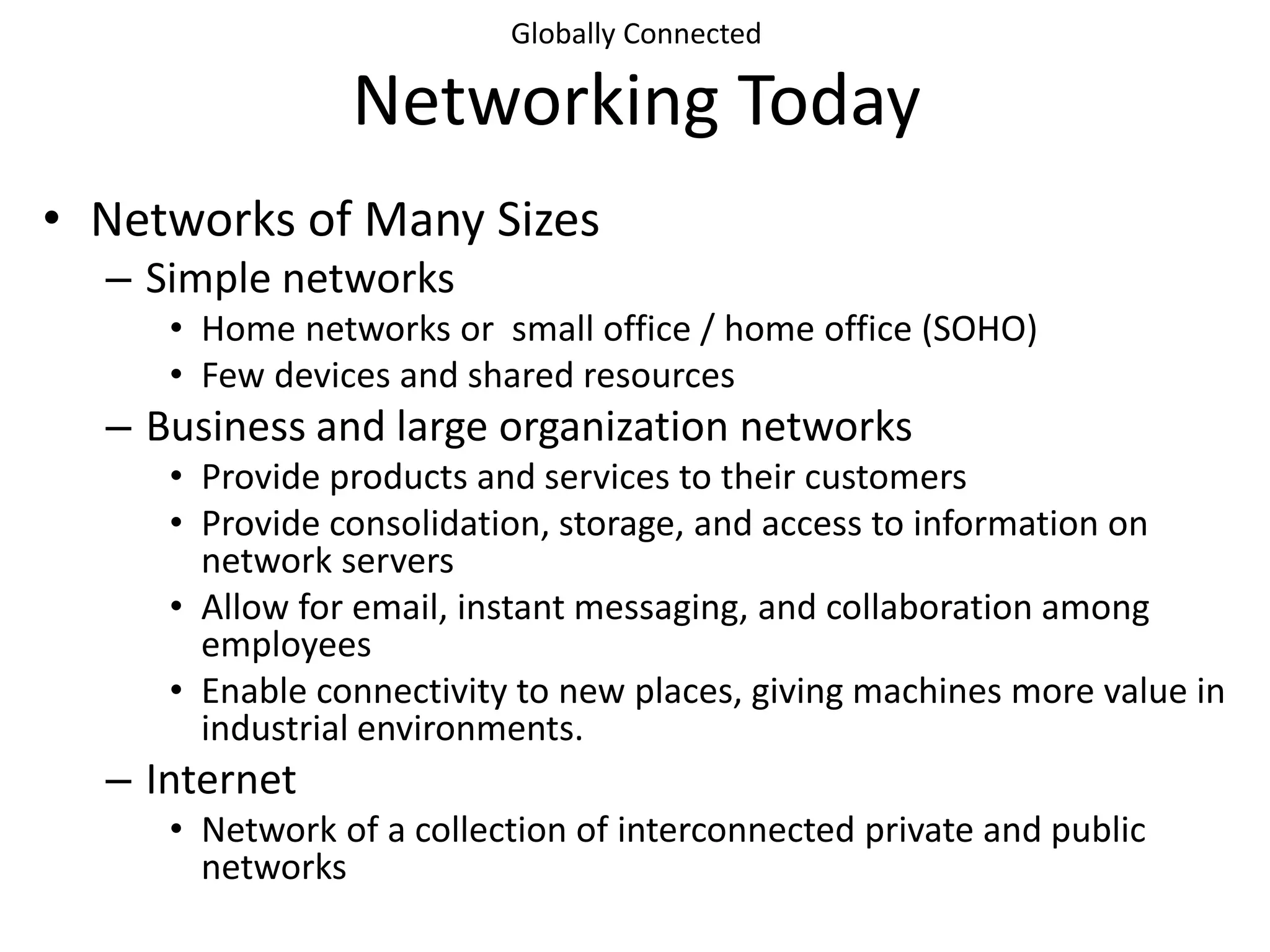
Networking Today
• Networks of Many Sizes
– Simple networks
• Home networks or small office / home office (SOHO)
• Few devices and shared resources
– Business and large organization networks
• Provide products and services to their customers
• Provide consolidation, storage, and access to information on
network servers
• Allow for email, instant messaging, and collaboration among
employees
• Enable connectivity to new places, giving machines more value in
industrial environments.
– Internet
• Network of a collection of interconnected private and public
networks
Globally Connected
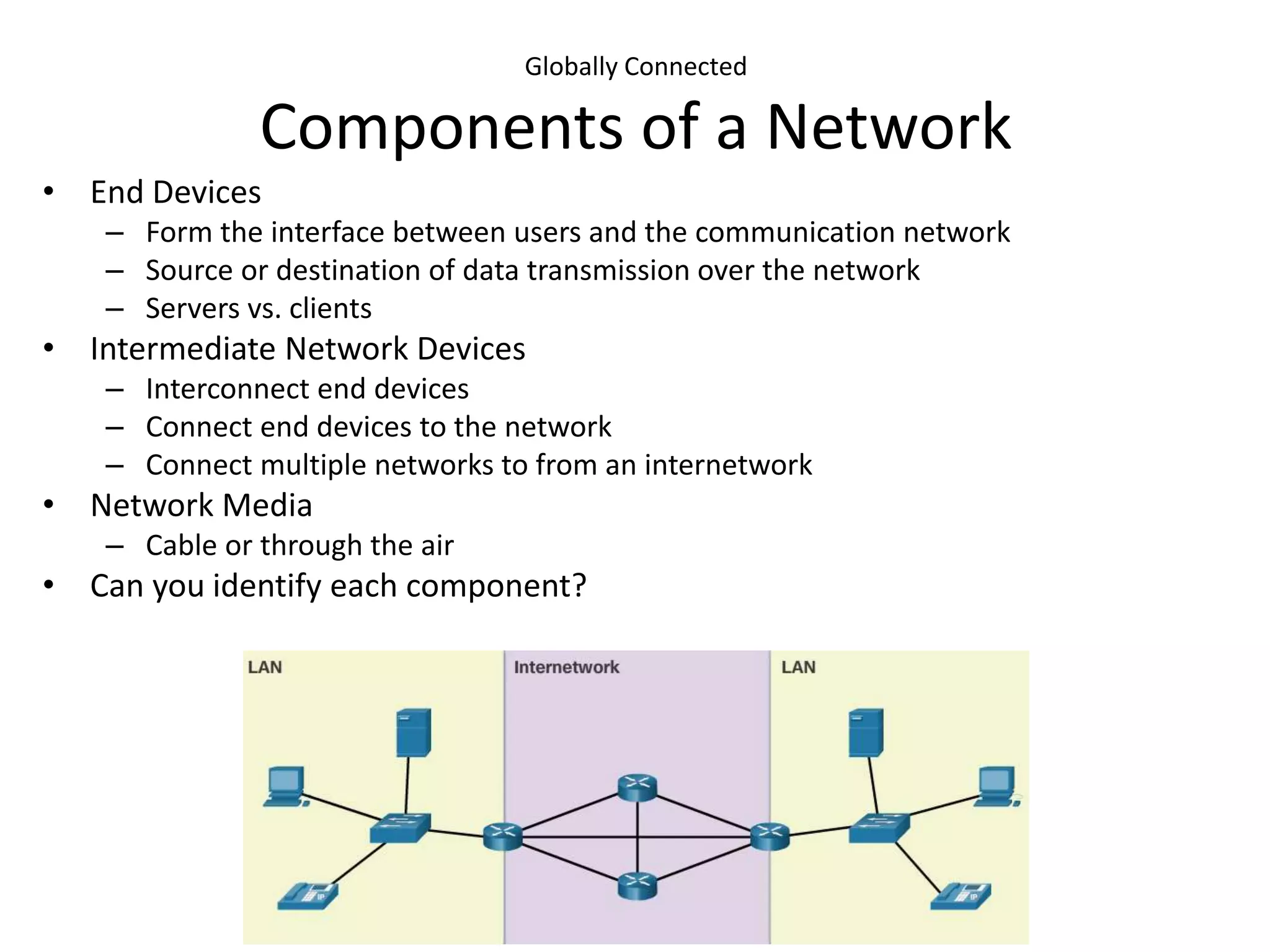
Components of a Network
• End Devices
– Form the interface between users and the communication network
– Source or destination of data transmission over the network
– Servers vs. clients
• Intermediate Network Devices
– Interconnect end devices
– Connect end devices to the network
– Connect multiple networks to from an internetwork
• Network Media
– Cable or through the air
• Can you identify each component?
Globally Connected
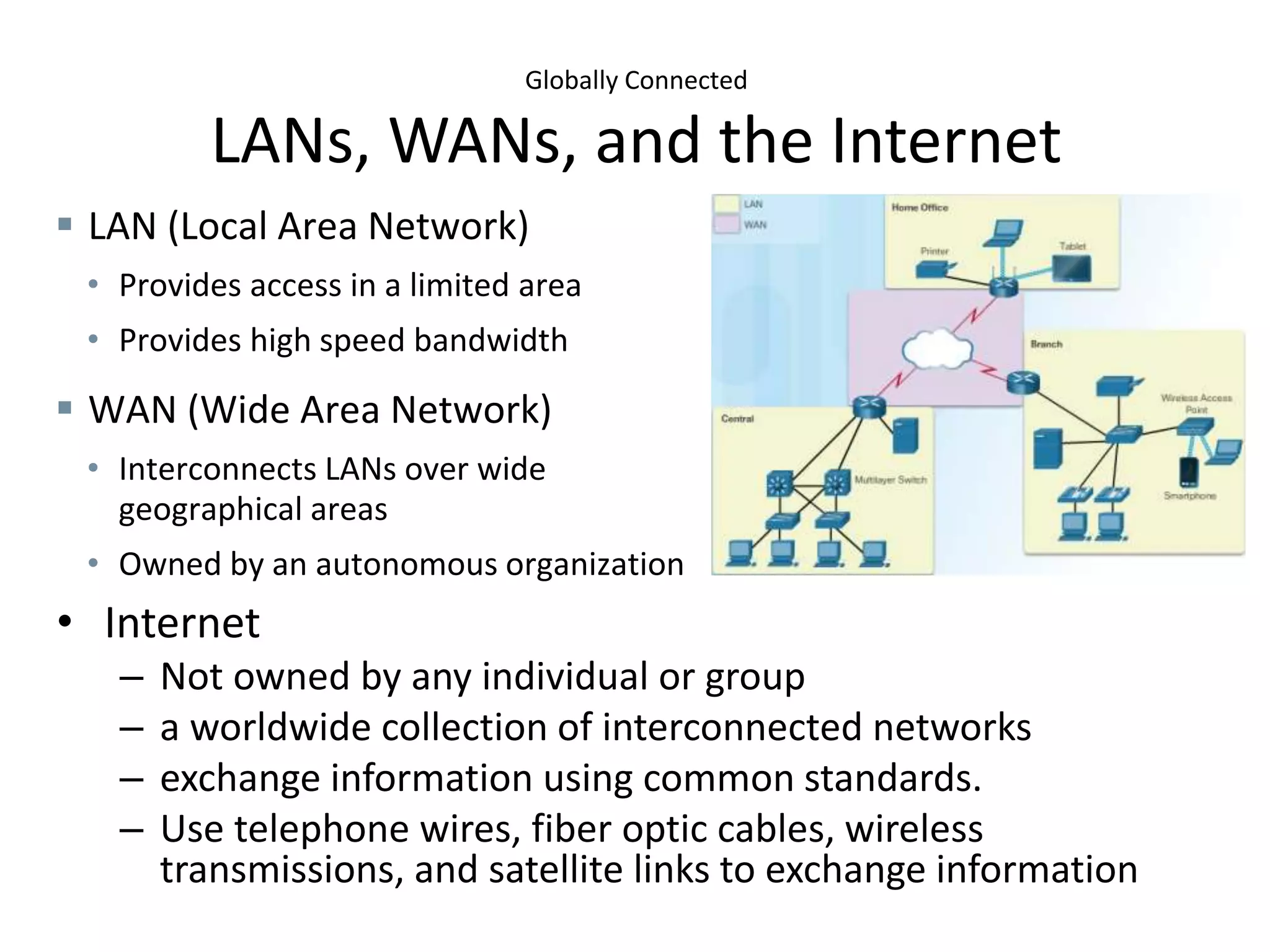
LANs, WANs, and the Internet
• Internet
– Not owned by any individual or group
– a worldwide collection of interconnected networks
– exchange information using common standards.
– Use telephone wires, fiber optic cables, wireless
transmissions, and satellite links to exchange information
 LAN (Local Area Network)
• Provides access in a limited area
• Provides high speed bandwidth
 WAN (Wide Area Network)
• Interconnects LANs over wide
geographical areas
• Owned by an autonomous organization
Globally Connected
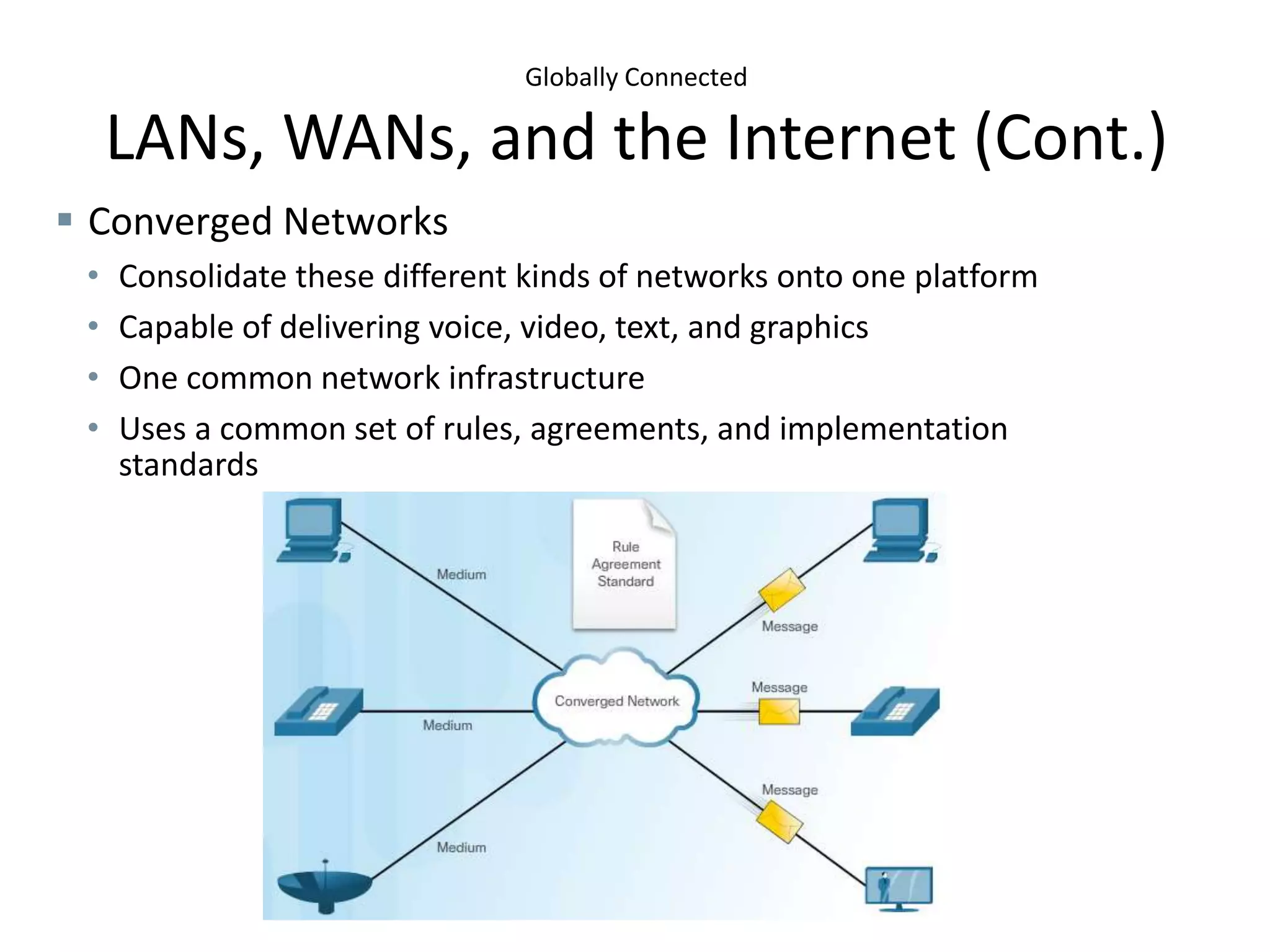
LANs, WANs, and the Internet (Cont.)
 Converged Networks
• Consolidate these different kinds of networks onto one platform
• Capable of delivering voice, video, text, and graphics
• One common network infrastructure
• Uses a common set of rules, agreements, and implementation
standards
Globally Connected
Communication Across Networks
• Need for Standards
– Rules of communication that devices use and are specific to the
characteristics of the conversation.
– Protocols define the details of how messages are transmitted and received.
– Protocols contain rules for how devices communicate.
• Protocol Suite - TCP/IP
– Application
– Transport
– Internet
– Network Access
• Network Connectivity (Network Access Layer)
– Transfer data across the network
– Wired examples - Category 5 cable, coaxial cable, Ethernet over powerline
– Wireless examples – Wi-Fi, Cellular, NFC, ZigBee, Bluetooth
• Network Access for Currently Unconnected Things
– Bluetooth, ZigBee, NFC, 6LoWPAN
Enterprise Networks
Enterprise Network
As businesses grow and evolve, so do their networking requirements. A large business
environment with many users and locations, or with many systems, is referred to as an
enterprise. Common examples of enterprise environments include:
• Manufacturers
• Large retail stores
• Restaurant and service franchises
• Utilities and government agencies
• Hospitals
• School systems
The network that is used to support the business enterprise is called an enterprise network.
Enterprise networks have many common characteristics, some of which are:
• Support for critical applications
• Support for converged network traffic
• Need for centralized control
• Support for diverse business requirements
An enterprise network must support the exchange of various types of network traffic,
including data files, email, IP telephony, and video applications for multiple business units.
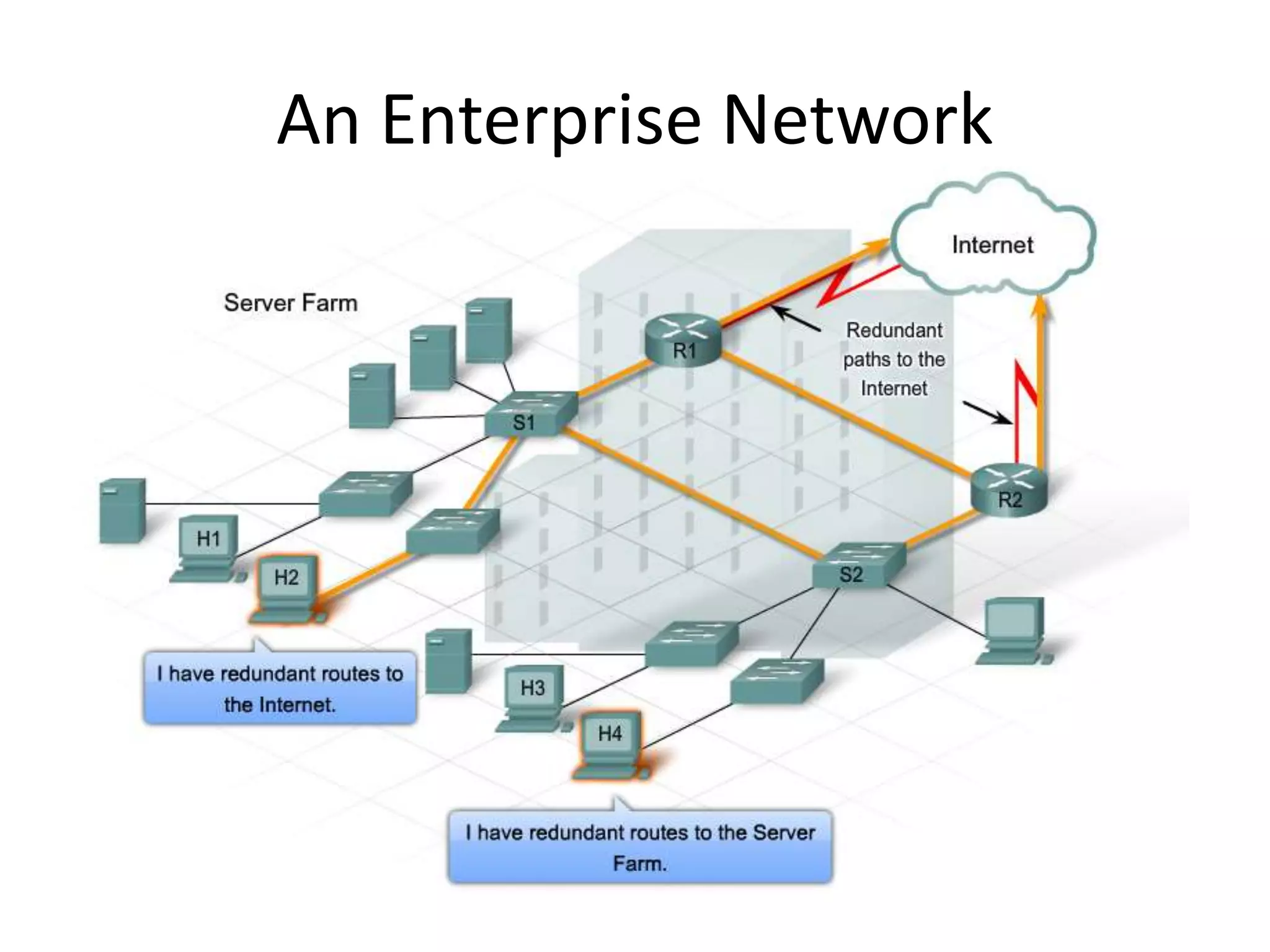
An Enterprise Network
An Enterprise Network (cont’d)
• Businesses increasingly rely on their network infrastructure to provide
mission-critical services. Outages in the enterprise network prevent the
business from performing its normal activities, which can cause lost
revenue and lost customers. Users expect enterprise networks to be up
99.999% of the time.
• To obtain this level of reliability , high-end equipment is commonly
installed in the enterprise network. Enterprise class equipment is designed
for reliability, with features such as redundant power supplies and failover
capabilities. Designed and manufactured to more stringent standards than
lower end devices, enterprise equipment moves large volumes of network
traffic.
• Purchasing and installing enterprise class equipment does not eliminate
the need for proper network design. One objective of good network
design is to prevent any single point of failure. This is accomplished by
building redundancy into the network.
• Other key factors in network design include optimizing bandwidth
utilization, ensuring security and network performance.
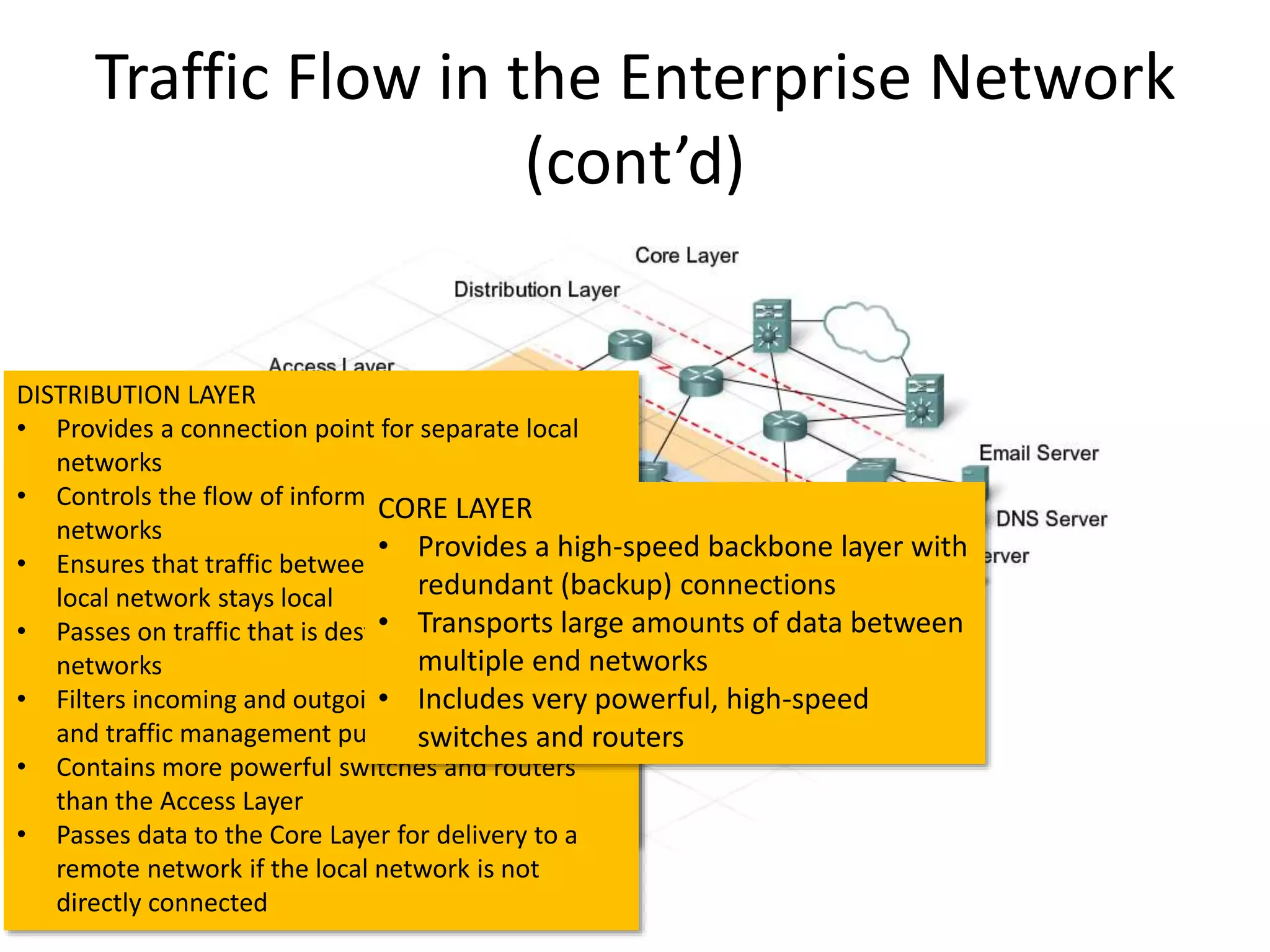
Traffic Flow in the Enterprise Network
(cont’d)
ACCESS LAYER
• Provides a connection point for end-user devices
to the network
• Allows multiple hosts to connect to other hosts
through a network device such as a switch
• Exists on the same logical network
• Forwards traffic to other hosts on the same
logical network
• Passes traffic to the Distribution Layer for
delivery if the message is destined for a host on
another network
DISTRIBUTION LAYER
• Provides a connection point for separate local
networks
• Controls the flow of information between local
networks
• Ensures that traffic between hosts on the same
local network stays local
• Passes on traffic that is destined for other
networks
• Filters incoming and outgoing traffic for security
and traffic management purposes
• Contains more powerful switches and routers
than the Access Layer
• Passes data to the Core Layer for delivery to a
remote network if the local network is not
directly connected
CORE LAYER
• Provides a high-speed backbone layer with
redundant (backup) connections
• Transports large amounts of data between
multiple end networks
• Includes very powerful, high-speed
switches and routers
Quality of Service Networking
Quality of Service
• Quality of Service (QoS) refers to the capability of a network to provide
better service to selected network traffic over various technologies,
including Frame Relay, Asynchronous Transfer Mode (ATM), Ethernet
and 802.1 networks, and IP-routed networks that may use any or all of
these underlying technologies. The primary goal of QoS is to provide
priority including dedicated bandwidth, controlled jitter and latency
(required by some real-time and interactive traffic), and improved loss
characteristics. Also important is making sure that providing priority
for one or more flows does not make other flows fail. QoS technologies
provide the elemental building blocks that will be used for future
business applications in campus, WAN, and service provider networks.
• In this course, we will discuss the QoS policy to be implemented by the
network administrator when congestion occurs on the link. Queuing is
a congestion management tool that can buffer, prioritize, and, if
required, reorder packets before being transmitted to the destination.
Typical queuing algorithms will be discussed in the course.
Cloud Computing
Cloud Computing
• Cloud computing involves large numbers of computers connected through
a network that can be physically located anywhere. Providers rely heavily
on virtualization to deliver their Cloud computing services. Cloud
computing can reduce operational costs by using resources more
efficiently. Cloud computing supports a variety of data management
issues:
– Enables access to organizational data anywhere and at any time
– Streamlines the organization’s IT operations by subscribing only to needed
services
– Eliminates or reduces the need for onsite IT equipment, maintenance, and
management
– Reduces cost for equipment, energy, physical plant requirements, and
personnel training needs
– Enables rapid responses to increasing data volume requirements
– Cloud computing, with its “pay-as-you-go” model, allows organizations to
treat computing and storage expenses more as a utility rather than investing
in infrastructure. Capital expenditures are transformed into operating
expenditures.
Our Focus in the Course
• Learning Outcomes
– Distinguish the functions of different network devices and
show how they operate
– Analyze and describe various network designs
– Recommend and justify a suitable network design to
implement
– Plan functional configurations to support specified network
operational requirements
– Explain the purpose and operations of the spanning tree
protocol, static, and dynamic routing
– Compare and evaluate various routing protocols
Last but not least: Gain up-to-date knowledge and hands-on
experience.
Tools
• Cisco Packet Tracer
– Built-in documentation and sample files on Packet
Tracer (e.g., Help->Tutorials)
– Some learning resource:
http://www.packettracernetwork.com
• Lab Equipment
– 30 x C2811(router), 30 x C2901(router) and 30 x
C2960(management switch)
– These can be used in the course project.

Introduction(2)

  • 1.
    Welcome to DCN330: Data Communication: Real-World Interconnectivity!
  • 2.
    Learning Outcomes • Uponsuccessful completion of this subject the student will be able to: – Distinguish the functions of different network devices and show how they operate – Analyze and describe various network designs – Recommend and justify a suitable network design to implement – Plan functional configurations to support specified network operational requirements – Explain the purpose and operations of the spanning tree protocol, static, and dynamic routing – Compare and evaluate various routing protocols
  • 3.
    Evaluation • Mid-Term Exam:15% • Quizzes (2): 6% • Course Project Presentation (1): (1+9)% • Course Project Report (1): 12% • Final Exam: 30% • Lab Assignments (11): 27%
  • 4.
    Course Schedule Week No. Time PeriodLecture Lab 1 Sept. 5–8  Introduction Lab 1 (1.5%) 2 Sept. 11–15  Networking in the Enterprise & Network Design Concepts Lab 2 (1.5%) 3 Sept. 18–22  Exploring the Enterprise Network Infrastructure Lab 3 (2.5%) Project Topic Sign-up Start 4 Sept. 25–29  Switching in an Enterprise Network Lab 4 (2.5%) 5 Oct. 2–6 Addressing in Enterprise Networks Lab 5 (2.5%) Project Topic Sign-up Due (1%) 6 Oct. 9–13  Routing with a Distance Vector Protocol Lab 6 (2.5%) Quiz 1 (3%) 7 Oct. 16–20 Mid-Term Test (15%) Lab 7 (3%) 8 Oct. 23–27 Study Week 9 Oct. 30–Nov. 3 Routing with a Link-State Protocol Lab 8 (3%) 10 Nov. 6–10  Implementing Wide Area Networks Lab 9 (2.5%) 11 Nov. 13–17  Quality of Service Networking Lab 10 (2.5%) 12 Nov. 20–24  Student Presentation Week Project Presentation (9%) 13 Nov. 27–Dec. 1  Cloud Computing, Network Virtualization Lab 11 (3%) 14 Dec. 4–8  Online Help Session Project Report Due (12%) Quiz 2 (3%) Review Dec. 11–15 Final Exam (30%) *This schedule is subject to slight changes.
  • 5.
  • 6.
    Internet of Things TheInternet • The Internet – A network of networks – Using a physical cable or wireless media for connection • Transitioning to the IoT
  • 7.
    The Value ofthe IoE The Changing Environment • Adapt or Lose Competitive Edge – Streamline through the use collaboration and automation – Provide more relevant offerings – React to feedback by customers or employees • Governments and Technology – Government must change with technology – Government must respond to emergencies – Citizens can connect through social media – Citizens can gather support for change – Barcelona, Spain – This project uses technical innovations to foster economic growth and the welfare of its citizens. Online Video: The Internet of Everything
  • 8.
    The Value ofthe IoE Transforming Businesses with IoE
  • 9.
    The Value ofthe IoE Transforming Businesses with IoE (Cont.)
  • 10.
    The Value ofthe IoE Transforming Businesses with IoE (Cont.)
  • 11.
    Globally Connected Networking Today •Networks of Many Sizes – Simple networks • Home networks or small office / home office (SOHO) • Few devices and shared resources – Business and large organization networks • Provide products and services to their customers • Provide consolidation, storage, and access to information on network servers • Allow for email, instant messaging, and collaboration among employees • Enable connectivity to new places, giving machines more value in industrial environments. – Internet • Network of a collection of interconnected private and public networks
  • 12.
    Globally Connected Components ofa Network • End Devices – Form the interface between users and the communication network – Source or destination of data transmission over the network – Servers vs. clients • Intermediate Network Devices – Interconnect end devices – Connect end devices to the network – Connect multiple networks to from an internetwork • Network Media – Cable or through the air • Can you identify each component?
  • 13.
    Globally Connected LANs, WANs,and the Internet • Internet – Not owned by any individual or group – a worldwide collection of interconnected networks – exchange information using common standards. – Use telephone wires, fiber optic cables, wireless transmissions, and satellite links to exchange information  LAN (Local Area Network) • Provides access in a limited area • Provides high speed bandwidth  WAN (Wide Area Network) • Interconnects LANs over wide geographical areas • Owned by an autonomous organization
  • 14.
    Globally Connected LANs, WANs,and the Internet (Cont.)  Converged Networks • Consolidate these different kinds of networks onto one platform • Capable of delivering voice, video, text, and graphics • One common network infrastructure • Uses a common set of rules, agreements, and implementation standards
  • 15.
    Globally Connected Communication AcrossNetworks • Need for Standards – Rules of communication that devices use and are specific to the characteristics of the conversation. – Protocols define the details of how messages are transmitted and received. – Protocols contain rules for how devices communicate. • Protocol Suite - TCP/IP – Application – Transport – Internet – Network Access • Network Connectivity (Network Access Layer) – Transfer data across the network – Wired examples - Category 5 cable, coaxial cable, Ethernet over powerline – Wireless examples – Wi-Fi, Cellular, NFC, ZigBee, Bluetooth • Network Access for Currently Unconnected Things – Bluetooth, ZigBee, NFC, 6LoWPAN
  • 16.
  • 17.
    Enterprise Network As businessesgrow and evolve, so do their networking requirements. A large business environment with many users and locations, or with many systems, is referred to as an enterprise. Common examples of enterprise environments include: • Manufacturers • Large retail stores • Restaurant and service franchises • Utilities and government agencies • Hospitals • School systems The network that is used to support the business enterprise is called an enterprise network. Enterprise networks have many common characteristics, some of which are: • Support for critical applications • Support for converged network traffic • Need for centralized control • Support for diverse business requirements An enterprise network must support the exchange of various types of network traffic, including data files, email, IP telephony, and video applications for multiple business units.
  • 18.
  • 19.
    An Enterprise Network(cont’d) • Businesses increasingly rely on their network infrastructure to provide mission-critical services. Outages in the enterprise network prevent the business from performing its normal activities, which can cause lost revenue and lost customers. Users expect enterprise networks to be up 99.999% of the time. • To obtain this level of reliability , high-end equipment is commonly installed in the enterprise network. Enterprise class equipment is designed for reliability, with features such as redundant power supplies and failover capabilities. Designed and manufactured to more stringent standards than lower end devices, enterprise equipment moves large volumes of network traffic. • Purchasing and installing enterprise class equipment does not eliminate the need for proper network design. One objective of good network design is to prevent any single point of failure. This is accomplished by building redundancy into the network. • Other key factors in network design include optimizing bandwidth utilization, ensuring security and network performance.
  • 20.
    Traffic Flow inthe Enterprise Network (cont’d) ACCESS LAYER • Provides a connection point for end-user devices to the network • Allows multiple hosts to connect to other hosts through a network device such as a switch • Exists on the same logical network • Forwards traffic to other hosts on the same logical network • Passes traffic to the Distribution Layer for delivery if the message is destined for a host on another network DISTRIBUTION LAYER • Provides a connection point for separate local networks • Controls the flow of information between local networks • Ensures that traffic between hosts on the same local network stays local • Passes on traffic that is destined for other networks • Filters incoming and outgoing traffic for security and traffic management purposes • Contains more powerful switches and routers than the Access Layer • Passes data to the Core Layer for delivery to a remote network if the local network is not directly connected CORE LAYER • Provides a high-speed backbone layer with redundant (backup) connections • Transports large amounts of data between multiple end networks • Includes very powerful, high-speed switches and routers
  • 21.
  • 22.
    Quality of Service •Quality of Service (QoS) refers to the capability of a network to provide better service to selected network traffic over various technologies, including Frame Relay, Asynchronous Transfer Mode (ATM), Ethernet and 802.1 networks, and IP-routed networks that may use any or all of these underlying technologies. The primary goal of QoS is to provide priority including dedicated bandwidth, controlled jitter and latency (required by some real-time and interactive traffic), and improved loss characteristics. Also important is making sure that providing priority for one or more flows does not make other flows fail. QoS technologies provide the elemental building blocks that will be used for future business applications in campus, WAN, and service provider networks. • In this course, we will discuss the QoS policy to be implemented by the network administrator when congestion occurs on the link. Queuing is a congestion management tool that can buffer, prioritize, and, if required, reorder packets before being transmitted to the destination. Typical queuing algorithms will be discussed in the course.
  • 23.
  • 24.
    Cloud Computing • Cloudcomputing involves large numbers of computers connected through a network that can be physically located anywhere. Providers rely heavily on virtualization to deliver their Cloud computing services. Cloud computing can reduce operational costs by using resources more efficiently. Cloud computing supports a variety of data management issues: – Enables access to organizational data anywhere and at any time – Streamlines the organization’s IT operations by subscribing only to needed services – Eliminates or reduces the need for onsite IT equipment, maintenance, and management – Reduces cost for equipment, energy, physical plant requirements, and personnel training needs – Enables rapid responses to increasing data volume requirements – Cloud computing, with its “pay-as-you-go” model, allows organizations to treat computing and storage expenses more as a utility rather than investing in infrastructure. Capital expenditures are transformed into operating expenditures.
  • 25.
    Our Focus inthe Course • Learning Outcomes – Distinguish the functions of different network devices and show how they operate – Analyze and describe various network designs – Recommend and justify a suitable network design to implement – Plan functional configurations to support specified network operational requirements – Explain the purpose and operations of the spanning tree protocol, static, and dynamic routing – Compare and evaluate various routing protocols Last but not least: Gain up-to-date knowledge and hands-on experience.
  • 26.
    Tools • Cisco PacketTracer – Built-in documentation and sample files on Packet Tracer (e.g., Help->Tutorials) – Some learning resource: http://www.packettracernetwork.com • Lab Equipment – 30 x C2811(router), 30 x C2901(router) and 30 x C2960(management switch) – These can be used in the course project.