Introduction to MavenIntroduction to Maven
Notes
• This is a training NOT a presentation
• Please ask questions
• Prerequisites
– Introduction to the Java Stack
– Basic Java and XML skillz
• Introduce Maven
• Basic Maven Pom File and Project Structure
• Dependencies
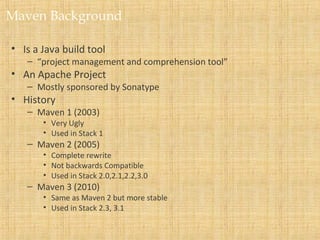
Maven Background
• Is a Java build tool
– “project management and comprehension tool”
• An Apache Project
– Mostly sponsored by Sonatype
• History
– Maven 1 (2003)
• Very Ugly
• Used in Stack 1
– Maven 2 (2005)
• Complete rewrite
• Not backwards Compatible
• Used in Stack 2.0,2.1,2.2,3.0
– Maven 3 (2010)
• Same as Maven 2 but more stable
• Used in Stack 2.3, 3.1
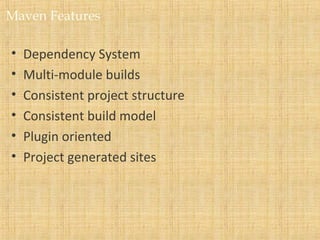
Maven Features
• Dependency System
• Multi-module builds
• Consistent project structure
• Consistent build model
• Plugin oriented
• Project generated sites
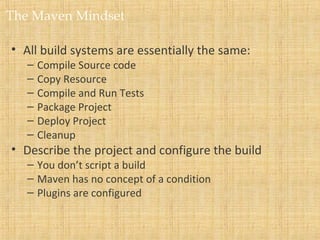
The Maven Mindset
• All build systems are essentially the same:
– Compile Source code
– Copy Resource
– Compile and Run Tests
– Package Project
– Deploy Project
– Cleanup
• Describe the project and configure the build
– You don’t script a build
– Maven has no concept of a condition
– Plugins are configured
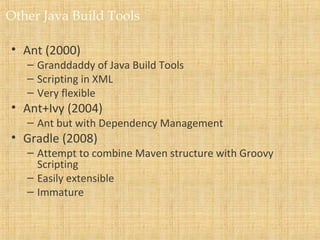
Other Java Build Tools
• Ant (2000)
– Granddaddy of Java Build Tools
– Scripting in XML
– Very flexible
• Ant+Ivy (2004)
– Ant but with Dependency Management
• Gradle (2008)
– Attempt to combine Maven structure with Groovy
Scripting
– Easily extensible
– Immature
Maven Learning Resources
• Maven Homepage
– http://maven.apache.org
• Reference Documentation for Maven
• Reference Documentation for core Plugins
• Sonatype Resources
– http://www.sonatype.com/resource-center.html
• Free Books
• Videos
Maven POM
• Stands for Project Object Model
• Describes a project
– Name and Version
– Artifact Type
– Source Code Locations
– Dependencies
– Plugins
– Profiles (Alternate build configurations)
• Uses XML by Default
– Not the way Ant uses XML
Project Name (GAV)
• Maven uniquely identifies a project using:
– groupID: Arbitrary project grouping identifier (no spaces or
colons)
• Usually loosely based on Java package
– artfiactId: Arbitrary name of project (no spaces or colons)
– version: Version of project
• Format {Major}.{Minor}.{Maintanence}
• Add ‘-SNAPSHOT ‘ to identify in development
• GAV Syntax: groupId:artifactId:version
<?xml version="1.0" encoding="UTF-8"?>
<project>
<modelVersion>4.0.0</modelVersion>
<groupId>org.lds.training</groupId>
<artifactId>maven-training</artifactId>
<version>1.0</version>
</project>
Packaging
• Build type identified using the “packaging” element
• Tells Maven how to build the project
• Example packaging types:
– pom, jar, war, ear, custom
– Default is jar
<?xml version="1.0" encoding="UTF-8"?>
<project>
<modelVersion>4.0.0</modelVersion>
<artifactId>maven-training</artifactId>
<groupId>org.lds.training</groupId>
<version>1.0</version>
<packaging>jar</packaging>
</project>
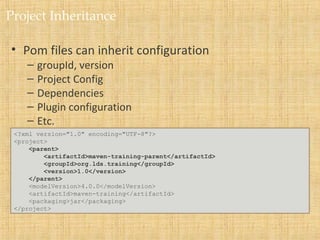
Project Inheritance
• Pom files can inherit configuration
– groupId, version
– Project Config
– Dependencies
– Plugin configuration
– Etc.
<?xml version="1.0" encoding="UTF-8"?>
<project>
<parent>
<artifactId>maven-training-parent</artifactId>
<groupId>org.lds.training</groupId>
<version>1.0</version>
</parent>
<modelVersion>4.0.0</modelVersion>
<artifactId>maven-training</artifactId>
<packaging>jar</packaging>
</project>
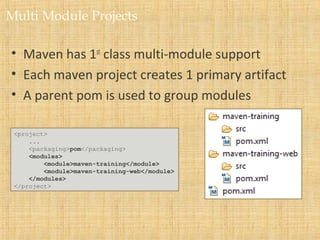
Multi Module Projects
• Maven has 1st
class multi-module support
• Each maven project creates 1 primary artifact
• A parent pom is used to group modules
<project>
...
<packaging>pom</packaging>
<modules>
<module>maven-training</module>
<module>maven-training-web</module>
</modules>
</project>
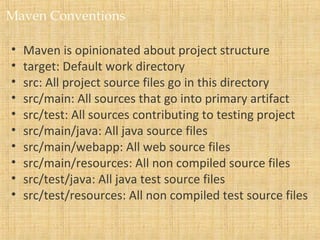
Maven Conventions
• Maven is opinionated about project structure
• target: Default work directory
• src: All project source files go in this directory
• src/main: All sources that go into primary artifact
• src/test: All sources contributing to testing project
• src/main/java: All java source files
• src/main/webapp: All web source files
• src/main/resources: All non compiled source files
• src/test/java: All java test source files
• src/test/resources: All non compiled test source files
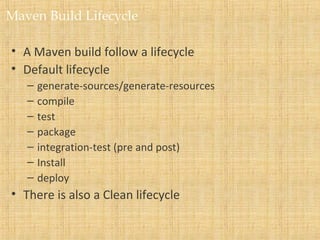
Maven Build Lifecycle
• A Maven build follow a lifecycle
• Default lifecycle
– generate-sources/generate-resources
– compile
– test
– package
– integration-test (pre and post)
– Install
– deploy
• There is also a Clean lifecycle
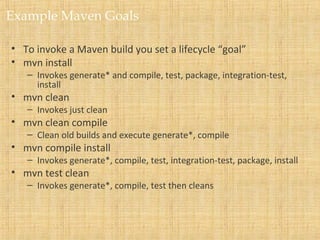
Example Maven Goals
• To invoke a Maven build you set a lifecycle “goal”
• mvn install
– Invokes generate* and compile, test, package, integration-test,
install
• mvn clean
– Invokes just clean
• mvn clean compile
– Clean old builds and execute generate*, compile
• mvn compile install
– Invokes generate*, compile, test, integration-test, package, install
• mvn test clean
– Invokes generate*, compile, test then cleans
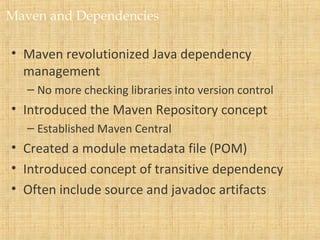
Maven and Dependencies
• Maven revolutionized Java dependency
management
– No more checking libraries into version control
• Introduced the Maven Repository concept
– Established Maven Central
• Created a module metadata file (POM)
• Introduced concept of transitive dependency
• Often include source and javadoc artifacts
Adding a Dependency
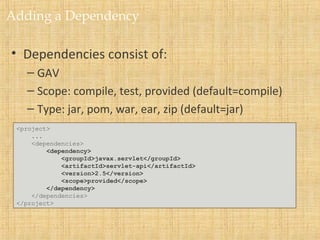
• Dependencies consist of:
– GAV
– Scope: compile, test, provided (default=compile)
– Type: jar, pom, war, ear, zip (default=jar)
<project>
...
<dependencies>
<dependency>
<groupId>javax.servlet</groupId>
<artifactId>servlet-api</artifactId>
<version>2.5</version>
<scope>provided</scope>
</dependency>
</dependencies>
</project>
Maven Repositories
• Dependencies are downloaded from repositories
– Via http
• Downloaded dependencies are cached in a local
repository
– Usually found in ${user.home}/.m2/repository
• Repository follows a simple directory structure
– {groupId}/{artifactId}/{version}/{artifactId}-{version}.jar
– groupId ‘.’ is replaced with ‘/’
• Maven Central is primary community repo
– http://repo1.maven.org/maven2
Proxy Repositories
• Proxy Repositories are useful:
– Organizationally cache artifacts
– Allow organization some control over dependencies
– Combines repositories
• ICS uses the Nexus repository manager
• All artifacts in Nexus go through approval process
– License verified
– Improve organizational reuse
• To request approval create issue in SDS jira project:
– https://jira.ldschurch.org/jira/browse/SDS
Defining a repository
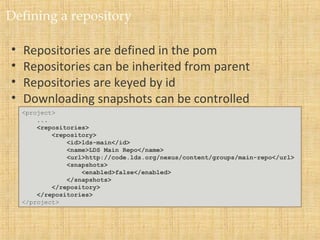
• Repositories are defined in the pom
• Repositories can be inherited from parent
• Repositories are keyed by id
• Downloading snapshots can be controlled
<project>
...
<repositories>
<repository>
<id>lds-main</id>
<name>LDS Main Repo</name>
<url>http://code.lds.org/nexus/content/groups/main-repo</url>
<snapshots>
<enabled>false</enabled>
</snapshots>
</repository>
</repositories>
</project>
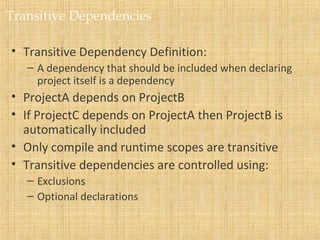
Transitive Dependencies
• Transitive Dependency Definition:
– A dependency that should be included when declaring
project itself is a dependency
• ProjectA depends on ProjectB
• If ProjectC depends on ProjectA then ProjectB is
automatically included
• Only compile and runtime scopes are transitive
• Transitive dependencies are controlled using:
– Exclusions
– Optional declarations
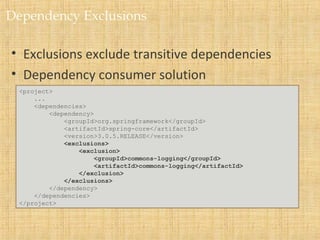
Dependency Exclusions
• Exclusions exclude transitive dependencies
• Dependency consumer solution
<project>
...
<dependencies>
<dependency>
<groupId>org.springframework</groupId>
<artifactId>spring-core</artifactId>
<version>3.0.5.RELEASE</version>
<exclusions>
<exclusion>
<groupId>commons-logging</groupId>
<artifactId>commons-logging</artifactId>
</exclusion>
</exclusions>
</dependency>
</dependencies>
</project>
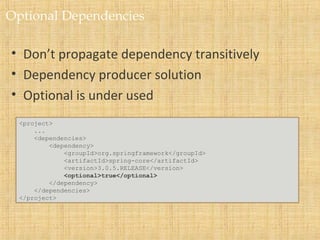
Optional Dependencies
• Don’t propagate dependency transitively
• Dependency producer solution
• Optional is under used
<project>
...
<dependencies>
<dependency>
<groupId>org.springframework</groupId>
<artifactId>spring-core</artifactId>
<version>3.0.5.RELEASE</version>
<optional>true</optional>
</dependency>
</dependencies>
</project>
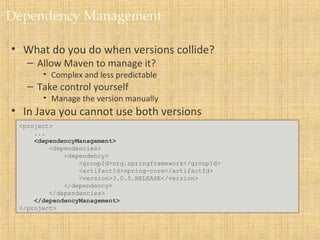
Dependency Management
• What do you do when versions collide?
– Allow Maven to manage it?
• Complex and less predictable
– Take control yourself
• Manage the version manually
• In Java you cannot use both versions
<project>
...
<dependencyManagement>
<dependencies>
<dependency>
<groupId>org.springframework</groupId>
<artifactId>spring-core</artifactId>
<version>3.0.5.RELEASE</version>
</dependency>
</dependencies>
</dependencyManagement>
</project>
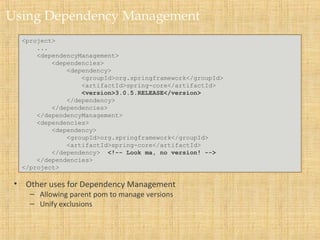
Using Dependency Management
• Other uses for Dependency Management
– Allowing parent pom to manage versions
– Unify exclusions
<project>
...
<dependencyManagement>
<dependencies>
<dependency>
<groupId>org.springframework</groupId>
<artifactId>spring-core</artifactId>
<version>3.0.5.RELEASE</version>
</dependency>
</dependencies>
</dependencyManagement>
<dependencies>
<dependency>
<groupId>org.springframework</groupId>
<artifactId>spring-core</artifactId>
</dependency> <!-- Look ma, no version! -->
</dependencies>
</project>
Summary
• Maven is a different kind of build tool
• It is easy to create multi-module builds
• Dependencies are awesome

Introduction tomaven

  • 1.
  • 2.
    Notes • This isa training NOT a presentation • Please ask questions • Prerequisites – Introduction to the Java Stack – Basic Java and XML skillz
  • 3.
    • Introduce Maven •Basic Maven Pom File and Project Structure • Dependencies
  • 4.
    Maven Background • Isa Java build tool – “project management and comprehension tool” • An Apache Project – Mostly sponsored by Sonatype • History – Maven 1 (2003) • Very Ugly • Used in Stack 1 – Maven 2 (2005) • Complete rewrite • Not backwards Compatible • Used in Stack 2.0,2.1,2.2,3.0 – Maven 3 (2010) • Same as Maven 2 but more stable • Used in Stack 2.3, 3.1
  • 5.
    Maven Features • DependencySystem • Multi-module builds • Consistent project structure • Consistent build model • Plugin oriented • Project generated sites
  • 6.
    The Maven Mindset •All build systems are essentially the same: – Compile Source code – Copy Resource – Compile and Run Tests – Package Project – Deploy Project – Cleanup • Describe the project and configure the build – You don’t script a build – Maven has no concept of a condition – Plugins are configured
  • 7.
    Other Java BuildTools • Ant (2000) – Granddaddy of Java Build Tools – Scripting in XML – Very flexible • Ant+Ivy (2004) – Ant but with Dependency Management • Gradle (2008) – Attempt to combine Maven structure with Groovy Scripting – Easily extensible – Immature
  • 8.
    Maven Learning Resources •Maven Homepage – http://maven.apache.org • Reference Documentation for Maven • Reference Documentation for core Plugins • Sonatype Resources – http://www.sonatype.com/resource-center.html • Free Books • Videos
  • 9.
    Maven POM • Standsfor Project Object Model • Describes a project – Name and Version – Artifact Type – Source Code Locations – Dependencies – Plugins – Profiles (Alternate build configurations) • Uses XML by Default – Not the way Ant uses XML
  • 10.
    Project Name (GAV) •Maven uniquely identifies a project using: – groupID: Arbitrary project grouping identifier (no spaces or colons) • Usually loosely based on Java package – artfiactId: Arbitrary name of project (no spaces or colons) – version: Version of project • Format {Major}.{Minor}.{Maintanence} • Add ‘-SNAPSHOT ‘ to identify in development • GAV Syntax: groupId:artifactId:version <?xml version="1.0" encoding="UTF-8"?> <project> <modelVersion>4.0.0</modelVersion> <groupId>org.lds.training</groupId> <artifactId>maven-training</artifactId> <version>1.0</version> </project>
  • 11.
    Packaging • Build typeidentified using the “packaging” element • Tells Maven how to build the project • Example packaging types: – pom, jar, war, ear, custom – Default is jar <?xml version="1.0" encoding="UTF-8"?> <project> <modelVersion>4.0.0</modelVersion> <artifactId>maven-training</artifactId> <groupId>org.lds.training</groupId> <version>1.0</version> <packaging>jar</packaging> </project>
  • 12.
    Project Inheritance • Pomfiles can inherit configuration – groupId, version – Project Config – Dependencies – Plugin configuration – Etc. <?xml version="1.0" encoding="UTF-8"?> <project> <parent> <artifactId>maven-training-parent</artifactId> <groupId>org.lds.training</groupId> <version>1.0</version> </parent> <modelVersion>4.0.0</modelVersion> <artifactId>maven-training</artifactId> <packaging>jar</packaging> </project>
  • 13.
    Multi Module Projects •Maven has 1st class multi-module support • Each maven project creates 1 primary artifact • A parent pom is used to group modules <project> ... <packaging>pom</packaging> <modules> <module>maven-training</module> <module>maven-training-web</module> </modules> </project>
  • 14.
    Maven Conventions • Mavenis opinionated about project structure • target: Default work directory • src: All project source files go in this directory • src/main: All sources that go into primary artifact • src/test: All sources contributing to testing project • src/main/java: All java source files • src/main/webapp: All web source files • src/main/resources: All non compiled source files • src/test/java: All java test source files • src/test/resources: All non compiled test source files
  • 15.
    Maven Build Lifecycle •A Maven build follow a lifecycle • Default lifecycle – generate-sources/generate-resources – compile – test – package – integration-test (pre and post) – Install – deploy • There is also a Clean lifecycle
  • 16.
    Example Maven Goals •To invoke a Maven build you set a lifecycle “goal” • mvn install – Invokes generate* and compile, test, package, integration-test, install • mvn clean – Invokes just clean • mvn clean compile – Clean old builds and execute generate*, compile • mvn compile install – Invokes generate*, compile, test, integration-test, package, install • mvn test clean – Invokes generate*, compile, test then cleans
  • 17.
    Maven and Dependencies •Maven revolutionized Java dependency management – No more checking libraries into version control • Introduced the Maven Repository concept – Established Maven Central • Created a module metadata file (POM) • Introduced concept of transitive dependency • Often include source and javadoc artifacts
  • 18.
    Adding a Dependency •Dependencies consist of: – GAV – Scope: compile, test, provided (default=compile) – Type: jar, pom, war, ear, zip (default=jar) <project> ... <dependencies> <dependency> <groupId>javax.servlet</groupId> <artifactId>servlet-api</artifactId> <version>2.5</version> <scope>provided</scope> </dependency> </dependencies> </project>
  • 19.
    Maven Repositories • Dependenciesare downloaded from repositories – Via http • Downloaded dependencies are cached in a local repository – Usually found in ${user.home}/.m2/repository • Repository follows a simple directory structure – {groupId}/{artifactId}/{version}/{artifactId}-{version}.jar – groupId ‘.’ is replaced with ‘/’ • Maven Central is primary community repo – http://repo1.maven.org/maven2
  • 20.
    Proxy Repositories • ProxyRepositories are useful: – Organizationally cache artifacts – Allow organization some control over dependencies – Combines repositories • ICS uses the Nexus repository manager • All artifacts in Nexus go through approval process – License verified – Improve organizational reuse • To request approval create issue in SDS jira project: – https://jira.ldschurch.org/jira/browse/SDS
  • 21.
    Defining a repository •Repositories are defined in the pom • Repositories can be inherited from parent • Repositories are keyed by id • Downloading snapshots can be controlled <project> ... <repositories> <repository> <id>lds-main</id> <name>LDS Main Repo</name> <url>http://code.lds.org/nexus/content/groups/main-repo</url> <snapshots> <enabled>false</enabled> </snapshots> </repository> </repositories> </project>
  • 22.
    Transitive Dependencies • TransitiveDependency Definition: – A dependency that should be included when declaring project itself is a dependency • ProjectA depends on ProjectB • If ProjectC depends on ProjectA then ProjectB is automatically included • Only compile and runtime scopes are transitive • Transitive dependencies are controlled using: – Exclusions – Optional declarations
  • 23.
    Dependency Exclusions • Exclusionsexclude transitive dependencies • Dependency consumer solution <project> ... <dependencies> <dependency> <groupId>org.springframework</groupId> <artifactId>spring-core</artifactId> <version>3.0.5.RELEASE</version> <exclusions> <exclusion> <groupId>commons-logging</groupId> <artifactId>commons-logging</artifactId> </exclusion> </exclusions> </dependency> </dependencies> </project>
  • 24.
    Optional Dependencies • Don’tpropagate dependency transitively • Dependency producer solution • Optional is under used <project> ... <dependencies> <dependency> <groupId>org.springframework</groupId> <artifactId>spring-core</artifactId> <version>3.0.5.RELEASE</version> <optional>true</optional> </dependency> </dependencies> </project>
  • 25.
    Dependency Management • Whatdo you do when versions collide? – Allow Maven to manage it? • Complex and less predictable – Take control yourself • Manage the version manually • In Java you cannot use both versions <project> ... <dependencyManagement> <dependencies> <dependency> <groupId>org.springframework</groupId> <artifactId>spring-core</artifactId> <version>3.0.5.RELEASE</version> </dependency> </dependencies> </dependencyManagement> </project>
  • 26.
    Using Dependency Management •Other uses for Dependency Management – Allowing parent pom to manage versions – Unify exclusions <project> ... <dependencyManagement> <dependencies> <dependency> <groupId>org.springframework</groupId> <artifactId>spring-core</artifactId> <version>3.0.5.RELEASE</version> </dependency> </dependencies> </dependencyManagement> <dependencies> <dependency> <groupId>org.springframework</groupId> <artifactId>spring-core</artifactId> </dependency> <!-- Look ma, no version! --> </dependencies> </project>
  • 27.
    Summary • Maven isa different kind of build tool • It is easy to create multi-module builds • Dependencies are awesome

Editor's Notes

  • #3 A few disclaimers to get things started