Spring Boot
Microservices
Beginner	to	Guru
Introduction	to	JMS
What is JMS?
• JMS - Java Messaging Service
• JMS is a Java API which allows a Java Application to send a message to another application
• Generally the other application is a Java application - but not always!
• JMS is a standard Java API which requires an underlying implementation to be provided
• Much like JPA - where JPA is the API standard, and Hibernate is the implementation
• JMS is highly scalable and allows you to loosely couple applications using asynchronous
messaging
JMS Implementations
• Amazon SQS
• Apache ActiveMQ
• JBoss Messaging
• IBM MQ - (Closed source / paid)
• OracleAQ - (Closed Source / paid)
• RabbitMQ
• Many many more!
Why Use JMS over REST?
• JMS is a true messaging service
• Asynchronous - send and forget!
• Greater through put - the HTTP protocol is slow comparatively
• JMS protocols are VERY performant
• Flexibility in message delivery - Deliver to one or many consumers
• Security - JMS has a very robust security
• Reliability - Can guarantee message delivery
Types of Messaging
• Point to Point
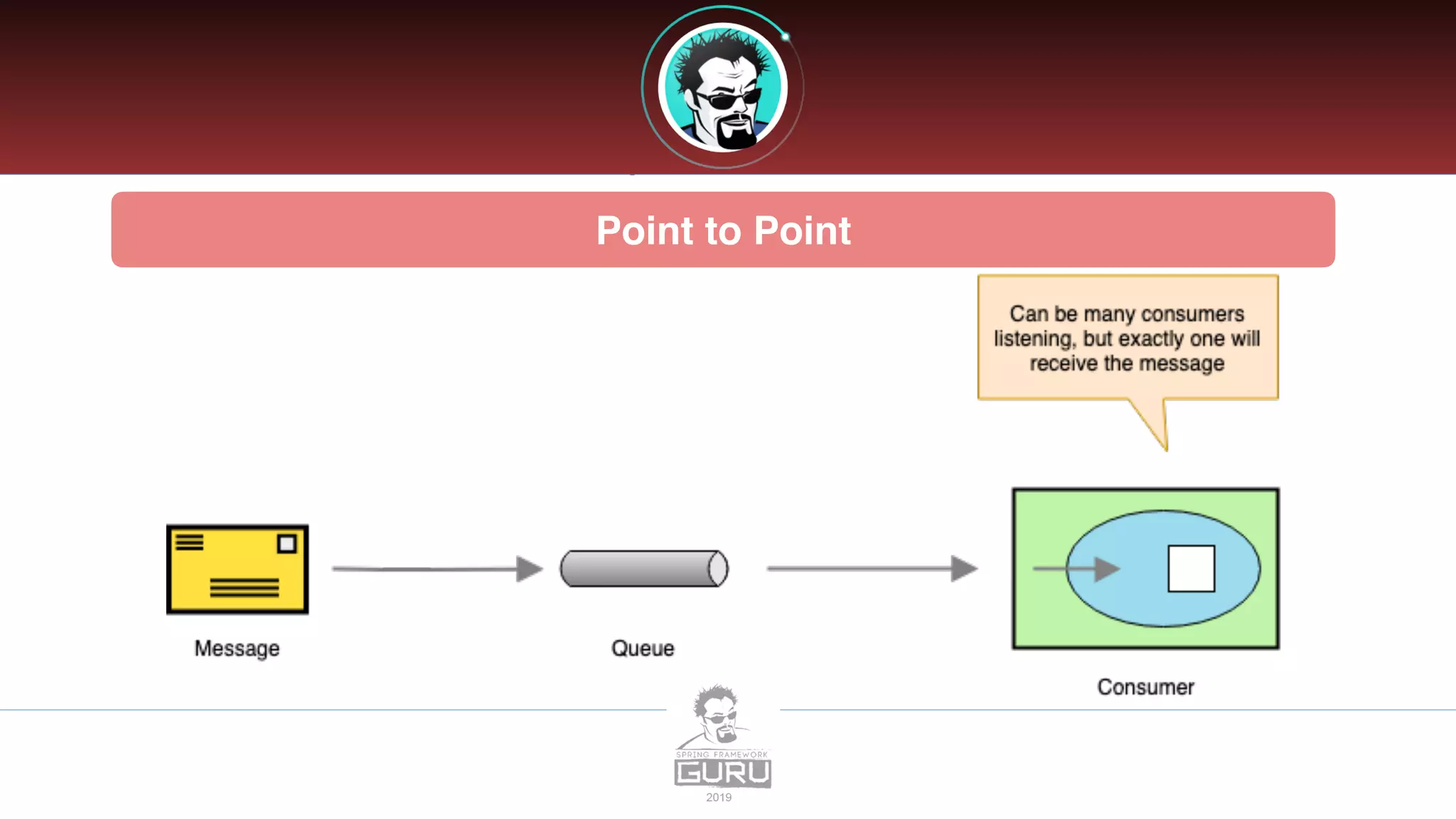
• Message is queued and delivered to one consumer
• Can have multiple consumers - but message will be delivered only ONCE
• Consumers connect to a queue
• Publish / Subscribe
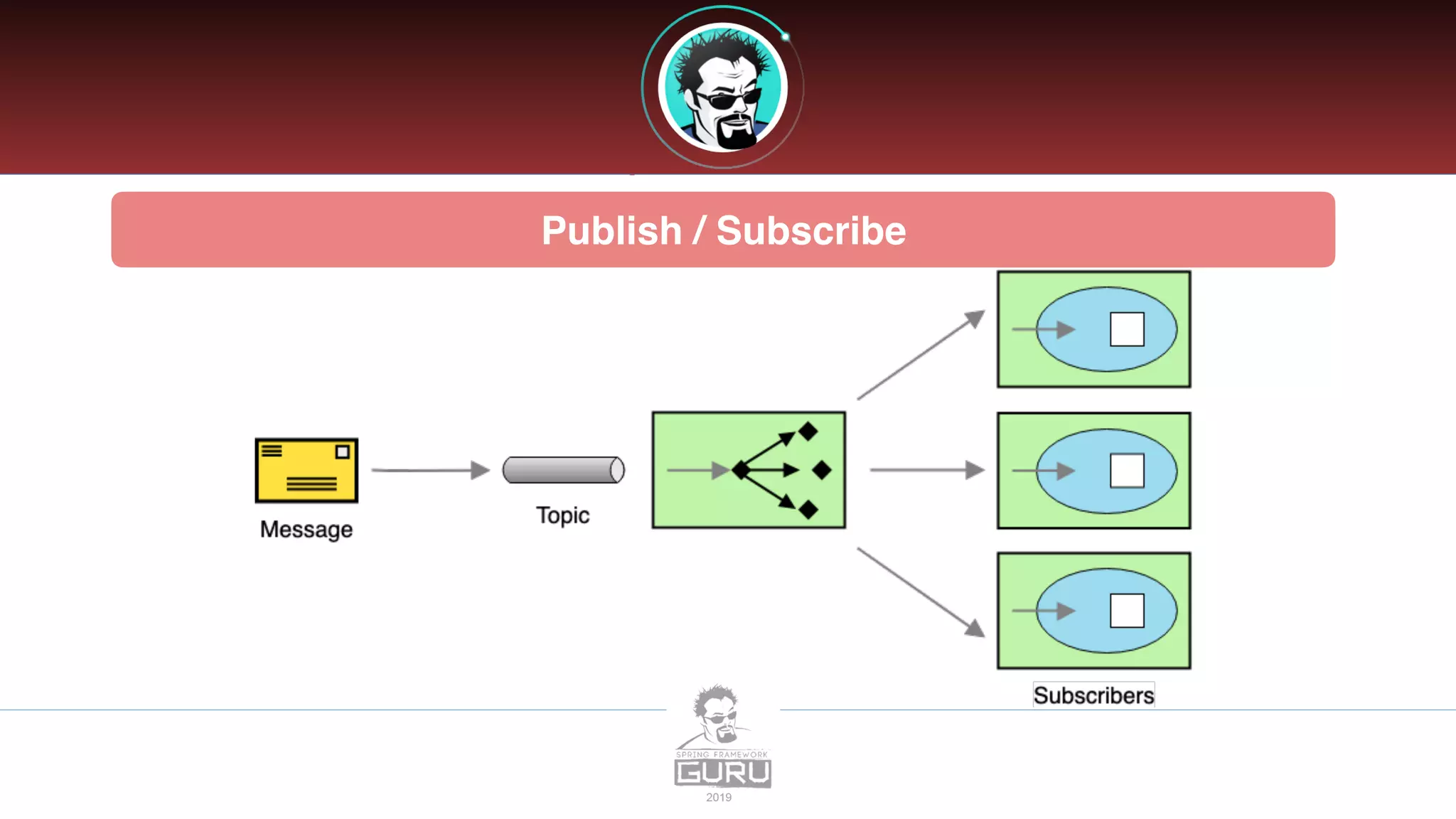
• Message is delivered to one or more subscribers
• Subscribers will subscribe to a topic, then receive a copy of all messages sent to the topic
Point to Point
Publish / Subscribe
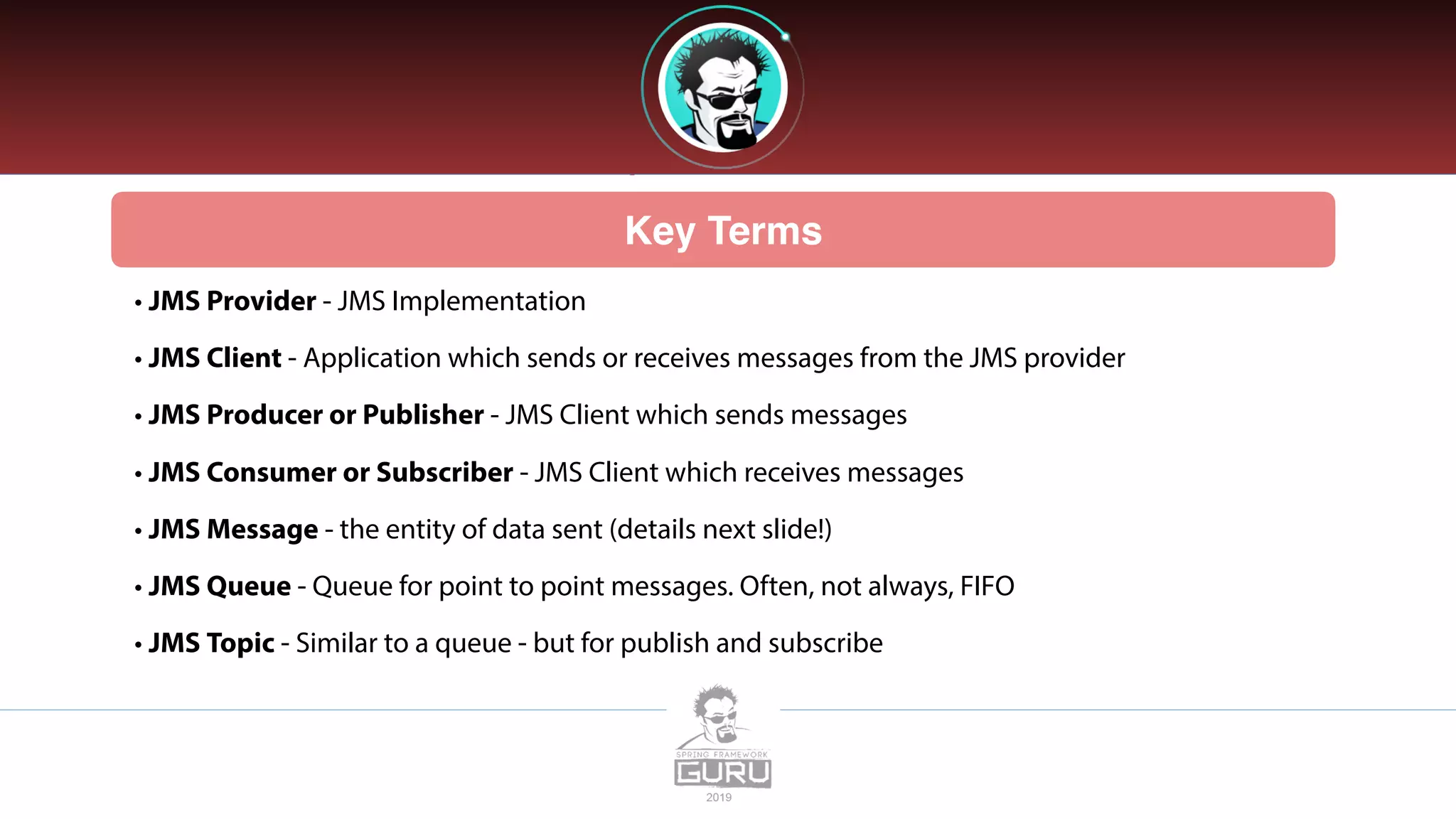
Key Terms
• JMS Provider - JMS Implementation
• JMS Client - Application which sends or receives messages from the JMS provider
• JMS Producer or Publisher - JMS Client which sends messages
• JMS Consumer or Subscriber - JMS Client which receives messages
• JMS Message - the entity of data sent (details next slide!)
• JMS Queue - Queue for point to point messages. Often, not always, FIFO
• JMS Topic - Similar to a queue - but for publish and subscribe
JMS Message
• A JMS Message contains three parts:
• Header - contains meta data about the message
• Properties - Message properties are in 3 sections
• Application - From Java Application sending message
• Provider - Used by the JMS provider and are implementation specific
• Standard Properties - Defined by the JMS API - Might not be supported by the provider
• Payload - the message itself
JMS Header Properties
• JMSCorrelationID - String value, typically a UUID. Set by application, often used to trace a
message through multiple consumers
• JMSExpires - Long - zero, does not expire. Else, time when message will expire and be removed
from the queue
• JMSMessageId - String value, typically set by the JMS Provider
• JMSPriority - Integer - Priority of the message
• JMSTimestamp - Long - Time message was sent
JMS Header Properties (Cont…)
• JMSType - String - The type of the message
• JMSReplyTo - Queue or topic which sender is expecting replies
• JMSRedelivery - Boolean - Has message been re-delivered?
• JMSDeliveryMode - Integer, set by JMS Provider for delivery mode
• Persistent (Default) - JMS Provider should make best effort to deliver message
• Non-Persistent - Occasional message lost is acceptable
JMS Message Properties
• JSMXUserId - (String) User Id sending message. Set by JMS Provider.
• JMSXAppID - (String) Id of the application sending the message. Set by JMS Provider.
• JMSXDeliveryCount - (Int) Number of delivery attempts. Set by JMS Provider.
• JMSXGroupID - (String) The message group which the message is part of. Set by Client.
• JMSXGroupSeq - (Int) Sequence number of message in group. Set by Client.
• JMSXProducerTDIX - (String) Transaction id when message was produced. Set by JMS Producer.
JMS Message Properties (Cont…)
• JSMXConsumerTXID - (String) Transaction Id when the message was consumed. Set by JMS
Provider.
• JMSXRcvTimestamp - (Long) Timestamp when message delivered to consumer. Set by JMS
Provider.
• JMSXState - (Int) State of the JMS Message. Set by JMS Provider.
JMS Custom Properties
• The JMS Client can set custom properties on messages
• Properties are set as key / value pairs (String, value)
• Values must be one of:
• String, boolean, byte, double, float, int, short, long or Object
JMS Provider Properties
• The JMS Client can also set JMS Provider Specific properties
• These properties are set as JMS_<provider name>
• JMS Provider specific properties allow the client to utilize features specific to the JMS Provider
• Refer to documentation of your selected JMS Provider for details
JMS Message Types
• Message - Just a message, no payload. Often used to notify about events
• BytesMessage - Payload is an array of bytes
• TextMessage - Message is stored as a string. (Often JSON or XML)
• StreamMessage - sequence of Java primitives
• MapMessage - message is name value pairs
• ObjectMessage - Message is a serialized Java object
Which Message Type to Use?
• JMS 1.0 was originally released in 1998 - Initial focus was on Java to Java messaging
• Since 1998 Messaging and technology has grown and evolved beyond the Java ecosystem
• JMS TextMessages with JSON or XML payloads are currently favored
• Decoupled from Java - can be consumed by any technology
• Not uncommon to‘bridge’to non-java providers
• Makes migration to a non-JMS provider less painful
• Important since messaging is becoming more and more generic and abstracted
Introduction tojms

Introduction tojms

  • 1.
  • 2.
    What is JMS? •JMS - Java Messaging Service • JMS is a Java API which allows a Java Application to send a message to another application • Generally the other application is a Java application - but not always! • JMS is a standard Java API which requires an underlying implementation to be provided • Much like JPA - where JPA is the API standard, and Hibernate is the implementation • JMS is highly scalable and allows you to loosely couple applications using asynchronous messaging
  • 3.
    JMS Implementations • AmazonSQS • Apache ActiveMQ • JBoss Messaging • IBM MQ - (Closed source / paid) • OracleAQ - (Closed Source / paid) • RabbitMQ • Many many more!
  • 4.
    Why Use JMSover REST? • JMS is a true messaging service • Asynchronous - send and forget! • Greater through put - the HTTP protocol is slow comparatively • JMS protocols are VERY performant • Flexibility in message delivery - Deliver to one or many consumers • Security - JMS has a very robust security • Reliability - Can guarantee message delivery
  • 5.
    Types of Messaging •Point to Point • Message is queued and delivered to one consumer • Can have multiple consumers - but message will be delivered only ONCE • Consumers connect to a queue • Publish / Subscribe • Message is delivered to one or more subscribers • Subscribers will subscribe to a topic, then receive a copy of all messages sent to the topic
  • 6.
  • 7.
  • 8.
    Key Terms • JMSProvider - JMS Implementation • JMS Client - Application which sends or receives messages from the JMS provider • JMS Producer or Publisher - JMS Client which sends messages • JMS Consumer or Subscriber - JMS Client which receives messages • JMS Message - the entity of data sent (details next slide!) • JMS Queue - Queue for point to point messages. Often, not always, FIFO • JMS Topic - Similar to a queue - but for publish and subscribe
  • 9.
    JMS Message • AJMS Message contains three parts: • Header - contains meta data about the message • Properties - Message properties are in 3 sections • Application - From Java Application sending message • Provider - Used by the JMS provider and are implementation specific • Standard Properties - Defined by the JMS API - Might not be supported by the provider • Payload - the message itself
  • 10.
    JMS Header Properties •JMSCorrelationID - String value, typically a UUID. Set by application, often used to trace a message through multiple consumers • JMSExpires - Long - zero, does not expire. Else, time when message will expire and be removed from the queue • JMSMessageId - String value, typically set by the JMS Provider • JMSPriority - Integer - Priority of the message • JMSTimestamp - Long - Time message was sent
  • 11.
    JMS Header Properties(Cont…) • JMSType - String - The type of the message • JMSReplyTo - Queue or topic which sender is expecting replies • JMSRedelivery - Boolean - Has message been re-delivered? • JMSDeliveryMode - Integer, set by JMS Provider for delivery mode • Persistent (Default) - JMS Provider should make best effort to deliver message • Non-Persistent - Occasional message lost is acceptable
  • 12.
    JMS Message Properties •JSMXUserId - (String) User Id sending message. Set by JMS Provider. • JMSXAppID - (String) Id of the application sending the message. Set by JMS Provider. • JMSXDeliveryCount - (Int) Number of delivery attempts. Set by JMS Provider. • JMSXGroupID - (String) The message group which the message is part of. Set by Client. • JMSXGroupSeq - (Int) Sequence number of message in group. Set by Client. • JMSXProducerTDIX - (String) Transaction id when message was produced. Set by JMS Producer.
  • 13.
    JMS Message Properties(Cont…) • JSMXConsumerTXID - (String) Transaction Id when the message was consumed. Set by JMS Provider. • JMSXRcvTimestamp - (Long) Timestamp when message delivered to consumer. Set by JMS Provider. • JMSXState - (Int) State of the JMS Message. Set by JMS Provider.
  • 14.
    JMS Custom Properties •The JMS Client can set custom properties on messages • Properties are set as key / value pairs (String, value) • Values must be one of: • String, boolean, byte, double, float, int, short, long or Object
  • 15.
    JMS Provider Properties •The JMS Client can also set JMS Provider Specific properties • These properties are set as JMS_<provider name> • JMS Provider specific properties allow the client to utilize features specific to the JMS Provider • Refer to documentation of your selected JMS Provider for details
  • 16.
    JMS Message Types •Message - Just a message, no payload. Often used to notify about events • BytesMessage - Payload is an array of bytes • TextMessage - Message is stored as a string. (Often JSON or XML) • StreamMessage - sequence of Java primitives • MapMessage - message is name value pairs • ObjectMessage - Message is a serialized Java object
  • 17.
    Which Message Typeto Use? • JMS 1.0 was originally released in 1998 - Initial focus was on Java to Java messaging • Since 1998 Messaging and technology has grown and evolved beyond the Java ecosystem • JMS TextMessages with JSON or XML payloads are currently favored • Decoupled from Java - can be consumed by any technology • Not uncommon to‘bridge’to non-java providers • Makes migration to a non-JMS provider less painful • Important since messaging is becoming more and more generic and abstracted