WordPress 101
WordPress for beginners
What is WordPress?
According to WordPress.org:
  WordPress is web software you can use to
  create a beautiful website or blog. We like
  to say that WordPress is both free and
  priceless at the same time.

■ Content Management System (CMS)
■ Most popular blogging system, 22% all new
  sites are built on WordPress
What's great about WP?
■ Lots of users, tutorials & support
■ Lots of contributors & testing
   ○ easy to use
■ Lots of themes
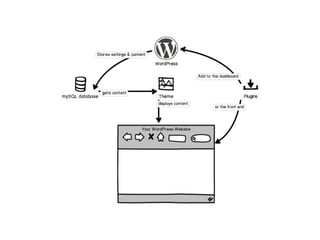
   ○ Themes determine how the content is displayed
■ Lots of plugins
   ○ Plugins extend what WordPress can do
     ● Contact forms
     ● Social network buttons
     ● Image galleries & popups
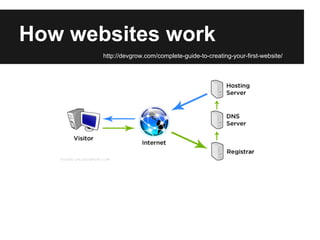
How websites work
       http://devgrow.com/complete-guide-to-creating-your-first-website/
What's needed to run WP?
■ WordPress.org
  ○ Domain name (URL)
  ○ Host server
      i. Preferably Linux (rather than Windows)
     ii. PHP
    iii. mySQL
■ WordPress.com
  ○ Ready to go, free to sign up, several restrictions
Installing WordPress
■ When you have a host and domain...
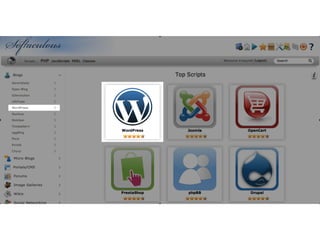
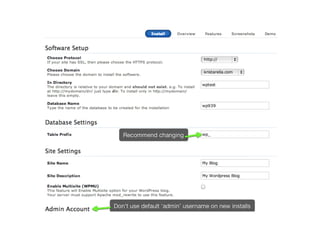
■ Automatic installers
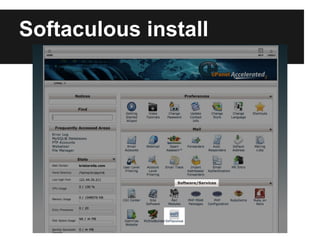
  ○ Softaculous
  ○ Fantastico de Luxe
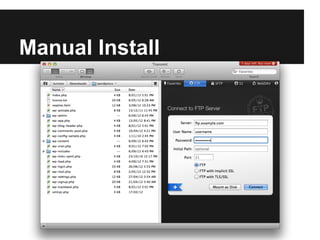
■ Manual install
  ○ Download files from WordPress.org
  ○ Upload to host server using FTP or host's file
    manager
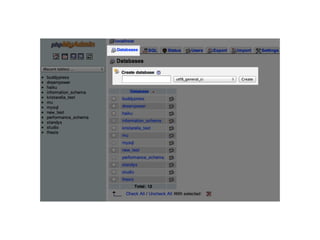
  ○ Create mySQL database via phpMyAdmin or host's
    wizard
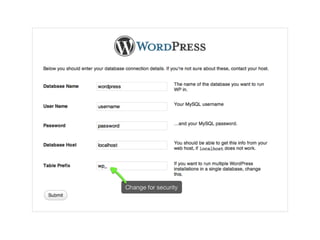
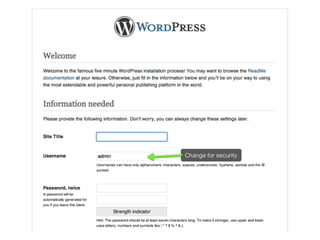
  ○ Visit URL and follow the installation wizard
    ● Will need database name, server, username,
        password
Softaculous install
Manual Install
Hosting recommendations
wphosting.com.au
www.anchor.com.au

bluehost.com
hostgator.com
mediatemple.com
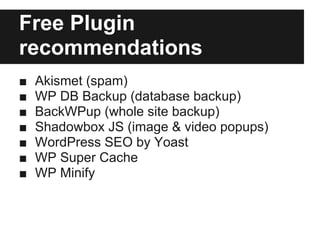
Free Plugin
recommendations
■   Akismet (spam)
■   WP DB Backup (database backup)
■   BackWPup (whole site backup)
■   Shadowbox JS (image & video popups)
■   WordPress SEO by Yoast
■   WP Super Cache
■   WP Minify
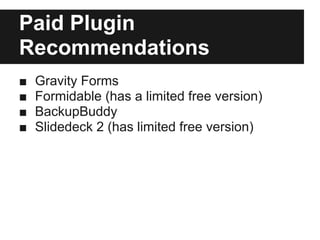
Paid Plugin
Recommendations
■   Gravity Forms
■   Formidable (has a limited free version)
■   BackupBuddy
■   Slidedeck 2 (has limited free version)

WordPress 101

  • 1.
  • 2.
    What is WordPress? Accordingto WordPress.org: WordPress is web software you can use to create a beautiful website or blog. We like to say that WordPress is both free and priceless at the same time. ■ Content Management System (CMS) ■ Most popular blogging system, 22% all new sites are built on WordPress
  • 3.
    What's great aboutWP? ■ Lots of users, tutorials & support ■ Lots of contributors & testing ○ easy to use ■ Lots of themes ○ Themes determine how the content is displayed ■ Lots of plugins ○ Plugins extend what WordPress can do ● Contact forms ● Social network buttons ● Image galleries & popups
  • 4.
    How websites work http://devgrow.com/complete-guide-to-creating-your-first-website/
  • 5.
    What's needed torun WP? ■ WordPress.org ○ Domain name (URL) ○ Host server i. Preferably Linux (rather than Windows) ii. PHP iii. mySQL ■ WordPress.com ○ Ready to go, free to sign up, several restrictions
  • 7.
    Installing WordPress ■ Whenyou have a host and domain... ■ Automatic installers ○ Softaculous ○ Fantastico de Luxe ■ Manual install ○ Download files from WordPress.org ○ Upload to host server using FTP or host's file manager ○ Create mySQL database via phpMyAdmin or host's wizard ○ Visit URL and follow the installation wizard ● Will need database name, server, username, password
  • 8.
  • 11.
  • 15.
  • 16.
    Free Plugin recommendations ■ Akismet (spam) ■ WP DB Backup (database backup) ■ BackWPup (whole site backup) ■ Shadowbox JS (image & video popups) ■ WordPress SEO by Yoast ■ WP Super Cache ■ WP Minify
  • 17.
    Paid Plugin Recommendations ■ Gravity Forms ■ Formidable (has a limited free version) ■ BackupBuddy ■ Slidedeck 2 (has limited free version)