Presented By: Himanshu Chaudhary
Introduction to
Hashicorp Vault
Lack of etiquette and manners is a huge turn off.
KnolX Etiquettes
Punctuality
Respect Knolx session timings, you
are requested not to join sessions
after a 5 minutes threshold post
the session start time.
Feedback
Make sure to submit a constructive
feedback for all sessions as it is
very helpful for the presenter.
Silent Mode
Keep your mobile devices in silent
mode, feel free to move out of
session in case you need to attend
an urgent call.
Avoid Disturbance
Avoid unwanted chit chat during
the session.
Our Agenda
01 What is Vault?
02 Features of Vault
03 Use cases of vault
04 Vault CLI and Terraform provider
05 Demo
What is Vault?
Vault is an identity-based secrets and encryption management system.
Secret: A secret is anything that you want to tightly control access to, such as API encryption keys,
passwords, SSH keys or certificates.
Vault provides encryption services that are gated by authentication and authorization methods.
Using Vault’s UI, CLI, or HTTP API, access to secrets and other sensitive data can be securely stored
and managed, tightly controlled (restricted), and auditable.
What is HCP Vault?
HCP Vault is a hosted version of Vault, which is operated by HashiCorp to allow organizations to get up
and running quickly. You can create a account here to use HCP vault.
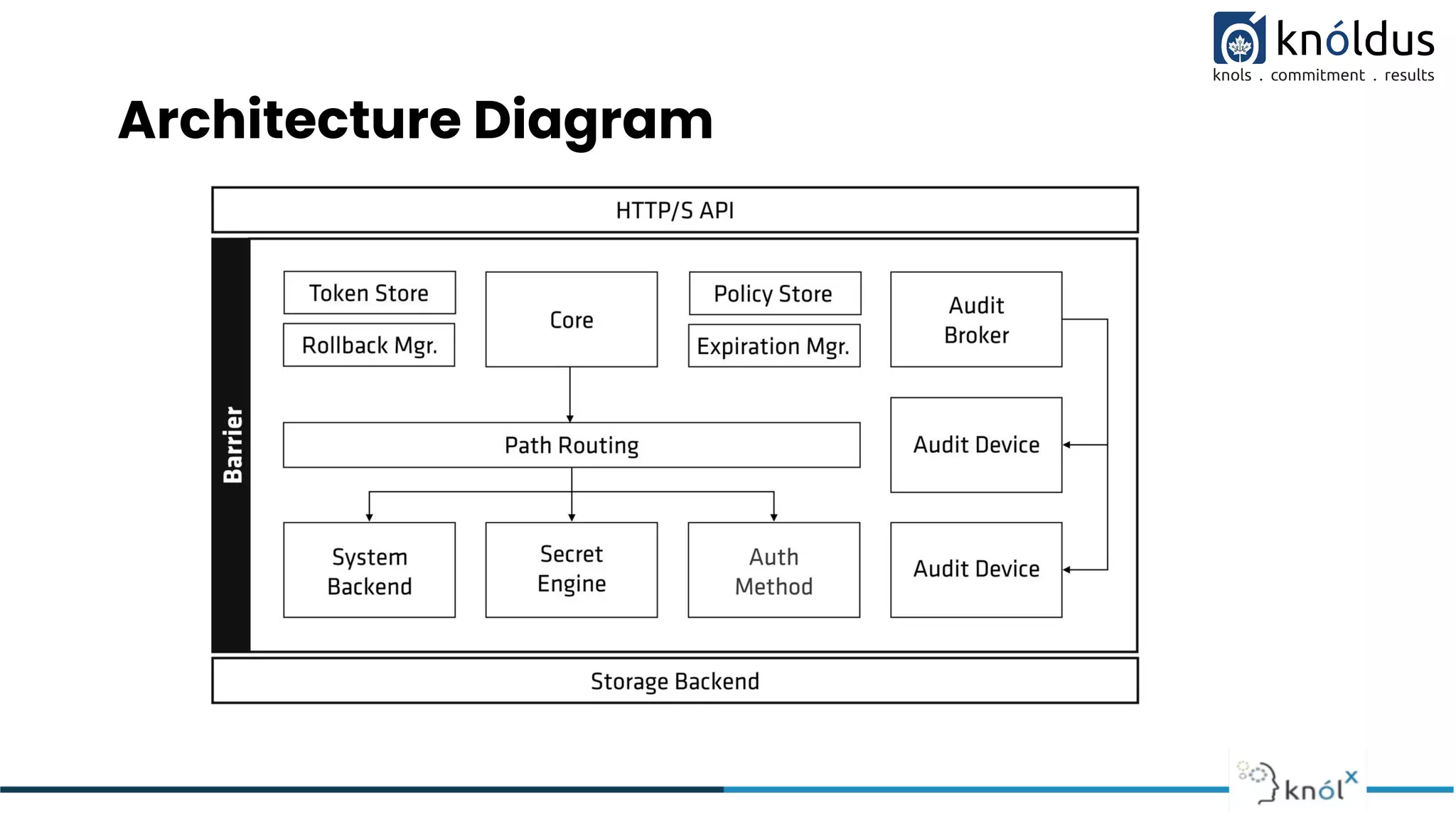
Architecture Diagram
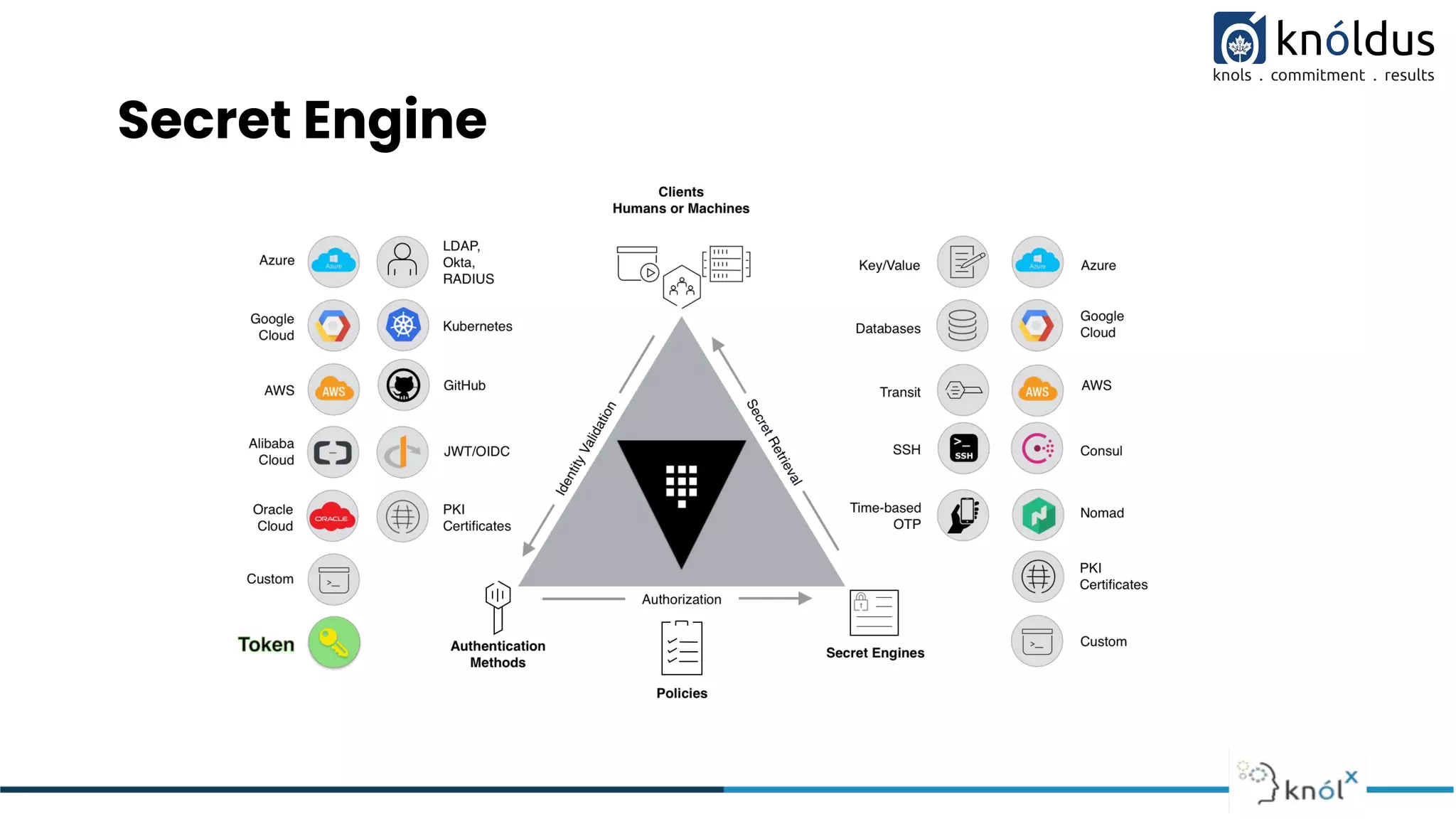
Secret Engine
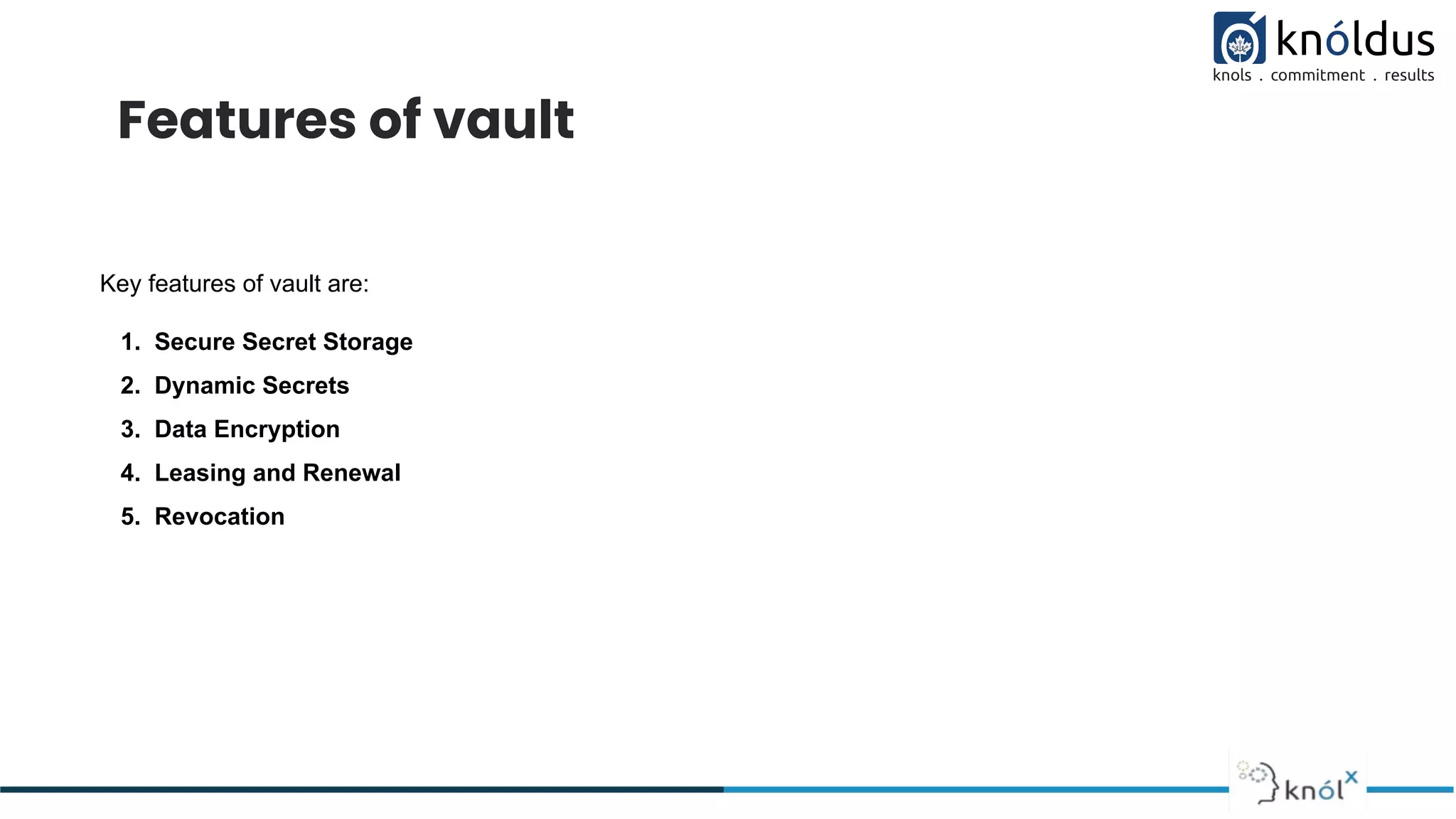
Features of vault
Key features of vault are:
1. Secure Secret Storage
2. Dynamic Secrets
3. Data Encryption
4. Leasing and Renewal
5. Revocation
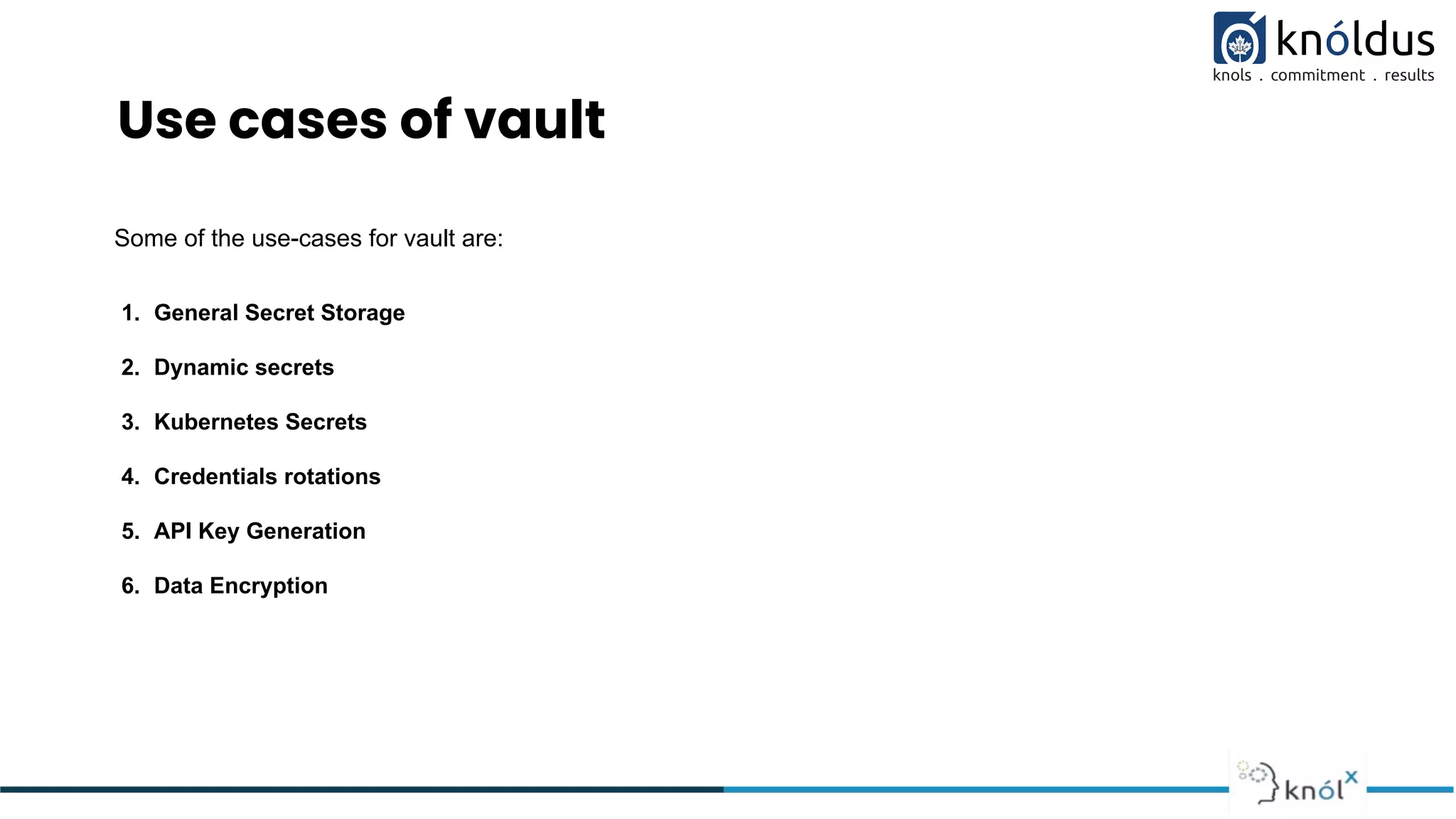
Use cases of vault
Some of the use-cases for vault are:
1. General Secret Storage
2. Dynamic secrets
3. Kubernetes Secrets
4. Credentials rotations
5. API Key Generation
6. Data Encryption
Vault CLI
There are three ways in which we can interact with vault.
1. Through CLI
2. Terraform provider
3. API’s
Basic Commands for day to day purpose:
1. vault auth
2. vault login
3. vault policy
4. vault kv put/patch/get/delete
5. vault list
6. vault secrets enable
7. vault write
Terraform provider for vault
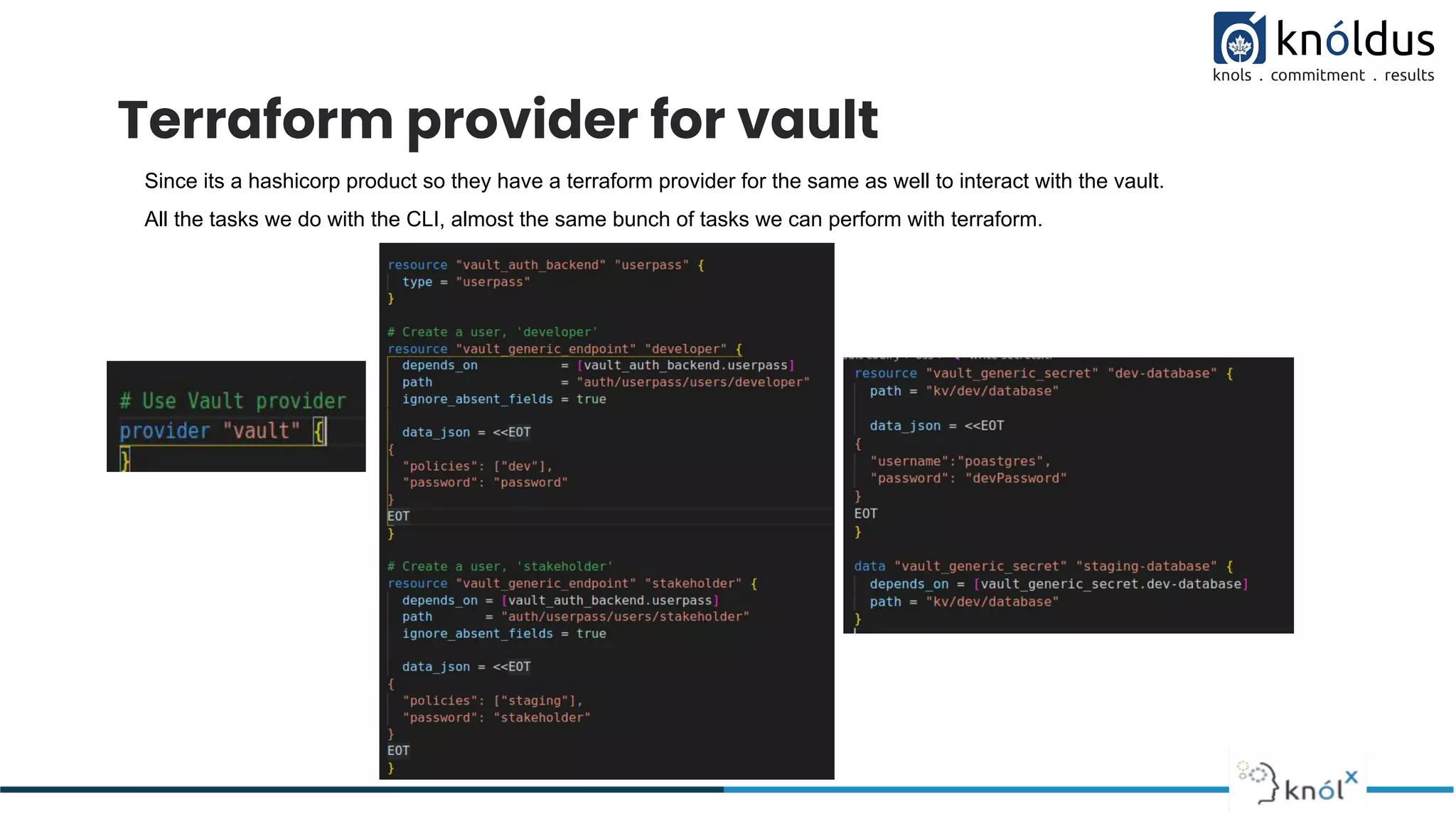
Since its a hashicorp product so they have a terraform provider for the same as well to interact with the vault.
All the tasks we do with the CLI, almost the same bunch of tasks we can perform with terraform.
Demo
Thank You !

Introduction to Vault

  • 1.
    Presented By: HimanshuChaudhary Introduction to Hashicorp Vault
  • 2.
    Lack of etiquetteand manners is a huge turn off. KnolX Etiquettes Punctuality Respect Knolx session timings, you are requested not to join sessions after a 5 minutes threshold post the session start time. Feedback Make sure to submit a constructive feedback for all sessions as it is very helpful for the presenter. Silent Mode Keep your mobile devices in silent mode, feel free to move out of session in case you need to attend an urgent call. Avoid Disturbance Avoid unwanted chit chat during the session.
  • 3.
    Our Agenda 01 Whatis Vault? 02 Features of Vault 03 Use cases of vault 04 Vault CLI and Terraform provider 05 Demo
  • 4.
    What is Vault? Vaultis an identity-based secrets and encryption management system. Secret: A secret is anything that you want to tightly control access to, such as API encryption keys, passwords, SSH keys or certificates. Vault provides encryption services that are gated by authentication and authorization methods. Using Vault’s UI, CLI, or HTTP API, access to secrets and other sensitive data can be securely stored and managed, tightly controlled (restricted), and auditable. What is HCP Vault? HCP Vault is a hosted version of Vault, which is operated by HashiCorp to allow organizations to get up and running quickly. You can create a account here to use HCP vault.
  • 5.
  • 6.
  • 7.
    Features of vault Keyfeatures of vault are: 1. Secure Secret Storage 2. Dynamic Secrets 3. Data Encryption 4. Leasing and Renewal 5. Revocation
  • 8.
    Use cases ofvault Some of the use-cases for vault are: 1. General Secret Storage 2. Dynamic secrets 3. Kubernetes Secrets 4. Credentials rotations 5. API Key Generation 6. Data Encryption
  • 9.
    Vault CLI There arethree ways in which we can interact with vault. 1. Through CLI 2. Terraform provider 3. API’s Basic Commands for day to day purpose: 1. vault auth 2. vault login 3. vault policy 4. vault kv put/patch/get/delete 5. vault list 6. vault secrets enable 7. vault write
  • 10.
    Terraform provider forvault Since its a hashicorp product so they have a terraform provider for the same as well to interact with the vault. All the tasks we do with the CLI, almost the same bunch of tasks we can perform with terraform.
  • 11.
  • 12.