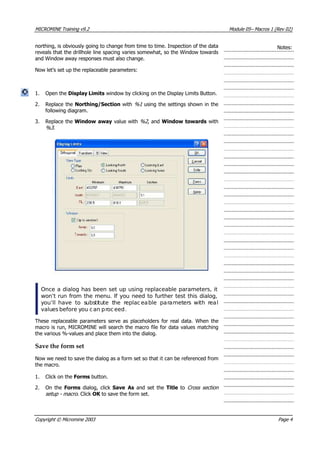
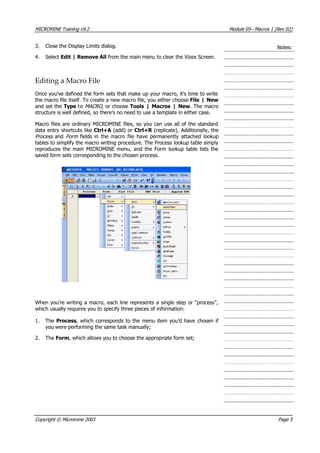
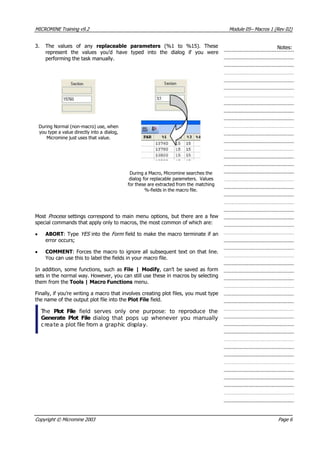
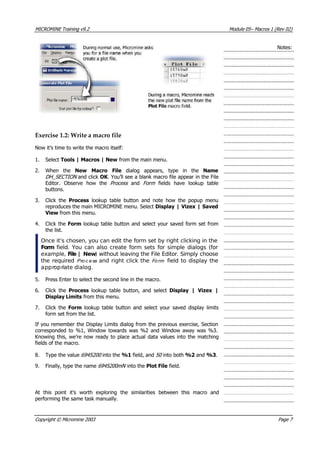
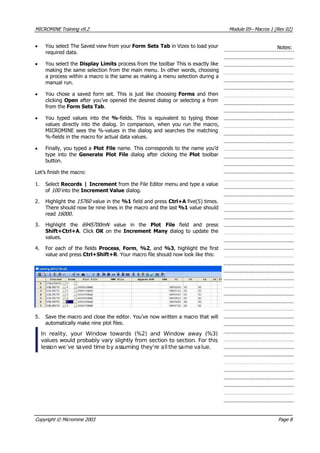
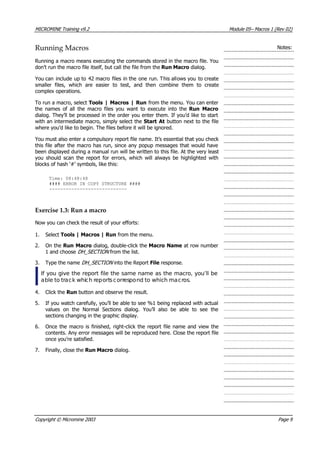
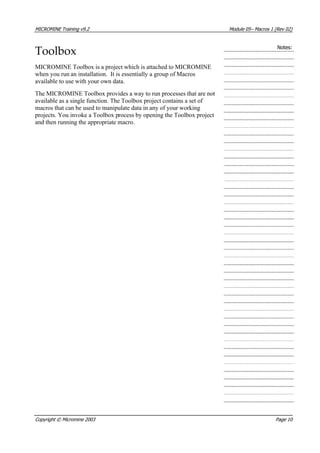
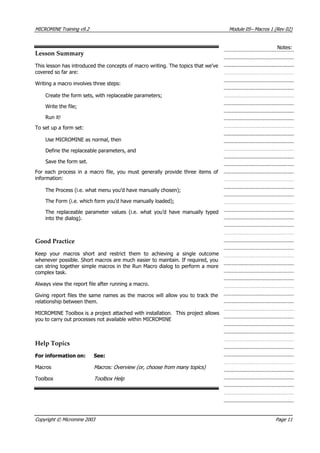
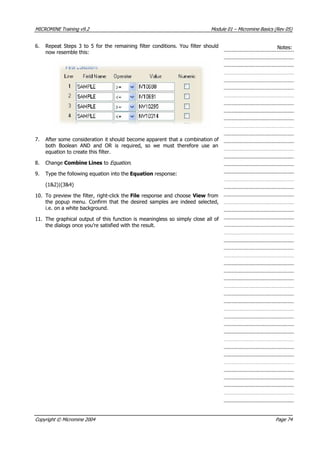
Here are the key steps to create a new project in Micromine:
1. Select File | New Project from the menu bar.
2. In the New Project dialog box, enter a name for the project folder in the Project Name field.
3. Select the path where you want to save the project folder.
4. Enter a title for the project in the Project Title field.
5. Select whether to use Metric or Imperial units.
6. Click OK to create the new project.
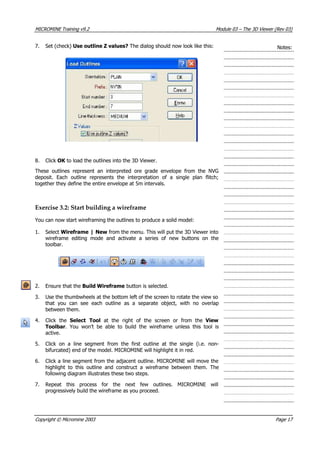
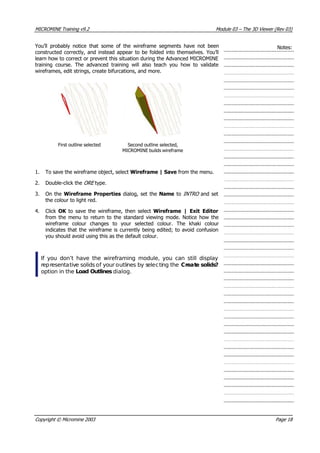
The project folder is now created on the specified path containing no files. You can now begin adding data files and other items to your new Micromine project.




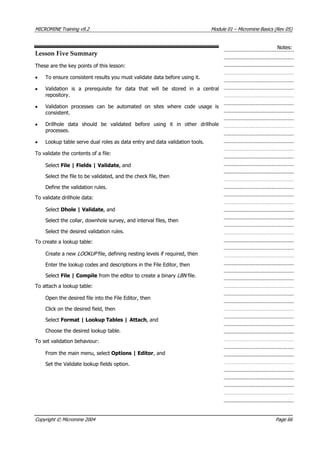
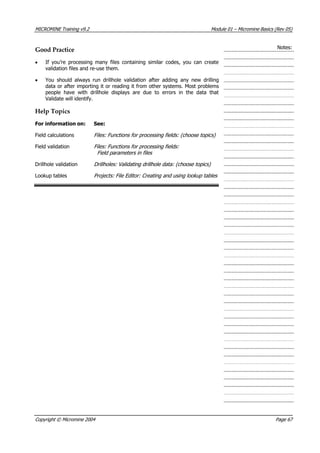
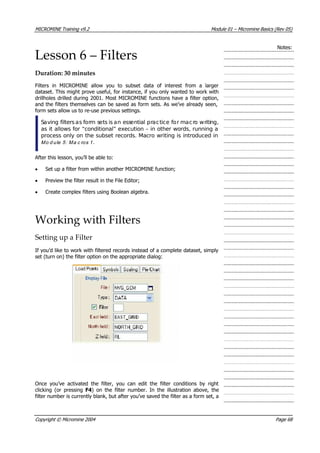
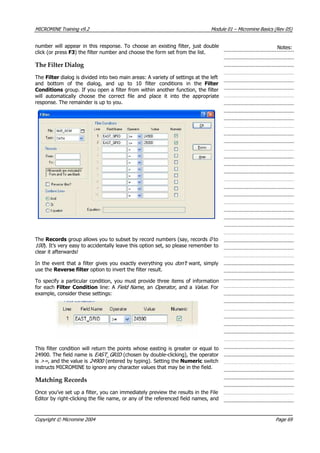
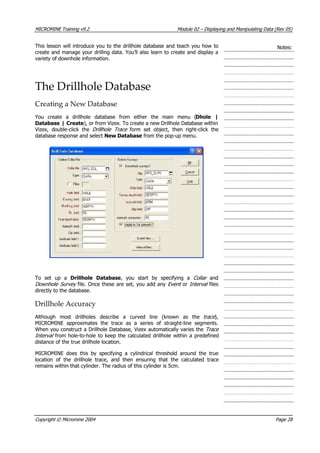
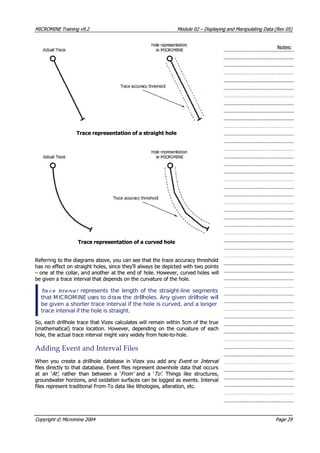
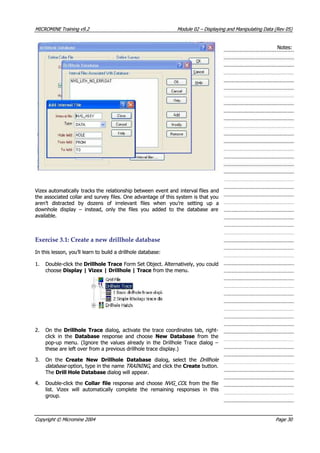
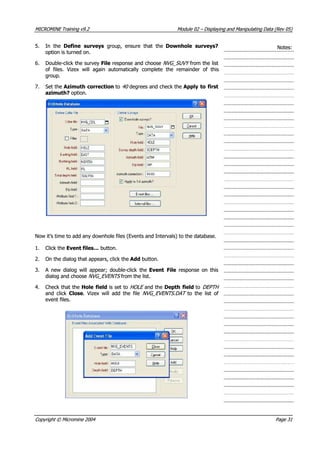
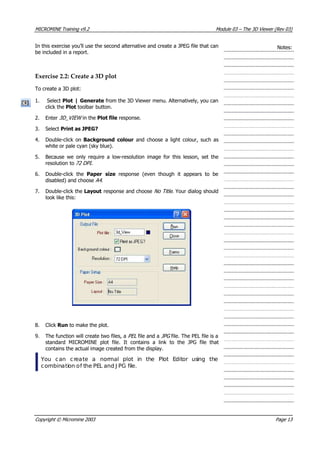
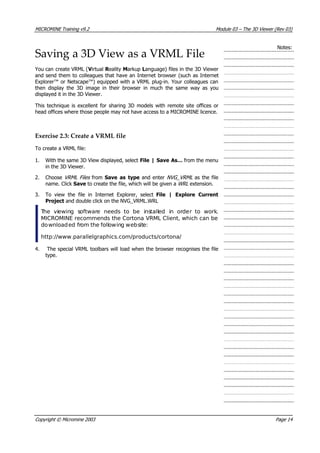
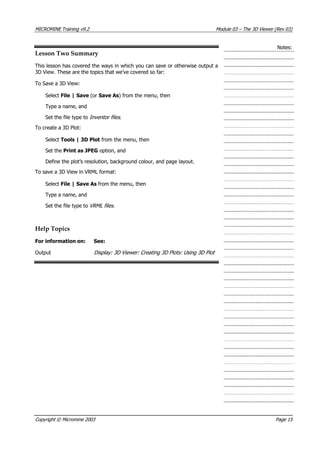
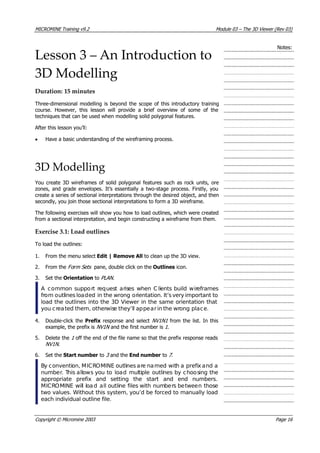
![MICROMINE Training v9.2 Module 01 – Micromine Basics (Rev 05)
Notes:
When you create a new project, you can use file structures, form sets and
macros from a similar project. This is a good approach because it means that
you can re-use existing work and promote consistency between projects. In
fact, many MICROMINE users create a template project and save any re-usable
file structures, macros and form sets within it. This approach is demonstrated
in the following exercise.
You can also rename, move, delete and attach projects. Renaming simply
changes the project name. Moving a project manages the entire process of
moving all the project files from one location to another.
Because project data files are stored in different folders you can use the same
file names in each project. For example, the projects “Demo” and “Training”
can both have files named collar.dat , survey.dat and assay dat ..
By default, MICROMINE will load the last project you were using.
Creating a New Project
Because the data for this training course have already been prepared, you’ll
attach to a project where the data are stored. However, you still need to know
how to create a new project. Since it’s good practice to learn how to create and
use a template project, this is a good opportunity to do so.
Exercise 1.1: Create a new project
To create a new project:
1. Start MICROMINE by clicking on the icon on your desktop, or select the
application name from the Start menu.
2. Select File | Project | New from the main menu.
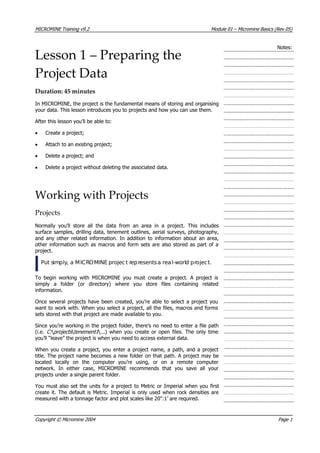
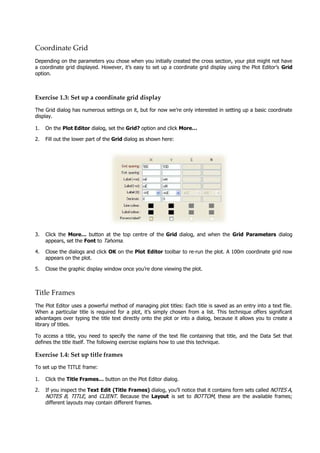
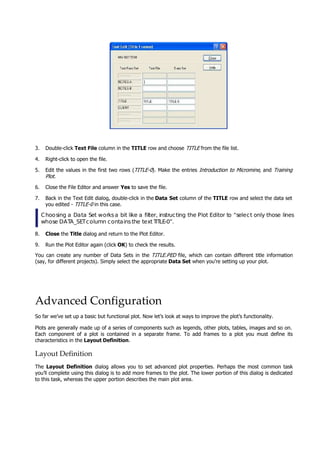
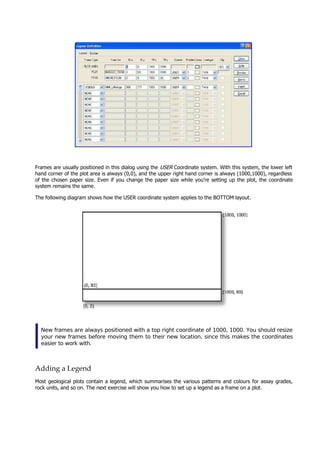
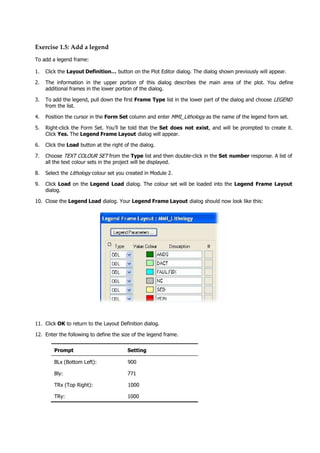
3. Fill-in the dialog box as shown below. When you define the Project path,
use the browse […] button to navigate to the H: MmData folder; once
you’ve done this you can type the remaining Templates text yourself.
Copyright © Micromine 2004 Page 2](https://image.slidesharecdn.com/introductiontomicromine-200213212522/85/Introduction-to-micromine-14-320.jpg)
![MICROMINE Training v9.2 Module 01 – Micromine Basics (Rev 05)
Notes:
4. Click OK to create the project. The program will open in the new project.
Under normal circumstances you’d now begin creating files and loading data
into the project. When you next create a project you can select Use existing
project as template and then enter its name. You can then nominate which
items you want to re-use from the template project by selecting from the
options shown in the group at the bottom of the dialog box.
Attaching an Existing Project
Attaching a project is a convenient way of working with existing projects and
external data such as old projects and data created using other applications.
Once you’ve attached a project, you can select it as though you had created it.
This procedure assumes you’ve accepted the default settings when you
installed from the Training CD.
If you changed the location of the installed data set, you’ll need to substitute
the project folder name and path you used in the instructions that follow.
Exercise 1.2: Attach an existing project
To attach an existing project:
1. Select File | Projects | Attach from the main menu.
2. Enter the Project name. This is the name of the folder containing the
project data. In this case, enter: Training
3. Click the Browse […] button next to the Project path response and
navigate to the folder H:MmDataT aining . Click OK on the Browse
dialog.
r
Copyright © Micromine 2004 Page 3](https://image.slidesharecdn.com/introductiontomicromine-200213212522/85/Introduction-to-micromine-15-320.jpg)
![MICROMINE Training v9.2 Module 01 – Micromine Basics (Rev 05)
Exercise 2.3: Opening Graphic Display Windows. Notes:
1. Move your mouse button over the Display Pane tab, and pin it to the
display as described in Excersise 2.2.
2. Click on the Vizex Button on the Main Toolbar, and observe the new
icon appearing in the Display Pane.
3. Click on the 3D Viewer Button on the Main Toolbar, and observe the
new 3D Viewer icon appearing in the Display Pane.
4.
When you have data opened in any of these graphic display windows, the
objects loaded will be displayed as icons and titles under each object in the
display pane.
5. Select Window | Tile Horizontally from the main menu and observe
each window is now displayed on your screen.
6. Close one of the Vizex windows by clicking on the cross [X] in the top
right hand corner of the window. Repeat this for the 3D Viewer
window so that only one Vizex window remains.
7. Maximise the Remaining Vizex Window to the full screen using the
Maximise button on the top right hand corner of the window.
8. Click on the Pin Down icon on the Display Pane to hide the pane to
the left of the window.
Copyright © Micromine 2004 Page 12](https://image.slidesharecdn.com/introductiontomicromine-200213212522/85/Introduction-to-micromine-24-320.jpg)
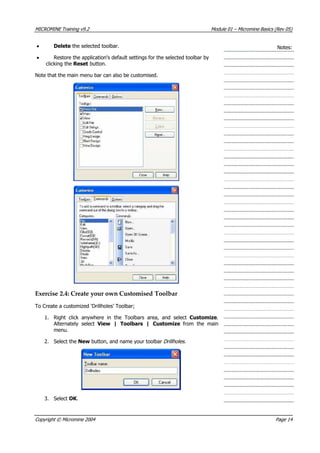
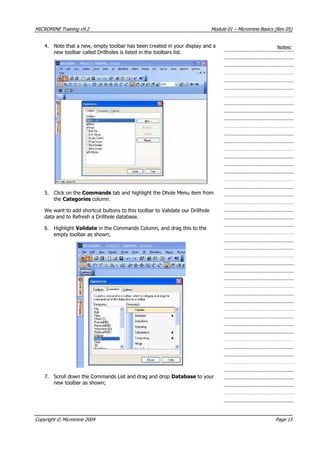
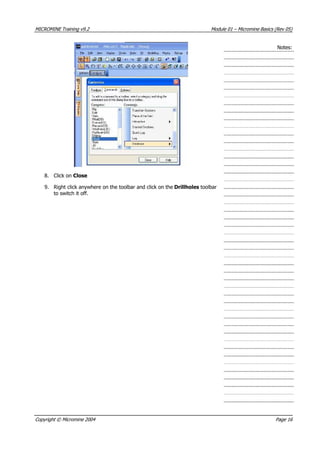
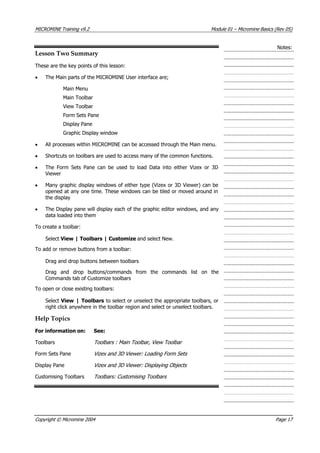
![MICROMINE Training v9.2 Module 01 – Micromine Basics (Rev 05)
Notes:
3. Don’t select Use template?
4. Click OK and the New file window will appear.
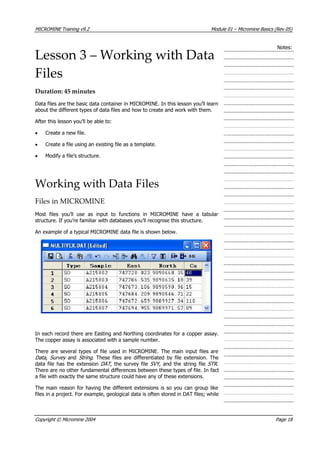
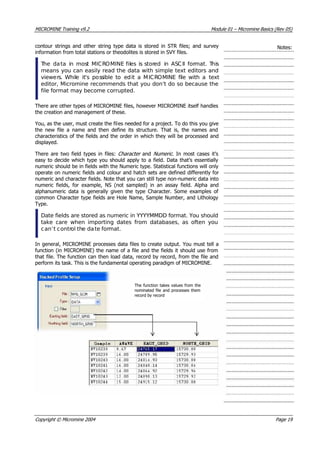
In this window you create the file structure. To do this you must define:
• The names of the fields.
• The type (Character or Numeric) of each field.
• The width of each field.
• In the case of numeric fields, the number of decimal places.
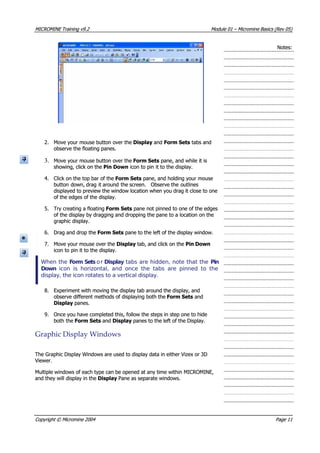
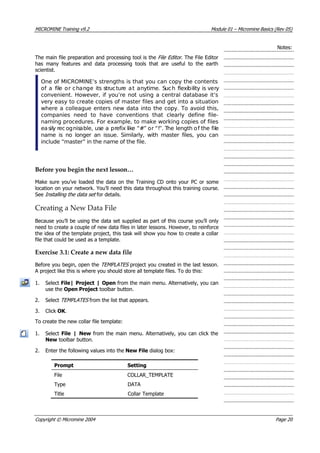
Type the following values in the table:
Press the Tab key to move right from field to field and Shift+Tab to move to
the left. You can also use the arrow keys to move up and down, or just click on
a cell with the mouse. Press Enter to create a new row.
1. Once you’ve entered these values, click Close on the menu in the New
window.
2. Click Yes to confirm you want to create the file.
3. The new file will open into a File Editor window. You could start entering
values immediately but since it’s intended to be a template file you’d
generally leave it empty.
4. Close the File Editor window, either by clicking the [X] at the top right of
the window, or by clicking the Close toolbar button.
Field names can have up to 10 characters. Field names that
include spaces are not recommended. Best practice, unless
there’s an overriding company standard, is to keep field names
simple. For example, use Sample rather than Sample No.,
Sample_No or Sample #.
Similarly you can only enter a C or an N as a field type. Length can
be up to 255 characters but should be kept as short as possible
without compromising the data. The decimal point is counted as
one character. For example, N 10 2 would allow only 7 digitsto the
left of the decimal point. There’s nothing to be gained by
specifying more decimals than are needed.
Copyright © Micromine 2004 Page 21](https://image.slidesharecdn.com/introductiontomicromine-200213212522/85/Introduction-to-micromine-33-320.jpg)
![MICROMINE Training v9.2 Module 01 – Micromine Basics (Rev 05)
also allows you to recall a previously saved form set, and import or export form
sets for sharing with other users.
Notes:
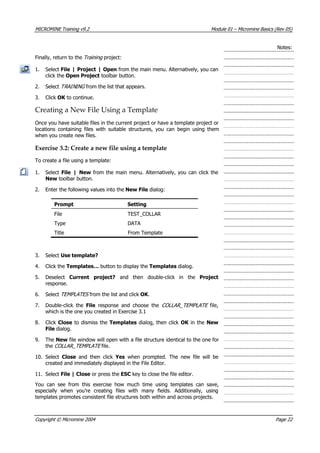
Some dialogs have buttons that open other dialogs. In MICROMINE, the
“parent” dialog is called a dialog fo m , and the “child” dialogs are known as
dialog boxes . All dialog boxes that belong to a dialog form are automatically
saved together with that particular dialog form.
r
Each MICROMINE function maintains its own independent list of form sets, so
there’s no risk of duplication. For example, more than one function could have
a form set Number 1, with the title “Testing”.
Even if you forget to save a dialog as a form set, every MICROMINE dialog is
automatically saved to a ‘default’ form set. Simply re-opening a particular dialog
will automatically recall the default set, so your previous settings are always
available, even after restarting the computer. As soon as you change a value,
however, the previous value will be lost.
Forms are a very useful facility. They promote consistency and save
you from re-entering values.
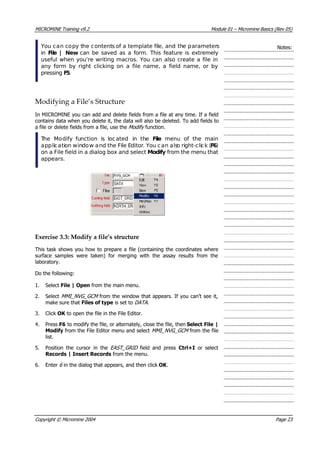
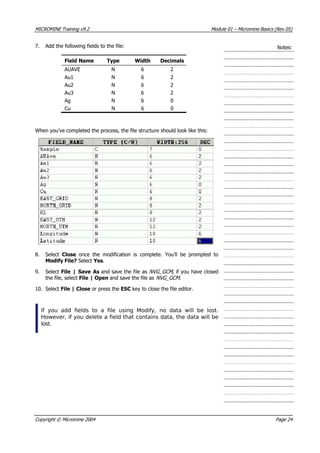
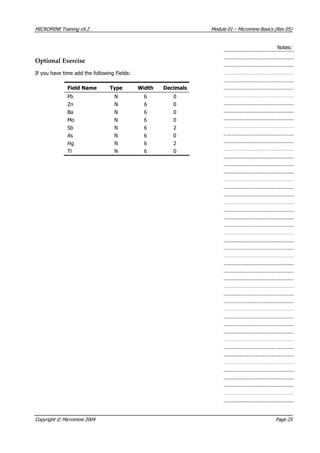
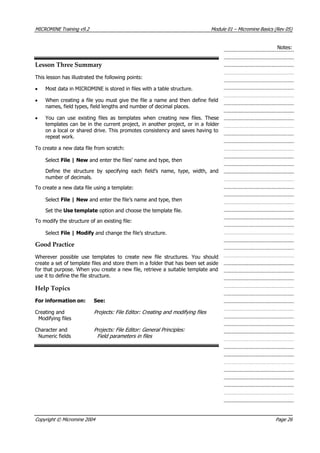
Exercise 4.1: Explore dialogs and form sets
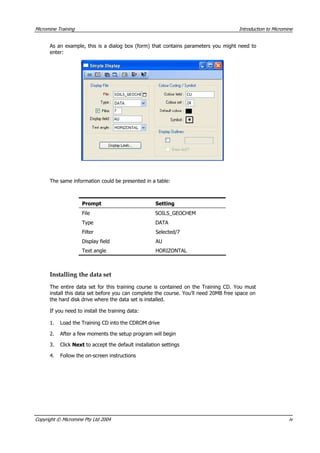
In this exercise, we’ll use the Simple Display function to display some
geochemical sample locations and save the display parameters as a form set.
1. From the main menu, select Display | Simple.
2. Before choosing any data, click the Display Limits… button and confirm
that the Display Limits dialog is empty. Close the Display Limits dialog.
3. Double-click the File response and choose NVG_GCM from the list.
4. Once you’ve chosen the file, re-click the Display Limits… button and
note that the coordinate fields and their minima and maxima have been
automatically set. Close the Display Limits dialog.
5. Double-click the small blank square next to the Symbol prompt and
choose a plus [+] symbol.
6. Click the first OK button on the toolbar to run the function and test your
settings.
Most functions in MICROMINE use a Run button on the dialogue
form to run functions, however, for graphical display functions such
as Display | Simple, you run MICROMINE functions by clicking the
first OK button on the toolbar.
7. Close the display window using File | Close, or the cross in the top right
corner of the window to return to the dialog.
Assuming you’re happy with the settings, you can now save them as a form
set.
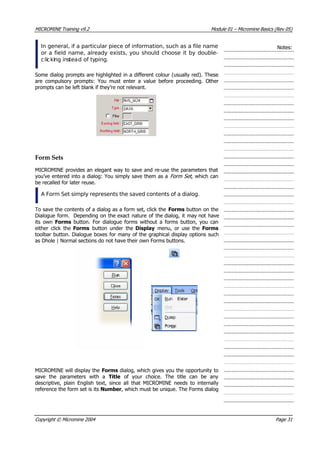
1. Click either the Forms menu or Forms toolbar button.
2. On the Forms dialog, click Save As.
Copyright © Micromine 2004 Page 32](https://image.slidesharecdn.com/introductiontomicromine-200213212522/85/Introduction-to-micromine-44-320.jpg)
![MICROMINE Training v9.2 Module 01 – Micromine Basics (Rev 05)
3. When the Save Current Values dialog appears, type in the Title
Geochem Display and click OK . Both dialogs will disappear.
Notes:
4. Click the Forms menu or toolbar button a second time, and note that your
newly saved form set appears in the list of saved form sets.
If you wanted to re-use those settings, you’d simply click the appropriate form
set to select it, and then click Open to load the settings.
Merging Assay Data
We added fields to the data file in Exercise 3.3 to prepare that file for the
merging process. The NVG_GCM file contains a sample number, co-ordinates
describing where the sample was taken, and some other information. A file
called MMI_ASSAY_RESULTS.TXT (for convenience in the Import folder in the
current project) contains the assay results and sample numbers that
correspond to the coordinates.
In this task we’ll merge the soil sample assays (MMI_ASSAY_RESULTS.TXT )
into the file containing the locations where the samples were collected
(NVG_GCM.DAT ).
To successfully merge the records in two files, there must be a field with the
same values in both the target and source files. This is known as a key field . If
the key field in each file contains duplicate values, you must use two or more
fields in each file to differentiate each record.
The Merge function processes the target file record by record. It finds the key
field in each record and reads the value it contains. It then looks for the same
value in the key field in the source file. When it finds an equivalent value, it
takes the data from the fields you’ve nominated, and writes it to the
corresponding fields in the target file.
It’s important that you know the column order in which the sample
data has been returned if the assay file does not contain a header
row. In this case, the field order is: Au1, Au2, Au3, Ag, C u, Pb, Zn,
Ba, Mo, Sb, As, Hg and Tl.
Exercise 4.2: Merge assay data into a sample locality file
In this exercise the sample identifiers are unique. This means you can use the
fields containing sample identifiers in each file as the key field in the merge. In
cases where there are duplicates in the key field in the target file you must use
multiple fields to form the key.
Do the following:
1. Select File | Merge | Text from the main menu (There’s also a Merge
function under the Edit | Tools menu of the File Editor but it doesn’t have
as many features as this one.)
2. Click the browse […] button beside the Text file path response and
navigate to the file MMI_ASSAY_RESULTS.TXT in the Import folder (this
file can be external to the project and is only here for convenience).
3. Double-click in the Target File response and select NVG_GCM from the
window that appears.
Copyright © Micromine 2004 Page 33](https://image.slidesharecdn.com/introductiontomicromine-200213212522/85/Introduction-to-micromine-45-320.jpg)
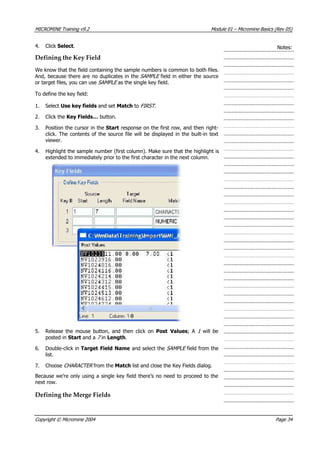
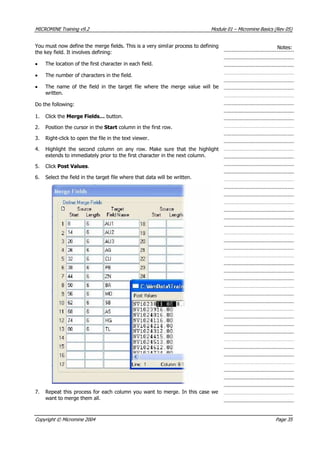
![MICROMINE Training v9.2 Module 01 – Micromine Basics (Rev 05)
8. Enter Unmerged in the Unmerged file response, Duplicate in the
Duplicate file response, and Merge_s ats in the Report file response.
These files will record the results of the Merge process.
Notes:
t
Running the merge
9. The final stage of the process is to run the merge. Do this by clicking the
Run button on the dialog box.
When the process is complete, a report will appear describing the results of the
process, which is reproduced in the Merge_stats file. Right-click the Unmerged
and Duplicate files to check their contents. The Unmerged report will list the
records in the source file that were not merged. The Duplicate report will list
the records with duplicate keys.
A useful check on any function that processes files is to right-click
the output file and choose View from the pop-up menu. Any
problems will become apparent and you can re-run the function
after making the necessary corrections.
Importing Text Files
A popular format for text data is CSV (comma separated values). Most
applications that can store and process tabular data can export in CSV format.
For example, field data recorded in a geologist’s notebook is often transcribed
from the notebook to a spreadsheet program such as MS EXCEL™ or Lotus™
before it’s imported into a MICROMINE project. CSV is generally used in these
cases.
If you use Field Marshal to collect field data, you can import or
merge files in native MM format. Field Marshal and the File Editor
contain many data entry and processing functions created
specifically for earth science data. It’s cheaper and easier to buy
Field Marshal or the File Editor than to try and write macros for MS
EXCELor Lotus.
Outlines are often used to record tenement boundaries. The tenement
boundary data can be obtained from your local mines department. Generally
this will be in the form of a series of distance, bearing pairs from a datum
point.
Exercise 4.3: Import a text file
In this exercise you’ll create a file and import the (distance, bearing) pairs that
were entered in an EXCEL spreadsheet and saved in CSV format. This exercise
will also illustrate another MICROMINE productivity tool: You can create a new
file virtually anywhere within MICROMINE.
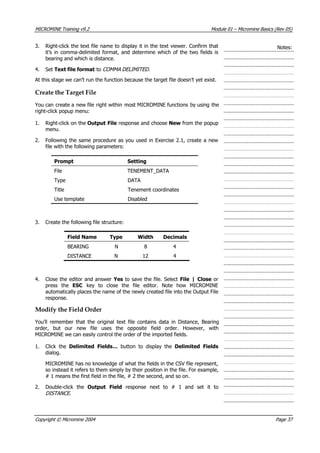
Choose the Text File
1. Select File | Import | Text from the main menu.
2. Click the browse […] button next to the Text file path response and
navigate to the Import folder (within your project). Select the file
MMI_Tenement_Data.csv .
Copyright © Micromine 2004 Page 36](https://image.slidesharecdn.com/introductiontomicromine-200213212522/85/Introduction-to-micromine-48-320.jpg)
![MICROMINE Training v9.2 Module 01 – Micromine Basics (Rev 05)
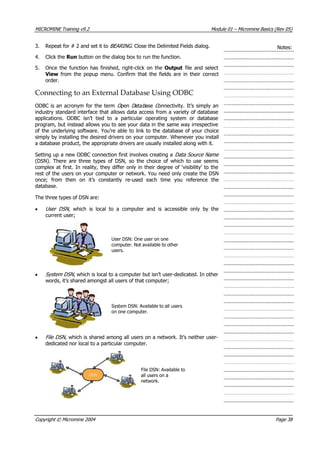
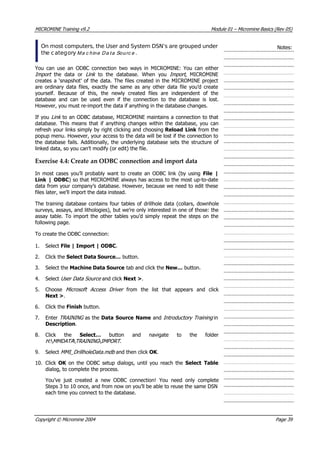
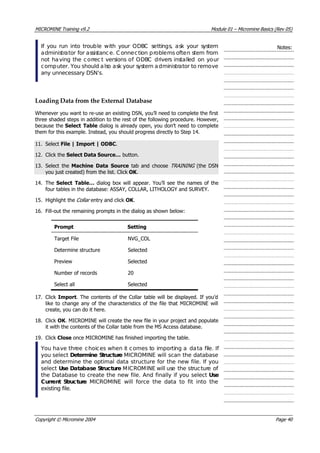
2. Click the browse […] button next to the Lab file path response and
select the MMI_ NVG.SIF file (from the Impo t folder).
Notes:
r
3. Back on the Merge Lab Data dialog, right-click the file name and view the
file. Take particular note of the format (column or comma delimited?) and
the particular codes found within the file. Close the text viewer window
once you’re done.
4. Select Column Delimited .
5. Set the Method to Use sample field .
6. Because the sample numbers are in the first column, enter 1 in Start
column.
7. Select Character match .
8. In the Assayed Element Names group, position the cursor in the Row
response and right-click. Highlight the first column of element names in the
header as shown in the preceding illustration. Click Post Values.
9. In the Data group, do the same for the first row in the column of assay
values.
The function assumes that the columns in the source file all have the same
width.
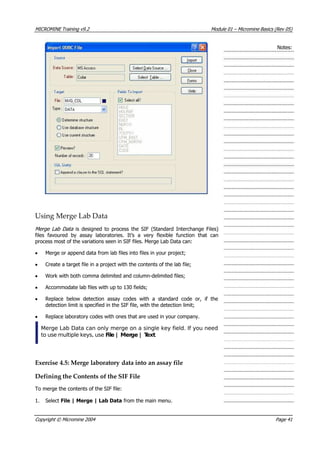
10. Select Replace lab codes and click More…
11. Type NS into the first row of Lab Code, but leave Replace With blank.
This will blank out all occurrences of the string ‘NS’ from the MICROMINE
file.
Copyright © Micromine 2004 Page 42](https://image.slidesharecdn.com/introductiontomicromine-200213212522/85/Introduction-to-micromine-54-320.jpg)
![MICROMINE Training v9.2 Module 01 – Micromine Basics (Rev 05)
The File Editor has a Tools menu available under the Edit menu that contains
a collection of basic functions for importing, exporting and merging data;
sorting and validating files; and performing field-based calculations. Many of
these tools also have toolbar buttons.
Notes:
MICROMINE files are presented on-screen in a familiar grid layout. You can
navigate up and down through the file by using the keyboard up and down
arrow keys, as well as Pg Up and Pg Dn to go one page at a time. Of course,
you can scroll using the mouse, too. To move from one field to the next, press
Tab or Shift+Tab, or click into the desired field with the mouse. To create a
new record, simply press Enter at the end of the file.
The File Editor supports standard Windows shortcuts for editing text, for
example:
• Ctrl+C (Copy)
• Ctrl+X (Cut)
• Ctrl+V (Paste)
Using these shortcuts, you can easily transfer blocks of data between
MICROMINE and, say, MS Excel, in either direction. However, the File Editor
also provides many other unique shortcuts that are designed to automate
repetitive geological data entry tasks. You can access these shortcuts by
opening the Records menu. Some of these are summarised in Table 1 below:
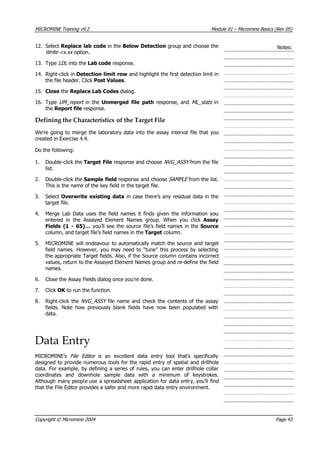
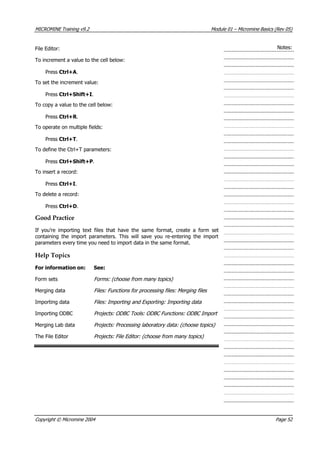
Table 1: File Editor keyboard shortcuts
To… Keyboard Menu Button
Increment contents
to the cell below
Ctrl+A Records | Add | One
Set Increment value Ctrl+Shift+I Records | Increment
Copy contents to the
cell below
Ctrl+R Records | Replicate | One
Operate on multiple
fields to record below
Ctrl+T Records | Execute | One
Define Ctrl+T
parameters
Ctrl+Shift+
P
Records | Execute |
Parameters
Delete records Ctrl+D Records | Delete
Insert blank records Ctrl+I Records | Insert
The add (Ctrl+A), replicate (Ctrl+R) and execute (Ctrl+T) tools also
operate on multiple records, by pressing Ctrl+Shift+[Letter] instead
of Ctrl+[Letter].
Copyright © Micromine 2004 Page 44](https://image.slidesharecdn.com/introductiontomicromine-200213212522/85/Introduction-to-micromine-56-320.jpg)
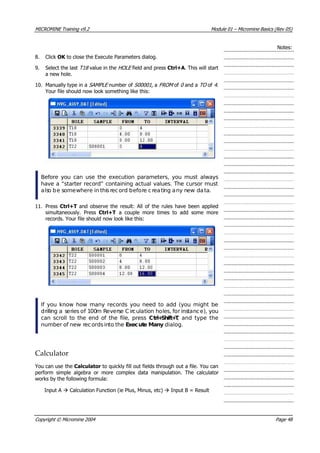
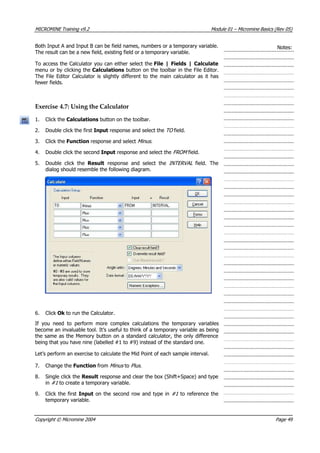
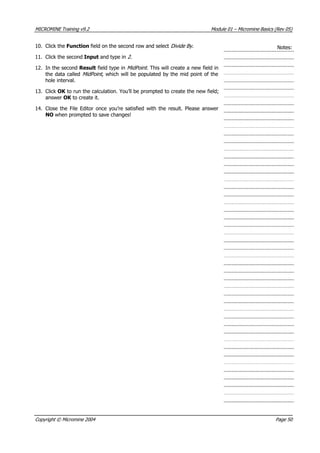
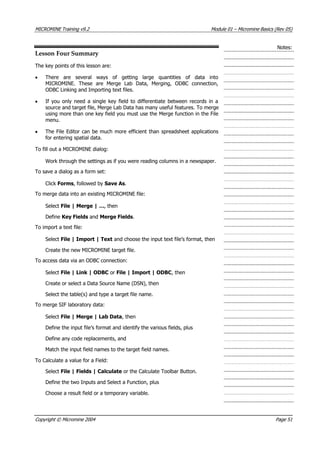
![MICROMINE Training v9.2 Module 01 – Micromine Basics (Rev 05)
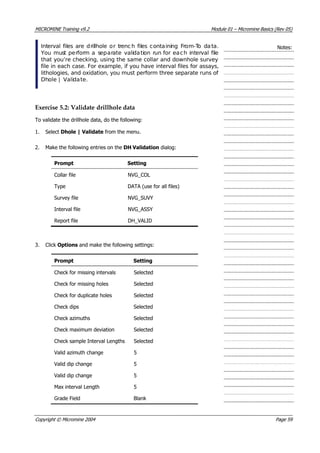
You can choose to ignore unsampled intervals for the interval
length check by selecting a grade field. Any intervals with a blank
for the grade field will be ignored for the validation check.
Notes:
4. Click OK . A series of status messages will appear as Validate processes the
drillhole files. If an error is detected, an appropriate message will be
displayed and the error will be written to the Report file.
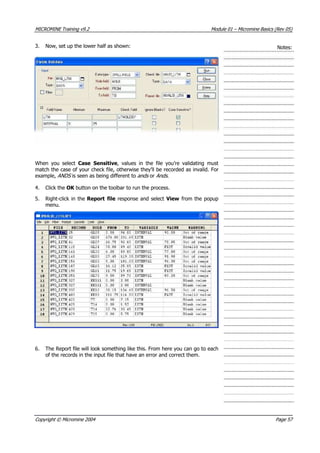
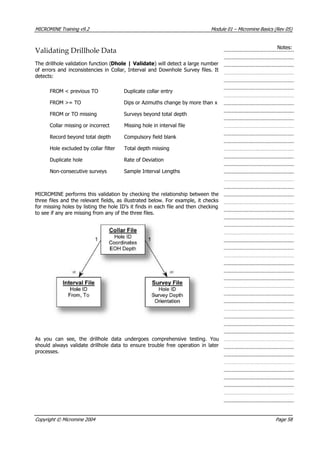
5. Right-click the Report file and select View from the popup menu. This file
contains a record of all errors encountered during the validation process.
In this exercise, Validate detected some downhole survey errors, caused by
consecutive surveys deviating by more than 5°, and some errors for sample
intervals greater than 5m. These downhole survey errors could in fact consist
of valid data, so it’s entirely up to you to determine whether or not corrections
are required. If you were to re-run the validation using the NVG_LITH interval
file, you’d discover some inconsistent data in the interval (lithology) file. These
interval errors will require attention before the data can be used. However, the
training dataset already contains a validated file (NVG_LITH_NO_ERR ), so the
corrections won’t be necessary.
You’ve probably noticed that MICROMINE knew the names of the
fields in the drillhole files. You can set the field names that
MICROMINE allocates to dialog prompts by selecting Options |
Forms from the main menu. Here you can enter the names you use
for the fields at your site.
However, it’s still good practice to click each of the Fields…
buttons and check that the fields have been correctly allocated!
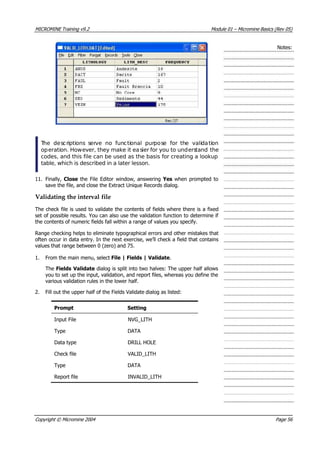
Using Lookup Tables
So far we’ve looked at validating pre-existing data, but it would be far better to
ensure those data were correct from the moment they were created. Using
MICROMINE’s Lookup Tables, you can establish a data entry environment
where this is possible.
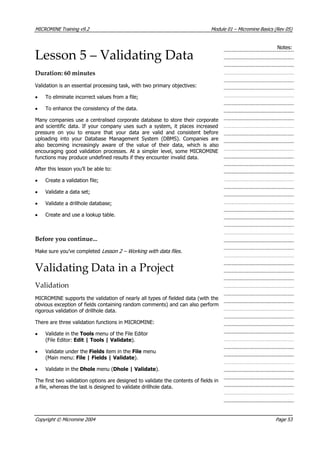
Lookup tables serve two main purposes. Firstly, they act as a data entry tool,
minimising the amount of typing required. Instead of having to type a
particular code, for example, you can simply choose it from a list. When used in
conjunction with the other data entry shortcuts that we’ve already explored,
lookup tables make it possible to enter large quantities of data with few
keystrokes. This system works particularly well with pen-based devices such as
palmtops or PDA’s, which may not have a keyboard.
Secondly, and perhaps more importantly, lookup tables act as a data validation
tool. Keystrokes are validated as they occur, which ensures that your data are
correct from the start. There are numerous settings that control the way lookup
tables perform this validation task.
Lookup tables can be attached to any field in a MICROMINE file. Once
attached, they appear as an ellipsis […] button in each cell of that field.
Lookup tables remain active until they are detached.
Copyright © Micromine 2004 Page 60](https://image.slidesharecdn.com/introductiontomicromine-200213212522/85/Introduction-to-micromine-72-320.jpg)
![MICROMINE Training v9.2 Module 01 – Micromine Basics (Rev 05)
Compiling the Binary File Notes:
The MICROMINE file version of the lookup table is what you’ll edit and maintain
as administrator of this project. However, it’s not the file that the geologists in
the field will use. You must compile this file into a binary LBN file before it can
be attached to an interval file.
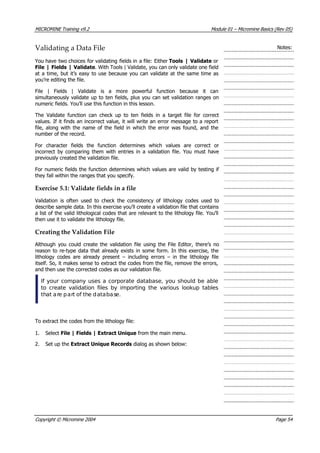
To compile the lookup table:
1. With the file open in the editor, select File | Compile from the menu. The
Lookup Table Properties dialog will appear.
2. Set the Enable validation and Case sensitive options, but leave the
remaining options blank.
3. Click Compile to create the binary LBN file. A message will appear
indicating successful creation of this file.
4. Close the File Editor window.
Attaching the Lookup Table to a Field in the Data File
The final stage in this process is to attach the lookup table to the appropriate
field of the NVG_LITH file. Once this is done, we can start using it.
1. From the main menu, select File | Open and open the NVG_LITH file.
2. Click the LITH field to select it. It doesn’t matter if you click the field
heading or just a cell in that field.
3. From the File Editor menu, select Format | Lookup Tables | Attach.
4. Choose LITH_LOOKUP from the list and click Open. MICROMINE will add
the ellipsis buttons to the LITH field displayed in the File Editor.
If desired, you could attach a lookup table to every field in a file.
You can also attach the same lookup table to more than one field.
For example, your file could have C olour1 and Colour2 fields.
Simply attac h your Colour lookup table to both!
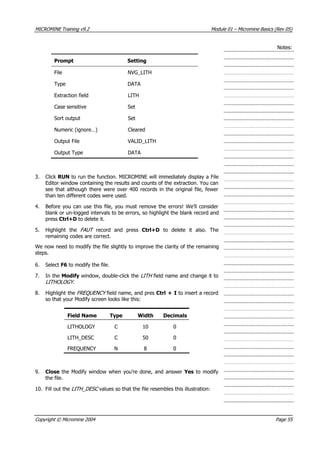
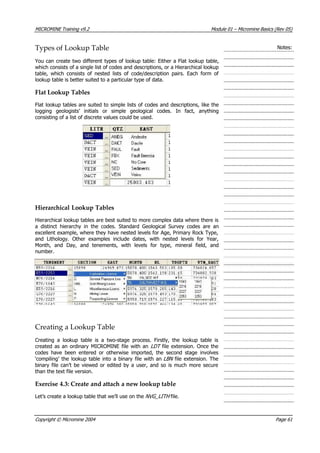
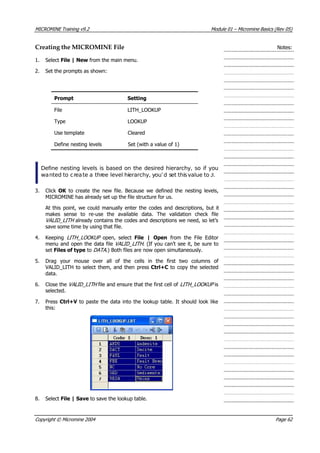
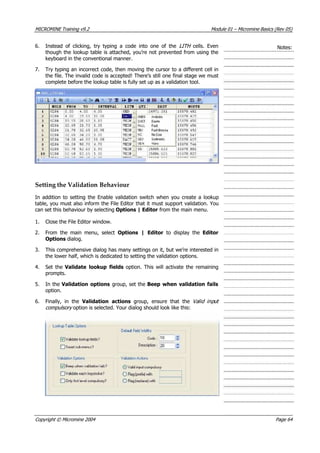
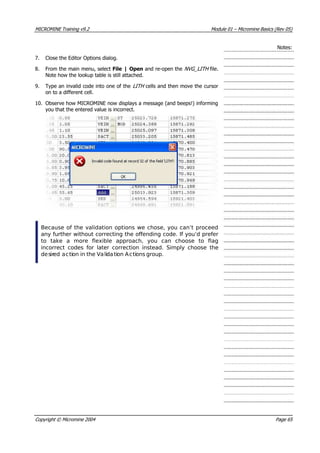
5. Click one of the ellipsis […] buttons to open the lookup table. Your screen
should resemble the following diagram. From here, you can simply click
the desired code to select it.
Copyright © Micromine 2004 Page 63](https://image.slidesharecdn.com/introductiontomicromine-200213212522/85/Introduction-to-micromine-75-320.jpg)


![MICROMINE Training v9.2 Module 02 – Displaying and Manipulating Data (Rev 05)
Notes:
Starting Vizex
Vizex will open by default whenever you start MICROMINE. If Vizex is not
open, it can be opened with any of the following methods;
• Click the Vizex toolbar button;
• Load any object or saved view from the Form Sets Pane; or
• Load any object or saved view by selecting any option from the
Display | Vizex menu
Exercise 1.1: Load a previously saved view
In this exercise you’ll start Vizex and re-display a previously saved view.
1. Ensure Vizex is open. If Vizex is not open, open it by clicking on the Vizex
Toolbar button.
2. Once the Vizex environment is open, open the Saved Views node by
single-clicking the small plus [+] icon to its left. This node is located at the
top left of your screen, immediately under the menu and toolbar.
Copyright © Micromine 2004 Page 2](https://image.slidesharecdn.com/introductiontomicromine-200213212522/85/Introduction-to-micromine-93-320.jpg)
![MICROMINE Training v9.2 Module 02 – Displaying and Manipulating Data (Rev 05)
Notes:
3. Double-click the Lesson One object to open it.
4. Vizex will load a number of different display objects into the window and
then change the window extents to match the saved view.
The User Interface
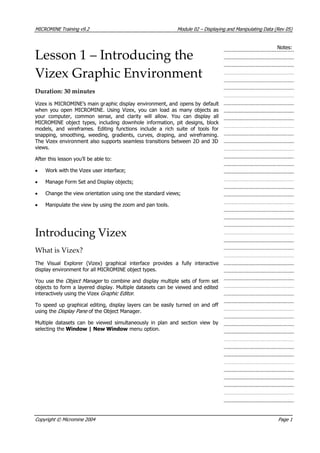
The Vizex environment consists of three primary areas: the Graphic Display ,
which occupies the bulk of the screen; and the Form Sets and Display/Objec
Manager window panes, which by default dock to the left hand side of the
screen. If desired, you can dock the Form Sets and Display panes to the left,
right, top or bottom of the Graphic Display, or move them to an undocked
position floating over the graphic display. There is an auto hide icon on the
Form Sets and Object Manager window which can be used to maximise the
Graphic Display area and hide these windows when they are not in use.
t
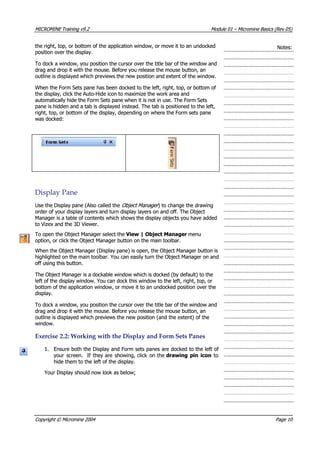
You can toggle the panes on and off by clicking the Form Sets and Object
Manager icons on the main toolbar. Alternatively, you can open these panes
by selecting View | Object Manager or View | Form Sets from the menu.
To close the panes, click the Close button at the top right-hand corner of each
pane.
The View toolbar at the top of the screen provides a variety of tools for
selecting and manipulating data, and manipulating the view. Depending on the
tools you’ve selected, Vizex may also display additional toolbars.
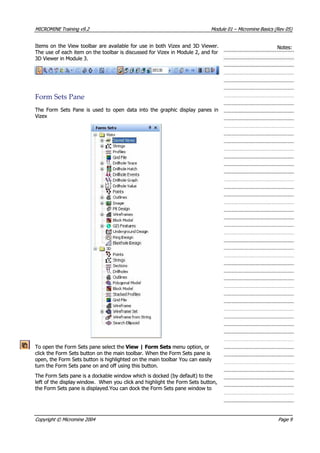
Form Sets Pane
You use the Form Sets pane to select the Form Set Objects you want to include
in the Graphic Display. Before you define a Form Set Object as a Display
Object , you can modify form set properties to control the way data will appear
in the display.
To create a Form Set Object, select an option from the Display | Vizex menu.
Alternatively, you can double-click an object type under the Vizex Folder to
create a new Form Set Object.
If there are no objects displayed under the Vizex Folder in the Form Sets Pane,
simply click on the plus [+] icon to it’s left to expand the options.
Copyright © Micromine 2004 Page 3](https://image.slidesharecdn.com/introductiontomicromine-200213212522/85/Introduction-to-micromine-94-320.jpg)
![MICROMINE Training v9.2 Module 02 – Displaying and Manipulating Data (Rev 05)
Notes:
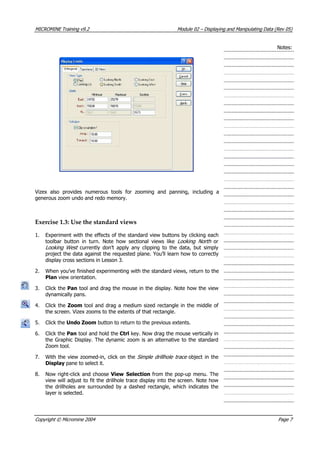
Lesson One Summary
This lesson has covered the fundamentals of the Vizex interface and has shown
you how to work within the environment. Here’s what we’ve learnt so far:
To load a Saved View:
Open the Saved Views node by clicking the [+] icon in the Form Sets
pane, and
Double-click the desired Saved View.
To save a view:
Set up the display as desired, then
Select File | Save from the menu, or
Double click the Saved Views node and choose Save on the Forms
dialog.
To turn on or off an object in the display:
Check or uncheck its checkbox in the Display pane.
To remove an object from the display:
Click the object in the Display pane, and then press the Del key, or
Click the object in the Display pane, right-click and choose Remove from
the pop-up menu.
To modify the display order:
Drag the objects in the Display pane into the desired order, from the
bottom up.
To change the view orientation:
Click a Standard View button, or
Use the Display Limits dialog.
To use the dynamic zoom tool:
Select the Pan tool and hold the Ctrl key whilst dragging vertically.
To set up a coordinate grid:
Select View | Grid Settings from the menu, or
Click the Grid Settings toolbar button, and
Enter the desired grid parameters.
Copyright © Micromine 2004 Page 10](https://image.slidesharecdn.com/introductiontomicromine-200213212522/85/Introduction-to-micromine-101-320.jpg)
![MICROMINE Training v9.2 Module 02 – Displaying and Manipulating Data (Rev 05)
Notes:
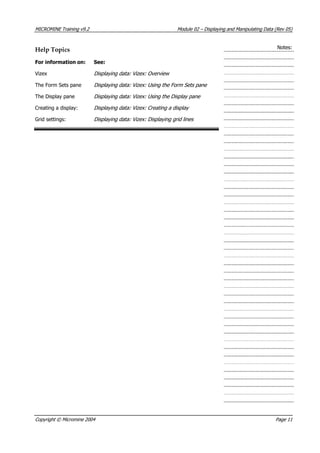
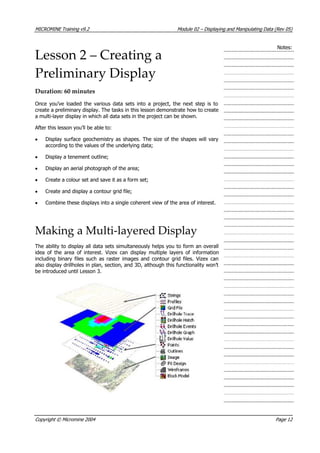
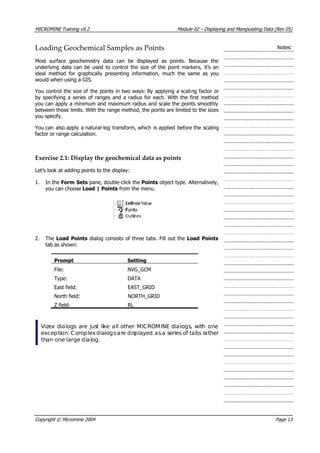
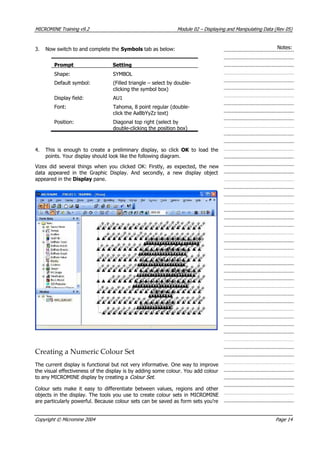
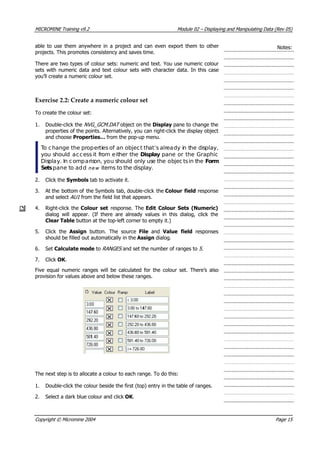
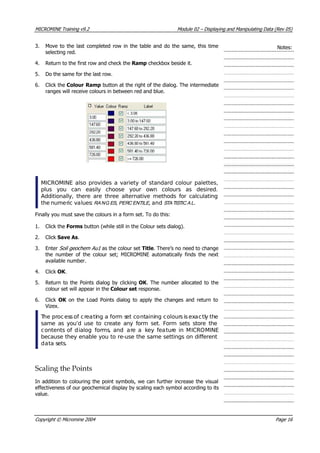
Now that the Points display is completed, it makes sense to save it as a form
set for later re-use. To do this, follow these steps:
5. Click the Forms button (on the Load Points dialog) to display the Forms
dialog, and then click Save As.
6. Type in the title Surface geochem and click OK to return to the Load Points
dialog. Observe how the title now appears at the top of the dialog.
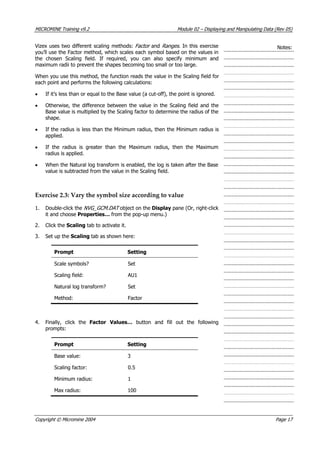
7. Click OK on the Load Points dialog to update the display, which should
now resemble the following diagram.
If you inspect the Display pane, you’ll see that the name of the display object
has changed from NVG_GCM.DAT to Surface geochem . Additionally, if you
check the Form Sets pane, you’ll notice that the Sur ace geochem object also
appears as an item under the Points form set node.
f
At any time, if you click the plus [+] icon next to a form set node
you can expand the tree to display the saved form sets listed
underneath it. However, your settings will only appear if you’ve
saved them asa form set.
Loading a Tenement Outline
MICROMINE uses outlines to represent closed shapes, such as geological units,
ore grade outlines, or tenement boundaries. Outline files support fill patterns
and colours for presentation, and can be labelled with a variety of attributes.
In this exercise, you’ll load a simple outline file containing a tenement
boundary.
Copyright © Micromine 2004 Page 18](https://image.slidesharecdn.com/introductiontomicromine-200213212522/85/Introduction-to-micromine-109-320.jpg)
![MICROMINE Training v9.2 Module 02 – Displaying and Manipulating Data (Rev 05)
Notes:
In the next exercise, you’ll use coordinates that are supplied with the image.
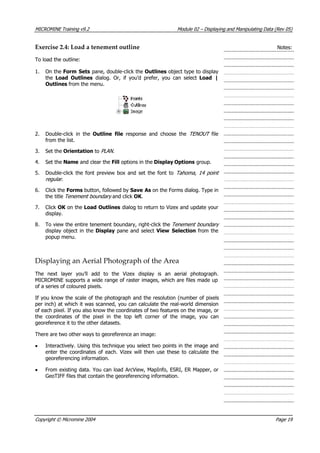
Exercise 2.5: Display an aerial photograph
To display an image:
1. On the Form Sets tab, double-click the Image object type to display the
Load Image dialog. Alternatively, you can also select Load | Image
from the menu. Ignore the values already in the Image dialog; they’re
simply left over from Lesson 1.
2. Click the browse […] button next to the File response and double-click
the Import folder. Select the MMI_IMAGE.ECW file. MICROMINE will
automatically search for and load the georeferencing header information.
3. Set the Image intensity to 400 . This will stop the image overpowering
the other information in the display.
4. Set the Orientation to PLAN .
5. Set the Section to 1600 . This will set the image to the approximate RL of
the surface topography in that area.
6. Click Forms followed by Save As and save the settings as a form set
called Air photo . Click OK on the Load Image dialog to return to Vizex.
7. You’ll see that the image obscures all of the other data in the display. To
change the display order, drag the Air photo object (in the Display pane)
to the bottom of the list. When you release it, the display will refresh with
the photo beneath the other objects.
MICROMINE supports most common image and georeferencing
formats. If you have an image in an unsupported format, use a
graphics conversion program to convert the file into a compatible
format. In addition, if you want to use a large image, it’s best to
convert your image into the highly compressed ER Mapper ECW
format.
Copyright © Micromine 2004 Page 20](https://image.slidesharecdn.com/introductiontomicromine-200213212522/85/Introduction-to-micromine-111-320.jpg)
![MICROMINE Training v9.2 Module 02 – Displaying and Manipulating Data (Rev 05)
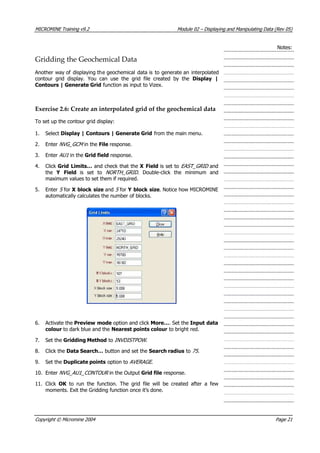
Exercise 2.7: Add the grid to the display Notes:
It makes sense to use a modified version of the colour set you created for the
Points display.
1. Double-click the Grid File object type on the Form Sets pane.
2. Double click the Grid file response and choose NVG_AU1_CONTOUR .
3. Set the Orientation to PLAN .
4. Double-click in colour Set number, and select Grid geochem Au1 from
the list. Click Select to open the form set.
The grid file actually coversthe entire area, but by “nulling” out the
low values, we’ve produced a display grid that only highlights the
anomalies.
5. Click Forms then Save As and save the settings as a form set called MMI
Soils Geochem Au1 . Click OK on the Grid File dialog to return to Vizex.
Completing the Picture
Now that you’ve defined the final item for your display, you can reload your
previously saved form sets at any time you wish to use them. If you inspect the
Form Sets pane, you’ll notice that the Grid File, Outlines, Points and
Image object types all have a new plus [+] icon next to them.
To remove the existing display items:
6. Select Edit | Remove All from the main menu.
To reconstruct your display:
7. Click the plus [+] icons next to the Outlines, Points, Image and Grid
object types to display the form set objects that you previously created.
8. Double-click on each of those form sets to load them into Vizex and rapidly
re-construct the display.
9. If you need to change the display order, drag the objects in the Display
pane to change their order to your satisfaction. Your display should look
something like the following picture.
Copyright © Micromine 2004 Page 22](https://image.slidesharecdn.com/introductiontomicromine-200213212522/85/Introduction-to-micromine-113-320.jpg)
![MICROMINE Training v9.2 Module 02 – Displaying and Manipulating Data (Rev 05)
Notes:
Lesson Two Summary
This lesson has taught you to construct a basic Vizex display, as well as create
and modify colour sets. Here’s what we’ve learnt so far:
To load a new Form Set object:
Double-click the desired object type in the Form Sets pane, or
Select Load | … from the menu, then
Set up the display parameters.
To load a previously saved Form Set object:
Click the plus [+] icon next to the appropriate object type in the Form
Sets pane, then
Double-click the saved form set.
To change the properties of a current Display object:
Double-click the object in the Display pane, then
Change the properties as desired.
To save a Display object as a Form Set:
Double-click the object in the Display pane, then
Click Forms, followed by Save As.
To create a numeric colour set:
Right-click the colour set number on the appropriate dialog, then
Set the numeric ranges (either by typing, or using Assign), and
Set the colours (manually, using a palette, or by creating a ramp).
To plot a Vizex display:
Click the Plot toolbar button, or
Select Tools | Plot from the menu.
Copyright © Micromine 2004 Page 25](https://image.slidesharecdn.com/introductiontomicromine-200213212522/85/Introduction-to-micromine-116-320.jpg)
![MICROMINE Training v9.2 Module 02 – Displaying and Manipulating Data (Rev 05)
(looking north) to a long section (looking west). Vizex remembers your clipping
settings and applies them where appropriate.
Notes:
In any Orthogonal Section, the Elevation/Section value is displayed in an
editable input box on the view toolbar next to the standard viewing buttons. A
section value can be entered in this box, and when you wish to return to this
section or elevation, it can be re-selected from the dropdown menu.
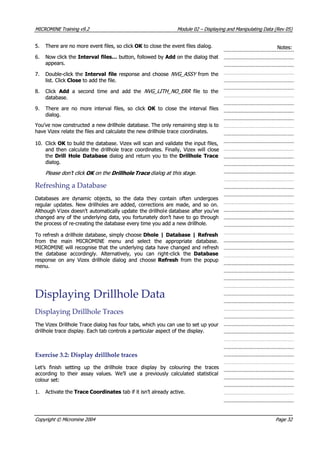
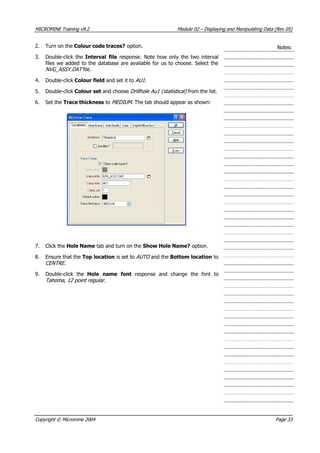
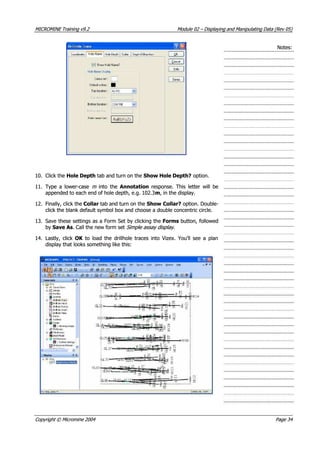
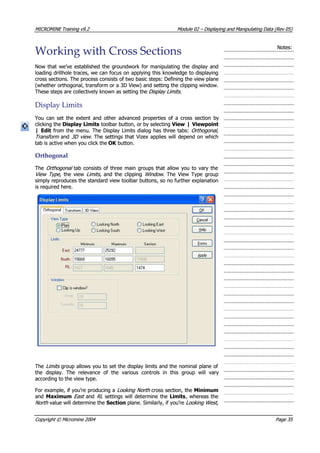
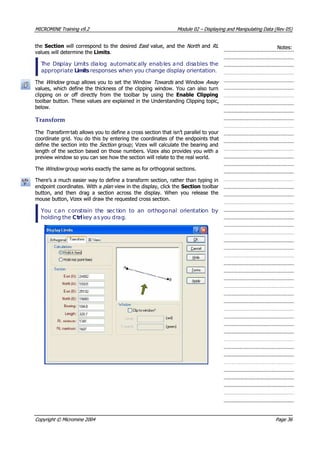
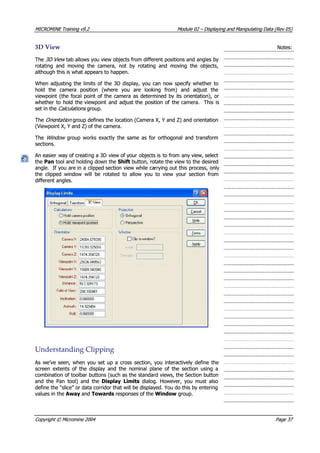
Exercise 3.3: Display data in cross section
In this lesson, you’ll set up a standard looking north cross section, followed by
a transform section.
First, let’s set up the section display:
1. Click the plus [+] icon next to the Wireframes object (in the Form Sets
pane) to display the list of previously saved form sets, and double click the
DTM 2D slice mode object to open it.
2. Click the Display Limits toolbar button.
3. Change the View Type to Looking North .
4. Set the Section Northing to 15900 .
5. Activate Clip to window? and set both Away and Towards to 15 .
6. Click OK to make the changes. Vizex displays the section.
7. Click the Next Section and Previous Section buttons to browse through
the data.
The status bar displays the current 3D cursor coordinate (which
incorporates the section number) at the lower right corner of the
screen.
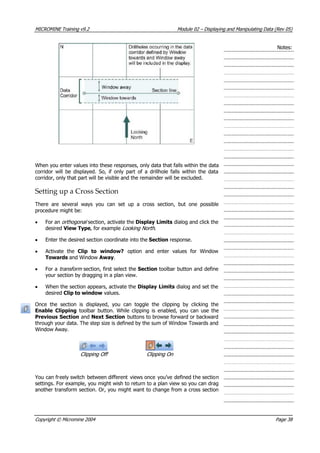
Now, let’s set up a transform section:
1. Click the Plan button to return to a standard plan view.
2. Right-click in the Graphic Display and choose View All from the pop-up
menu.
3. Click the Section toolbar button and drag an oblique section at an angle
to the drillholes. Note how Vizex displays the section extents as you drag
the mouse. When you release the mouse, Vizex displays the transform
section.
Copyright © Micromine 2004 Page 39](https://image.slidesharecdn.com/introductiontomicromine-200213212522/85/Introduction-to-micromine-130-320.jpg)
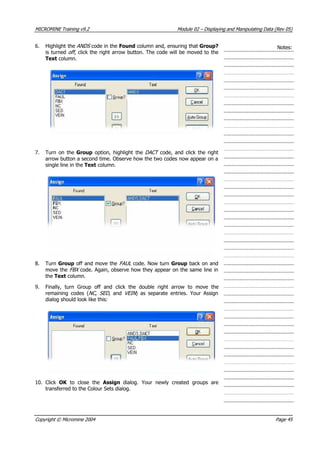
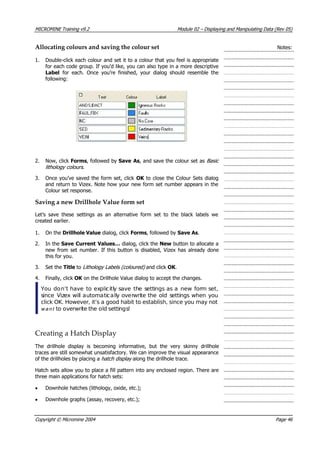
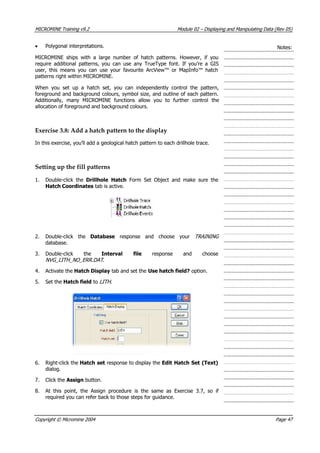
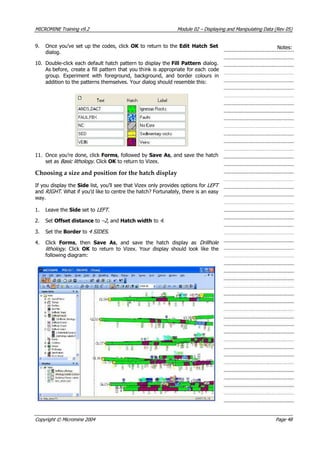
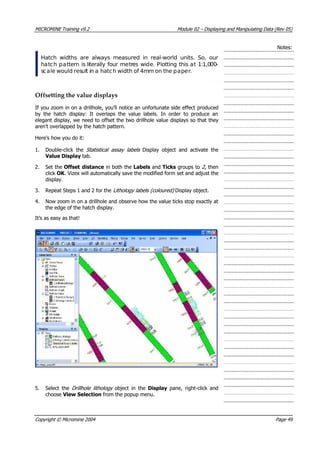
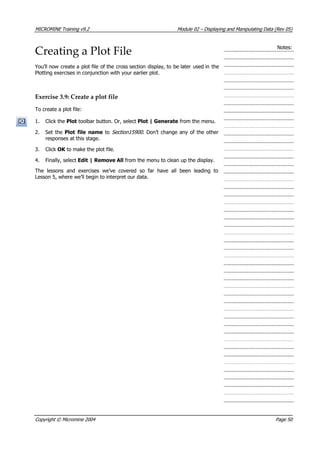
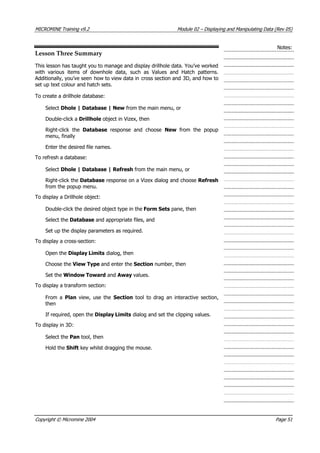
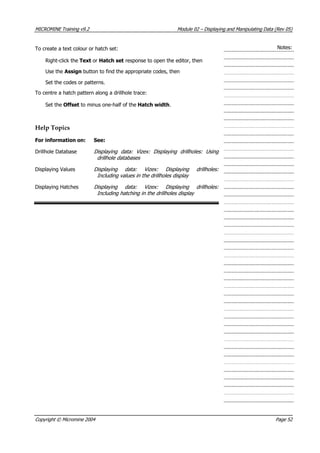
![MICROMINE Training v9.2 Module 02 – Displaying and Manipulating Data (Rev 05)
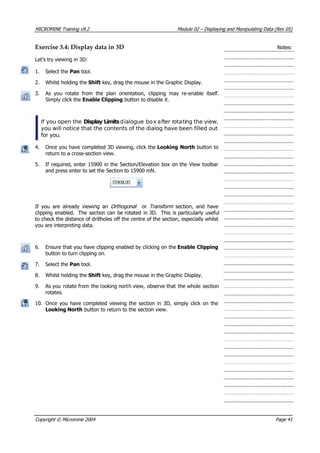
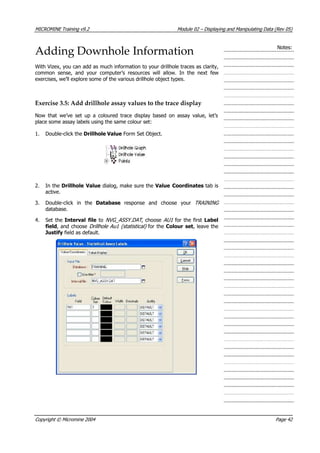
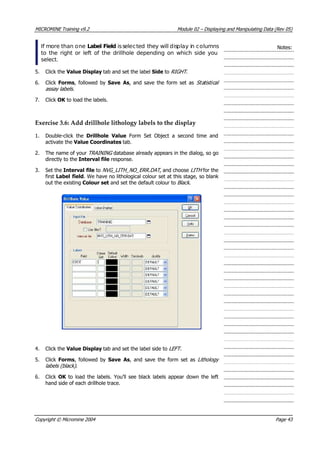
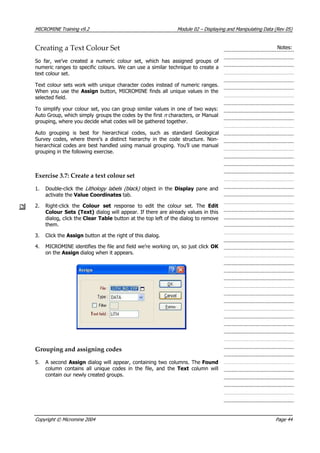
Exercise 4.1: Activate the Graphic Editor Notes:
In this exercise, you’ll load several objects that you’d use for a sectional
drillhole interpretation and turn on the graphic editor.
1. Open the Saved Views node in the Form Sets pane by clicking the small
plus [+] icon next to it.
2. Double-click the Lesson Four object to load it. Vizex will load four display
objects, but only one, an outline file containing a series of rock unit
interpretations, will be turned on.
3. Click on the Sectional geology interp object in the Display pane to select
it. Vizex will do two things: It will place a selection rectangle around the
outlines in the graphic display and it will enable the Graphic Editor
toolbar button.
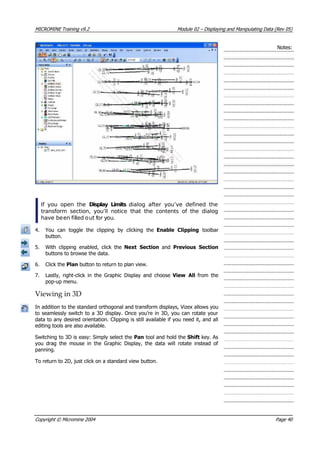
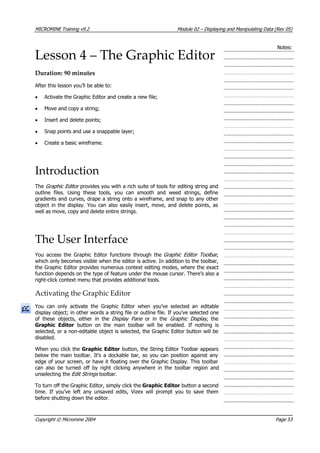
4. Click the Graphic Editor button to activate the Graphic Editor. A new
toolbar will appear.
Elements of the Graphic Editor
The Graphic Editor’s primary interface is the Graphic Editor Toolbar:
Using this toolbar, you can access these main editing functions, which are listed
in the order that they appear in the toolbar:
• New String: Begin digitising a new string.
• Snap: Toggle snapping on and off or select snap to point, snap to line, or
snap to grid.
• Insert Points: Toggle insert on and off.
• Between tool: Draw a string by inserting points between two selected
points.
• Follow tool: Allows you to create new strings following an existing string,
or to create copies of a string, or section of a string.
• Insert Intersection: Insert a point at the intersection of two existing
strings.
• Extend String: To append points to one end of a string.
• Close String: To close the selected string – the start and end point of the
string will be connected by a new segment.
• Expand String: Expand a string based on the Expansion distance defined in
the Options dialog.
• Create DTM: Generate a DTM based on the current string.
• Drape on Wireframe: Drape a string onto a wireframe.
Copyright © Micromine 2004 Page 54](https://image.slidesharecdn.com/introductiontomicromine-200213212522/85/Introduction-to-micromine-145-320.jpg)
![MICROMINE Training v9.2 Module 02 – Displaying and Manipulating Data (Rev 05)
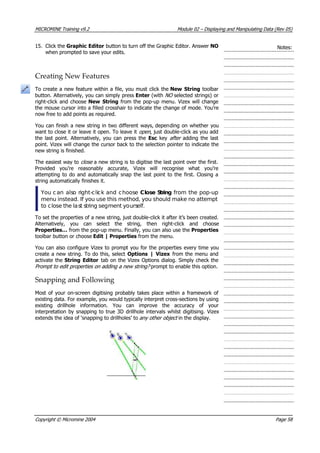
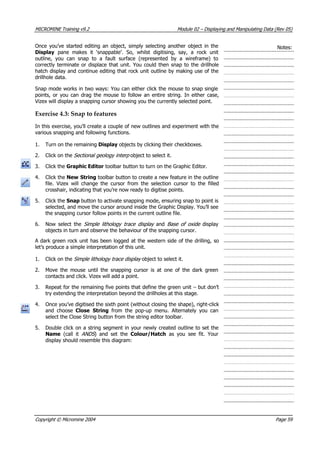
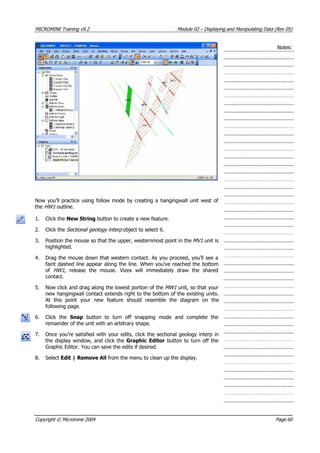
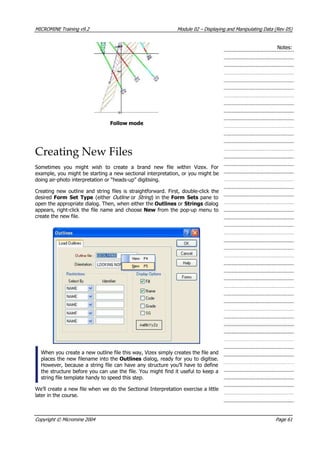
• The Prefix is any 3 to 4 characters indicating what type of interpretation
you’re doing – for example ORE for ore grade envelopes, GEOL for rock
unit boundaries, and so on.
Notes:
• The Number is any ordinal number that indicates the progression of
sections – you could just start at 1 and count upward, or you could
number each file using the section’s northing or easting value.
Within an outline file, you should name each outline according to the feature
you’re digitising. If you’re digitising Number Four Lode, then give it a name like
NO4. As you progress from one section (and therefore outline file) to the next,
if it’s the same feature, keep giving it the same name.
Where there’s more than one outline in an outline file, each outline must be
uniquely named. So, if a particular feature bifurcates or splays, use a suffix
(e.g. _H for hangingwall) to keep the names unique.
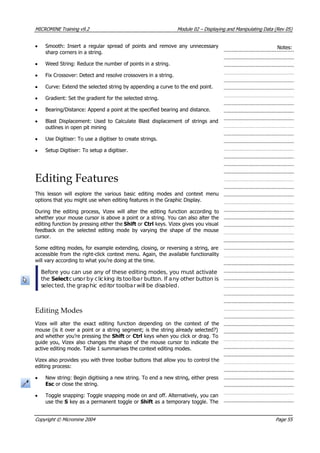
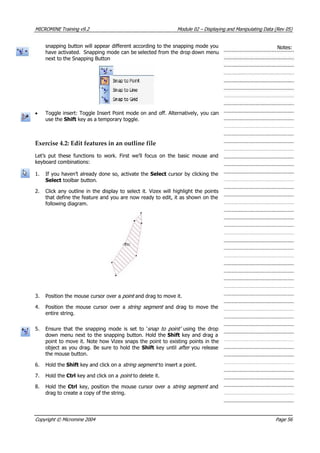
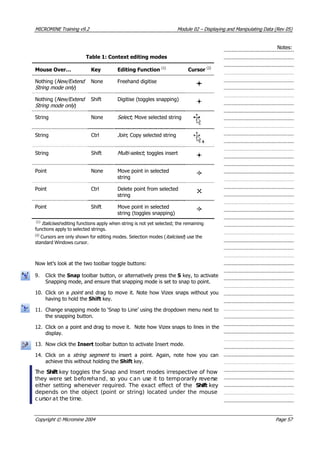
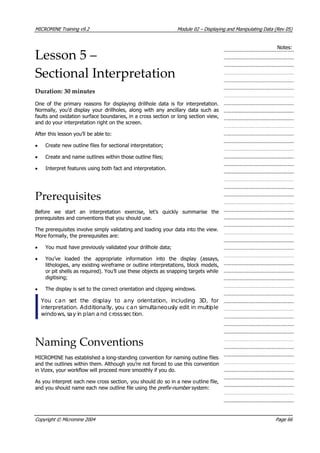
Main_FMainMain Main
ORE16000.OUT
ORE15880.OUT
ORE15760.OUT
Exercise 5.1: Set up a new outline file
Before we create the new file and begin our ore grade envelope interpretation,
let’s prepare the display:
1. Open the Saved Views node in the Form Sets pane by clicking the small
plus [+] icon next to it.
2. Double-click the Lesson Five object to load it.
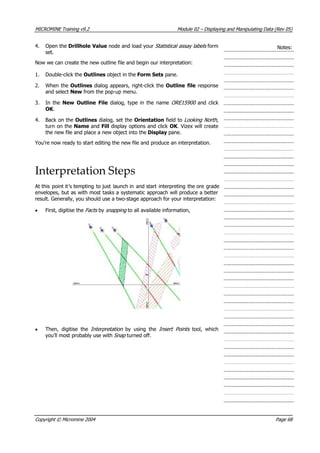
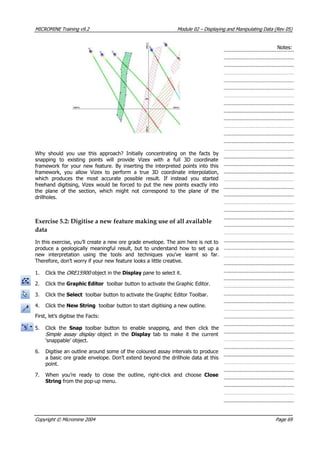
3. Open the Drillhole Trace node in the Form Sets pane and double click
your Simple assay display form set to load it.
Copyright © Micromine 2004 Page 67](https://image.slidesharecdn.com/introductiontomicromine-200213212522/85/Introduction-to-micromine-158-320.jpg)


![MICROMINE Training v9.2 Module 03 – The 3D Viewer (Rev 03)
2. Under 3D viewer, double click on the Points icon. If there is nothing
listed under 3D viewer in the Form Sets tab, click on the [+] sign next to
the 3D Viewer Folder to expand the options.
Notes:
3. On the Load Points dialog, double-click the File response and choose
NVG_GCM from the file list. Leave the remaining responses set to their
default values.
4. Click on the Forms button and save the form as Geochem Points.
5. Click OK to load the points.
Note that opening an object in 3D Viewer does not close the Vizex
window. If at any time you wish to return to your Vizex display, you
can select the Vizex Window from the Window menu, or click on
the Vizexdisplay on the Display Pane
Now you’re ready to explore the 3D Viewer environment.
Decoration
The controls that appear around the lower edge and sides of the 3D Viewer are
known as decoration . These controls provide a means of manipulating the
contents of the view. Decoration is turned on by default when you enter 3D
Viewer. The Default can be switched off by unticking Show Decoration on
the 3D Environment Setup found under Options | 3D Environment. The
decoration can also be turned off and on using View | 3D | Decoration.
• The two thumbwheels at the bottom left corner of the window rotate the
data about the X- and Y-axes of the screen . They work as if they were
connected to an axle running through the centre of your screen.
• The thumbwheel at the bottom right corner of the window moves your
viewpoint in and out of the data. It’s called the Dolly wheel, which is a
name inherited from the motion picture industry. Using this control is
equivalent to walking toward or away from a scene whilst looking through
your camera’s viewfinder.
• The slider to the left of the Dolly wheel is the zoom control. This control is
only enabled if the view is in perspective mode, and is equivalent to
changing the zoom on your camera while looking through the viewfinder.
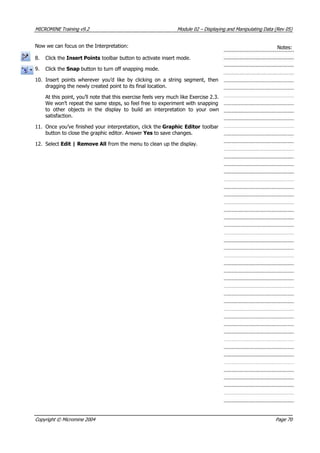
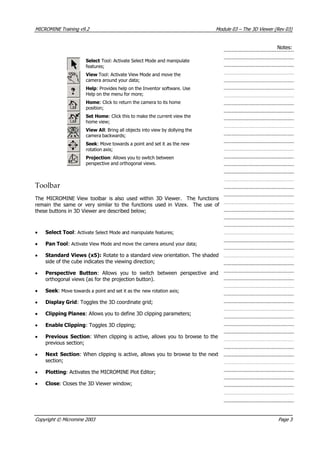
The cluster of buttons at the right of the display contains the basic tools that
you’ll use to manipulate the view and select data. The buttons are reproduced
and explained below:
Copyright © Micromine 2003 Page 2](https://image.slidesharecdn.com/introductiontomicromine-200213212522/85/Introduction-to-micromine-168-320.jpg)
![MICROMINE Training v9.2 Module 03 – The 3D Viewer (Rev 03)
Notes:
Menu
Extra features become available on the MICROMINE Main Menu when 3D
Viewer is opened. These menu options are summarised below;
• The File menu contains options to manage your 3D files, print scenes and
access file utilities.
• Use the Display | 3D menu to load data as a 3D object. The different
files you can load are listed as separate items on this menu.
• The options on the Edit menu allow you to select loaded objects and
display, remove them, or change their properties. You can also change the
direction of the illumination and the background colour of the scene.
• Use the View menu to select, save or restore a viewpoint. You can
position the camera in plan view or according to a cardinal point, and then
save this setting in a Form. You can also select (or clear) default viewing
features, rotation axes, decoration, drawing style and mode. Options for
changing the direction of the illumination, adding extra light sources and
changing the background colour of the scene are also available under the
View menu.
• Use the Wireframe menu to view and select from the wireframe types in
the current project, load wireframe sets and enter edit mode after loading
a wireframe object.
• Use the Plot menu to create a plot of your 3D data by selecting the 3D
Plot function.
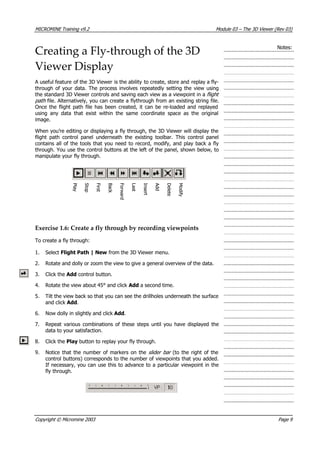
• Use the Flight Path menu to generate, edit and save 3D fly-throughs of
your data.
The Form Sets Pane
You use the Form Sets pane to select the form set objects you want to include
in the 3D Display. Before you define a form set object as a 3D Object, you can
modify the form set properties to control the way the data will appear in the 3D
Display.
To create a Form Set Object in 3D Viewer, select an option from the Display |
3D Menu, or alternatively, double-click an object type under the 3D Folder to
create a new Form Set Object.
If there are no objects displayed under the Vizex Folder in the Form Sets pane,
simply click on the plus [+] icon to it’s left to expand the options.
The Object Manager
The Display Pane now replaces the Object manager in 3D Viewer in Previous
Versions of MICROMINE. Objects displayed in a 3D Window are displayed
under the 3D icon representing that 3D Window in the Display pane.
Copyright © Micromine 2003 Page 4](https://image.slidesharecdn.com/introductiontomicromine-200213212522/85/Introduction-to-micromine-170-320.jpg)
![MICROMINE Training v9.2 Module 03 – The 3D Viewer (Rev 03)
Notes:Exercise 1.5: Drape an image onto a DTM
You can also “drape” an image over the DTM in the 3D Viewer. Typically you’d
use this to display an aerial photo of the area.
To drape an image:
1. Open the Display pane by clicking on the display pane icon if it is switched
off, or moving your mouse over the display pane if it is minimised, or
selecting the display tab.
2. Click on the DTM NVG_TOPO object to highlight it, right click, and select
Properties.
3. Enable the Drape image? option and click More…
4. Click the browse […] button next to the Image file response and double-
click the Import folder. Select the MMI_ MAGE.ECW file.I
5. Click Close to close the Image dialog.
6. Click on the Forms button and save the form as Topo with airphoto .
7. Click OK to close the Load Wireframe dialog.
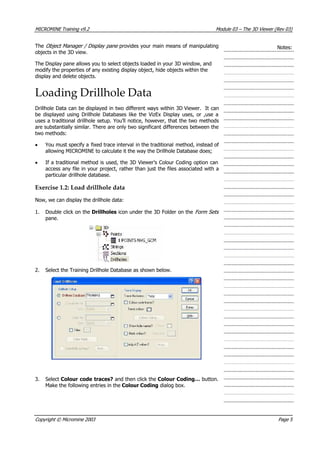
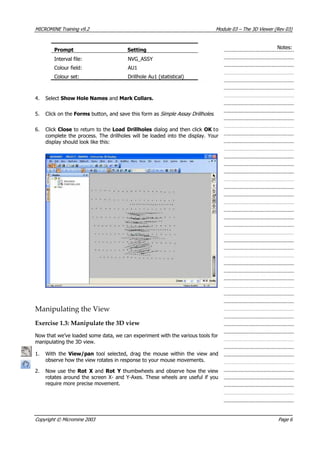
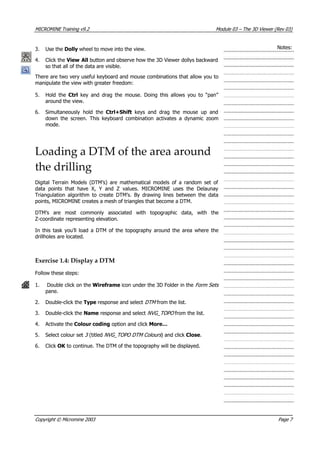
At this point the display should resemble the following illustration.
You can control the transparency and degree of smoothing of the DTM by
choosing the Change appearance option in the Load Wireframe dialog.
Copyright © Micromine 2003 Page 8](https://image.slidesharecdn.com/introductiontomicromine-200213212522/85/Introduction-to-micromine-174-320.jpg)


![MICROMINE Training v9.2 Module 05– Macros 1 (Rev 02)
Exercise 1.1: Set up form sets for a macro
imple drillhole cross-section
display in preparation for automatically plotting multiple sections. You’ll be
for use in a Macro:
xt to the Drillhole Trace Object on the Forms Set
Pane to expand the Drillhole trace Forms.
3. created in Module 2 by double
clicking on it.
4. ] button next to the Drillhole Value Object on the Forms Set
Pane to expand the Drillhole Events Value Forms.
5. on each of these forms.
Set Pane to expand the Drillhole Hatch Forms.
7. ted in Module 2 by double
clicking on it.
8. +] button next to the Wireframes Object on the Forms Set
Pane to expand the Wireframes Forms.
9. by double clicking on it.
Display
Limits window by clicking on the Display Limits Button.
11. riate Section and
select OK .
ou’ve now produced a simple drillhole cross section. We want to save this as
a saved view so it can be re-used in a macro.
e Save Icon from the
main toolbar.
13. e not saving over a previously saved view by selecting the
New button if it is highlighted.
14. -Section for Macro. Click OK to save the
Saved View.
Def able Parameters
It’s now time to consider which responses will change each time this dialog is
run from a macro. Given the macro’s intended function, the Section number, or
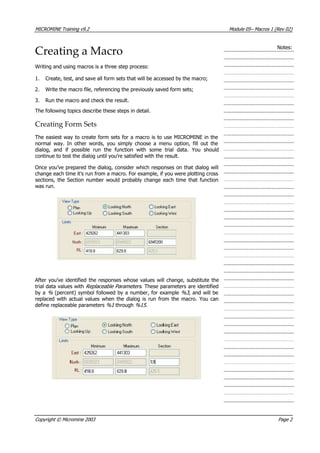
Notes:
In this exercise you’re going to set up a very s
setting up a section display in Vizex, and use the Display Limits to set up
each section display in the macro.
Setup the Vizex display
To set up a saved view in Vizex
1. Open the formsets pane.
2. Click on the [+] button ne
Open the your assay display formset you
Click on the [+
Open the Assay Labels form set by double clicking
6. Click on the [+] button next to the Drillhole Hatch Object on the Forms
Open the Drillhole Lithology formset you crea
Click on the [
Open the DTM – 2D Slice Mode formset
10. Once you have loaded all the objects into the display, open the
Set the View to LOOKING NORTH and select an approp
Y
To save as a Saved View:
12. Select File | Save from the main menu or select th
Ensure you ar
Set the Title to Simple Cross
ine Replace
Copyright © Micromine 2003 Page 3](https://image.slidesharecdn.com/introductiontomicromine-200213212522/85/Introduction-to-micromine-209-320.jpg)