Introduction to Container Storage
Day of Cloud Native Oslo, 20 March 2018
Cheryl Hung, Product Manager
© StorageOS Ltd.
2© StorageOS Ltd.
Cheryl
Product manager, StorageOS
Cloud Native London
@oicheryl
@oicheryl
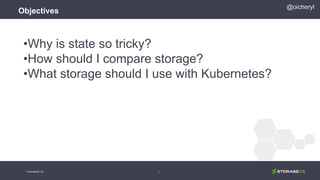
Objectives
•Why is state so tricky?
•How should I compare storage?
•What storage should I use with Kubernetes?
3
@oicheryl
© StorageOS Ltd.
Objectives
•Why is state so tricky?
•How should I compare storage?
•What storage should I use with Kubernetes?
Anti-objective:
•Should I use a database/message
queue/key-value store... for my app?
4
@oicheryl
© StorageOS Ltd.
Prerequisites
Sign up at https://demo.storageos.cloud if you want
to try my demos.
kubectl configured for a two node Kubernetes 1.8
cluster. Run kubectl get nodes to check.
5
@oicheryl
© StorageOS Ltd.
Why is state so
tricky?
6© StorageOS Ltd.
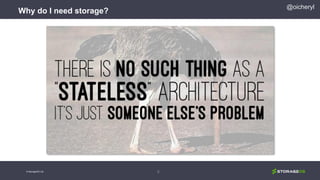
Why do I need storage?
@oicheryl
© StorageOS Ltd.
8
@oicheryl
© StorageOS Ltd.
Why do I need storage?
First challenge: No storage pets
9
@oicheryl
© StorageOS Ltd.
Second challenge: Data needs to follow
10
@oicheryl
© StorageOS Ltd.
Third challenge: Humans are fallible
11
@oicheryl
© StorageOS Ltd.
How should I compare
storage?
12© StorageOS Ltd.
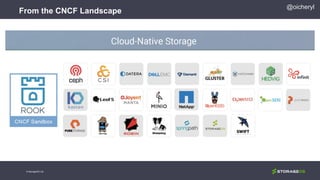
From the CNCF Landscape
@oicheryl
© StorageOS Ltd.
@oicheryl
15
Eight Principles of
Cloud Native Storage
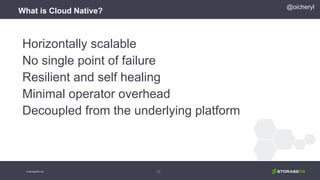
What is Cloud Native?
Horizontally scalable
No single point of failure
Resilient and self healing
Minimal operator overhead
Decoupled from the underlying platform
16
@oicheryl
© StorageOS Ltd.
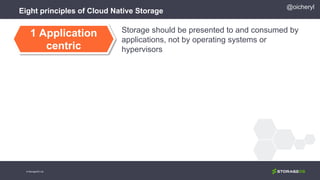
Eight principles of Cloud Native Storage
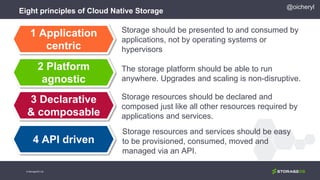
Storage should be presented to and consumed by
applications, not by operating systems or
hypervisors
1 Application
centric
@oicheryl
© StorageOS Ltd.
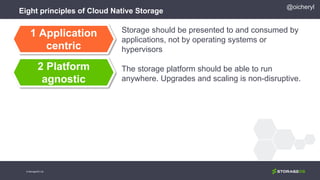
Eight principles of Cloud Native Storage
Storage should be presented to and consumed by
applications, not by operating systems or
hypervisors
The storage platform should be able to run
anywhere. Upgrades and scaling is non-disruptive.
1 Application
centric
2 Platform
agnostic
@oicheryl
© StorageOS Ltd.
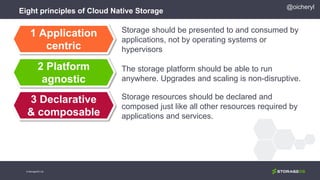
Eight principles of Cloud Native Storage
Storage should be presented to and consumed by
applications, not by operating systems or
hypervisors
The storage platform should be able to run
anywhere. Upgrades and scaling is non-disruptive.
Storage resources should be declared and
composed just like all other resources required by
applications and services.
1 Application
centric
2 Platform
agnostic
3 Declarative
& composable
@oicheryl
© StorageOS Ltd.
Eight principles of Cloud Native Storage
Storage should be presented to and consumed by
applications, not by operating systems or
hypervisors
The storage platform should be able to run
anywhere. Upgrades and scaling is non-disruptive.
Storage resources should be declared and
composed just like all other resources required by
applications and services.
Storage resources and services should be easy
to be provisioned, consumed, moved and
managed via an API.
1 Application
centric
2 Platform
agnostic
3 Declarative
& composable
4 API driven
@oicheryl
© StorageOS Ltd.
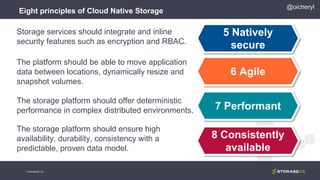
Eight principles of Cloud Native Storage
5 Natively
secure
Storage services should integrate and inline
security features such as encryption and RBAC.
@oicheryl
© StorageOS Ltd.
Eight principles of Cloud Native Storage
5 Natively
secure
6 Agile
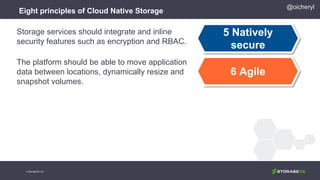
Storage services should integrate and inline
security features such as encryption and RBAC.
The platform should be able to move application
data between locations, dynamically resize and
snapshot volumes.
@oicheryl
© StorageOS Ltd.
Eight principles of Cloud Native Storage
5 Natively
secure
6 Agile
7 Performant
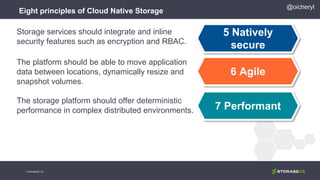
Storage services should integrate and inline
security features such as encryption and RBAC.
The platform should be able to move application
data between locations, dynamically resize and
snapshot volumes.
The storage platform should offer deterministic
performance in complex distributed environments.
@oicheryl
© StorageOS Ltd.
Eight principles of Cloud Native Storage
5 Natively
secure
6 Agile
7 Performant
8 Consistently
available
Storage services should integrate and inline
security features such as encryption and RBAC.
The platform should be able to move application
data between locations, dynamically resize and
snapshot volumes.
The storage platform should offer deterministic
performance in complex distributed environments.
The storage platform should ensure high
availability, durability, consistency with a
predictable, proven data model.
@oicheryl
© StorageOS Ltd.
What storage should I
use with Kubernetes?
25© StorageOS Ltd.
@oicheryl
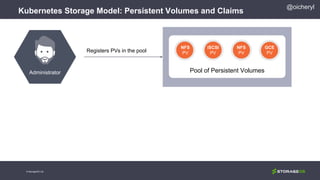
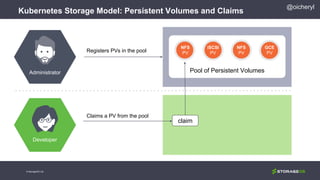
Kubernetes Storage Model: Persistent Volumes and Claims
© StorageOS Ltd.
Registers PVs in the pool
Pool of Persistent Volumes
NFS
PV
iSCSI
PV
NFS
PV
GCE
PV
Administrator
@oicheryl
Kubernetes Storage Model: Persistent Volumes and Claims
© StorageOS Ltd.
Registers PVs in the pool
Claims a PV from the pool
claim
Pool of Persistent Volumes
NFS
PV
iSCSI
PV
NFS
PV
GCE
PV
Administrator
Developer
@oicheryl
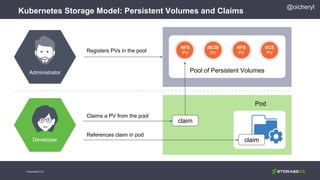
Kubernetes Storage Model: Persistent Volumes and Claims
© StorageOS Ltd.
claim
Registers PVs in the pool
Claims a PV from the pool
References claim in pod
claim
Pool of Persistent Volumes
NFS
PV
iSCSI
PV
NFS
PV
Pod
GCE
PV
Administrator
Developer
@oicheryl
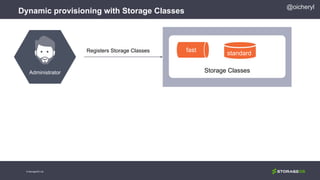
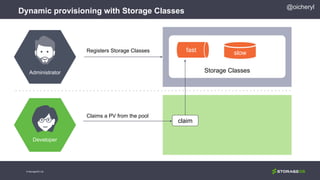
Dynamic provisioning with Storage Classes
© StorageOS Ltd.
Registers Storage Classes
Storage Classes
NS
PVstandard
fast
Administrator
@oicheryl
Dynamic provisioning with Storage Classes
© StorageOS Ltd.
Registers Storage Classes
claim
Storage Classes
NS
PVslowfast
Administrator
Developer
Claims a PV from the pool
@oicheryl
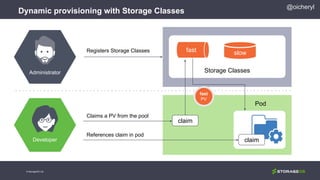
Dynamic provisioning with Storage Classes
© StorageOS Ltd.
claim
Registers Storage Classes
References claim in pod
claim
Storage Classes
NS
PV
Pod
slowfast
Administrator
Developer
Claims a PV from the pool
fast
PV
@oicheryl
© StorageOS Ltd.
@oicheryl
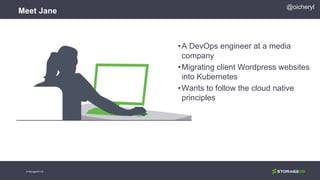
Meet Jane
© StorageOS Ltd.
•A DevOps engineer at a media
company
•Migrating client Wordpress websites
into Kubernetes
•Wants to follow the cloud native
principles
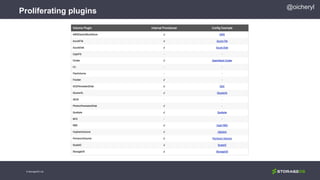
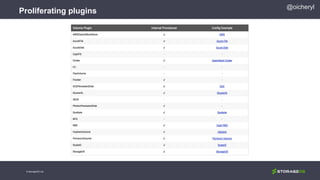
Proliferating plugins
© StorageOS Ltd.
@oicheryl
Proliferating plugins
© StorageOS Ltd.
@oicheryl
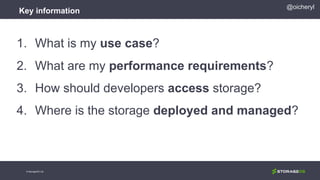
Key information
1. What is my use case?
2. What are my performance requirements?
3. How should developers access storage?
4. Where is the storage deployed and managed?
@oicheryl
© StorageOS Ltd.
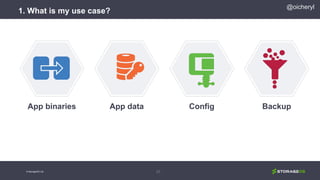
1. What is my use case?
37
App binaries App data Config Backup
@oicheryl
© StorageOS Ltd.
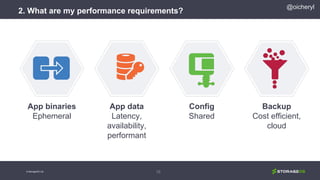
2. What are my performance requirements?
38
App binaries
Ephemeral
App data
Latency,
availability,
performant
Config
Shared
Backup
Cost efficient,
cloud
@oicheryl
© StorageOS Ltd.
@oicheryl
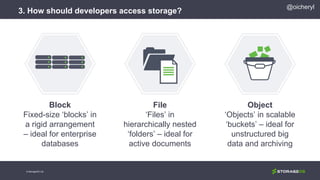
3. How should developers access storage?
© StorageOS Ltd.
Block
Fixed-size ‘blocks’ in
a rigid arrangement
– ideal for enterprise
databases
File
‘Files’ in
hierarchically nested
‘folders’ – ideal for
active documents
Object
‘Objects’ in scalable
‘buckets’ – ideal for
unstructured big
data and archiving
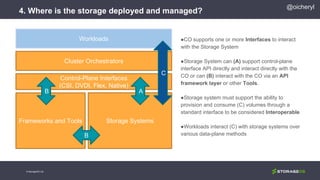
4. Where is the storage deployed and managed?
●CO supports one or more Interfaces to interact
with the Storage System
●Storage System can (A) support control-plane
interface API directly and interact directly with the
CO or can (B) interact with the CO via an API
framework layer or other Tools.
●Storage system must support the ability to
provision and consume (C) volumes through a
standard interface to be considered Interoperable
●Workloads interact (C) with storage systems over
various data-plane methods
Cluster Orchestrators
Control-Plane Interfaces
(CSI, DVDI, Flex, Native)
Storage SystemsFrameworks and Tools
AB
B
Workloads
C
© StorageOS Ltd.
@oicheryl
@oicheryl
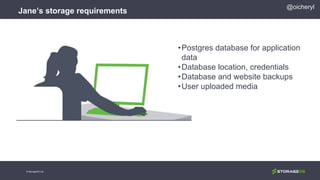
Jane’s storage requirements
© StorageOS Ltd.
•Postgres database for application
data
•Database location, credentials
•Database and website backups
•User uploaded media
Database location and credentials
© StorageOS Ltd.
@oicheryl
1. Use case? Configuration
2. Performance requirements? Shared across instances
3. Access? Kubernetes provides Secrets for sensitive data
such as passwords, and ConfigMap for arbitrary config. Both
can be accessed by the application through environment
variables
4. Deployed and managed? Tight integration with Kubernetes
User uploaded media
© StorageOS Ltd.
@oicheryl
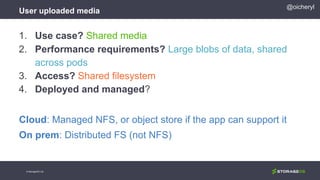
1. Use case? Shared media
2. Performance requirements? Large blobs of data, shared
across pods
3. Access? Shared filesystem
4. Deployed and managed?
Cloud: Managed NFS, or object store if the app can support it
On prem: Distributed FS (not NFS)
Database and website backup
© StorageOS Ltd.
@oicheryl
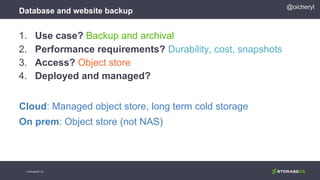
1. Use case? Backup and archival
2. Performance requirements? Durability, cost, snapshots
3. Access? Object store
4. Deployed and managed?
Cloud: Managed object store, long term cold storage
On prem: Object store (not NAS)
Postgres for application data
© StorageOS Ltd.
@oicheryl
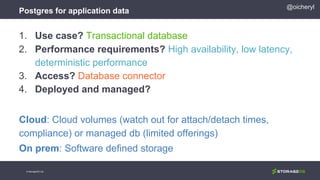
1. Use case? Transactional database
2. Performance requirements? High availability, low latency,
deterministic performance
3. Access? Database connector
4. Deployed and managed?
Cloud: Cloud volumes (watch out for attach/detach times,
compliance) or managed db (limited offerings)
On prem: Software defined storage
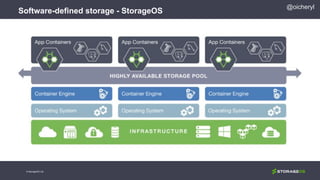
Software-defined storage - StorageOS
@oicheryl
© StorageOS Ltd.
High availability with StorageOS
@oicheryl
© StorageOS Ltd.
Workshop
@oicheryl
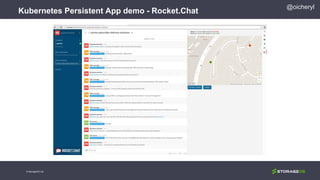
Kubernetes Persistent App demo - Rocket.Chat
© StorageOS Ltd.
@oicheryl
Kubernetes Persistent App demo - Rocket.Chat
© StorageOS Ltd.
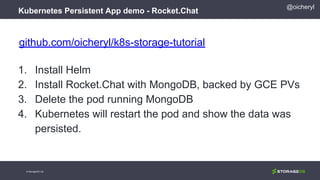
github.com/oicheryl/k8s-storage-tutorial
1. Install Helm
2. Install Rocket.Chat with MongoDB, backed by GCE PVs
3. Delete the pod running MongoDB
4. Kubernetes will restart the pod and show the data was
persisted.
51
To Recap…
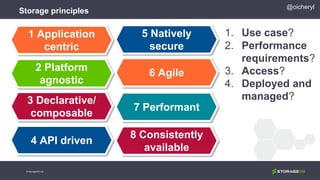
Storage principles
1 Application
centric
2 Platform
agnostic
3 Declarative/
composable
4 API driven
5 Natively
secure
6 Agile
7 Performant
8 Consistently
available
© StorageOS Ltd.
@oicheryl
1. Use case?
2. Performance
requirements?
3. Access?
4. Deployed and
managed?
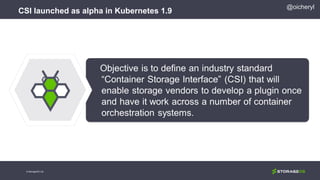
CSI launched as alpha in Kubernetes 1.9
@oicheryl
© StorageOS Ltd.
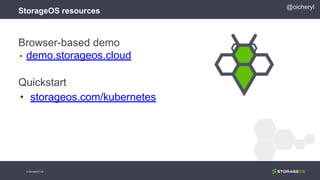
Browser-based demo
• demo.storageos.cloud
Quickstart
• storageos.com/kubernetes
@oicheryl
StorageOS resources
© StorageOS Ltd.
Thanks
Slides at oicheryl.com
© StorageOS Ltd.
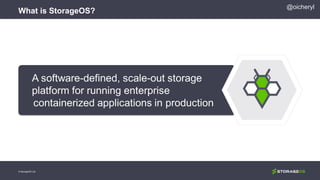
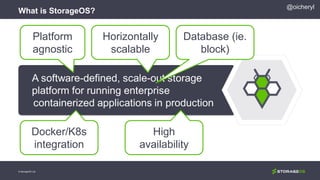
What is StorageOS?
© StorageOS Ltd.
@oicheryl
What is StorageOS?
© StorageOS Ltd.
@oicheryl
Platform
agnostic
Horizontally
scalable
Database (ie.
block)
Docker/K8s
integration
High
availability
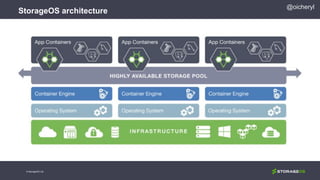
StorageOS architecture
@oicheryl
© StorageOS Ltd.
StorageOS architecture
© StorageOS Ltd.
@oicheryl
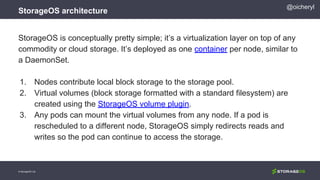
StorageOS is conceptually pretty simple; it’s a virtualization layer on top of any
commodity or cloud storage. It’s deployed as one container per node, similar to
a DaemonSet.
1. Nodes contribute local block storage to the storage pool.
2. Virtual volumes (block storage formatted with a standard filesystem) are
created using the StorageOS volume plugin.
3. Any pods can mount the virtual volumes from any node. If a pod is
rescheduled to a different node, StorageOS simply redirects reads and
writes so the pod can continue to access the storage.
StorageOS architecture
© StorageOS Ltd.
@oicheryl
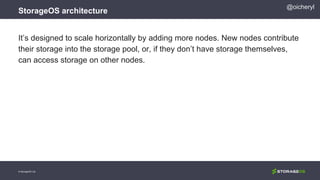
It’s designed to scale horizontally by adding more nodes. New nodes contribute
their storage into the storage pool, or, if they don’t have storage themselves,
can access storage on other nodes.
High availability with StorageOS
© StorageOS Ltd.
@oicheryl
High availability with StorageOS
© StorageOS Ltd.
@oicheryl
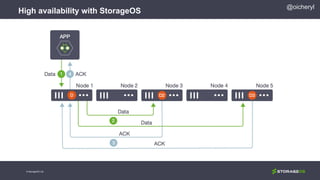
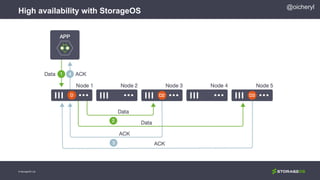
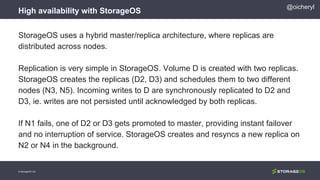
StorageOS uses a hybrid master/replica architecture, where replicas are
distributed across nodes.
Replication is very simple in StorageOS. Volume D is created with two replicas.
StorageOS creates the replicas (D2, D3) and schedules them to two different
nodes (N3, N5). Incoming writes to D are synchronously replicated to D2 and
D3, ie. writes are not persisted until acknowledged by both replicas.
If N1 fails, one of D2 or D3 gets promoted to master, providing instant failover
and no interruption of service. StorageOS creates and resyncs a new replica on
N2 or N4 in the background.
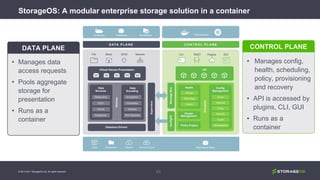
StorageOS: A modular enterprise storage solution in a container
63
• Manages data
access requests
• Pools aggregate
storage for
presentation
• Runs as a
container
DATA PLANE
• Manages config,
health, scheduling,
policy, provisioning
and recovery
• API is accessed by
plugins, CLI, GUI
• Runs as a
container
CONTROL PLANE
© 2013-2017 StorageOS Ltd. All rights reserved.
More reading
Download the technical architecture overview at
storageos.com/storageos-platform-architecture-overview.
Try out in your browser, with zero downloads or configuration:
demo.storageos.cloud
Full documentation at docs.storageos.com.

Introduction to Container Storage

  • 1.
    Introduction to ContainerStorage Day of Cloud Native Oslo, 20 March 2018 Cheryl Hung, Product Manager © StorageOS Ltd.
  • 2.
    2© StorageOS Ltd. Cheryl Productmanager, StorageOS Cloud Native London @oicheryl @oicheryl
  • 3.
    Objectives •Why is stateso tricky? •How should I compare storage? •What storage should I use with Kubernetes? 3 @oicheryl © StorageOS Ltd.
  • 4.
    Objectives •Why is stateso tricky? •How should I compare storage? •What storage should I use with Kubernetes? Anti-objective: •Should I use a database/message queue/key-value store... for my app? 4 @oicheryl © StorageOS Ltd.
  • 5.
    Prerequisites Sign up athttps://demo.storageos.cloud if you want to try my demos. kubectl configured for a two node Kubernetes 1.8 cluster. Run kubectl get nodes to check. 5 @oicheryl © StorageOS Ltd.
  • 6.
    Why is stateso tricky? 6© StorageOS Ltd.
  • 7.
    Why do Ineed storage? @oicheryl © StorageOS Ltd.
  • 8.
  • 9.
    First challenge: Nostorage pets 9 @oicheryl © StorageOS Ltd.
  • 10.
    Second challenge: Dataneeds to follow 10 @oicheryl © StorageOS Ltd.
  • 11.
    Third challenge: Humansare fallible 11 @oicheryl © StorageOS Ltd.
  • 12.
    How should Icompare storage? 12© StorageOS Ltd.
  • 13.
    From the CNCFLandscape @oicheryl © StorageOS Ltd.
  • 14.
  • 15.
  • 16.
    What is CloudNative? Horizontally scalable No single point of failure Resilient and self healing Minimal operator overhead Decoupled from the underlying platform 16 @oicheryl © StorageOS Ltd.
  • 17.
    Eight principles ofCloud Native Storage Storage should be presented to and consumed by applications, not by operating systems or hypervisors 1 Application centric @oicheryl © StorageOS Ltd.
  • 18.
    Eight principles ofCloud Native Storage Storage should be presented to and consumed by applications, not by operating systems or hypervisors The storage platform should be able to run anywhere. Upgrades and scaling is non-disruptive. 1 Application centric 2 Platform agnostic @oicheryl © StorageOS Ltd.
  • 19.
    Eight principles ofCloud Native Storage Storage should be presented to and consumed by applications, not by operating systems or hypervisors The storage platform should be able to run anywhere. Upgrades and scaling is non-disruptive. Storage resources should be declared and composed just like all other resources required by applications and services. 1 Application centric 2 Platform agnostic 3 Declarative & composable @oicheryl © StorageOS Ltd.
  • 20.
    Eight principles ofCloud Native Storage Storage should be presented to and consumed by applications, not by operating systems or hypervisors The storage platform should be able to run anywhere. Upgrades and scaling is non-disruptive. Storage resources should be declared and composed just like all other resources required by applications and services. Storage resources and services should be easy to be provisioned, consumed, moved and managed via an API. 1 Application centric 2 Platform agnostic 3 Declarative & composable 4 API driven @oicheryl © StorageOS Ltd.
  • 21.
    Eight principles ofCloud Native Storage 5 Natively secure Storage services should integrate and inline security features such as encryption and RBAC. @oicheryl © StorageOS Ltd.
  • 22.
    Eight principles ofCloud Native Storage 5 Natively secure 6 Agile Storage services should integrate and inline security features such as encryption and RBAC. The platform should be able to move application data between locations, dynamically resize and snapshot volumes. @oicheryl © StorageOS Ltd.
  • 23.
    Eight principles ofCloud Native Storage 5 Natively secure 6 Agile 7 Performant Storage services should integrate and inline security features such as encryption and RBAC. The platform should be able to move application data between locations, dynamically resize and snapshot volumes. The storage platform should offer deterministic performance in complex distributed environments. @oicheryl © StorageOS Ltd.
  • 24.
    Eight principles ofCloud Native Storage 5 Natively secure 6 Agile 7 Performant 8 Consistently available Storage services should integrate and inline security features such as encryption and RBAC. The platform should be able to move application data between locations, dynamically resize and snapshot volumes. The storage platform should offer deterministic performance in complex distributed environments. The storage platform should ensure high availability, durability, consistency with a predictable, proven data model. @oicheryl © StorageOS Ltd.
  • 25.
    What storage shouldI use with Kubernetes? 25© StorageOS Ltd.
  • 26.
    @oicheryl Kubernetes Storage Model:Persistent Volumes and Claims © StorageOS Ltd. Registers PVs in the pool Pool of Persistent Volumes NFS PV iSCSI PV NFS PV GCE PV Administrator
  • 27.
    @oicheryl Kubernetes Storage Model:Persistent Volumes and Claims © StorageOS Ltd. Registers PVs in the pool Claims a PV from the pool claim Pool of Persistent Volumes NFS PV iSCSI PV NFS PV GCE PV Administrator Developer
  • 28.
    @oicheryl Kubernetes Storage Model:Persistent Volumes and Claims © StorageOS Ltd. claim Registers PVs in the pool Claims a PV from the pool References claim in pod claim Pool of Persistent Volumes NFS PV iSCSI PV NFS PV Pod GCE PV Administrator Developer
  • 29.
    @oicheryl Dynamic provisioning withStorage Classes © StorageOS Ltd. Registers Storage Classes Storage Classes NS PVstandard fast Administrator
  • 30.
    @oicheryl Dynamic provisioning withStorage Classes © StorageOS Ltd. Registers Storage Classes claim Storage Classes NS PVslowfast Administrator Developer Claims a PV from the pool
  • 31.
    @oicheryl Dynamic provisioning withStorage Classes © StorageOS Ltd. claim Registers Storage Classes References claim in pod claim Storage Classes NS PV Pod slowfast Administrator Developer Claims a PV from the pool fast PV
  • 32.
  • 33.
    @oicheryl Meet Jane © StorageOSLtd. •A DevOps engineer at a media company •Migrating client Wordpress websites into Kubernetes •Wants to follow the cloud native principles
  • 34.
  • 35.
  • 36.
    Key information 1. Whatis my use case? 2. What are my performance requirements? 3. How should developers access storage? 4. Where is the storage deployed and managed? @oicheryl © StorageOS Ltd.
  • 37.
    1. What ismy use case? 37 App binaries App data Config Backup @oicheryl © StorageOS Ltd.
  • 38.
    2. What aremy performance requirements? 38 App binaries Ephemeral App data Latency, availability, performant Config Shared Backup Cost efficient, cloud @oicheryl © StorageOS Ltd.
  • 39.
    @oicheryl 3. How shoulddevelopers access storage? © StorageOS Ltd. Block Fixed-size ‘blocks’ in a rigid arrangement – ideal for enterprise databases File ‘Files’ in hierarchically nested ‘folders’ – ideal for active documents Object ‘Objects’ in scalable ‘buckets’ – ideal for unstructured big data and archiving
  • 40.
    4. Where isthe storage deployed and managed? ●CO supports one or more Interfaces to interact with the Storage System ●Storage System can (A) support control-plane interface API directly and interact directly with the CO or can (B) interact with the CO via an API framework layer or other Tools. ●Storage system must support the ability to provision and consume (C) volumes through a standard interface to be considered Interoperable ●Workloads interact (C) with storage systems over various data-plane methods Cluster Orchestrators Control-Plane Interfaces (CSI, DVDI, Flex, Native) Storage SystemsFrameworks and Tools AB B Workloads C © StorageOS Ltd. @oicheryl
  • 41.
    @oicheryl Jane’s storage requirements ©StorageOS Ltd. •Postgres database for application data •Database location, credentials •Database and website backups •User uploaded media
  • 42.
    Database location andcredentials © StorageOS Ltd. @oicheryl 1. Use case? Configuration 2. Performance requirements? Shared across instances 3. Access? Kubernetes provides Secrets for sensitive data such as passwords, and ConfigMap for arbitrary config. Both can be accessed by the application through environment variables 4. Deployed and managed? Tight integration with Kubernetes
  • 43.
    User uploaded media ©StorageOS Ltd. @oicheryl 1. Use case? Shared media 2. Performance requirements? Large blobs of data, shared across pods 3. Access? Shared filesystem 4. Deployed and managed? Cloud: Managed NFS, or object store if the app can support it On prem: Distributed FS (not NFS)
  • 44.
    Database and websitebackup © StorageOS Ltd. @oicheryl 1. Use case? Backup and archival 2. Performance requirements? Durability, cost, snapshots 3. Access? Object store 4. Deployed and managed? Cloud: Managed object store, long term cold storage On prem: Object store (not NAS)
  • 45.
    Postgres for applicationdata © StorageOS Ltd. @oicheryl 1. Use case? Transactional database 2. Performance requirements? High availability, low latency, deterministic performance 3. Access? Database connector 4. Deployed and managed? Cloud: Cloud volumes (watch out for attach/detach times, compliance) or managed db (limited offerings) On prem: Software defined storage
  • 46.
    Software-defined storage -StorageOS @oicheryl © StorageOS Ltd.
  • 47.
    High availability withStorageOS @oicheryl © StorageOS Ltd.
  • 48.
  • 49.
    @oicheryl Kubernetes Persistent Appdemo - Rocket.Chat © StorageOS Ltd.
  • 50.
    @oicheryl Kubernetes Persistent Appdemo - Rocket.Chat © StorageOS Ltd. github.com/oicheryl/k8s-storage-tutorial 1. Install Helm 2. Install Rocket.Chat with MongoDB, backed by GCE PVs 3. Delete the pod running MongoDB 4. Kubernetes will restart the pod and show the data was persisted.
  • 51.
  • 52.
    Storage principles 1 Application centric 2Platform agnostic 3 Declarative/ composable 4 API driven 5 Natively secure 6 Agile 7 Performant 8 Consistently available © StorageOS Ltd. @oicheryl 1. Use case? 2. Performance requirements? 3. Access? 4. Deployed and managed?
  • 53.
    CSI launched asalpha in Kubernetes 1.9 @oicheryl © StorageOS Ltd.
  • 54.
    Browser-based demo • demo.storageos.cloud Quickstart •storageos.com/kubernetes @oicheryl StorageOS resources © StorageOS Ltd.
  • 55.
  • 56.
    What is StorageOS? ©StorageOS Ltd. @oicheryl
  • 57.
    What is StorageOS? ©StorageOS Ltd. @oicheryl Platform agnostic Horizontally scalable Database (ie. block) Docker/K8s integration High availability
  • 58.
  • 59.
    StorageOS architecture © StorageOSLtd. @oicheryl StorageOS is conceptually pretty simple; it’s a virtualization layer on top of any commodity or cloud storage. It’s deployed as one container per node, similar to a DaemonSet. 1. Nodes contribute local block storage to the storage pool. 2. Virtual volumes (block storage formatted with a standard filesystem) are created using the StorageOS volume plugin. 3. Any pods can mount the virtual volumes from any node. If a pod is rescheduled to a different node, StorageOS simply redirects reads and writes so the pod can continue to access the storage.
  • 60.
    StorageOS architecture © StorageOSLtd. @oicheryl It’s designed to scale horizontally by adding more nodes. New nodes contribute their storage into the storage pool, or, if they don’t have storage themselves, can access storage on other nodes.
  • 61.
    High availability withStorageOS © StorageOS Ltd. @oicheryl
  • 62.
    High availability withStorageOS © StorageOS Ltd. @oicheryl StorageOS uses a hybrid master/replica architecture, where replicas are distributed across nodes. Replication is very simple in StorageOS. Volume D is created with two replicas. StorageOS creates the replicas (D2, D3) and schedules them to two different nodes (N3, N5). Incoming writes to D are synchronously replicated to D2 and D3, ie. writes are not persisted until acknowledged by both replicas. If N1 fails, one of D2 or D3 gets promoted to master, providing instant failover and no interruption of service. StorageOS creates and resyncs a new replica on N2 or N4 in the background.
  • 63.
    StorageOS: A modularenterprise storage solution in a container 63 • Manages data access requests • Pools aggregate storage for presentation • Runs as a container DATA PLANE • Manages config, health, scheduling, policy, provisioning and recovery • API is accessed by plugins, CLI, GUI • Runs as a container CONTROL PLANE © 2013-2017 StorageOS Ltd. All rights reserved.
  • 64.
    More reading Download thetechnical architecture overview at storageos.com/storageos-platform-architecture-overview. Try out in your browser, with zero downloads or configuration: demo.storageos.cloud Full documentation at docs.storageos.com.