Mark Church
Product Manager, Docker
Use Cases and Practical Solutions for Docker
Container Storage on Swarm and Kubernetes
Don Stewart
Solutions Architect, Docker
Introduction
We understand Container Storage is a topic
in the forefront of many of your minds.
In this talk we want to address some
specific areas that you have asked us
about.
Whats import to you
Agenda
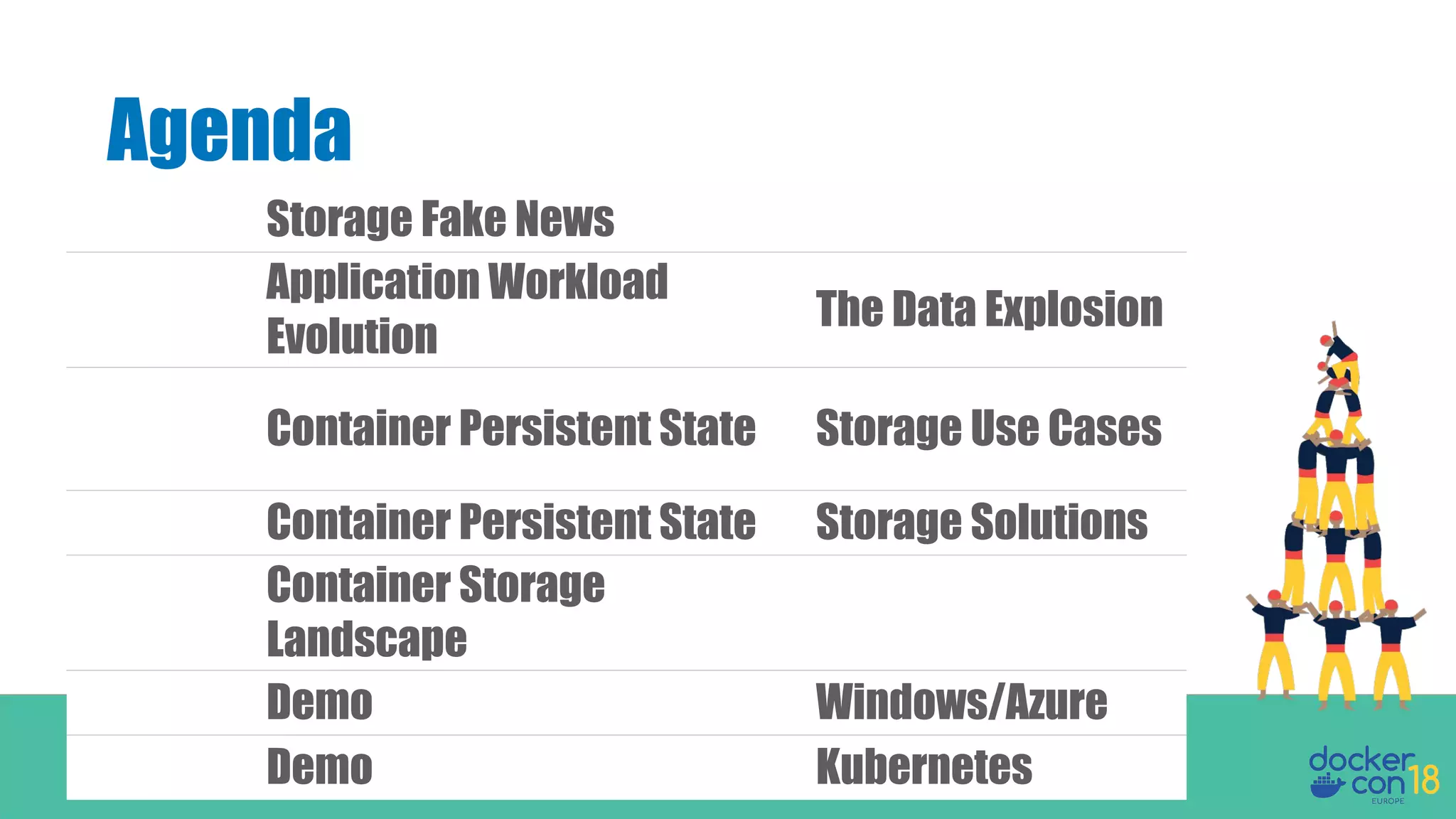
Storage Fake News
Application Workload
Evolution
The Data Explosion
Container Persistent State Storage Use Cases
Container Persistent State Storage Solutions
Container Storage
Landscape
Demo Windows/Azure
Demo Kubernetes
Myths in Container
Persistence
Storage Fake News
Persistent applications should not
be run in containers. Containers are for
stateless microservices.
Myth #1
Externalize storage outside the container, but run
persistent application inside the container.
Truth
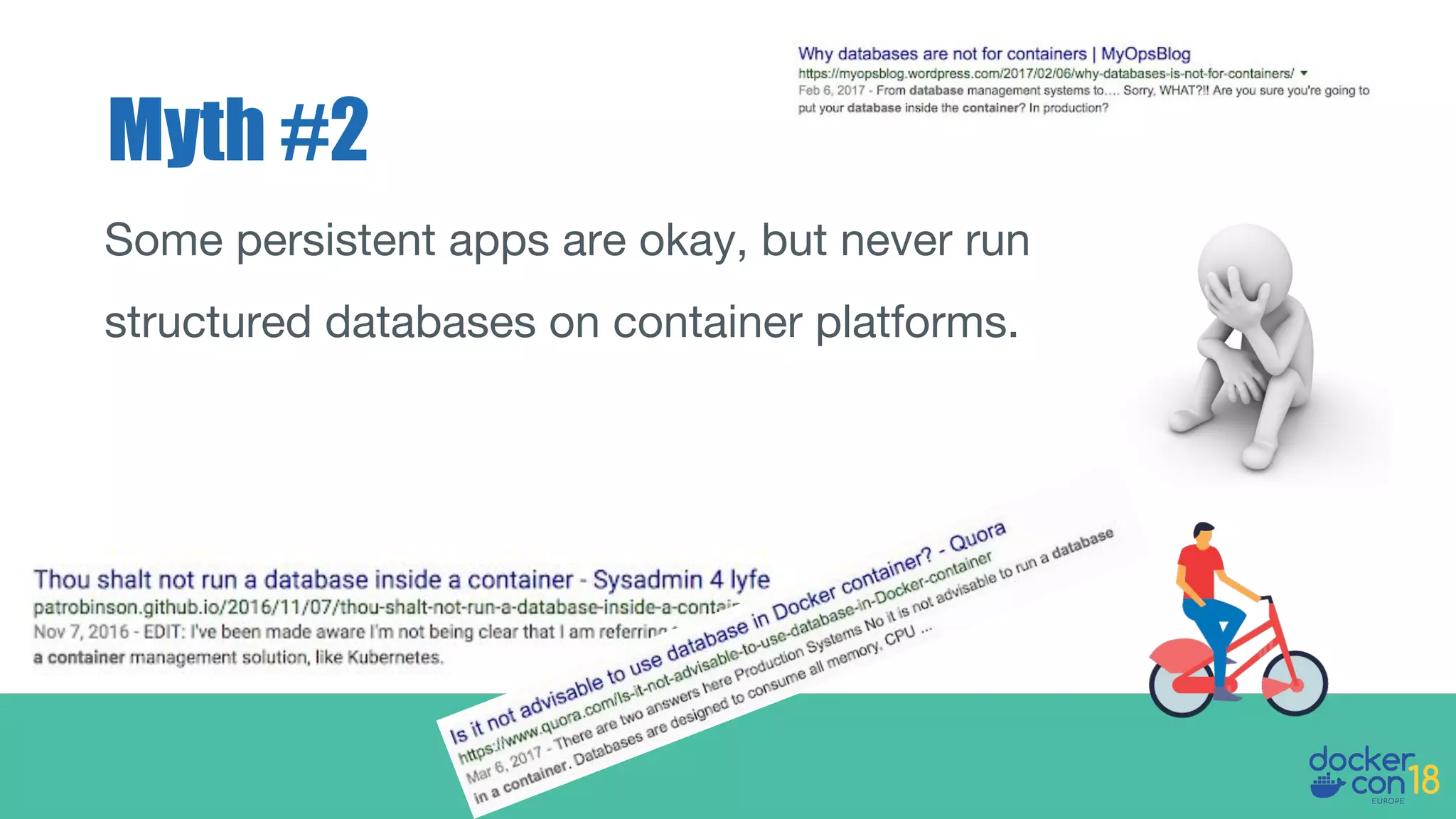
Myth #2
Some persistent apps are okay, but never run
structured databases on container platforms.
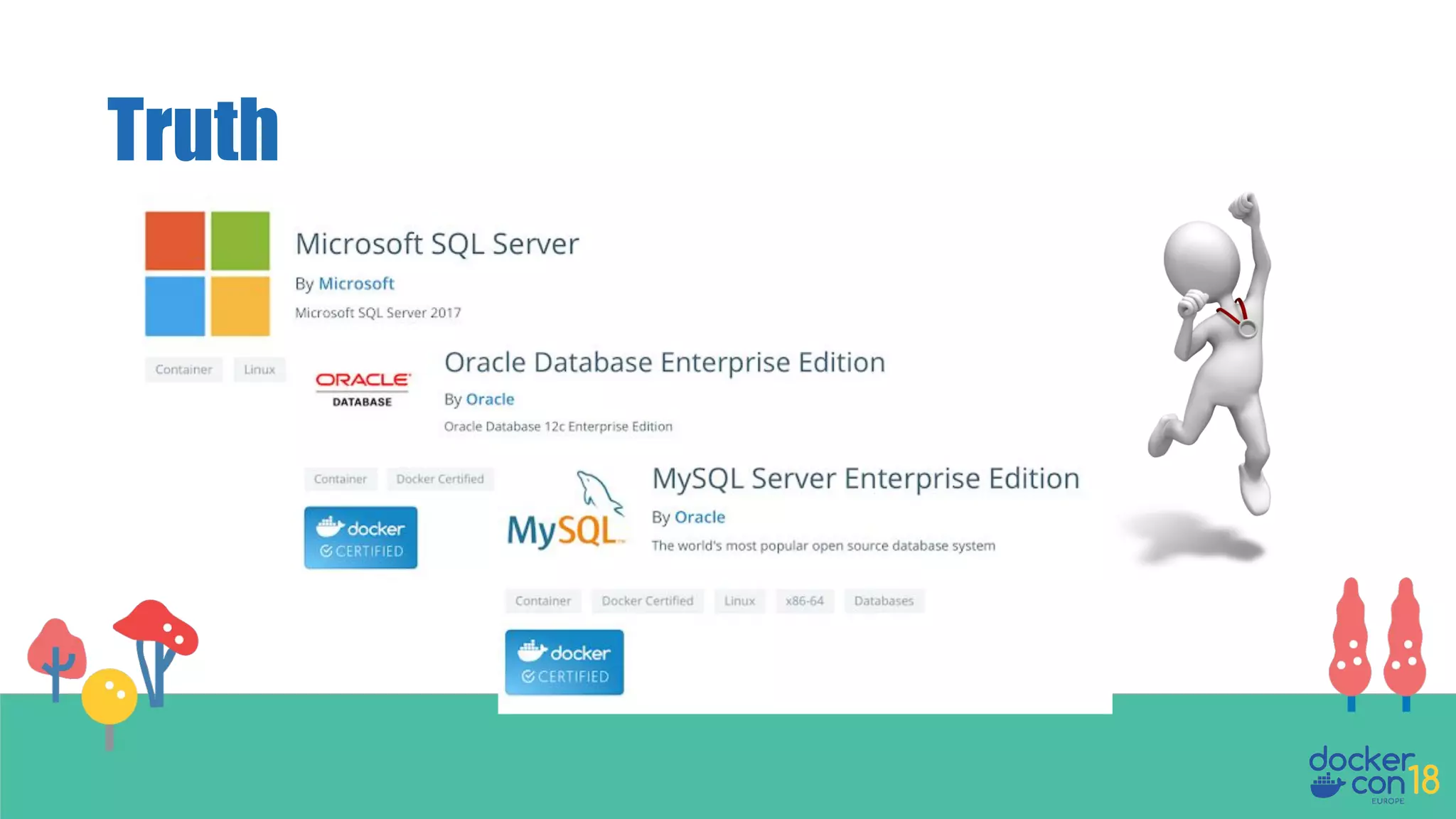
Truth
There are no storage options for Windows
containers.
Myth #3
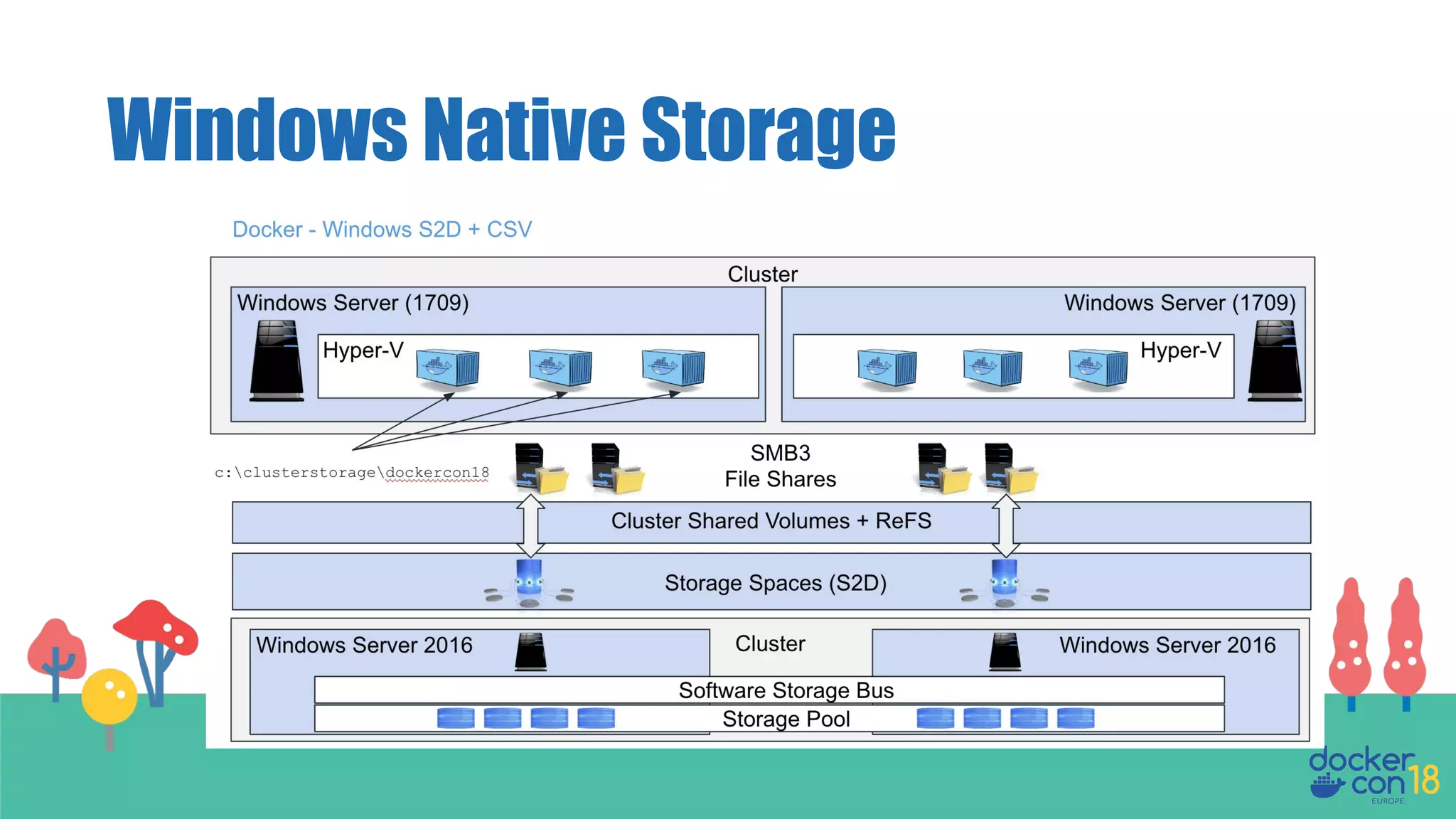
Windows Container Storage
Storage Spaces Direct (S2D)
Cluster Shared Volumes (CSV)
Scale-Out File Server (SoFS)
Storage Categories
Why do we need a new approach to Storage
when using Containers anyway?
Historically storage provisioning and
management was done by specialist
infrastructure teams ahead of deployments.
Today they need to be API driven and
instantaneous, in order to support rapid
container scale out.
How it used to work
The Data Explosion
Application
Workload Evolution
Container Storage Evolution
What are the Use Cases we need to consider
when designing and implementing containers
and storage?
New Demands on Storage
• Innovative new applications
running in containers with higher
scale, performance, and availability
requirements
• Containerized apps that have more
churn and higher rates of
deployment
• Apps that are more distributed and
have more distributed data
Docker Enterprise
allows GSK to support
a multitude of tools and
technologies and
interfaces so that
scientists can run data
analysis at scale.
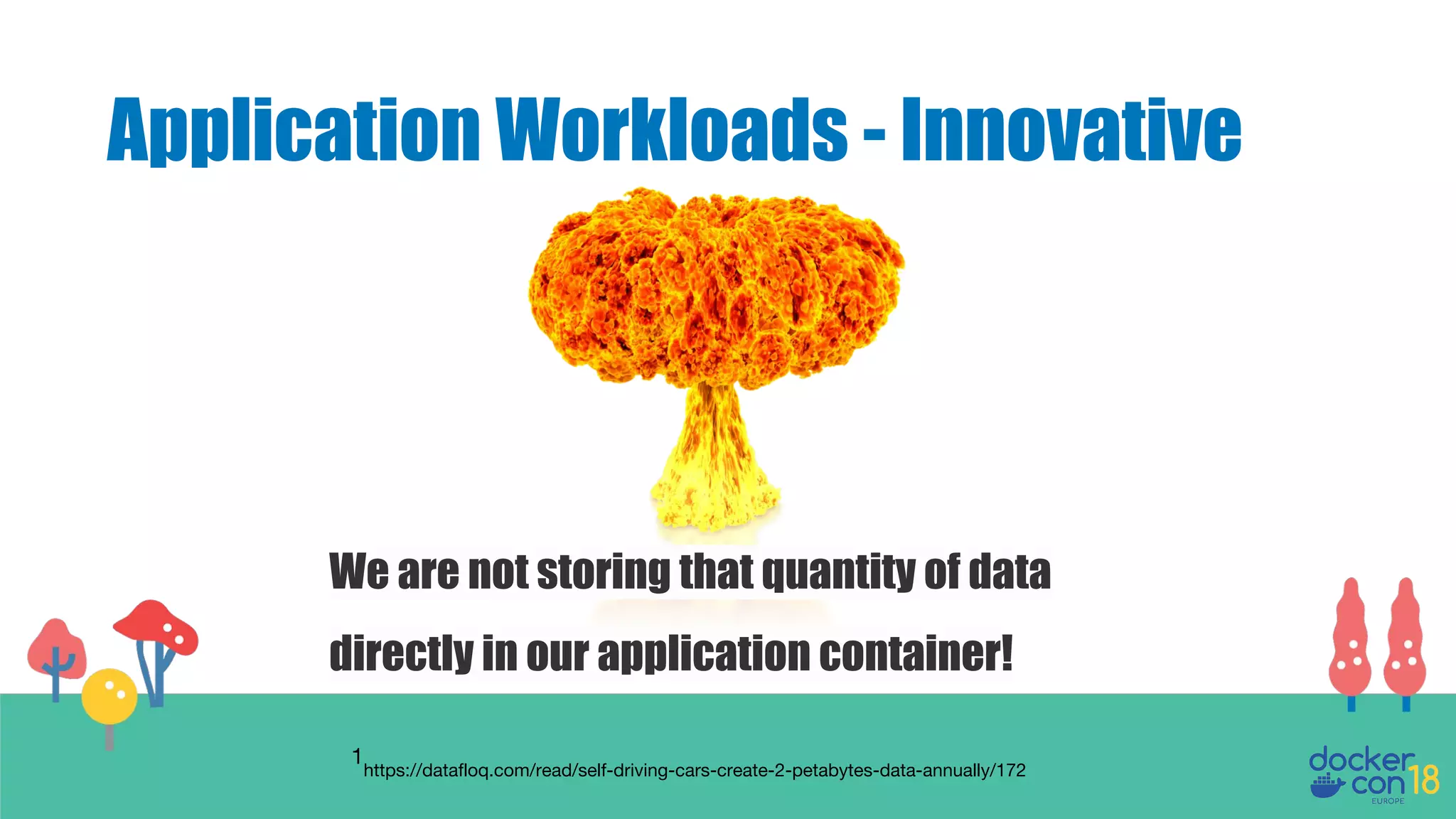
Application Workloads - Innovative
Autonomous car from Google: -
1GB data per second,
2 Petabytes per vehicle per annum.
264 million cars in the US alone... (An exercise for the reader)
1
https://datafloq.com/read/self-driving-cars-create-2-petabytes-data-annually/172
Application Workloads - Innovative
We are not storing that quantity of data
directly in our application container!
1
https://datafloq.com/read/self-driving-cars-create-2-petabytes-data-annually/172
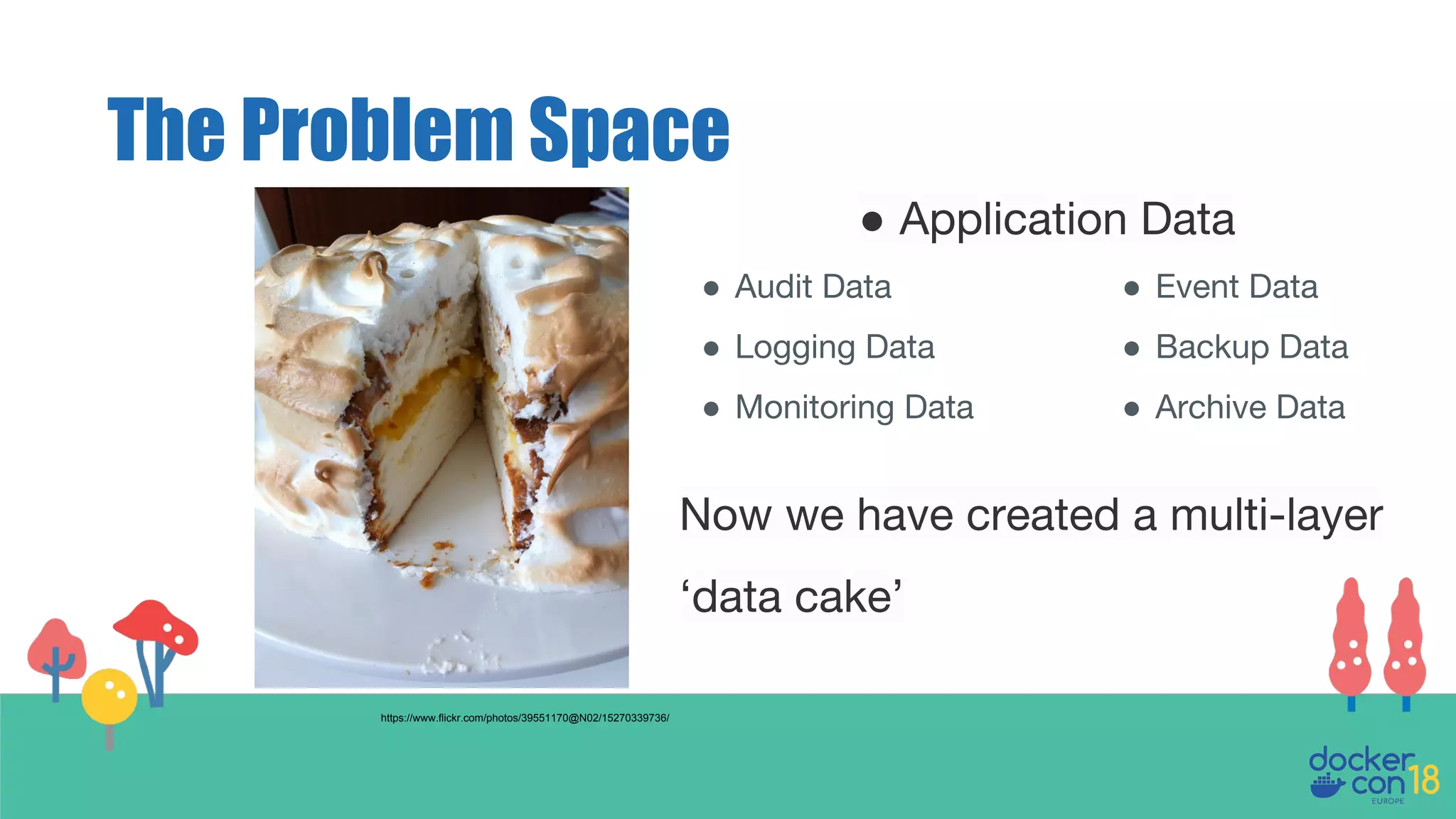
The Problem Space
Now we have created a multi-layer
‘data cake’
https://www.flickr.com/photos/39551170@N02/15270339736/
● Audit Data
● Logging Data
● Monitoring Data
● Event Data
● Backup Data
● Archive Data
● Application Data
So regardless of the lifespan of the container any
necessary long term state should always persist.
The container could be scheduled to run on any
node in the cluster, meaning persistent data may
need to be accessed from any node or zone.
Container Storage - Requirement
The Storage Use Cases
Container
Persistent State
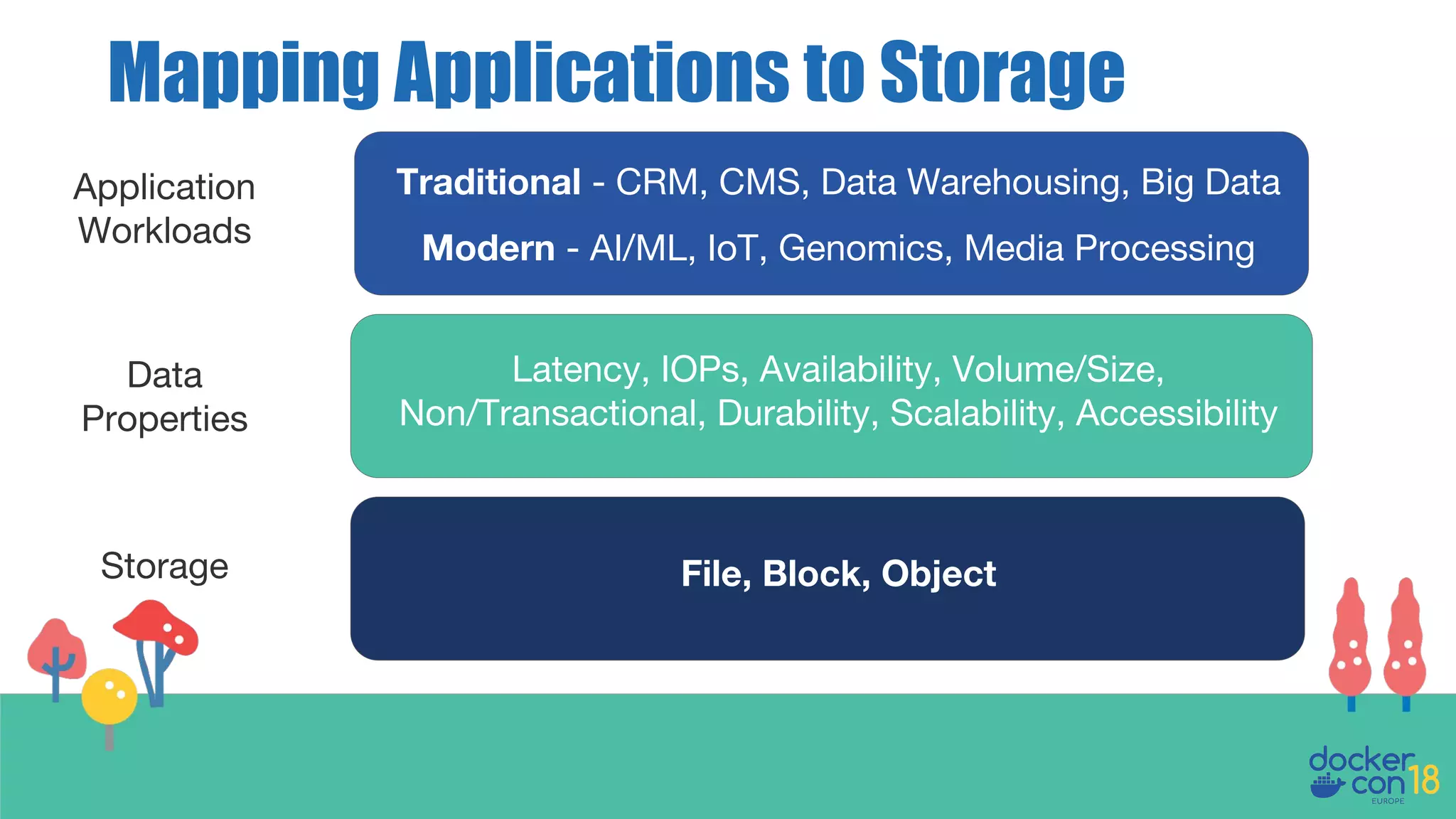
Mapping Applications to Storage
Application
Workloads
Data
Properties
Storage
Traditional - CRM, CMS, Data Warehousing, Big Data
Modern - AI/ML, IoT, Genomics, Media Processing
Latency, IOPs, Availability, Volume/Size,
Non/Transactional, Durability, Scalability, Accessibility
File, Block, Object
(Shared] File Storage
Containers/Pods
Container Engine
Applications
Software Defined Storage
Retail (Website), CMS, Media Processing, Big Data
and Analytics
Workloads
• Low IOPS
• Medium Latency
• High Availability
• Low Data Volume
• Transactional
Properties
• Medium Term
Storage
• Medium Access
Count
• Medium Access
Speed
• Medium Cost
Storage
• NFS
• CIFS/SMB
• EFS
• AFS
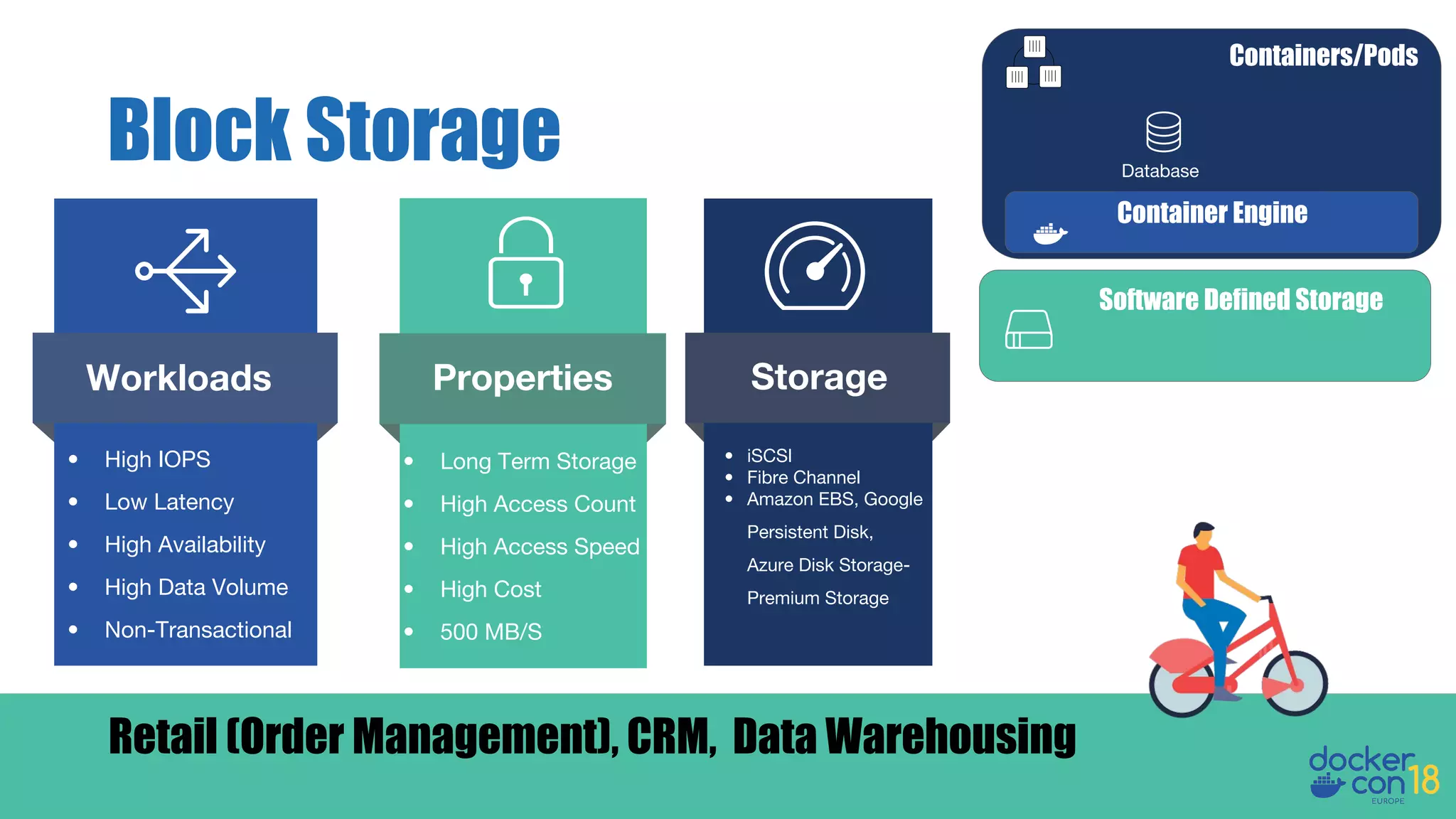
Block Storage
Containers/Pods
Database
Container Engine
Software Defined Storage
Retail (Order Management), CRM, Data Warehousing
Workloads
• High IOPS
• Low Latency
• High Availability
• High Data Volume
• Non-Transactional
Properties
• Long Term Storage
• High Access Count
• High Access Speed
• High Cost
• 500 MB/S
Storage
• iSCSI
• Fibre Channel
• Amazon EBS, Google
Persistent Disk,
Azure Disk Storage-
Premium Storage
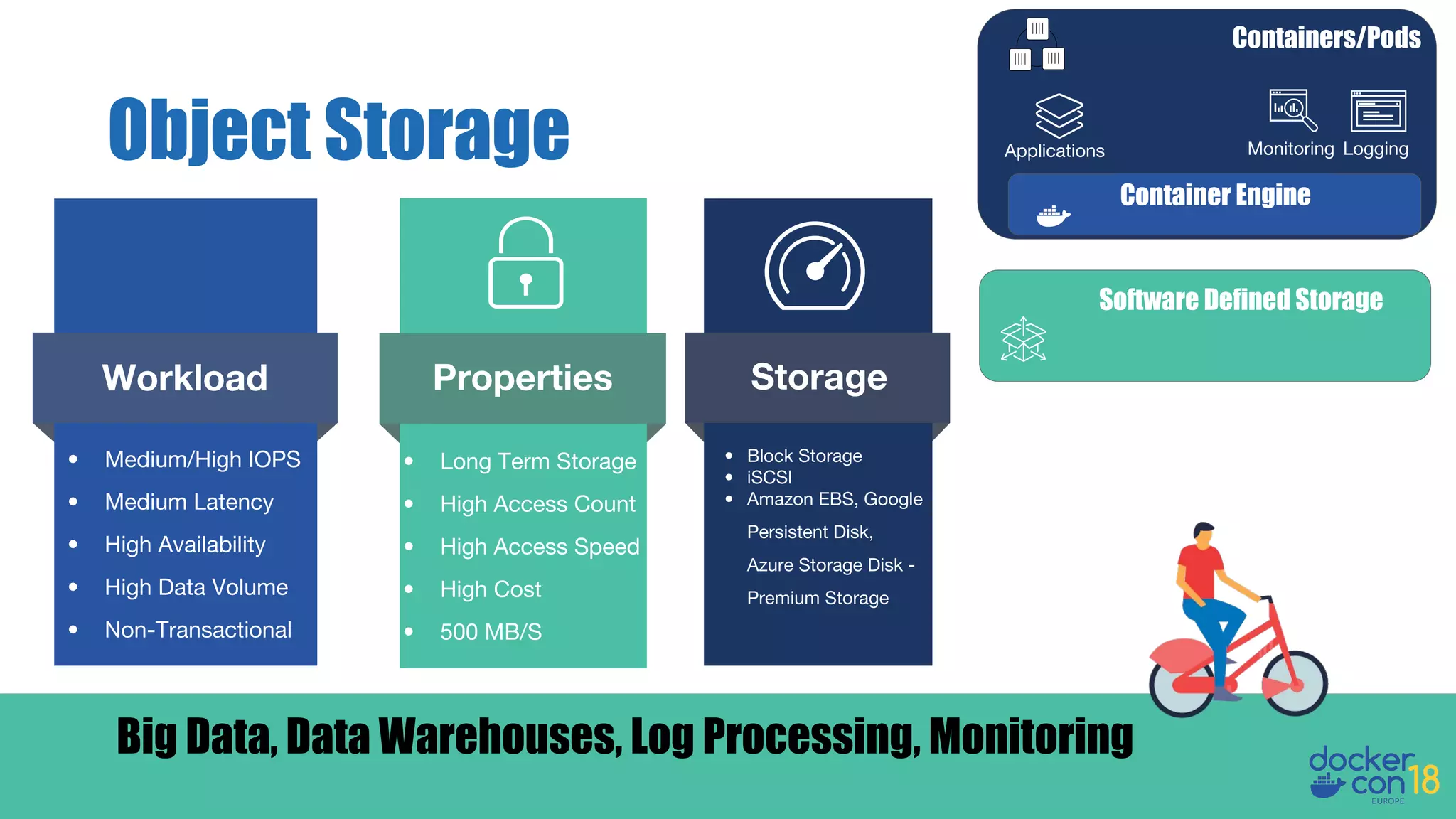
Object Storage
Software Defined Storage
Big Data, Data Warehouses, Log Processing, Monitoring
Properties
• Long Term Storage
• High Access Count
• High Access Speed
• High Cost
• 500 MB/S
Storage
• Block Storage
• iSCSI
• Amazon EBS, Google
Persistent Disk,
Azure Storage Disk -
Premium Storage
Containers/Pods
Container Engine
Applications Monitoring Logging
• Medium/High IOPS
• Medium Latency
• High Availability
• High Data Volume
• Non-Transactional
Workload
Volume Lifecycle
How should the lifecycle of storage match the
lifecycle of your apps?
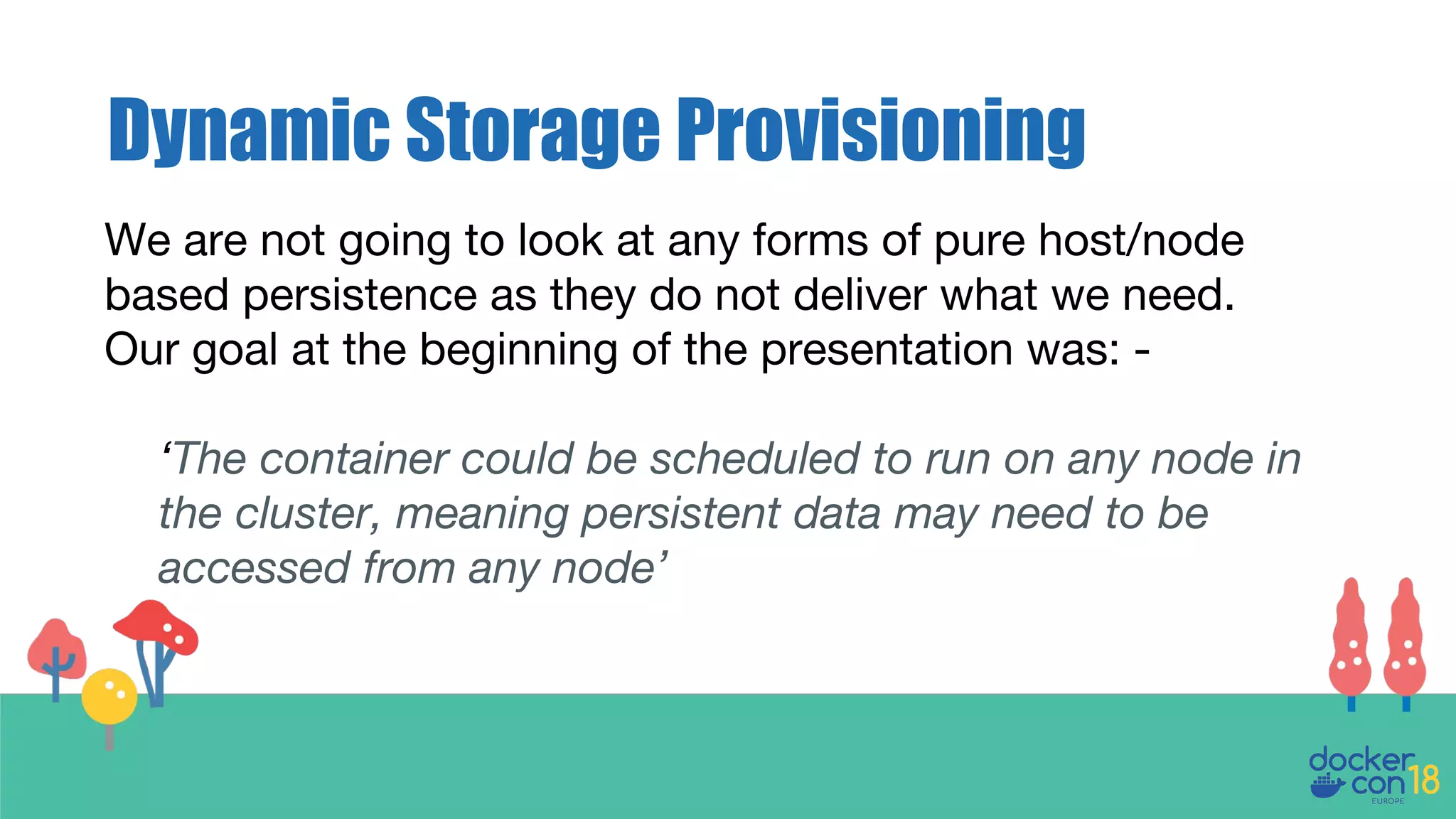
Dynamic Storage Provisioning
We are not going to look at any forms of pure host/node
based persistence as they do not deliver what we need.
Our goal at the beginning of the presentation was: -
‘The container could be scheduled to run on any node in
the cluster, meaning persistent data may need to be
accessed from any node’
Access Methods
● Single Container/Pod Access
● Multi-Container/Pod Access
● Read/Write Access
Container Storage
Driver Landscape
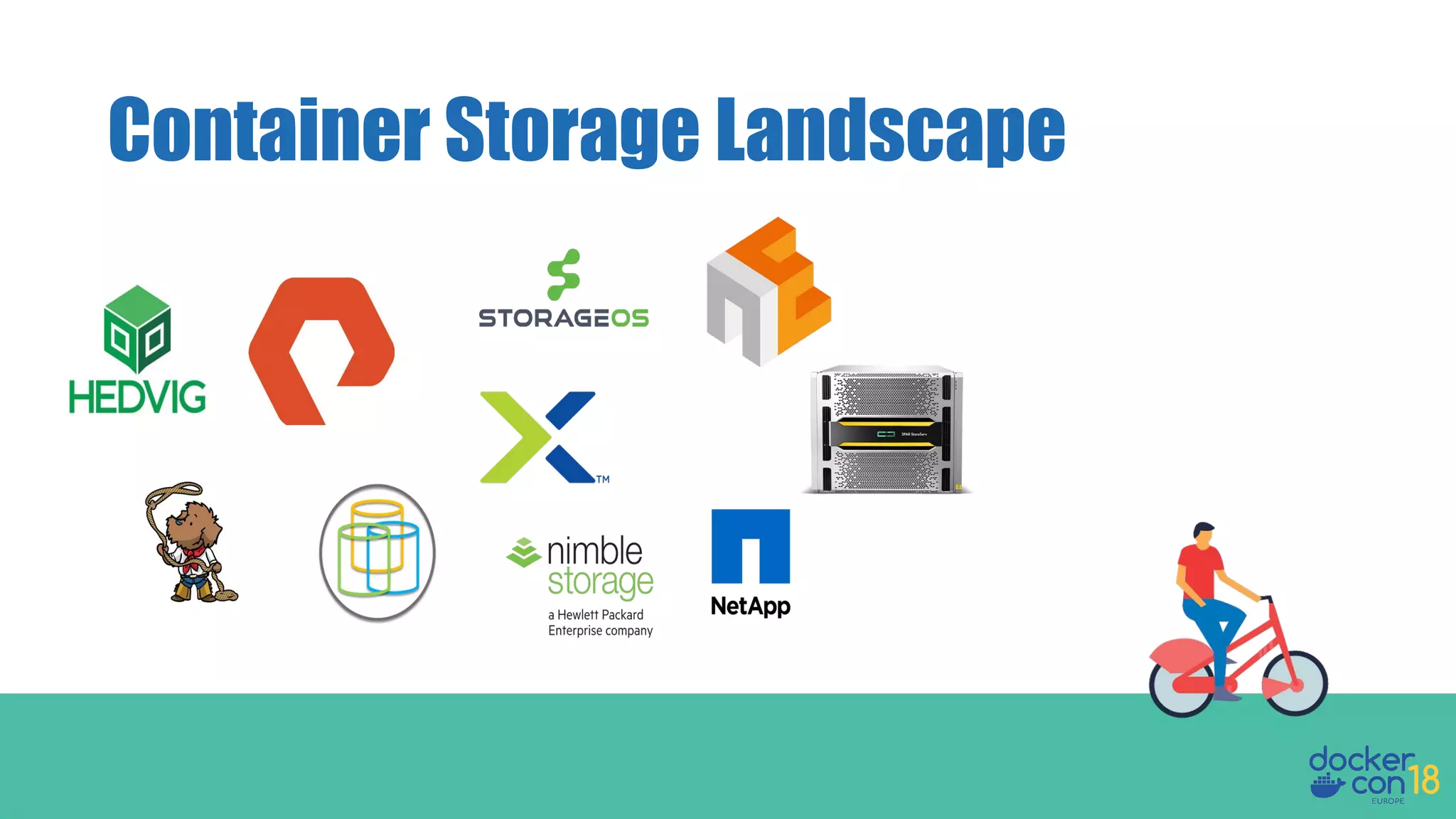
Container Storage Landscape
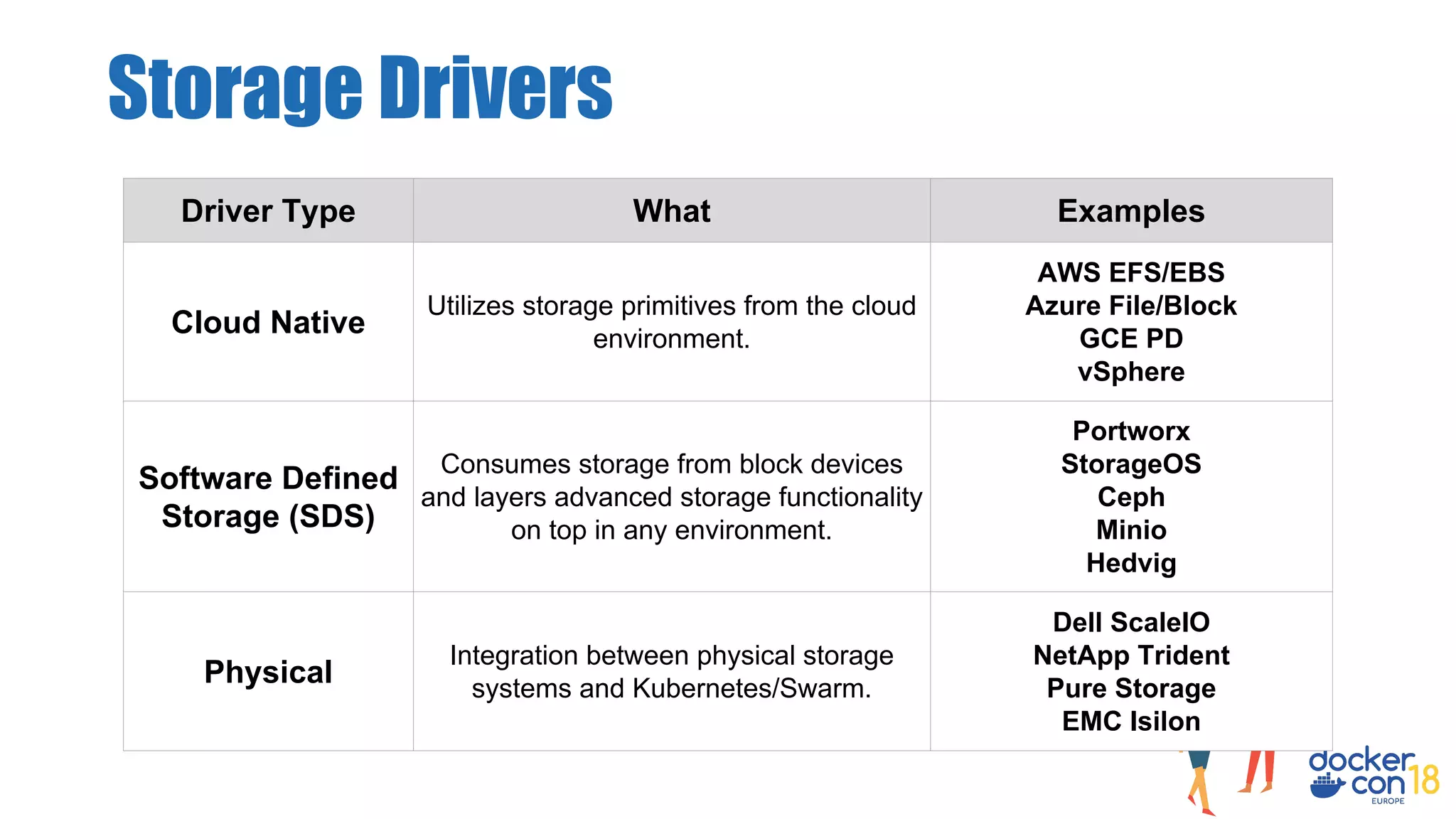
Storage Drivers
Driver Type What Examples
Cloud Native
Utilizes storage primitives from the cloud
environment.
AWS EFS/EBS
Azure File/Block
GCE PD
vSphere
Software Defined
Storage (SDS)
Consumes storage from block devices
and layers advanced storage functionality
on top in any environment.
Portworx
StorageOS
Ceph
Minio
Hedvig
Physical
Integration between physical storage
systems and Kubernetes/Swarm.
Dell ScaleIO
NetApp Trident
Pure Storage
EMC Isilon
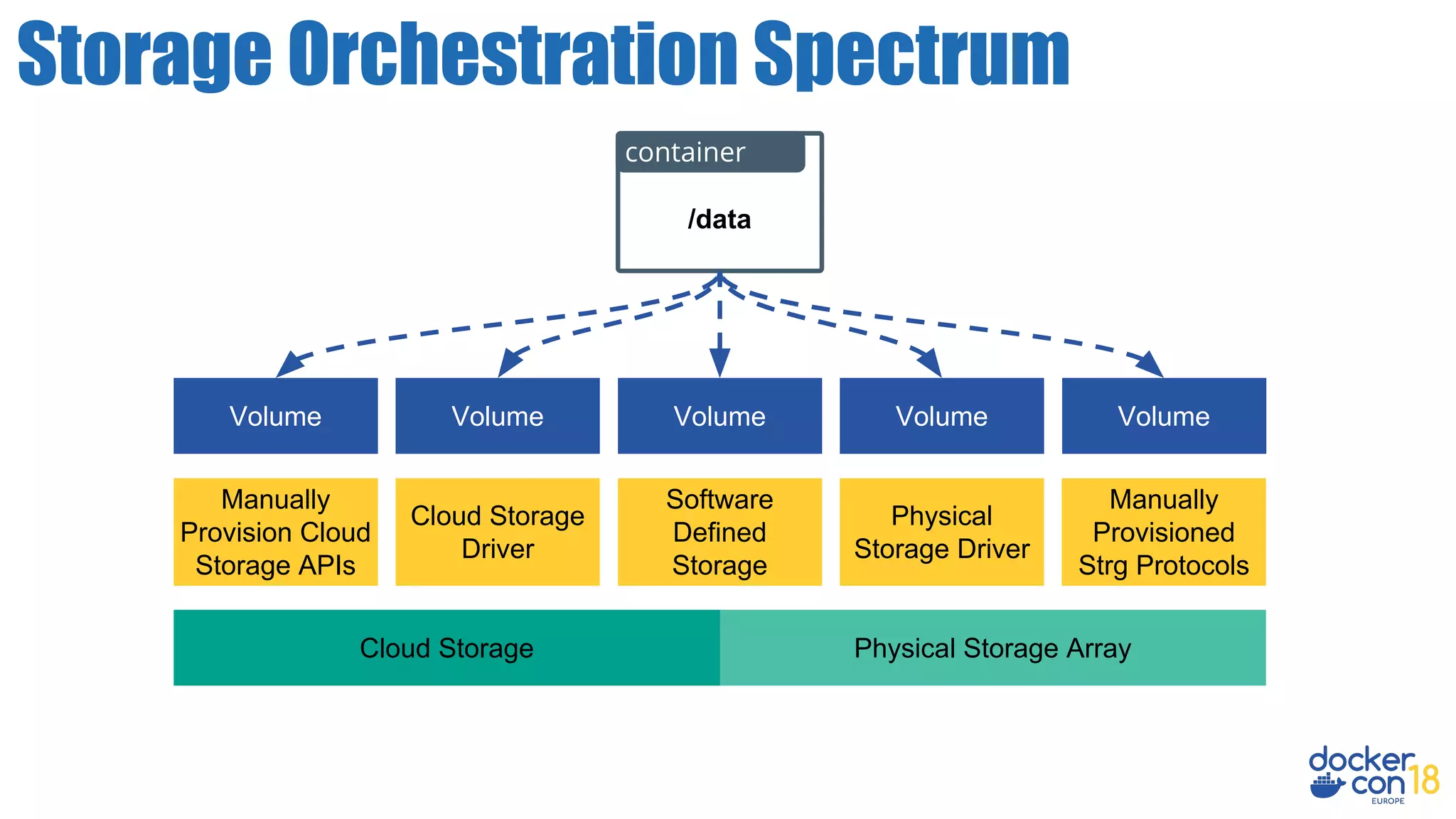
Storage Orchestration Spectrum
Physical Storage Array
Physical
Storage Driver
Volume
Manually
Provisioned
Strg Protocols
/data
container
Software
Defined
Storage
Volume Volume
Cloud Storage
Cloud Storage
Driver
Manually
Provision Cloud
Storage APIs
VolumeVolume
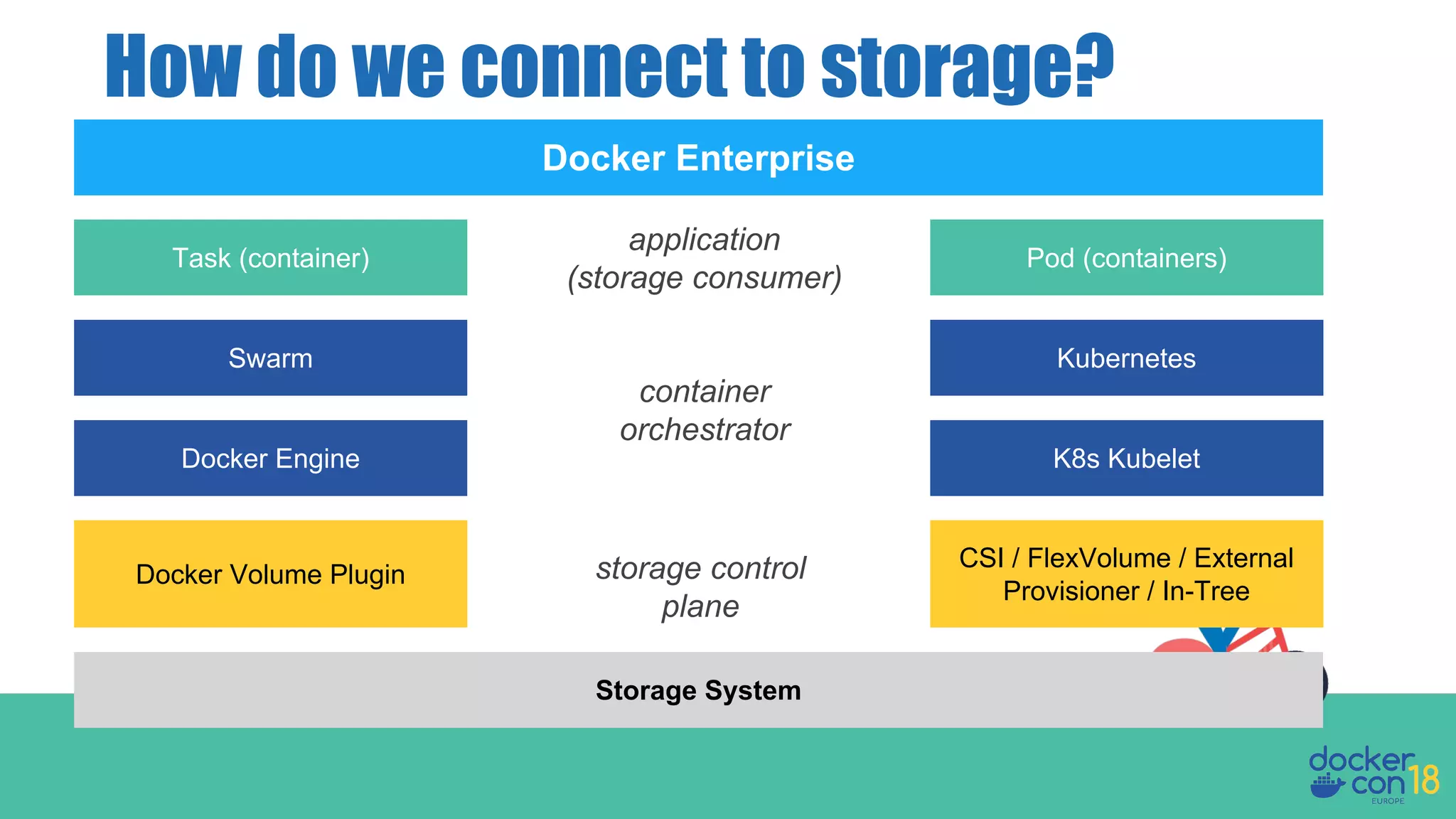
How do we connect to storage?
Storage System
Docker Engine
CSI / FlexVolume / External
Provisioner / In-Tree
Docker Volume Plugin
K8s Kubelet
Swarm Kubernetes
Task (container) Pod (containers)
Docker Enterprise
storage control
plane
container
orchestrator
application
(storage consumer)
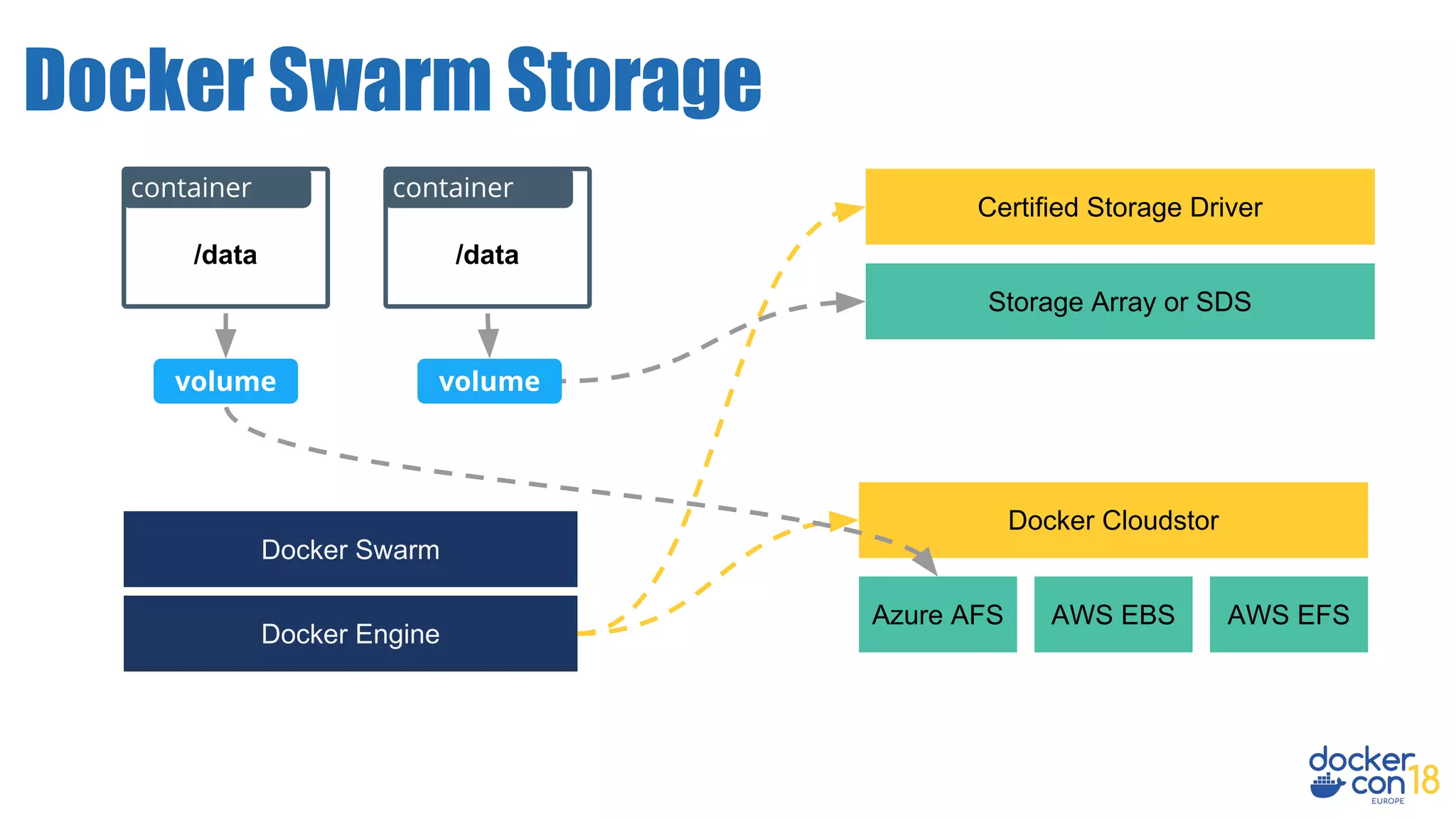
Docker Swarm Storage
Storage Array or SDS
/data
container
Certified Storage Driver
Docker Engine
volume
Docker Cloudstor
Azure AFS AWS EBS AWS EFS
volume
/data
container
Docker Swarm
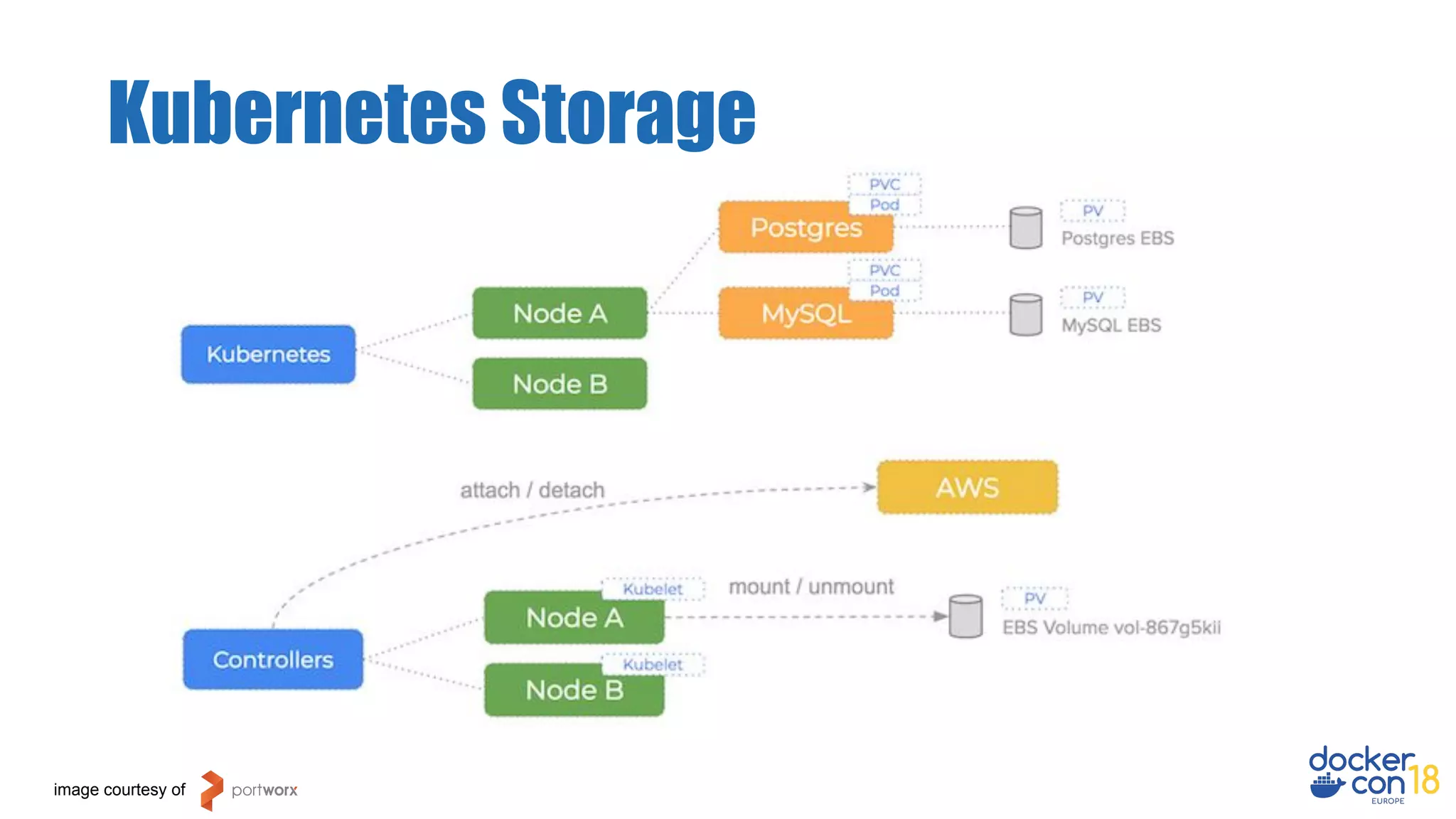
Kubernetes Storage
image courtesy of
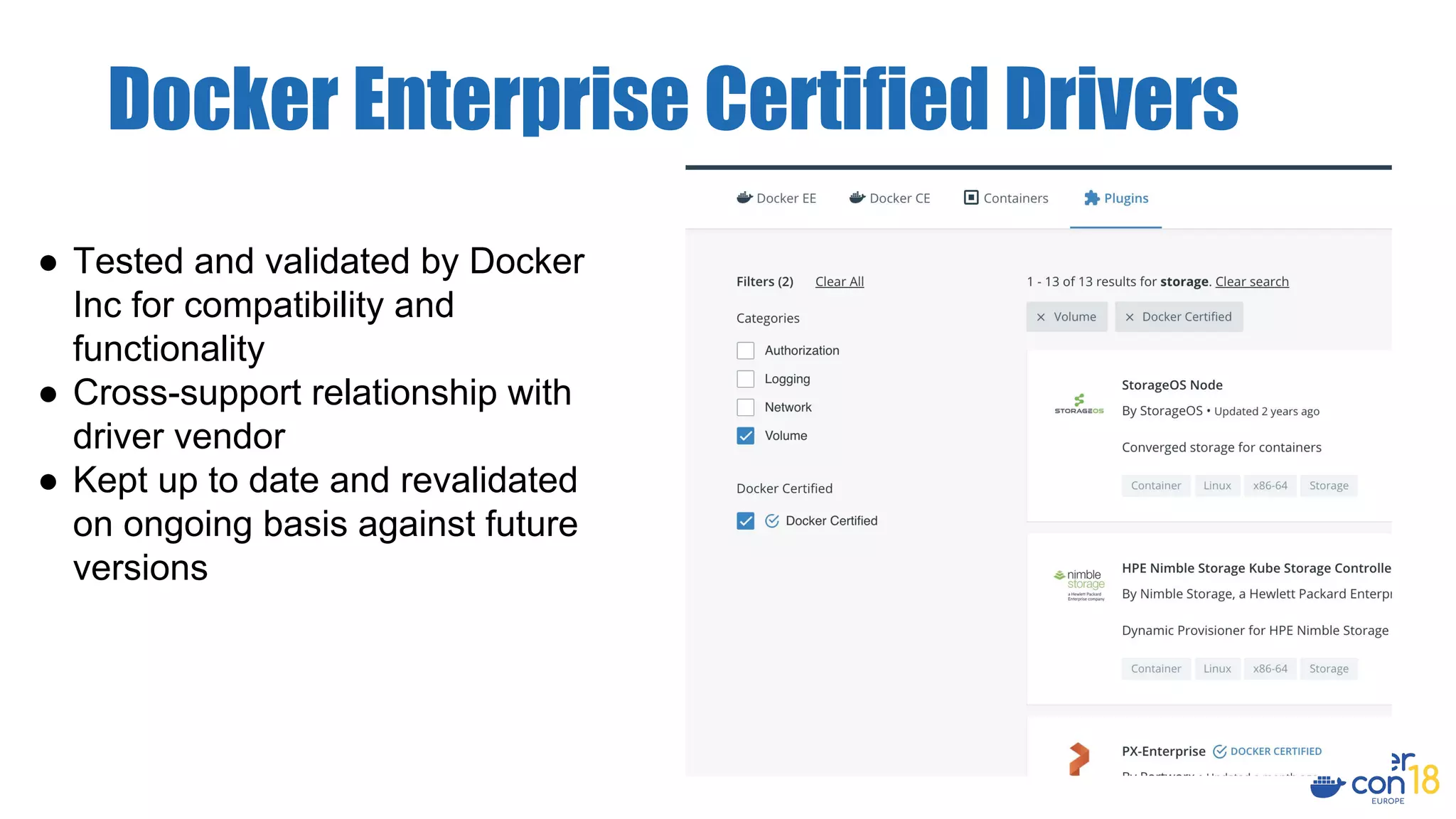
Docker Enterprise Certified Drivers
● Tested and validated by Docker
Inc for compatibility and
functionality
● Cross-support relationship with
driver vendor
● Kept up to date and revalidated
on ongoing basis against future
versions
Demos
● Integrates with the persistent data
platforms offered by their cloud
environment.
● Easy to use in the swarm created by the
templates:
○ Be able to share data across
tasks/nodes.
○ Have options for fast throughput/IOPs.
Docker CloudStor
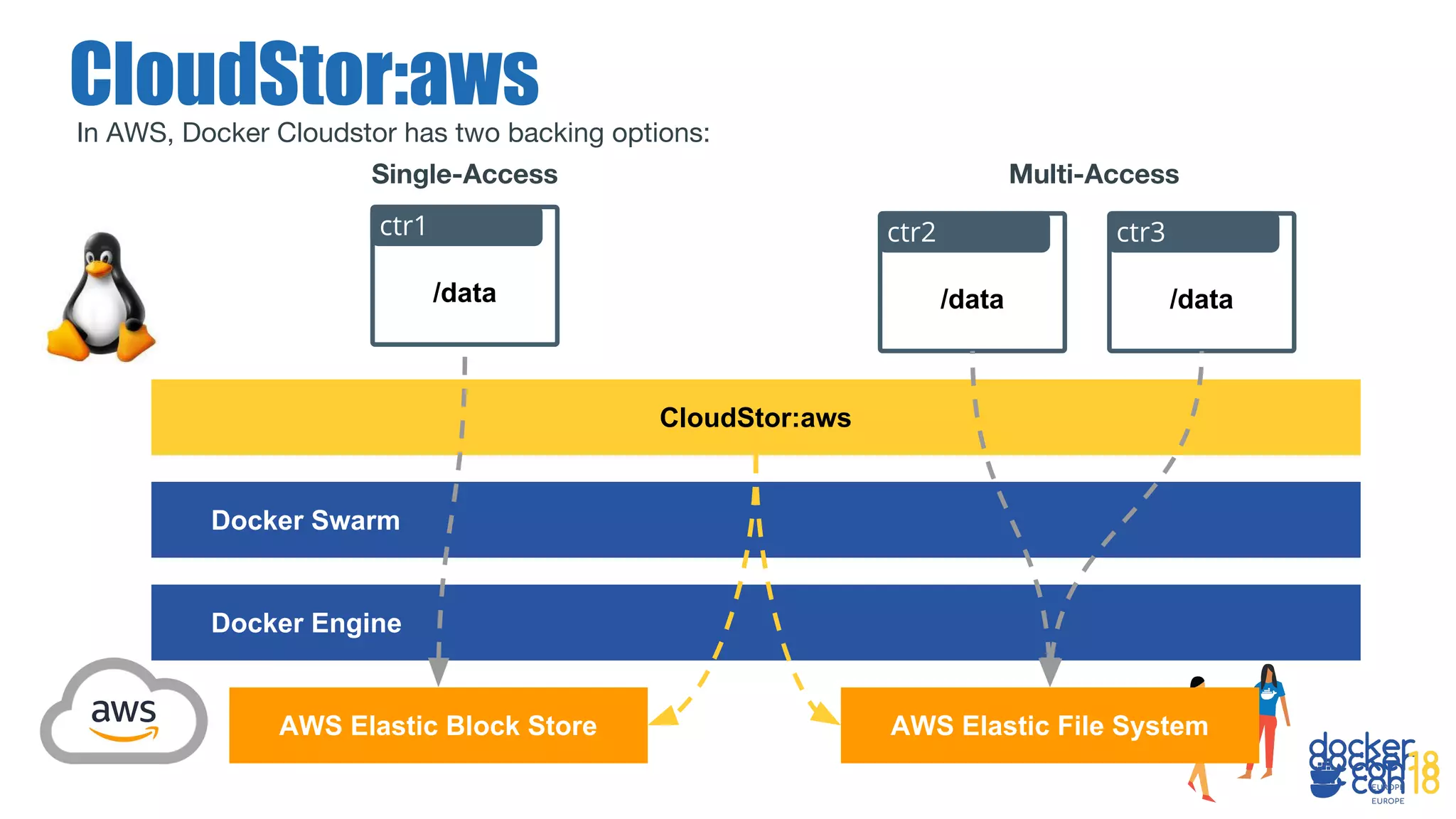
In AWS, Docker Cloudstor has two backing options:
CloudStor:aws
AWS Elastic Block Store
Docker Engine
CloudStor:aws
AWS Elastic File System
Docker Swarm
/data
ctr3
/data
ctr2
/data
ctr1
Single-Access Multi-Access
In order to use CloudStor:AWS requires installing the plugin and setting
the AWS Region, Stack Id etc. in order to enable the creation of our
shared volumes.
Docker CloudStor
[don@dockercon ~]$ docker plugin install --alias cloudstor:aws 
--grant-all-permissions docker4x/cloudstor:18.06.1-ce-aws1 
CLOUD_PLATFORM=AWS 
AWS_REGION=[region] 
AWS_STACK_ID=[any name] 
EFS_SUPPORTED=1 
EFS_ID_REGULAR=[EFS_REG_ID] 
EFS_ID_MAXIO=[EFS_MAXIO_ID] 
DEBUG=1
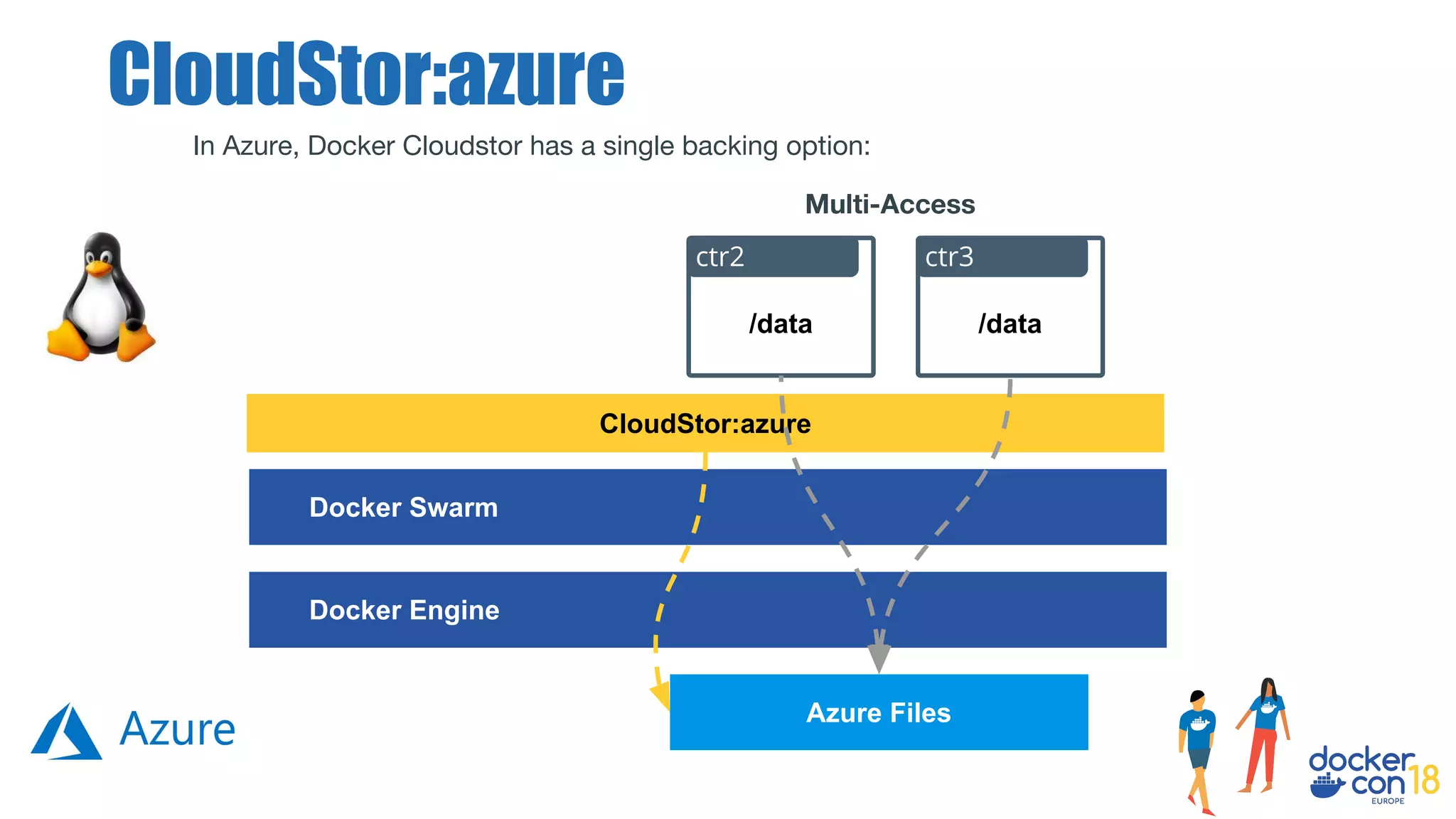
In Azure, Docker Cloudstor has a single backing option:
CloudStor:azure
Docker Engine
CloudStor:azure
Azure Files
Docker Swarm
/data
ctr3
/data
ctr2
Multi-Access
Docker CloudStor
In order to use Cloudstor:Azure for Docker Swarm involves installing the
plugin using information for the Azure Storage Account and Storage
Endpoint.
[don@dockercon ~]$ docker plugin install --alias cloudstor:azure 
--grant-all-permissions docker4x/cloudstor:18.06.1-ce-azure1 
CLOUD_PLATFORM=AZURE 
AZURE_STORAGE_ACCOUNT_KEY=”$SA_KEY” 
AZURE_STORAGE_ACCOUNT=”$SWARM_INFO_STORAGE_ACCOUNT” 
AZURE_STORAGE_ENDPOINT=”core.cloudapi.de” 
DEBUG=1
Swarm Storage on Windows
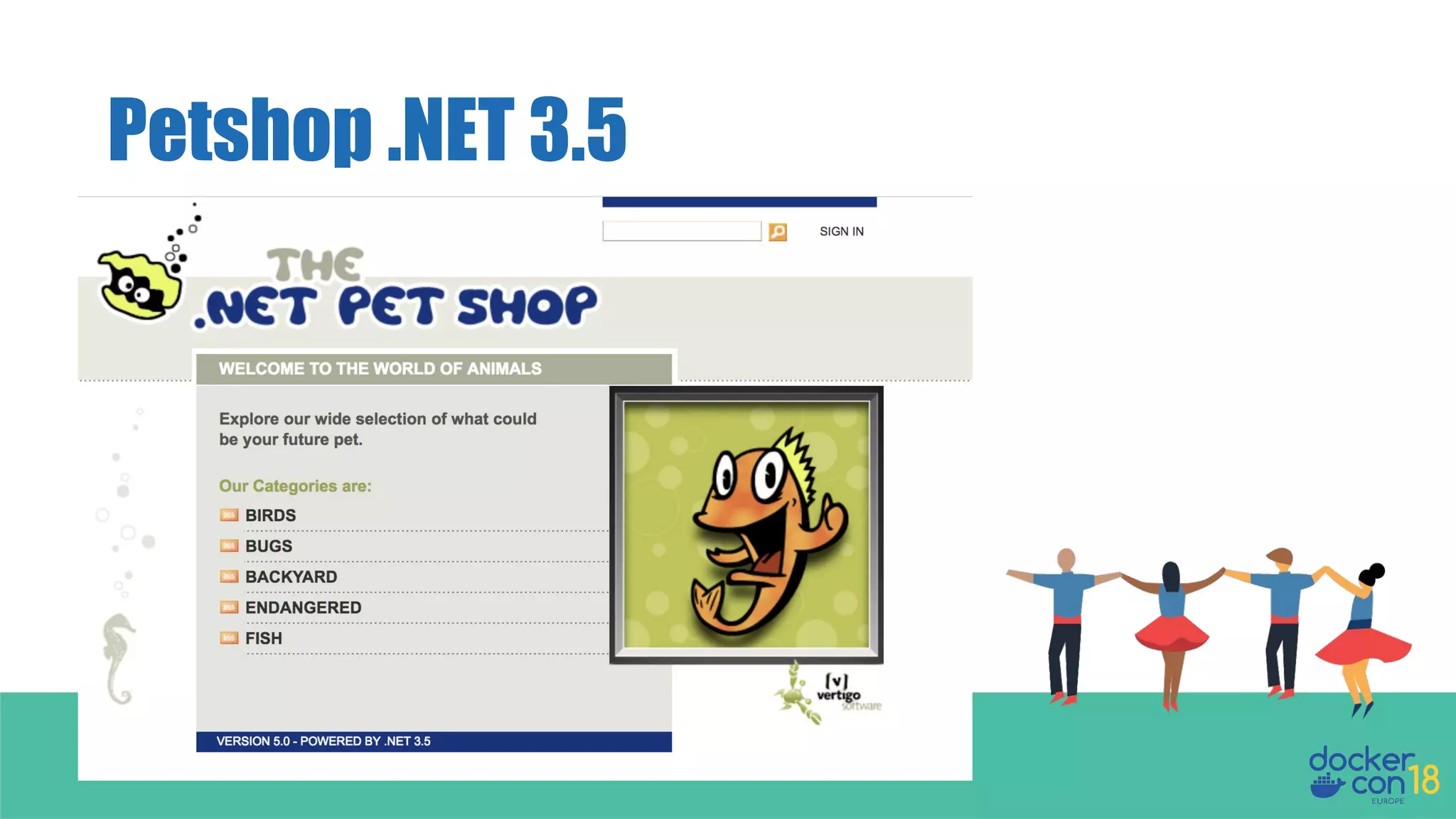
Petshop .NET 3.5
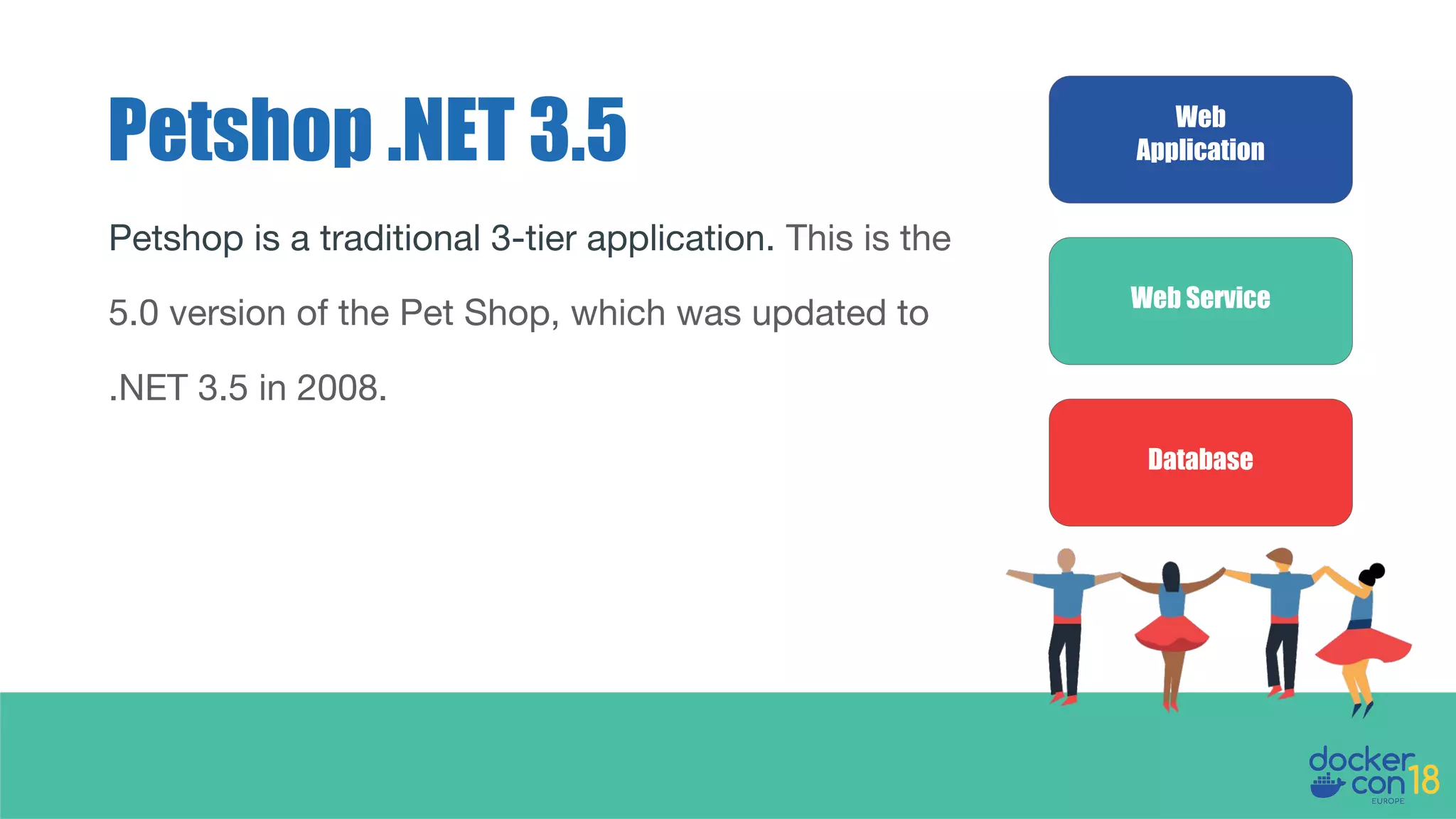
Petshop .NET 3.5 Web
Application
Web Service
Database
Petshop is a traditional 3-tier application. This is the
5.0 version of the Pet Shop, which was updated to
.NET 3.5 in 2008.
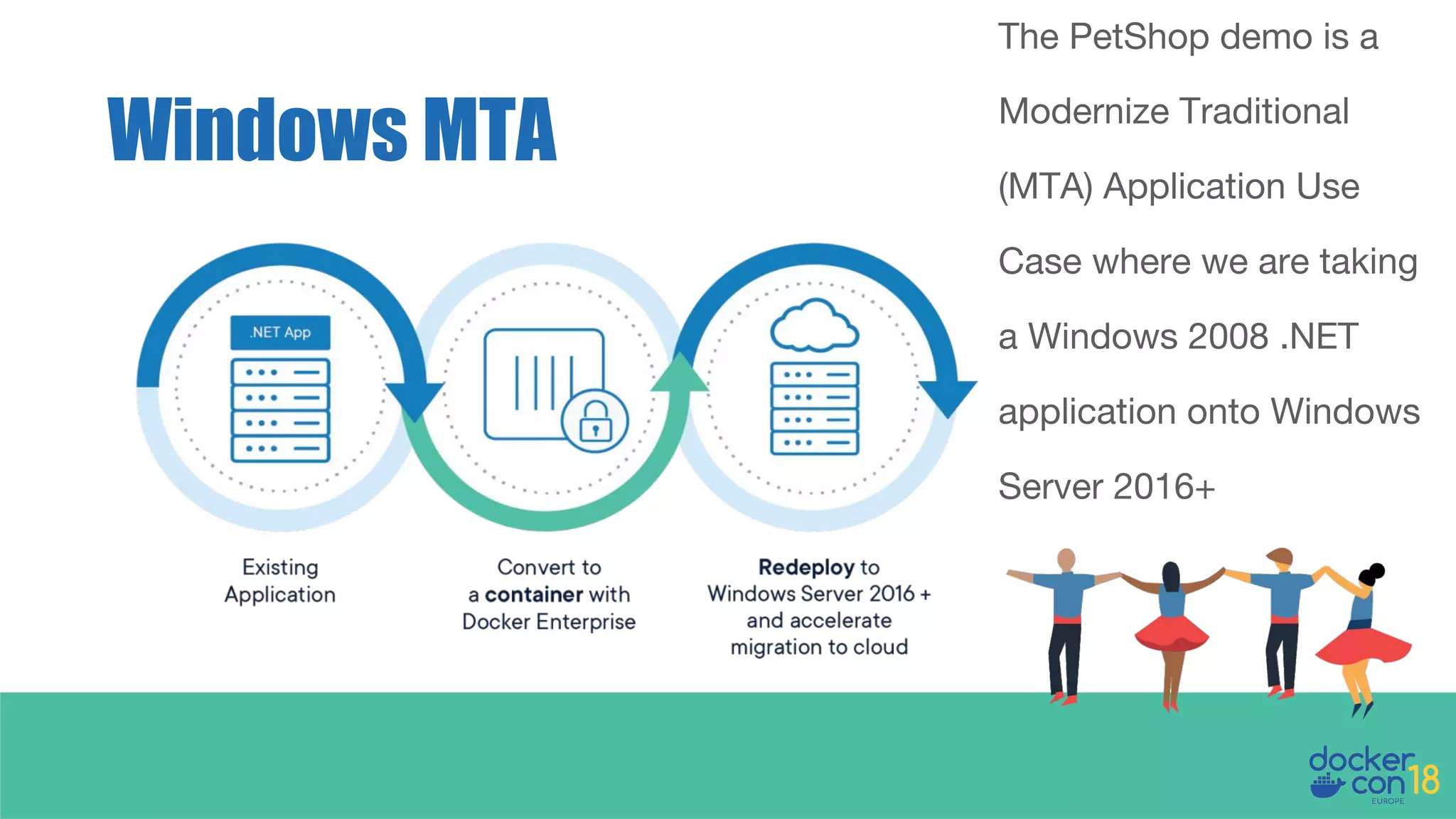
Windows MTA
The PetShop demo is a
Modernize Traditional
(MTA) Application Use
Case where we are taking
a Windows 2008 .NET
application onto Windows
Server 2016+
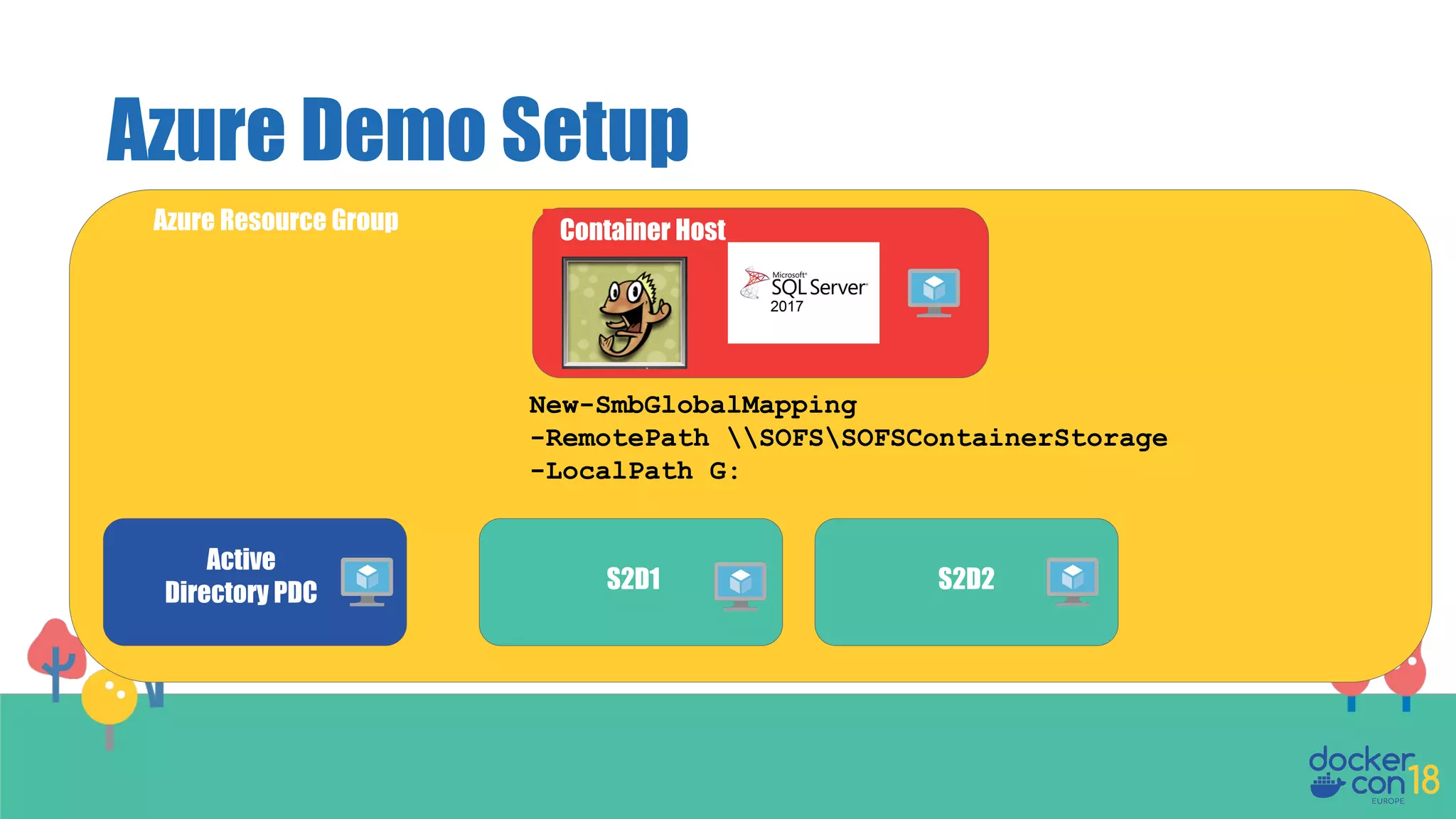
Azure Demo Setup
Active
Directory PDC S2D1 S2D2
Container Host
New-SmbGlobalMapping
-RemotePath SOFSSOFSContainerStorage
-LocalPath G:
Azure Resource Group
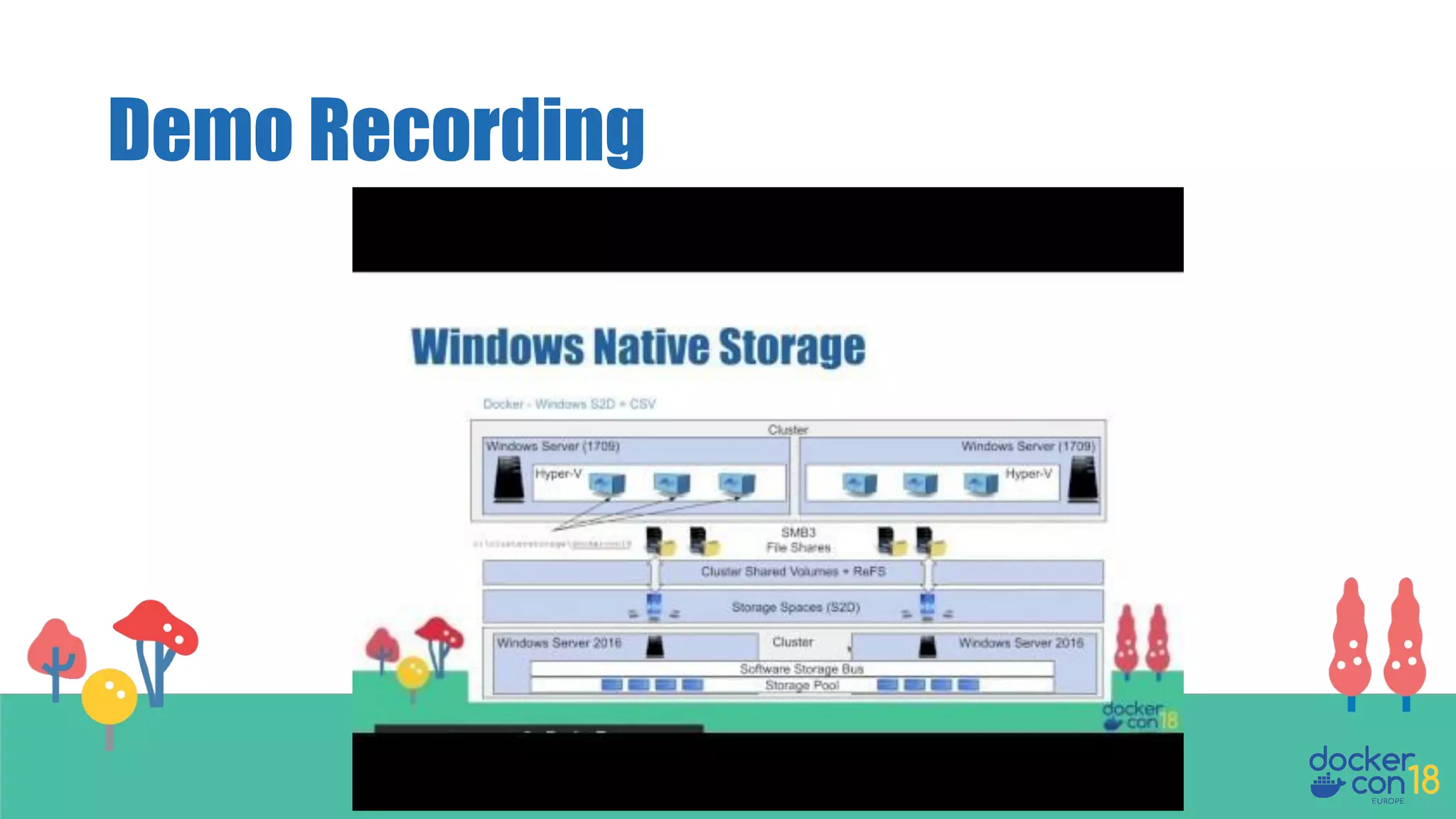
Windows Native Storage
Petshop .NET 3.5 Demo link
https://github.com/donmstewart/DCEU-Petshop
The compose file in use in the demo is contained in the app
directory named docker-compose.yml
Demo Recording
Kubernetes Storage on Linux
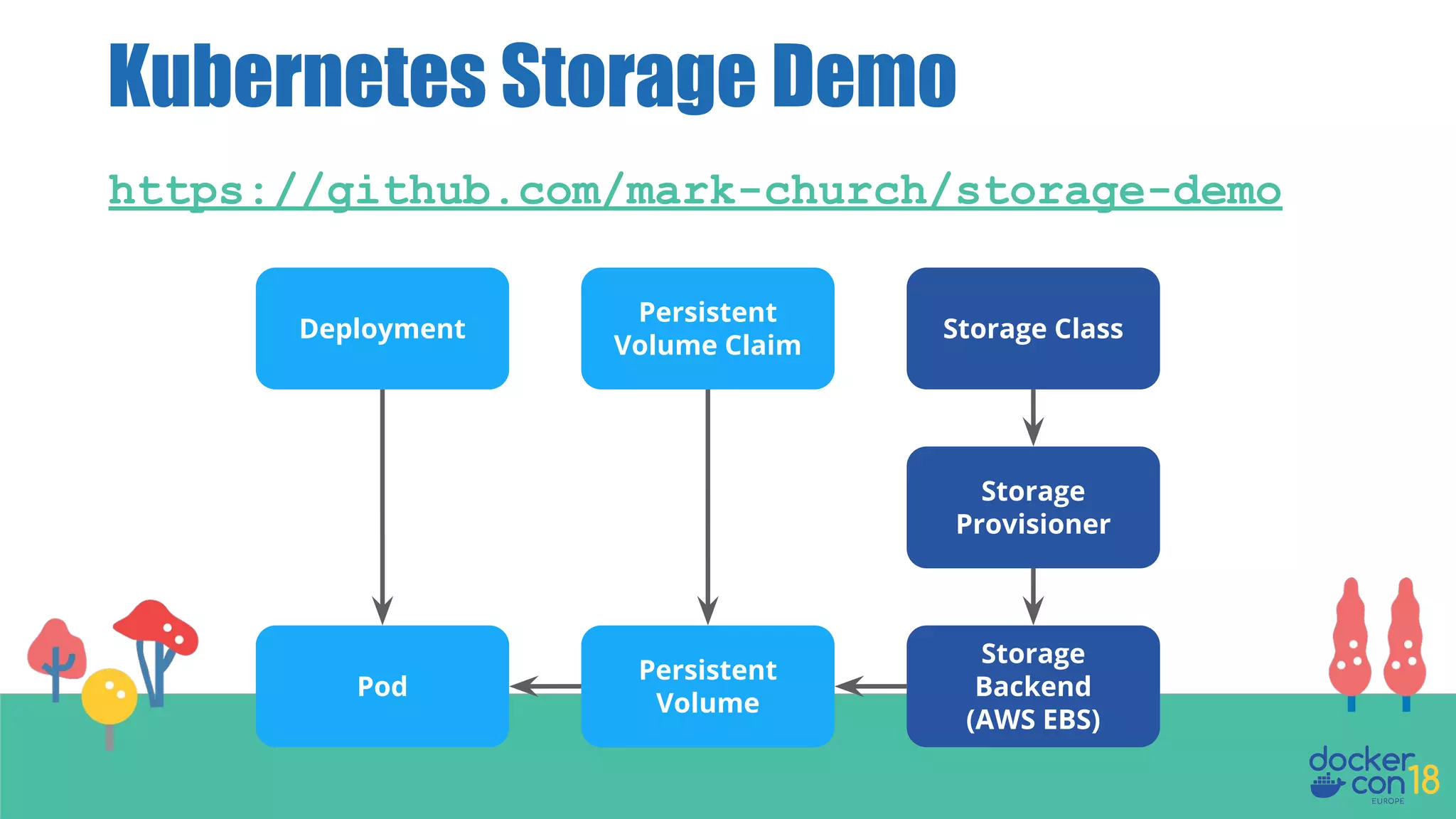
Kubernetes Storage Demo
https://github.com/mark-church/storage-demo
Deployment Storage Class
Storage
Provisioner
Storage
Backend
(AWS EBS)
Persistent
Volume Claim
Persistent
Volume
Pod
● Storage Workshop
○ https://github.com/donmstewart/
docker-storage-workshop
● docs.docker.com
Where to find more

DCEU 18: Use Cases and Practical Solutions for Docker Container Storage on Swarm and Kubernetes

  • 1.
    Mark Church Product Manager,Docker Use Cases and Practical Solutions for Docker Container Storage on Swarm and Kubernetes Don Stewart Solutions Architect, Docker
  • 2.
  • 3.
    We understand ContainerStorage is a topic in the forefront of many of your minds. In this talk we want to address some specific areas that you have asked us about. Whats import to you
  • 4.
    Agenda Storage Fake News ApplicationWorkload Evolution The Data Explosion Container Persistent State Storage Use Cases Container Persistent State Storage Solutions Container Storage Landscape Demo Windows/Azure Demo Kubernetes
  • 5.
  • 6.
    Persistent applications shouldnot be run in containers. Containers are for stateless microservices. Myth #1
  • 8.
    Externalize storage outsidethe container, but run persistent application inside the container. Truth
  • 9.
    Myth #2 Some persistentapps are okay, but never run structured databases on container platforms.
  • 11.
  • 12.
    There are nostorage options for Windows containers. Myth #3
  • 14.
    Windows Container Storage StorageSpaces Direct (S2D) Cluster Shared Volumes (CSV) Scale-Out File Server (SoFS)
  • 15.
    Storage Categories Why dowe need a new approach to Storage when using Containers anyway?
  • 16.
    Historically storage provisioningand management was done by specialist infrastructure teams ahead of deployments. Today they need to be API driven and instantaneous, in order to support rapid container scale out. How it used to work
  • 17.
  • 18.
    Container Storage Evolution Whatare the Use Cases we need to consider when designing and implementing containers and storage?
  • 19.
    New Demands onStorage • Innovative new applications running in containers with higher scale, performance, and availability requirements • Containerized apps that have more churn and higher rates of deployment • Apps that are more distributed and have more distributed data Docker Enterprise allows GSK to support a multitude of tools and technologies and interfaces so that scientists can run data analysis at scale.
  • 20.
    Application Workloads -Innovative Autonomous car from Google: - 1GB data per second, 2 Petabytes per vehicle per annum. 264 million cars in the US alone... (An exercise for the reader) 1 https://datafloq.com/read/self-driving-cars-create-2-petabytes-data-annually/172
  • 21.
    Application Workloads -Innovative We are not storing that quantity of data directly in our application container! 1 https://datafloq.com/read/self-driving-cars-create-2-petabytes-data-annually/172
  • 22.
    The Problem Space Nowwe have created a multi-layer ‘data cake’ https://www.flickr.com/photos/39551170@N02/15270339736/ ● Audit Data ● Logging Data ● Monitoring Data ● Event Data ● Backup Data ● Archive Data ● Application Data
  • 23.
    So regardless ofthe lifespan of the container any necessary long term state should always persist. The container could be scheduled to run on any node in the cluster, meaning persistent data may need to be accessed from any node or zone. Container Storage - Requirement
  • 24.
    The Storage UseCases Container Persistent State
  • 25.
    Mapping Applications toStorage Application Workloads Data Properties Storage Traditional - CRM, CMS, Data Warehousing, Big Data Modern - AI/ML, IoT, Genomics, Media Processing Latency, IOPs, Availability, Volume/Size, Non/Transactional, Durability, Scalability, Accessibility File, Block, Object
  • 26.
    (Shared] File Storage Containers/Pods ContainerEngine Applications Software Defined Storage Retail (Website), CMS, Media Processing, Big Data and Analytics Workloads • Low IOPS • Medium Latency • High Availability • Low Data Volume • Transactional Properties • Medium Term Storage • Medium Access Count • Medium Access Speed • Medium Cost Storage • NFS • CIFS/SMB • EFS • AFS
  • 27.
    Block Storage Containers/Pods Database Container Engine SoftwareDefined Storage Retail (Order Management), CRM, Data Warehousing Workloads • High IOPS • Low Latency • High Availability • High Data Volume • Non-Transactional Properties • Long Term Storage • High Access Count • High Access Speed • High Cost • 500 MB/S Storage • iSCSI • Fibre Channel • Amazon EBS, Google Persistent Disk, Azure Disk Storage- Premium Storage
  • 28.
    Object Storage Software DefinedStorage Big Data, Data Warehouses, Log Processing, Monitoring Properties • Long Term Storage • High Access Count • High Access Speed • High Cost • 500 MB/S Storage • Block Storage • iSCSI • Amazon EBS, Google Persistent Disk, Azure Storage Disk - Premium Storage Containers/Pods Container Engine Applications Monitoring Logging • Medium/High IOPS • Medium Latency • High Availability • High Data Volume • Non-Transactional Workload
  • 29.
    Volume Lifecycle How shouldthe lifecycle of storage match the lifecycle of your apps?
  • 30.
    Dynamic Storage Provisioning Weare not going to look at any forms of pure host/node based persistence as they do not deliver what we need. Our goal at the beginning of the presentation was: - ‘The container could be scheduled to run on any node in the cluster, meaning persistent data may need to be accessed from any node’
  • 31.
    Access Methods ● SingleContainer/Pod Access ● Multi-Container/Pod Access ● Read/Write Access
  • 32.
  • 33.
  • 34.
    Storage Drivers Driver TypeWhat Examples Cloud Native Utilizes storage primitives from the cloud environment. AWS EFS/EBS Azure File/Block GCE PD vSphere Software Defined Storage (SDS) Consumes storage from block devices and layers advanced storage functionality on top in any environment. Portworx StorageOS Ceph Minio Hedvig Physical Integration between physical storage systems and Kubernetes/Swarm. Dell ScaleIO NetApp Trident Pure Storage EMC Isilon
  • 35.
    Storage Orchestration Spectrum PhysicalStorage Array Physical Storage Driver Volume Manually Provisioned Strg Protocols /data container Software Defined Storage Volume Volume Cloud Storage Cloud Storage Driver Manually Provision Cloud Storage APIs VolumeVolume
  • 36.
    How do weconnect to storage? Storage System Docker Engine CSI / FlexVolume / External Provisioner / In-Tree Docker Volume Plugin K8s Kubelet Swarm Kubernetes Task (container) Pod (containers) Docker Enterprise storage control plane container orchestrator application (storage consumer)
  • 37.
    Docker Swarm Storage StorageArray or SDS /data container Certified Storage Driver Docker Engine volume Docker Cloudstor Azure AFS AWS EBS AWS EFS volume /data container Docker Swarm
  • 38.
  • 39.
    Docker Enterprise CertifiedDrivers ● Tested and validated by Docker Inc for compatibility and functionality ● Cross-support relationship with driver vendor ● Kept up to date and revalidated on ongoing basis against future versions
  • 40.
  • 41.
    ● Integrates withthe persistent data platforms offered by their cloud environment. ● Easy to use in the swarm created by the templates: ○ Be able to share data across tasks/nodes. ○ Have options for fast throughput/IOPs. Docker CloudStor
  • 42.
    In AWS, DockerCloudstor has two backing options: CloudStor:aws AWS Elastic Block Store Docker Engine CloudStor:aws AWS Elastic File System Docker Swarm /data ctr3 /data ctr2 /data ctr1 Single-Access Multi-Access
  • 43.
    In order touse CloudStor:AWS requires installing the plugin and setting the AWS Region, Stack Id etc. in order to enable the creation of our shared volumes. Docker CloudStor [don@dockercon ~]$ docker plugin install --alias cloudstor:aws --grant-all-permissions docker4x/cloudstor:18.06.1-ce-aws1 CLOUD_PLATFORM=AWS AWS_REGION=[region] AWS_STACK_ID=[any name] EFS_SUPPORTED=1 EFS_ID_REGULAR=[EFS_REG_ID] EFS_ID_MAXIO=[EFS_MAXIO_ID] DEBUG=1
  • 44.
    In Azure, DockerCloudstor has a single backing option: CloudStor:azure Docker Engine CloudStor:azure Azure Files Docker Swarm /data ctr3 /data ctr2 Multi-Access
  • 45.
    Docker CloudStor In orderto use Cloudstor:Azure for Docker Swarm involves installing the plugin using information for the Azure Storage Account and Storage Endpoint. [don@dockercon ~]$ docker plugin install --alias cloudstor:azure --grant-all-permissions docker4x/cloudstor:18.06.1-ce-azure1 CLOUD_PLATFORM=AZURE AZURE_STORAGE_ACCOUNT_KEY=”$SA_KEY” AZURE_STORAGE_ACCOUNT=”$SWARM_INFO_STORAGE_ACCOUNT” AZURE_STORAGE_ENDPOINT=”core.cloudapi.de” DEBUG=1
  • 46.
  • 47.
  • 48.
    Petshop .NET 3.5Web Application Web Service Database Petshop is a traditional 3-tier application. This is the 5.0 version of the Pet Shop, which was updated to .NET 3.5 in 2008.
  • 49.
    Windows MTA The PetShopdemo is a Modernize Traditional (MTA) Application Use Case where we are taking a Windows 2008 .NET application onto Windows Server 2016+
  • 50.
    Azure Demo Setup Active DirectoryPDC S2D1 S2D2 Container Host New-SmbGlobalMapping -RemotePath SOFSSOFSContainerStorage -LocalPath G: Azure Resource Group
  • 51.
  • 52.
    Petshop .NET 3.5Demo link https://github.com/donmstewart/DCEU-Petshop The compose file in use in the demo is contained in the app directory named docker-compose.yml
  • 53.
  • 54.
  • 55.
    Kubernetes Storage Demo https://github.com/mark-church/storage-demo DeploymentStorage Class Storage Provisioner Storage Backend (AWS EBS) Persistent Volume Claim Persistent Volume Pod
  • 56.
    ● Storage Workshop ○https://github.com/donmstewart/ docker-storage-workshop ● docs.docker.com Where to find more