Meaning, Definition and Historical perspectives of
Computer.
Meaning and Definition of computer with its
characteristics & limitations.
Computer generations and its classifications.
Block Diagram of computer peripherals and working.
Number system – Binary number system, Decimal
Number System
Octal Number system and Hexadecimal Number
system with their conversion.
• Meaning, Definition and Historical perspectives of Computer.
Meaning and Definition of computer with its characteristics &
limitations.
• According to Merriam-Webster Dictionary, the computer definition is
''a programmable usually electronic device that can store, retrieve,
and process data.'' Today, many people use computers at work,
school, and home to prepare documents, play games, send and
receive e-mails, surf the internet, watch videos, and more.
Definition
• A computer is a programmable device that can process data.
• Computers use software, hardware, and programming languages to
process data.
• Computers can perform a wide range of tasks by following a set of
instructions, called a program.
History
• The word "computer" was first used in the 16th century to describe a
person who performed calculations.
• https://
www.youtube.com/watch?v=0OyhASRR0To&ab_channel=ArtofthePro
blem
• https://
www.youtube.com/watch?v=gjVX47dLlN8&ab_channel=BLASTERTEC
HNOLOGY
characteristics
• 1. Speed
• Executing mathematical calculation, a computer works faster and
more accurately than human. Computers have the ability to process
so many millions (1,000,000) of instructions per second. Computer
operations are performed in micro and nano seconds. A computer is a
time saving device. It performs several calculations and tasks in few
seconds that we take hours to solve. The speed of a computer is
measure in terms of GigaHertz and MegaHertz.
• 2. Diligence
• A human cannot work for several hours without resting, yet a
computer never tires. A computer can conduct millions of calculations
per second with complete precision without stopping. A computer
can consistently and accurately do millions of jobs or calculations.
There is no weariness or lack of concentration. Its memory ability also
places it ahead of humans.
• 3. Reliability
• A computer is reliable. The output results never differ unless the input
varies. the output is totally depend on the input. when an input is the
same the output will also be the same. A computer produces
consistent results for similar sets of data, if we provide the same set
of input at any time we will get the same result.
• 4. Automation
• The world is quickly moving toward AI (Artificial Intelligence)-based
technology. A computer may conduct tasks automatically after
instructions are programmed. By executing jobs automatically, this
computer feature replaces thousands of workers. Automation in
computing is often achieved by the use of a program, a script, or
batch processing.
• 5. Versatility
• Versatility refers to a capacity of computer. Computer perform
different types of tasks with the same accuracy and efficiency. A
computer can perform multiple tasks at the same time this is known
as versatility. For example, while listening to music, we may develop
our project using PowerPoint and Wordpad, or we can design a
website.
• Memory
• A computer can store millions of records. these records may be
accessed with complete precision. Computer memory storage
capacity is measured in Bytes, Kilobytes(KB), Megabytes(MB),
Gigabytes(GB), and Terabytes(TB). A computer has built-in memory
known as primary memory.
• Accuracy
• When a computer performs a computation or operation, the chances
of errors occurring are low. Errors in a computer are caused by
human’s submitting incorrect data. A computer can do a variety of
operations and calculations fast and accurately.
limitations
• No IQ
• No feelings/ EQ
• Lack of Decision Making
• Lack of Common Sense
• Cannot Implement
• Human dependency
History
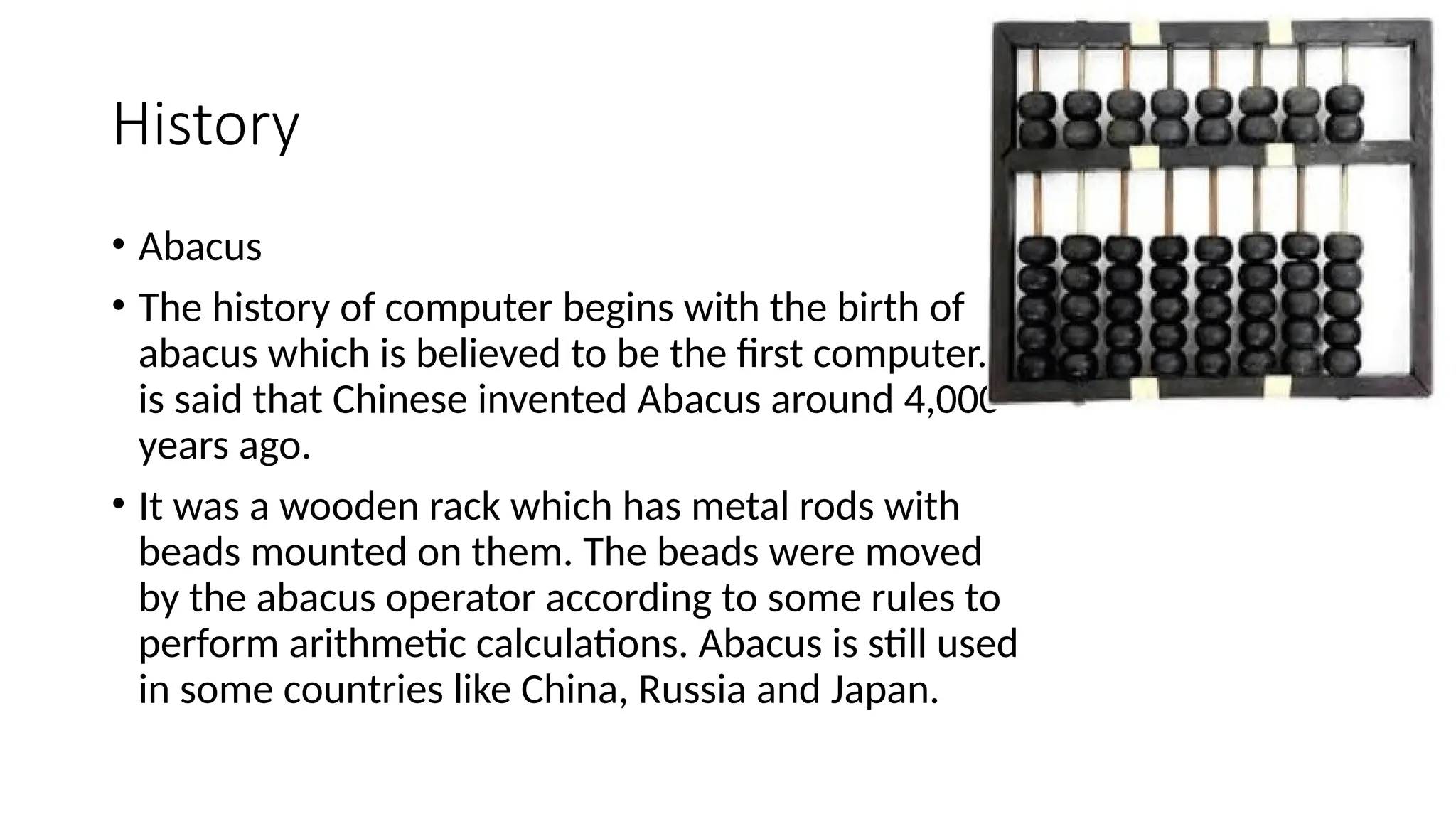
• Abacus
• The history of computer begins with the birth of
abacus which is believed to be the first computer. It
is said that Chinese invented Abacus around 4,000
years ago.
• It was a wooden rack which has metal rods with
beads mounted on them. The beads were moved
by the abacus operator according to some rules to
perform arithmetic calculations. Abacus is still used
in some countries like China, Russia and Japan.
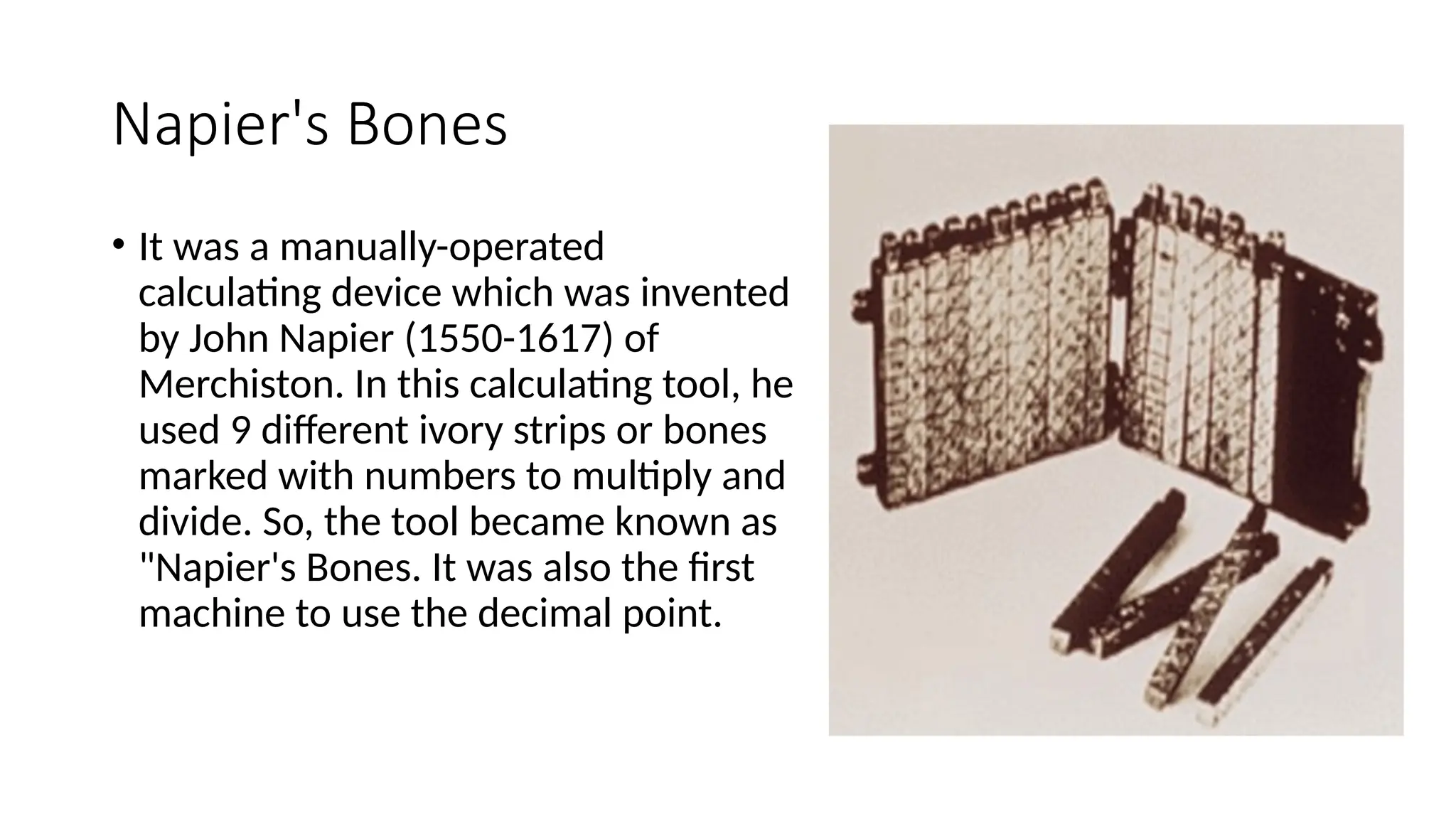
Napier's Bones
• It was a manually-operated
calculating device which was invented
by John Napier (1550-1617) of
Merchiston. In this calculating tool, he
used 9 different ivory strips or bones
marked with numbers to multiply and
divide. So, the tool became known as
"Napier's Bones. It was also the first
machine to use the decimal point.
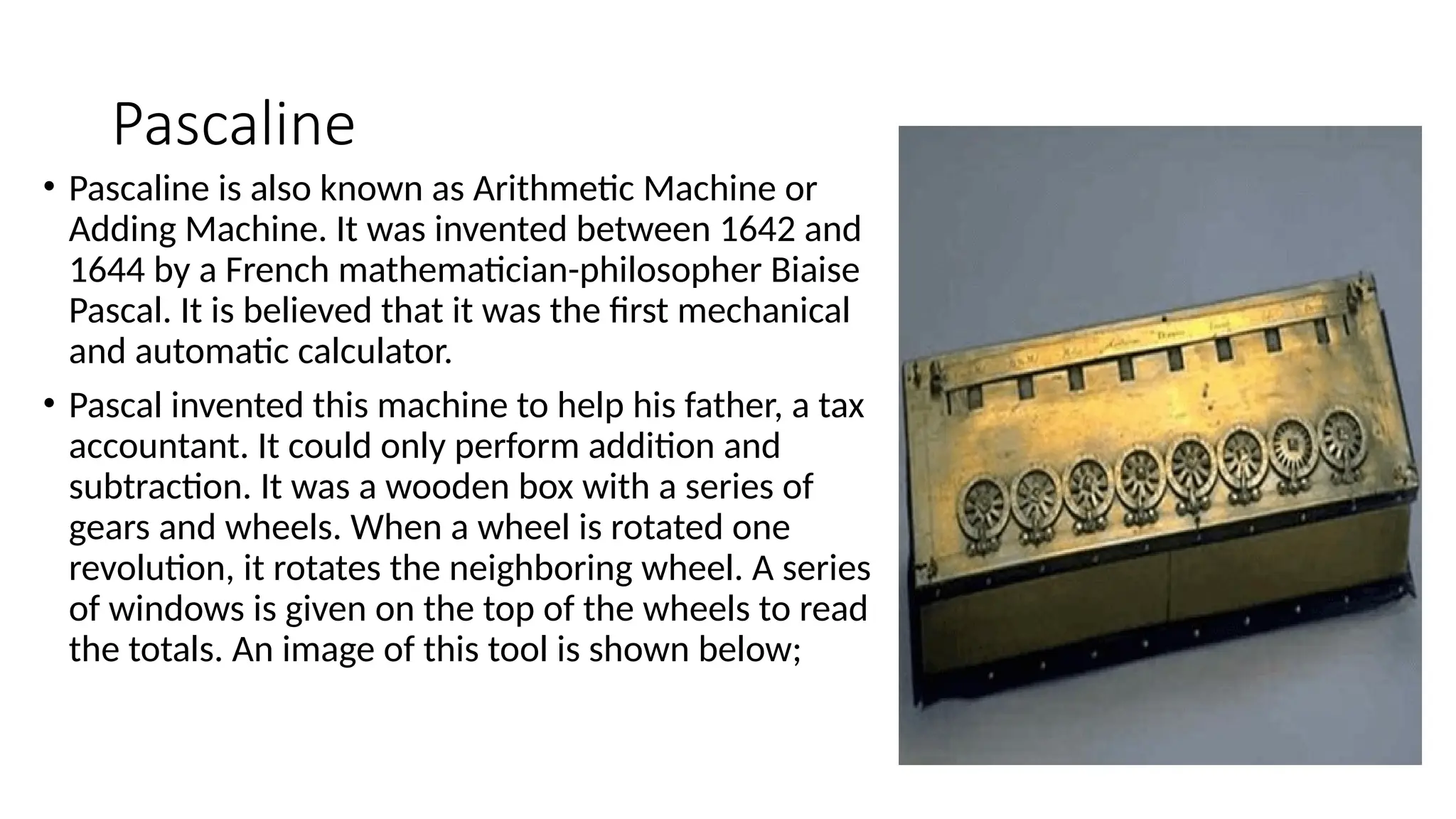
Pascaline
• Pascaline is also known as Arithmetic Machine or
Adding Machine. It was invented between 1642 and
1644 by a French mathematician-philosopher Biaise
Pascal. It is believed that it was the first mechanical
and automatic calculator.
• Pascal invented this machine to help his father, a tax
accountant. It could only perform addition and
subtraction. It was a wooden box with a series of
gears and wheels. When a wheel is rotated one
revolution, it rotates the neighboring wheel. A series
of windows is given on the top of the wheels to read
the totals. An image of this tool is shown below;
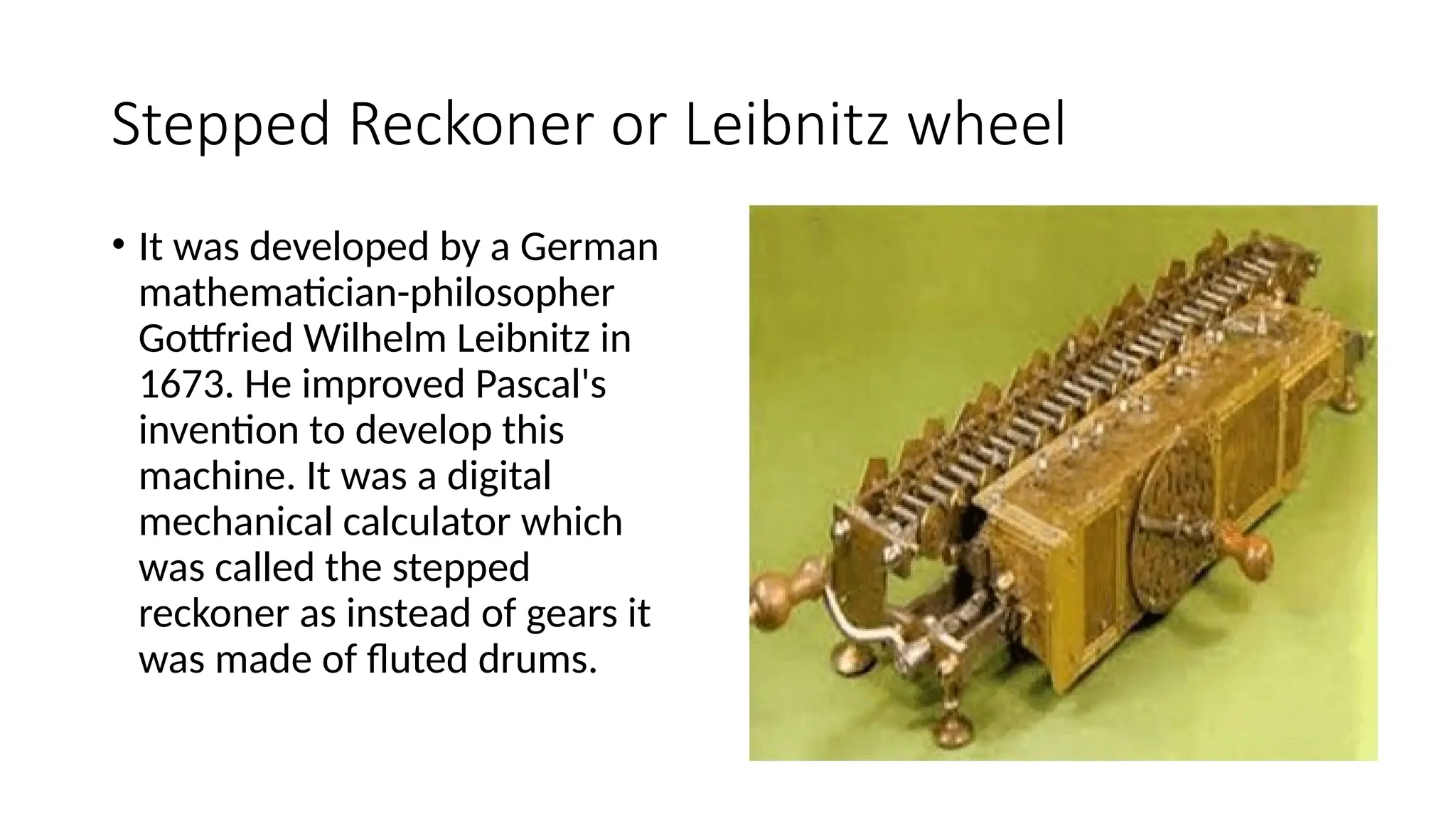
Stepped Reckoner or Leibnitz wheel
• It was developed by a German
mathematician-philosopher
Gottfried Wilhelm Leibnitz in
1673. He improved Pascal's
invention to develop this
machine. It was a digital
mechanical calculator which
was called the stepped
reckoner as instead of gears it
was made of fluted drums.
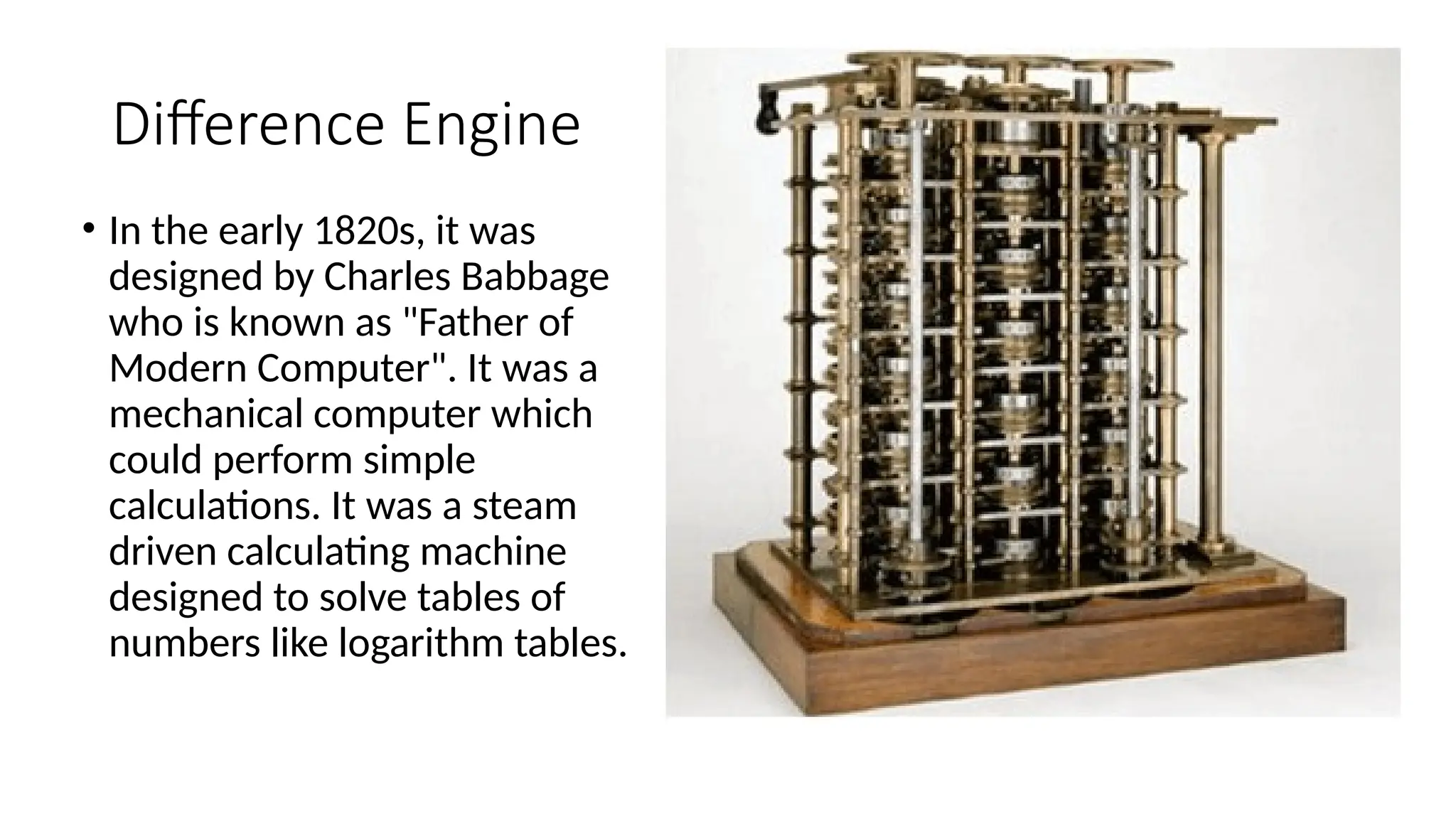
Difference Engine
• In the early 1820s, it was
designed by Charles Babbage
who is known as "Father of
Modern Computer". It was a
mechanical computer which
could perform simple
calculations. It was a steam
driven calculating machine
designed to solve tables of
numbers like logarithm tables.
Analytical Engine
• This calculating machine was
also developed by Charles
Babbage in 1830. It was a
mechanical computer that
used punch-cards as input. It
was capable of solving any
mathematical problem and
storing information as a
permanent memory.
Tabulating Machine
• It was invented in 1890, by Herman
Hollerith, an American statistician.
It was a mechanical tabulator based
on punch cards. It could tabulate
statistics and record or sort data or
information. This machine was used
in the 1890 U.S. Census. Hollerith
also started the Hollerith?s
Tabulating Machine Company
which later became International
Business Machine (IBM) in 1924.
Differential Analyzer
• It was the first electronic
computer introduced in the
United States in 1930. It
was an analog device
invented by Vannevar Bush.
This machine has vacuum
tubes to switch electrical
signals to perform
calculations. It could do 25
calculations in few minutes.
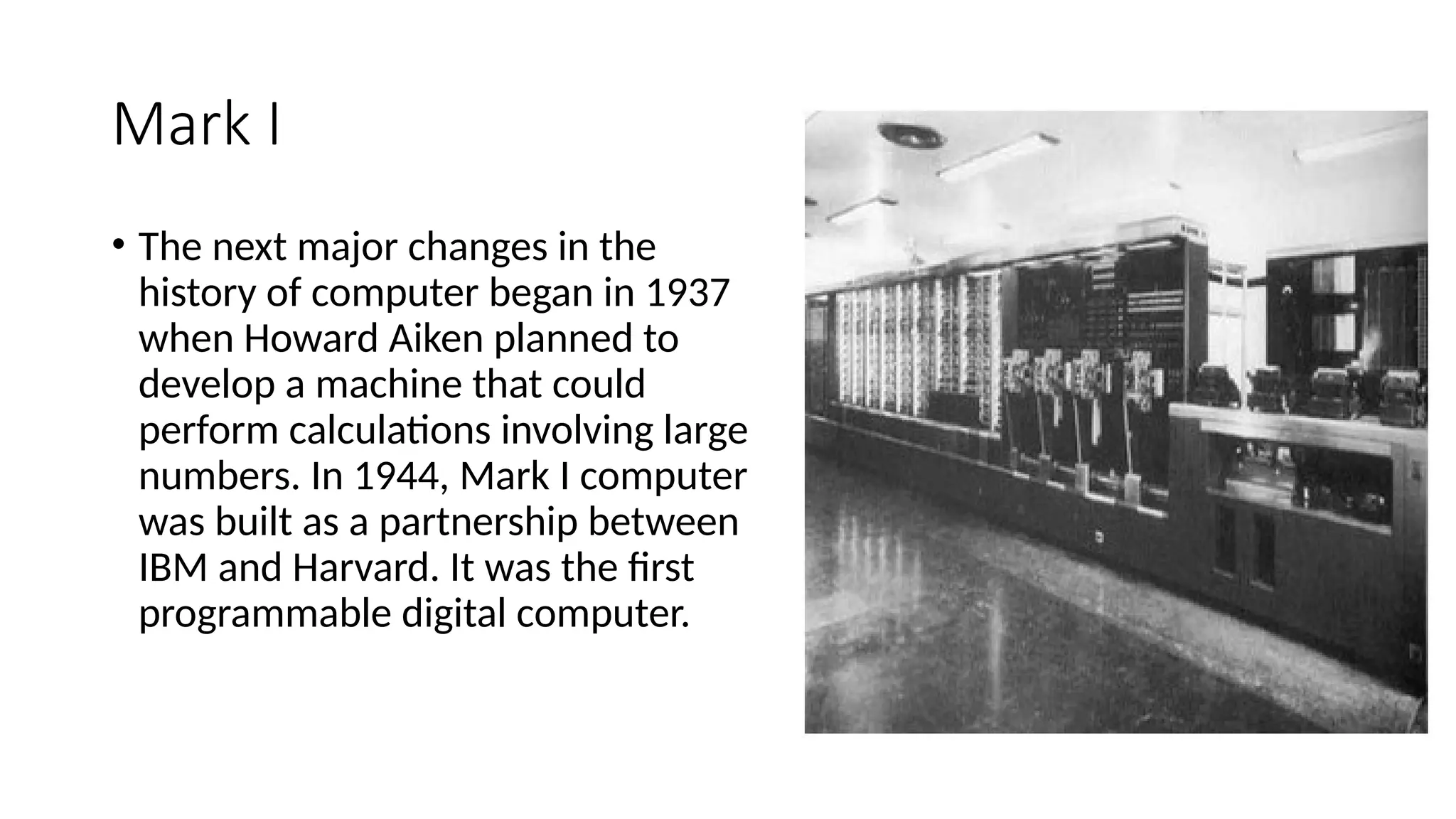
Mark I
• The next major changes in the
history of computer began in 1937
when Howard Aiken planned to
develop a machine that could
perform calculations involving large
numbers. In 1944, Mark I computer
was built as a partnership between
IBM and Harvard. It was the first
programmable digital computer.
Generations of Computers
• First Generation Computers
• The first generation (1946-1959) computers were slow, huge and expensive. In these
computers, vacuum tubes were used as the basic components of CPU and memory.
These computers were mainly depended on batch operating system and punch cards.
Magnetic tape and paper tape were used as output and input devices in this generation;
• Some of the popular first generation computers are;
• ENIAC ( Electronic Numerical Integrator and Computer)
• EDVAC ( Electronic Discrete Variable Automatic Computer)
• UNIVACI( Universal Automatic Computer)
• IBM-701
• IBM-650
Second Generation Computers
• The second generation (1959-1965) was the era of the transistor computers. These computers
used transistors which were cheap, compact and consuming less power; it made transistor
computers faster than the first generation computers.
• In this generation, magnetic cores were used as the primary memory and magnetic disc and tapes
were used as the secondary storage. Assembly language and programming languages like COBOL
and FORTRAN, and Batch processing and multiprogramming operating systems were used in
these computers.
• Some of the popular second generation computers are;
• IBM 1620
• IBM 7094
• CDC 1604
• CDC 3600
• UNIVAC 1108
Third Generation Computers
• The third generation computers used integrated circuits (ICs) instead of transistors. A
single IC can pack huge number of transistors which increased the power of a computer
and reduced the cost. The computers also became more reliable, efficient and smaller in
size. These generation computers used remote processing, time-sharing, multi
programming as operating system. Also, the high-level programming languages like
FORTRON-II TO IV, COBOL, PASCAL PL/1, ALGOL-68 were used in this generation.
• Some of the popular third generation computers are;
• IBM-360 series
• Honeywell-6000 series
• PDP(Personal Data Processor)
• IBM-370/168
• TDC-316
Fourth Generation Computers
• The fourth generation (1971-1980) computers used very large scale integrated (VLSI) circuits; a
chip containing millions of transistors and other circuit elements. These chips made this
generation computers more compact, powerful, fast and affordable. These generation computers
used real time, time sharing and distributed operating system. The programming languages like C,
C++, DBASE were also used in this generation.
• Some of the popular fourth generation computers are;
• DEC 10
• STAR 1000
• PDP 11
• CRAY-1(Super Computer)
• CRAY-X-MP(Super Computer)
Fifth Generation Computers
• In fifth generation (1980-till date) computers, the VLSI technology was replaced with
ULSI (Ultra Large Scale Integration). It made possible the production of
microprocessor chips with ten million electronic components. This generation
computers used parallel processing hardware and AI (Artificial Intelligence) software.
The programming languages used in this generation were C, C++, Java, .Net, etc.
• Some of the popular fifth generation computers are;
• Desktop
• Laptop
• NoteBook
• UltraBook
• ChromeBook
• Block Diagram of computer peripherals and working.
Number system – Binary number system, Decimal Number System
Octal Number system and Hexadecimal Number system with their
conversion.
• Step 1: Input devices allow the users to provide data and commands
to the computer. The data inserted manually is collected by input
devices like keyboard, mouse, scanners, and others. These devices
generate electrical signals or data packets representing the input.
• ...
• Step 2: The data generated by input devices is sent to the computer’s
input interface/Memory Unit which processes and formats the data
for further use by the computer.
• Step 3: The processed input data is then sent to the computer’s
Central Processing Unit (CPU) which temporarily stores this data in
memory (RAM) for immediate processing. The CPU executes
instructions related to the input data.
• For example, if you’re typing a document, the Central Processing Unit
(CPU) processes the keystrokes and stores them in memory. The
control unit schedules all the activities for the smooth working of the
computer....
• Step 4: After processing, the CPU sends the results or instructions to
the computer’s output interface where the data is formatted for
transmission to the output devices.
• Step 5: Then the output unit receives the final processed output.
Output devices such as monitors, printers, speakers, and others
receive the formatted data. Monitors display visual information,
printers produce hard copies, and speakers play audio, based on the
data they receive.
Number system – Binary number system,
Decimal Number System
Octal Number system and Hexadecimal
Number system with their conversion
Number System
• Computers understand machine language, i.e every letter, symbol etc. that the
user writes in the instructions which are provided to the computer gets
transformed into machine language. This machine language comprises numbers.
To understand the language employed by computers and other digital systems it
is essential to have a better knowledge of the number system.
• A number system gives a unique representation of numbers. It also enables
users to execute arithmetic operations like subtraction, addition, and division
which perform an essential role in computer applications and digital domains.
• Number systems can be categorized into their subtypes based on the base of
that system. The base of a number system performs a vital role in understanding
the number system and converting it from one sub-type to another sub-type.
Different types of number systems:
•Decimal system: Uses 10 digits (0-9) to represent numbers.
•Binary system: Uses 2 digits, 0 and 1.
•Hexadecimal system: Uses 16 digits, 0-9 and A-F.
•Octal system: Uses 8 digits, 0-7.
Decimal Number System
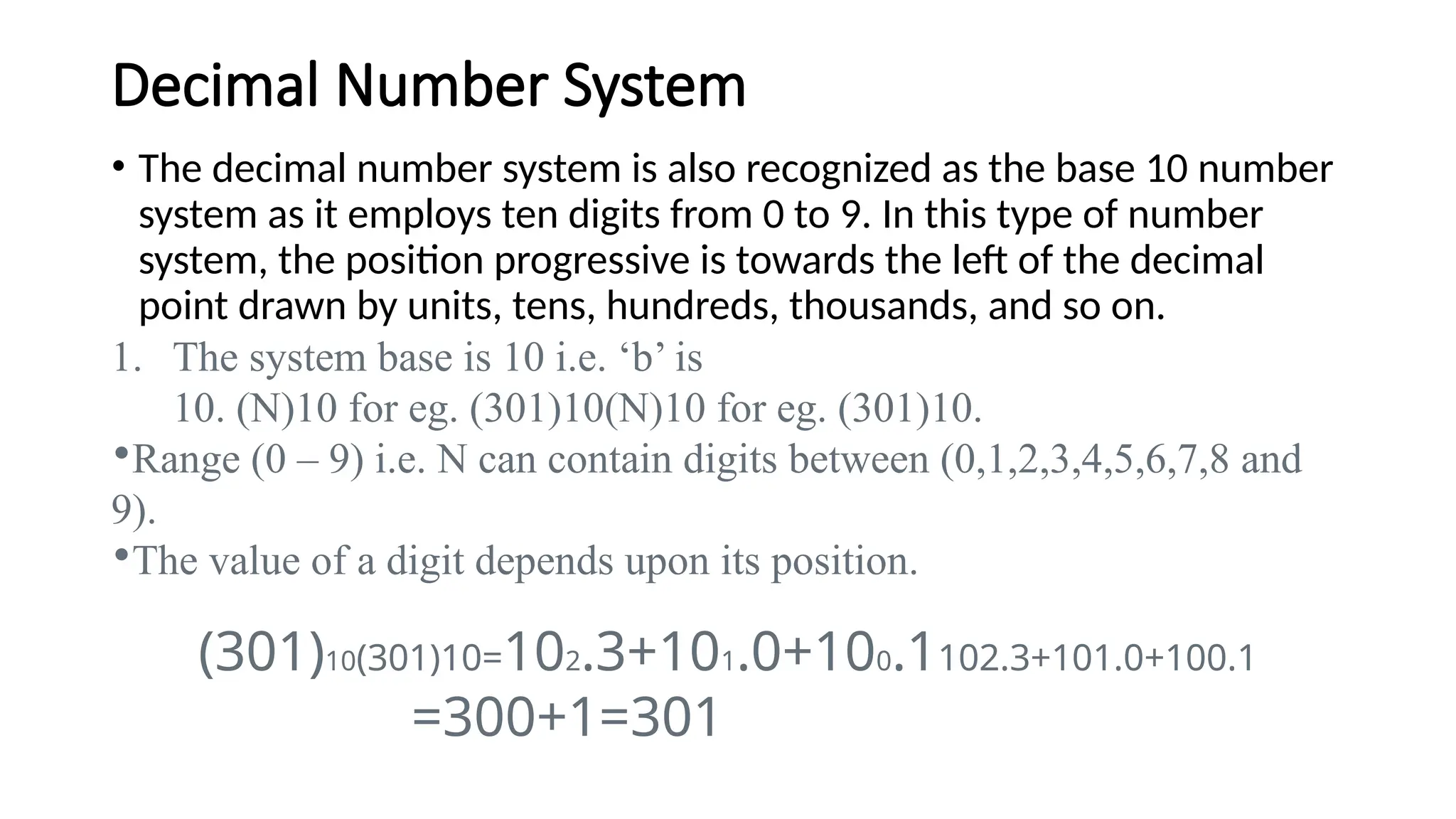
• The decimal number system is also recognized as the base 10 number
system as it employs ten digits from 0 to 9. In this type of number
system, the position progressive is towards the left of the decimal
point drawn by units, tens, hundreds, thousands, and so on.
1. The system base is 10 i.e. ‘b’ is
10. (N)10 for eg. (301)10(N)10 for eg. (301)10.
•Range (0 – 9) i.e. N can contain digits between (0,1,2,3,4,5,6,7,8 and
9).
•The value of a digit depends upon its position.
(301)10(301)10=102.3+101.0+100.1102.3+101.0+100.1
=300+1=301
Binary Number System
• The binary number system is also known as the base 2 system
consisting of only two digits are 0 and 1. This makes it less difficult
than the other number system as it comprises only two digits.
•Here the base i.e. ‘b’ is 2 (N)2 i.e. (1011)2(N)2 i.e. (1011)2
•Range (0 – 1) i.e. N can contain only (0, 1)
•This 0, 1 in the Binary system is known as bits.
•Group of 4 bits = 1 Nibble
•Group of 8 bits = 1 byte
Octal Number System
It is a very useful type of system as by applying the octal number system
a user can simplify the task of entering or reading computer instructions.
• The Base for the octal number system i.e. ‘b’ is
8. (N)8 i.e. (367)8(N)8 i.e. (367)8
• Range (0 – 7) i.e. N can contain digits between (0,12,3,4,5,6 and 7).
Hexadecimal Number System-Base no. is 16
• The “Hexadecimal” or “Hex” number system employs the base 16
system and is a common choice for encoding large binary values due
to its compact format and ease of comprehension when compared to
long binary strings of 1s and 0s.
• Hexadecimal numbering uses 16 (sixteen) separate digits using a mix
of numbers from 0 to 15 because it is a Base-16 system.
Conversion
• https://
www.youtube.com/watch?v=L0EYaZwULAs&ab_channel=CSEngineeri
ngGyan
(Short cut)
• https://
www.youtube.com/watch?v=n5FNuytDFFE&ab_channel=ASHOKETUT
OR
Action research file pdf for b.ed students

Action research file pdf for b.ed students

  • 1.
    Meaning, Definition andHistorical perspectives of Computer. Meaning and Definition of computer with its characteristics & limitations. Computer generations and its classifications. Block Diagram of computer peripherals and working. Number system – Binary number system, Decimal Number System Octal Number system and Hexadecimal Number system with their conversion.
  • 2.
    • Meaning, Definitionand Historical perspectives of Computer. Meaning and Definition of computer with its characteristics & limitations.
  • 3.
    • According toMerriam-Webster Dictionary, the computer definition is ''a programmable usually electronic device that can store, retrieve, and process data.'' Today, many people use computers at work, school, and home to prepare documents, play games, send and receive e-mails, surf the internet, watch videos, and more.
  • 4.
    Definition • A computeris a programmable device that can process data. • Computers use software, hardware, and programming languages to process data. • Computers can perform a wide range of tasks by following a set of instructions, called a program.
  • 5.
    History • The word"computer" was first used in the 16th century to describe a person who performed calculations. • https:// www.youtube.com/watch?v=0OyhASRR0To&ab_channel=ArtofthePro blem • https:// www.youtube.com/watch?v=gjVX47dLlN8&ab_channel=BLASTERTEC HNOLOGY
  • 6.
    characteristics • 1. Speed •Executing mathematical calculation, a computer works faster and more accurately than human. Computers have the ability to process so many millions (1,000,000) of instructions per second. Computer operations are performed in micro and nano seconds. A computer is a time saving device. It performs several calculations and tasks in few seconds that we take hours to solve. The speed of a computer is measure in terms of GigaHertz and MegaHertz.
  • 7.
    • 2. Diligence •A human cannot work for several hours without resting, yet a computer never tires. A computer can conduct millions of calculations per second with complete precision without stopping. A computer can consistently and accurately do millions of jobs or calculations. There is no weariness or lack of concentration. Its memory ability also places it ahead of humans.
  • 8.
    • 3. Reliability •A computer is reliable. The output results never differ unless the input varies. the output is totally depend on the input. when an input is the same the output will also be the same. A computer produces consistent results for similar sets of data, if we provide the same set of input at any time we will get the same result.
  • 9.
    • 4. Automation •The world is quickly moving toward AI (Artificial Intelligence)-based technology. A computer may conduct tasks automatically after instructions are programmed. By executing jobs automatically, this computer feature replaces thousands of workers. Automation in computing is often achieved by the use of a program, a script, or batch processing.
  • 10.
    • 5. Versatility •Versatility refers to a capacity of computer. Computer perform different types of tasks with the same accuracy and efficiency. A computer can perform multiple tasks at the same time this is known as versatility. For example, while listening to music, we may develop our project using PowerPoint and Wordpad, or we can design a website.
  • 11.
    • Memory • Acomputer can store millions of records. these records may be accessed with complete precision. Computer memory storage capacity is measured in Bytes, Kilobytes(KB), Megabytes(MB), Gigabytes(GB), and Terabytes(TB). A computer has built-in memory known as primary memory.
  • 12.
    • Accuracy • Whena computer performs a computation or operation, the chances of errors occurring are low. Errors in a computer are caused by human’s submitting incorrect data. A computer can do a variety of operations and calculations fast and accurately.
  • 13.
    limitations • No IQ •No feelings/ EQ • Lack of Decision Making • Lack of Common Sense • Cannot Implement • Human dependency
  • 14.
    History • Abacus • Thehistory of computer begins with the birth of abacus which is believed to be the first computer. It is said that Chinese invented Abacus around 4,000 years ago. • It was a wooden rack which has metal rods with beads mounted on them. The beads were moved by the abacus operator according to some rules to perform arithmetic calculations. Abacus is still used in some countries like China, Russia and Japan.
  • 15.
    Napier's Bones • Itwas a manually-operated calculating device which was invented by John Napier (1550-1617) of Merchiston. In this calculating tool, he used 9 different ivory strips or bones marked with numbers to multiply and divide. So, the tool became known as "Napier's Bones. It was also the first machine to use the decimal point.
  • 16.
    Pascaline • Pascaline isalso known as Arithmetic Machine or Adding Machine. It was invented between 1642 and 1644 by a French mathematician-philosopher Biaise Pascal. It is believed that it was the first mechanical and automatic calculator. • Pascal invented this machine to help his father, a tax accountant. It could only perform addition and subtraction. It was a wooden box with a series of gears and wheels. When a wheel is rotated one revolution, it rotates the neighboring wheel. A series of windows is given on the top of the wheels to read the totals. An image of this tool is shown below;
  • 17.
    Stepped Reckoner orLeibnitz wheel • It was developed by a German mathematician-philosopher Gottfried Wilhelm Leibnitz in 1673. He improved Pascal's invention to develop this machine. It was a digital mechanical calculator which was called the stepped reckoner as instead of gears it was made of fluted drums.
  • 18.
    Difference Engine • Inthe early 1820s, it was designed by Charles Babbage who is known as "Father of Modern Computer". It was a mechanical computer which could perform simple calculations. It was a steam driven calculating machine designed to solve tables of numbers like logarithm tables.
  • 19.
    Analytical Engine • Thiscalculating machine was also developed by Charles Babbage in 1830. It was a mechanical computer that used punch-cards as input. It was capable of solving any mathematical problem and storing information as a permanent memory.
  • 20.
    Tabulating Machine • Itwas invented in 1890, by Herman Hollerith, an American statistician. It was a mechanical tabulator based on punch cards. It could tabulate statistics and record or sort data or information. This machine was used in the 1890 U.S. Census. Hollerith also started the Hollerith?s Tabulating Machine Company which later became International Business Machine (IBM) in 1924.
  • 21.
    Differential Analyzer • Itwas the first electronic computer introduced in the United States in 1930. It was an analog device invented by Vannevar Bush. This machine has vacuum tubes to switch electrical signals to perform calculations. It could do 25 calculations in few minutes.
  • 22.
    Mark I • Thenext major changes in the history of computer began in 1937 when Howard Aiken planned to develop a machine that could perform calculations involving large numbers. In 1944, Mark I computer was built as a partnership between IBM and Harvard. It was the first programmable digital computer.
  • 23.
    Generations of Computers •First Generation Computers • The first generation (1946-1959) computers were slow, huge and expensive. In these computers, vacuum tubes were used as the basic components of CPU and memory. These computers were mainly depended on batch operating system and punch cards. Magnetic tape and paper tape were used as output and input devices in this generation; • Some of the popular first generation computers are; • ENIAC ( Electronic Numerical Integrator and Computer) • EDVAC ( Electronic Discrete Variable Automatic Computer) • UNIVACI( Universal Automatic Computer) • IBM-701 • IBM-650
  • 24.
    Second Generation Computers •The second generation (1959-1965) was the era of the transistor computers. These computers used transistors which were cheap, compact and consuming less power; it made transistor computers faster than the first generation computers. • In this generation, magnetic cores were used as the primary memory and magnetic disc and tapes were used as the secondary storage. Assembly language and programming languages like COBOL and FORTRAN, and Batch processing and multiprogramming operating systems were used in these computers. • Some of the popular second generation computers are; • IBM 1620 • IBM 7094 • CDC 1604 • CDC 3600 • UNIVAC 1108
  • 25.
    Third Generation Computers •The third generation computers used integrated circuits (ICs) instead of transistors. A single IC can pack huge number of transistors which increased the power of a computer and reduced the cost. The computers also became more reliable, efficient and smaller in size. These generation computers used remote processing, time-sharing, multi programming as operating system. Also, the high-level programming languages like FORTRON-II TO IV, COBOL, PASCAL PL/1, ALGOL-68 were used in this generation. • Some of the popular third generation computers are; • IBM-360 series • Honeywell-6000 series • PDP(Personal Data Processor) • IBM-370/168 • TDC-316
  • 26.
    Fourth Generation Computers •The fourth generation (1971-1980) computers used very large scale integrated (VLSI) circuits; a chip containing millions of transistors and other circuit elements. These chips made this generation computers more compact, powerful, fast and affordable. These generation computers used real time, time sharing and distributed operating system. The programming languages like C, C++, DBASE were also used in this generation. • Some of the popular fourth generation computers are; • DEC 10 • STAR 1000 • PDP 11 • CRAY-1(Super Computer) • CRAY-X-MP(Super Computer)
  • 27.
    Fifth Generation Computers •In fifth generation (1980-till date) computers, the VLSI technology was replaced with ULSI (Ultra Large Scale Integration). It made possible the production of microprocessor chips with ten million electronic components. This generation computers used parallel processing hardware and AI (Artificial Intelligence) software. The programming languages used in this generation were C, C++, Java, .Net, etc. • Some of the popular fifth generation computers are; • Desktop • Laptop • NoteBook • UltraBook • ChromeBook
  • 28.
    • Block Diagramof computer peripherals and working. Number system – Binary number system, Decimal Number System Octal Number system and Hexadecimal Number system with their conversion.
  • 30.
    • Step 1:Input devices allow the users to provide data and commands to the computer. The data inserted manually is collected by input devices like keyboard, mouse, scanners, and others. These devices generate electrical signals or data packets representing the input. • ...
  • 31.
    • Step 2:The data generated by input devices is sent to the computer’s input interface/Memory Unit which processes and formats the data for further use by the computer.
  • 32.
    • Step 3:The processed input data is then sent to the computer’s Central Processing Unit (CPU) which temporarily stores this data in memory (RAM) for immediate processing. The CPU executes instructions related to the input data. • For example, if you’re typing a document, the Central Processing Unit (CPU) processes the keystrokes and stores them in memory. The control unit schedules all the activities for the smooth working of the computer....
  • 33.
    • Step 4:After processing, the CPU sends the results or instructions to the computer’s output interface where the data is formatted for transmission to the output devices.
  • 34.
    • Step 5:Then the output unit receives the final processed output. Output devices such as monitors, printers, speakers, and others receive the formatted data. Monitors display visual information, printers produce hard copies, and speakers play audio, based on the data they receive.
  • 35.
    Number system –Binary number system, Decimal Number System Octal Number system and Hexadecimal Number system with their conversion
  • 36.
    Number System • Computersunderstand machine language, i.e every letter, symbol etc. that the user writes in the instructions which are provided to the computer gets transformed into machine language. This machine language comprises numbers. To understand the language employed by computers and other digital systems it is essential to have a better knowledge of the number system. • A number system gives a unique representation of numbers. It also enables users to execute arithmetic operations like subtraction, addition, and division which perform an essential role in computer applications and digital domains. • Number systems can be categorized into their subtypes based on the base of that system. The base of a number system performs a vital role in understanding the number system and converting it from one sub-type to another sub-type.
  • 37.
    Different types ofnumber systems: •Decimal system: Uses 10 digits (0-9) to represent numbers. •Binary system: Uses 2 digits, 0 and 1. •Hexadecimal system: Uses 16 digits, 0-9 and A-F. •Octal system: Uses 8 digits, 0-7.
  • 38.
    Decimal Number System •The decimal number system is also recognized as the base 10 number system as it employs ten digits from 0 to 9. In this type of number system, the position progressive is towards the left of the decimal point drawn by units, tens, hundreds, thousands, and so on. 1. The system base is 10 i.e. ‘b’ is 10. (N)10 for eg. (301)10(N)10 for eg. (301)10. •Range (0 – 9) i.e. N can contain digits between (0,1,2,3,4,5,6,7,8 and 9). •The value of a digit depends upon its position. (301)10(301)10=102.3+101.0+100.1102.3+101.0+100.1 =300+1=301
  • 39.
    Binary Number System •The binary number system is also known as the base 2 system consisting of only two digits are 0 and 1. This makes it less difficult than the other number system as it comprises only two digits. •Here the base i.e. ‘b’ is 2 (N)2 i.e. (1011)2(N)2 i.e. (1011)2 •Range (0 – 1) i.e. N can contain only (0, 1) •This 0, 1 in the Binary system is known as bits. •Group of 4 bits = 1 Nibble •Group of 8 bits = 1 byte
  • 40.
    Octal Number System Itis a very useful type of system as by applying the octal number system a user can simplify the task of entering or reading computer instructions. • The Base for the octal number system i.e. ‘b’ is 8. (N)8 i.e. (367)8(N)8 i.e. (367)8 • Range (0 – 7) i.e. N can contain digits between (0,12,3,4,5,6 and 7).
  • 41.
    Hexadecimal Number System-Baseno. is 16 • The “Hexadecimal” or “Hex” number system employs the base 16 system and is a common choice for encoding large binary values due to its compact format and ease of comprehension when compared to long binary strings of 1s and 0s. • Hexadecimal numbering uses 16 (sixteen) separate digits using a mix of numbers from 0 to 15 because it is a Base-16 system.
  • 42.
  • 43.