Introduction to BPMS
http://www.youtube.com/watch?v=bypH1aGCsp0


                             sponsored by
Agenda
 What is a BPMS?


 Who should be involved?


 Why BPMS?


 How to get started?
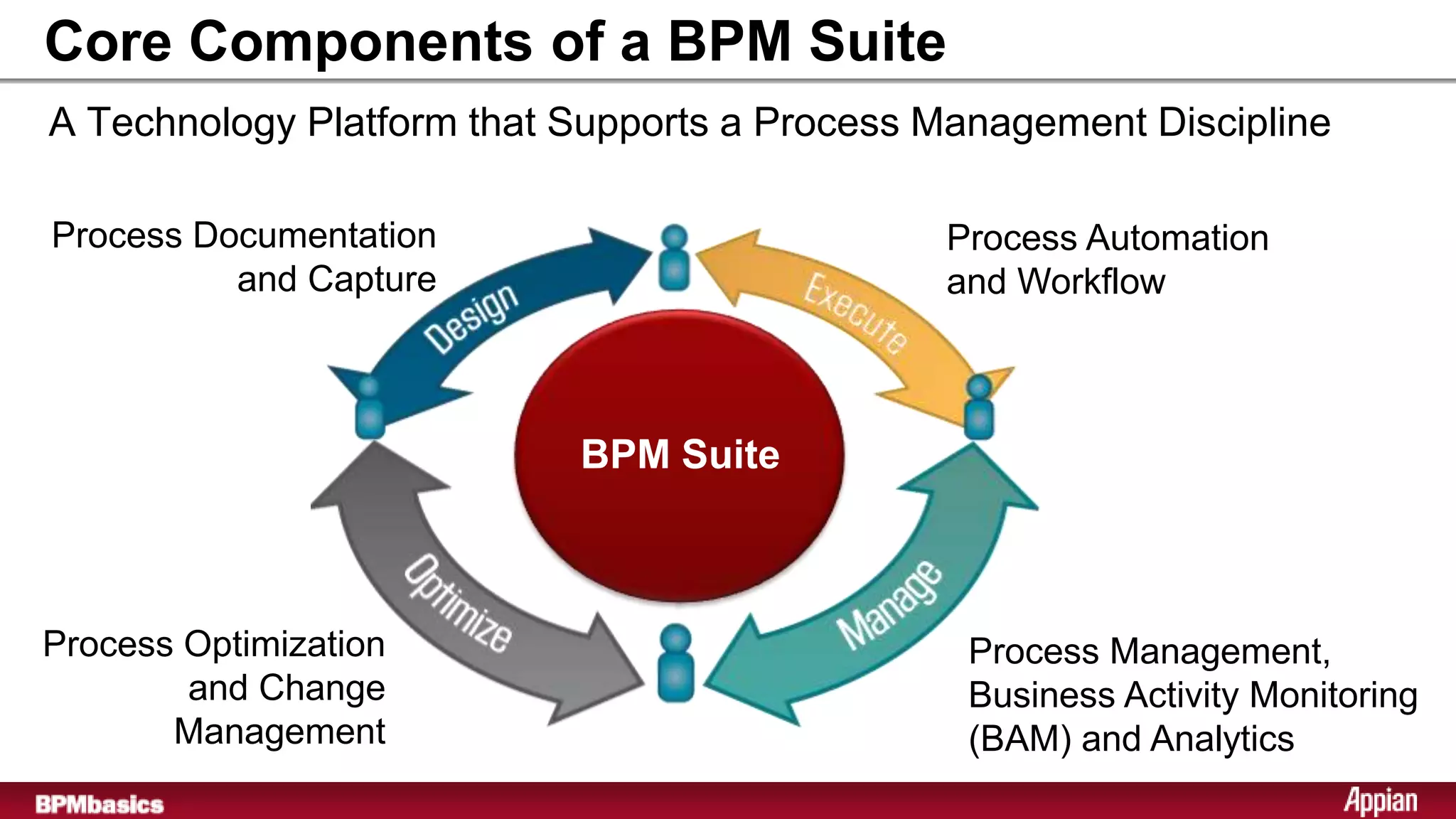
Core Components of a BPM Suite
A Technology Platform that Supports a Process Management Discipline

Process Documentation                         Process Automation
          and Capture                         and Workflow


                           BPM Suite


Process Optimization                            Process Management,
        and Change                              Business Activity Monitoring
       Management                               (BAM) and Analytics
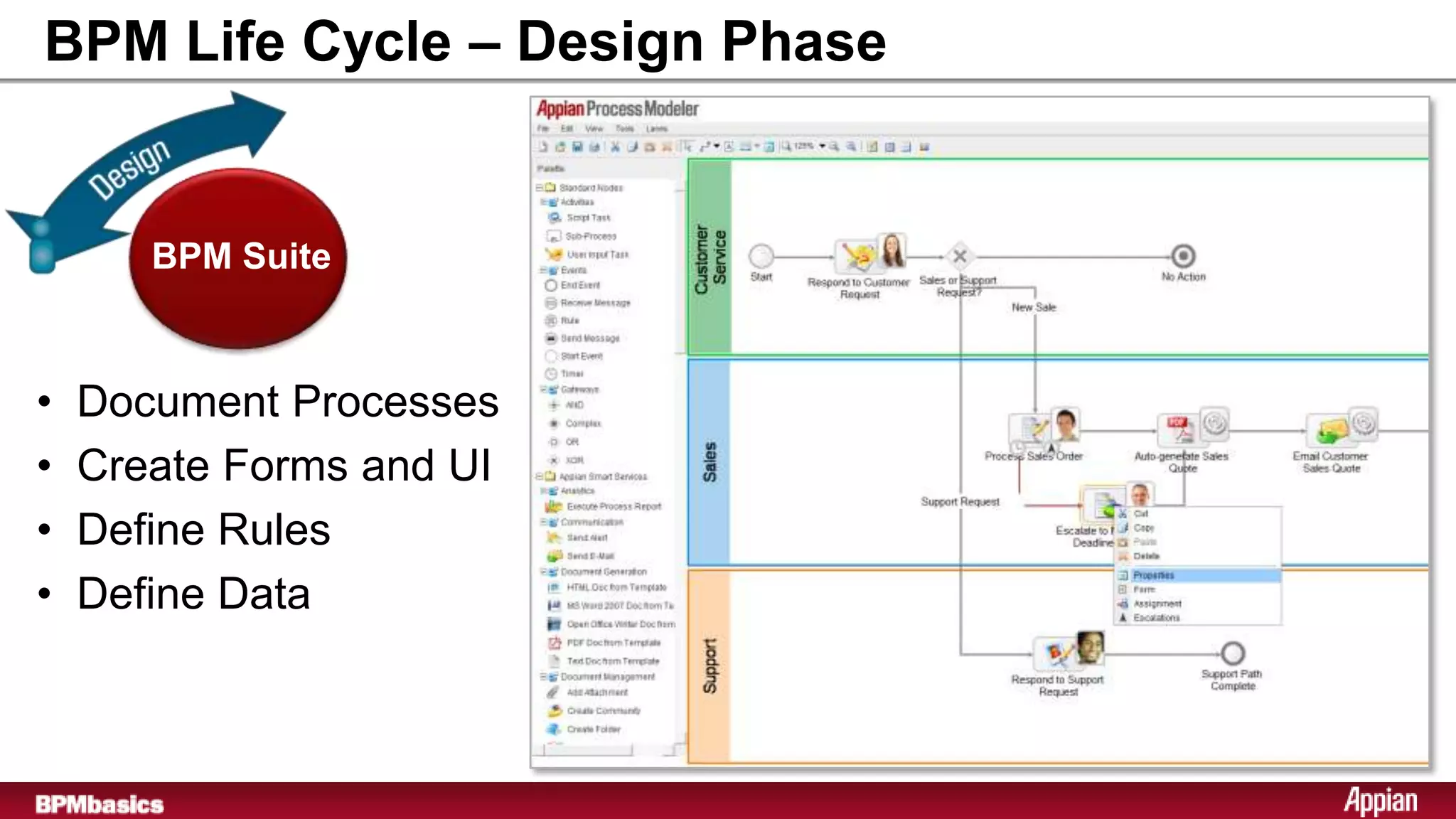
BPM Life Cycle – Design Phase


       BPM Suite


•   Document Processes
•   Create Forms and UI
•   Define Rules
•   Define Data
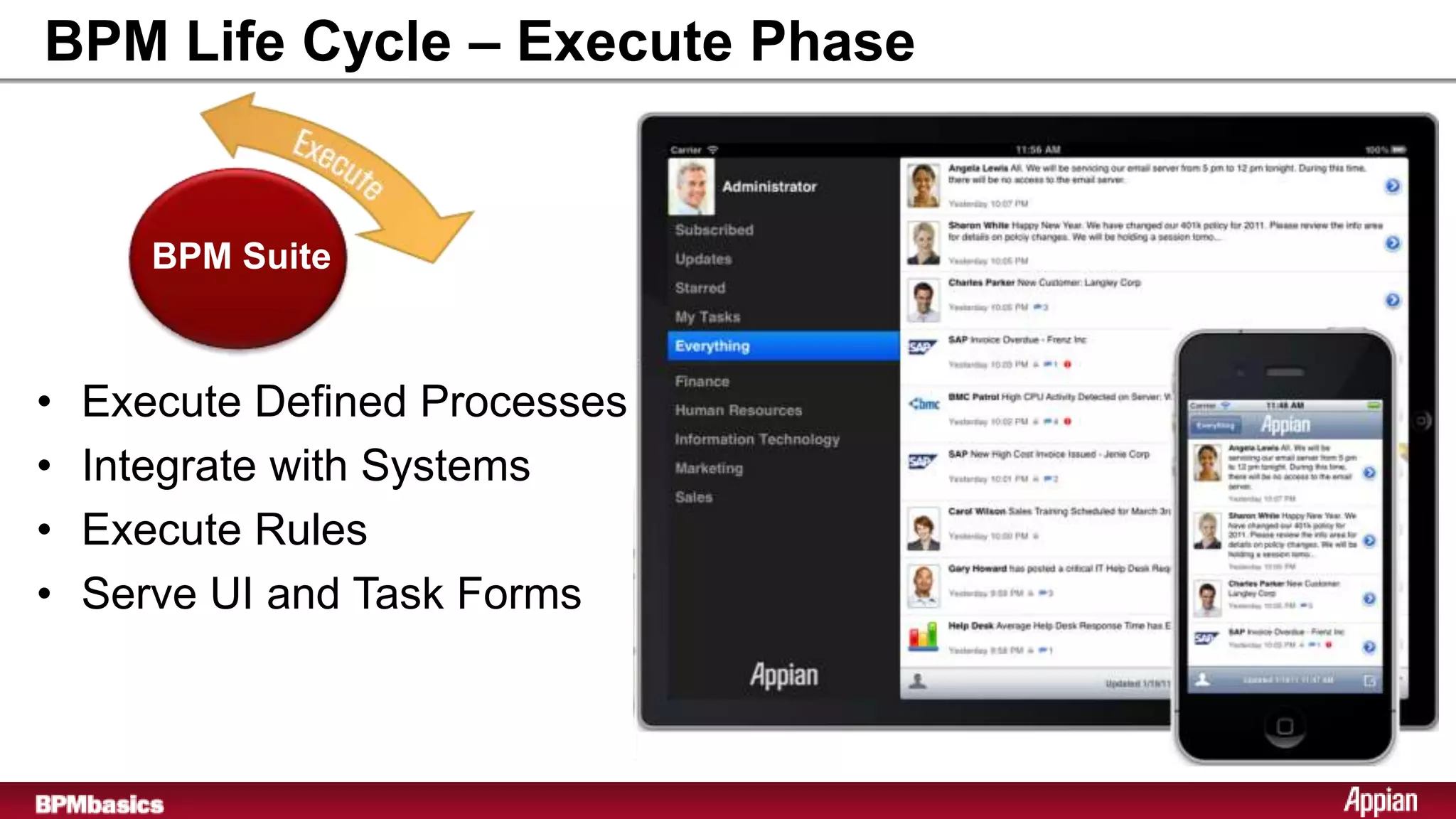
BPM Life Cycle – Execute Phase


       BPM Suite


•   Execute Defined Processes
•   Integrate with Systems
•   Execute Rules
•   Serve UI and Task Forms
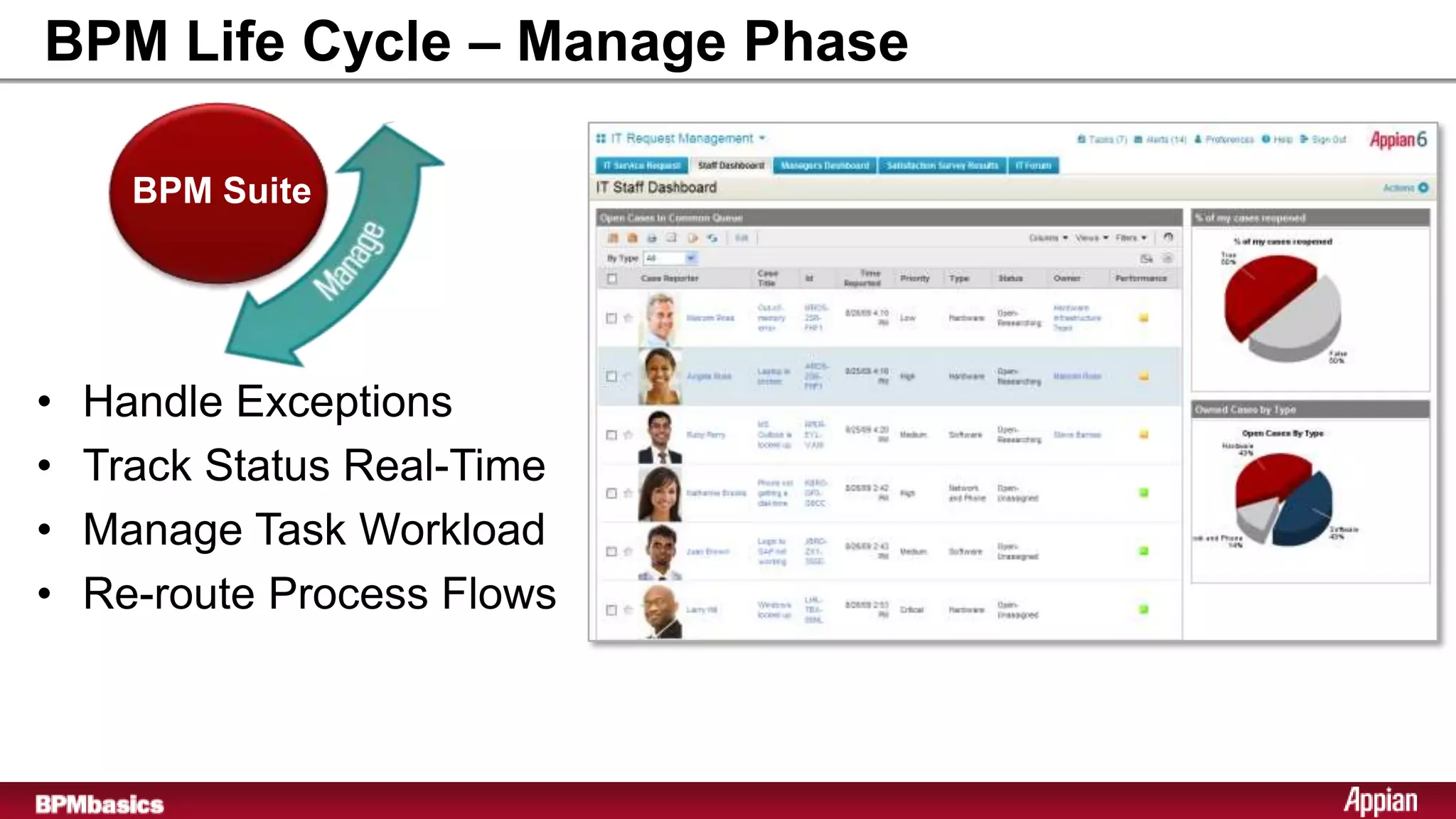
BPM Life Cycle – Manage Phase

      BPM Suite


•   Handle Exceptions
•   Track Status Real-Time
•   Manage Task Workload
•   Re-route Process Flows
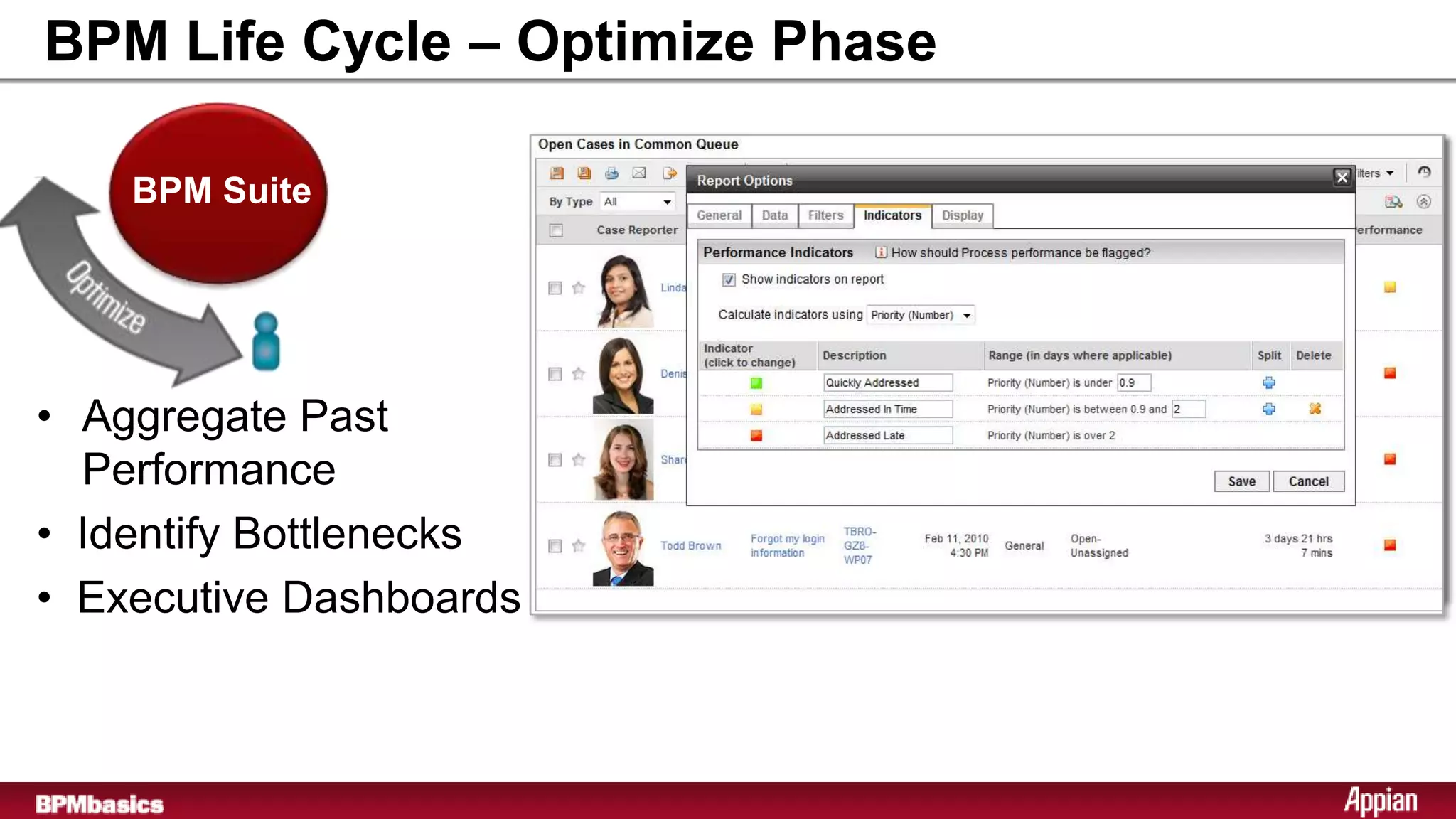
BPM Life Cycle – Optimize Phase

    BPM Suite


• Aggregate Past
  Performance
• Identify Bottlenecks
• Executive Dashboards
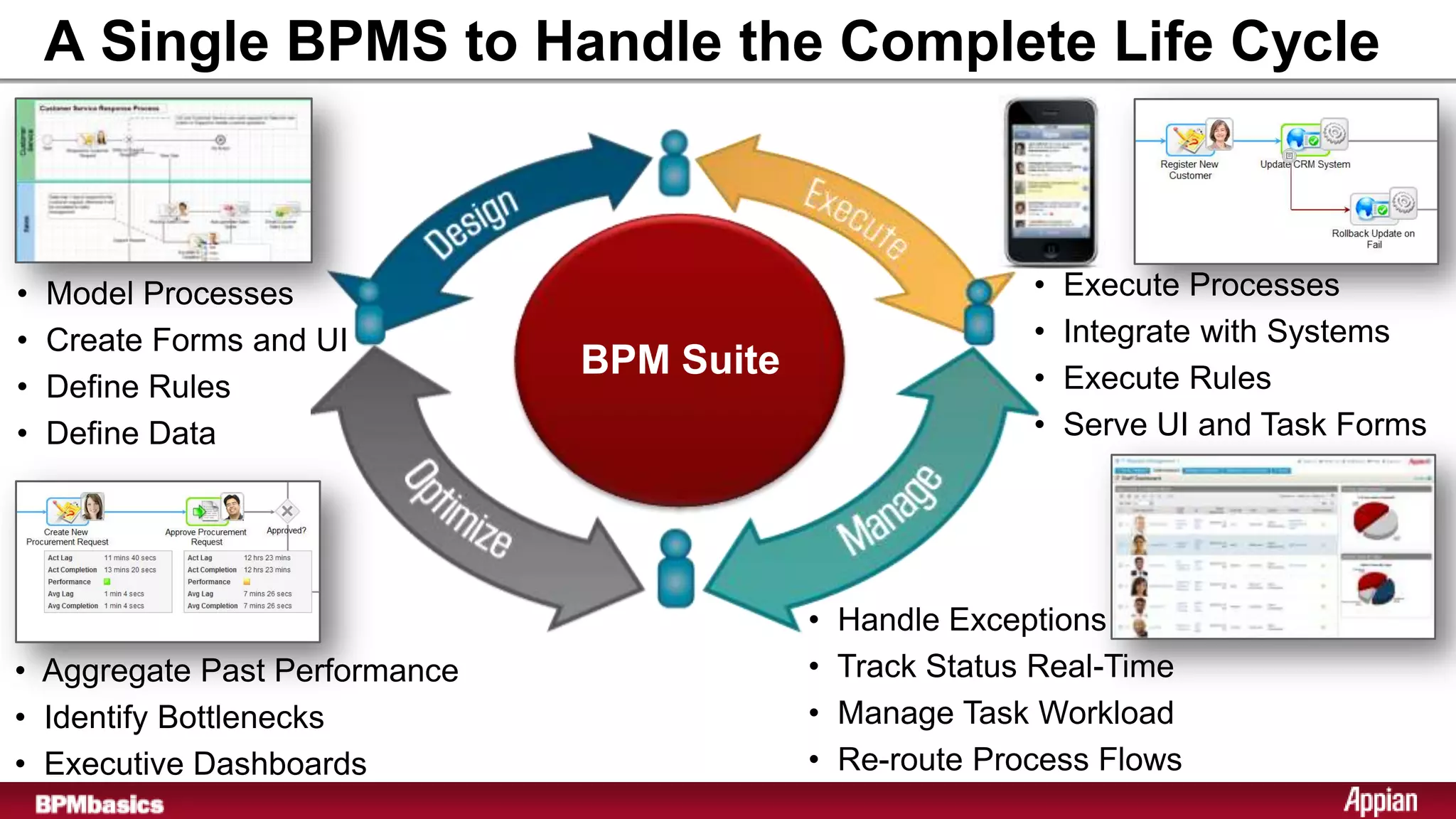
A Single BPMS to Handle the Complete Life Cycle


•   Model Processes                                        •   Execute Processes
•   Create Forms and UI                                    •   Integrate with Systems
                               BPM Suite                   •   Execute Rules
•   Define Rules
•   Define Data                                            •   Serve UI and Task Forms


                                           •   Handle Exceptions
• Aggregate Past Performance               •   Track Status Real-Time
• Identify Bottlenecks                     •   Manage Task Workload
• Executive Dashboards                     •   Re-route Process Flows
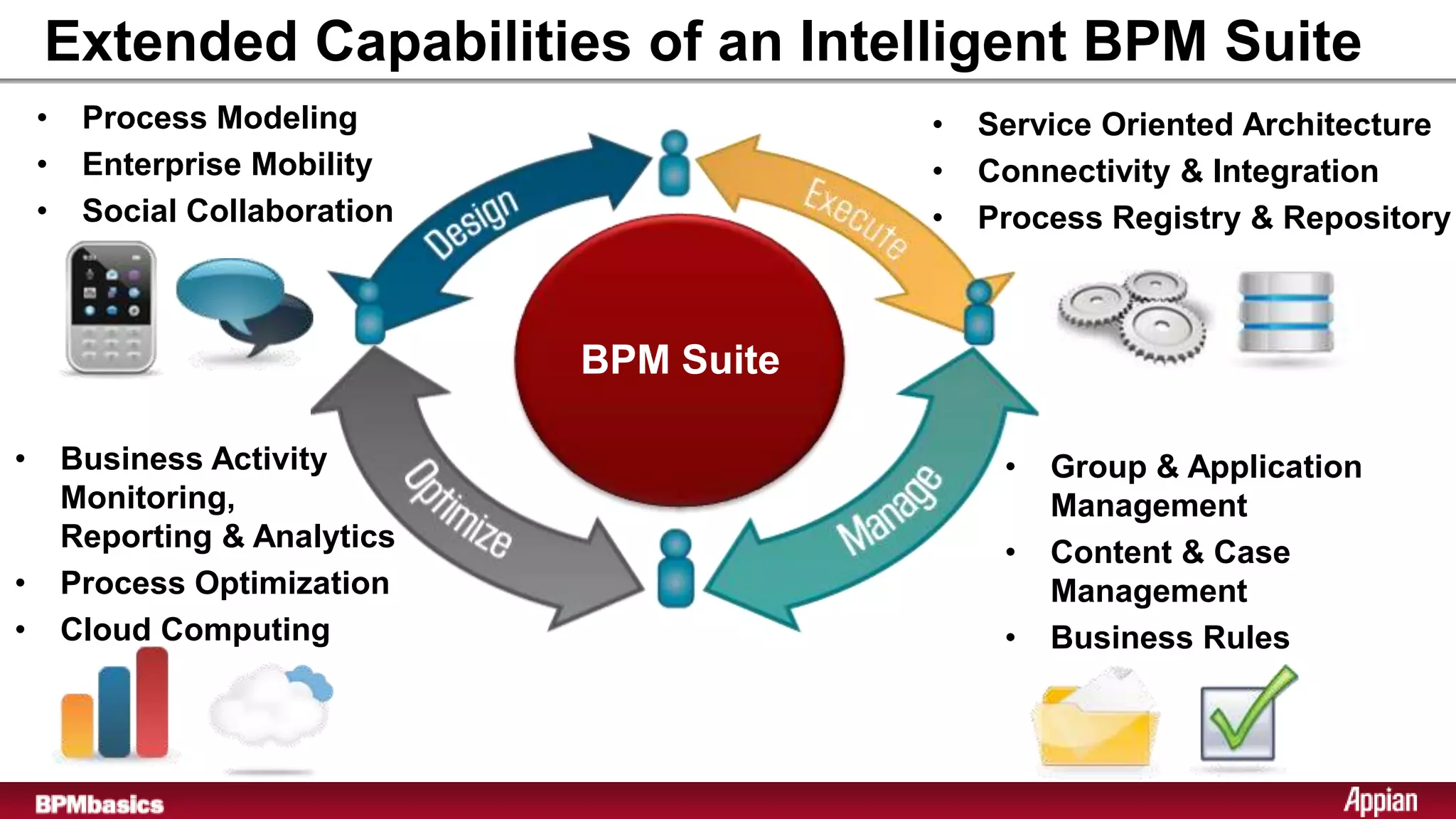
Extended Capabilities of an Intelligent BPM Suite
    •    Process Modeling                   •   Service Oriented Architecture
    •    Enterprise Mobility                •   Connectivity & Integration
    •    Social Collaboration               •   Process Registry & Repository


                                BPM Suite

•       Business Activity                        •   Group & Application
        Monitoring,                                  Management
        Reporting & Analytics                    •   Content & Case
•       Process Optimization                         Management
•       Cloud Computing                          •   Business Rules
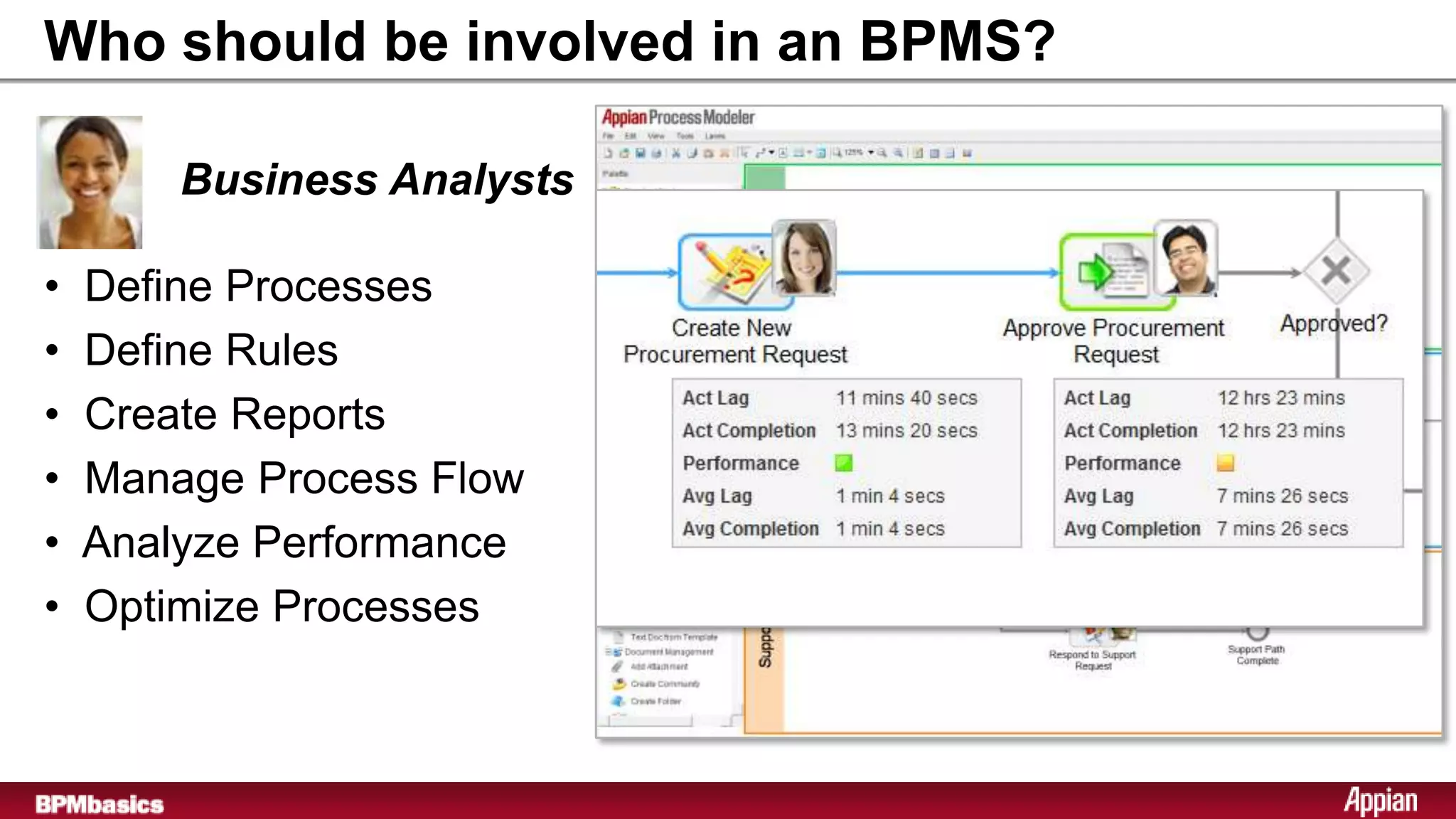
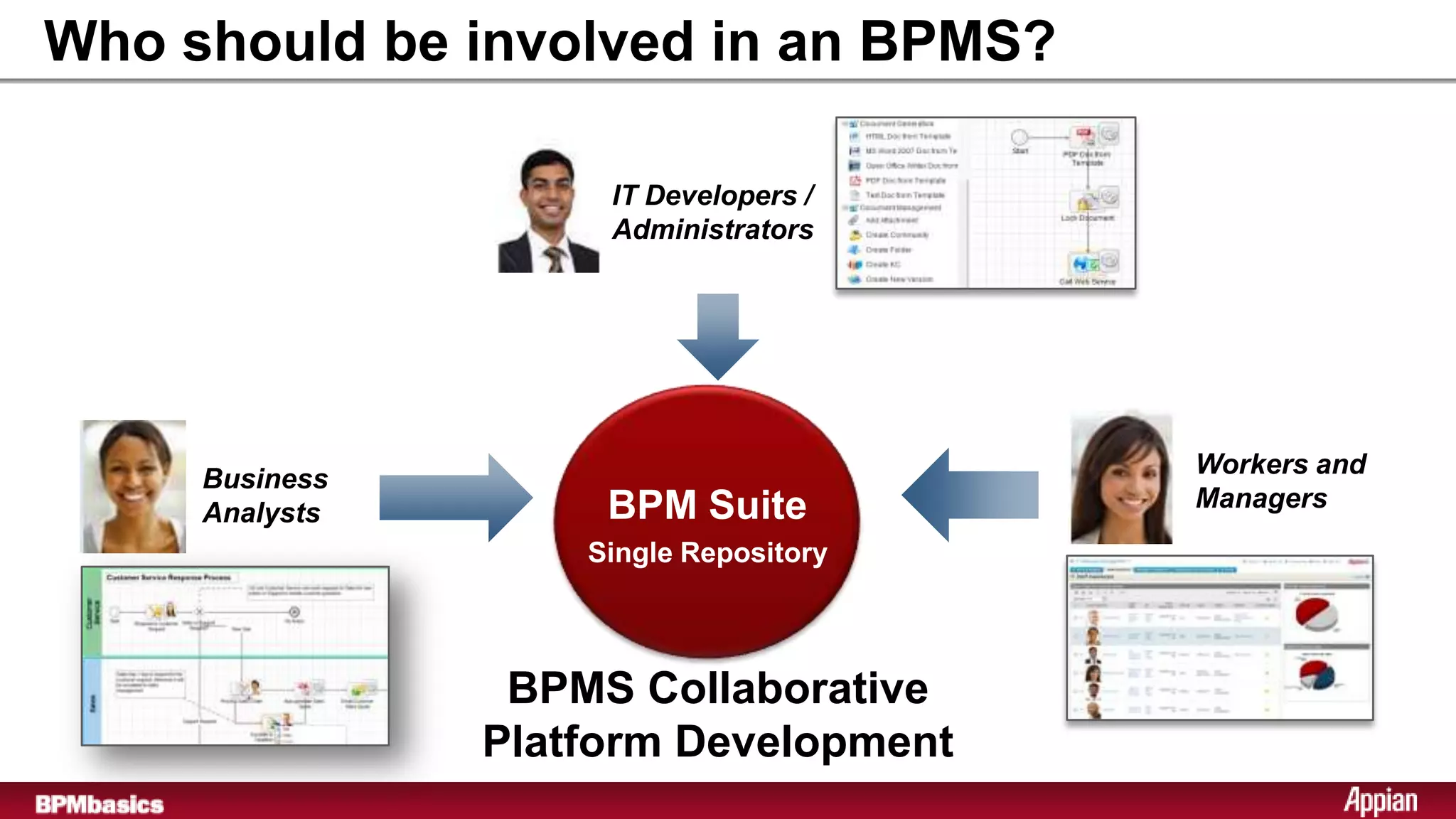
Who should be involved in an BPMS?

        Business Analysts

•   Define Processes
•   Define Rules
•   Create Reports
•   Manage Process Flow
•   Analyze Performance
•   Optimize Processes
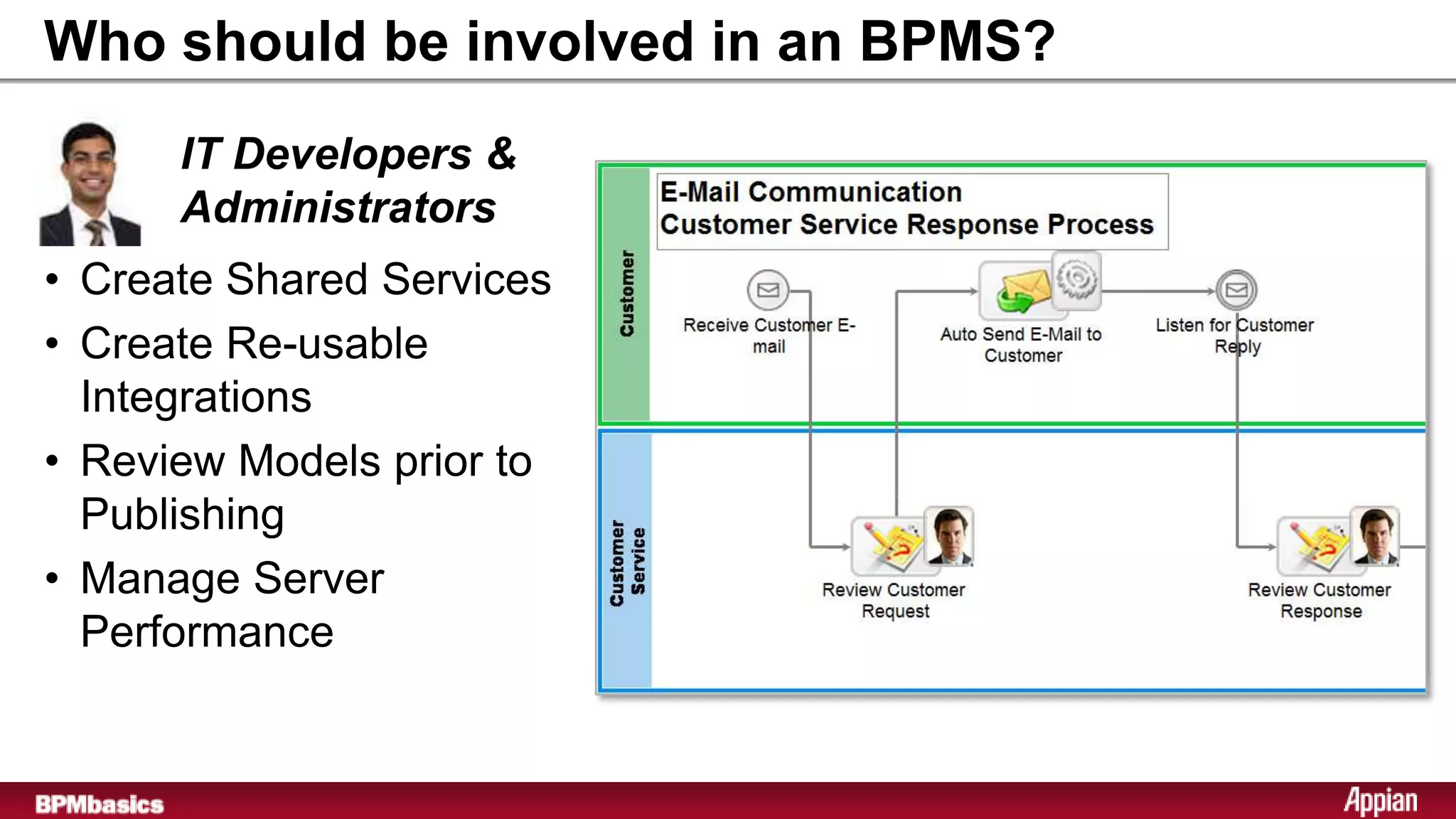
Who should be involved in an BPMS?
      IT Developers &
      Administrators
• Create Shared Services
• Create Re-usable
  Integrations
• Review Models prior to
  Publishing
• Manage Server
  Performance
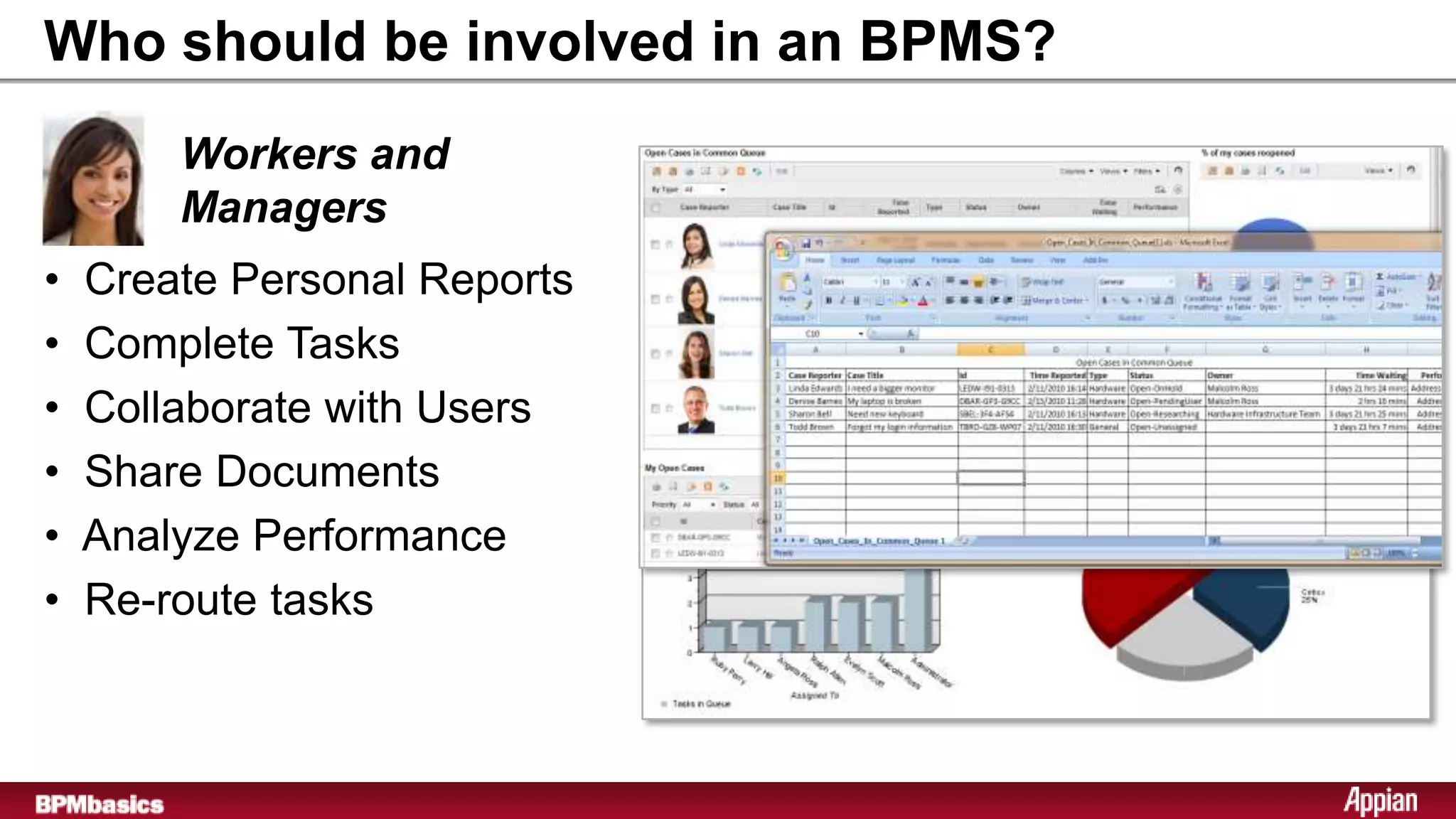
Who should be involved in an BPMS?
        Workers and
        Managers
•   Create Personal Reports
•   Complete Tasks
•   Collaborate with Users
•   Share Documents
•   Analyze Performance
•   Re-route tasks
Who should be involved in an BPMS?

                     IT Developers /
                     Administrators


                                         Workers and
     Business
                     BPM Suite           Managers
     Analysts
                     Single Repository
                    Single Repository


                 BPMS Collaborative
                Platform Development
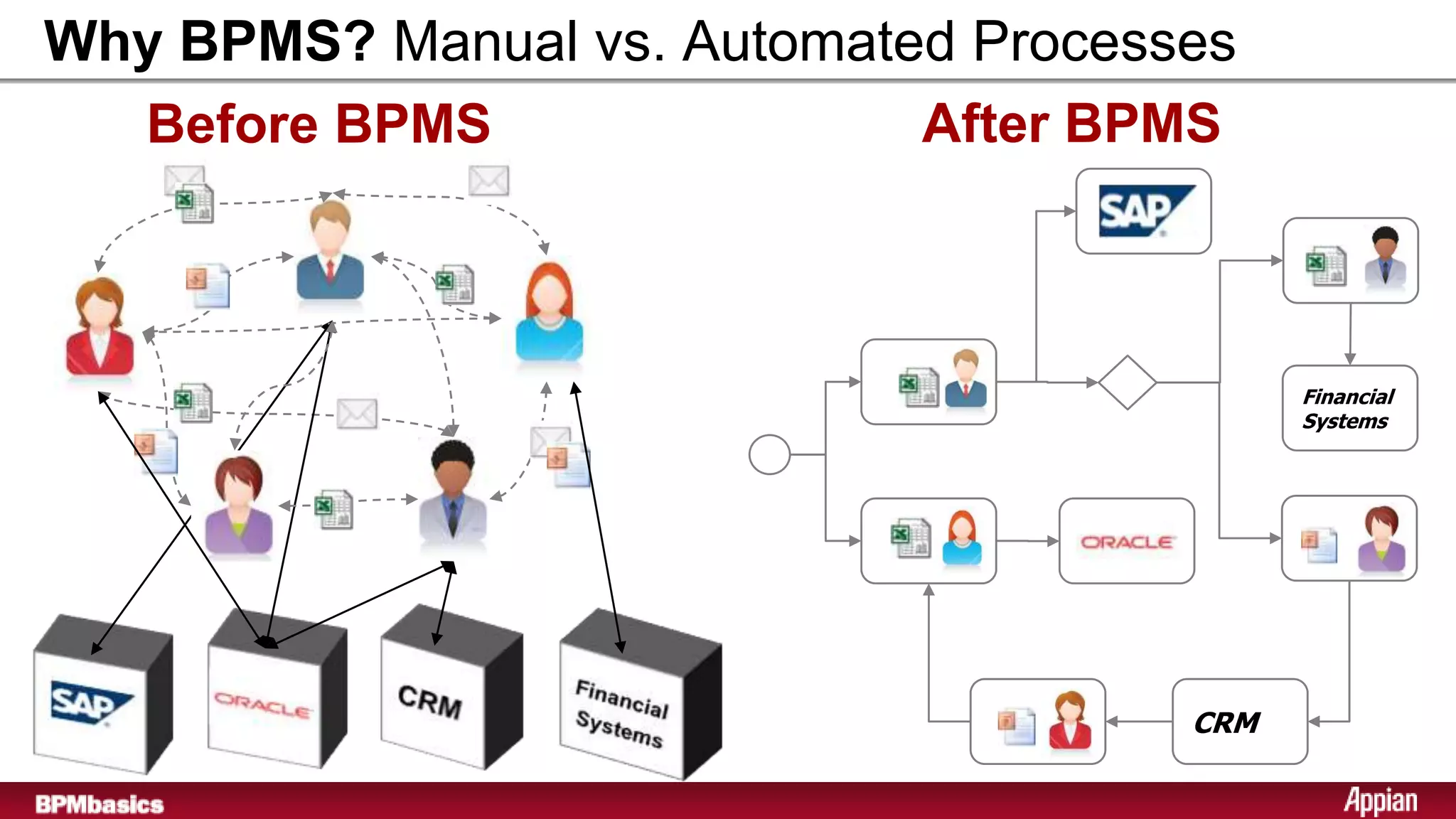
Why BPMS? Manual vs. Automated Processes
  Before BPMS                After BPMS


                                            Financial
                                            Systems


                                      CRM
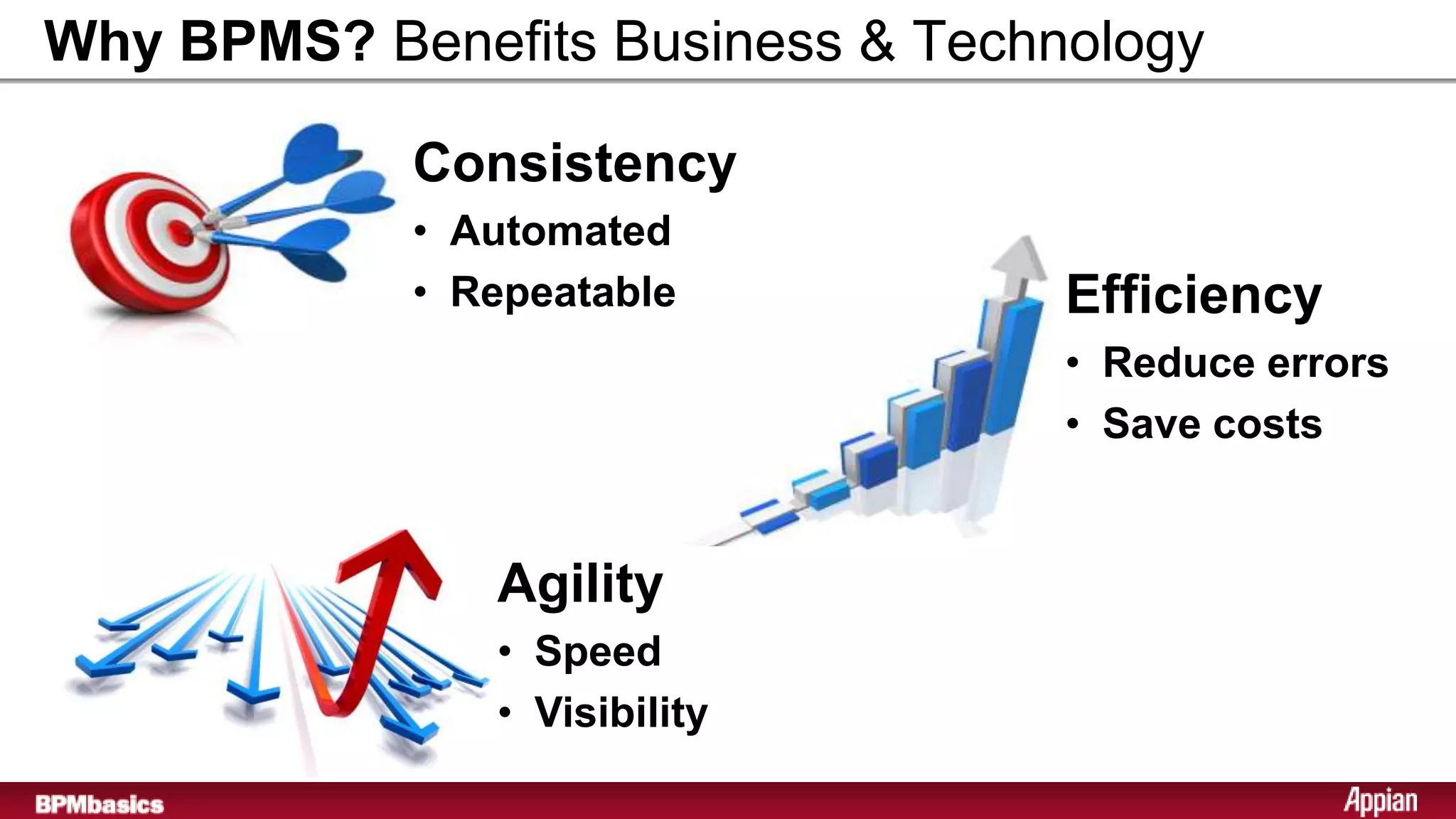
Why BPMS? Benefits Business & Technology

            Consistency
            • Automated
            • Repeatable           Efficiency
                                   • Reduce errors
                                   • Save costs


               Agility
               • Speed
               • Visibility
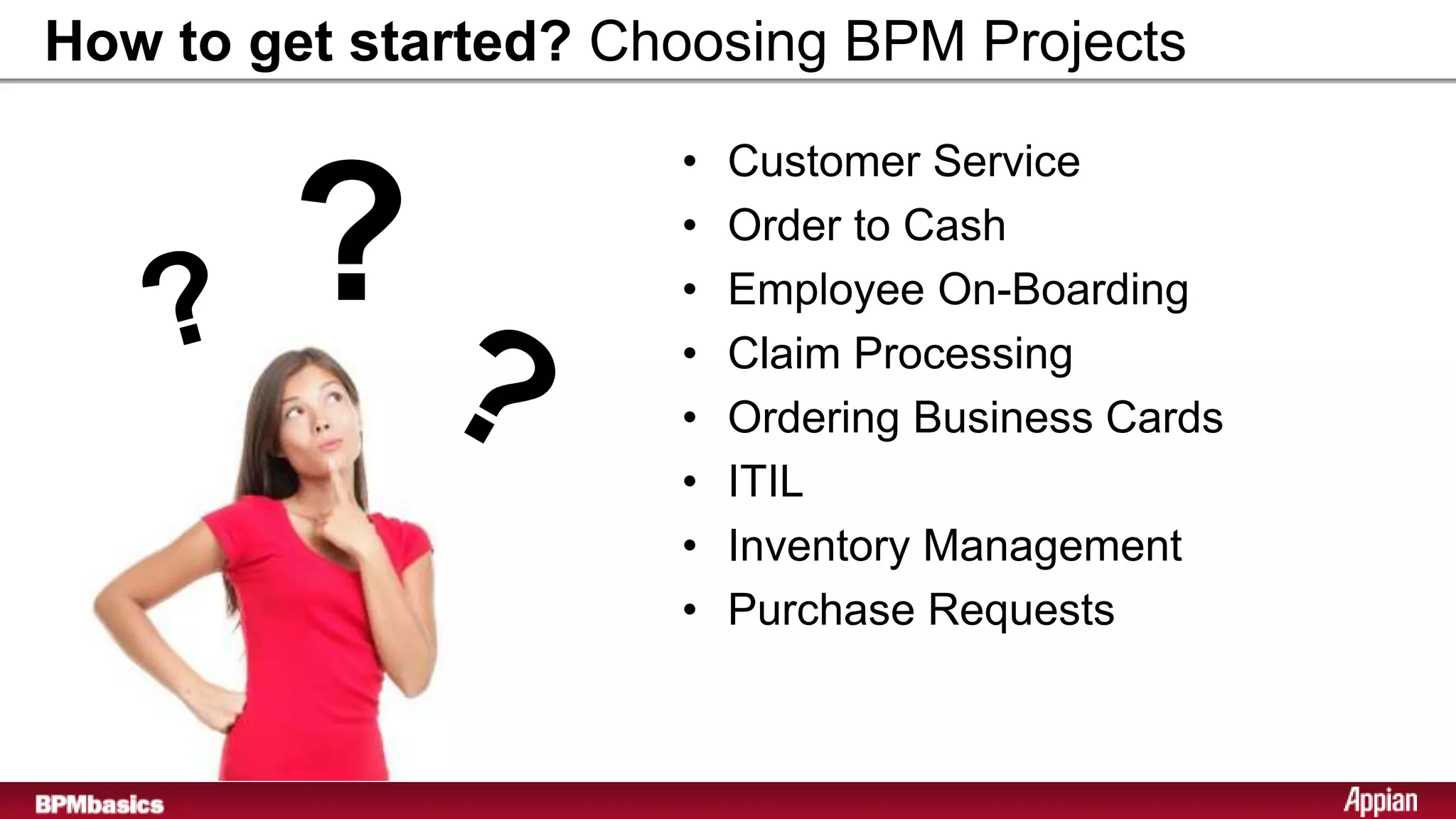
How to get started? Choosing BPM Projects

                      •   Customer Service

        ?             •
                      •
                      •
                          Order to Cash
                          Employee On-Boarding
                          Claim Processing
                      •   Ordering Business Cards
                      •   ITIL
                      •   Inventory Management
                      •   Purchase Requests
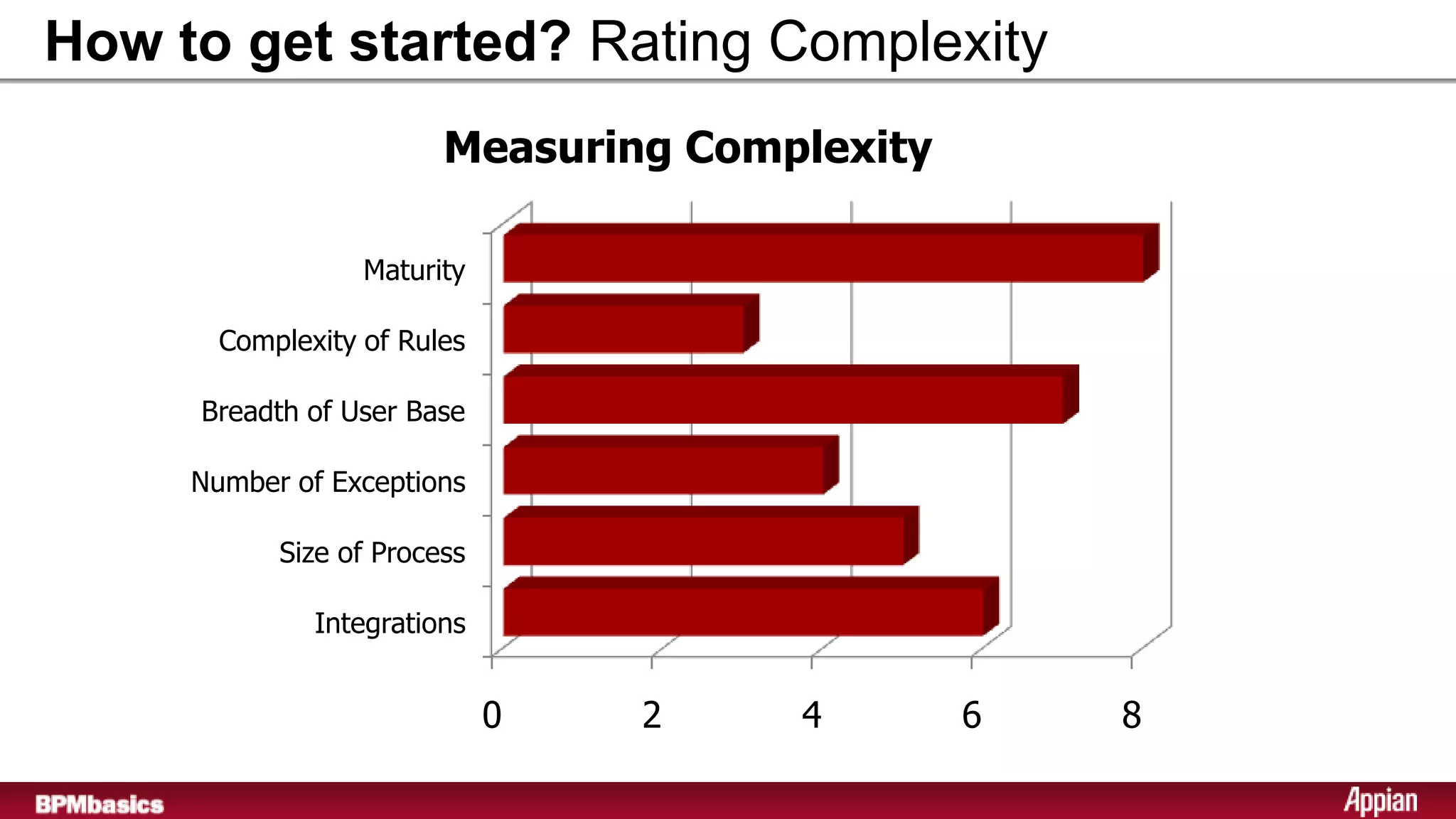
How to get started? Rating Complexity
                         Measuring Complexity

                   Maturity

        Complexity of Rules

      Breadth of User Base

      Number of Exceptions

            Size of Process

               Integrations


                              0   2    4        6   8
17
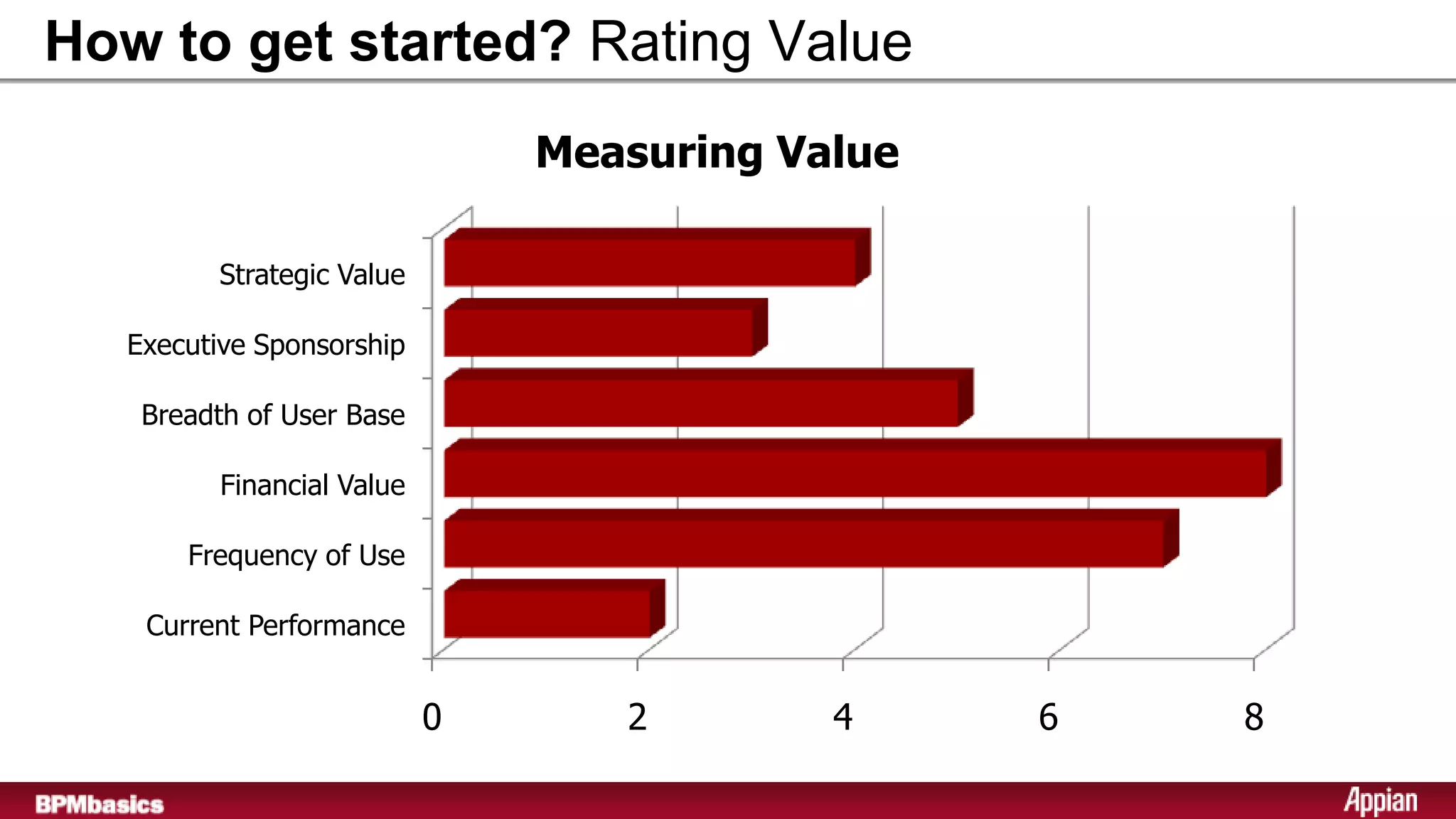
How to get started? Rating Value
                                  Measuring Value

           Strategic Value

     Executive Sponsorship

      Breadth of User Base

            Financial Value

         Frequency of Use

      Current Performance


                              0      2        4     6   8
18
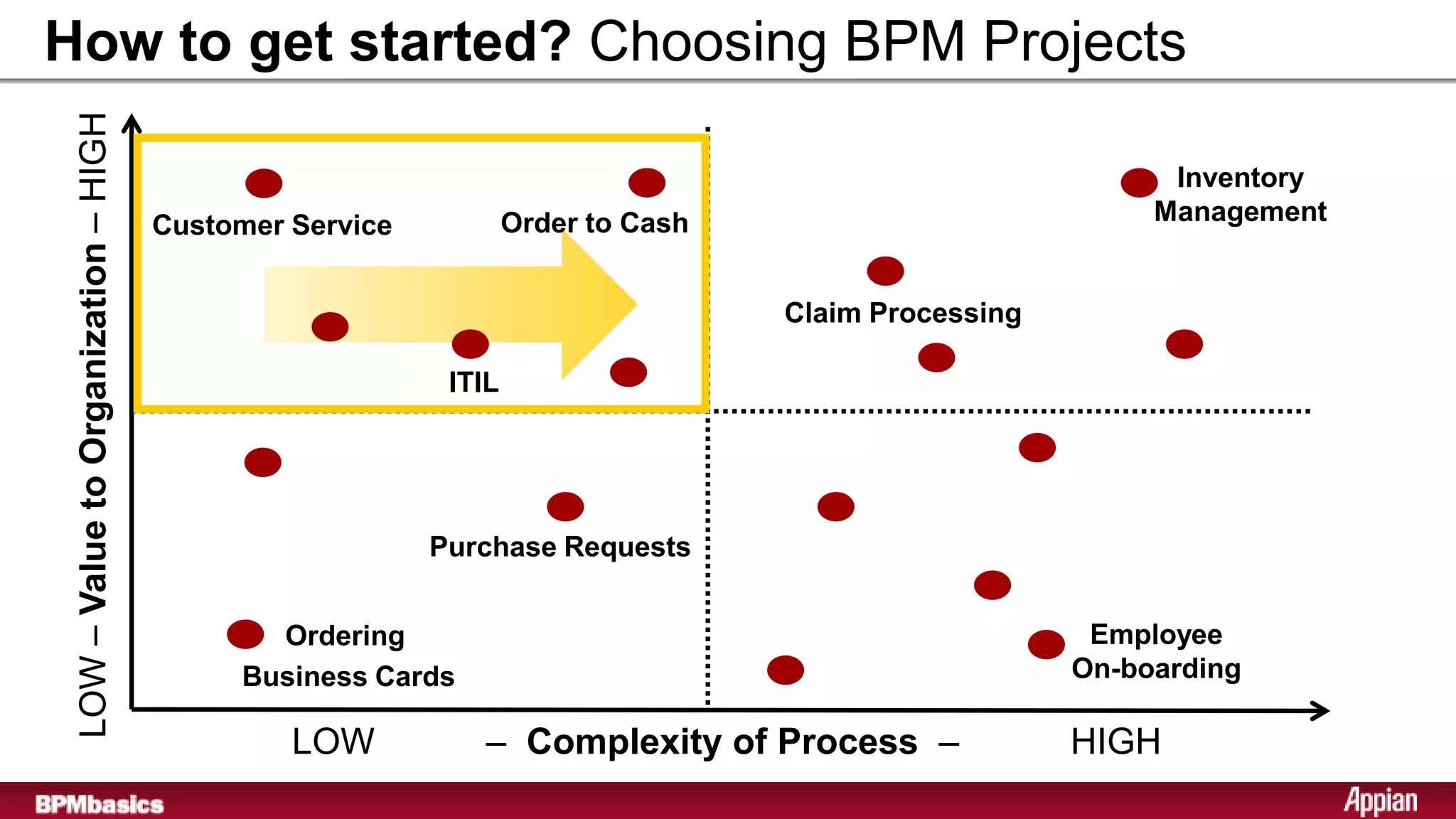
How to get started? Choosing BPM Projects
 LOW – Value to Organization – HIGH

                                                                                                          Inventory
                                      Customer Service           Order to Cash                           Management


                                                                                 Claim Processing

                                                          ITIL


                                                         Purchase Requests


                                             Ordering                                                Employee
                                           Business Cards                                           On-boarding

                                               LOW          – Complexity of Process –               HIGH
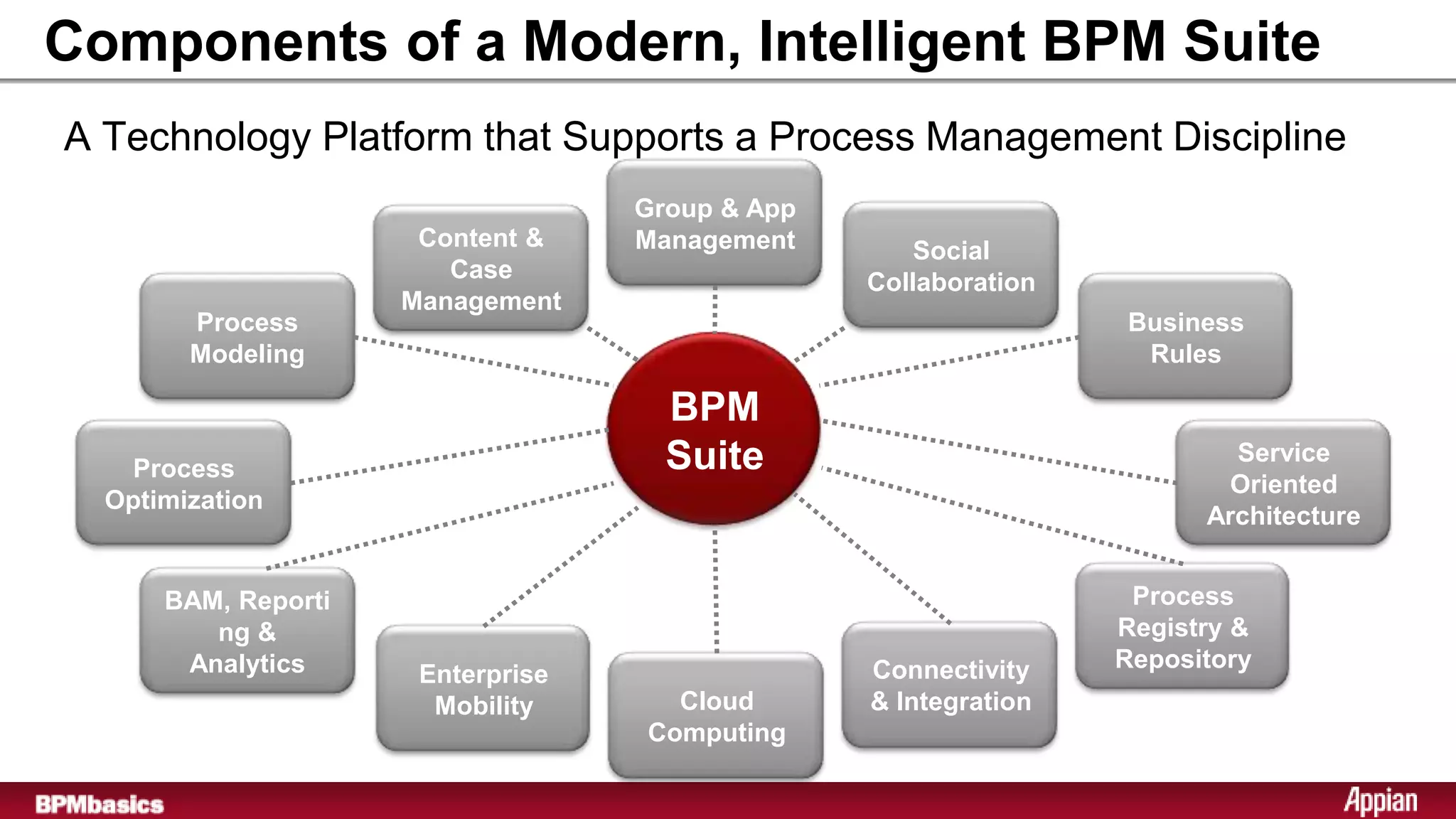
Components of a Modern, Intelligent BPM Suite
A Technology Platform that Supports a Process Management Discipline
                                   Group & App
                      Content &    Management       Social
                        Case                     Collaboration
                     Management
        Process                                                  Business
        Modeling                                                  Rules

                                     BPM
    Process                          Suite                               Service
                                                                         Oriented
  Optimization
                                                                       Architecture


      BAM, Reporti                                                Process
         ng &                                                    Registry &
       Analytics                                 Connectivity    Repository
                      Enterprise
                       Mobility      Cloud       & Integration
                                   Computing
1. Visit BPMbasics Learning Center:
   http://www.appian.com/bpmbasics/index.jsp


2. Subscribe to the BPM Newsletter:
   http://www.appian.com/campaigns/alert.jsp


3. Learn more about BPMS:
   http://www.appian.com/bpm-software/overview.jsp


                                           sponsored by

Introduction to Business Process Management Suite

  • 1.
  • 2.
    Agenda  What isa BPMS?  Who should be involved?  Why BPMS?  How to get started?
  • 3.
    Core Components ofa BPM Suite A Technology Platform that Supports a Process Management Discipline Process Documentation Process Automation and Capture and Workflow BPM Suite Process Optimization Process Management, and Change Business Activity Monitoring Management (BAM) and Analytics
  • 4.
    BPM Life Cycle– Design Phase BPM Suite • Document Processes • Create Forms and UI • Define Rules • Define Data
  • 5.
    BPM Life Cycle– Execute Phase BPM Suite • Execute Defined Processes • Integrate with Systems • Execute Rules • Serve UI and Task Forms
  • 6.
    BPM Life Cycle– Manage Phase BPM Suite • Handle Exceptions • Track Status Real-Time • Manage Task Workload • Re-route Process Flows
  • 7.
    BPM Life Cycle– Optimize Phase BPM Suite • Aggregate Past Performance • Identify Bottlenecks • Executive Dashboards
  • 8.
    A Single BPMSto Handle the Complete Life Cycle • Model Processes • Execute Processes • Create Forms and UI • Integrate with Systems BPM Suite • Execute Rules • Define Rules • Define Data • Serve UI and Task Forms • Handle Exceptions • Aggregate Past Performance • Track Status Real-Time • Identify Bottlenecks • Manage Task Workload • Executive Dashboards • Re-route Process Flows
  • 9.
    Extended Capabilities ofan Intelligent BPM Suite • Process Modeling • Service Oriented Architecture • Enterprise Mobility • Connectivity & Integration • Social Collaboration • Process Registry & Repository BPM Suite • Business Activity • Group & Application Monitoring, Management Reporting & Analytics • Content & Case • Process Optimization Management • Cloud Computing • Business Rules
  • 10.
    Who should beinvolved in an BPMS? Business Analysts • Define Processes • Define Rules • Create Reports • Manage Process Flow • Analyze Performance • Optimize Processes
  • 11.
    Who should beinvolved in an BPMS? IT Developers & Administrators • Create Shared Services • Create Re-usable Integrations • Review Models prior to Publishing • Manage Server Performance
  • 12.
    Who should beinvolved in an BPMS? Workers and Managers • Create Personal Reports • Complete Tasks • Collaborate with Users • Share Documents • Analyze Performance • Re-route tasks
  • 13.
    Who should beinvolved in an BPMS? IT Developers / Administrators Workers and Business BPM Suite Managers Analysts Single Repository Single Repository BPMS Collaborative Platform Development
  • 14.
    Why BPMS? Manualvs. Automated Processes Before BPMS After BPMS Financial Systems CRM
  • 15.
    Why BPMS? BenefitsBusiness & Technology Consistency • Automated • Repeatable Efficiency • Reduce errors • Save costs Agility • Speed • Visibility
  • 16.
    How to getstarted? Choosing BPM Projects • Customer Service ? • • • Order to Cash Employee On-Boarding Claim Processing • Ordering Business Cards • ITIL • Inventory Management • Purchase Requests
  • 17.
    How to getstarted? Rating Complexity Measuring Complexity Maturity Complexity of Rules Breadth of User Base Number of Exceptions Size of Process Integrations 0 2 4 6 8 17
  • 18.
    How to getstarted? Rating Value Measuring Value Strategic Value Executive Sponsorship Breadth of User Base Financial Value Frequency of Use Current Performance 0 2 4 6 8 18
  • 19.
    How to getstarted? Choosing BPM Projects LOW – Value to Organization – HIGH Inventory Customer Service Order to Cash Management Claim Processing ITIL Purchase Requests Ordering Employee Business Cards On-boarding LOW – Complexity of Process – HIGH
  • 20.
    Components of aModern, Intelligent BPM Suite A Technology Platform that Supports a Process Management Discipline Group & App Content & Management Social Case Collaboration Management Process Business Modeling Rules BPM Process Suite Service Oriented Optimization Architecture BAM, Reporti Process ng & Registry & Analytics Connectivity Repository Enterprise Mobility Cloud & Integration Computing
  • 21.
    1. Visit BPMbasicsLearning Center: http://www.appian.com/bpmbasics/index.jsp 2. Subscribe to the BPM Newsletter: http://www.appian.com/campaigns/alert.jsp 3. Learn more about BPMS: http://www.appian.com/bpm-software/overview.jsp sponsored by