
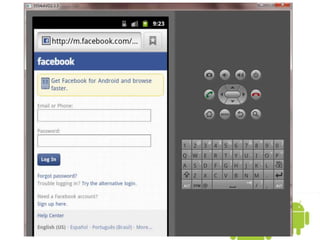

07.4. Simple Browser
Oum Saokosal
Master of Engineering in Information Systems, South Korea
855-12-252-752
oum_saokosal@yahoo.com
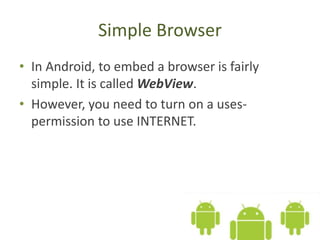
Simple Browser
• In Android, to embed a browser is fairly
simple. It is called WebView.
• However, you need to turn on a uses-
permission to use INTERNET.
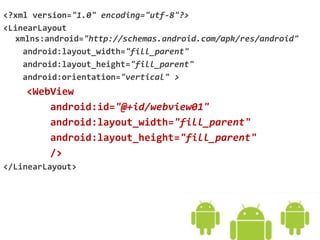
<?xml version="1.0" encoding="utf-8"?>
<LinearLayout
xmlns:android="http://schemas.android.com/apk/res/android"
android:layout_width="fill_parent"
android:layout_height="fill_parent"
android:orientation="vertical" >
<WebView
android:id="@+id/webview01"
android:layout_width="fill_parent"
android:layout_height="fill_parent"
/>
</LinearLayout>
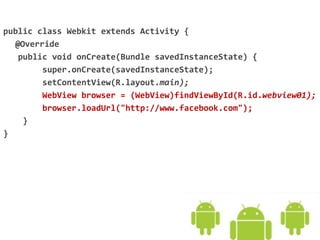
public class Webkit extends Activity {
@Override
public void onCreate(Bundle savedInstanceState) {
super.onCreate(savedInstanceState);
setContentView(R.layout.main);
WebView browser = (WebView)findViewById(R.id.webview01);
browser.loadUrl("http://www.facebook.com");
}
}
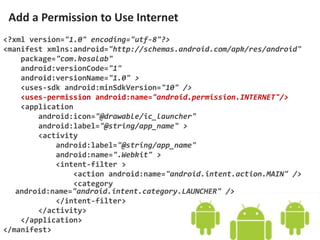
<?xml version="1.0" encoding="utf-8"?>
<manifest xmlns:android="http://schemas.android.com/apk/res/android"
package="com.kosalab"
android:versionCode="1"
android:versionName="1.0" >
<uses-sdk android:minSdkVersion="10" />
<uses-permission android:name="android.permission.INTERNET"/>
<application
android:icon="@drawable/ic_launcher"
android:label="@string/app_name" >
<activity
android:label="@string/app_name"
android:name=".Webkit" >
<intent-filter >
<action android:name="android.intent.action.MAIN" />
<category
android:name="android.intent.category.LAUNCHER" />
</intent-filter>
</activity>
</application>
</manifest>
Add a Permission to Use Internet
Go on to the next slide

07.4. Android Basic Simple Browser (WebView)