07.1. Event Handling
Oum Saokosal
Master of Engineering in Information Systems, South Korea
855-12-252-752
oum_saokosal@yahoo.com
Agenda
• XML-based Event Handling
• Java-based Event Handling
• More Event Listeners
XML-based Event Handling
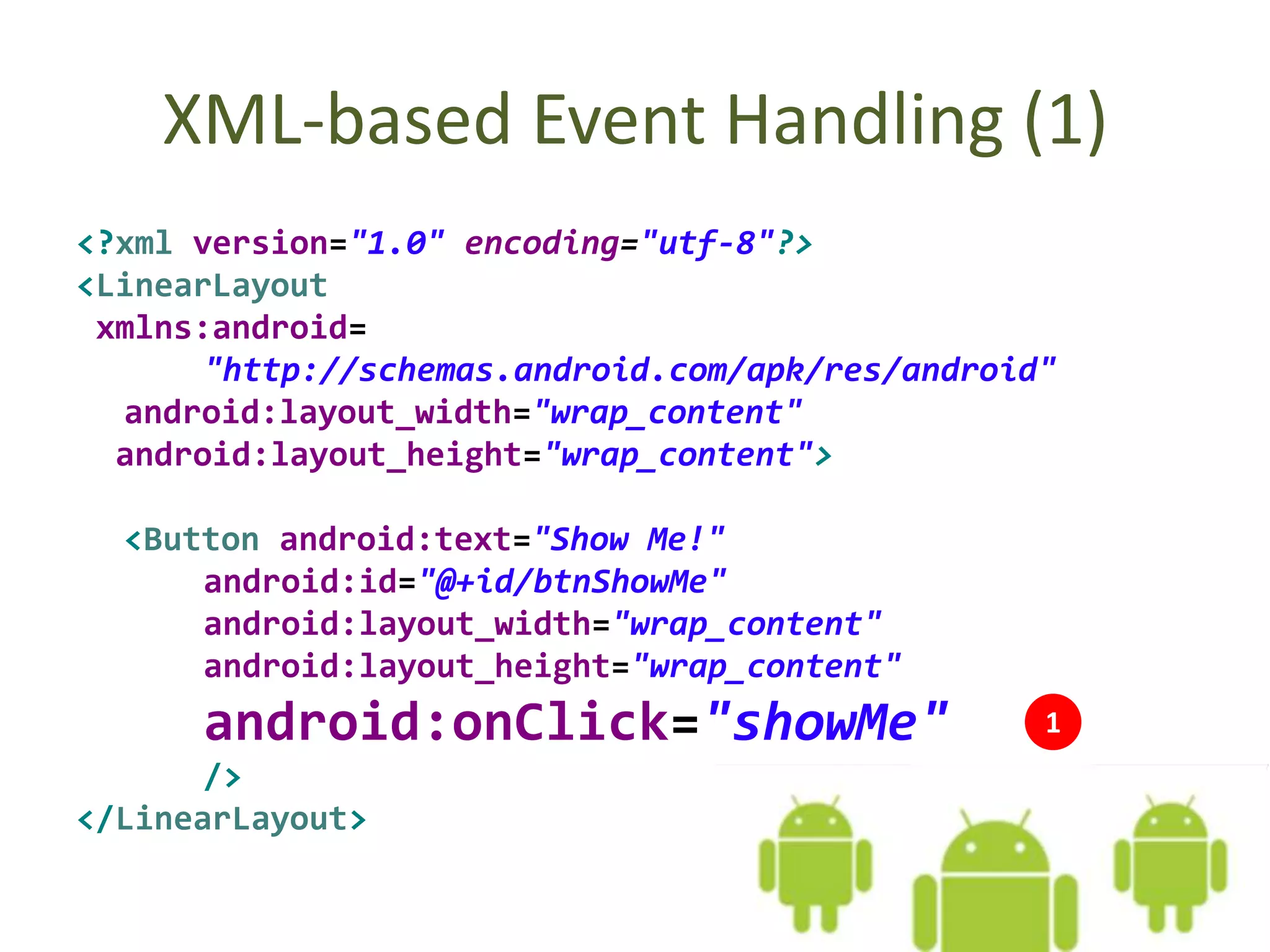
XML-based Event Handling (1)
<?xml version="1.0" encoding="utf-8"?>
<LinearLayout
xmlns:android=
"http://schemas.android.com/apk/res/android"
android:layout_width="wrap_content"
android:layout_height="wrap_content">
<Button android:text="Show Me!"
android:id="@+id/btnShowMe"
android:layout_width="wrap_content"
android:layout_height="wrap_content"
android:onClick="showMe"
/>
</LinearLayout>
1
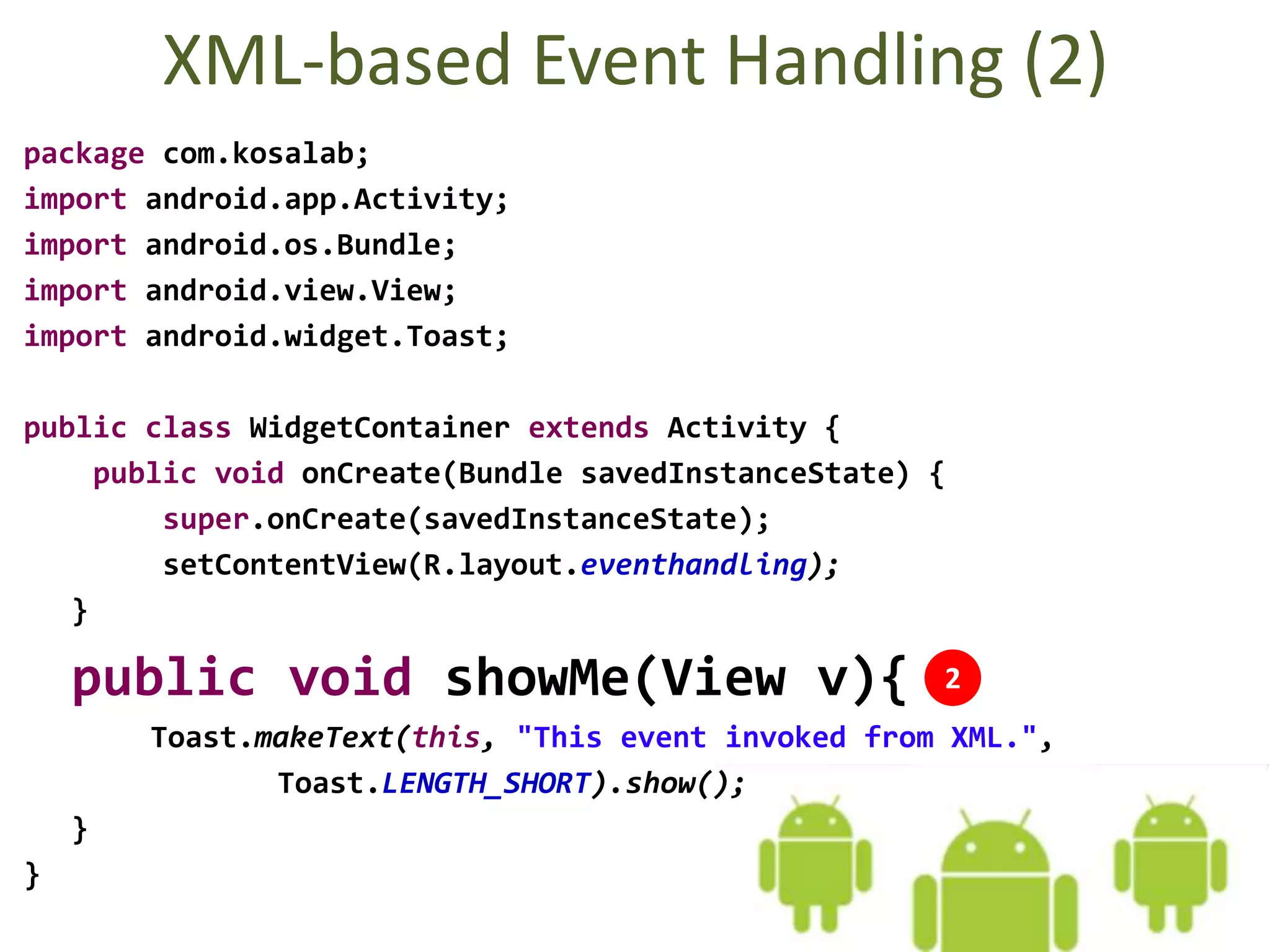
XML-based Event Handling (2)
package com.kosalab;
import android.app.Activity;
import android.os.Bundle;
import android.view.View;
import android.widget.Toast;
public class WidgetContainer extends Activity {
public void onCreate(Bundle savedInstanceState) {
super.onCreate(savedInstanceState);
setContentView(R.layout.eventhandling);
}
public void showMe(View v){
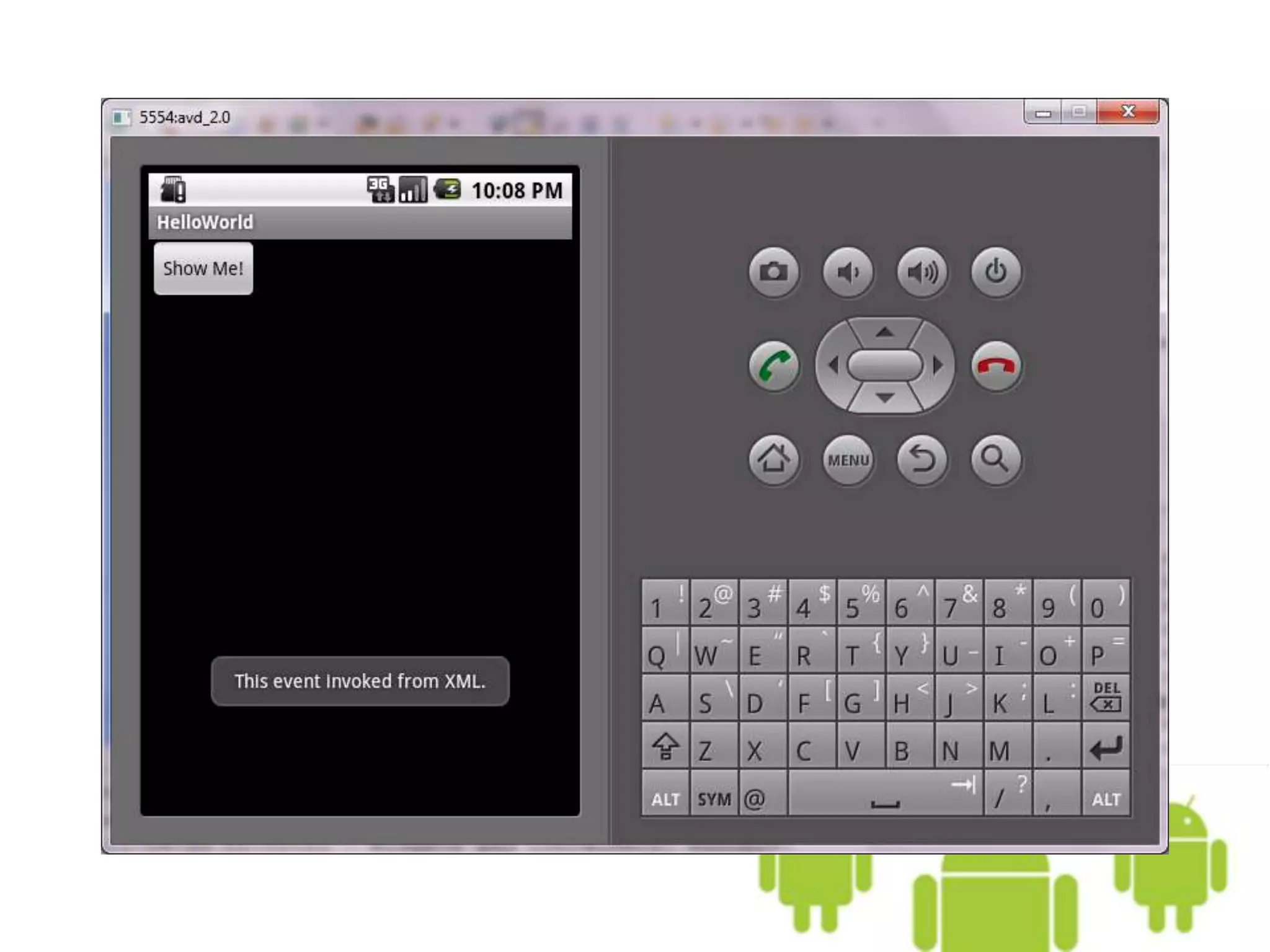
Toast.makeText(this, "This event invoked from XML.",
Toast.LENGTH_SHORT).show();
}
}
2
Java-based Event Handling
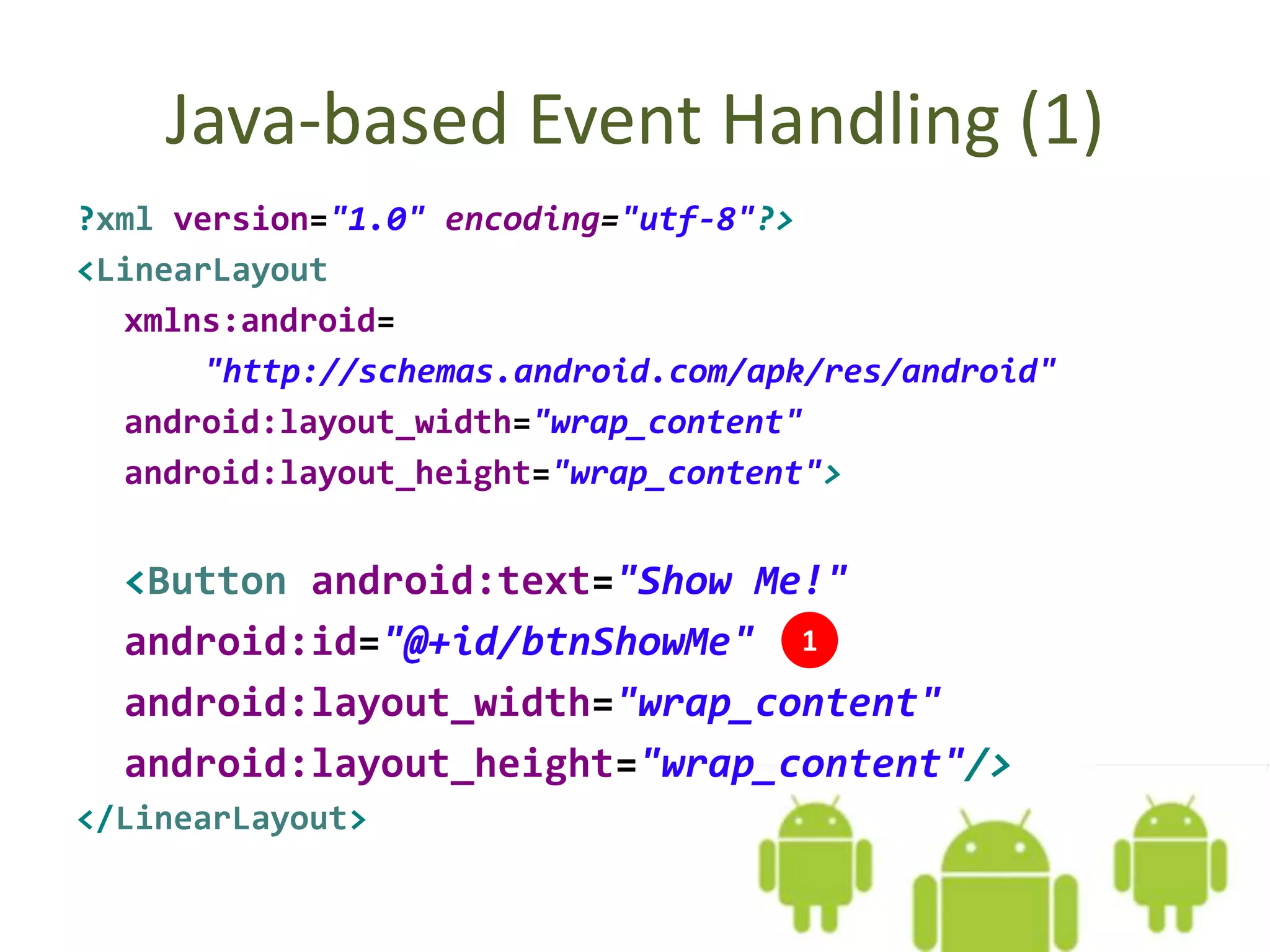
Java-based Event Handling (1)
?xml version="1.0" encoding="utf-8"?>
<LinearLayout
xmlns:android=
"http://schemas.android.com/apk/res/android"
android:layout_width="wrap_content"
android:layout_height="wrap_content">
<Button android:text="Show Me!"
android:id="@+id/btnShowMe"
android:layout_width="wrap_content"
android:layout_height="wrap_content"/>
</LinearLayout>
1
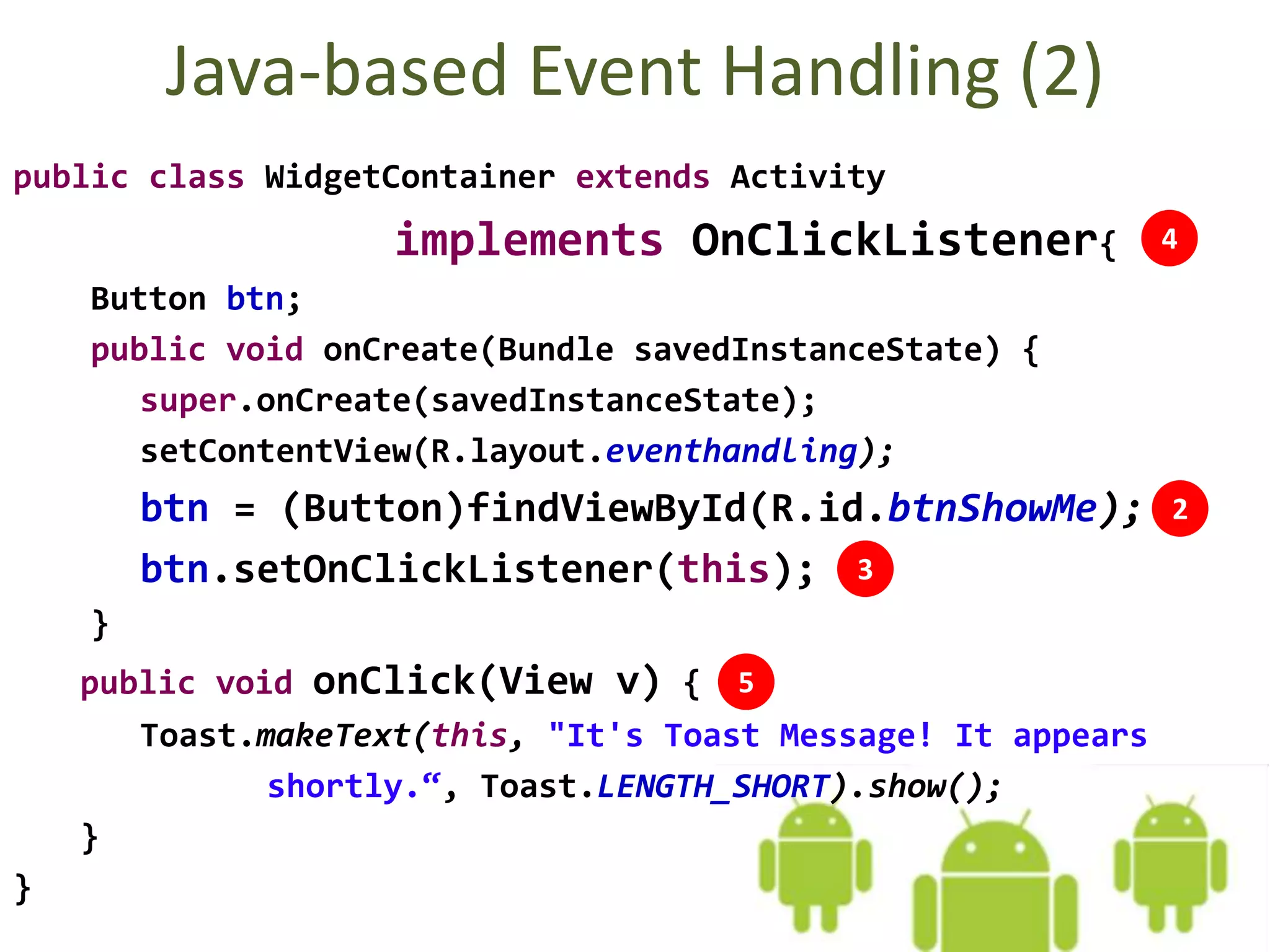
Java-based Event Handling (2)
public class WidgetContainer extends Activity
implements OnClickListener{
Button btn;
public void onCreate(Bundle savedInstanceState) {
super.onCreate(savedInstanceState);
setContentView(R.layout.eventhandling);
btn = (Button)findViewById(R.id.btnShowMe);
btn.setOnClickListener(this);
}
public void onClick(View v) {
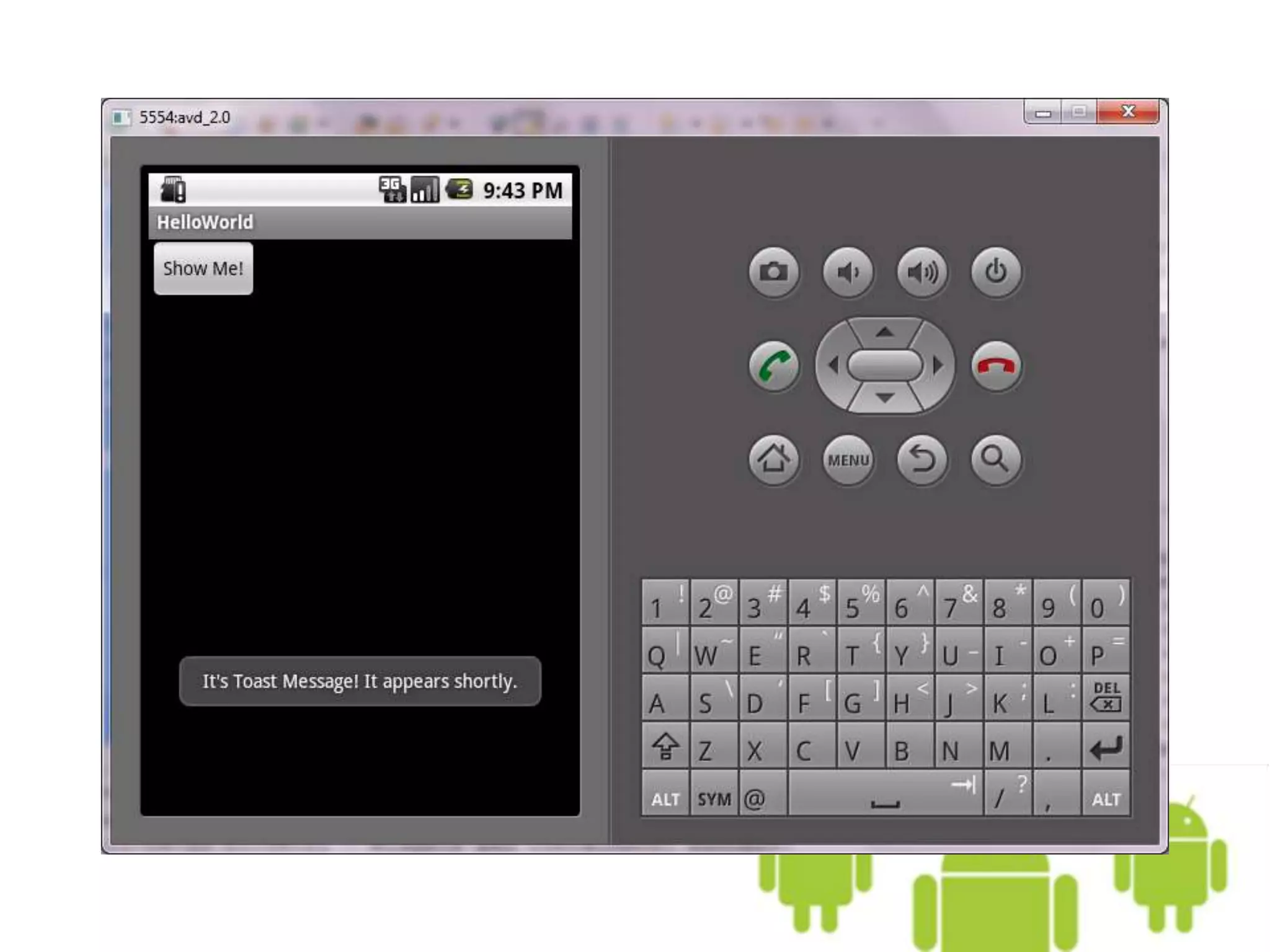
Toast.makeText(this, "It's Toast Message! It appears
shortly.“, Toast.LENGTH_SHORT).show();
}
}
3
4
5
2
Java-based Event Handling –
Another Example
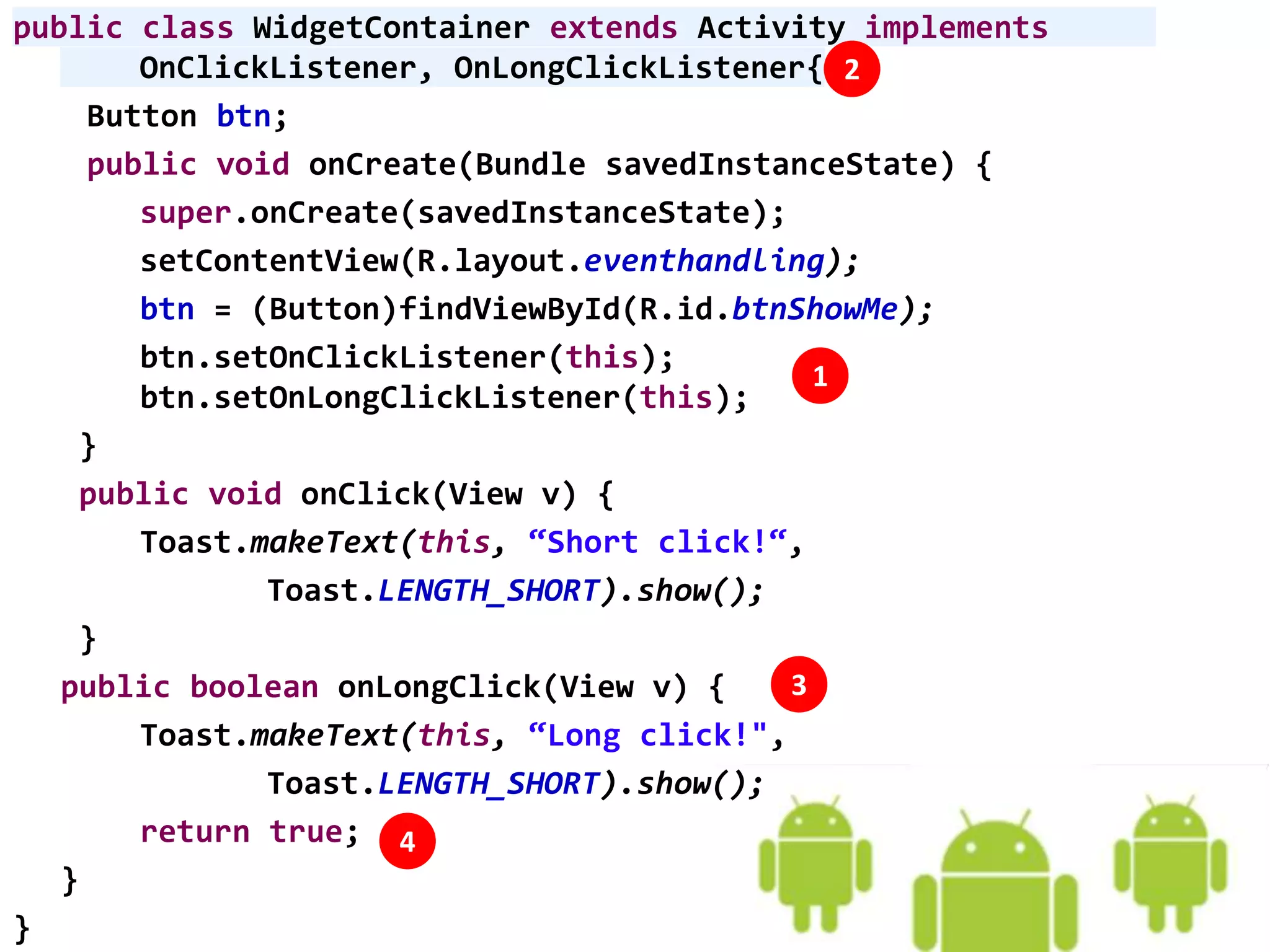
public class WidgetContainer extends Activity implements
OnClickListener, OnLongClickListener{
Button btn;
public void onCreate(Bundle savedInstanceState) {
super.onCreate(savedInstanceState);
setContentView(R.layout.eventhandling);
btn = (Button)findViewById(R.id.btnShowMe);
btn.setOnClickListener(this);
btn.setOnLongClickListener(this);
}
public void onClick(View v) {
Toast.makeText(this, “Short click!“,
Toast.LENGTH_SHORT).show();
}
public boolean onLongClick(View v) {
Toast.makeText(this, “Long click!",
Toast.LENGTH_SHORT).show();
return true;
}
}
1
2
3
4
onLongClick() – return true/false
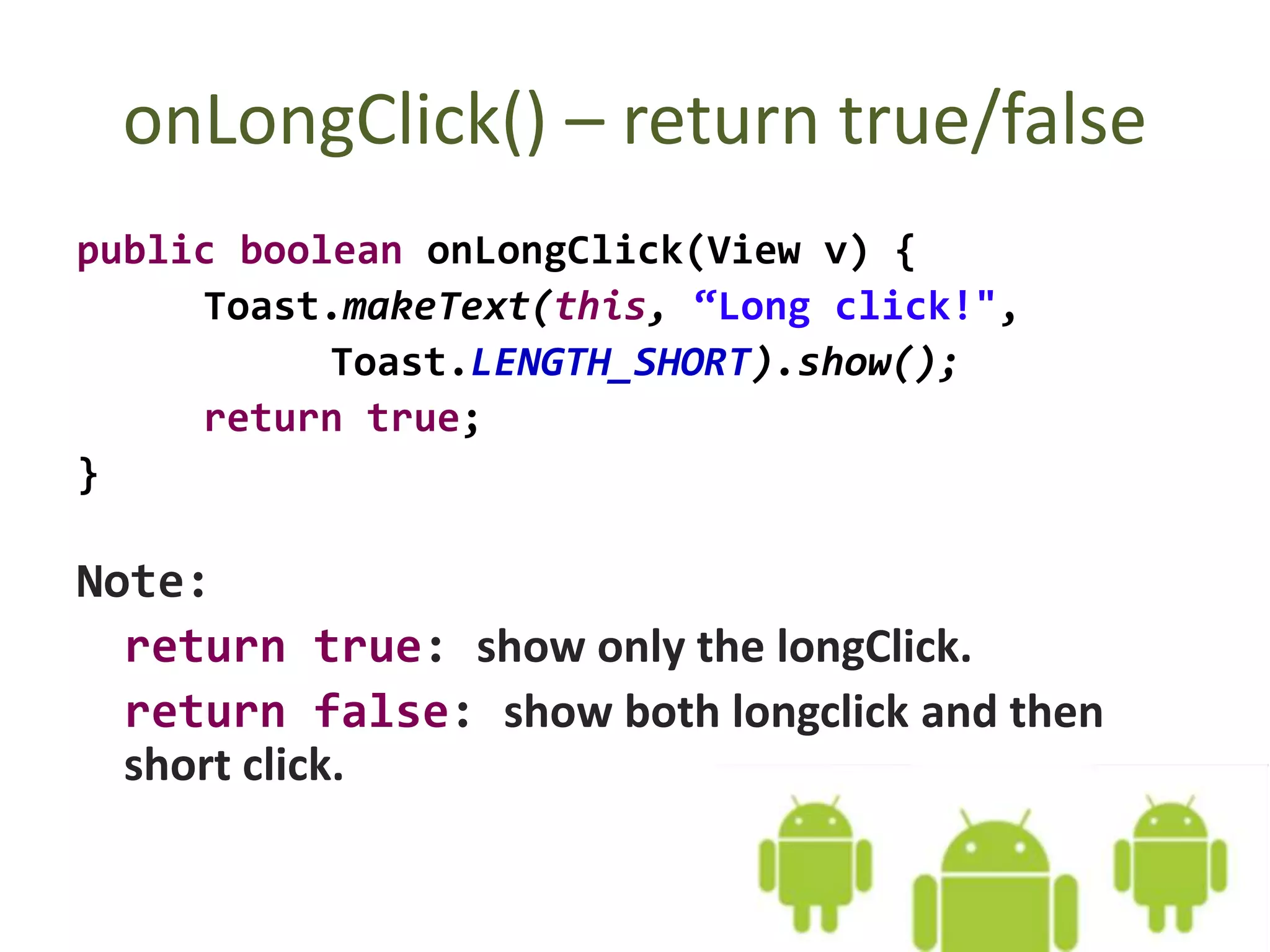
public boolean onLongClick(View v) {
Toast.makeText(this, “Long click!",
Toast.LENGTH_SHORT).show();
return true;
}
Note:
return true: show only the longClick.
return false: show both longclick and then
short click.
More Event Listeners
• onFocusChange()
From View.OnFocusChangeListener. This is called when the user navigates onto or
away from the item, using the navigation-keys or trackball.
• onKey()
From View.OnKeyListener. This is called when the user is focused on the item and
presses or releases a key on the device.
• onTouch()
From View.OnTouchListener. This is called when the user performs an action
qualified as a touch event, including a press, a release, or any movement gesture
on the screen (within the bounds of the item).
• onCreateContextMenu()
From View.OnCreateContextMenuListener. This is called when a Context Menu is
being built (as the result of a sustained "long click").
Go on to the next slide

07.1. Android Even Handling

  • 1.
    07.1. Event Handling OumSaokosal Master of Engineering in Information Systems, South Korea 855-12-252-752 oum_saokosal@yahoo.com
  • 2.
    Agenda • XML-based EventHandling • Java-based Event Handling • More Event Listeners
  • 3.
  • 4.
    XML-based Event Handling(1) <?xml version="1.0" encoding="utf-8"?> <LinearLayout xmlns:android= "http://schemas.android.com/apk/res/android" android:layout_width="wrap_content" android:layout_height="wrap_content"> <Button android:text="Show Me!" android:id="@+id/btnShowMe" android:layout_width="wrap_content" android:layout_height="wrap_content" android:onClick="showMe" /> </LinearLayout> 1
  • 5.
    XML-based Event Handling(2) package com.kosalab; import android.app.Activity; import android.os.Bundle; import android.view.View; import android.widget.Toast; public class WidgetContainer extends Activity { public void onCreate(Bundle savedInstanceState) { super.onCreate(savedInstanceState); setContentView(R.layout.eventhandling); } public void showMe(View v){ Toast.makeText(this, "This event invoked from XML.", Toast.LENGTH_SHORT).show(); } } 2
  • 7.
  • 8.
    Java-based Event Handling(1) ?xml version="1.0" encoding="utf-8"?> <LinearLayout xmlns:android= "http://schemas.android.com/apk/res/android" android:layout_width="wrap_content" android:layout_height="wrap_content"> <Button android:text="Show Me!" android:id="@+id/btnShowMe" android:layout_width="wrap_content" android:layout_height="wrap_content"/> </LinearLayout> 1
  • 9.
    Java-based Event Handling(2) public class WidgetContainer extends Activity implements OnClickListener{ Button btn; public void onCreate(Bundle savedInstanceState) { super.onCreate(savedInstanceState); setContentView(R.layout.eventhandling); btn = (Button)findViewById(R.id.btnShowMe); btn.setOnClickListener(this); } public void onClick(View v) { Toast.makeText(this, "It's Toast Message! It appears shortly.“, Toast.LENGTH_SHORT).show(); } } 3 4 5 2
  • 11.
    Java-based Event Handling– Another Example
  • 12.
    public class WidgetContainerextends Activity implements OnClickListener, OnLongClickListener{ Button btn; public void onCreate(Bundle savedInstanceState) { super.onCreate(savedInstanceState); setContentView(R.layout.eventhandling); btn = (Button)findViewById(R.id.btnShowMe); btn.setOnClickListener(this); btn.setOnLongClickListener(this); } public void onClick(View v) { Toast.makeText(this, “Short click!“, Toast.LENGTH_SHORT).show(); } public boolean onLongClick(View v) { Toast.makeText(this, “Long click!", Toast.LENGTH_SHORT).show(); return true; } } 1 2 3 4
  • 13.
    onLongClick() – returntrue/false public boolean onLongClick(View v) { Toast.makeText(this, “Long click!", Toast.LENGTH_SHORT).show(); return true; } Note: return true: show only the longClick. return false: show both longclick and then short click.
  • 14.
    More Event Listeners •onFocusChange() From View.OnFocusChangeListener. This is called when the user navigates onto or away from the item, using the navigation-keys or trackball. • onKey() From View.OnKeyListener. This is called when the user is focused on the item and presses or releases a key on the device. • onTouch() From View.OnTouchListener. This is called when the user performs an action qualified as a touch event, including a press, a release, or any movement gesture on the screen (within the bounds of the item). • onCreateContextMenu() From View.OnCreateContextMenuListener. This is called when a Context Menu is being built (as the result of a sustained "long click").
  • 15.
    Go on tothe next slide