Introducing ASANA
Vincent Li
7/20/2012
Agenda
• Challenges in today’s working environment
• Why ASANA?
• Key features
Challenges
• Team work and collaboration
• Mobile and global
• Multi-projects and Multi-task
• Manage tasks and prioritize them
• Monitor progress and manage deadline
• Improve productivity
ASANA
• What is ASANA
– ASANA is a web based task management tool
– ASANA is a web based collaboration platform that
teams can create, organize, discuss, and
accomplish tasks with
anyone, anytime, anywhere.
– ASANA is a modern way to work together
Why ASANA
• Web based
• Easy to use
• Instant view of updates
• Free
Introducing ASANA
• www.asana.com
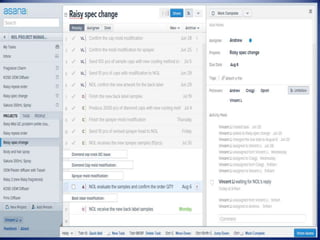
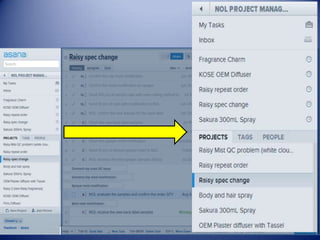
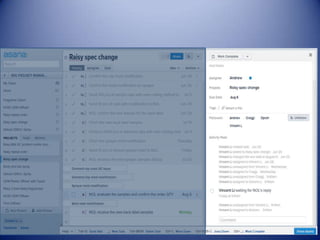
• User interface
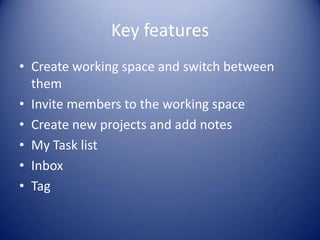
Key features
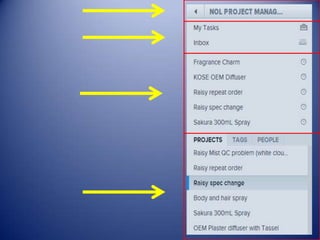
• Create working space and switch between
them
• Invite members to the working space
• Create new projects and add notes
• My Task list
• Inbox
• Tag
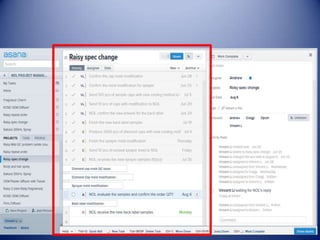
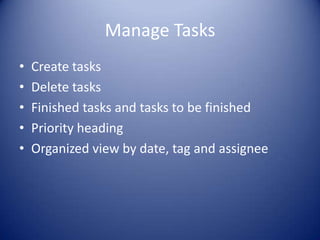
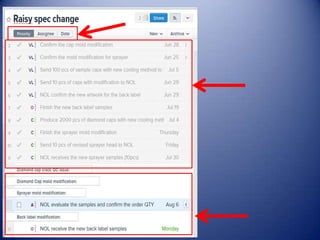
Manage Tasks
• Create tasks
• Delete tasks
• Finished tasks and tasks to be finished
• Priority heading
• Organized view by date, tag and assignee
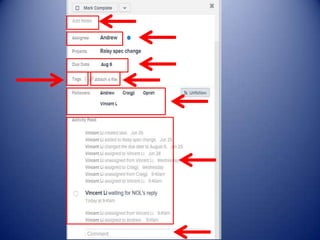
Task Details
• Add notes
• Assign tasks
• Set due dates
• Add followers
• Add tags
• Attach files
• Add comments
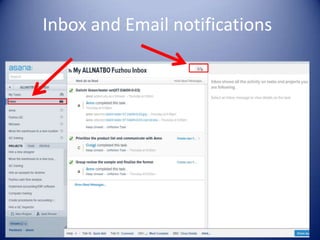
Inbox and Email notifications

Introducing asana

  • 1.
  • 2.
    Agenda • Challenges intoday’s working environment • Why ASANA? • Key features
  • 3.
    Challenges • Team workand collaboration • Mobile and global • Multi-projects and Multi-task • Manage tasks and prioritize them • Monitor progress and manage deadline • Improve productivity
  • 4.
    ASANA • What isASANA – ASANA is a web based task management tool – ASANA is a web based collaboration platform that teams can create, organize, discuss, and accomplish tasks with anyone, anytime, anywhere. – ASANA is a modern way to work together
  • 5.
    Why ASANA • Webbased • Easy to use • Instant view of updates • Free
  • 6.
  • 9.
    Key features • Createworking space and switch between them • Invite members to the working space • Create new projects and add notes • My Task list • Inbox • Tag
  • 12.
    Manage Tasks • Createtasks • Delete tasks • Finished tasks and tasks to be finished • Priority heading • Organized view by date, tag and assignee
  • 16.
    Task Details • Addnotes • Assign tasks • Set due dates • Add followers • Add tags • Attach files • Add comments
  • 17.
    Inbox and Emailnotifications