LiterasiMaklumatKearahPembestarianPendidikan : PembelajaranBerdasarkanSumberOleh:BahagianTeknologiPendidikanKementerianPelajaranMalaysiaMei 2010
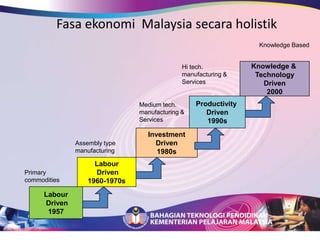
Fasa ekonomi  Malaysia secara holistikKnowledge BasedKnowledge & TechnologyDriven2000Hi tech. manufacturing & ServicesProductivity Driven1990sMedium tech. manufacturing & ServicesInvestmentDriven1980sAssembly type manufacturingLabour Driven1960-1970sPrimary commoditiesLabour Driven1957
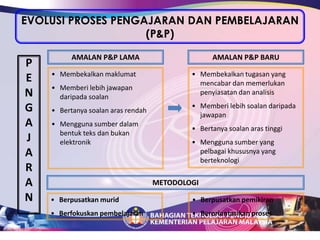
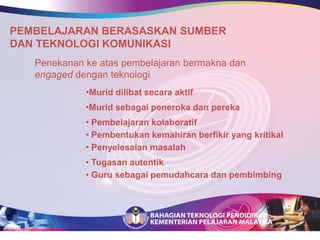
EVOLUSI PROSES PENGAJARAN DAN PEMBELAJARAN (P&P)AMALAN P&P LAMA AMALAN P&P BARUPENGAJARANMembekalkan maklumat
Memberi lebih jawapan daripada soalan
Bertanya soalan aras rendah
Mengguna sumber dalam bentuk teks dan bukan elektronik
Membekalkan tugasan yang mencabar dan memerlukan penyiasatan dan analisis
Memberi lebih soalan daripada jawapan
Bertanya soalan aras tinggi
Mengguna sumber yang pelbagai khususnya yang berteknologiMETODOLOGIBerpusatkanmurid
Berfokuskanpembelajaran
Berpusatkanpemikiran
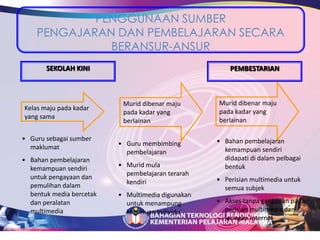
BerorientasikanprosesPENGGUNAAN SUMBER PENGAJARAN DAN PEMBELAJARAN SECARA BERANSUR-ANSURSEKOLAH KINIPEMBESTARIANMuriddibenarmajupadakadar yang berlainanMuriddibenarmajupadakadar yang berlainanKelas maju pada kadar yang samaGuru sebagaisumbermaklumat
Bahanpembelajarankemampuansendiriuntukpengayaandanpemulihandalambentuk media bercetakdanperalatan multimedia
Bahanpembelajarankemampuansendirididapatididalampelbagaibentuk
Perisian multimedia untuksemuasubjek
Aksestanpagangguanpadaperisian multimedia danjaringan Internet
Guru membimbingpembelajaran
Muridmulapembelajaranterarahkendiri
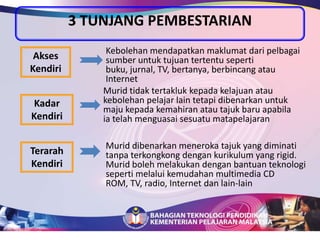
Multimedia digunakanuntukmenampungkeperluanindividu3 TUNJANG PEMBESTARIAN Kebolehanmendapatkanmaklumatdaripelbagaisumberuntuktujuantertentusepertibuku, jurnal, TV, bertanya, berbincangatau InternetAksesKendiriMuridtidaktertaklukkepadakelajuanataukebolehanpelajar lain tetapidibenarkanuntukmajukepadakemahiranatautajukbaruapabilaiatelahmenguasaisesuatumatapelajaranKadar KendiriMuriddibenarkanmenerokatajuk yang diminatitanpaterkongkongdengankurikulum yang rigid.  Muridbolehmelakukandenganbantuanteknologisepertimelaluikemudahan multimedia CD ROM, TV, radio, Internet dan lain-lainTerarahKendiri
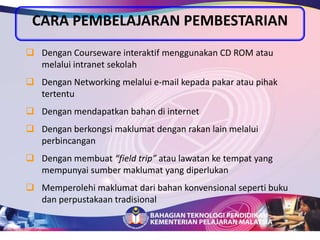
CARA PEMBELAJARAN PEMBESTARIANDengan Courseware interaktifmenggunakan CD ROM ataumelalui intranet sekolah
Dengan Networking melalui e-mail kepadapakarataupihaktertentu
Denganmendapatkanbahandi internet
Denganberkongsimaklumatdenganrakan lain melaluiperbincangan
Denganmembuat“field trip”ataulawatanketempat yang mempunyaisumbermaklumat yang diperlukan
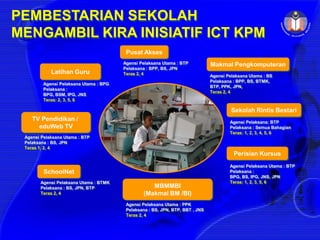
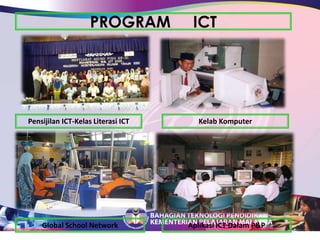
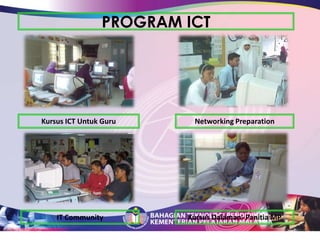
MemperolehimaklumatdaribahankonvensionalsepertibukudanperpustakaantradisionalPusat AksesMakmal PengkomputeranAgensi Pelaksana Utama : BTPPelaksana : BPP, BS, JPNTeras 2, 4Latihan GuruAgensi Pelaksana Utama : BSPelaksana : BPP, BS, BTMK,BTP, PPK, JPN,Teras 2, 4Agensi Pelaksana Utama : BPGPelaksana : BPG, BSM, IPG, JNSTeras: 2, 3, 5, 6 Sekolah Rintis BestariTV Pendidikan / eduWebTVAgensi Pelaksana: BTPPelaksana : Semua BahagianTeras: 1, 2, 3, 4, 5, 6Agensi Pelaksana Utama : BTPPelaksana : BS, JPNTeras 1, 2, 4Perisian KursusAgensi Pelaksana Utama : BTPPelaksana : BPG, BS, IPG, JNS, JPNTeras: 1, 2, 3, 5, 6 SchoolNetAgensi Pelaksana Utama : BTMKPelaksana : BS, JPN, BTPTeras 2, 4MBMMBI(Makmal BM /BI)AgensiPelaksanaUtama : PPKPelaksana : BS, JPN, BTP, BBT , JNS Teras 2, 4PEMBESTARIAN SEKOLAH MENGAMBIL KIRA INISIATIF ICT KPM
ICT MerentasiLiterasiMaklumatdalam era digital
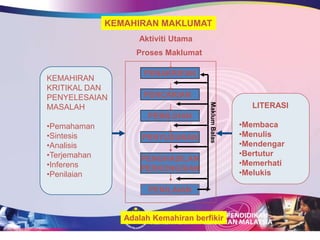
LiterasiMaklumatLiterasiMaklumatadalahsuatukemahiranyang digunakanbilamaklumattertentudiperlukan, kebolehanmencaridanmemperolehimaklumatdalamapajua format danmenggunakanmaklumattersebutsecaraaktifsepertikata Anthony Robins dalambukunyaThe Unlimited Power, “Information is power, action is obsolute power”.
…Information LiteracyThe ability to access, evaluate and use information from a variety of sources.Christina 						A.Doyle(1992)
KEPENTINGANNYA* Muridharustahucara yang teraturdantepatbagimendapatkanmaklumat yang sesuaikeranamaklumatmemainkanperananpentingdalamkehidupan
…KEPENTINGANNYA   * Melibatkanmuridsecaraterusdengansumberpembelajaransupayapembelajaranmenjadilebihaktifdanmemberangsangkan* Melatihmurid, belajarberdikarisecaraberansur-ansuruntukmemudahkanmerekamenghayatikonseppendidikanseumurhidup
… KEPENTINGANNYA  * Melatihmuriduntukmenanganiilmu yang pelbagaidanmenjadikansumbersebagaipuncapembelajaran
PEMBELAJARAN BERASASKAN SUMBER Tell me and I will forgetShow me and I rememberInvolve me and I will understand
UNDERLINING PRINCIPLES All students have the ability to learn and progress, which can be enhanced by using appropriate learning technologiesLearning is a consequence of thinking, and good thinking is learnable by all studentsLearning should include deep understanding, which involves the flexible, active use of knowledge
A NATION PREPARED“People …… will not come to the workplace knowing all they have to know, but knowing how to figure out what they need to know, where to get it, and how to make meaning out of it.”Thompson, Helen M and Henley, Susan A (2000)
INTERNET SEARCH
The Internet is a vast source of information It connects millions of computers around the world Computers belonging to all sorts of people and organizations. All these computers hold information, some of which is free for everyone to access and use.
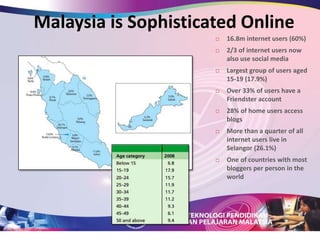
Malaysia is Sophisticated Online16.8m internet users (60%)
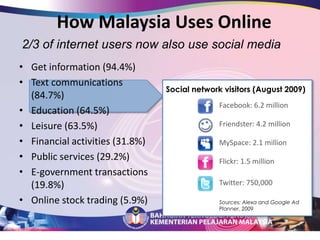
2/3 of internet users now also use social media
Largest group of users aged 15-19 (17.9%)
Over 33% of users have a Friendster account
28% of home users access blogs
More than a quarter of all internet users live in Selangor (26.1%)
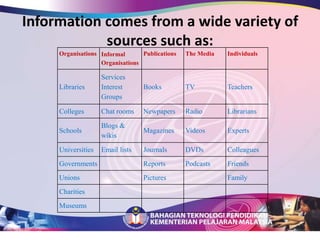
One of countries with most bloggers per person in the worldInformation comes from a wide variety of sources such as:
How Malaysia Uses Online2/3 of internet users now also use social mediaGet information (94.4%)Text communications (84.7%)Education (64.5%)Leisure (63.5%)Financial activities (31.8%)Public services (29.2%)E-government transactions (19.8%)Online stock trading (5.9%)Social network visitors (August 2009)Facebook: 6.2 millionFriendster: 4.2 millionMySpace: 2.1 millionFlickr: 1.5 millionTwitter: 750,000Sources: Alexa and Google Ad Planner, 2009
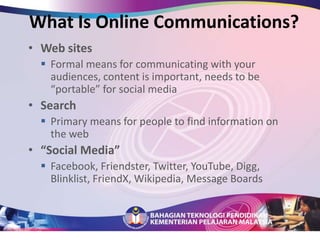
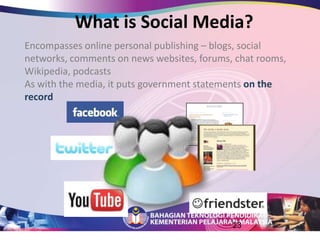
What Is Online Communications?Web sitesFormal means for communicating with your audiences, content is important, needs to be “portable” for social mediaSearch Primary means for people to find information on the web“Social Media”Facebook, Friendster, Twitter, YouTube, Digg, Blinklist, FriendX, Wikipedia, Message BoardsWhat is Social Media?Encompasses online personal publishing – blogs, social networks, comments on news websites, forums, chat rooms, Wikipedia, podcastsAs with the media, it puts government statements on the record23
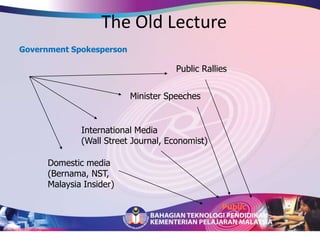
The Old LectureGovernment SpokespersonPublic RalliesMinister SpeechesInternational Media(Wall Street Journal, Economist)Domestic media(Bernama, NST, Malaysia Insider)Public
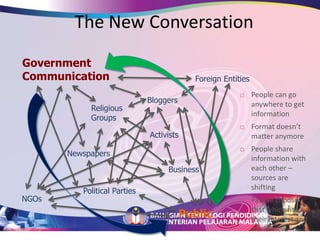
The New ConversationGovernmentCommunicationForeign EntitiesPeople can go anywhere to get information
Format doesn’t matter anymore
People share information with each other – sources are shifting
People choose  that which fits their interest and world viewBloggersReligious GroupsActivistsNewspapersBusinessPolitical PartiesNGOsPublic
How can I find information on the Internet?    There are two main types of Internet search tools:Search Engines Specialist Search Tools – Meta Search Engines
SEARCH ENGINESSearch engines work by sending out special Web-harvesting software to Web sites around the World to automatically create a huge index that lets you search millions (if not billions) of Web pages. Most of the famous search engines are run by commercial companies in the USA.
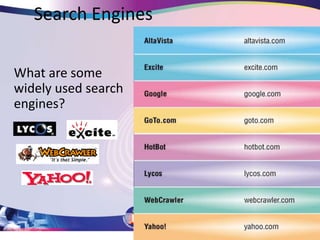
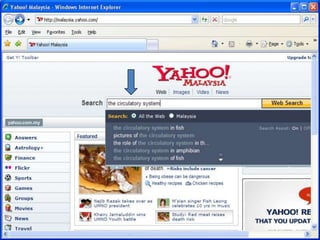
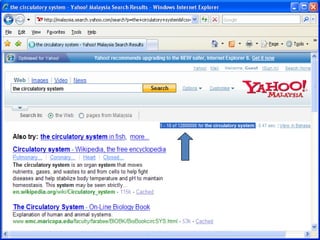
Search EnginesWhat are some widely used search engines?
SEARCH ENGINES	Pros Search engines are useful if you want to find a very precise piece of informationWill find something on every subject imaginable 	Cons Can give you too many results – time consuming to sort through Can return lots or irrelevant or inappropriate information
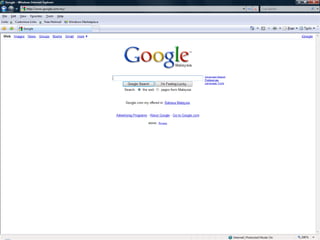
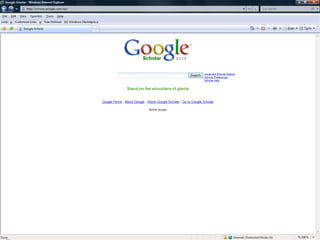
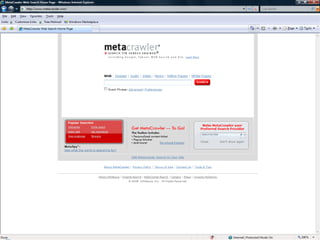
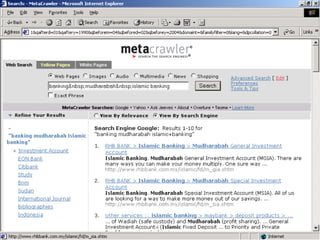
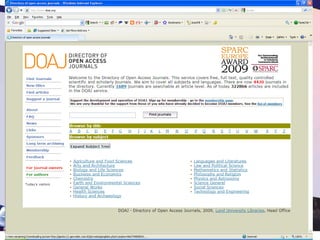
META SEARCH ENGINESPerhaps the best-known search engine is: GoogleMetacrawlerGooglescholar
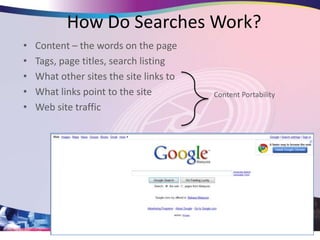
How Do Searches Work?Content – the words on the pageTags, page titles, search listingWhat other sites the site links toWhat links point to the siteWeb site trafficContent Portability
ONLINE SEARCHINGFinding information on the web can be a difficult tasks. This can only be due to the sheer size of the WWW, which currently contained an estimated 3 billions documents.  Secondly, the WWW is not indexed in any standard vocabulary (unlike a library catalogue)
Using Search Engines and Meta Search Engines.For this tutorial, the search engines used are Googlescholar, Alta Vista and MetaCrawler.A search engine is a software that finds things on the WWW.  A Meta Search Engines is a powerful search engines that search the Internet’s top search engines simultaneously.
Recommended search engineshttp://www.googlescholar.com/http://www.altavista.com/http://www.metacrawler.com/
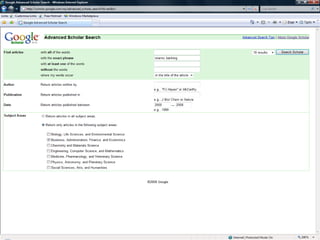
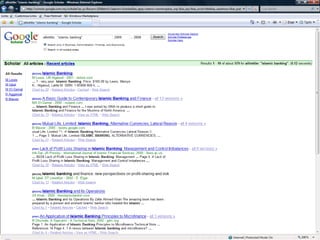
What is Google Scholar?Google Scholar provides a simple way to broadly search for scholarly literature. From one place, you can search across many disciplines and sources: peer-reviewed papers, theses, books, abstracts and articles, from academic publishers, professional societies, preprint repositories, universities and other scholarly organizations. Google Scholar helps you identify the most relevant research across the world of scholarly research.MetaCrawler? AltaVista?MetaCrawler: Search engine that retrieve results in relevency ranked order; useful power search available with a template of search options. AltaVista : searches web sites and Usenet newsgroups with advanced Boolean and field search options.
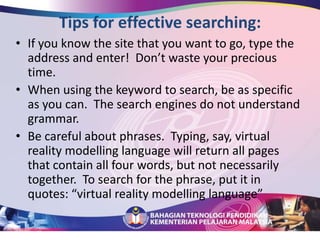
Tips for effective searching:If you know the site that you want to go, type the address and enter!  Don’t waste your precious time.
When using the keyword to search, be as specific as you can.  The search engines do not understand grammar.
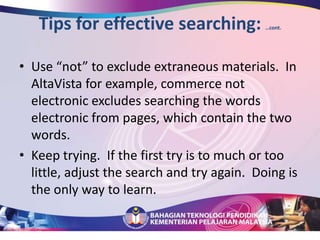
Be careful about phrases.  Typing, say, virtual reality modelling language will return all pages that contain all four words, but not necessarily together.  To search for the phrase, put it in quotes: “virtual reality modelling language”Tips for effective searching: …cont.Use “not” to exclude extraneous materials.  In AltaVista for example, commerce not electronic excludes searching the words electronic from pages, which contain the two words.  Keep trying.  If the first try is to much or too little, adjust the search and try again.  Doing is the only way to learn.
Search Strategies:Online searches rely on the use of Boolean operators – AND, OR, NOT, often in conjunction with parentheses.  How does Boolean operators work during searching:   Examples are : AND – “Children” AND “Television”OR – “Women” OR “Females”NOT – “Mechanical Engineering” NOT “School of …”
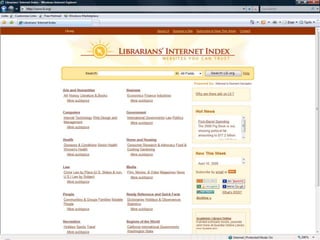
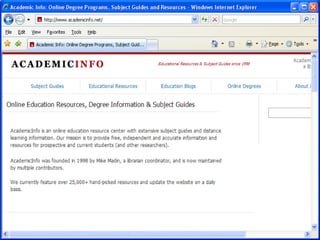
Subject DirectoriesSubject gateways to online libraries containing links and pages on a variety of topics or disciplines.Recommended sites are:The Librarian’s Index to the Internet	- 	http://www.lii.orgAcademic Info – .http://www.academicinfo.net
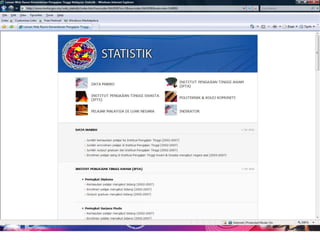
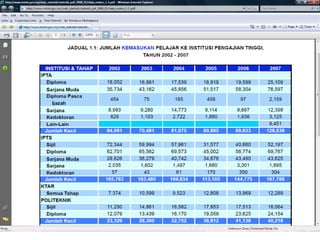
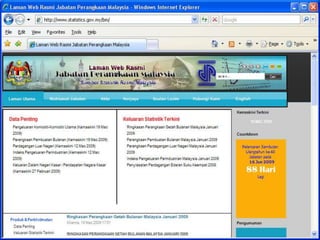
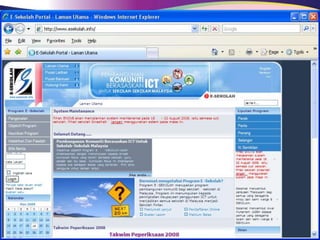
Educational OrganizationsServices provided by Educational Organizations and State Educational bodies.Recommended sites are:Statisticshttp://www.statistics.gov.myResearchhttp://www.esekolah.info/Teaching Materialshttp://apps.emoe.gov.myhttp://jpnperlis/muatturun.htm
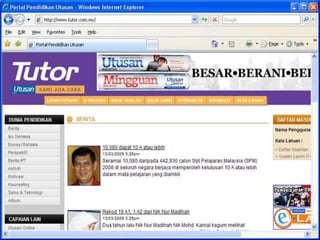
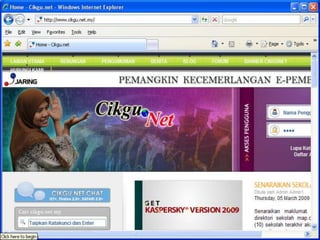
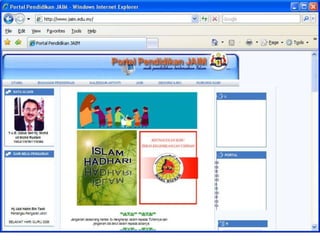
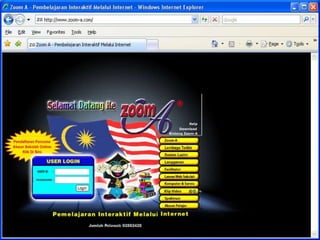
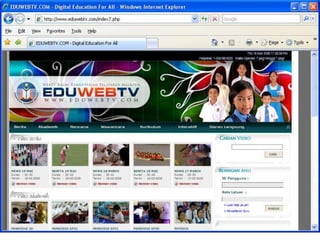
Selected Home Pages –The Knowledge PortalThese home pages provide the perfect gateway to lots of interesting sites and information directories.http://www.tutor.com.myhttp://www.cikgu.nethttp://www.jaim.edu.myhttp://www.zoom-a.com/http://www.eduwebtv.com/index7.phpBengkel Pusat Sumber Sekolah Peringkat Negeri Johor, 28 April 2009, Sri Malaysia Hotel , JB.
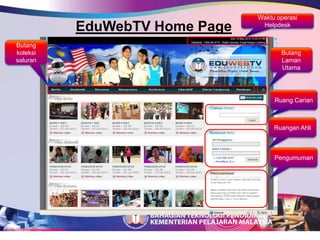
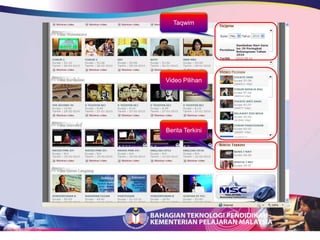
Waktu operasi HelpdeskEduWebTV Home PageButangkoleksisaluranButang Laman UtamaRuang CarianRuangan AhliPengumuman
TaqwimVideo PilihanBerita Terkini
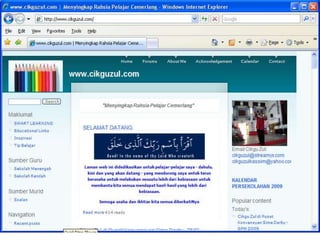
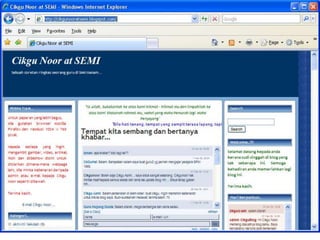
Selected Home Pages –The Teacher’CommunityThese home pages provide the perfect gateway to lots of interesting sites and information directories.http://www.cikguzul.com/http://www.cikgu.nethttp://cikgunooratsemi.blogspot.com/http://www.teacher.tube.com/
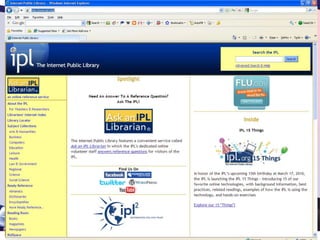
Latest concept in library servicesVirtual libraryVirtual Reference
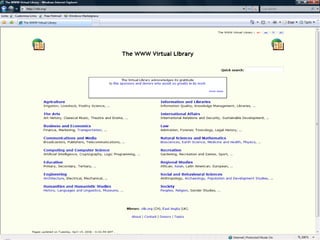
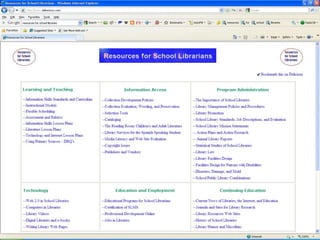
Virtual librariesA collection of materials from a variety of separate libraries that are organized in virtual space using computers and computer network				OrA system by which users access information that resides solely in electronic format on computer networks, without respect to physical location on the information
Electronic Reference (Virtual Reference) Reference services provided onlineThrough electronic means – e-mail, chat, instant messaging, etc.Web-based reference services (commercial/Free)
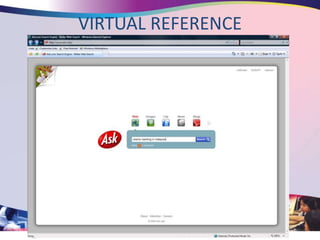
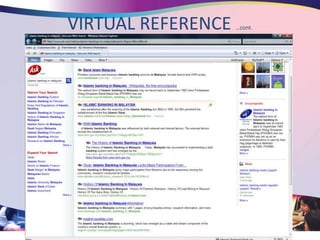
Electronic Reference (Virtual Reference) Use of Internet as reference servicesSome example are:http://www.ask.comhttp://www.abuzz.comhttp://www.askme.com
VIRTUAL REFERENCE
VIRTUAL REFERENCE …cont.
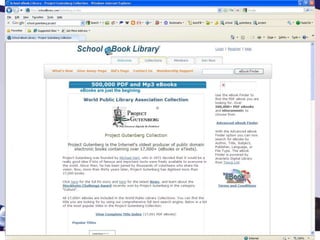
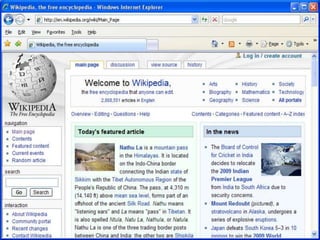
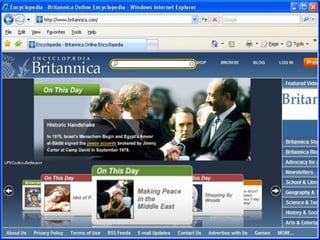
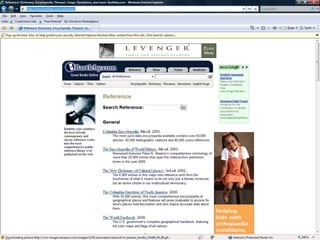
Electronic Reference SourcesDictionarieshttp://www.merriam-webster.com/http://www.e-kamus-malaysia.com/Encyclopediashttp://en.wikipedia.org/wiki/Main_Pagehttp://www.britannica.com/Bartleby Referencehttp://www.bartleby.com/reference/
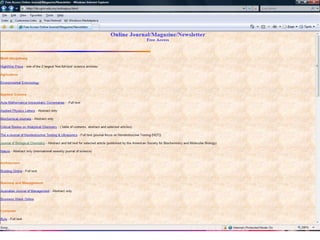
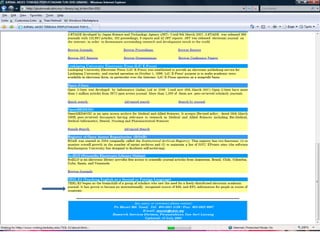
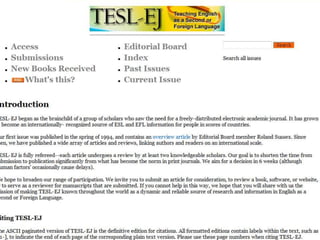
Electronic JournalsSome local E-journals that are relevant:http://lib.upm.edu.my/onlinejour.htmlhttp://pkukmweb.ukm.my/~library/oaj_bi.htm?Id=3352
Bengkel Pusat Sumber Sekolah Peringkat Negeri Johor, 28 April 2009, Sri Malaysia Hotel , JB.
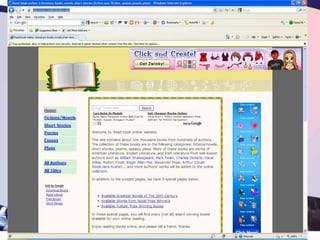
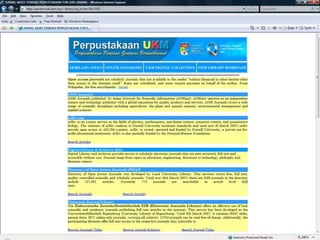
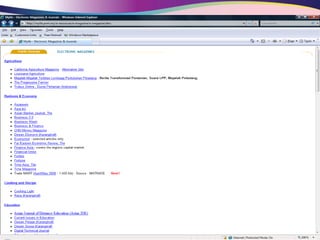
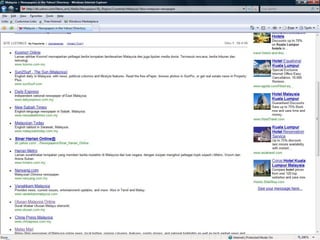
Electronic MagazinesMagazines and Newspapers available on the Internet provided by publishers on the Internet :http://mylib.pnm.my/e-resources/e-magazine/e-magazine.htmhttp://dir.yahoo.com/News_and_Media/Newspapers/By_Region/Countries/Malaysia/?skw=malaysia+newspaper
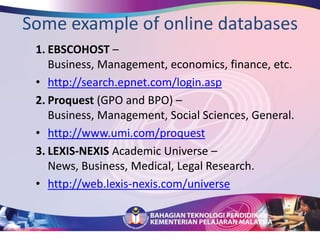
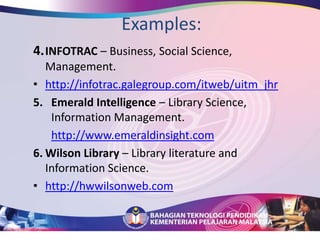
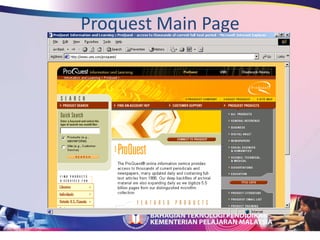
Online DatabasesDatabases that are being subscribed and provided by the library.  As the services are based on fees, the library provide user Id and a password.  Using the password and user ID, library patrons can have access to the services at any internet location.
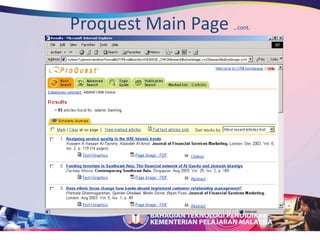
Online Databases …cont.The databases provide online journals on specialized subject areas.  Please take note that users are required to enter the correct ID and password to activate  the searches.  The ID and password can be obtained from your librarian.

Internet search btp_r[1].pptx edit

  • 1.
  • 2.
    Fasa ekonomi Malaysia secara holistikKnowledge BasedKnowledge & TechnologyDriven2000Hi tech. manufacturing & ServicesProductivity Driven1990sMedium tech. manufacturing & ServicesInvestmentDriven1980sAssembly type manufacturingLabour Driven1960-1970sPrimary commoditiesLabour Driven1957
  • 3.
    EVOLUSI PROSES PENGAJARANDAN PEMBELAJARAN (P&P)AMALAN P&P LAMA AMALAN P&P BARUPENGAJARANMembekalkan maklumat
  • 4.
    Memberi lebih jawapandaripada soalan
  • 5.
  • 6.
    Mengguna sumber dalambentuk teks dan bukan elektronik
  • 7.
    Membekalkan tugasan yangmencabar dan memerlukan penyiasatan dan analisis
  • 8.
    Memberi lebih soalandaripada jawapan
  • 9.
  • 10.
    Mengguna sumber yangpelbagai khususnya yang berteknologiMETODOLOGIBerpusatkanmurid
  • 11.
  • 12.
  • 13.
    BerorientasikanprosesPENGGUNAAN SUMBER PENGAJARANDAN PEMBELAJARAN SECARA BERANSUR-ANSURSEKOLAH KINIPEMBESTARIANMuriddibenarmajupadakadar yang berlainanMuriddibenarmajupadakadar yang berlainanKelas maju pada kadar yang samaGuru sebagaisumbermaklumat
  • 14.
  • 15.
  • 16.
  • 17.
  • 18.
  • 19.
  • 20.
    Multimedia digunakanuntukmenampungkeperluanindividu3 TUNJANGPEMBESTARIAN Kebolehanmendapatkanmaklumatdaripelbagaisumberuntuktujuantertentusepertibuku, jurnal, TV, bertanya, berbincangatau InternetAksesKendiriMuridtidaktertaklukkepadakelajuanataukebolehanpelajar lain tetapidibenarkanuntukmajukepadakemahiranatautajukbaruapabilaiatelahmenguasaisesuatumatapelajaranKadar KendiriMuriddibenarkanmenerokatajuk yang diminatitanpaterkongkongdengankurikulum yang rigid. Muridbolehmelakukandenganbantuanteknologisepertimelaluikemudahan multimedia CD ROM, TV, radio, Internet dan lain-lainTerarahKendiri
  • 21.
    CARA PEMBELAJARAN PEMBESTARIANDenganCourseware interaktifmenggunakan CD ROM ataumelalui intranet sekolah
  • 22.
    Dengan Networking melaluie-mail kepadapakarataupihaktertentu
  • 23.
  • 24.
  • 25.
    Denganmembuat“field trip”ataulawatanketempat yangmempunyaisumbermaklumat yang diperlukan
  • 26.
    MemperolehimaklumatdaribahankonvensionalsepertibukudanperpustakaantradisionalPusat AksesMakmal PengkomputeranAgensiPelaksana Utama : BTPPelaksana : BPP, BS, JPNTeras 2, 4Latihan GuruAgensi Pelaksana Utama : BSPelaksana : BPP, BS, BTMK,BTP, PPK, JPN,Teras 2, 4Agensi Pelaksana Utama : BPGPelaksana : BPG, BSM, IPG, JNSTeras: 2, 3, 5, 6 Sekolah Rintis BestariTV Pendidikan / eduWebTVAgensi Pelaksana: BTPPelaksana : Semua BahagianTeras: 1, 2, 3, 4, 5, 6Agensi Pelaksana Utama : BTPPelaksana : BS, JPNTeras 1, 2, 4Perisian KursusAgensi Pelaksana Utama : BTPPelaksana : BPG, BS, IPG, JNS, JPNTeras: 1, 2, 3, 5, 6 SchoolNetAgensi Pelaksana Utama : BTMKPelaksana : BS, JPN, BTPTeras 2, 4MBMMBI(Makmal BM /BI)AgensiPelaksanaUtama : PPKPelaksana : BS, JPN, BTP, BBT , JNS Teras 2, 4PEMBESTARIAN SEKOLAH MENGAMBIL KIRA INISIATIF ICT KPM
  • 27.
  • 28.
    LiterasiMaklumatLiterasiMaklumatadalahsuatukemahiranyang digunakanbilamaklumattertentudiperlukan, kebolehanmencaridanmemperolehimaklumatdalamapajuaformat danmenggunakanmaklumattersebutsecaraaktifsepertikata Anthony Robins dalambukunyaThe Unlimited Power, “Information is power, action is obsolute power”.
  • 29.
    …Information LiteracyThe abilityto access, evaluate and use information from a variety of sources.Christina A.Doyle(1992)
  • 30.
    KEPENTINGANNYA* Muridharustahucara yangteraturdantepatbagimendapatkanmaklumat yang sesuaikeranamaklumatmemainkanperananpentingdalamkehidupan
  • 31.
    …KEPENTINGANNYA * Melibatkanmuridsecaraterusdengansumberpembelajaransupayapembelajaranmenjadilebihaktifdanmemberangsangkan* Melatihmurid, belajarberdikarisecaraberansur-ansuruntukmemudahkanmerekamenghayatikonseppendidikanseumurhidup
  • 32.
    … KEPENTINGANNYA * Melatihmuriduntukmenanganiilmu yang pelbagaidanmenjadikansumbersebagaipuncapembelajaran
  • 33.
    PEMBELAJARAN BERASASKAN SUMBERTell me and I will forgetShow me and I rememberInvolve me and I will understand
  • 34.
    UNDERLINING PRINCIPLES Allstudents have the ability to learn and progress, which can be enhanced by using appropriate learning technologiesLearning is a consequence of thinking, and good thinking is learnable by all studentsLearning should include deep understanding, which involves the flexible, active use of knowledge
  • 35.
    A NATION PREPARED“People…… will not come to the workplace knowing all they have to know, but knowing how to figure out what they need to know, where to get it, and how to make meaning out of it.”Thompson, Helen M and Henley, Susan A (2000)
  • 36.
  • 37.
    The Internet isa vast source of information It connects millions of computers around the world Computers belonging to all sorts of people and organizations. All these computers hold information, some of which is free for everyone to access and use.
  • 38.
    Malaysia is SophisticatedOnline16.8m internet users (60%)
  • 39.
    2/3 of internetusers now also use social media
  • 40.
    Largest group ofusers aged 15-19 (17.9%)
  • 41.
    Over 33% ofusers have a Friendster account
  • 42.
    28% of homeusers access blogs
  • 43.
    More than aquarter of all internet users live in Selangor (26.1%)
  • 44.
    One of countrieswith most bloggers per person in the worldInformation comes from a wide variety of sources such as:
  • 45.
    How Malaysia UsesOnline2/3 of internet users now also use social mediaGet information (94.4%)Text communications (84.7%)Education (64.5%)Leisure (63.5%)Financial activities (31.8%)Public services (29.2%)E-government transactions (19.8%)Online stock trading (5.9%)Social network visitors (August 2009)Facebook: 6.2 millionFriendster: 4.2 millionMySpace: 2.1 millionFlickr: 1.5 millionTwitter: 750,000Sources: Alexa and Google Ad Planner, 2009
  • 46.
    What Is OnlineCommunications?Web sitesFormal means for communicating with your audiences, content is important, needs to be “portable” for social mediaSearch Primary means for people to find information on the web“Social Media”Facebook, Friendster, Twitter, YouTube, Digg, Blinklist, FriendX, Wikipedia, Message BoardsWhat is Social Media?Encompasses online personal publishing – blogs, social networks, comments on news websites, forums, chat rooms, Wikipedia, podcastsAs with the media, it puts government statements on the record23
  • 47.
    The Old LectureGovernmentSpokespersonPublic RalliesMinister SpeechesInternational Media(Wall Street Journal, Economist)Domestic media(Bernama, NST, Malaysia Insider)Public
  • 48.
    The New ConversationGovernmentCommunicationForeignEntitiesPeople can go anywhere to get information
  • 49.
  • 50.
    People share informationwith each other – sources are shifting
  • 51.
    People choose that which fits their interest and world viewBloggersReligious GroupsActivistsNewspapersBusinessPolitical PartiesNGOsPublic
  • 52.
    How can Ifind information on the Internet? There are two main types of Internet search tools:Search Engines Specialist Search Tools – Meta Search Engines
  • 53.
    SEARCH ENGINESSearch engineswork by sending out special Web-harvesting software to Web sites around the World to automatically create a huge index that lets you search millions (if not billions) of Web pages. Most of the famous search engines are run by commercial companies in the USA.
  • 54.
    Search EnginesWhat aresome widely used search engines?
  • 55.
    SEARCH ENGINES Pros Searchengines are useful if you want to find a very precise piece of informationWill find something on every subject imaginable Cons Can give you too many results – time consuming to sort through Can return lots or irrelevant or inappropriate information
  • 58.
    META SEARCH ENGINESPerhapsthe best-known search engine is: GoogleMetacrawlerGooglescholar
  • 61.
    How Do SearchesWork?Content – the words on the pageTags, page titles, search listingWhat other sites the site links toWhat links point to the siteWeb site trafficContent Portability
  • 62.
    ONLINE SEARCHINGFinding informationon the web can be a difficult tasks. This can only be due to the sheer size of the WWW, which currently contained an estimated 3 billions documents. Secondly, the WWW is not indexed in any standard vocabulary (unlike a library catalogue)
  • 63.
    Using Search Enginesand Meta Search Engines.For this tutorial, the search engines used are Googlescholar, Alta Vista and MetaCrawler.A search engine is a software that finds things on the WWW. A Meta Search Engines is a powerful search engines that search the Internet’s top search engines simultaneously.
  • 64.
  • 65.
    What is GoogleScholar?Google Scholar provides a simple way to broadly search for scholarly literature. From one place, you can search across many disciplines and sources: peer-reviewed papers, theses, books, abstracts and articles, from academic publishers, professional societies, preprint repositories, universities and other scholarly organizations. Google Scholar helps you identify the most relevant research across the world of scholarly research.MetaCrawler? AltaVista?MetaCrawler: Search engine that retrieve results in relevency ranked order; useful power search available with a template of search options. AltaVista : searches web sites and Usenet newsgroups with advanced Boolean and field search options.
  • 70.
    Tips for effectivesearching:If you know the site that you want to go, type the address and enter! Don’t waste your precious time.
  • 71.
    When using thekeyword to search, be as specific as you can. The search engines do not understand grammar.
  • 72.
    Be careful aboutphrases. Typing, say, virtual reality modelling language will return all pages that contain all four words, but not necessarily together. To search for the phrase, put it in quotes: “virtual reality modelling language”Tips for effective searching: …cont.Use “not” to exclude extraneous materials. In AltaVista for example, commerce not electronic excludes searching the words electronic from pages, which contain the two words. Keep trying. If the first try is to much or too little, adjust the search and try again. Doing is the only way to learn.
  • 73.
    Search Strategies:Online searchesrely on the use of Boolean operators – AND, OR, NOT, often in conjunction with parentheses. How does Boolean operators work during searching: Examples are : AND – “Children” AND “Television”OR – “Women” OR “Females”NOT – “Mechanical Engineering” NOT “School of …”
  • 74.
    Subject DirectoriesSubject gatewaysto online libraries containing links and pages on a variety of topics or disciplines.Recommended sites are:The Librarian’s Index to the Internet - http://www.lii.orgAcademic Info – .http://www.academicinfo.net
  • 77.
    Educational OrganizationsServices providedby Educational Organizations and State Educational bodies.Recommended sites are:Statisticshttp://www.statistics.gov.myResearchhttp://www.esekolah.info/Teaching Materialshttp://apps.emoe.gov.myhttp://jpnperlis/muatturun.htm
  • 82.
    Selected Home Pages–The Knowledge PortalThese home pages provide the perfect gateway to lots of interesting sites and information directories.http://www.tutor.com.myhttp://www.cikgu.nethttp://www.jaim.edu.myhttp://www.zoom-a.com/http://www.eduwebtv.com/index7.phpBengkel Pusat Sumber Sekolah Peringkat Negeri Johor, 28 April 2009, Sri Malaysia Hotel , JB.
  • 88.
    Waktu operasi HelpdeskEduWebTVHome PageButangkoleksisaluranButang Laman UtamaRuang CarianRuangan AhliPengumuman
  • 89.
  • 90.
    Selected Home Pages–The Teacher’CommunityThese home pages provide the perfect gateway to lots of interesting sites and information directories.http://www.cikguzul.com/http://www.cikgu.nethttp://cikgunooratsemi.blogspot.com/http://www.teacher.tube.com/
  • 93.
    Latest concept inlibrary servicesVirtual libraryVirtual Reference
  • 94.
    Virtual librariesA collectionof materials from a variety of separate libraries that are organized in virtual space using computers and computer network OrA system by which users access information that resides solely in electronic format on computer networks, without respect to physical location on the information
  • 103.
    Electronic Reference (VirtualReference) Reference services provided onlineThrough electronic means – e-mail, chat, instant messaging, etc.Web-based reference services (commercial/Free)
  • 104.
    Electronic Reference (VirtualReference) Use of Internet as reference servicesSome example are:http://www.ask.comhttp://www.abuzz.comhttp://www.askme.com
  • 105.
  • 106.
  • 107.
  • 111.
    Electronic JournalsSome localE-journals that are relevant:http://lib.upm.edu.my/onlinejour.htmlhttp://pkukmweb.ukm.my/~library/oaj_bi.htm?Id=3352
  • 115.
    Bengkel Pusat SumberSekolah Peringkat Negeri Johor, 28 April 2009, Sri Malaysia Hotel , JB.
  • 116.
    Electronic MagazinesMagazines andNewspapers available on the Internet provided by publishers on the Internet :http://mylib.pnm.my/e-resources/e-magazine/e-magazine.htmhttp://dir.yahoo.com/News_and_Media/Newspapers/By_Region/Countries/Malaysia/?skw=malaysia+newspaper
  • 119.
    Online DatabasesDatabases thatare being subscribed and provided by the library. As the services are based on fees, the library provide user Id and a password. Using the password and user ID, library patrons can have access to the services at any internet location.
  • 120.
    Online Databases …cont.Thedatabases provide online journals on specialized subject areas. Please take note that users are required to enter the correct ID and password to activate the searches. The ID and password can be obtained from your librarian.

Editor's Notes

  • #23 Need to improve communications in all aspects – web content, search availability, collaborative media, and social media We’ll focus on social media first, as it’s had the most profound impact on communications flow
  • #24 Explain that while government may push its information online into social media, where it will get covered and how is determined by the online community Each of these venues won’t necessarily be targeted or important to government online interactions, but it’s important to consider all of the ways your online reputation is shaped Explain terms such as micro-blogging, virtual worlds, and social networks in this context
  • #26 The government no longer speaks to the people through the media. Instead, communications shift and change as they make their way from where they are delivered through online channels to their final destination. However, online also gives the opportunity to address the people directly in new ways, which we will discuss in more detail later
  • #36 - We’ve talked about how search is critical because it’s how people generally find answers to the information they seek. But what determines search results? And how can this help us communicate?- Which of these is most important? Which is least?