Intranet Mailing
Presented by:
Dharmraj Sharma
CSE 11EEBCS016
Department of Computer Science and Engineering
Govt. Engineering College Bikaner
Introduction
 This Intranet Mailing system is designed to provide a communication channel inside
an organization (Organization staff) on the LAN network.
 The main objective of the project is to develop a fully functional Intranet Mailing
System that enhances communications among the members of the organization in a
reliable, cost-effective and secure way.
 A project specific intranet uses a database server to store mails and information such
as users details including the personal information.
 This flexible approach allows geographically remote project teams to access timely,
consistent and accurate information without expensive typesetting, printing,
distribution and mailing charges.
Scope of The Project
 It is designed to provide a communication channel inside an
organization between different clients on the network.
 It accept the mails from authorized users providing security.
 This enhances communications among the members of the
organization in a reliable, cost-effective and secure way.
Technologies Used
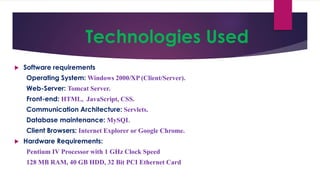
 Software requirements
Operating System: Windows 2000/XP (Client/Server).
Web-Server: Tomcat Server.
Front-end: HTML, JavaScript, CSS.
Communication Architecture: Servlets.
Database maintenance: MySQL
Client Browsers: Internet Explorer or Google Chrome.
 Hardware Requirements:
Pentium IV Processor with 1 GHz Clock Speed
128 MB RAM, 40 GB HDD, 32 Bit PCI Ethernet Card
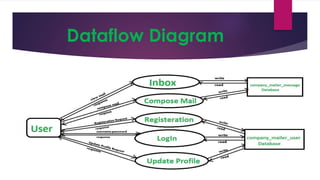
Dataflow Diagram
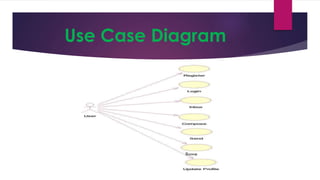
Use Case Diagram
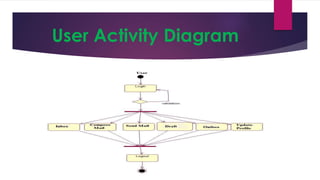
User Activity Diagram
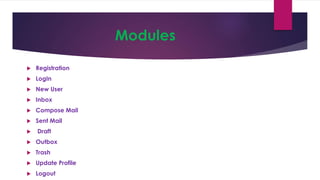
Modules
 Registration
 LogIn
 New User
 Inbox
 Compose Mail
 Sent Mail
 Draft
 Outbox
 Trash
 Update Profile
 Logout
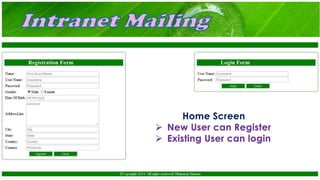
Home Screen
 New User can Register
 Existing User can login
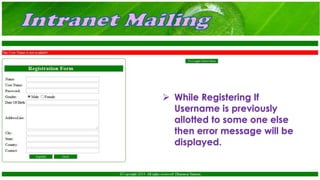
 While Registering If
Username is previously
allotted to some one else
then error message will be
displayed.
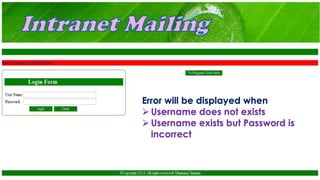
Error will be displayed when
 Username does not exists
 Username exists but Password is
incorrect
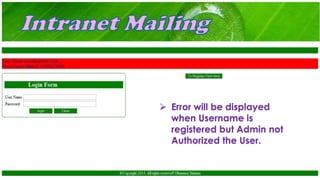
 Error will be displayed
when Username is
registered but Admin not
Authorized the User.
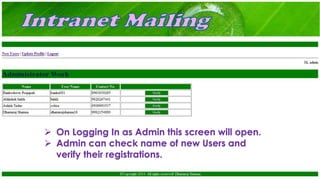
 On Logging In as Admin this screen will open.
 Admin can check name of new Users and
verify their registrations.
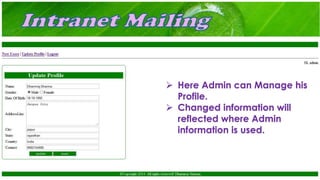
 Here Admin can Manage his
Profile.
 Changed information will
reflected where Admin
information is used.
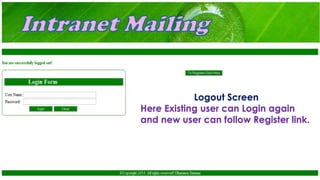
Logout Screen
Here Existing user can Login again
and new user can follow Register link.
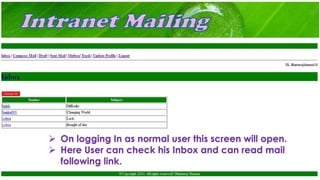
 On logging In as normal user this screen will open.
 Here User can check his Inbox and can read mail
following link.
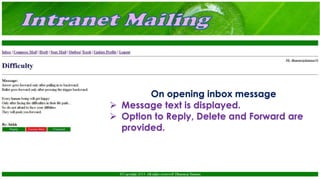
On opening inbox message
 Message text is displayed.
 Option to Reply, Delete and Forward are
provided.
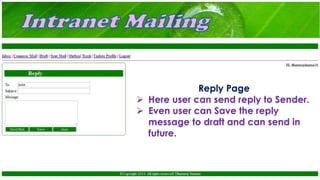
Reply Page
 Here user can send reply to Sender.
 Even user can Save the reply
message to draft and can send in
future.
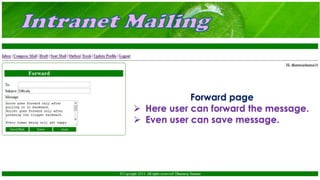
Forward page
 Here user can forward the message.
 Even user can save message.
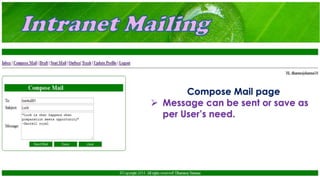
Compose Mail page
 Message can be sent or save as
per User’s need.
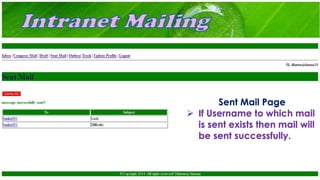
Sent Mail Page
 If Username to which mail
is sent exists then mail will
be sent successfully.
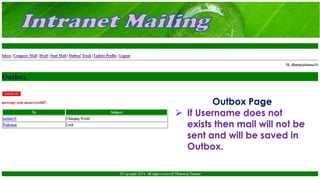
Outbox Page
 If Username does not
exists then mail will not be
sent and will be saved in
Outbox.
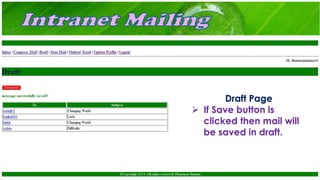
Draft Page
 If Save button is
clicked then mail will
be saved in draft.
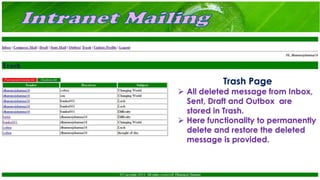
Trash Page
 All deleted message from Inbox,
Sent, Draft and Outbox are
stored in Trash.
 Here functionality to permanently
delete and restore the deleted
message is provided.
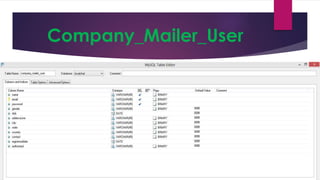
Company_Mailer_User
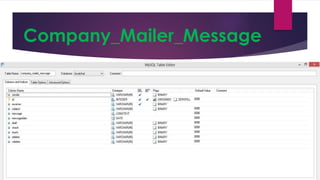
Company_Mailer_Message
Advantages Of Intranet Mailing
 Workforce productivity
 Less Mailing Time
 Communication
 Security
 Cost-effective
 Promote common corporate culture
 Business operations and management
Conclusion
 The Intranet Mailing System works in a similar fashion as
that of an Internet Mailing System, there is no need to
get an internet connection for this mailing system. The
various branches of the organization can be connected
to a single host server and then an employee of one
branch can send a message to an employee of another
branch through server.
References
 BOOK REFERENCES
 J2EE- The Complete Reference.
 J2SE- The Complete Reference.
 SITE REFERENCE
 http://www.w3schools.com/
 http://www.tutorialspoint.com/
 http://docs.oracle.com/
Thank You

Interanet Mailing

  • 1.
    Intranet Mailing Presented by: DharmrajSharma CSE 11EEBCS016 Department of Computer Science and Engineering Govt. Engineering College Bikaner
  • 2.
    Introduction  This IntranetMailing system is designed to provide a communication channel inside an organization (Organization staff) on the LAN network.  The main objective of the project is to develop a fully functional Intranet Mailing System that enhances communications among the members of the organization in a reliable, cost-effective and secure way.  A project specific intranet uses a database server to store mails and information such as users details including the personal information.  This flexible approach allows geographically remote project teams to access timely, consistent and accurate information without expensive typesetting, printing, distribution and mailing charges.
  • 3.
    Scope of TheProject  It is designed to provide a communication channel inside an organization between different clients on the network.  It accept the mails from authorized users providing security.  This enhances communications among the members of the organization in a reliable, cost-effective and secure way.
  • 4.
    Technologies Used  Softwarerequirements Operating System: Windows 2000/XP (Client/Server). Web-Server: Tomcat Server. Front-end: HTML, JavaScript, CSS. Communication Architecture: Servlets. Database maintenance: MySQL Client Browsers: Internet Explorer or Google Chrome.  Hardware Requirements: Pentium IV Processor with 1 GHz Clock Speed 128 MB RAM, 40 GB HDD, 32 Bit PCI Ethernet Card
  • 5.
  • 6.
  • 7.
  • 8.
    Modules  Registration  LogIn New User  Inbox  Compose Mail  Sent Mail  Draft  Outbox  Trash  Update Profile  Logout
  • 9.
    Home Screen  NewUser can Register  Existing User can login
  • 10.
     While RegisteringIf Username is previously allotted to some one else then error message will be displayed.
  • 11.
    Error will bedisplayed when  Username does not exists  Username exists but Password is incorrect
  • 12.
     Error willbe displayed when Username is registered but Admin not Authorized the User.
  • 13.
     On LoggingIn as Admin this screen will open.  Admin can check name of new Users and verify their registrations.
  • 14.
     Here Admincan Manage his Profile.  Changed information will reflected where Admin information is used.
  • 15.
    Logout Screen Here Existinguser can Login again and new user can follow Register link.
  • 16.
     On loggingIn as normal user this screen will open.  Here User can check his Inbox and can read mail following link.
  • 17.
    On opening inboxmessage  Message text is displayed.  Option to Reply, Delete and Forward are provided.
  • 18.
    Reply Page  Hereuser can send reply to Sender.  Even user can Save the reply message to draft and can send in future.
  • 19.
    Forward page  Hereuser can forward the message.  Even user can save message.
  • 20.
    Compose Mail page Message can be sent or save as per User’s need.
  • 21.
    Sent Mail Page If Username to which mail is sent exists then mail will be sent successfully.
  • 22.
    Outbox Page  IfUsername does not exists then mail will not be sent and will be saved in Outbox.
  • 23.
    Draft Page  IfSave button is clicked then mail will be saved in draft.
  • 24.
    Trash Page  Alldeleted message from Inbox, Sent, Draft and Outbox are stored in Trash.  Here functionality to permanently delete and restore the deleted message is provided.
  • 25.
  • 26.
  • 27.
    Advantages Of IntranetMailing  Workforce productivity  Less Mailing Time  Communication  Security  Cost-effective  Promote common corporate culture  Business operations and management
  • 28.
    Conclusion  The IntranetMailing System works in a similar fashion as that of an Internet Mailing System, there is no need to get an internet connection for this mailing system. The various branches of the organization can be connected to a single host server and then an employee of one branch can send a message to an employee of another branch through server.
  • 29.
    References  BOOK REFERENCES J2EE- The Complete Reference.  J2SE- The Complete Reference.  SITE REFERENCE  http://www.w3schools.com/  http://www.tutorialspoint.com/  http://docs.oracle.com/
  • 30.