Integrating the Google Search Appliance 
with WebCenter or Liferay Portal 
Presented by Fishbowl Solutions
Agenda 
+ Google Search for Portal Overview 
+ Serving GSA Results in a Portal 
+ Fishbowl’s GSA Portal Search Suite 
+ Demo 
+ Questions 
www.fishbowlsolutions.com
Who we are 
Partnering with businesses to solve costly and 
frustrating knowledge sharing problems 
www.fishbowlsolutions.com 
• Google Enterprise Partner 
• Oracle Gold Partner 
• WebCenter Content 
• WebCenter Portal 
• Specializing in portals & content 
management for 14 years 
• 100+ Projects in the past 2 years
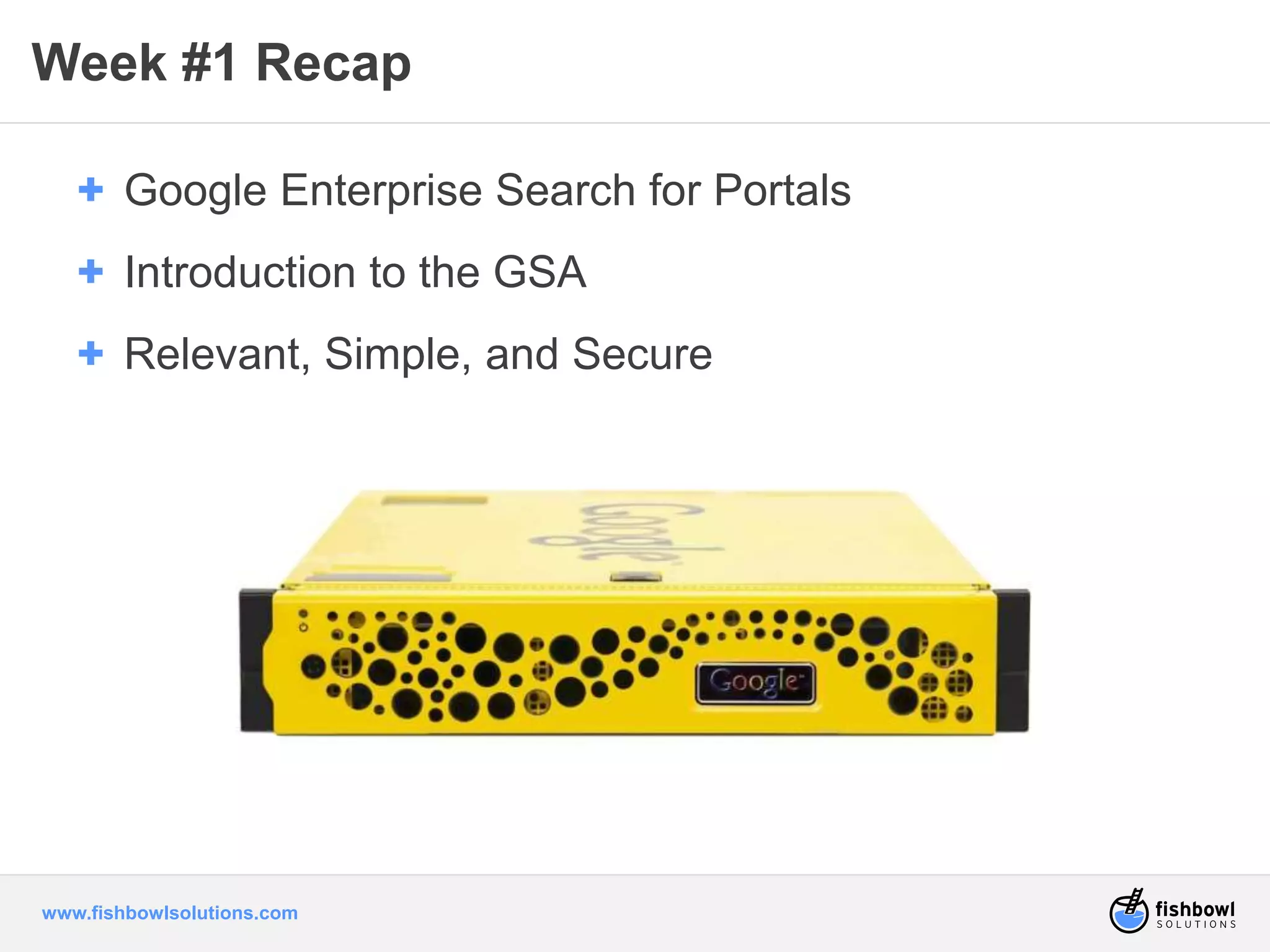
Week #1 Recap 
+ Google Enterprise Search for Portals 
+ Introduction to the GSA 
+ Relevant, Simple, and Secure 
www.fishbowlsolutions.com
I want Google 
search 
in my.. .p noortwa l ... 
www.fishbowlsolutions.com 
what?
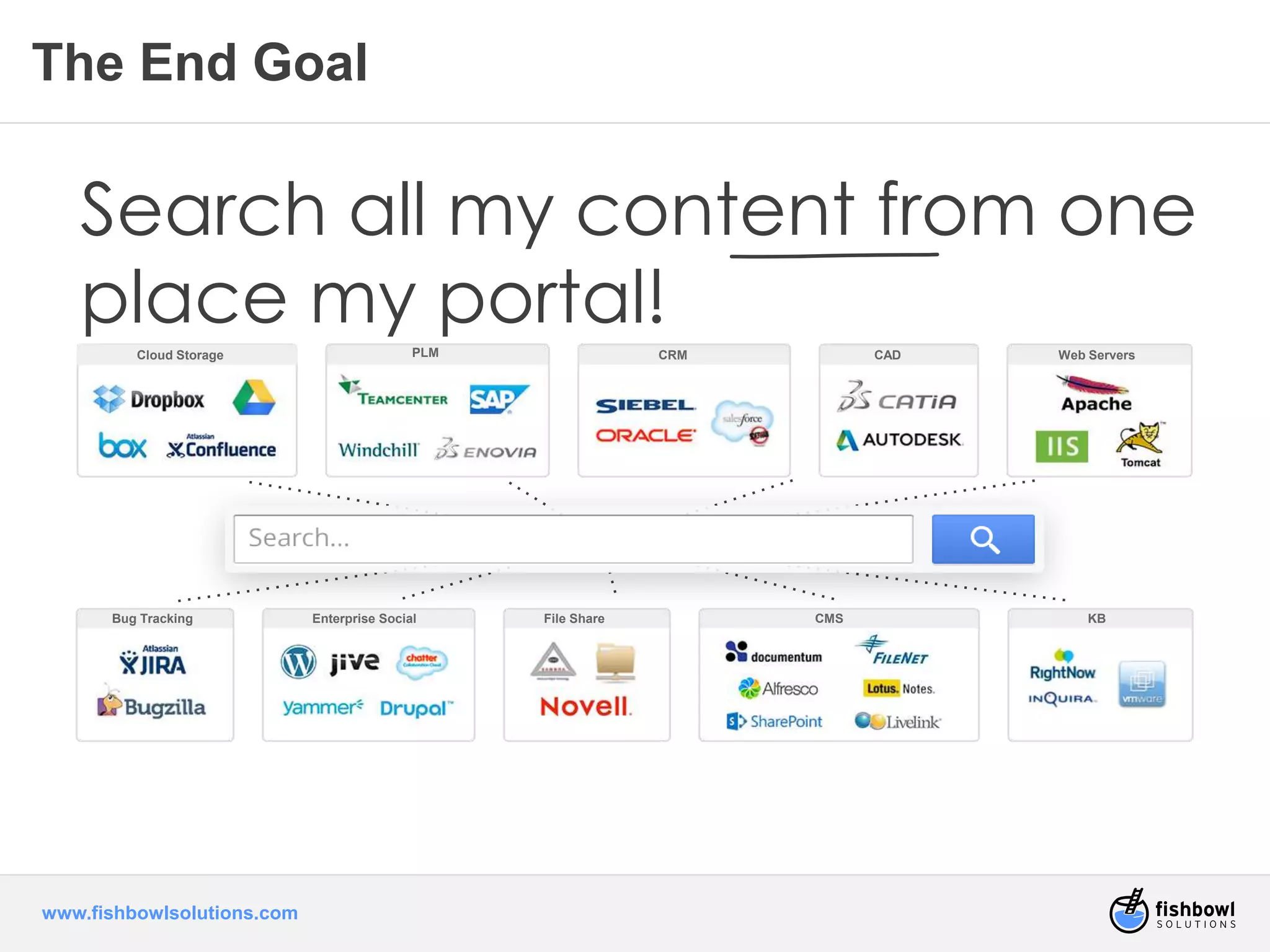
Cloud Storage PLM CRM CAD 
Bug Tracking Enterprise Social File Share CMS KB 
www.fishbowlsolutions.com 
Web Servers 
The End Goal 
Search all my content from one 
place my portal!
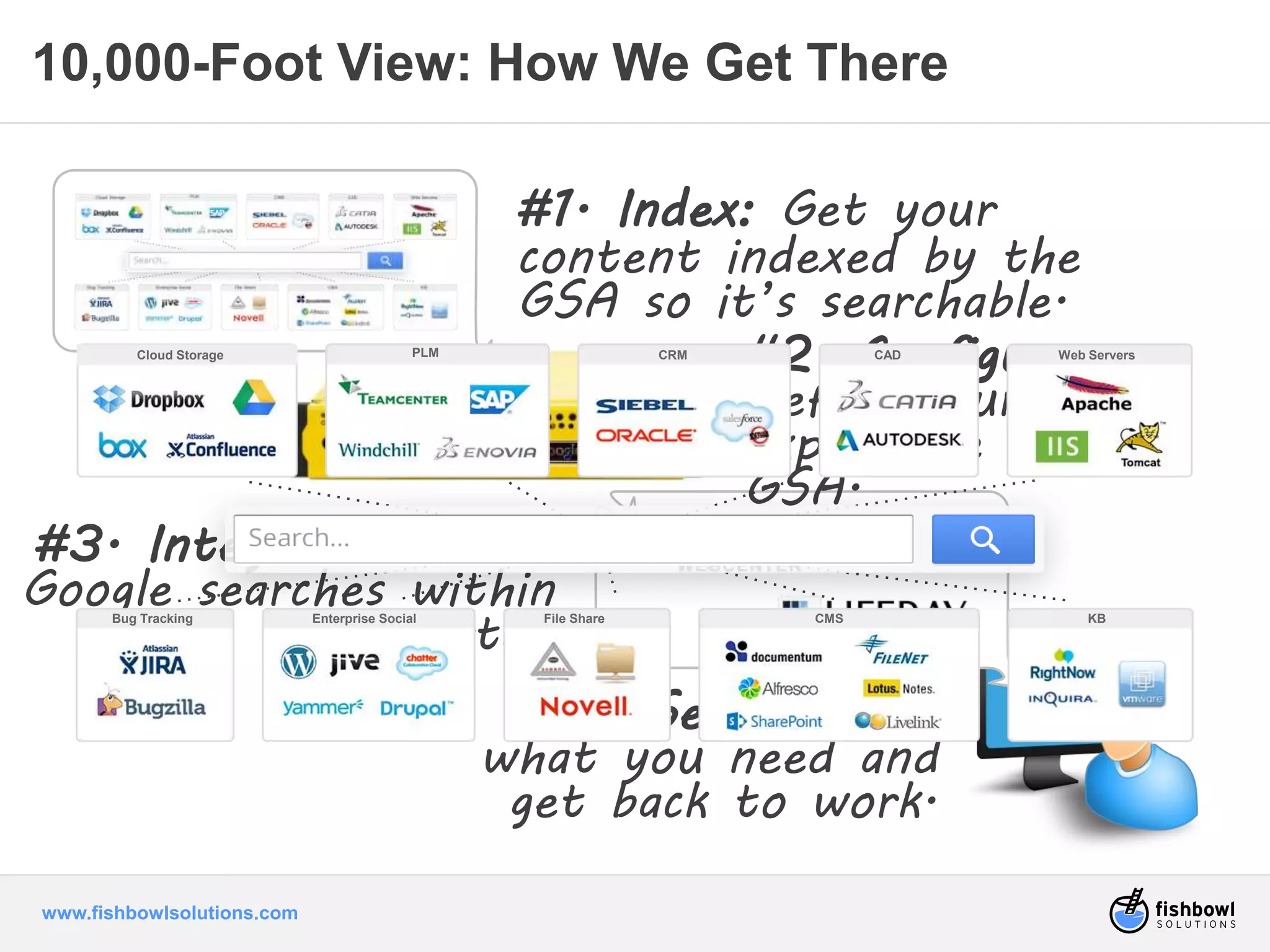
10,000-Foot View: How We Get There 
Cloud Storage PLM CRM CAD 
Bug Tracking Enterprise Social File Share CMS KB 
www.fishbowlsolutions.com 
#1. Index: Get your 
content indexed by the 
GSA so it’s searchable. 
#3. Integrate: Enable 
Google searches within 
the portal. 
#2. Configure: 
Define your search 
experience on the 
GSA. 
#4. Search: Find 
what you need and 
get back to work. 
Web Servers
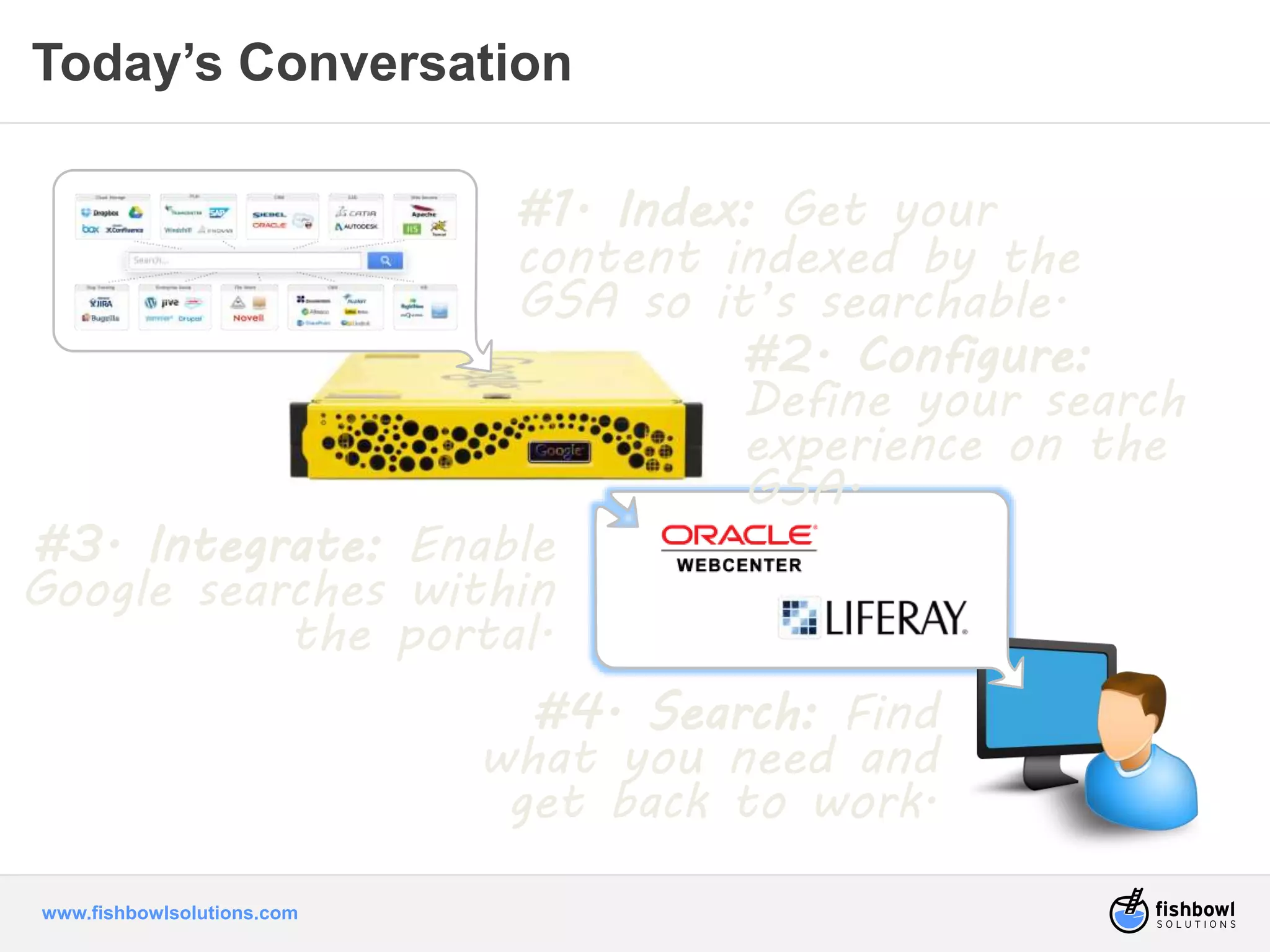
Today’s Conversation 
www.fishbowlsolutions.com 
#1. Index: Get your 
content indexed by the 
GSA so it’s searchable. 
#3. Integrate: Enable 
Google searches within 
the portal. 
#2. Configure: 
Define your search 
experience on the 
GSA. 
#4. Search: Find 
what you need and 
get back to work.
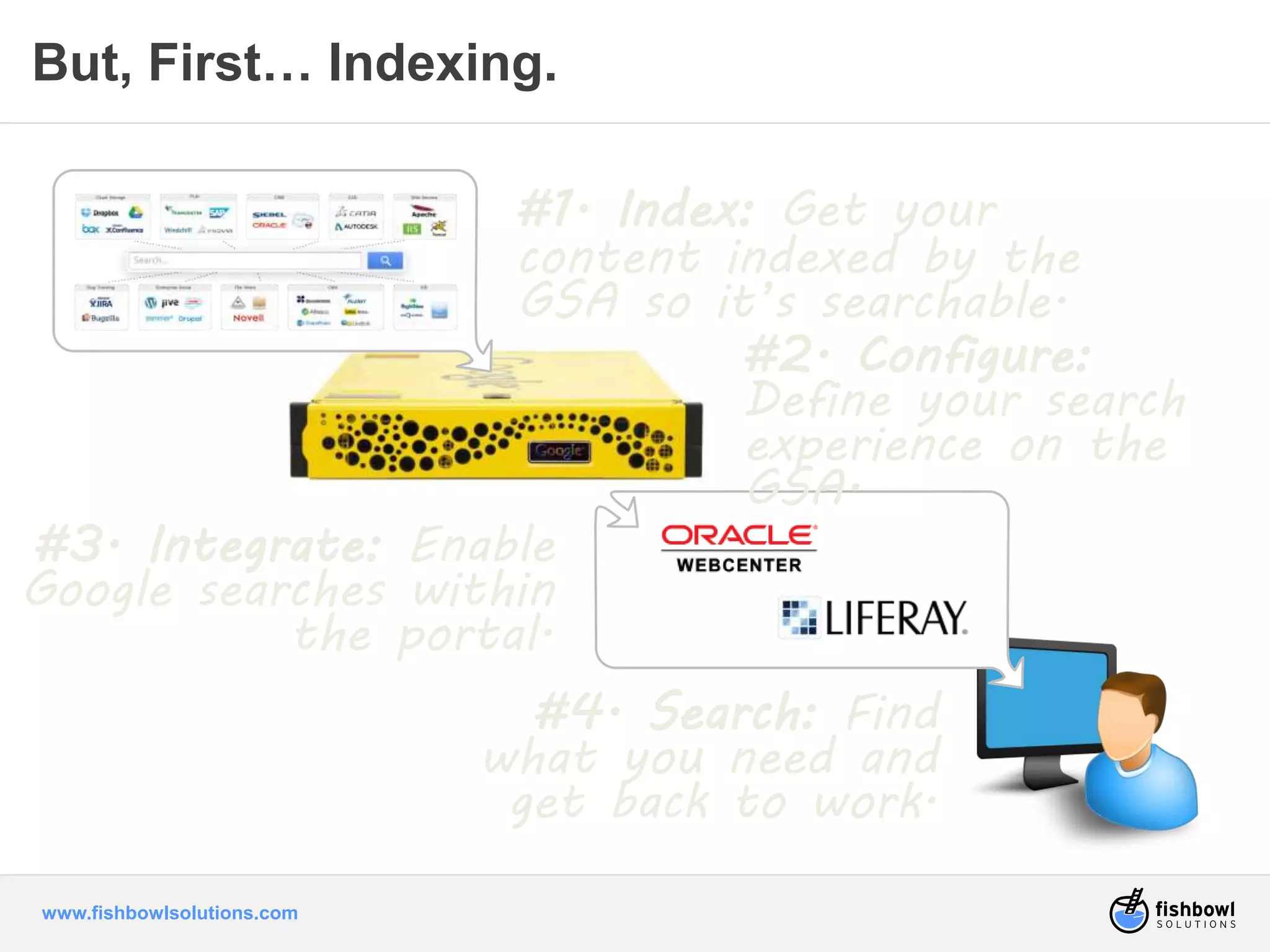
But, First… Indexing. 
www.fishbowlsolutions.com 
#1. Index: Get your 
content indexed by the 
GSA so it’s searchable. 
#3. Integrate: Enable 
Google searches within 
the portal. 
#2. Configure: 
Define your search 
experience on the 
GSA. 
#4. Search: Find 
what you need and 
get back to work.
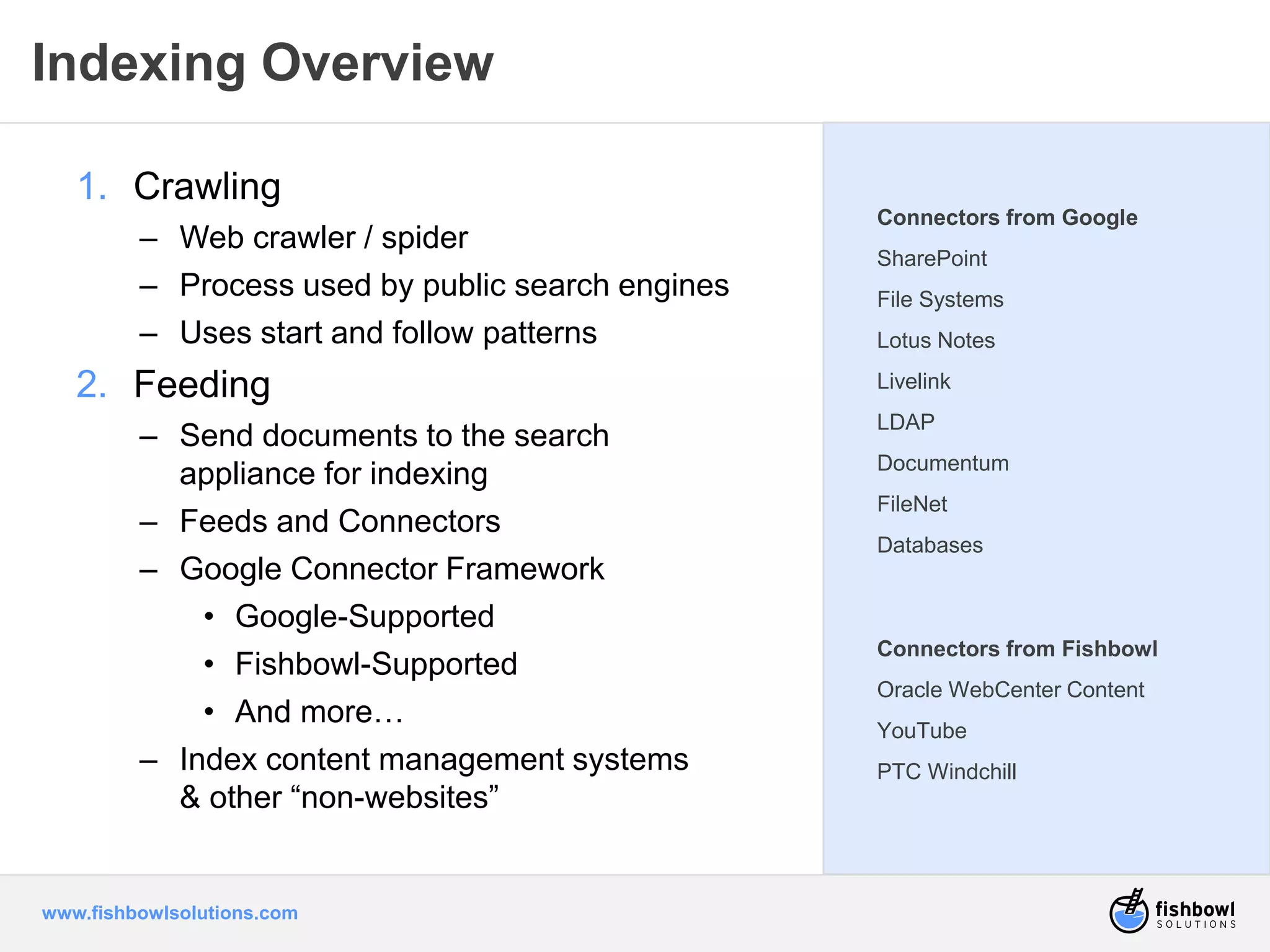
Indexing Overview 
1. Crawling 
– Web crawler / spider 
– Process used by public search engines 
– Uses start and follow patterns 
2. Feeding 
– Send documents to the search 
appliance for indexing 
– Feeds and Connectors 
– Google Connector Framework 
• Google-Supported 
• Fishbowl-Supported 
• And more… 
– Index content management systems 
& other “non-websites” 
www.fishbowlsolutions.com 
Connectors from Google 
SharePoint 
File Systems 
Lotus Notes 
Livelink 
LDAP 
Documentum 
FileNet 
Databases 
Connectors from Fishbowl 
Oracle WebCenter Content 
YouTube 
PTC Windchill
What are my 
options to 
integrate GSA 
results with a 
portal? 
www.fishbowlsolutions.com
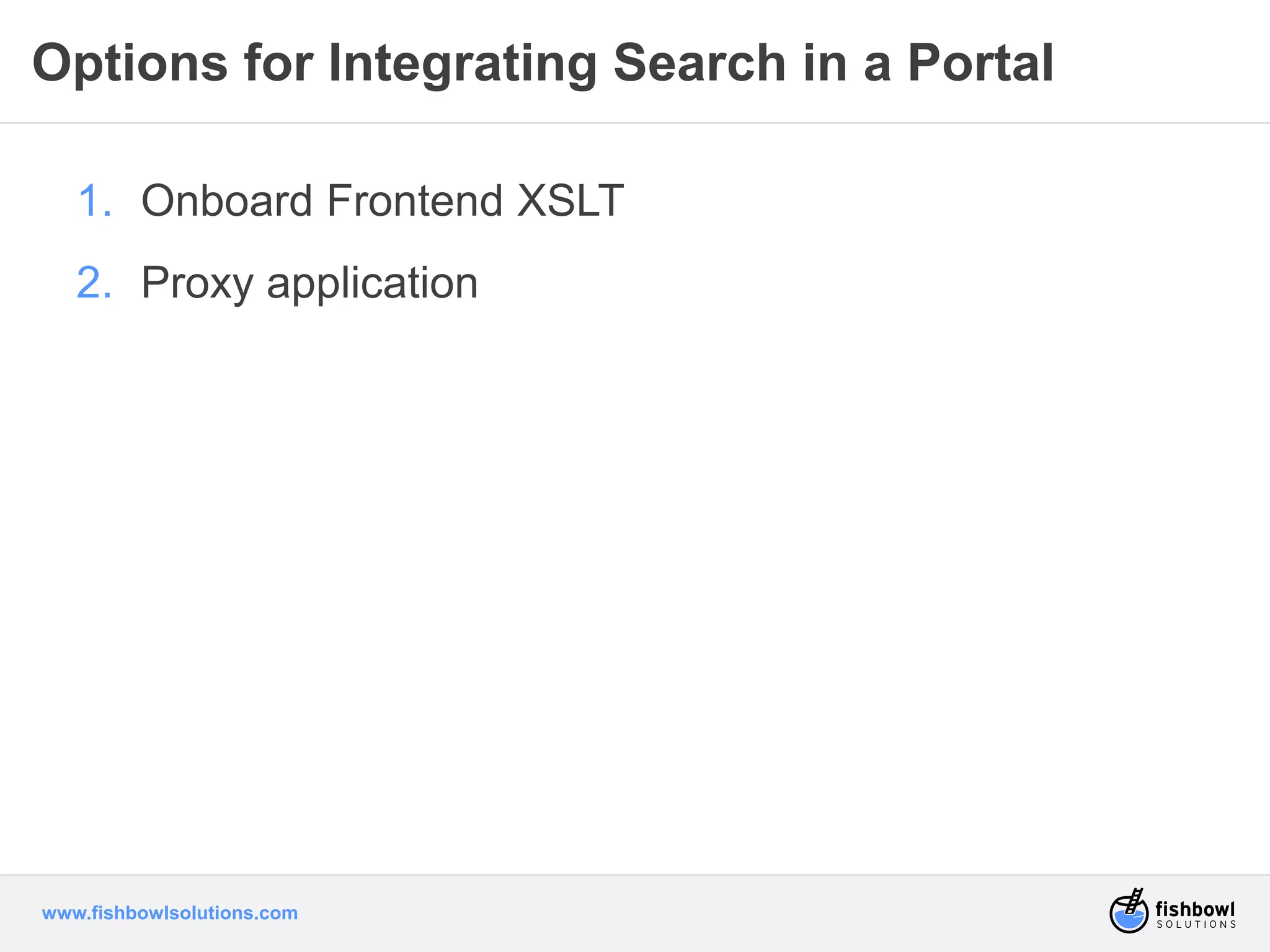
Options for Integrating Search in a Portal 
1. Onboard Frontend XSLT 
2. Proxy application 
www.fishbowlsolutions.com
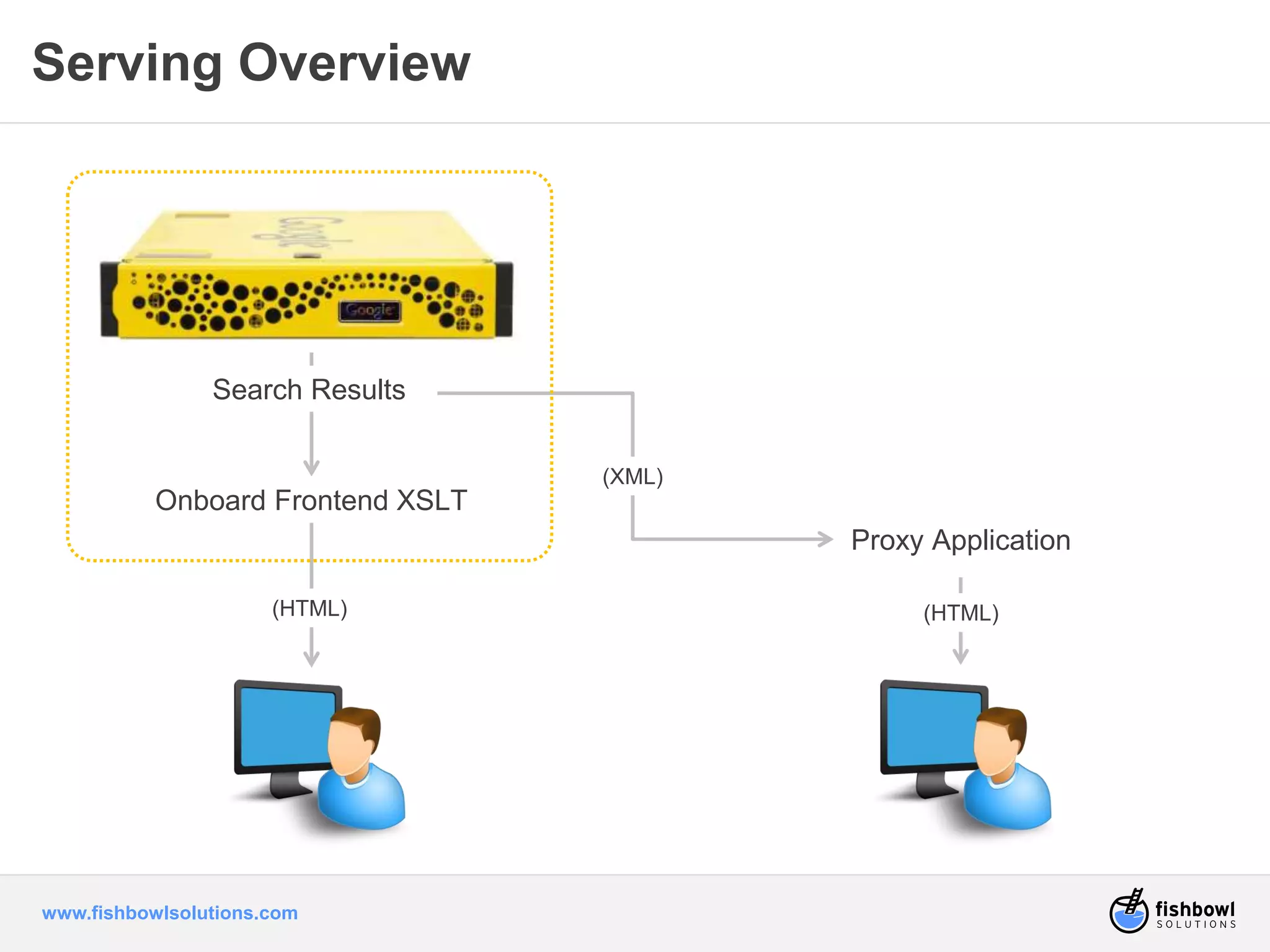
Serving Overview 
Search Results 
Onboard Frontend XSLT 
www.fishbowlsolutions.com 
Proxy Application 
(XML) 
(HTML) (HTML)
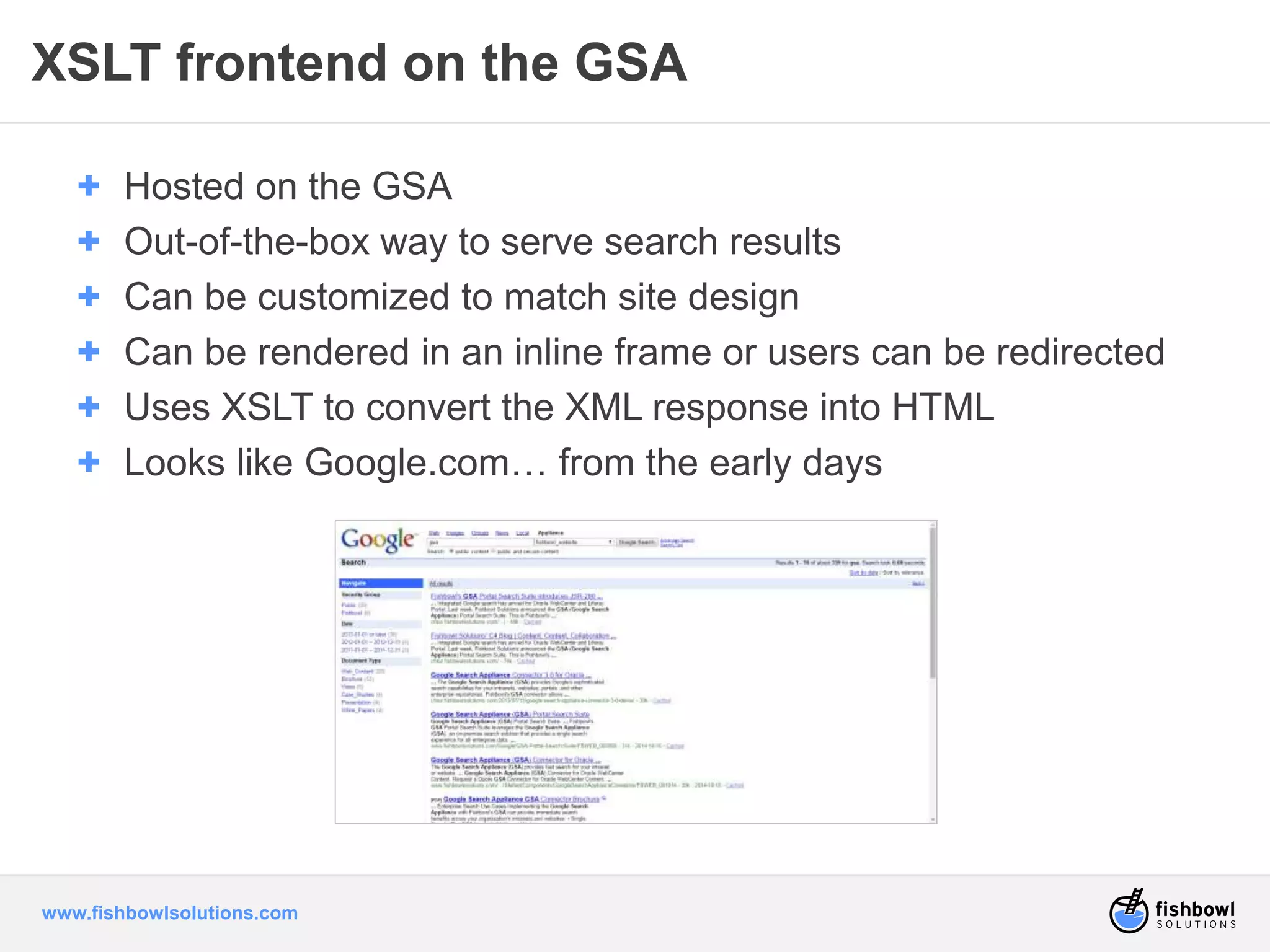
XSLT frontend on the GSA 
+ Hosted on the GSA 
+ Out-of-the-box way to serve search results 
+ Can be customized to match site design 
+ Can be rendered in an inline frame or users can be redirected 
+ Uses XSLT to convert the XML response into HTML 
+ Looks like Google.com… from the early days 
www.fishbowlsolutions.com
XSLT frontend on the GSA 
Pros 
+ Quick, easy to roll out 
+ Basic configuration interface built-in 
for controlling features, logo, etc. 
+ No added cost to deploy (unless 
paying someone to customize) 
+ Supported and updated by Google 
+ Handles advanced features such as 
document previews, type-ahead, click-tracking 
www.fishbowlsolutions.com 
Cons 
+ Poor to average user experience - 
usually looks dated, doesn’t match 
portal, disconnected 
+ GSA must be accessible outside the 
firewall if using externally 
+ Limitations on combining certain 
features – ex: dynamic result clusters 
and dynamic navigation 
+ Difficult to customize extensively 
+ Uses Google’s undocumented, 
unsupported XSLT stylesheet – 
requires XSLT knowledge 
+ Single sign on challenges and 
complexity especially with iframes
Proxy Application 
+ Custom portal integration with GSA - portlet, taskflow 
+ XML is returned to the portal and the portal application 
processes the XML to create the search results page 
+ Usually a custom development effort 
+ Implement search request and response processing 
+ Requires significant technical skills 
– Knowledge of GSA Search Response Format 
– XML Transformation 
– Portal development: 
• ADF taskflows or portlet development 
– Front end development – ADF or JSP / HTML / CSS 
www.fishbowlsolutions.com
Proxy Application 
Pros 
+ Users remain within the portal when 
searching 
+ Seamless user experience – quality 
depends on the time and effort put in 
+ GSA does not need to be accessible 
outside the firewall 
+ Development uses commonly known 
portal technologies rather than 
Google’s XSLT stylesheet 
www.fishbowlsolutions.com 
Cons 
+ Requires significant technical 
knowledge to accomplish – GSA and 
portal skills 
+ Moderate to high initial and change 
cost to add or modify later – must 
implement any desired features – 
document previews, type-ahead, 
people search, click-tracking, etc. 
+ Must deal with security if serving 
secure results – write your own 
security integration or leverage 
Google's – may or may not be silent – 
adds complexity
GSA Portal Search Suite 
+ Best of both worlds - 
benefits of a custom 
application without the 
coding, maintenance, and 
technical barriers 
+ Standards-based, flexible 
Google search integration 
for WebCenter or Liferay 
Portal. 
www.fishbowlsolutions.com
Product Overview 
What it is: 
+ A suite of Portlets 
– JSR-286 Standard 
– For WebCenter or Liferay 
+ A Serving Solution 
– Any content in your GSA index can be served up 
in the portal regardless of where it resides 
+ An Authentication Mechanism 
– Provides silent authentication between the GSA 
and the portal 
www.fishbowlsolutions.com
Why we did this… 
+ A productized integration 
– Delivered custom projects 
– Deliver more value to more customers 
– Preference for supported, standard product 
– No other standard integrations for GSA & portals 
+ Portlets vs. taskflows 
– Allows us to support both Liferay and WebCenter, easier to 
support other portals in the future 
– Easier deployment – portlets don’t require a restart to 
deploy; ADF taskflows do 
– Easier customization – can develop in JSP; don't have to 
know ADF 
www.fishbowlsolutions.com
Advantages of the GSA Portal Search Suite 
+ Seamless 
+ Flexible 
+ Secure 
+ Supported 
+ Customizable 
www.fishbowlsolutions.com
Seamless 
+ Suite of portlets plug and play with your portal 
+ Results are rendered directly in the Portal (no redirecting) 
+ Comprehensive set of GSA features 
– Exposes core features that make google great: type-ahead, relevancy, 
synonyms, spell check, etc. 
– Document previews, click tracking (self-learning scorer), people search, 
dynamic navigation. 
+ Lets you seamlessly integrate the look and feel of the search 
results with the rest of your portal design 
– Responsive / resizable portlets 
– Inherits your portal’s CSS 
www.fishbowlsolutions.com
Flexible 
+ Multiple portlets can be moved around 
– Search Box 
– Search Result (includes Document Previews) 
– KeyMatches 
– Dynamic Navigation 
– Dynamic Result Clusters 
– Collection OneBox 
– People Search 
– User Feedback 
+ Configurable 
– Turn features on or off, edit different pages without coding 
+ Different search experiences on different portal pages 
www.fishbowlsolutions.com
Secure 
+ Ready-built servlet to provide silent authentication 
– Users only log in once 
– Securely search all enterprise content 
+ Keep GSA inside the firewall, serve internal and external use 
cases 
– Portal proxies all requests to the GSA 
– Client browser does not need access to the GSA 
www.fishbowlsolutions.com
Supported 
+ Supported and tested product 
+ Access to Fishbowl support team for assistance and bug fixes 
+ Support for new GSA, WebCenter or Liferay releases 
+ No extensive scoping and development phase 
+ Up and running more quickly than custom development 
– In about 30 minutes you can be searching! 
www.fishbowlsolutions.com
Customizable 
+ Optionally supply your own CSS and JSPs for added flexibility 
+ Modify the display without any back-end coding 
+ Customization using JSP/ HTML / CSS – no ADF or portlet 
development required 
www.fishbowlsolutions.com
Demo: What you’re going to see 
+ Searching in Liferay – compare and contrast 
+ Configuring the portlets 
+ Searching in WebCenter 
+ Creating a new search page 
www.fishbowlsolutions.com
GSA Portal Search Suite 
Demo 
www.fishbowlsolutions.com
GSA Portal Search Suite 
+ The most comprehensive, 
flexible, and seamless 
GSA integration for portals 
available 
+ Up in running in days 
instead of weeks or 
months 
+ Benefits of a custom 
application without the 
coding, maintenance, and 
technical barriers 
www.fishbowlsolutions.com
www.fishbowlsolutions.com 
Any 
questions?
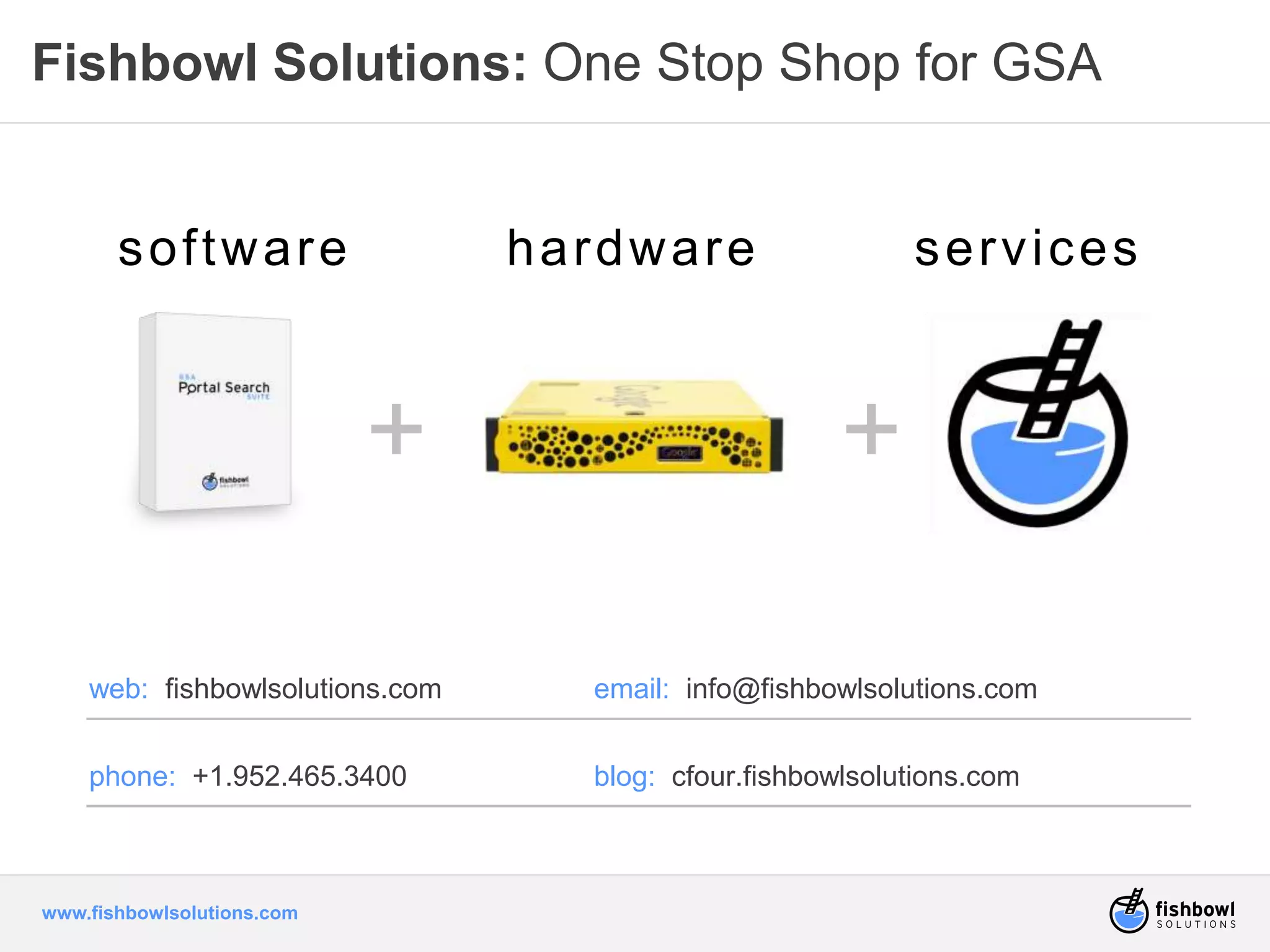
Fishbowl Solutions: One Stop Shop for GSA 
sof tware hardware services 
www.fishbowlsolutions.com 
+ + 
web: fishbowlsolutions.com email: info@fishbowlsolutions.com 
phone: +1.952.465.3400 blog: cfour.fishbowlsolutions.com
More Information 
web: fishbowlsolutions.com email: sales@fishbowlsolutions.com 
phone: +1.952.465.3400 blog: cfour.fishbowlsolutions.com 
twitter: @FishbowlE20 
facebook: facebook.com/fishbowlsolutions 
linkedIn: join our groups 
webcenter content & webcenter portal 
www.fishbowlsolutions.com

Integrating the Google Search Appliance with a WebCenter or Liferay Portal

  • 1.
    Integrating the GoogleSearch Appliance with WebCenter or Liferay Portal Presented by Fishbowl Solutions
  • 2.
    Agenda + GoogleSearch for Portal Overview + Serving GSA Results in a Portal + Fishbowl’s GSA Portal Search Suite + Demo + Questions www.fishbowlsolutions.com
  • 3.
    Who we are Partnering with businesses to solve costly and frustrating knowledge sharing problems www.fishbowlsolutions.com • Google Enterprise Partner • Oracle Gold Partner • WebCenter Content • WebCenter Portal • Specializing in portals & content management for 14 years • 100+ Projects in the past 2 years
  • 4.
    Week #1 Recap + Google Enterprise Search for Portals + Introduction to the GSA + Relevant, Simple, and Secure www.fishbowlsolutions.com
  • 5.
    I want Google search in my.. .p noortwa l ... www.fishbowlsolutions.com what?
  • 6.
    Cloud Storage PLMCRM CAD Bug Tracking Enterprise Social File Share CMS KB www.fishbowlsolutions.com Web Servers The End Goal Search all my content from one place my portal!
  • 7.
    10,000-Foot View: HowWe Get There Cloud Storage PLM CRM CAD Bug Tracking Enterprise Social File Share CMS KB www.fishbowlsolutions.com #1. Index: Get your content indexed by the GSA so it’s searchable. #3. Integrate: Enable Google searches within the portal. #2. Configure: Define your search experience on the GSA. #4. Search: Find what you need and get back to work. Web Servers
  • 8.
    Today’s Conversation www.fishbowlsolutions.com #1. Index: Get your content indexed by the GSA so it’s searchable. #3. Integrate: Enable Google searches within the portal. #2. Configure: Define your search experience on the GSA. #4. Search: Find what you need and get back to work.
  • 9.
    But, First… Indexing. www.fishbowlsolutions.com #1. Index: Get your content indexed by the GSA so it’s searchable. #3. Integrate: Enable Google searches within the portal. #2. Configure: Define your search experience on the GSA. #4. Search: Find what you need and get back to work.
  • 10.
    Indexing Overview 1.Crawling – Web crawler / spider – Process used by public search engines – Uses start and follow patterns 2. Feeding – Send documents to the search appliance for indexing – Feeds and Connectors – Google Connector Framework • Google-Supported • Fishbowl-Supported • And more… – Index content management systems & other “non-websites” www.fishbowlsolutions.com Connectors from Google SharePoint File Systems Lotus Notes Livelink LDAP Documentum FileNet Databases Connectors from Fishbowl Oracle WebCenter Content YouTube PTC Windchill
  • 11.
    What are my options to integrate GSA results with a portal? www.fishbowlsolutions.com
  • 12.
    Options for IntegratingSearch in a Portal 1. Onboard Frontend XSLT 2. Proxy application www.fishbowlsolutions.com
  • 13.
    Serving Overview SearchResults Onboard Frontend XSLT www.fishbowlsolutions.com Proxy Application (XML) (HTML) (HTML)
  • 14.
    XSLT frontend onthe GSA + Hosted on the GSA + Out-of-the-box way to serve search results + Can be customized to match site design + Can be rendered in an inline frame or users can be redirected + Uses XSLT to convert the XML response into HTML + Looks like Google.com… from the early days www.fishbowlsolutions.com
  • 15.
    XSLT frontend onthe GSA Pros + Quick, easy to roll out + Basic configuration interface built-in for controlling features, logo, etc. + No added cost to deploy (unless paying someone to customize) + Supported and updated by Google + Handles advanced features such as document previews, type-ahead, click-tracking www.fishbowlsolutions.com Cons + Poor to average user experience - usually looks dated, doesn’t match portal, disconnected + GSA must be accessible outside the firewall if using externally + Limitations on combining certain features – ex: dynamic result clusters and dynamic navigation + Difficult to customize extensively + Uses Google’s undocumented, unsupported XSLT stylesheet – requires XSLT knowledge + Single sign on challenges and complexity especially with iframes
  • 16.
    Proxy Application +Custom portal integration with GSA - portlet, taskflow + XML is returned to the portal and the portal application processes the XML to create the search results page + Usually a custom development effort + Implement search request and response processing + Requires significant technical skills – Knowledge of GSA Search Response Format – XML Transformation – Portal development: • ADF taskflows or portlet development – Front end development – ADF or JSP / HTML / CSS www.fishbowlsolutions.com
  • 17.
    Proxy Application Pros + Users remain within the portal when searching + Seamless user experience – quality depends on the time and effort put in + GSA does not need to be accessible outside the firewall + Development uses commonly known portal technologies rather than Google’s XSLT stylesheet www.fishbowlsolutions.com Cons + Requires significant technical knowledge to accomplish – GSA and portal skills + Moderate to high initial and change cost to add or modify later – must implement any desired features – document previews, type-ahead, people search, click-tracking, etc. + Must deal with security if serving secure results – write your own security integration or leverage Google's – may or may not be silent – adds complexity
  • 18.
    GSA Portal SearchSuite + Best of both worlds - benefits of a custom application without the coding, maintenance, and technical barriers + Standards-based, flexible Google search integration for WebCenter or Liferay Portal. www.fishbowlsolutions.com
  • 19.
    Product Overview Whatit is: + A suite of Portlets – JSR-286 Standard – For WebCenter or Liferay + A Serving Solution – Any content in your GSA index can be served up in the portal regardless of where it resides + An Authentication Mechanism – Provides silent authentication between the GSA and the portal www.fishbowlsolutions.com
  • 20.
    Why we didthis… + A productized integration – Delivered custom projects – Deliver more value to more customers – Preference for supported, standard product – No other standard integrations for GSA & portals + Portlets vs. taskflows – Allows us to support both Liferay and WebCenter, easier to support other portals in the future – Easier deployment – portlets don’t require a restart to deploy; ADF taskflows do – Easier customization – can develop in JSP; don't have to know ADF www.fishbowlsolutions.com
  • 21.
    Advantages of theGSA Portal Search Suite + Seamless + Flexible + Secure + Supported + Customizable www.fishbowlsolutions.com
  • 22.
    Seamless + Suiteof portlets plug and play with your portal + Results are rendered directly in the Portal (no redirecting) + Comprehensive set of GSA features – Exposes core features that make google great: type-ahead, relevancy, synonyms, spell check, etc. – Document previews, click tracking (self-learning scorer), people search, dynamic navigation. + Lets you seamlessly integrate the look and feel of the search results with the rest of your portal design – Responsive / resizable portlets – Inherits your portal’s CSS www.fishbowlsolutions.com
  • 23.
    Flexible + Multipleportlets can be moved around – Search Box – Search Result (includes Document Previews) – KeyMatches – Dynamic Navigation – Dynamic Result Clusters – Collection OneBox – People Search – User Feedback + Configurable – Turn features on or off, edit different pages without coding + Different search experiences on different portal pages www.fishbowlsolutions.com
  • 24.
    Secure + Ready-builtservlet to provide silent authentication – Users only log in once – Securely search all enterprise content + Keep GSA inside the firewall, serve internal and external use cases – Portal proxies all requests to the GSA – Client browser does not need access to the GSA www.fishbowlsolutions.com
  • 25.
    Supported + Supportedand tested product + Access to Fishbowl support team for assistance and bug fixes + Support for new GSA, WebCenter or Liferay releases + No extensive scoping and development phase + Up and running more quickly than custom development – In about 30 minutes you can be searching! www.fishbowlsolutions.com
  • 26.
    Customizable + Optionallysupply your own CSS and JSPs for added flexibility + Modify the display without any back-end coding + Customization using JSP/ HTML / CSS – no ADF or portlet development required www.fishbowlsolutions.com
  • 27.
    Demo: What you’regoing to see + Searching in Liferay – compare and contrast + Configuring the portlets + Searching in WebCenter + Creating a new search page www.fishbowlsolutions.com
  • 28.
    GSA Portal SearchSuite Demo www.fishbowlsolutions.com
  • 29.
    GSA Portal SearchSuite + The most comprehensive, flexible, and seamless GSA integration for portals available + Up in running in days instead of weeks or months + Benefits of a custom application without the coding, maintenance, and technical barriers www.fishbowlsolutions.com
  • 30.
  • 31.
    Fishbowl Solutions: OneStop Shop for GSA sof tware hardware services www.fishbowlsolutions.com + + web: fishbowlsolutions.com email: info@fishbowlsolutions.com phone: +1.952.465.3400 blog: cfour.fishbowlsolutions.com
  • 32.
    More Information web:fishbowlsolutions.com email: sales@fishbowlsolutions.com phone: +1.952.465.3400 blog: cfour.fishbowlsolutions.com twitter: @FishbowlE20 facebook: facebook.com/fishbowlsolutions linkedIn: join our groups webcenter content & webcenter portal www.fishbowlsolutions.com

Editor's Notes

  • #2 WebCenter Portal 11g Liferay Portal IBM WebSphere Not currently using a Portal Other (Other Oracle portals, SAP, etc.)
  • #3 What we’re going to go through today. Start out looking at some search challenges we’ve seen with other customers… have a discussion… Then I’m going to walk through the search process and how Google approaches search differently to provide better results Then we’ll go through a demo of GSA Portal Search Suite And then I’ll cover some specifics about what you saw in the demo and how the solution works, and we’ll take questions.
  • #4 I’m not sure how much you know about Fishbowl so Before we jump into the search process I wanted to set a foundation for how we got here to talking about search today. Fishbowl’s overall mission is solving knowledge sharing and information management problems… and ineffective search can certainly be both a costly and a frustrating problem. Fishbowl’s foundation is built on the WebCenter product and we have been working with it for 14 years, back when it was still Stellent. We are both a Google Enterprise partner and an Oracle Gold partner and Oracle specialized in WebCenter Content and Portal We work with hundreds of companies across the world in many industries including healthcare, _____________, and manufacturing (public sector). <state 3 with one being the customer you’re talking to>
  • #7 One of the great things about Google.com is that it searches all over the internet. With the Google Search Appliance, we apply that same idea of universality to the enterprise. Within our businesses and organizations, most have many line of business systems that house data independent of other applications. That creates challenges because any one user question likely requires searching across a number of these systems to credibly provide an answer. Without truly universal search, you risk your user communities ignoring pertinent information. The Google Search Appliance allows users to search across all these disparate systems and provides the information they are seeking on a single screen - which means indexing on-premise content from any source, social content, or cloud content. It even allows distributed indices. The GSA can provide unified access and searchability to all of an organization's content through the use of its many content connectors. These connectors provide indexing access to file shares, web sites, relational database systems like Oracle, IBM DB2, SharePoint 2013 and others as well as content management systems such as OpenText's Livelink, EMC Documentum and IBM Filenet. In addition, connectors to other systems such as SAP, Salesforce and PeopleSoft are also available. The GSA supports over 200 different file types, including Microsoft Office, PDFs, HTML and many business application formats.
  • #19 The GSA Portal Search Suite extends GSA search features such as spell check, synonyms, and related search suggestions to the portal so users can easily find what they need. Additionally, business-specific search features such as document previews and people search are available to portal users. The GSA Portal Search Suite also includes an authentication mechanism to provide single sign-on between the portal and the GSA, creating a seamless secure search experience.
  • #20 Framing it up – Google doesn’t ship with portlets – doesn’t integrate OOTB. Once you log in you don’t have to log in again.
  • #29 What youre going to see it the new ootb ui – all of the functionally that you’re seeing can be integrated with portal, ss, etc. What you’re going to see: How the new interface… Have conversation with the search Filter out the content - metadata facets, previews, and categories How end users can directly improve the search experience Provide access to content outside webcenter OPEN DEMO NOW
  • #30 The GSA Portal Search Suite extends GSA search features such as spell check, synonyms, and related search suggestions to the portal so users can easily find what they need. Additionally, business-specific search features such as document previews and people search are available to portal users. The GSA Portal Search Suite also includes an authentication mechanism to provide single sign-on between the portal and the GSA, creating a seamless secure search experience.
  • #32 As a google partner fishbowl can provide the hardware, software, and services necessary to meet your WebCenter or Enterprise search needs. World’s most popular search engine backed by best-in-class ECM Single provider GSA Hardware, Software and Services GSA implementation and configuration experts Deep domain expertise with Oracle WebCenter Numerous customers in production End-to-End Consulting Services Project Scoping, Implementations, Support, Tuning