

Accelerate Your PeopleSoft Accounts Payable Process Into Overdrive with Oracle's Document Capture, Imaging, and Workflow Solutions
The document discusses how Oracle's document capture, imaging, and workflow solutions can automate and accelerate PeopleSoft accounts payable processes. It outlines Fishbowl Solutions' experience with imaging projects, describes how Oracle's end-to-end system extracts data from invoices using intelligent forms recognition, stores invoice images in a central repository, and integrates with PeopleSoft using tight workflow and approval processes to reduce costs and processing times. A demo then shows how invoices are scanned, indexed, routed to PeopleSoft, and processed using the integrated Oracle WebCenter Capture and Imaging solutions.
Accelerate Your PeopleSoft Accounts Payable Process Into Overdrive with Oracle's Document Capture, Imaging, and Workflow Solutions
1.
Accelerate Your PeopleSoftAccounts Payable
Processes Into Overdrive with Oracle's document
capture, imaging, and workflow solutions
Presented by:
Jason Lamon & George Sokol – Fishbowl Solutions
Craig Morton - Oracle
2.
Agenda
+ FishbowlCompany Overview
+ Imaging Customer Successes
+ Business Problem: Paper and Manual
Processes
+ Oracle’s End-To-End System for Invoice
Processing Automation
+ Demo Walkthru
+ Questions
3.
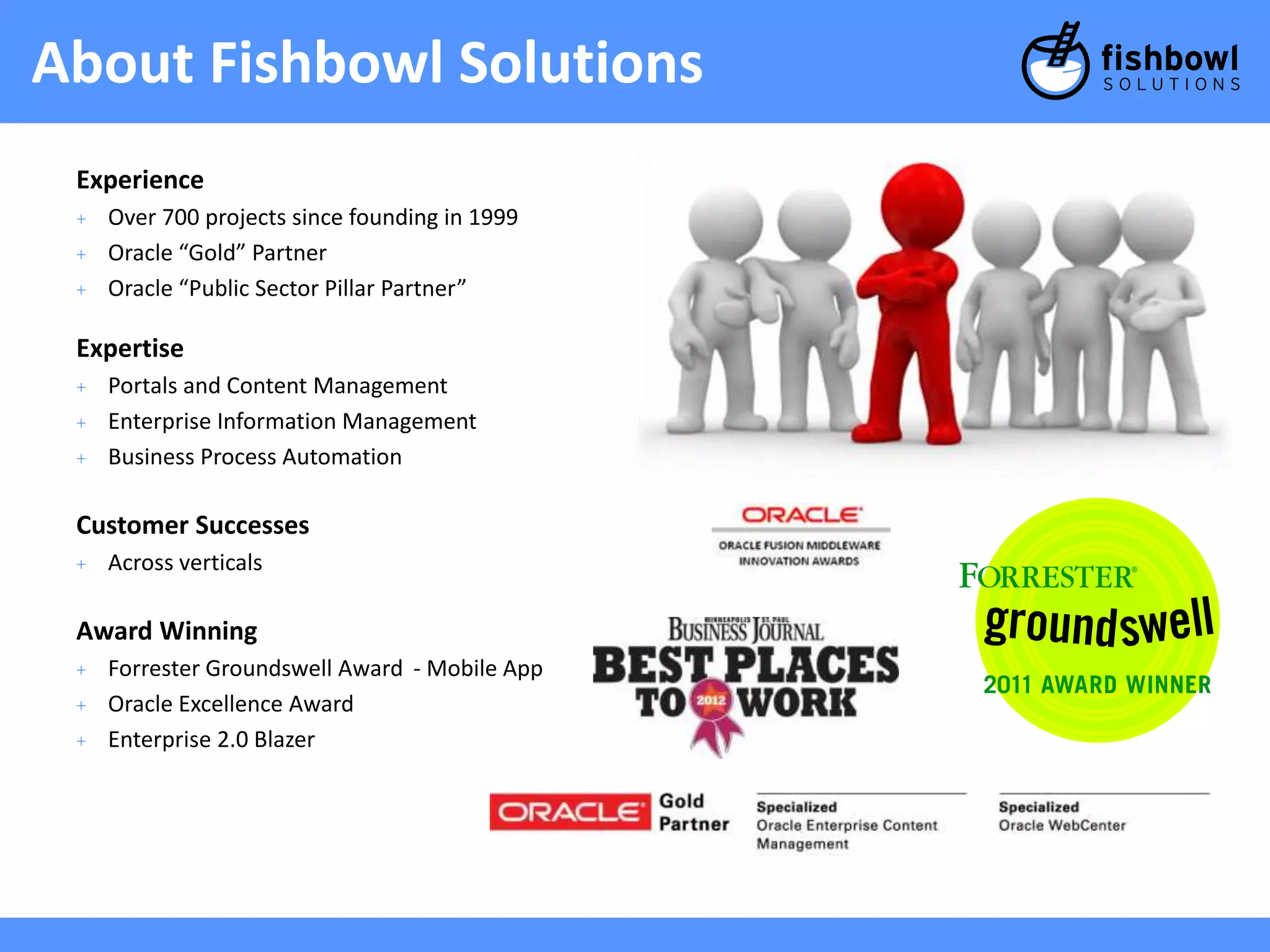
About Fishbowl Solutions
Experience
+ Over 700 projects since founding in 1999
+ Oracle “Gold” Partner
+ Oracle “Public Sector Pillar Partner”
Expertise
+ Portals and Content Management
+ Enterprise Information Management
+ Business Process Automation
Customer Successes
+ Across verticals
Award Winning
+ Forrester Groundswell Award - Mobile App
+ Oracle Excellence Award
+ Enterprise 2.0 Blazer
4.
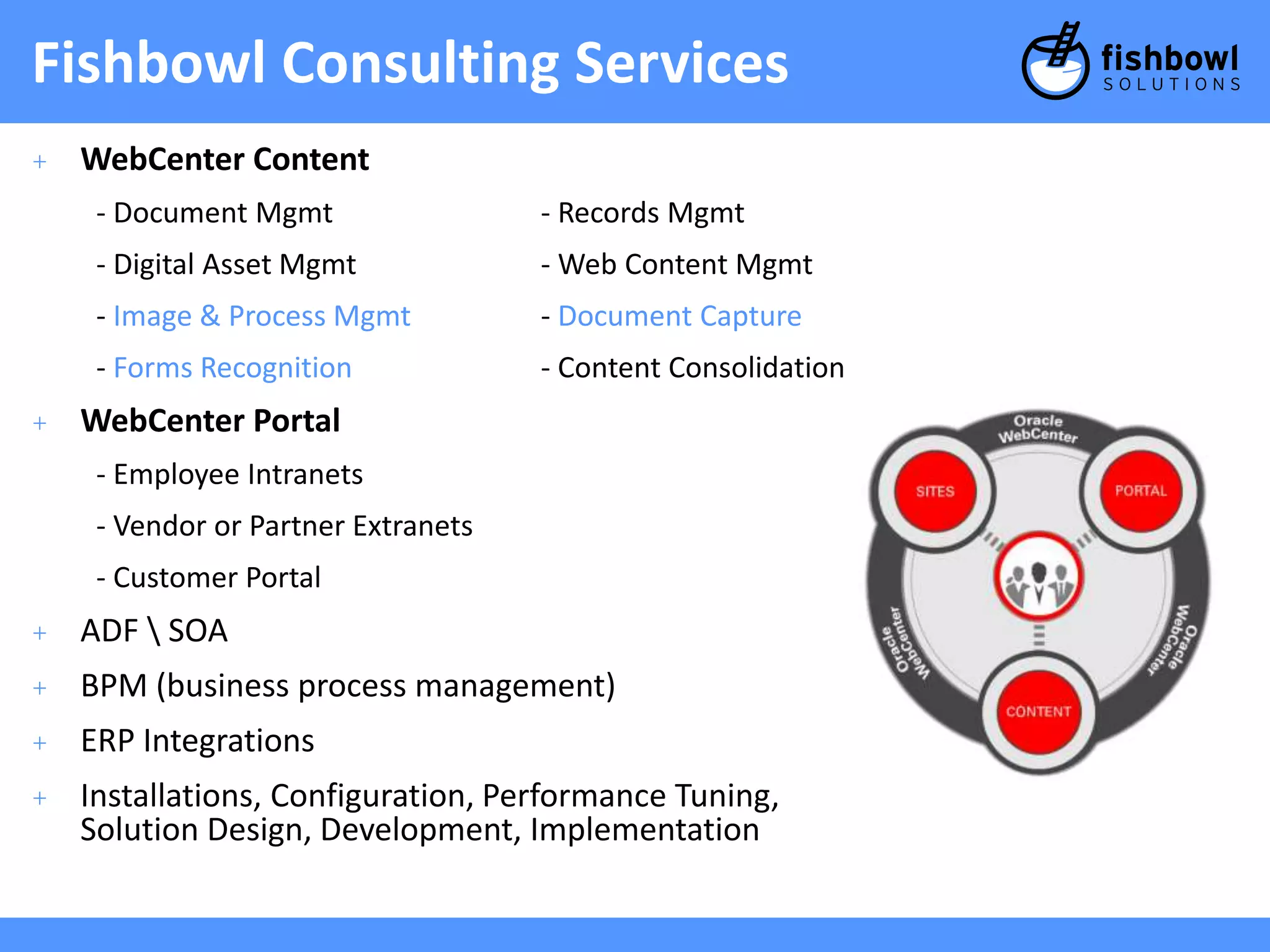
Fishbowl Consulting Services
+ WebCenter Content
- Document Mgmt - Records Mgmt
- Digital Asset Mgmt - Web Content Mgmt
- Image & Process Mgmt - Document Capture
- Forms Recognition - Content Consolidation
+ WebCenter Portal
- Employee Intranets
- Vendor or Partner Extranets
- Customer Portal
+ ADF SOA
+ BPM (business process management)
+ ERP Integrations
+ Installations, Configuration, Performance Tuning,
Solution Design, Development, Implementation
5.
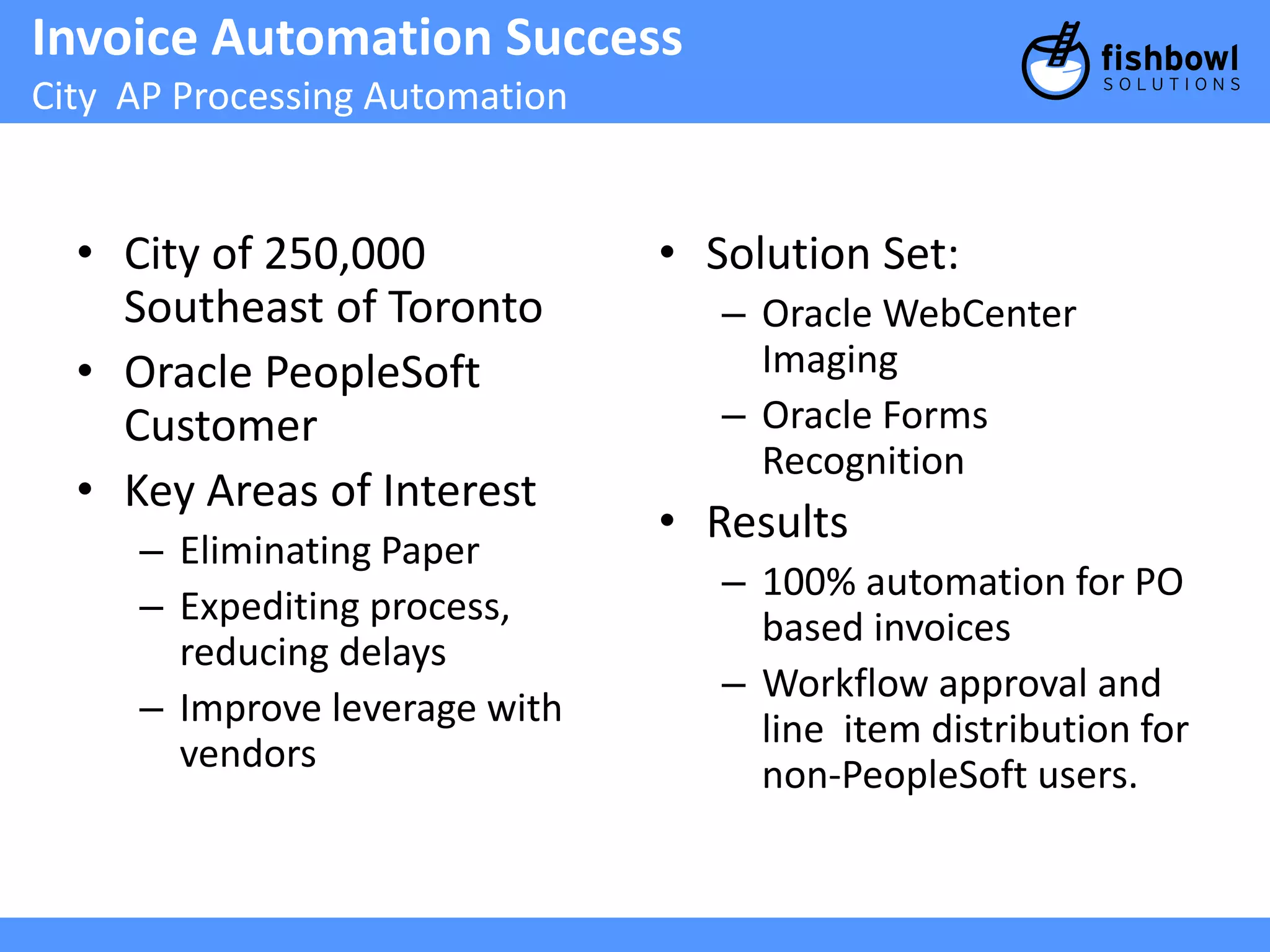
Invoice Automation Success
City AP Processing Automation
• City of 250,000
Southeast of Toronto
• Oracle PeopleSoft
Customer
• Key Areas of Interest
– Eliminating Paper
– Expediting process,
reducing delays
– Improve leverage with
vendors
• Solution Set:
– Oracle WebCenter
Imaging
– Oracle Forms
Recognition
• Results
– 100% automation for PO
based invoices
– Workflow approval and
line item distribution for
non-PeopleSoft users.
6.
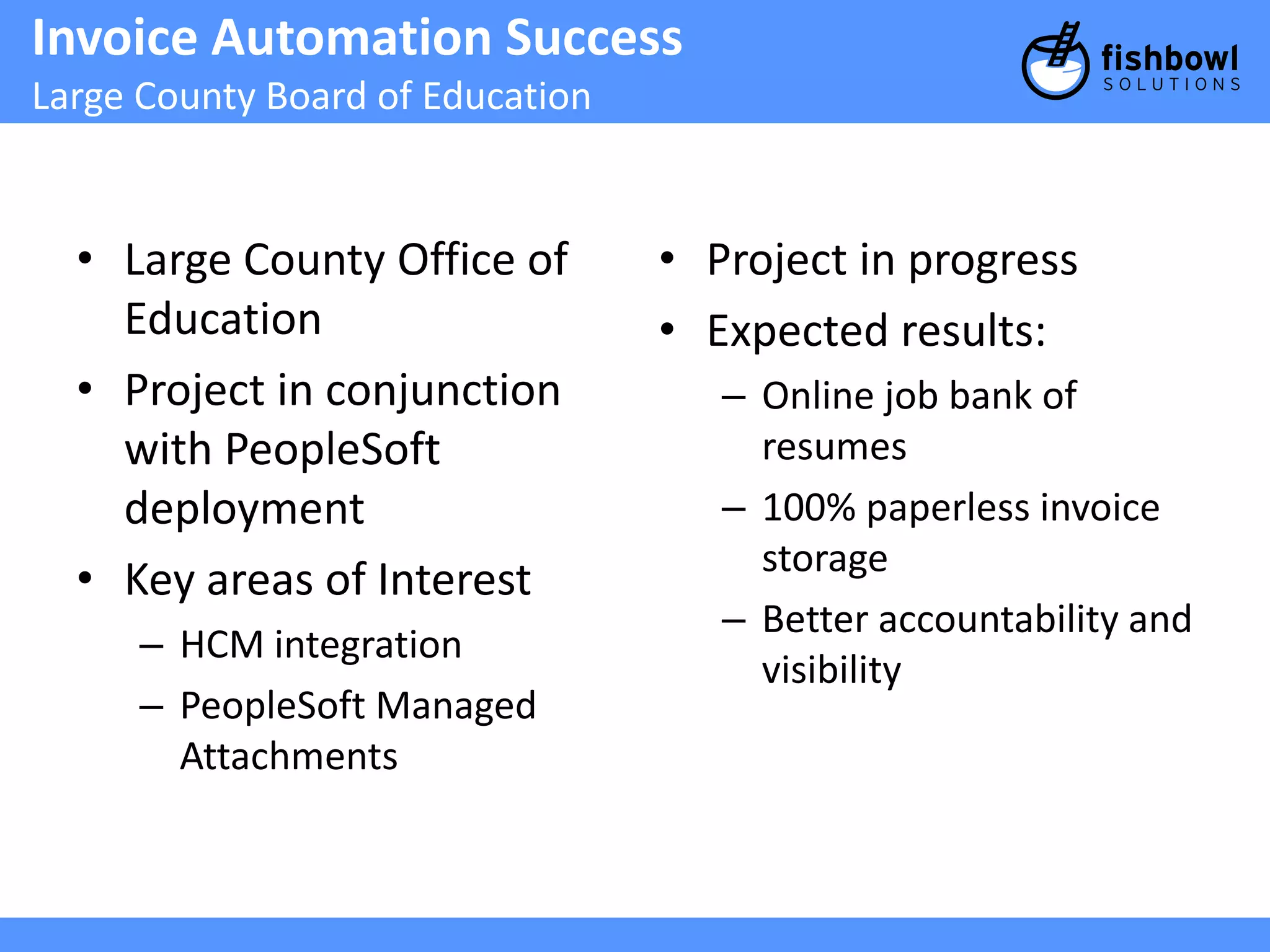
Invoice Automation Success
Large County Board of Education
• Large County Office of
Education
• Project in conjunction
with PeopleSoft
deployment
• Key areas of Interest
– HCM integration
– PeopleSoft Managed
Attachments
• Project in progress
• Expected results:
– Online job bank of
resumes
– 100% paperless invoice
storage
– Better accountability and
visibility
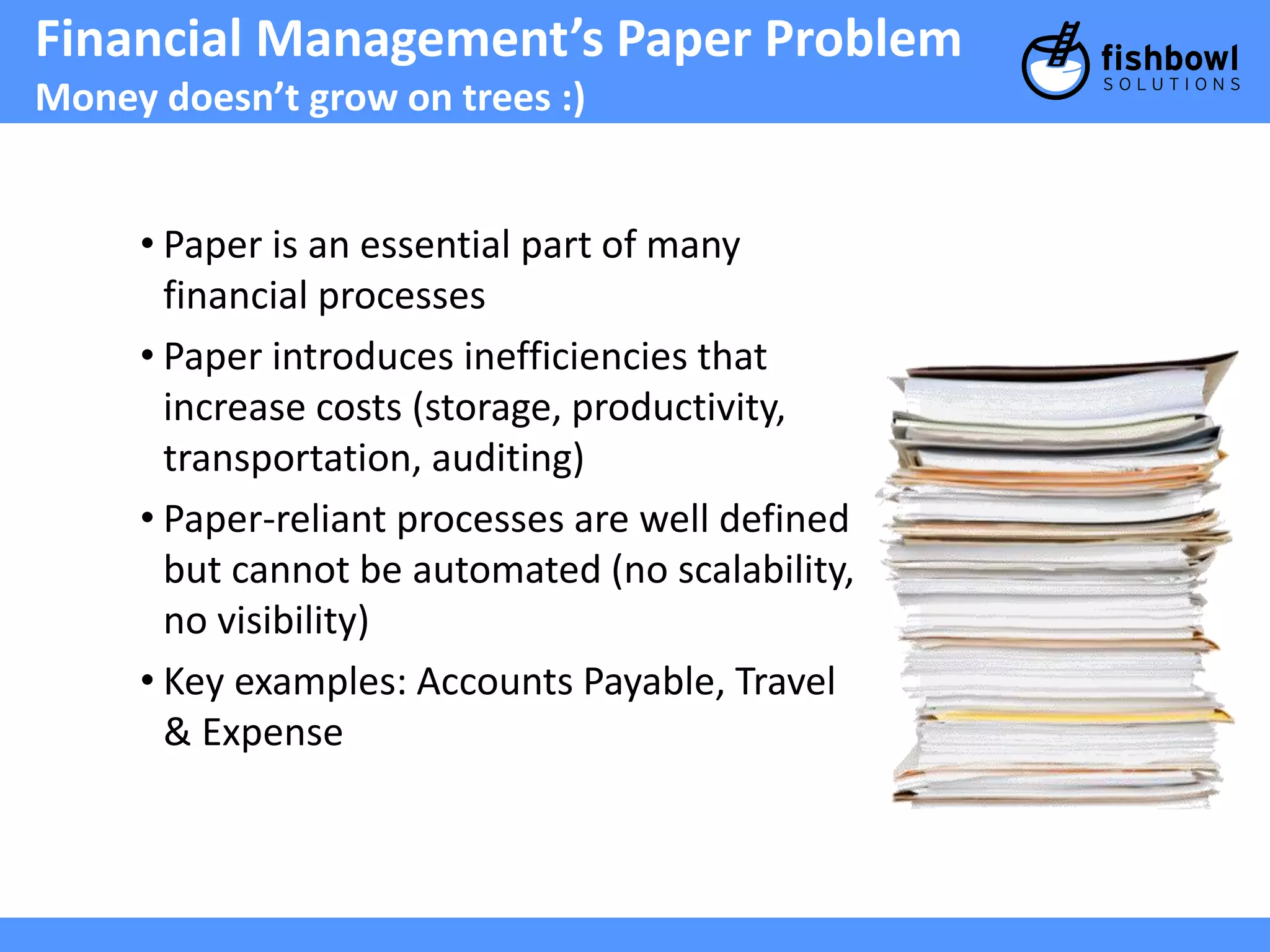
Financial Management’s PaperProblem
Money doesn’t grow on trees :)
• Paper is an essential part of many
financial processes
• Paper introduces inefficiencies that
increase costs (storage, productivity,
transportation, auditing)
• Paper-reliant processes are well defined
but cannot be automated (no scalability,
no visibility)
• Key examples: Accounts Payable, Travel
& Expense
9.
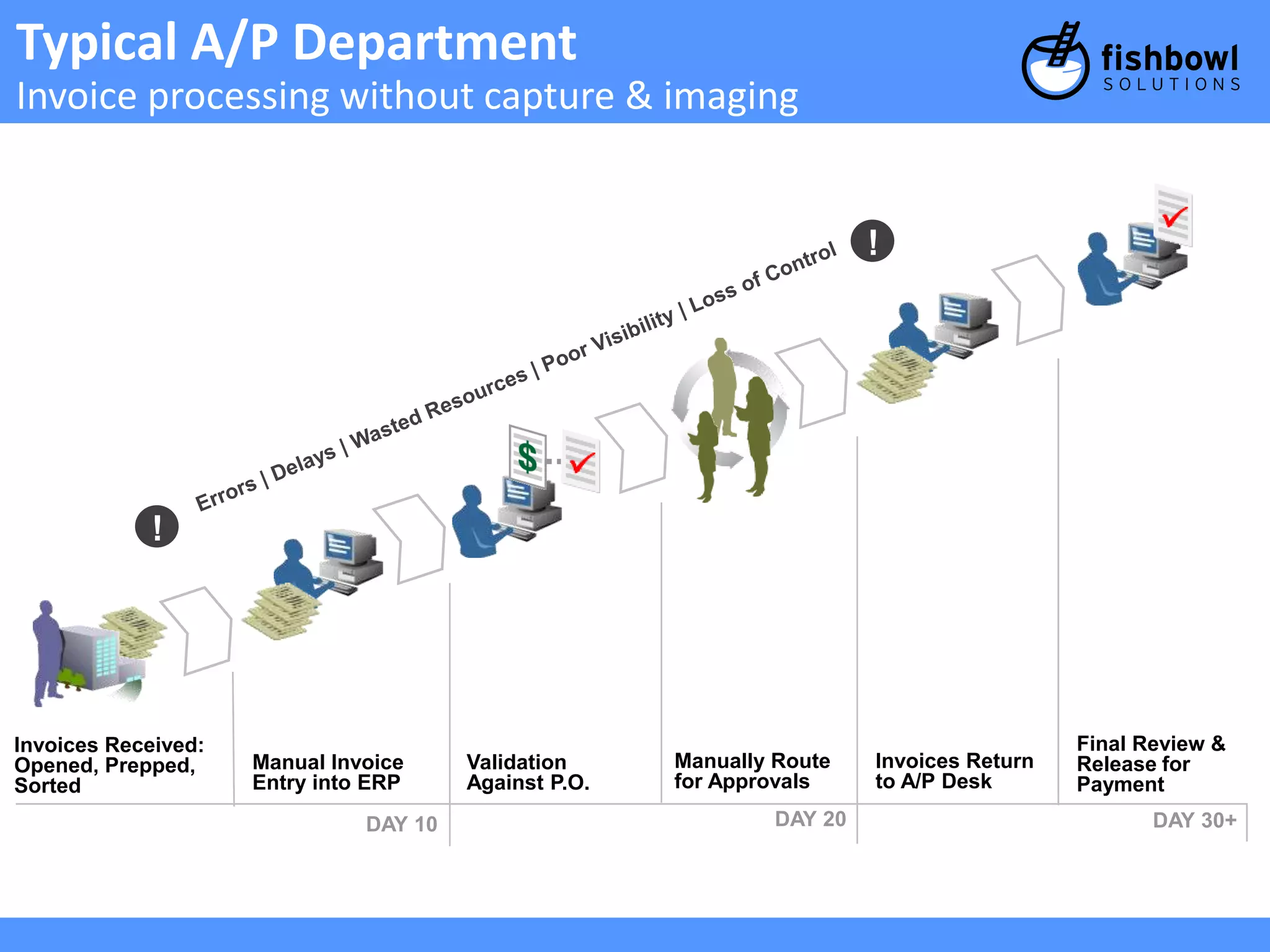
Typical A/P Department
Invoice processing without capture & imaging
Invoices Received:
Opened, Prepped,
Sorted
Manual Invoice
Entry into ERP
Validation
Against P.O.
Manually Route
for Approvals
DAY 10
Invoices Return
to A/P Desk
Final Review &
Release for
Payment
!
DAY 20 DAY 30+
!
10.
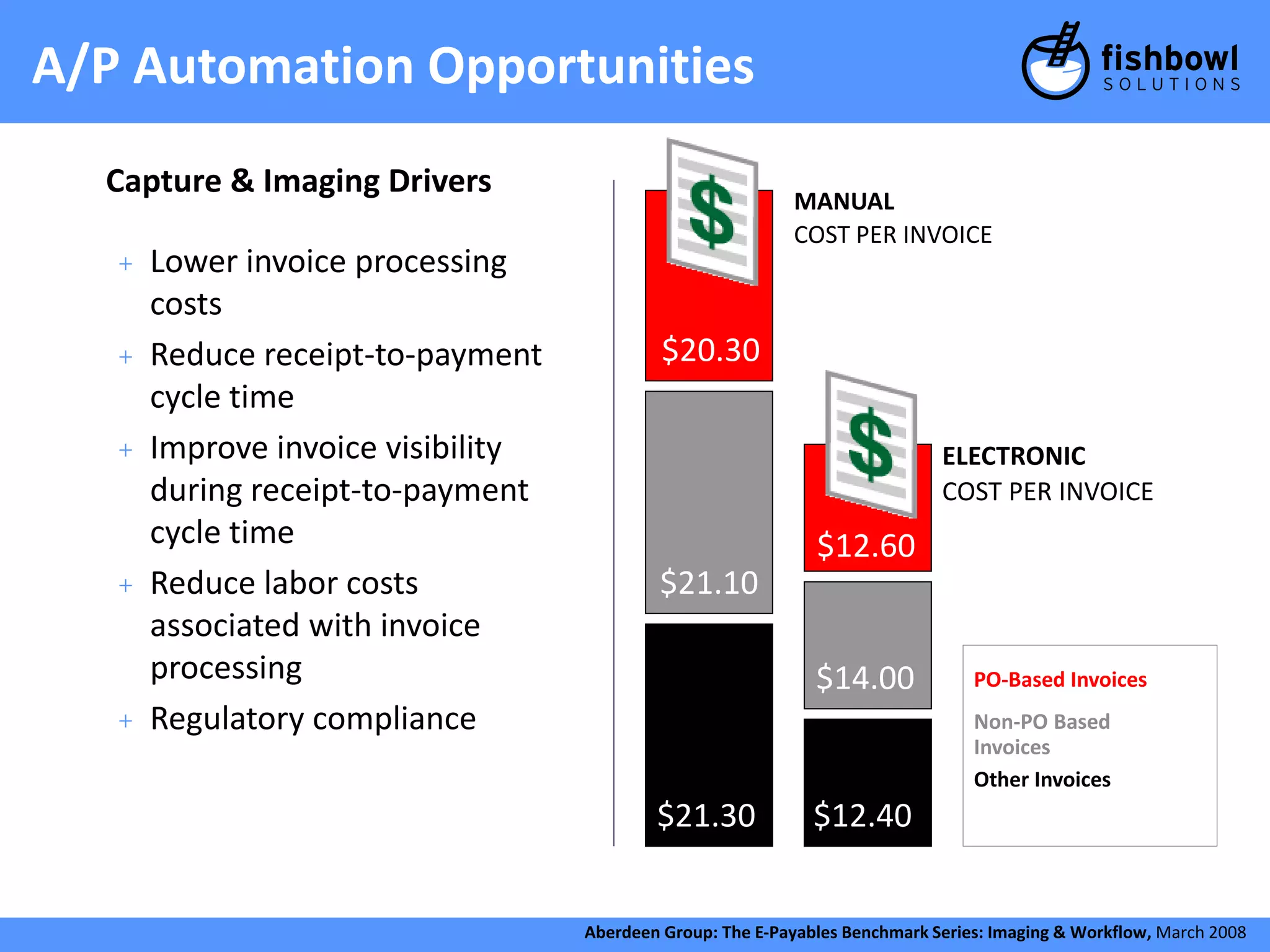
A/P Automation Opportunities
+ Lower invoice processing
costs
+ Reduce receipt-to-payment
cycle time
+ Improve invoice visibility
during receipt-to-payment
cycle time
+ Reduce labor costs
associated with invoice
processing
+ Regulatory compliance
MANUAL
COST PER INVOICE
$20.30
$21.10
$12.60
$14.00
$21.30 $12.40
ELECTRONIC
COST PER INVOICE
PO-Based Invoices
Non-PO Based
Invoices
Other Invoices
Aberdeen Group: The E-Payables Benchmark Series: Imaging & Workflow, March 2008
Capture & Imaging Drivers
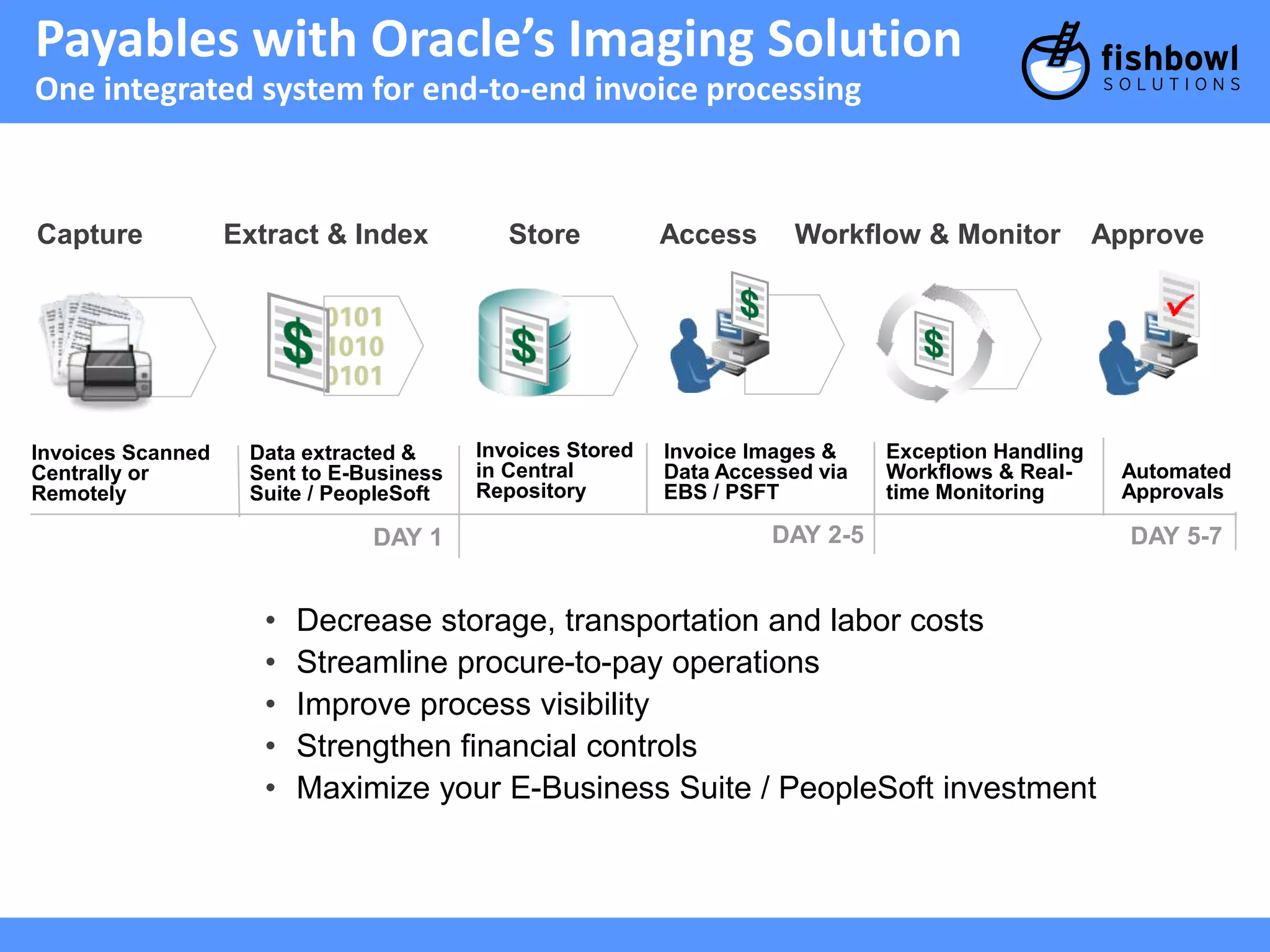
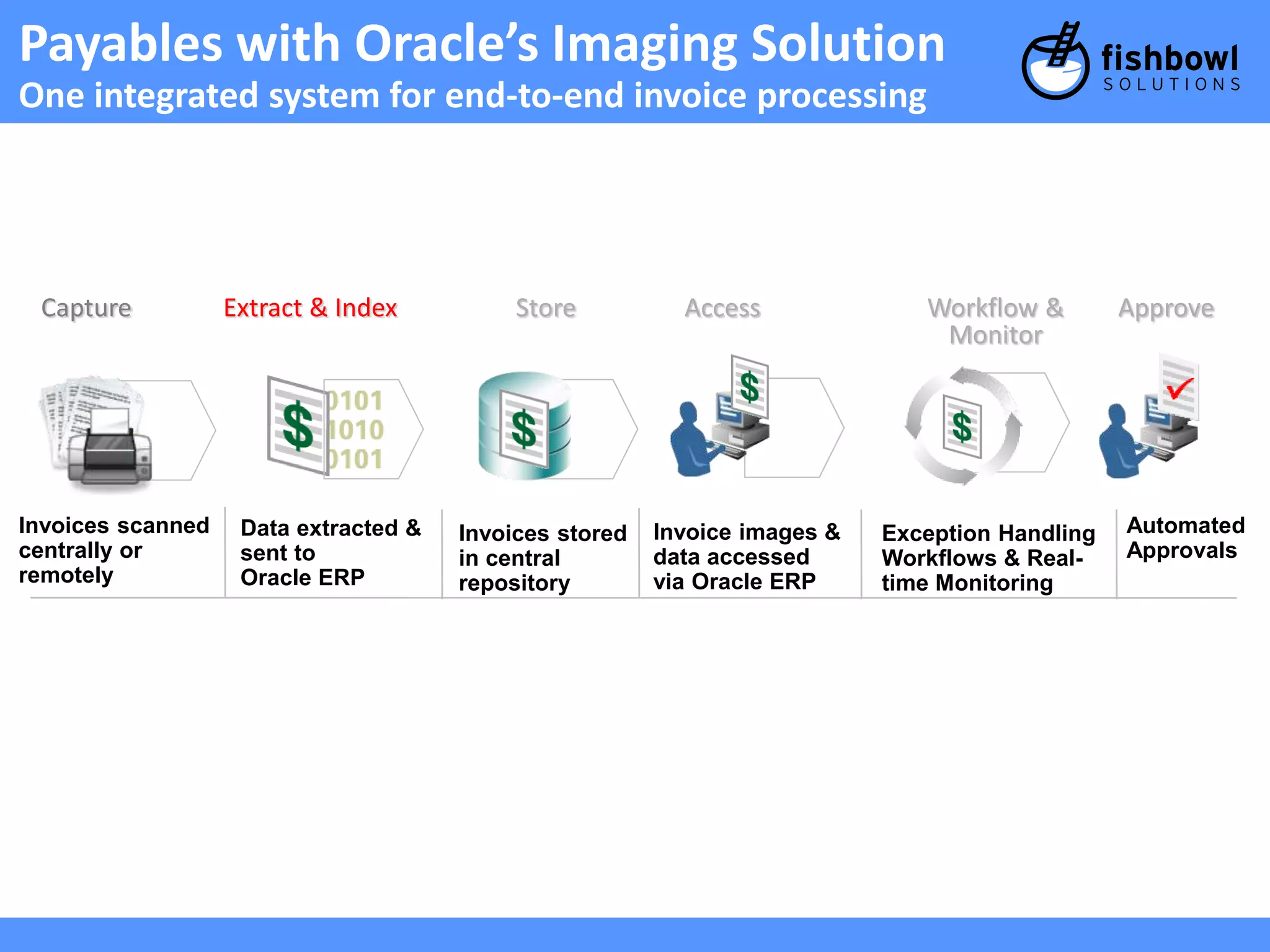
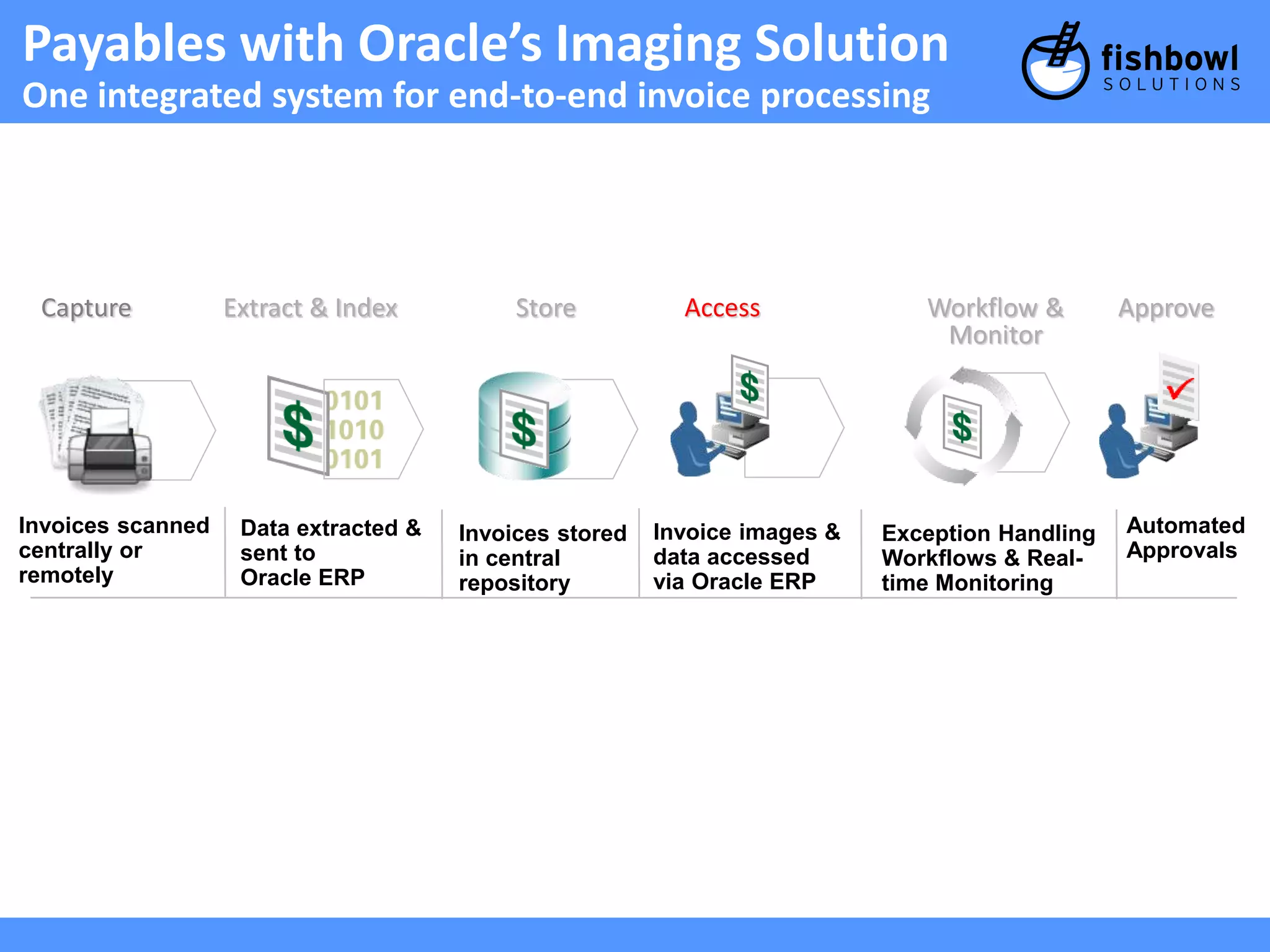
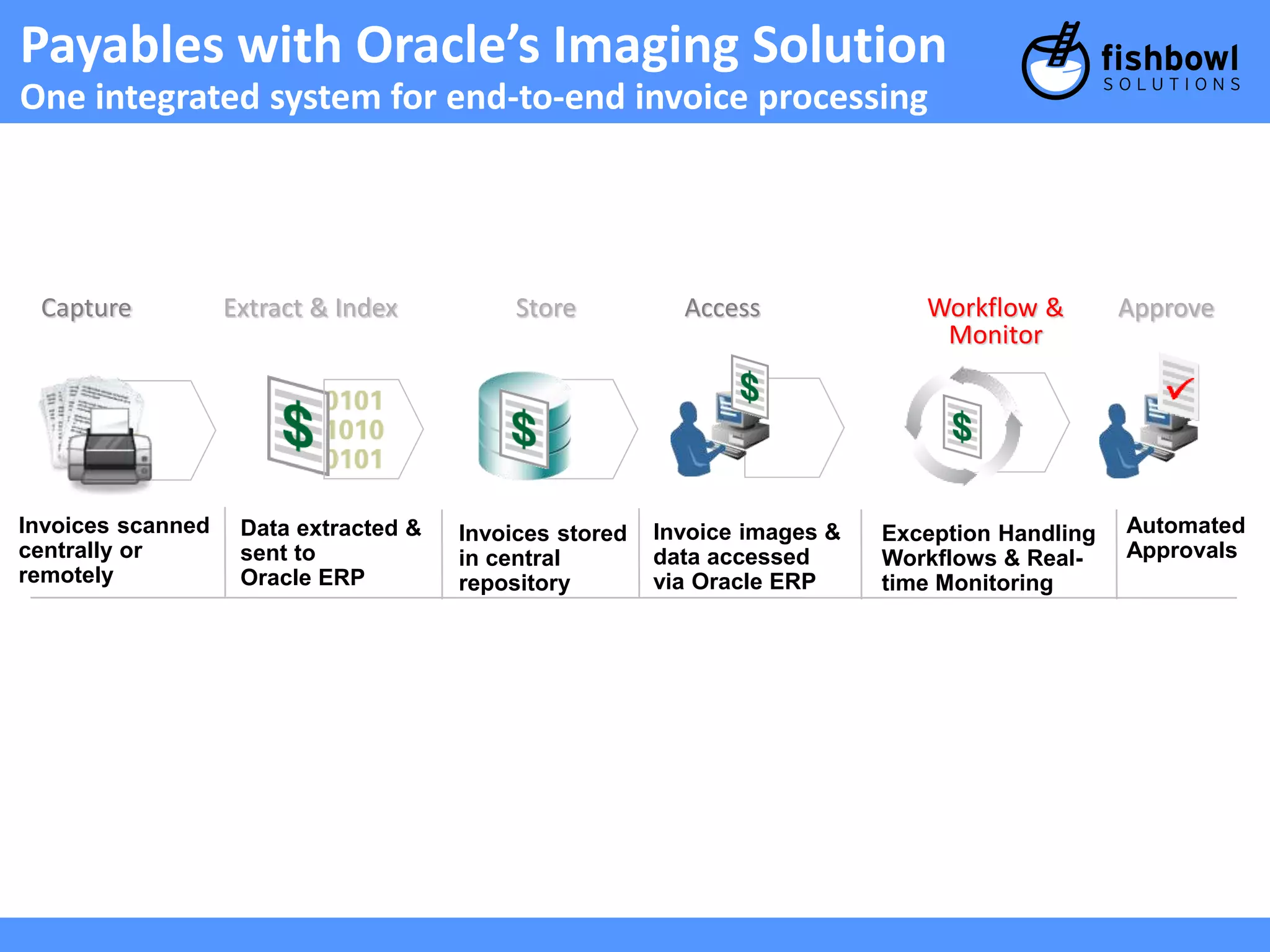
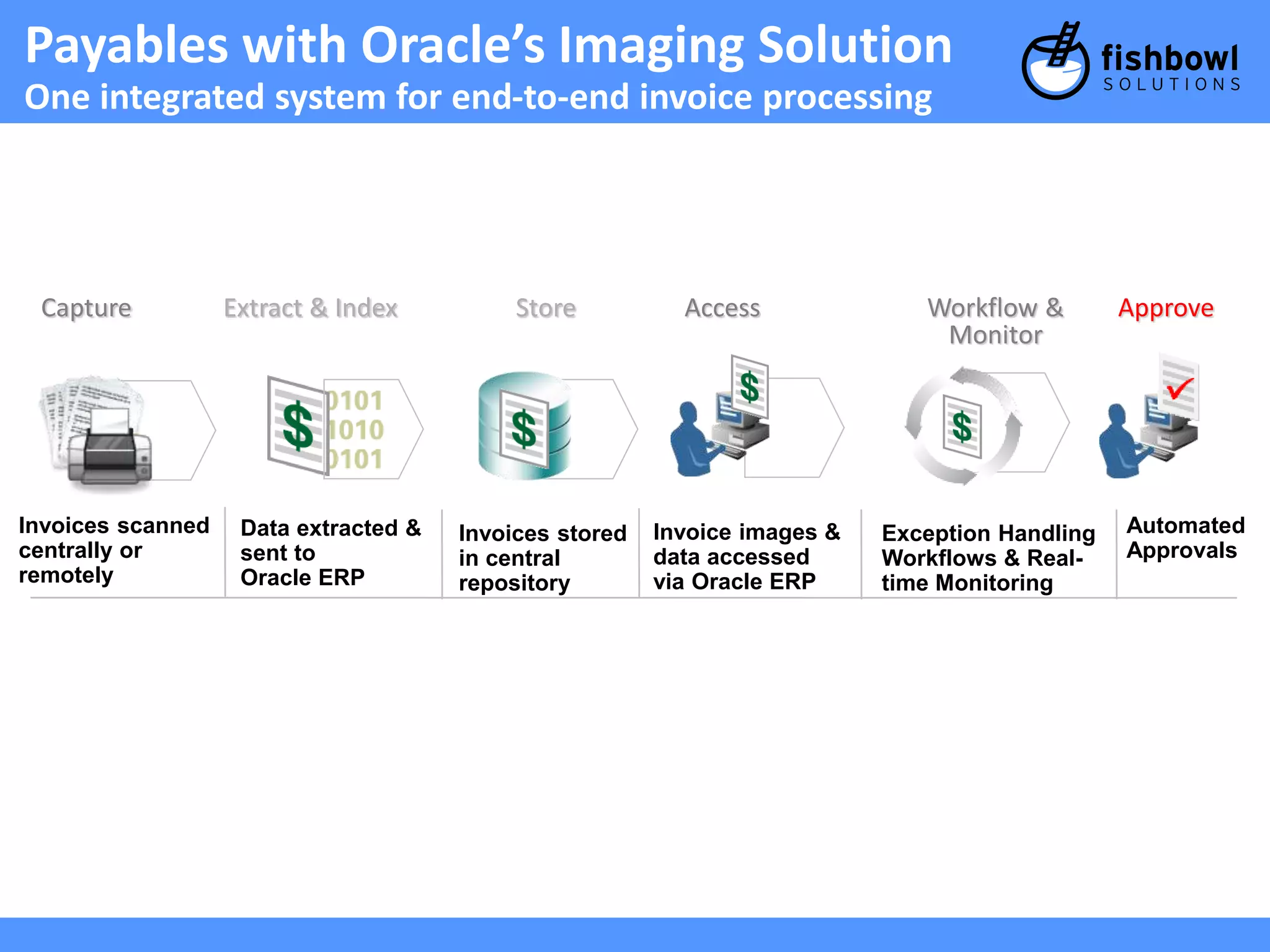
Payables with Oracle’sImaging Solution
One integrated system for end-to-end invoice processing
Capture Extract & Index Store Access Workflow & Monitor Approve
Invoices Scanned
Centrally or
Remotely
Data extracted &
Sent to E-Business
Suite / PeopleSoft
Invoices Stored
in Central
Repository
Invoice Images &
Data Accessed via
EBS / PSFT
DAY 1
Exception Handling
Workflows & Real-time
Monitoring
Automated
Approvals
DAY 2-5 DAY 5-7
• Decrease storage, transportation and labor costs
• Streamline procure-to-pay operations
• Improve process visibility
• Strengthen financial controls
• Maximize your E-Business Suite / PeopleSoft investment
13.
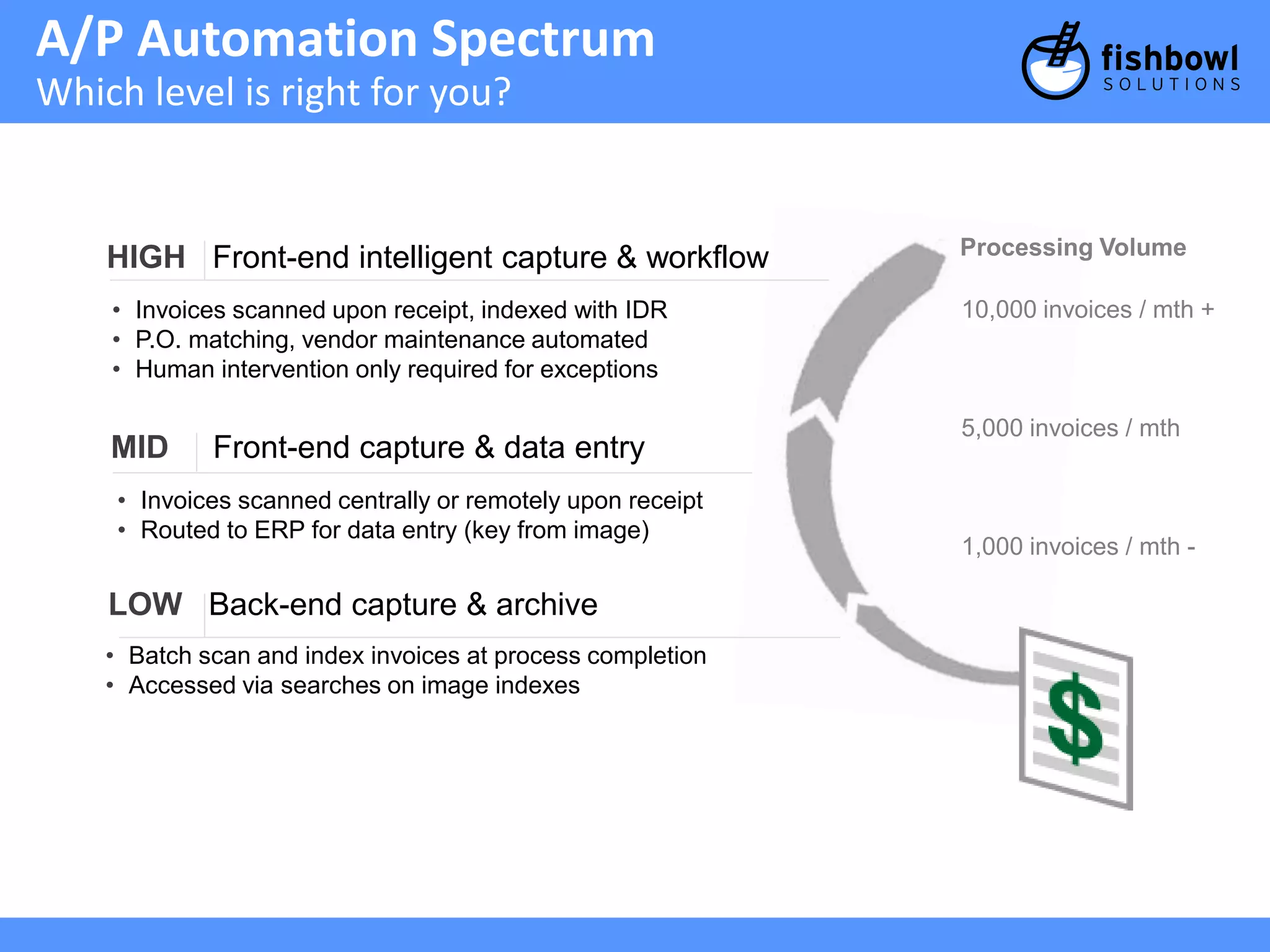
A/P Automation Spectrum
Which level is right for you?
HIGH Front-end intelligent capture & workflow
• Invoices scanned upon receipt, indexed with IDR
• P.O. matching, vendor maintenance automated
• Human intervention only required for exceptions
MID Front-end capture & data entry
• Invoices scanned centrally or remotely upon receipt
• Routed to ERP for data entry (key from image)
LOW Back-end capture & archive
• Batch scan and index invoices at process completion
• Accessed via searches on image indexes
Processing Volume
10,000 invoices / mth +
5,000 invoices / mth
1,000 invoices / mth -
14.
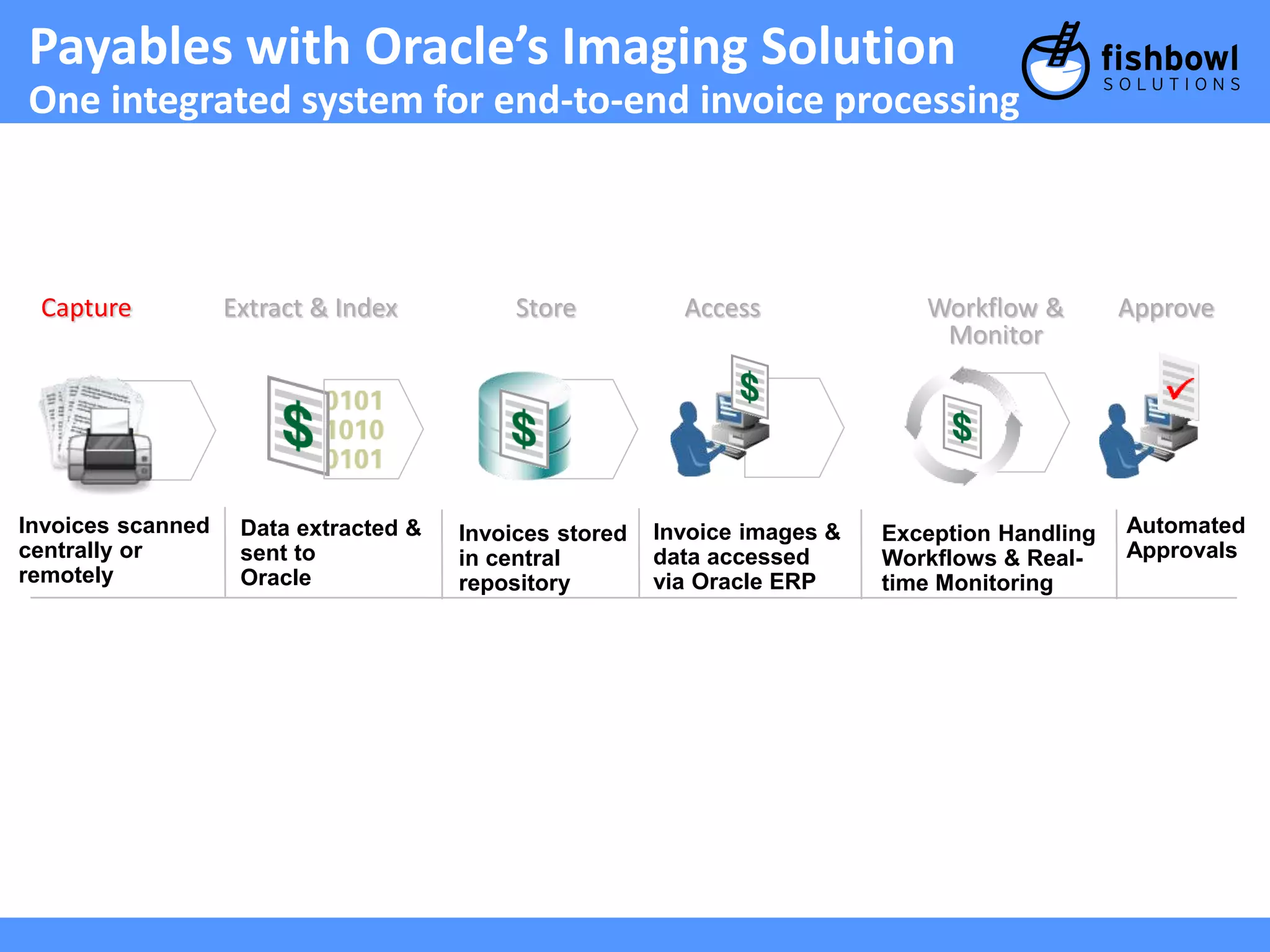
Payables with Oracle’sImaging Solution
One integrated system for end-to-end invoice processing
Capture Extract & Index Store Access Approve
Invoices scanned
centrally or
remotely
Data extracted &
sent to
Oracle
Invoices stored
in central
repository
Invoice images &
data accessed
via Oracle ERP
Exception Handling
Workflows & Real-time
Monitoring
Automated
Approvals
Workflow &
Monitor
15.
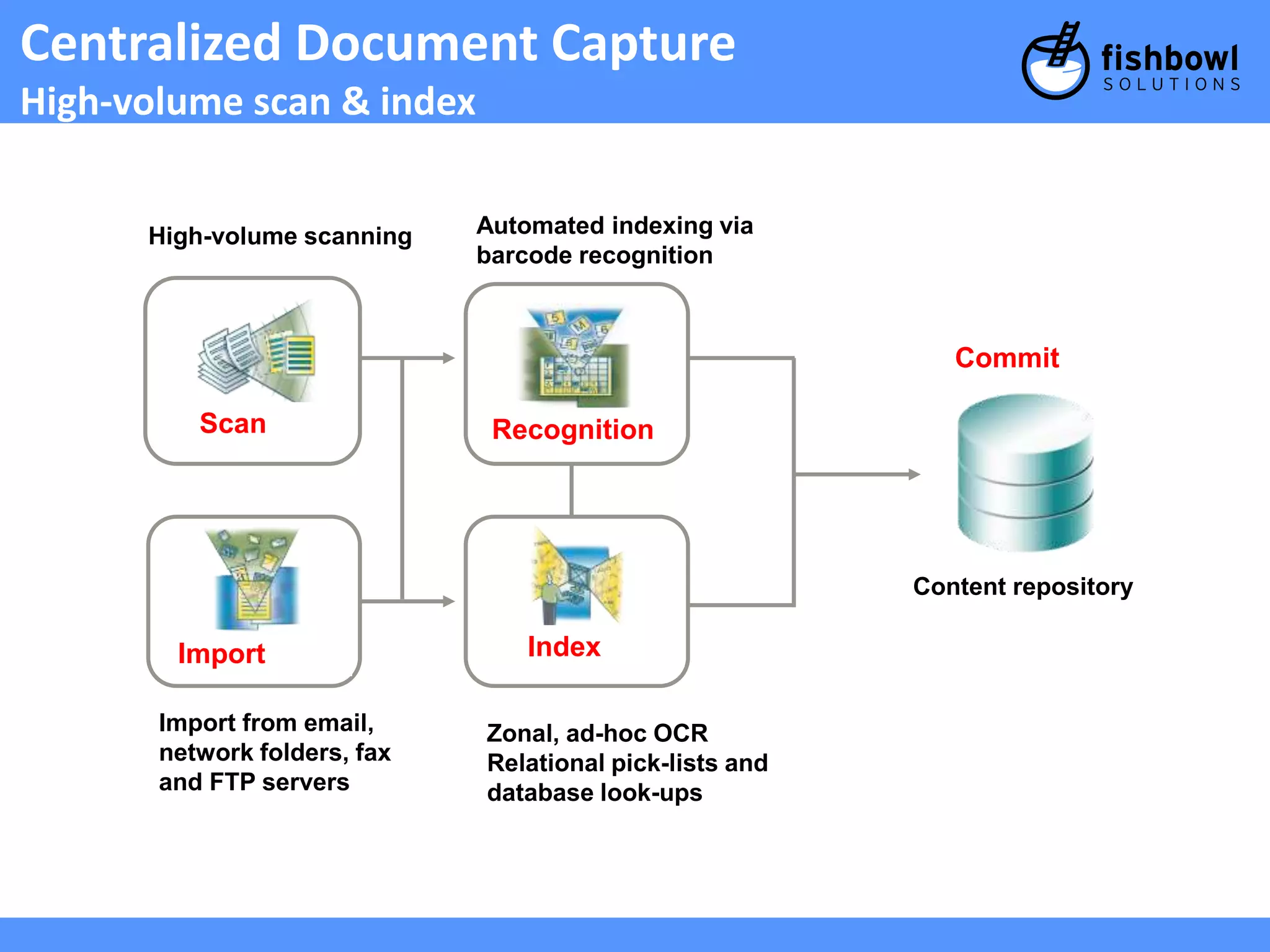
Centralized Document Capture
High-volume scan & index
+ Scan
Recognition
Import Index
Commit
High-volume scanning Automated indexing via
barcode recognition
Import from email,
network folders, fax
and FTP servers
Zonal, ad-hoc OCR
Relational pick-lists and
database look-ups
Content repository
16.
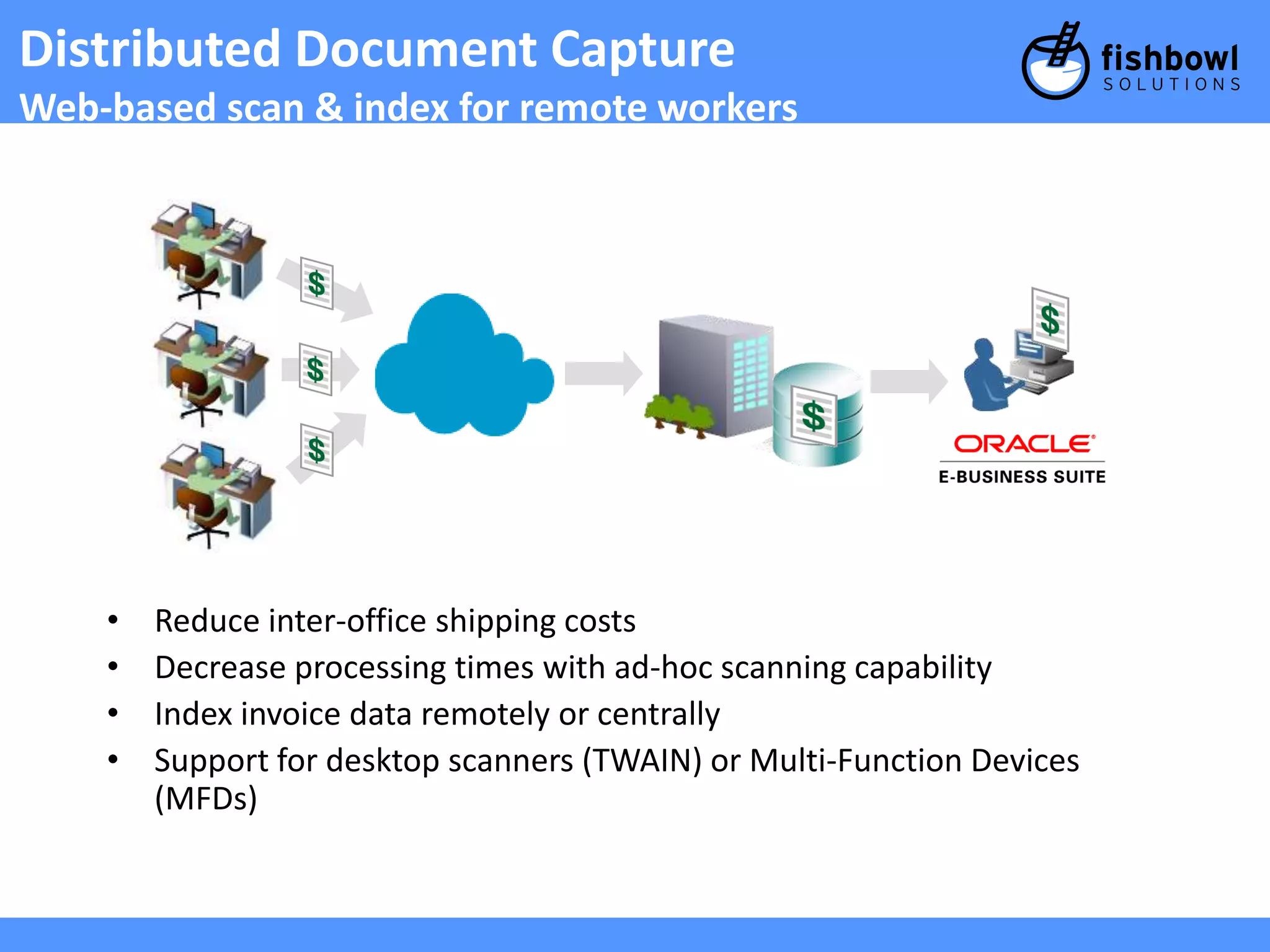
Distributed Document Capture
Web-based scan & index for remote workers
• Reduce inter-office shipping costs
• Decrease processing times with ad-hoc scanning capability
• Index invoice data remotely or centrally
• Support for desktop scanners (TWAIN) or Multi-Function Devices
(MFDs)
17.
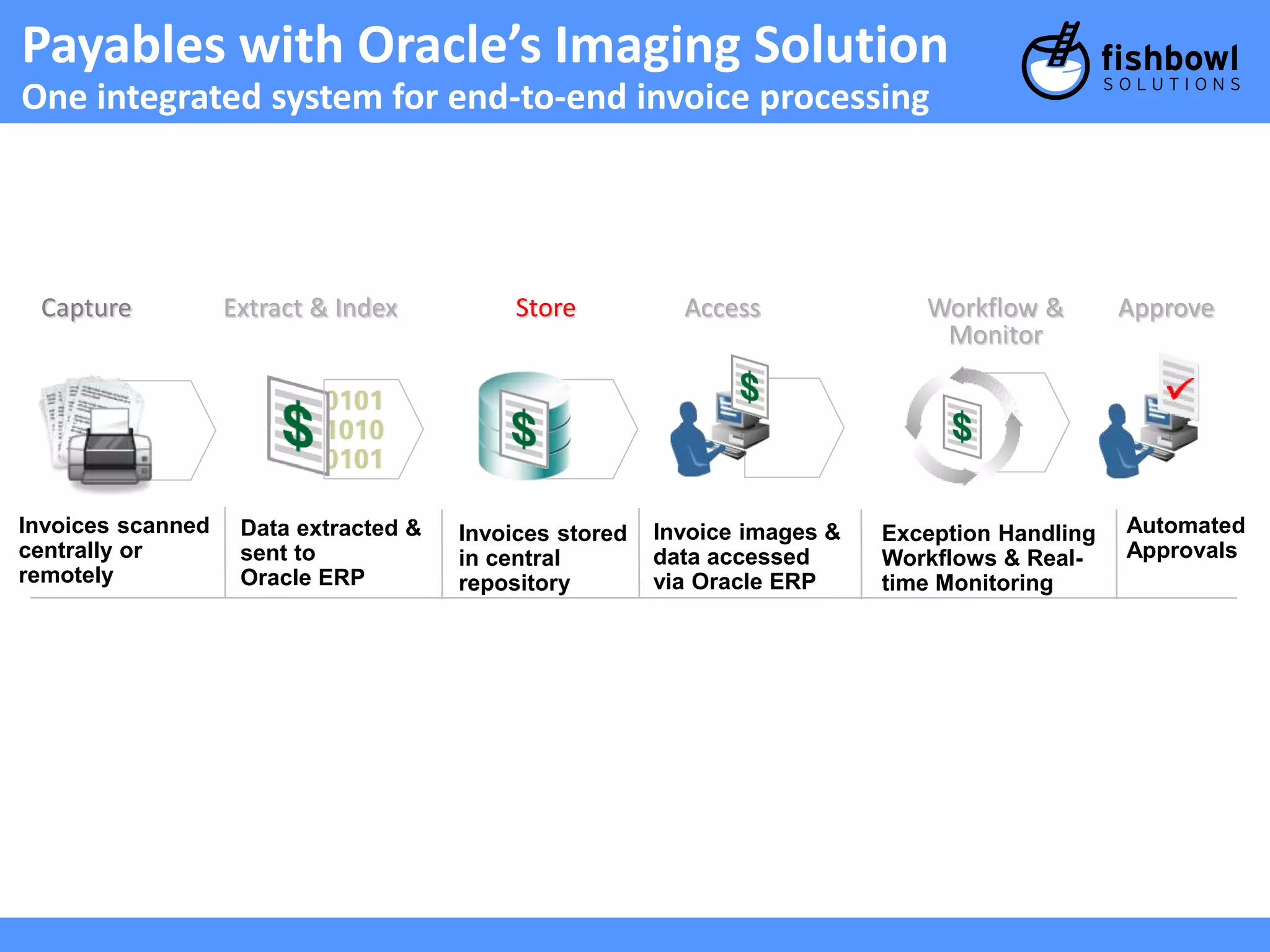
Payables with Oracle’sImaging Solution
One integrated system for end-to-end invoice processing
Capture Extract & Index Store Access Approve
Invoices scanned
centrally or
remotely
Data extracted &
sent to
Oracle ERP
Invoices stored
in central
repository
Invoice images &
data accessed
via Oracle ERP
Exception Handling
Workflows & Real-time
Monitoring
Automated
Approvals
Workflow &
Monitor
18.
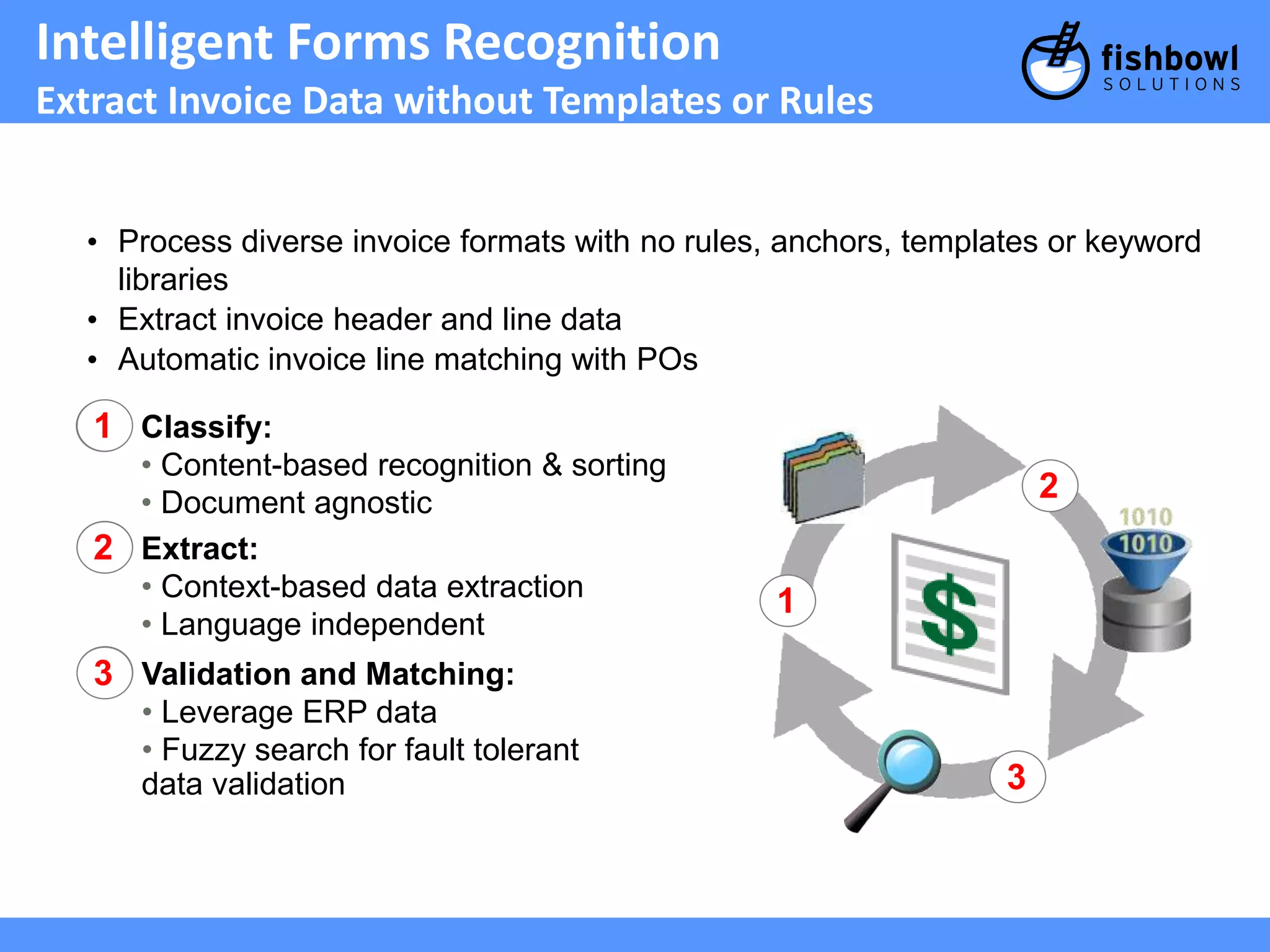
Intelligent Forms Recognition
Extract Invoice Data without Templates or Rules
• Process diverse invoice formats with no rules, anchors, templates or keyword
libraries
• Extract invoice header and line data
• Automatic invoice line matching with POs
Classify:
• Content-based recognition & sorting
• Document agnostic
1
Extract:
• Context-based data extraction
• Language independent
2
Validation and Matching:
• Leverage ERP data
• Fuzzy search for fault tolerant
data validation
3
1
2
3
19.
Payables with Oracle’sImaging Solution
One integrated system for end-to-end invoice processing
Capture Extract & Index Store Access Approve
Invoices scanned
centrally or
remotely
Data extracted &
sent to
Oracle ERP
Invoices stored
in central
repository
Invoice images &
data accessed
via Oracle ERP
Exception Handling
Workflows & Real-time
Monitoring
Automated
Approvals
Workflow &
Monitor
20.
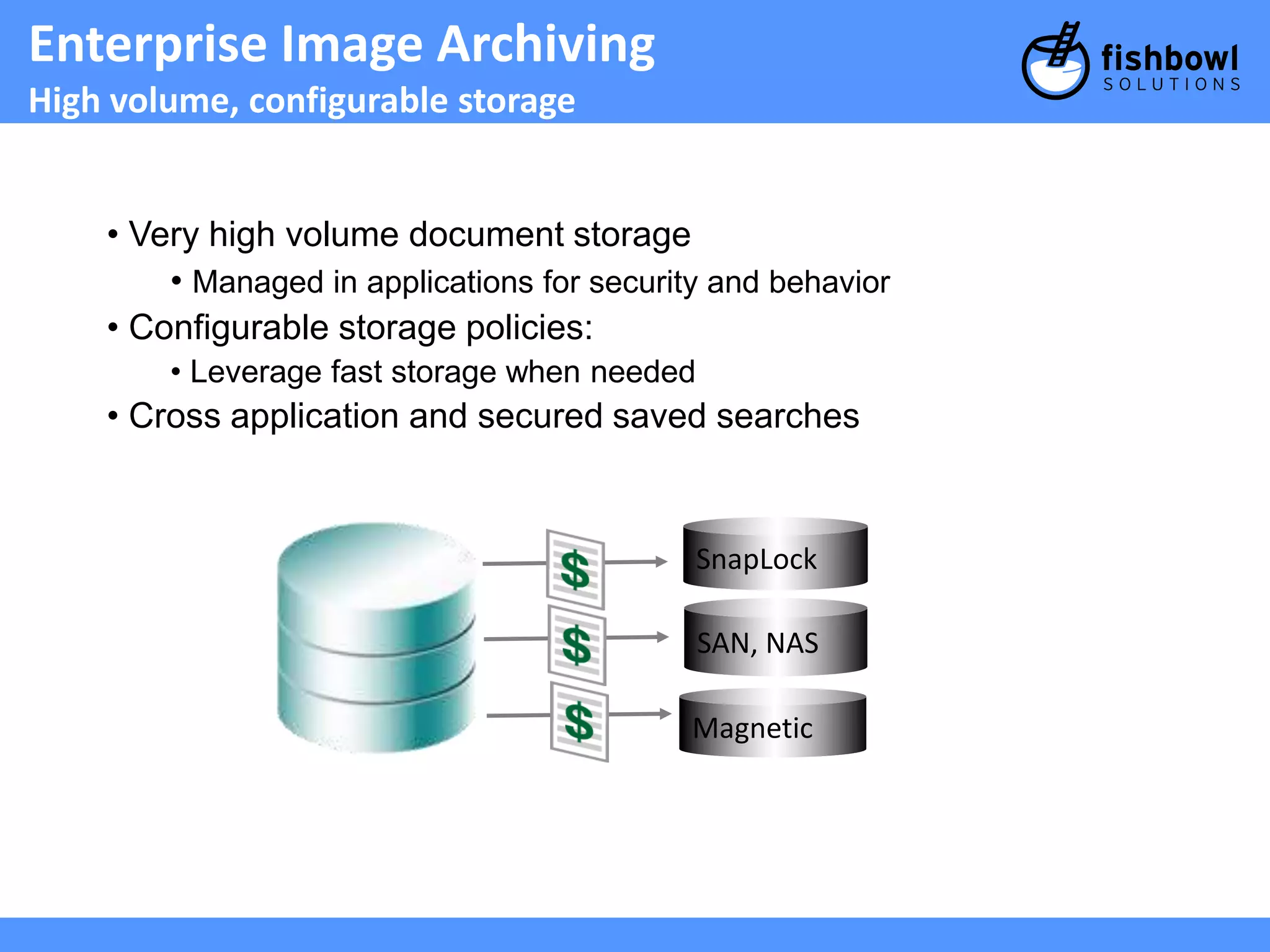
Enterprise Image Archiving
High volume, configurable storage
• Very high volume document storage
• Managed in applications for security and behavior
• Configurable storage policies:
• Leverage fast storage when needed
• Cross application and secured saved searches
SnapLock
SAN, NAS
Magnetic
21.
Payables with Oracle’sImaging Solution
One integrated system for end-to-end invoice processing
Capture Extract & Index Store Access Approve
Invoices scanned
centrally or
remotely
Data extracted &
sent to
Oracle ERP
Invoices stored
in central
repository
Invoice images &
data accessed
via Oracle ERP
Exception Handling
Workflows & Real-time
Monitoring
Automated
Approvals
Workflow &
Monitor
22.
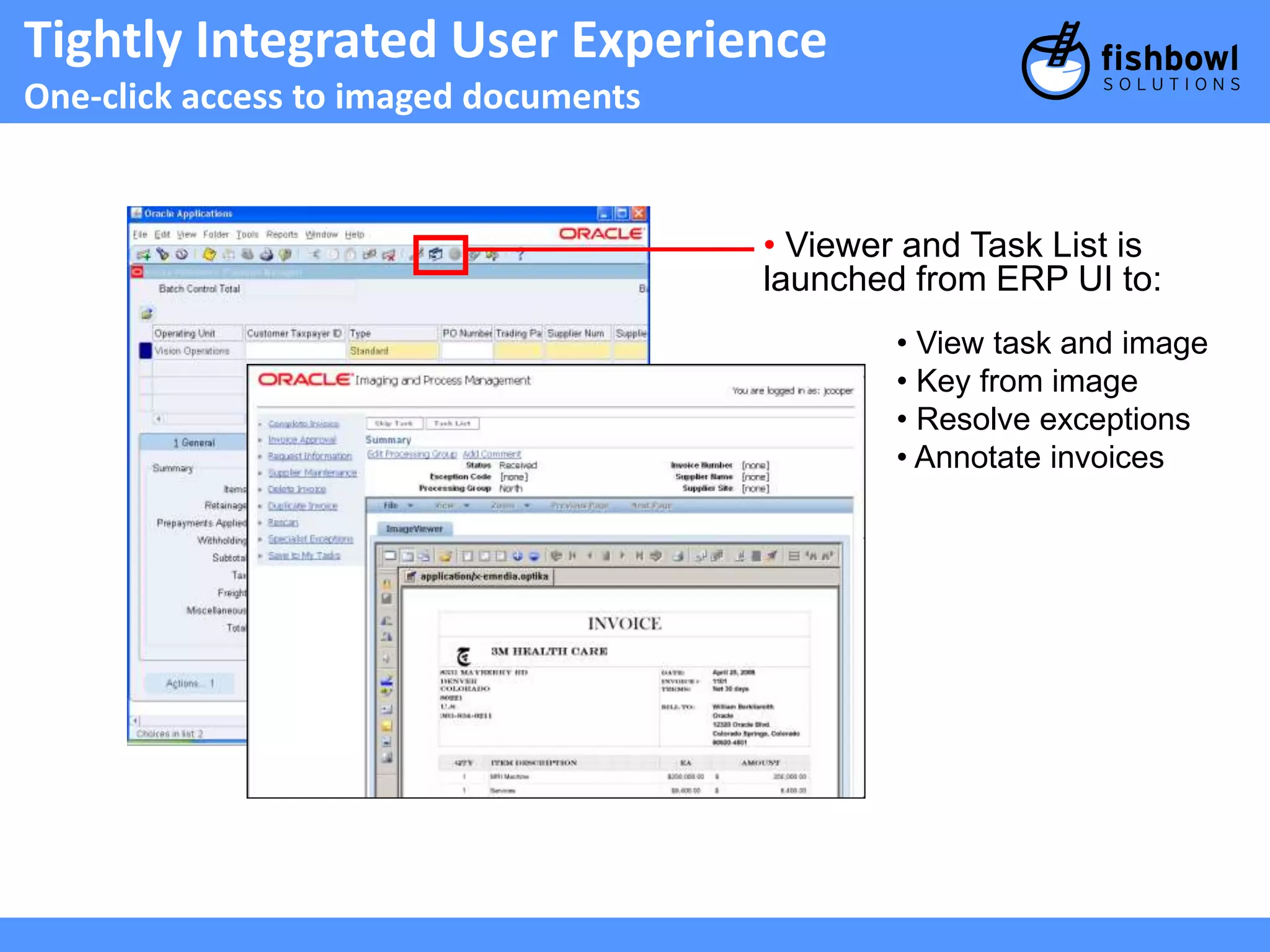
Tightly Integrated UserExperience
One-click access to imaged documents
• Viewer and Task List is
launched from ERP UI to:
• View task and image
• Key from image
• Resolve exceptions
• Annotate invoices
23.
Payables with Oracle’sImaging Solution
One integrated system for end-to-end invoice processing
Capture Extract & Index Store Access Approve
Invoices scanned
centrally or
remotely
Data extracted &
sent to
Oracle ERP
Invoices stored
in central
repository
Invoice images &
data accessed
via Oracle ERP
Exception Handling
Workflows & Real-time
Monitoring
Automated
Approvals
Workflow &
Monitor
24.
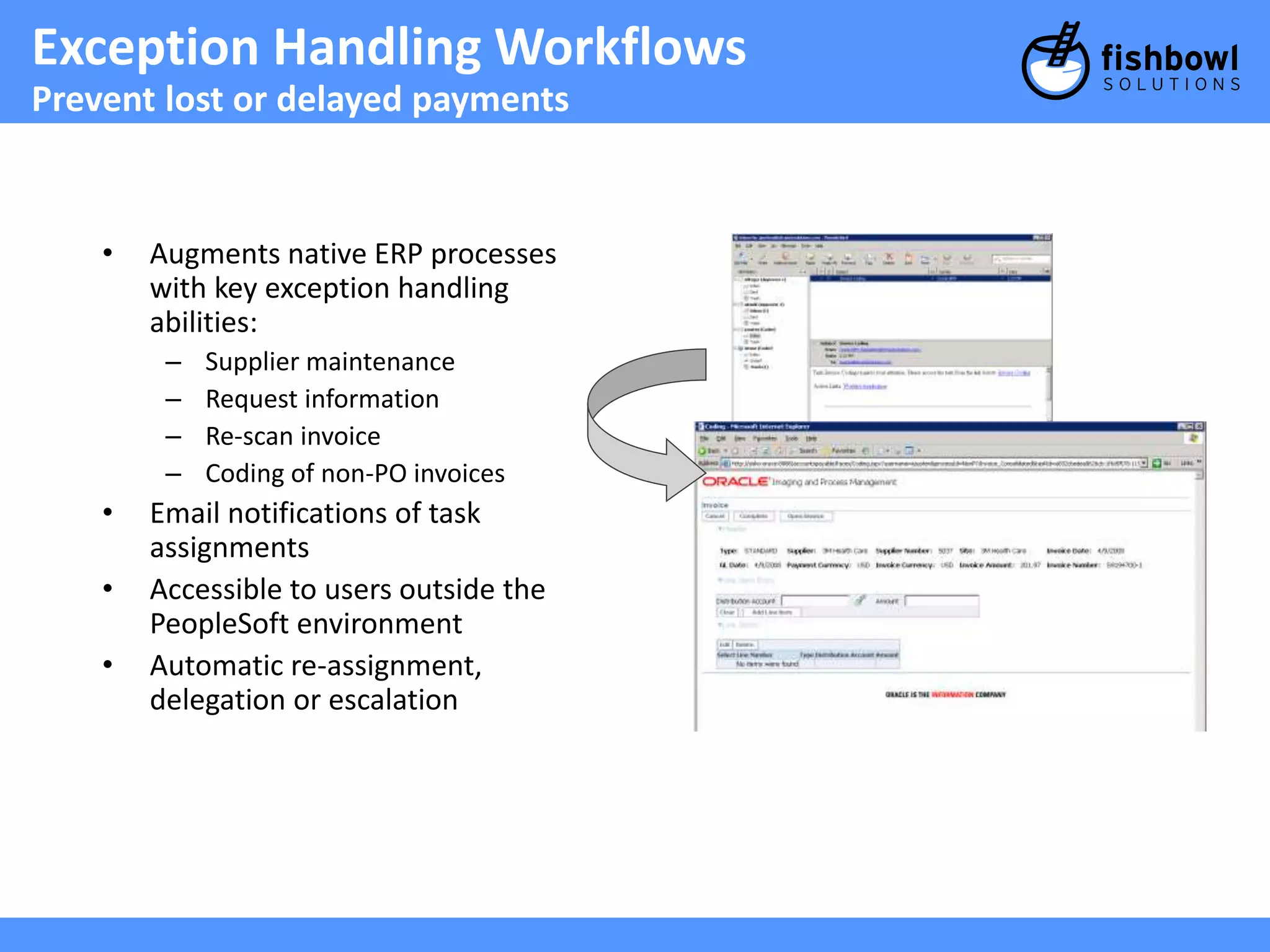
Exception Handling Workflows
Prevent lost or delayed payments
• Augments native ERP processes
with key exception handling
abilities:
– Supplier maintenance
– Request information
– Re-scan invoice
– Coding of non-PO invoices
• Email notifications of task
assignments
• Accessible to users outside the
PeopleSoft environment
• Automatic re-assignment,
delegation or escalation
25.
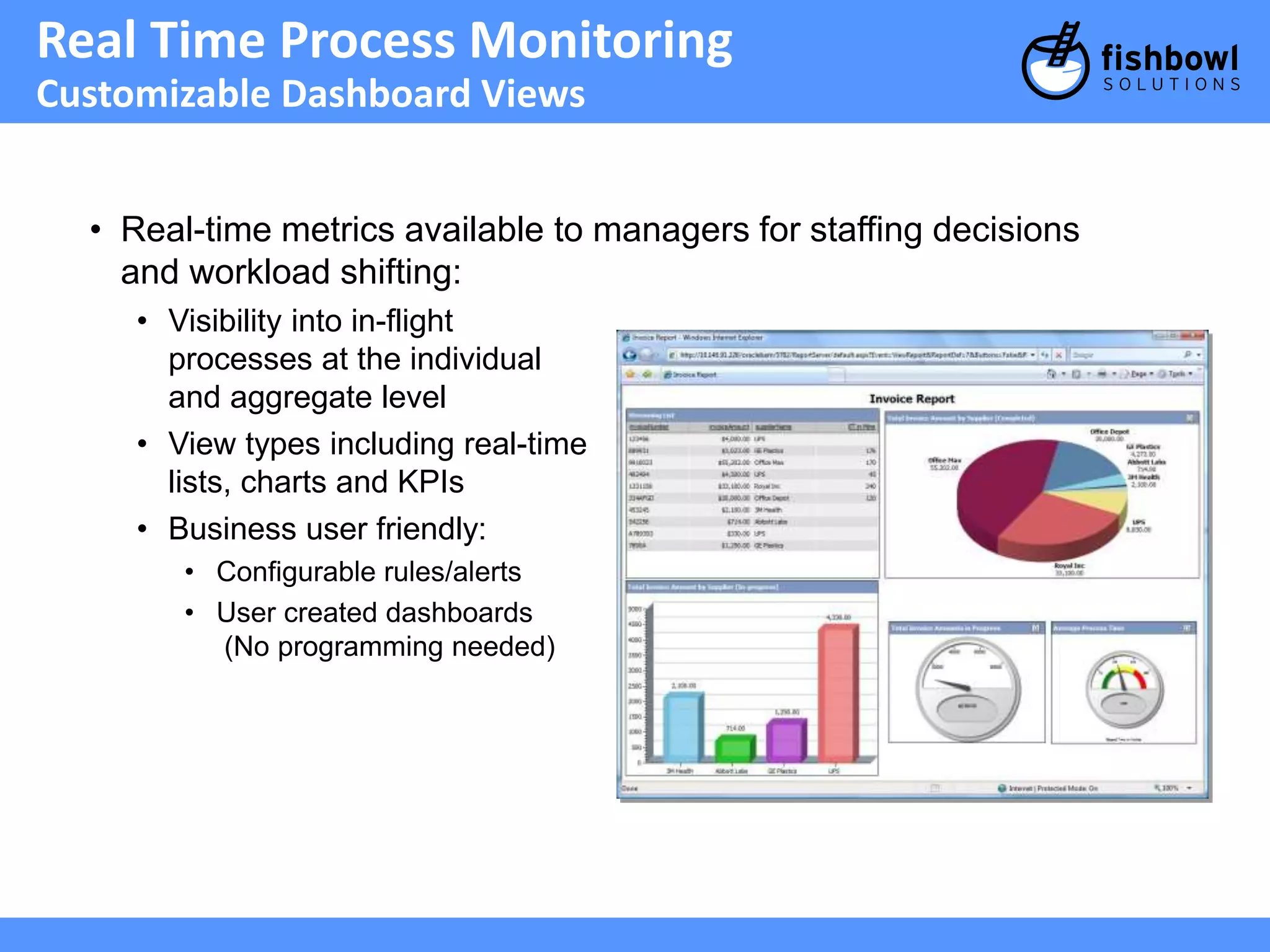
Real Time ProcessMonitoring
Customizable Dashboard Views
• Real-time metrics available to managers for staffing decisions
and workload shifting:
• Visibility into in-flight
processes at the individual
and aggregate level
• View types including real-time
lists, charts and KPIs
• Business user friendly:
• Configurable rules/alerts
• User created dashboards
(No programming needed)
26.
Payables with Oracle’sImaging Solution
One integrated system for end-to-end invoice processing
Capture Extract & Index Store Access Approve
Invoices scanned
centrally or
remotely
Data extracted &
sent to
Oracle ERP
Invoices stored
in central
repository
Invoice images &
data accessed
via Oracle ERP
Exception Handling
Workflows & Real-time
Monitoring
Automated
Approvals
Workflow &
Monitor
27.
Productized, Not Customized
Decrease upgrade costs, increase in-house expertise
• Loosely-coupled integration:
• Minimizes application footprint -- no hard-coding between
I/PM and ERP
• Upgrade each system independently
• Productized, standards-based solution:
• Out-of-the-box, customizable best practice solution templates
• Make workflow modifications in-house as needed
• Leverage standard Oracle support channels
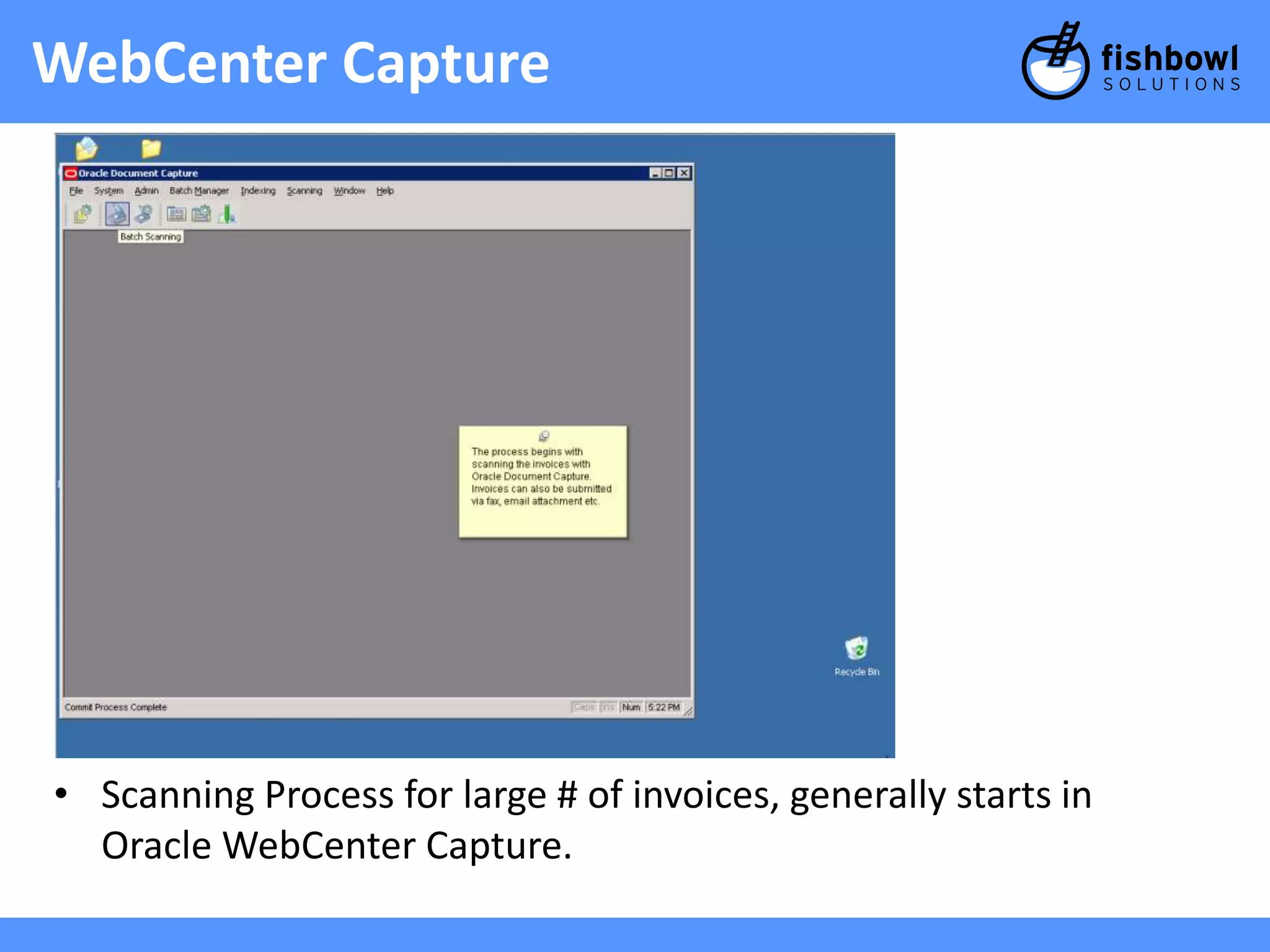
WebCenter Capture
•Scanning Process for large # of invoices, generally starts in
Oracle WebCenter Capture.
31.
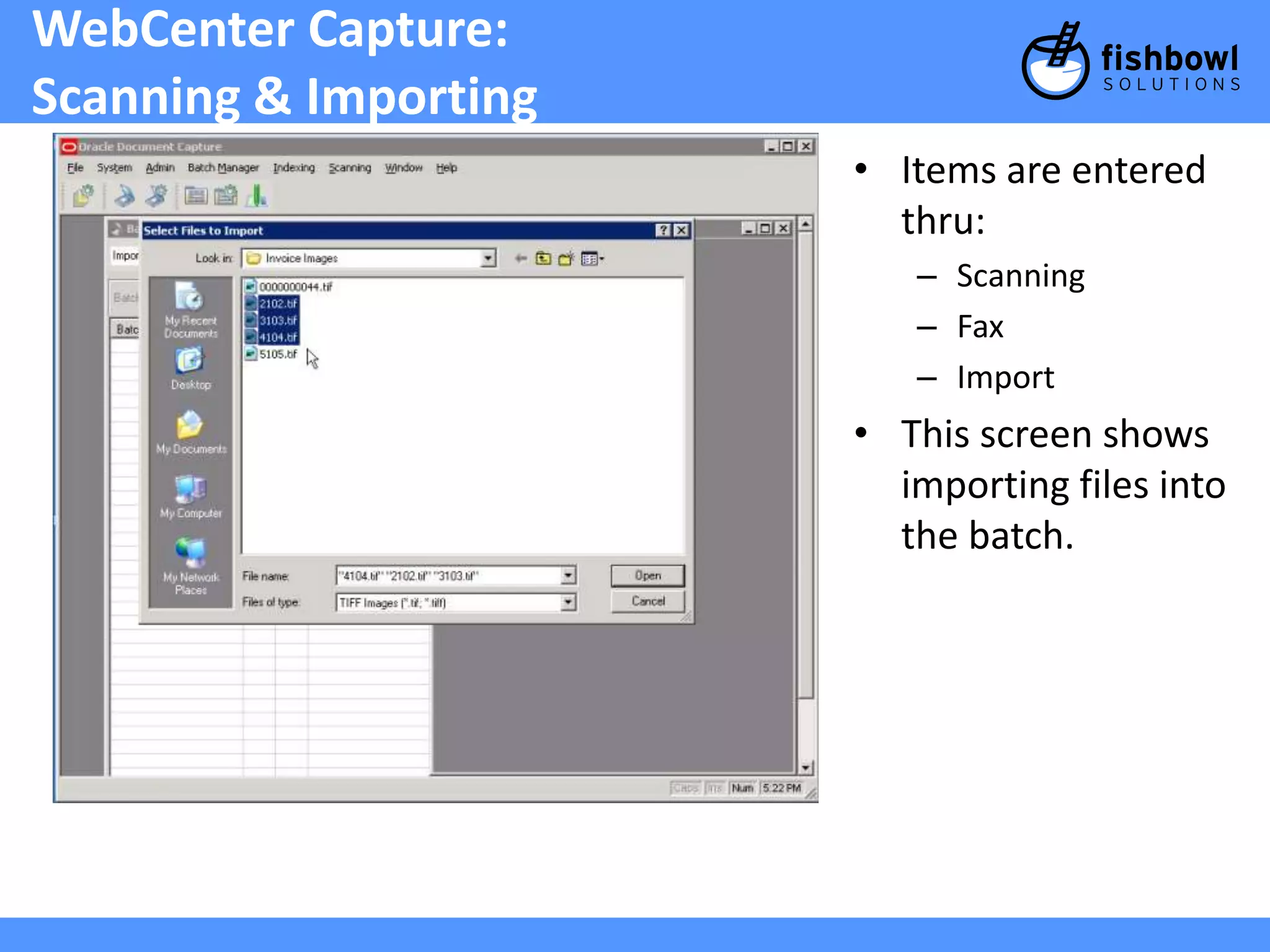
WebCenter Capture:
Scanning& Importing
• Items are entered
thru:
– Scanning
– Fax
– Import
• This screen shows
importing files into
the batch.
32.
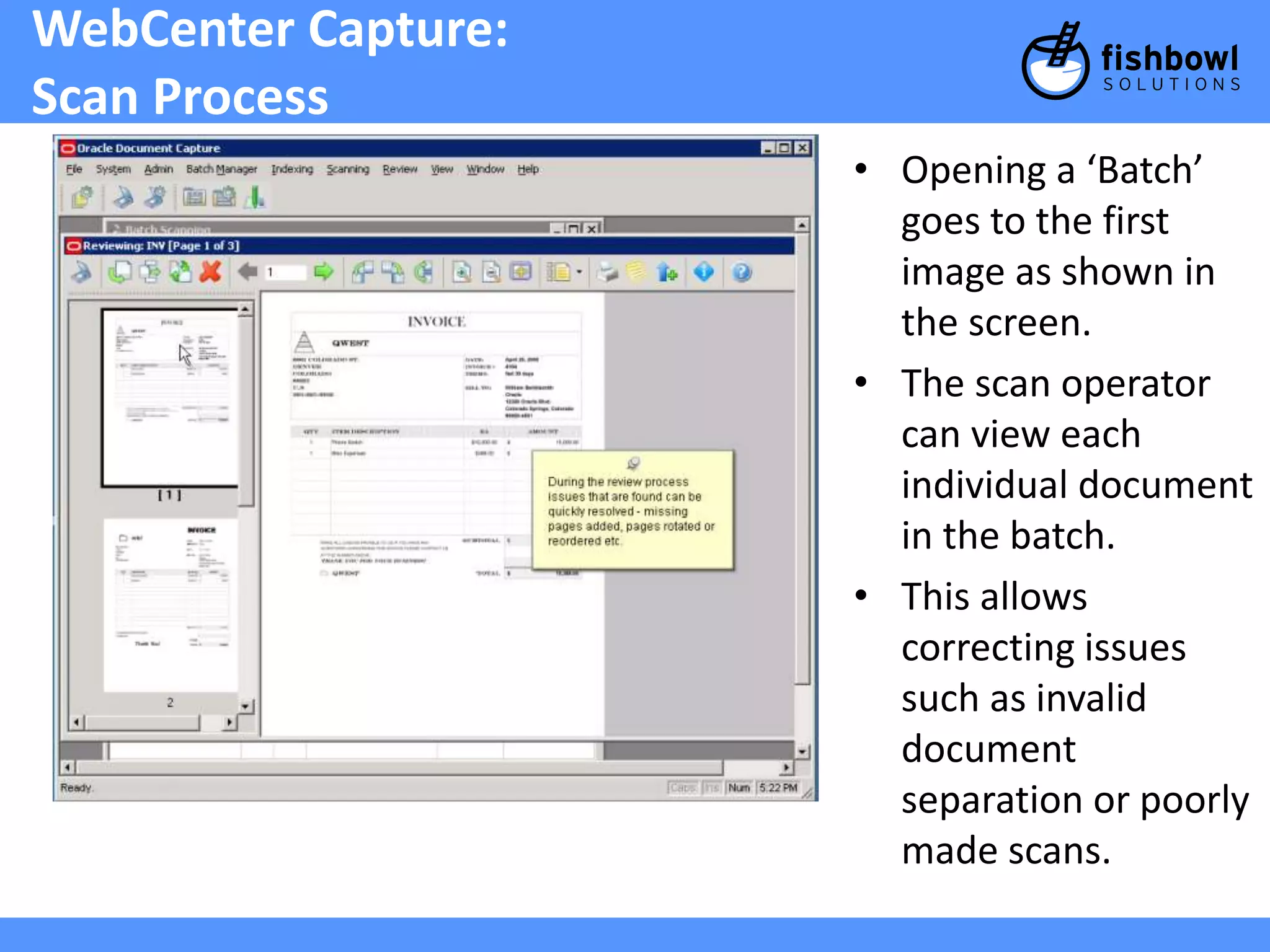
WebCenter Capture:
ScanProcess
• Opening a ‘Batch’
goes to the first
image as shown in
the screen.
• The scan operator
can view each
individual document
in the batch.
• This allows
correcting issues
such as invalid
document
separation or poorly
made scans.
33.
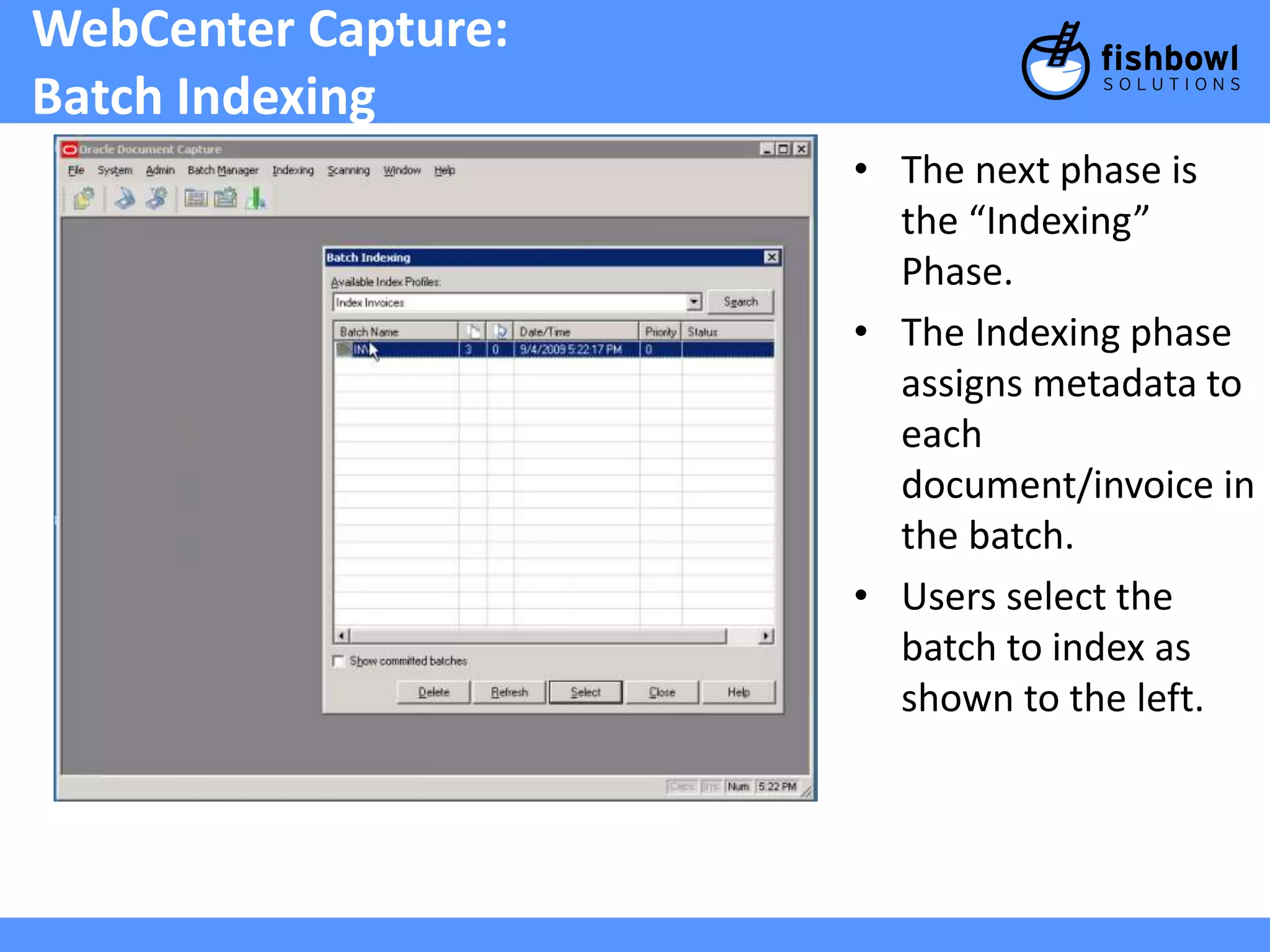
WebCenter Capture:
BatchIndexing
• The next phase is
the “Indexing”
Phase.
• The Indexing phase
assigns metadata to
each
document/invoice in
the batch.
• Users select the
batch to index as
shown to the left.
34.
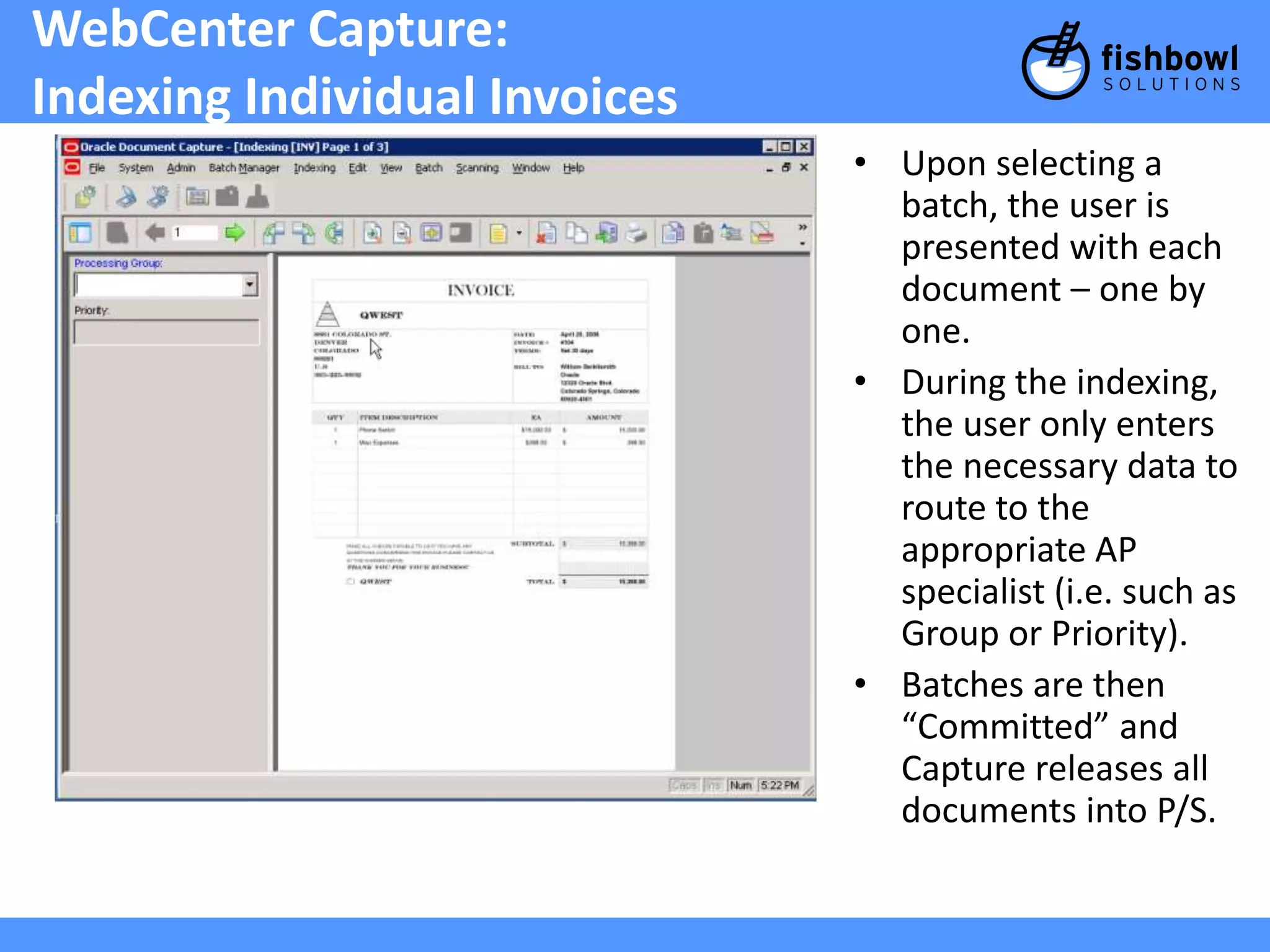
WebCenter Capture:
IndexingIndividual Invoices
• Upon selecting a
batch, the user is
presented with each
document – one by
one.
• During the indexing,
the user only enters
the necessary data to
route to the
appropriate AP
specialist (i.e. such as
Group or Priority).
• Batches are then
“Committed” and
Capture releases all
documents into P/S.
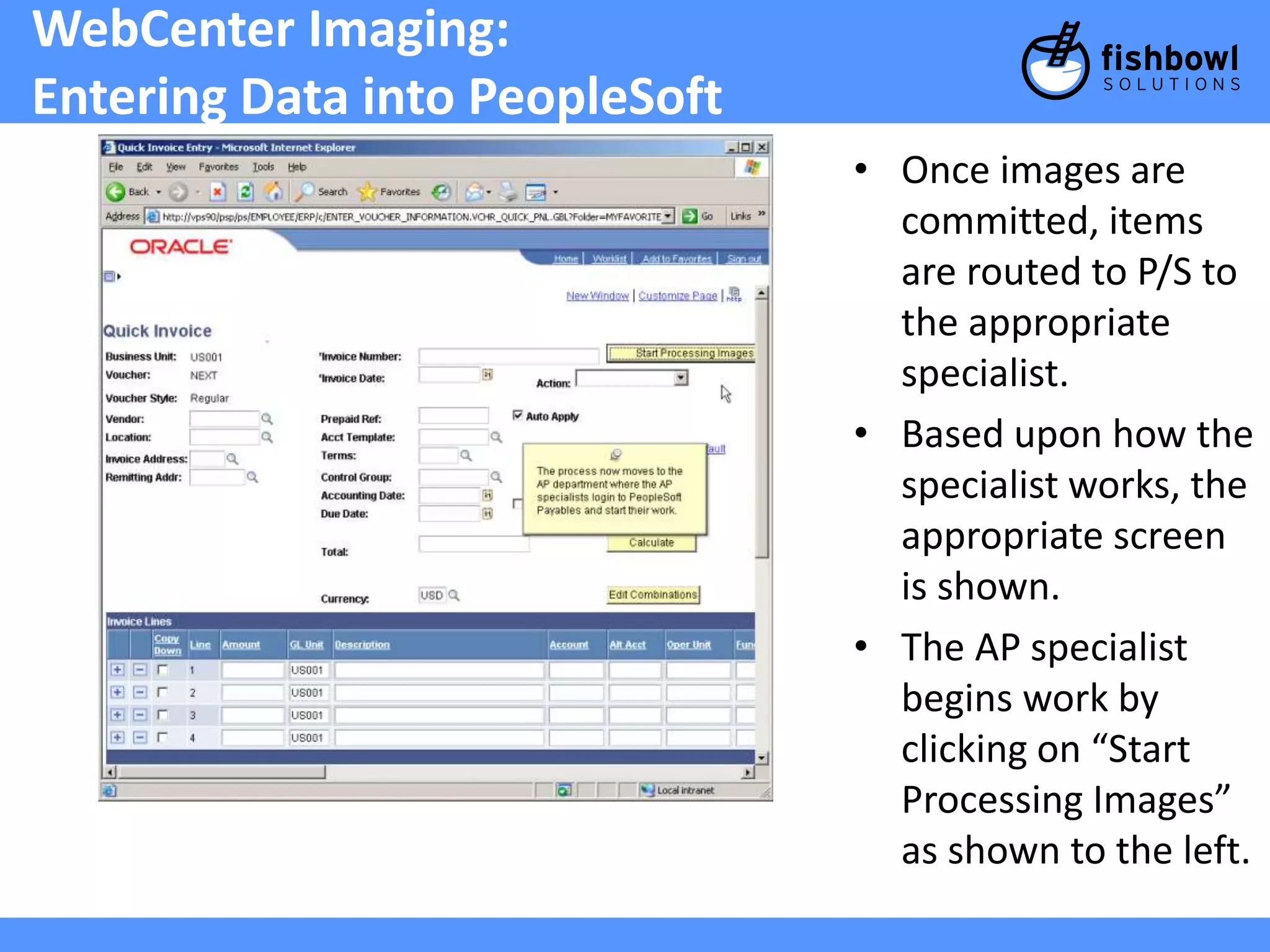
WebCenter Imaging:
EnteringData into PeopleSoft
• Once images are
committed, items
are routed to P/S to
the appropriate
specialist.
• Based upon how the
specialist works, the
appropriate screen
is shown.
• The AP specialist
begins work by
clicking on “Start
Processing Images”
as shown to the left.
37.
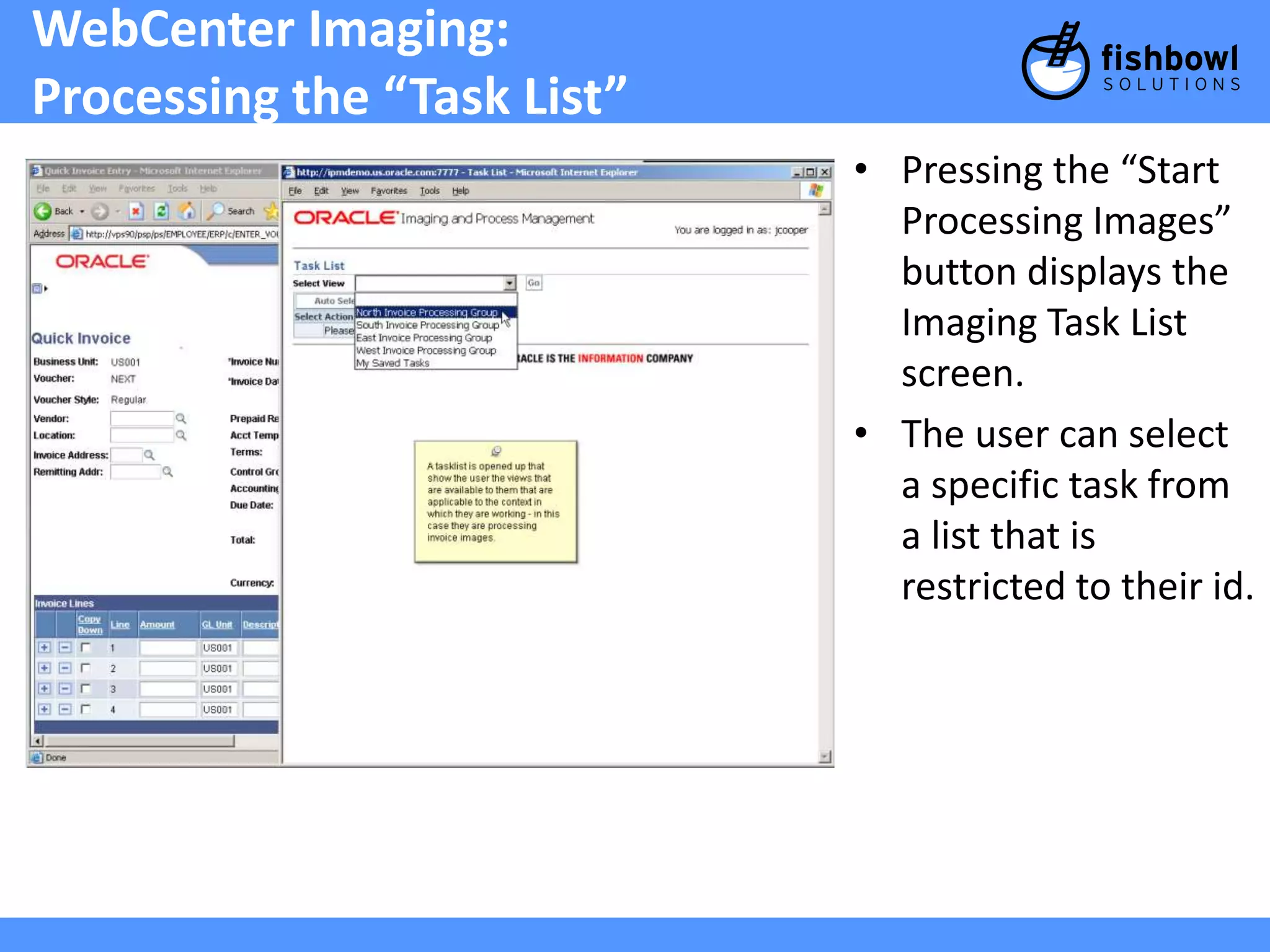
WebCenter Imaging:
Processingthe “Task List”
• Pressing the “Start
Processing Images”
button displays the
Imaging Task List
screen.
• The user can select
a specific task from
a list that is
restricted to their id.
38.
WebCenter Imaging:
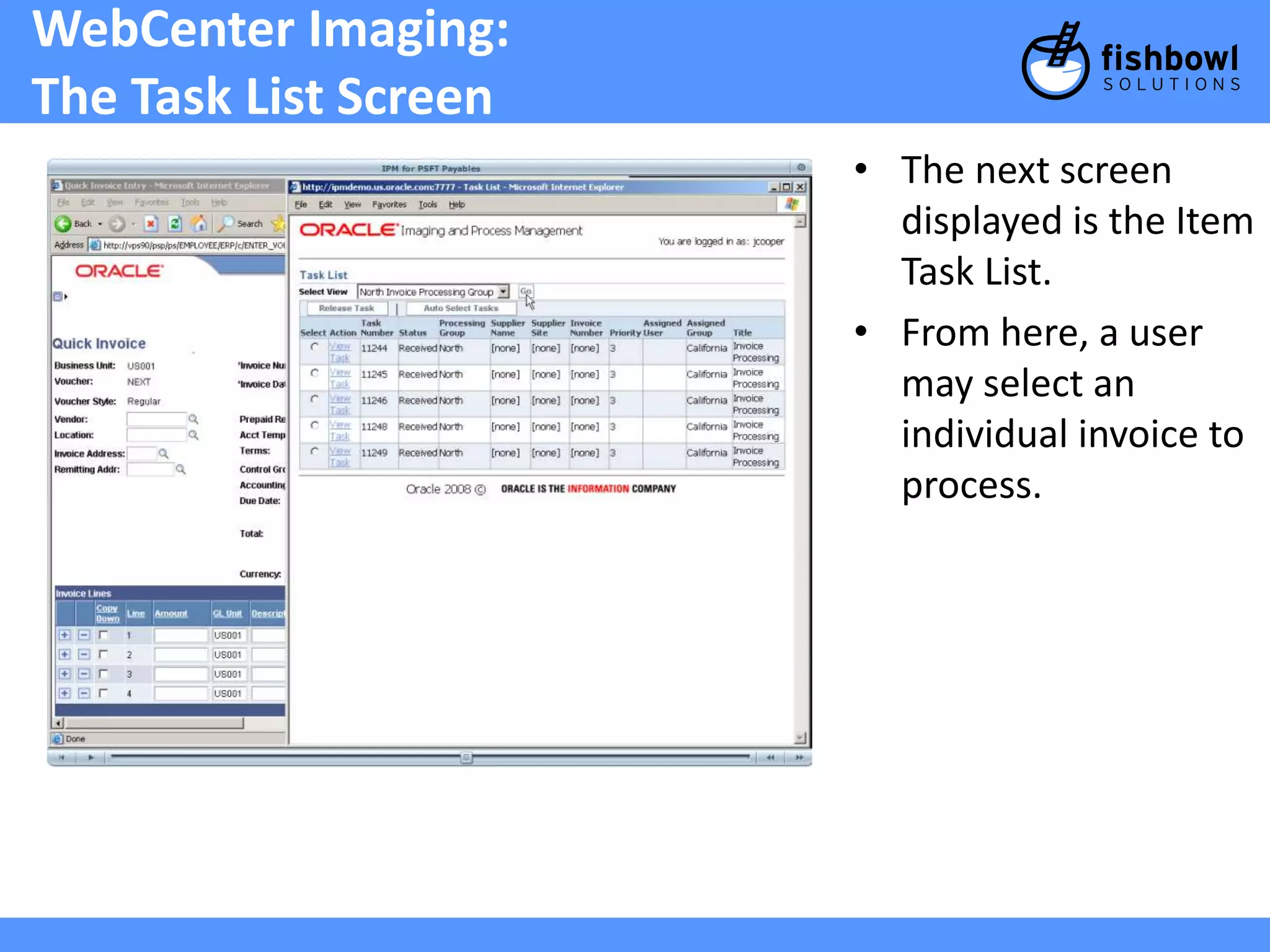
TheTask List Screen
• The next screen
displayed is the Item
Task List.
• From here, a user
may select an
individual invoice to
process.
39.
WebCenter Capture:
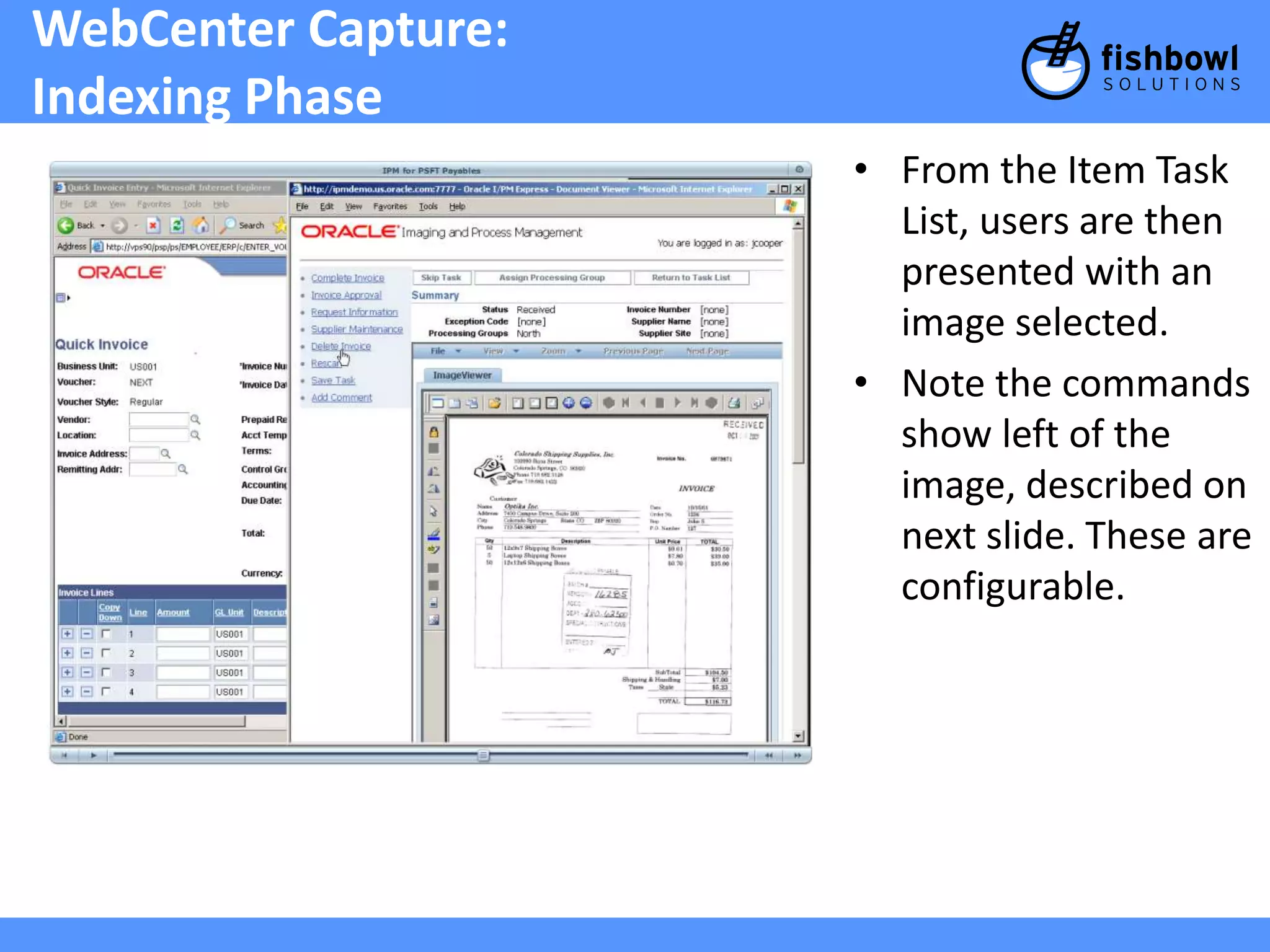
IndexingPhase
• From the Item Task
List, users are then
presented with an
image selected.
• Note the commands
show left of the
image, described on
next slide. These are
configurable.
40.
WebCenter Imaging:
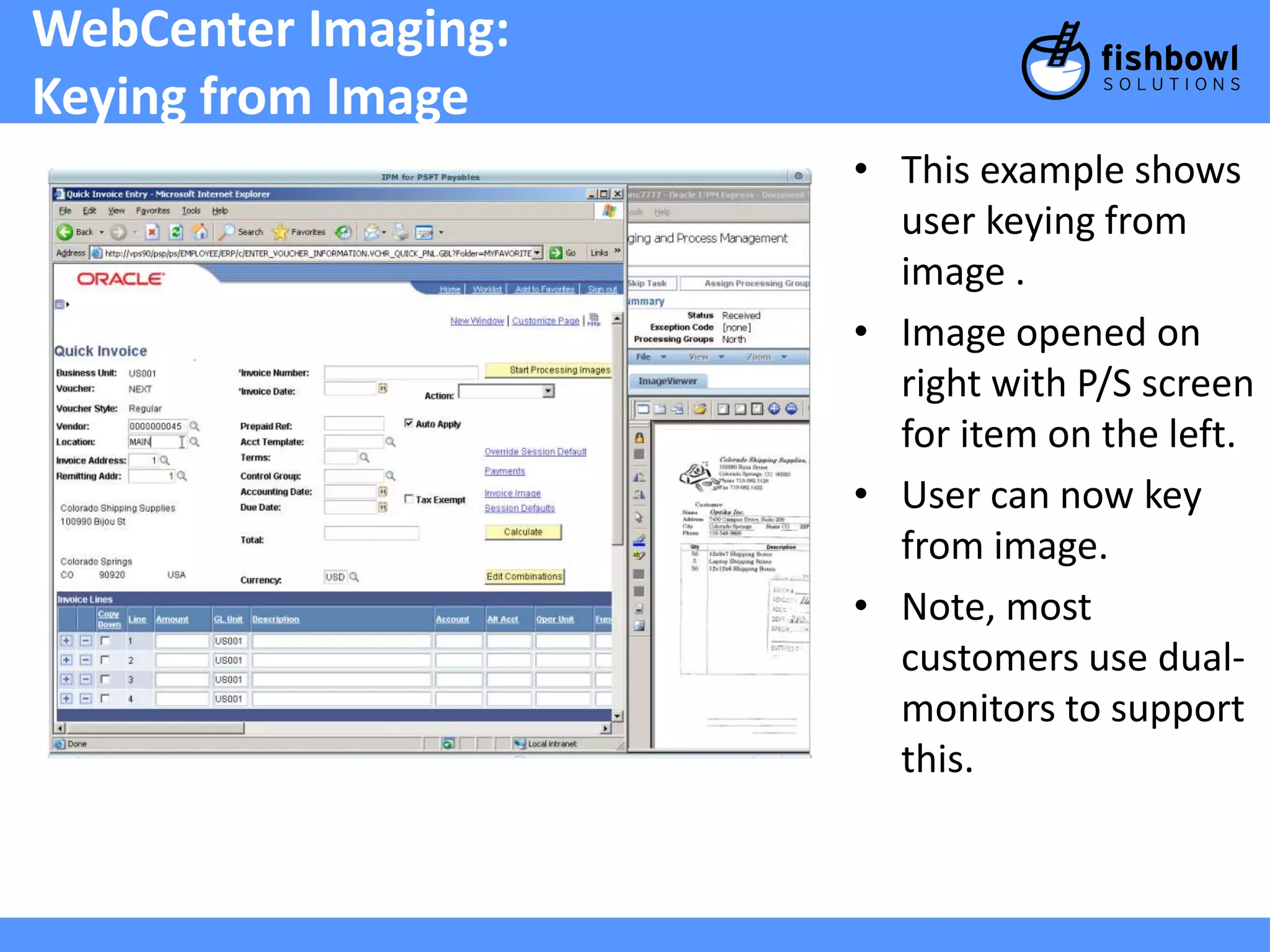
Keyingfrom Image
• This example shows
user keying from
image .
• Image opened on
right with P/S screen
for item on the left.
• User can now key
from image.
• Note, most
customers use dual-monitors
to support
this.
41.
WebCenter Imaging:
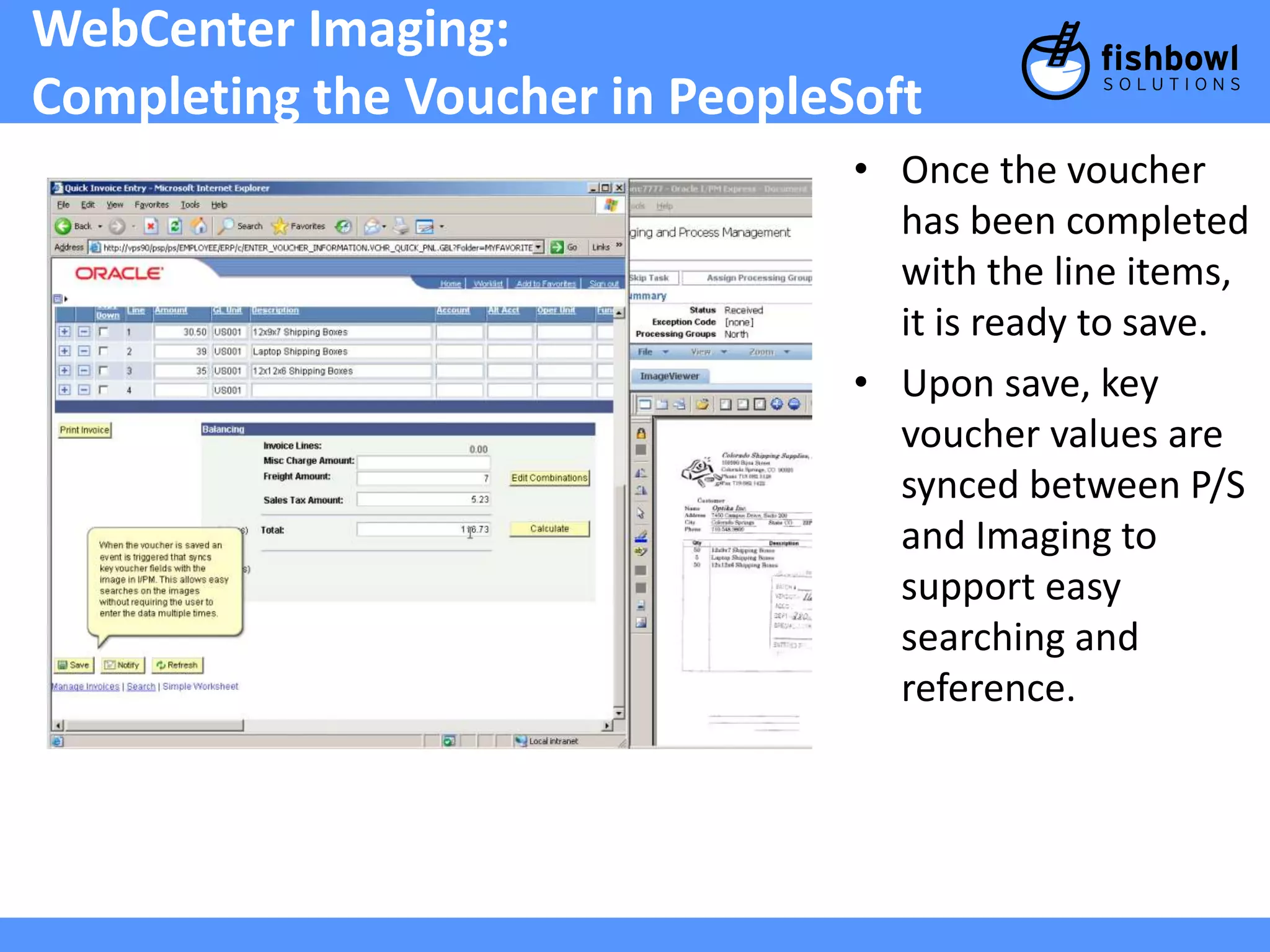
Completingthe Voucher in PeopleSoft
• Once the voucher
has been completed
with the line items,
it is ready to save.
• Upon save, key
voucher values are
synced between P/S
and Imaging to
support easy
searching and
reference.
42.
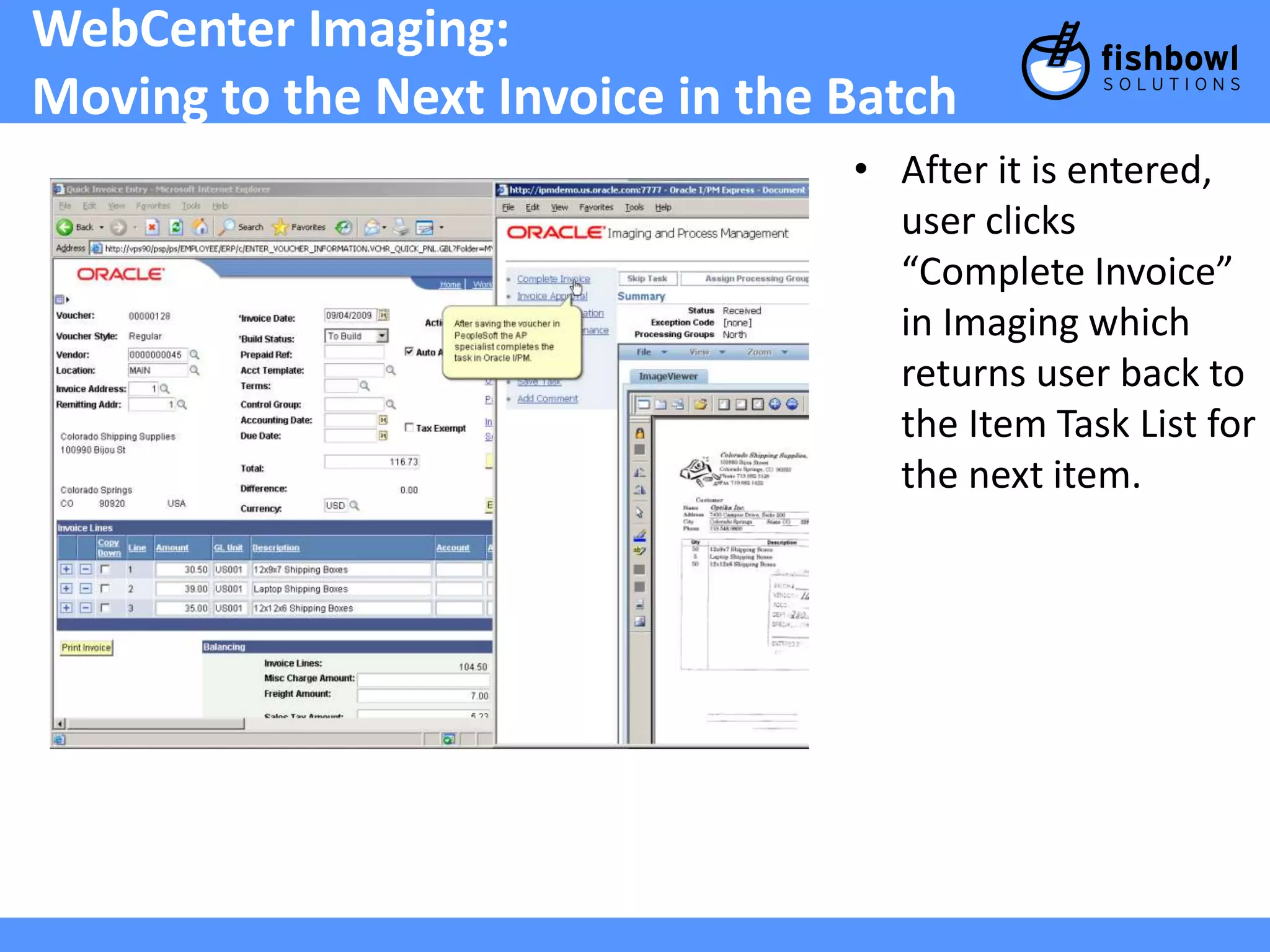
WebCenter Imaging:
Movingto the Next Invoice in the Batch
• After it is entered,
user clicks
“Complete Invoice”
in Imaging which
returns user back to
the Item Task List for
the next item.
43.
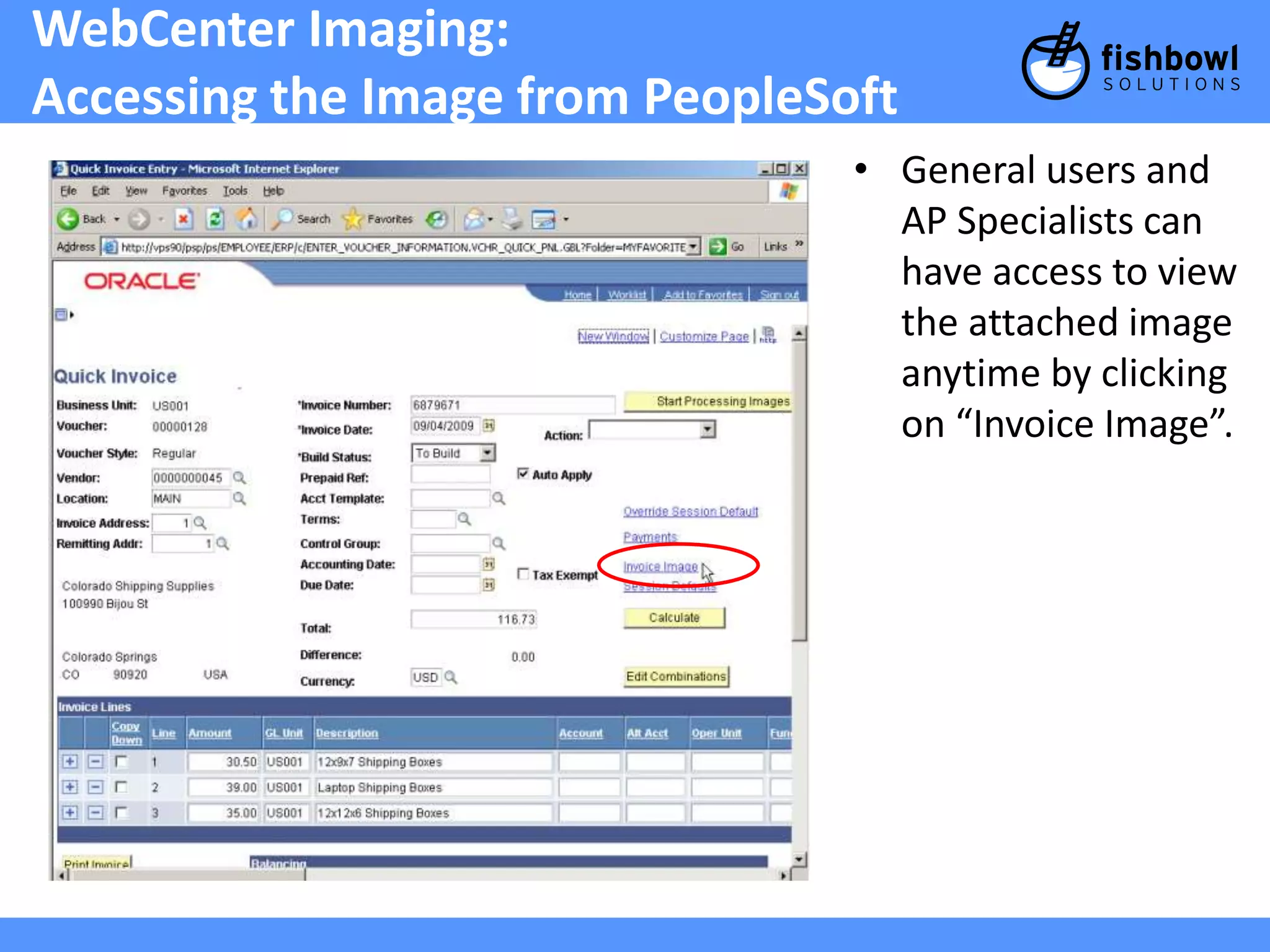
WebCenter Imaging:
Accessingthe Image from PeopleSoft
• General users and
AP Specialists can
have access to view
the attached image
anytime by clicking
on “Invoice Image”.
44.
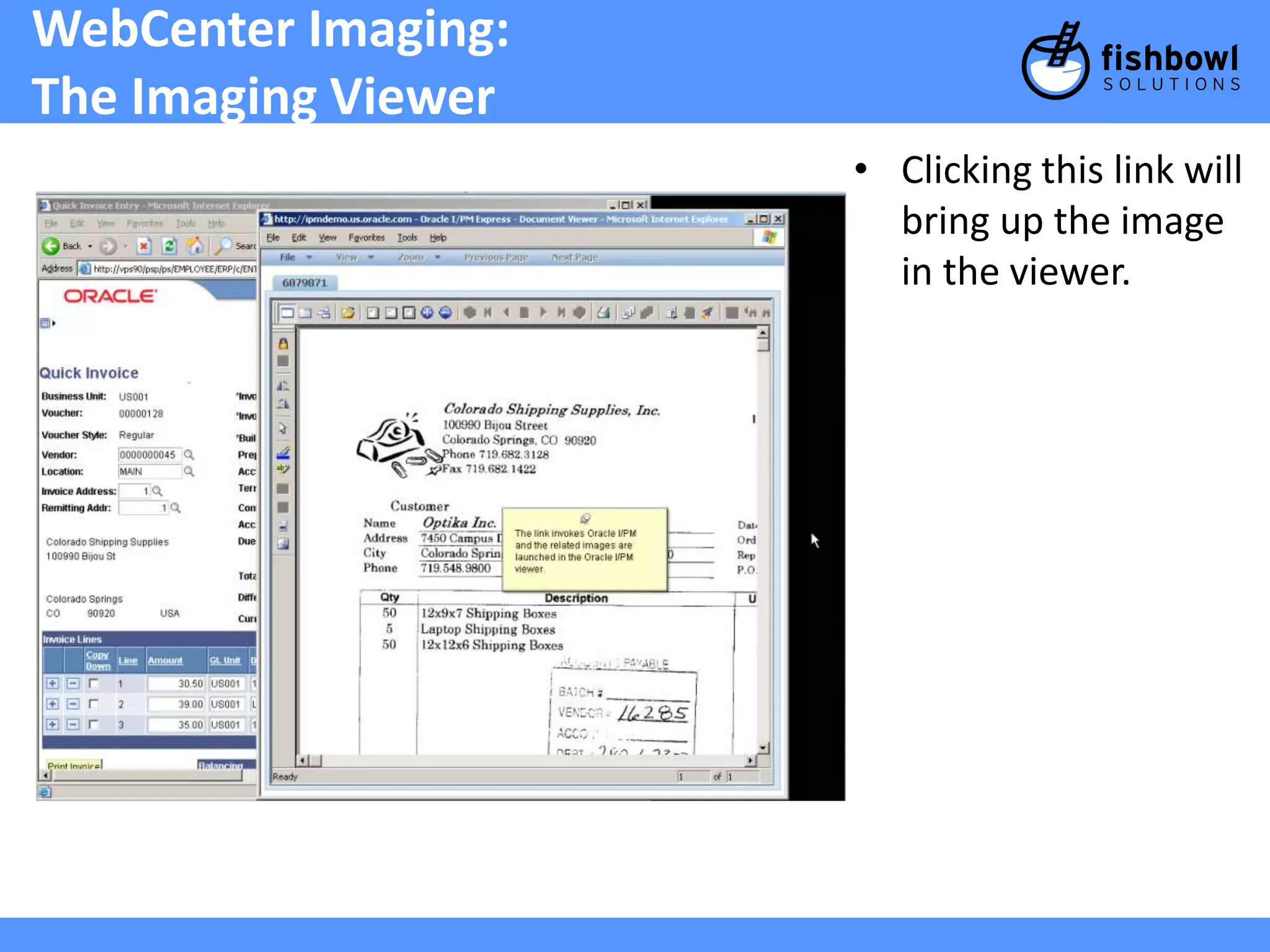
WebCenter Imaging:
TheImaging Viewer
• Clicking this link will
bring up the image
in the viewer.
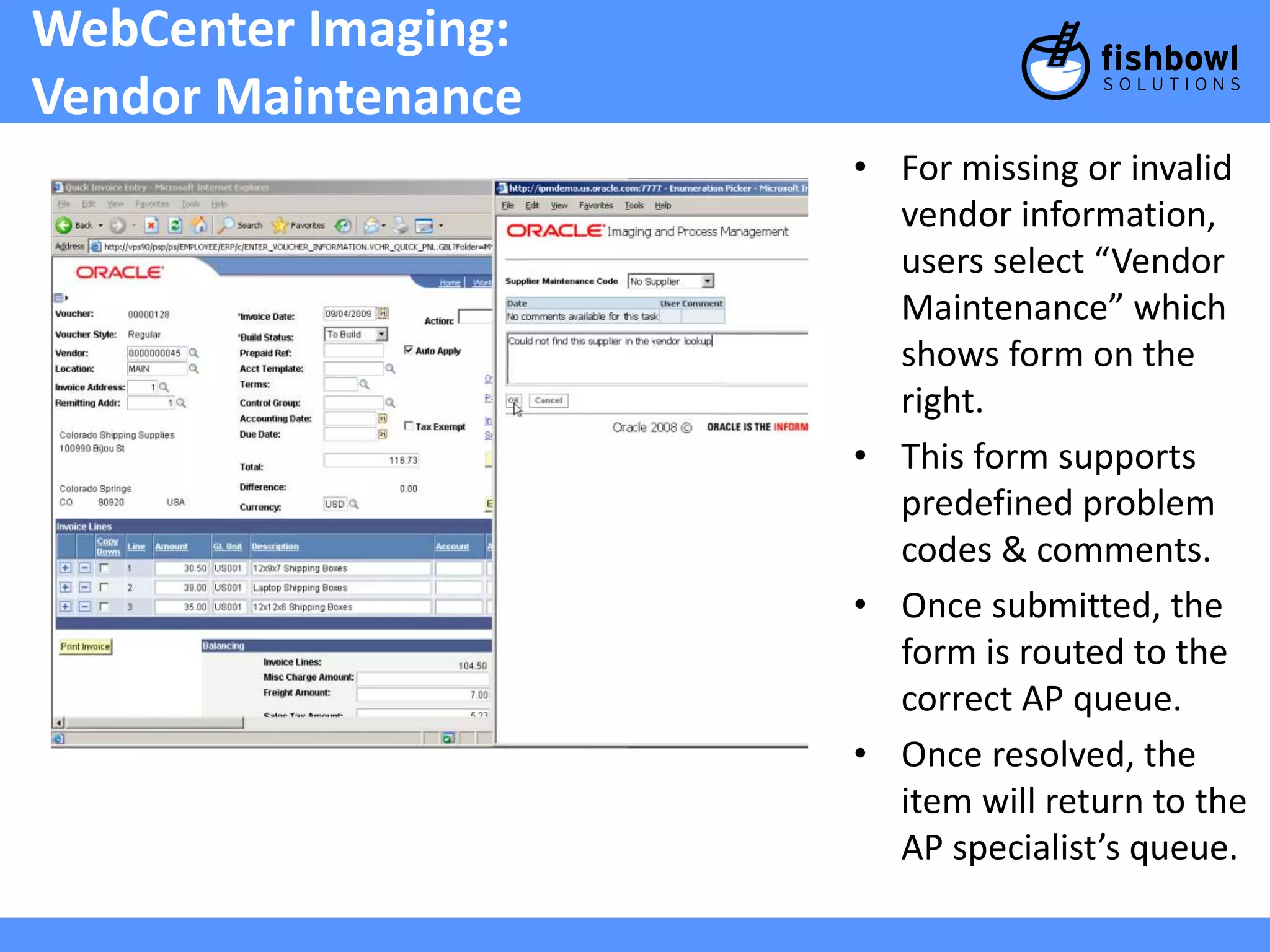
WebCenter Imaging:
VendorMaintenance
• For missing or invalid
vendor information,
users select “Vendor
Maintenance” which
shows form on the
right.
• This form supports
predefined problem
codes & comments.
• Once submitted, the
form is routed to the
correct AP queue.
• Once resolved, the
item will return to the
AP specialist’s queue.
47.
Issue resolution
+Similar functionality exists to request the
following:
– Rescan: send back to scan operator to rescan poor
or illegible image.
– Request More Information: Can be used to route
questions to any PeopleSoft user.
48.
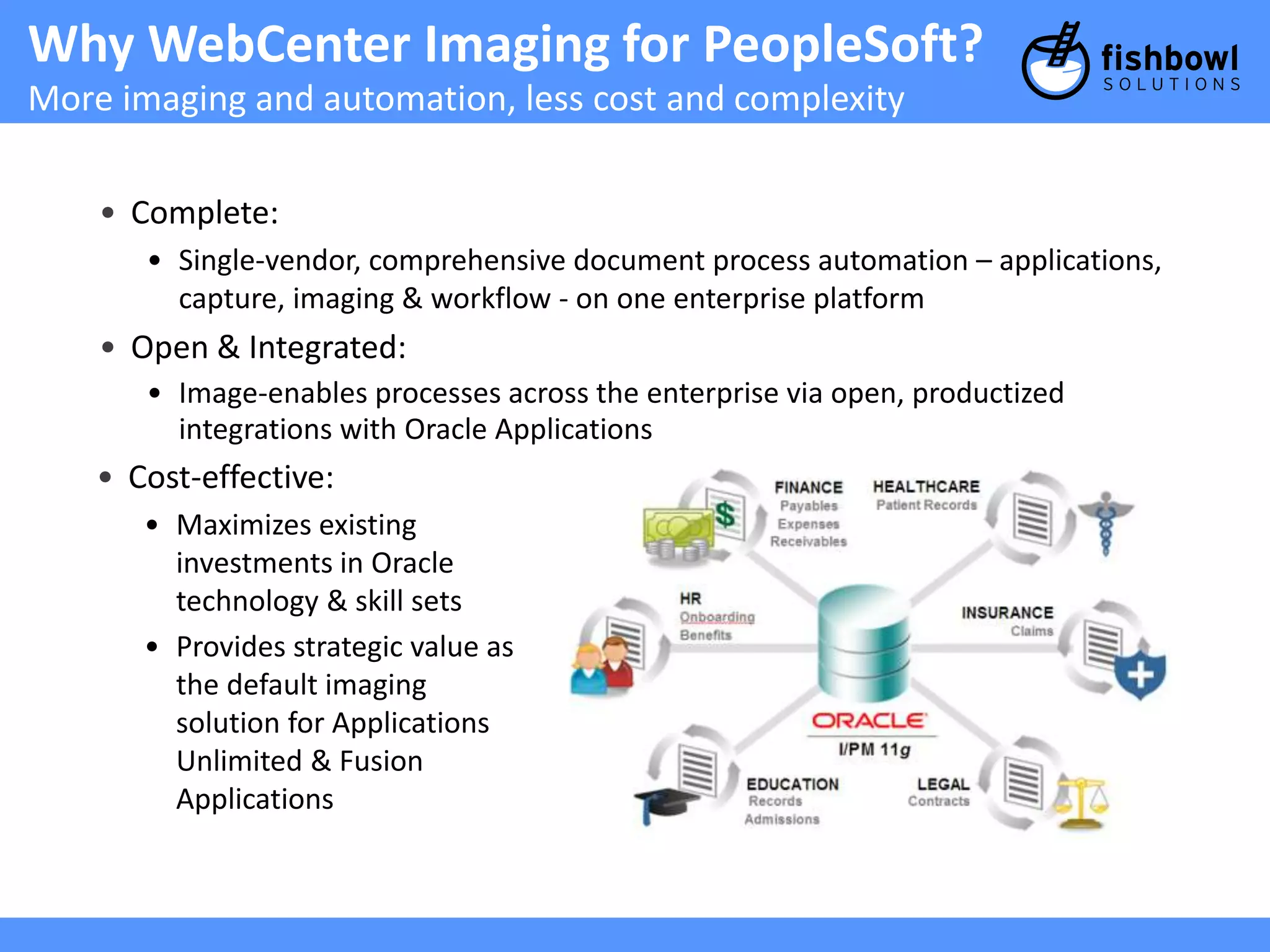
Why WebCenter Imagingfor PeopleSoft?
More imaging and automation, less cost and complexity
• Complete:
• Single-vendor, comprehensive document process automation – applications,
capture, imaging & workflow - on one enterprise platform
• Open & Integrated:
• Image-enables processes across the enterprise via open, productized
integrations with Oracle Applications
• Cost-effective:
• Maximizes existing
investments in Oracle
technology & skill sets
• Provides strategic value as
the default imaging
solution for Applications
Unlimited & Fusion
Applications