
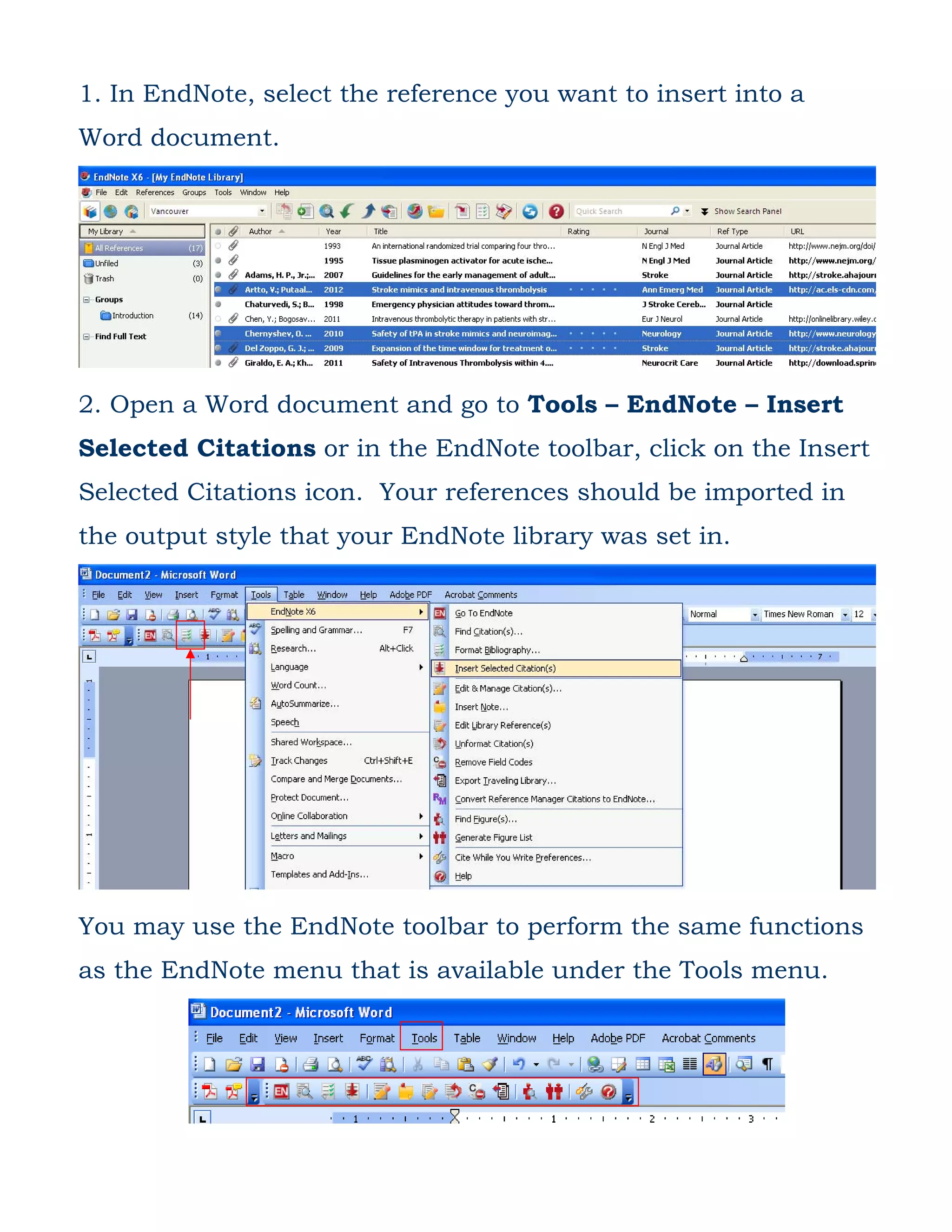
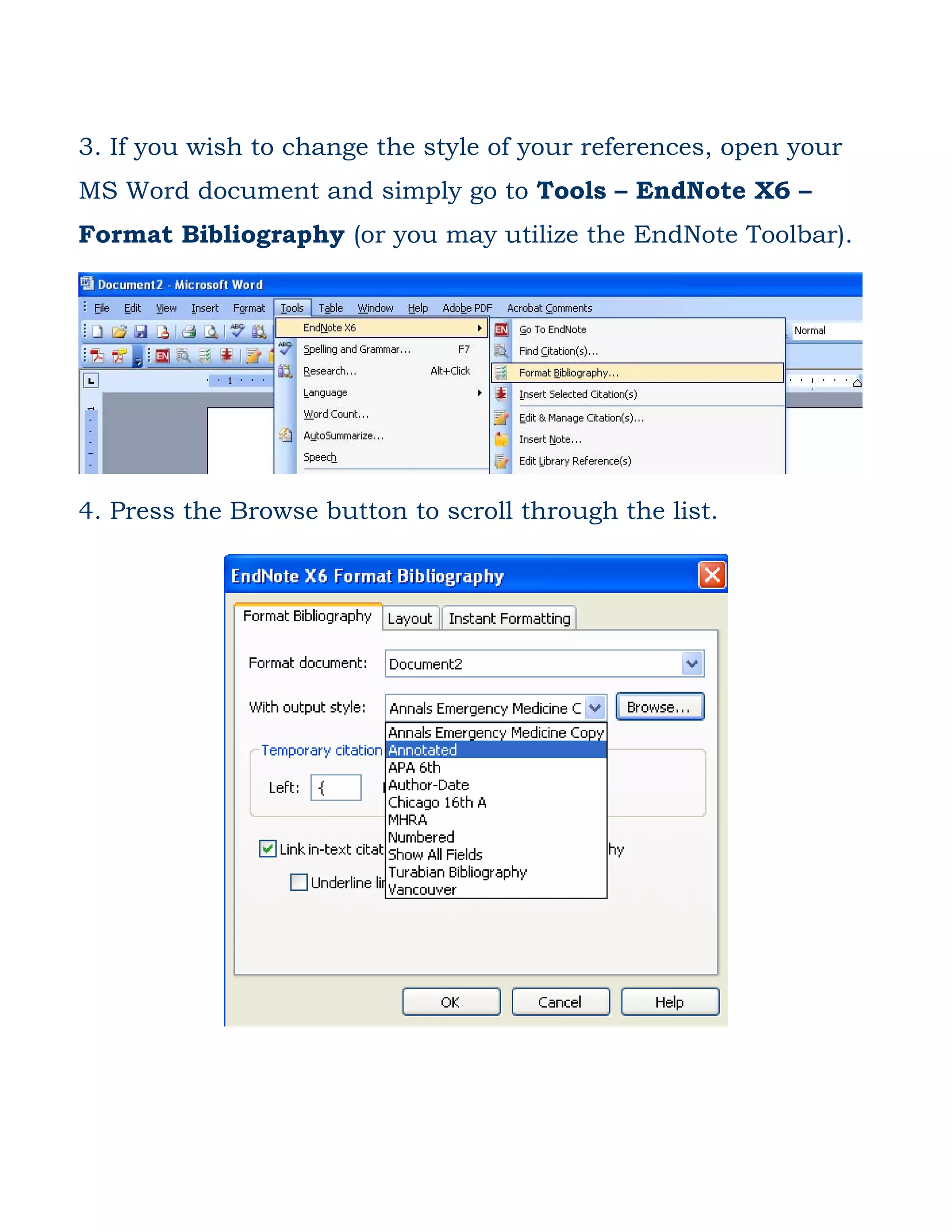
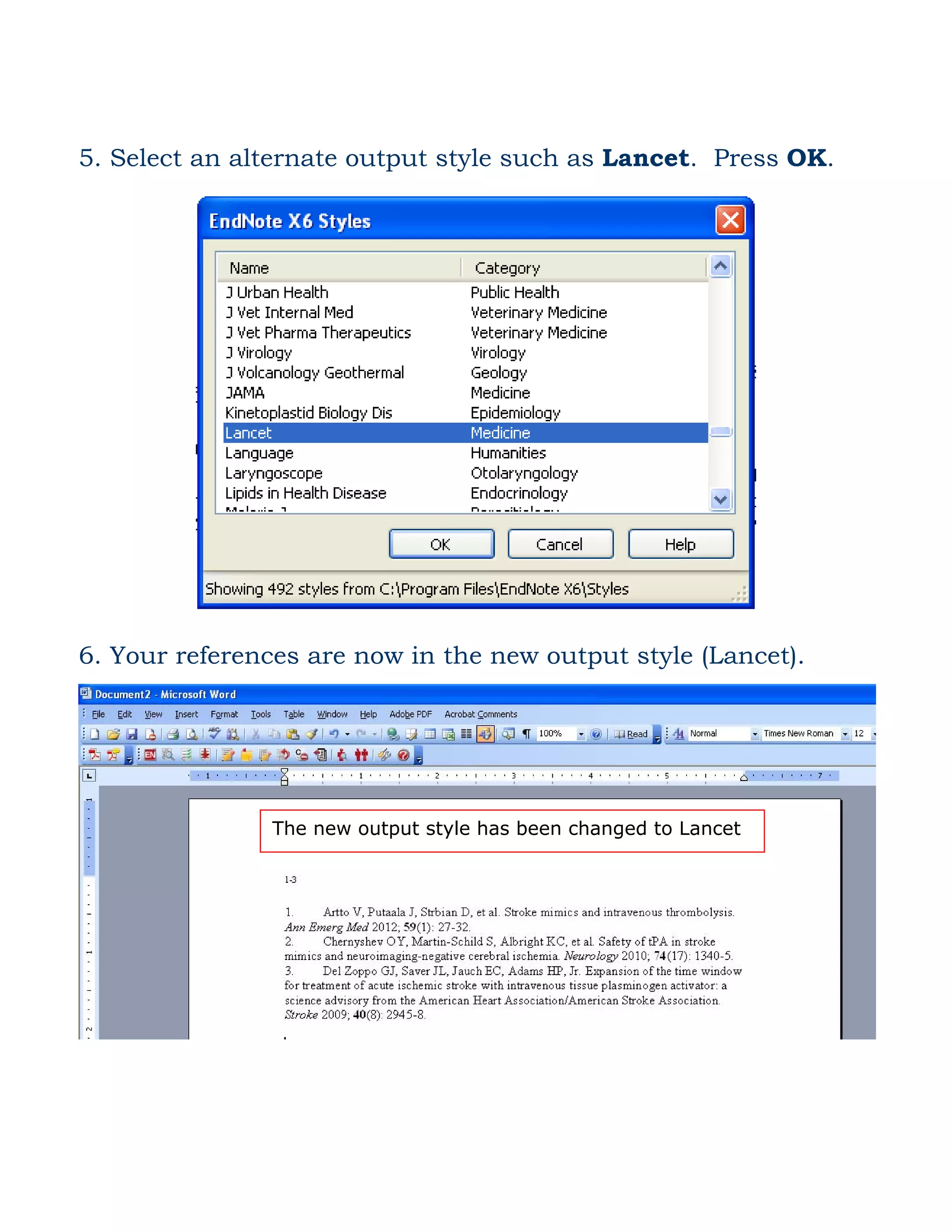
This document provides instructions for inserting citations from EndNote into a Microsoft Word document and changing the output style of the references. The summary is: To insert citations from EndNote into a Word document, select the reference in EndNote and use the Insert Selected Citations option in EndNote or the EndNote toolbar. The references will be inserted using the output style of the EndNote library. To change the output style, use the Format Bibliography option in EndNote or the EndNote toolbar to select a different style such as Lancet.


