Talk of the Day
Input Devices
Unit 2
Prepared by Ms. Samina Ahmed
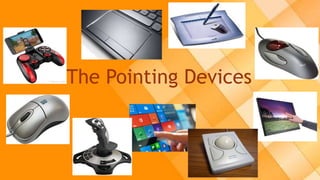
The Pointing Devices
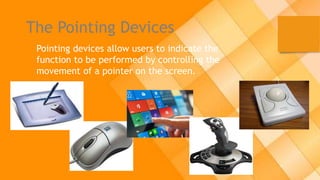
Pointing devices allow users to indicate the
function to be performed by controlling the
movement of a pointer on the screen.
The Mouse
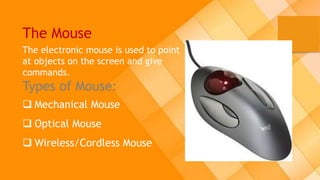
The electronic mouse is used to point
at objects on the screen and give
commands.
Types of Mouse:
 Mechanical Mouse
 Optical Mouse
 Wireless/Cordless Mouse
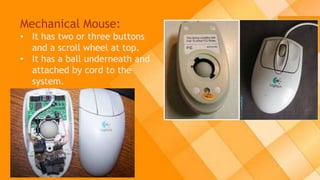
Mechanical Mouse:
• It has two or three buttons
and a scroll wheel at top.
• It has a ball underneath and
attached by cord to the
system.
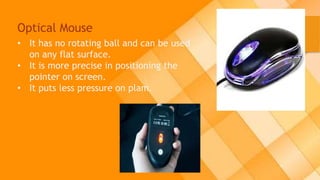
Optical Mouse
• It has no rotating ball and can be used
on any flat surface.
• It is more precise in positioning the
pointer on screen.
• It puts less pressure on plam.
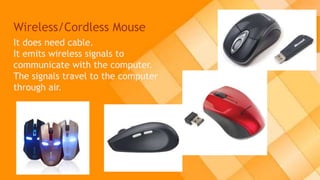
Wireless/Cordless Mouse
It does need cable.
It emits wireless signals to
communicate with the computer.
The signals travel to the computer
through air.
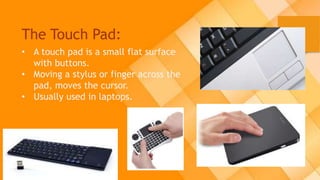
The Touch Pad:
• A touch pad is a small flat surface
with buttons.
• Moving a stylus or finger across the
pad, moves the cursor.
• Usually used in laptops.
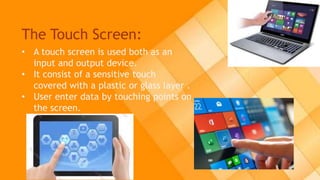
The Touch Screen:
• A touch screen is used both as an
input and output device.
• It consist of a sensitive touch
covered with a plastic or glass layer .
• User enter data by touching points on
the screen.
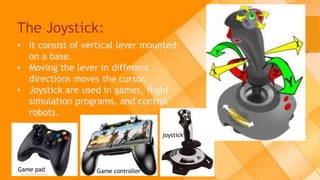
The Joystick:
• It consist of vertical lever mounted
on a base.
• Moving the lever in different
directions moves the cursor.
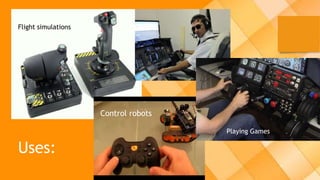
• Joystick are used in games, flight
simulation programs, and control
robots.
Game controller
joystick
Game pad
Flight simulations
Control robots
Playing Games
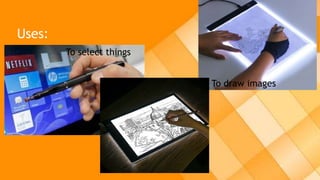
Uses:
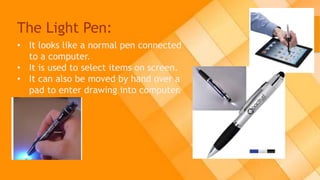
The Light Pen:
• It looks like a normal pen connected
to a computer.
• It is used to select items on screen.
• It can also be moved by hand over a
pad to enter drawing into computer.
Uses:
To select things
To draw images
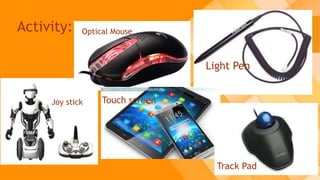
Activity:
Light Pen
Joy stick
Optical Mouse
Touch screen
Track Pad
Any Question
Home Work
Do the following question on your copies.
Q.1 What is the function of pointing devices?
Name any three pointing devices and their use.
Input devices-2

Input devices-2

  • 2.
  • 3.
    Input Devices Unit 2 Preparedby Ms. Samina Ahmed
  • 4.
  • 5.
    The Pointing Devices Pointingdevices allow users to indicate the function to be performed by controlling the movement of a pointer on the screen.
  • 6.
    The Mouse The electronicmouse is used to point at objects on the screen and give commands. Types of Mouse:  Mechanical Mouse  Optical Mouse  Wireless/Cordless Mouse
  • 7.
    Mechanical Mouse: • Ithas two or three buttons and a scroll wheel at top. • It has a ball underneath and attached by cord to the system.
  • 8.
    Optical Mouse • Ithas no rotating ball and can be used on any flat surface. • It is more precise in positioning the pointer on screen. • It puts less pressure on plam.
  • 9.
    Wireless/Cordless Mouse It doesneed cable. It emits wireless signals to communicate with the computer. The signals travel to the computer through air.
  • 10.
    The Touch Pad: •A touch pad is a small flat surface with buttons. • Moving a stylus or finger across the pad, moves the cursor. • Usually used in laptops.
  • 11.
    The Touch Screen: •A touch screen is used both as an input and output device. • It consist of a sensitive touch covered with a plastic or glass layer . • User enter data by touching points on the screen.
  • 12.
    The Joystick: • Itconsist of vertical lever mounted on a base. • Moving the lever in different directions moves the cursor. • Joystick are used in games, flight simulation programs, and control robots. Game controller joystick Game pad
  • 13.
  • 14.
    The Light Pen: •It looks like a normal pen connected to a computer. • It is used to select items on screen. • It can also be moved by hand over a pad to enter drawing into computer.
  • 15.
  • 16.
    Activity: Light Pen Joy stick OpticalMouse Touch screen Track Pad
  • 17.
  • 18.
    Home Work Do thefollowing question on your copies. Q.1 What is the function of pointing devices? Name any three pointing devices and their use.