Innovative
Technologies
for the
Classroom
How can we embrace technology
in the classroom in a way that
facilitates student engagement?
1. Encourage participation in
new and different ways
 Learn how to use Socrative and Poll
Everywhere
Socrative
Pretend you’re a student:
 Go to m.socrative.com on your
smartphone or your computer
 Or download the socrative app from the
App Store onto your smartphone
Socrative
Pretend you’re a student:
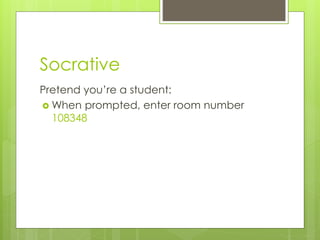
 When prompted, enter room number
108348
Socrative
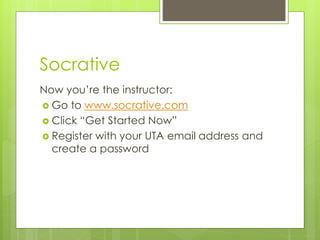
Now you’re the instructor:
 Go to www.socrative.com
 Click “Get Started Now”
 Register with your UTA email address and
create a password
Socrative
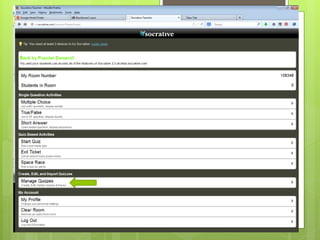
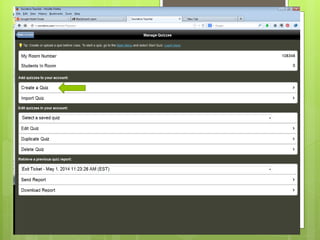
 You can create quizzes with multiple
choice or short answer questions
 You can even insert images into your
questions
 Try it!
Poll Everywhere
 Create your own poll now at
www.polleverywhere.com
 It’s so easy!
Encourage participation in
new and different ways
 Interactive whiteboard
 www.awwapp.com
 Backchannel or Twitter
How can we make the impersonal
environment of an online class more
personal?
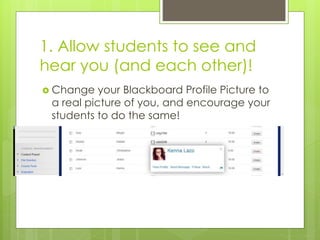
1. Allow students to see and
hear you (and each other)!
 Change your Blackboard Profile Picture to
a real picture of you, and encourage your
students to do the same!
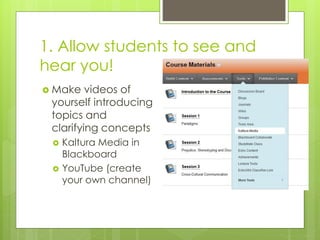
1. Allow students to see and
hear you!
 Make videos of
yourself introducing
topics and
clarifying concepts
 Kaltura Media in
Blackboard
 YouTube (create
your own channel)
2. Use Screencasting to explain
technology and provide feedback
 Some useful tools for screencasting:
 Jing
 Screencast-o-matic.com
 My explanation is accessible here:
 https://www.youtube.com/watch?v=VrlPQNK
xGRg
 And here’s how I’ve used screencasting in
my class:
 https://www.youtube.com/watch?v=JdrskrVD
7Ks
3. Let students hear your
voice (and each other)
 Consider using VoiceThread or Evernote
to supplement or replace the traditional
Discussion Board
 Great tutorial from Dr. Jill Scheifelbein at
ASU here: http://impromptuguru.com/start-
here-area/
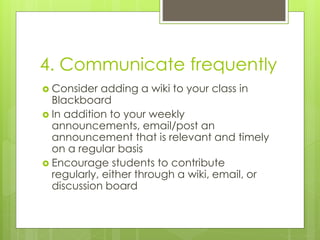
4. Communicate frequently
 Consider adding a wiki to your class in
Blackboard
 In addition to your weekly
announcements, email/post an
announcement that is relevant and timely
on a regular basis
 Encourage students to contribute
regularly, either through a wiki, email, or
discussion board
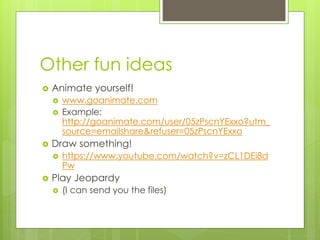
Other fun ideas
 Animate yourself!
 www.goanimate.com
 Example:
http://goanimate.com/user/05zPscnYExxo?utm_
source=emailshare&refuser=05zPscnYExxo
 Draw something!
 https://www.youtube.com/watch?v=zCL1DEi8d
Pw
 Play Jeopardy
 (I can send you the files)
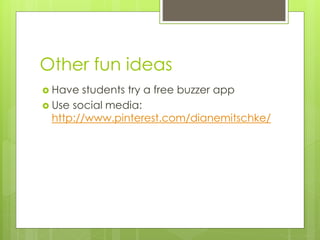
Other fun ideas
 Have students try a free buzzer app
 Use social media:
http://www.pinterest.com/dianemitschke/
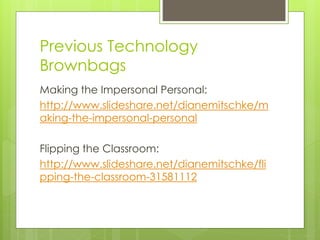
Previous Technology
Brownbags
Making the Impersonal Personal:
http://www.slideshare.net/dianemitschke/m
aking-the-impersonal-personal
Flipping the Classroom:
http://www.slideshare.net/dianemitschke/fli
pping-the-classroom-31581112

Innovative technologies

  • 1.
  • 2.
    How can weembrace technology in the classroom in a way that facilitates student engagement?
  • 3.
    1. Encourage participationin new and different ways  Learn how to use Socrative and Poll Everywhere
  • 4.
    Socrative Pretend you’re astudent:  Go to m.socrative.com on your smartphone or your computer  Or download the socrative app from the App Store onto your smartphone
  • 5.
    Socrative Pretend you’re astudent:  When prompted, enter room number 108348
  • 6.
    Socrative Now you’re theinstructor:  Go to www.socrative.com  Click “Get Started Now”  Register with your UTA email address and create a password
  • 9.
    Socrative  You cancreate quizzes with multiple choice or short answer questions  You can even insert images into your questions  Try it!
  • 10.
    Poll Everywhere  Createyour own poll now at www.polleverywhere.com  It’s so easy!
  • 11.
    Encourage participation in newand different ways  Interactive whiteboard  www.awwapp.com  Backchannel or Twitter
  • 12.
    How can wemake the impersonal environment of an online class more personal?
  • 13.
    1. Allow studentsto see and hear you (and each other)!  Change your Blackboard Profile Picture to a real picture of you, and encourage your students to do the same!
  • 14.
    1. Allow studentsto see and hear you!  Make videos of yourself introducing topics and clarifying concepts  Kaltura Media in Blackboard  YouTube (create your own channel)
  • 15.
    2. Use Screencastingto explain technology and provide feedback  Some useful tools for screencasting:  Jing  Screencast-o-matic.com  My explanation is accessible here:  https://www.youtube.com/watch?v=VrlPQNK xGRg  And here’s how I’ve used screencasting in my class:  https://www.youtube.com/watch?v=JdrskrVD 7Ks
  • 16.
    3. Let studentshear your voice (and each other)  Consider using VoiceThread or Evernote to supplement or replace the traditional Discussion Board  Great tutorial from Dr. Jill Scheifelbein at ASU here: http://impromptuguru.com/start- here-area/
  • 17.
    4. Communicate frequently Consider adding a wiki to your class in Blackboard  In addition to your weekly announcements, email/post an announcement that is relevant and timely on a regular basis  Encourage students to contribute regularly, either through a wiki, email, or discussion board
  • 18.
    Other fun ideas Animate yourself!  www.goanimate.com  Example: http://goanimate.com/user/05zPscnYExxo?utm_ source=emailshare&refuser=05zPscnYExxo  Draw something!  https://www.youtube.com/watch?v=zCL1DEi8d Pw  Play Jeopardy  (I can send you the files)
  • 19.
    Other fun ideas Have students try a free buzzer app  Use social media: http://www.pinterest.com/dianemitschke/
  • 20.
    Previous Technology Brownbags Making theImpersonal Personal: http://www.slideshare.net/dianemitschke/m aking-the-impersonal-personal Flipping the Classroom: http://www.slideshare.net/dianemitschke/fli pping-the-classroom-31581112