DESIGN OF CLASSROOM EXPERIENCE Blend learning solution
Barry Ng via
ABOUT MY IDEA
My idea aims to achieve the following
 Learning on the go(M-Learning) + Blended learning
 Reduces classroom learning time and increases individual self learning time. This pushes learners to
have greater responsibility of their learning
 Spreads/widen the accessibility to learning for everyone who requires to create an E-portfolio
BEFORE THE SYSTEM
 Teacher teaches a subject, provide a homework for student to do and write a reflection.
 Teacher marks the assignment upon receiving the essay, returns to student with a grade.
 Teachers might be treating the E-portfolio as supplementary towards the actual topic(subject)
 Pockets of reflections and learning experiences maybe all over the place, with no singular platform
available for the learner
John (Student)Teacher
AFTER: NEW TRIAL SYSTEM
Teacher collaborates together and standardizes a central platform for E-portfolio
creation. (e.g. wordpress or blogspot)
Teacher ask learner to create the E-portfolio within the first week of school
Learner will add teacher (if possible) as a user to mark the assignments
Teacher provides an essay for learners to work on, learner does the assignment and
reports that it is ready for marking.
Learner received a grade for the assignment and adjustments are given to the
learner
RESOURCES AND TOOLS
All learning resources will be from learn.barristar.net
Learning resource on learn.barristar.net will comprise of videos, images and text for
learning references.
Facilitators will have to refer to this site for its instructions and references
Learner will use the classroom as an area for learning improvements and refinements.
CONTENT CURATION (LEARN.BARRISTAR.NET)
Contents on the portal are restricted to the following
 Videos
 3- 5 minute videos for learning of a system
 Multiple videos curated for learning a same topic (learning reinforcement)
 It must be scalable to the mobile device
 Image
 Interactive images using Thinglink (images that contains clickable links or valuable information)
 Maximum graphical representations for better meaning creation
 It must be scalable to the mobile device
 Text
 Text and paragraph spacings must be appropriate for M-learning
 It must be scalable according to the mobile device
ADVANTAGES OF THE SYSTEM
Learners can access content on the go (M-learning)
Learners are able to bring the prior knowledge from previous systems or assumptions
into this learning experience and also into the classroom
Learners can access learning at a smaller bite size information, as they try to create
meaning to the content.
LIMITATIONS OF THE SYSTEM
Learners might have used other platforms and choose not to use any of the platforms
given in the site
Learners might find E-portfolio irrelevant
Facilitators might have issues addressing the various platform technical issues
Learning management platform available for use to grade and mark assignments
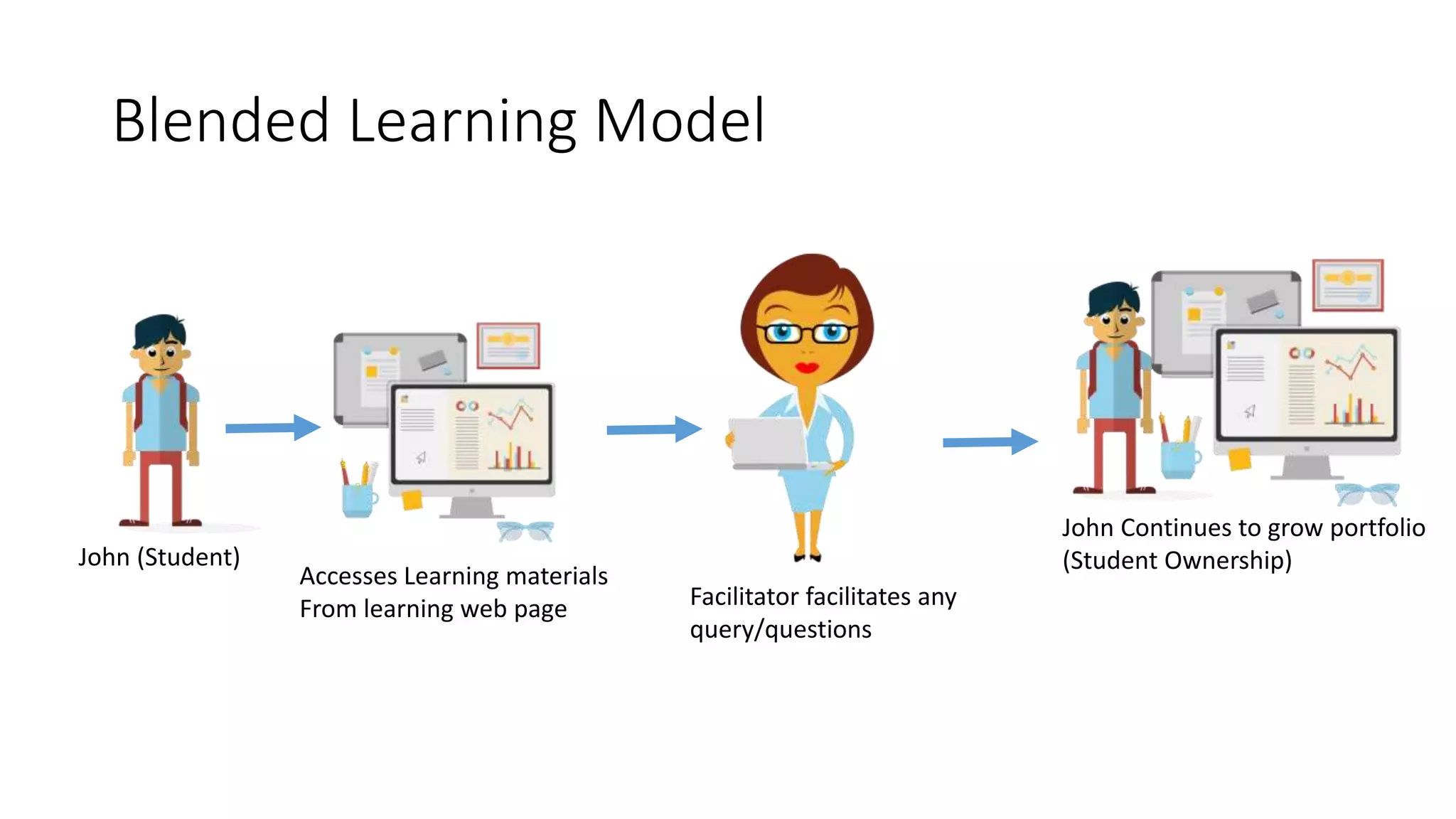
BLENDED LEARNING MODEL
John (Student)
Accesses Learning materials
From learning web page Facilitator facilitates any
query/questions
John Continues to grow portfolio
(Student Ownership)
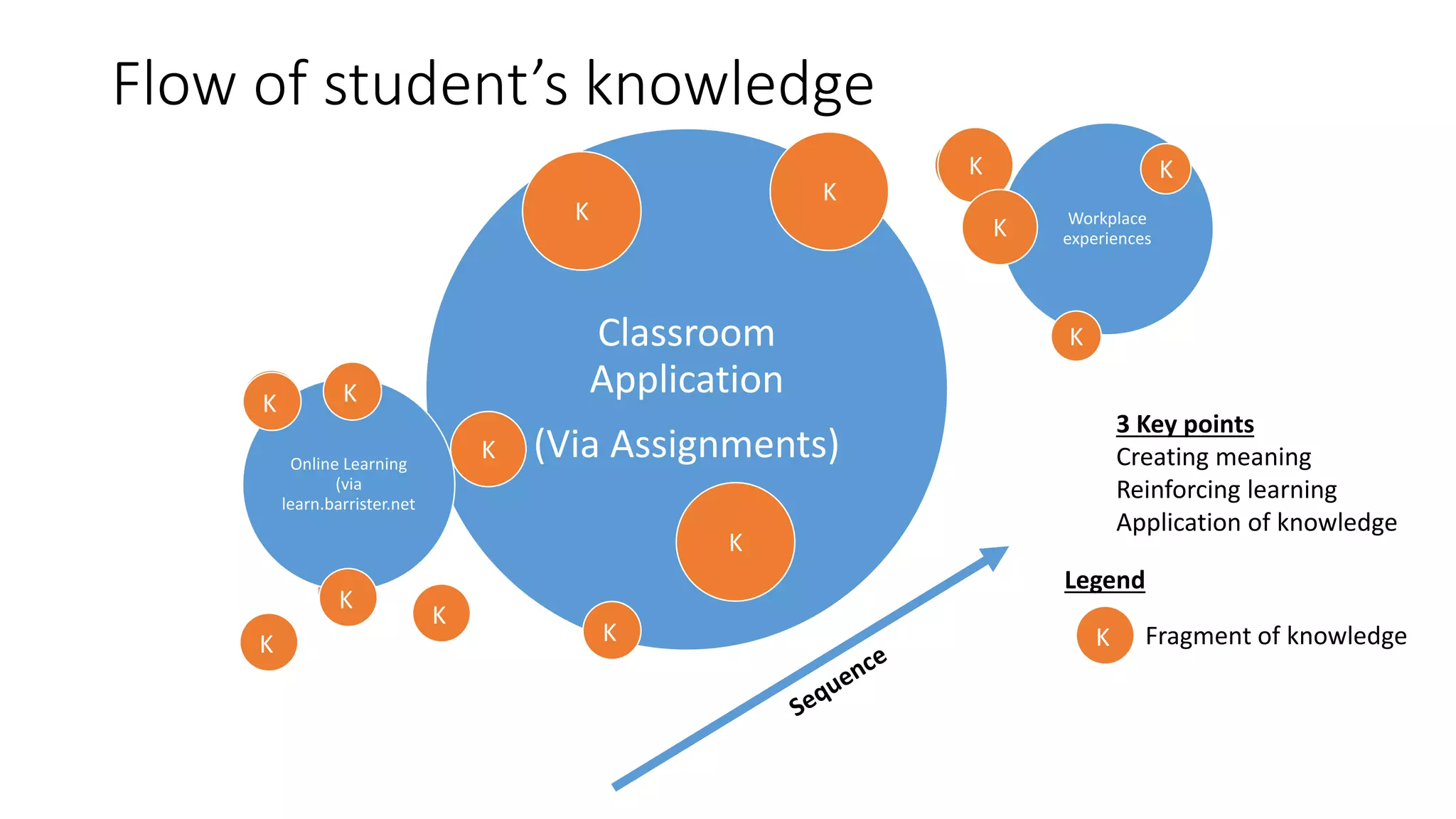
Classroom
Application
(Via Assignments)
Online Learning
(via
learn.barrister.net
Workplace
experiences
3 Key points
Creating meaning
Reinforcing learning
Application of knowledge
FLOW OF STUDENT’S KNOWLEDGE
K
Legend
Fragment of knowledgeK
K
K K
K
K
K
K
K
K
K
K
K
K
FLOW OF STUDENT’S KNOWLEDGE
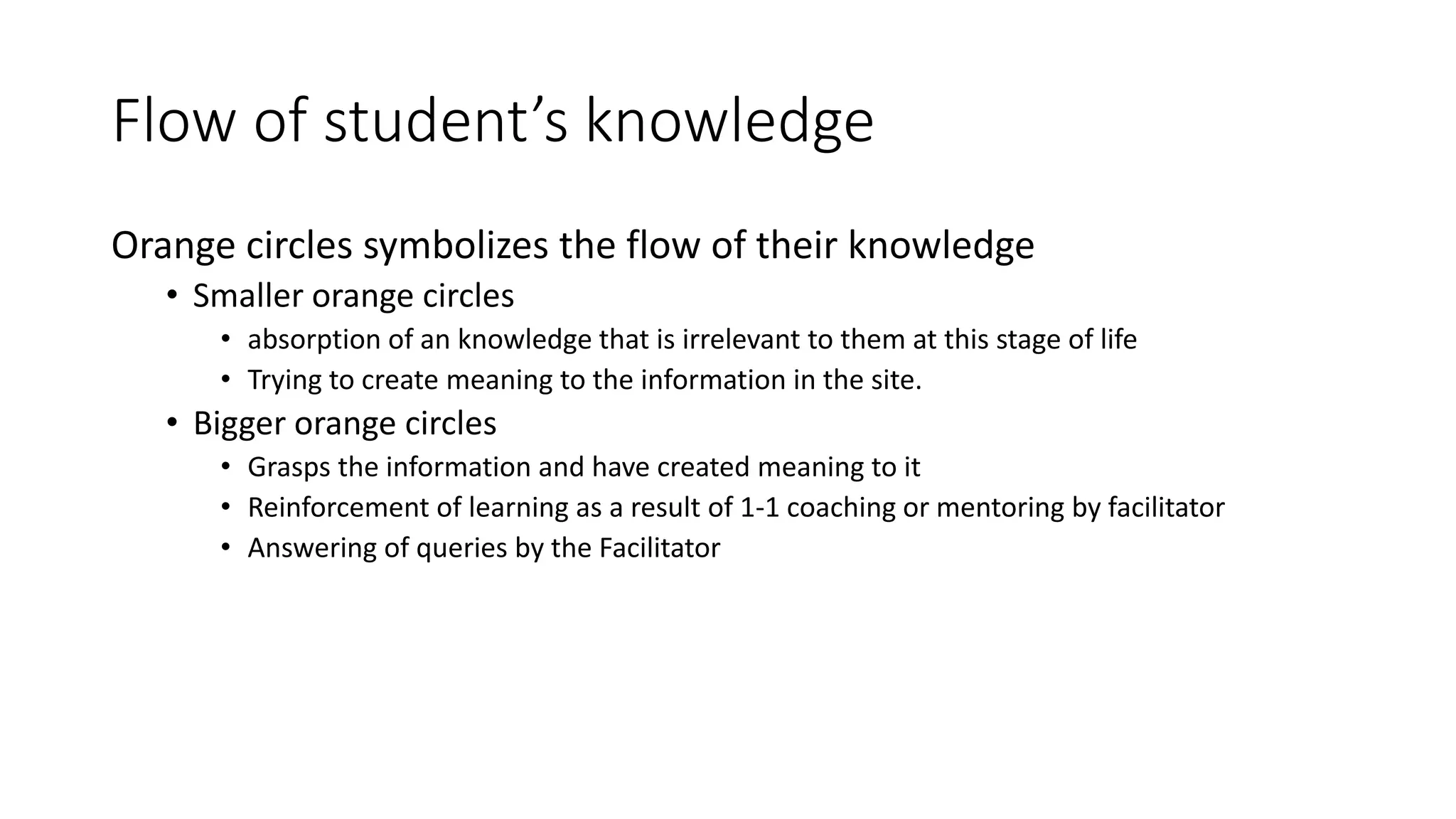
Orange circles symbolizes the flow of their knowledge
 Smaller orange circles
 absorption of an knowledge that is irrelevant to them at this stage of life
 Trying to create meaning to the information in the site.
 Bigger orange circles
 Grasps the information and have created meaning to it
 Reinforcement of learning as a result of 1-1 coaching or mentoring by facilitator
 Answering of queries by the Facilitator
RECOMMENDED LAYOUT
Students
4 a group
Students
4 a group
Students
4 a group
Facilitator
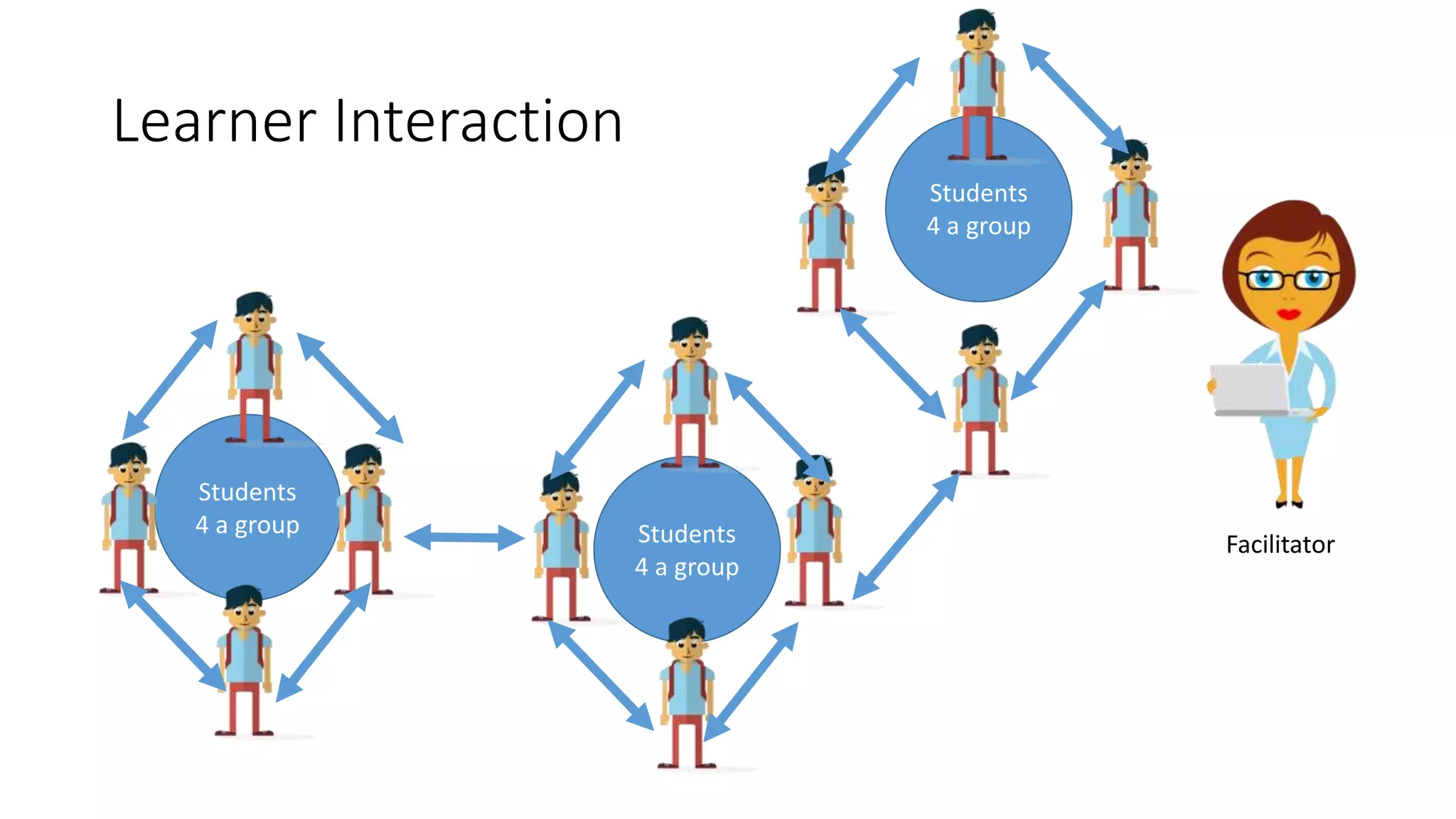
LEARNER INTERACTION
Students
4 a group
Students
4 a group
Students
4 a group
Facilitator
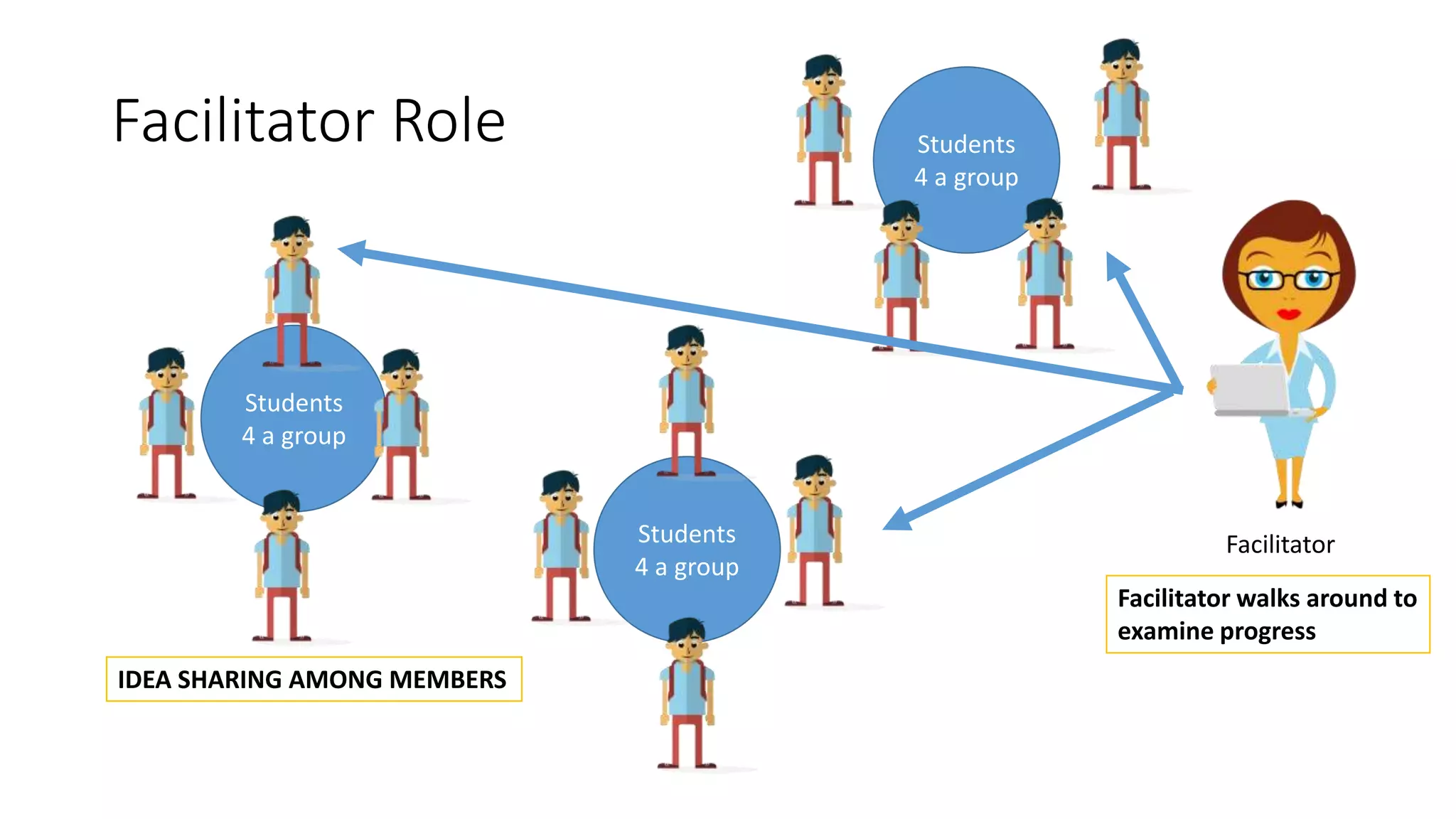
IDEA SHARING AMONG MEMBERS
Facilitator walks around
to examine progress
FACILITATOR ROLE
SUMMARY
MOVING FORWARD
Learn.barristar.net
Fully Mobile
Video Conferencing
(enquiries and help)
Discussion
Forum
Community of
E-Portfolio
Personalized
Learning

Design of classroom experience

  • 1.
    DESIGN OF CLASSROOMEXPERIENCE Blend learning solution Barry Ng via
  • 2.
    ABOUT MY IDEA Myidea aims to achieve the following  Learning on the go(M-Learning) + Blended learning  Reduces classroom learning time and increases individual self learning time. This pushes learners to have greater responsibility of their learning  Spreads/widen the accessibility to learning for everyone who requires to create an E-portfolio
  • 3.
    BEFORE THE SYSTEM Teacher teaches a subject, provide a homework for student to do and write a reflection.  Teacher marks the assignment upon receiving the essay, returns to student with a grade.  Teachers might be treating the E-portfolio as supplementary towards the actual topic(subject)  Pockets of reflections and learning experiences maybe all over the place, with no singular platform available for the learner John (Student)Teacher
  • 4.
    AFTER: NEW TRIALSYSTEM Teacher collaborates together and standardizes a central platform for E-portfolio creation. (e.g. wordpress or blogspot) Teacher ask learner to create the E-portfolio within the first week of school Learner will add teacher (if possible) as a user to mark the assignments Teacher provides an essay for learners to work on, learner does the assignment and reports that it is ready for marking. Learner received a grade for the assignment and adjustments are given to the learner
  • 5.
    RESOURCES AND TOOLS Alllearning resources will be from learn.barristar.net Learning resource on learn.barristar.net will comprise of videos, images and text for learning references. Facilitators will have to refer to this site for its instructions and references Learner will use the classroom as an area for learning improvements and refinements.
  • 6.
    CONTENT CURATION (LEARN.BARRISTAR.NET) Contentson the portal are restricted to the following  Videos  3- 5 minute videos for learning of a system  Multiple videos curated for learning a same topic (learning reinforcement)  It must be scalable to the mobile device  Image  Interactive images using Thinglink (images that contains clickable links or valuable information)  Maximum graphical representations for better meaning creation  It must be scalable to the mobile device  Text  Text and paragraph spacings must be appropriate for M-learning  It must be scalable according to the mobile device
  • 7.
    ADVANTAGES OF THESYSTEM Learners can access content on the go (M-learning) Learners are able to bring the prior knowledge from previous systems or assumptions into this learning experience and also into the classroom Learners can access learning at a smaller bite size information, as they try to create meaning to the content.
  • 8.
    LIMITATIONS OF THESYSTEM Learners might have used other platforms and choose not to use any of the platforms given in the site Learners might find E-portfolio irrelevant Facilitators might have issues addressing the various platform technical issues Learning management platform available for use to grade and mark assignments
  • 9.
    BLENDED LEARNING MODEL John(Student) Accesses Learning materials From learning web page Facilitator facilitates any query/questions John Continues to grow portfolio (Student Ownership)
  • 10.
    Classroom Application (Via Assignments) Online Learning (via learn.barrister.net Workplace experiences 3Key points Creating meaning Reinforcing learning Application of knowledge FLOW OF STUDENT’S KNOWLEDGE K Legend Fragment of knowledgeK K K K K K K K K K K K K K
  • 11.
    FLOW OF STUDENT’SKNOWLEDGE Orange circles symbolizes the flow of their knowledge  Smaller orange circles  absorption of an knowledge that is irrelevant to them at this stage of life  Trying to create meaning to the information in the site.  Bigger orange circles  Grasps the information and have created meaning to it  Reinforcement of learning as a result of 1-1 coaching or mentoring by facilitator  Answering of queries by the Facilitator
  • 12.
  • 13.
    Students 4 a group Students 4a group Students 4 a group Facilitator LEARNER INTERACTION
  • 14.
    Students 4 a group Students 4a group Students 4 a group Facilitator IDEA SHARING AMONG MEMBERS Facilitator walks around to examine progress FACILITATOR ROLE
  • 15.
  • 16.
    MOVING FORWARD Learn.barristar.net Fully Mobile VideoConferencing (enquiries and help) Discussion Forum Community of E-Portfolio Personalized Learning